5 Productivity Apps for the Non Tech-savvy [2026 Updated]
5 Productivity Apps for the Non-Tech-savvy are Saner.AI, Otter.AI, Grammarly, Perplexity and Superhuman

Life is chaos.
Your brain is juggling a million things - emails, meetings, reminders, and that sticky note you swore you’d remember to check. Half the time, even finding where you saved that important idea feels like a small miracle.
If this sounds familiar, you’re not alone. For many, especially busy managers, small business owners, or founders, keeping up feels impossible. And while we all want to be more productive, the thought of using yet another app feels like just another thing to figure out.
1. What is a Productivity App?

A productivity tool is something that helps you stay on top of your work without having to remember everything in your head. It can help you write down tasks, plan your day, keep track of deadlines, and find notes when you need them.
Instead of feeling scattered or overwhelmed, a good productivity tool gives you a clear picture of what to focus on next.
2. Why do you need a Productivity App?
People who aren’t tech-savvy often need productivity apps even more, not less - because modern work expects everyone to juggle emails, tasks, meetings, and deadlines at the same time.
When work lives across messages, paper notes, and memory, it’s easy to forget things, feel overwhelmed, or fall into constant catch-up mode. A good productivity tool provides one simple, reliable place to write things down, see what matters today, and trust that nothing important is being missed.
A perfect productivity app is designed to feel natural to reduce complexity instead of adding it, helping non-tech-savvy users stay organized, confident, and in control without learning complicated systems.
This is the promise of today’s AI-powered productivity tools:
- They’re designed to make your life easier.
- They don’t require a tech background.
- And they might just save your sanity.
Whether you’re a parent running a side hustle, a manager leading a team, or a nonprofit founder trying to stretch every minute, these tools can help.
So, if you’re ready to reclaim your time without a steep learning curve, here are five simple ways AI can actually work for you.
What are 5 Productivity Apps for Non-tech savvy?
5 Productivity Apps for non-tech savvy are Otter.ai, Saner.AI, Grammarly, Perplexity, Superhuman
1. AI Takes Meeting Notes for you

Otter.ai is an AI meeting assistant that records, transcribes, and summarizes conversations in real time. It works with online meetings and in-person discussions, turning spoken conversations into searchable text. Instead of taking notes manually, you get automatic transcripts and key points after meetings. You can review, highlight, and share notes with your team easily. The goal is to help you focus on the conversation, not on typing.
Key features:
- Automatically converts speech into accurate text during meetings or recordings, with speaker IDs and searchable notes so nothing gets missed.
- Generates AI summaries, keywords, action items, and highlights after conversations so you can quickly grasp key points without reading everything.
- Syncs with Zoom, Google Meet, Teams, and calendars, lets you share and edit notes with teammates, and stores searchable transcripts across devices.
Pros
- You don’t need to configure anything complicated - just connect it to your meetings, and it works.
- You can fully focus on discussions while Otter handles documentation.
- Transcripts are searchable, so finding past decisions or comments is fast.
- Notes can be shared, commented on, and reused across projects.
Cons
- Strong accents, background noise, or multiple people talking can reduce accuracy.
- Advanced editing and export options are mostly locked behind paid plans.
- Otter is focused on conversations, not general task or note management.
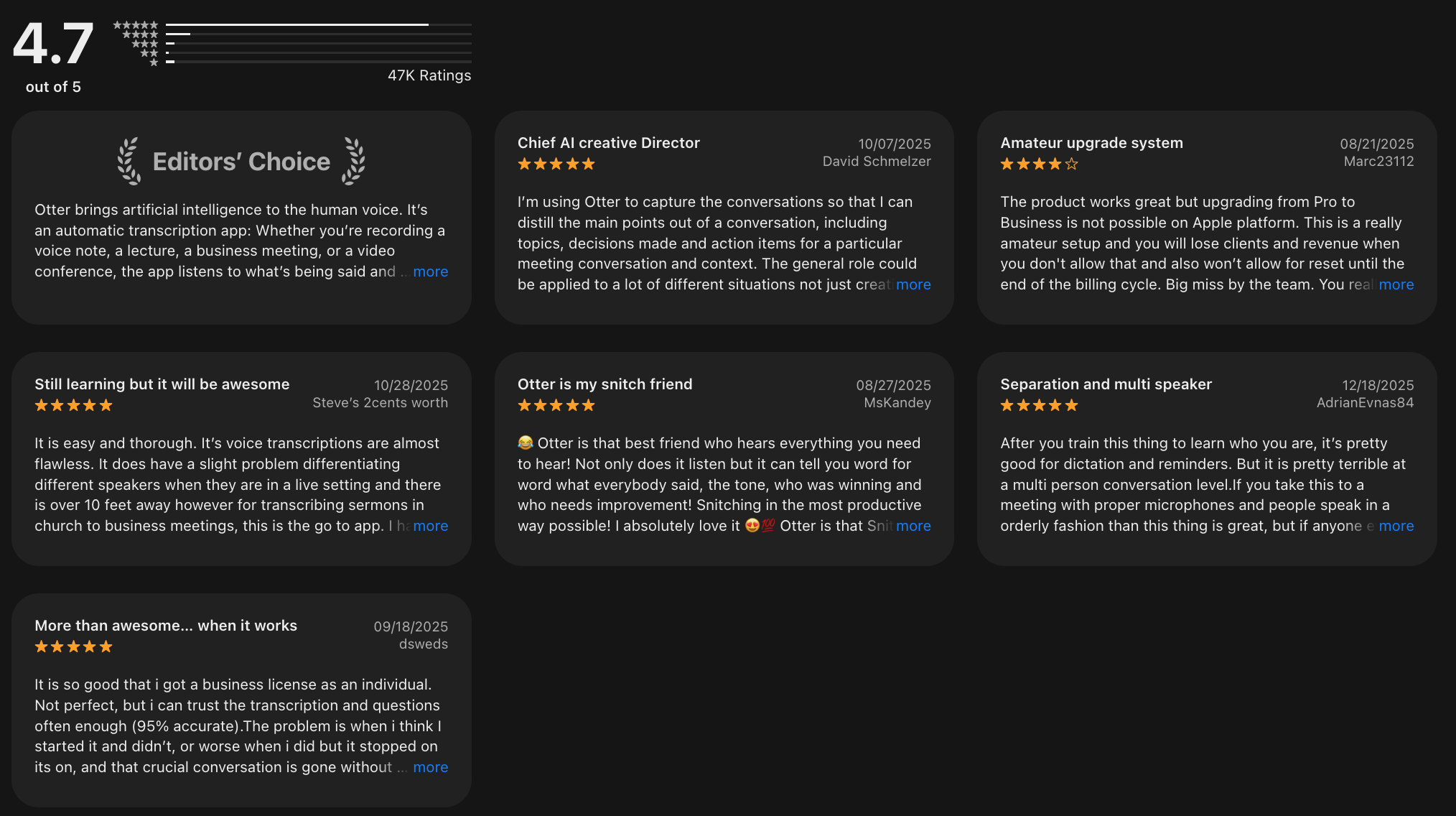
Otter.ai reviews (sources)
How to Start:
- Sign up for an Otter.ai account
- Connect Otter.ai to your meeting platform (e.g, Zoom)
- Start a meeting and let Otter.ai transcribes the meeting notes
2. Personal Assistant for your Notes, To Do list
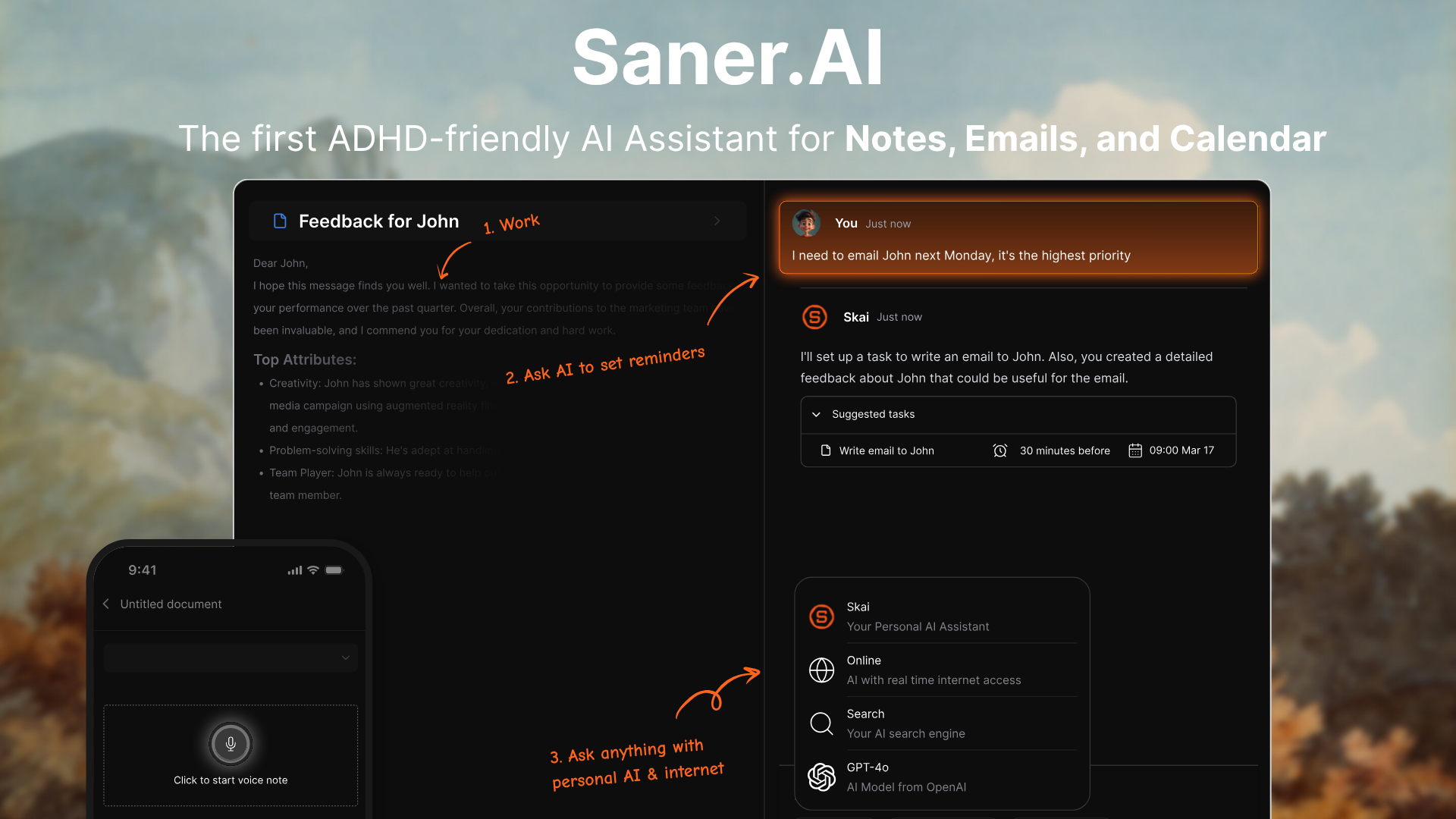
Saner.AI is an AI productivity app designed to help you capture, organize, and act on tasks and notes without complex setups. You can brain-dump ideas, to-dos, or meeting notes in natural language, and the AI helps turn them into structured tasks.
It focuses on daily planning, task clarity, and fast retrieval - so you don’t need to think about systems or frameworks. Everything lives in one place, with the AI helping you decide what matters today. It’s built for people who want productivity without learning new tools or workflows.
Key features:
- Saner automatically captures and organizes notes, tasks, emails, and calendar items into one unified workspace, reducing clutter and context switching.
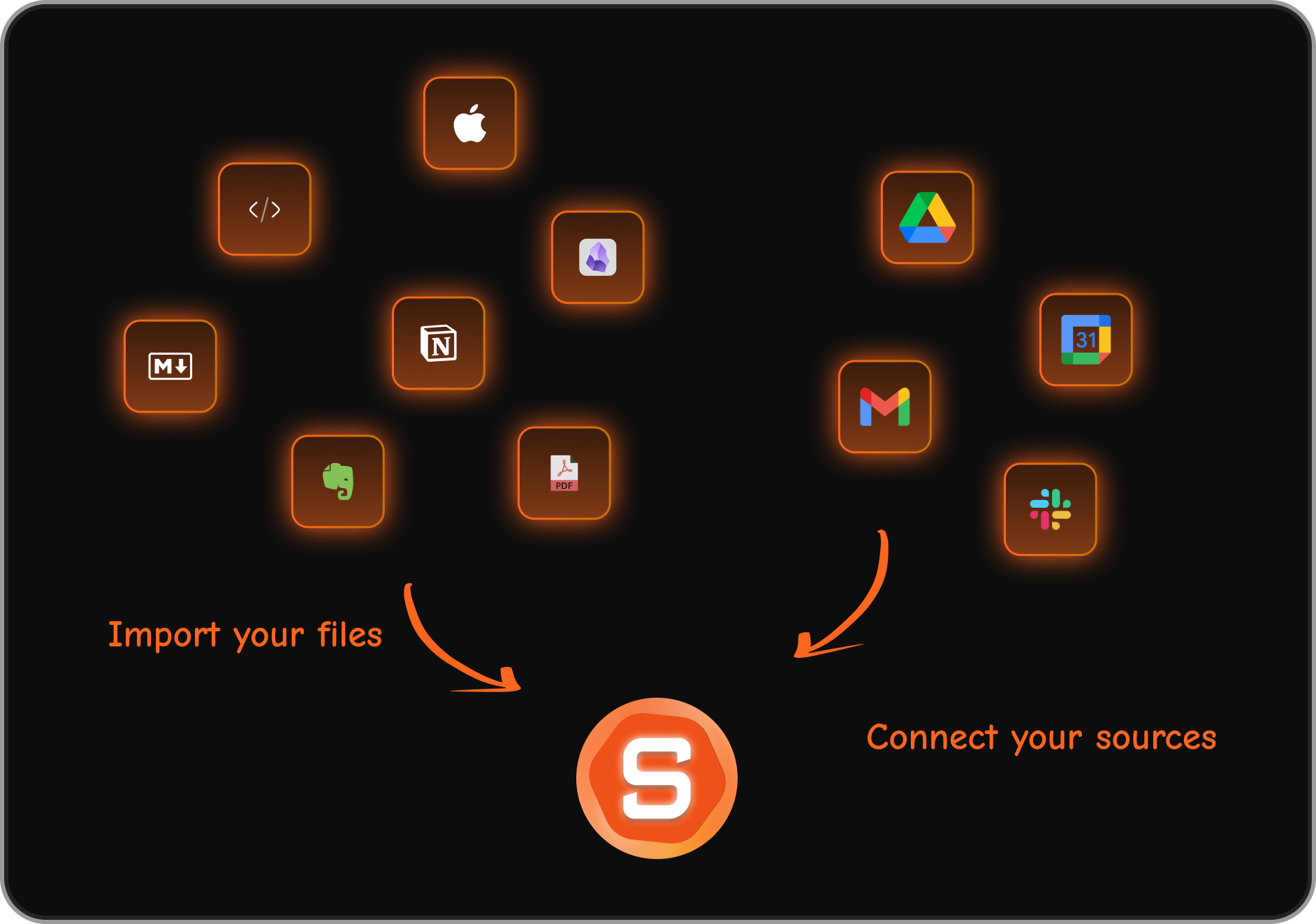
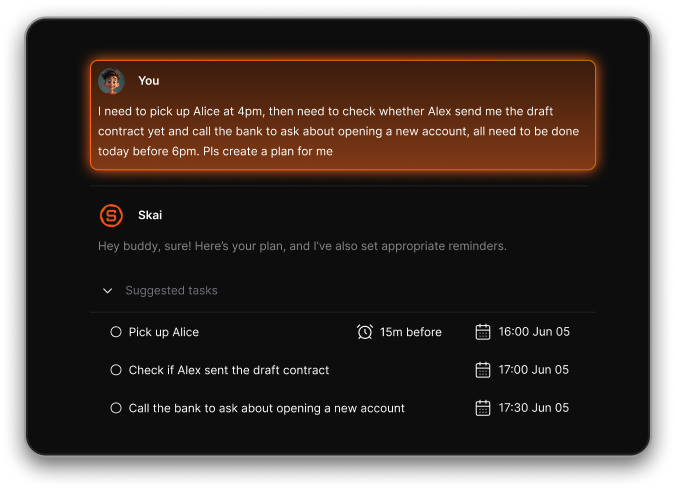
- Just type or paste anything - tasks, thoughts, meeting notes, and Saner.AI automatically understands and organizes them. No tags, folders, or setup required.
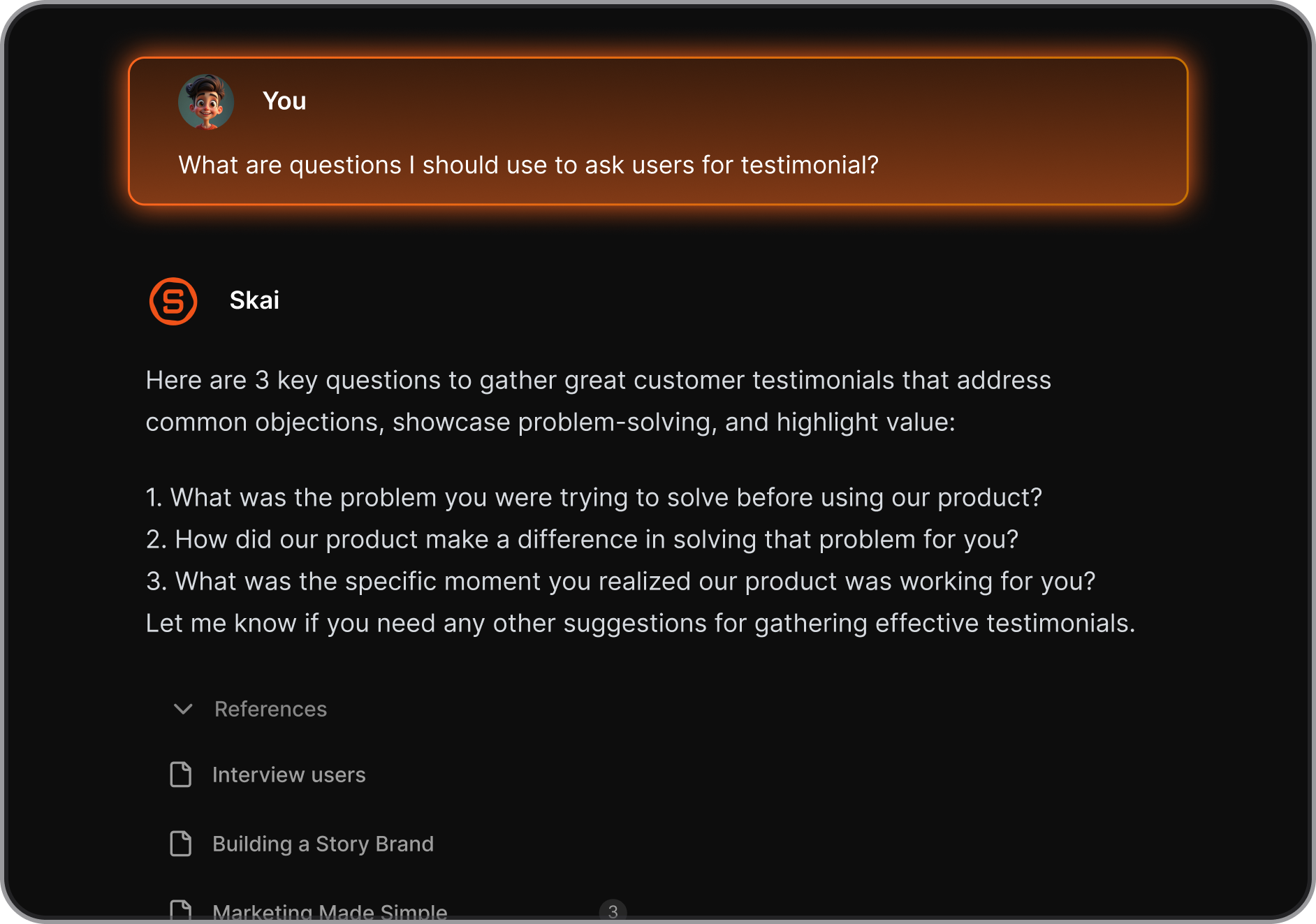
- The AI understands context across your content, lets you search naturally, recalls relevant info fast, and connects ideas you might’ve forgotten.
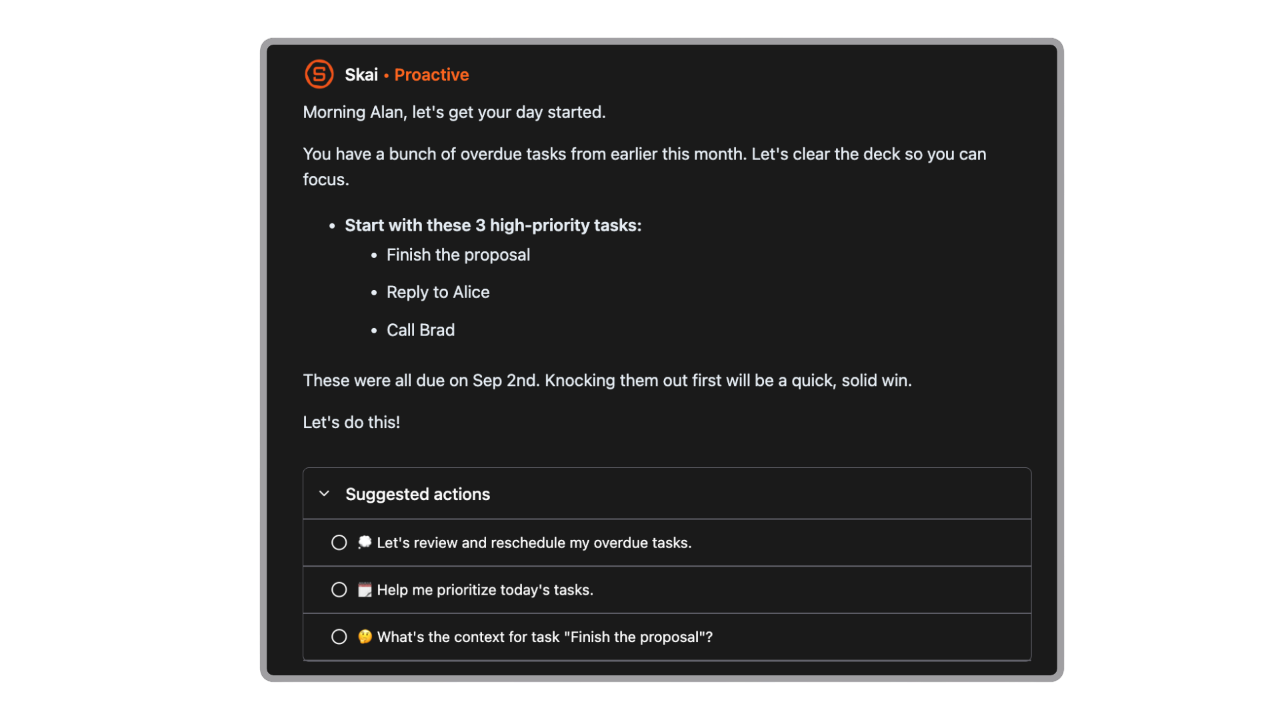
- When you open Saner.AI, the AI brings back relevant past tasks or unfinished thoughts before you search. It then suggests what to do next: continue, reschedule, break down, or drop so nothing quietly slips through the cracks.
Pros
- You don’t need to learn productivity systems or advanced features. Just write things down and let the AI handle the structure.
- Daily planning and prioritization are handled for you, which is helpful if you struggle with focus or too many tasks.
- Tasks, notes, and planning live in one tool, so you don’t need multiple apps.
- The AI focuses on real work - planning, remembering, and retrieving - rather than flashy features.
Cons
- Unsuitable for big team management
Pricing
- Free
- paid plans starting at around $10/month, with monthly and yearly options
Who is it suitable for?
Saner.AI is particularly well-suited for:
- Knowledge workers who need to manage a large number of personal tasks
- Individuals with ADHD
- Anyone interested in optimizing their workflow without spending too much time switching to too many tools
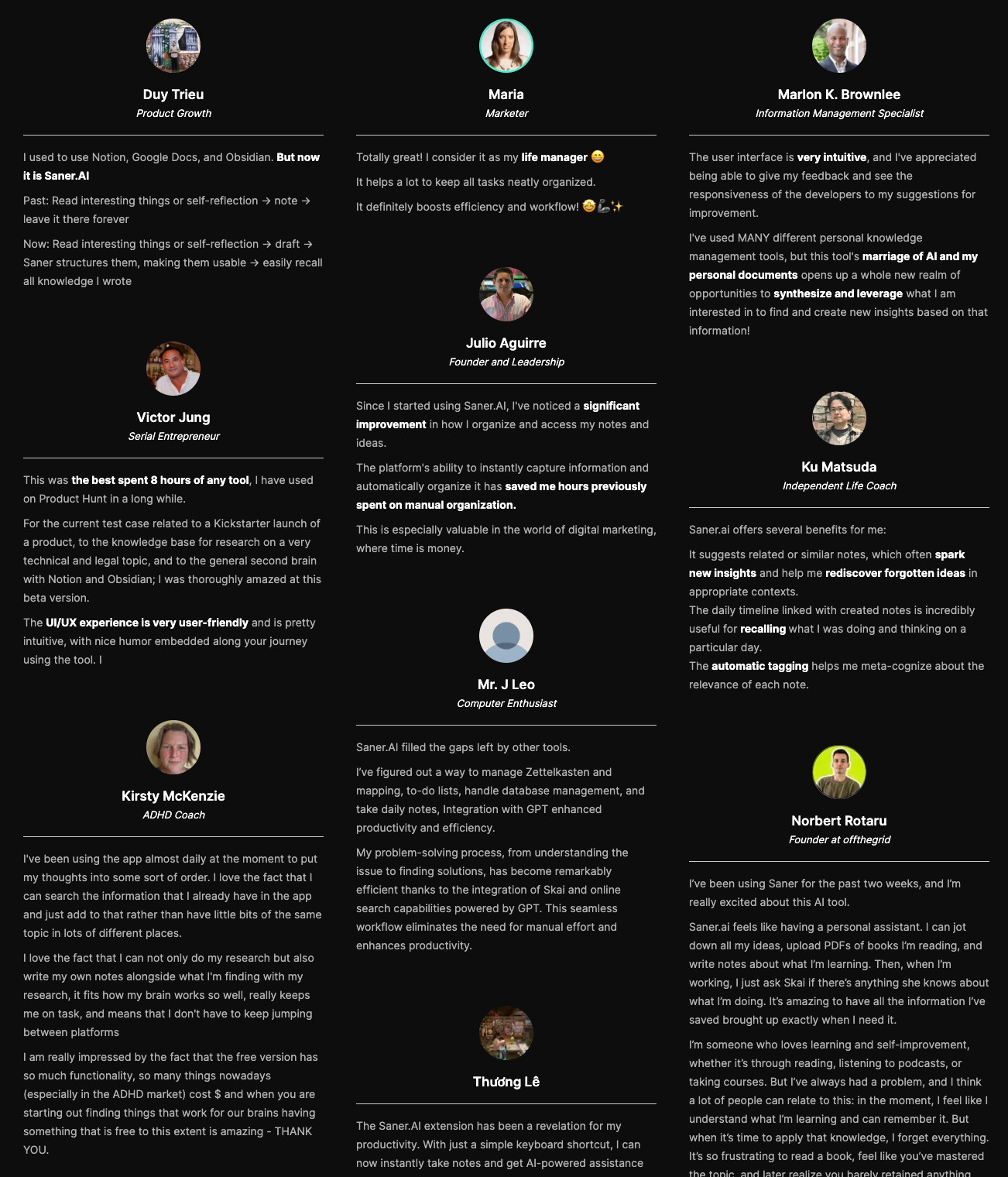
Saner.AI review
How to start using it?
- Visit the Saner.AI website and sign up for an account
- Explore the app's features, starting with basic note-taking and task creation.

Stay on top of your work and life
3. Fix your grammar
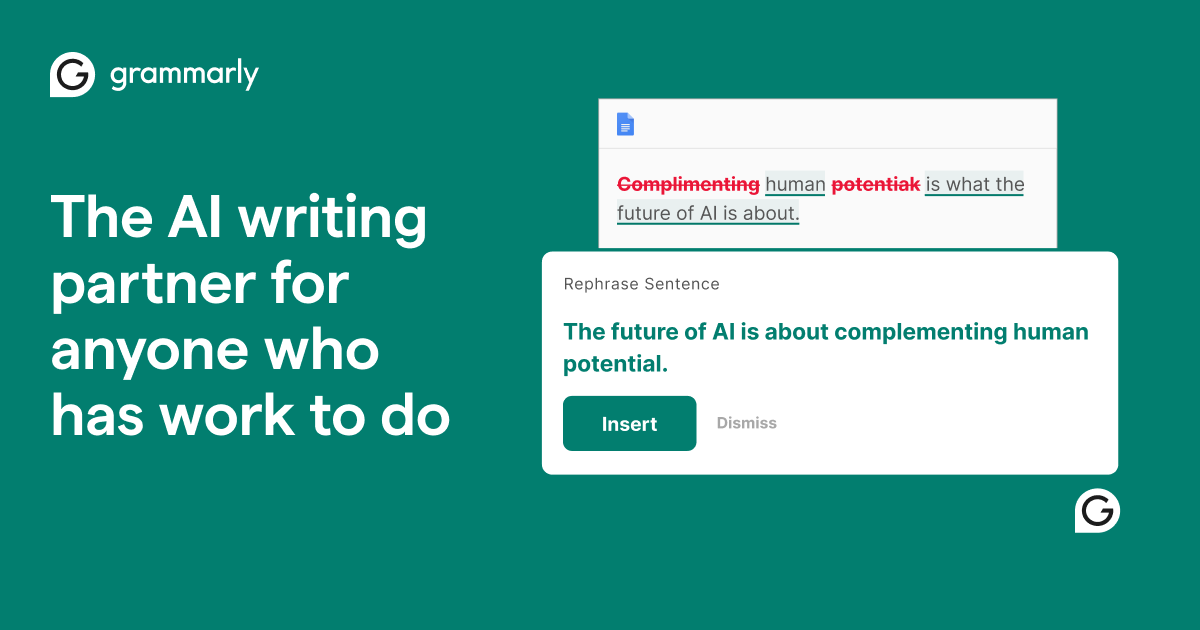
Grammarly is an AI writing assistant that helps you write more clearly and correctly. It checks grammar, spelling, punctuation, and tone as you type. The tool works across emails, documents, and browsers, giving real-time suggestions.
You don’t need to understand grammar rules - the AI explains and fixes issues for you. It’s designed to make everyday writing more polished with minimal effort.
Key features
- Grammarly highlights errors instantly and suggests corrections as you write.
- The AI flags sentences that are unclear or sound too harsh, formal, or casual.
- Grammarly integrates with Gmail, Google Docs, Microsoft Word, and most websites. You don’t need to copy text between tools.
- You can ask Grammarly to rewrite sentences for clarity, conciseness, or a different tone.
Pros
- Install it once, and it works quietly in the background.
- Helpful explanations make it easier to learn from mistakes over time.
- You spend less time rereading and fixing small errors.
- Especially helpful for emails, reports, and internal messages.
Cons
- Tone rewrites and style improvements are mostly locked behind Premium.
- Suggestions can feel too generic for highly creative or personal content.
- Offline use is limited.
Best for
- Non-tech-savvy users who want to write clear, professional English without worrying about grammar rules.
Pricing
- Free plan available
- Premium plans start around $12/month (billed annually), with monthly options at a higher rate.
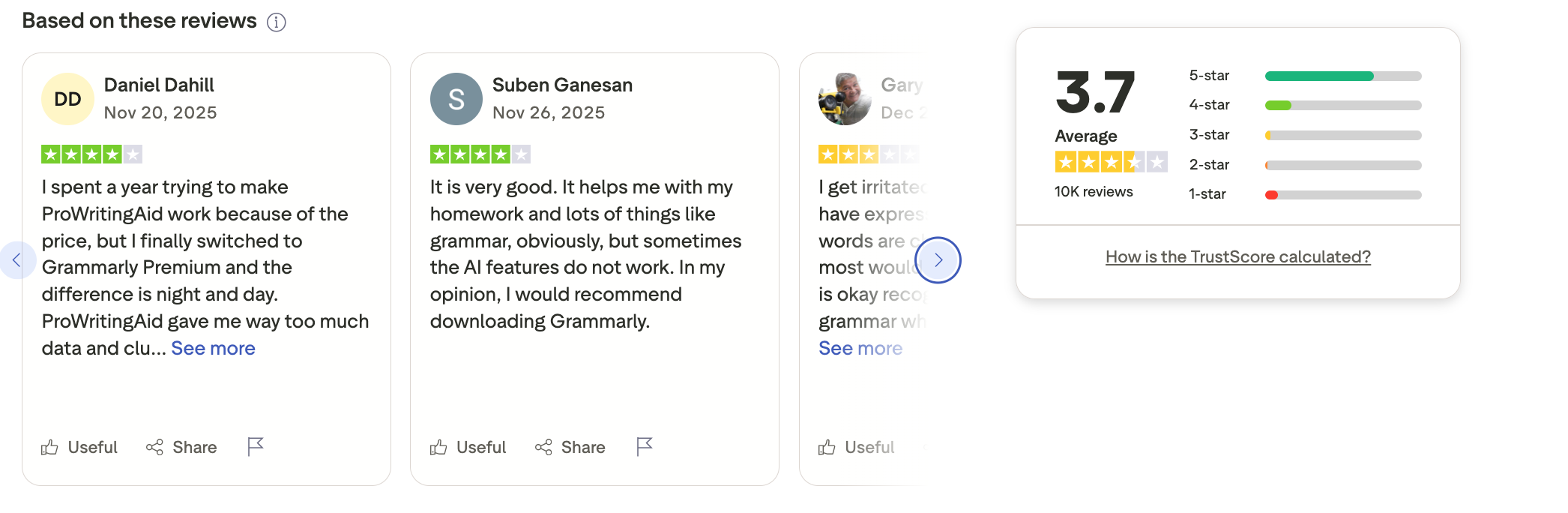
Grammarly reviews (source)
How to get started
- Create a free Grammarly account
- Install the browser extension or connect it to your writing app
4. AI Search Management

Perplexity AI is an AI search and research tool that answers questions with clear explanations and cited sources. Instead of giving you a list of links, it summarizes information directly and shows where the answers come from.
You can ask follow-up questions naturally, like in a conversation. It’s designed to reduce time spent Googling and opening multiple tabs. For non-tech users, it feels more like asking a smart assistant than doing a traditional search.
Key features
- Perplexity gives direct answers and shows citations so you can verify information. This builds trust and saves research time.
- You can refine or expand your question without starting over. The context carries through naturally.
- Different modes help you find general info, research-backed answers, or recent updates more easily.
- Long or complex topics are broken down into simple, readable explanations.
Pros
- You get usable answers immediately instead of scanning multiple articles.
- No setup or learning curve - just type questions in plain language.
- Citations make it safer for work, research, and decision-making.
- Ideal for understanding new topics without information overload.
Cons
- Very recent events may require double-checking sources.
- Power users may want more control over how results are filtered.
- Vague questions can lead to broad or generic answers.
Best for
- Users who want quick, reliable answers without digging through search results.
Pricing
- Free plan available.
- Pro plan around $20/month, billed monthly or yearly.
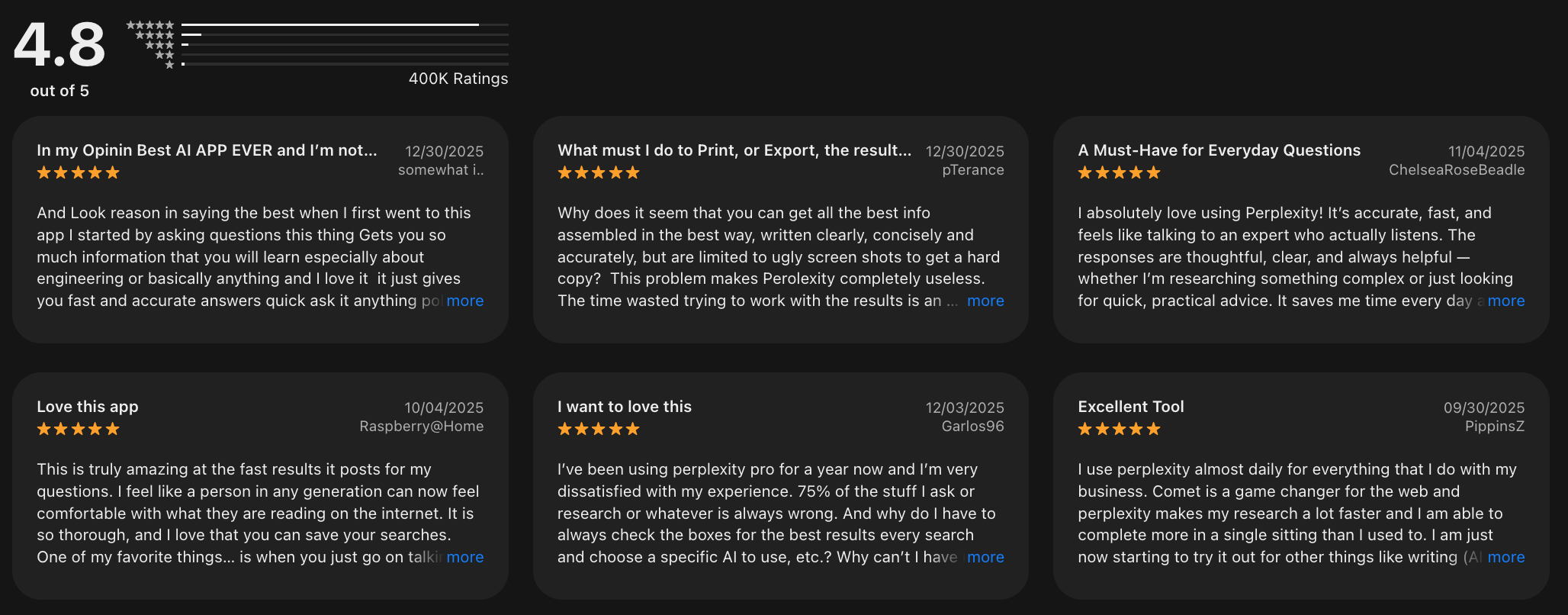
Perplexity reviews (source)
How to get started
- Go to Perplexity AI and create a free account
- Start asking questions in natural language and explore follow-ups
5. Manage Emails

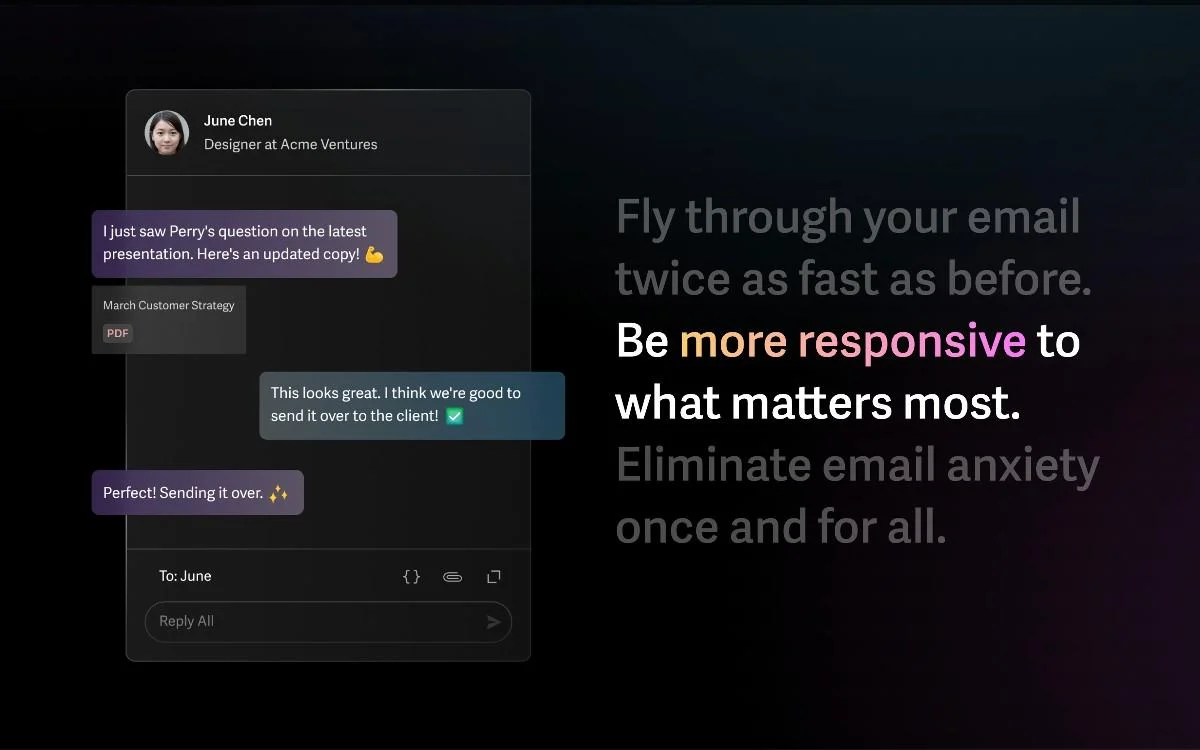
Superhuman is an email productivity app built to help you process email faster and with less stress. It replaces your regular inbox with a streamlined interface focused on speed, shortcuts, and clarity.
Emails are automatically categorized so you can focus on what matters first. The tool is designed to reduce inbox overload, not add more features. For non-tech users, it mainly works as a “cleaner, smarter inbox” once set up.
Key features
- Superhuman automatically sorts emails into categories like important, newsletters, and low priority.
- Common actions like replying, archiving, or scheduling emails can be done quickly. Over time, this significantly reduces the time spent in your inbox.
- You can see if emails are read and get reminders to follow up.
- Frequently used responses can be reused with a click.
Pros
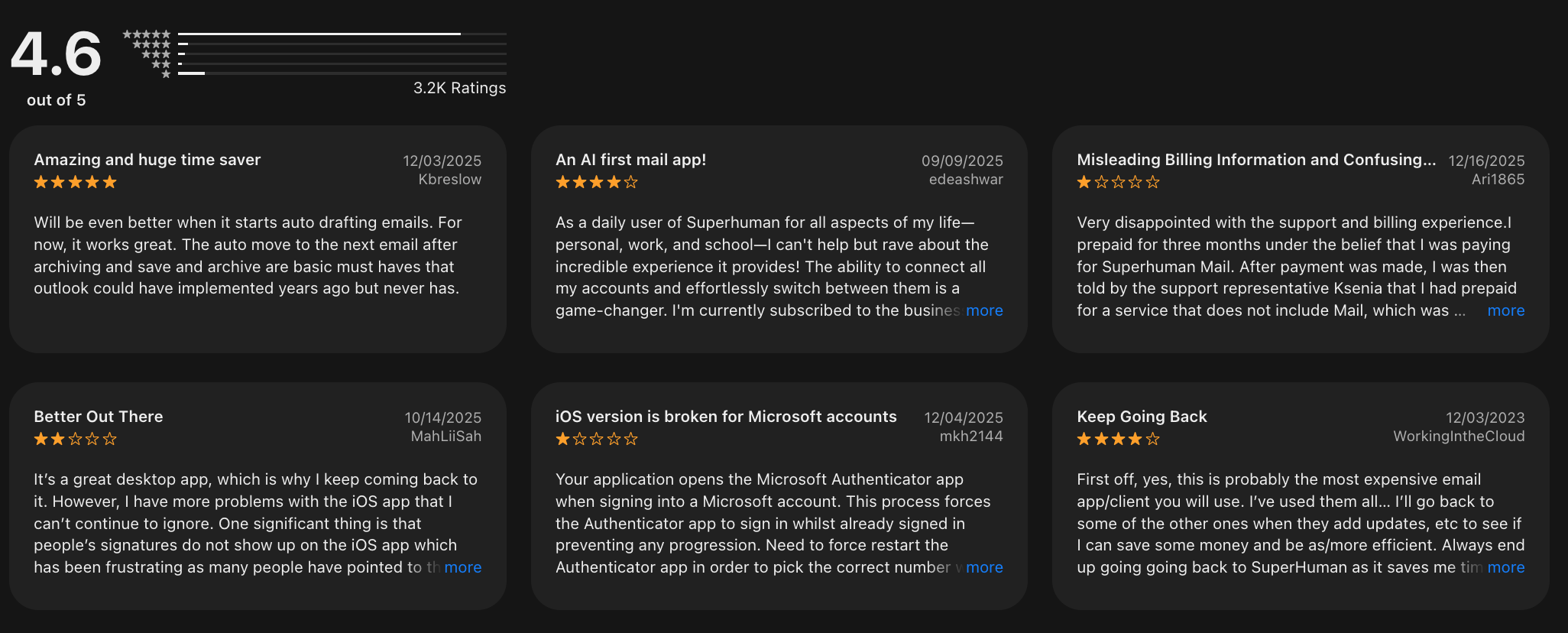
- Many users report getting through email much faster than with Gmail or Outlook.
- The interface is simple and focused, which helps reduce mental clutter.
- Especially useful if email is a core part of your daily work.
- Works well with existing email accounts without changing providers.
Cons
- Pricing is high for an email-only tool.
- Some users need time to adapt to the keyboard-first workflow.
- If you only send a few emails a day, the value may be limited.
Best for
- Non-tech-savvy professionals who deal with high email volume and want a faster, calmer inbox.
Pricing
- Paid only, around $30/month, billed monthly or yearly (no free plan).
Superhuman reviews (source)
How to get started
- Request access and create a Superhuman account
- Connect your Gmail or Outlook inbox and follow the guided setup
Quick Tips to Get Started
You don’t need to be a tech genius or completely change the way you work to get the benefits of AI.
Imagine this: you’re a small business owner juggling a million tasks, a busy parent trying to organize your day, or a professional who just doesn’t have the time to learn a complicated new tool. Maybe you’ve tried apps in the past but gave up because they felt overwhelming.
That’s okay. You’re not alone. This is how you are going to do:
- Start Small: Pick just one or two tools that fit into your daily routine, like something to organize your notes or a simple app to help you track your to-do list.
- Set Clear Objectives: Know what you want to achieve with each tool. Whether it’s reducing time spent on emails or organizing project files, having a clear goal will help you measure success.
- Leverage Tutorials: Many AI tools offer quick-start guides and tutorials. Spend a few minutes exploring these resources to get the most out of your chosen app.
Conclusion: Which is the best productivity app for you?
Here’s the honest truth: there’s no single “best productivity app” for everyone - especially for non-tech-savvy users.
- Some people just want meetings handled automatically (like Otter.ai turning conversations into clear notes).
- Others want their inbox to feel less overwhelming (that’s where Superhuman shines).
- Some simply want better writing with zero effort (hello Grammarly).
- And when it comes to fast, reliable answers without digging through tabs, Perplexity does the job beautifully.
But if you’re not tech-savvy and want one productivity app that actually ties everything together, that’s where Saner.AI stands out.
Saner.AI isn’t about learning complex systems. It’s built for people who want to:
- Dump thoughts, tasks, and notes naturally
- Let AI organize, plan, and connect context for them
- Reduce mental overload instead of managing yet another tool
In short, it works like a calm AI second brain, not another dashboard you have to “figure out.”
Our recommendation for non-tech-savvy users:
✨ Try 2–3 productivity apps from different categories (notes, email, writing, search)
🧪 Use them in real situations — meetings, emails, daily planning
🧠 Measure mental clarity and energy saved, not just features
If a productivity app helps you feel less scattered, more focused, and in control, that’s the right one.
👇 Ready to start simple?
Start with Saner.AI if you’re looking for an easy productivity app, an AI second brain, and a personal assistant that thinks with you - not for you.
Stay on top of your work and life
FAQ: Productivity Apps for the Non-Tech-Savvy
1. What are the best productivity apps for non-tech-savvy users?
The best productivity apps for non-tech-savvy people are tools that work naturally- without complex setup, templates, or technical jargon.
This guide focuses on 5 productivity apps that are simple, intuitive, and effective:
- Saner.AI - personal second brain & daily planning
- Otter.ai - meeting notes & transcripts
- Superhuman - email management
- Grammarly - grammar & clarity
- Perplexity - AI-powered search
Each tool solves one core problem without overwhelming the user.
2. Why do non-tech-savvy people struggle with most productivity apps?
Most productivity apps assume users enjoy configuring systems: folders, tags, workflows, and automations.
Non-tech-savvy users usually want the opposite:
- Write things down quickly
- Find them later without remembering where they were saved
- Get reminded at the right time
That’s why simpler, AI-assisted tools perform better for this group.
3. Which productivity app is easiest to start using?
Saner.AI is one of the easiest productivity apps to start with because there’s almost no setup.
You simply write or speak what’s on your mind - tasks, ideas, reminders, and the AI organizes it for you automatically.
4. What is Saner.AI, and how is it different from traditional to-do apps?
Saner.AI is a second brain and daily planning app, not a traditional to-do list.
Instead of manually organizing tasks, it:
- Turns notes into actionable tasks
- Understands context, not just keywords
- Connects tasks, calendar, and notes in one place
You don’t manage the system—the system manages your work.
5. Can productivity apps really help if I’m not “techy”?
Yes - if the app removes friction instead of adding it.
The best productivity apps for non-tech-savvy users:
- Use natural language
- Avoid complex dashboards
- Reduce app switching
Tools like Saner.AI and Grammarly are designed exactly for this use case.
6. Which productivity app is best for people who forget tasks easily?
Saner.AI is especially useful if you often forget follow-ups or small but important tasks.
It remembers what you wrote, even if it was messy- and reminds you when it matters, without relying on strict task structures.
7. What’s the best productivity app for meetings and note-taking?
Otter.ai is one of the best productivity apps for meeting notes.
It automatically records, transcribes, and summarizes meetings - so you don’t need to type or structure notes manually.
8. Which productivity app helps most with email overload?
Superhuman is built for people who live in their inbox but want less stress.
It focuses on:
- Faster email processing
- Keyboard shortcuts instead of menus
- Clear prioritization
It’s especially useful once email becomes a daily bottleneck.
9. Is Grammarly considered a productivity app?
Yes. Grammarly improves productivity by reducing time spent rewriting, correcting, and second-guessing your writing.
For non-tech-savvy users, it works quietly in the background and improves clarity without changing your workflow.
10. What productivity app replaces Googling things all day?
Perplexity is an AI search tool that gives direct, summarized answers instead of long lists of links.
It’s useful for:
- Quick research
- Explaining unfamiliar topics
- Getting context without digging through articles
This saves time and mental energy.
11. Do I need to use all 5 productivity apps?
No. The goal isn’t to use more apps - it’s to use the right combination.
A common simple stack looks like:
- Saner.AI for planning & remembering
- Otter.ai for meetings
- Grammarly for writing
Start small and add only what clearly saves time.
12. Which productivity app is best for ADHD or overwhelmed minds?
Saner.AI works well for ADHD and overwhelmed users because it:
- Accepts messy inputs
- Reduces context switching
- Surfaces the next best action
There’s no pressure to “organize perfectly” before starting.
13. Are there free productivity apps for non-tech-savvy users?
Yes. Many tools in this list offer free plans:
- Saner.AI – core planning and reminders
- Otter.ai – limited meeting minutes
- Grammarly – basic writing corrections
- Perplexity – free AI search
You can test without commitment.
14. How do productivity apps reduce mental load?
Good productivity apps don’t just save time - they save attention.
They reduce mental load by:
- Remembering things for you
- Showing what matters now
- Removing the need to constantly re-plan
This is where AI-first tools outperform manual systems.
15. What’s the best overall productivity app for non-tech-savvy professionals?
If you want one tool that replaces multiple systems, Saner.AI stands out.
It combines:
- Notes
- Tasks
- Calendar awareness
- AI assistance
All without requiring technical knowledge or setup, making it one of the most practical productivity apps for everyday work.
Stay on top of your work and life