Honest Reclaim.ai Reviews: Is it worth it?

Reclaim.ai Reviews (2026)
Reclaim.ai promises to do something most people desperately want but can't seem to manage on their own: protect their time. The pitch is that you connect your calendar, set some priorities, and the AI takes over - automatically defending focus time, scheduling habits, and finding slots for recurring meetings without you having to touch a thing.
But the real question is whether Reclaim delivers on that promise in practice, or whether you end up spending more time managing the tool than it saves you.
This review digs into what Reclaim.ai actually does well, where it falls short, and whether it's the right fit for how you work.
Key Takeaways
- Reclaim.ai excels at calendar automation - particularly focus time blocking, habit scheduling, and smart meeting coordination for Google Calendar users
- The free plan is genuinely usable but becomes restrictive quickly; most serious users will need a paid plan starting at $8/user/month
- No native mobile app is the single most-complained-about limitation across review platforms
- The tool is calendar-first and scheduling-focused - it doesn't help with knowledge management, email, or note organization
- For users who need broader AI productivity support beyond calendar blocking, tools like saner.ai offer a different (and in some ways more complete) approach
Reclaim.AI At a Glance
| Category | Score |
|---|---|
| Ease of use | 4.2 / 5 |
| Features | 3.8 / 5 |
| Mobile experience | 2.5 / 5 |
| Integrations | 4.0 / 5 |
| Value for money | 3.7 / 5 |
| Customer support | 4.0 / 5 |
| Overall | 3.7 / 5 |
What Is Reclaim.ai?
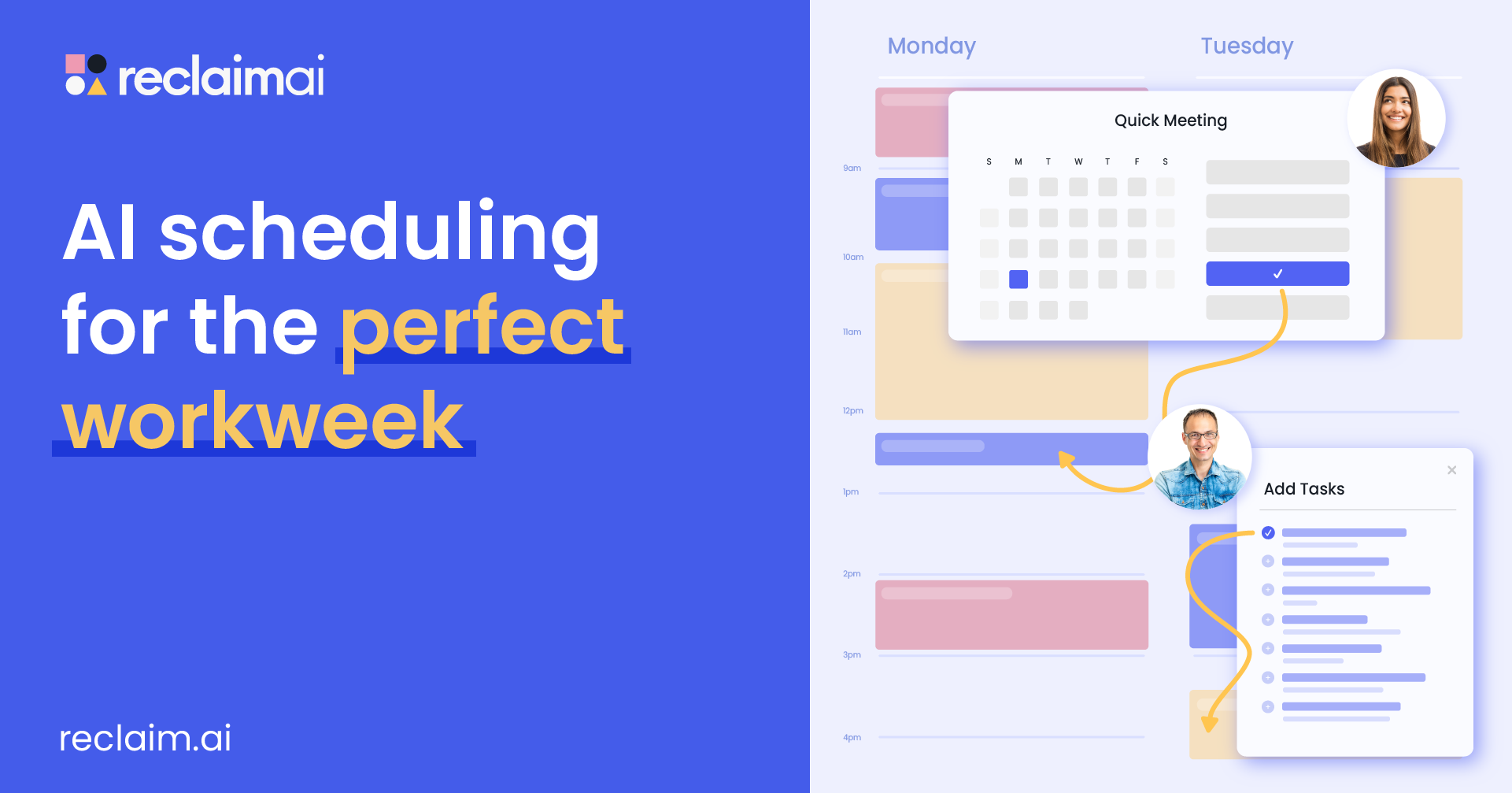
Reclaim.ai is an AI scheduling tool built on top of your existing calendar. It analyzes your availability and automatically blocks time for tasks, habits, and focus work - then reshuffles everything when meetings shift, or priorities change.
The core idea is simple: you tell Reclaim what matters - a daily writing block, a weekly 1:1, a lunch break - and it finds the best time for each, respects your preferences, and automatically moves lower-priority blocks when something urgent comes up.
Core features include:
- Smart Tasks — Pulls tasks from Asana, ClickUp, Todoist, Linear, Jira, or Google Tasks and auto-schedules them in your calendar based on priority and deadlines
- Habits — Recurring personal or professional routines (gym, lunch, email processing) that flex around your schedule and reschedule automatically when overbooked
- Focus Time — Automatic blocks of protected deep work time, either proactively scheduled ahead or reactively defended as your week fills
- Smart Meetings — Finds the best time for recurring 1:1s and team meetings across all attendees' calendars, auto-updating when schedules shift
- Scheduling Links — Shareable links for external booking that respect your preferred working hours, focus time, and existing events
- Calendar Sync — Merges personal and work calendars in one view while keeping private details hidden from colleagues
- Buffer Time — Automatically adds breathing room before or after meetings so back-to-back calls aren't the default
- Time Analytics — Reports on how time is being spent across meetings, tasks, habits, and focus blocks
Now, let's dive in!
Reclaim.AI Features Breakdown
Smart Tasks
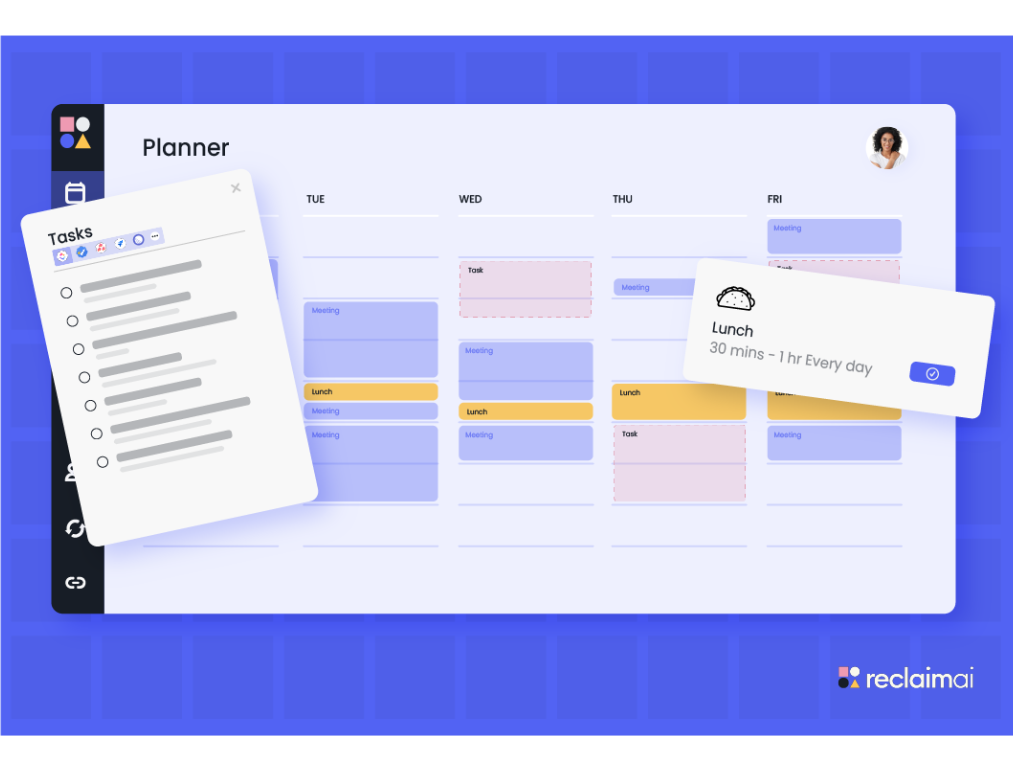
Reclaim's task scheduling works by importing your task list from a connected tool and automatically finding calendar time for each item based on its priority level and deadline. Higher-priority tasks get protected slots first; lower-priority ones fill the gaps. When a meeting lands in a block already claimed by a task, Reclaim reschedules the task automatically.
It's useful for people managing multiple projects without a clear daily structure.
"I use Reclaim.ai to manage multiple projects and schedule tasks around meetings, preventing urgent tasks from falling through the cracks." — reviews
That said, the automation can become unpredictable when your schedule is fluid. One recurring complaint from users is that Reclaim spends too long reshuffling the calendar when a last-minute task pops up, generating a wave of calendar notifications in the process.
"If I need to do something in the next two hours that was not on my schedule, Reclaim would spend those entire two hours reshuffling my schedule and I will keep getting notified about it from my calendar." — reviews
Habits
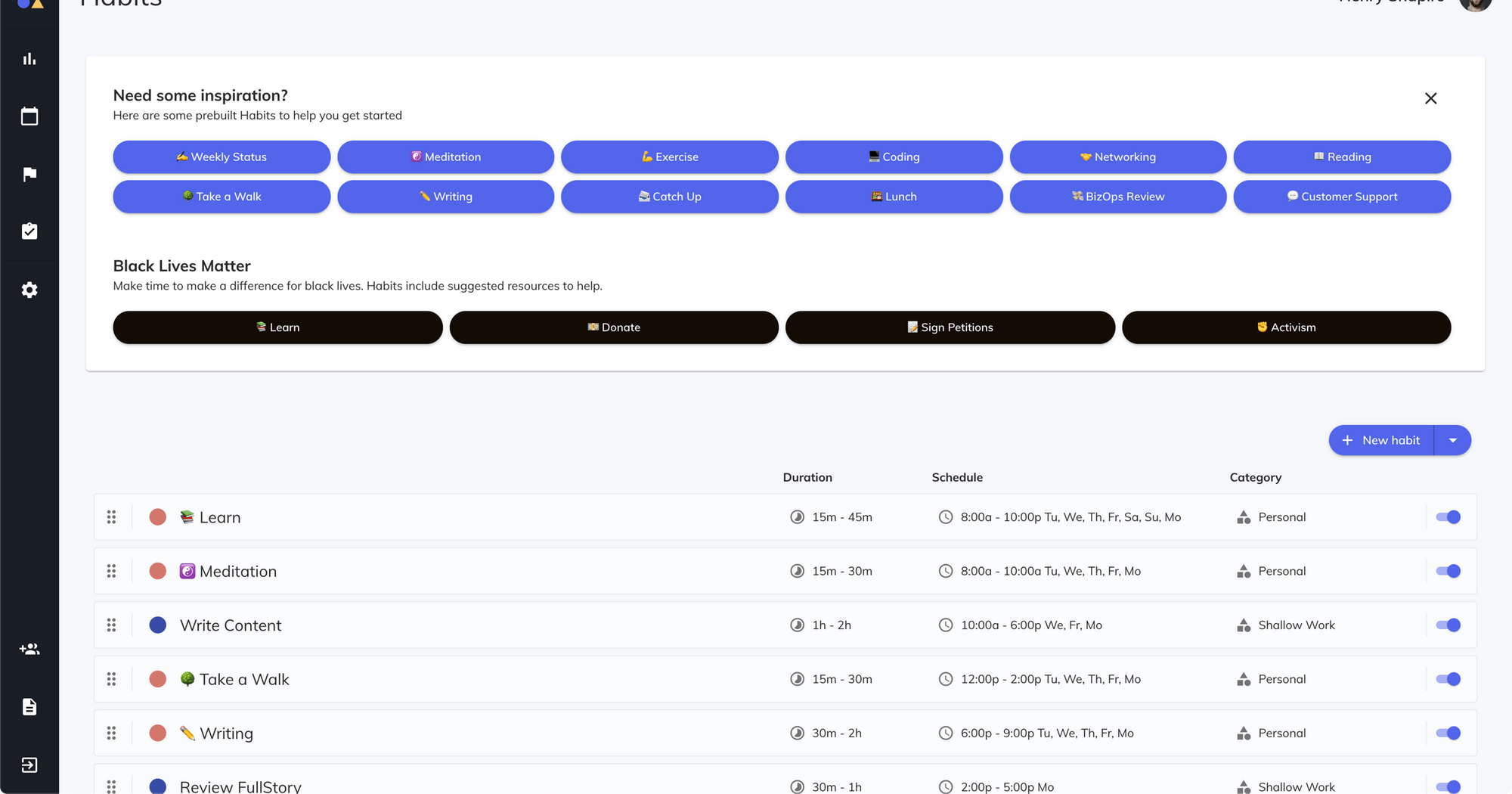
You set a recurring routine, define how often it should happen, assign a priority level, and Reclaim finds the best available slot each week. If something higher-priority takes over that slot, Reclaim reschedules the habit rather than just dropping it.
"The interface, aesthetics, and the idea of recurring tasks, habits, and focus time that are dynamically rescheduled by AI — I found the multiple priority levels concept for automated rescheduling to be immediately intuitive." — reviews
On the free Lite plan, you're limited to three habits, which covers basics like lunch and one work routine. Unlimited habits require a paid plan.
Focus Time
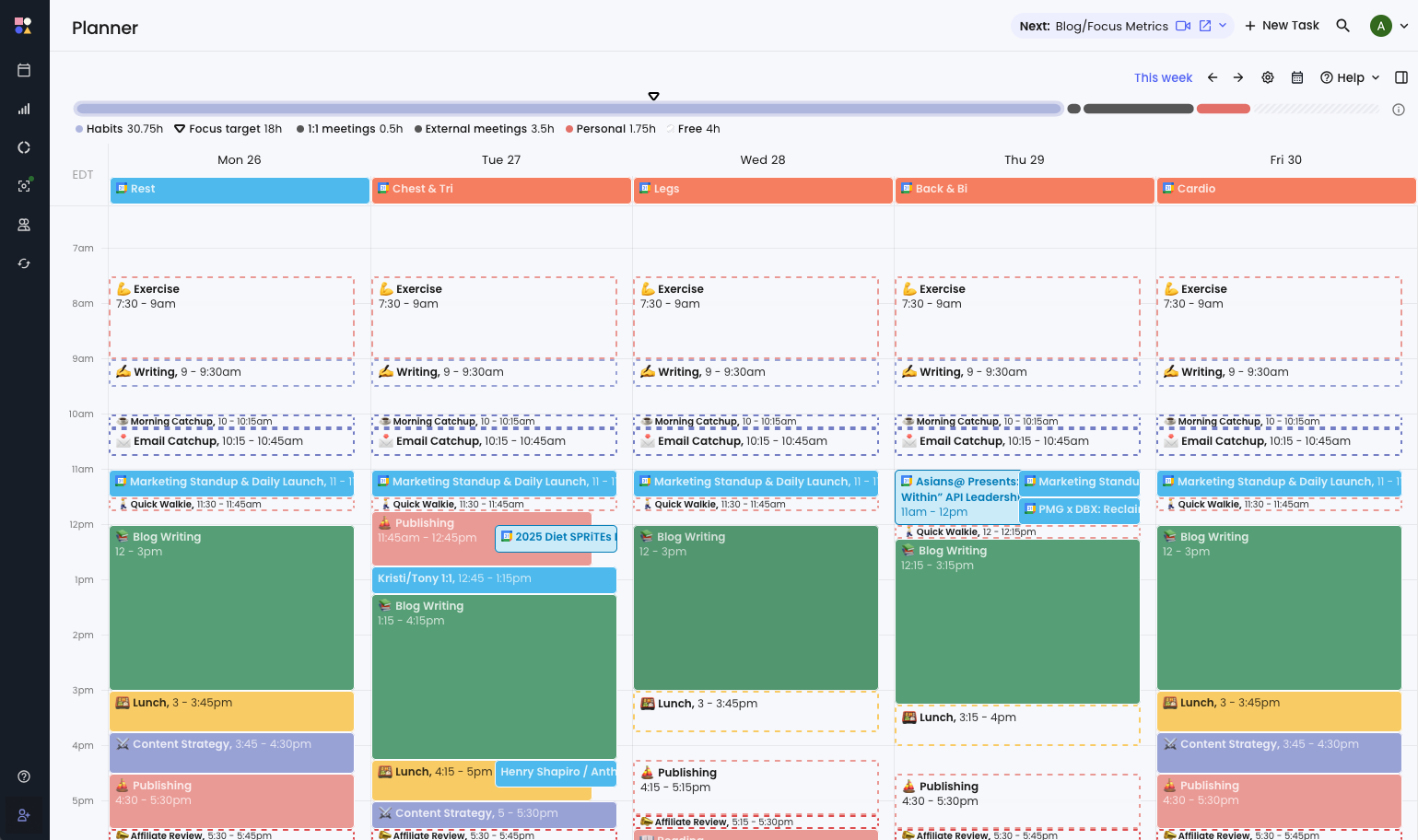
Focus Time lets you set a weekly goal for uninterrupted deep work, and Reclaim will proactively block calendar slots to hit that target.
The feature shows as "free" on your calendar when space exists, but converts to "busy" as meetings encroach, so colleagues still see availability until you genuinely can't accommodate more.
"Reclaim.ai is particularly valuable for protecting focus time in crowded calendars. Its ability to automatically prioritize and reschedule tasks and routines based on my real availability makes time management much more intentional and easier, without requiring constant manual adjustments." — reviews
One limitation: missed tasks or overdue work don't surface with strong alerts. If a deadline slips past a blocked focus session without getting done, Reclaim doesn't escalate the urgency — it quietly reschedules.
"Missed tasks or deadlines don't always surface with strong alerts. It's possible to overlook a task without it creating enough friction or escalation." — reviews
Smart Meetings
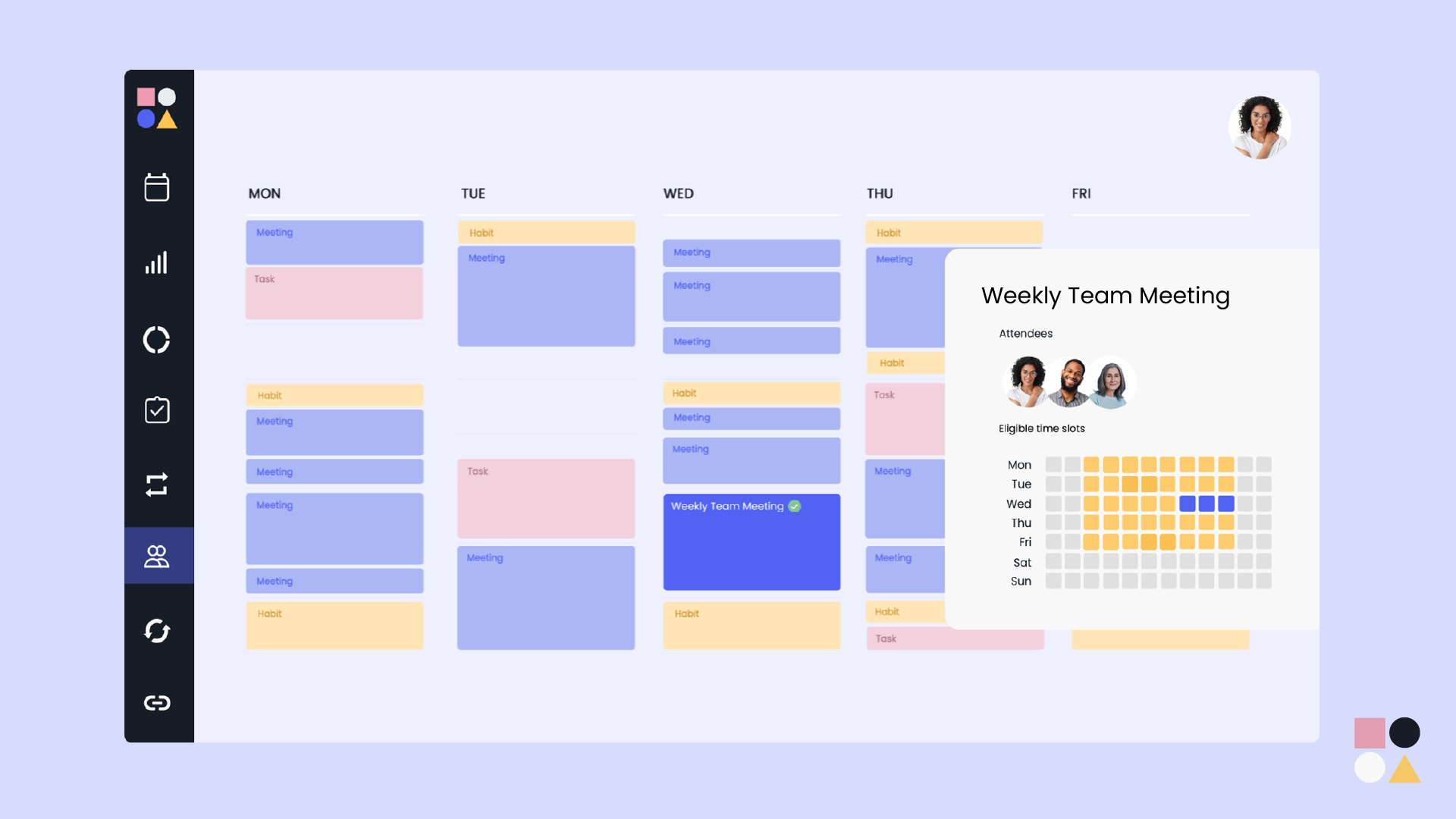
Smart Meetings finds the best time for recurring meetings by looking across all attendees' calendars and matching on mutual availability. When someone's schedule changes, it automatically moves the meeting rather than leaving a conflict for you to resolve manually.
For managers running a lot of recurring 1:1s, this alone can save meaningful time each week.
"Smart 1:1 meetings are awesome. I nearly cried when I saw the 'detect' 1:1 meetings feature." — reviews
The free plan caps Smart Meetings at one; the Starter plan includes three. Unlimited smart meetings require Business or above.
Scheduling Links
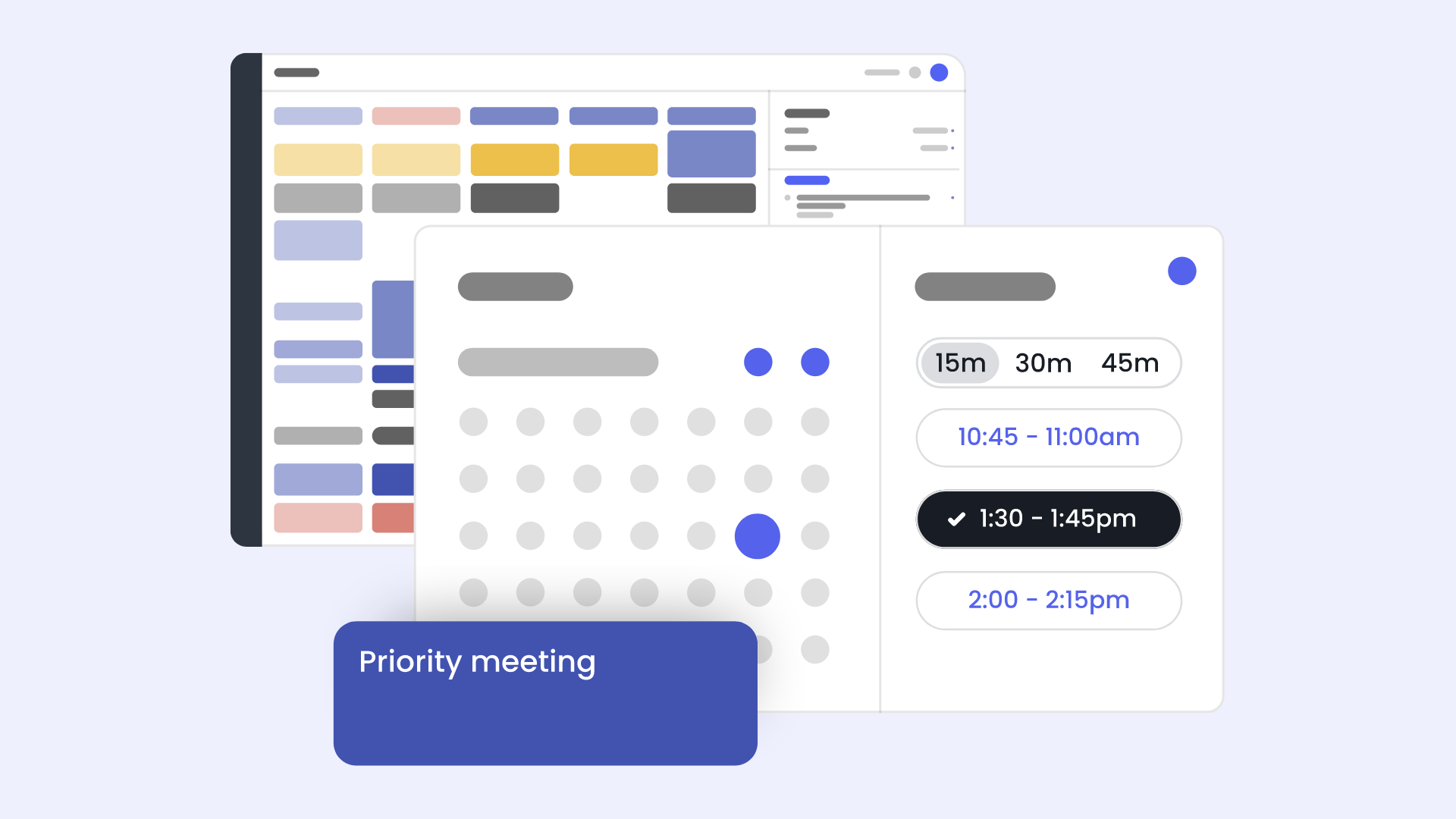
Reclaim's scheduling links work similarly to Calendly - you share a link and recipients pick from your available slots. The difference is that those slots account for your existing tasks, habits, and focus time, not just meetings already on the calendar.
"I also like that there's a feature similar to Calendly that adds stability for people to schedule time with me — that closes the loop on organizing my time completely." — reviews
Mobile Experience
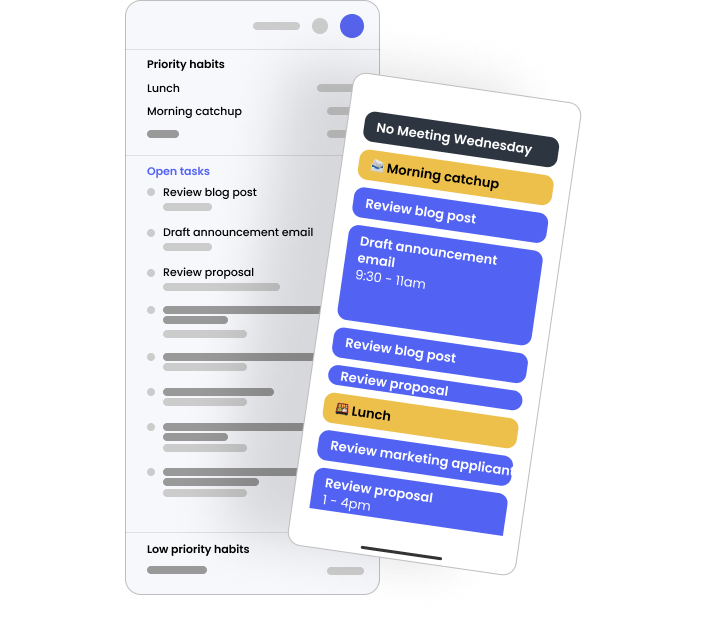
This is where Reclaim takes a real hit. As of early 2026, there is no native mobile app. You can view Reclaim-scheduled events on your phone through your calendar app, but you can't add tasks, adjust priorities, or change settings without opening a browser on desktop.
"The complete lack of a native mobile app is a major failing in 2025. This is the single biggest complaint I found in user reviews, and my own testing confirmed this frustration." — reviews
"Being able to select colors for certain tasks, and having a phone app would be useful." — reviews
For anyone managing their day on the go, this is a genuine gap.
Reclaim.AI Pricing
| Plan | Price (annual) | Price (monthly) | Free trial |
|---|---|---|---|
| Lite | Free forever | Free forever | — |
| Starter | $8/user/month | $10/user/month | 14-day Business trial |
| Business | $12/user/month | $15/user/month | 14-day Business trial |
| Enterprise | $18/user/month | Annual only | Contact sales |
Free plan limits: 2 calendar syncs, 3 habits, 1 scheduling link, 1 smart meeting, 3-week scheduling range
Reclaim.ai Pros and Cons
| Pros | Cons |
|---|---|
| Genuinely useful free plan to start | No native mobile app (iOS or Android) |
| Adaptive scheduling that handles calendar chaos well | Calendar notifications can get overwhelming during reshuffling |
| Works across Google Calendar and Outlook (since Aug 2025) | Not HIPAA compliant — unsuitable for healthcare organizations |
| Strong integrations with Asana, ClickUp, Todoist, Linear, Jira | iCloud Calendar not supported natively |
| Habits feature protects personal routines intelligently | Narrow scope — no email management, note-taking, or knowledge features |
| 14-day Business trial with no credit card | Free plan downgraded features significantly after initial launch, frustrating early users |
| SOC 2 Type II certified | Not ISO 27001 certified |
| Clear analytics on how time is actually spent | Missed deadlines don't escalate automatically |
What People Say about Reclaim.ai
Reclaim.ai has a strong base of positive reviews from professionals who use Google Calendar heavily and want their schedule to defend itself. The recurring theme in positive reviews is that the tool makes time management feel less reactive.
"My day is considerably more productive now. Reclaim really helps me focus on what needs to get done, when it needs to get done." — reviews
"Managing multiple calendars has been a long-time issue for me. I was constantly double booking, missing key events. Reclaim was the exact solution I needed." — reviews
But users who rely on their phone or step outside the Google/Outlook world run into walls quickly.
"My team tested Reclaim.ai to help balance meetings with focus time. It works okay, but the syncing with calendars can lag. The idea is great, but it still needs refinement to fully deliver." — reviews
The sharpest criticism comes from free users who felt the plan was downgraded without adequate warning.
"At first, the company offered a free account with 3 connected calendars and 16 habits. Then, mid-year of use, they trimmed it down to 1 calendar. Reclaim uses the typical SaaS tactic of downgrading free users to an unusable state with a discount offer to win them back." — reviews
And from users who found the automation got in the way rather than helping:
"I put the time of my meeting because I need it to happen at an exact time — and it automatically reschedules it. So now I have to go to my Google Calendar to set it up manually or move it back. It's just useless duplicate work." — reviews
Who Is It Best For
Reclaim.ai works well for:
- Knowledge workers and professionals who live in Google Calendar and want their week managed automatically
- Managers running many recurring 1:1s and team meetings who want coordination handled without back-and-forth
- Remote workers trying to protect focus time from meeting creep
- Solo professionals and freelancers who want habit-based scheduling alongside their task list
- Teams on Asana, ClickUp, Todoist, or Jira that want tasks to flow directly into the calendar
Reclaim.ai is not ideal for:
- Mobile-first users who manage their schedule primarily from a phone
- Healthcare organizations needing HIPAA compliance
- Apple users relying on iCloud Calendar
- Professionals who need email management, note-taking, or knowledge organization alongside scheduling
- People who want an AI planning that understands context when scheduling their day.
- Users who work across irregular hours, multiple time zones, or non-standard schedules, where rigid AI reshuffling creates more noise than signal
Reclaim.ai vs Competitors
Reclaim.ai vs. Saner.AI
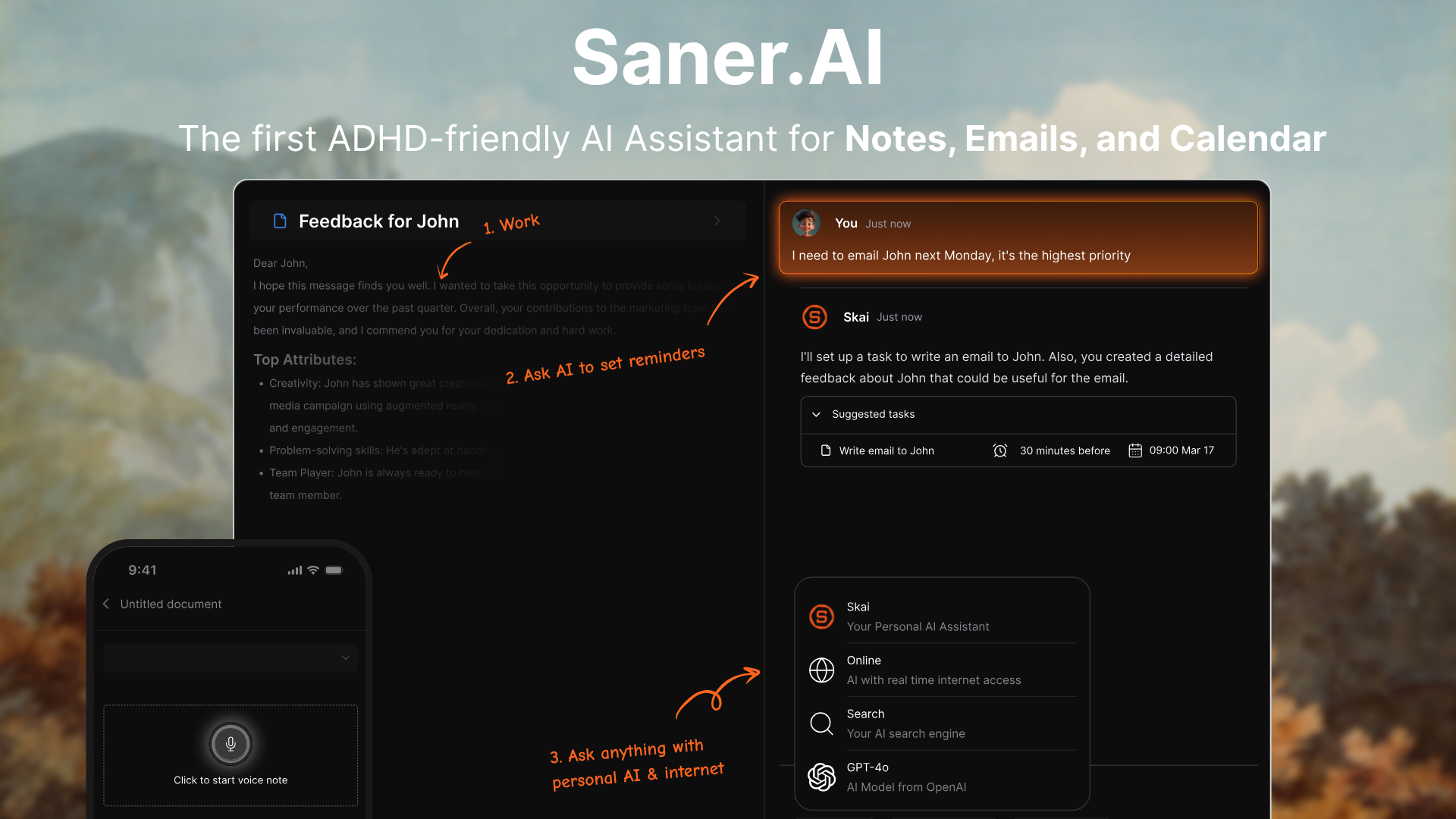
This is where the comparison gets interesting, because the two tools solve different (though related) problems.
Reclaim.ai is built around your calendar. It defends time, reschedules tasks, and keeps meetings from taking over your week. It's a scheduling tool first, and a good one.
Saner.AI is built around your knowledge and tasks. It captures notes, emails, and information, organizes everything automatically via its AI assistant, and surfaces what you need when you need it - with calendar integration layered in.
Where Saner.AI is stronger than Reclaim.ai:
- Unified workspace: Saner.AI brings notes, tasks, emails, and calendar into one place. Reclaim touches only your calendar - you still need a separate task manager, note tool, and inbox to go with it.
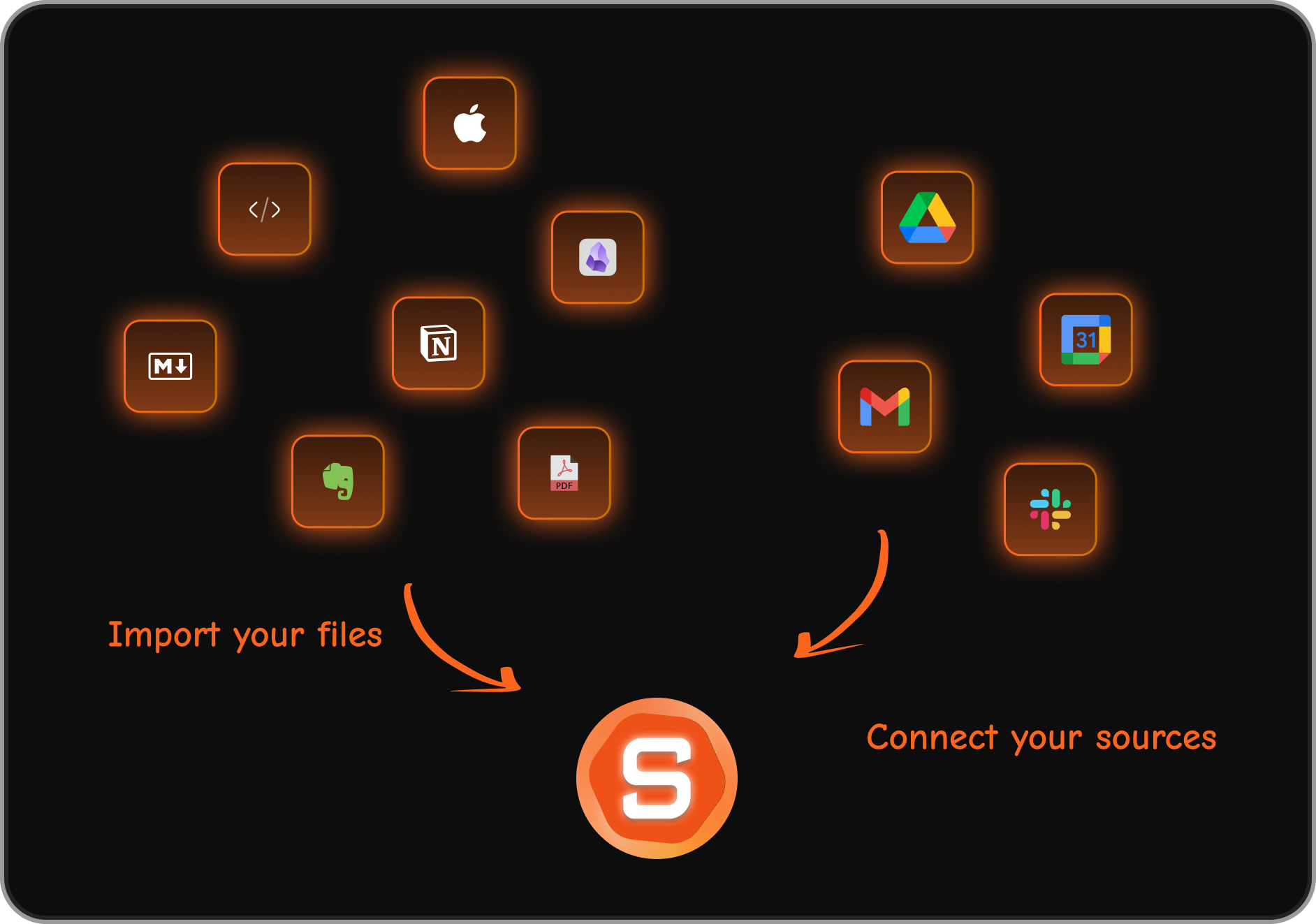
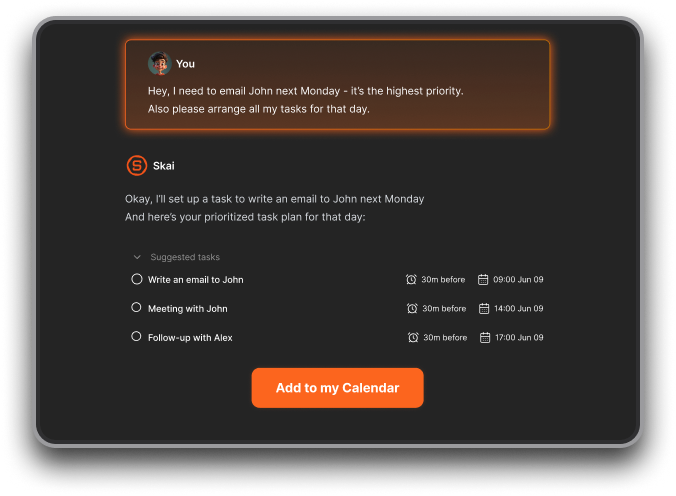
- AI that understands context: Skai (saner.ai's AI assistant) learns from your notes and tasks over time and can answer questions like "what was I working on last Thursday?" or turn a brain dump into a prioritized task list. Reclaim's AI optimizes slots; it doesn't engage with the content of your work.
- Knowledge organization: For knowledge workers drowning in research, PDFs, and scattered notes, saner.ai's semantic search and auto-tagging are designed specifically for that problem. Reclaim has no answer for this.
- Proactive day planner: Every morning, it shows the optimal plan for your day, then you can discuss to find a good schedule
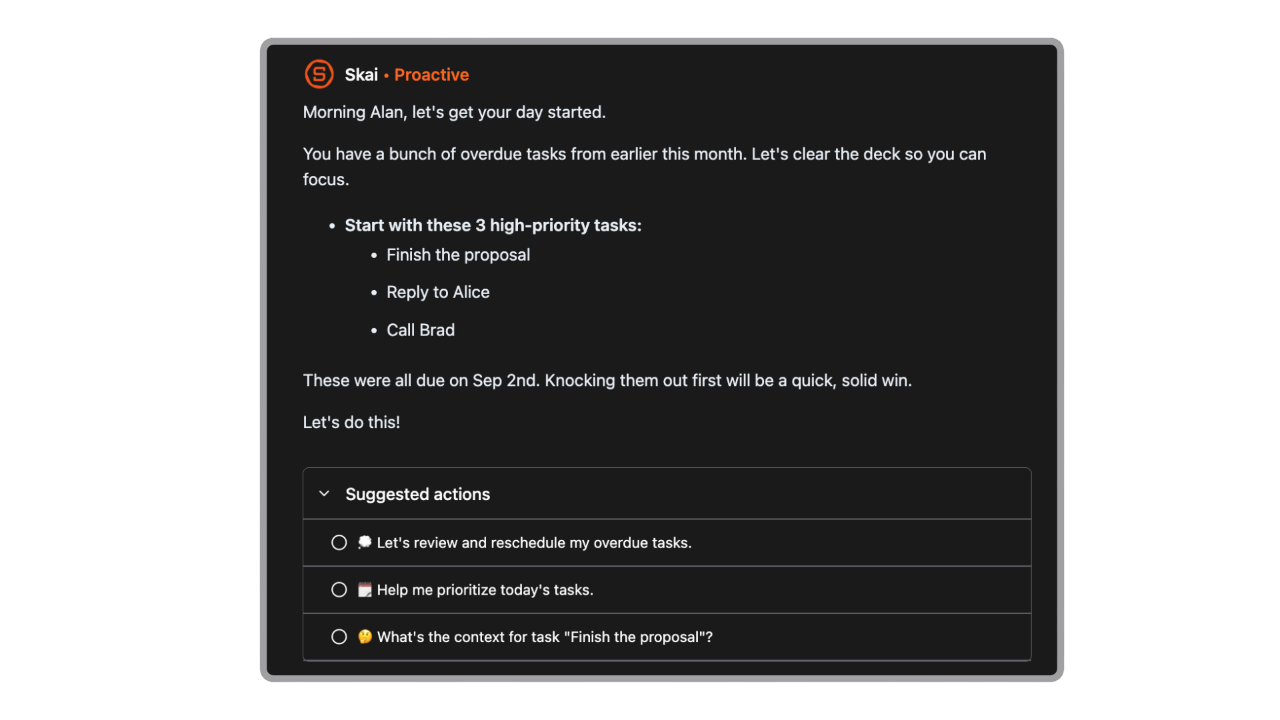
- ADHD-friendly design: Saner.AI was built with ADHD users in mind - reducing cognitive load, minimizing context switching, and automating the organizational decisions that are hardest to make when attention is scattered.
- Mobile app: saner.ai has native iOS and Android apps (launched February 2025). Reclaim doesn't.
- No calendar lock-in: Saner.AI works with Google Calendar without making the calendar the center of your productivity system. If you don't want AI rearranging your blocks every time something shifts, Saner.AI gives you more control.
The summary: If your main problem is a calendar that fills up faster than you can defend it, Reclaim.ai does that job well. If your problem is that you're also drowning in scattered notes, emails, and tasks you can't find when you need it, Saner.AI is the more complete tool.

Stay on top of your work and life
Reclaim.ai vs. Motion
Motion combines task management, project planning, and calendar scheduling into one product and includes a native mobile app. It's more opinionated about your day — Motion builds your schedule for you from scratch rather than working around an existing calendar structure. That makes it more powerful for people who want full automation, but harder to customize for those who already have a workflow. Motion has no free plan; pricing starts at $19/month for individuals.
Reclaim.ai vs. Clockwise,
Clockwise is also a calendar optimization tool focused on creating uninterrupted focus time and moving meetings to reduce fragmentation. Clockwise's free plan is generous but its task scheduling features are thinner than Reclaim's. For individual users, Reclaim's habit and task features give it an edge; for team-level coordination, Clockwise may be stronger.
Reclaim.ai vs. Calendly
Calendly is a scheduling link tool, not a calendar AI. It handles external booking well, but doesn't automate focus time, habits, or task scheduling. Reclaim's scheduling links do much of what Calendly does while also integrating those links into a broader productivity system. If external meeting booking is your only need, Calendly may be simpler.
Reclaim Competitors Comparison Table
| Feature | Reclaim.ai | Saner.AI | Motion | Clockwise |
|---|---|---|---|---|
| AI calendar scheduling | ✅ | Partial | ✅ | ✅ |
| Habit scheduling | ✅ | ❌ | ❌ | ❌ |
| Smart meetings | ✅ | ❌ | ✅ | ✅ |
| Native mobile app | ❌ | ✅ | ✅ | ✅ |
| Note-taking & knowledge management | ❌ | ✅ | ❌ | ❌ |
| Email integration | ❌ | ✅ | ❌ | ❌ |
| AI assistant for knowledge (chat) | ❌ | ✅ | ❌ | ❌ |
| ADHD-friendly design | Partial | ✅ | ❌ | ❌ |
| Free plan | ✅ | ✅ | ❌ | ✅ |
| Starting paid price | $8/user/mo | $8/mo | $19/mo | $6.75/user/mo |
| Task management | Via integrations | ✅ native | ✅ native | Partial |
Final Verdict
Reclaim.ai is an AI time management tool that does what it promises: auto-schedule. The habit scheduling, smart meetings, and focus time features are useful, and for Google Calendar users, the onboarding is fast, and the value shows up within the first week.
The problems are real, though. No mobile app in 2026 is a significant gap. The free plan started generously and got clipped, which left a bad taste for early adopters. And the tool is narrow by design - it handles calendar time and nothing else. For the rest of your productivity stack (notes, email, knowledge, context), you're on your own.
If your workflow is calendar-centric and you're largely desktop-based, Reclaim.ai is worth trying - the free Lite plan gives you a real sense of what it can do. But if you're looking for an AI tool that helps you manage your entire knowledge workflow, not just your meeting schedule, Saner.AI covers more ground at a comparable price.
Try Reclaim.ai if: You want to stop fighting your calendar and need a tool that actively protects your focus time with minimal setup.
Consider Saner.AI instead if: You need AI that organizes your notes, tasks, and knowledge, and want a mobile-friendly, all-in-one workspace, built around how knowledge workers actually think.
Stay on top of your work and life
FAQ about Reclaim.AI
1. Is Reclaim.ai free? Yes, Reclaim.ai offers a free Lite plan that's free forever and doesn't require a credit card. It includes 2 calendar syncs, 3 habits, 1 smart meeting, 1 scheduling link, and a 3-week scheduling range. Most active users find they need a paid plan relatively quickly.
2. Does Reclaim.ai work with Outlook? Yes. Reclaim launched full Microsoft Outlook Calendar support in August 2025, bringing all major features — Focus Time, Habits, Tasks, Smart Meetings, Scheduling Links, and Buffer Time — to Outlook and Microsoft Teams users. There are minor limitations due to Microsoft's API, but the integration is comprehensive.
3. Does Reclaim.ai have a mobile app? No. As of early 2026, Reclaim has no native iOS or Android app. You can view Reclaim-scheduled events on your phone through your regular calendar app, but you can't add tasks, adjust priorities, or manage settings from mobile. This is the most commonly cited complaint in user reviews.
4. What's the difference between Reclaim.ai and Calendly? Calendly is a dedicated scheduling link tool - it handles external booking but doesn't automate focus time, habits, or task scheduling. Reclaim includes scheduling links as one feature within a broader calendar automation system. If external booking is your only need, Calendly may be simpler. If you need calendar optimization plus booking, Reclaim is more complete.
5. Who is Reclaim.ai best suited for? Reclaim.ai works best for individual professionals and small teams who use Google Calendar or Outlook heavily, manage recurring meetings and tasks across multiple projects, and want their schedule to defend itself automatically. It's not the right fit for mobile-first users, Apple iCloud users, or people who need AI assistance beyond calendar management, note-taking, email, or knowledge organization.