Honest SkedPal Reviews: Is it worth it in 2026?

SkedPal Reviews (2026)
SkedPal has been around since 2015, quietly building a loyal base of power users who swear by its AI scheduling. The pitch is simple: stop manually planning your day and let the tool figure out when to do what, based on your priorities, deadlines, and calendar. For people drowning in tasks, that sounds like exactly what they need.
But there's a real tension here. SkedPal is one of the most configurable scheduling tools on the market - and that's both its biggest strength and its biggest problem. Whether that level of control helps you or buries you depends almost entirely on who you are. This review looks at what SkedPal actually delivers, where it falls short, and whether it's worth your time and money
Key Takeaways
- SkedPal's AI auto-scheduling works — it builds a daily plan from your task list and adapts when things change
- The learning curve is steep, and many users report still feeling confused months after signing up
- The mobile app lags behind the desktop experience in both speed and functionality
- At $9.95–$14.95/month, the price is reasonable, but the slow performance makes the value feel uncertain at higher tiers
- If you want deep scheduling control and don't mind a setup investment, SkedPal delivers. If you want something clean and fast out of the box, you'll likely hit a wall
Skedpal At a Glance
| Category | Score |
|---|---|
| Ease of Use | 3/5 |
| Features | 4.5/5 |
| Mobile App | 2.5/5 |
| Performance & Speed | 3/5 |
| Value for Money | 3.5/5 |
| Customer Support | 4/5 |
| Overall | 3.5/5 |
What Is SkedPal?
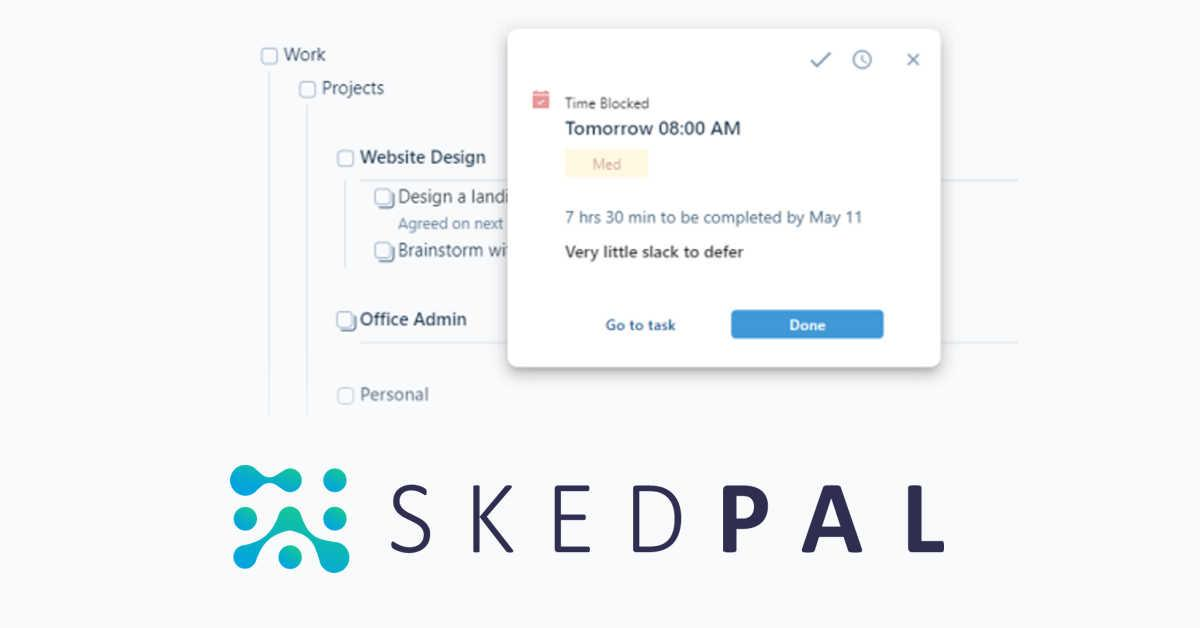
SkedPal is an AI time management tool that combines a to-do list with a calendar. The core idea: you add your tasks, set priorities and deadlines, and SkedPal builds a schedule for you - slotting work into available time blocks based on your preferences and constraints.
Unlike a regular calendar, where you manually drag things around, SkedPal treats your time as a budget. Hit "Update Schedule", and the tool recalculates what you should be doing and when, factoring in existing meetings, task durations, deadlines, and your custom time maps.
It targets individuals - freelancers, solopreneurs, students, and busy professionals - who manage large, complex task lists and struggle to translate them into an actual daily plan. There's no team collaboration layer to speak of. SkedPal is personal productivity, full stop.
Core features include:
- AI auto-scheduling with 21-day (Core) or 60-day (Pro) planning windows
- Two-way calendar sync with Google, Outlook, and iCloud
- Hierarchical task organization (projects, tasks, subtasks)
- Time Maps for defining when specific work categories can be scheduled
- Priority board for ranking tasks visually
- Time budgeting by zone
- Integrated time tracking (Pro only)
- Smart notifications for desktop and mobile (Pro only)
Skedpal Features Breakdown
AI Auto-Scheduling
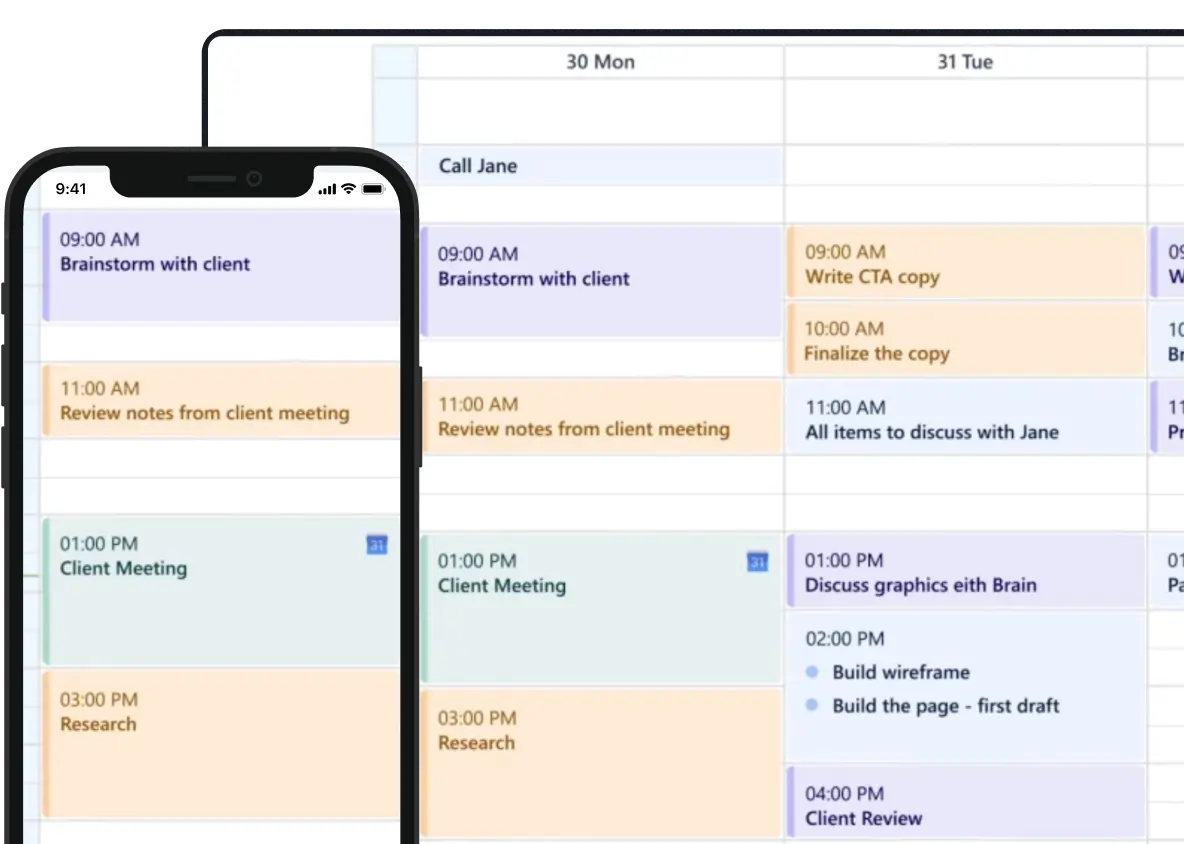
The auto-scheduler is the whole point of SkedPal. You feed it tasks with estimated durations and priorities, and it generates a plan for your day. When something comes up - a meeting gets added, a task runs long, you skip something - you hit "Update Schedule" and it recalibrates.
That said, the scheduler isn't magic. It follows a set of rules you configure, and when those rules are incomplete or poorly thought through, the output can feel off. Several users report that after months of use, they still aren't sure why certain tasks land where they do.
"The way it automatically schedules your tasks according to their priority level, duration, time map, etc. is top notch. This app is the best I have ever seen in this regard. My only complaint is how slow/laggy everything is on both the web version and the iOS app." — reviews
Time Maps and Zones
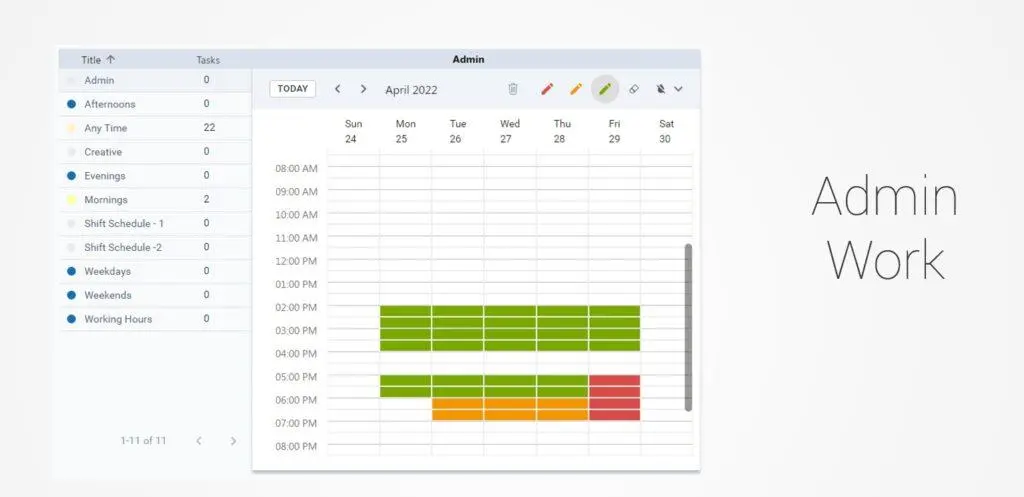
Time Maps are one of SkedPal's more distinctive features. You define when different kinds of work can be scheduled - deep work in the mornings, admin in the afternoons, personal tasks on weekends - and the scheduler respects those boundaries.
In theory, this is a great way to build structure without manually blocking time. In practice, managing Time Maps across a dynamic week is where things get fiddly. If your schedule changes regularly, updating maps week to week adds overhead that can eat into the time you were supposed to save.
"There are some small bugs, such as a flickering screen when switching between projects. It also does not feel so logical that you constantly have to press 'connect' and 'update schedule'. It might be nice if Skedpal could integrate even easier with your working hours as my workweek is very dynamic (updating the time maps week to week is a bit of a hassle, though doable)." — reviews
Calendar Sync
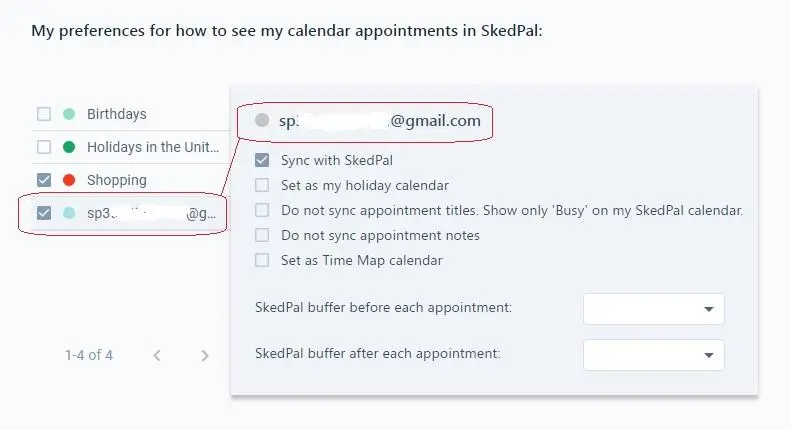
SkedPal syncs two-way with Google Calendar, Microsoft Outlook, and iCloud. Tasks you schedule in SkedPal show up as time blocks on your external calendar, and meetings added to your calendar automatically get factored into the schedule.
For most users, this works reliably. The sync is fast enough that the calendar stays current throughout the day. The main gripes are around selectivity - some users want to sync specific calendars while excluding others, and Outlook integration occasionally causes friction.
"I am able to incorporate both personal and professional commitments into my daily planning, thanks to the ability to import multiple calendars from different platforms. With a lot of meetings, it is so important to consider meeting times in planning and this feature makes it easy!" — reviews
Task and Project Organisation
SkedPal uses an outline view to organise tasks hierarchically. Projects sit at the top, tasks nest underneath, and subtasks can go deeper. The structure is flexible - you can turn a standalone task into a project with a few clicks, and rearranging things is quick.
One notable gap: there's no table or spreadsheet view. If you want to filter or sort tasks by date, tag, or status, you're stuck with the outline. For users who prefer a list-style overview, this is a real limitation.
"While the outliner structure is great for flexibility of task organization (e.g., turning something that was once just a task into a project — super easy with Skedpal), I do wish there was functionality to view tasks in table format, with easy sorting/filtering." — reviews
Mobile App
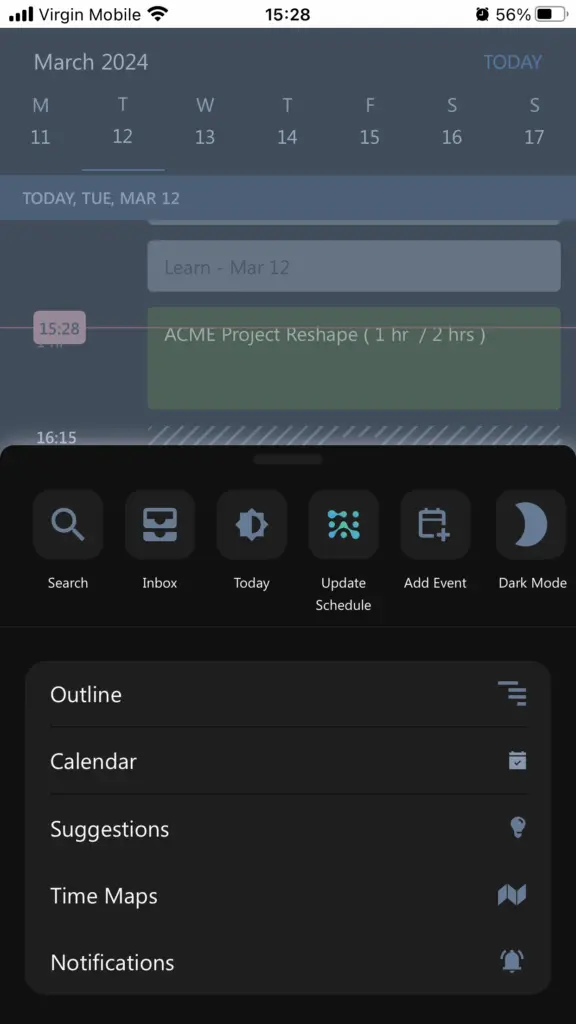
The mobile app is SkedPal's weakest spot. It works for adding tasks on the go, but most of the desktop functionality doesn't carry over cleanly. The interface is rougher, some features are missing (no "Plan Your Day" on Mac at the time of this review), and speed is a persistent issue.
Users who rely heavily on mobile will find this frustrating. SkedPal is best treated as a desktop-first tool.
"Their phone app has been improving over the years but it's still a bit too rough around the edges for me to use outside of simply adding new tasks to my inbox." — reviews
Skedpal Pricing
| Plan | Monthly Price | Annual Price | Free Trial | Free Version |
|---|---|---|---|---|
| Core | $14.95/mo | $9.95/mo | 14 days (no card) | No |
| Pro | $21.95/mo | $14.95/mo | 14 days (no card) | No |
Core includes: AI scheduling (21-day window), calendar sync (1 account), infinite nested lists, priority board, time budgeting.
Pro adds: AI scheduling (60-day window), unlimited calendar sync, instant schedule updates, status tracker, smart notifications, integrated time tracking.
Payment methods accepted: credit card via Stripe. Note: SkedPal does not offer subscription pausing - this has been flagged by at least one user as a customer service concern.
Skedpal Pros and Cons
| Pros | Cons |
|---|---|
| Powerful auto-scheduler | Steep learning curve — setup takes real time |
| Highly configurable for power users | Mobile app is clunky and slow |
| Good calendar sync with Google, Outlook, iCloud | No table or filter view for tasks |
| Responsive founder and active Slack community | Web and iOS performance is laggy |
| Helps users see if they're over-committed | Scheduling window capped at 21 days on Core plan |
| Automatically reschedules missed tasks | No team collaboration features |
| Reasonable pricing relative to feature depth | No local data backup option |
| 14-day free trial with no card required | Subscription cannot be paused |
What People Say about Skedpal
Most long-term users are loyal to SkedPal precisely because it fills a niche nothing else quite covers. The auto-scheduler genuinely reduces cognitive load for people managing complex, shifting task lists. But the onboarding friction and performance issues are real enough that a meaningful portion of users either give up early or stay frustrated even after months of use.
On the negative side, context-switching issues and opaque scheduling logic come up often. The tool schedules what's important, but not always in the order a human would naturally work through their day.
"Sometimes a task with a deadline is scheduled after the deadline without me getting a notification of it." — reviews
"After 6 months of usage I still struggle with understanding how it works and how tasks will be scheduled." — reviews
"I asked them to pause the subscription, I had a very good reason to pause it. They provided a blurry explanation of 'Stripe won't allow us to pause subscriptions', which is an embarrassing excuse. Blaming their supplier for not being able to freeze the subscription?" — reviews
"My only real complaint is how slow and laggy it is on both the web and iOS versions. For the price, it seems like it should be much snappier, regardless of how many tasks I have. Without it, the app feels a little amateur, which is sad because the functionality and features are anything but." — reviews
Who Is SkedPal Best For?
SkedPal works well for people who:
- Have large, complex task lists with varying deadlines and priorities
- Are comfortable spending time configuring a system before seeing results
- Work as individuals (no need for team collaboration)
- Prefer desktop-first tools and don't rely heavily on mobile
Not ideal for users who:
- Want a clean, modern interface out of the box
- Need strong mobile functionality
- Manage tasks primarily in a team context
- Want to plan more than 21 days ahead (without upgrading to Pro)
- Need to pause or freeze their subscription
- Are looking for a quick, low-setup solution - SkedPal rewards patience but punishes impatience
Skedpal Alternatives Comparison
SkedPal vs. Saner.AI
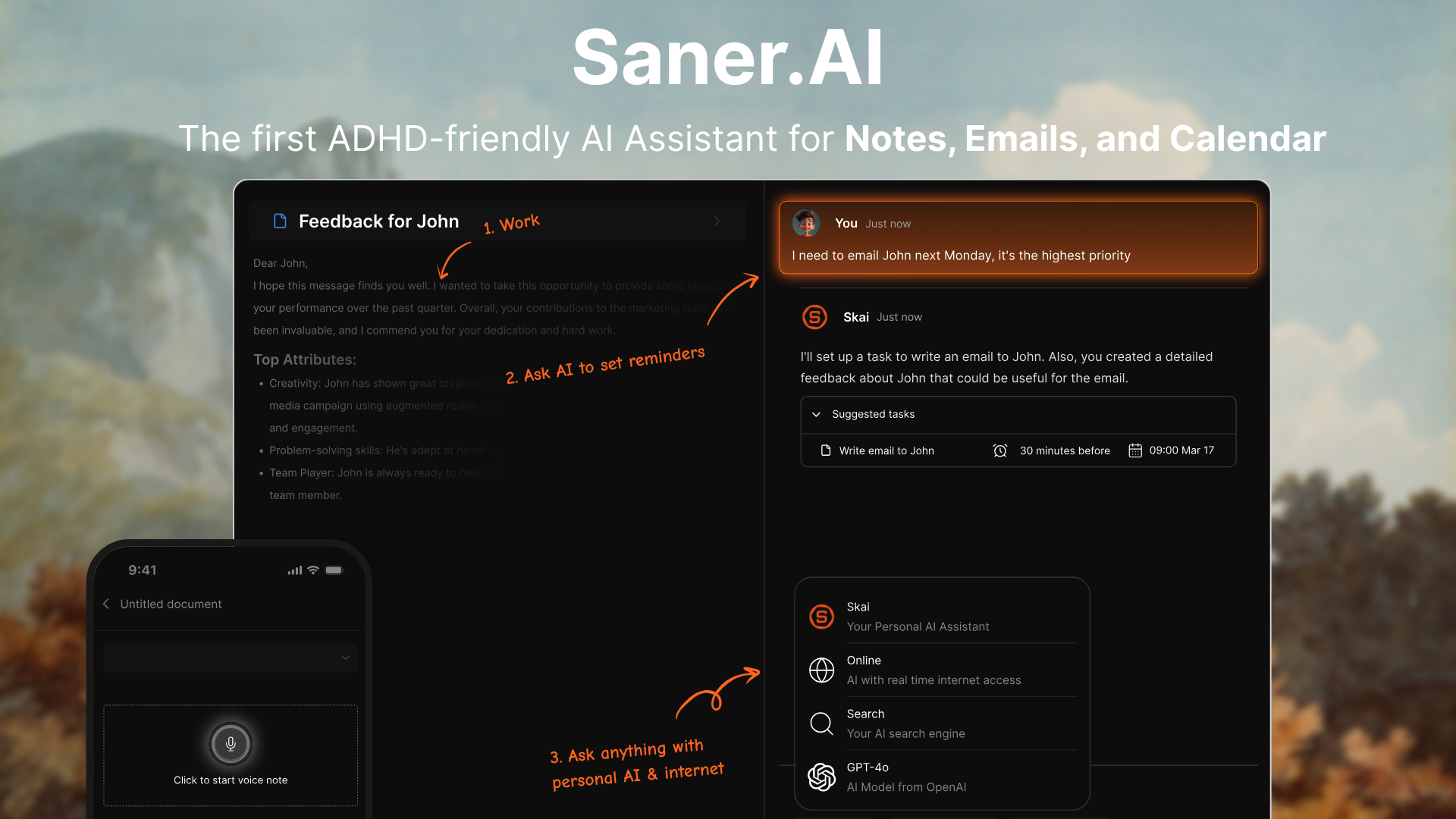
SkedPal and Saner.AI solve different problems, but there's real overlap in who ends up considering both. If you're a knowledge worker or someone with ADHD trying to get your days under control, both tools will come up in your research. Here's where they diverge.
Where Saner.AI has the edge:
- It plans your day without you having to configure anything. SkedPal requires you to build out Time Maps, priority boards, zones, and task structures before it does useful work. Saner reads your emails, tasks, and notes each morning and gives you an optimal daily plan automatically — no upfront setup required.
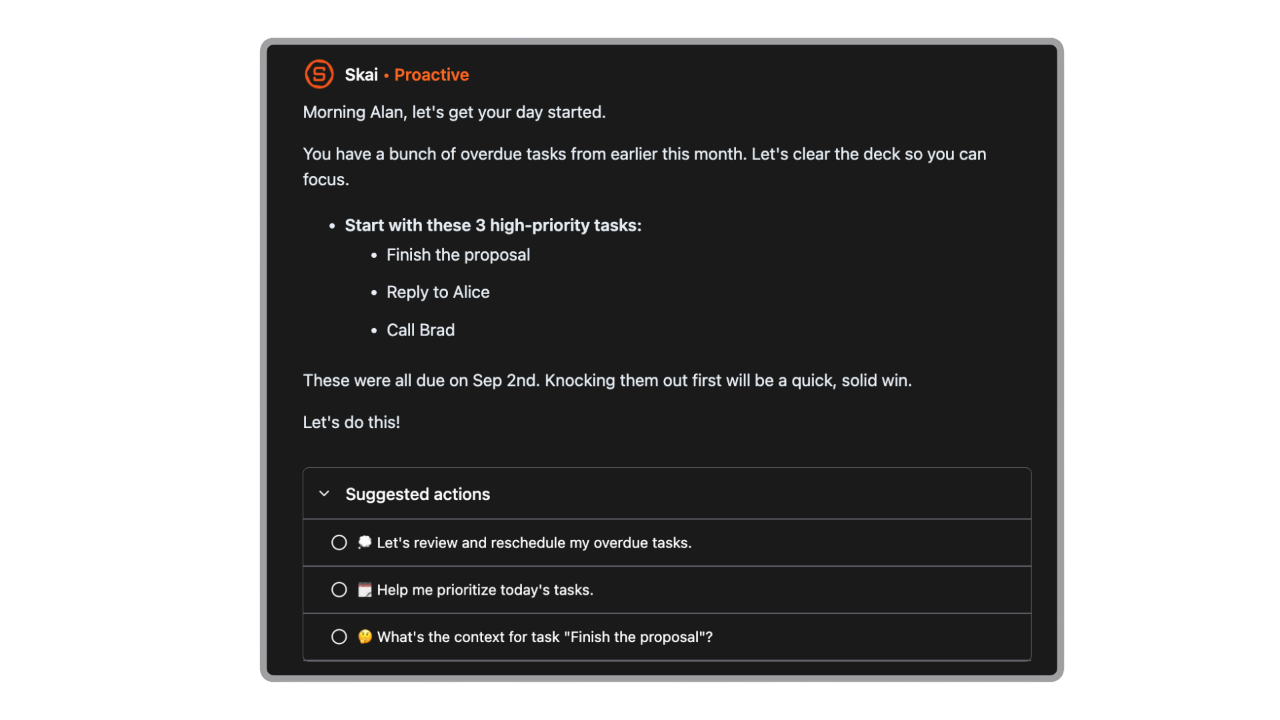
- Notes, tasks, and email live in one workspace. SkedPal is purely a scheduling tool. Once a task is in there, there's no context attached to it Saner.AI connects all of that. You can capture a thought, clip a webpage, pull in an email, and have Skai surface it all when it's relevant to what you're working on.
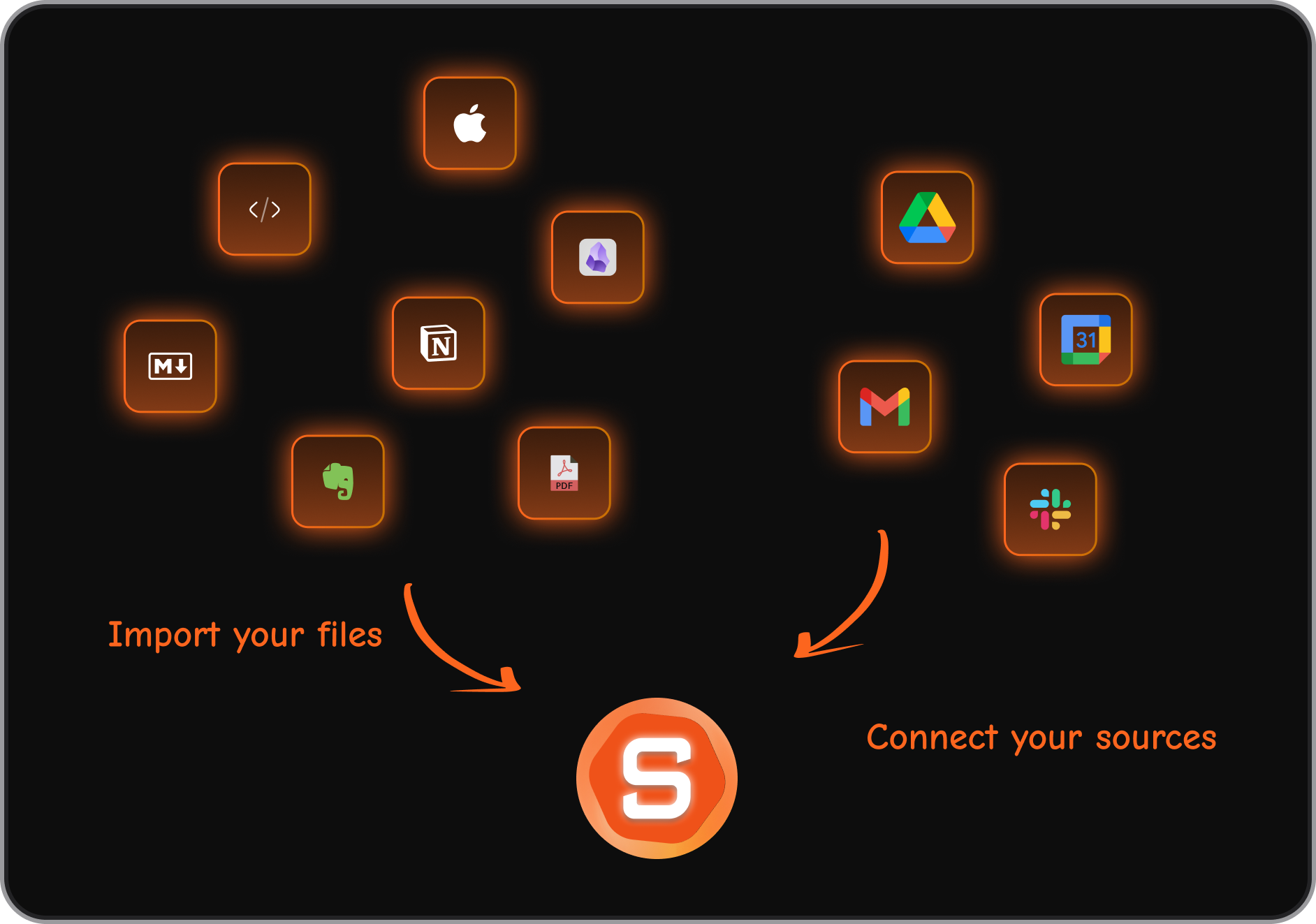
- The AI actually understands your content. SkedPal's AI schedules based on rules - priority, duration, time map, deadline. Saner uses semantic search and reads across your notes and tasks to answer questions like "what was I working on last Thursday?" or "summarise everything I've saved about this project." SkedPal can't do any of that.
- Tasks get pulled from emails and your messy thoughts automatically.
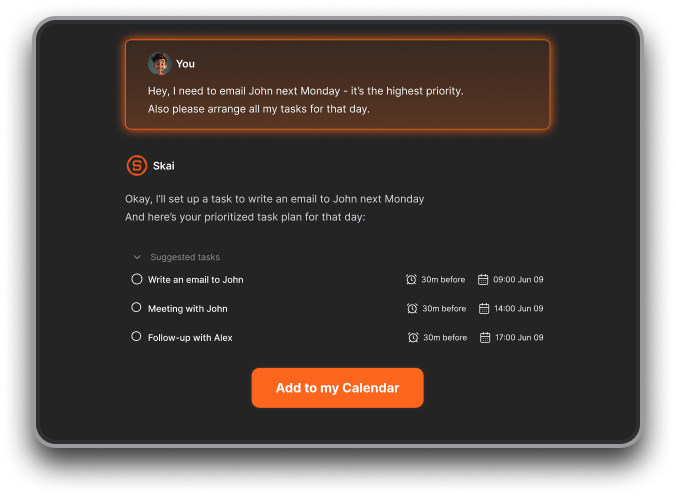
- Free plan available. saner.ai has a free tier with core features including Skai and semantic search. SkedPal has no free plan — only a 14-day trial.
- Cheaper starting price. Saner.ai's paid plan starts at $8/month. SkedPal's Core plan starts at $9.95/month (annual) and goes up to $14.95/month for Pro. For users who want AI-assisted planning without paying more, saner.ai wins on price.
- Cleaner interface, lower friction. Saner.ai was built with a distraction-free design principle, specifically for people who find complex interfaces counterproductive.
Who saner.ai is best for:
- Knowledge workers and entrepreneurs who want AI to reduce their mental load
- People with ADHD who struggle with manual task capture, planning anxiety, and context switching between apps
- Anyone currently juggling a separate note-taking app, task manager, and email client who wants to consolidate
- Users who want proactive daily planning
- People who need to search their own knowledge quickly and want AI to surface it
- Budget-conscious users who want a free plan or lower starting price
SkedPal vs. Motion
Motion takes a more hands-off approach - it schedules your day automatically and you don't need to configure much upfront. SkedPal gives you more control but demands more setup. Motion also has a better interface and more active development on team features, but it's pricier and some users find it too rigid when it overrides their preferences.
SkedPal vs. Reclaim.ai
Reclaim focuses on habits, meetings, and calendar defence - it's better suited for people who want to protect focus time within a busy calendar rather than manage a large task backlog. SkedPal is more useful when the problem is "I have 50 tasks and no idea when to do them."
Comparison Table
| Feature | SkedPal | Motion | Reclaim.ai | saner.ai |
|---|---|---|---|---|
| AI Auto-Scheduling | Yes | Yes | Partial | Yes |
| Clean UI | No | Yes | Yes | Yes |
| Mobile App Quality | Weak | Good | Good | Good |
| Notes / Knowledge Base | No | No | No | Yes |
| Team Features | No | Yes | Yes | Yes |
| Learning Curve | High | Medium | Low | Low |
| Free Plan | No | No | Yes (limited) | Yes |
| Starting Price | $9.95/mo | $19/mo | Free / $8/mo | Free |
Final Verdict
SkedPal is a good tool for a specific kind of user. If you have a sprawling task list, deadlines all over the place, and the patience to configure a system properly, it delivers something most other tools can't: a daily schedule that actually accounts for everything you need to do, automatically adjusted when things change.
But it asks a lot. The learning curve is real. The mobile experience is behind. The interface hasn't kept pace with newer tools. And the opacity of the scheduling logic means some users never quite feel in control of what the system is doing.
If you want an AI planner without the configuration overhead - or if you need your planning tool to also handle notes, context, and team tasks - look at alternatives like Saner.AI, which covers more of the daily workflow in a cleaner package.

Stay on top of your work and life
Frequently Asked Questions
Is SkedPal free? No. SkedPal doesn't offer a free plan, but it does include a 14-day free trial on both plans with no credit card required.
How much does SkedPal cost? The Core plan costs $9.95/month billed annually ($14.95 month-to-month). The Pro plan costs $14.95/month billed annually ($21.95 month-to-month).
What's the difference between the Core and Pro plans? The main differences are the scheduling window (21 days on Core vs. 60 days on Pro), the number of calendar accounts you can sync (1 on Core, unlimited on Pro), and Pro-only features like instant schedule updates, time tracking, and smart notifications.
Does SkedPal have a mobile app? Yes, but it's the weakest part of the product. Users consistently describe the mobile app as slow, limited compared to the desktop version, and better suited for quick task capture than full planning sessions.
Can you pause a SkedPal subscription? No. SkedPal does not currently offer subscription pausing. If you need to stop paying temporarily, you'll need to cancel and resubscribe later.
Is SkedPal worth it in 2026? It depends on what you need. The auto-scheduler works, the calendar sync is reliable. But if you're looking for a modern interface, a strong mobile app, or an AI assistant that does more than schedule, it starts to feel like a tool that's showing its age next to newer alternatives.
Why do people stop using SkedPal? The most common reasons that come up in reviews are the learning curve, the mobile app's limitations, and performance issues. Some users also run into frustration when the scheduling logic isn't transparent - tasks end up where they do, but it's not always clear why.
How long does it take to learn SkedPal? Most users report spending one to two weeks before the tool feels natural - and that's with regular daily use during the free trial. Some reviewers mention still discovering new features or struggling with scheduling logic after six months.
What integrations does SkedPal support? SkedPal integrates with Google Calendar, Microsoft Outlook (Office 365), and iCloud for two-way calendar sync. It also connects with Asana for task import and supports Zapier for broader workflow automation. The integration list is narrow compared to newer productivity tools - there's no native connection to Slack, Notion, Gmail, or project management platforms like Linear or ClickUp.
What are the best SkedPal alternatives? The most commonly compared alternatives are Saner.AI, Motion, Reclaim.ai.
- Motion is closer to SkedPal in terms of auto-scheduling depth but comes with a higher price tag and a more hands-off approach that some users find too rigid.
- Reclaim.ai is better suited for protecting focus time within a busy calendar rather than managing a large task backlog.
- Saner.AI takes a broader approach - it combines AI scheduling with note-taking, email management, and a proactive AI assistant (Skai) that plans your day automatically each morning. For users who want to consolidate multiple tools and reduce setup overhead, Saner.AI is worth a close look.
Stay on top of your work and life