
Honest Slashy Review (2026): Is This AI Email Worth Switching Your Inbox For?


I spent the better part of a week digging through every corner of the internet where real Slashy users hang out- App Store reviews, Product Hunt comments, independent teardowns- because Slashy itself is barely three months old and doesn't have a G2 or Capterra page yet.
What I found is an AI email client with a real trust problem: it's Gmail-only, it costs more than most inbox tools, and it's asking you to hand your entire inbox over to an AI trained by a startup that's still fixing "missing emails" bugs in production.
Slashy calls itself "Cursor for email" It drafts replies in your tone, triages what's urgent, remembers your contacts and follow-ups, and lets you run your inbox from iMessage or Slack instead of opening a browser tab.
The tension is simple: Slashy is good at exactly one job (email), while the actual mess in most people's week is spread across email, notes, tasks, and calendar all at once. If your bottleneck really is just your inbox, Slashy is compelling. If it's switching between a dozen tabs and losing your train of thought every time a Slack ping interrupts you, an email-only fix solves maybe a third of the actual problem.
Key Takeaways
- Slashy's AI drafting improves over time.
- It's Gmail and Google Workspace only right now. Outlook has been "coming soon" since the June launch, and there's no native Windows or Android app, just a browser fallback.
- Pricing starts at $25/user/month (billed annually, $30 month-to-month), with no free plan and a credit card required just to start the 7-day trial.
- Security is a strength: SOC 2 Type II, CASA Tier 2, AES-256 encryption, and a firm no-AI-training policy on user data.
- Review volume is thin. One Product Hunt review and 8 App Store ratings, so most of what's public is early-adopter enthusiasm plus a handful of honest bug reports.
Slashy At a Glance
| Category | Score (out of 10) | Why |
|---|---|---|
| Ease of use & onboarding | 8.5 | Setup takes about 5 minutes per the founders, and testers confirm it's fast to get running |
| AI draft & voice matching | 8.5 | The memory system is the standout feature, though it needs roughly 5 corrections before people stop double-checking every draft |
| Inbox triage & follow-ups | 8 | Auto-archiving and follow-up nudges work as advertised, with occasional misclassification |
| Integrations & platform reach | 6 | Gmail only, no Outlook yet, no native Windows or Android app |
| Pricing & value | 6.5 | Premium pricing with zero free tier is a real barrier for solo users just testing the waters |
| Security & compliance | 9 | SOC 2 Type II and CASA Tier 2 out of the gate is unusually strong for a 3-month-old product |
| Support & review maturity | 6 | Founders are personally responsive, but the public track record is still very small |
| Overall Score | 7.3 / 10 | Strong product, narrow scope, early days |
What Is Slashy?
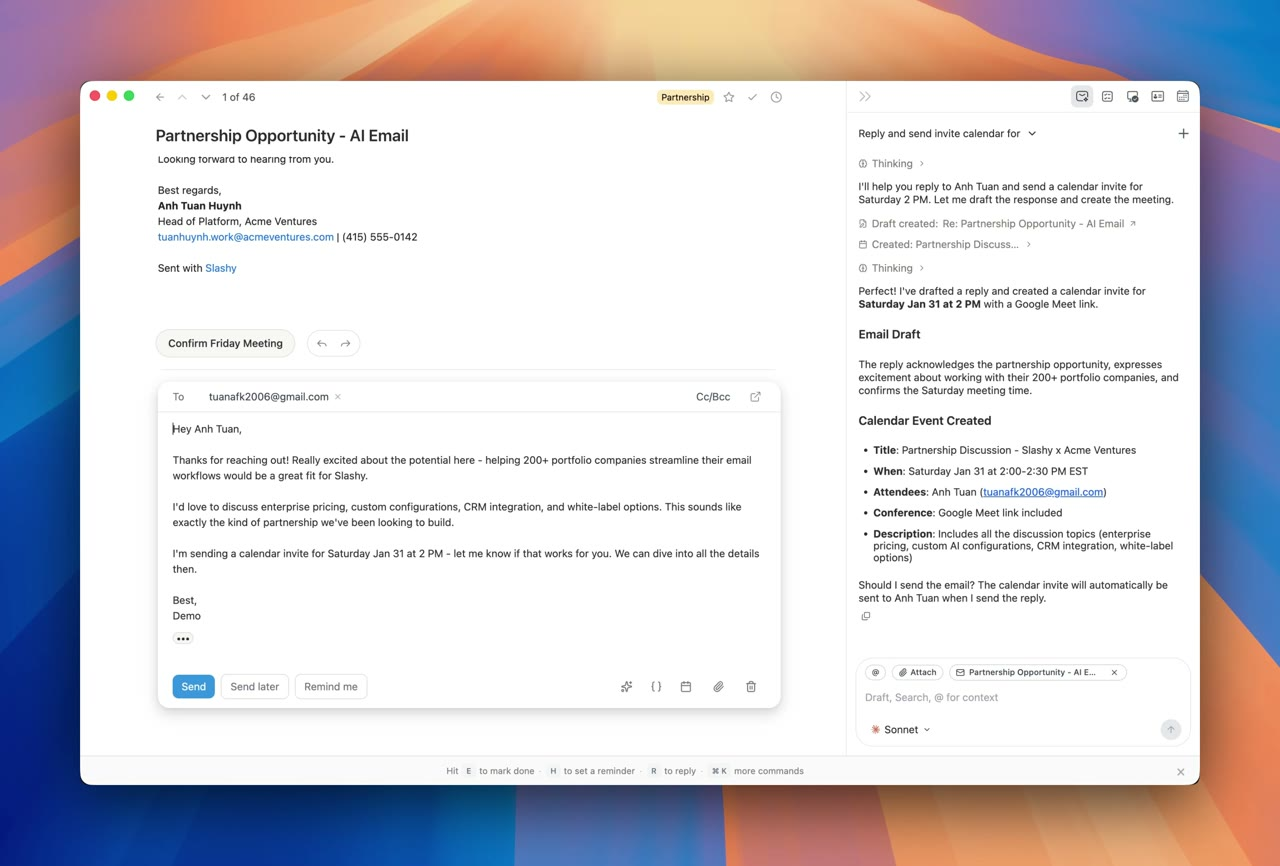
Slashy is an AI email client built by a small YC-backed team. Instead of bolting an AI panel onto Gmail, they rebuilt the whole client around it. You connect your Gmail account, and Slashy starts drafting replies in your voice, sorting your inbox by urgency, and flagging who still owes you a reply.
The core features: voice-matched drafting pulled from your real email history, calendar and meeting-prep automation, CRM context from HubSpot, a persistent memory that gets sharper the more you correct it, and the ability to manage your inbox entirely from iMessage or Slack.
It also ships an MCP server, so tools like Claude Desktop or Cursor can read and act on your inbox directly. For people whose entire job runs through one Gmail account, this is a genuinely different category of tool than a plugin.
Slashy Features Breakdown
AI Voice-Matched Drafting
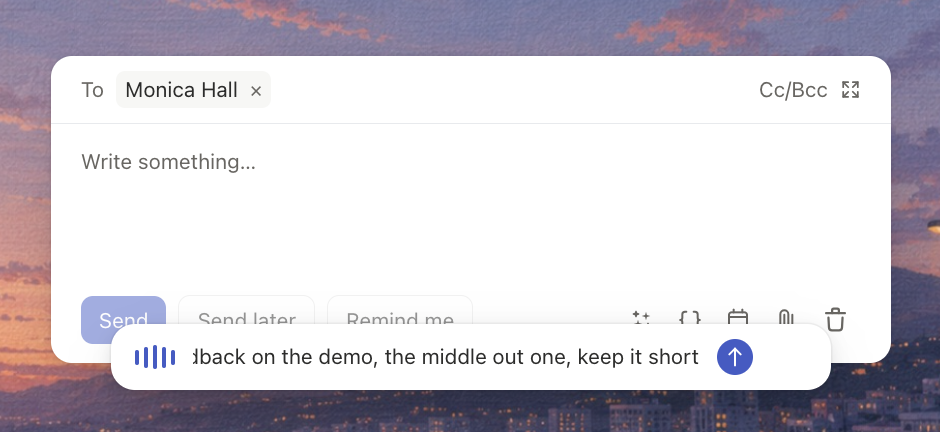
This is Slashy's whole pitch. The AI assistant writes from your past sent emails rather than a generic template, and it keeps a running memory of contacts, sign-offs, and routines.
One early customer told the company it replaced the need for a human assistant entirely: "I don't even need my EA anymore" — reviews.
That said, the learning curve is high. New users are warned to expect a training period before the tone actually matches.
Inbox Triage & Follow-Up Tracking
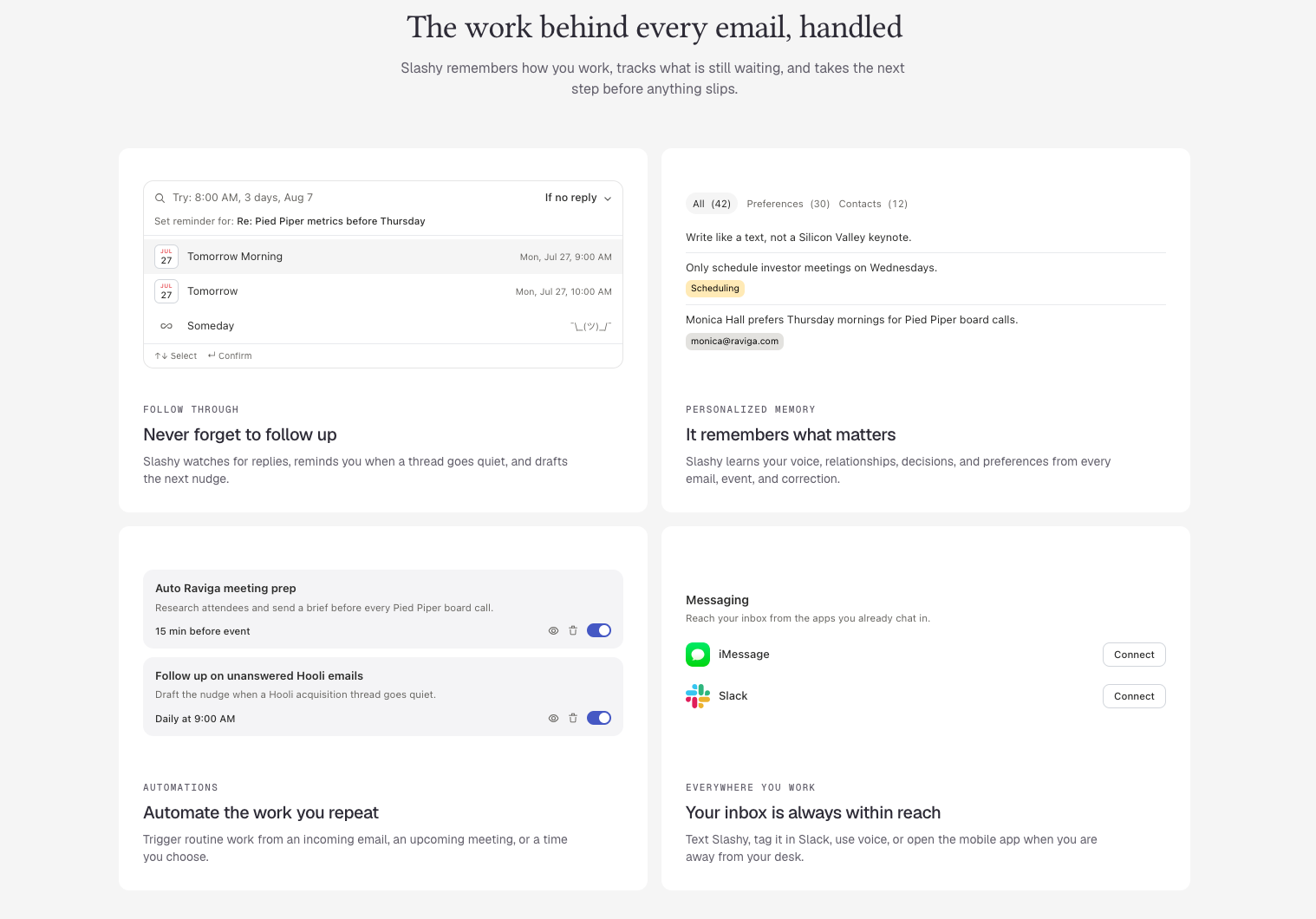
Slashy auto-labels by urgency and archives the noise, and it nudges you when a thread has gone quiet. A tester who put it head-to-head with Superhuman and Shortwave said the built-in AI assistant and follow-up notifications kept them constantly in the loop, calling it "always in the loop" with the assistant reachable straight from iMessage. It's one of the more consistently praised parts of the product across every source I checked.
Calendar, Meeting Prep & CRM Context
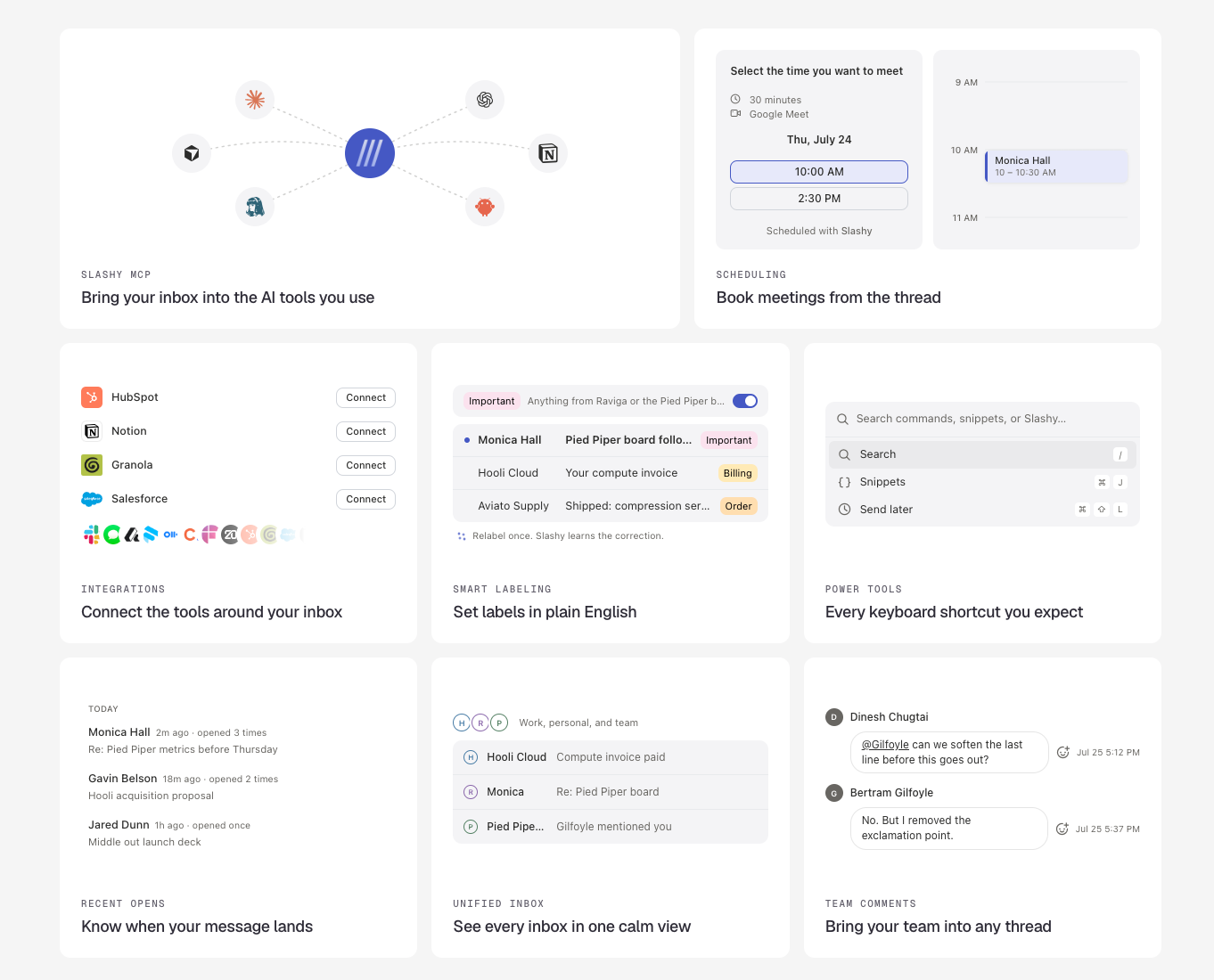
Slashy pulls in calendar context to brief you before calls and can schedule meetings by finding open slots automatically. It connects to HubSpot for sales context. This is useful for founders and reps, but it's also the clearest sign of Slashy's narrow lane: it optimizes the meeting and the email around it, not the actual work that meeting produces.
Multi-Channel Access (iMessage, Slack, MCP)
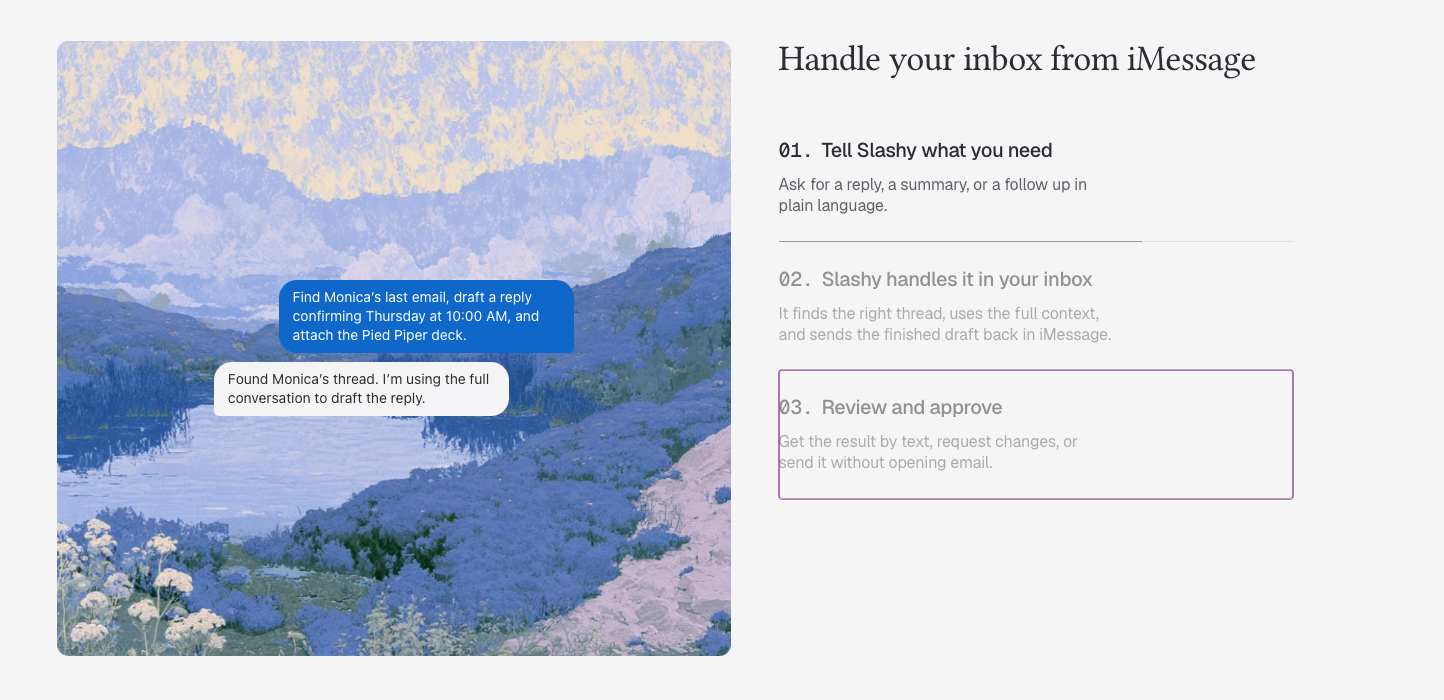
You can text Slashy like a person and it'll draft, schedule, or summarize without you opening the app. On paper this is excellent. But
"Early software, early rough edges." - Tom's Guide
Security & Data Handling
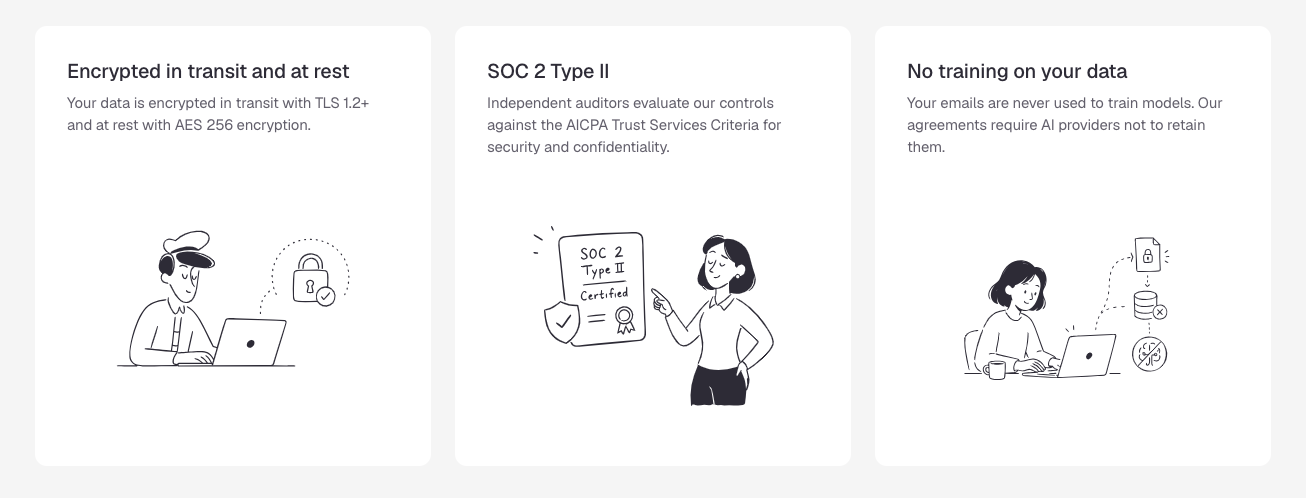
Slashy is SOC 2 Type II certified, CASA Tier 2 compliant, encrypts data at rest with AES-256, and both Slashy and its AI providers guarantee zero data retention for training. For a company this young, that's a mature security posture, and it's worth calling out as a genuine differentiator rather than marketing copy.
Pricing Table
| Plan | Monthly Price | Free Trial | Free Version | Payment Methods |
|---|---|---|---|---|
| Professional | $25/user/mo (billed annually) or $30/user/mo (monthly) | 7 days, credit card required | None | Not publicly listed; standard checkout appears to be card-based (verify before publishing) |
| Enterprise | Custom pricing | Contact sales | None | Invoiced, per sales conversation |
There is no permanently free tier. That's a meaningful gap compared to most of the category, where a limited free plan is standard for letting people test before they commit.
Slashy Pros and Cons
| Pros | Cons |
|---|---|
| Voice-matched drafts genuinely improve with use (30% to 80%+ acceptance by day 30) | Gmail and Google Workspace only, Outlook still "coming soon" months after launch |
| Real follow-up tracking and auto-archiving, not just a writing assistant | No native Windows or Android app, PC users get a browser fallback only |
| Works from iMessage, Slack, and MCP-compatible AI tools | No free plan, and a credit card is required just to start the 7-day trial |
| SOC 2 Type II and CASA Tier 2 security from day one | $25 to $30/user/month is a real premium versus lighter inbox tools |
| Founders are personally responsive to bug reports on Product Hunt | Reliability hiccups reported, including missing threads that didn't surface in search |
| Solves only the email and calendar slice, not notes, tasks, or cross-app memory |
What People Say
Sentiment splits pretty cleanly between people who love the voice-matching and people who've hit real friction.
On Product Hunt, one user contrasted it directly with a competitor they'd already tried
"Never got on board with Superhuman because they didn't support Unified Inbox" — reviews.
On the App Store, the tone is more mixed.
One reviewer who liked the concept still ran into real reliability issues: "after using it for a week, it still would not show all my email" — reviews.
Who Is Slashy Best For?
- Founders, investors, and sales reps who live in Gmail and want their replies to sound like them without writing every one from scratch
- Solo operators comfortable paying a premium for a client that actively works the inbox down, not just displays it faster
- People already deep in the Apple ecosystem, since iMessage is a first-class access point
Who It's Not Ideal For
- Outlook or Microsoft 365 users, since there's no timeline commitment on that integration
- Anyone whose real bottleneck is context switching between apps rather than email specifically, since Slashy doesn't touch notes, tasks, or non-email context
- Budget-conscious freelancers or small teams, given there's no free tier to test the fit first
Alternatives comparison
Slashy vs. Saner.AI
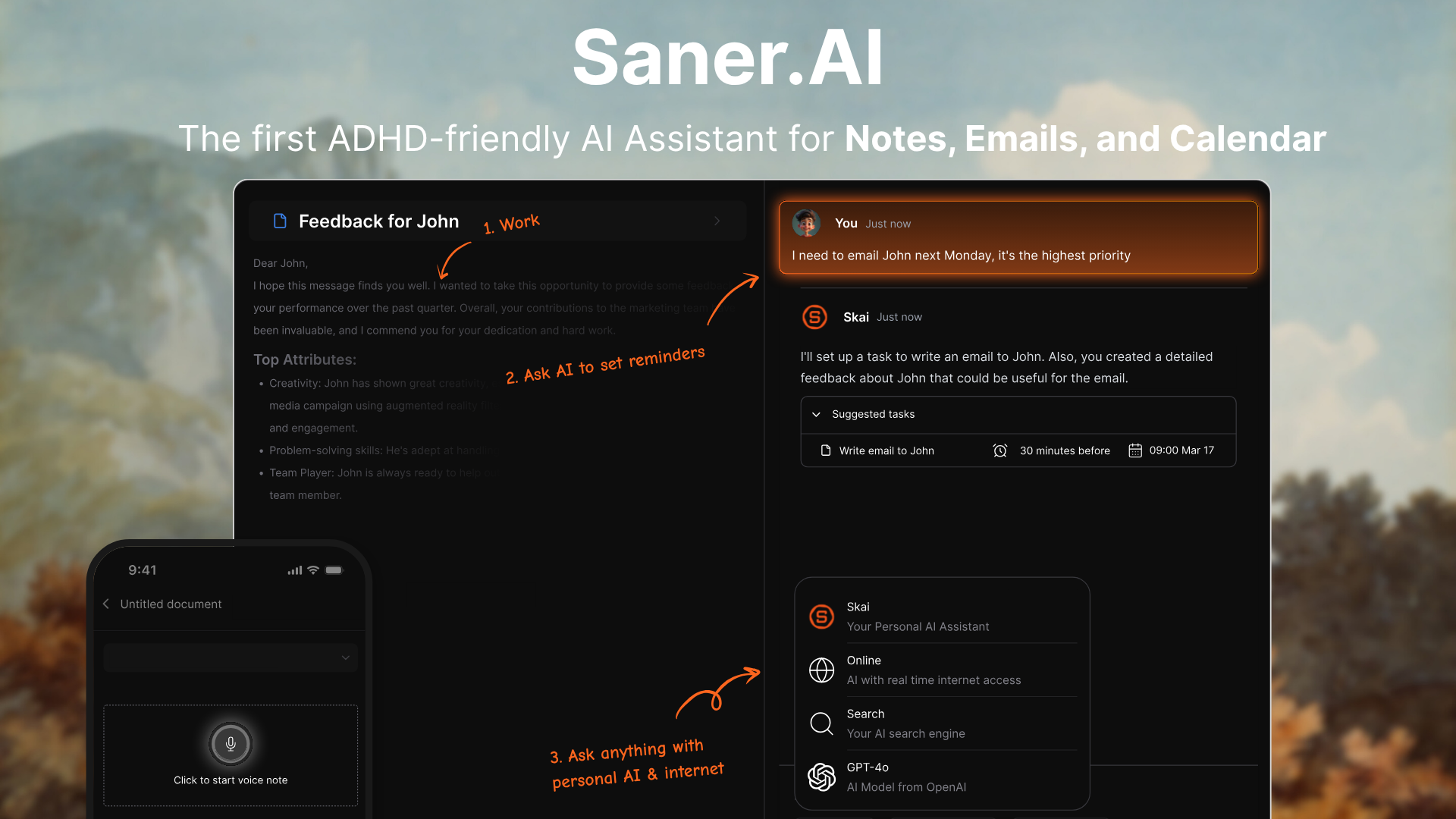
Slashy and Saner.AI overlap at some points
- Scope: Slashy automates one channel (email) well. Saner.AI pulls your notes, email, calendar, and tasks into a single conversational workspace, so you're not maintaining a sharp inbox next to a messy task list next to scattered notes.
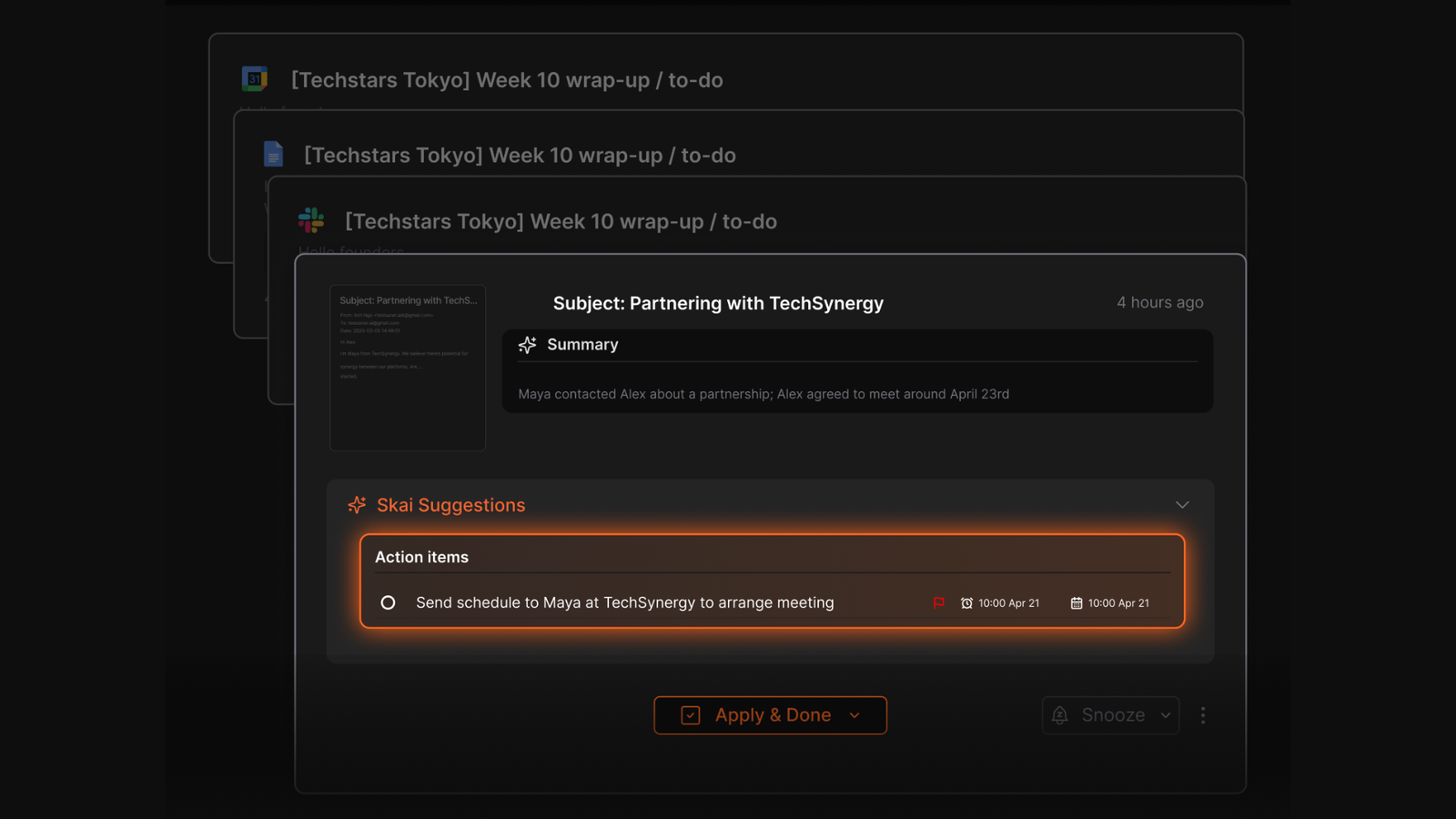
- Who it was built for: Slashy was built for anyone with a busy Gmail account. Saner.AI was built specifically for ADHD brains and people who lose track of things across tools, which shows up in how proactively it checks in rather than waiting to be asked.
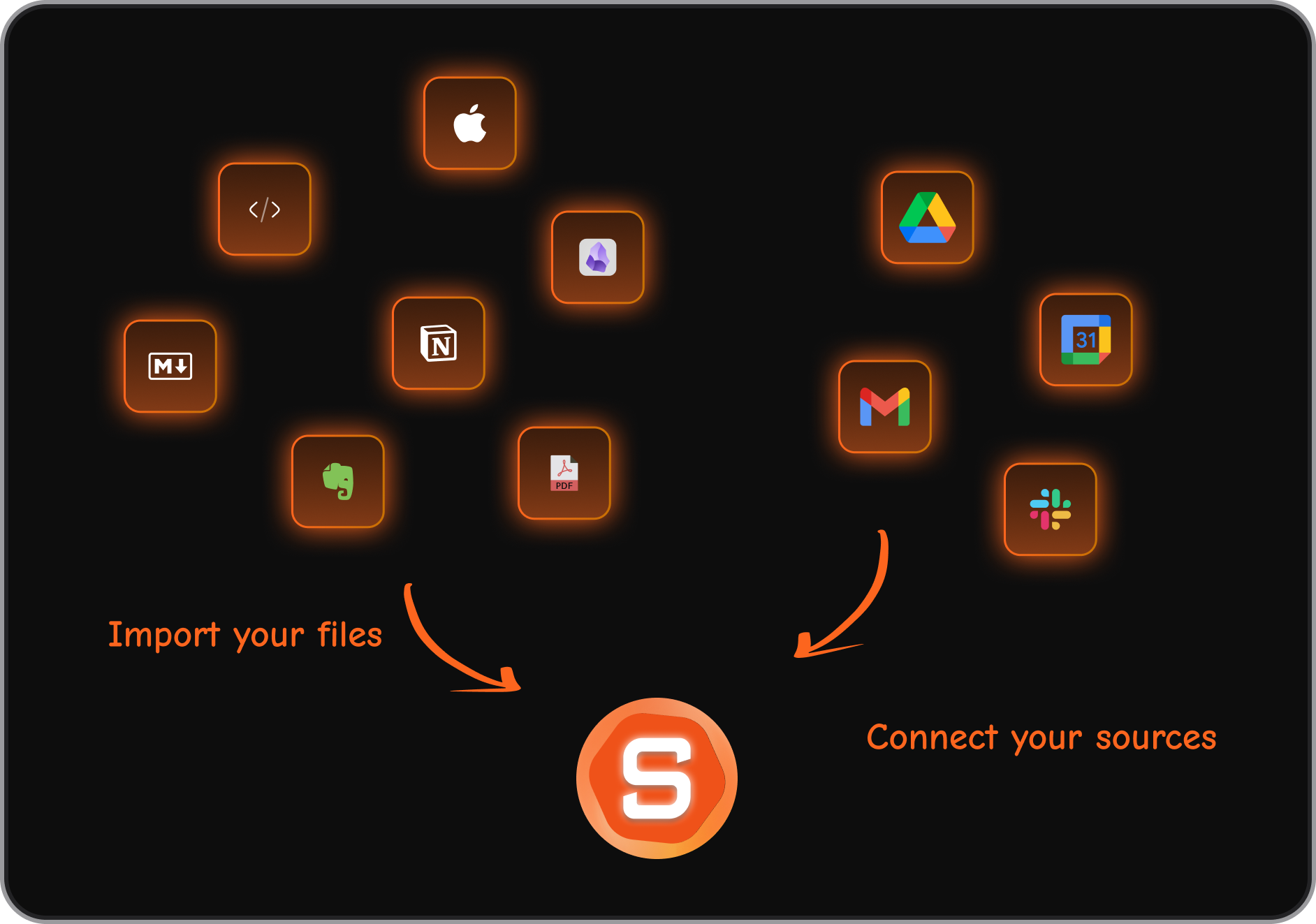
- Platform reach: Slashy works with Gmail only. Saner.AI already connects Gmail, Google Calendar, Google Drive, and Slack in one workspace, so you're not waiting on a roadmap item to use your actual tools.
- Price to start: Slashy has no free plan and a $25 to $30/month floor. Saner.AI has a genuine free tier and a paid Starter plan from $8/month, a much lower bar for testing whether it fits your workflow.
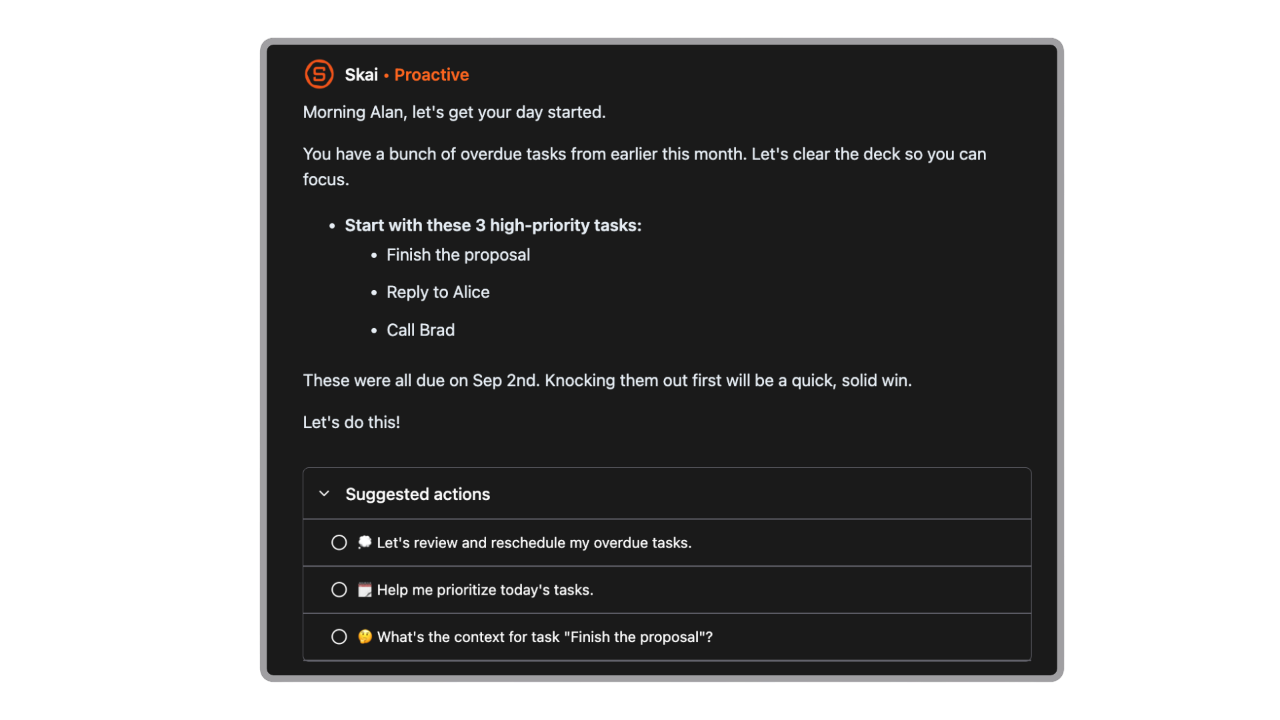
- The daily plan: Slashy preps you for meetings. Saner.AI's Skai assistant scans your inbox, notes, and calendar every morning and proposes an actual day plan, which one user described plainly:
"It tackles issues like context switching, overwhelm, and forgetfulness with ease"
- Bottom line: if your problem really is just email, Slashy is the sharper tool for that one job. If your problem is that email is just one of five places your day falls apart, Slashy fixes a fifth of it, and Saner.AI is built for the whole picture.

Stay on top of your work and life effortlessly
Alternatives Comparison
| Tool | Best For | Platforms | Starting Price | Unique Edge |
|---|---|---|---|---|
| Slashy | Gmail-only power users who want AI-drafted replies | Gmail, Mac, iPhone, browser | $25/user/mo | Voice-matched drafting, iMessage/Slack access |
| Superhuman | Speed-focused email power users | Gmail, Outlook, Mac, iPhone | ~$30/user/mo | Keyboard-first speed, long track record |
| Fyxer | Teams wanting AI meeting notes plus email | Gmail, Outlook | ~$25/user/mo | Combines meeting notes and email drafting |
| Saner.AI | Anyone juggling notes, email, tasks, and calendar in one place, especially ADHD professionals | Gmail, Calendar, Drive, Slack, web, mobile | Free, then $8/mo | Unifies your entire workspace, not just your inbox |
Final Verdict
Slashy does what it says on the tin. The drafts start sounding like you after a week or two, the follow-up tracking catches things that would otherwise slip, and the security posture is more mature than you'd expect from a product this young.
What it doesn't do is solve the bigger problem most of us actually have, which is that our attention is split across five different tools before lunch, and a sharper inbox doesn't fix that on its own.
If you live entirely in Gmail, don't mind paying a premium with no free tier to test it, and just want your replies to stop sounding like a stranger wrote them, Slashy is an ok pick.
If what you actually need is one place that holds your notes, your calendar, your tasks, and your email together instead of polishing just one of them, that's a different tool with a different job description, and it's worth trying the free plan before you commit $25 a month to solving only part of the problem.
Stay on top of your work and life effortlessly
FAQ
Is Slashy free?
No. There's a 7-day free trial that requires a credit card, but no permanent free plan. Professional starts at $25/user/month billed annually.
Does Slashy work with Outlook?
Not yet. As of its most recent update, Slashy supports Gmail and Google Workspace only, with Outlook listed as "coming soon."
Is Slashy secure enough for business email?
Yes, on paper it's stronger than most young startups in this category. It's SOC 2 Type II and CASA Tier 2 certified, encrypts data with AES-256, and doesn't use your emails to train AI models.
How is Slashy different from Superhuman?
Slashy leans more heavily on agentic automation, drafting, triaging, and following up on its own, while Superhuman is more focused on raw speed and keyboard shortcuts. Superhuman also already supports Outlook.
Does Slashy have a mobile app?
There's a native iPhone app. There's no dedicated Android app, and PC users are limited to the browser version.
What if I need more than just email help?
That's where a broader workspace tool like Saner.AI fits better, since it handles notes, tasks, and calendar in the same place instead of just your inbox.
Stay on top of your work and life effortlessly