Sunsama vs Akiflow (2026): An Honest Comparison (Pros and Cons)

If you've been considering, or even going back and forth between Sunsama and Akiflow, you already know how hard this choice is. Both tools promise to fix the same problem: your tasks are scattered across five different apps, your calendar is a mess, and you spend more time figuring out what to do next than actually doing it.
The trouble is, they solve that problem in completely opposite ways. And depending on what kind of person you are, one of them will feel like a relief and the other will feel like a chore.
This post breaks down what each tool actually does well, where real users say they fall short, and why a growing number of people doing this exact comparison are landing on other options.
Quick Comparison Summary
| Sunsama | Akiflow | Saner.ai | |
|---|---|---|---|
| Best for | Mindful daily planners who want structured rituals | Power users who want keyboard-driven task consolidation | Knowledge workers who want AI to handle planning without losing their notes |
| AI features | Minimal (no auto-scheduling) | Lightweight (AI workflows, no auto-scheduling) | Full AI assistant (Skai) across notes, tasks, and email |
| Free plan | No | No | Yes (permanent free tier) |
| Starting price | $16/month (annual) | $17/month (annual) | $8/month (annual) |
| Mobile app | Limited | Inconsistent | Full-featured |
| Knowledge management | None | None | Core feature |
What is Sunsama?
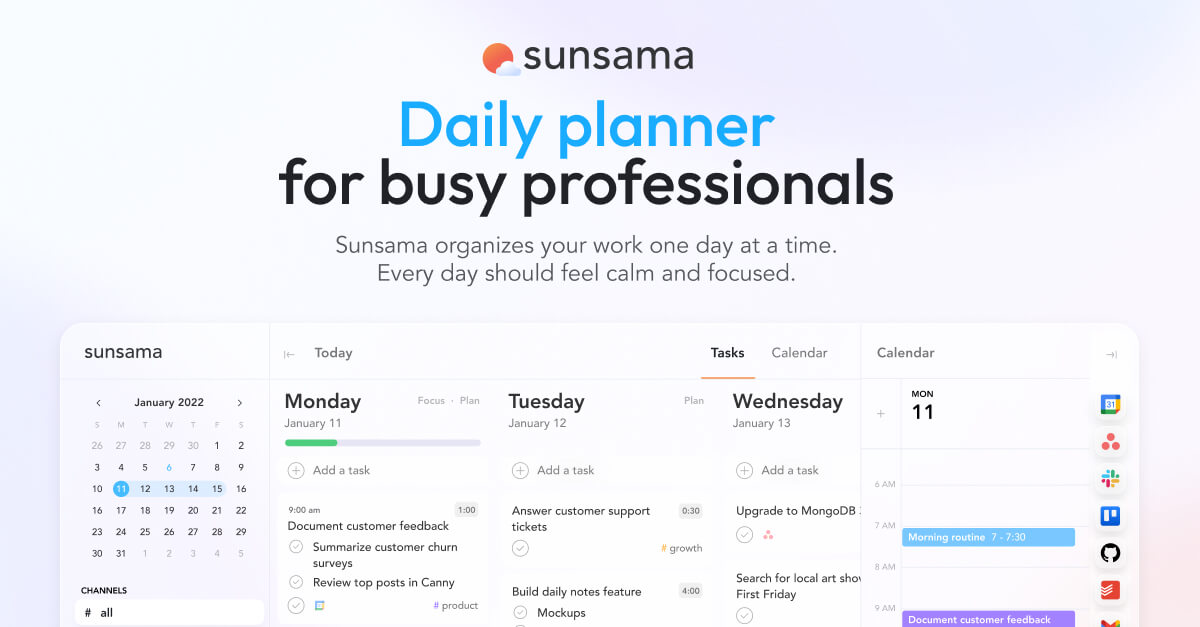
Sunsama is a daily planner built around a philosophy: you should do fewer things, more intentionally. Every morning, it walks you through a 10-15 minute planning ritual where you review your calendar, pull tasks in from connected tools, set time estimates, and commit to what you're actually going to do that day. At the end of the day, there's a shutdown ritual too.
It connects to Google Calendar, Outlook, Asana, Notion, Todoist, Trello, GitHub, Jira, and a handful of other tools
The experience is calm. The design is minimal. The whole thing is built to stop you from overscheduling yourself.
Who it works for: people who like the ritual of planning, who want structure without complexity, and who can carve out 15 minutes each morning without resentment.
What is Akiflow?
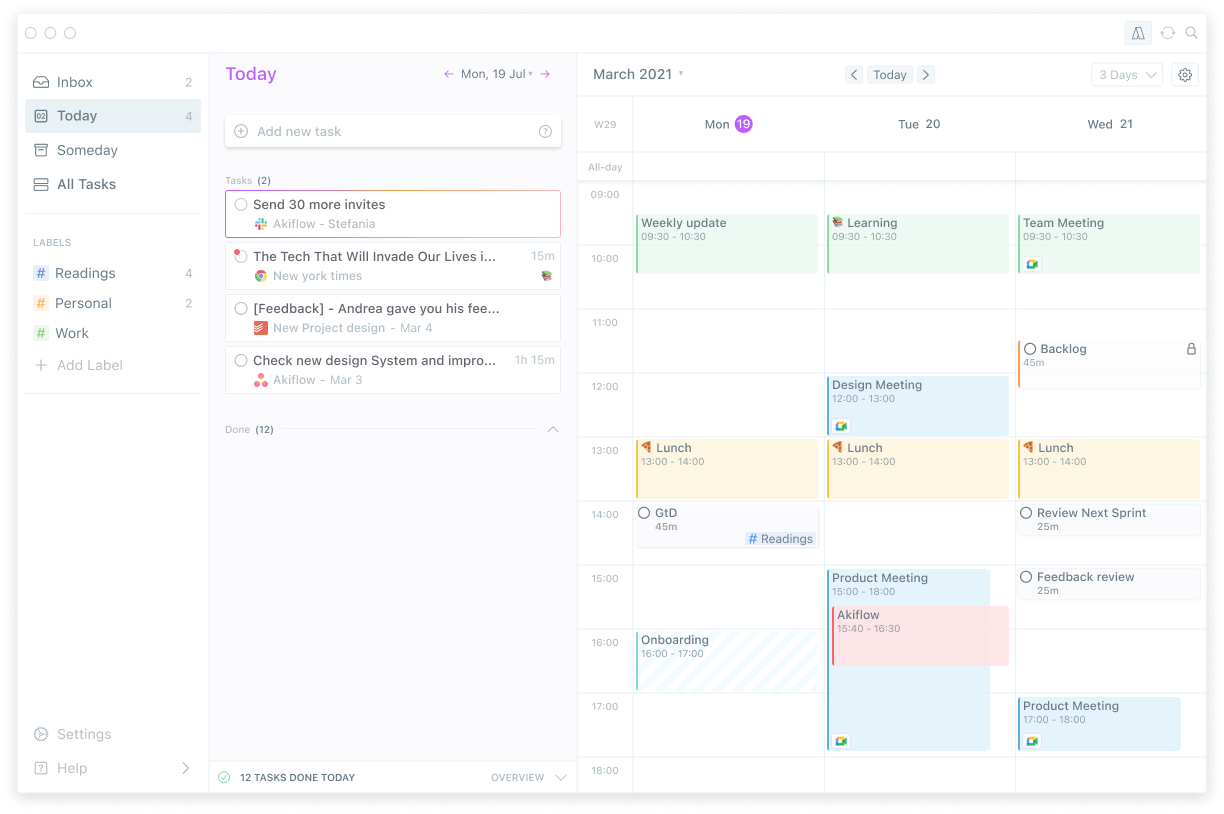
Akiflow takes a different approach to the same problem. Instead of guiding you through a ritual, it gives you a fast, keyboard-driven inbox where tasks from all your tools land automatically. You process them with shortcuts, drag them onto a calendar, and move on.
It connects to Gmail, Slack, Notion, Asana, Todoist, ClickUp, and more - and unlike Sunsama, it can pull tasks in automatically rather than waiting for you to manually import them during your planning session.
Who it works for: people who are already comfortable managing their time and just want everything in one place without the guided workflow.
Key Feature Comparison
Daily planning
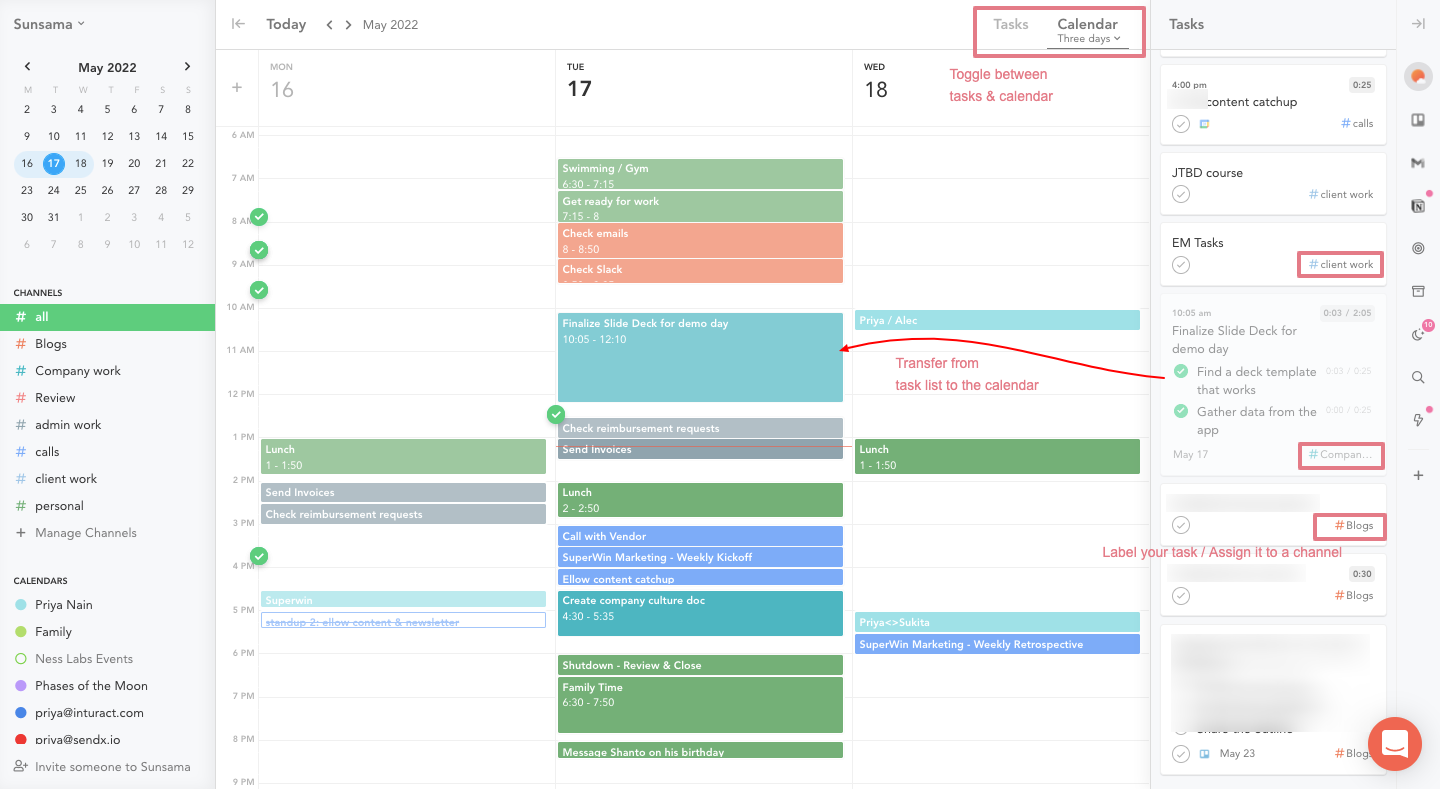
Sunsama's planning session is the product. The entire tool is built around you spending time each morning intentionally choosing what to work on. That's a selling point for some people and a dealbreaker for others.
One user on Capterra described it well:
"The daily workflow is really what sets Sunsama apart from other productivity tools. The tool is built around setting up your day in the morning and closing out your day in the evening, and it works very well." reviews
Akiflow's planning is more self-directed. You open your inbox, process what's there, and block out your day however you want. There's no guided flow. That gives you flexibility, but it also means the discipline has to come from you.
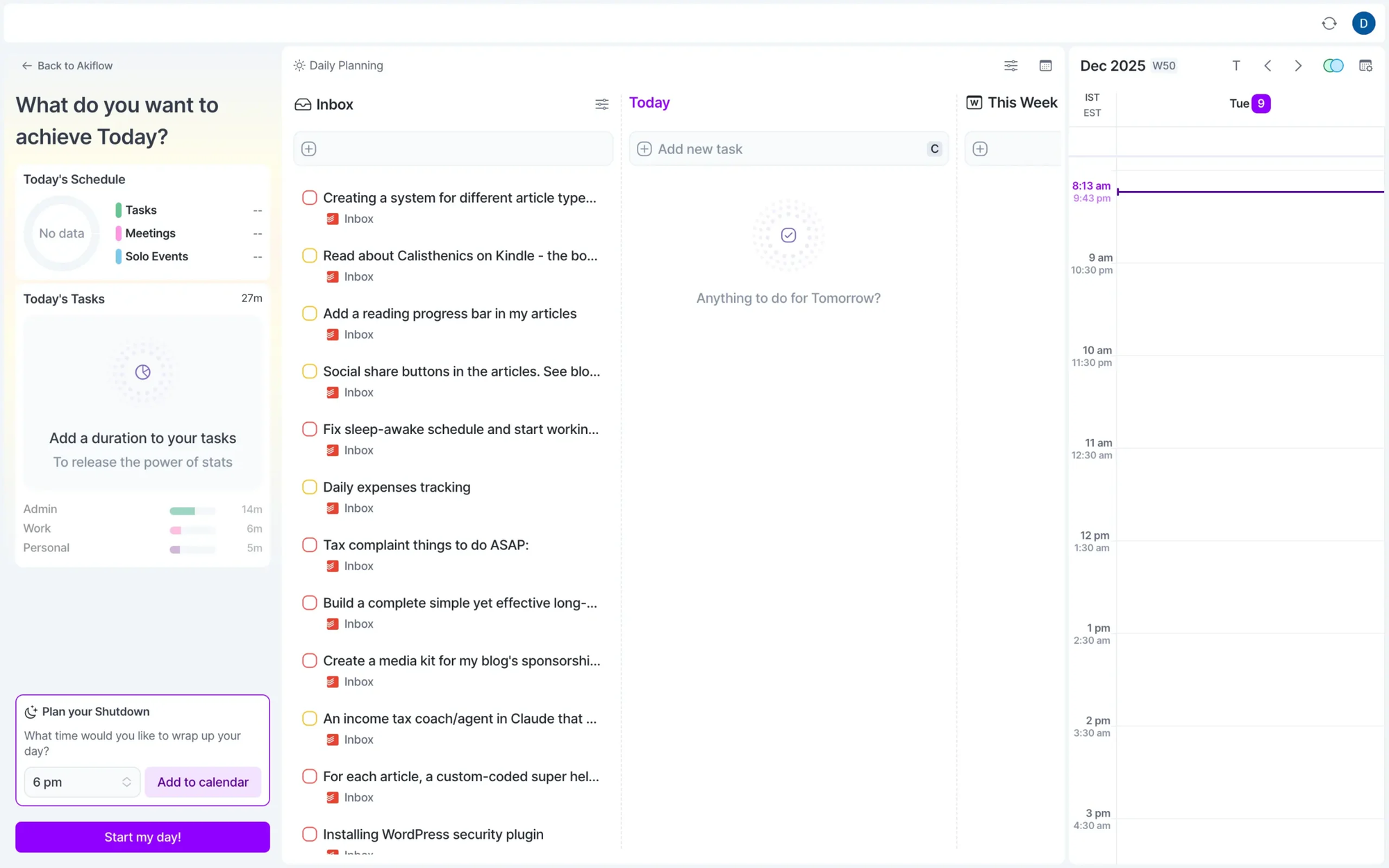
One reviewer on Capterra put it plainly: "I think there's a danger of over-organising and I spend so much time organising my tasks that I don't actually do them." reviews
Task capture and integrations
Akiflow wins on speed here. Flag an email in Gmail, and it appears in your inbox. Post in Slack with a certain keyword, and it becomes a task. The capture is largely automatic.
Sunsama is more deliberate - you pull tasks in from connected tools during your planning session, which keeps things intentional but adds friction. Users who love the zen approach appreciate this. Users who want their tools to work for them find it annoying.
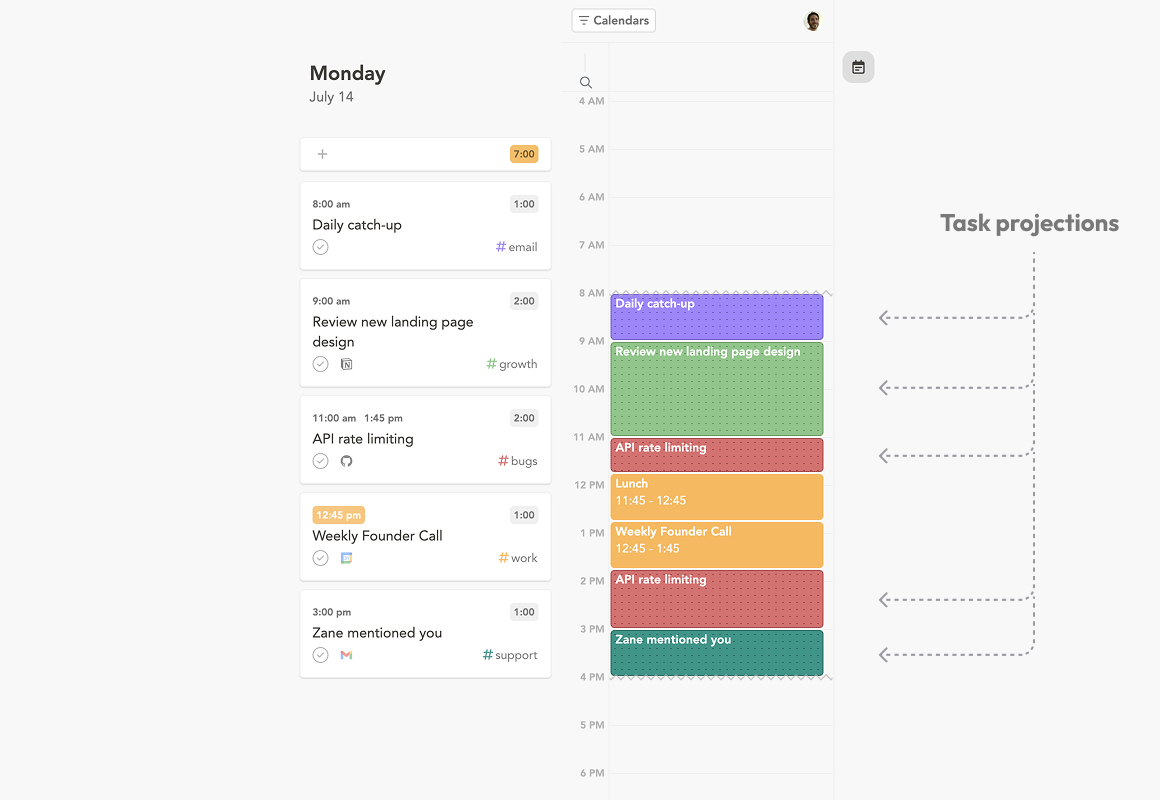
One Capterra reviewer flagged a specific limitation:
"Sunsama lacked some core features I needed, specifically the ability to import tasks from multiple accounts of the same PM tool. For example, I needed to import tasks from two different Asana accounts but could only import from one." reviews
On the Akiflow side, integrations are praised but not perfect. One G2 user noted that
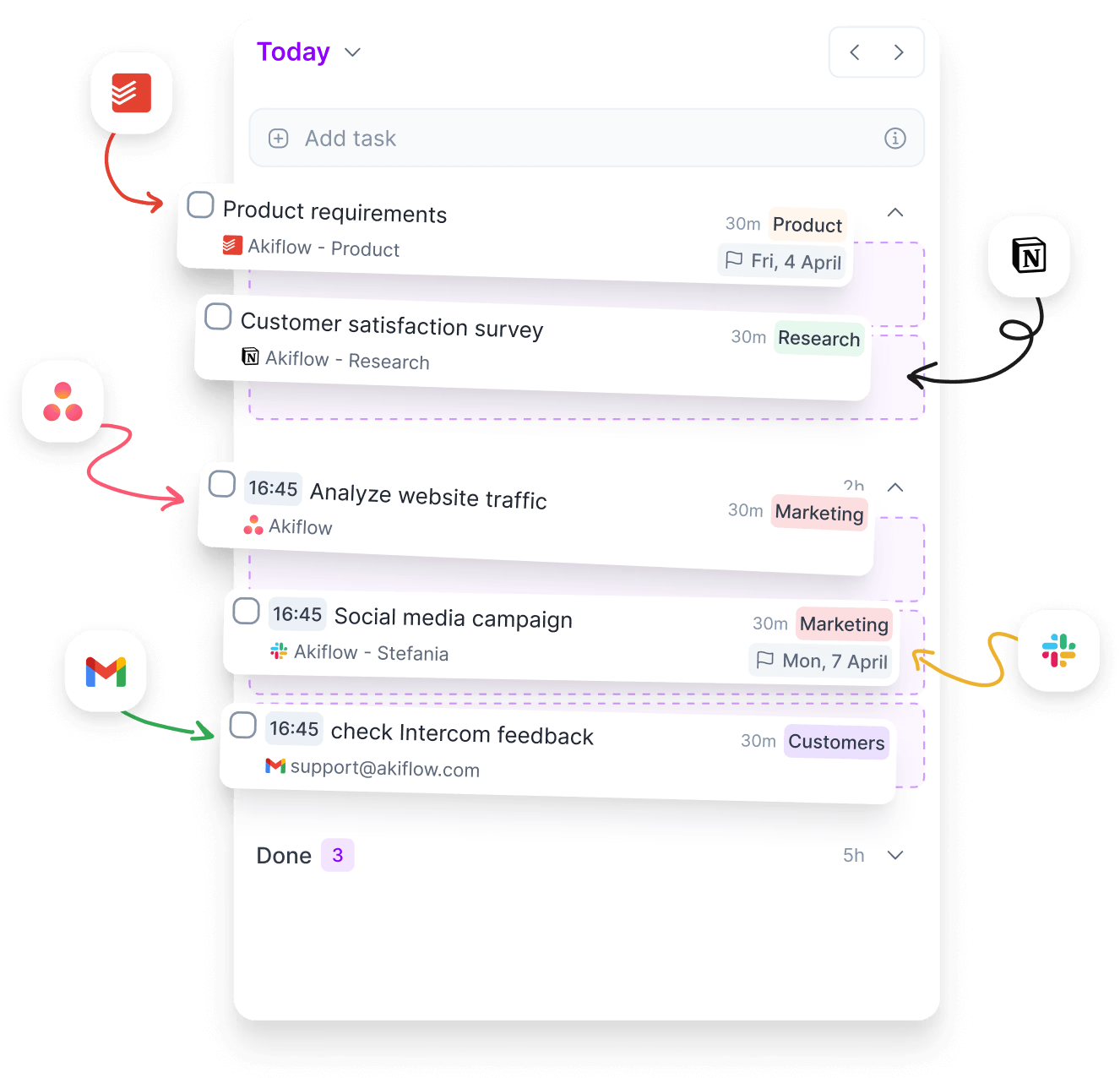
"the integrations with Slack and ClickUp are okay (only one-way), and they can get confusing - new tasks appear when you flag messages in Slack, for instance." reviews
AI and automation
Neither tool does what most people mean when they say "AI scheduling" in 2026. Motion auto-schedules your day. Reclaim AI rearranges blocks dynamically. Sunsama and Akiflow don't do any of that.
Sunsama has added some AI features recently - it can suggest time estimates and task channels - but it does not reschedule your day automatically. That's intentional. Their philosophy is that you should choose, not the algorithm.
Akiflow has AI workflows that can send you schedule summaries, weather updates, or habit check-ins at set times. It's useful for routines, not for replanning your day when things go sideways.
If you're specifically looking for AI that takes work off your plate rather than just supporting your manual process, both tools will leave you wanting more, and a 3rd option like Saner.AI could be better for you.
Mobile experience
This is where both tools have real problems.
Sunsama's mobile app is widely described as a companion, not a replacement for the desktop version. One review described the mobile experience as "the Achilles' heel" for a $20/month app in 2025. reviews
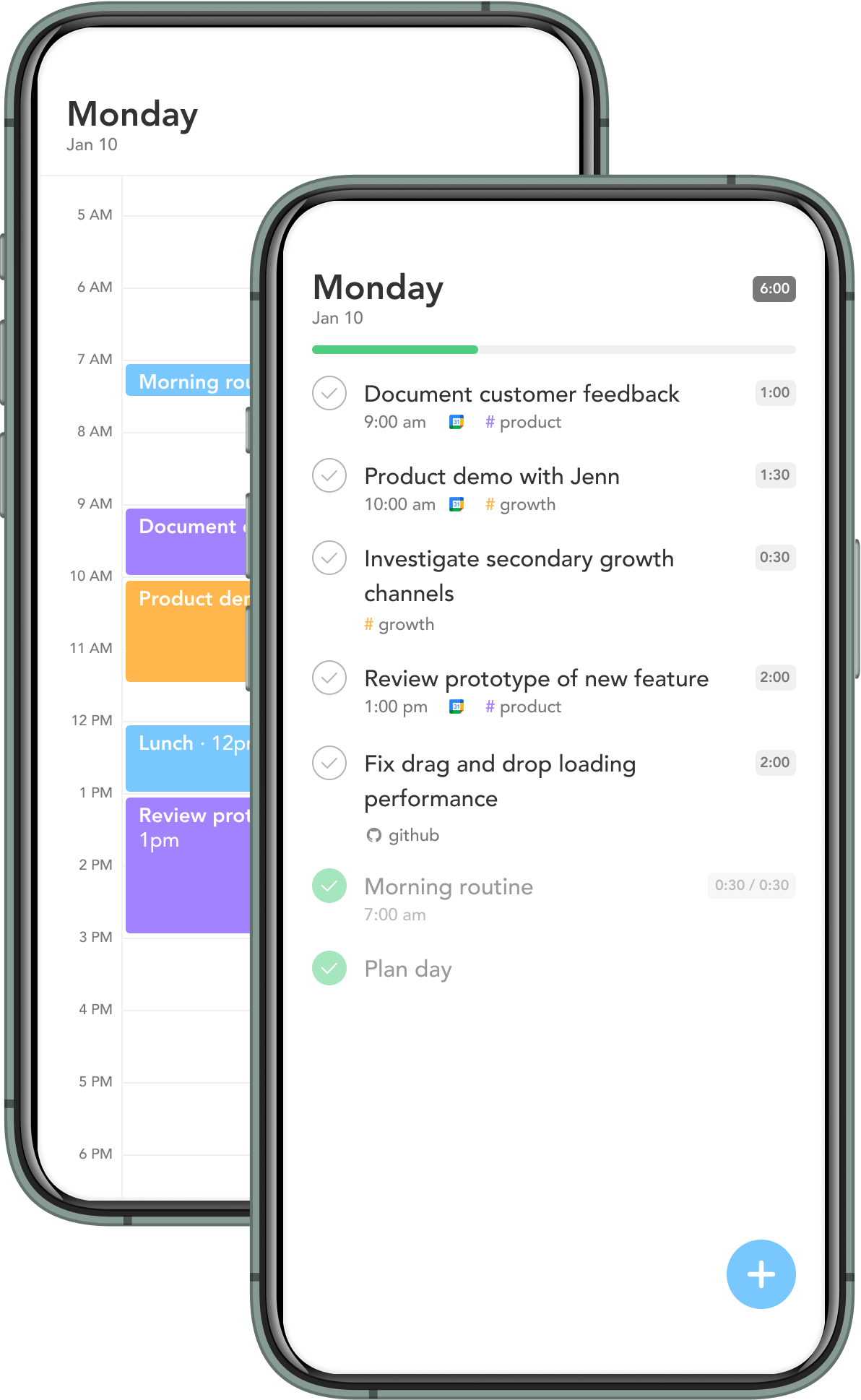
Multiple Capterra users flag that the Android app "lacks some functionality" compared to desktop. reviews
Akiflow's mobile situation isn't much better. Community threads flag sync issues and beta instability. One reviewer on Capterra said:
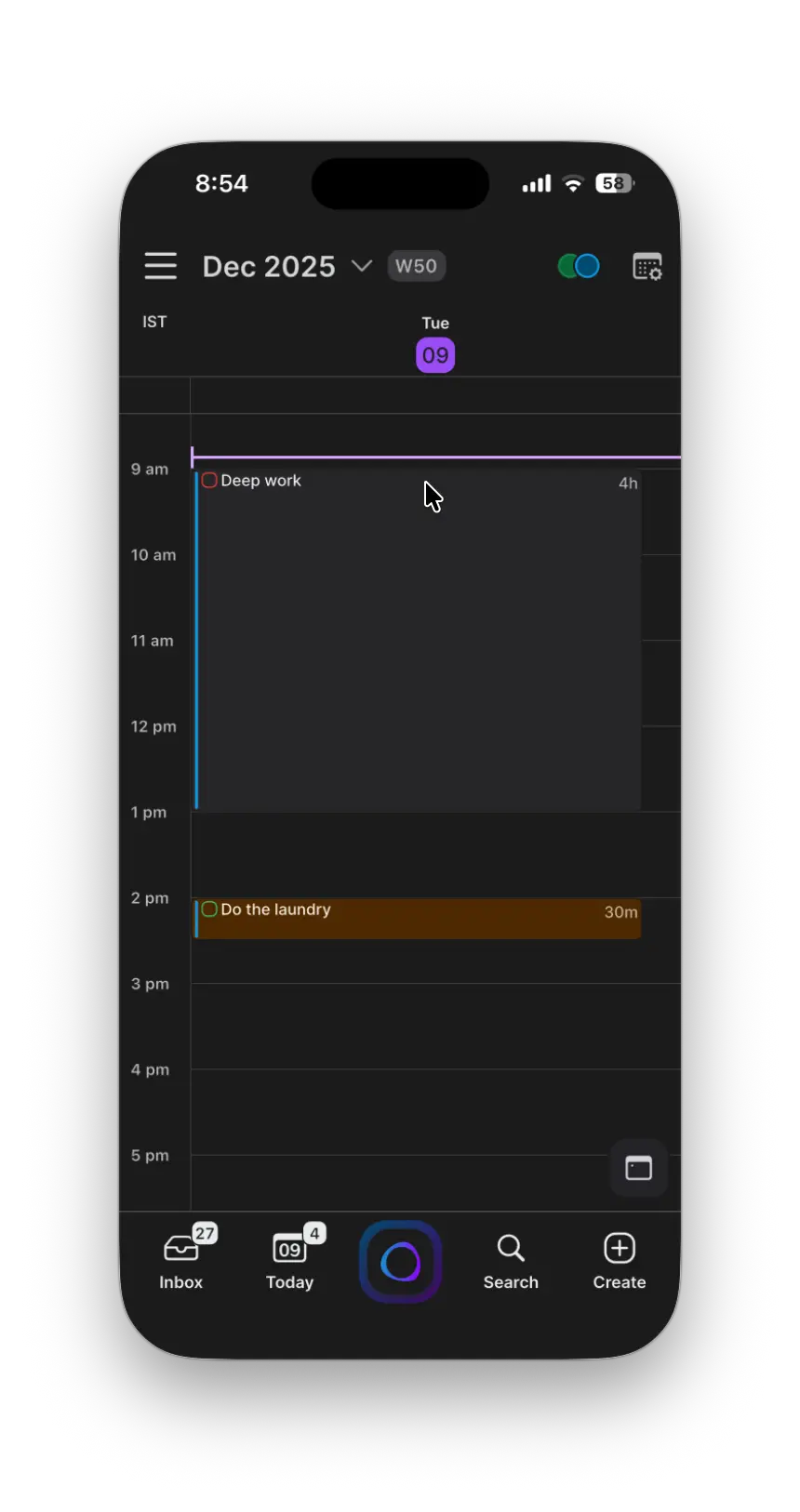
"I am desperate for iOS apps to allow me to use Akiflow when I'm on the go or simply not at my desk." reviews
Another noted:
"Sometimes the Mobile app doesn't load for certain devices requiring the use of the Web App which is less intuitive." reviews
If you do a lot of your work on your phone, this is worth thinking about carefully before committing to either.
The real cons - what users actually complain about
Sunsama's biggest problems
The price feels hard to justify. At $25/month with no free plan at all - ever - Sunsama asks you to commit before you know if the ritual actually sticks for you. A 14-day trial is not long enough for a habit-building app. Multiple reviewers on Reddit have questioned whether roughly $200/year for a daily planner is defensible when similar tools cost half as much or offer a free tier.
It only plans two weeks out. This catches people off guard. If you're managing anything with a longer horizon - quarterly projects, launch plans, recurring reviews - you'll need a second tool running alongside Sunsama. That defeats some of the point of consolidating everything in one place. reviews
Manual planning is both the product and the limitation. Sunsama will not plan your day for you. If you miss your morning ritual, nothing happens. Your tasks sit there. One Efficient App review states it bluntly:
"Sunsama doesn't automatically schedule or prioritize your tasks for you, YOU need to do that each day, so if you forget or it falls to the wayside, you might end up paying for a tool that is sitting dormant." reviews
Real-time collaboration is unreliable. For teams using Sunsama for meeting management, the collaborative features have bugs. One Capterra reviewer described a recurring pattern:
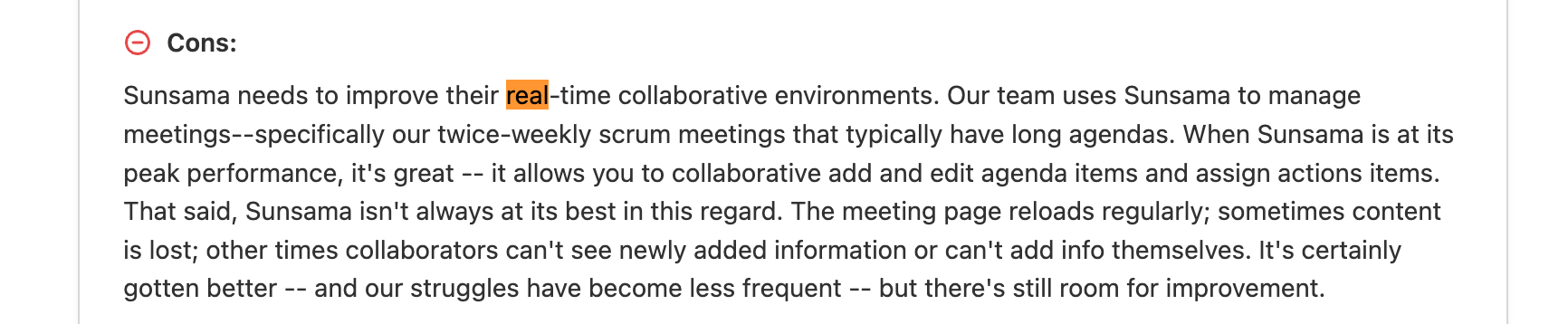
"The meeting page reloads regularly; sometimes content is lost; other times collaborators can't see newly added information or can't add info themselves." reviews
No knowledge management, no second brain. Everything you capture in Sunsama is a task or a time block. There's nowhere to put notes, reference material, or ideas that don't fit neatly into a to-do. If you're a knowledge worker, that gap gets noticeable fast.
Akiflow's biggest problems
No time component on deadlines. This one is mentioned directly in reviews, and it's a meaningful gap. One Capterra reviewer called it a
"complete disappointment — there is no time component to deadlines for tasks; a fundamental feature." reviews
You can set a date, but not a time. For people who schedule down to the hour, that's frustrating.
The task/event/blocker distinction gets confusing. One Capterra reviewer put it clearly:
"I would like better clarity around the difference between tasks, events, blockers in the calendar. It gets confusing, and the app does not handle it well. Also, depending on how you define tasks, they get visible (or not) in the main calendar, which means that you will only rely on the main inbox, making most of the other features less valuable." reviews
The price, plus billing complaints. Akiflow's monthly rate ($34/month) is one of the highest in the daily planner category. The annual rate is more reasonable, but several users on Reddit and review platforms have raised serious concerns about billing practices - specifically, difficulty finding the cancellation button and reports of unauthorized charges. reviews
That's not a small thing for a subscription tool.
Prioritizing AI features over fundamentals. A common thread in Capterra reviews: users feel Akiflow has been chasing AI trends instead of fixing basic requests. One reviewer said:
"What I least like about Akiflow is that it's starting to focus on cool AI stuff instead of nailing the basics like the ability for custom reminders... I think Akiflow should try to nail the primary first and then approach towards AI stuff." reviews
No subtask support. For users who rely on checklists or nested tasks - things like grocery lists, complex project steps, or multi-part deliverables - Akiflow either doesn't support subtasks or only does so through workarounds.
No Apple Calendar integration. Despite connecting to dozens of tools, Akiflow still doesn't support Apple Calendar as of 2026. For Mac and iPhone users who live in iCal, that's a blocker. reviews
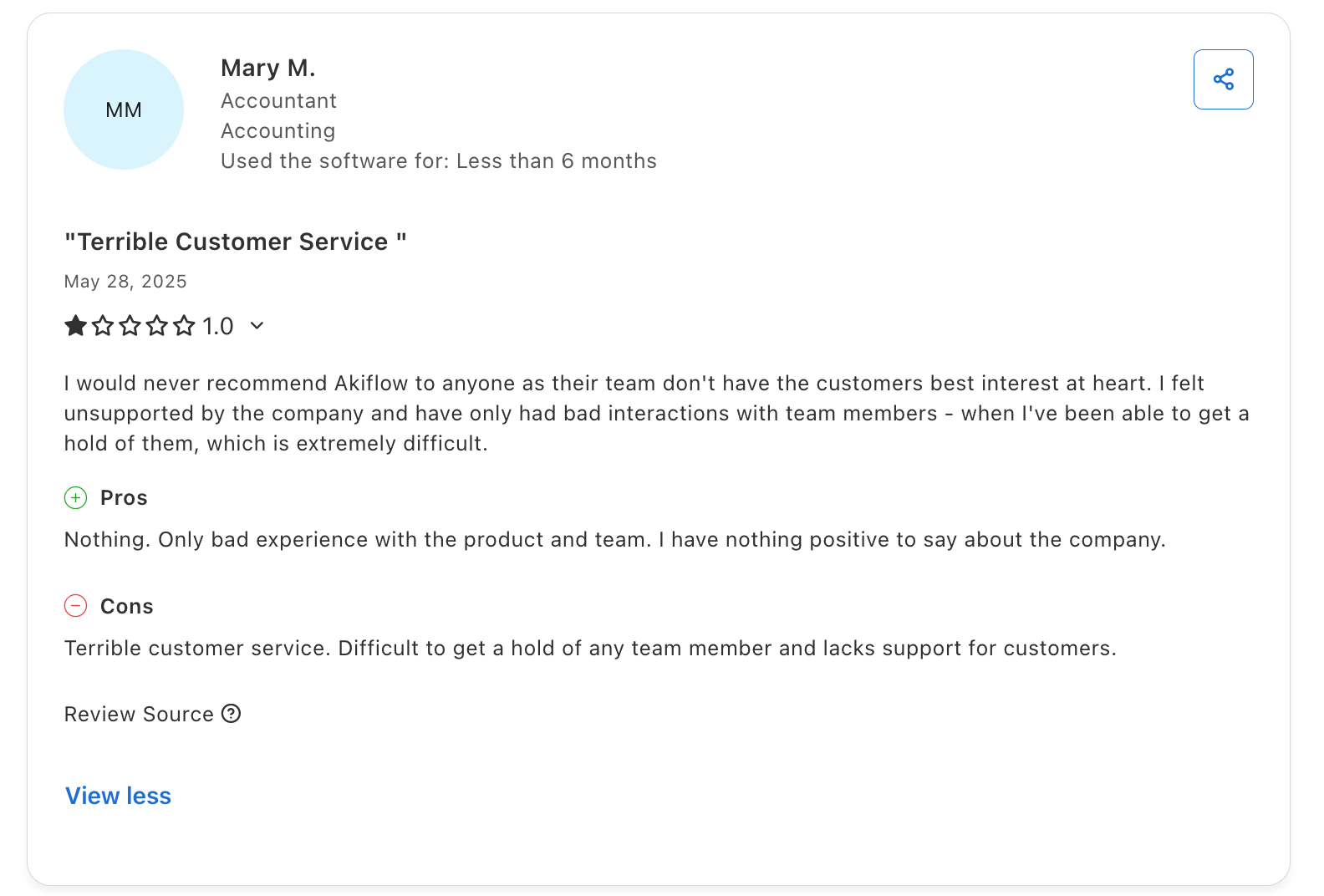
Not providing a good customer service: (review)
Where both tools fall short together
After going through hundreds of reviews across Capterra, G2, Reddit, and Product Hunt, a pattern comes up again and again for both tools:
They're calendar tools, not all-in-one working tools. They're good at organizing tasks and blocking calendar time. They're not built to handle the context around your work - the notes from a client call, the background research you saved, the email thread that gave you the idea for the task in the first place. You have to keep that somewhere else.
For a lot of knowledge workers, that "somewhere else" is the real bottleneck. You end up with a nicely organized task list and a calendar full of time blocks, but your actual knowledge is still scattered across Notion, Obsidian, Chrome bookmarks, and email threads.
Neither Sunsama nor Akiflow touches that problem.
Saner.ai: what it does differently
Saner.ai is built around a different idea: that tasks don't exist in isolation. They come out of notes, emails, conversations, and research - and if your productivity tool doesn't connect to any of that, you're still context-switching all day, just in the other direction.
Here's what Saner.AI brings to the comparison:
An AI assistant (Skai) that reads your actual context. Skai can pull from your notes, emails, Google Drive, Slack, and calendar to suggest what you should work on - not based on what you told it to schedule, but based on what it knows about your work. One Product Hunt reviewer described it as having "my personal secretary." reviews
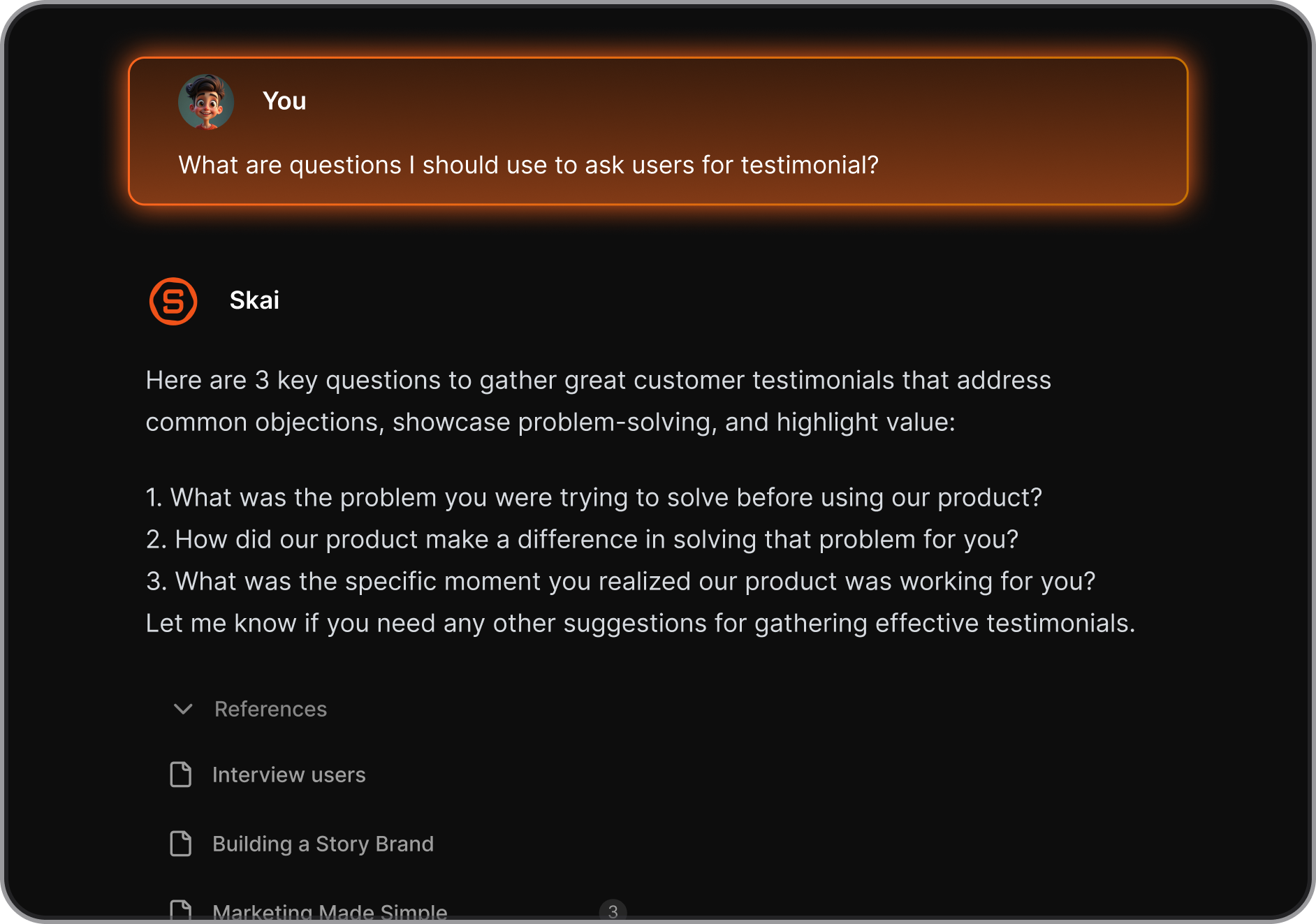
Another said it turned their scattered notes from "trash" into something retrievable and useful: "Read interesting things or self-reflection -> draft -> Saner structures them or makes them reusable." reviews
A free plan that doesn't expire. Saner.ai has a permanent free tier - 30 AI requests/month, 100 notes, 100MB storage. The Starter plan is $8/month (annual) and the Standard plan is $16/month (annual). Compare that to Sunsama at $25/month with no free option, or Akiflow at $34/month also with no free option. reviews
Knowledge management as a core feature, not an afterthought. Your notes, tasks, and calendar all live in the same place. You don't need Notion open in another tab to remember what a task was actually about.
Designed specifically for ADHD and cognitive overload. Saner.ai is explicitly built for people who struggle with information overload - not as a special mode or add-on, but as the core use case.
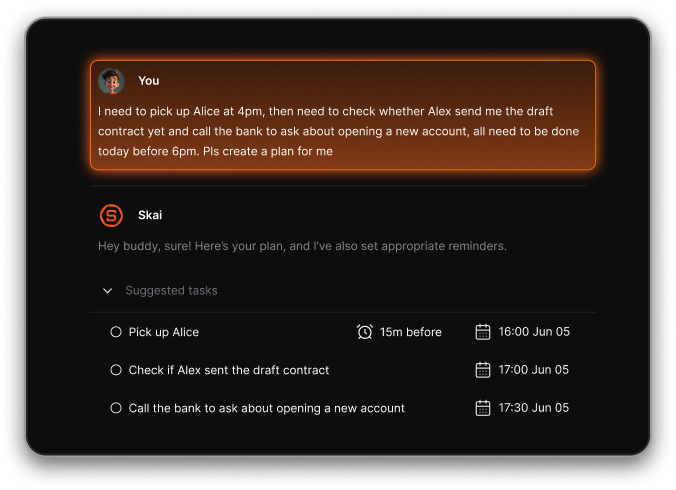
One Product Hunt reviewer noted it helped specifically with ADHD-related challenges and reduced "mental friction." reviews
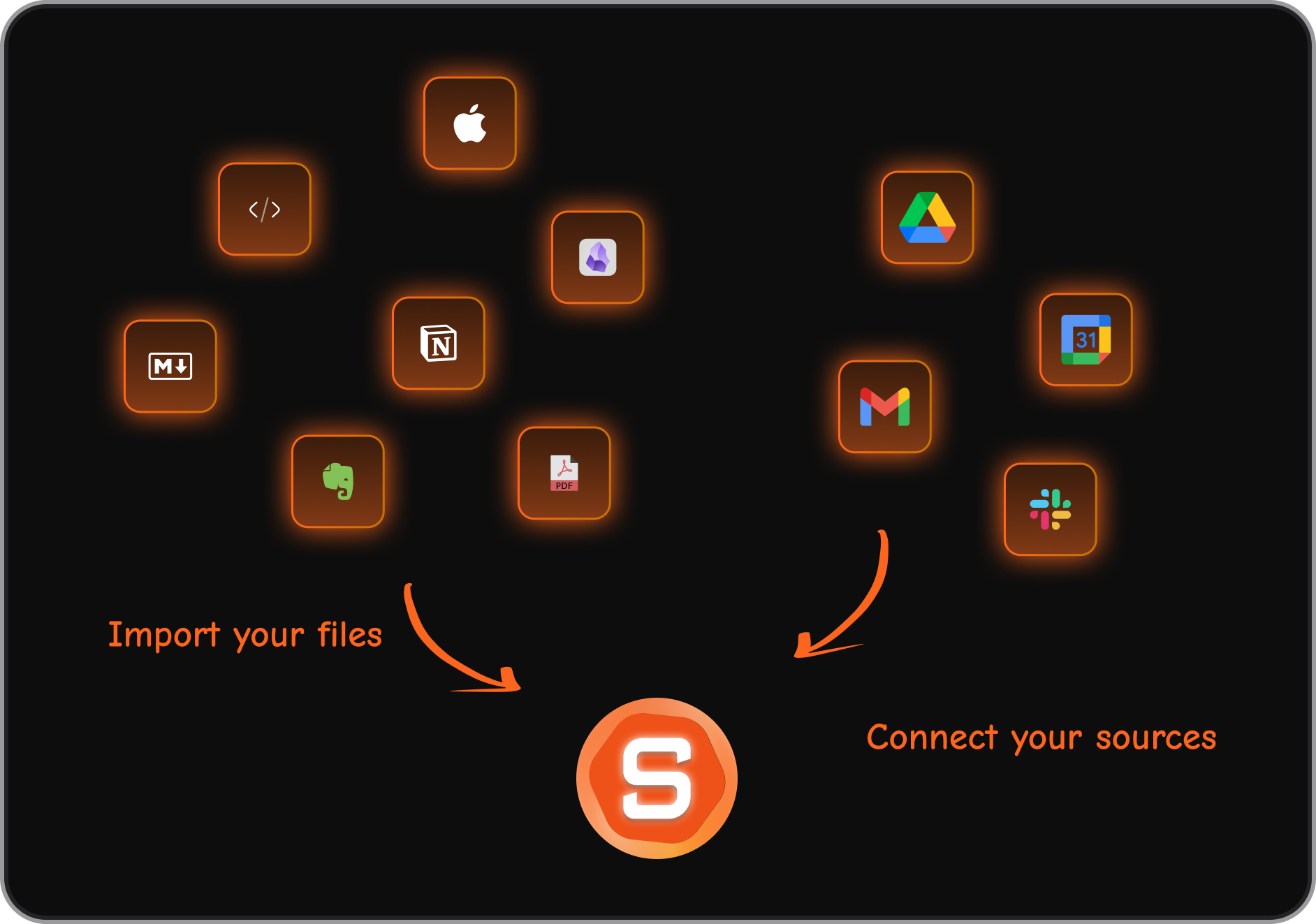
Cross-platform integrations that cover email. Saner.ai integrates with Google Drive, Gmail, Slack, and Calendar. The point isn't just to pull tasks in - it's to give the AI enough context to actually help you prioritize.
Where Saner.ai is still maturing: the import process for large note libraries can be slow, file size limits on uploaded documents are tight (10MB per file), and some users on Product Hunt have asked for better REST API and IFTTT support. reviews.
Pricing reviews side by side
| Sunsama | Akiflow | Saner.ai | |
|---|---|---|---|
| Free plan | No | No | Yes (permanent) |
| Trial | 14 days | 7 days | Permanent free tier |
| Monthly price | $25/month | $34/month | $0–$16/month |
| Annual price | $16/month | $17/month | $8–$16/month |
Sunsama and Akiflow are priced similarly on annual plans. Akiflow is significantly more expensive month-to-month. Saner.ai is the only one with a free option that doesn't disappear after two weeks.
Who should choose what
Choose Sunsama if you've genuinely tried to build a daily planning habit before and failed because you had no structure, not no time. If the 10-15 minute morning ritual sounds like something you'd look forward to rather than resent, and you don't need AI to do your thinking for you - Sunsama is probably the right fit.
Choose Akiflow if you're already organized and your main problem is having tasks in eight different apps that don't talk to each other. If you like keyboard shortcuts, move fast, and want a visual calendar rather than a guided ritual - Akiflow works well when you use it consistently.
Choose Saner.ai if you work with a lot of information - notes, research, long email threads, documents - and your planning tool currently has no way to connect to any of that. If you want AI to help you work, not just schedule, and if you're not ready to pay $16-20/month before knowing whether a tool sticks, start with Saner.ai's free plan.
Frequently asked questions
Is Sunsama worth $20/month? For people who commit to the daily ritual, yes — the reviews are consistent on that. For people who skip planning sessions, it becomes an expensive subscription to something they're not using. There's no free tier, so you're making the call based on a 14-day trial.
Does Akiflow have a free plan? No. Akiflow's trial is 7 days — short for a tool that takes time to integrate into your workflow. If you request an extension during trial, they sometimes offer 14 additional days.
What's the main difference between Sunsama and Akiflow? Sunsama is a guided ritual. You plan your day through a structured workflow each morning. Akiflow is a fast inbox. You process tasks with keyboard shortcuts and drag them onto a calendar. Both sync to your calendar and pull from third-party tools, but the day-to-day experience is completely different.
Can Saner.ai replace Sunsama or Akiflow? Saner.ai's strength is knowledge management and AI assistance. The better way to think about it: if you're buying Sunsama or Akiflow primarily because you're overwhelmed with information and don't know what to work on next, Saner.ai solves that root problem more directly.
Which tool works best on mobile? Honestly, all three have room to improve on mobile. Sunsama's mobile app is the most commonly criticized in reviews. Akiflow's is inconsistent. Saner.ai has a more complete mobile experience, partly because it's designed for capturing and retrieving information on the go, not just calendar-blocking.
Does Sunsama's mobile app actually work? I've seen conflicting things.
Not well, and this comes up constantly. The mobile app is effectively read-only - you can view your plan and check things off, but you can't do your planning session, time-block, or set weekly objectives from it. One Medium writer who had used Sunsama for years described the mobile situation as the main reason she finally switched:
"Productivity systems only work if you can actually use them. And for me, that means using them everywhere." The app has improved over time, but if mobile access is important to how you work, this is a genuine limitation worth knowing going in. source
Which one is better for someone with ADHD? Both have ADHD users who swear by them, but for different reasons - and the right answer really depends on what ADHD looks like for you. The risk with Akiflow for ADHD is inbox overload: if you pull in tasks from every connected tool, you can end up with a flooded inbox that becomes paralyzing rather than helpful. If that's a concern, Saner.ai's approach - where the AI filters and surfaces what matters rather than dumping everything into one pile 0 may actually reduce that friction more than either tool. source

Stay on top of your work and life