
Tomo AI Alternatives: We tested the best 5 apps in 2026

Tomo acts like an empathetic, text-first accountability partner that proactively reaches out to keep your daily routines on track. But as soon as you try to bend Tomo into managing a crowded inbox, coordinating client calls, or organizing a chaotic knowledge base, you hit a wall.
We evaluated the top alternatives based on how effectively they automate task execution, calendar logistics, and information flow.
Quick guide: What are the best Tomo AI alternatives?
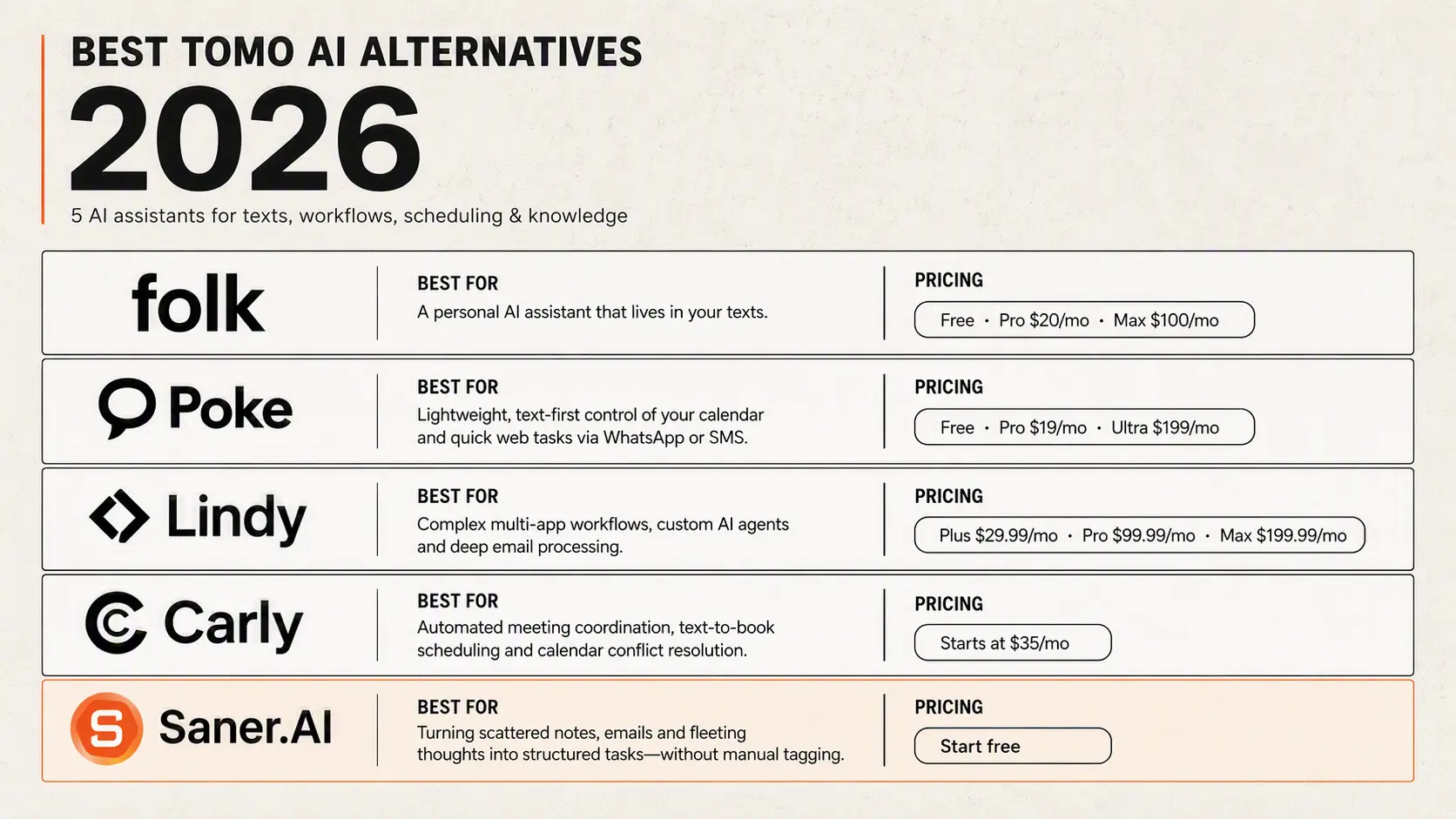
2) Folk: AI personal assistant lives in your text platform.
3) Poke: Best for lightweight, text-first AI control over your calendar and quick web tasks via WhatsApp or SMS.
4) Lindy: Best for complex multi-app workflow automation, custom AI agent creation, and deep email processing.
5) Carly: Best for automated meeting coordination, text-to-book scheduling, and calendar conflict resolution.
I work at Saner.ai, one of the tools below. It gets the same scoring and the same scrutiny as the others.
How we evaluated Tomo AI alternatives
Because these platforms serve different operational needs rather than pure habit tracking, we evaluated each option against the real-world friction points of managing personal productivity and business workflows:
- Channel Accessibility: Does the tool meet you in existing messaging channels (SMS/WhatsApp) or require a dedicated app/web dashboard?
- Proactive Action vs. Passive Storage: Does the AI take initiative (e.g., rescheduling conflicts, drafting replies, fetching context) or wait for you to prompt it?
- Workflow Depth: Can it execute multi-step tasks across third-party tools like Google Calendar, Gmail, Slack, and web browsers?
- Contextual Memory: How well does the system remember details across interactions without requiring constant re-prompting?
- Setup Friction: How quickly can you go from signing up to getting value out of the platform?
What are the best Tomo AI alternatives?
Best Tomo AI alternatives in 2026 are: Saner.AI, Lindy, Poke, Carly AI, Folk
Best Tomo AI Alternatives Comparison table in 2026
Tomo AI is primarily focused on habit tracking through SMS. The tools below are broader AI assistants and automation platforms, so they are best considered alternatives for research, planning, writing, and productivity workflows, rather than direct slide-generation replacements.
| Tool | Best feature | Price | Device / access |
|---|---|---|---|
| Saner.AI | AI-powered knowledge management: captures notes, connects information, searches your personal knowledge base, and helps manage tasks | Free plan; paid plans reportedly start at $8/month annually or $12/month monthly | Web app, iOS app, Chrome extension |
| Carly AI | Email-based executive assistant for scheduling, inbox management, reminders, CRM updates, and follow-ups | Approximately $29–$38/month, depending on plan and billing; verify current pricing before publishing | Email and web; no separate app required for core use |
| Lindy | Cross-app AI automation for email, meetings, research, CRM updates, reports, and recurring workflows | From $29.99/user/month; Pro $99.99/month; Max $199.99/month; 7-day trial | Web, Slack, Gmail, iMessage, browser, and 1,000+ integrations |
| Poke | Personal assistant that works directly through text messages and proactively handles email, calendar, reminders, and automations | Free plan; Pro $19/month; Ultra $199/month | iMessage, WhatsApp, Telegram, plus web-based setup and integrations |
Folk
| Persistent personal AI with web browsing, app connections, group-chat planning, financial monitoring, reminders, and long-term memory |
Free forever; Pro $20/month or $12.50/month when billed annually; Max $100/month or $66.67/month annually |
iMessage, Telegram, WhatsApp, web dashboard; Discord and Signal support listed as coming soon |
|
1. Saner.AI
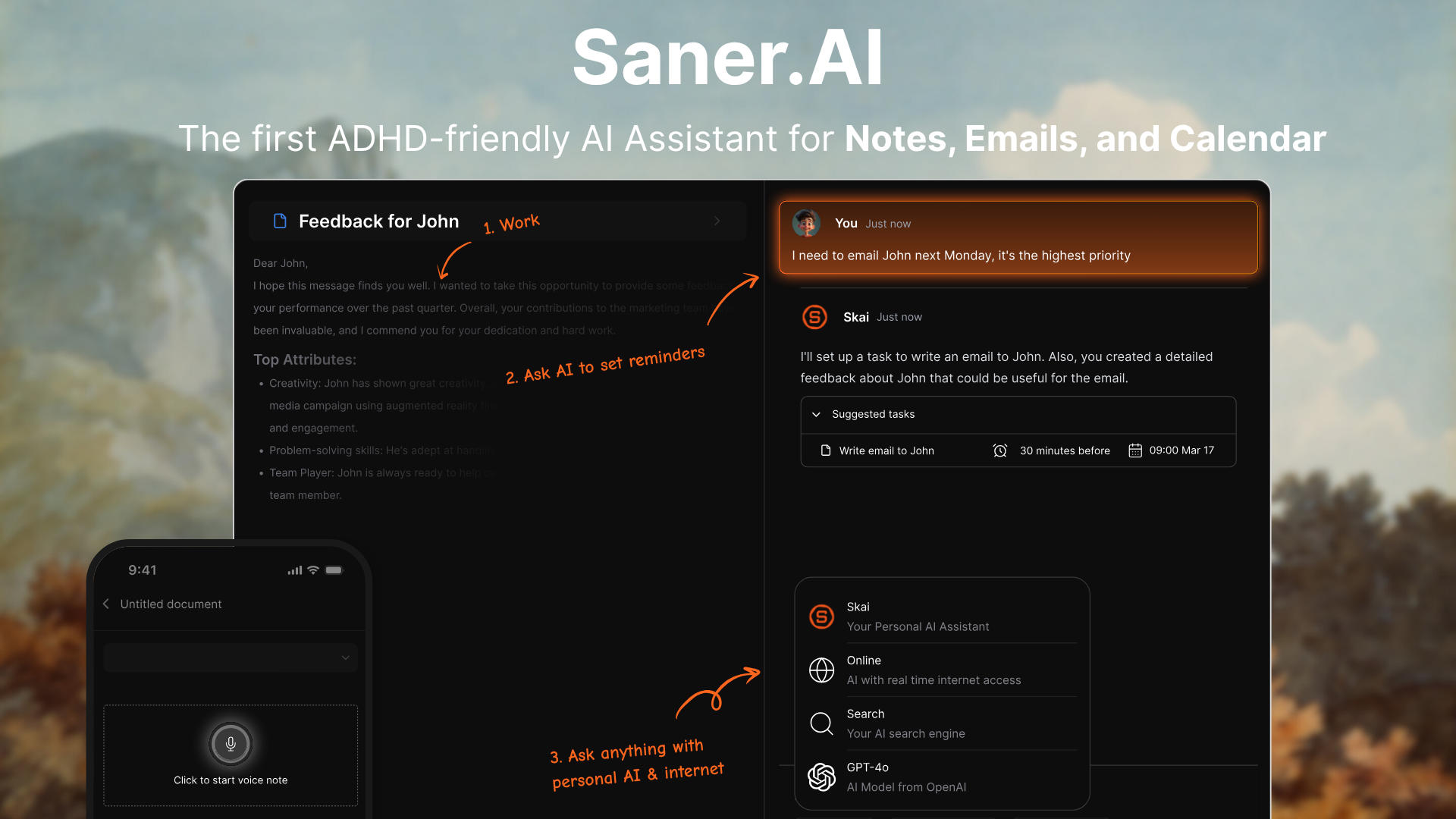
Saner.AI is an AI personal assistant that combines notes, calendar events, and task lists into one view. It uses a dedicated assistant called Skai to turn unstructured thoughts into organized tasks, schedule reminders, and connect past research without manual tagging.
Key feature
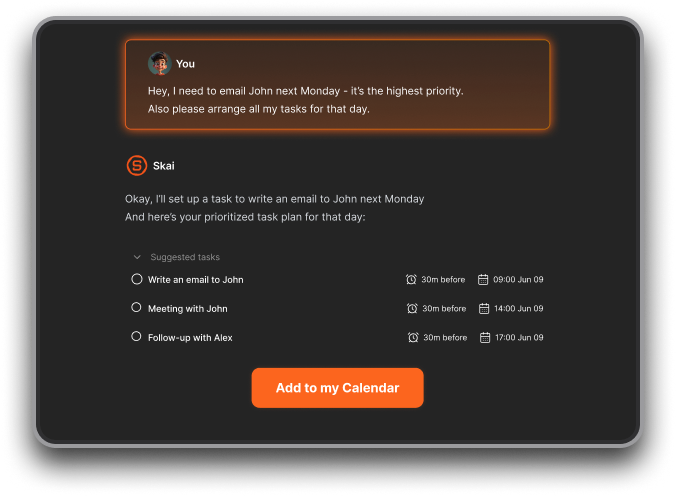
- AI personal assistant: The AI automatically reads through unorganized text, extracts key action items, and recommends specific time slots on my calendar without me having to sort things manually.
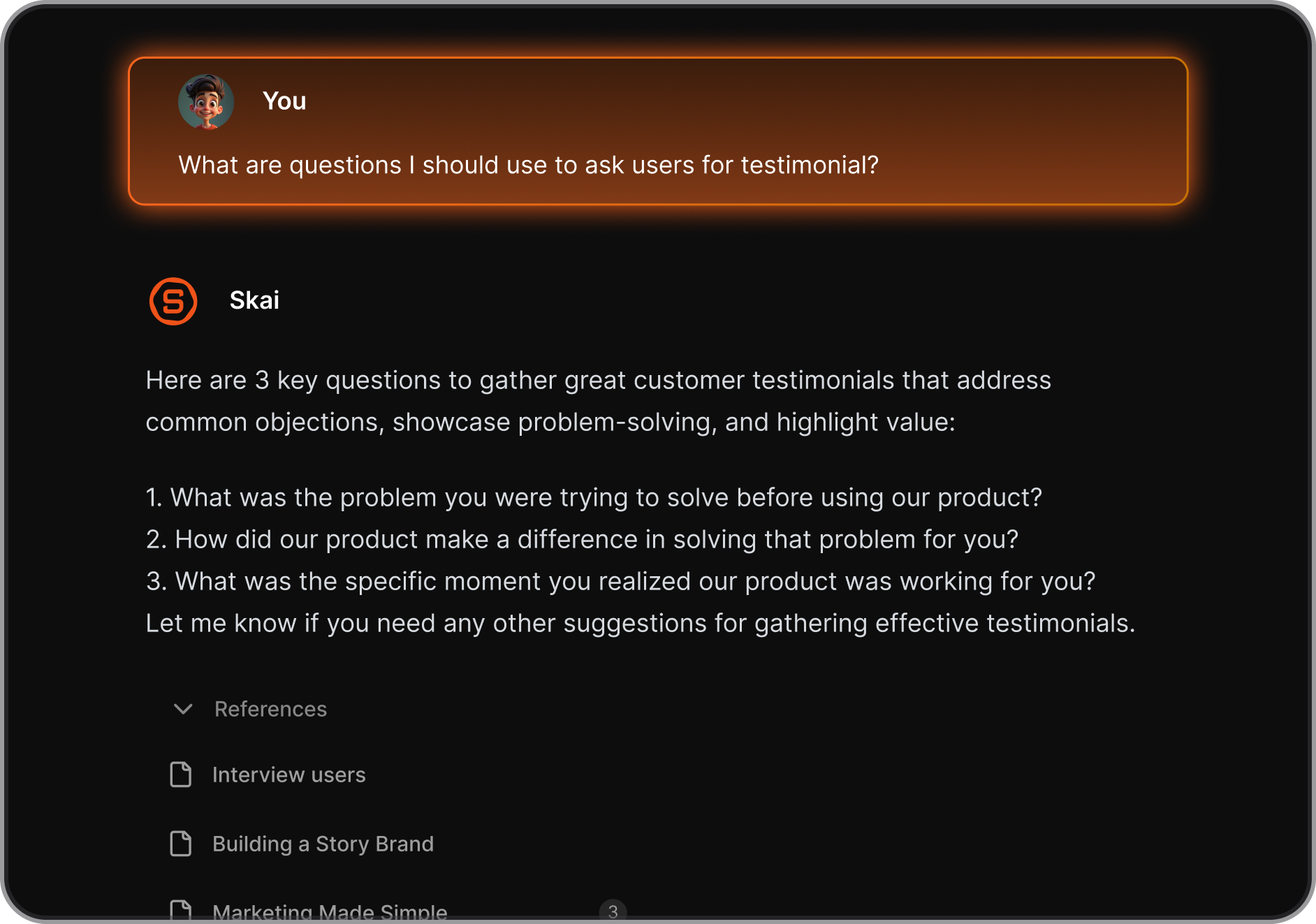
- Unstructured brain dump to tasks
I tried dumping random thoughts directly into the daily note field after client calls. The platform converts raw sentences into concrete reminders and creates tagged categories without requiring complex subfolders or database properties.
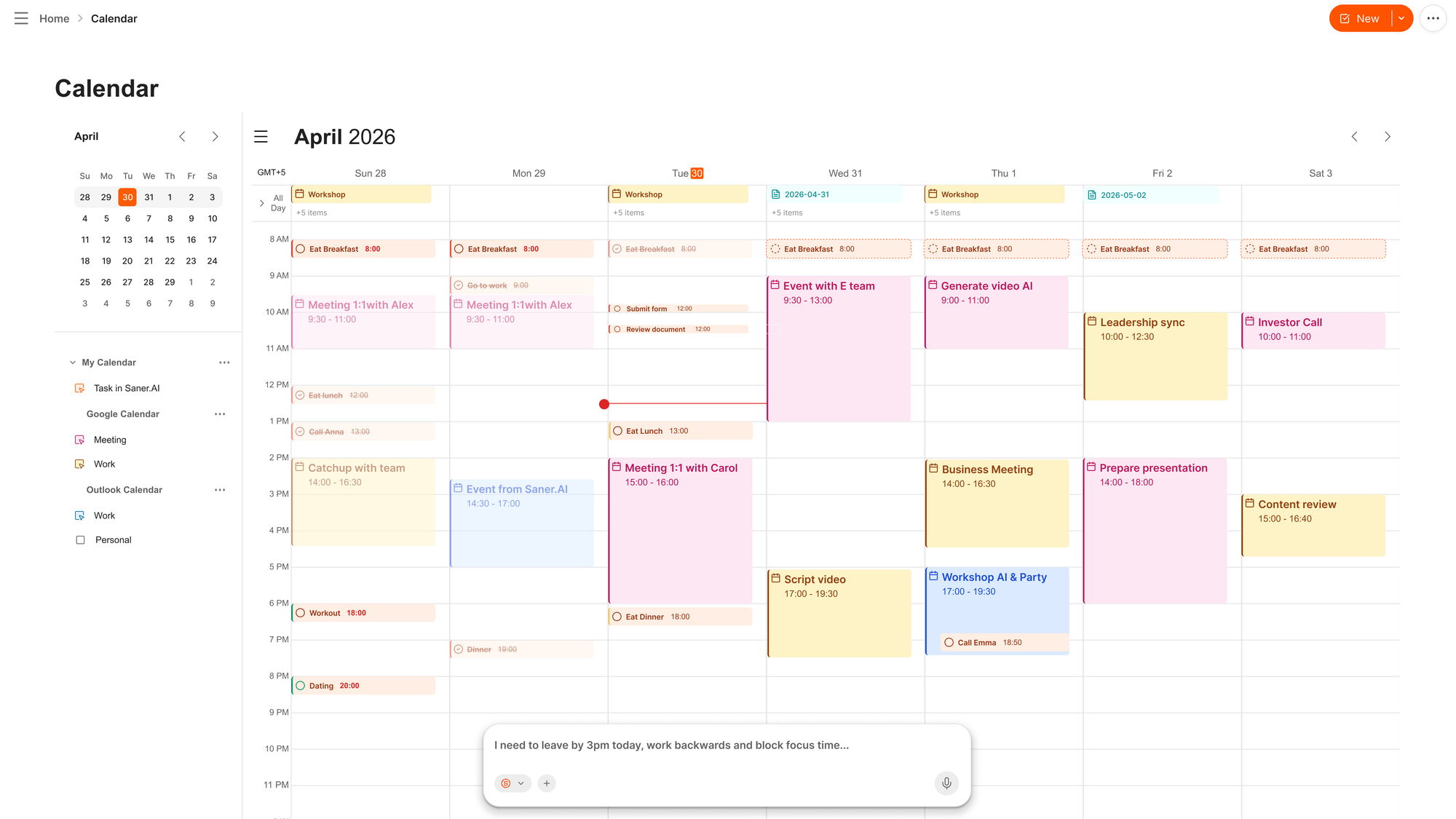
- AI calendar: I like using the AI calendar to reschedule and reprioritize my tasks immediately
Pros
- I like how quickly I can drop messy notes into the app without spending time on folders or manual tags.
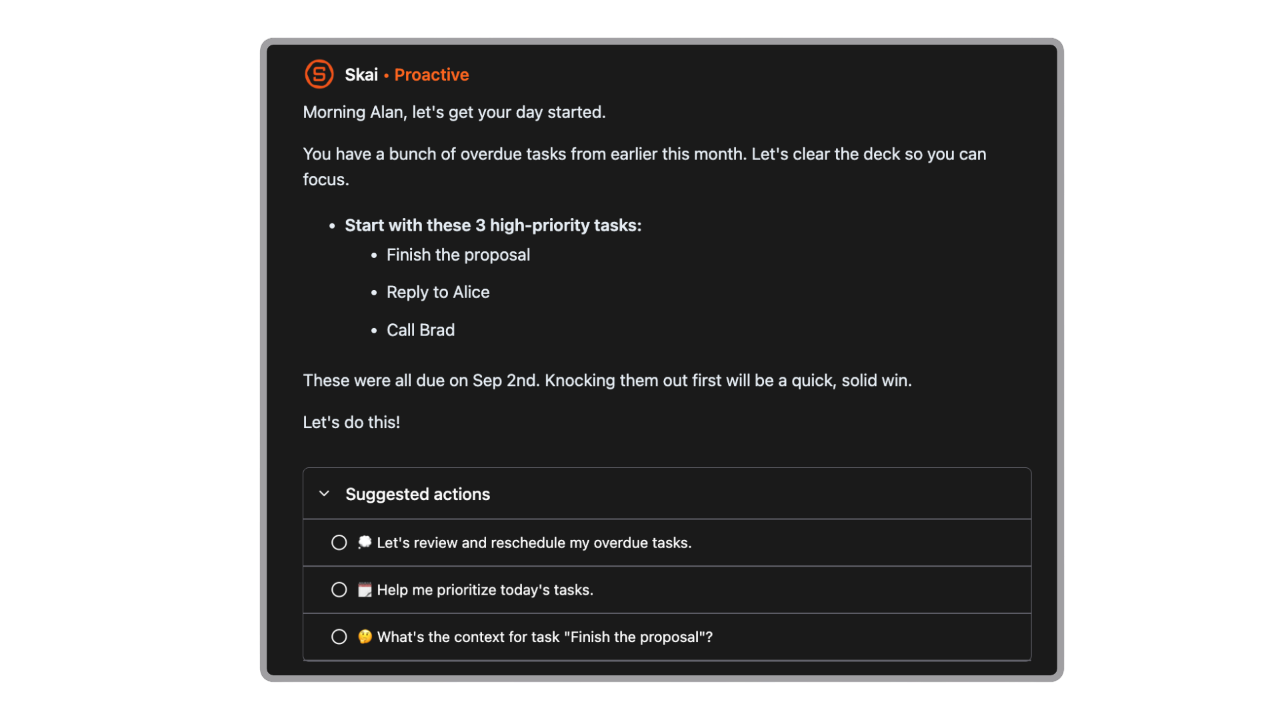
- I appreciate the proactive morning schedule summary that helps me plan my day before checking email.
- Semantic search of Saner.AI finds old research documents using natural phrasing rather than exact keywords.
Cons
- I sometimes get annoyed by occasional interface lag when importing large blocks of PDF text.
Who is it best for
- Saner.AI is best for knowledge workers, freelancers, and professionals with ADHD who want an active desktop hub to turn scattered notes into clear daily action items and manage calendars and emails automatically
Pricing table
| Plan | Price (USD) | Core capabilities |
| Free Tier | $0/mo | Basic note capture, task suggestions, and single calendar integration. |
| Starter | $8/mo | Full Skai AI assistant features, semantic search, and higher file upload limits. |
| Standard | $16/mo | Priority AI response speed, unlimited document imports, and advanced calendar integrations. |
What people say about Saner.AI
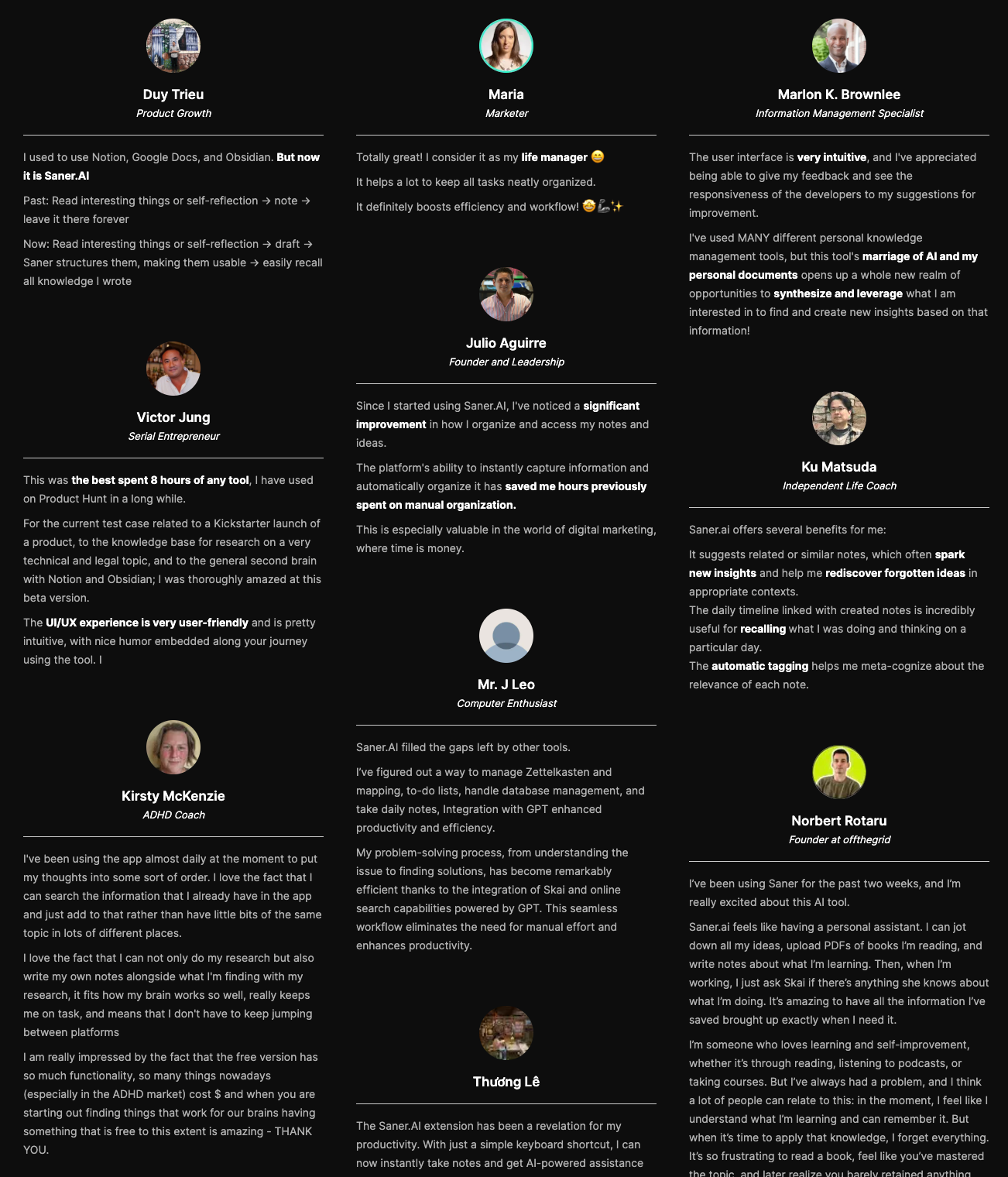
- Users highlight the low setup effort and the proactive planning features that reduce daily mental fatigue.
How to get started
- Step 1: Create an account on the main website and link your primary calendar.
- Step 2: Type or record a voice note containing your unorganized daily tasks and notes.
- Step 3: Open the daily planning view to let the AI organize your entry into scheduled calendar tasks.
2. Poke
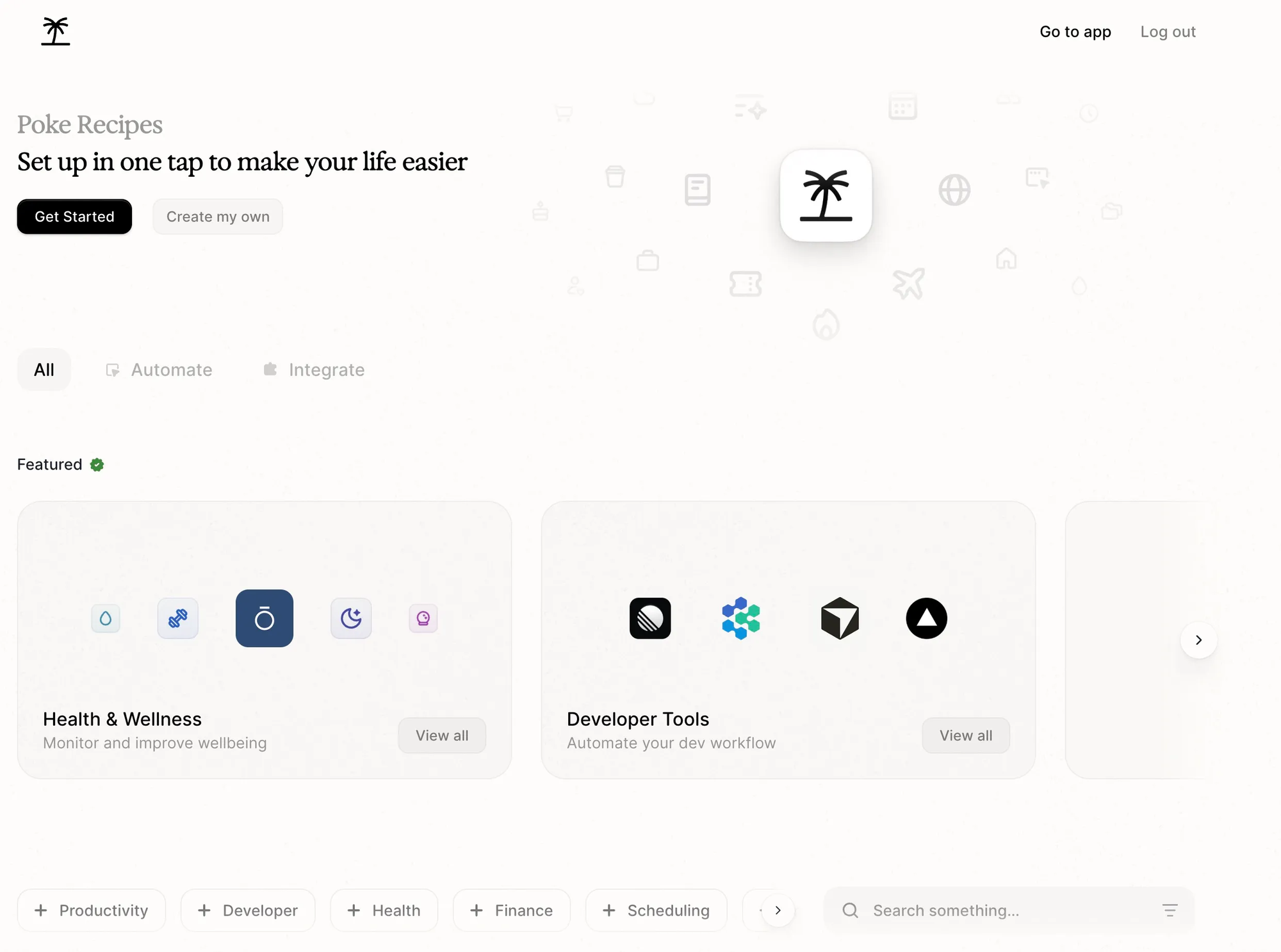
Poke lives inside Apple Messages, WhatsApp, and Telegram, and handles your calendar, tracks your inbox, and texts you meeting prep or nudges before you realize you need them.
What it does well:
- No app setup: You interact with it entirely through your phone's native text app. If you want a list of your morning calls or a draft reply to a client, you just text it like a person.
- Proactive updates: Instead of waiting for you to type a prompt, Poke reaches out when a call is approaching or when an email needs attention.
- Strong fit for best Tomo AI alternatives lists. It captures the hands-off, automated assistant style of Tomo while completely ditching the browser plugin format.
What it doesn't do well:
- Heavy privacy trade-offs: Giving an automated system ongoing access to your email, messages, and calendar takes a high level of trust.
- Unsolicited text messages: If you get stressed by phone notifications, receiving automated text updates throughout the day can feel intrusive.
- Lacks complex workspace controls: It works through simple text conversations, so it cannot handle full project management boards or deep document editing.
Who it's actually for: Mobile-first professionals who want a simple assistant in their messaging app to keep them on schedule without opening another productivity platform.
3. Lindy AI
Lindy is an AI assistant designed to run complex workflows across your inbox, calendar, and web apps. If you are looking at Tomo AI alternatives to automate heavy work tasks rather than personal habit tracking, Lindy takes a much more execution-focused approach.
What it does well:
- Custom workflow building: You can set up step-by-step triggers and actions to connect thousands of apps without writing code.
- Deep email and calendar management: It reads inbox threads, drafts replies, and updates your schedule directly through cloud app connections.
- Generous task automation setup: The platform allows you to handle dozens of automated actions on its free tier before asking for a subscription.
What it doesn't do well:
- Requires manual setup: Unlike personal AI companions that learn passively, you have to build and configure each trigger yourself.
- Cloud-bound operation: It runs through cloud integrations rather than accessing files or programs stored locally on your physical machine.
- Higher price tag for full features: Starting at $49 monthly, it costs significantly more than lightweight personal assistants.
Who it's actually for: Professionals who need a proactive digital assistant to manage emails, meetings, and repetitive app workflows.
4. Carly AI
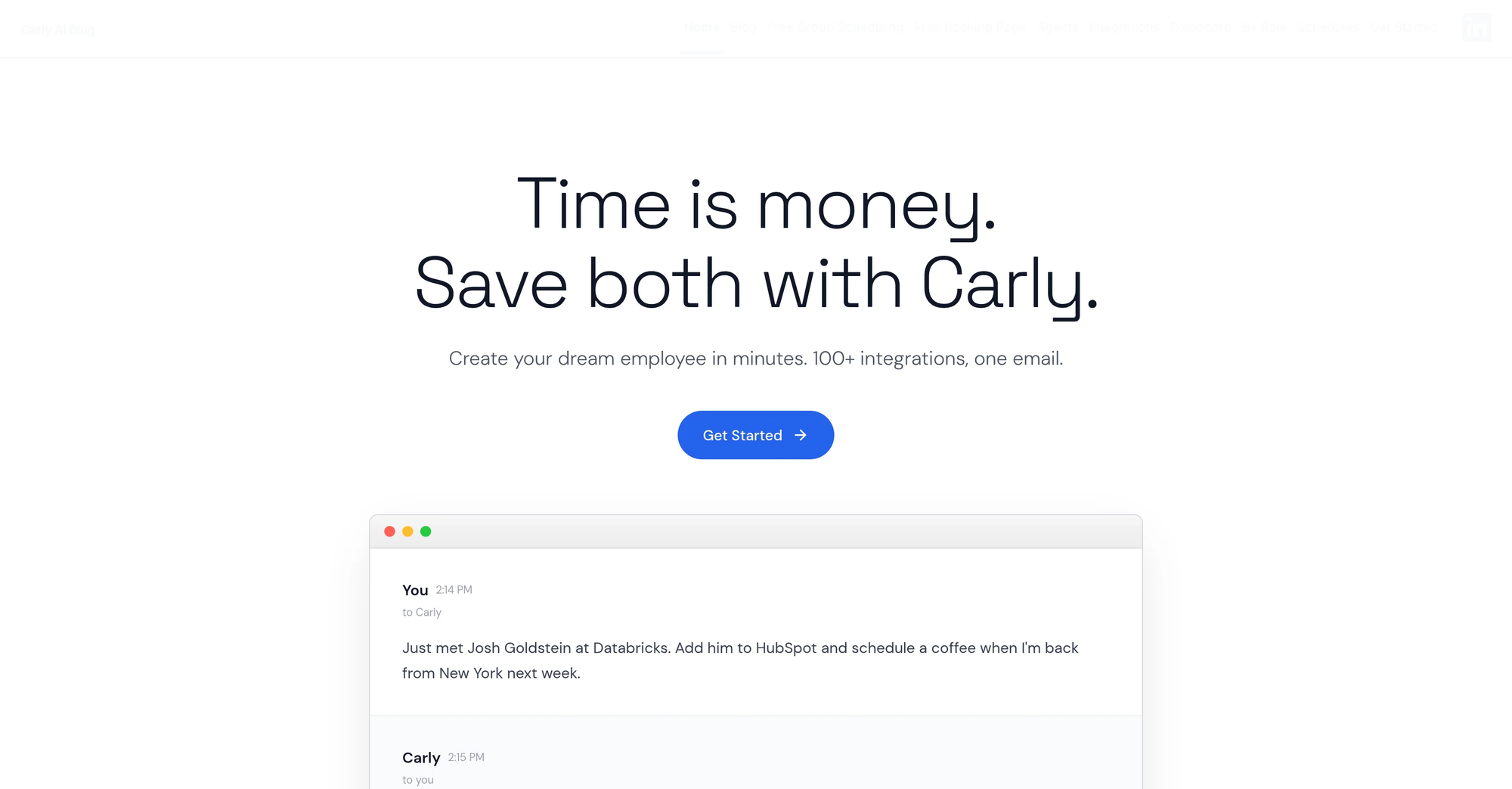
Carly stands out by focusing on professional workflows rather than personal habit tracking. You simply CC or email Carly, and it handles the back-and-forth email setup, updates your CRM, or coordinates multi-step tasks directly in the background.
What it does well:
- No new dashboard to learn: Because it operates entirely through email and SMS, you manage tasks using the tools you already open every day.
- Broad app connections: It syncs with over 120 services, including HubSpot, Salesforce, Slack, and Zoom, making it easy to log notes or update records.
- Flexible free options: The starter tier includes basic email scheduling, booking pages, and calendar syncing at no cost.
What it doesn't do well:
- Unsuited for personal goal coaching: Unlike Tomo, it will not text you gentle reminders to go to the gym or check on your weekly habits.
- Heavy inbox reliance: If your inbox is already chaotic, adding an AI assistant that communicates via email threads can add extra noise.
- Setup requires clear instructions: Custom workflows need precise guidance early on, or the agent might handle a request too literally.
- A new product
Who it's actually for: Professionals and small business owners who want an email-based assistant for administrative work instead of a personal accountability coach.
5. Folk
Folk gives you a personal assistant inside the messaging apps you already use every day, like iMessage, Telegram, and WhatsApp. It manages your schedule, takes meeting notes, and handles day-to-day coordination without asking you to open a separate dashboard.
What it does well:
- Native messaging integration: Folk runs directly in your existing chat threads. You text it like a friend to handle tasks instead of jumping between apps.
- Proactive memory: It remembers small details you share over time, including your preferences, job role, and personal context, using that information to tailor future responses.
- Location triggers: It tracks your location and pings you when relevant. For instance, it reminds you about items on your shopping list when you walk past a grocery store.
- Multiplayer coordination: If your friends or colleagues use Folk, your assistants can coordinate with each other. They can cross-check schedules or book tables for group plans, though every action requires a manual tap to approve.
What it doesn't do well:
- Casual grammar style: The bot occasionally uses overly casual lowercase formatting in its messages. That tone makes it tricky to trust with formal emails to clients or bosses.x
- Setup step required: You have to connect your calendars and grant messaging permissions before it becomes genuinely helpful.
- Subscription required for full features: While there is a basic trial, full access runs $20 per month.
Who it's for: People who want a context-aware assistant living inside their texts rather than a standalone habit tracker.
Conclusion
If you want a bot that hits your phone with text check-ins, Tomo handles that well.
Options like Saner.AI tackle a somewhat different problem. Saner focuses on capturing scattered notes and organizing tasks for knowledge work rather than firing off proactive SMS messages. That makes it a great choice if your main struggle is messy notes and scattered emails, even if it does not replace a text-first accountability partner.
Try two or three of these tools for a few days each. You will quickly figure out whether you need a daily nudger in your text inbox or a quiet workspace that sorts your thoughts behind the scenes.

Stay on top of your work and life effortlessly
Frequently asked questions
1. What is accountability AI?
It is software that uses conversational models to help you stick to your goals. Instead of filling out rigid habit charts, you talk to an assistant through text or app messages. The software remembers what you want to achieve, checks on your progress, and sends reminders when you start slacking off.
2. How does Tomo AI keep people accountable?
Tomo sends proactive messages directly through iMessage or its iOS app. You tell it your goals, like exercising four times a week or reading every night, and it remembers that context across conversations. It checks in at set times and creates simple tracking tools inside the chat so you do not have to open separate tracking apps.
3. Is Tomo AI free to use?
Tomo offers a short trial, but long-term access requires a paid plan. Subscriptions start around $19.99 per month for Tomo Pro. Most competing platforms use similar pricing models, though a few offer basic text check-ins at no cost.
4. Why do people look for alternatives to Tomo AI?
The biggest reason is platform limitations. Tomo relies heavily on iMessage and iOS, which leaves Android users out in the cold. Other users want tools that go beyond sending nudges to actually taking action, like updating calendar events or browsing the web to handle reservations.
5. Can an AI replace a human accountability coach?
I think it depends on how much external pressure you need. An app will not feel disappointed if you skip a workout, and it is easy to mute notifications when you want to make excuses. However, software works well for routine maintenance because it shows up every morning without charging $150 an hour.
6. Do Tomo AI alternatives work on Android?
Yes. While Tomo focuses mainly on iOS, alternatives like Folk AI, Habit Coach AI, and AI Accountability Coach work across Android, Web, Telegram, and WhatsApp.
7. Which alternative is best for people with ADHD?
Folk AI and Habit Coach AI are solid options for ADHD management. Folk helps because it reduces friction by taking action for you, while Habit Coach AI offers quick voice check-ins and phone calls that break through screen fatigue.
Stay on top of your work and life effortlessly