
Honest Town.com Review 2026: What It Does And Where It Falls Short


I spent the past week pulling apart Town.com's own product pages, its App Store reviews, Product Hunt threads, and every independent write-up I could find on it. The pitch is seductive: give an AI assistant its own email address, let it learn how you work, and hand off the busywork you've been drowning in. Town raised $55 million from a16z to build exactly that.
The tension is this: Town wants standing access to your inbox, calendar, Slack, and dozens of other business tools so it can act on your behalf without you asking every time. That's the whole value proposition. It's also the whole risk. Whether that trade makes sense depends a lot on what you're trying to fix and how much you want an AI holding the keys to your day.
Key takeaways
- Town gives every user a "Townie," an AI assistant with its own @town.com address that can draft, send, schedule, and run recurring routines across more than 50 connected tools.
- Pricing starts free but shifts to a credit-metered system once you're on a paid tier, and overage bills add a layer of math most flat-rate tools don't ask you to do.
- Security researchers have publicly flagged the core risk of any inbox-connected agent: hidden instructions buried in a message can manipulate what it does next.
- It's built around one person, not a team, so shared governance and org-wide oversight aren't really the point.
- Town has no listing yet on G2, Capterra, or Trustpilot, so most of what's public comes from Product Hunt and the App Store, both of which skew toward early, enthusiastic adopters.
Town at a glance
| Category | Score (out of 10) | Why |
|---|---|---|
| Ease of setup | 8.3 | Sign-up to first working routine takes minutes, no prompt engineering required |
| Feature depth | 8.0 | Routines, meeting capture, research, and drafting all work out of the box |
| Integrations | 8.5 | 50+ connected tools spanning email, calendar, CRM, docs, and messaging |
| Pricing transparency | 5.8 | Credit meter plus per-credit overage makes true cost hard to predict |
| Privacy & data control | 6.0 | Broad standing access across accounts, no third-party security audit publicly cited |
| Team/collaboration fit | 5.5 | Designed around one Townie per person, not shared org governance |
| Support & track record | 6.2 | Young company, no G2/Capterra history yet, support is still building a reputation |
| Overall | 6.9 | A genuinely capable personal assistant that's still proving itself |
What is Town?
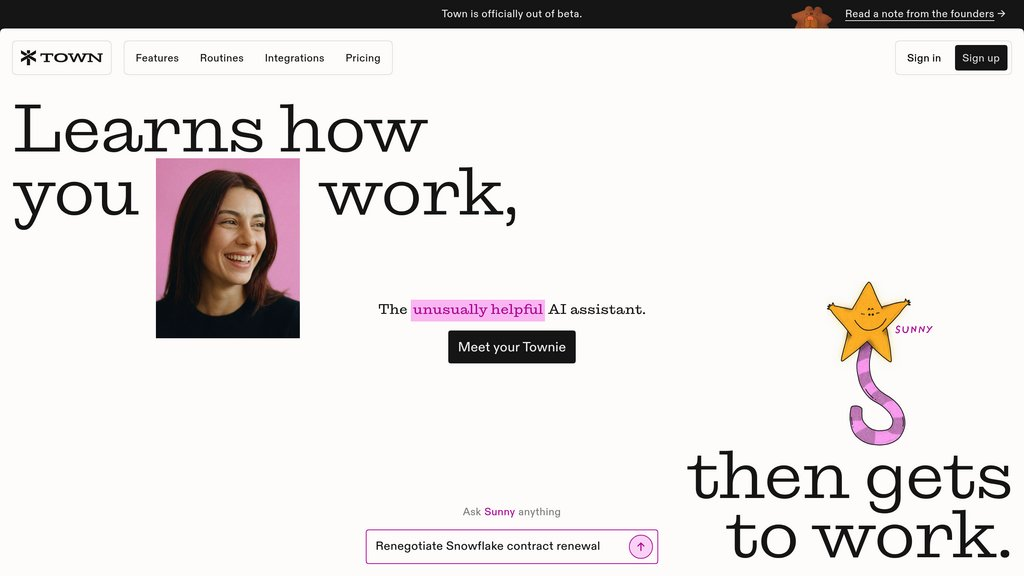
Town.com is a personal AI assistant, branded as a "Townie," that connects to your email, calendar, documents, and messaging apps and then acts on your behalf rather than just answering questions.
Each user's Townie gets a dedicated @town.com email address, so you can forward a thread to it the way you'd forward it to a human assistant. It reads context from what you've already connected instead of asking you to write every preference out as a prompt.
Under the hood, Town runs on recurring "routines," which are scheduled or trigger-based jobs like a daily inbox triage, a Sunday-night week-ahead briefing, or research on a new contact the moment they email you. It launched publicly in June 2026 and has moved fast since, adding Outlook support, team workspaces, and unlimited custom routines on higher-tier plans within weeks of launch.
Town features breakdown
1) The Townie and the @town.com identity
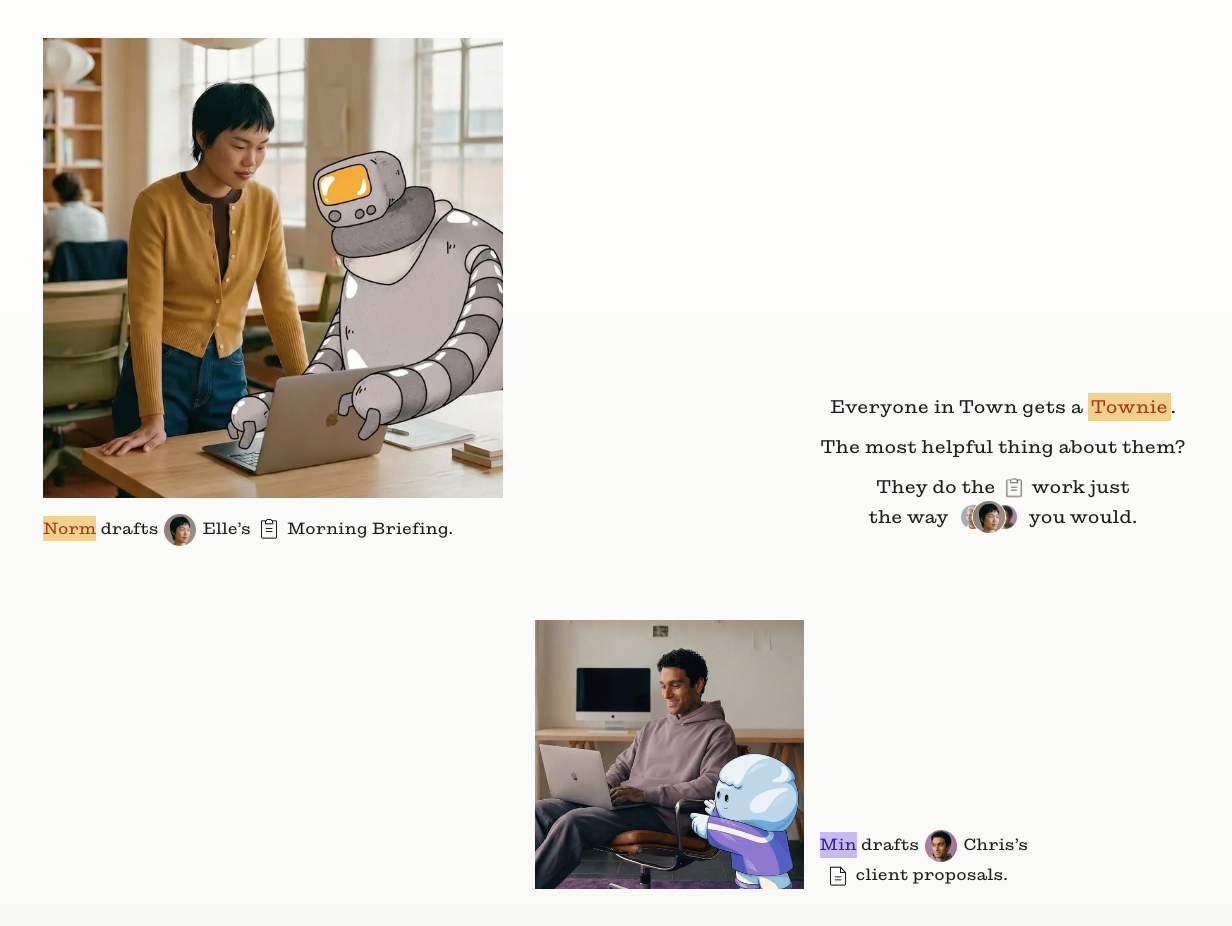
Giving the assistant its own name, personality, and email address is a deliberate design choice, and it seems to be working. People form an emotional attachment to something called "Clio" or "Norm" in a way they don't to a generic chatbot window.
One long-time user described it as the first assistant that runs their day rather than just discussing it.
"the first one that genuinely runs my day instead of just chatting about it" – reviews
2) Routines and automation
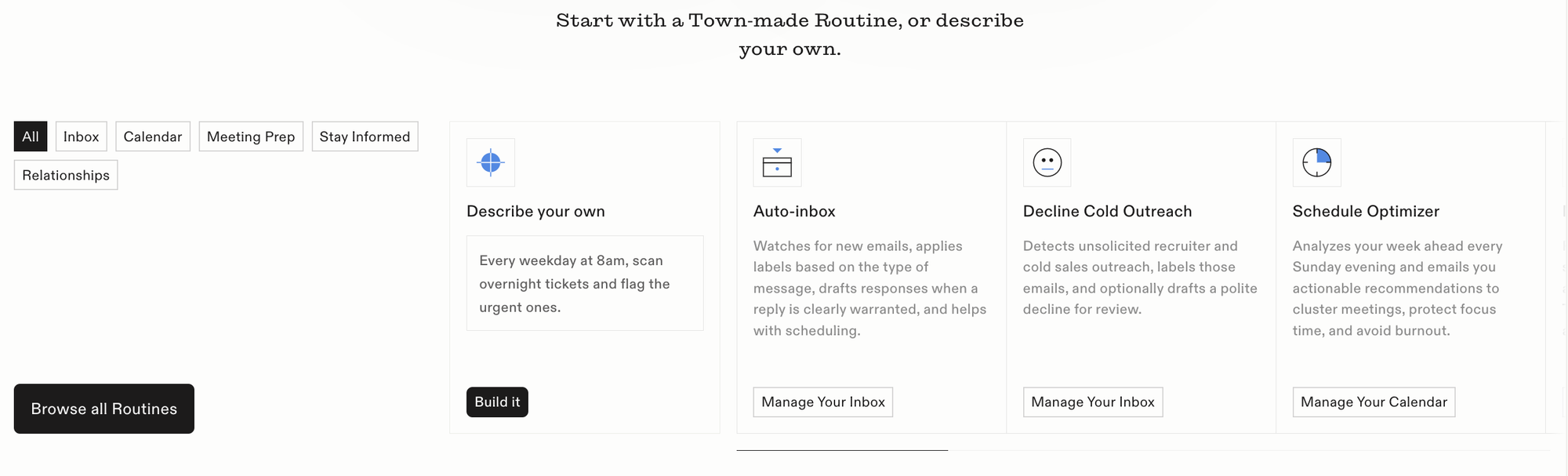
Routines are where Town tries to earn its keep. Starter plans get two custom daily routines; Pro and above get unlimited ones, plus more trigger types. The catch is that every routine run, and every chat message, draws from your credit pool, and once you're past your allotment you're billed per credit.
One reviewer summed up the mechanics plainly. "Town bills by credits with pay-as-you-go overage" – reviews
If your day involves a lot of back-and-forth delegation, that meter is worth watching closely, especially compared to a flat-rate tool like Saner.AI where the monthly bill doesn't move based on how often you ask it something.
3) 50+ integrations
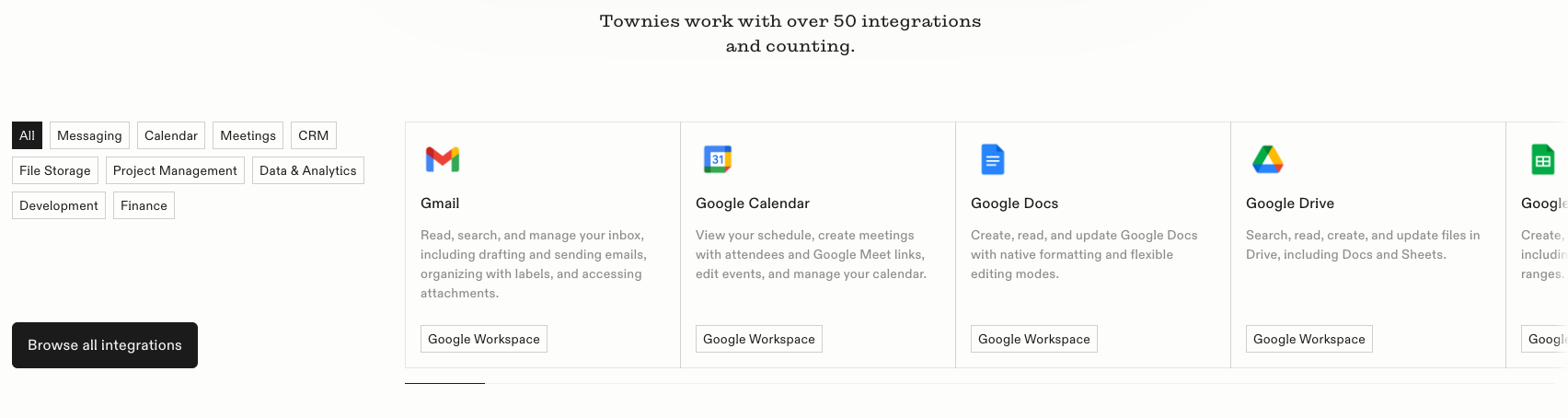
Town connects to Gmail, Outlook, Slack, Microsoft Teams, Google Chat, WhatsApp, and dozens of CRM, project management, and finance tools. That breadth is real and it's a genuine strength for someone who wants one assistant spanning everything.
It's also the flip side of a common complaint: there's no way to self-host Town or build your own custom skill on top of it, so you're fully dependent on what Town decides to build next.
Meeting recording and briefings
Hit record and Town transcribes, summarizes, and files a meeting automatically, with action items and owners attached. It's one of the more polished pieces of the product on mobile. But the underlying app experience hasn't been flawless everywhere. One early adopter, otherwise glowing about the product, flagged friction on desktop.
"the Mac app was kinda buggy for document editing" – reviews
Approval controls and oversight
Every pending action, an email, a calendar invite, a Slack message, sits in an approval queue until you sign off, and Town logs everything it does. That's a sensible guardrail.
It doesn't remove the underlying exposure of connecting an AI agent to your live inbox and calendar in the first place. Security researchers covering Town's funding round were blunt about that structural risk.
Pricing table
| Plan | Price | Credits/month | Free trial | Free version | Billing |
|---|---|---|---|---|---|
| Free | $0 forever | 30 chats, not credit-metered | 14-day Pro trial at signup | Yes | No card required |
| Starter | $15/month | 1,250 credits | Rolled into signup flow | — | Monthly or annual card billing |
| Pro | From $49/user/month (billed annually) | 5,000 credits + pay-as-you-go overage | — | — | Annual (save 20% vs. monthly) |
| Power | $99/month | Larger allotment | — | — | Monthly or annual |
| Power Plus | $199/month | Largest allotment | — | — | Monthly or annual |
| Enterprise | Custom | Custom | — | — | Invoiced |
Overage on paid plans runs $0.03 to $0.044 per credit once you exceed your monthly allotment, and Town does let you set a hard spend cap so a busy month doesn't surprise you on the invoice.
Town pros and cons
| Pros | Cons |
|---|---|
| Deep personalization across email, calendar, Slack, and docs once it's learned your patterns | Credit metering plus overage pricing makes the real monthly cost hard to predict upfront |
| Approval-required defaults and a full audit log keep a human in the loop | No self-hosting and no way to build custom skills, so you're locked into Town's roadmap |
| Routines now cover unlimited custom automation on Pro and above | Security researchers flag real prompt-injection risk for any inbox-connected agent |
| Strong early backing ($55M Series A) and enthusiastic reception among tech and VC circles | Learned context doesn't transfer if you switch tools, creating meaningful lock-in |
| The @town.com identity makes delegation feel natural, not robotic | Built around one individual assistant, not shared team governance |
| Mac app has documented bugginess in document editing | |
| No G2, Capterra, or Trustpilot listing yet, so third-party review data is thin |
What people say about Town AI
Town's early reception among founders and investors has been loud. One slide from a VC firm's own pitch deck, built with the help of their Townies, put it this way.
"We're not pitching a thesis about what Town can do" – reviews
That enthusiasm comes with a caveat that shows up across multiple independent write-ups: the more context you hand an assistant, the more you're trusting it with.
And because Town is still young, most of what's out there is early-adopter enthusiasm rather than a mature review base.
Who is Town best for and not ideal for
Best for:
- Solo founders and operators who live in their inbox and want one assistant acting across many channels at once
- People genuinely comfortable delegating real actions like sending email or booking meetings to an AI, as long as an approval step sits in front of it
- Early adopters who don't mind riding a fast-moving, still-maturing product
Not ideal for:
- Teams that need shared, governed AI with company-wide oversight rather than one assistant per individual
- Anyone who wants a flat, predictable monthly bill regardless of how much they use the tool, which is closer to how Saner.AI is priced
- Privacy-conscious users uneasy about a single AI holding standing credentials to Gmail, Slack, and a calendar simultaneously
- People who'd rather keep their own notes and knowledge base as the source of truth, with an assistant that organizes what they've written rather than one that autonomously sends messages on their behalf
Town Alternatives comparison
Where Saner.AI wins:
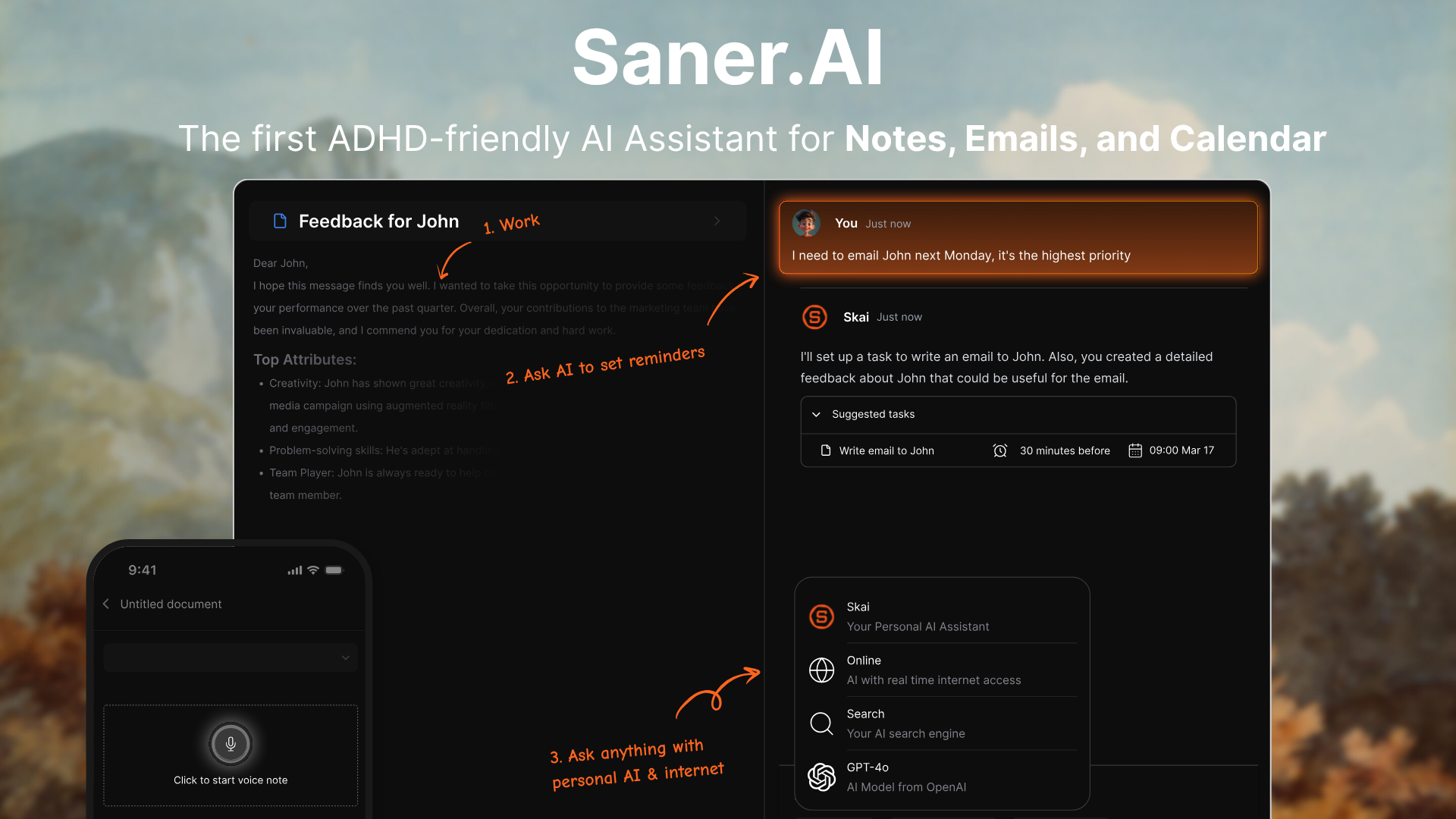
- Flat, predictable pricing: Free plan or a flat rate from $8/month, no credit meter to track and no overage bill to brace for at the end of a busy month.
- One workspace instead of standing access to 50+ tools: Skai works inside your own notes, tasks, email, and calendar, rather than holding write-access across dozens of separate connected business accounts.
- Built around synthesizing what you've already written, not autonomously sending messages on your behalf: Ask it a question and it answers from your own notes and emails, rather than acting first and asking you to approve after.
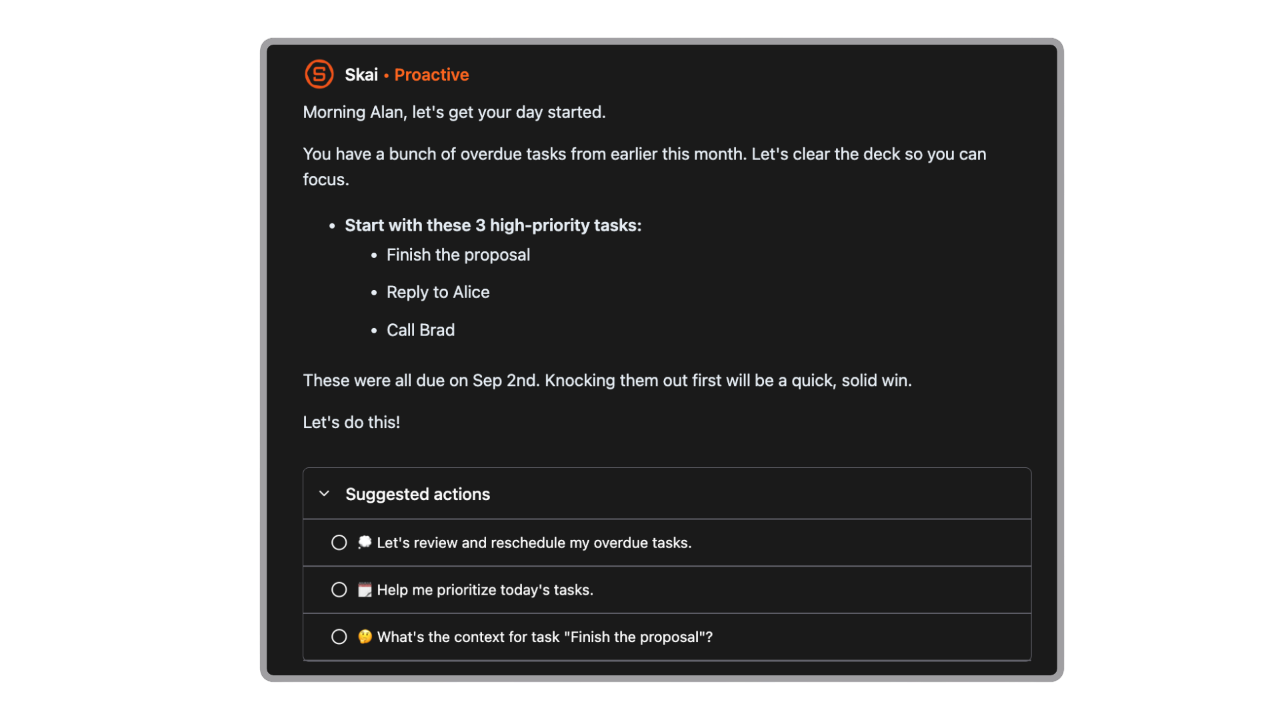
- Purpose-built for cognitive load, with proactive check-ins designed around executive function and task initiation rather than a general "does the work" pitch.
- Cross-platform from day one, with web, iOS, Android, and a Chrome extension, so there's no single weak link the way Town's Mac app has been.
Who Saner.AI is suitable for:
- Knowledge workers and content or marketing professionals who want one place to think and plan without granting an agent standing access to send email on their behalf
- People managing ADHD or general overwhelm who benefit from gentle proactive nudges over a fully autonomous agent; and anyone who'd rather know their bill in advance than do credit math at the end of the month.
If your day is less about an AI acting across your entire tech stack and more about finally having your notes, tasks, and inbox live in one calm place, that's a genuinely different job than the one Town is built for.
👉 See how it stacks up against the rest of the category in AI assistant

Stay on top of your work and life effortlessly
- Lindy overlaps with Town on inbox triage, drafting, and scheduling, but it's reached mostly by text message, which suits people who don't want another app to open.
- Martin leans hardest into voice and a polished iOS app, with no free tier to test it first. But the founder stopped developing the product.
| Town | Lindy | Martin | Saner.AI | |
|---|---|---|---|---|
| Core model | Personal assistant with its own email, acts across 50+ tools | Inbox, meeting, and scheduling assistant via iMessage/SMS | Voice-first "Jarvis" style assistant | Unified notes, tasks, email, and calendar workspace with Skai |
| Pricing | Free, then credit-metered, $15 to $199+/month | Free tier, Pro ~$17 to $20/month, Max $100/month | No free tier, ~$21 to $49/month | Free, then flat from $8/month |
| Free plan | Yes, 30 chats/month | Yes | No | Yes |
| Best for | Founders wanting one agent across many channels | Phone-first inbox and scheduling triage | Voice-and-call-first personal assistant | Knowledge workers who want one calm workspace |
Final verdict
Town does what it says it does. The routines work, the integrations are genuinely broad, and giving the assistant its own identity makes delegation feel less awkward than typing into a chat box. For a founder who wants one AI spanning their entire inbox and calendar and is comfortable with the tradeoffs, it's a good pick.
Where it struggles is predictability and trust at scale. Credit-metered pricing means your bill moves with your usage in a way flat subscriptions don't, the security concerns around inbox-connected agents are real and not unique to Town but not solved by it either, and the product is young enough that most of the public feedback is still coming from early adopters rather than a mature, independently verified review base.
If what you actually need is one calm, predictably priced workspace for your notes, tasks, and inbox rather than an agent with standing access across your whole stack, it's worth spending ten minutes with Saner.AI before you commit to Town's credit meter.
Stay on top of your work and life effortlessly
FAQ
1. Is Town.com free?
Yes. The free plan includes 30 chats per month, access to all integrations, and a weekly briefing, with no credit card required. New signups also get a 14-day Pro trial before landing on the free tier.
2. What is a Townie?
A Townie is the name Town gives each user's personal AI assistant. It has its own @town.com email address and a customizable character and name.
3. Does Town support Outlook, or only Gmail?
Town added Outlook mail and calendar support after its June 2026 launch. Earlier reviews describing it as Google-only are outdated.
4. How does Town's credit pricing actually work?
Every chat message and routine run consumes credits from your plan's monthly allotment. Once you exceed that allotment, you're billed per credit at a rate between $0.03 and $0.044, though you can set a hard spend cap to limit surprise costs.
5. Is it safe to connect Town to my email?
Connecting any AI assistant to your inbox carries real risk. Security researchers have noted that agents with inbox access can potentially be manipulated through hidden instructions embedded in messages, so it's worth understanding Town's approval controls before granting broad access.
6. What's a good alternative to Town.com?
It depends on what you need. If you want a flat monthly price and a single workspace for notes, tasks, and email instead of an agent with standing access across dozens of tools, Saner.AI is built around a different, narrower model.
Stay on top of your work and life effortlessly