
10 Effective ADHD Time Management Strategies in 2026



I have tried every planner, digital calendar, and color-coded sticky note system on the market. None of them stuck. For a long time, I thought I was just lazy or fundamentally broken because I could not seem to master what everyone else called basic organization.
The reality is that standard time management advice fails ADHD brains.
Conventional strategies assume a linear style of thinking and steady motivation, which is not how an ADHD brain operates. If a system requires flawless consistency to work, it is going to fail you.
Instead of trying to force your brain into a rigid box, you need strategies built for the way you actually think.
What is ADHD time management?

ADHD time management means building a schedule around a brain that does not perceive time the way other brains do. Standard methods fail because they assume you just need a better planner or more discipline. The real issue is time blindness. Effective management means using external cues to make time visible, rather than relying on internal awareness.
Why don't planners and to-do lists work for ADHD?

Standard planners assume you can prioritize tasks based on future rewards, but the ADHD brain doesn’t track time that way. Traditional systems rely on a linear sense of time that just isn't there for someone with ADHD. Instead of a smooth timeline, everything is either "now" or "not now."
When a tool forces you to organize your day using skills your brain inherently finds exhausting, you will likely abandon that tool within a week.
10 ADHD Time Management Strategies
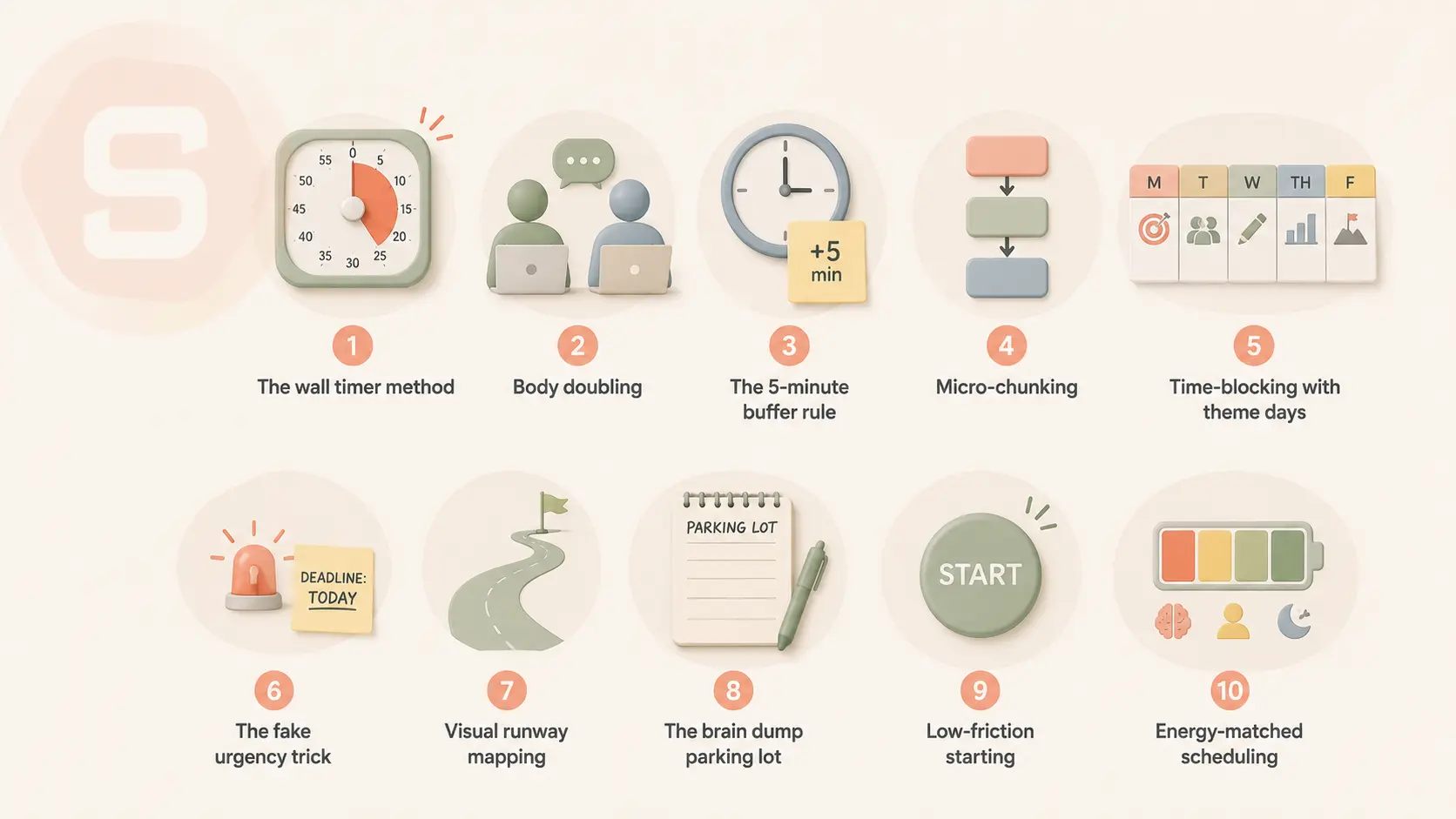
1. The wall timer method
If you cannot see time, it does not exist.
Standard clocks require you to do mental math to figure out how much time is left, which is an immediate friction point for an ADHD brain. A visual countdown timer changes this by turning time into a physical, shrinking wedge of color.
- Example: Set a visual timer for 20 minutes to answer emails, watching the red disc slowly disappear so your brain registers the approaching deadline.
2. Body doubling
Working alone in a quiet room often leads to distraction or executive dysfunction, paralyzing your momentum. Body doubling is simply doing your tasks alongside another person, whether they are working on the same thing or just reading a book nearby. The quiet presence of another human acts as an external anchor that stabilizes your focus.
- Example: Join a virtual focus session online or ask a friend to sit at your kitchen table with their laptop while you finally fold your laundry.
3. The 5-minute buffer rule
Standard scheduling assumes you can transition from one task to another instantly, but an ADHD brain requires extra time to shift gears. Adding a strict buffer between every calendar event prevents your schedule from collapsing the moment one task runs late. This gives your brain the necessary white space to reset.
- Example: If a work meeting ends at 2:00 PM, do not schedule your next focus block until 2:10 PM so you have time to grab water and move your mind away from the meeting.
4. Micro-chunking
Looking at a massive project like "clean the garage" or "write quarterly report" triggers immediate task avoidance because the brain cannot decide where to start. Micro-chunking means breaking a task down until the steps are so small they feel almost ridiculous to avoid. You are not completing the project; you are just doing the first microscopic step.
- Example: Instead of trying to clean your entire kitchen, make your only goal to wash exactly three forks.
5. Time-blocking with theme days
Switching between completely different types of tasks throughout the day drains your mental energy rapidly. Grouping similar activities into specific blocks of time-or dedicating entire days to one theme- reduces the energy lost to context switching. It tells your brain exactly what mode it needs to be in.
- Example: Designate Tuesdays entirely as your administration day for paying bills, sorting mail, and answering scheduling messages, leaving the rest of your week free from those distractions.
6. The fake urgency trick
ADHD brains thrive on interest, novelty, and urgency. When a task lacks natural urgency, you can manufacture it by gamifying your timeline or racing against an external factor. Turning a boring chore into a brief challenge bypasses executive dysfunction by releasing a small burst of dopamine.
- Example: Put a podcast episode on and challenge yourself to unload the entire dishwasher before the host finishes their opening introduction.
7. Visual runway mapping
Out of sight is out of mind, which applies to your daily schedule just as much as your car keys. Digital calendars are easy to close and forget, so having a physical, unmissable view of your day keeps your brain aligned with reality. It acts as a constant visual prompt that you cannot accidentally swipe away.
- Example: Write your three main tasks for the day on a large desk blotter or a dry-erase board hung directly next to your computer monitor.
8. The brain dump parking lot
Intruding thoughts and sudden ideas frequently derail focus mid-task, leading you down a rabbit hole of unrelated research. Instead of acting on these thoughts immediately or trying to suppress them, park them in a designated notebook to get them out of your head. This honors the thought without letting it hijack your current task.
- Example: While writing a report, you suddenly remember you need to buy dog food; write "dog food" in your notebook immediately and return to the report.
9. Low-friction starting
The hardest part of any task for someone with ADHD is the initiation phase, not the actual work. You can trick your brain past this barrier by promising yourself that you only have to do the task for two minutes, and you are allowed to quit immediately after if you want to. Usually, once you break the friction of starting, momentum takes over.
- Example: Open the spreadsheet you have been avoiding and agree to type just one row of data, knowing you can close the file right after if it still feels impossible.
10. Energy-matched scheduling
Most time management systems assume your energy levels are perfectly flat and consistent from 9:00 AM to 5:00 PM. A more realistic approach is to track when your brain is naturally sharp, hyper-focused, or completely sluggish, then assign tasks accordingly. Forcing a high-focus task into a low-energy brain state is a recipe for frustration.
- Example: If you experience a major brain fog slump every day at 2:00 PM, use that specific hour for mindless data entry or clearing out your digital trash bin.
Apps that make ADHD time management easier
What to look for in a time management app for ADHD?
- Tailored to your challenges: Some apps enhance productivity, while others help you keep track of to-do lists and remember important dates and details.
- Intuitive and easy to use: Certain apps might be complex and challenging to use. For instance, a productivity app like Notion might require some learning and take time to set up effectively.
- Accessibility: A good app should be easy for you to access. Some apps may only be available on specific platforms, like iOS or Mac, while others might not work on desktops.
- Affordability: Some digital ADHD apps operate on a subscription basis, and others can be accessed through a one-time payment. There are also completely free apps. It's important to choose one that fits your budget.
If you are looking to find a suitable app to manage your time effectively, below is a summary and analysis of 3 tools in 3 time management fields that I found promising:
1. Manage your Todo - Saner.AI
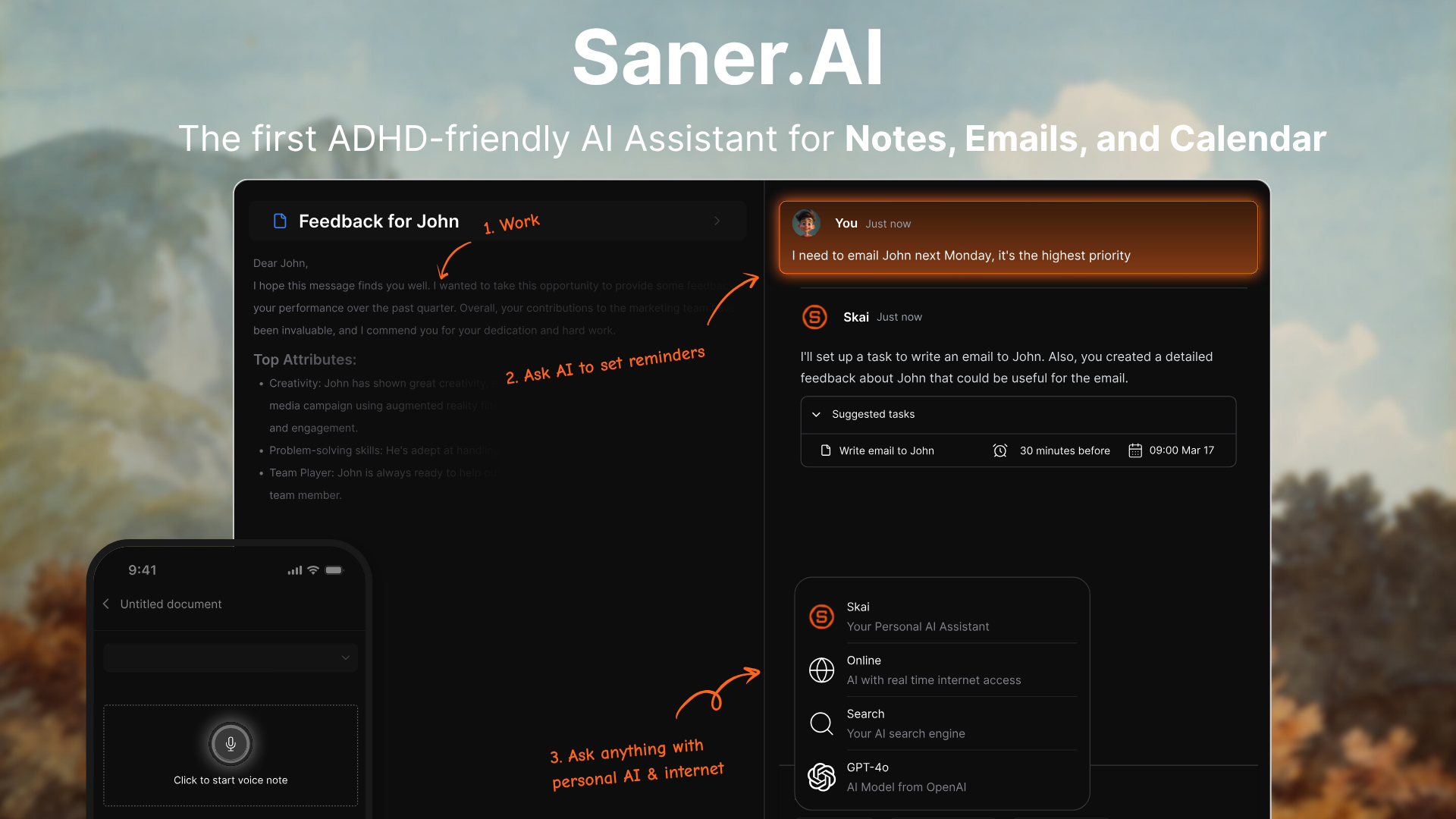
Saner.AI is a personal AI assistant and workspace built to help people with ADHD overcome information overload. The application uses an AI assistant named Skai to categorize, tag, and structure your text automatically without requiring manual setup.
Key features
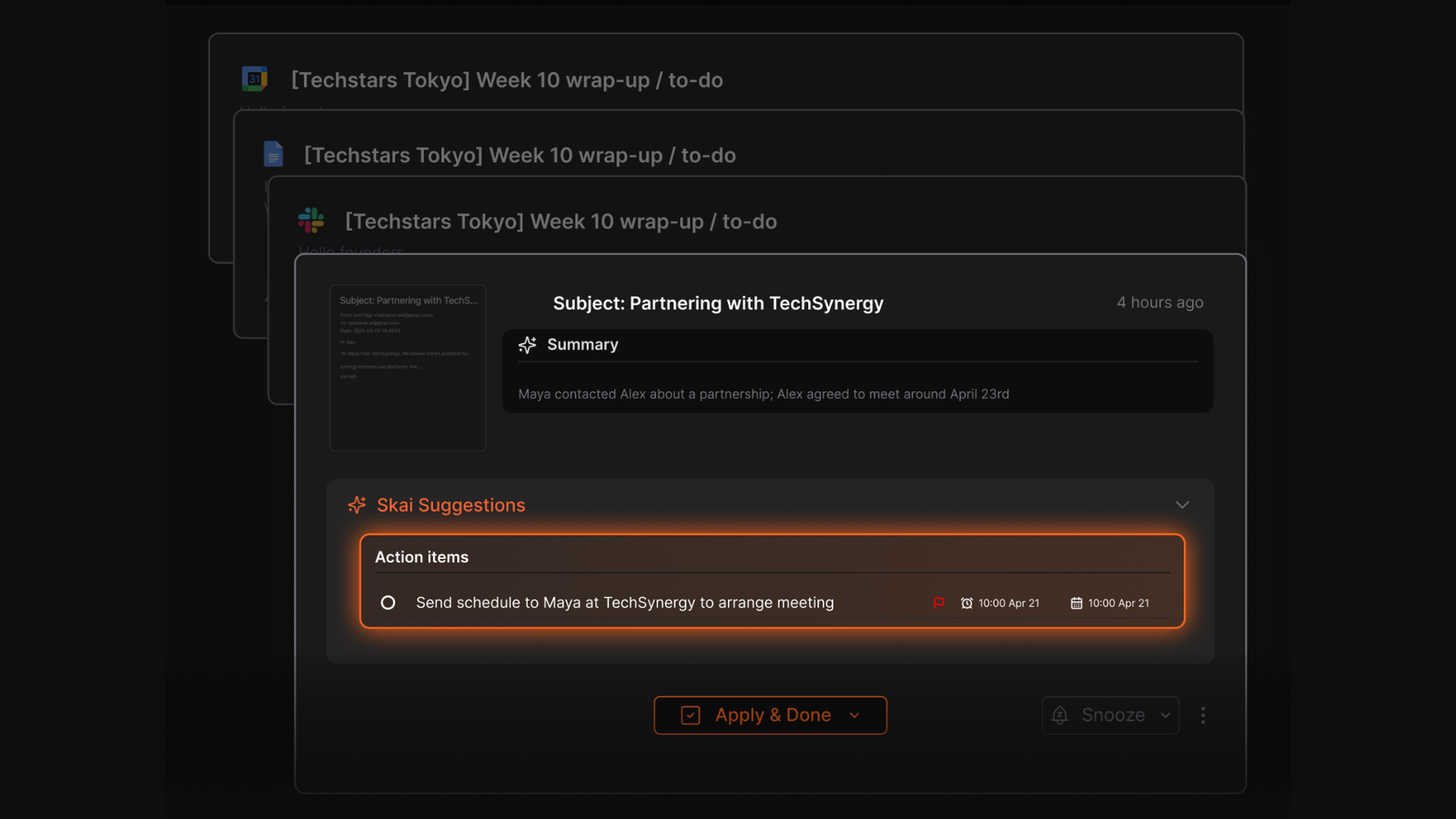
- AI Task Capture: I tried throwing random thoughts into the AI, and the assistant structures actionable to-dos without making me format bullet points.
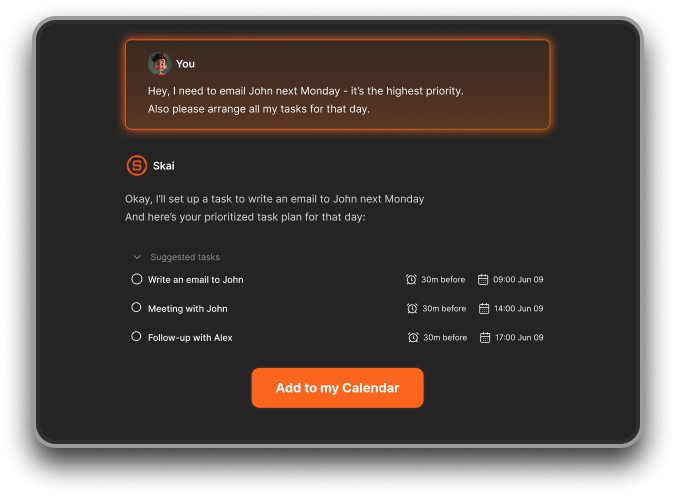
- Proactive Daily Planning: The app builds visual timelines and provides automated schedule recommendations based on my data.
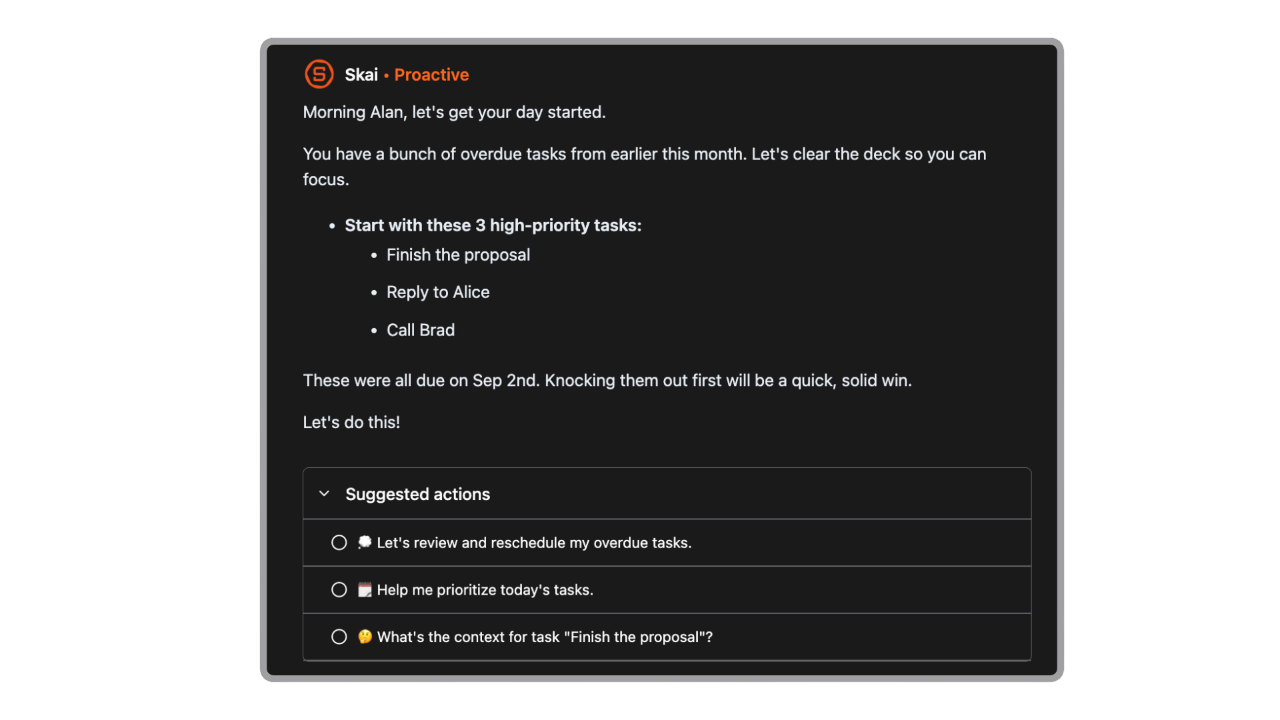
- Cross-Platform Data Integration: I tested linking my email accounts and calendars to keep track of upcoming deadlines.
- Semantic Search & Linking: AI understands and connects your knowledge over time
Pros
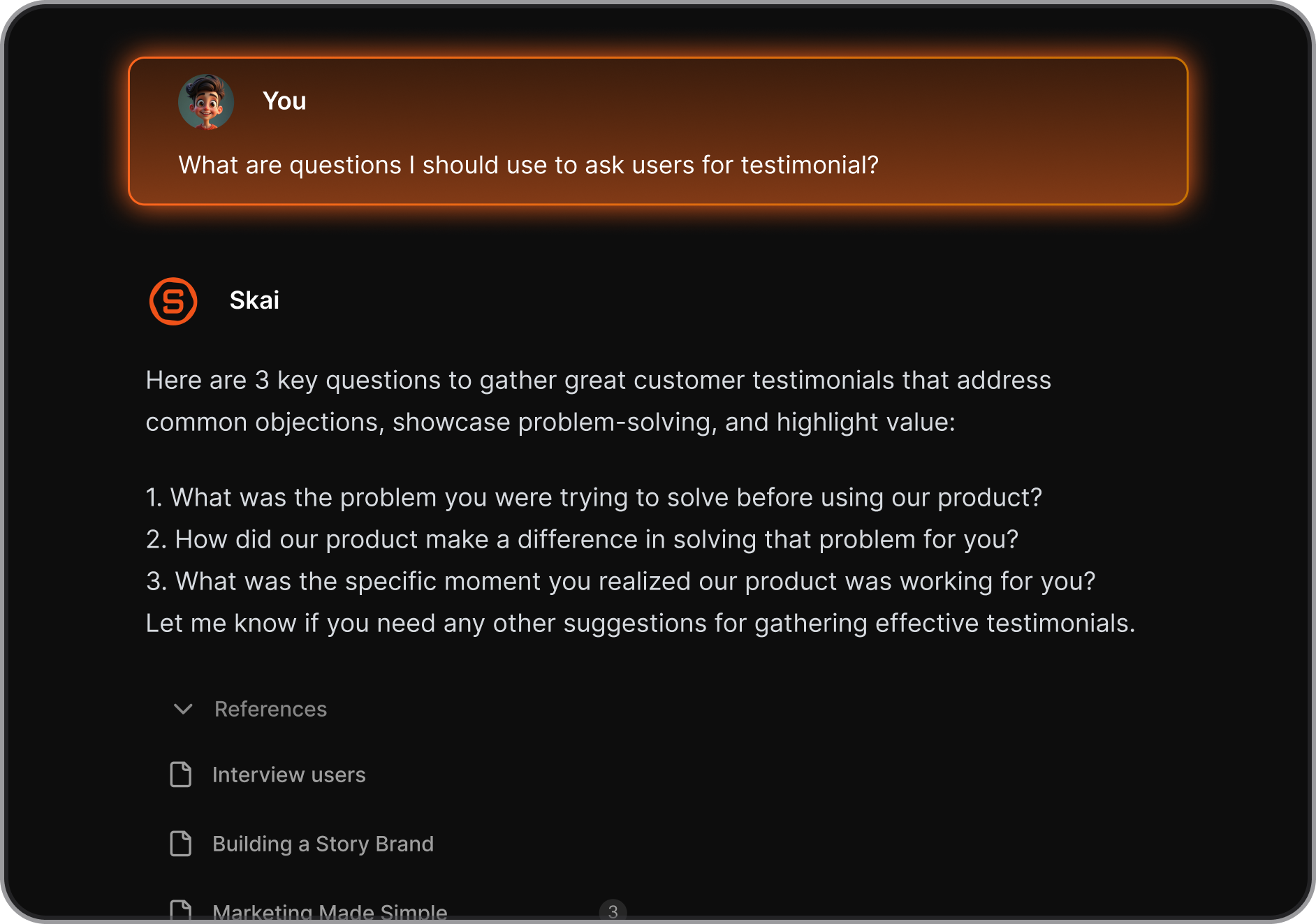
- I like how Saner helps you brain-dump messy thoughts and then pulls out clear, actionable tasks. It’s especially useful when your mind is racing or you forget what to do next.
- It handled my daily chaos without needing me to set anything up
- The proactive AI also learns your style over time and can suggest a daily plan, which is a game-changer if you struggle with decision fatigue.
Cons
- Not ideal for large team management.
Pricing
- Free Plan ($0/month)
- Starter Plan ($8/month billed annually or $12/month billed monthly):
- Standard Plan ($16/month billed annually or $20/month billed monthly)
Who is it suitable for?
- Professionals and ADHD-prone individuals who want an AI way to manage their tasks for ADHD time management, especially if they struggle with overwhelm, forgetfulness, or scattered information.
Saner.AI review
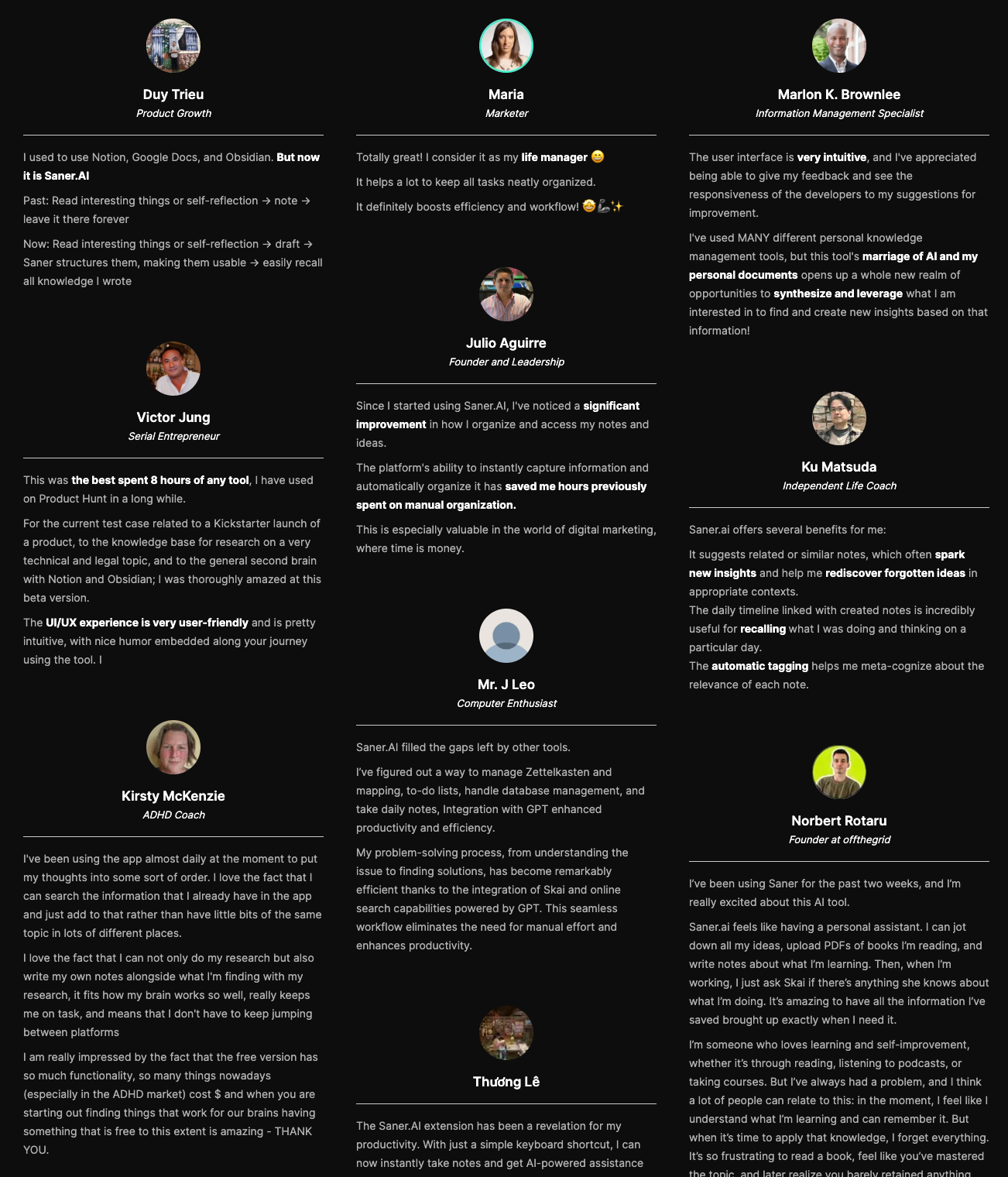
"The biggest benefit for me in using Saner is the Proactive AI. Staying on top of the constant flow of email and multiple calendars is challenging, and so far, Saner is the only AI-based tool that truly feels like a personal assistant." - Jerry
How to start using it?
- Just head to saner.ai, sign up for the free plan, and start by dumping your thoughts. Let the AI organize and schedule them for you.

Manage your tasks effortlessly
2. Time Block your Calendar - Google Calendar
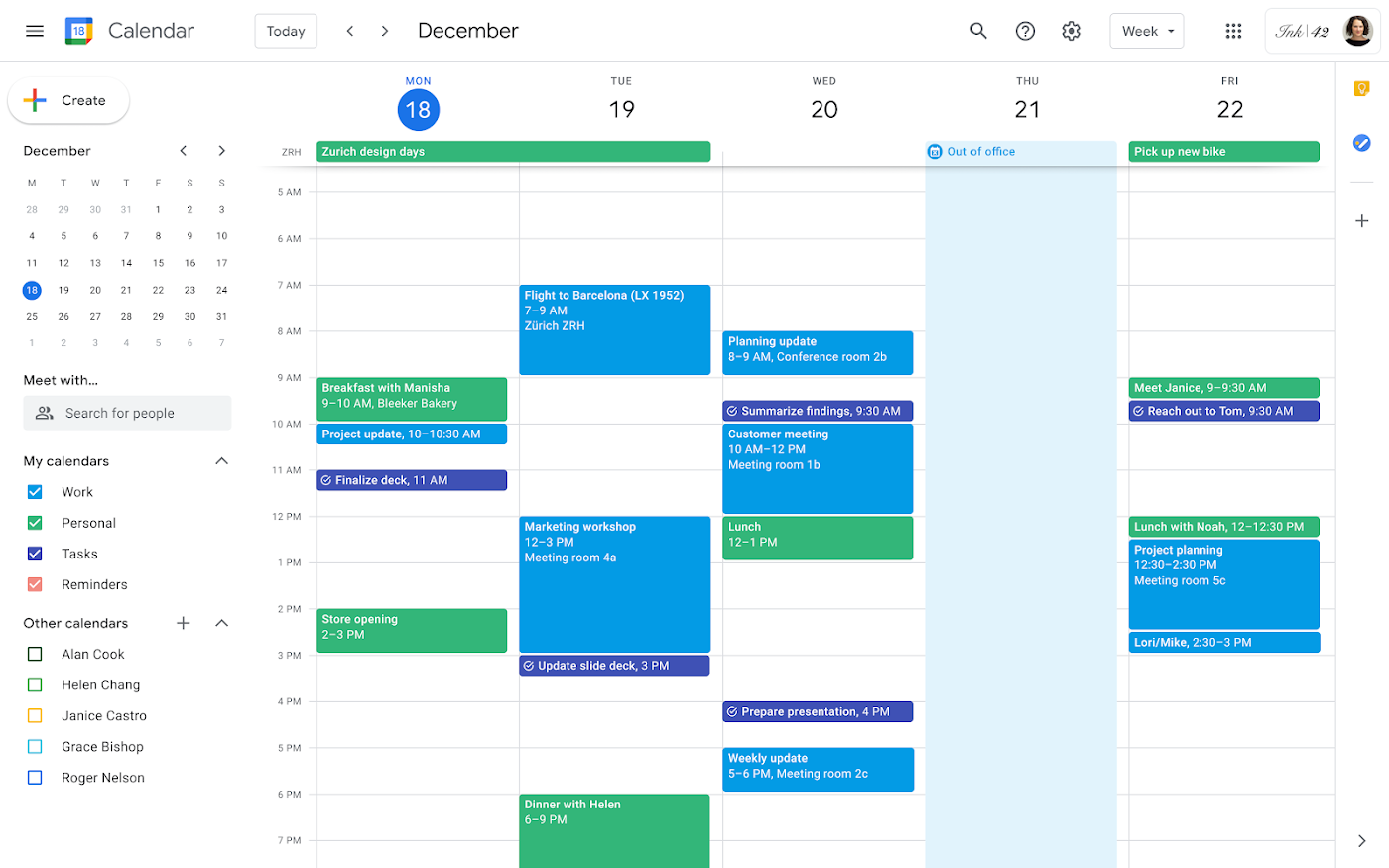
Google Calendar is an exceptional, free app for time management and scheduling that assists in visualizing time management and breaking down extensive projects into manageable tasks.
For those with ADHD, it's vital to tailor it to suit your specific needs. Once customized, it can greatly enhance your productivity.
- Advantages: It's free, has an easy-to-use interface, integrates with Google Meet, allows for publishing calendars online, subscribing to other calendars, managing multiple calendars, and features beneficial for ADHD like color coding and alerts.
- Disadvantages: Requires setup knowledge to optimize its use, lacks integration with other video conferencing tools, and managing multiple calendars on mobile devices can be visually cluttered.
- Pricing: Free with a Gmail account.
Google Calendar reviews (source)
"I use Google Calendar DAILY, multiple times a day. It allows me to access my calendar on every platform whether it’s my mobile, tablet or laptop. I couldn’t live without it." - Teresa S
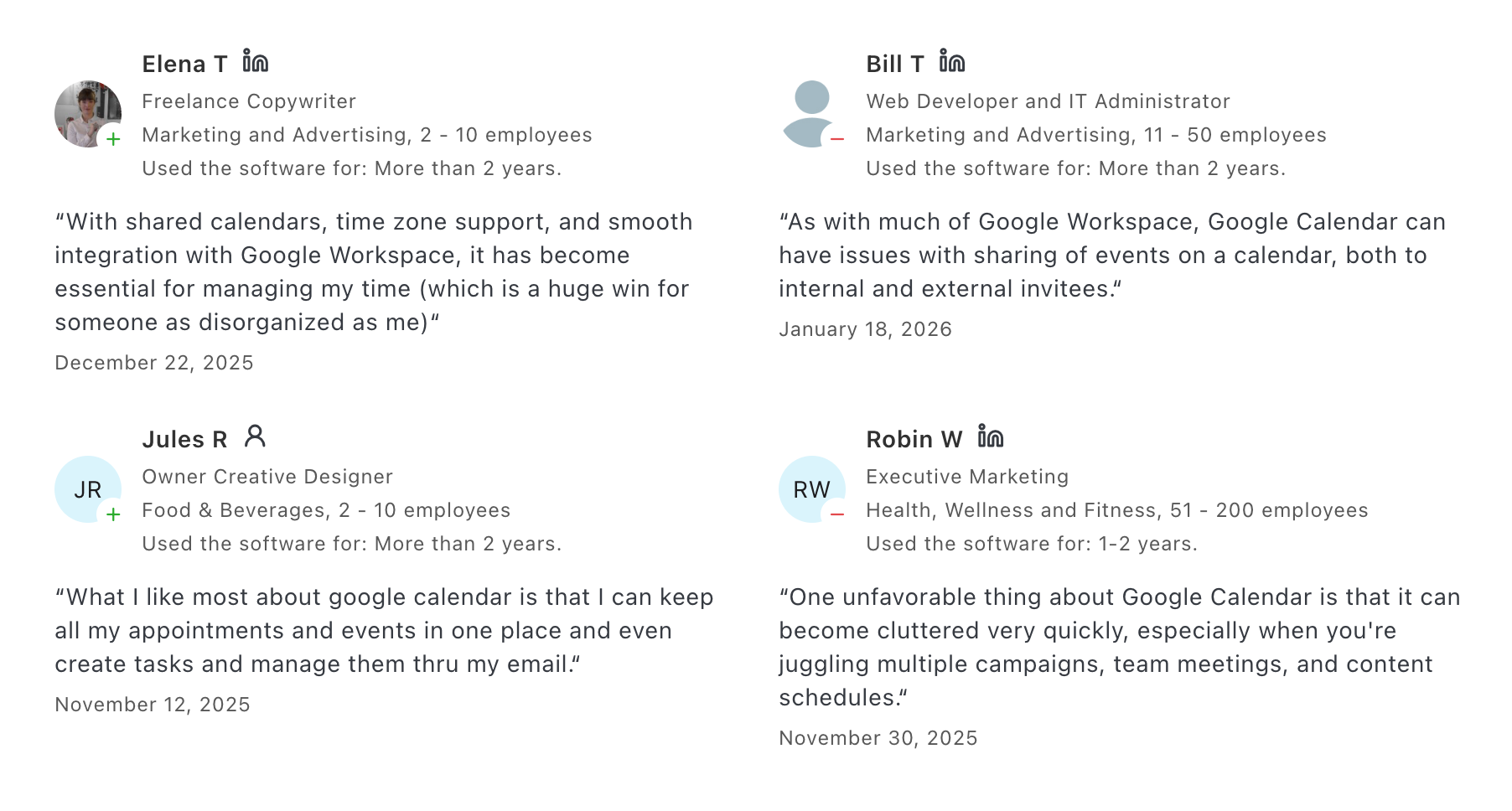
"Generally good but that's just because I'm used to it. However, everything I have to manually create a meeting from an email that has all the details in it I get annoyed and wonder why they don't prioritize this common task." - Nava B
3. Manage your Distraction - Forest
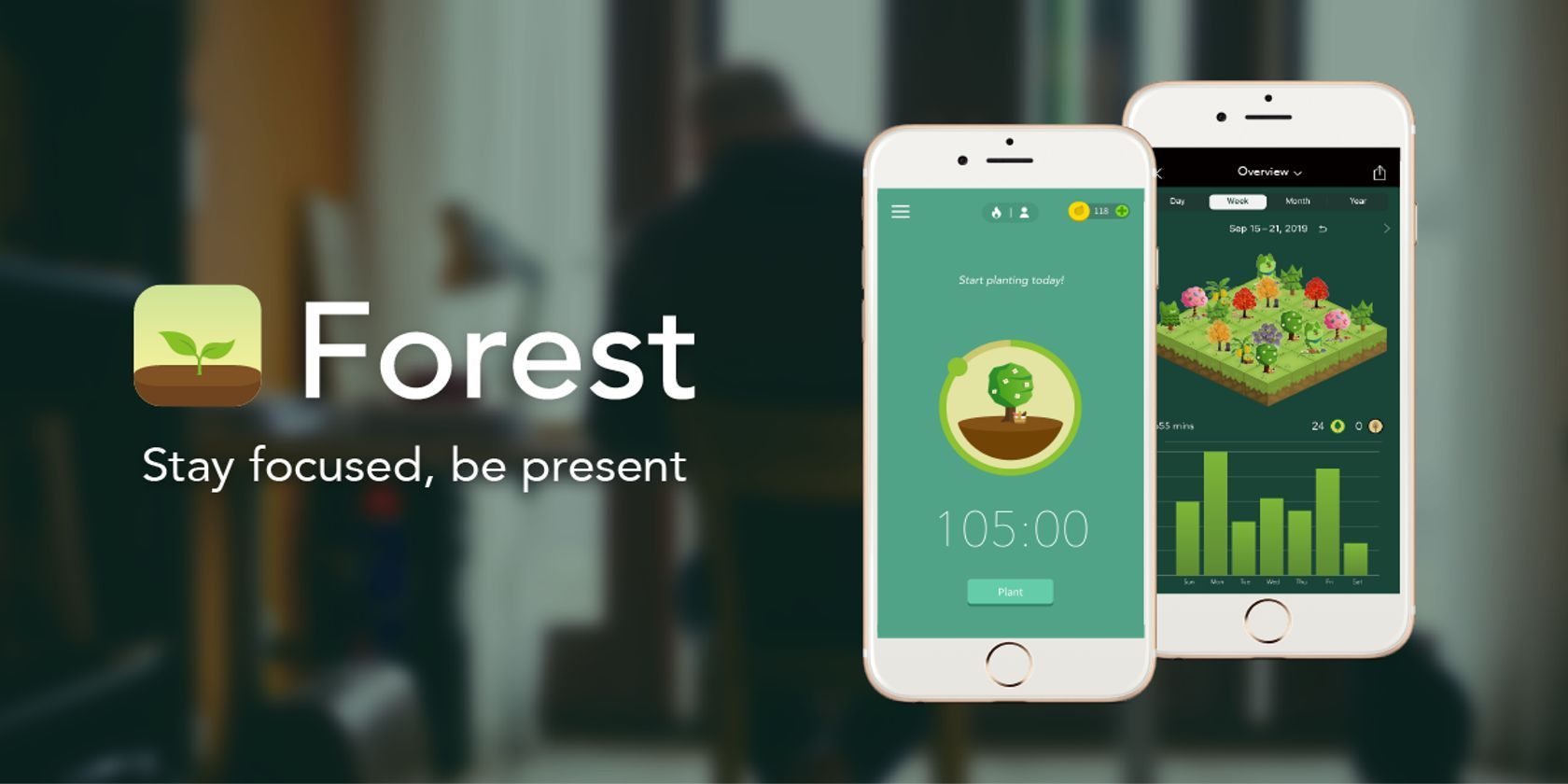
Forest is an engaging app designed to enhance your focus. When you need to concentrate, you start by planting a virtual tree in the app. As you work, your tree grows, but if you exit the app to browse social media or engage in other distractions, your tree will perish.
As you accumulate periods of focus, you can cultivate a beautiful virtual forest, discover new tree species, and even contribute to planting real trees through the partnership with Trees for the Future.
The app also offers a fun quiz to help you discover your personal flower, adding a charming touch to the experience.
- Advantages: The app makes focusing a game-like experience, supports a mission-driven organization, allows for personalized 'Allow Lists', and enables sharing your forest with friends.
- Disadvantages: Requires active engagement to open and use the app, available only on iOS and Android, and is primarily suited for focusing on one task at a time.
- Pricing: $3.99, plus additional in-app purchases.
For someone who faces significant challenges with studying due to ADHD, this app provides a structured time limit with real consequences for non-compliance, such as the death of the plant you are nurturing, which then remains as a permanent record in your forest.
Forest reviews (source)
"Definitely helps me focus and the plus version allows me to use helpful apps I'll need to finish my work. I've been using this app for years now. I have way too many coins." - Amy Devine
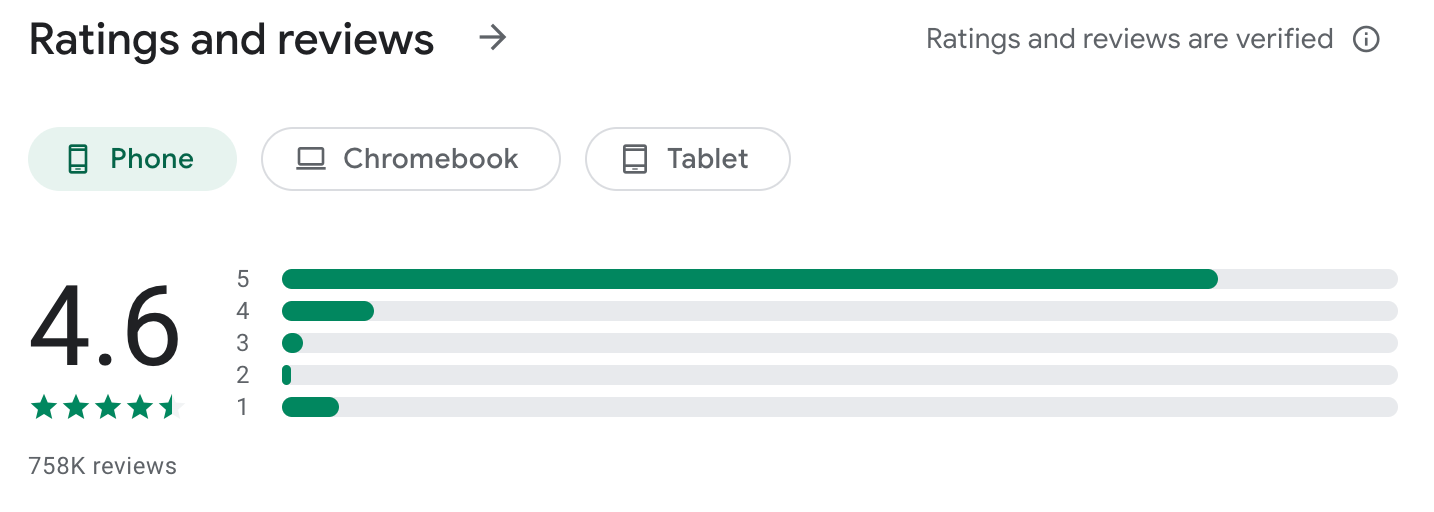
"I bought the premium version because I love the idea of this app, but I keep getting a bug when trying to double my coins. also, the UX needs a lot of work. I have a lot of trees, and I don't know what they are unless I go back to the store." - John Soria
CONCLUSION
ADHD time management isn’t about trying harder.
It’s about designing a system that works with your brain - not against it.
You can know every strategy in the world - task breakdown, time blocking, making tasks more interesting, adding buffer time, planning real breaks — and still feel stuck. The pain isn’t lack of knowledge. It’s friction.
That’s why strategies alone aren’t enough. They need the right support system.
- Some people need strong visual structure (like time blocking in Google Calendar).
- Some need gamified focus boosts (like Forest for distraction control).
- Others need something deeper: a calm, AI-powered system that helps them break down tasks, organize thoughts, and plan their day without overwhelm. That’s where Saner.AI stands out.
Instead of forcing you into folders and rigid lists, it works the way ADHD brains think - messy capture first, structure later. You can:
- Brain-dump without organizing
- Let AI help break big tasks into doable steps
- Turn scattered notes into clear daily plans
- Reduce decision fatigue before it starts
👇 Ready to try a gentler approach?
Start with Saner.AI if you want an AI daily planner that adapts to your brain instead of forcing you to adapt to it.
Stay on top of your work and life
FAQ - ADHD Time Management
1. What is ADHD time management?
ADHD time management refers to strategies and tools that help people with Attention Deficit Hyperactivity Disorder stay organized, manage their time effectively, and follow through on tasks.
People with ADHD often struggle with:
- Starting tasks (especially boring ones)
- Estimating how long things take
- Getting distracted or forgetting important to-dos
- Managing transitions between activities
That’s why time management for ADHD isn’t just about to-do lists—it’s about systems that reduce friction and boost follow-through.
2. Why is time management harder for people with ADHD?
ADHD impacts executive function—the brain’s ability to plan, prioritize, and regulate time. This can make traditional time management systems feel overwhelming or ineffective.
Common challenges include:
- Time blindness (difficulty sensing time passing)
- Task initiation paralysis
- Over-reliance on external prompts (like alarms or people)
- Frequent context switching, leading to mental fatigue
Good ADHD time management tools account for these and make the invisible (like time and task priority) more visible.
3. What are the best time management strategies for ADHD?
Here are ADHD-friendly time management strategies that actually work:
- Time blocking – Schedule chunks of time for specific work (with built-in breaks).
- Visual timers – Tools like Time Timer help you “see” time passing.
- Next-step thinking – Focus on just the next action, not the whole project.
- Externalize everything – Use notes, sticky reminders, or AI tools to offload memory.
- Built-in rewards – Give yourself something to look forward to after hard tasks.
- Start with tiny steps – Commit to just 5 minutes to overcome task paralysis.
The goal isn’t rigid schedules—it’s a flexible structure with gentle nudges.
4. What apps help with ADHD time management?
Here are a few ADHD-friendly tools to help manage time and attention:
- Saner.AI – Combines notes, tasks, and calendar in one calm workspace. Great for reducing context switching and remembering what matters.
- Forest or Pomofocus – Help you stay focused using the Pomodoro technique.
Each app supports different ADHD needs, whether it’s organizing thoughts, automating reminders, or creating a routine with flexibility.
5. How does Saner.AI help with ADHD time management?
Saner.AI is designed with neurodivergent minds in mind. It helps people with ADHD:
- Capture thoughts fast – Dump tasks or notes in plain language.
- Get reminders at the right time – No more missed follow-ups.
- Find what matters – Search messy notes using natural language.
- Avoid app overload – Everything lives in one distraction-free space.
- See next steps clearly – AI helps break down goals into doable actions.
It acts like a second brain, keeping track of things so you don’t have to.
6. How can I improve time management with ADHD at work?
At work, time management for ADHD often means creating scaffolding to support follow-through:
- Start your day with a brain dump + priority list
- Use calendar blocking to carve out time for deep work
- Set up triggers (like music or location) to shift into focus mode
- Lean on tools like Saner.AI to prep for meetings, find context fast, and stay on track
- Ask for accommodations if needed, like protected focus time or visual task boards
Don’t try to “work like everyone else”; build a rhythm that works with your brain, not against it.
7. What’s the difference between ADHD planners and regular planners?
Traditional planners assume:
- You’ll remember to check them
- You can plan the week in advance
- You’ll follow a schedule without reminders
ADHD planners like Saner.Ai are built differently. They:
- Send prompts when needed
- Help prioritize without being overwhelmed
- Let you start messy and organize later
- Break big goals into bite-sized, doable steps
ADHD-friendly tools aren’t about rigid structure; they’re about flexible support that grows with you.
8. Can AI help with ADHD time management?
Yes - AI tools can act like smart assistants that support executive function. For example:
- Saner.AI helps you remember what matters, organize your notes automatically, and suggest next actions.
- ChatGPT or Gemini can help break down projects, generate ideas, or summarize long info so you don’t get lost in the weeds.
Instead of trying to “fix” your ADHD, AI tools can work with it, reducing the mental load so you can focus on what matters most.
9. Is there a best time of day for ADHD time management?
Many people with ADHD find mornings or late nights more productive - times when distractions are lower, and their brains are either fresh or hyper-focused.
Try these tips:
- Do creative or deep work in your natural peak hours
- Save admin or easy wins for your low-energy times
- Use timers and transitions to avoid getting stuck in hyperfocus or losing track of time
Track your energy for a week, then plan accordingly. Time management for ADHD works best when it follows your energy, not just your clock.
Stay on top of your time
👉 You may like this post on how to improve Productivity for adults with ADHD