
Best AI for Business Development: We Tested 7 Best Tools
The Best AI for Business Development are Apollo, Clay, Hubspot Breeze, Saner.AI, Exa, Gong, Salesloft.

7 Best AI for Business Development in 2026
Your pipeline isn't slow because your team lacks effort. It's slow because too much of their day disappears into tasks a machine could handle faster.
We evaluated six of the most talked-about AI tools for business development right now - covering how they handle prospecting, outreach, pipeline visibility, note capture, and deal intelligence.
What we found: the tools that actually move the needle aren't the flashiest. They're the ones that reduce the gap between knowing who to contact and actually reaching them. One stood out from the pack for something most BD tools completely ignore: capturing and connecting the insights that live inside your own conversations. More on that in a minute.
Three things we learned:
- Most AI BD tools are good at one thing - prospecting, sequencing, or analytics - but rarely all three without requiring a fragmented stack.
- Pricing transparency is still a serious problem. Several tools hide real costs behind opaque credit systems
- The biggest gap in most BD workflows is context - teams reach the right person but show up to the conversation without the background to make it count.
Quick Guide: Best AI Tools for Business Development
- Apollo.io — Best all-in-one platform for finding leads, automating outreach, and managing pipeline from one place.
- Clay — Best for enriching lead data at scale across 100+ sources using custom automation workflows.
- HubSpot Breeze — Best for growing teams already inside HubSpot that want AI woven directly into their CRM.
- Exa.ai — Best for building highly targeted lead lists from the live web using plain-English prompts, with no database limitations.
- Gong — Best for conversation intelligence — understanding what's actually happening on calls and why deals stall.
- Salesloft — Best for structured sales engagement with mature cadence automation and multi-channel sequencing.
- Saner.ai — Best for BD professionals and founders who need a second brain to capture, organize, and resurface the intelligence buried in their daily work.
How We Chose These Tools
We evaluated each tool against five criteria:
- Data quality - How accurate and fresh are the contacts? Does it hold up outside the US?
- Ease of use - Can a sales rep use it without a RevOps engineer holding their hand?
- Outreach capability - Does it help personalize at scale, or just spray the same template at everyone?
- Integrations - Does it slot into the tools teams already use (Salesforce, HubSpot, Slack)?
- Pricing honesty - Is the real cost of using this tool at scale actually knowable before you sign a contract?
We also paid attention to what users consistently complain about.
What are the best AI for Business Development?
The Best AI for Business Development are Apollo, Clay, Hubspot Breeze, Saner.AI, Exa, Gong, and Salesloft.
Comparison Table - Best AI for Business Development
| Tool | Best For | Starting Price | G2 Rating | Free Plan |
|---|---|---|---|---|
| Apollo.io | All-in-one prospecting + outreach | $49/user/mo | 4.7/5 | Yes |
| Clay | Data enrichment at scale | $134/mo | 4.6/5 | Yes (100 credits/mo) |
| HubSpot Breeze | CRM-native AI for growing teams | $90/mo (Starter) | 4.4/5 | Yes |
| ZoomInfo | Enterprise B2B intelligence | $14,995/yr | 4.5/5 | No |
| Gong | Conversation intelligence | Custom | 4.8/5 | No |
| Salesloft | Sales engagement + cadences | Custom | 4.5/5 | No |
| Saner.ai | Knowledge capture + second brain | $8/mo | N/A | Yes |
1. Apollo.io
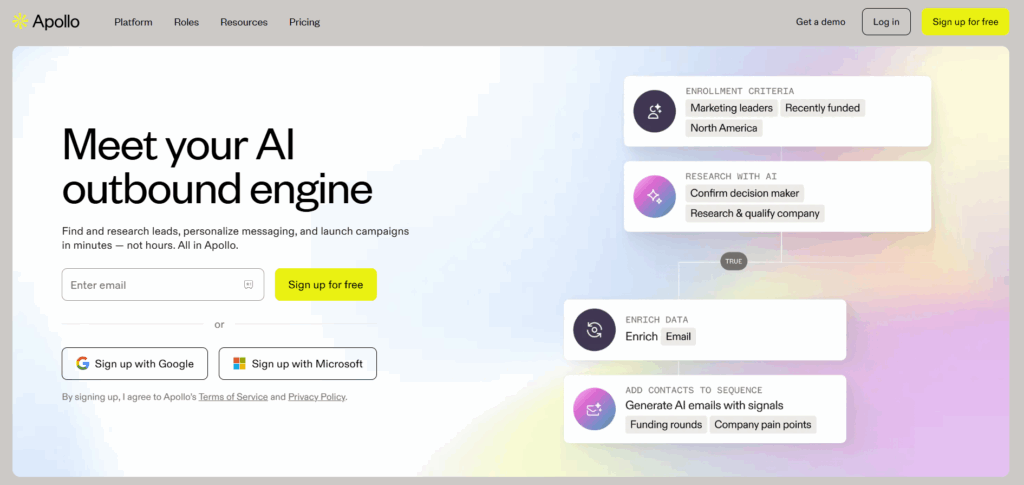
Apollo is the platform most BD teams reach for when they want everything under one roof - a large contact database, email sequencing, a built-in dialer, and basic CRM-style pipeline tracking. It's the most-reviewed sales intelligence product on G2 with over 9,000 reviews and a 4.7/5 rating, which says something real about how many people use it daily.
Key Features
- Chrome extension for LinkedIn prospecting. The browser extension lets reps grab contact data directly from LinkedIn profiles without switching apps. It's consistently mentioned in reviews as one of the most practical time-savers.
"The Chrome extension is a huge time saver for grabbing contacts directly from LinkedIn." – reviews
- Buying intent signals and lead scoring. Apollo uses AI to score leads based on signals like topic-level intent and company activity. It's useful for deprioritizing cold accounts and surfacing the ones that are actively looking.
"Apollo.io has significantly streamlined our process of finding decision-makers within previously prospected companies." – reviews
- AI email sequencing. Multi-step, multi-channel sequences that let reps automate outreach at scale. You can build conditional logic - if a prospect opens the email but doesn't reply, trigger a different follow-up.
"It is easy to search for people using filters such as job role, authority role, etc. I also like the scheduling of emails, and the delivery that it offers is also great." – reviews
- Contact database with 210M+ profiles. Apollo's database covers contacts and companies with filters for job title, company size, industry, revenue, funding stage, and technologies used.
"What I like best about Apollo.io is how it brings everything into one place, prospecting, enrichment, and outreach." – reviews
Pros
- Strong filtering depth. Industry, funding stage, seniority, technology used - the specificity of ICP targeting is hard to match at this price point.
- All-in-one stack consolidation — data provider, email tool, dialer, and light CRM in one platform. For small teams, this replaces multiple subscriptions.
"Apollo seemed better overall with more data and better features." – reviews
Cons
- Per-seat pricing scales fast. Five users on the Pro plan costs $395/month before you've added a single enrichment credit.
- Shared email infrastructure means your sender reputation is partly at the mercy of other Apollo users on the same servers.
"Pricing and credits system feels misleading. Paid plans now give only ~2,500 credits, and even email-only access costs 3–10 credits per contact due to forced waterfall and unlock systems." – reviews
Pricing
- Free plan available
- Basic: $49/user/month
- Professional: $79/user/month
- Organization: $119/user/month (billed annually)
Reviews
- Apollo holds a 4.7/5 on G2 from 9,000+ reviews and 4.5/5 on Capterra. The positive reviews cluster around the database quality and the value of having outreach and prospecting in one place.
- The critical reviews are mostly about the credit system becoming harder to predict and data accuracy outside the US.
"The data quality is not that great and somehow they still haven't been able to decide the pricing and credits usage. It's very frustrating to see them change credits usage so often and they don't pass on the benefits of new features and changes to users who have billed annually." – reviews
Who Is It Best For
- Apollo works well for startups, SMBs, and SDR teams that want one platform for the full prospecting-to-outreach workflow without building a separate stack.
- It's less ideal for enterprise teams that need very high data accuracy or teams with significant international focus.
How to Get Started
- Sign up for the free plan at apollo.io. The free tier gives you access to the database with limited exports and basic sequencing.
2. Clay
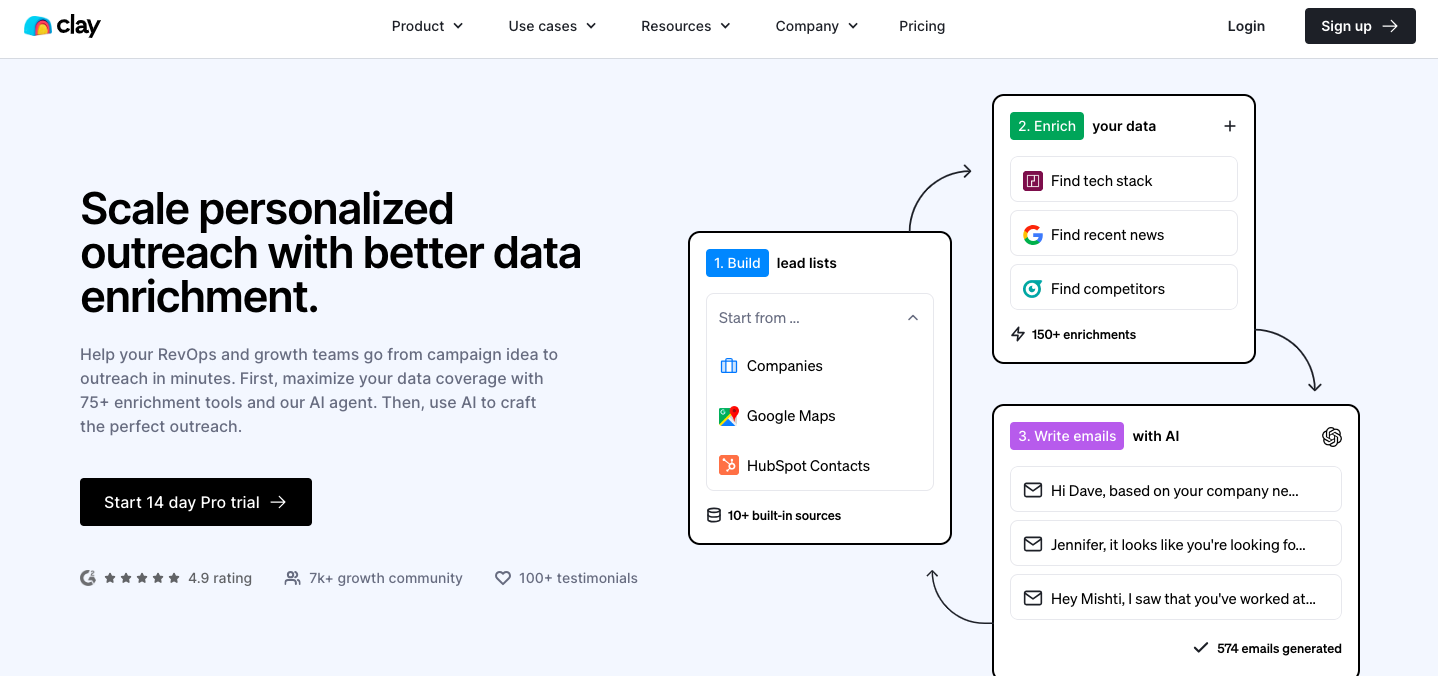
Clay is a data enrichment and workflow automation platform built for teams that want to treat prospecting like an engineering problem. The core concept: pull raw lead data, run it through 100+ enrichment sources in a waterfall, apply AI-generated personalization, and push everything into your outreach tool and CRM - all without writing code.
The caveat is that Clay's superpowers require training.
Key Features
- Deep CRM and outreach integrations. Clay pushes enriched data directly into Salesforce, HubSpot, Pipedrive, and outreach tools like Instantly and Lemlist.
- Spreadsheet-style interface with automation logic. Clay looks like a Google Sheet but behaves like a no-code automation engine. Every column can be a dynamic enrichment step.
"I like the table paradigm of Clay. Competitors that use the flow chart mental model makes it hard to see the results of the automation. With the table view, I can see how the results will be." – reviews
- Claygent - AI Research Agent. Claygent is Clay's built-in AI assistant that can browse websites, pull company information, summarize content, and draft personalized opening lines for outreach.
"Clay automates data enrichment and contact verification, reducing manual prospecting and messy data issues. It saves time by integrating multiple data sources and enhances outbound efforts with accurate data." – reviews
- Waterfall enrichment across 100+ data providers. Clay pulls from LinkedIn, Apollo, Clearbit, People Data Labs, Crunchbase, and dozens more in sequence - if one source doesn't have a data point, Clay tries the next.
"With Clay, you can build high-level lists with wide data coverage super quickly, enrich them to your heart's content with data from tons of sources." – reviews
Pros
- Genuinely consolidates what previously required subscriptions to three or four separate data vendors.
- AI text generation rated 85% on G2, meaning the personalization output is actually useful, not just templated filler.
- Integrations score 95% on G2 — the highest of any feature Clay is reviewed on.
Cons
- CRM integrations are locked behind the Pro plan ($720/month).
- Credit costs are hard to predict. Individual data lookups consume credits at variable rates
"It can get very expensive if you don't know how to use it with APIs and integrations. Creating the correct waterfall and using the correct APIs can make it a game changer for your outbound." – reviews
- Steep learning curve. Multiple reviews mention taking weeks to understand the platform fully, and most teams need 20–40 hours to build their first working enrichment workflow.
"It's not the easiest tool to use, to be fair. Over the months they've evolved but at least in my memory when I started it took me weeks to understand what's what." – reviews
Pricing
- Free: 100 credits/month
- Starter: $134/month (billed annually) — 2,000 credits/month
- Explorer: $314/month — 10,000 credits/month
- Pro: $720/month — 50,000 credits/month + CRM integrations
- Enterprise: Custom pricing
Reviews
- Clay has a 4.6/5 on G2 based on reviews across data enrichment and sales intelligence categories. The gap between positive and negative reviews is almost entirely explained by technical fluency - experienced RevOps professionals love it, while teams without a dedicated operator find it expensive and frustrating.
"It can take time to fully understand how to use all of its features, especially if you're new to data enrichment workflows. While the spreadsheet style interface is helpful, setting up automation or integrating multiple data sources can sometimes feel bit complex at first." – reviews
Who Is It Best For
- Clay works best for growth teams, outbound agencies, and RevOps professionals who want to build sophisticated, data-driven prospecting pipelines.
- It's not the right tool for a founder or a small sales team without someone technical to manage it.
How to Get Started
- Start with the free plan to explore the interface. Clay has a strong community and a solid library of workflow templates. Budget 10–15 hours to learn before expecting production output.
3. HubSpot Breeze
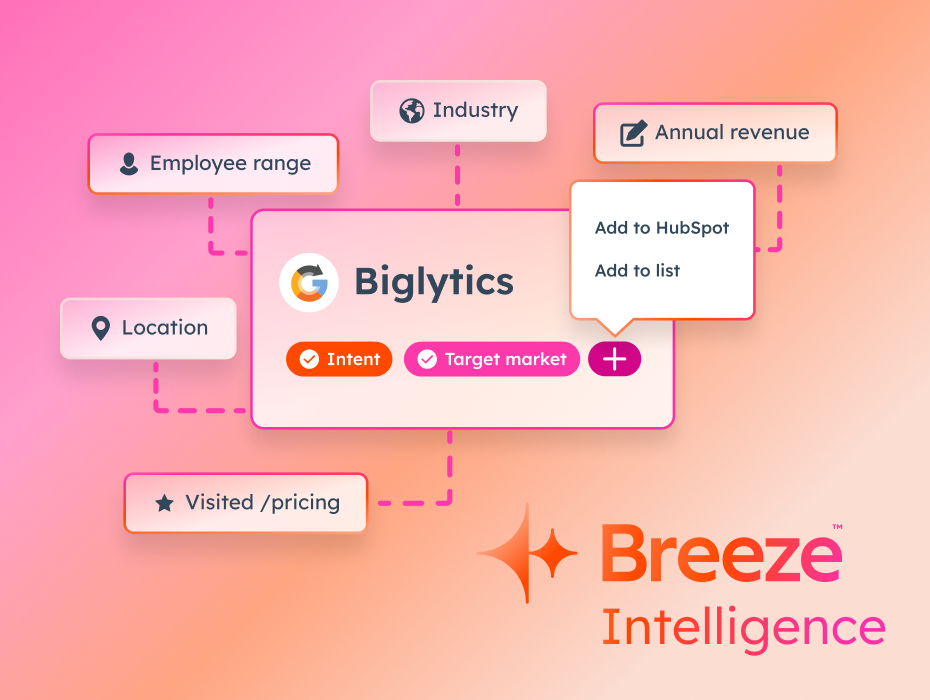
HubSpot Breeze is what happens when a CRM decides to become an AI platform. HubSpot wove its AI layer - called Breeze - directly into the tools its users already use every day: Sales Hub, Marketing Hub, and Service Hub. For teams already living inside HubSpot, this is a meaningful shift.
The four core Breeze Agents that matter most for business development are the Prospecting Agent (which acts like a 24/7 BDR monitoring for buying signals), the Data Agent (which enriches and cleans CRM records automatically), the Breeze Assistant (which helps draft emails and summarize contact history), and the Customer Agent (which handles front-line inquiries).
Key Features
- Breeze Intelligence (data enrichment). Built on HubSpot's acquisition of Clearbit, Breeze Intelligence gives access to 200+ million buyer and company profiles for enriching existing CRM contacts. It can de-anonymize website visitors and surface high-intent accounts automatically.
- Unified data model across marketing, sales, and service. Because everything lives in one CRM, Breeze can draw on the full customer journey when generating recommendations
- Breeze Assistant for content and communication. Reps can use the Breeze Assistant to draft follow-up emails, summarize a contact's history before a call, or pull together a quick brief on an account
"Teams using HubSpot AI report saving hundreds of hours each week on routine tasks." – reviews
- Prospecting Agent. This agent monitors leads for intent signals, researches target accounts, and drafts personalized outreach - autonomously.
"The new Breeze feature! I love the innovative ways HubSpot finds to make our lives easier." – reviews
Pros
- If your team is already on HubSpot, the AI is there - no separate tool, no extra login, no data sync headaches.
- G2 ranks HubSpot as the #1 Sales Product and #1 Marketing Product, based on 13,000+ reviews across the suite.
- Constant shipping cadence. HubSpot released 200+ product updates at INBOUND 2025 alone.
Cons
- Breeze Intelligence's data quality inherits some of Clearbit's historical accuracy issues. It's rated 7/10 on data quality - decent but not the strongest in the category.
- Breeze integrations outside HubSpot are limited. If your team uses a different CRM, this entire layer is essentially unavailable.
- It gets expensive at scale.
"Expensive as you scale - While the free tier is great, costs explode quickly. Per-seat pricing means a 10-person sales team on Professional pays $10,800 annually before onboarding fees." – reviews
Pricing
- Free plan available
- Starter: from $90/month (includes basic AI features)
- Professional: $90/seat/month
- Enterprise: Custom pricing
- Breeze AI features run on a HubSpot Credits system - usage above your included allocation is billed separately.
Reviews
HubSpot scores 4.4/5 on G2 across more than 13,000 reviews and 4.5/5 on Capterra from 4,400+ reviews.
"Active development and innovation – HubSpot ships new features regularly. The recent AI additions (Breeze) show they're investing heavily in this direction. Users appreciate that the platform evolves rather than stagnating." – reviews
Who Is It Best For
- HubSpot Breeze is a natural fit for companies in the 20–500 employee range already using HubSpot. It's not the right move if you need deep prospecting beyond HubSpot's data coverage or if you're on Salesforce.
How to Get Started
- If you're already a HubSpot user, Breeze features are accessible from your existing sidebar. Start with the Breeze Assistant for email drafting and call prep
4. Exa.ai
Most lead databases are built the same way: aggregate contact records, verify them periodically, let users filter. Exa takes a different approach. It built its own web index from scratch - not a wrapper around Google or Bing - and trained neural models to understand the meaning behind a search query, not just the keywords.
The result is a search engine designed specifically for AI, with a business-facing product called Websets that lets sales and BD teams describe who they're looking for in plain English and get back a verified, enriched list in minutes.
Key Features
- Built-in enrichment columns. After generating a list, you can add enrichment columns directly inside Websets - email addresses, phone numbers, funding data, job titles - then export as CSV or push directly to your outreach tool. It reduces the need for a separate enrichment layer like Clay for straightforward use cases.
"I used Websets to generate a list of recently funded VCs in the US. The prompt was 'Source me leads within startups with less than 500 employees that were funded in the USA in 2025' — and I added emails through enrichment right in the same interface." – reviews
- Semantic search that understands intent. Exa's neural ranking model surfaces results by meaning and relevance, not by SEO signals. This matters for unusual or highly specific ICPs
"We looked at Tavily and Brave Search API but Exa's results felt more semantically relevant out of the box, which matters when an agent is trying to answer a nuanced question in real time." – reviews
- Live web index, not a static database. Unlike Apollo, ZoomInfo, or Clay — all of which rely partly on aggregated third-party records - Exa crawls the public web continuously. This means recently launched companies, newly funded startups, and niche verticals that fall outside major databases are findable.
"Websets searches the entire web to find every match. Unlike traditional databases that only cover a fraction of companies, our comprehensive web index ensures you never miss a potential lead." – reviews
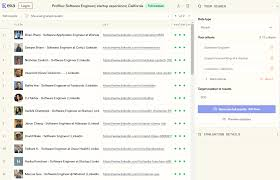
- Natural language list building (Websets). Write a plain-English prompt describing your ICP and Exa's AI agents scour the live web to find matching companies and contacts - with criteria annotations so you can see why each result was included.
"Ease of use both with a UI or through the API — the ability to go from prompt to structured list quickly is the consistent headline from early users." – reviews
Pros
- Goes beyond what traditional databases can surface - niche verticals, recently founded companies, and emerging segments that haven't made it into Apollo or ZoomInfo's records yet.
- Plain-English prompting lowers the bar significantly. You don't need a RevOps engineer or workflow logic to get a useful list.
- Zero Data Retention (ZDR) on all endpoints - Exa built its own index rather than wrapping an existing search engine, so queries are never stored.
- Much faster to first usable list than Clay, which requires workflow configuration before it produces anything.
Cons
- No native outreach layer - Websets delivers lists but doesn't send emails or manage sequences. You still need Apollo, Instantly, or Lemlist to activate the leads.
- Exa's web index, while comprehensive, occasionally misses very recently published or niche content that Google-powered APIs return faster.
- Relatively few formal reviews compared to established platforms - it's a newer product and the review volume on G2 is small (early 2026). Enterprise teams should run a pilot before committing.
- Credit costs can add up at scale, especially at the Starter tier ($49/month for 8,000 credits).
Pricing
- Free: $10 in starter credits on sign-up
- Starter: $49/month — 8,000 credits, 1 seat, up to 100 results per Webset, 10 enrichment columns
- Pro: $449/month — 100,000 credits, 10 seats, up to 1,000 results per Webset, 50 enrichment columns
- Enterprise: Custom pricing — unlimited results, dedicated support, enterprise security
Reviews
- Exa's Websets product is newer to the market, with a 5/5 early rating on G2 from verified users and strong reception on Product Hunt from developers and GTM practitioners.
"Exa.ai is a search API that gives our AI real web content fast. It uses smart search and fast crawling to find links, summaries, and pictures. Easy to use, fast and accurate." – reviews
Who Is It Best For
- Exa.ai works well for BD teams, founders, and GTM operators who need to build targeted lists quickly - especially when their ICP is niche, fast-moving, or not well-covered by traditional databases.
How to Get Started
- Sign up at exa.ai/websets to get $10 in free credits. Write a specific ICP prompt and evaluate the quality of the results before upgrading.
5. Gong
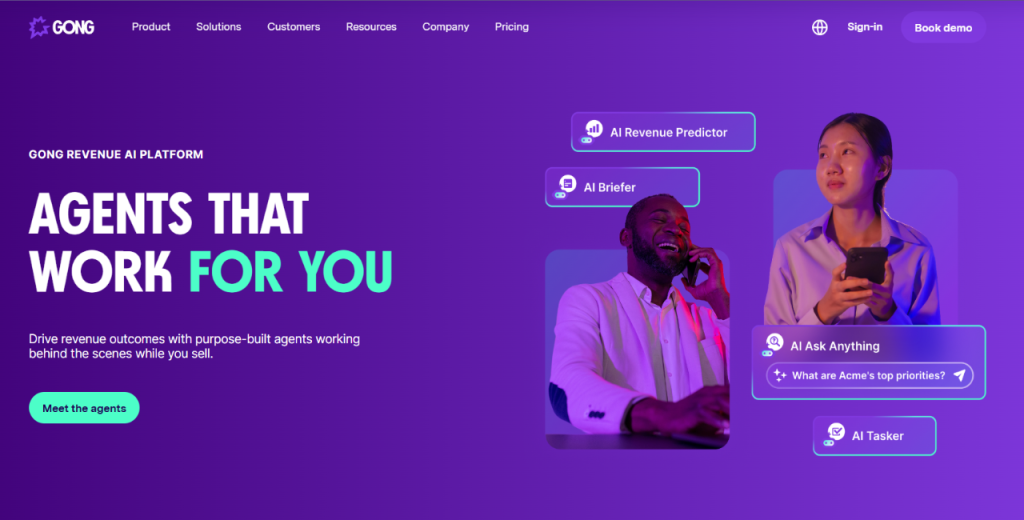
Gong records and analyzes sales conversations - calls, emails, web conferences - and surfaces patterns that help teams understand what's actually driving or stalling deals. It has a 4.8/5 on G2 from over 6,400 reviews, which puts it among the highest-rated enterprise software products on the market.
Key Features
- Call recording and conversation intelligence. Gong captures every sales call, transcribes it, and analyzes it for topics, talk ratios, objections, competitor mentions, and sentiment.
- AI coaching and deal scoring. Gong can automatically score deals based on engagement activity and conversation signals, then surface coaching opportunities for specific reps based on what's holding their deals back.
- Gong Engage. Gong has extended into sales engagement with Gong Engage, allowing reps to run outreach sequences from the same platform. It's newer and less mature
- Deal intelligence. Gong monitors communication activity across all open deals and flags risks - deals with no recent activity, deals where certain stakeholders have gone quiet, or deals where competitive topics came up without resolution.
"Gong is a Revenue Intelligence Platform designed to record, transcribe, and analyze every interaction, providing insights into sales deals and customer conversations. Reviewers like the AI features that summarize calls, assist with follow-ups, and provide valuable insights." – reviews
Pros
- Best-in-class conversation intelligence - scored 9.1 on G2 for this feature, compared to 8.2 for Salesloft.
- Call recording scores 9.6 on G2. High-quality, accessible recordings that managers actually use for coaching.
- 4.8/5 overall G2 rating, recognized as G2's #1 Best Software Product multiple years running.
Cons
- Custom pricing only — no published rates. Most mid-market teams report $100K+ annually for full platform access.
- Search functionality has bugs that users mention frequently.
- Initial setup is complex. New users often feel overwhelmed by the depth of data available.
Pricing
- Custom pricing only - contact Gong's sales team. Industry reports suggest $1,000–$1,600 per user per year as a rough range, with minimum seat requirements.
Reviews
- Gong holds 4.8/5 on G2 from 6,400+ reviews. It's consistently praised for the depth of its conversation insights and the quality of call recordings.
"While Gong delivers powerful insights, some aspects of the user experience could be improved. The interface can feel overwhelming at first, especially for new users, because of the volume of data and features." – reviews
I do feel like the UI could be more intuitive; looking back at historic activities and recordings doesn't work half the time - reviews
Who Is It Best For
- Gong is best for B2B SaaS sales teams with 10+ reps where coaching, deal risk visibility, and understanding conversation patterns have a direct impact on revenue.
- It's less valuable for small teams where the manager is directly involved in every deal.
How to Get Started
- Request a demo at gong.io. Most implementations require a few weeks of data collection before the insights become meaningful.
6. Salesloft
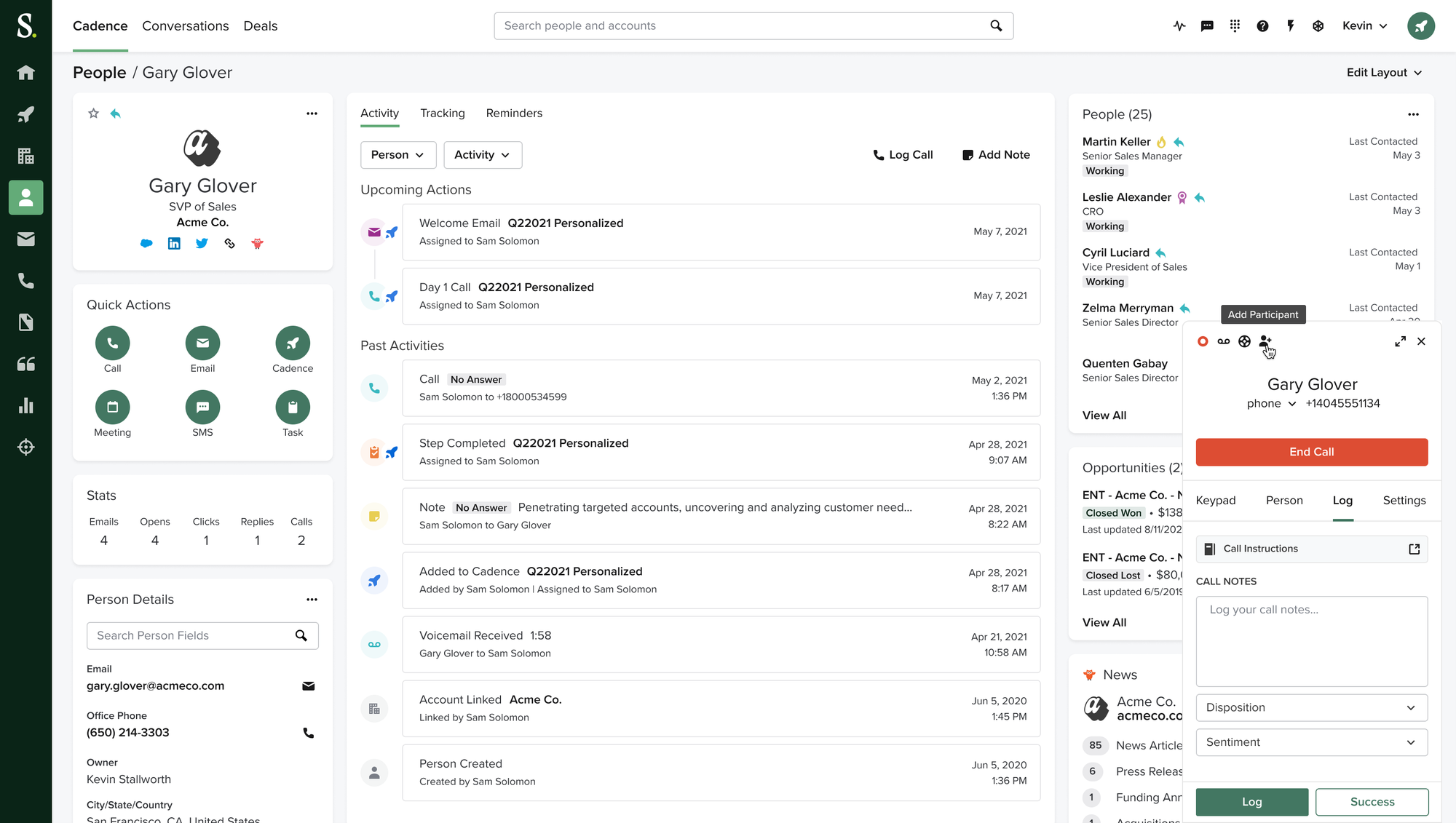
Salesloft (now part of Clari following a December 2025 acquisition) has been the default sales engagement platform for outbound teams for years. Its core strength is the cadence engine - the workflow logic that determines when and how reps reach out across email, phone, and LinkedIn.
Key Features
- Multi-channel outreach sequences. Step logic, A/B testing, governance controls - Salesloft's cadence builder has years of maturity.
- Conversation intelligence (built-in). Salesloft includes call recording and conversation analysis as part of the platform, so teams can capture insights from calls without adding Gong on top.
- CRM sync (Salesforce, HubSpot). Salesloft keeps activity synced to your CRM automatically, which reduces duplicate entries and keeps pipeline data accurate without manual updates.
"The connectivity with our CRM has become invaluable as we make attempts to improve tracking and reporting of activity and outreach." – reviews
- Cadence engine with AI prioritization. Salesloft's Rhythm engine acts like an intelligent work queue - it tells reps what to do next based on deal signals, engagement data, and buying behavior rather than leaving them to decide manually.
"Salesloft allows us to do outbound at scale without sacrificing the quality of outreach. " – reviews
Pros
- Mature cadence automation with the deepest sequence logic in the category.
- Email tracking and automation rated 9.2 on G2 — best in class.
- Strong Salesforce integration, fast and accurate sync.
Cons
- Custom pricing only - no transparent published rates.
- 107 G2 mentions of "missing features" suggest the platform hasn't kept pace with what users want.
- The Clari merger introduces roadmap uncertainty. Teams signing multi-year contracts should negotiate termination clauses tied to forced platform migrations.
Pricing
- Custom pricing - contact Salesloft's sales team. No published rates as of 2026.
Reviews
"Salesloft is helping us in managing our customer data and outreach. It is helping us with managing the data and running the campaign and scheduling follow-ups." – reviews
Some parts of the interface can feel a bit crowded when I’m managing a large number of prospects at the same time. Also, setting up more complex cadences takes a bit of trial and error at first, especially if you’re new to sales engagement tools. - review
Who Is It Best For
- Salesloft is a strong fit for B2B sales teams (10+ reps) that need structured, scalable outbound execution with strong sequencing logic.
How to Get Started
- Request a demo at salesloft.com. Ask for a 30-day pilot with your actual team
7. Saner.AI
Every tool above helps you find people to talk to and reach them more efficiently. None of them help you remember what you discussed with a CFO three months ago, connect that conversation to a new opportunity, or surface the insight from last Tuesday's call that suddenly matters today.
That's the problem Saner.ai solves.
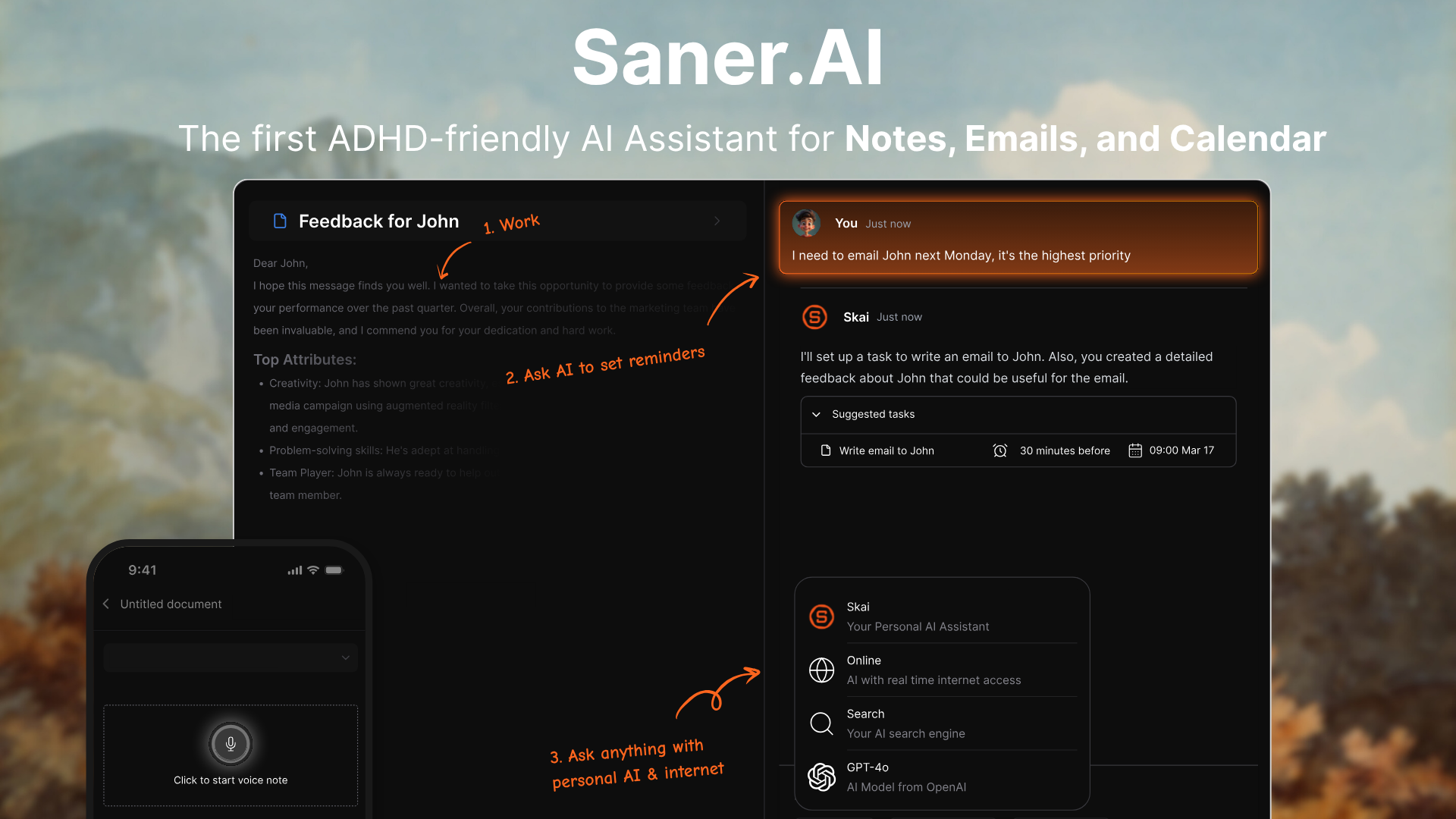
Saner.ai is an AI productivity assistant that captures notes, meeting content, tasks, and research, then organizes and connects them automatically so you don't have to. Its AI assistant, Skai, learns from your inputs and surfaces relevant information when it's useful rather than making you search for it.
For business development professionals specifically - founders, account executives, partnership managers, consultants - the amount of relationship context that gets lost every week is staggering. Saner.ai is one of the few tools designed specifically to prevent that.
Key Features
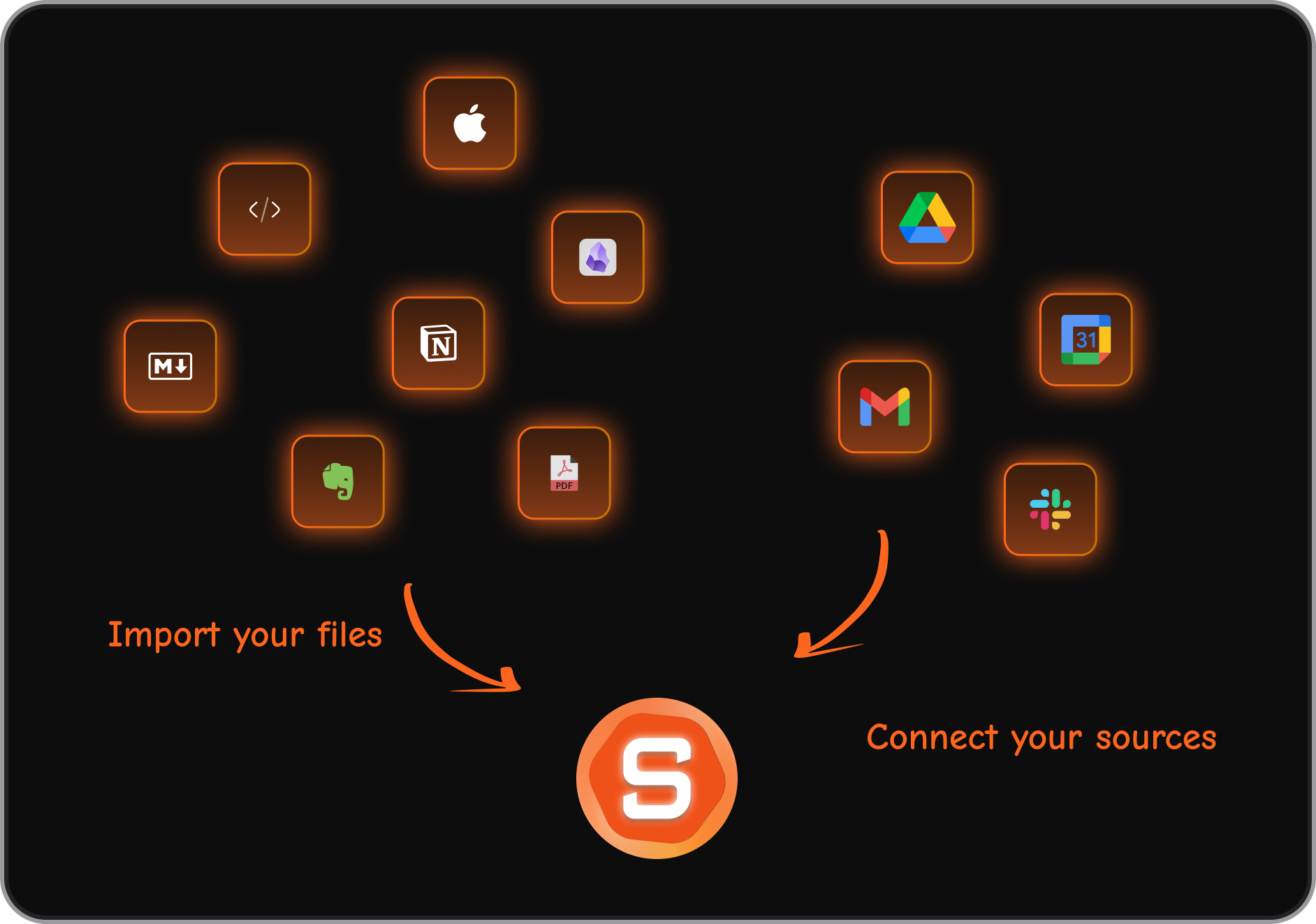
- Integrations with Email, Google Drive, Slack, and Calendar. Everything your team's knowledge lives in, Saner.ai can connect to - making it a single place to search across scattered sources.
- Surface relevant notes. The Similar Note feature surfaces past conversations and information that's relevant to what you're currently working on
"Forgetting the meeting note is not a problem anymore with saner.ai." – reviews
- Semantic search across all captured content. Saner.ai uses semantic understanding rather than keyword matching, which means you can find notes using natural language even if you don't remember the exact words you used.
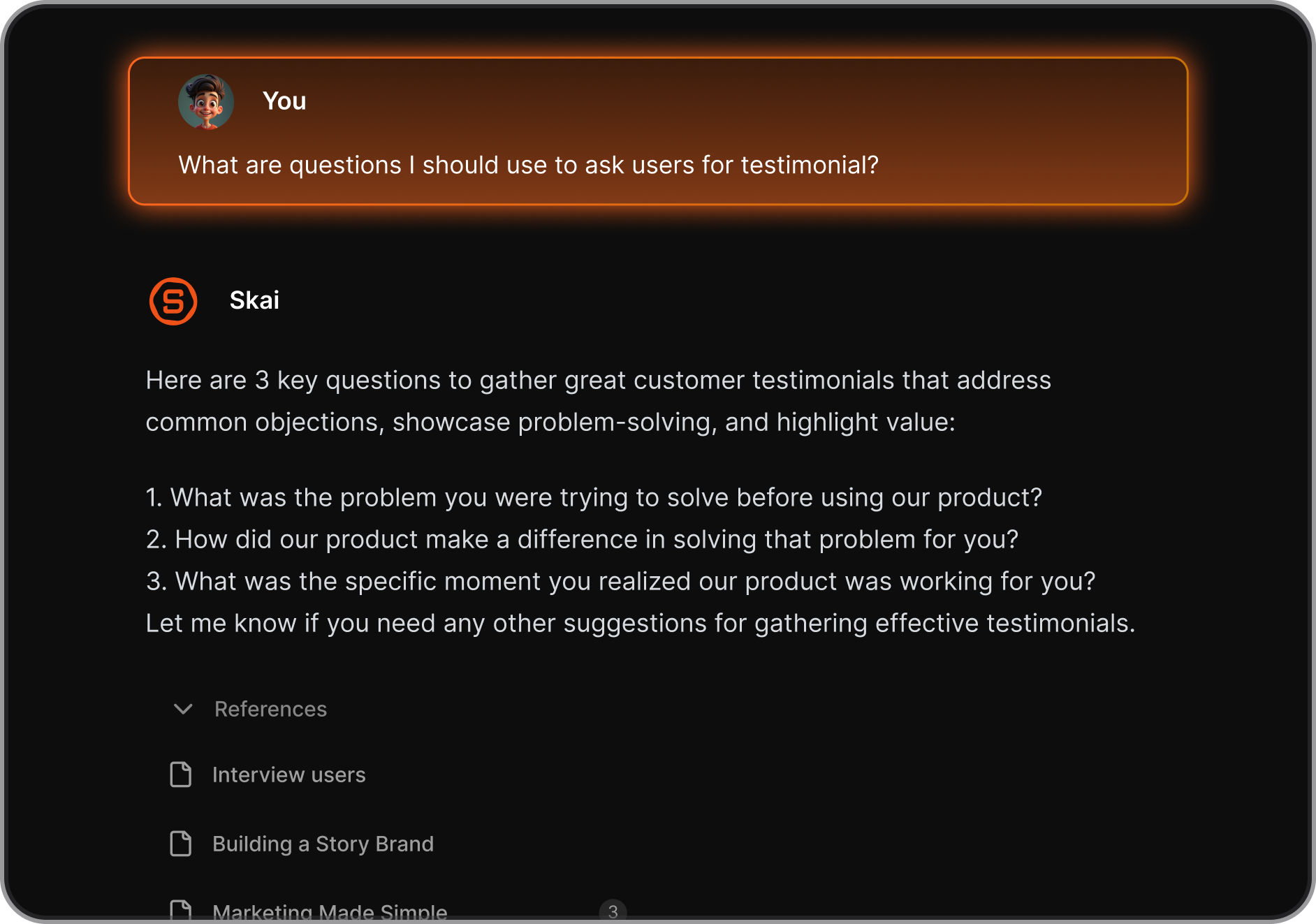
"Saner.AI's semantic search is another highlight. You can ask questions in natural language, and it digs through your notes to find answers, even if you don't remember exact wording. It's like having a librarian who knows your brain." – reviews
- Proactive day planning. Skai automatically give you a schedule each morning based on your notes, tasks, calendar to make sure you are on top of everything.
"Saner.AI automatically organizes notes, tasks, and insights for ADHDers, entrepreneurs, and knowledge workers - and makes the knowledge searchable and actionable through its personal AI assistant, Skai." – reviews
Pros
- Extremely low learning curve. Capture anything, and Skai organizes it. You don't need to build systems or decide on folder structures.
- Very affordable relative to the rest of the tools in this list — free plan available, paid from $8/month.
- Chrome extension for capturing web content directly into your knowledge base without switching apps.
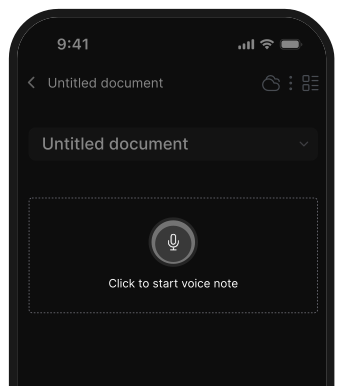
- Voice-to-text capture for fast note-taking on the go.
Cons
- Still a growing product - collaboration features are limited and more functionality is coming.
Pricing
- Free plan available
- Starter: $8/month (billed annually) or $12/month
- Standard: $16/month (billed annually) or $20/month
Reviews
- Saner.ai is newer and has fewer formal reviews than the enterprise tools in this list, but early user feedback focuses on the combination of low friction, strong AI organization, and the ability to actually retrieve context when you need it.
"Saner.AI delivers on much of its promise — capturing information quickly, letting AI sort it, and retrieving it when you need it, all without breaking your flow." – reviews
Who Is It Best For
- Saner.ai fits BD professionals, founders, consultants, partnership managers, and anyone who has too much relationship and market context in their head (or scattered across too many apps).
- It's particularly valuable for people who meet with many different stakeholders and need to stay sharp on each one without spending hours in meeting prep.
How to Get Started
- Start with the free plan at saner.ai.

Stay on top of your work and life
Conclusion
The best AI for business development depends almost entirely on where your biggest friction point is.
- If it's finding the right contacts, Apollo or ZoomInfo solve that. If it's enriching and personalizing at scale, Clay is probably the right bet.
- If it's understanding why deals move and why they don't, Gong is hard to beat. If your team lives in HubSpot, Breeze might be the most seamless path forward.
But here's what most BD tech stacks get wrong: they optimize for reach and volume while ignoring context and memory. You can have 210 million contacts in a database and still walk into a conversation cold. You can run perfect email sequences and forget what you promised on the last call.
That's where tools like Saner.ai earn their place. It's not competing with Apollo or ZoomInfo - it's doing something they don't: capturing and organizing the institutional knowledge your team builds every day, so none of it gets lost.
The strongest BD workflows in 2026 combine a solid data source, a reliable outreach layer, and a system that keeps context alive across every relationship. Building those three elements together is the actual unlock.
Stay on top of your work and life
FAQ about the best AI for business development
1. What is the best AI tool for business development overall?
There's no single best tool - it depends on your team's size and where the friction actually is. Apollo.io is the most versatile starting point for small-to-mid-size teams. ZoomInfo and Gong lead for enterprise needs. For founders and BD professionals who need to organize relationship intelligence, Saner.ai fills a gap the others don't address.
2. Can AI replace a business development rep?
No, and the better framing is: AI handles the parts of BD that don't require human judgment - research, data entry, sequencing, follow-up scheduling - so reps can spend more time on the conversations that actually require a person. The teams winning with AI aren't smaller; they're more productive.
3. What's the difference between a CRM and an AI BD tool?
A CRM stores relationship data. AI BD tools (Apollo, Clay, ZoomInfo) find new relationships, enrich data, and automate outreach. Tools like Gong and Salesloft analyze and orchestrate what happens during those relationships.
Saner.ai captures the knowledge that lives outside formal CRM records. Most mature BD stacks use some combination of all of these.
4. How much should a small team budget for AI BD tools?
A realistic starting budget for a small team (2–5 reps) using Apollo's Pro plan would be roughly $500–$800/month. Adding Clay for enrichment adds $134–$314/month. Enterprise tools like ZoomInfo and Gong are generally out of range for small teams without dedicated RevOps.
5. Is Apollo.io's data accurate enough to rely on?
Apollo's data accuracy averages around 65% overall, with email bounce rates between 15–25%. It's good enough for high-volume outbound where you accept some level of data noise. If you need fresher or more niche coverage, Exa.ai's Websets pulls from the live web rather than a static database. For GDPR-compliant European data specifically, Cognism is a stronger option.
6. Do I need Clay if I already have Apollo.io?
Probably not at first. Apollo's built-in enrichment is sufficient for most small-to-mid-size teams. Clay becomes valuable when you need multi-source enrichment, advanced personalization at scale, or custom workflow logic that Apollo can't handle natively.
7. What's the best AI tool for business development meetings and call prep?
Gong is best for post-call analysis and coaching. Saner.ai is best for pre-call prep - pulling together everything you've captured about an account before you get on the phone.
8. Is Exa.ai worth it for a mid-market company?
Yes, especially if your ICP is niche, fast-moving, or poorly covered by traditional databases. Exa's Websets searches the live web rather than a pre-built contact database, which means it finds recently founded companies, funded startups, and emerging-category businesses that Apollo and similar tools miss.
9. How does Saner.ai help with business development specifically? Saner.ai captures notes from meetings, research, and conversations, then makes all of them searchable and connected using AI.
For BD professionals managing many relationships, it prevents the common problem of forgetting context between touchpoints.
It also surfaces relevant past notes before meetings, connects related information across different accounts, and acts as a personal AI assistant that grows more useful the more you put into it.
Stay on top of your work and life



