
Best AI for Consultants in 2026: 5 Tools That Cover Every Part of Your Work

We've spent the last few months tracking AI tools built for consulting workflows.
I know what a consultant's actual week looks like: juggling three client engagements, drowning in email, rebuilding the same slide structure from memory, and losing 20 minutes every morning just figuring out what to work on. I wrote this guide because the generic "use ChatGPT for everything" advice doesn't hold up when you're billing $300 an hour and your tools are slowing you down.
This is for independent consultants, small consulting firms, and strategy professionals who want AI that earns its place in their workflow, not tools they have to babysit.
Quick answer: What are the best AI for consultants?
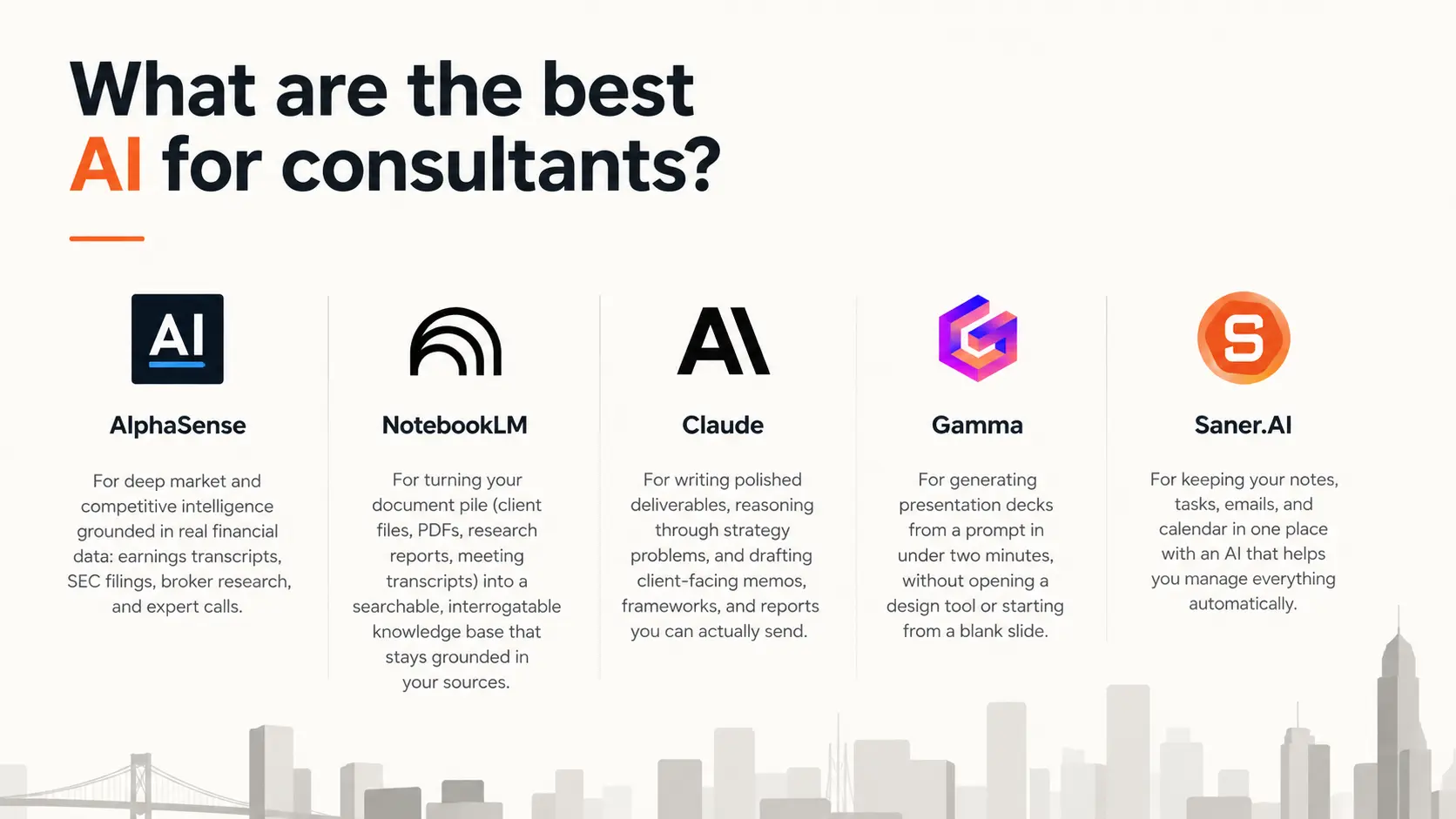
- AlphaSense — for deep market and competitive intelligence grounded in real financial data: earnings transcripts, SEC filings, broker research, and expert calls.
- NotebookLM — for turning your document pile (client files, PDFs, research reports, meeting transcripts) into a searchable, interrogatable knowledge base that stays grounded in your sources.
- Claude — for writing polished deliverables, reasoning through strategy problems, and drafting client-facing memos, frameworks, and reports you can actually send.
- Gamma — for generating presentation decks from a prompt in under two minutes, without opening a design tool or starting from a blank slide.
- Saner.AI — for keeping your notes, tasks, emails, and calendar in one place with an AI that helps you manage everything automatically
Each of these covers one distinct part of how consultants work. None of them overlaps. That's the point.
What is AI for consultants?

"AI for consultants" covers at least five separate functions: market research, document synthesis, deliverable writing, presentation creation, and work organization. Most general-purpose tools do one of those well. A few claim to do all of them. None actually pull it off.
Why does AI matter for consultants?
The time problem is worse than it looks
McKinsey Global Institute research found the average knowledge worker spends 28% of the workweek managing email and nearly 20% searching for internal information. That's 9.3 hours a week, every week, just finding what you need to do your job.
A senior consultant on a typical 50-hour week loses somewhere between 18 and 27 hours to work that surrounds client advisory without being it: post-meeting documentation (3-5 hours), internal sync and coordination (5-7 hours), research and knowledge search (4-6 hours), email and admin (the rest). Source: Floral Insights, February 2026
The AI productivity evidence is real but conditional
The Harvard Business School / BCG study ran 758 consultants through 18 realistic consulting tasks. Those using AI completed 12.2% more tasks, finished 25.1% faster, and produced work rated 40% higher in quality. Those are real numbers from a rigorous randomized trial.
The condition: the gains apply inside what the researchers called the "technological frontier" of what AI is good at. Push it outside that frontier and accuracy drops sharply. Consultants using AI on tasks where it struggled were 19% less likely to produce the correct solution than those without AI at all. Knowing which tool to use for which task is the difference between a 40% quality boost and a confidently wrong deliverable.
How I chose these tools
I tested AI tools for consulting workflows across research, knowledge synthesis, writing, presentation creation, and work organization. To make this list, a tool had to clear five bars:
- Distinct use case — no two tools on this list do the same job. Each covers one specific part of the consulting workflow.
- Real output quality — I evaluated based on what the tools actually produce on consulting tasks, not what the feature page claims.
- Fit with real consulting workflows — tools that slot into how consultants already work (email, calendar, Google Drive, PowerPoint) got preference over tools that demand you rebuild everything around them.
- Pricing transparency — I flagged where pricing is opaque, custom-only, or only justified at high volume.
- User review signal — I cross-referenced G2, Capterra, Trustpilot, Reddit, and Product Hunt to verify the real-world experience matches the marketing.
I evaluated over 30 tools. Five made the cut.
What are the best AI for consultants?
The best AI for consultants are AlphaSense, NotebookLM, Claude, Gamma and Saner.AI
Comparison table
| Tool | What It Does | Best For | Free Plan | Starting Price |
|---|---|---|---|---|
| AlphaSense | Market & competitive intelligence | Strategy, M&A, financial consulting | No (trial only) | Custom (~$12K/yr+) |
| NotebookLM | Document synthesis & knowledge base | Research-heavy engagements | Yes (generous) | Free / $19.99/mo |
| Claude | Writing & structured reasoning | Deliverables, frameworks, strategy memos | Yes (limited) | $20/mo (Pro) |
| Gamma | AI deck builder | Fast client presentation creation | Yes | $8/mo (Plus) |
| Saner.AI | Notes, tasks, email & calendar | Organizing work across engagements | Yes | $8/mo |
1. AlphaSense — The research tool serious consultants actually use
AlphaSense is not a general AI search engine. It's a market intelligence platform that indexes 500M+ documents: SEC filings, earnings call transcripts, broker research, expert interviews, trade journals, and internal firm content. If your consulting work involves M&A, strategy, competitive intelligence, or financial due diligence, this is the tool that replaces three separate subscriptions and a week of manual research.
Key Features:
- AI-powered search across premium sources: Natural language search across filings, earnings transcripts, sell-side research, and expert calls in one query. It understands context, not just keywords, so "what are pharma companies saying about pricing pressure" surfaces relevant passages across thousands of documents.
- Generative Grid: Run a question across a large document set and get a structured table back. Useful for cross-company benchmarking or thematic synthesis across an entire sector.
- Expert Transcript Library (Tegus): 240,000+ expert interviews covering 25,000 public and private companies.
Pros:
- The AI summaries pull cited passages from filings and transcripts so I'm not just getting a summary, I'm getting the source to verify it.
- Having broker research, earnings transcripts, and expert calls in one place means I'm not jumping between Bloomberg, a PDF folder, and a separate expert network subscription.
Cons:
- The price is high. Starting around $12K/year per seat, this is a firm-level purchase, not something an independent consultant buys on their own.
- Search can produce noise.
"It's not always easy to navigate the different sources and set up alerts. And sometimes setting up alerts just results in a lot of noise." reviews
Pricing:
- No free tier. Free trial available on request.
- Custom annual contracts. Median deal: ~$18K/year based on 34 real contracts.
- Range: $12K to $51K per seat per year depending on content packages.
- See pricing details
Best for:
- Strategy and M&A consultants at firms that do frequent competitive or financial research
- Teams that already spend on Bloomberg or FactSet and want AI-native synthesis on top
How to get started:
- Request a demo directly from AlphaSense. They'll walk you through the content packages relevant to your practice area, which matters because what you pay for determines what you get.
2. NotebookLM — Your documents, finally interrogatable
NotebookLM is Google's AI research assistant built on Gemini. You upload your sources, and it becomes an expert on those specific documents. No hallucinations from general training data, only what's in your notebook.
I use it as a way to turn a messy pile of client documents, research PDFs, and industry reports into something I can actually ask questions of. The key feature: it tells you when it can't find something in your sources rather than making something up.
Key Features:
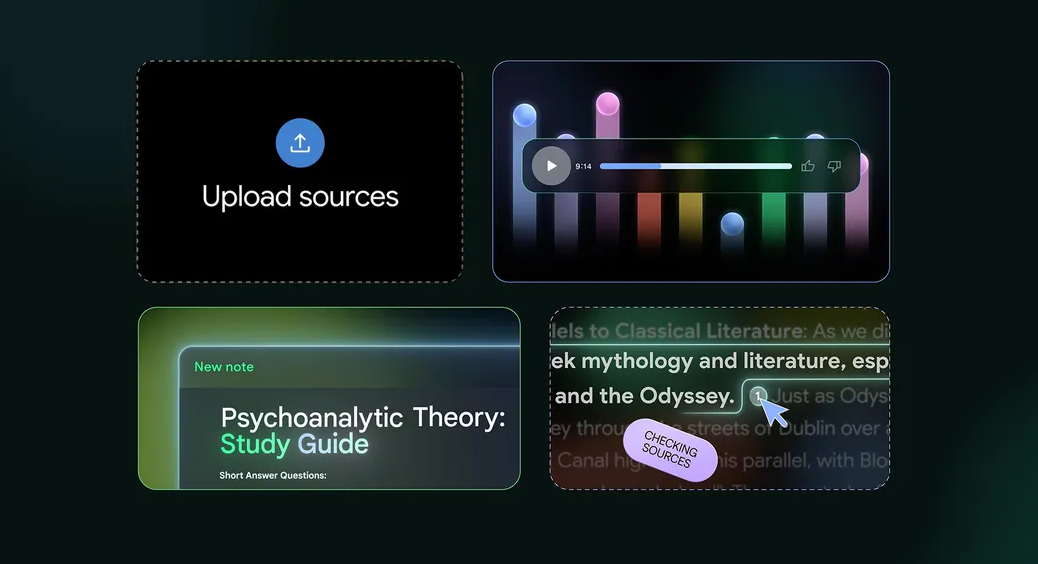
- Source-grounded Q&A: Ask a question, get an answer with numbered citations pointing to the exact source and passage.
- One-click output generation: Turn your uploaded sources into a briefing document, FAQ, timeline, or study guide with one click.
- Audio Overview: Turns your sources into a podcast-style summary. More useful than it sounds for long-haul flights or commutes where you need to absorb a 200-page report.
Pros:
- I can upload a client's annual report, three competitor filings, and a handful of industry articles, then ask "what are the key strategic risks across these companies?" and get a cited answer in seconds.
- It rarely hallucinates. When the answer isn't in the sources, it says so. That matters when the output goes into a client deliverable.
Cons:
- There's no way to push outputs directly to other tools. Everything you want out of NotebookLM is a copy-paste. For teams that need to route findings into a project management tool or CMS, that gets old.
- Source limits per notebook are real on the free tier. For large engagements with dozens of documents, you'll need to split across multiple notebooks or upgrade.
Pricing:
- Free — 100 notebooks, 50 sources per notebook, 50 chats/day. Enough for most individual use.
- Plus (via Google AI Plus) — $7.99/month. 200 notebooks, 100 sources per notebook, notebook sharing.
- Pro (via Google AI Pro) — $19.99/month. 300 sources per notebook, 20 Deep Research reports/day.
- See pricing details
Best for:
- Consultants doing document-heavy research: due diligence, policy analysis, market entry work
- Anyone preparing for a client meeting and needing to synthesize multiple prior reports fast
How to get started:
- Create a notebook, upload your five most relevant documents for an active engagement, and ask it a question you'd normally spend an hour researching.
3. Claude — For writing deliverables you can actually send
Claude is built by Anthropic, and it's the AI I use when I need to produce something a client will read. Not a draft I'll rewrite from scratch, but an actual output I can work from directly.
What makes it different from other general AI tools is the quality of its reasoning on complex, multi-layered problems and its writing. It doesn't sound like an AI wrote it.
Key Features:
- Long-context window: Claude handles up to 200K tokens, which means you can drop in an entire research report, transcript, or document set and ask it to synthesize, critique, or rewrite.
- Structured reasoning: Strong on strategic analysis tasks: SWOT, competitive positioning, scenario planning, framework application.
- Projects: You can build a persistent workspace with documents, instructions, and context that persists across conversations. Useful for ongoing client engagements.
Pros:
- The writing quality is good. I've used Claude to draft client memos and strategy frameworks that required almost no editing.
- It holds context across a long conversation. If I'm working through a strategy problem over two hours, Claude remembers what we established earlier and builds on it without me having to re-explain.
Cons:
- Usage limits on the Pro plan ($20/month). If you're working through a complex research synthesis with large documents, you'll hit the message cap faster than expected.
Pricing:
- Free — Limited daily messages. Good for light use.
- Pro — $20/month. Higher usage limits, access to all Claude models, Projects.
- Max — $100/month or $200/month. For heavy daily use or long agentic sessions.
- Teams — $25/user/month (billed annually). Shared workspaces, admin controls.
- See pricing details
Best for:
- Writing client-facing memos, strategy frameworks, reports, and proposals
- Reasoning through complex problems where you want an AI that pushes back, not just agrees
How to get started:
- Start with a real task from your current client work, not a test prompt. Drop in a research brief or meeting transcript and ask Claude to draft an executive summary or identify the three biggest strategic risks.
4. Gamma — From a prompt to a client deck in two minutes
Gamma turns text or a rough outline into a presentation. It uses a card-based format rather than traditional slides, and the output is shareable via link (or exportable to PowerPoint and PDF). I've used it to produce a first-cut deck for a client debrief in the time it used to take me to open PowerPoint and pick a template.
Key Features:
- AI generation from a prompt: Type a topic or paste a rough outline. Gamma produces a full, structured presentation with text, layouts, and images in under 60 seconds.
- Gamma Agent: Introduced in Gamma 3.0, this researches topics on the web, refines content, and restyles entire decks through a natural language conversation.
- Web-based sharing with analytics: Share presentations via link rather than email attachment. You can see who viewed the deck and how far they scrolled, which is useful for gauging client engagement after a proposal send.
Pros:
- The time savings are real for first-draft decks.
- The card-based format forces better structure than a blank slide. Content ends up more organized by default than most consultants' first-draft PowerPoints.
Cons:
- Exporting to PowerPoint is functional but not clean. This is probably Gamma's biggest weakness for consulting work.
- The credit system can catch you off guard. Creating a deck costs 40 credits. Every edit costs more. If you're the type who does 10+ rounds of revisions per deck, the credit burn adds up on lower-tier plans.
Pricing:
- Free — ~400 AI credits (roughly 10 full presentations). "Made with Gamma" branding on all decks.
- Plus — $8/month. More credits, PDF export, basic brand kit.
- Pro — $15–18/month. Custom fonts, password protection, up to 10 custom domains, detailed analytics, API access.
- Business — $40/seat/year. Team workspace, SSO, admin controls.
- See pricing details
Best for:
- First-draft client presentations, kickoff decks, and proposal visuals
- Consultants who spend too much time in PowerPoint doing work a designer would do
How to get started:
- Go to gamma.app, start a free account, and pick a real deck you need to build this week. Type a one-paragraph brief of the topic and what the audience needs to know.
5. Saner.AI — The one that keeps everything else from falling apart
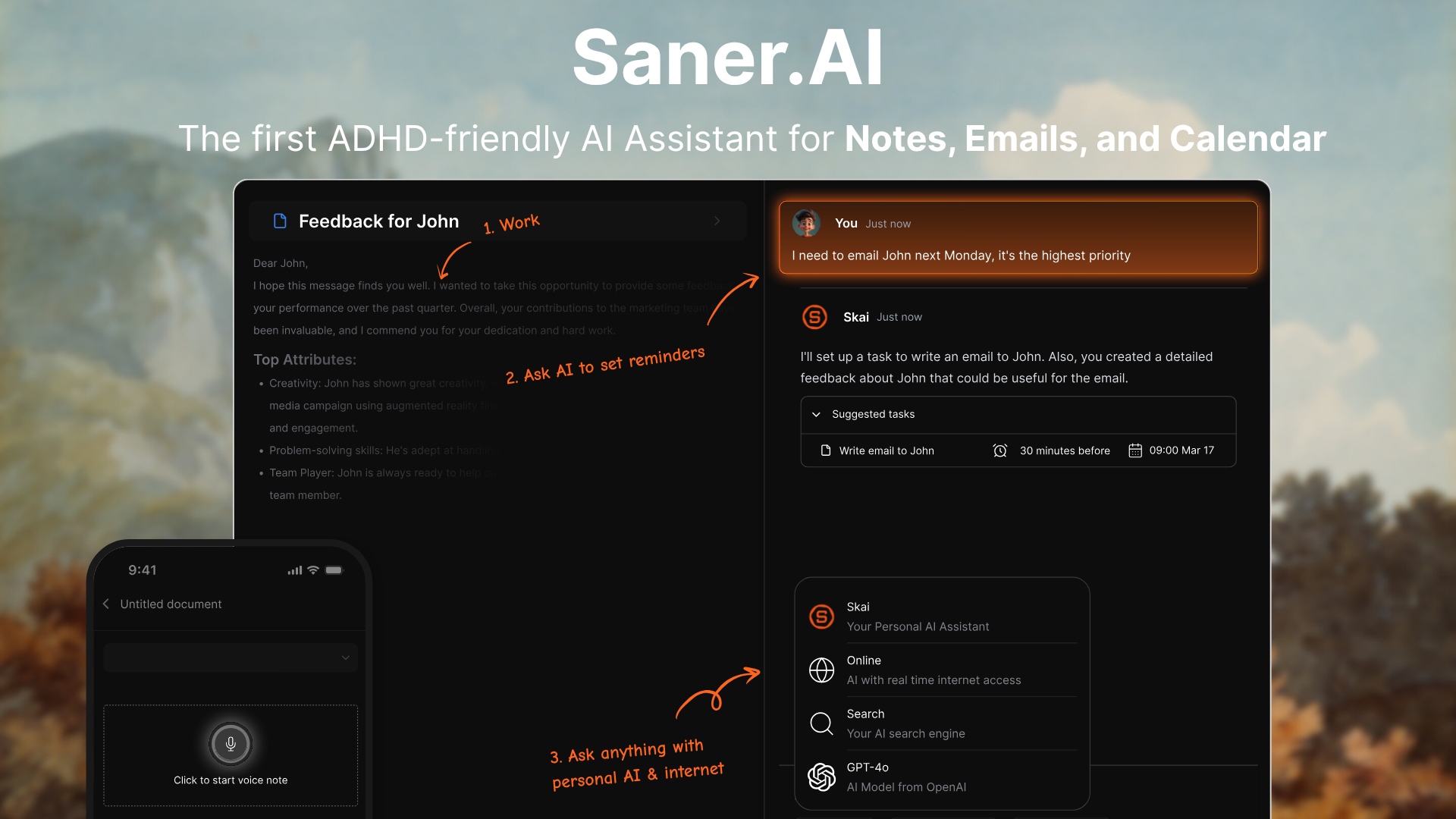
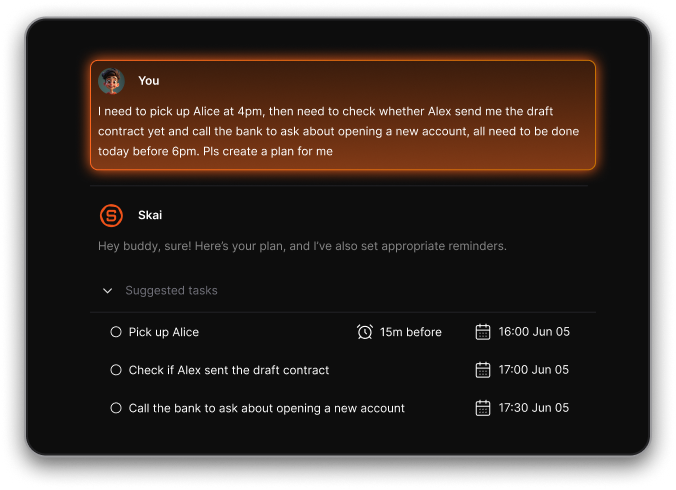
Saner.AI is an AI productivity workspace that connects your notes, tasks, emails, and calendar in one place. Its AI assistant, Skai, reads across all of them and builds your daily plan automatically each morning.
I want to be specific about why this belongs on a list for consultants: it's not just a task manager. It's the connective layer. Research findings, meeting follow-ups, client emails with buried action items, voice notes from your commute, calendar conflicts across three engagements. Saner.AI pulls all of that together so you don't spend the first hour of every morning figuring out what to do.
Key Features:
- Proactive daily planning: Every morning, Skai scans your tasks, emails, calendar, and notes, then builds a suggested day plan. You review, adjust, and start. No more staring at a task list trying to prioritize under time pressure.
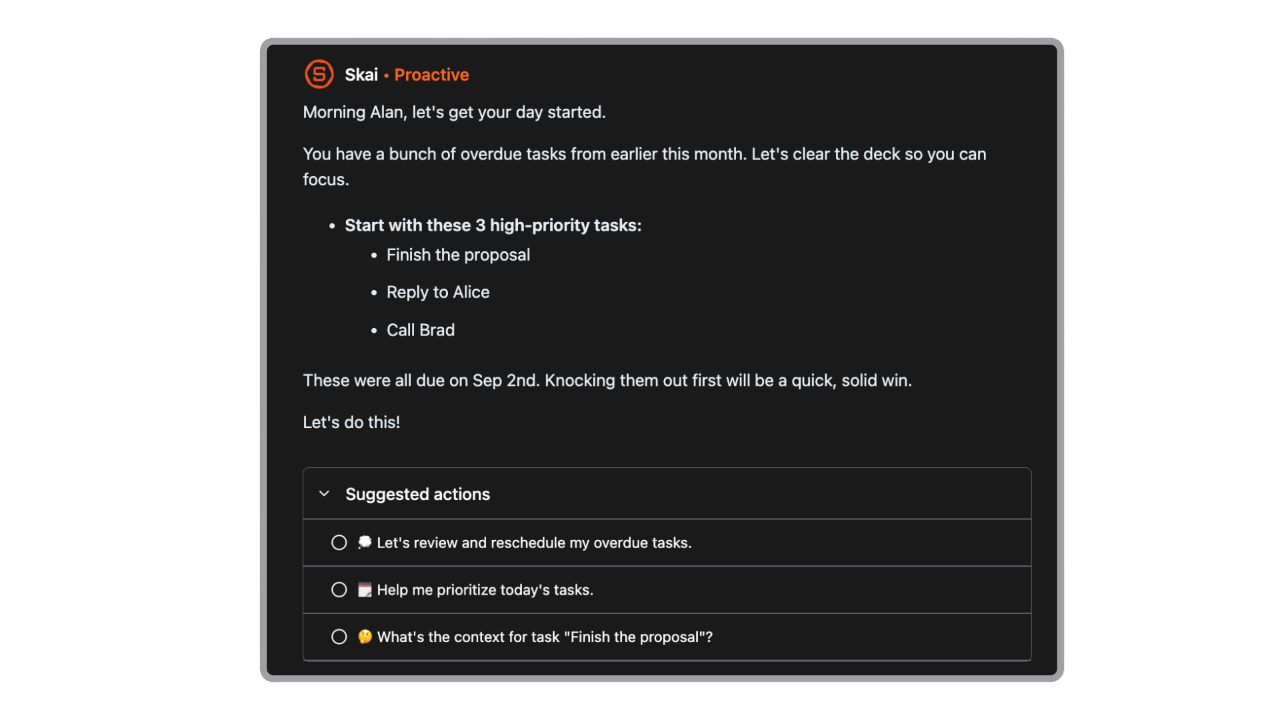
- Email-to-task extraction: Sync important email threads and Skai surfaces the action items buried in them as tasks. This is what replaces the "I need to remember to follow up on that" mental overhead.
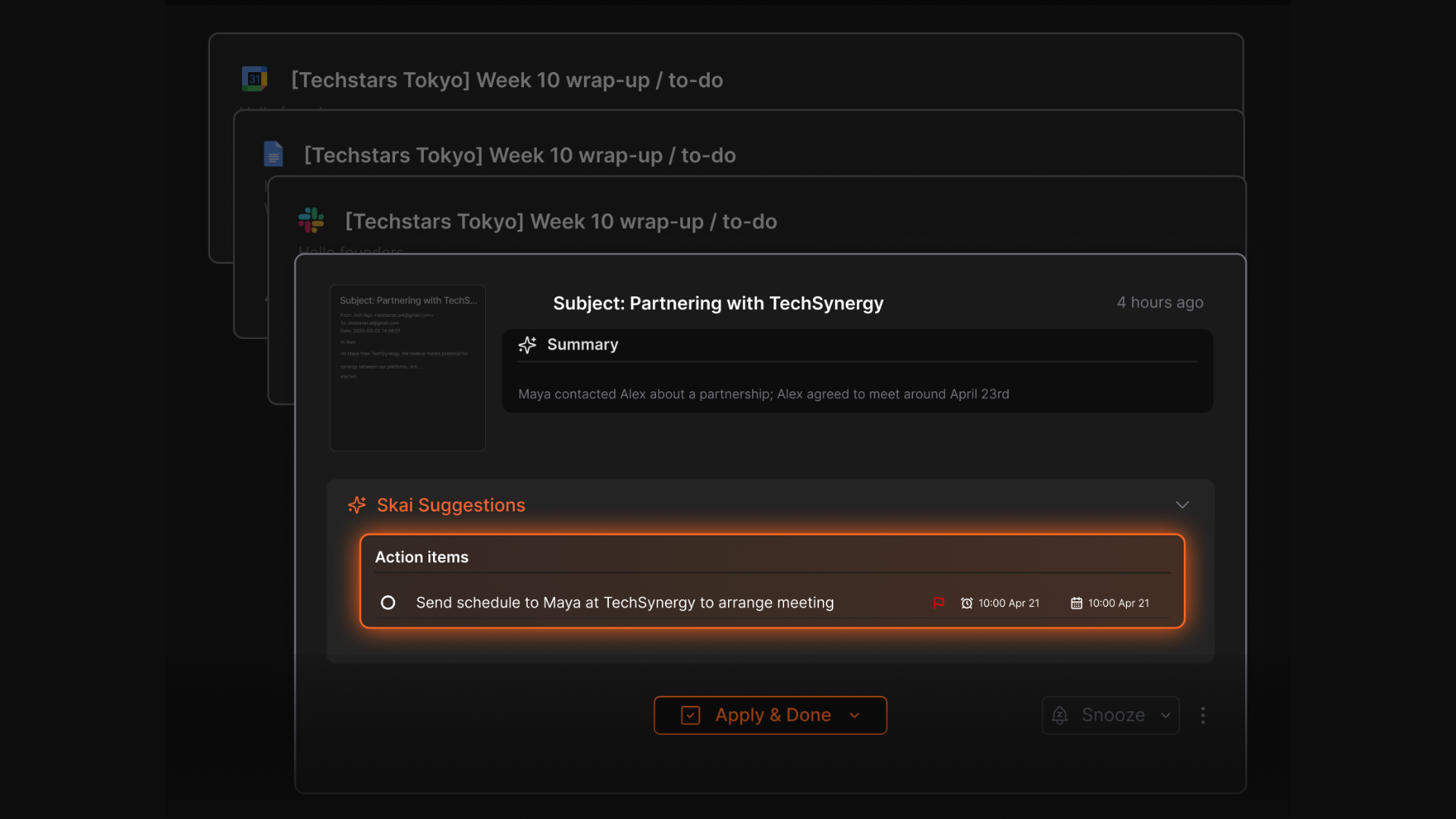
- Brain dump parsing: Drop a voice note, a rant, or a block of raw text into the timeline. Skai pulls out the tasks and organizes them. For consultants who think out loud between meetings, this is the feature that actually gets used.
Pros:
- Managing multiple client calendars is where Saner.AI earns its place. Having everything, tasks, emails, meetings, and notes in one view instead of four different apps removes overhead
- The proactive planning actually works. Unlike most productivity tools, where you're still making all the decisions yourself, Saner wakes up before you do and has a starting point ready.
Cons:
- If you're looking for shared team workspaces or collaborative project tracking across a consulting firm, this isn't it yet. Team features are on the roadmap but not available yet.
Pricing:
- Free — Core features: notes, tasks, basic email sync, daily planning.
- Starter — $8/month. Full email and calendar integration, AI task extraction, voice notes.
- Standard — $16/month. Advanced AI features, priority support, higher usage limits.
- See pricing details
Best for:
- Consultants managing three or more concurrent client engagements
- Anyone who starts their day not knowing what to work on first
How to get started:
- Connect your Google or Outlook calendar first, then sync one email account. On day one, use the brain dump: drop your current project list and outstanding action items in as a voice note or plain text. Skai will organize it. By day three, the morning plan starts to feel like an actual assistant briefing rather than a to-do list.
Conclusion
The mistake most consultants make isn't picking the wrong tool. It's picking one tool and expecting it to cover everything.
Each tool on this list exists because a specific part of consulting work resists being done well by a general-purpose AI.
- AlphaSense for when your research has to be airtight and sourced.
- NotebookLM for when you're buried in client documents and need to find answers without hallucination risk.
- Claude for when the deliverable has to read like it was written by a person, not a machine.
- Gamma for when you need a working deck today, not tomorrow.
- Saner.AI for keeping all of it from falling through the cracks across multiple engagements.
If I had to pick one starting point for a consultant who isn't using any of these yet: start with Saner.AI and Claude. Both have free tiers worth actually testing, and together they cover the two biggest time leaks in most consulting weeks, work organization and writing. Add the others as your specific workflow demands them.
Pick the tool that fits the job you're slowest at. That's where you'll feel the difference first.

Stay on top of your work and life
FAQ on AI for consultants
What is the best AI tool for consultants in 2026?
There's no single best tool because consulting work covers too many different jobs. For market and competitive research, AlphaSense. For synthesizing client documents, NotebookLM. For writing deliverables, Claude. For building presentations fast, Gamma. For staying organized across engagements, Saner.AI. The consultants getting the most out of AI in 2026 are using two or three of these together, not one tool for everything.
Will AI replace consultants?
No. AI is replacing specific tasks within consulting, not the consulting role itself. Research compilation, document summarization, first-draft writing, and slide formatting are all getting faster with AI. The work that stays human: strategic judgement, client relationships, reading a room, and making recommendations that account for political context AI can't access.
What's the difference between AlphaSense and NotebookLM?
AlphaSense searches external sources: earnings transcripts, SEC filings, broker research, expert calls, and industry publications from a 500M+ document database. NotebookLM only works with sources you upload yourself. If you need to research a market or a company from the outside, AlphaSense is the right tool. If you need to synthesize a stack of documents you already have, NotebookLM is faster and free.
Is Claude better than ChatGPT for consulting work?
For writing quality and structured reasoning on complex problems, yes. Claude consistently produces output that requires less editing, holds context better across long conversations, and handles nuanced strategic analysis more reliably than ChatGPT. ChatGPT has a broader feature set (image generation, more integrations, a larger plugin ecosystem). If your primary use is producing polished written deliverables and thinking through strategy, Claude is the stronger choice.
Can I use NotebookLM for confidential client documents?
With caveats. Google's official policy states that NotebookLM does not use uploaded content to train AI models, and data is not accessed by human reviewers without explicit opt-in. For most consulting research and internal analysis, this is acceptable. For documents covered by NDAs, client data agreements, or regulated industries (financial services, healthcare, government), check with your compliance team before uploading. The Enterprise tier via Google Workspace offers stronger controls including audit trails and data residency options.
Is AlphaSense worth it for independent consultants?
Probably not on a per-seat basis. Contracts start around $12K/year per seat, which is hard to justify unless you're doing daily deep research on earnings, filings, and expert transcripts. Independent consultants doing occasional competitive research get more value out of free or low-cost tools like NotebookLM, Perplexity, or Claude. AlphaSense earns its price for consulting firms and teams where institutional-grade research is a core deliverable.
Is there a free AI tool consultants can start with today?
Yes. NotebookLM is free with a Google account and handles document synthesis well. Claude's free tier gives you access to a strong writing and reasoning assistant with daily limits. Saner.AI has a free tier covering core task and note management. Gamma's free plan includes enough AI credits to generate roughly 10 full presentations.
Can Gamma replace PowerPoint for consulting work?
For creating new decks, Gamma is faster and the output quality is good enough for most client-facing work. For iterating on existing PowerPoint files, no. Gamma requires you to work in its own environment and export back to PowerPoint, which creates formatting issues on complex slides. Consulting firms that receive client feedback in PowerPoint and need to revise in the same file will find Gamma's export-then-fix workflow adds friction. It's a starting point tool, not a revision tool.
How much does AI for consulting cost in 2026?
Depends on which tools and how intensively you use them. The tools on this list range from free to enterprise-level. A practical monthly budget for an independent consultant running Claude Pro ($20), NotebookLM Plus ($20), Gamma Pro ($15–18), and Saner.AI Starter ($8) comes to around $63–66/month. AlphaSense starts at roughly $1,000/month per seat when annualized. Most consultants get meaningful value from the sub-$100/month tools before needing to evaluate AlphaSense.
What should I look for when choosing an AI tool for consulting?
Two things: does it fit the specific job, and does it work with sources you can actually verify? General-purpose AI is useful, but the quality drop-off on niche consulting tasks (sector-specific research, financial analysis, regulatory content) is real. Tools that cite their sources (AlphaSense, NotebookLM) reduce the risk of putting the wrong number in a client deck. Tools that don't (most general chatbots) require you to verify everything before it leaves your desk. Match the tool to the task, and always verify before the client sees it.
Stay on top of your work and life