
Best AI tools for directors and managers in 2026
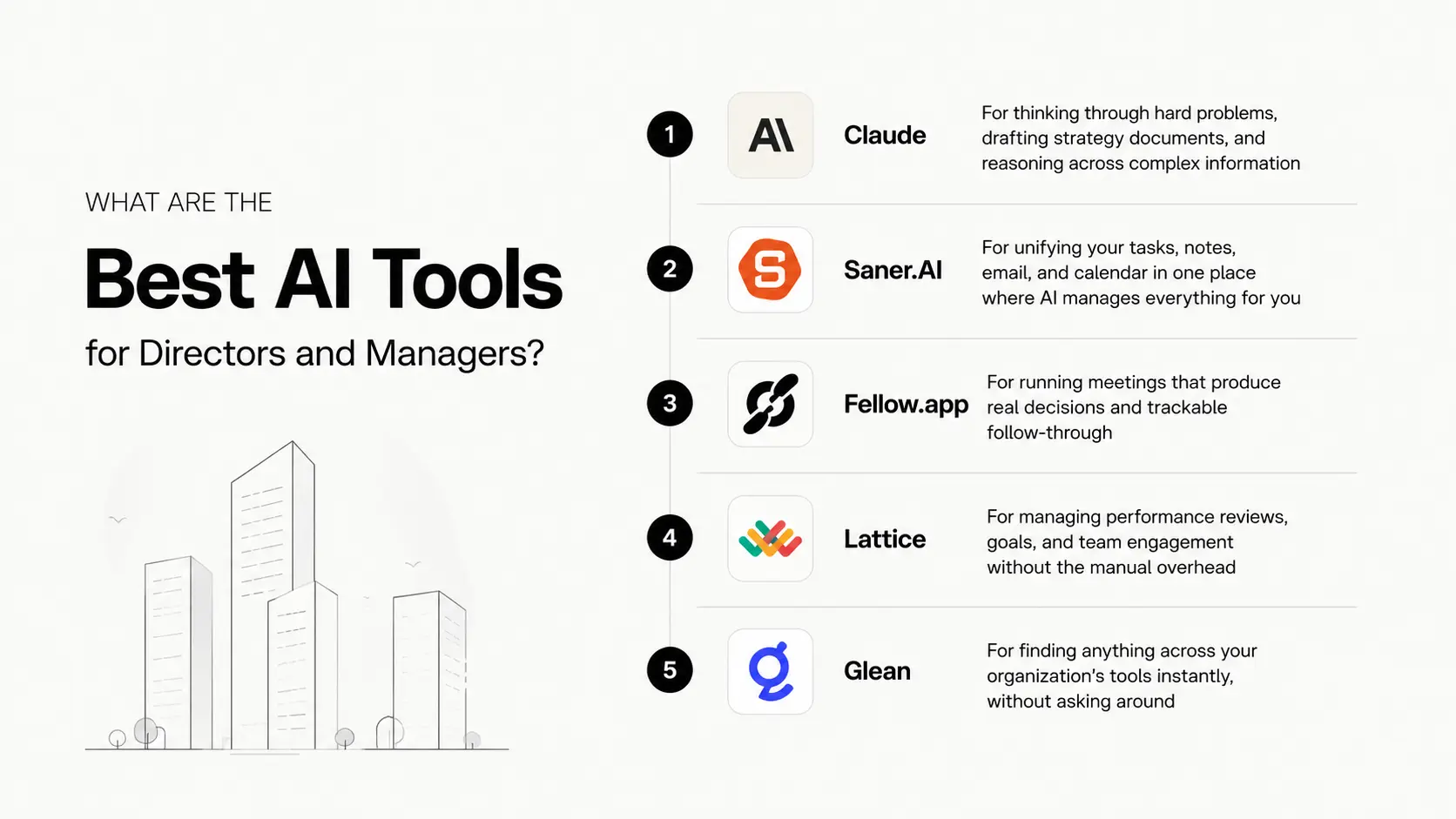
Best AI tools for directors and managers in 2026 are Claude, Saner.AI, Fellow.app, Lattie, and Glean

I've talked to a lot of managers over the past few years. Almost all of them describe the same thing: they're constantly busy but rarely feel like they've done anything that mattered. Their calendar is full, their inbox never empties, and by Friday, they've spent most of the week in meetings and catching up on messages, with almost no time left for the work that actually requires their judgment.
At Saner.ai, we build productivity tools for knowledge workers. That means I've spent a lot of time studying what actually breaks down in a manager's week — not the polished version they give to their skip-level, but the real one. This list reflects that. No general-purpose AI assistants. No vague productivity platforms.
This guide is for middle managers, department directors, VPs, and team leads. If you manage people, make decisions, and are somehow expected to also do deep thinking in between, this was written for you.
And this is a review from someone connected to one of the products, so please read it with that context.
Quick answer: What are the Best AI tools for directors and managers?
- Claude — for thinking through hard problems, drafting strategy documents, and reasoning across complex information
- Saner.AI — for unifying your tasks, notes, email, and calendar in one place where AI manages everything for you
- Fellow.app — for running meetings that produce real decisions and trackable follow-through
- Lattice — for managing performance reviews, goals, and team engagement without the manual overhead
- Glean — for finding anything across your organization's tools instantly, without asking around
What is AI for managers and directors?

A general AI assistant responds to prompts. It waits. You ask, it answers. A manager-specific AI tool does something different: it either works with the context of your actual job — your calendar, email threads, team goals, meeting history — or it specializes deeply in one part of leadership that broad tools can't reach. Performance cycles. Meeting accountability. Cross-team knowledge search. These are not things a general chatbot handles well.
How I chose these tools
I looked at more than 40 tools before narrowing this to five. Each one had to solve a specific, named problem that directors and managers face in a real workweek. I cut anything too general, anything already built into tools most people have, and anything more useful to a team than to the person managing it.
Here's what I evaluated each tool on:
- Manager-specific value — does it solve a problem that's unique to people who lead teams, or is it a generic productivity feature with a different label?
- AI depth — is the AI working with real context, or is it a search bar with a language model attached?
- Speed to useful — how fast does it surface something actionable without manual configuration?
- Integration fit — does it connect with tools your team already uses, or does it ask you to replace half your stack?
- Honest tradeoffs — the best specialized tools know what they don't do well. That matters.
- User signal — I weighted verified reviews from G2, Capterra, and Product Hunt more heavily than press coverage or demo performance.
Best AI Tools for Managers and Directors breakdowns
Comparison table
| Tool | Best for | Starting price | Standout feature |
|---|---|---|---|
| Claude | Strategic thinking, writing, and complex reasoning | Free / $20/mo (Pro) | Reasons across long documents and multiple constraints at once |
| Saner.ai | Unified tasks, notes, email, and calendar management | Free / from $8/mo | AI assistant Skai auto-extracts action items from email, notes, and documents |
| Fellow.app | Meeting governance and cross-meeting accountability | Free / from $7/seat/mo | Full meeting lifecycle with Ask Fellow cross-meeting AI search |
| Lattice | Performance reviews, OKRs, and team engagement | From $11/user/mo | AI-drafted review narratives + cascading OKR visibility |
| Glean | Enterprise knowledge search across all tools | Custom (enterprise) | Searches Slack, email, Drive, and Jira simultaneously in one query |
1. Claude — the thinking layer
Claude is where I go when I need to reason through something hard. Actually, work through a decision, a difficult message, or a problem I'd otherwise schedule a meeting to figure out. What separates Claude from other AI assistants is how well it holds context across long, complex inputs.
Key features
- Extended context window: processes very long documents without losing the thread. I've fed it entire project post-mortems and multi-stakeholder email chains, and it stays coherent throughout.
- Projects: saves context across conversations, so I don't have to re-explain a running initiative every time I open a new chat. I keep a separate project for each major program I'm managing.
Pros
- I use Claude to draft the communications I'd normally spend an hour on — strategic memos, pushback to leadership, difficult feedback. It gets the tone right on the first pass more consistently than anything else I've used.
"I've found it particularly useful when working through complex business topics or organizing large amounts of information into concise, actionable insights." — Capterra reviews
- It acknowledges uncertainty instead of making things up. When I'm synthesizing something sensitive, that matters.
"It hallucinates less than other models I've used, reasons carefully, and asks clarifying questions when something is ambiguous." — G2 reviews
Cons
- The Pro tier usage limits are real. If I'm doing heavy document analysis across multiple sessions in a day, I hit a ceiling faster than I'd like.
"The usage limits have become unsustainable. I run out of credits far too often on the Pro tier." — G2 reviews
- It doesn't connect to live data by default. For anything time-sensitive, I have to paste in the current documents myself.
Pricing
- Free — limited daily usage, access to Claude Sonnet
- Pro — $20/mo — higher limits, Projects, priority access to newer models
- Team — $25/user/mo — shared Projects, admin controls, higher rate limits
- Enterprise — custom — SSO, audit logs, compliance, dedicated context
See full pricing at anthropic.com/pricing
Best for
- Directors who spend significant time writing strategy documents, board materials, and performance reviews
- Any manager who needs to think through complex problems and communicate decisions clearly
How to get started
- Bring a real problem you're sitting on right now, not a test prompt. Give Claude the full context: the background, the constraints, what you've already tried. Use Projects from day one rather than one-off chats.
2. Saner.ai — the daily operations hub
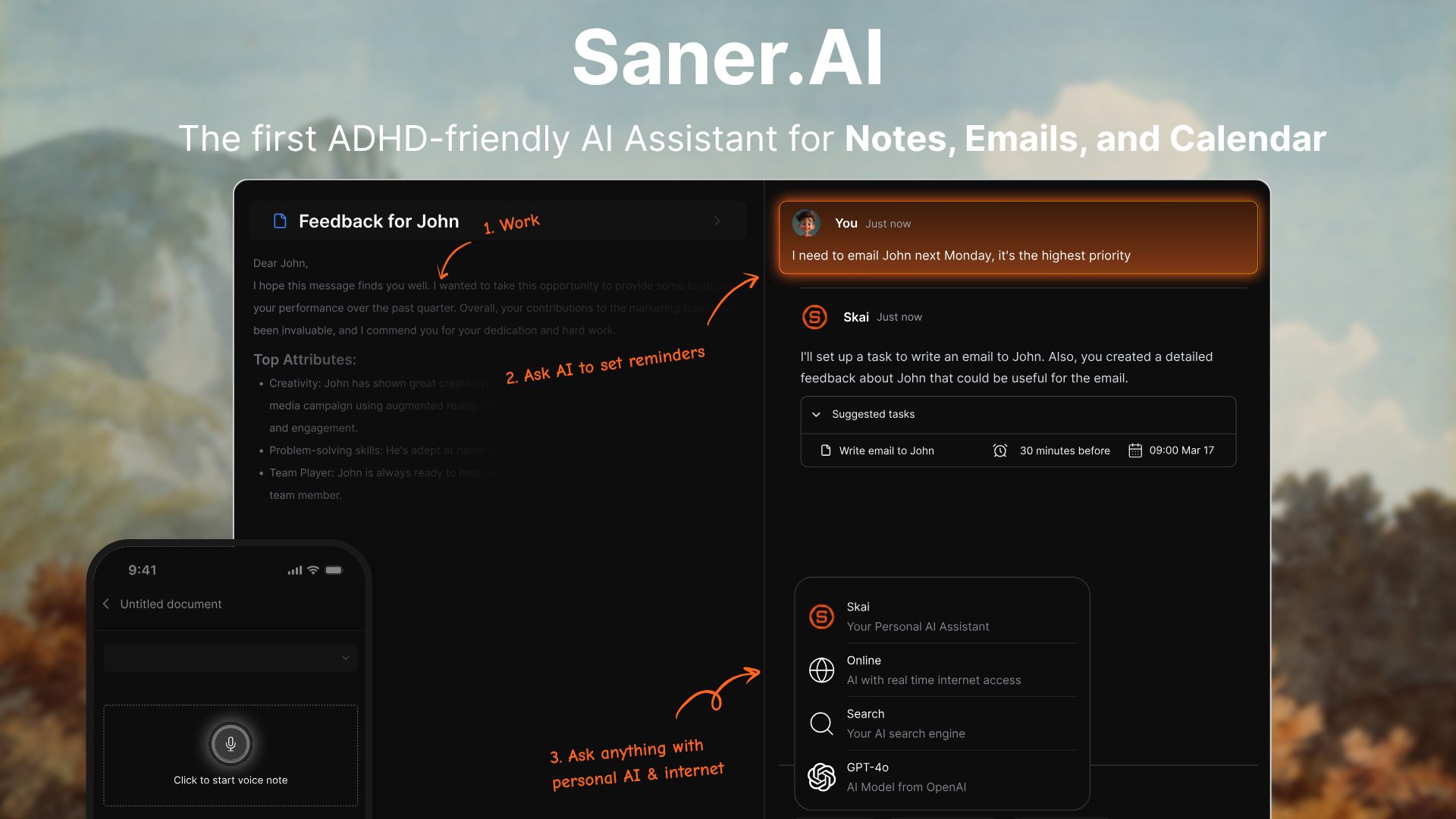
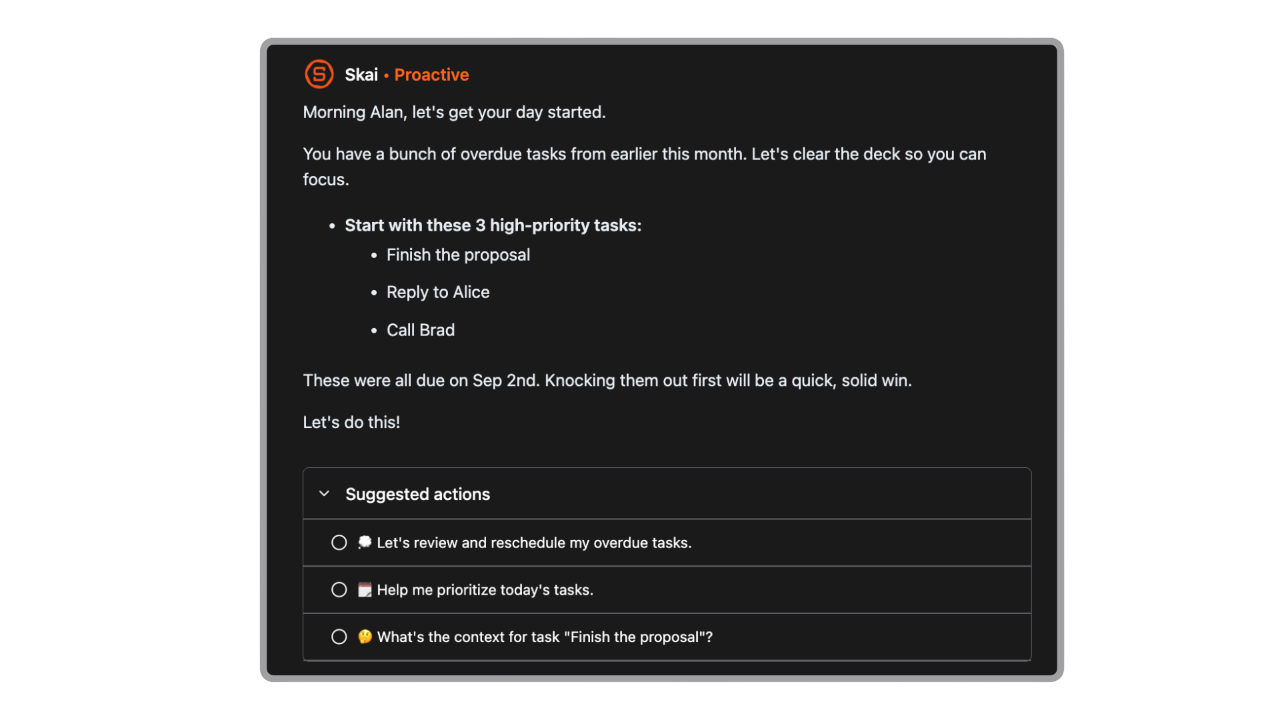
My tasks live in my inbox. My notes are in three different apps. My calendar and to-do list have never communicated. That's the problem Saner.ai solves, and it does it with an AI assistant called Skai that reads across email, notes, documents, and your calendar and tells you what actually needs action - without you having to prompt it each time.
For managers processing high volumes of communication across multiple apps, the constant toggling between tools is the real productivity drain. Saner.ai collapses that into a single workspace. I write notes the way I think, and Skai organizes them. I get emails with tasks buried in long threads, and Skai extracts them. I check one place in the morning instead of five.
Key features
- Skai AI assistant: automatically reads incoming emails, notes, and documents and surfaces what needs action. I can ask it in plain language — "what did Sarah send me about the budget revision?" — and it pulls the answer regardless of which app the information lives in.
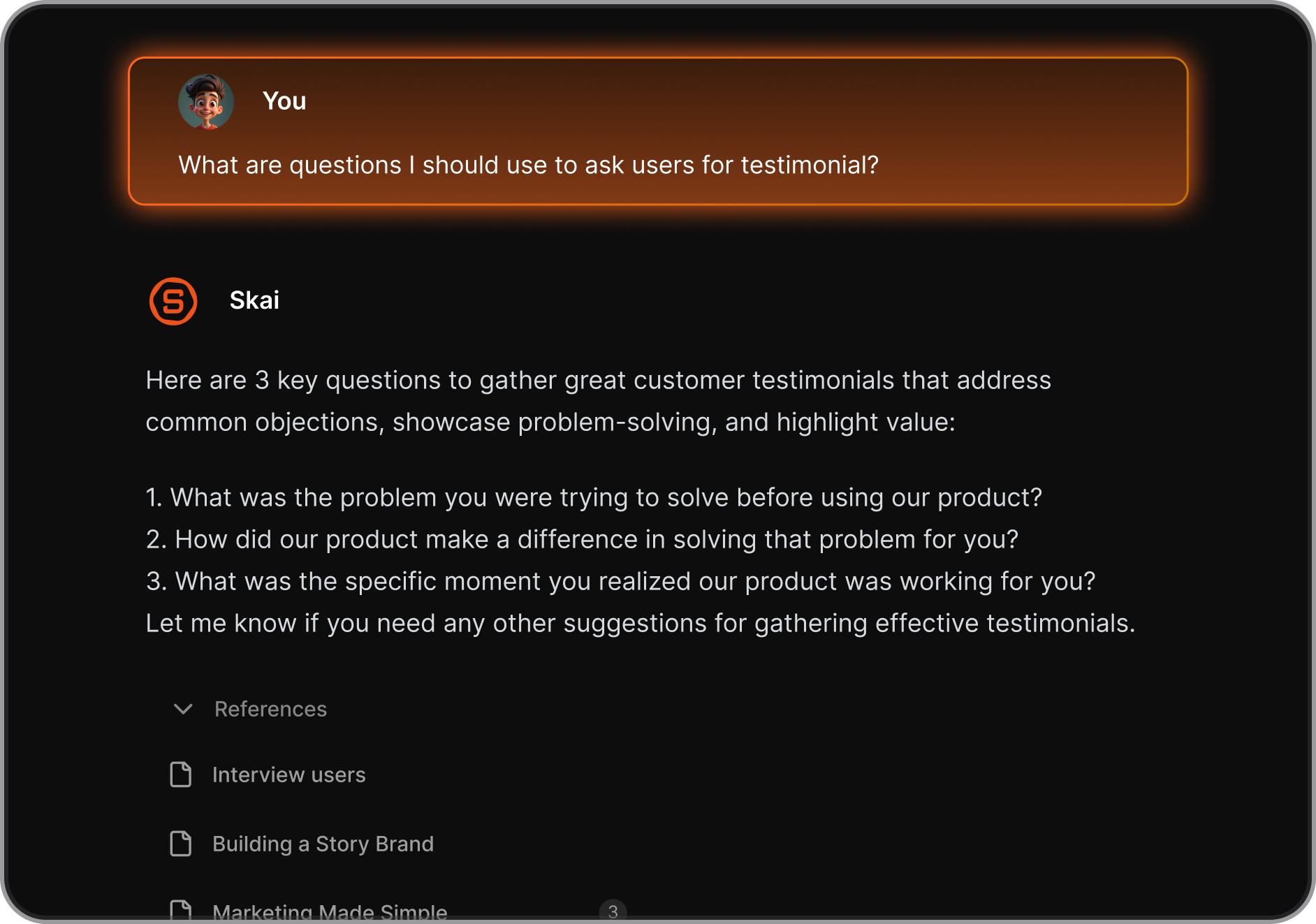
- Unified workspace: email, notes, and tasks in one interface. The friction of switching contexts between apps is largely gone.
- Smart daily planning: scans your inbox, notes, and calendar and builds a suggested plan for the day. I don't build my task list manually anymore.
Pros
- The thing that actually changed my workflow is how connected everything is. A note from a meeting links to the relevant email thread and the task it created. I stopped losing context between conversations.
- The semantic search is what makes it worth using for long-term knowledge capture. I can search my own notes in plain language years later and find things I'd completely forgotten writing.
Cons
- Integration depth is still growing. If your team lives in a very specific tool stack, it's worth checking what's currently supported before committing.
Pricing
- Free — core notes, tasks, and Skai search
- Starter — from $8/mo — expanded AI, more integrations, full task management
See current plans at saner.ai
Best for
- Knowledge workers and managers dealing with high email volume, scattered notes, and too many apps open at once
- Anyone who wants one AI-connected workspace for capturing, organizing, and acting on information
How to get started
- Connect your Gmail or Outlook first, then start capturing everything in Saner.ai for one week instead of your usual mix of apps. The AI gets meaningfully better as it builds context on how you work.

Stay on top of your work and life
3. Fellow.app — meetings that produce something
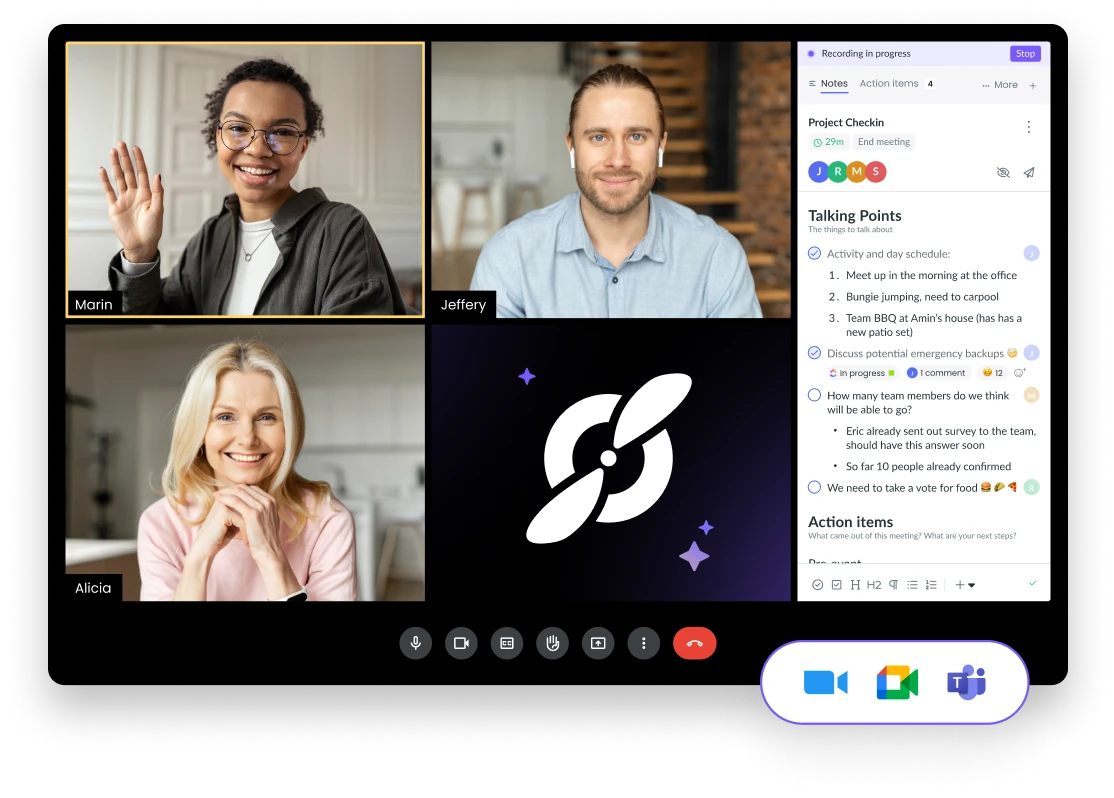
I used to walk out of 1:1s with a page of notes I'd never look at again. Action items scattered across a doc, a Slack thread, and my memory. Fellow ended that. It manages the entire meeting — shared agenda before, AI notes during, action items tracked after — and it connects everything through one interface that your whole team uses.
The feature that keeps me on it is Ask Fellow. It's a natural language search across your full meeting history. When a direct report asks me to remind them what we decided about their promotion in March, I have the answer in seconds.
Key features
- Collaborative agendas: team members add talking points before the meeting, so no one shows up unprepared and the first five minutes of every call aren't spent figuring out why you're there.
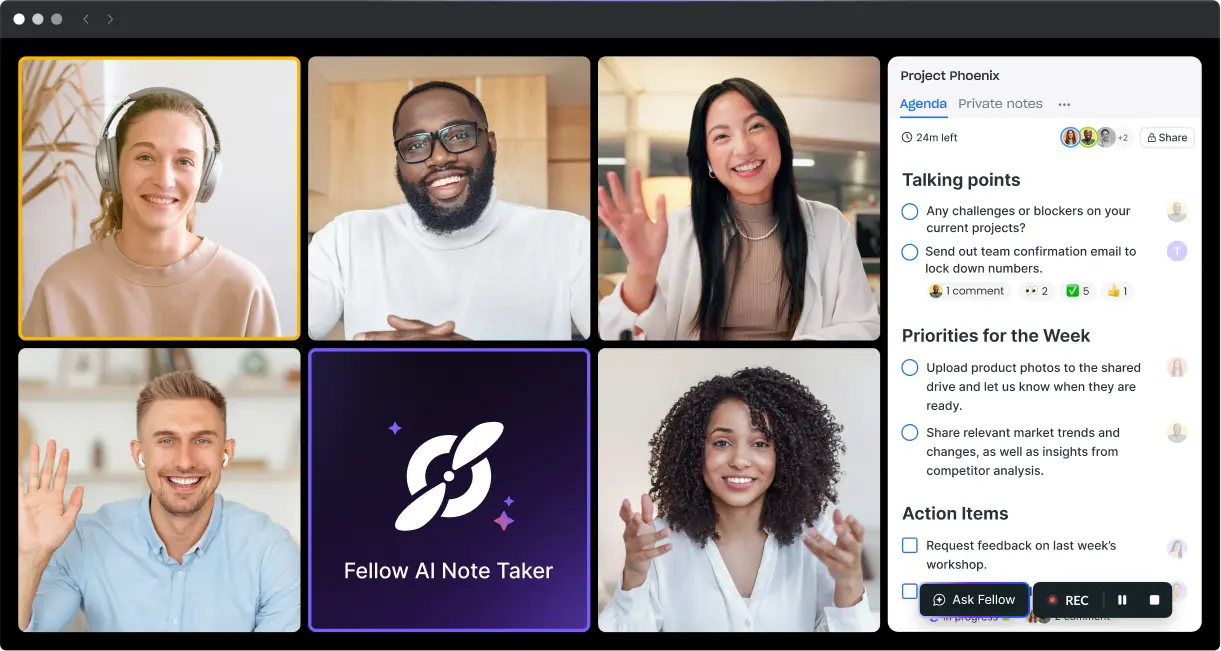
- AI notes and action items: Fellow joins the call, transcribes at around 95% accuracy, produces a structured summary, and assigns action items automatically. My job post-meeting is to review and send, not write.
- Ask Fellow: queries your full meeting history in natural language. I use this at least twice a week to retrieve decisions, commitments, or context from past calls.
Pros
- Nothing falls through the cracks anymore. Action items are assigned in the meeting, pushed to Slack or Asana, and stay visible until someone closes them.
- The 1:1 templates mean my regular manager-report conversations have actual structure, and over time they become a useful record of what was discussed, decided, and followed through on.
Cons
- The free plan is too limited for serious use.
- The interface has a learning curve. It took me a few weeks to feel comfortable with how templates and streams connect.
Pricing
- Free — basic agendas and notes, minimal AI features
- Teams — $7/seat/mo — AI notes, transcription, recording, action items
- Business — $15/seat/mo — unlimited AI, advanced integrations, analytics
- Solo — $19/mo — for individual managers or consultants
See full pricing at fellow.ai/pricing
Best for
- Managers running frequent team meetings, 1:1s, and recurring reviews who want accountability without chasing people
- Teams in regulated industries — Fellow is SOC 2, HIPAA, and GDPR compliant
How to get started
- Connect your calendar and start with one meeting type — 1:1s work best as a first test. Set up the template, run one cycle, and check whether action items from that meeting are tracked and closed before the next one.
4. Lattice — the performance management layer
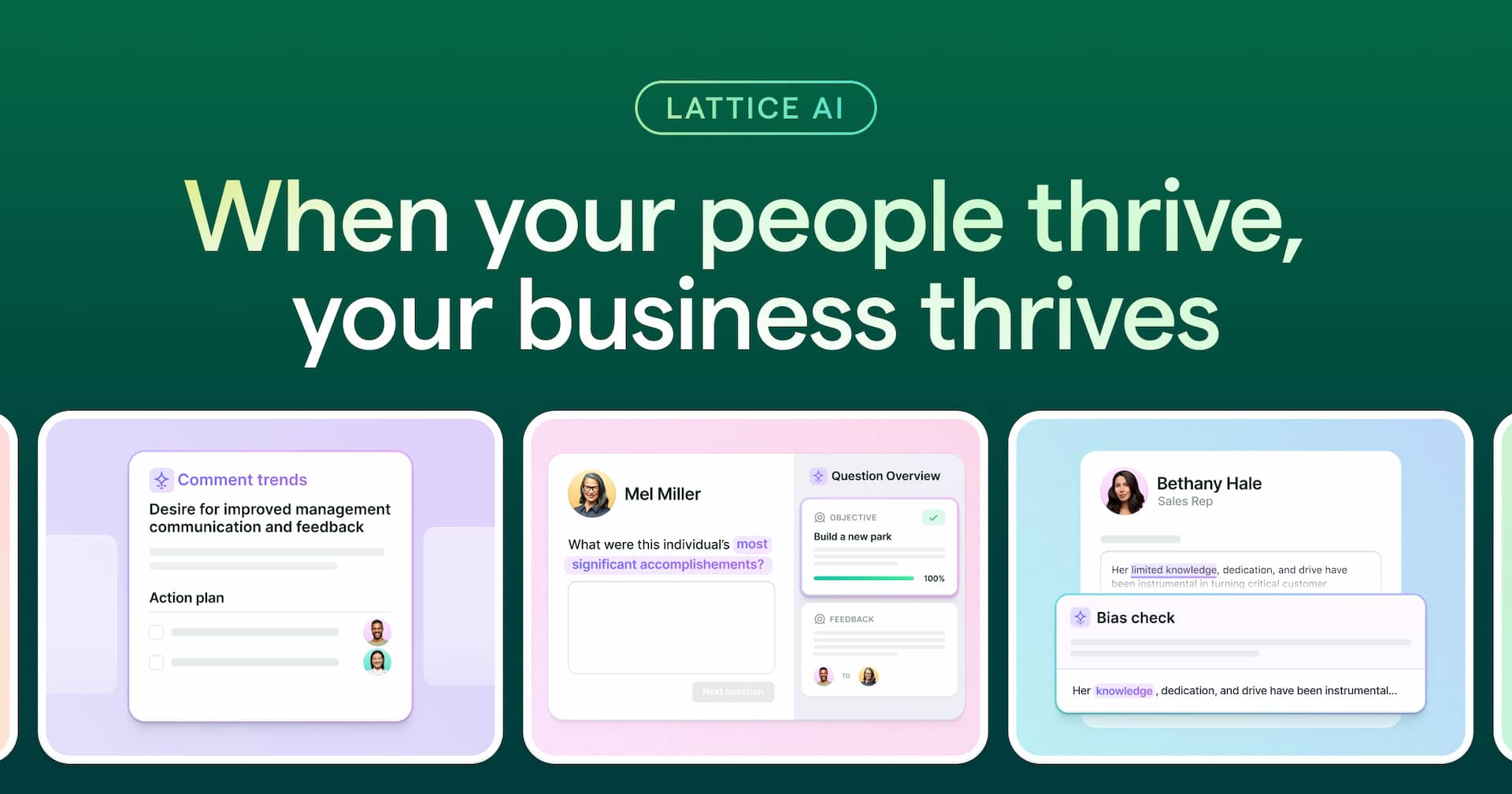
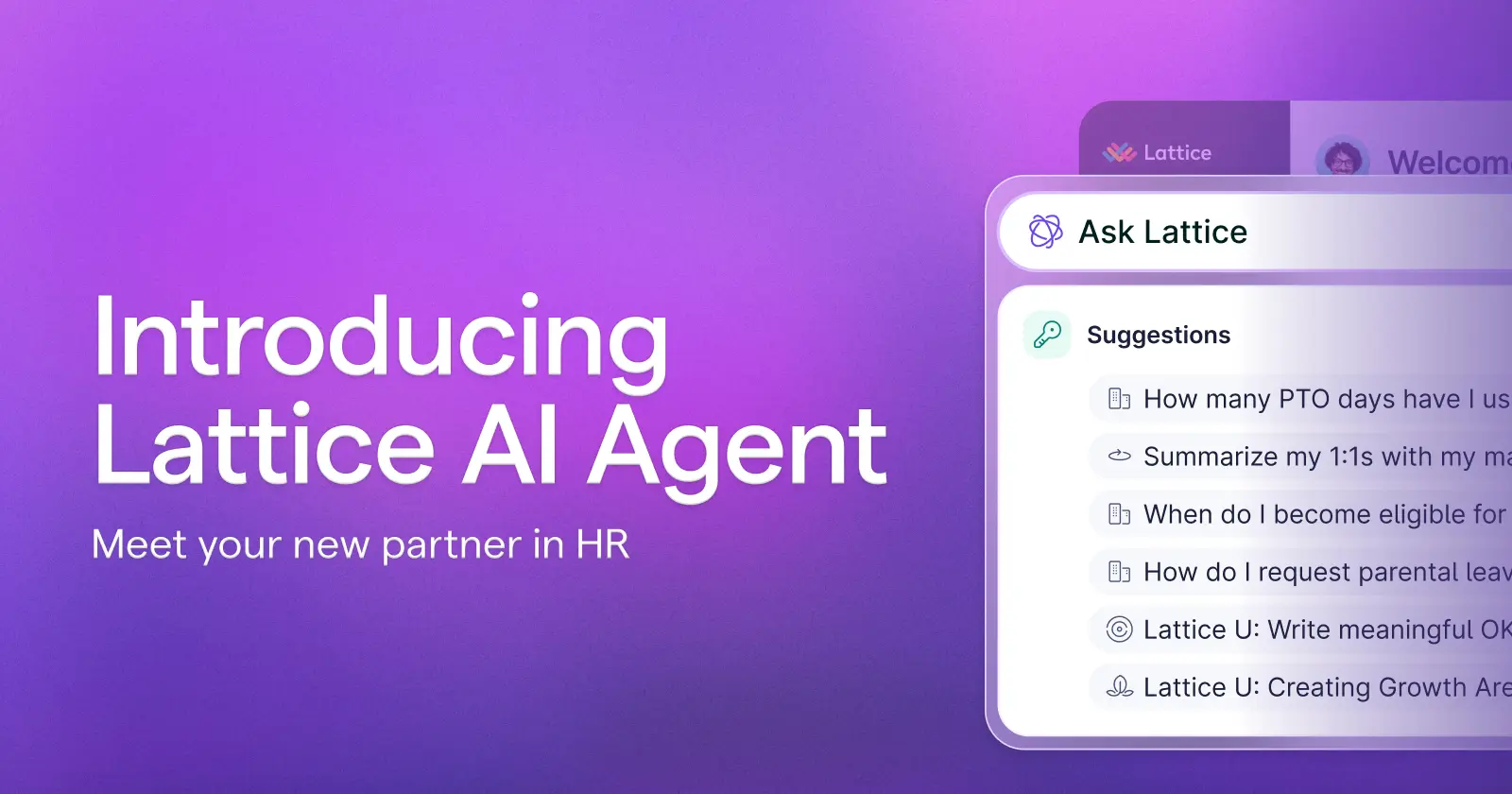
Before Lattice, performance reviews in most teams I've seen are a spreadsheet exercise completed three days before the deadline. Ratings that don't connect to anything from the past year. Feedback that nobody reads. OKRs that get set in January and ignored until December. Lattice is built to fix that cycle, and the AI layer makes the most time-consuming part less painful.
Key features
- AI-assisted performance reviews: drafts review narratives by pulling from feedback given throughout the year, check-in notes, and goal progress.
- Cascading OKRs: company goals cascade down to team and individual level. Progress is tracked on a schedule.
- Calibration tools: during review season, managers across a department can align ratings with shared data, reducing grade inflation and making compensation decisions easier to defend.
Pros
- The calibration session has become one of the most useful conversations I have each review cycle. Having data instead of gut feelings changes the entire dynamic.
- Having performance data, goals, and engagement signals in one place means I walk into performance conversations with real context
Cons
- The modular pricing model adds up fast. Features are sold separately, and once you start adding compensation management or engagement surveys, costs climb significantly.
- You need HR involvement to configure this properly. If you're setting it up without dedicated people ops support, the initial build takes longer than expected.
Pricing
- Performance and OKRs — from $11/user/mo
- Engagement, Compensation, and Learning sold as add-ons
- Enterprise pricing on request
See current pricing at lattice.com/pricing
Best for
- Mid-size companies (100+ employees) that want structured performance cycles and a single system for goals and feedback
- Managers who want review conversations grounded in data, not recency bias
How to get started
- Start with performance reviews and 1:1s only. Don't try to launch OKRs, engagement surveys, and compensation planning simultaneously. Get your managers using the 1:1 module first.
5. Glean — the org-wide knowledge search
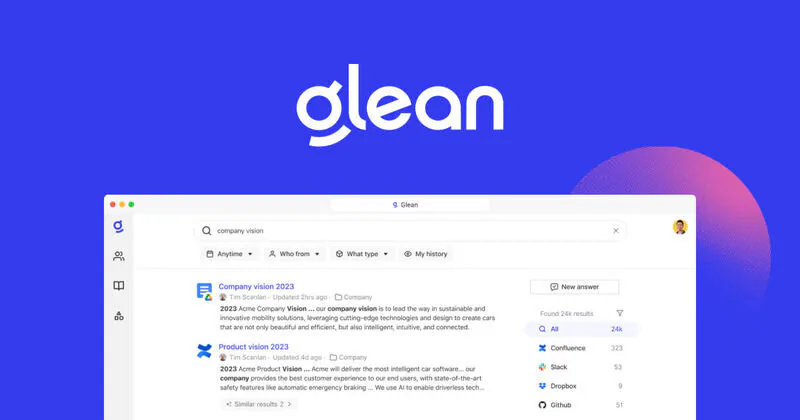
Glean connects all of those sources and gives you a single search bar that queries all of them at once. The answers are permission-aware, which means I only see what I already have access to. As a director managing multiple teams, this is worth a lot. I stopped interrupting engineers to ask for project status. I stopped pulling someone from flow to ask where a document lives.
Key features
- Unified enterprise search: one query that covers Slack, email, Google Drive, Confluence, Jira, Outlook, and 100+ other connectors simultaneously. Results are ranked by relevance to my role and what I'm working on.
- Glean Assistant: natural language queries against your company's full knowledge base. "What's the current status of the infrastructure migration?" gets a synthesized answer from across sources, not a list of links to dig through.
- Permission-aware results: Glean respects existing access controls. Nobody can use it to access data they're not already authorized to see, which matters at enterprise scale.
Pros
- I stopped pinging teammates for status updates I should already be able to find. The information is in the system — Glean surfaces it.
- The permission framework means results are clean. I get relevant answers, not everything in the organization
Cons
- The pricing is enterprise-only. Contracts typically start at around $50 per user per month with a minimum of roughly 100 seats, putting the floor around $60,000 annually. There's no self-serve or trial option.
- Getting started requires meaningful IT involvement. Every connector needs to be configured and permission-mapped. This is a deployment project, not a free trial.
Pricing
- Enterprise license — approximately $50 to $75+/user/mo, custom quoted
- Minimum contract: typically 100 seats (~$60,000 annual minimum)
- No public pricing — contact sales through glean.com
Best for
- Directors and VPs at companies of 200+ employees where knowledge is fragmented across many tools and teams
- Organizations that have already committed to a full SaaS stack and need one unified way to search across all of it
How to get started
- Glean requires a sales conversation before you can evaluate it. Before that call, identify your three most painful information gaps — the things you or your team have to hunt for most often. That shapes which connectors to prioritize during the proof of concept. Budget for IT time to handle integration and permissions mapping.
Conclusion
The tools in this list don't overlap. That's the point.
- Claude handles the thinking.
- Saner.ai handles the daily information overload.
- Fellow makes meetings produce something.
- Lattice keeps performance and goals from living in a spreadsheet.
- Glean finds what's already in your organization before you have to ask someone.
If you're a manager who's genuinely short on thinking time, the right starting point is whichever of these five addresses the problem that costs you the most hours right now, not all five at once.
For strategic writing and complex reasoning, start with Claude. For unified task and email management, start with Saner.ai. For meeting accountability, Fellow. For performance cycles, Lattice. For cross-team knowledge search at scale, Glean.
Pick the one that maps to your biggest friction point, use it for 30 days, and measure whether the friction actually went down before adding anything else.
Stay on top of your work and life
FAQ
What is the best AI tool for managers in 2026?
There's no single best tool because managers have different bottlenecks. If your biggest problem is staying on top of tasks and communications, start with Saner.ai. If you spend most of your week in meetings, start with Fellow. If you need help thinking through strategy and writing clearly, start with Claude. The best AI tool is the one that addresses your actual friction point, not the one with the most features.
Is Claude better than ChatGPT for managers?
For most management use cases, yes. Claude handles longer documents more consistently, reasons through complex situations with fewer confidently wrong answers, and produces writing that requires less editing. ChatGPT has broader tool integrations and a larger plugin ecosystem. If your work involves long memos, synthesis, and nuanced communication, Claude is stronger. If you need web browsing and third-party app integrations baked in by default, ChatGPT has more of that out of the box.
Does Fellow.app work with Microsoft Teams and Zoom?
Yes. Fellow supports Zoom, Microsoft Teams, and Google Meet for both bot and botless recording. It also integrates with Microsoft Outlook for calendar syncing. One thing to verify before purchasing: some enterprise governance features work slightly differently across platforms, so if your organization runs primarily on Teams, confirm the specific feature parity with Fellow's sales team.
Is Glean worth the price for mid-size teams?
Probably not. Glean requires a minimum contract of roughly 100 seats and starts at around $50 per user per month, putting the floor at approximately $60,000 annually before infrastructure and onboarding costs. For mid-size teams under 200 people, the cost-to-value ratio is hard to justify unless information fragmentation is a documented, measurable productivity problem. For larger enterprises with 500+ employees across multiple business units, the ROI case is much clearer.
Can AI tools actually help with performance reviews?
Yes, meaningfully. Lattice's AI drafts review narratives from continuous feedback, check-in notes, and goal data collected throughout the year. Claude can help you write difficult performance conversations, structure feedback, and make sure your language is clear and defensible. Neither tool replaces the manager's judgment — they remove the blank page problem and the recency bias that makes most reviews weaker than they should be.
Is there a free AI tool for meeting notes?
Yes. Fathom offers unlimited meeting transcription and AI summaries on a free plan with no recording cap. It's the most generous free tier in the meeting assistant category. Fellow has a free plan but its AI features are heavily limited. If you want to try AI meeting notes without paying anything, Fathom is the right starting point. If you need structured agendas, action item tracking, and searchable meeting history, Fellow's paid tiers are where that functionality lives.
What's the difference between Saner.ai and Notion AI?
They solve different problems. Notion AI is an assistant layered onto a workspace you have to build and maintain yourself. Saner.ai is an AI-first productivity tool that connects your email, calendar, tasks, and notes automatically and surfaces what needs action without manual setup. Notion gives you more structural flexibility. Saner.ai gives you less friction. If you want to build a custom knowledge system, Notion. If you want your inbox and notes to organize themselves, use Saner.ai.
How long does it take for these AI tools to actually save time?
For tools like Claude and Saner.ai, useful output can happen on day one. For Fellow, you'll feel the value after your first meeting cycle — usually within a week. Lattice takes a full review cycle to show its value, which means two to three months minimum before you can judge it fairly. Glean is the longest runway: expect a deployment project before any time savings appear. The tools that connect to your existing data take more setup but tend to produce more durable value.
Do these tools work with Microsoft 365?
Most of them do. Claude works through any browser. Saner.ai connects to Outlook alongside Gmail. Fellow integrates with Microsoft Outlook and Teams. Lattice integrates with Azure AD and works independently of your email suite. Glean connects to Outlook, Teams, SharePoint, and the broader Microsoft 365 stack. The one practical caveat: Reclaim.ai, which appeared in similar roundups, has limited Outlook support. The tools in this list have broader Microsoft compatibility than the category average.
Should small teams use Lattice?
It depends on your team size and review process. Lattice is built for organizations with 100 or more employees and a dedicated HR function to configure it. For teams under 50, the setup investment and modular pricing don't pay off quickly. Smaller teams would get more immediate value from 15Five or a simpler 1:1 tool. Lattice makes more sense as you grow toward 100 people and formal review cycles become necessary to manage at scale.
How do I get my team to actually adopt these AI assistants?
Start with one tool that solves a problem they already feel. Don't introduce five things at once. If your team complains about meeting follow-through, bring in Fellow and show them the action item tracking. If they mention spending time searching for information, demo Glean. Adoption almost always stalls when the tool is chosen for the manager's convenience rather than a problem the team recognizes. The other thing that matters: use it yourself visibly. If you send Fellow summaries after every 1:1, your team sees the value without you having to explain it.
Stay on top of your work and life