
These are the 6 Best AI for founders, after testing +20 Apps
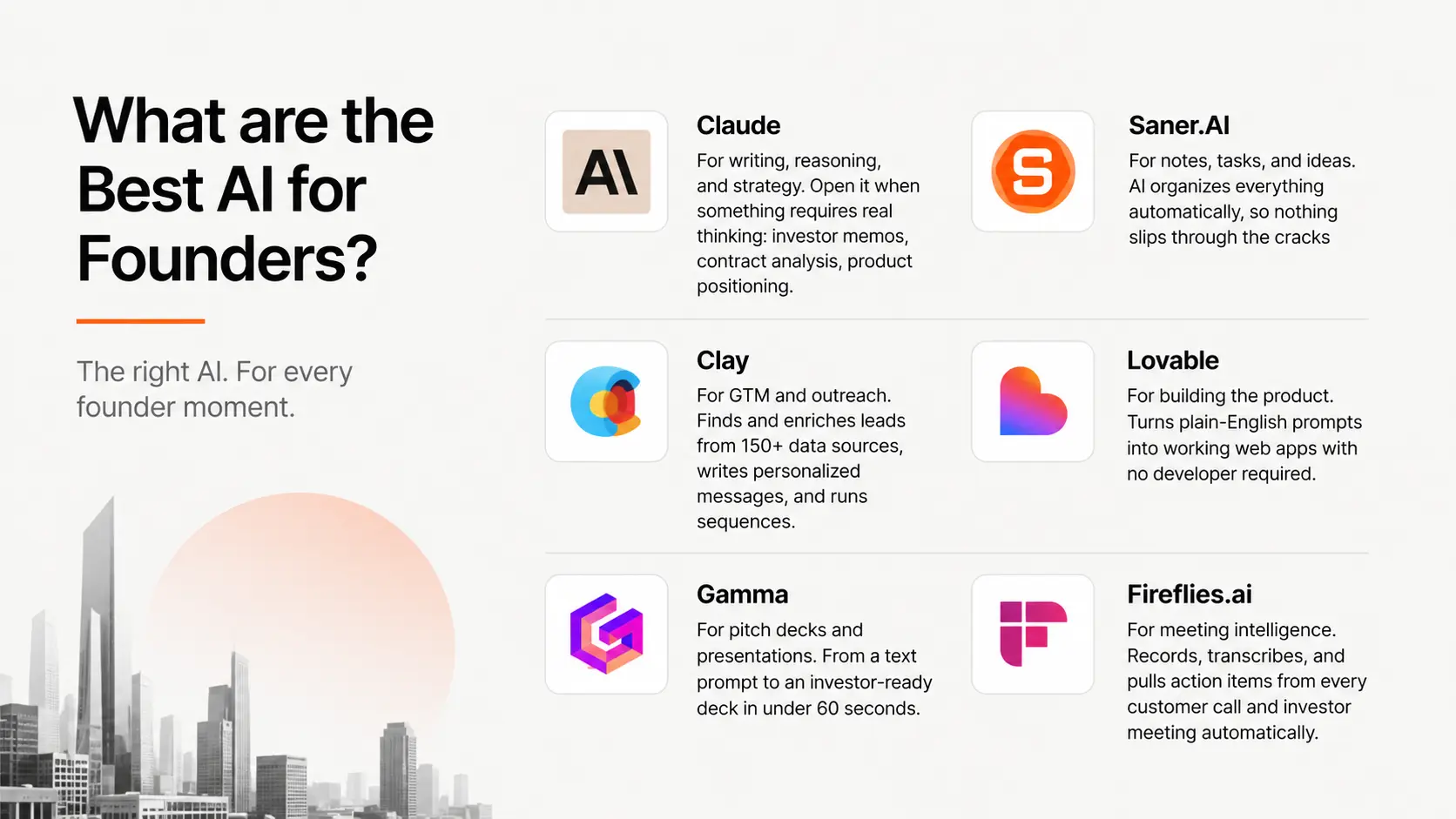
Best AI for Founders in 2026 are: Claude, Saner.AI, Clay, Lovable, Gamma, and Fireflies

I've read enough "best AI for founders" lists to know how they go. ChatGPT, Notion AI, maybe a scheduling tool, and whatever had a viral Product Hunt week. Repackaged with a startup headline and zero actual founder perspective behind it.
This list is for solo founders and small teams trying to operate like a company three times their size. If you're pre-Series A, bootstrapped, or running lean, every tool here was chosen with your constraints in mind.
Quick answer: What are the Best AI for Founders?
- Claude — For writing, reasoning, and strategy. Open it when something requires real thinking: investor memos, contract analysis, product positioning.
- Saner.AI — For notes, tasks, and ideas. AI organizes everything automatically, so nothing slips through the cracks
- Clay — For GTM and outreach. Finds and enriches leads from 150+ data sources, writes personalized messages, and runs sequences.
- Lovable — For building the product. Turns plain-English prompts into working web apps with no developer required.
- Gamma — For pitch decks and presentations. From a text prompt to an investor-ready deck in under 60 seconds.
- Fireflies.ai — For meeting intelligence. Records, transcribes, and pulls action items from every customer call and investor meeting automatically.
Each tool owns one job. None overlap.
What is AI for founders, actually?

An AI tool earns a place in a founder's stack when it does one of two things: it removes a job you shouldn't be doing at this stage, or it cuts down the time required for a job only you can do. Outreach automation, meeting transcription, and app building fall into the first category. Writing, strategy, and analysis fall into the second.
How we chose these AI tools
We ran each tool through real founder workflows over three months: writing investor updates, running outreach campaigns, transcribing customer discovery calls, generating pitch decks, and managing weekly task planning.
Tools made this list if they passed five criteria:
- Job specificity — Does it do one thing well, or try to do everything and end up doing nothing particularly well?
- Time to value — Does it save meaningful time within the first week? If the setup costs more than the initial gain, it's out.
- Founder-stage fit — Is it designed for early-stage constraints: small budget, no ops team, no IT department?
- Cognitive cost — Does it reduce the mental overhead of running a company, or create another system to manage on top of everything else?
- Stack compatibility — Does it work with the other tools on this list, or create new information silos?
The Best AI for founders is Claude, Saner.AI, Clay, Lovable, Gamma, and Fireflies
1. Claude — The AI that actually thinks with you
Claude is Anthropic's AI assistant, and it's the one I reach for when I need to work through something that requires real reasoning. For example: analyzing a competitor's pricing structure, rewriting an investor email until one version feels right, or tearing apart a term sheet I don't fully understand yet.
Key features:
- Long context window: Claude holds entire documents in one conversation. I upload a 40-page contract, ask it to flag the problematic clauses, and it reads the whole thing instead of quietly summarizing and missing details.
- Instruction following: Give it a detailed prompt with specific tone, structure, and constraints and it follows them.
- Projects: Persistent memory across conversations. I store my brand voice, company context, and target customer profile so I'm not re-explaining them every session.
Pros:
- It handles long documents properly. I've processed entire pitch decks, legal agreements, and research papers in a single session without it losing the thread.
- The writing quality is the best I've found.
"It solves the problem of generating dry or generic AI content. The main benefit is the sheer quality and human-like feel of the output." — reviews
Cons:
- No native image generation. For anything visual alongside a document, I still need a separate tool.
- Usage limits hit faster than I'd like on heavy document sessions. Mid-task rate limiting is genuinely frustrating when you're on a deadline.
"Because Claude is so good at analyzing large documents, you tend to use massive context windows, which makes you hit the message cap surprisingly fast during a busy workday." — reviews
Pricing:
- Free — limited daily messages, Claude Sonnet access
- Pro — $20/mo — higher limits, all models including Opus
- Max — $100/mo — 5x usage vs Pro for heavy daily users
- Full pricing at claude.ai
What users say:
"It handles context well, maintaining coherence across longer exchanges, and can shift between formal and casual tones appropriately." — reviews
Best for:
- Founders who write a lot: investor updates, strategy docs, positioning, proposals
- Anyone working with complex documents who needs a thinking partner, not just a text generator
How to get started: Sign up for the free plan and run your most complex, context-heavy task first. Set up a Project with your company context so Claude knows what you're building before each session.
2. Saner.AI — The operating system for your mind
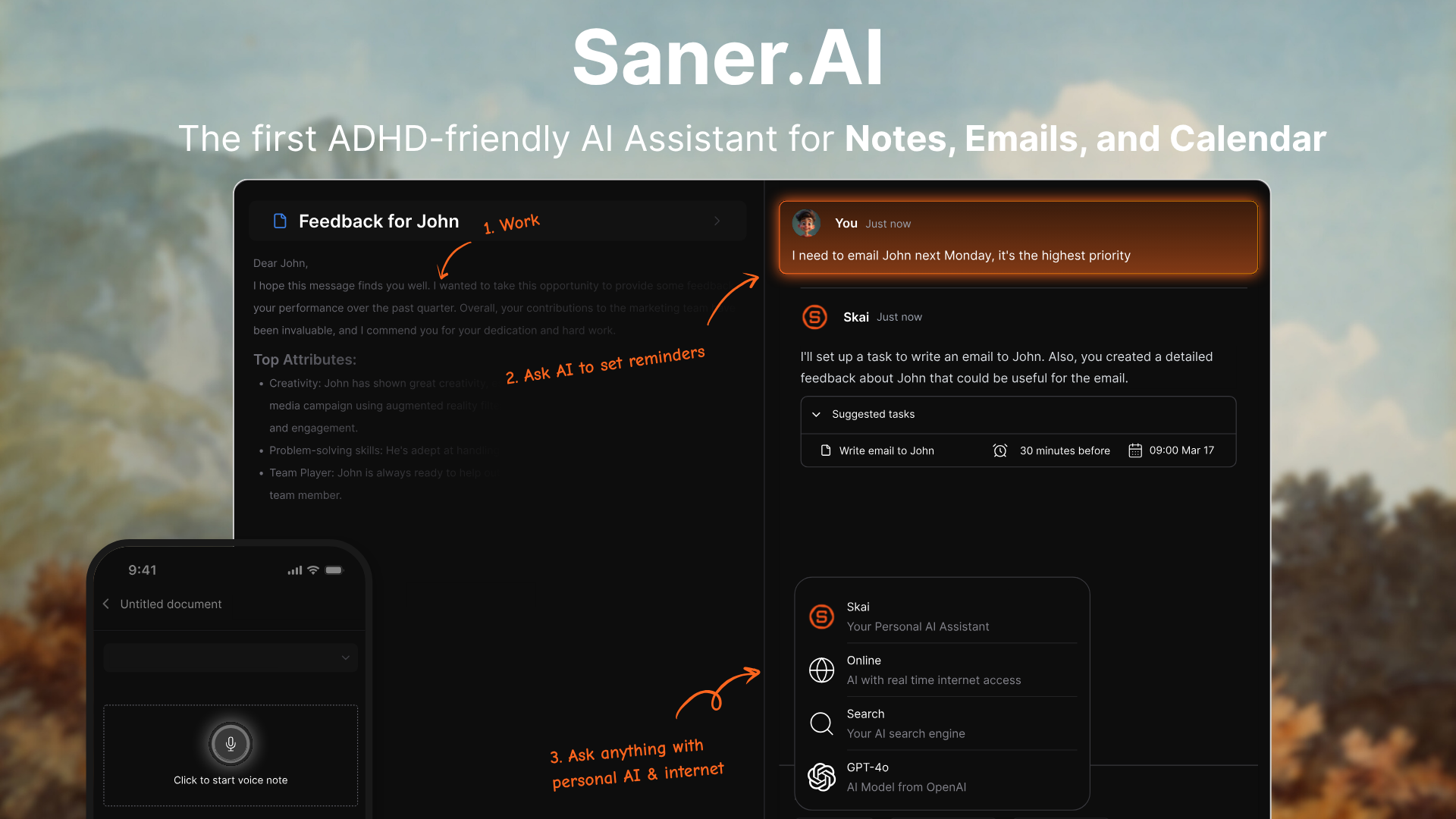
Saner.AI is an executive assistant that does the organizing for me. I dump everything into it: meeting notes, ideas from a walk, tasks from an email thread, a screenshot from a competitor's pricing page. Skai, the built-in AI assistant, tags, categorizes, and connects it automatically. The next morning, I get a proactive summary of what I should focus on and what's at risk of slipping.
For a founder, context-switching between ten things at once, that shift from "I need to remember to follow up on that" to "Skai reminded me this morning" is the actual product.
Key features:
- Universal capture: Chrome extension, voice notes, mobile app, email and calendar integrations. Everything routes to one place without me manually sorting it.
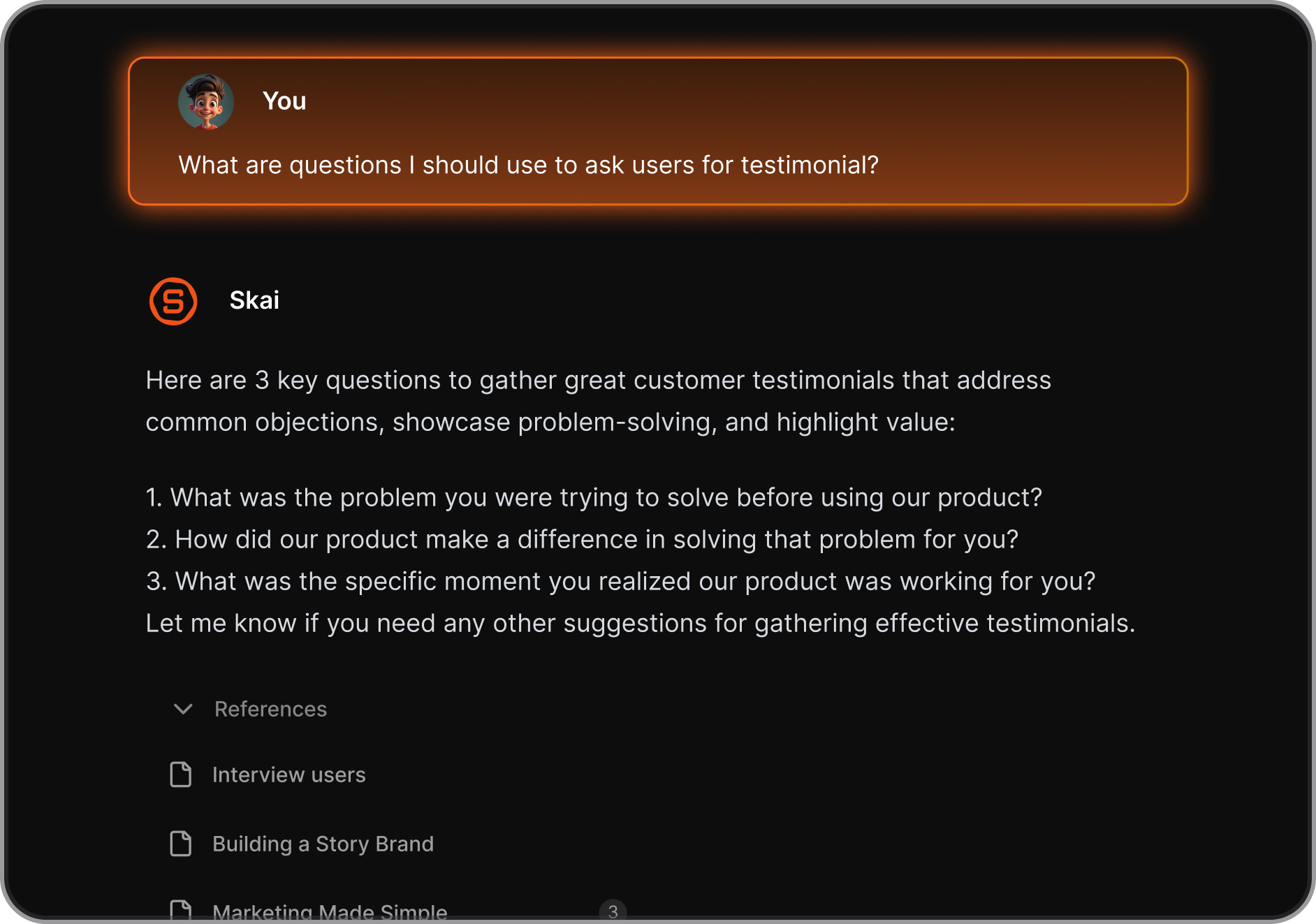
- Skai AI assistant: Searches all my notes using natural language. I ask "what did I decide about pricing last month" and it surfaces the right note immediately.
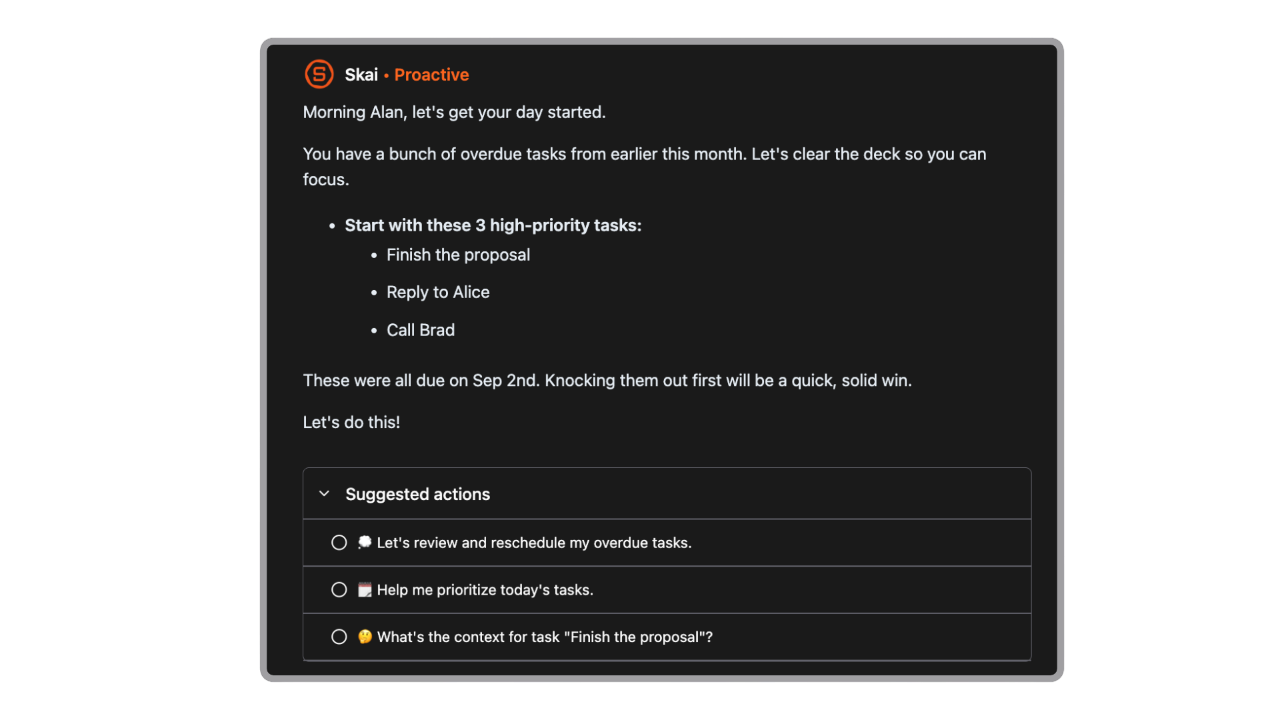
- Proactive daily planning: Every morning, I get a summary of open tasks, upcoming meetings, and suggested priorities. I don't build my to-do list from scratch anymore.
Pros:
- The semantic search actually works. I've pulled up notes from three months ago using a vague description and it found exactly the right one.
- It removed the mental overhead of organizing information entirely. I capture, it sorts. I used to spend 20 minutes every morning deciding what to work on. Now I don't.
"Totally great! I consider it as my life manager. It helps a lot to keep all tasks neatly organized and definitely boosts efficiency." — reviews
Cons:
- Very structured or complex research documents sometimes need a small amount of manual cleanup after AI organization. It handles free-form capture better than rigid formats.
- The tool is still relatively new. Some features are actively being refined
"The app is still relatively new, but the team is incredibly responsive — they even personally replied to my feedback." — reviews
Pricing:
- Free — available during the current beta
- Paid plans from $8/mo
- Full pricing at saner.ai
What users say:
"I used to use Notion, Google Docs, and Obsidian. Now it is Saner.AI. The app helps me do all of the things I hate doing when writing and storing information." — reviews
Best for:
- Founders running on high cognitive load who lose ideas, tasks, and context between context switches
- Anyone drowning in scattered notes across 5+ apps who wants one place that actually thinks
How to get started: Start putting information into the app. By day three, when Skai starts proactively surfacing things you'd forgotten about, the value clicks. Connect Google Calendar first so the daily planning has real context to work with.

Stay on top of your work and life
3. Clay — Your first sales hire, without the hire
Clay is an AI sales assistant that automates the research and personalization layer. I describe who I want to reach, and Clay builds that list, enriches each contact with verified emails and recent company news from 150+ data sources, has Claygen write a personalized first line for each prospect, and pushes everything to my email tool.
Key features:
- Waterfall enrichment: Pulls from 150+ data providers in sequence until it finds a valid result. Email coverage goes from around 40% with a single provider to 78%+ with Clay.
- Claygent: An AI agent that reads company websites, news, and LinkedIn profiles to find context I'd never locate manually at this scale.
- Signals: Tracks buying intent in real time — job changes, funding rounds, website visits — so I reach prospects when something is actually happening, not cold.
Pros:
- The waterfall enrichment improvement is real and measurable.
"Waterfall enrichment in Clay has transformed our workflows by reducing list-building time and improving email match rates significantly." — reviews
- Clay replaced the research and enrichment work entirely.
"I've been using Clay for a few months now and loving it. I was able to put off hiring an SDR for so long because I can do amazing prospecting and enrichment at scale." — reviews
Cons:
- Credits burn fast during setup. I blew through a month's worth in week two because I didn't fully understand how waterfall sequences consume them.
"The credit model could be better — failed enrichments still burn credits, and we've blown through monthly credits early a couple of times." — reviews
- The learning curve is steep. Clay is closer to a low-code platform than a traditional sales tool. I spent two weeks building confidence with the workflows before I'd trust it on real outreach.
"If your SDR team expects to sign up and start prospecting on day one, Clay will frustrate them. It's a low-code data platform." — reviews
Pricing:
- Free — 100 credits/month
- Starter — $134/mo (annual billing)
- Explorer — $314/mo (annual)
- Pro — $720/mo (annual), unlocks CRM integrations
- Full pricing at clay.com
What users say:
"Clay has significantly reduced the amount of manual prospect research we do. Instead of spending hours searching LinkedIn and company websites, we automate most of that and focus on actual conversations." — reviews
Best for:
- Founders doing B2B outbound without a sales team who need to reach the right 200 people with something personal, not 2,000 people with something generic
- Growth-stage teams building their first repeatable outbound motion before hiring their first SDR
How to get started: Start with a list of 50 contacts and build one workflow before trying to automate everything. Watch Clay University's free videos first — the platform rewards people who understand how it thinks before customizing it. The free plan gives you 100 credits/month to test with before committing to anything paid.
4. Lovable — Build your first product without a developer
You describe what you want in plain English. Lovable writes the React frontend, connects a Supabase backend, sets up authentication, and deploys a live URL. Not a clickable mockup — a real, working web app. Founders are shipping MVPs, internal tools, and early SaaS products in days. For testing whether customers want something, speed is the entire value.
Key features:
- Chat-to-code: "Add a login page with Google OAuth and a dashboard showing the last 10 user signups" is a prompt, not a spec you hand an engineer.
- GitHub sync: Your project lives in a real Git repository. When you bring on a technical co-founder or hand off to a developer, they work with readable code, not a locked format.
- Agent mode: The AI debugs itself — reads error logs, searches for solutions, and fixes problems without you having to describe every issue.
Pros:
- The code it outputs is clean and portable.
"Non-technical founders or PMs who need to go from idea to working app without learning to code — Lovable is probably the best tool available for that specific job in 2026." — reviews
- I went from idea to a live, shareable product link in one afternoon. No Figma, no developer, no waiting.
"Lovable AI is the fastest tool in 2026 for non-technical founders to ship the first 80% of an MVP." — reviews
Cons:
- Supabase setup isn't fully automatic. Non-technical founders sometimes spend days stuck on RLS policy configuration that Lovable generates but doesn't explain.
- Around the 80% mark of a complex app, things start breaking when you add multi-role auth, billing edge cases, or data relationships that need to stay consistent across many parts of the product.
Pricing:
- Free — 5 messages/day, public projects only
- Starter — $20/mo — private projects, custom domains, more messages
- Full pricing at lovable.dev
What users say:
"The best path is Lovable first, then Cursor. Pure-Lovable founders stall around week 6. The combination is the unlock." — reviews
Best for:
- Non-technical founders who need a working product to show early customers or investors — not a mockup, an actual app
- Technical founders who want to prototype fast and hand clean code to a team later
How to get started: Write a specific description of your app before opening Lovable. Vague prompts produce vague apps. Start with one feature — login, a dashboard, a single workflow — not the whole product. The free plan's 5 daily messages are enough to test whether the tool fits before paying.
5. Gamma — Pitch deck in 60 seconds, not 6 hours
Gamma asks me to describe my company or paste my notes. In under a minute, it returns a 10 to 14 slide deck with a coherent structure, professional layouts, and placeholder content I can edit.
Key features:
- One-prompt generation: I type the slide I wnt and get 14 structured slides in under 60 seconds.
- Agent v3.0: Conversational editing instead of menu-clicking. I describe what I want to change and the AI handles it across the entire deck with full document context.
- Multi-format output: Same deck exports as a shareable web link, PDF, or PowerPoint. The web link format also tracks who opened it and which slides they spent time on.
Pros:
- It understands narrative structure, not just formatting. Slides flow logically. I don't have to reorganize the whole deck after generation.
- First draft quality is meaningfully better than every other AI presentation tool I've tested. Gamma needs around 8 minutes of editing to reach something I'd send an investor.
Cons:
- The 400 free credits go faster than expected. One deck costs 40 credits; each AI edit costs 10 more. Heavy users burn through the free tier in one sitting.
- PowerPoint exports aren't perfect. When an investor asks for the .pptx file, complex layouts sometimes need manual fixing before they're presentable.
Pricing:
- Free — 400 AI credits (~10 decks), Gamma branding on exports
- Plus — $8/mo — unlimited AI generation, no branding, custom domains
- Pro — $15/mo — analytics, custom fonts, advanced exports
- Full pricing at gamma.app
What users say:
"For me in 2026 there is no way around Gamma if you work a lot with slide decks and are a fan of efficiency. The AI agent puts them even further ahead of the competition." — reviews
Best for:
- Founders producing pitch decks, investor updates, and team presentations without a designer
- Anyone spending more than two hours per week in PowerPoint or Google Slides
How to get started: Paste your existing one-pager or funding brief into Gamma rather than starting from a prompt — structured input produces better output than vague descriptions. The free plan gives you roughly 10 full deck generations, which is enough to make a clear decision on whether it belongs in your stack.
6. Fireflies.ai — Stop losing what happens in meetings
Fireflies is an AI meeting note taker that joins every call automatically, transcribes the full conversation, and delivers a structured summary with action items within minutes of the call ending. It also stores everything in a searchable archive.
Key features:
- Automatic transcription: Fred, the AI bot, joins Zoom, Google Meet, and Teams calls without me having to remember to start a recording.
- AI summaries and action items: A structured summary with key points and action items arrives within minutes of every call ending.
- Searchable archive: I search every meeting I've ever had by keyword, speaker, or topic. Finding what a specific customer said six months ago takes seconds.
Pros:
- The searchable archive gets more valuable the longer I use it. I pull exact customer quotes before investor follow-ups, and verify what I actually agreed to in a sales call.
- I stopped taking notes during calls entirely. I pay attention to the conversation instead, knowing Fireflies captured everything.
Cons:
- The bot joining your call is visible to all participants. Some investors and early customers notice it and ask. Worth mentioning at the start of calls rather than hoping no one brings it up.
- AI summary credits are capped even on paid plans. Pro gets 20 AI credits/month, and Business gets 30 — for a founder in 10+ meetings per week, that runs out fast.
Pricing:
- Free — limited transcription credits, basic features
- Pro — $10/user/mo (annual) or $18/mo monthly — unlimited transcription
- Business — $19/user/mo (annual) — CRM sync, conversation intelligence, team workspace
- Full pricing at fireflies.ai
What users say:
"If you only need meeting documentation and Salesforce automation across a big rep team, Fireflies is worth the $10/month Pro plan. The architecture fits the job." — reviews
Best for:
- Founders doing high-volume customer discovery, investor conversations, or team syncs who lose important context after every call
- Small teams without a dedicated person to handle meeting notes and follow-ups
How to get started: Connect Fireflies to your Google Calendar in the first session and let it auto-join every meeting for a full week before forming an opinion.
Conclusion
The mistake most founders make with AI isn't using the wrong tools; it's using too many tools that overlap, creating more cognitive overhead than they remove. The six tools in this list each have one job:
- Claude for writing and reasoning,
- Saner.AI for organizing your work,
- Clay for outreach and GTM,
- Lovable for building,
- Gamma for pitching, and
- Fireflies for capturing what happens in meetings.
They don't duplicate each other, and they don't require you to become a different kind of person to use them.
If you're just starting out, don't try to adopt all six at once. Pick the one that maps to your biggest bottleneck right now.
- Building without a developer? Start with Lovable.
- Drowning in scattered notes and lost context? Start with Saner.AI.
- Doing outbound manually? Start with Clay.
The rest can follow once the first one is working.
The founders getting the most out of AI right now aren't the ones with the biggest stacks. They're the ones who found five or six tools that each do one thing well, stuck with them long enough to actually learn them, and built their company time back around the hours those tools freed up. Start there.
Stay on top of your work and life
FAQ
What is the best AI tool for founders in 2026?
There isn't a single best tool because founders have different bottlenecks at different stages. Claude is the best AI for writing and strategic thinking. Saner.AI is the best for managing tasks, notes, and cognitive load. Clay is the best for outbound sales before you have a team. The most useful thing you can do is identify which part of your week is consuming the most time with the least return, and match a tool to that specific job.
Is Claude better than ChatGPT for founders?
Yes, for most founder use cases in 2026, Claude outperforms ChatGPT on writing quality, instruction-following, and long-document analysis. Claude's output tends to read more naturally and requires less editing before it's ready to send to investors or customers. ChatGPT has broader multimodal features including image generation, which Claude doesn't have natively. If your primary need is writing, reasoning, and working with large documents, Claude is the better pick.
Can a non-technical founder realistically use all these tools?
Yes. Claude, Saner.AI, Gamma, and Fireflies require zero technical knowledge. Lovable is specifically designed for non-technical founders and handles the code on your behalf. Clay has a steeper learning curve and functions more like a low-code platform — it takes two to three weeks to feel comfortable with. The only tool on this list that genuinely rewards technical familiarity is Clay, and even there, Clay University's free training materials close the gap.
How much should I budget for AI tools per month as a founder?
A full six-tool stack using the paid entry tiers runs roughly $270 to $300 per month: Claude Pro at $20, Saner.AI at $6, Clay Starter at $134, Lovable Starter at $20, Gamma Plus at $8, and Fireflies Pro at $10. Clay is the biggest line item by far because of its data enrichment model. If budget is tight, start with Claude, Saner.AI, Gamma, and Fireflies — the other three together cost $34/month — and add Clay when outbound becomes a real priority.
Can Clay replace hiring a sales development rep?
For early-stage founders doing B2B outbound, yes — Clay can replace the research and enrichment work an SDR would typically own, and often does it faster and at lower cost. What it doesn't replace is relationship judgment, handling objections on calls, and the human follow-through that closes deals. Think of Clay as the layer that handles everything before the conversation, not the conversation itself. Most founders who use it delay their first SDR hire by six to twelve months.
Is Lovable good enough for a real product, not just a prototype?
Lovable is production-ready for the first 80% of most web applications. Founders have shipped real SaaS products with paying customers built entirely in Lovable. Where it runs into limits is complex business logic: multi-role authentication, intricate billing flows, and data relationships across many parts of an app. When you hit that wall — and most founders do around week six — the right move is to export the codebase to GitHub and continue in Cursor or with a developer. Lovable is a starting point, not a ceiling.
What's the difference between an AI assistant and an AI agent for founders?
An AI assistant like Claude requires you to drive every interaction — you prompt it, it responds, and you decide what to do next. An AI agent like Clay or Fireflies operates with more autonomy, running tasks in the background without constant prompting. Most founders are familiar with assistants and significantly underuse agents. The highest-leverage shift is often adding one well-configured agent to your stack, because it produces results while you're focused on something else entirely.
Is there a free version of any of these tools?
Yes, all six tools on this list have a free tier. Claude, Saner.AI, Lovable, Gamma, and Fireflies all offer meaningful free plans to test with before paying. Clay's free plan gives 100 enrichment credits per month, which is enough to validate a workflow before committing to a paid tier. The free plans are functional for evaluation but limited for ongoing use — the paid entry tiers are where each tool becomes a reliable part of a real workflow.
What is the best AI tool for a first-time founder?
Claude is the most useful starting point for a first-time founder because it applies across almost every part of building a company — market research, writing, strategy, document analysis, and thinking through hard decisions. Pair it with Saner.AI to capture the output and organize it into something actionable, and you have a foundation that scales with you from pre-idea through early traction. Add the other tools as specific jobs become bottlenecks.
Can Gamma replace a professional pitch deck designer?
For early-stage fundraising, yes — Gamma can produce a first-draft pitch deck that is investor-ready enough to get into conversations, which is the actual goal. It won't replace a designer for a Series B deck that needs precise brand control and detailed data visualization. For pre-seed and seed rounds where speed and clarity matter more than pixel-perfect polish, Gamma at $8/month does the job that used to cost $3,000 and two weeks of back-and-forth with a freelancer.
Does Fireflies.ai work with Zoom, Google Meet, and Teams?
Yes. Fireflies works natively with Zoom, Google Meet, and Microsoft Teams, as well as Webex and most other major video conferencing platforms. The AI bot joins as a participant, records and transcribes the call, and delivers a summary within minutes of it ending. The one thing worth knowing upfront: the bot's presence is visible to everyone on the call, so it's worth mentioning it at the start of meetings rather than assuming no one will notice.
How do I know if my AI stack is working?
The clearest signal is whether you're getting time back in the categories that matter. If you're still spending 4+ hours per week on outbound research, Clay isn't working for you yet. If you're losing context and action items after meetings, Fireflies isn't set up right. If writing investor updates still takes a full day, you're not using Claude to its potential. Measure it simply: pick one job per tool, track the time you spent on that job before and after. If the number doesn't drop within two weeks, either the setup is wrong or the tool isn't the right fit.
Can AI tools replace co-founders or early hires?
No, but they can delay the need for certain hires significantly. Clay delays the SDR hire. Lovable delays the developer hire. Gamma delays the designer hire. Claude partially replaces a content hire. None of them replace judgment, relationships, or accountability. The founders getting the most from AI in 2026 use these tools to extend their own capacity, not to avoid building a team. The point is to get further with fewer people before you raise, not to run indefinitely without one.
Stay on top of your work and life