
The 6 Best AI for Product Managers: User Research, Analytics, and Planning

This article is for product managers who are drowning in meetings, backlogs, and documentation, and who want honest guidance on which AI tools save real time, not which ones have the best demo. It's especially relevant if you're a solo PM, a PM on a small team, or someone who can't afford to add five more subscriptions without knowing exactly what you're getting back.
Quick answer: What are the best AI for product managers?
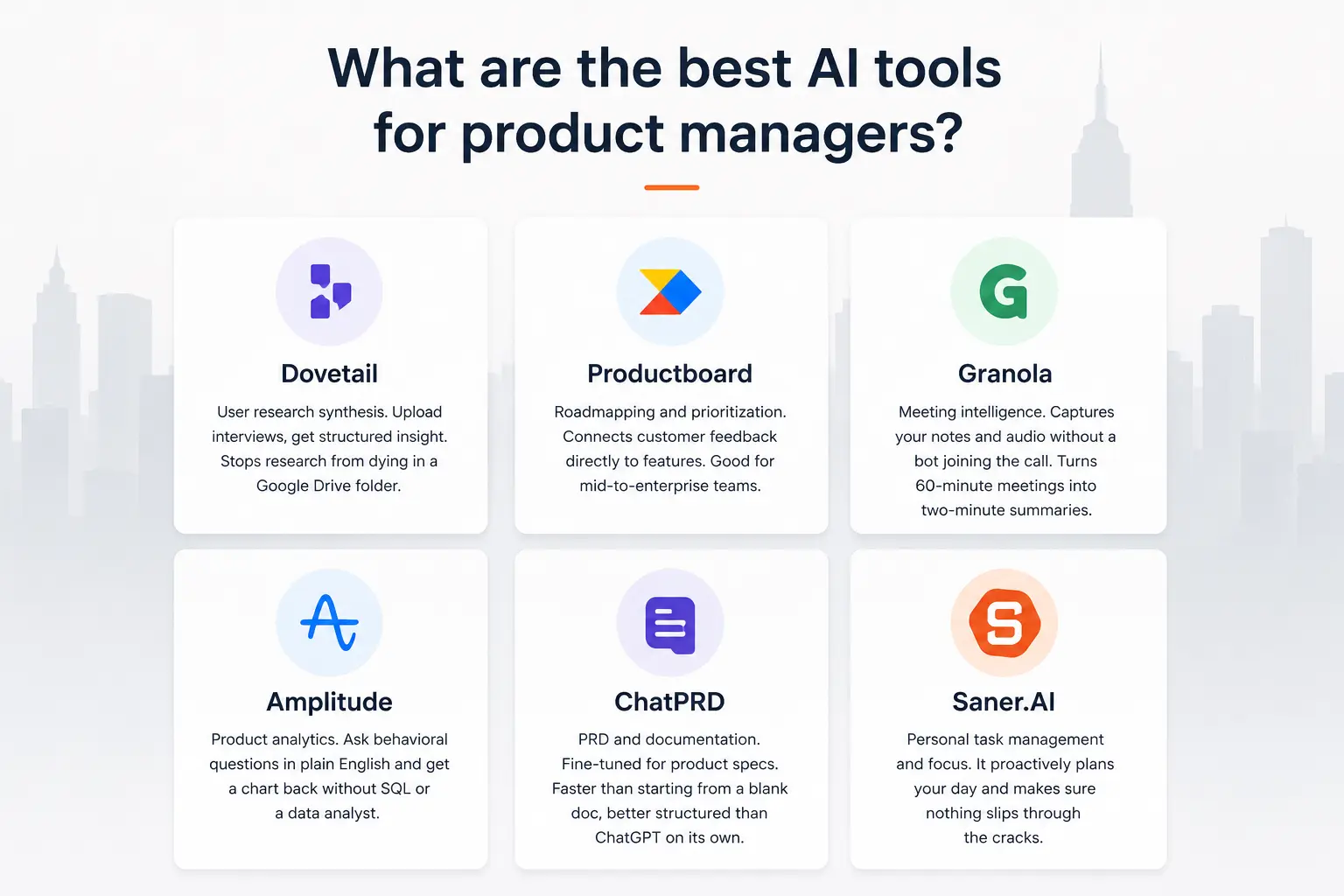
- Dovetail — User research synthesis. Upload interviews, get structured insight. Stops research from dying in a Google Drive folder.
- Productboard — Roadmapping and prioritization. Connects customer feedback directly to features. Good for mid-to-enterprise teams.
- Granola — Meeting intelligence. Captures your notes and audio without a bot joining the call.
- Amplitude — Product analytics. Ask behavioral questions in plain English and get a chart back without SQL or a data analyst.
- ChatPRD — PRD and documentation. Fine-tuned for product specs. Faster than starting from a blank doc, better structured than ChatGPT on its own.
- Saner.AI — Personal task management and focus. It proactively plans your day and makes sure nothing slips through the cracks
What is AI for product managers?
AI for product managers is a category of tools that handles the repeatable, time-consuming parts of the PM job — research synthesis, documentation, meeting notes, prioritization scoring, and data analysis — so you can spend more time on the decisions only you can make.
The benefit of AI for product managers
How we chose these tools
We tested all six tools on real PM tasks over a period of six months. I evaluated each one on a specific workflow, not on general feature breadth. Here's what I measured:
- Workflow specificity — Does the tool actually understand the PM's job, or is it a general AI with a product management landing page?
- Time to value — How long before the tool produces something usable? Tools that require a week of setup before they're useful didn't make the cut.
- No overlap — Each tool in this list covers a distinct part of the PM week. I deliberately excluded tools that do similar jobs to others already on the list.
- Real user evidence — Pros, cons, and quotes are drawn from G2, Capterra, Reddit, and Product Hunt. I didn't rely on vendor-provided testimonials.
- Pricing transparency — I prioritized tools with visible pricing. If a tool routes you through a sales call before showing you a number, I noted that.
- Integration depth — A tool that works in isolation but doesn't talk to Jira, Notion, Slack, or your existing stack creates more work, not less.
1. Dovetail — The best AI for turning interviews into decisions

Dovetail is where user research goes to actually get used. It centralizes interviews, support tickets, NPS responses, and usability tests into a searchable repository. The AI layer auto-tags, clusters themes, and surfaces insights across all your data
It's the tool that answers "what do we actually know about X?" in under a minute instead of three weeks of email archaeology.
Key features:
- AI transcription in 41 languages: Upload a recording, get a structured transcript with highlights and auto-suggested tags.
- Magic Search: Semantic search across your entire research repository. Ask a question, get the relevant clips.
- Channels: Connect Intercom, Zendesk, Slack, and survey tools — Dovetail classifies and clusters feedback automatically as it comes in.
- Highlight reels: Stitch video clips into a shareable reel. Show stakeholders the actual user, not a paraphrase.
Pros:
- Research stops dying in Google Drive. The repository becomes genuinely useful over time.
"Without Dovetail, I wouldn't be able to conduct as many user interviews or extract actionable insights as effectively." — reviews
- Stakeholders can actually access and understand findings, which is half the battle.
Cons:
- The tagging system has a learning curve. It rewards upfront investment in taxonomy design, which not every team makes.
Pricing jumped significantly for existing customers when features moved tiers. "A near 4x leap in costs to maintain parity with what we had before." — reviews
- Reporting is weaker than the repository side. Many users export to Miro or Notion to build the final presentation.
Pricing:
- Free tier: 1 project, basic AI, transcription
- Professional: ~$29/user/month — pricing
- Enterprise: custom quote
Suitable for:
- Product and UX teams doing regular user interviews who need their research to compound over time, not reset every quarter.
How to get started:
- Upload your last three interview recordings. Let Dovetail transcribe and auto-tag them. Then run one Magic Search question — "what do users say about onboarding?" — and see what comes back.
2. Productboard — The best AI for roadmapping and prioritization
Productboard is the tool that makes "why are we building this?" answerable with evidence. It collects feedback from sales, support, and research, links each piece to features on your roadmap, and gives you AI-assisted scoring to cut through the noise when it's time to prioritize.
Key features:
- Feedback triage: Automatically pulls in feedback from Intercom, Zendesk, Salesforce, and more. Categorizes and links it to features without manual tagging.
- AI prioritization scoring: Scores features by customer demand signal, revenue impact, and strategic fit simultaneously.
- Tailored roadmap views: Build one version of the roadmap for engineering, a different one for executives, from the same source of truth.
- Product briefs: Generate a brief from linked customer evidence — go from feature idea to structured one-pager without starting from scratch.
Pros:
- The feedback-to-roadmap connection is its real value. You can show stakeholders exactly which customers asked for a feature and how many.
- AI cuts the time to process a large backlog from days to hours.
- Works well for mid-to-large teams with heavy inbound feedback volume.
Cons:
- AI features cost an extra ~$19/maker/month on top of the base plan. It's not included at entry level.
- Productboard handles planning, not execution. You still need Jira or Linear to track what actually ships.
"Steep learning curve is the dominant complaint." — reviews
Pricing:
- Essentials: ~$20/maker/month — pricing
- Pro: ~$60/maker/month
- Enterprise: custom
Suitable for:
- Mid-size to enterprise teams with structured feedback pipelines who need a defensible prioritization process across multiple stakeholders.
How to get started:
- Connect one feedback source first — Intercom or Zendesk is the fastest win. Import your existing feature backlog. Then run the AI prioritization scoring on your top 20 items. The setup takes a few hours, but the first real planning session where you can answer "why this?" with actual data is worth it.
3. Granola — The best AI for meetings
Granola doesn't join your calls. That's its defining feature. It runs as a native app on your device, captures system audio, and produces structured notes the moment the meeting ends — decisions, action items, and key points — without anyone on the call ever seeing a bot in the attendee list.
Key features:
- No-bot transcription: Captures audio from your device directly. No one else knows you're recording.
- Note augmentation: Jot rough bullets during the call. Granola expands them with transcript detail after — so the final note reads like you wrote it carefully with perfect recall.
- Cross-meeting memory: Ask "what did I promise to do this week?" and Granola searches across all your meeting notes.
- Meeting briefs: Syncs with your calendar and preps context before external meetings — who's attending, what was discussed last time.
Pros:
- The absence of a bot is not a minor thing. Sensitive calls (hiring, fundraising, user interviews) stay private.
- SOC 2 Type 2 certified as of July 2025. Audio is deleted after transcription.
"It listens directly from my device — no bots joining calls — and produces clean, structured summaries." — reviews
Cons:
- No web app. You need the desktop or mobile app running. That rules it out for some enterprise environments.
- Speaker attribution gets sloppy on calls with three or more people.
- By default, meeting data trains the AI model. Individual opt-out is available; organization-wide opt-out requires the Enterprise tier.
Pricing:
- Free: 25 meetings
- Business: $14/user/month — pricing
- Enterprise: $35/user/month (includes training opt-out)
Suitable for:
- PMs in back-to-back schedules who want structured notes without a bot and without spending 20 minutes writing up after every call.
How to get started:
- Download the app, connect your Google Calendar, and run it on your next three calls without changing anything else. The setup takes under 10 minutes. Give it a week before you judge the output quality — it improves as it learns your vocabulary and recurring contacts.
4. Amplitude — The best AI for product analytics
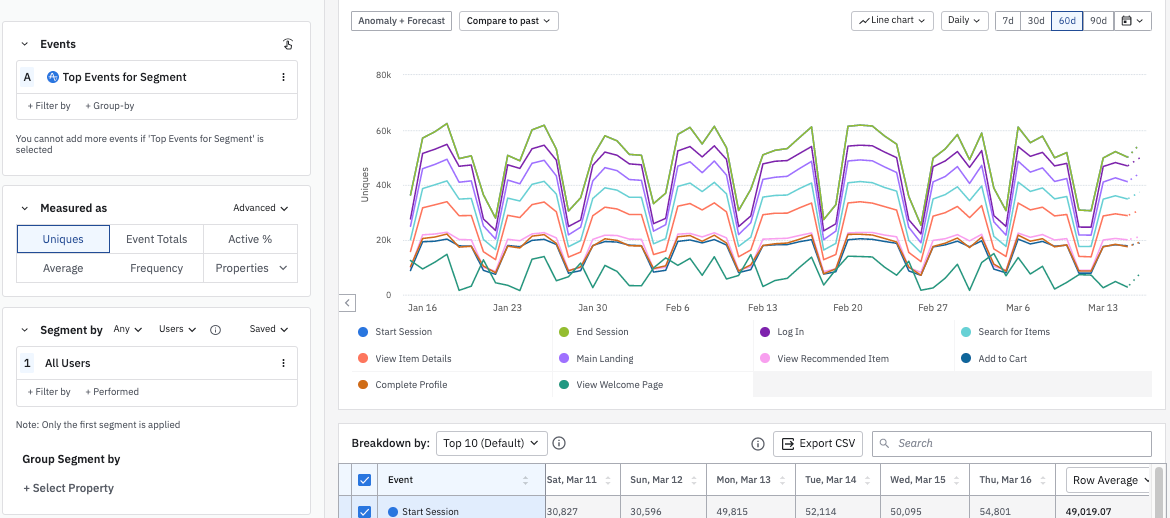
Amplitude answers the question your data is sitting on but you can't get to without a data analyst. You type a plain English question — "how does retention compare for users who hit the export feature in week one versus those who don't?" — and get a chart back. No SQL, no ticket to the data team, no three-day wait.
Key features:
- Ask Amplitude: Natural language queries that return funnels, cohorts, and retention charts without writing a single line of code.
- Behavioral cohorts: Segment users by what they actually did, not just who they are. Build these point-and-click.
- Session replay: Watch the actual user session that generated the data point you're analyzing. Closes the gap between what the numbers say and what's really happening.
- AI Agents: Surface anomalies and trends automatically — things you weren't tracking but should have been.
Pros:
- Non-technical PMs can answer their own data questions without waiting on engineering or data science.
"I like how intuitive it is — it allows not only analysts but product managers to extract insights without major effort." — reviews
- Funnel and retention analysis is as good as anything on the market.
Cons:
- Advanced features (Pathfinder, formula metrics) have a real learning curve. The more you want to do, the steeper it gets.
- Pricing scales fast with event volume. The free Starter tier is genuinely useful; the Growth plan at ~$995/month is a jump.
- Event schema management at scale can get messy. When event names change, it cascades across all your charts.
Pricing:
- Starter: Free (up to 100K monthly tracked users) — pricing
- Growth: ~$995/month
- Enterprise: custom
Suitable for:
- PMs at product-led growth companies, or anyone who needs to understand retention, activation, and feature adoption without relying on a data analyst for every question.
How to get started:
- Start with the free Starter plan and instrument five events that matter most to your product's core loop. Build one retention chart and one funnel.
5. ChatPRD — The best AI for PRDs and product documentation
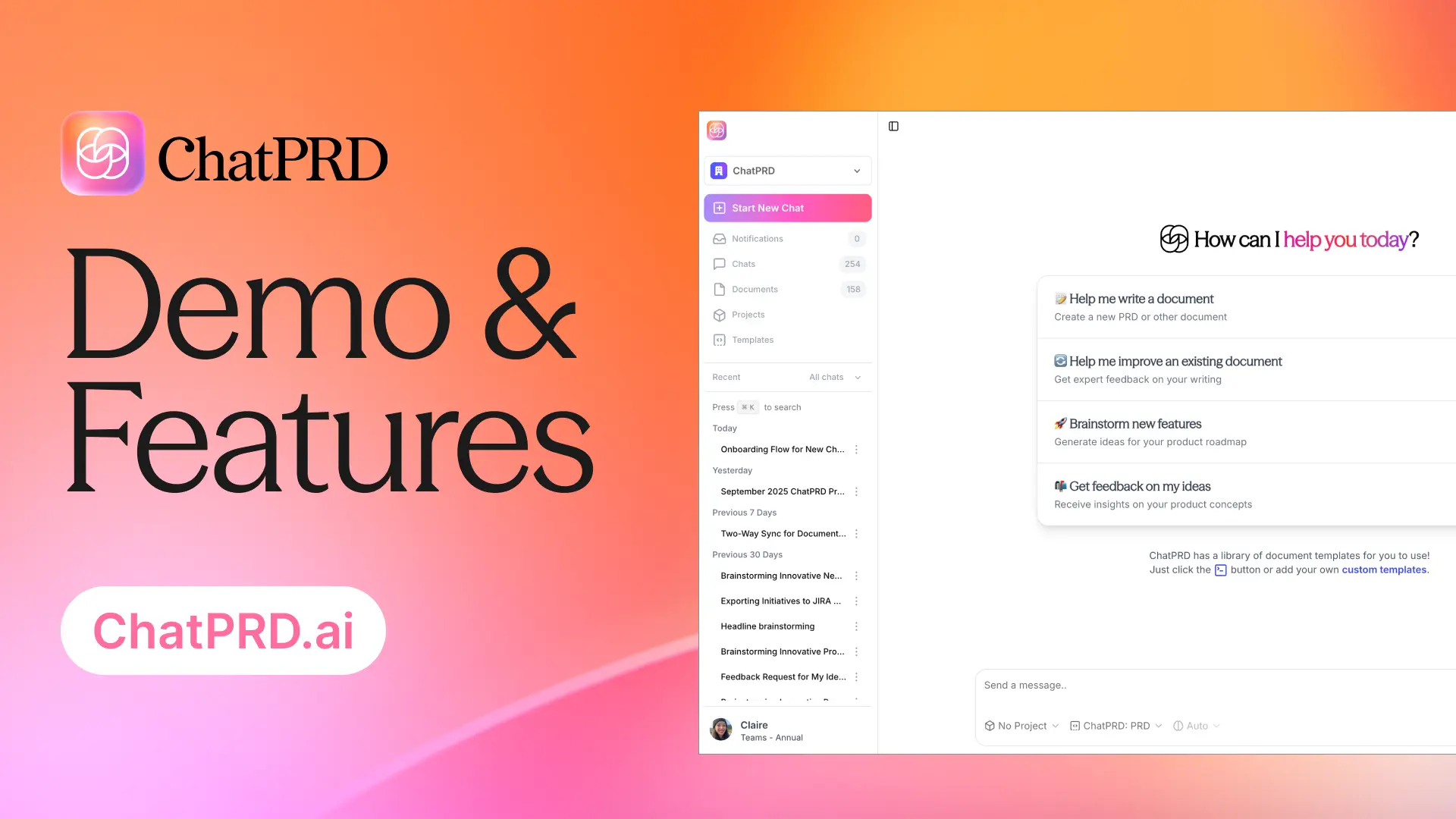
ChatPRD is an AI assistant trained specifically on product management workflows, not a general-purpose assistant with a PM landing page. It takes a rough idea and produces a structured PRD with user stories, success metrics, and functional requirements — in minutes, not hours.
Key features:
- PRD generation: Input a feature idea, get a full spec with context, edge cases, and acceptance criteria.
- User story builder: Breaks down requirements into dev-ready stories, formatted for Jira or Linear.
- PM coaching mode: Doesn't just write for you — asks the questions a senior PM would ask to sharpen your thinking.
- Integrations: Connects with Slack, Google Drive, Linear, and now supports MCP for direct access from Cursor and Claude Desktop.
Pros:
- Much faster than starting from a blank doc, and more PM-specific than prompting a general model.
- Accessible pricing makes it a low-risk trial for individual PMs.
Cons:
- It's a documentation tool only. No feedback collection, no roadmapping, no analytics — this sits at the writing stage only.
- Independent community reviews are thin. No Product Hunt listing as of June 2026 and minimal Reddit discussion.
- Relies on third-party models (GPT-4o, Claude, o1), which means quality can vary and you're somewhat at their mercy on pricing.
Pricing:
- Free: 3 chats
- Pro: $15/month — pricing
- Teams: $29/seat/month
Suitable for:
- PMs writing frequent specs, user stories, or product briefs who want AI that understands the format and the workflow, not just the words.
How to get started:
- Take the last feature idea you've been putting off documenting. Paste a two-sentence description into ChatPRD and ask it to generate a PRD. Review what it produces — most PMs find it captures 70% of what they would have written and surfaces edge cases they hadn't considered. Fix the remaining 30% and you've just cut spec-writing time in half.
6. Saner.AI — The best AI for managing your own head
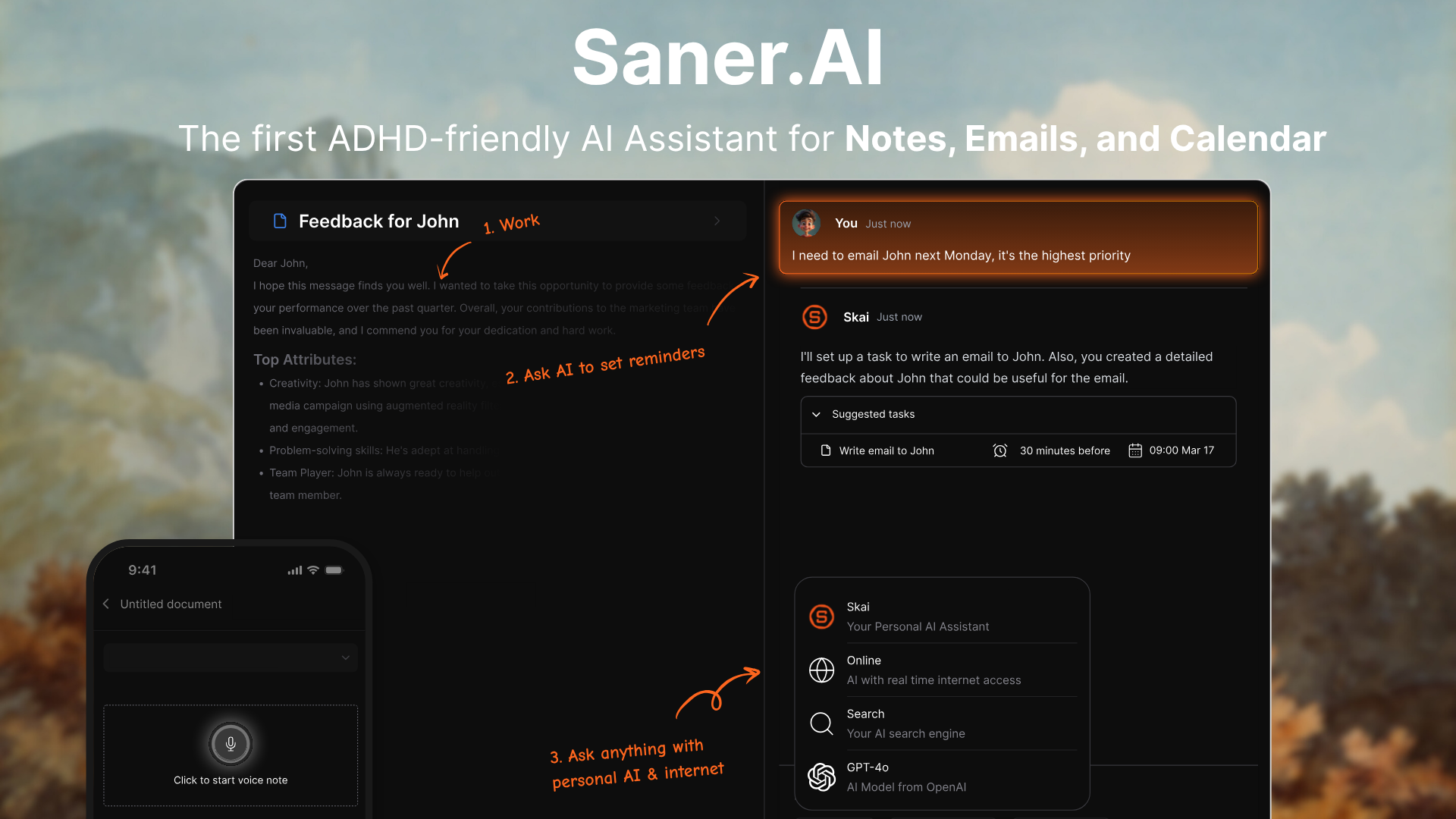
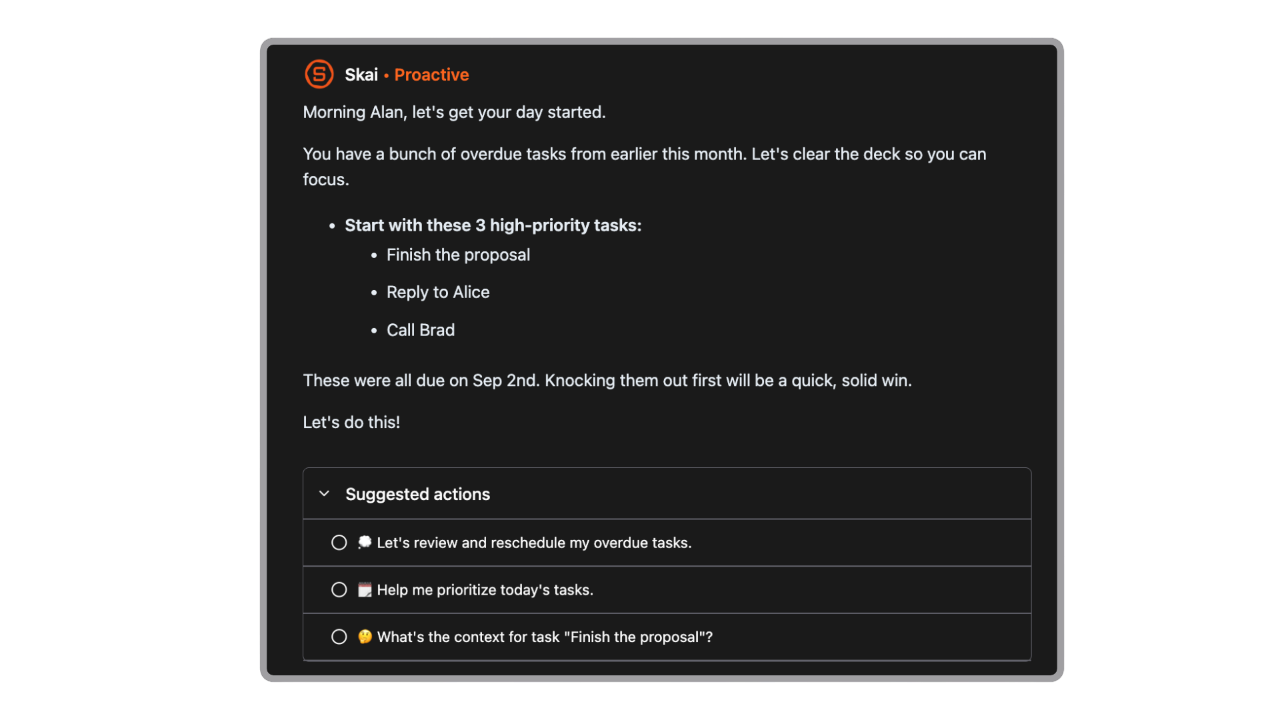
Most PM tools are built for teams. Saner.AI is built for the individual. It's a personal AI workspace that connects your tasks, notes, and documents into a single searchable layer — so when you need to remember what you decided in that roadmap session three weeks ago, you can find it in seconds instead of digging through six tabs.
For product managers specifically, this covers the part of the job that no roadmap tool touches: the cognitive overhead of tracking everything, staying focused across context-switches, and keeping your own priorities clear when everyone else is adding to your plate.
Key features:
- AI day planning: Surfaces what actually needs your attention today, not just a flat list of everything you've ever added.
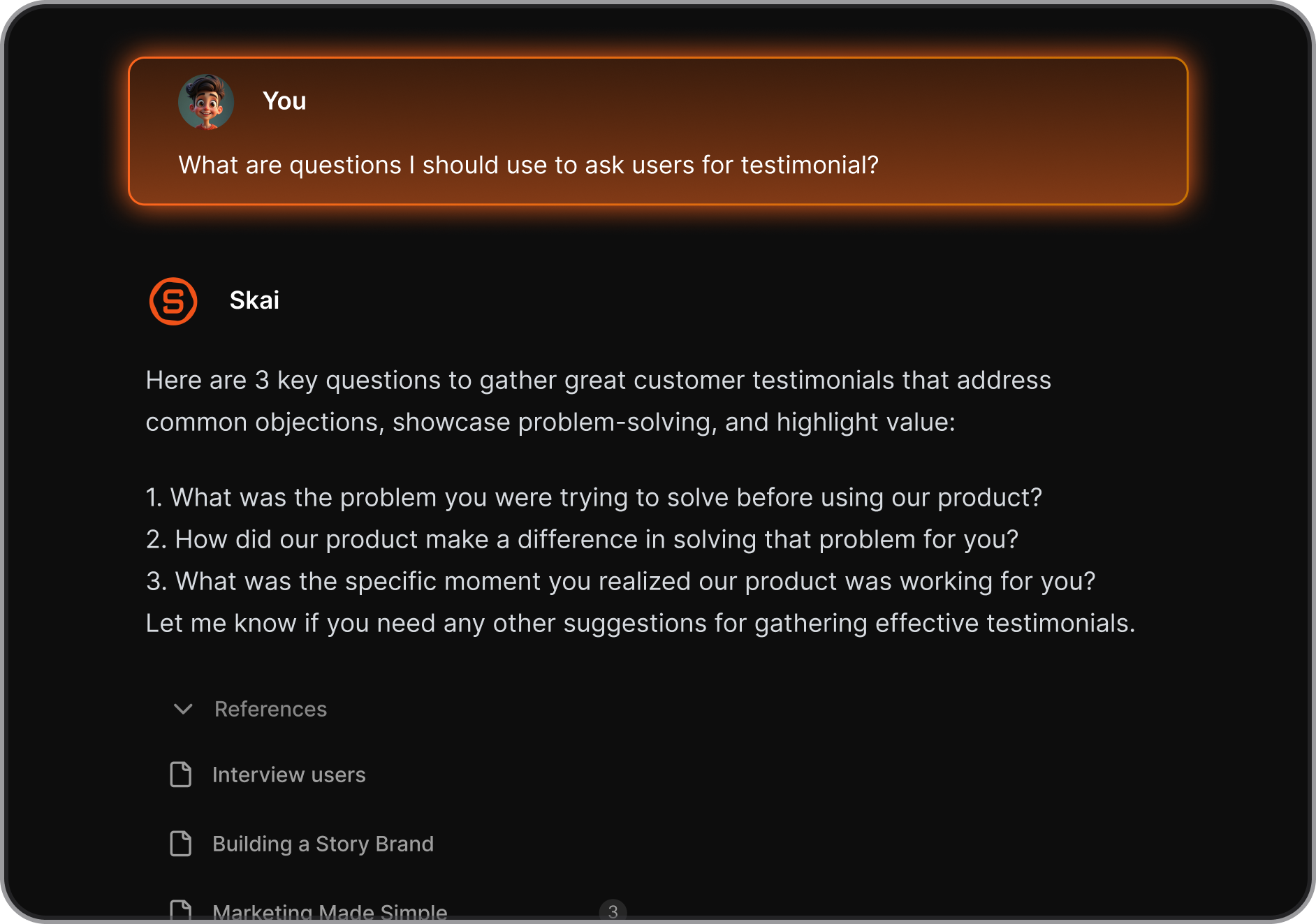
- Second brain for PMs: Import notes, PDFs, Notion exports, and more. Chat with your own knowledge base instead of hunting for it.
- Semantic search: Find past decisions, meeting notes, and research by describing what you remember, not by guessing the exact filename.
- Capture anywhere: Chrome extension and cross-device sync let you save ideas, links, and tasks without breaking your flow.
Pros:
- Cuts the context-switching tax that eats PM time. Everything you know lives in one place and is actually retrievable.
"Totally great! I consider it as my life manager — helps keep all tasks neatly organized. It definitely boosts efficiency and workflow!" — reviews
- The AI assistant (Skai) can answer questions from your own notes, not generic internet knowledge.
Cons:
- Multilingual support is improving but not yet full-featured outside English.
Pricing:
- Free tier available — see full pricing
Suitable for:
- Solo PMs and small product teams who need to manage their own knowledge, tasks, and focus without an ops team behind them.
How to get started:
- Sign up, import your notes, ideas, and brain dump. The AI becomes more useful the more context you give it, don't wait for it to be perfect before using it daily.

Stay on top of your work with the top AI for product managers
Conclusion
The tools on this list cover six genuinely different parts of the PM week. Where most PM tool lists fail is stacking tools that do the same job and calling it a stack. The right approach is one tool per workflow stage: task management, research synthesis, roadmapping, meeting intelligence, analytics, and documentation. If you pick one from each category, you end up with a system that actually fits together.
For most individual PMs, the highest-ROI starting point is Saner.AI for personal clarity and Granola for meeting notes. Those two together address the two biggest daily drains: context-switching overhead and post-meeting cleanup. From there, add Dovetail when your research volume makes manual synthesis a real bottleneck, and Amplitude when you find yourself waiting on a data analyst for questions you should be able to answer yourself.
Start with one tool this week. Use it for two weeks before adding another.
FAQ
Q1: What is the best AI tool for product managers in 2026?
There's no single best tool because PMs have five distinct jobs.
- For personal task management and focus, Saner.AI.
- For user research synthesis, Dovetail.
- For roadmapping and prioritization, Productboard.
- For meeting notes, Granola.
- For product analytics, Amplitude. For documentation, ChatPRD.
The "best" tool is the one that solves your current biggest bottleneck, not the one with the longest feature list.
Q2: Will AI replace product managers?
No. AI handles the mechanical parts of the job — synthesis, documentation, data retrieval — but it can't do the things that make a PM actually valuable: building trust with engineering, reading a room full of stakeholders, making a call with incomplete information, or deciding which problem is worth solving in the first place. What it will replace is the PM who refuses to learn how to use it. Productboard's 2025 survey found 100% of product teams now use AI tools. The PMs who treat AI as a threat are losing time to the ones who treat it as a force multiplier.
Q3: Is Dovetail worth it for a small team?
It depends on your research volume. If your team runs five or more user interviews per month and research keeps getting lost or repeated, yes. If you're doing occasional one-off interviews, the free tier or a general AI assistant is probably enough. The tool compounds in value over time — the repository becomes more useful the more data is in it — but that compounding takes a few months to kick in.
Q4: Does Granola work without joining the meeting as a bot?
Yes. That's its core design. Granola runs as a native app on your device and captures your system audio directly — so neither you nor your participants see a bot in the attendee list. It's the main reason PMs use it for sensitive calls like user interviews, hiring conversations, or internal strategy sessions. Audio is deleted after transcription, and the app is SOC 2 Type 2 certified as of July 2025.
Q5: What's the difference between Amplitude and Mixpanel?
Both do behavioral analytics and both let you ask questions without SQL. Amplitude leans toward deeper behavioral cohorts, retention analysis, and experimentation — it's the stronger pick if you're optimizing a product with a complex activation flow. Mixpanel is faster to set up and better for ad-hoc self-serve exploration. For most PMs without a dedicated analyst, either works. Start with Amplitude if retention and activation are your core questions; start with Mixpanel if you just want faster self-serve access to usage data.
Q6: Can I use ChatGPT instead of ChatPRD for writing PRDs?
Yes, and many PMs do. The difference is context-depth. ChatPRD is trained specifically on product management workflows and understands the structure of a PRD, edge case documentation, and acceptance criteria without you having to explain it. A well-prompted ChatGPT can get you most of the way there, but you'll spend more time on the prompt engineering than ChatPRD requires. If you write specs regularly, ChatPRD at $15/month is worth the saved friction. For occasional one-off docs, a well-built Claude or ChatGPT prompt works fine.
Q7: Is there a free AI stack for product managers?
Yes. Saner.AI (free tier) + Granola (25 free meetings) + ChatPRD (3 free chats) + Amplitude Starter (free up to 100K monthly users) covers task management, meeting notes, documentation, and product analytics at $0. It won't replace a full paid stack for a larger team, but for an individual PM or early-stage startup it covers the core workflows without spending anything.
Q8: How much does a full AI PM stack cost?
A practical mid-size stack — Saner.AI, Dovetail Professional, Granola Business, Amplitude Starter, and ChatPRD Pro — runs roughly $70–90/month for an individual PM. Add Productboard Essentials (~$20/month) for roadmapping and you're around $90–110/month total. Enterprise tiers and team plans scale from there. The tools with the most aggressive pricing growth are Dovetail (per-seat model at higher tiers) and Amplitude (event volume pricing at scale).
Q9: Does Saner.AI work for teams or just individuals?
Saner.AI is designed primarily for individual productivity and personal knowledge management. It's the tool that handles the cognitive layer — your tasks, your notes, your decisions — not shared team projects. For team-level task tracking, you'd still use Jira, Linear, or Asana. Saner.AI sits above those tools and helps you manage your own slice of the work, including what you need to do, what you've decided, and what you know.
Q10: Can Dovetail replace a UX researcher?
No. Dovetail makes a researcher's output far more useful and discoverable, but it doesn't replace the researcher's judgment. It can transcribe and tag interviews automatically, but it can't design a study, know what questions to ask, spot when a participant is giving you polite rather than honest answers, or make the interpretive leap from what users say to what they actually need. Think of it as a leverage tool for researchers — or a way for PMs running their own research to get more value from the interviews they already do.
Q11: What should I look for in an AI tool as a product manager?
Four things. First, does it solve a specific, recurring problem in your workflow — not a vague "AI features" checkbox? Second, how long until it produces something useful — tools that require a month of setup before delivering value rarely survive past the trial. Third, does it work with the tools your team already uses, or does it create a new silo? Fourth, is the pricing model predictable — per-seat annual pricing is manageable; event-volume or usage-based pricing can surprise you at scale.
Q12: How long does it take to get value from these tools?
For Granola: the first meeting. For ChatPRD: the first document. For Saner.AI: a few days after importing your existing notes. For Dovetail: a few weeks — the repository needs enough data before the AI synthesis becomes genuinely useful. For Amplitude: setup takes longer because you need to instrument events correctly first; expect two to four weeks before you're getting reliable data. For Productboard: a few hours of setup, but the real value comes after a full planning cycle where you can pull from the connected feedback.
Stay on top of your work and life