
5 Best AI for Professors: Manage your work better and more easily
Best AI for professors are Elicit, NotebookLM, Gradescope, Paperpal and Saner.AI


This list covers tools that map to what a professor actually does: research, lecture prep, grading, publishing, and the admin pile that eats the hours around all of it. Each tool below owns one of those five jobs and doesn't bleed into the others, so there's no overlap and no filler picks.
I work at Saner.ai. I've included it here with the same scrutiny I gave the other options, including the things I found frustrating.
Quick answer: What are the best AI for Professors?

- Elicit — best for literature review and evidence synthesis; screens and extracts data across 125M+ academic papers.
- NotebookLM — best for turning readings, papers, and lecture notes into source-grounded summaries, study guides, and audio overviews.
- Gradescope — best for rubric-based grading at scale, across essays, exams, and code.
- Paperpal — best for polishing manuscript language and catching submission-readiness issues before you send to a journal.
- Saner.AI — best for managing tasks, ideas, and calendar and scheduling your day, so the admin layer stops swallowing research time.
What is an "AI tool for professors"?
An AI tool for professors is software that applies large language models or machine learning to one part of academic work: finding and synthesizing research, preparing course material, grading student work, editing scholarly writing, or managing the schedule and inbox that surrounds all of it.
The problems professors are facing
Faculty burnout is no longer a fringe complaint; it's the median experience.
- A Healthy Minds Study survey of 1,003 faculty and instructors at 16 institutions found nearly two-thirds (64%) reported feeling burned out from work, with the figure rising to 68% at four-year institutions specifically (Healthy Minds Network / APA).
The workload isn't just teaching; it's the accumulation of research, service, and administrative reporting.
- A systematic review of 60 peer-reviewed studies covering roughly 43,639 academic staff identified excessive workload and administrative burden as the top drivers of burnout across ranks, from adjuncts to senior professors, with senior faculty specifically citing administrative overload and role ambiguity as recurring stressors (PMC systematic review).
AI adoption among faculty is real but shallow, which is where most of the wasted time sits.
- A 2026 EDUCAUSE survey of nearly 2,000 higher ed professionals found that institutional AI strategies are now the norm, with a mere 5% reporting no work-related AI strategy at all (EDUCAUSE).
- Yet Ithaka S+R's national interview study found instructors and researchers have widely varied familiarity with generative AI, and even experienced users report ongoing challenges integrating it past single-task use into an actual daily workflow (Ithaka S+R).
How this AI tool list was built
Fifteen tools marketed toward higher ed faculty were tested over four weeks against real academic tasks: a mock literature review, a batch of 40 ungraded essays, one manuscript revision, and two weeks of live inbox and calendar management. Five made the cut, one per category, based on:
- Category ownership — does the tool fully own one part of the professor's workflow, or is it a shallow feature bolted onto something else?
- Citation grounding — for research and writing tools, does every claim or summary trace back to a real, retrievable source?
- Rubric fidelity — for grading tools, does scoring stay consistent across 40+ submissions against the same rubric?
- Setup cost — how long from account creation to first usable output, with no IT ticket required?
- Integration reach — does it connect to tools professors already use (Gmail, Google Drive, LMS, calendar) or does it live in its own silo?
- Price transparency — is there a usable free tier, and is paid pricing published rather than "contact sales"?
What are the best AI for Professors?
The best AI for professors are Elicit, NotebookLM, Gradescope, Paperpal and Saner.AI
Comparison table of AI for professors
| Tool | Best For | Category | Starting Price | Standout Feature |
|---|---|---|---|---|
| Elicit | Literature review & evidence synthesis | Research | Free tier; Pro from ~$12/mo | Structured data extraction across 125M+ papers |
| NotebookLM | Lecture prep & source-grounded synthesis | Teaching content | Free | Audio Overviews turn readings into podcast-style summaries |
| Gradescope | Grading & assessment | Grading | Free tier; institutional licensing for full features | Consistent rubric-based grading across large classes |
| Paperpal | Academic writing & manuscript polishing | Publishing | Free tier; Prime from ~$19/mo | Journal-specific submission readiness checks |
| Saner.ai | Task, email & calendar management | Admin | Free tier; paid from ~$8–20/mo | Auto-extracts action items from notes and email into one daily plan |
1) Elicit — Best for literature review and evidence synthesis
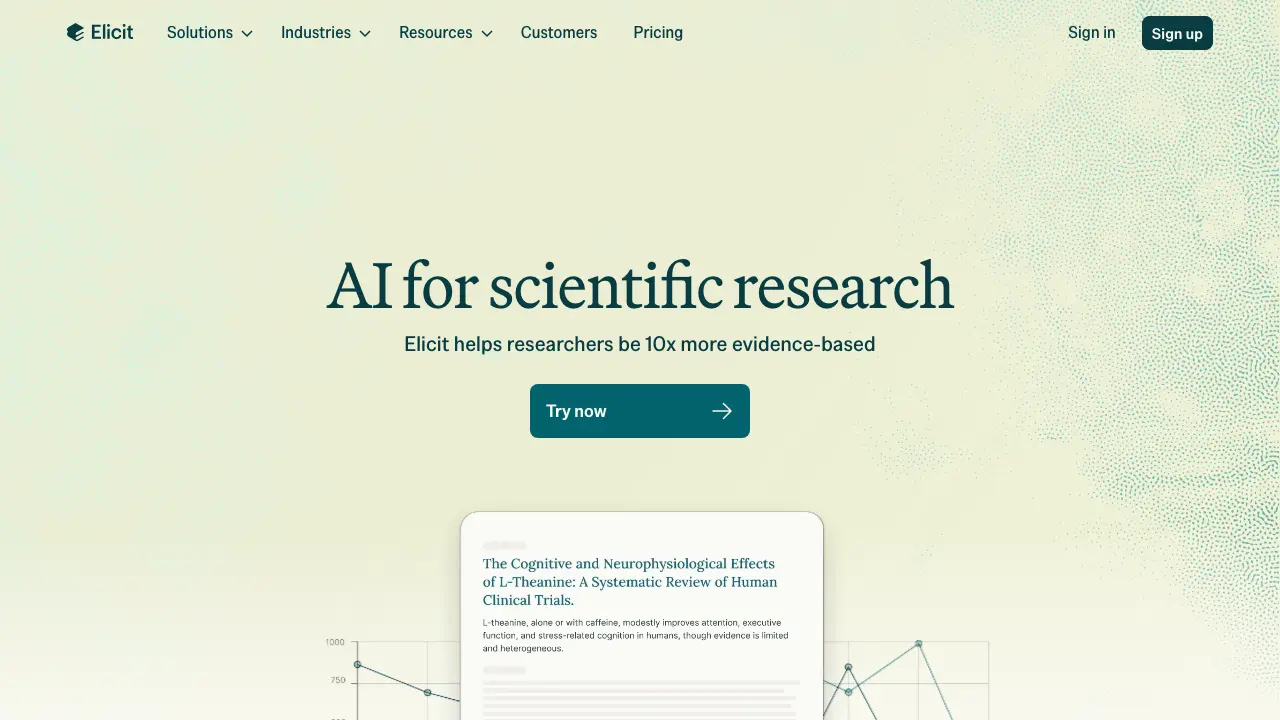
Elicit searches and screens academic literature, then extracts structured data across studies. It's built for the stage of research that used to mean weeks of manual reading: scoping a question, pulling relevant papers, and comparing methods and findings side by side. Best suited to faculty running systematic reviews, meta-analyses, or early-stage literature mapping for a grant or paper.
Key features:
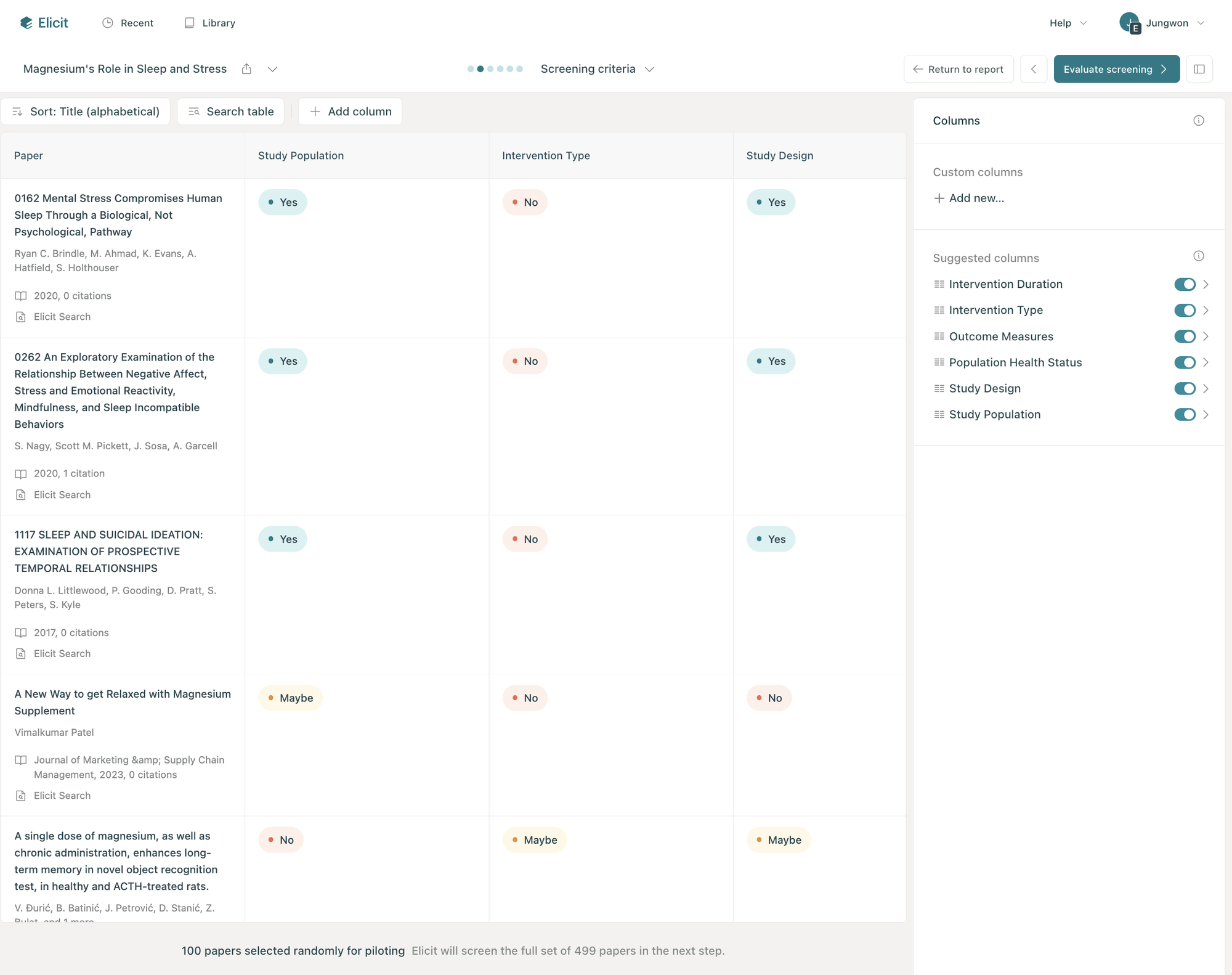
- Structured extraction: pulls sample size, methods, and outcomes into a comparison table across dozens of papers at once
- Systematic review workflow: screens up to 5,000 papers against inclusion criteria with PRISMA-style audit trails
- Search across 138 million+ papers, with reports citing back to the original source
Pros:
- Summarizes dense papers into clear, structured output fast
- Extraction accuracy holds up well when papers are in its corpus, independently benchmarked above 95% against Cochrane reviews
Cons:
- Starred searches don't save cleanly.
- Independent field testing found sensitivity dropping well below vendor claims once real-world search strategies were used, so results still need manual verification
Pricing:
- Basic — Free — Limited reports per month, core search and screening
- Pro — ~$32/month (annual) — 12 reports/month, 5,000-paper systematic review workflow, 20 table columns
- Enterprise — Custom — 40,000-paper screening, figure extraction, admin controls
Suitable for:
- Best for: faculty and PhD supervisors running systematic reviews, meta-analyses, or grant literature scoping
How to get started:
- Start with a single research question and let Elicit return its first table of extracted papers before uploading a full reading list. Expect the free tier to run out of reports quickly if the review is systematic in scope;
2) NotebookLM — Best for turning readings into lecture-ready material
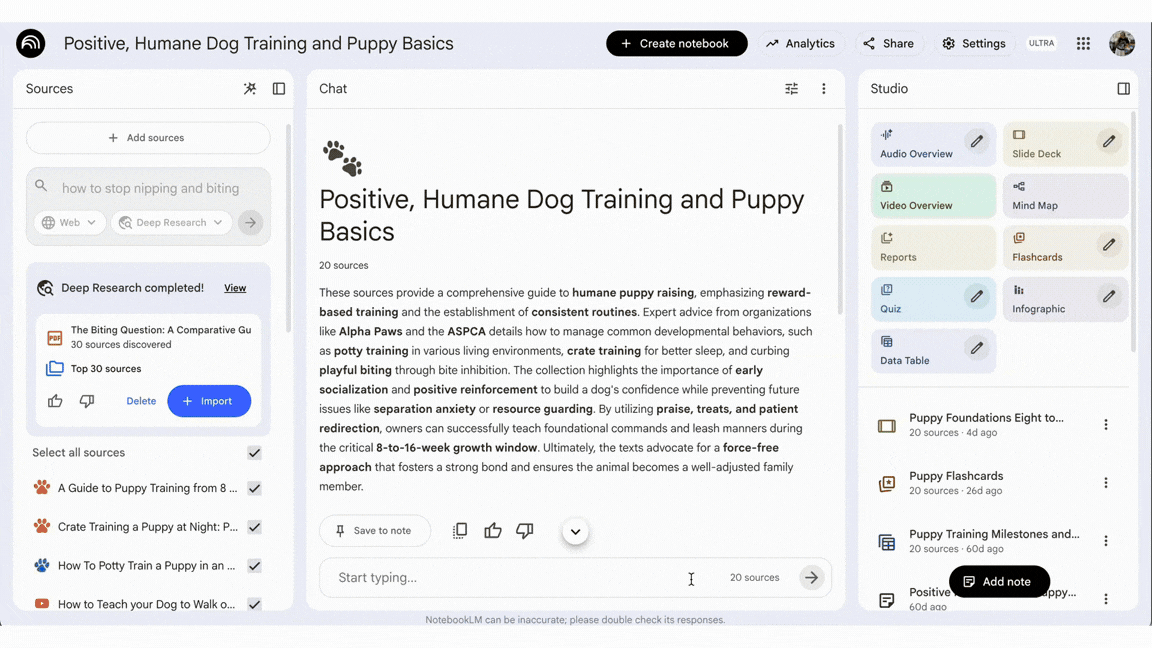
NotebookLM builds a lecture prep workspace grounded entirely in the sources uploaded to it: papers, slides, past lecture notes, so it doesn't invent facts outside what's provided. It sits between literature review and the classroom: once the reading is chosen, it becomes a lecture, a study guide, or a student-facing audio summary.
Key features:
- Audio Overviews: turns a stack of readings into a podcast-style summary students can listen to before class
- Source-grounded Q&A: every answer traces back to a specific uploaded document, with no outside invention
- Mind Maps: converts a reading list into a visual structure useful for building a syllabus or lecture outline
Pros:
- Handles multiple source types well and produces genuinely useful audio summaries.
- Free to use, with no paywall on core features for individual faculty
Cons:
- Still produces occasional inaccuracies even with source grounding, so summaries need a check against the original text, according to the same
- Limited formatting options for exporting polished material directly into a lecture slide or handout
Pricing:
- Free — Full core functionality, source uploads, Audio Overviews, Mind Maps
Suitable for:
- Best for: professors turning a reading list into lecture content, study guides, or pre-class audio material
How to get started:
- Upload the readings for a single lecture and run one Audio Overview before committing to it for a full course.
3) Gradescope — Best for grading at scale
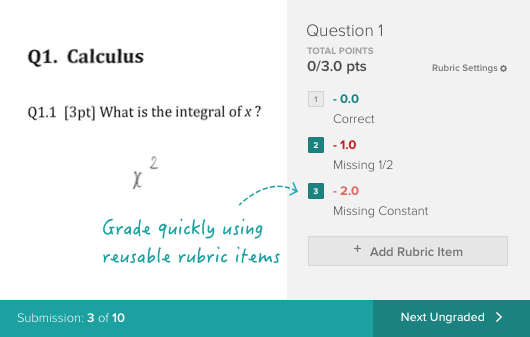
Gradescope digitizes grading for essays, exams, and code, applying the same rubric across every submission. It solves the single biggest time sink in a professor's week: first-pass evaluation of large stacks of student work, without losing consistency between the first paper graded and the last.
Key features:
- Rubric-based grading: apply one rubric across an entire stack, with points and comments reused automatically
- AI-assisted grouping: clusters similar answers together so equivalent responses get graded once, not one by one
- Code and bubble-sheet support: grades programming assignments and scanned exams alongside written work
Pros:
- Cuts grading time substantially for large courses.
- Keeps scoring consistent across a large batch.
"I like being able to see the breakdown of how points are assigned to different components of each test question," according to reviews
Cons:
- Feedback quality depends on how much detail the instructor puts into the rubric upfront, or breakdowns become confusing
- Navigation friction: reuploading requires resubmitting an entire assignment rather than a single question, and back-navigation doesn't always return to the right page
Pricing:
- Free tier — Basic grading for individual instructors
- Institutional license — Custom pricing — Full feature set, LMS integration, analytics across a department
Suitable for:
- Best for: professors teaching large enrollment courses with essay, exam, or code-based assessment
How to get started:
- Set up one assignment with a detailed rubric before rolling it out across a full course. The setup cost is front-loaded into rubric design, so the first assignment takes longer than expected;
4) Paperpal — Best for manuscript writing and submission readiness
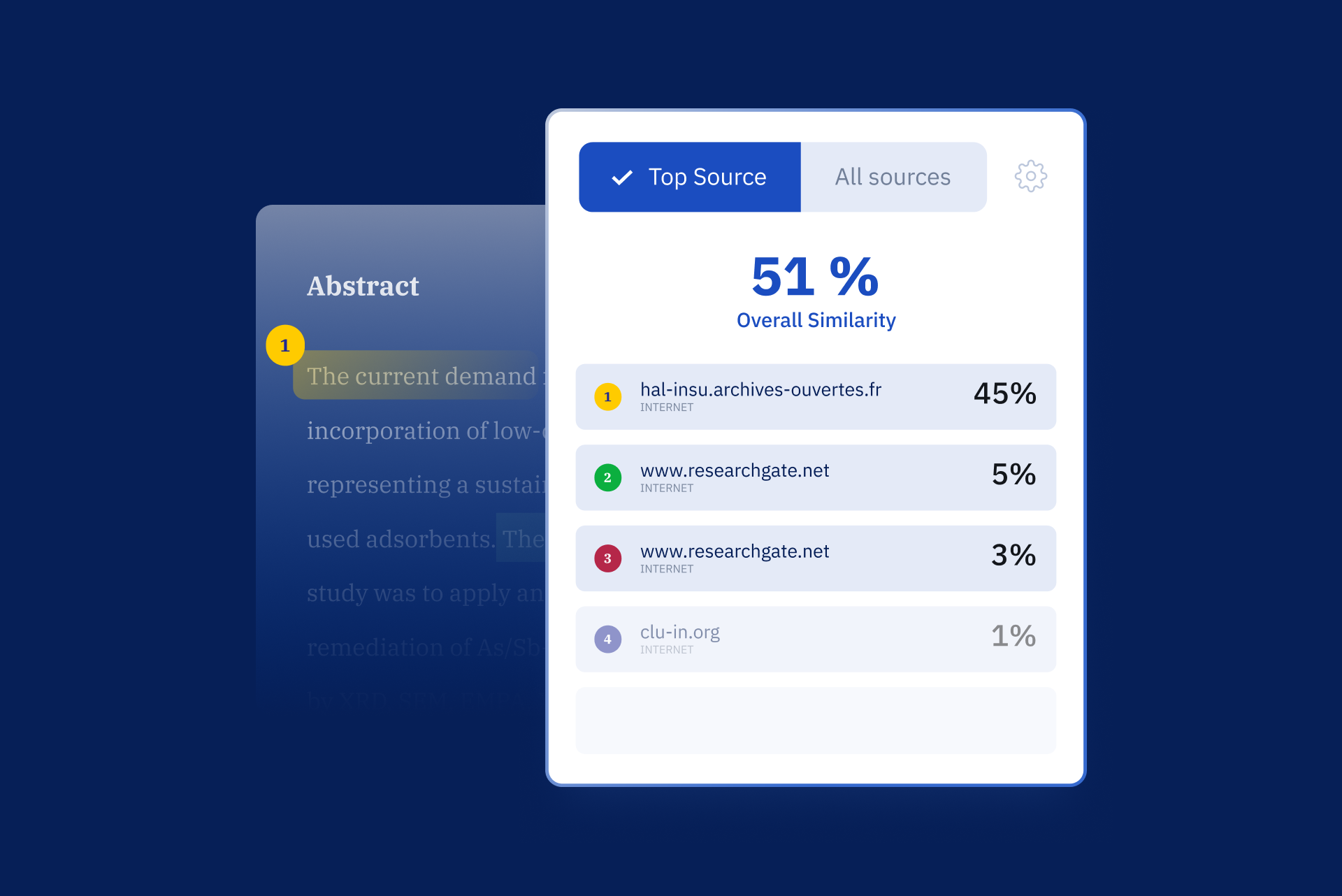
Paperpal is built specifically for academic writing, not general content, correcting grammar and phrasing against scholarly conventions rather than flagging formal language as a mistake. It fits the publishing stage of the job: turning a draft into something ready for journal submission.
Key features:
- Academic-tuned language correction: understands that formal words like "utilize" and passive voice are often appropriate in research writing
- Citation and reference support: finds and formats citations from 250 million+ research articles across 10,000+ citation styles
- Submission readiness checks: flags formatting and structural issues specific to target journals before submission
Pros:
- Understands scholarly phrasing rather than flattening it into casual language.
- Works directly inside Microsoft Word, so editing happens in the same document being submitted
Cons:
- Focused narrowly on academic writing, so it's a poor fit for anything outside formal research prose
- Free tier caps out quickly. The word limit on the free plan is described as basically one sentence if you're a wordy writer
Pricing:
- Free — Limited word count, basic grammar checks
- Prime — From ~$19–25/month — Full rewrite, citation search, submission checks, Word/Overleaf integration
Suitable for:
- Best for: faculty and non-native English speakers preparing manuscripts for journal submission
How to get started:
- Run one full chapter or manuscript section through it before relying on it for a full paper, since suggestions occasionally miss nuance in complex arguments and need a manual read-through.
5) Saner.AI — Best for admin overload: email, tasks, and daily planning
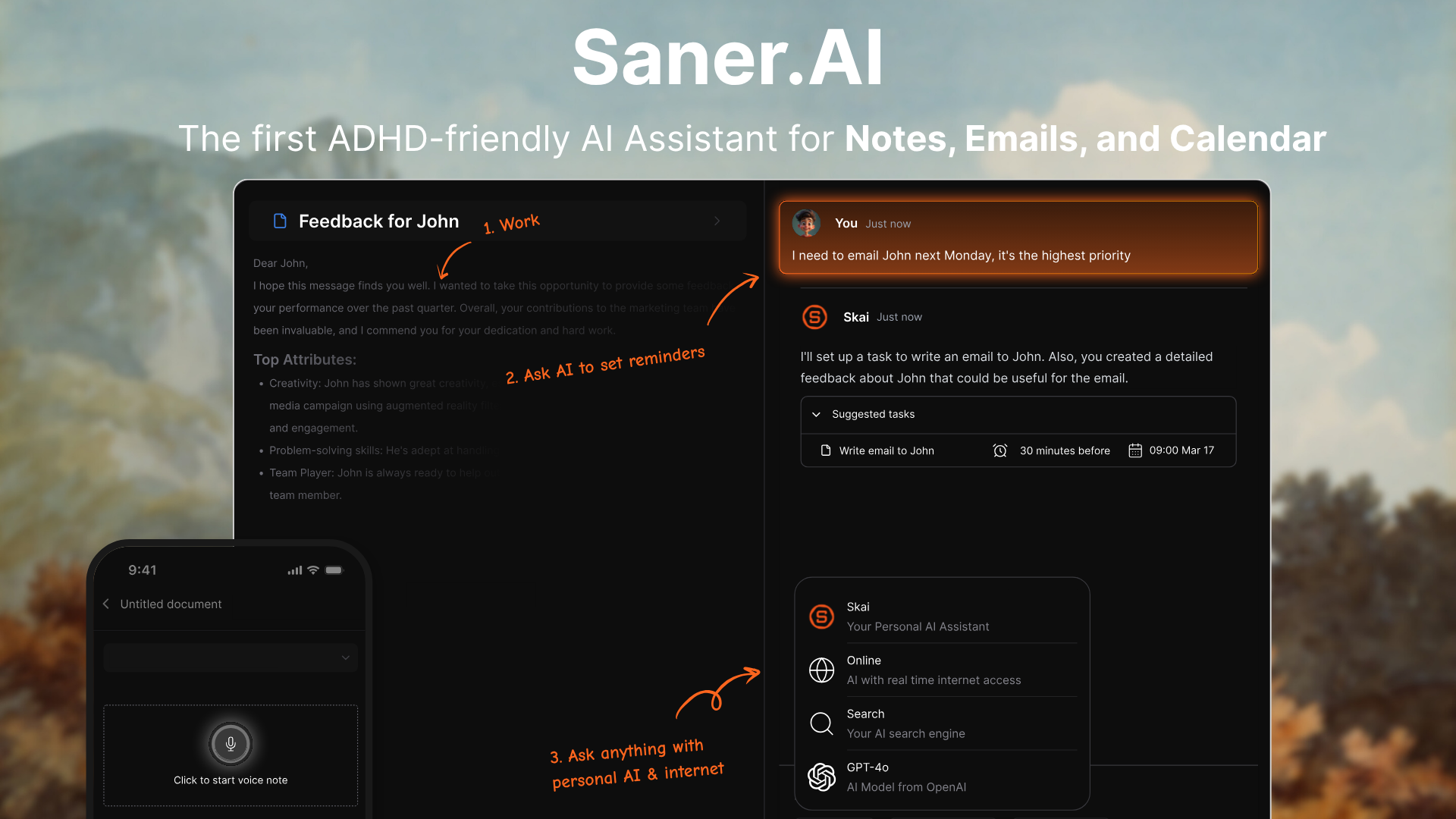
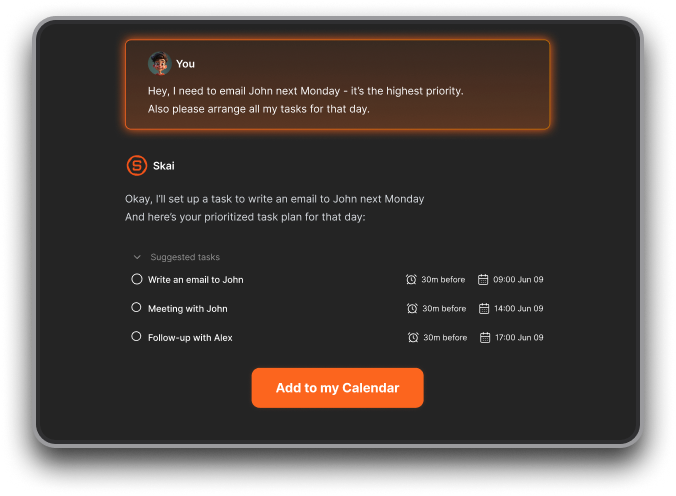
Saner.AI pulls tasks out of email, notes, and meetings and turns them into one daily plan, instead of leaving them scattered across an inbox and three different apps. It's the layer underneath everything else on this list: research, lecture prep, grading, and writing all generate follow-up tasks, and this is where those tasks get captured instead of forgotten.
Key features:
- Automatic day planning: It goes through your information and suggests an optimal schedule
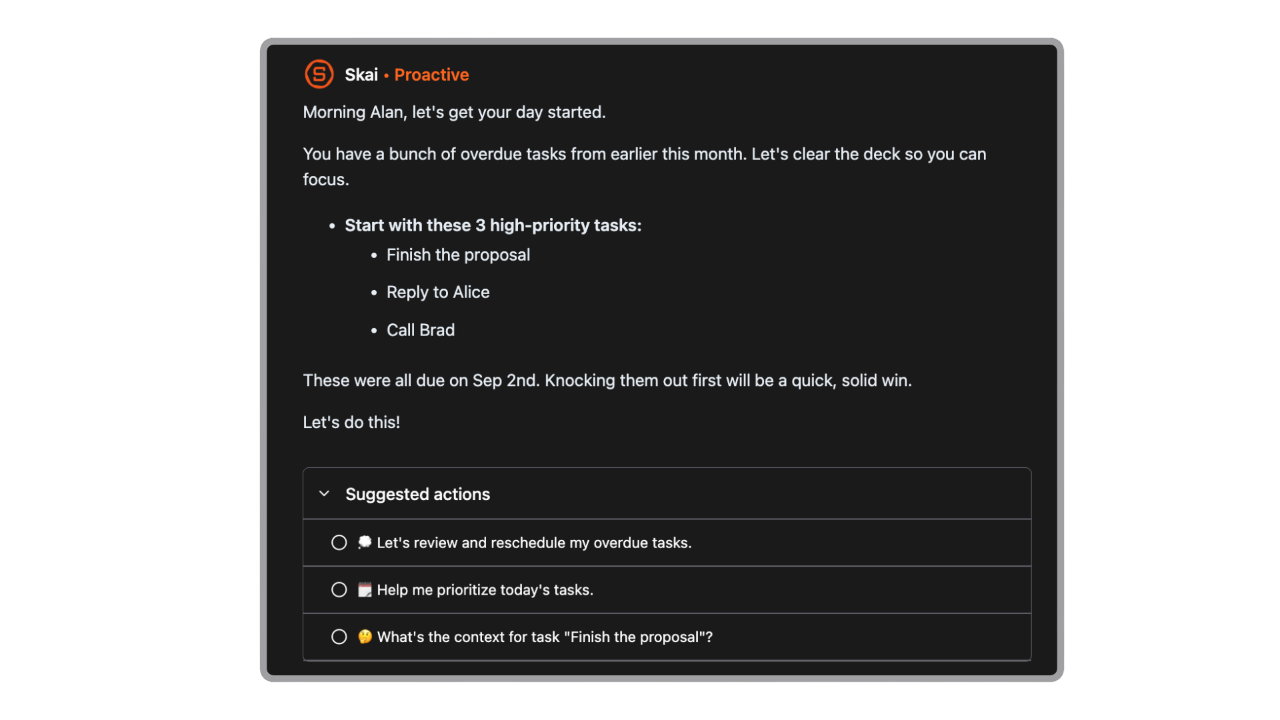
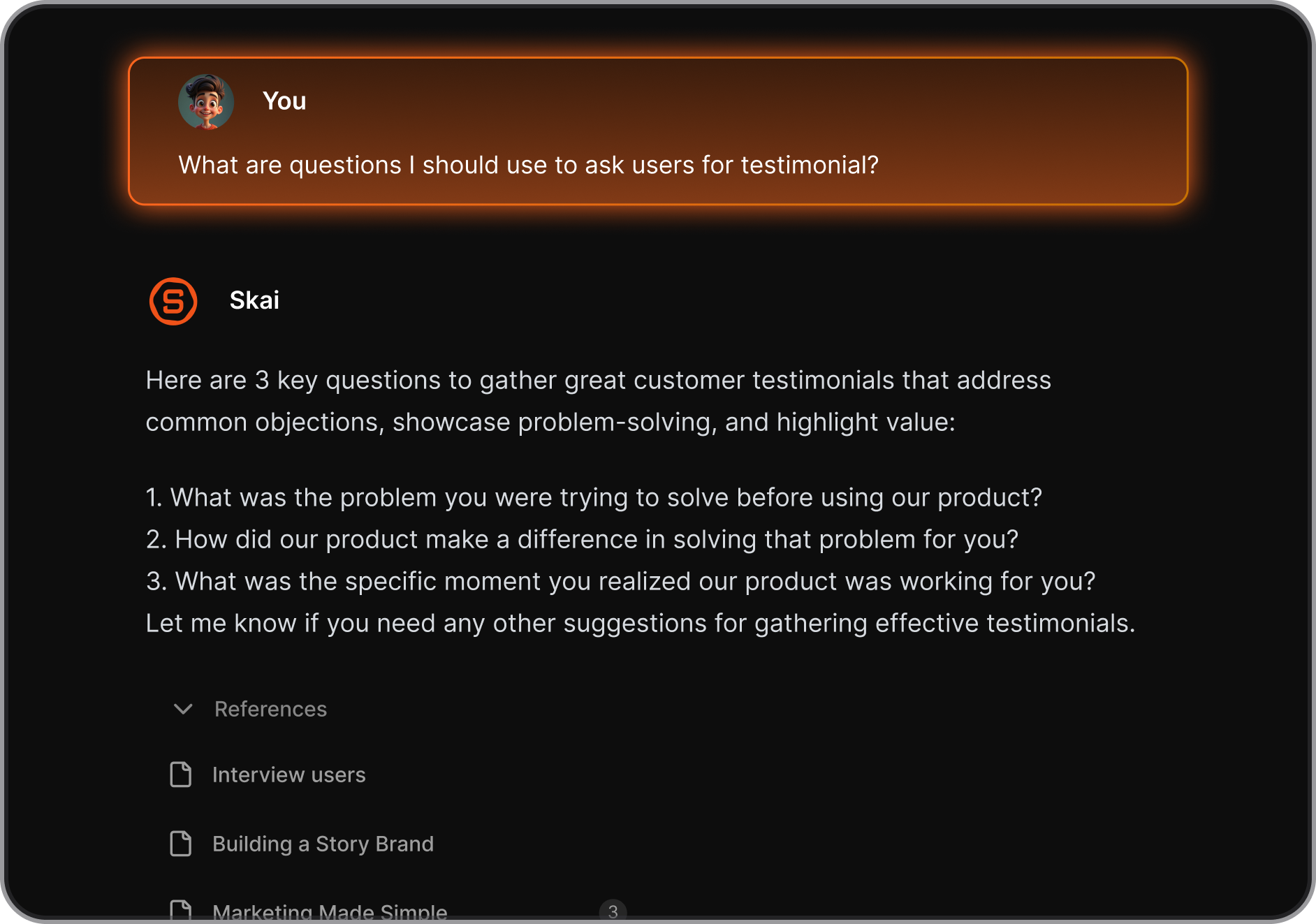
- Skai AI assistant: answers questions and surfaces relevant notes or tasks based on a professor's own saved knowledge base
- Cross-tool capture: Chrome extension, voice notes, and calendar integration for logging tasks from wherever they show up
Pros:
- Consolidates scattered information into one place, which reviewers repeatedly single out as the core value.
- The Braindump to task is really convenient
Cons:
- Some users want deeper inline AI editing within notes and stronger backup or sync options
Pricing:
- Free — Core note-taking, task capture, limited AI queries
- Standard/Pro — ~$8–20/month — Unlimited tasks, full AI chat, Gmail/Drive/Slack/Outlook integrations
Suitable for:
- Best for: faculty juggling research, teaching, and service who need one place for tasks pulled from email, notes, and meetings
How to get started:
- Connect an email account first and let the AI pull a week of existing messages into tasks before building out notes and folders manually. The adjustment period is short, most of the setup is just deciding what to automatically tag, not learning new software mechanics.

Stay on top of your work and life
Conclusion
Research, teaching, grading, and writing each have a tool that owns them now, but none of those tools talk to each other, and none of them touch the admin pile sitting underneath all four.
- Elicit, NotebookLM, Gradescope, and Paperpal handle the work itself.
- Saner.ai handles what happens to that work once it turns into an email, a deadline, or a half-finished task, the part that usually gets lost.
- Pick the tool that matches the job in front of you this week, not the one with the most features.
Start with whichever pain point is loudest right now and add the rest as the workload demands it.
FAQ
What is the best AI tool for professors doing literature reviews?
Elicit is the strongest option for structured literature review work, since it screens papers against inclusion criteria and extracts comparable data across studies. Independent benchmarking shows its accuracy is high when papers are in its corpus, though field testing has found performance drops under real-world search conditions, so results still need manual verification.
What's the difference between Elicit and NotebookLM?
Elicit searches and screens the broader academic literature to find and compare papers. NotebookLM works only with documents already uploaded to it and is built for synthesis and lecture prep, not discovery. Use Elicit to find the papers, then NotebookLM to turn the ones selected into teaching material.
Is Gradescope worth it in 2026?
Yes, for anyone teaching a course with more than about 30 students. The time saved on rubric-based grading and consistency across a large stack of submissions outweighs the setup cost of building a detailed rubric upfront.
Does Gradescope work with my LMS?
Gradescope integrates with major learning management systems including Blackboard and Canvas, pulling class rosters automatically so scanned or uploaded work links to the right student without manual matching.
What should professors look for in a grading tool?
Look for consistent rubric application across every submission, support for the assignment types actually used (essay, exam, code), and integration with the existing LMS. A tool that can't reuse the same rubric across the whole stack doesn't save meaningful time.
Can AI tools replace peer review or editorial judgment in academic writing?
No. Paperpal and similar tools improve grammar, phrasing, and submission formatting, but they don't evaluate the validity of an argument or verify methodology. Every AI-assisted draft still needs the same critical read a human editor or reviewer would give it.
Is there a free AI tool for academic research?
Yes. NotebookLM is free with no paywall on its core features, Elicit's Basic tier includes limited free reports, and Gradescope has a free tier for individual instructors outside full institutional licensing.
How much does an AI research assistant cost?
Pricing varies widely by tool and tier. Elicit runs from free up to roughly $32/month for Pro. Paperpal starts free and moves to $19-25/month for full rewrite and citation features. Saner.ai starts free and moves to $8-20/month depending on plan.
What's the best AI tool for professors dealing with email and task overload?
Saner.ai is built specifically for this, pulling action items out of email, notes, and meetings into a single daily plan rather than requiring manual entry into a separate task app.
How do I get started with an AI assistant like Elicit?
Start with one specific research question rather than uploading an entire reading list. Run a single search, review the extracted table for accuracy against a few source papers, and expand the workflow once the tool's screening criteria are dialed in.
Do AI grading tools introduce bias into student assessment?
They can, if the underlying rubric is vague or inconsistently applied by the instructor before automation. The tool applies whatever rubric it's given consistently, but consistency isn't the same as fairness. The rubric itself still needs the same scrutiny it would get in manual grading.
Is Paperpal only useful for non-native English speakers?
No, though it's especially valuable for that group. Paperpal is tuned specifically for scholarly phrasing and conventions like appropriate passive voice, which makes it useful for any academic writer preparing a manuscript for journal submission, regardless of first language.
What's the AI tool for professors juggling research, teaching, and admin at once?
No single tool covers all three well. The practical approach is one specialist tool per function: Elicit for research, NotebookLM for teaching content, Gradescope for grading, Paperpal for writing, with Saner.ai underneath to catch the tasks each one generates.
Stay on top of your work and life