
We tried the 7 best AI for Project Managers in 2026


Best 7 AI for Project Managers in 2026
Project managers today don’t just manage tasks, they manage knowledge, meetings, schedules, resources, and team workflows. Even with traditional project management tools, the mental overhead remained huge.
That’s where AI tools started to make a difference.
Over the past months, I tested and researched many AI project management tools to understand which ones actually help project managers - not just look impressive in demos.
In this guide, I’ll walk through the best AI apps for project managers in 2026, including tools that help with:
- task prioritization
- project planning
- team coordination
- reporting and insights
1. Why Project Managers Are Turning to AI in 2026
In 2026, the complexity has increased significantly. Most project managers now coordinate distributed teams, multiple tools, and constant updates across chat, meetings, and documentation. AI tools are becoming essential because they help reduce administrative work, surface insights faster, and keep projects moving without requiring constant manual oversight.
Here are AI apps for Project Manager can do:
- Task prioritization – Analyze deadlines, dependencies, and team workload to suggest which tasks should be tackled first.
- Reporting automation – Generate project status updates, weekly summaries, and stakeholder reports based on existing project data.
- Team coordination – Monitor project activity and highlight issues such as overdue tasks, blocked work, or workload imbalance.
- Planning and forecasting – Some AI project management tools analyze past project data to estimate timelines, resource needs, and potential risks.
How I Tested These AI Apps for Project Managers
The goal was simple: identify AI tools that genuinely reduce workload and improve clarity, rather than tools that simply add more complexity.
Here’s the framework I used during testing:
- Real project management workflows – I tested each tool in common PM situations such as planning a sprint, organizing meeting notes, assigning tasks, and tracking deadlines.
- AI capabilities – I focused on tools that use AI for practical tasks like summarizing meetings, prioritizing tasks, scheduling work
- Integration with common PM tools – Project managers rarely work in a single app. I evaluated whether the tool integrates well with platforms like Slack, Google Workspace, Microsoft Teams, Jira, or GitHub
- Ease of setup and daily use – I prioritized apps that project managers can start using quickly without spending hours setting up
- Value for money – I compared pricing against the actual productivity benefits to determine whether the tool provides good value for individual PMs or teams.
What are the best AI for Project Manager in 2026?
The best AI for Project Manager in 2026 are Saner.AI, Asana, Reclaim.ai, ClickUp, Notion, Fireflise, and Forecast
🤖 Best AI Apps for Project Managers in 2026 — Comparison Table
| Tool | 🧠 Core AI Strength | ⚙️ Key Features | 💰 Pricing (2026) | 👍 Best For |
|---|---|---|---|---|
| Saner.AI | AI task capture + intelligent organization | • Natural language task capture• AI auto-organizes notes & tasks• Smart prioritization• Personal AI assistant for planning | Free plan availablePro: ~ $8–16/month | Project managers who want AI to organize ideas, tasks, and planning automatically |
| Asana | AI project coordination | • AI task suggestions• Workflow automation• Timeline & workload management• Team collaboration dashboards | Free basic planStarter: $10.99/user/monthAdvanced: $24.99/user/month | Teams managing structured projects and cross-team collaboration |
| Reclaim.ai | AI calendar scheduling | • Auto-schedule tasks• Smart meeting scheduling• Habit tracking• Calendar optimization | Free planStarter: $10/user/monthBusiness: $15/user/month | PMs who want AI to protect focus time and schedule work automatically |
| ClickUp | AI workspace productivity | • AI writing assistant• Task management• Docs, goals, dashboards• Automations | Free planUnlimited: $7/user/monthBusiness: $12/user/monthClickUp AI add-on: ~$5/user/month | Teams needing an all-in-one productivity workspace |
| Notion | AI knowledge management | • AI writing & summarization• Project dashboards• Databases & docs• Knowledge base management | Free planPlus: $10/user/monthBusiness: $18/user/monthNotion AI add-on: ~$8/user/month | PMs who manage documentation, planning, and internal knowledge |
| Fireflies.ai | AI meeting intelligence | • Meeting transcription• AI summaries• Action item extraction• Integrates with Zoom, Meet, Teams | Free planPro: $10/user/monthBusiness: $19/user/month | Project managers who run many meetings and need automated notes |
| Forecast | AI resource planning | • AI project forecasting• Resource allocation• Time tracking• Financial forecasting | Typically custom pricing(commonly ~$29+/user/month depending on plan) | Agencies and enterprises needing AI-driven project and resource forecasting |
1. Saner.AI
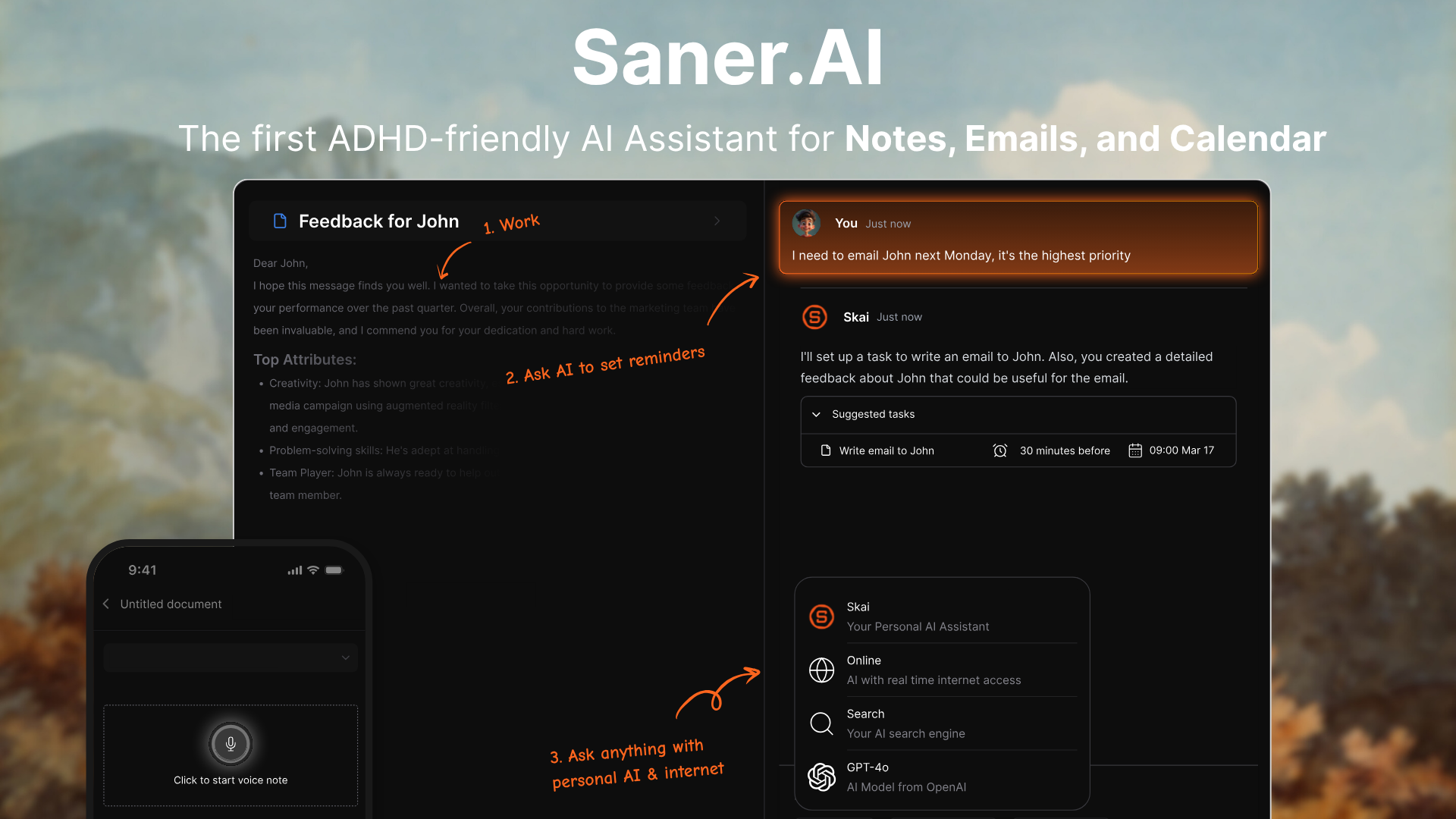
Saner.AI felt more like a personal AI workspace that helps project managers capture ideas, organize tasks, and think through projects without friction.
What makes it different is the way tasks, notes, and ideas are captured in one place. I can simply write things down, and the AI helps organize them automatically. For project managers juggling multiple conversations, documents, and action items, this kind of frictionless capture can make a big difference.
Key features
- I can quickly jot down messy ideas, voice notes, or meeting thoughts, and Saner helps turn them into structured notes or tasks.
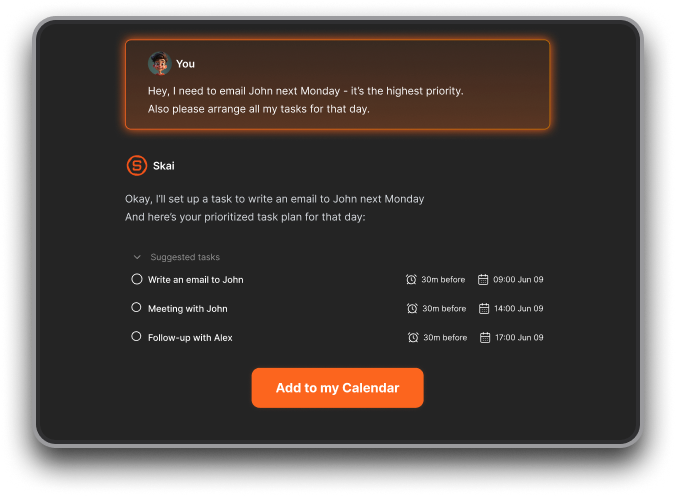
- Saner.AI can also scan your emails then extract the action items in it into tasks.
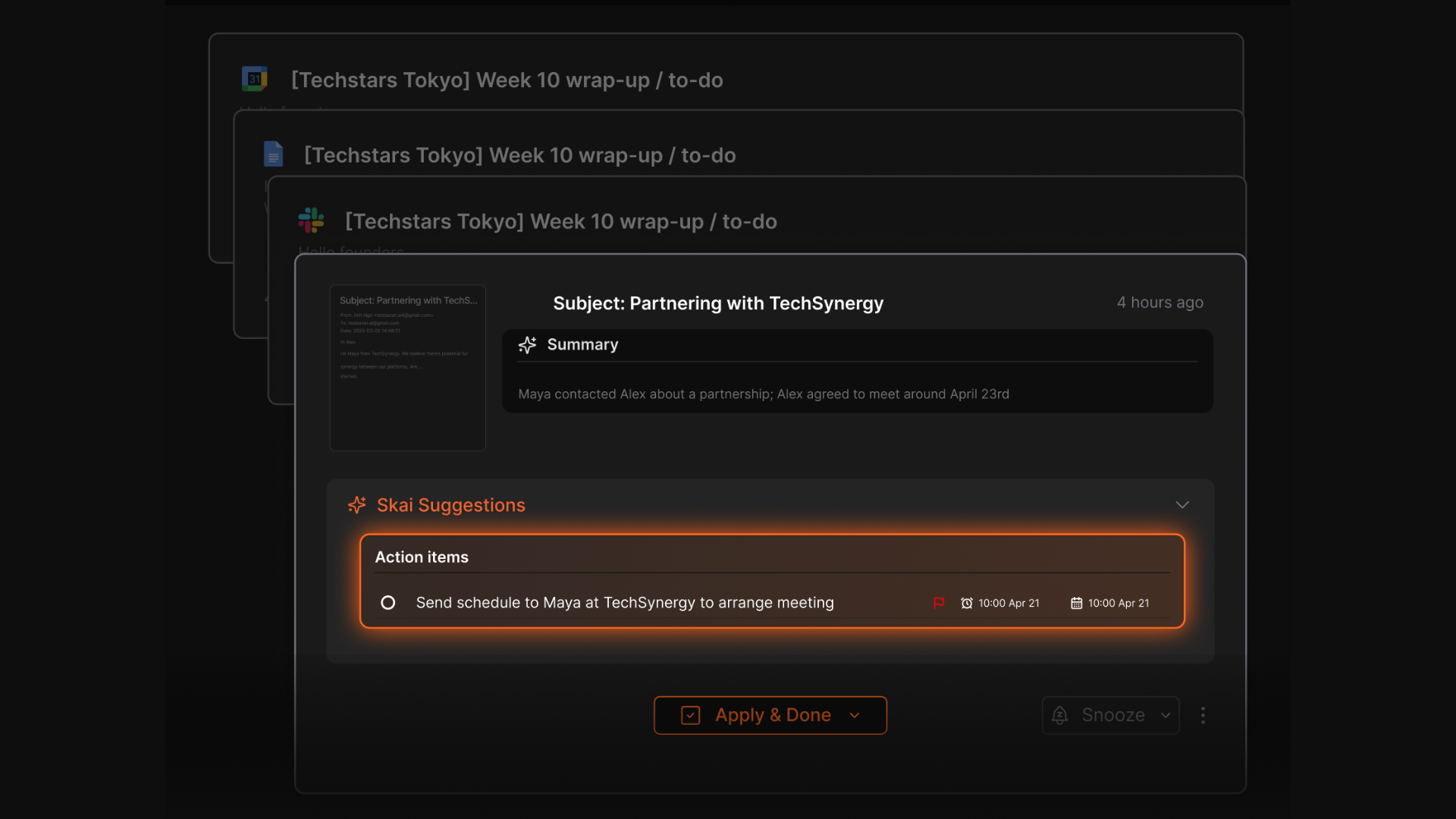
- Instead of manually organizing everything, I can simply ask the AI to find information or generate insights.
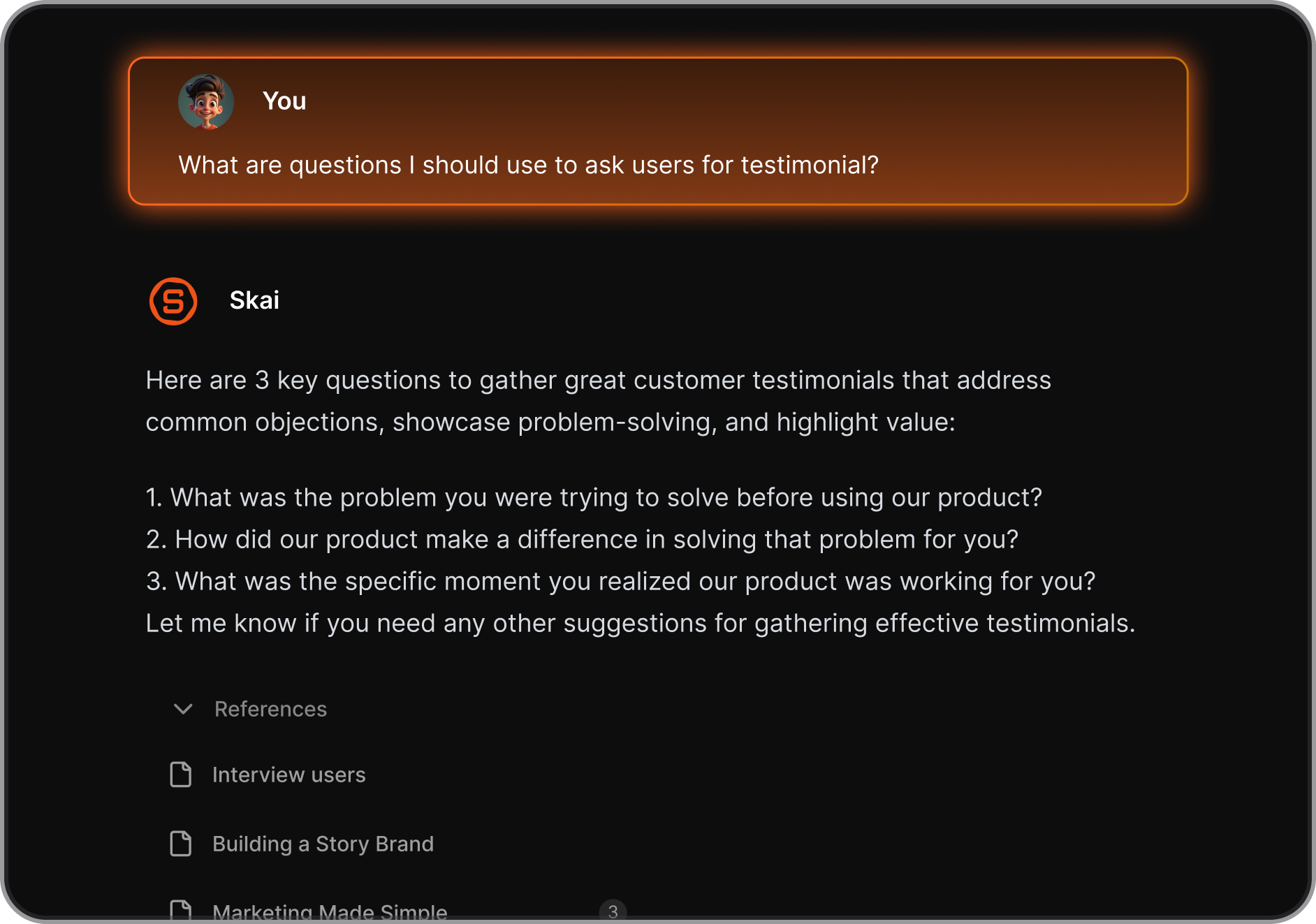
- The tool includes a task system where the AI can help break down tasks, prioritize work, or turn notes into actionable to-dos.
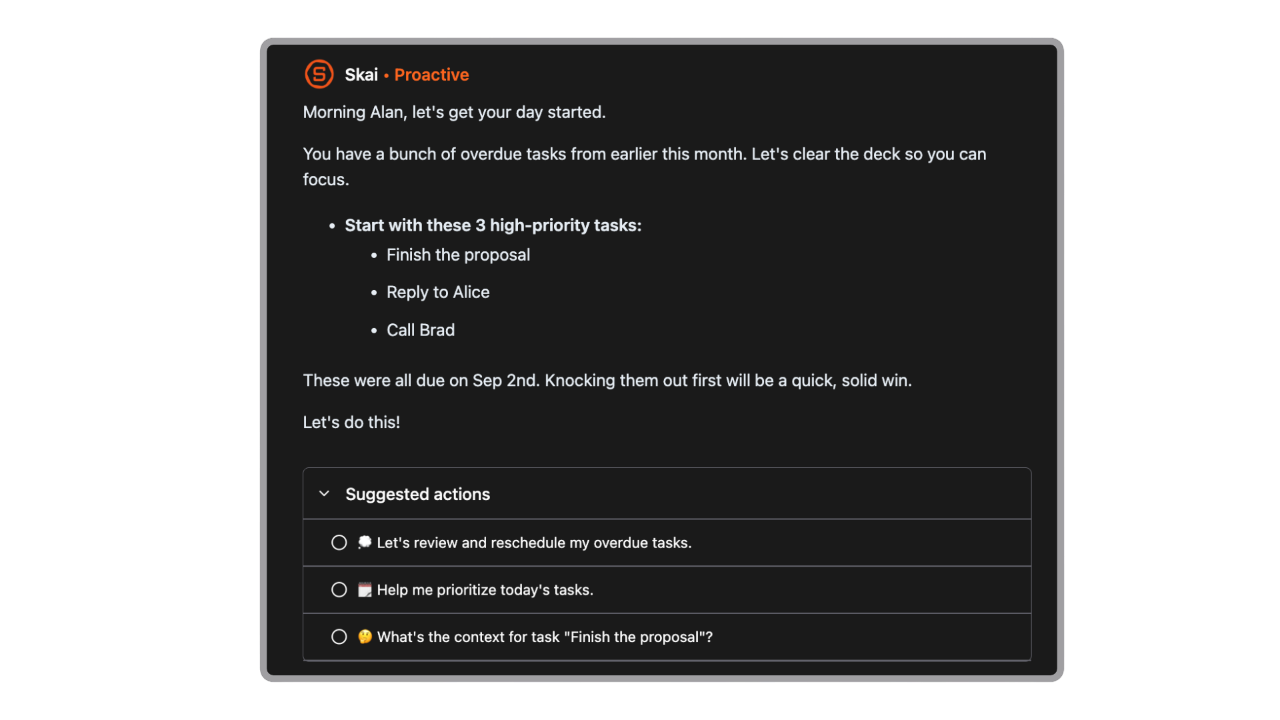
What I liked
- As a project manager, I often jump between documents, emails, and tasks. Saner makes it easier to bring everything into one place so I can focus on actual work instead of searching for information.
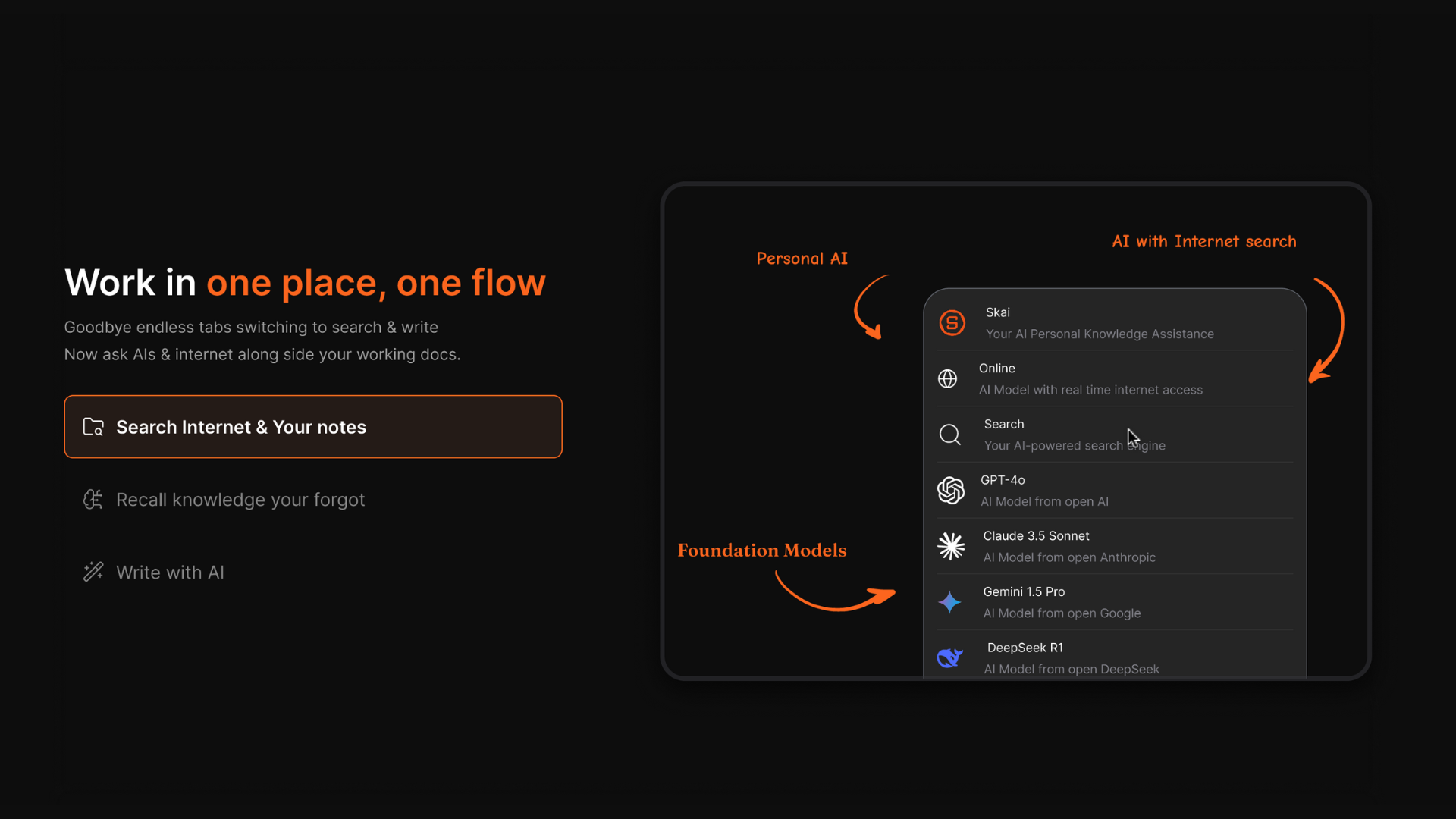
- I liked that I could ask the AI questions about my own notes and files. It feels closer to having a personal research assistant than a traditional knowledge base.
- Many AI productivity tools feel complex, but Saner keeps the workspace clean and distraction-free.
Cons
- Complex workflows are still easier to manage on the web interface.
Pricing
- Free
- Starter - $8/month
- Standard — $16/month
Who is it suitable for?
- Project managers handling multiple information sources
- Managers who want AI to help organize project knowledge
- Entrepreneurs and knowledge workers managing complex ideas
- People who prefer natural-language workflows
Saner.AI review
"The biggest benefit for me in using Saner is the Proactive AI. Staying on top of the constant flow of email and multiple calendars is challenging, and so far, Saner is the only AI-based tool that truly feels like a personal assistant." - Jerry

How to start using it?
- Sign up on Saner.AI and create your workspace.
- Import or capture your existing project notes
- Start using the AI assistant

Stay on top of your work and life with the AI Calendar
2. Asana AI
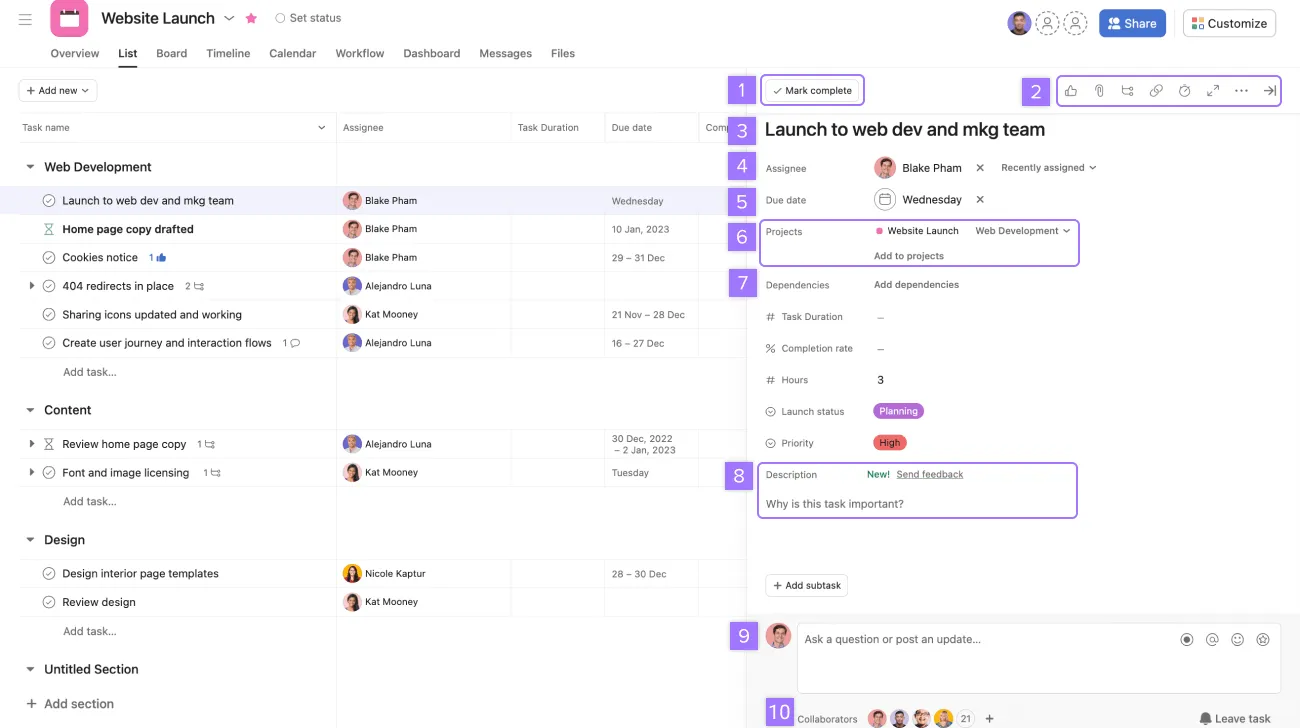
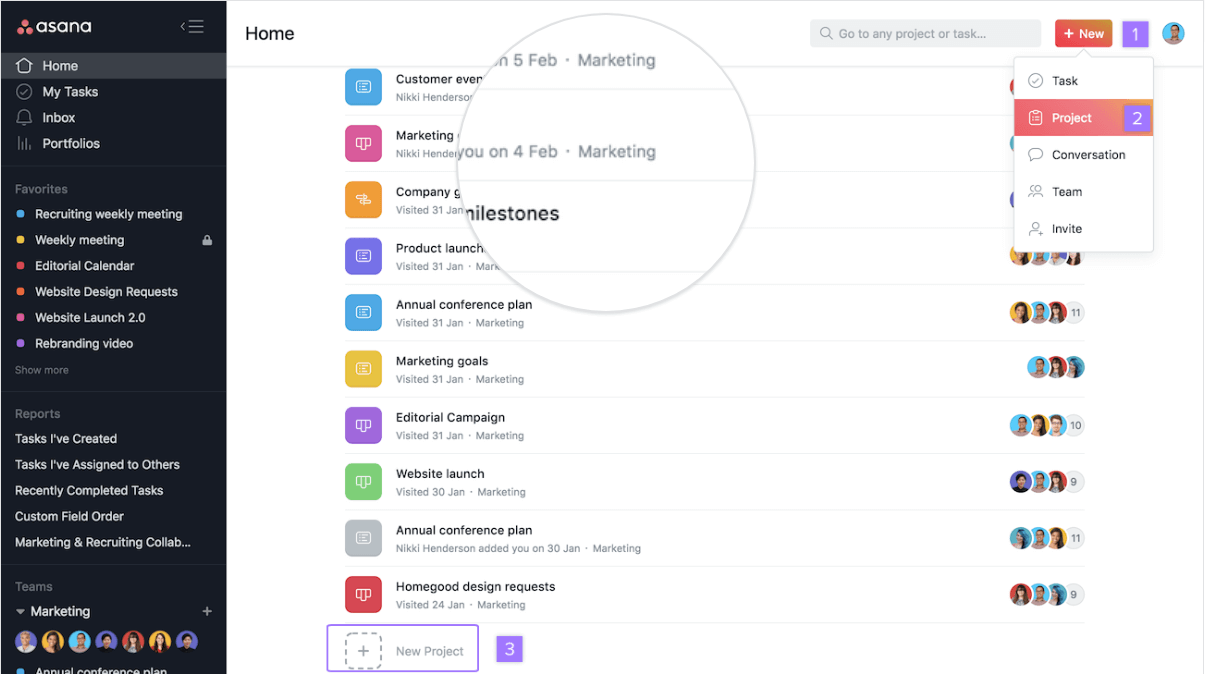
When I tested Asana AI, I realized it’s designed to help teams execute projects faster by combining traditional project management with AI automation and insights. Instead of just tracking tasks, Asana’s AI helps summarize work, generate updates, and organize complex projects automatically.
In practice, it works as a team collaboration and project execution platform. I can manage projects, assign tasks, track progress, and let AI assist with planning, reporting, and workflow automation so teams can focus more on actual work rather than manual updates.
Key features
- Instead of reading through dozens of comments, the AI gives me a quick overview of what has happened and what needs attention.
- Asana AI can generate task lists based on a project goal or brief description.
- Instead of manually writing progress reports, Asana AI can generate updates based on completed tasks and milestones.
- The platform can recommend automations based on how my team works.
- Asana provides a high-level view of multiple projects and team workloads. This helps me quickly identify bottlenecks or overloaded team members.
What I liked
- I can assign tasks, leave comments, attach files, and keep all project discussions in one place.
- Writing updates and summarizing discussions usually takes time.
- I liked that I could switch between list view, board view, timeline, and calendar, depending on how I want to visualize a project.
- For complex projects with many moving parts, the dashboards and reporting tools help keep everything organized.
What I didn’t like
- When I first used Asana, it took some time to understand all the features and workflows.
- If I’m managing a simple project or working solo, Asana might feel heavier than necessary.
- Since pricing is per user, the cost increases quickly as the team size grows.
Pricing
- Personal (Free)
- Starter - about $10.99 per user/month (billed annually)
- Advanced - about $24.99 per user/month (billed annually)
Who it’s suitable for
- Project managers leading cross-functional teams
- Teams that need structured workflows and accountability
- Organizations managing multiple complex projects
- Companies that want AI assistant to support project execution
Asana review (sources)
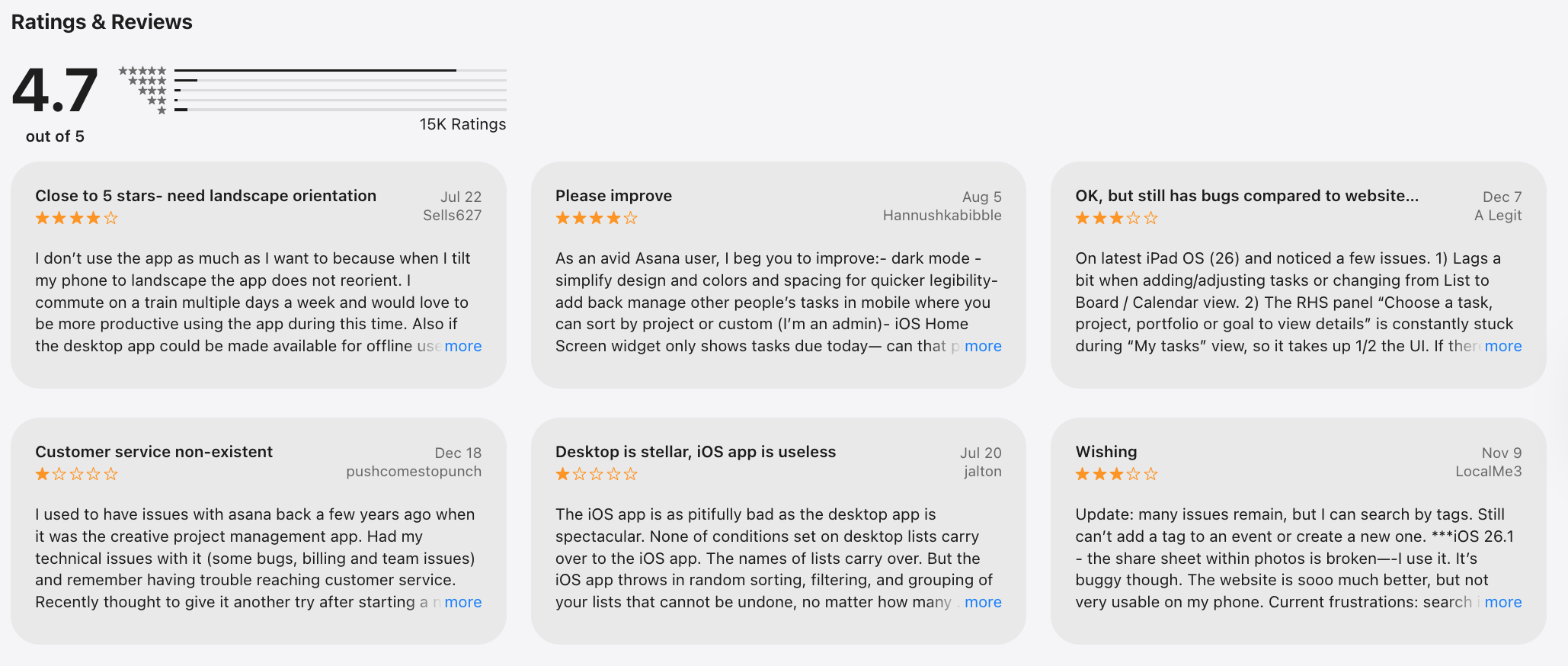
"Asana is really helpful for planning work and managing tasks. Everything is well organized and easy to follow. It helps me stay productive and focused. Overall, it’s a great app for work and teamwork." - Maisarah Asri
"Doesn't provide the same task grouping functionality as the website, and the web interface is a pita to use on a phone - in most situations where I'm trying to use Asana on my mobile, the website is better to use, and I'm having to jump through several hoops to stop it saying 'use the app' at every turn." - Henry Bevan
How to get started
- Create a workspace and define your team structure
- Build your first project and task list
3. Reclaim.AI
When I tested Reclaim.AI, I found that it focuses on one specific productivity problem: how to automatically manage time in a busy calendar.
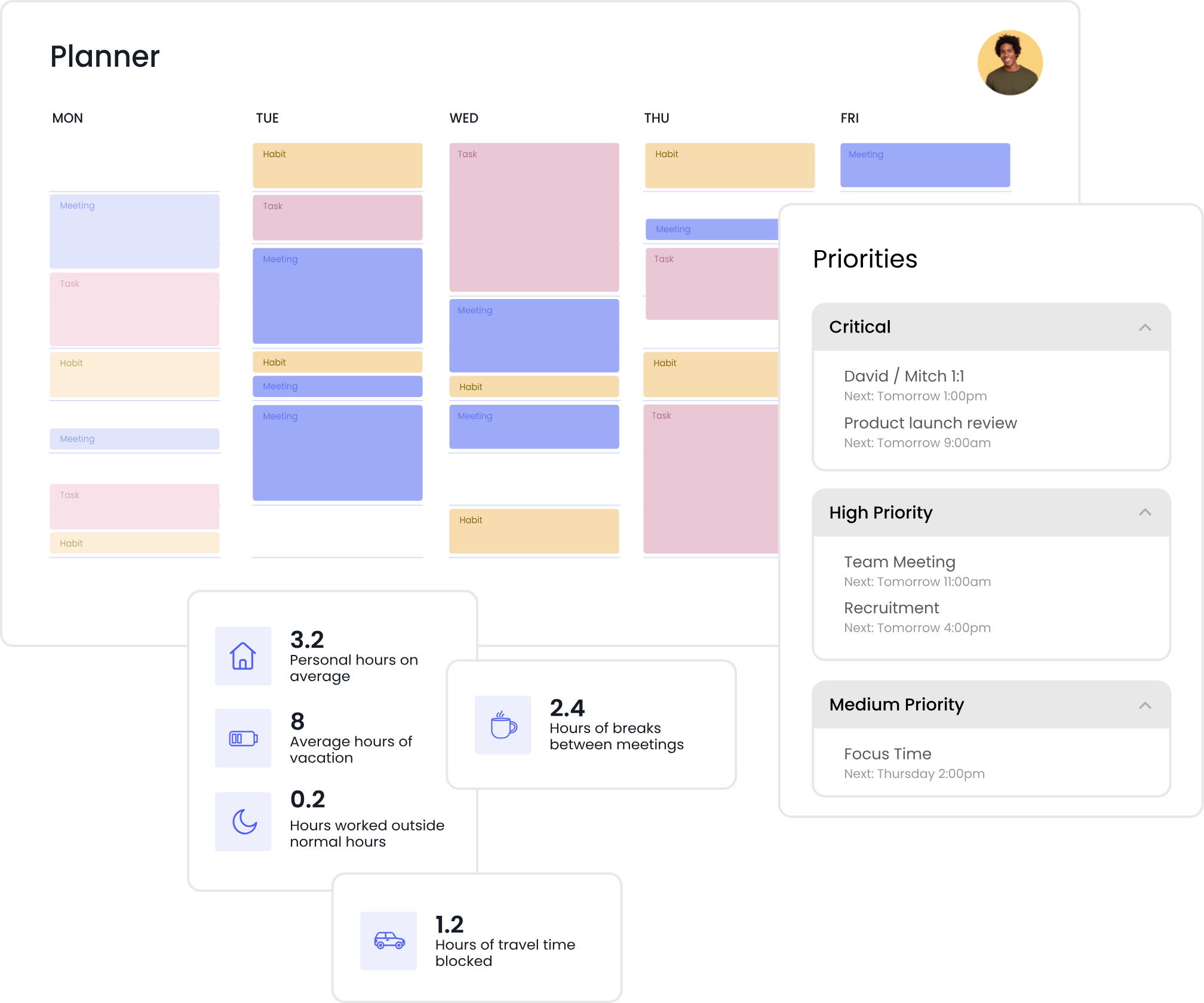
In practice, it works like an AI scheduling assistant for Google Calendar. I can add tasks, routines, and priorities, and Reclaim automatically finds the best time for them while protecting focus time and preventing schedule overload.
Key features
- When I add tasks with deadlines and priorities, Reclaim places them into available time slots in my calendar automatically.
- I can create recurring habits such as exercise, planning time, or weekly reviews. Reclaim automatically fits these routines into my schedule without conflicts.
- If meetings move or new tasks appear, Reclaim reorganizes the calendar automatically to keep everything balanced.
- The AI assistant can reserve blocks of uninterrupted time for deep work. This prevents my calendar from becoming filled entirely with meetings.
What I liked
- With Reclaim, the AI handles most of that scheduling work automatically.
- I liked how the tool automatically defends focus blocks against meeting overload.
- Since many teams already use Google Calendar, integrating Reclaim into my workflow felt natural and easy.
- The AI assistant constantly adjusts tasks based on deadlines and availability, which helps prevent overbooking.
What I didn’t like
- While integration with Google Calendar is excellent, users relying heavily on other calendar platforms may have fewer options.
- Some useful features like advanced scheduling controls and analytics are locked behind higher tiers.
- Reclaim focuses on time management rather than managing complex project workflows.
Pricing
- Free plan
- Starter - around $8 per user/month (billed annually)
- Business - around $12 per user/month (billed annually)
Who it’s suitable for
- Project managers with meeting-heavy schedules
- Remote teams coordinating across time zones
- Professionals who rely heavily on calendar planning
Reclaim.AI Reviews (source)
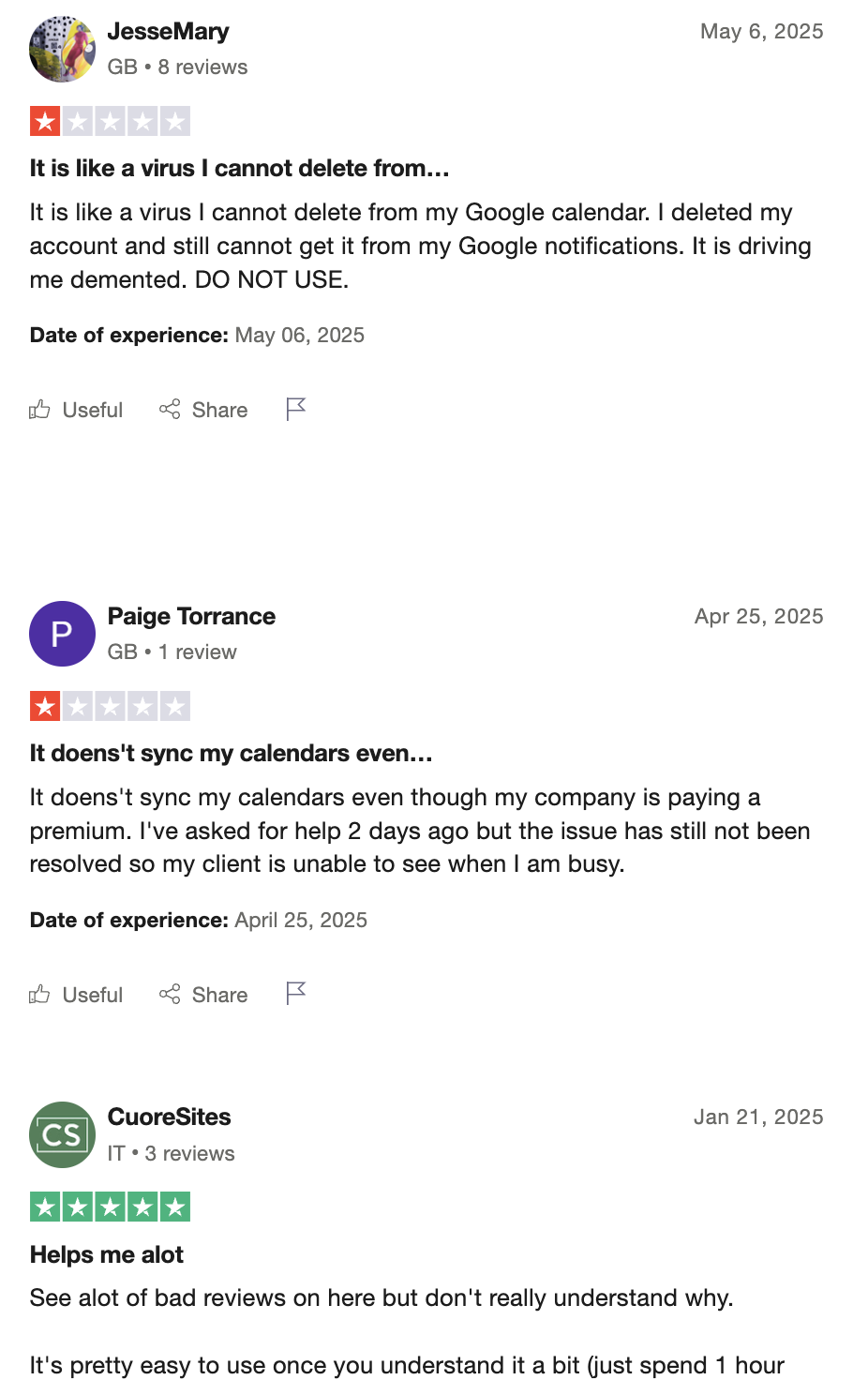
"Absolutely love Reclaim.ai! This is my third year subscribing and as a solopreneur and mum, it has helped me sync family commitments as well as work, but also helped me to focus and increased my productivity." - Zehra Jagani
"I put the time of my meeting because I need it to happen at an exact time — and it automatically reschedules it. So now I have to go to my Google Calendar to set it up manually or move it back when it happens." - Jozef
How to get started
- Connect your Google Calendar
- Add tasks with deadlines and priorities
- Create recurring habits and routines
4. ClickUp AI
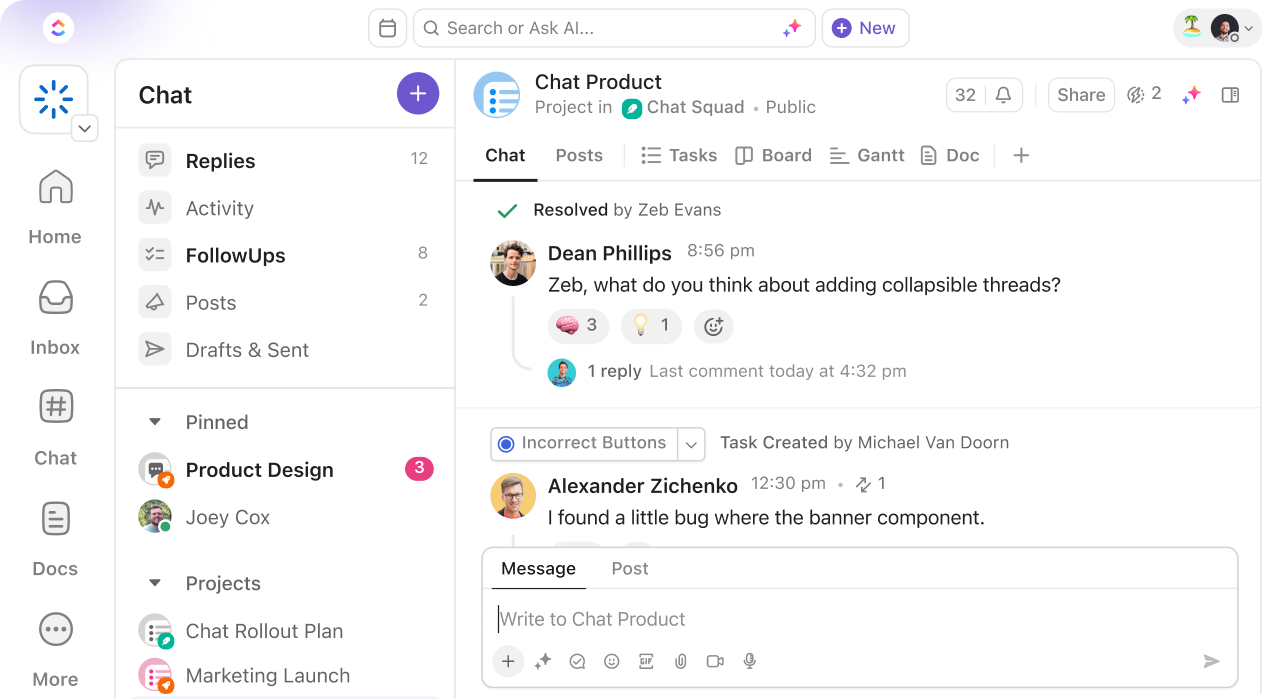
When I tested ClickUp AI, I quickly realized it’s designed to help project managers run entire projects from one workspace. It combines tasks, docs, goals, and workflows, while the AI assistant helps automate writing, planning, and project updates.
Key features
- One feature I used frequently is the AI writing assistant built directly into tasks and documents. It can draft project briefs, meeting summaries, or progress updates in seconds.
- When I enter a project goal or description, ClickUp AI can generate structured task lists automatically.
- ClickUp combines task management, documentation, dashboards, and team collaboration in one platform.
- AI can also recommend workflow improvements to reduce repetitive work.
- I can visualize projects through lists, Kanban boards, timelines, calendars, or Gantt charts.
What I liked
- ClickUp combines many productivity tools in one system. I can manage tasks, documents, goals, and reporting without needing separate apps.
- Generating task lists and documentation with AI saves time when starting new projects.
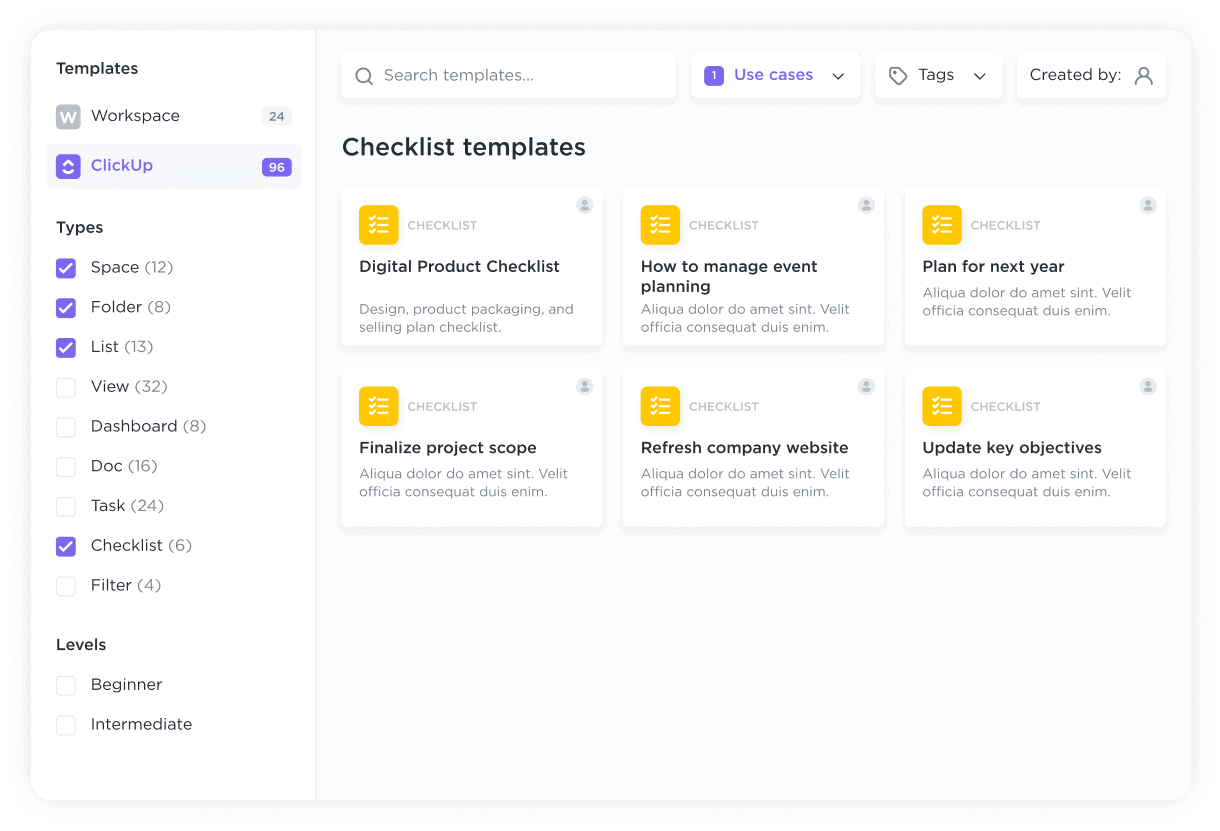
- I liked how I could tailor workflows, dashboards, and task structures to match different project types.
- Teams can comment on tasks, share documents, assign responsibilities, and track progress together.
What I didn’t like
- Because ClickUp offers so many features, the initial setup and learning process can take time.
- While the free plan is generous, the AI assistant requires a paid subscription.
- When managing many projects and tasks, the platform can occasionally feel slower.
Pricing
- Free
- Unlimited — around $7 per user/month (billed annually)
- Business — around $12 per user/month (billed annually)
- ClickUp AI add-on: Approximately $5 per user/month on top of paid plans.
Who it’s suitable for
- Project managers overseeing multiple projects
- Teams that want an all-in-one productivity platform
- Companies needing customizable workflows
ClickUp review (source)
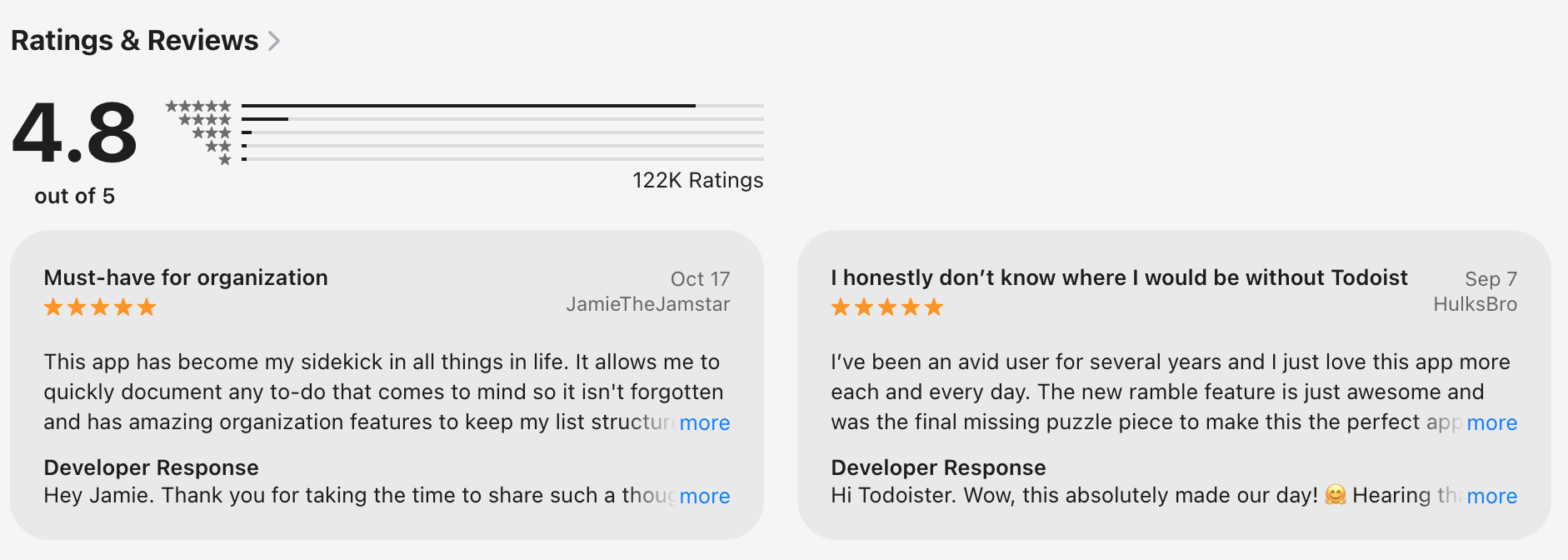
"I primarily use this as a checklist but recently I've started expanding by using the AI agent and having shared lists. I'm sure I'm only using it at 2% of its capability but I haven't found anything else that compares. before selecting click up I tried several different apps, none of them were smartphone friendly." - Jacob Lanctot
"You will be spammed with ads for their AI features, but you will not get basic functionality for what you need. I mainly use Lists in Clickup - in addition to lacking many features that are on desktop, infuriating bugs like reordering your list items randomly will haunt your productivity." - Mike Woronik
How to get started
- Create a workspace and define your project structure.
- Import tasks or create new projects
5. Notion AI
When I tested Notion AI, I realized it works best as a flexible knowledge and project workspace rather than a traditional project management app.
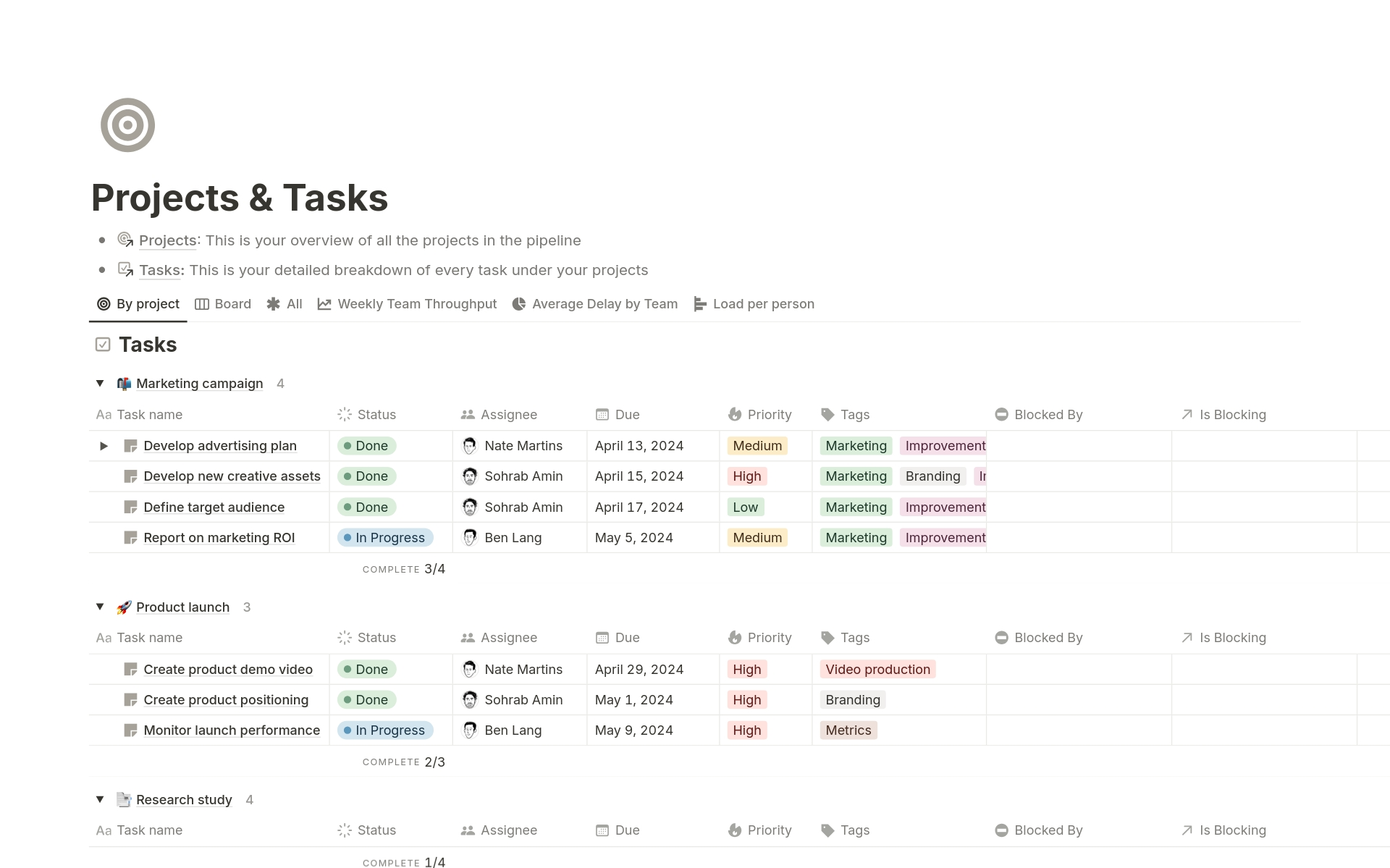
One important thing to know is that Notion requires users to design their own workspace structure. Instead of giving me a fixed system, it lets me create my own project dashboards, task boards, and documentation pages using databases and templates.
Key features
- One of the most useful features is the built-in AI that can draft documents, rewrite content, summarize notes, or generate outlines.
- When working with large documents or meeting notes, the AI can generate quick summaries.
- Notion’s database system allows me to build custom project trackers. I can manage tasks, timelines, and project stages using tables, boards, or calendars.
- Notion works well as a shared workspace where teams store guidelines, SOPs, and project documentation.
- The platform offers many templates for project management, product roadmaps, meeting notes, and planning workflows.
What I liked
- I found Notion especially useful for keeping documentation, plans, and notes organized in one place.
- The AI assistant helps draft reports, summarize meetings, and generate structured documents quickly.
- I liked how I could design project dashboards and workflows exactly how I wanted.
- Teams can comment, edit documents together, and share knowledge easily across projects.
What I didn’t like
- While Notion can track tasks, it doesn’t feel as powerful as specialized project management platforms like Asana or ClickUp.
- Building a project management system inside Notion often requires a lot of manual configuration.
- Without clear organization, information can become scattered across pages and databases.
- Some advanced AI capabilities depend on the subscription tier and usage limits.
Pricing
- Free plan
- Plus — around $10 per user/month (billed annually)
- Business — around $18 per user/month (billed annually)
Notion AI add-on
- Approximately $10 per member/month when added to a workspace plan.
Who it’s suitable for
- Project managers who need a centralized knowledge base
- Teams managing complex documentation
- Teams that want a flexible workspace
- Organizations that value collaborative documentation
Notion reviews (source)

"I use Notion for everything. Literally. From work (task management, documentations) to personal shopping lists, to-dos, research, meal planner, recipes, etc. Their customer support is one of the best I've met so far, very responsive (didn't expect to get answers so fast, even if I was on a free plan at that time), very friendly and solution-oriented (no copy-paste)." - Iuliana Murariu
'It has amazing potential but the free version is just too limited. For example I can't even add one "to do" to my to do list because I don't have any blocks left. I've added 3 items to a selling tracker, and a few items to a health tracker. And... That's the capacity of the free version apparently which sucks and I can't really test it's full functionality." - Jana Hayes
How to get started
- Create a workspace and organize project pages
- Use databases to track projects and tasks
6. Fireflies AI
While many AI tools for project managers focus on planning, knowledge management, and task execution, a large part of project management actually happens in meetings. Project managers spend significant time in sprint reviews, stakeholder updates, planning calls, and cross-team discussions.
Key features
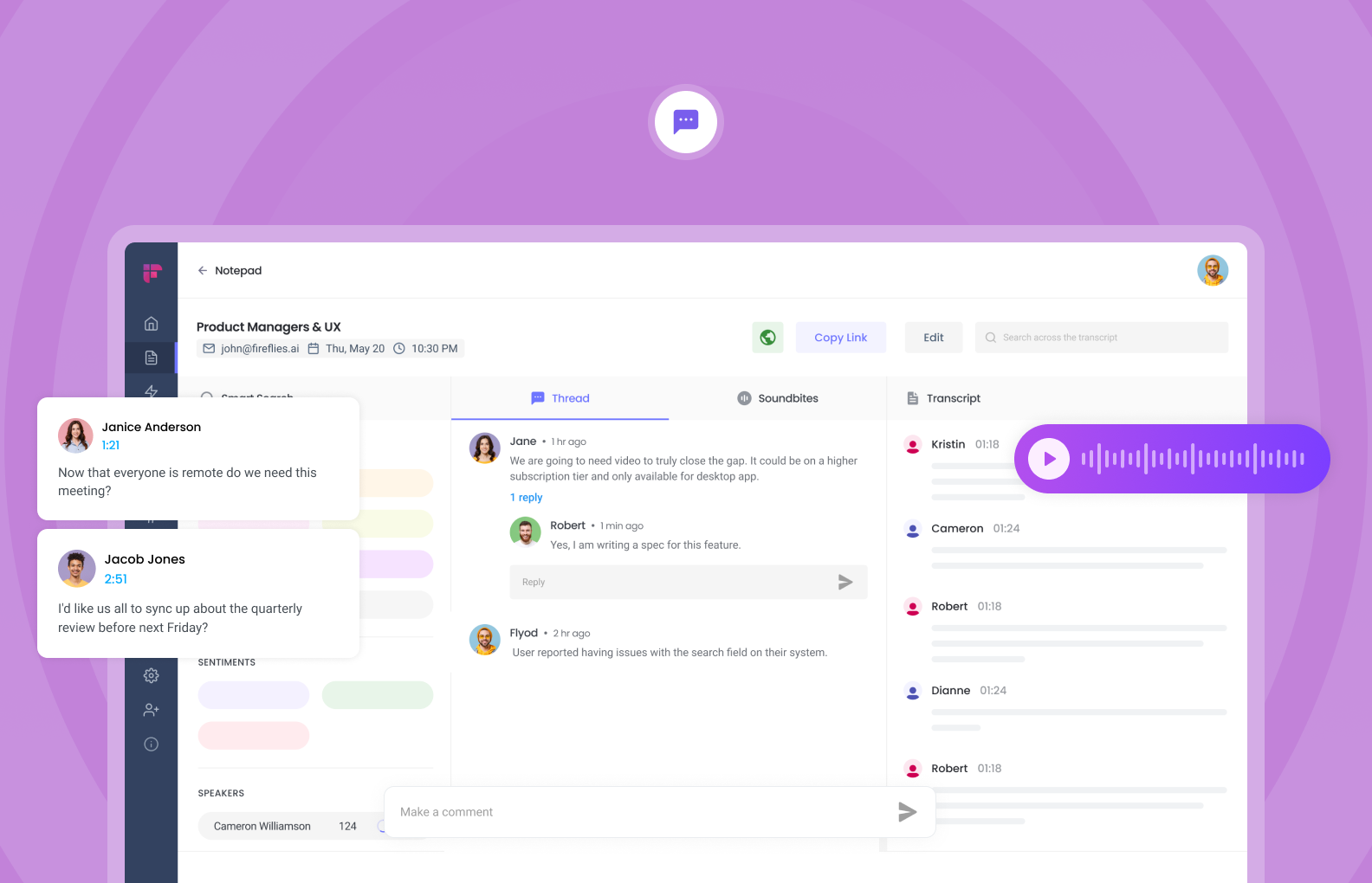
- Fireflies can join meetings on platforms like Zoom, Google Meet, and Microsoft Teams to record and transcribe conversations automatically.
- After the meeting ends, the AI produces summaries highlighting key points, decisions, and important moments.
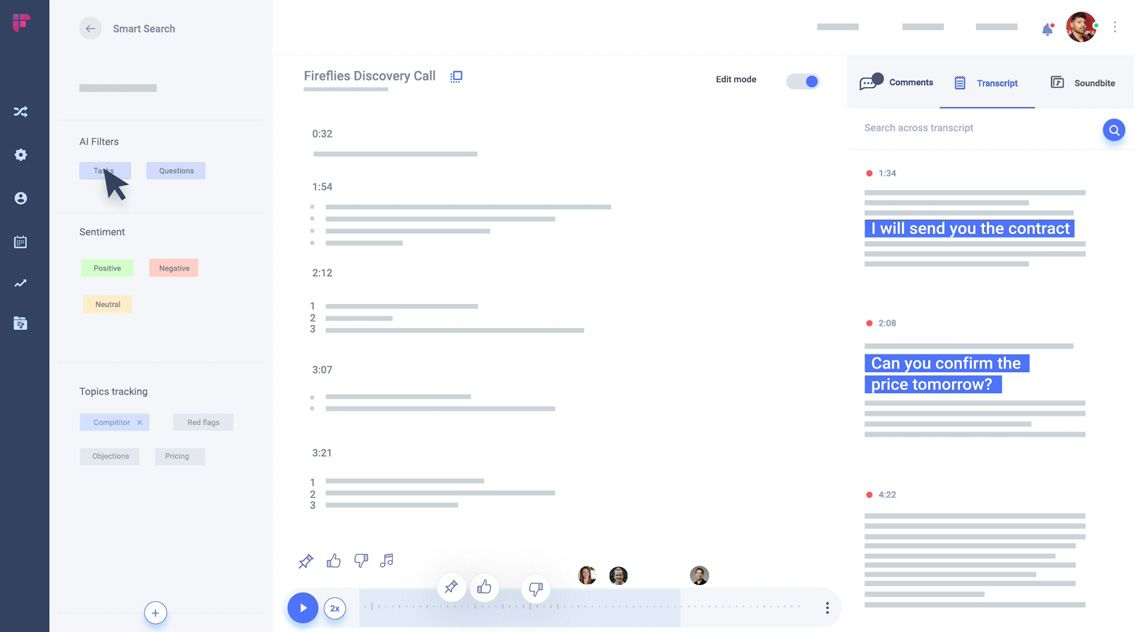
- Fireflies can highlight tasks or follow-ups mentioned during discussions.
- All meeting transcripts are stored and searchable.
What I liked
- Instead of trying to capture everything during meetings, I can focus on the conversation while Fireflies records and summarizes it.
- The searchable transcript feature makes it simple to revisit key moments from meetings.
- If someone misses a meeting, they can quickly read the summary or transcript to catch up.
- Fireflies supports major video conferencing tools, which makes it easy to integrate into existing workflows.
What I didn’t like
- Like most transcription tools, results depend on how clear the speakers and microphones are.
- While the free version is useful, deeper analytics and longer storage require upgrading.
- Teams may need clear guidelines about recording meetings to ensure transparency and compliance.
- Sometimes transcripts or extracted action items may need small adjustments.
Pricing
- Free plan
- Pro — around $10 per user/month (billed annually)
- Business — around $19 per user/month (billed annually)
Who it’s suitable for
- Project managers running frequent meetings
- Remote and distributed teams
- Teams that want better meeting documentation
- Organizations trying to improve meeting productivity
Fireflies.ai Reviews (source)
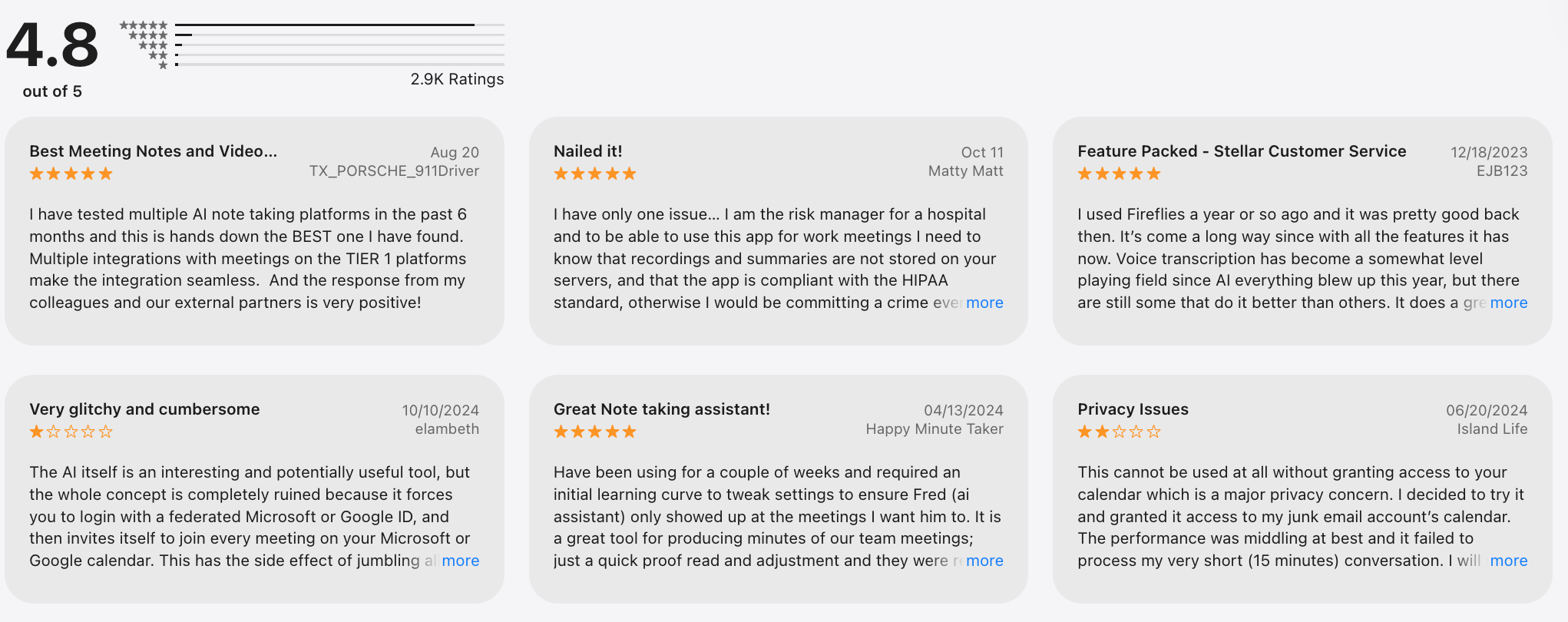
"I recommend this for every founders and consultants. no stress. works perfectly" - Vincent Agbowo
"Customer service leaves much to be desired. The human I finally got to chat with was very helpful, however the bot they use as a gatekeeper to get to a human is terrible. Plus, there is no way to chat with support in the app. You have to go to a website and really search in order to have any issues resolved." - Cecilia King
How to get started
- Sign up and connect your calendar
- Invite Fireflies to meetings
7. Forecast AI
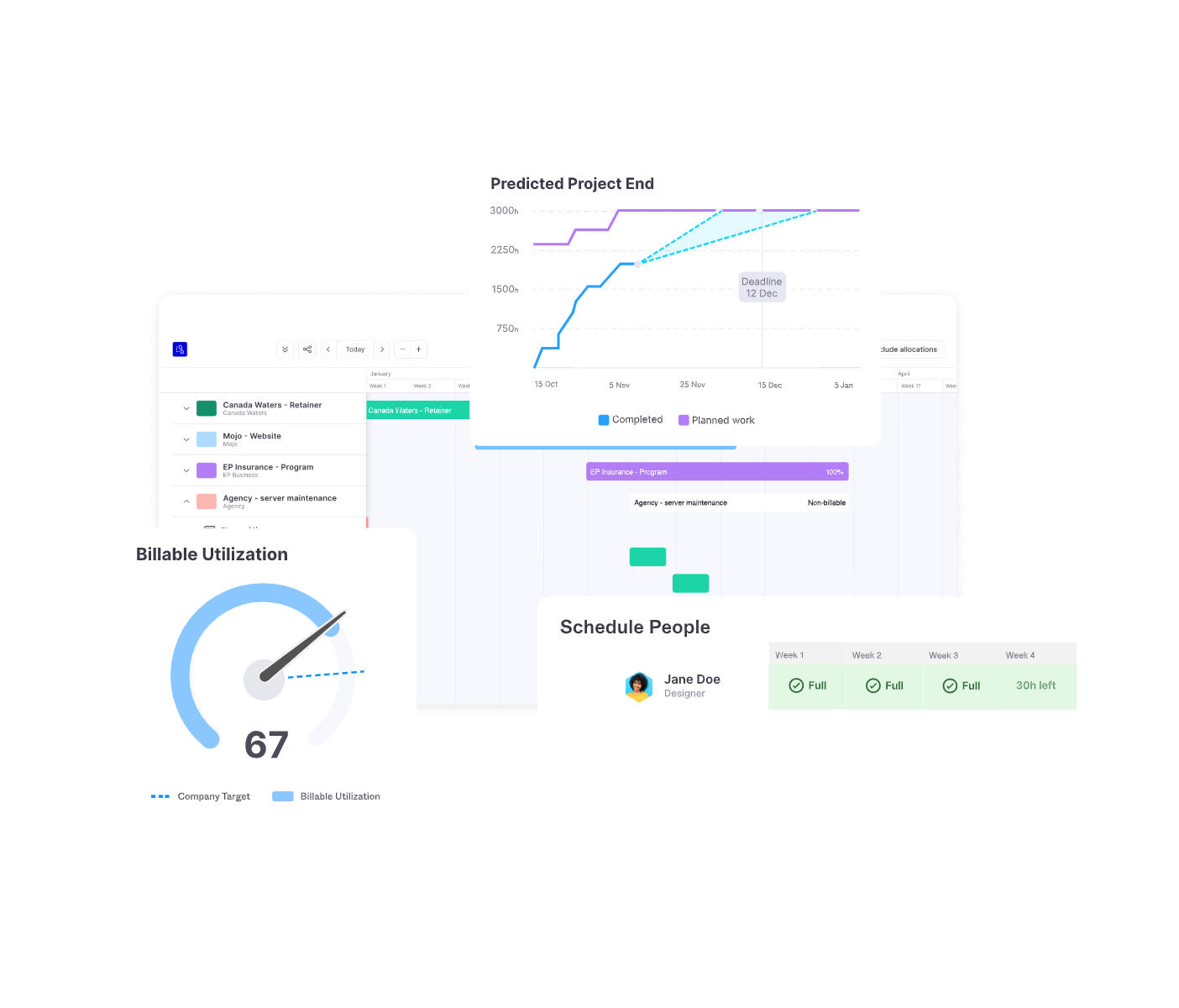
When I tested Forecast AI, I noticed it focuses on a part of project management that many productivity tools ignore: resource planning and project forecasting.
In practice, it works as an AI project management platform. I can plan projects, assign team members, track timelines, and let the AI analyze project data to estimate delivery dates, identify risks, and balance team workloads more effectively.
Key features
- Forecast uses historical data and AI predictions to estimate how long projects will take.
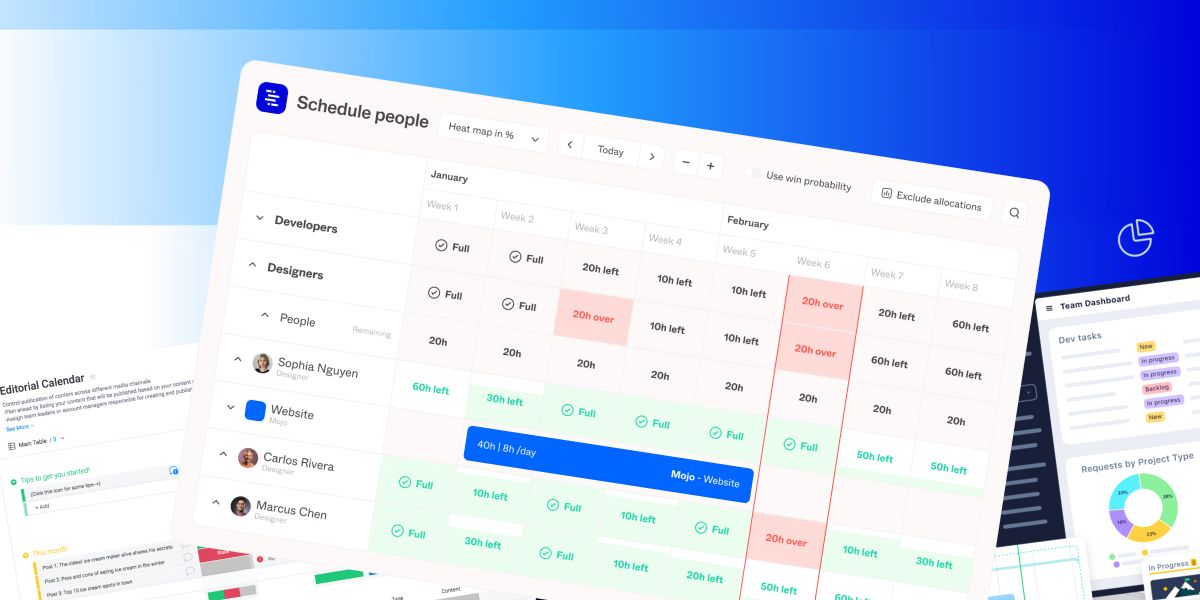
- One feature I found particularly useful is the ability to visualize team workloads.
- Forecast allows me to build project timelines with milestones and dependencies.
- The platform also includes financial insights such as project budgets, revenue tracking, and cost estimates.
- Forecast integrates with tools like Jira, GitHub, Slack, and calendar platforms, allowing project information to flow between systems.
What I liked
- Strong visibility into team capacity
- Useful for long-term project planning
- Combines operational and financial insights
- AI helps reduce planning guesswork
What I didn’t like
- Forecast works best for teams and companies managing multiple projects rather than solo users.
- Because the tool relies on project and resource data, it may take time to configure properly before the AI predictions become useful.
- Forecast is positioned as an enterprise-grade project planning platform.
- Teams with simple workflows might find the tool more advanced than necessary.
Pricing
- Forecast AI typically offers custom pricing based on team size and company needs.
- Because Forecast is designed for professional teams and organizations, pricing is usually provided through sales consultation rather than fixed public tiers.
Who it’s suitable for
- Project managers managing multiple team members
- Agencies and consulting firms
- Organizations running complex multi-project environments
- Leaders who need project performance insights
Forecast reviews (source)
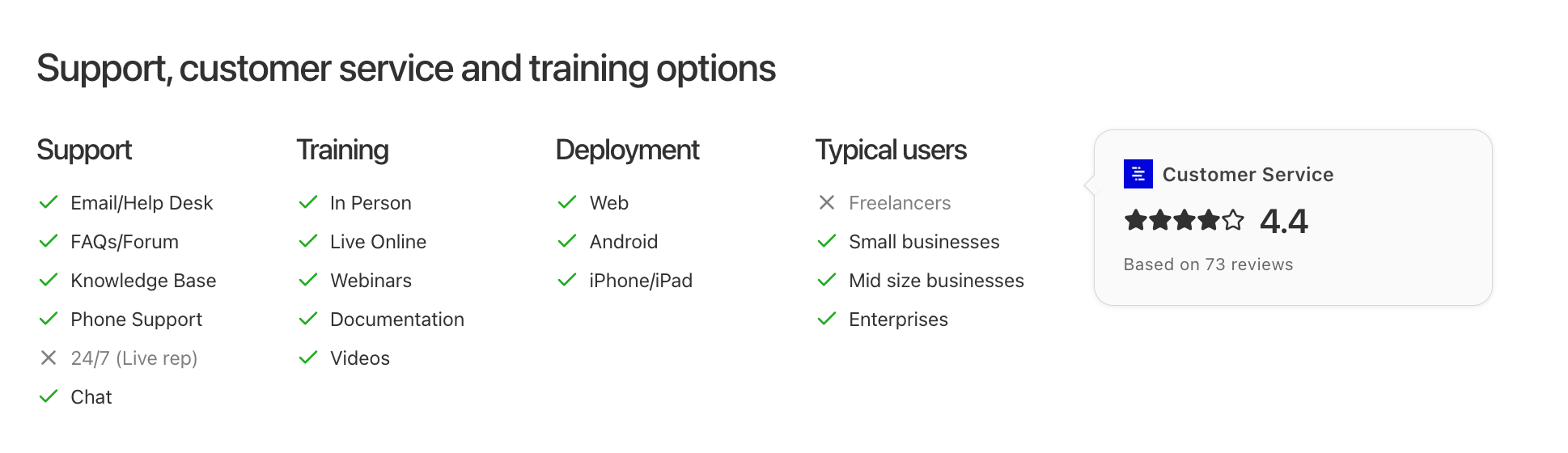
"Forecast has improved our project management process, and the team collaboration features make our communication smooth. It’s more beneficial for larger teams with complex projects." - James W
"Maybe it was just how we used it, but the estimated times and subtasks and stuff were odd. Like subtasks added to the estimate i think and that wasn't true. we had to do an extra step to subtract that time. Also, it panicked a lot even when we weren't out of time yet, at least as far as I can see in a project." - Serah G
How to get started
- Create your workspace and define team roles
- Set up projects, timelines, and milestones
- Assign resources and workloads
Conclusion - Choosing the best AI apps for project managers in 2026
- Some tools are designed to structure work and collaboration across teams (like Asana or ClickUp).
- Others focus on protecting your time and schedule automatically (like Reclaim.ai).
- Some help you capture knowledge, documentation, and planning in one place (Notion).
- And tools like Fireflies or Forecast add AI layers that summarize meetings or predict project timelines.
Each of these tools solves a different piece of the project management puzzle.
But if there’s one capability many project managers still struggle with, it’s turning scattered information into clear next actions. Meetings, notes, ideas, and tasks often live in different places, which is where an AI-first task tool like Saner.AI becomes especially useful.
👇 If you want a lightweight AI layer that helps turn ideas and notes into structured tasks, Saner.AI is a great place to start.
Stay on top of your work and life
FAQs About the Best AI Apps for Project Managers in 2026
1. What are the best AI apps for project managers in 2026?
The best AI apps for project managers in 2026 combine task management, automation, and intelligent planning to reduce manual coordination.
Some of the most useful tools include:
- Saner.AI – AI workspace that turns notes, messages, and ideas into actionable tasks and reminders
- Asana – Team project management with AI workflow automation
- ClickUp – All-in-one workspace with AI writing and task automation
- Notion – Flexible knowledge base and documentation with AI assistance
- Reclaim.ai – Smart calendar scheduling and time-blocking
- Fireflies.ai – AI meeting transcription and action-item capture
- Forecast – AI forecasting for project timelines, budgets, and resources
2. How can AI help project managers work more efficiently?
AI tools help project managers reduce repetitive work and focus on decision-making.
Common capabilities include:
- Task automation – Turning messages, notes, or discussions into tasks
- Smart scheduling – Automatically blocking time for priorities
- Meeting summaries – Extracting key decisions and action items
- Project insights – Predicting risks, delays, or resource conflicts
- Instant knowledge retrieval – Finding project notes or documents quickly
3. Which AI tool is best for organizing project ideas and tasks?
If your biggest challenge is capturing ideas, notes, and tasks quickly, Saner.AI is one of the most useful tools.
Key strengths include:
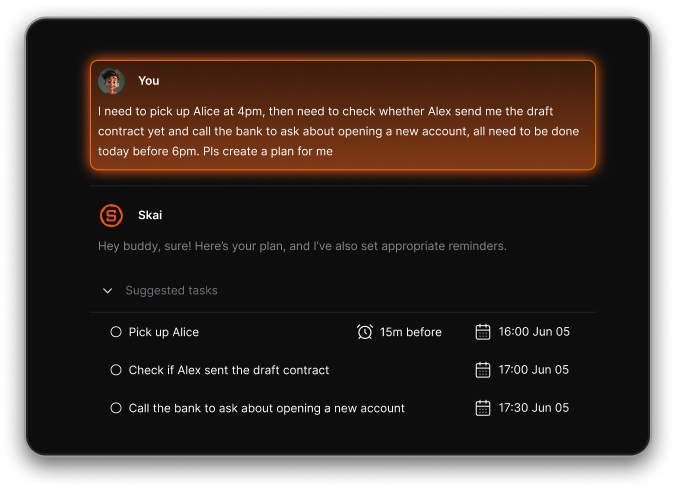
- Converts brain dumps, chats, or notes into structured tasks
- Connects notes, reminders, and calendar events in one place
- Allows natural language search across project knowledge
- Suggests priorities based on context
4. What AI tool is best for scheduling project work?
For AI scheduling and time management, project managers often use:
- Reclaim.ai – Automatically schedules tasks around meetings
- Saner.AI – Suggests when tasks should happen based on context
- ClickUp – Includes scheduling and workload planning features
Reclaim focuses on calendar optimization, while Saner.AI adds task intelligence based on your notes and priorities.
5. Are there free AI tools for project managers?
Yes. Many AI project management tools offer free plans, including:
- Saner.AI – Free plan with AI reminders, note search, and task capture
- Notion – Free workspace with AI add-ons
- ClickUp – Free tier with task management and limited AI features
- Fireflies.ai – Free meeting transcription plan
6. What AI app is best for managing project meetings?
For meetings, Fireflies.ai is one of the most widely used tools.
It helps project managers:
- Automatically record and transcribe meetings
- Generate summaries and action items
- Search meeting conversations later
7. Which AI tools help predict project timelines and budgets?
AI forecasting tools analyze historical data to predict project performance.
One of the strongest options is:
- Forecast – AI-driven project planning and resource forecasting
It helps teams estimate:
- Project delivery timelines
- Resource allocation
- Budget risks
8. What AI project management tool is best for teams?
For collaborative team workflows, these tools are commonly used:
- Asana – Strong workflow automation and team coordination
- ClickUp – Highly customizable project workspace
- Notion – Collaborative documentation and project tracking
9. What is the best AI productivity tool for individual project managers?
If you manage multiple responsibilities personally, a tool like Saner.AI can work as a personal productivity layer on top of team tools.
It helps you:
- Capture tasks from scattered notes and messages
- Stay on top of follow-ups and reminders
- Retrieve project knowledge quickly
10. Can AI automatically create tasks from conversations?
Yes. Some modern AI tools can convert conversations into tasks.
Examples include:
- Saner.AI – Turns natural language notes or messages into tasks
- ClickUp AI – Helps generate tasks from text or documents
- Notion AI – Can extract action items from meeting notes
11. How do AI tools help project managers avoid overload?
Project managers often deal with information overload.
AI tools help by:
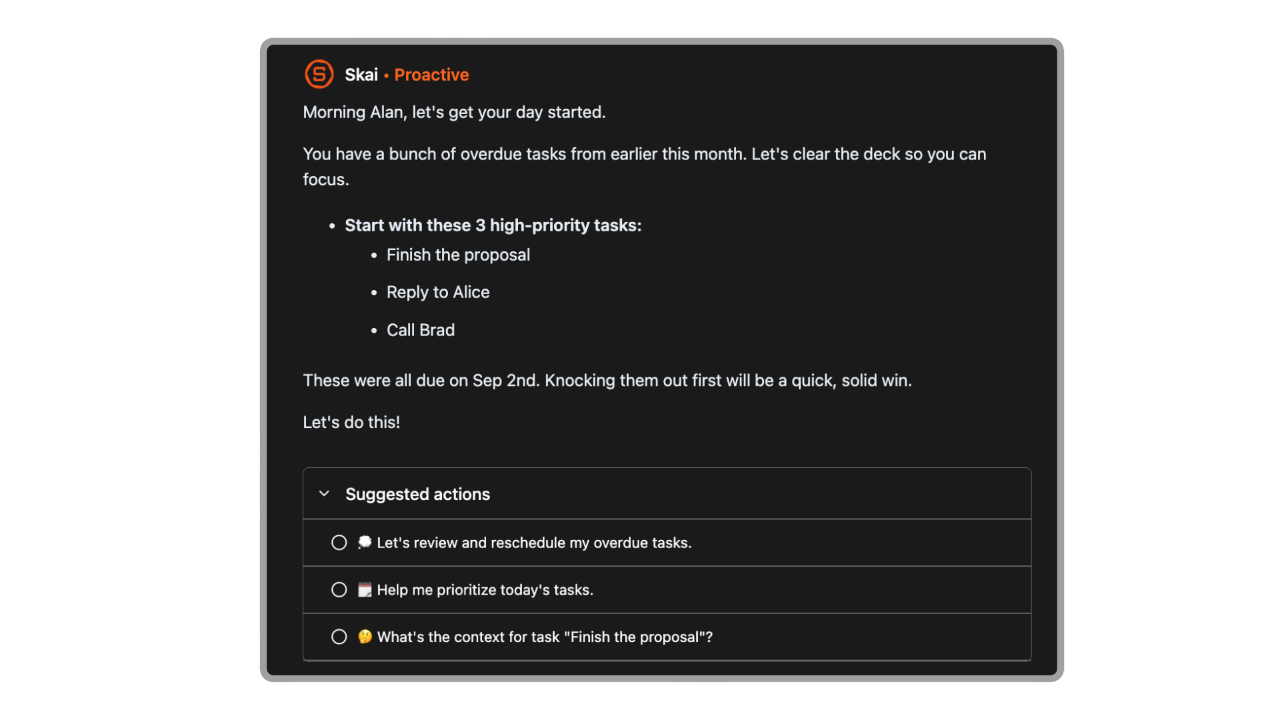
- Highlighting high-priority tasks
- Summarizing long discussions
- Automatically organizing notes and action items
- Suggesting what to work on next
Saner.AI, for example, surfaces tasks based on context and urgency, helping managers stay focused.
12. Which AI project management tools integrate with calendars?
Several tools integrate directly with calendars:
- Reclaim.ai – Advanced Google Calendar scheduling
- Saner.AI – Syncs tasks with calendar reminders
- ClickUp – Calendar view and scheduling integrations
- Asana – Syncs project deadlines with calendars
13. Do AI tools replace project managers?
No. AI tools support project managers rather than replace them.
They handle repetitive work such as:
- Task organization
- Scheduling
- Documentation
- Meeting notes
14. What features should project managers look for in AI tools?
When evaluating the best AI apps for project managers in 2026, look for tools that offer:
- AI task automation
- Smart scheduling or time blocking
- Meeting summaries and action tracking
- Knowledge search across notes and documents
- Integrations with team collaboration tools
Tools like Saner.AI combine several of these capabilities in one workspace.
15. What is the easiest AI tool for project managers to start with?
If you want something simple and fast to adopt:
- Saner.AI – Best for capturing tasks and notes instantly
- Asana – Best for structured team projects
- Notion – Best for documentation and flexible workflows
Starting with one core tool and gradually layering others often works best for most project managers.
Stay on top of your work with the best AI for project managers



