
The 5 best AI for UX designers (one for each part of the job)
Best AI for UX design are Dovetail, UX Pilot, Claude Design, Maze and Saner.AI

There is no shortage of AI tools for UX designers. There is a shortage of time to work out which one does the job in front of you. New tools launch every week, most of them overlap, and the roundups rarely tell you which phase of the work each one actually belongs to.
This guide fixes that. It covers five tools, one for each distinct part of a UX designer's job: research, design, prototyping, testing, and the personal admin that surrounds all of it. No two tools here do the same thing, so the list reads as a stack you can adopt whole or pull from in pieces.
I work at Saner.AI - a tool that listed below, I've included its downsides so you can weigh those too.
Key Takeaway: What are the best AI for UX designers right now?
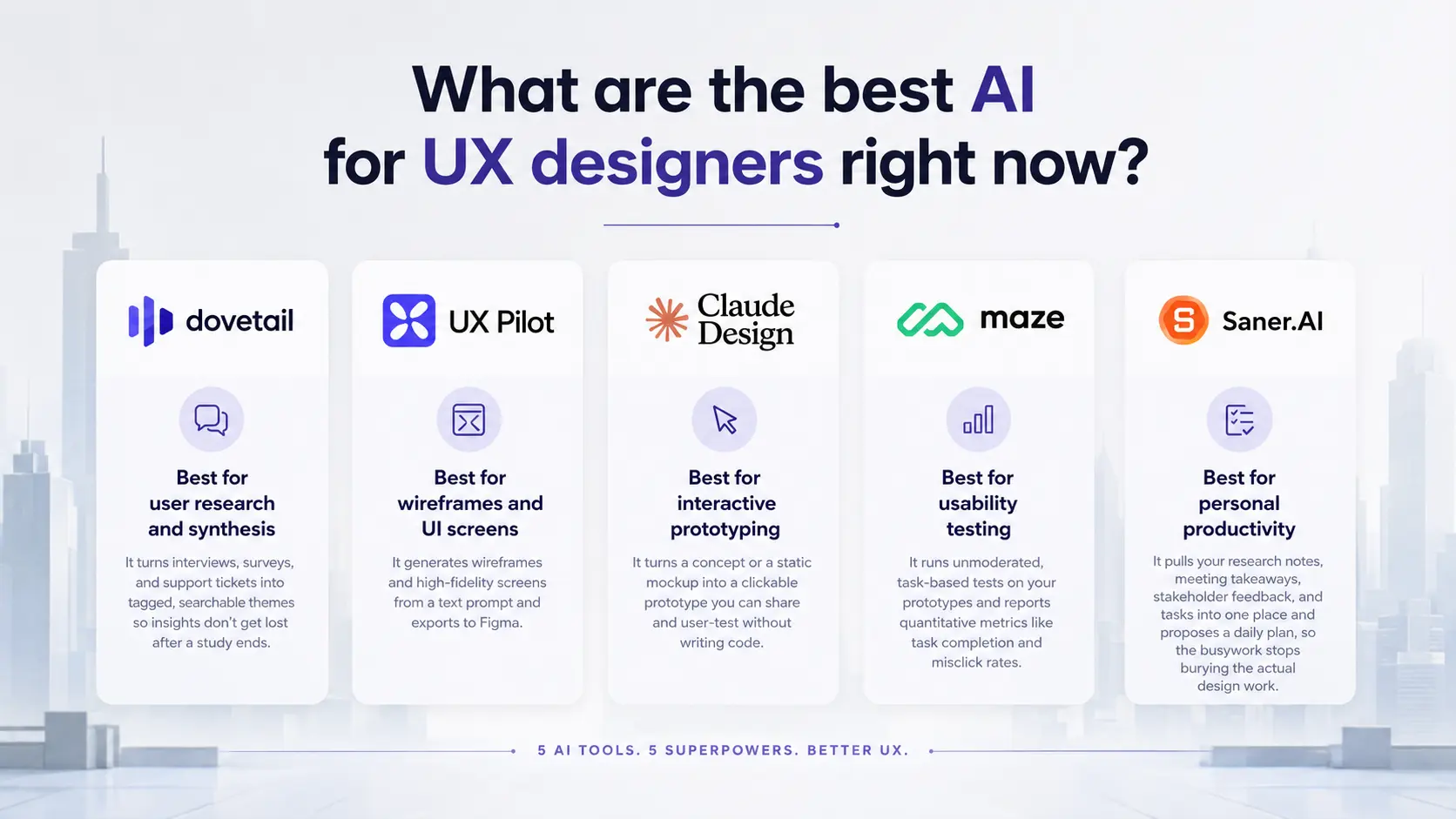
- Dovetail is best for user research and synthesis. It turns interviews, surveys, and support tickets into tagged, searchable themes so insights don't get lost after a study ends.
- UX Pilot is best for wireframes and UI screens. It generates wireframes and high-fidelity screens from a text prompt and exports to Figma.
- Claude Design is best for interactive prototyping. It turns a concept or a static mockup into a clickable prototype you can share and user-test without writing code.
- Maze is best for usability testing. It runs unmoderated, task-based tests on your prototypes and reports quantitative metrics like task completion and misclick rates.
- Saner.AI is best for personal productivity. It pulls your research notes, meeting takeaways, stakeholder feedback, and tasks into one place and proposes a daily plan, so the busywork stops burying the actual design work.
What is an AI tool for UX designers?
An AI tool for UX designers is software that uses artificial intelligence models to handle part of the UX process: generating wireframes and screens, analyzing research, validating designs with real users, or managing the notes and tasks that pile up around all of it.
Why use AI for UX design?
AI stopped being optional in UX work sometime in the last two years. The pressure now is to move faster without dropping quality, and the data shows how far adoption has already gone.
- 78% of designers and developers say AI improves their work efficiency, per Figma's 2025 AI report
- 69% of researchers now use AI in at least some of their projects, up 19 points in a single year, per the 2026 Future of User Research Report from Maze
How these tools were chosen
More than 30 AI tools were screened for this list. Five made the cut after testing across real design tasks over several weeks. The goal was a non-overlapping stack, so each tool had to own its phase outright. Criteria:
- One clear job — whether the tool does a single phase of UX work well, since focused tools outperform all-in-one ones.
- Usable output — whether results leave the tool cleanly (Figma export, code, shareable links) instead of trapping your work inside it.
- Evidence and traceability — for research and testing tools, whether findings link back to source quotes or real user data you can defend.
- First-session speed — how quickly someone gets useful output without a long setup.
- Pricing honesty — whether the free tier is actually usable and the paid tiers avoid hiding core features or burning surprise credits.
- Solo and small-team fit — whether it works without an enterprise contract.
What are the best AI for UX design?
The best AI for UX design are Dovetail, UX Pilot, Claude Design, Maze and Saner.AI
Comparison table on AI for UX design
| Tool | Best for (UX phase) | What it does | Free tier | Starting price |
|---|---|---|---|---|
| Dovetail | Research and synthesis | Turns interviews, surveys, and tickets into tagged, searchable themes | Yes (limited) | $29/user/mo |
| UX Pilot | Wireframes and UI screens | Generates wireframes and high-fidelity screens from prompts, exports to Figma | Yes (45 credits) | $14/mo |
| Claude Design | Interactive prototyping | Turns concepts or static mockups into clickable prototypes to share and test | Included with Claude Pro | $20/mo (via Claude Pro) |
| Maze | Usability testing | Unmoderated, task-based prototype testing with quantitative metrics | Yes (1 study/mo) | $99/mo |
| Saner.AI | Personal productivity | Organizes research notes, feedback, tasks, and calendar into a daily plan | Yes (30 AI msgs/mo) | ~$8/mo |
1) Dovetail - turns scattered research into searchable answers
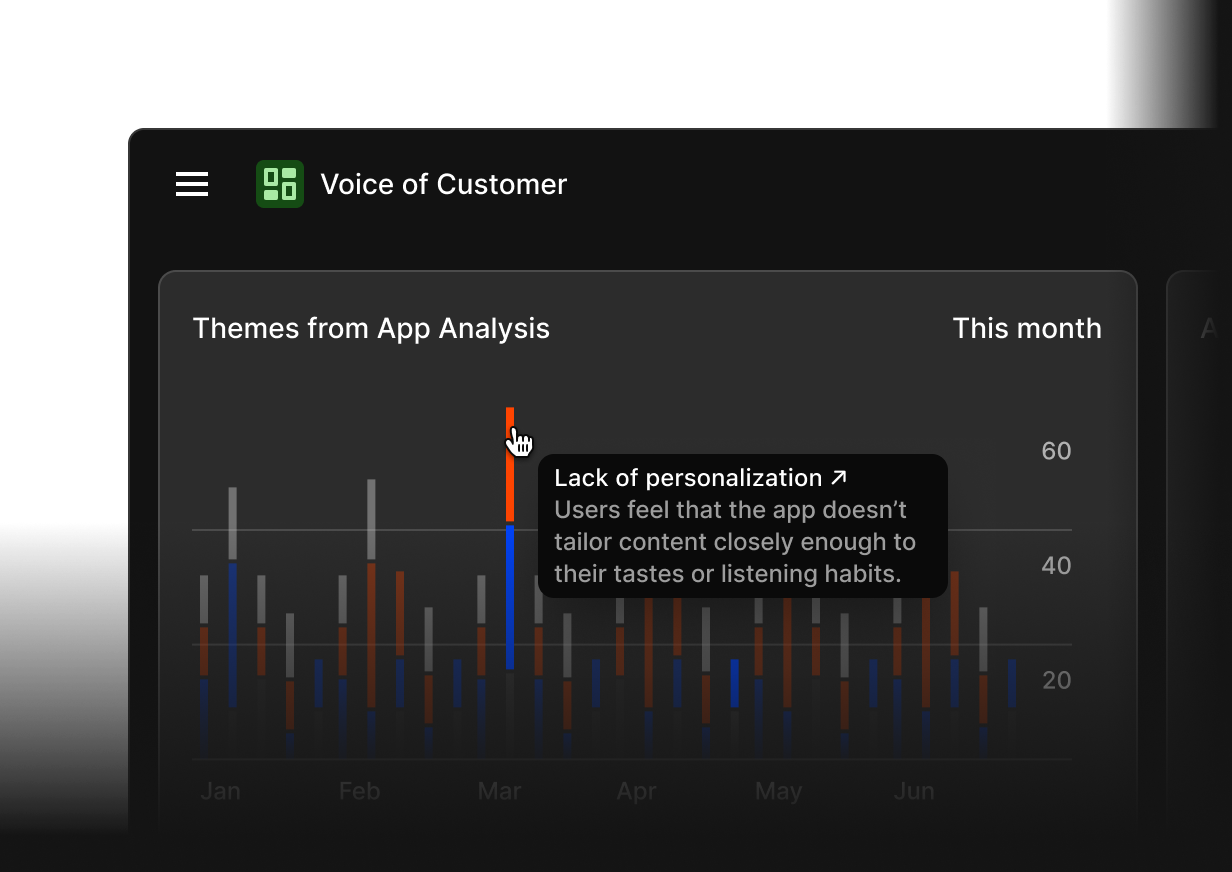
Dovetail is a research repository built for teams who already run interviews, surveys, or usability sessions and need a single place to tag, synthesize, and re-find what came out of them. It solves the "what did we learn about X" problem that usually ends in someone digging through old Notion pages.
Key features:
- Magic Search — semantic search across every study you've ever run, so you can ask a question in plain language instead of remembering exact wording (reviews).
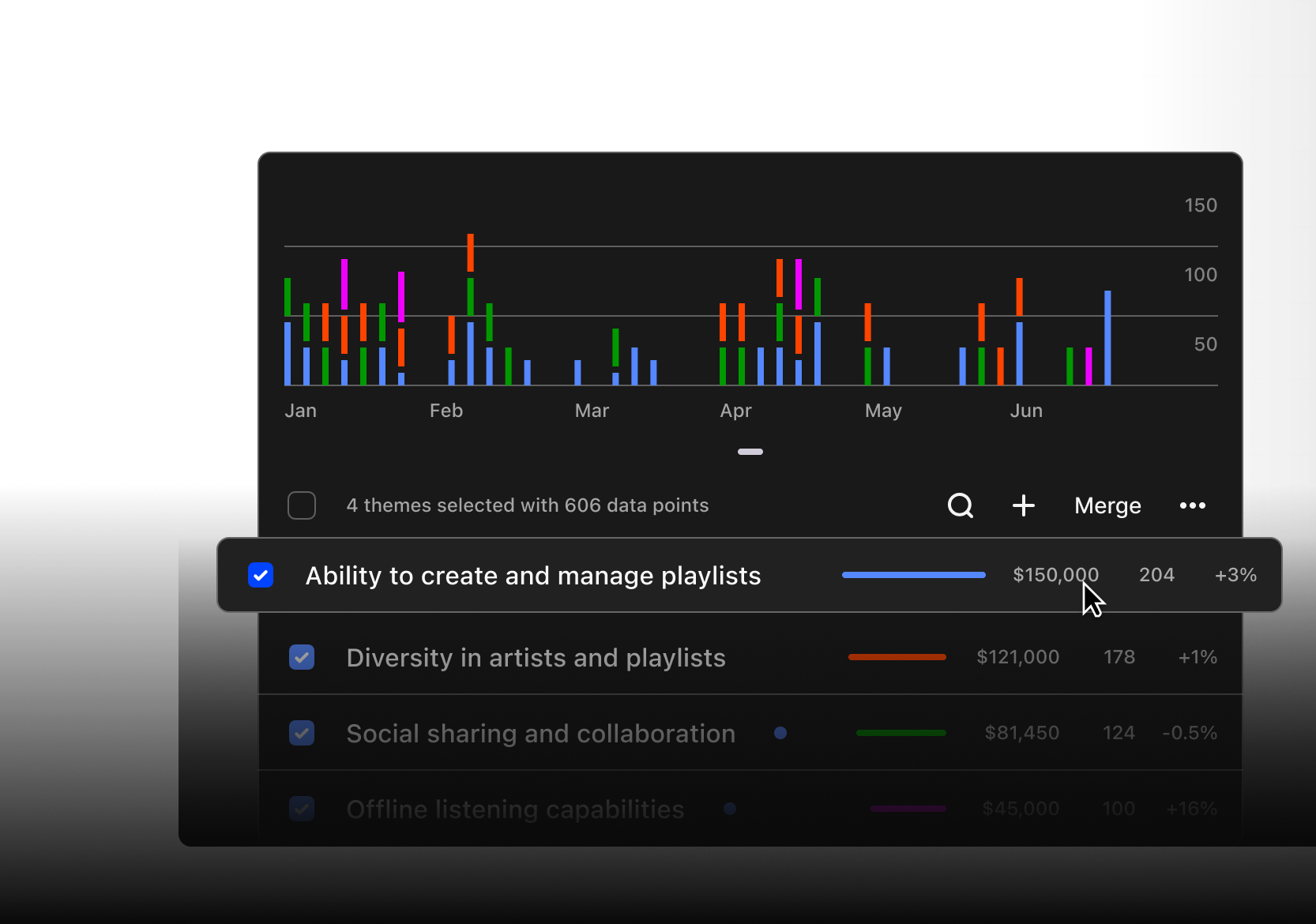
- Automatic theme and highlight clustering — groups similar highlights across interviews so patterns surface without manual affinity mapping (reviews).
- Magic summaries — auto-generates a summary of key points from any transcript, document, or clip you drop in.
- Channels — continuously classifies incoming support tickets, app reviews, and NPS data into themes
Pros:
- Cuts synthesis time from days to hours once a repository is built up.
- Stakeholder-friendly interface, so non-researchers can browse findings without training.
- Strong integrations (Gong, Zoom, Slack, Salesforce) pull in data from outside formal studies.
Cons:
- Pricing jumps sharply between tiers, and some features once bundled are now gated to higher plans.
- Uploading bulk unstructured data (hundreds of comments at once) doesn't reliably produce usable analysis.
Pricing:
- Free — limited, good for testing the repository model.
- Professional — from $29/user/month.
- Business and Enterprise — custom, required for Channels and full Magic features.
Best for: research teams and UX researchers who already collect interviews and need a durable, searchable home for findings.
Getting started: Import a handful of past transcripts first, build out a small shared tag set before you scale, and turn on Magic Search early since its value compounds as the repository grows.
2) UX Pilot — prompt-to-wireframe for the blank-canvas problem
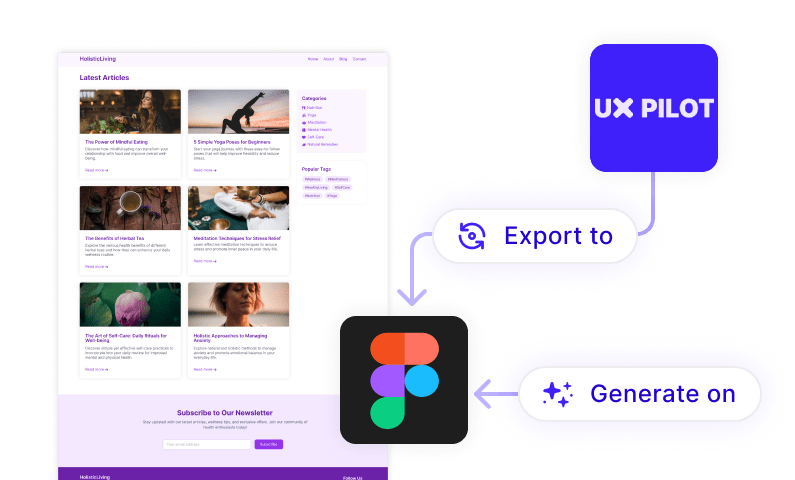
UX Pilot generates wireframes and high-fidelity UI screens from a text prompt, with a model trained specifically on UX and UI patterns rather than a general-purpose AI assistant. It's the tool for the moment you need to go from "here's the brief" to an actual screen fast.
Key features:
- Instant UI generation — describe an interface and get usable mobile or desktop screens, not just rough concepts (reviews).
- Chat-based editing — tweak components or regenerate whole screens conversationally instead of manually rebuilding.
- Automated design review — flags contrast issues, spacing problems, and accessibility gaps directly on the generated screen.
- Screen flow generation — carries design patterns and branding across a connected multi-screen flow instead of one isolated screen at a time.
Pros:
- Figma export is genuinely strong, so output slots into an existing design workflow.
- Fast first-draft speed, useful for early ideation and stakeholder discussions.
- Free tier is enough to test real output quality before paying.
Cons:
- Credit system burns fast, with some modes set to a higher credit cost by default
- Struggles with context on nonstandard component requests.
- No credit rollover between billing cycles, and refund complaints are common.
Pricing:
- Free — 45 one-time credits, up to 7 screens.
- Standard — $14/month (billed annually), 420 credits.
- Pro — $22/month, 1,200 credits.
- Teams — $31/user/month.
Best for: solo designers, startups, and product teams who want Figma-ready screens without starting from a blank file.
Getting started: Start on the free tier with a real brief, not a toy prompt, so you can judge output quality against your actual design system before committing to a paid tier.
3) Claude Design — turns concepts into clickable prototypes
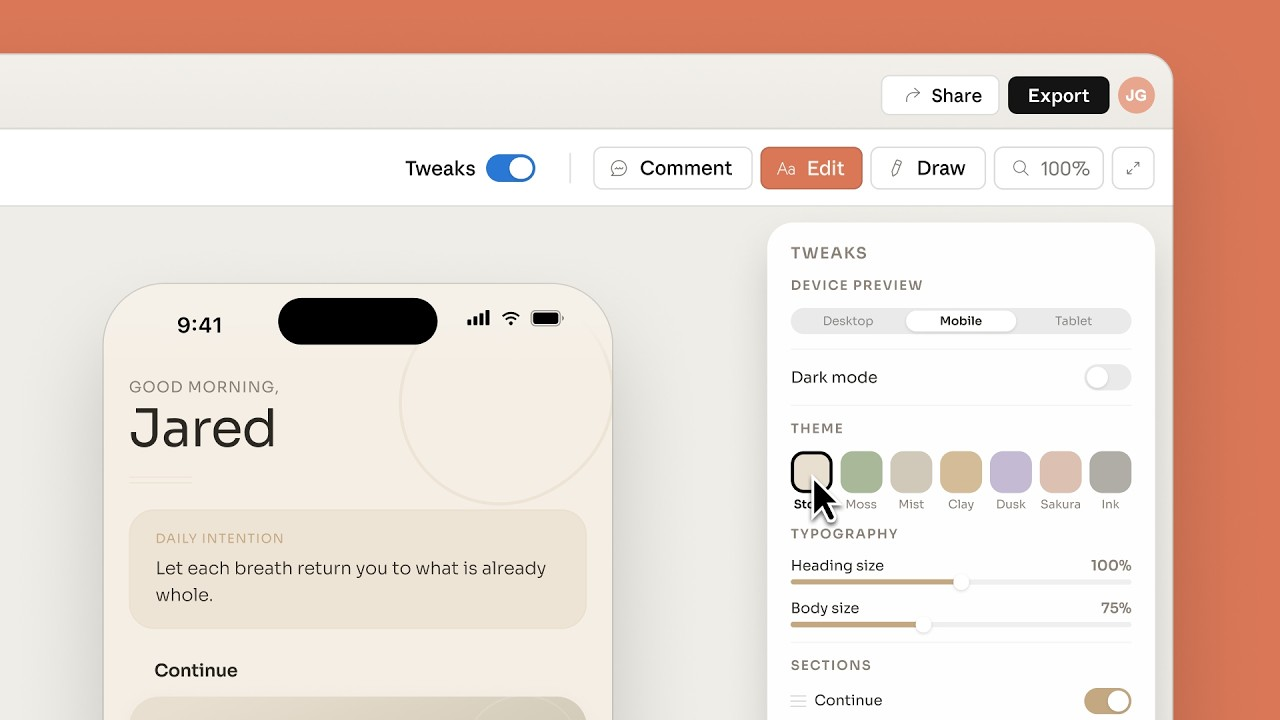
Claude Design is Anthropic's conversational prototyping tool. Instead of a static mockup, it produces live, interactive HTML you can click through, share, and user-test, then hand off directly to development. It sits between design and code rather than replacing either.
Key features:
- Realistic interactive prototypes — turns static ideas into shareable, clickable prototypes without a code review or pull request (reviews).
- Design system ingestion — reads a codebase or design files during onboarding so every new project uses existing colors, type, and components automatically.
- Fine-grained refinement — inline comments, direct text edits, and adjustment sliders let you tweak spacing and layout without re-prompting from scratch.
- Direct Claude Code handoff — packages a finished design into a bundle a developer can implement in one instruction.
Pros:
- Complex interactive pages that took 20+ prompts in other tools reportedly took 2 prompts here.
- Genuinely useful for non-designers (PMs, founders) who need to visualize an idea without opening Figma.
- Export options are flexible: Canva, PDF, PPTX, or standalone HTML.
Cons:
- Still a research preview, so features and pricing structure can shift without much notice.
- No public share link without a Canva or code-export workaround.
- Not a replacement for Figma's pixel-perfect, multiplayer design environment; best used for exploration, not final production files.
Pricing:
- Included with Claude Pro ($20/month), Max, Team, and Enterprise plans, metered as part of overall usage.
Best for: designers who want to explore many directions fast, and non-designers who need a working prototype without a design tool learning curve.
Getting started: Bring an existing static mockup or a clear one-paragraph brief on the first try. Point Claude Design at your codebase or brand files early so every following prompt inherits the right system.
4) Maze — validates a design with real users before it ships
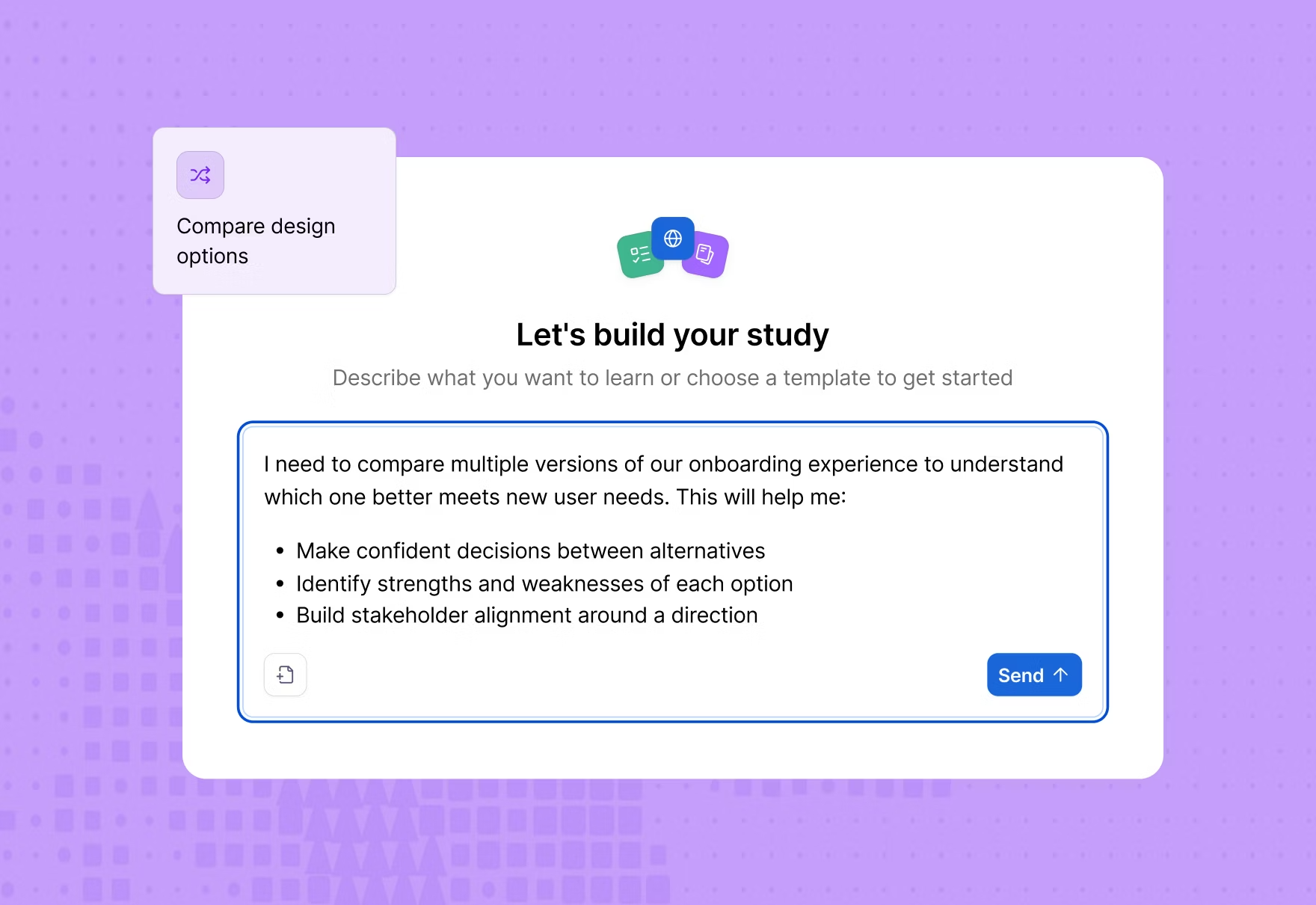
Maze runs unmoderated, task-based usability tests on prototypes and reports quantitative metrics: task completion, misclick rate, time on task. Where Dovetail answers "what do users need," Maze answers "does this specific design work," after something is already built.
Key features:
- Figma-native testing — imports a live Figma prototype, and updates sync automatically as the file changes (reviews).
- Automated usability metrics — misclick rate, completion rate, and time-on-task are captured without manual analysis.
- Heatmaps and path analysis — visualizes where users actually look and how they navigate, flagging deviation from the expected flow.
- Built-in participant panel — over 6 million participants available for recruitment directly inside a study.
Pros:
- Setup-to-live-test turnaround is genuinely fast for Figma-based prototypes.
- Auto-generated, stakeholder-ready reports save real reporting time.
- Free plan is enough to validate that the tool fits before paying.
Cons:
- Free plan is very restrictive: one active study, capped responses, three studies per project.
- Mobile testing and heatmaps get less reliable on longer screens.
- Reporting is rigid; some users want more editable, combinable report formats.
Pricing:
- Free — 1 active study/month, capped responses.
- Starter — from $99/month (billed annually).
- Organization — custom pricing, required for AI Moderator and advanced methodologies.
Best for: design and product teams who prototype in Figma and need fast, quantitative validation before development starts.
Getting started: Keep the first prototype small and the task list short. Maze works best on a single, focused flow rather than a full multi-screen product on the first test.
5) Saner.AI — the assistant that keeps you organized
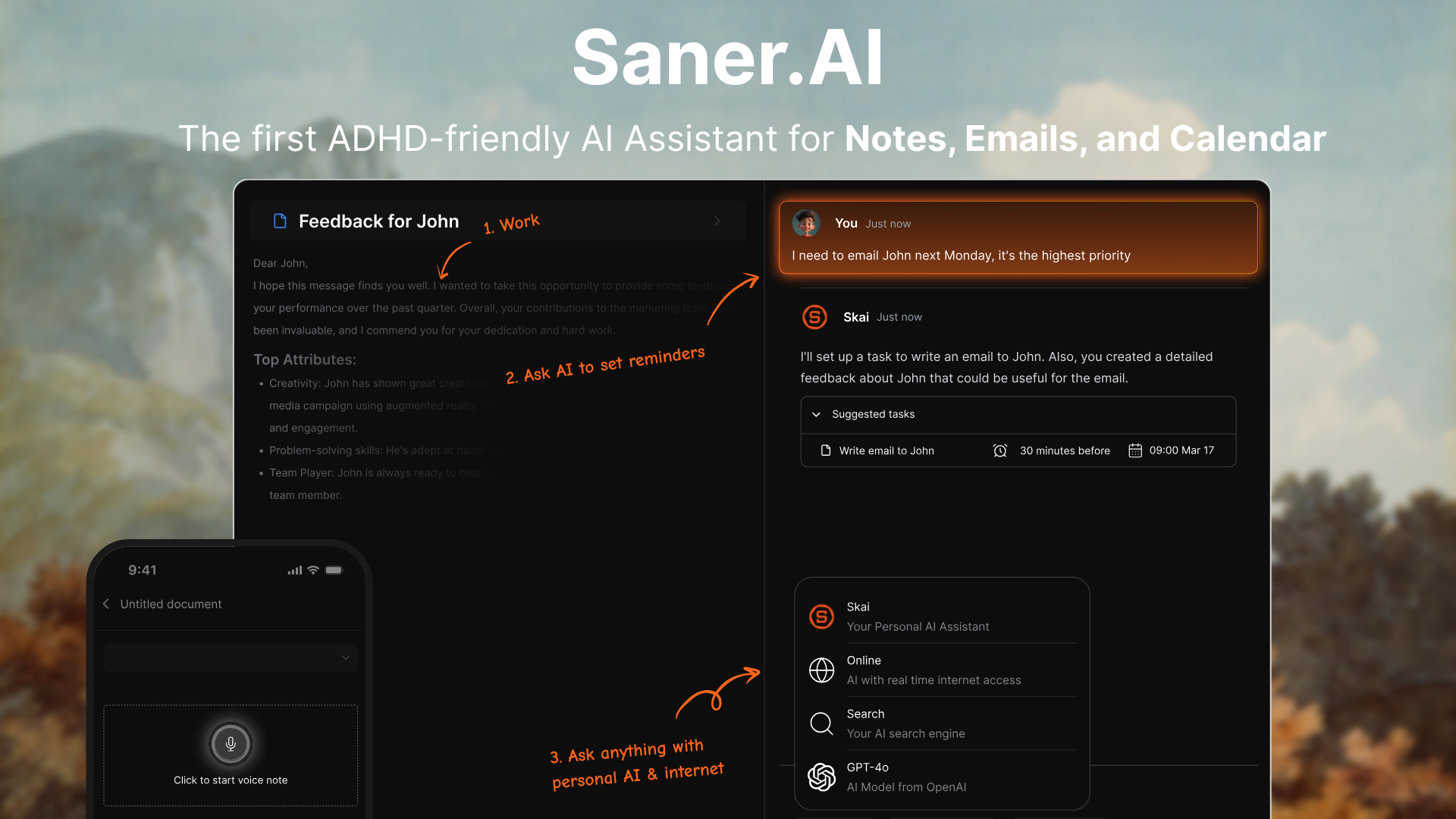
Saner.AI is an AI assistant that pulls notes, tasks, email, and calendar into one place and proposes a plan for the day. It manages the thing that actually eats a UX designer's week: scattered meeting notes, stakeholder feedback threads, half-finished tasks, and a calendar that doesn't reflect any of it.
Key features:
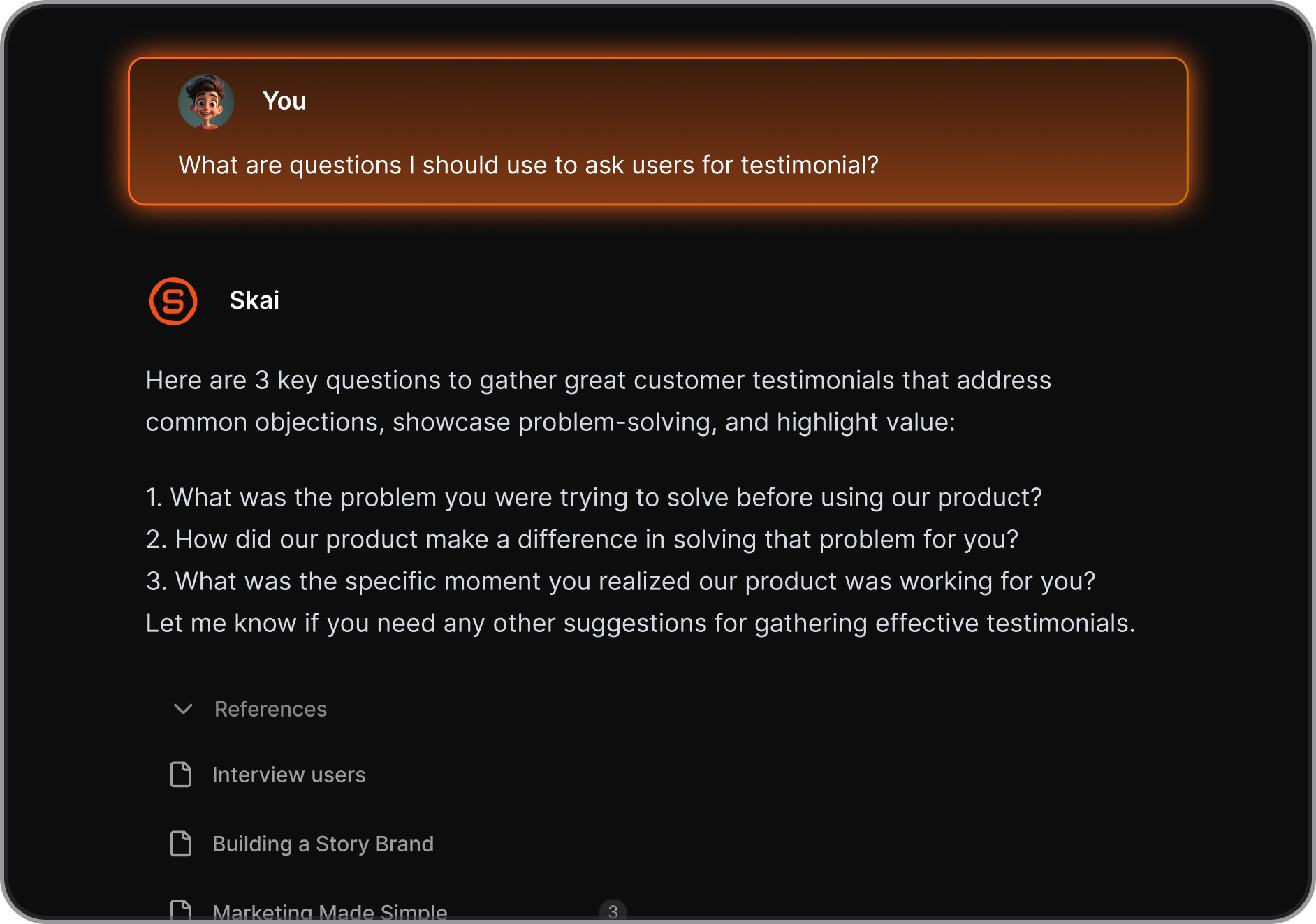
- Skai, the AI assistant — chat in plain language to create tasks, recall notes, or ask questions across everything you've captured (reviews).
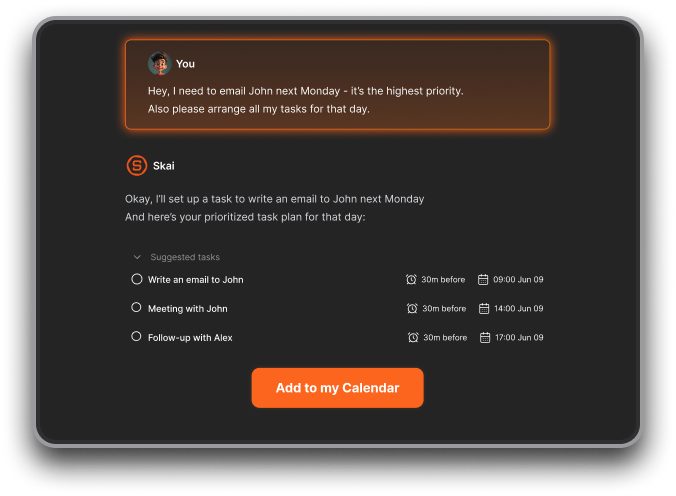
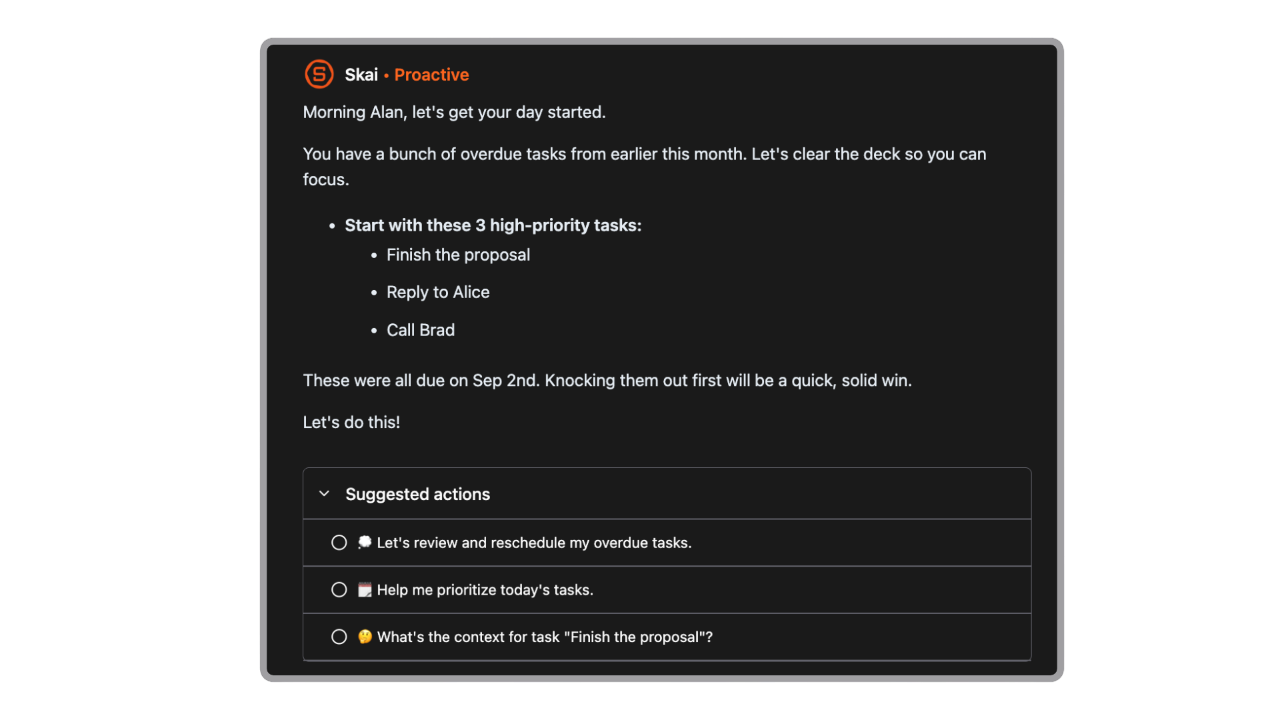
- Proactive daily planning — scans notes, tasks, email, and calendar each morning and proposes a prioritized plan before you ask for one.
- Semantic search — finds a note by meaning, even when you can't remember the exact words you used.
- Chrome extension and quick capture — clips web content or jots a thought without switching tabs mid-flow.
Pros:
- Genuinely reduces context switching across the five or more tools a design workflow now touches.
- Import handles large backlogs of existing notes (users report importing 3,000+ notes cleanly).
- Built with ADHD-style workflows in mind, so it favors low-friction capture over rigid organizing upfront.
Cons:
- Deeper inline AI editing inside notes is still limited compared to more mature note apps.
Pricing:
- Free — 30 AI messages/month, 100 notes, 100MB storage.
- Paid plans — from around $8/month.
Best for: UX designers and researchers juggling research notes, stakeholder feedback, and a fragmented tool stack who need one place that tells them what to do next.
Getting started: Import your existing notes first, then connect email and calendar so the morning plan actually reflects your real workload from day one.
Conclusion
Five tools, five jobs:
- Dovetail for research,
- UX Pilot for wireframes,
- Claude Design for interactive prototypes,
- Maze for validation,
- Saner.AI for the notes and tasks that pile up around all of it.
The mistake most designers make isn't picking the wrong tool; it's expecting one tool to cover every phase.
If you only add one thing this week, make it Saner.AI. It's the only tool on this list that doesn't add another app to check; it pulls the other four into one place and tells you what to do next.

Stay on top of your UX design work
FAQ
What is the best AI tool for UX designers overall?
There isn't one tool that covers the full workflow well. The best approach is a small stack: one tool per phase (research, design, prototyping, testing), plus something to manage the notes and tasks that accumulate around the work.
What's the difference between UX Pilot and Claude Design?
UX Pilot generates static, high-fidelity UI screens from a prompt and exports to Figma. Claude Design generates interactive, clickable prototypes built from live HTML, plus it can hand off directly to code. Use UX Pilot to design the screen; use Claude Design to make it feel real enough to user-test.
Is Dovetail worth it in 2026?
Yes, if you already run structured research and need a searchable repository. It's less worth it if you're a solo designer without a steady stream of interviews to organize, since the AI synthesis features still need human review.
Does Maze work with tools other than Figma?
Yes. Maze also integrates with Adobe XD, Sketch, and InVision, though Figma sync is the most mature integration.
What should I look for in an AI UX research tool?
Evidence traceability matters most: can every theme or insight link back to the original quote or recording? Also check whether the tool collects research itself or only organizes research you already ran elsewhere, since those are two different jobs.
Can Claude Design replace Figma?
No. Claude Design is built for fast exploration and interactive prototyping, not pixel-perfect, multiplayer production design. Anthropic positions it as a complement to Figma, not a replacement, and it includes a Canva handoff for that reason.
Is there a free AI tool for UX research?
Yes. Dovetail, Maze, and UX Pilot all have usable free tiers. Saner.AI's free plan covers 30 AI messages a month, which is enough to test the workflow before upgrading.
How much does AI usability testing cost?
Maze's free plan covers one active study a month. Paid plans start around $99/month, and moderated AI testing is typically gated to a custom-priced enterprise tier.
What's the best AI tool for UX designers without a research team?
Claude Design and UX Pilot are both usable without prior design or research training, since neither requires Figma fluency to produce a first draft.
Can AI replace a UX researcher?
No. Even the most AI-adopting research teams report that human judgment remains essential for interpreting nuance, framing the right questions, and making ethical calls, tasks that AI-assisted synthesis doesn't replace.
What's the AI tool for UX designers who work solo or freelance?
Saner.AI for the admin side, Claude Design or UX Pilot for design output. Both scale down well without a team-plan minimum.
How do I get started with an AI UX research tool?
Start with a small, real study rather than a demo. Import a handful of actual transcripts or notes so you can judge the AI's synthesis quality against your own data before rolling it out across a team.
Is UX Pilot better than Figma's built-in AI features?
It depends on the job. UX Pilot's model is trained specifically for UX/UI generation, so first-draft screens tend to need less cleanup. Figma's AI features are tightly integrated into a workflow you may already own, which matters more if your team already lives in Figma.
Stay on top of your work and life