
5 Best ADHD Apps for Adults to Manage Their Day [2026 Updated]
The Best ADHD Apps for Adults in 2026 are Saner.AI, Forest, Focus Keeper, Focus@Will and Headspace


Best ADHD Apps for Adults to Manage Their Day in 2026
I’ve spent years trying to “hack” my productivity, only to realize that most tools are built for brains that naturally prioritize. For me, the "hole" in the productivity market isn't a lack of features, it’s the assumption that I have a functioning mental filter.
I can have the best to-do list in the world, but if my brain decides a random Wikipedia rabbit hole is more interesting than my 10:00 AM meeting, the list is useless. The missing piece is an app that doesn't just store my tasks, but actively helps bridge the gap between my intention and my actual focus.
In 2026, the best ADHD apps for adults have evolved beyond simple reminders. They now act as digital external scaffolds for our executive functions.
In this article, we’ve tested the top-rated tools to find out which ones actually mitigate the "ADHD tax"—the lost time, money, and energy that comes with a neurodivergent brain.
Quick guide: 5 best ADHD apps for adults in 2026
2. Forest: Best for "Digital Distraction"- it gamifies focus by growing a virtual tree that dies if you leave the app to check social media.
3. Focus Keeper: Best for "Time Blindness" - a streamlined Pomodoro timer that helps you visualize work sprints and prevents the "marathon burn-out."
4. Focus@Will: Best for "Environmental Distraction" - it uses neuroscience-based music engineered to put ADHD brains into a "flow state" faster.
5. Headspace: Best for "Emotional Regulation" - offers specific ADHD-friendly mindfulness courses to help quiet the mental chatter and manage task-related anxiety.
Brief Look at the ADHD Apps's Market
"Many busy professional adults with ADHD have tried calendars, notebooks, apps, and countless productivity systems. For a few weeks, things improve. Then work gets busy. Life becomes demanding. The system falls apart, and you are back to feeling behind... I recommend committing to one app for at least three weeks. That gives you enough time to build a habit and evaluate whether it truly helps." - Dr. Scott Shapiro, MD (Harvard-trained psychiatrist, NYC Adult ADHD specialist)
How we chose the best ADHD apps for adults
Choosing a tool for ADHD is personal, but certain features are non-negotiable for success. We evaluated these apps based on the specific executive function challenges adults face in the workplace and at home:
- Low Friction Entry: Does the app allow for "brain dumps"? If it takes more than two clicks to record a thought, an ADHD brain will lose it.
- Gamification & Rewards: Does it provide an immediate dopamine hit? ADHD brains thrive on short-term feedback loops rather than long-term goals.
- Neuroscience-Backed Design: Are the features (like binaural beats or visual timers) actually proven to assist with neurodivergent focus?
- Cognitive Load Reduction: Does the app simplify choices? We looked for tools that reduce decision fatigue rather than adding more "management" tasks to your plate.
- Urgency Creation: Does it help create "healthy" pressure to start a task, helping to bypass the paralysis often felt before a deadline?
- Cross-Device Continuity: Does it follow you from desktop to mobile to ensure your "second brain" is always available when an impulse strikes?
What are the Best ADHD Apps for Adults?
The Best ADHD Apps for Adults in 2026 are Saner.AI, Forest, Focus Keeper, Focus@Will and Headspace
🧠 Best ADHD Apps for Adults (2026) – Comparison Table
| App | 🌟 Key Strengths | 🎯 Best For | 📱 Platform | 💰 Pricing (2026) |
|---|---|---|---|---|
| Saner.AI | AI-powered task + note capture, auto-organization, reduces cognitive overload | Adults with ADHD who struggle with scattered thoughts, planning, and mental clutter | Web, iOS, Android | Free plan available; Pro from ~$8/month |
| Forest | Gamified focus, visual motivation, discourages phone distraction | ADHD adults who need external motivation to stay off their phone | iOS, Android, Chrome | One-time purchase ~$4–5 |
| Focus Keeper | Simple Pomodoro timer, structured work–break cycles | People who need basic structure without complexity | iOS, Android | Free; Pro ~$2–5 one-time |
| Focus@Will | Neuroscience-backed focus music, adaptive to attention span | ADHD adults who focus better with audio stimulation | Web, iOS, Android | Subscription ~$10/month |
| Headspace | Guided meditation, stress reduction, emotional regulation | ADHD adults dealing with anxiety, overwhelm, or burnout | iOS, Android, Web | Free basics; Premium ~$13/month or $70/year |
1. Saner.AI
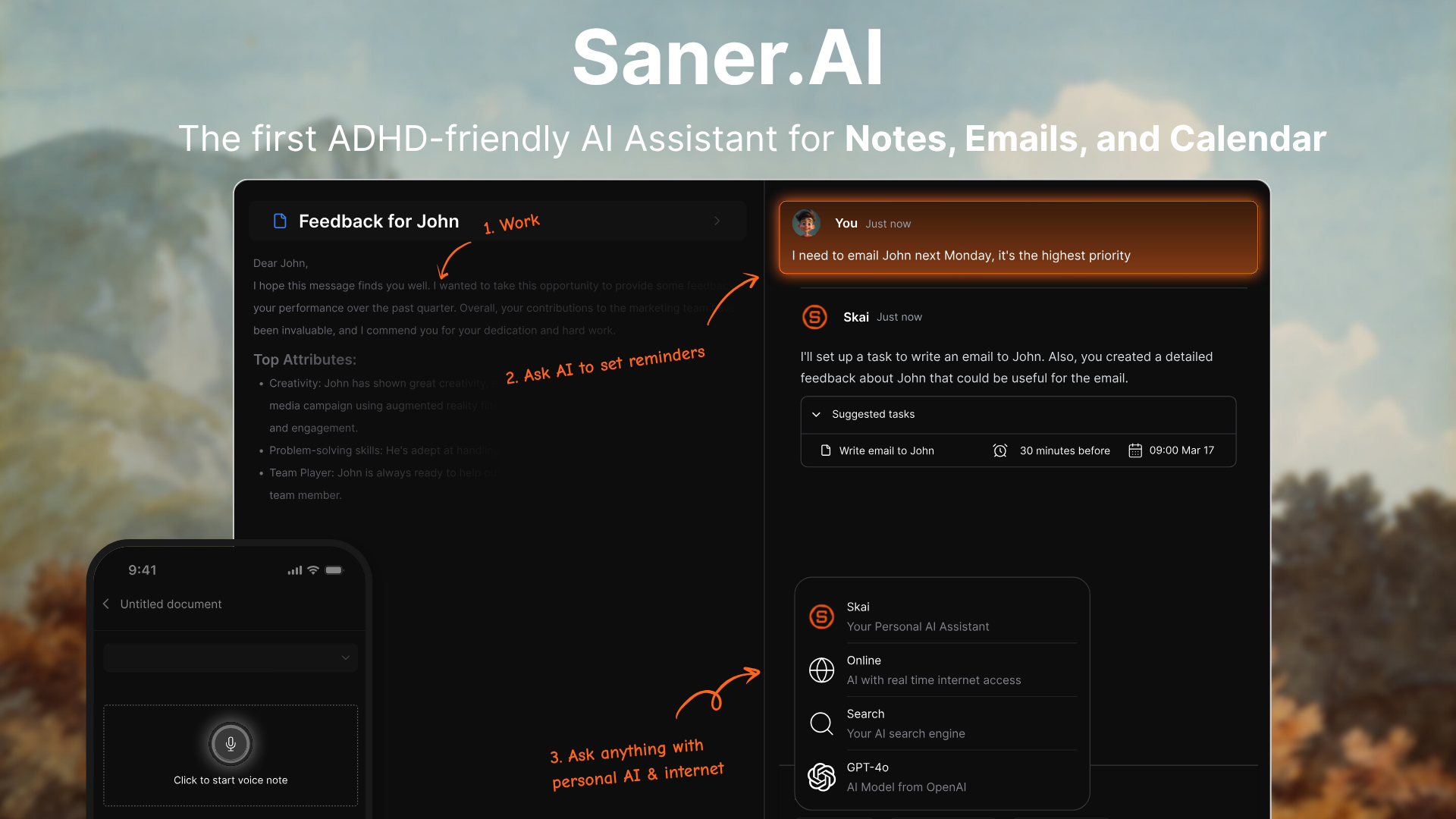
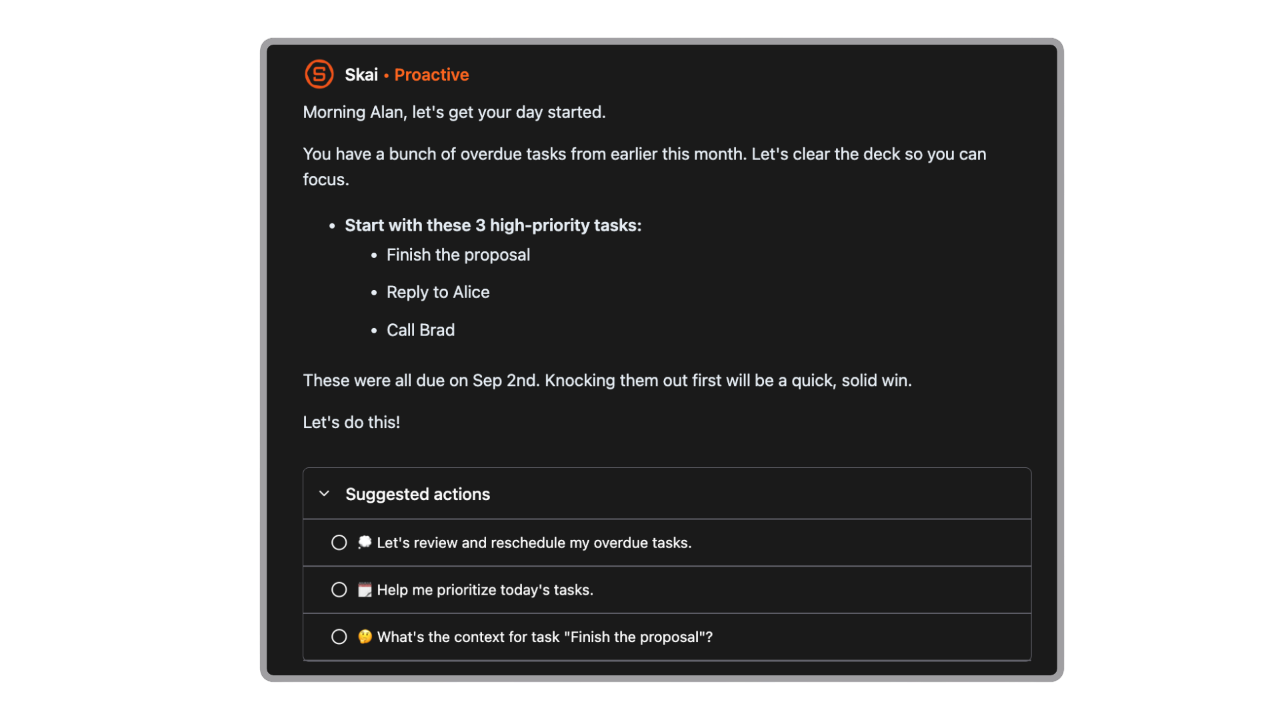
Saner.AI is a specialized "Executive OS" designed to act as a digital second brain for high-achievers, particularly those managing ADHD or executive dysfunction.
In 2026, it has gained significant hype for moving beyond static note-taking into Proactive AI - it doesn't just store your messy thoughts; it actively organizes them, predicts your next tasks, and reduces the "mental friction" of context switching.
Key features
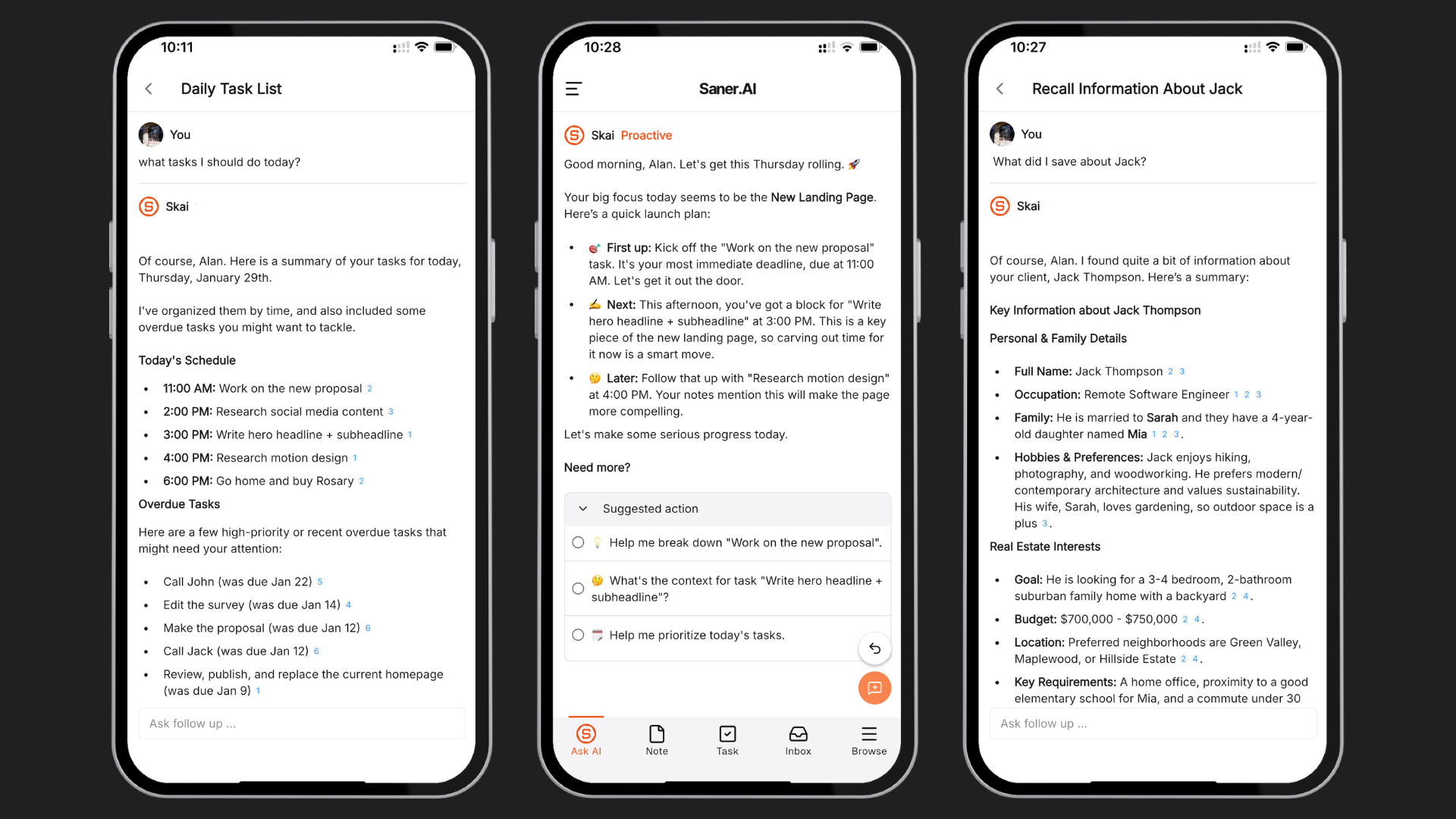
- Personal Knowledge Assistant (Skai). Skai acts as a conversational layer over your entire history, allowing you to recall specific details from buried PDFs or old Slack messages through natural dialogue.
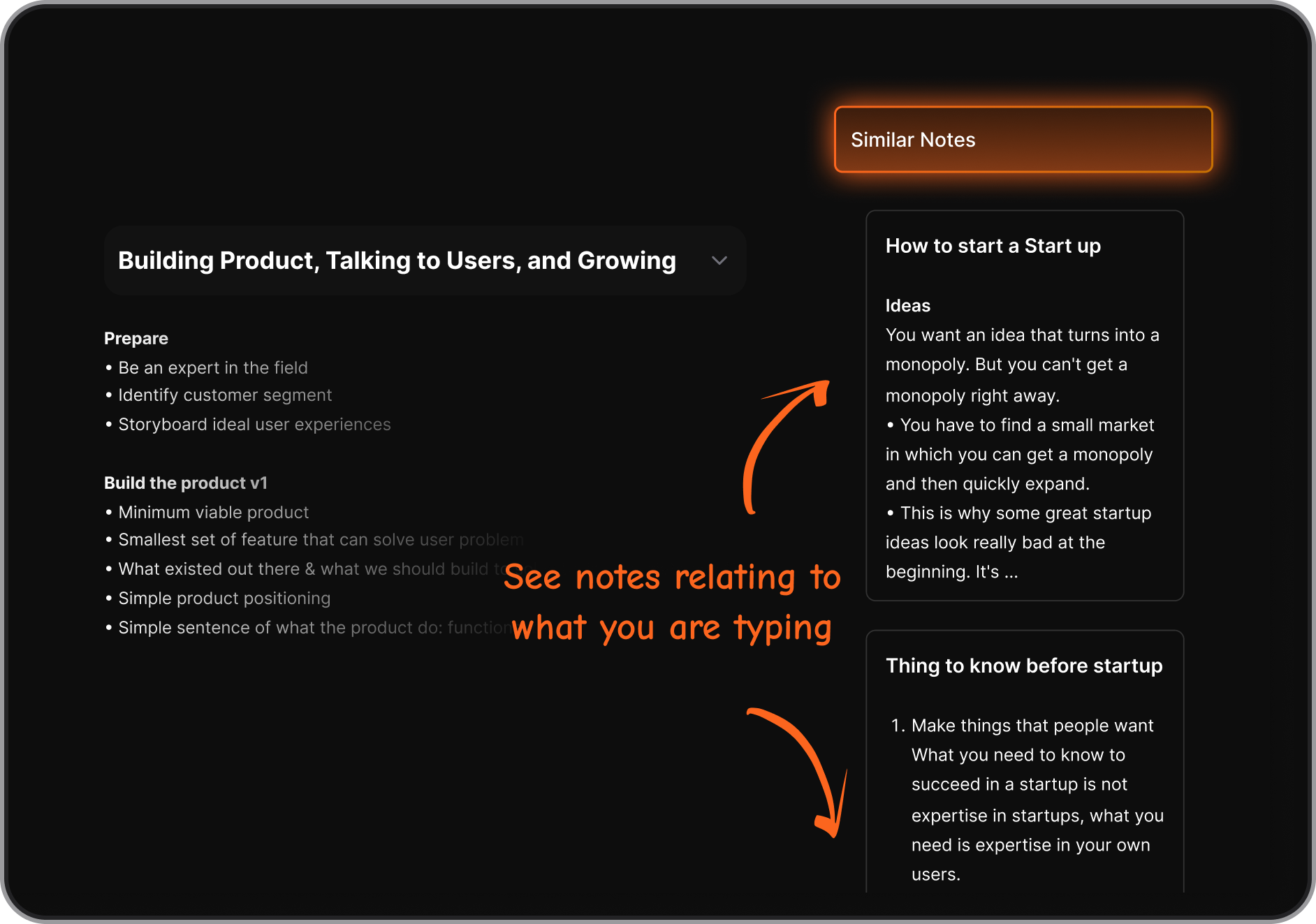
- Messy Capture & Auto-Organization. Designed for "brain dumps," this feature allows you to record voice notes or type disorganized thoughts, which the AI then tags and structures without manual effort.
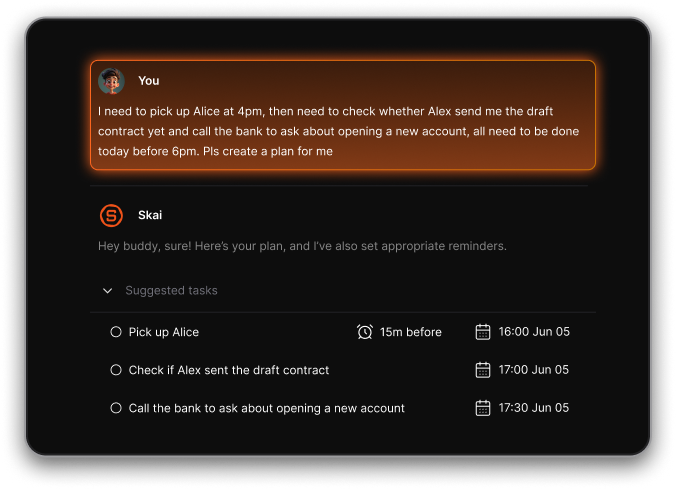
- Universal Task Assistant. The app automatically extracts tasks from your notes and emails, then breaks overwhelming projects into bite-sized, manageable steps to prevent ADHD paralysis.
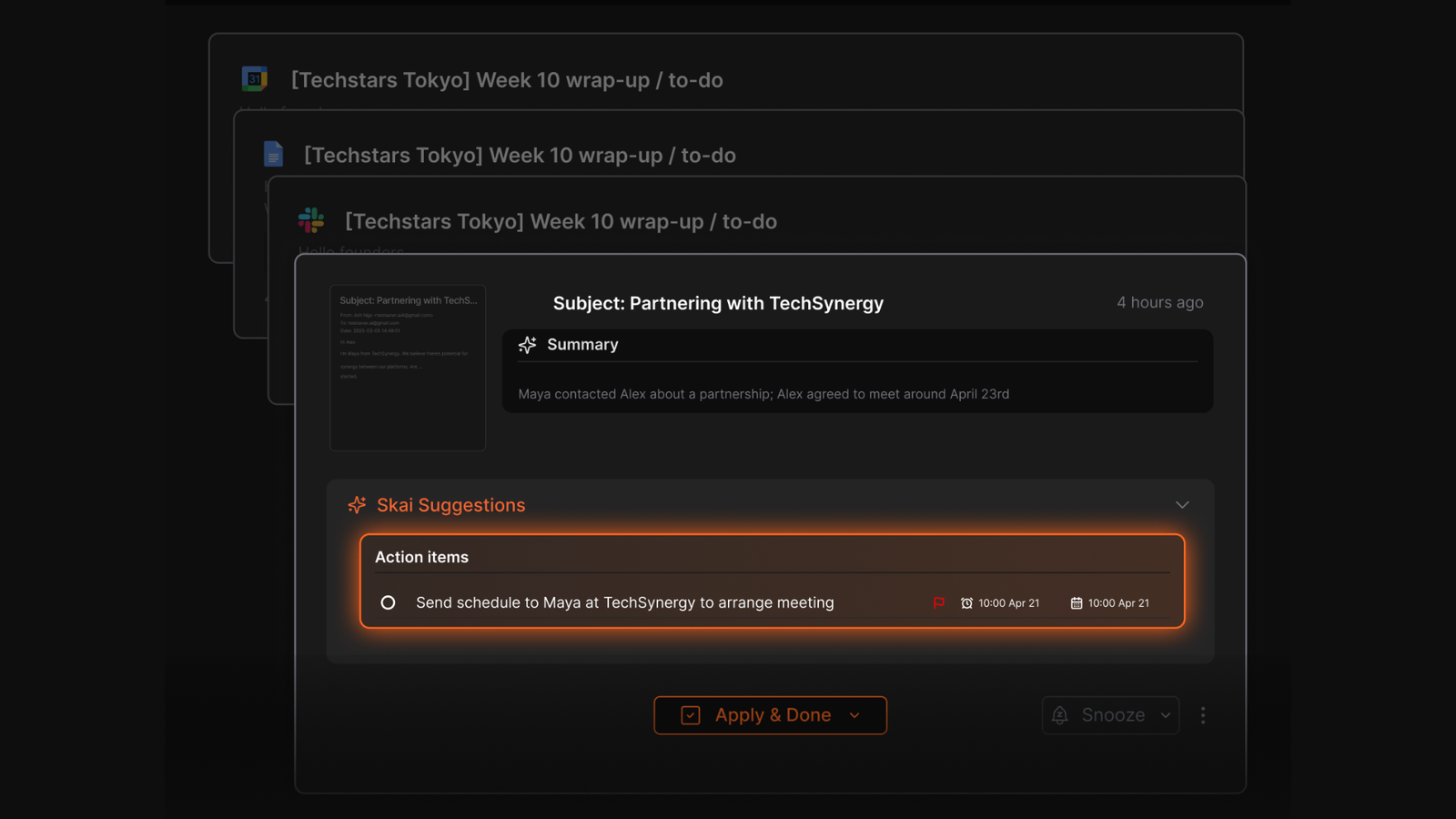
- Daily planning. Scans your past inbox, notes, and calendar to auto-create a morning plan
Pros
- It actually reduces mental load. Saner gently surfaces what matters without me digging through 10 apps.
- I appreciate how it adapts to my specific working style, acting more like a partner than a database.
- I like the focus on a distraction-free UI; it doesn't overwhelm me with unnecessary buttons or complex features.
Cons
- Not ideal for large teams or project timelines.
Pricing
- Free
- Starter: Monthly at $8/month, Annually at $6/month (with early user discount)
- Standard: Monthly at $16/month, Annually at $12/month (with early user discount)
Who is it suitable for?
- Adults with ADHD who want to stop juggling multiple tools and start focusing.
- Great for solo professionals, freelancers, and anyone who struggles with forgetting, organizing, or context switching.
Saner.AI review
"The biggest benefit for me in using Saner is the Proactive AI. Staying on top of the constant flow of email and multiple calendars is challenging, and so far, Saner is the only AI-based tool that truly feels like a personal assistant." - Jerry

How to start using it?
- Sign up at saner.ai, connect your notes or calendar.
- Start chatting with your AI assistant to stay on top of your work.

Stay on top of your work and life with the top ADHD app
2. Forest
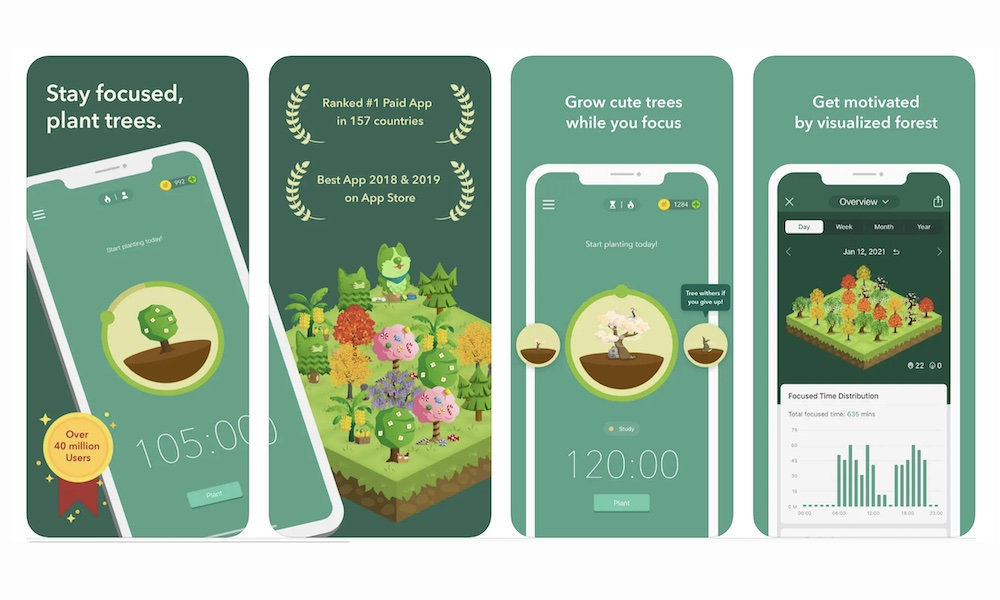
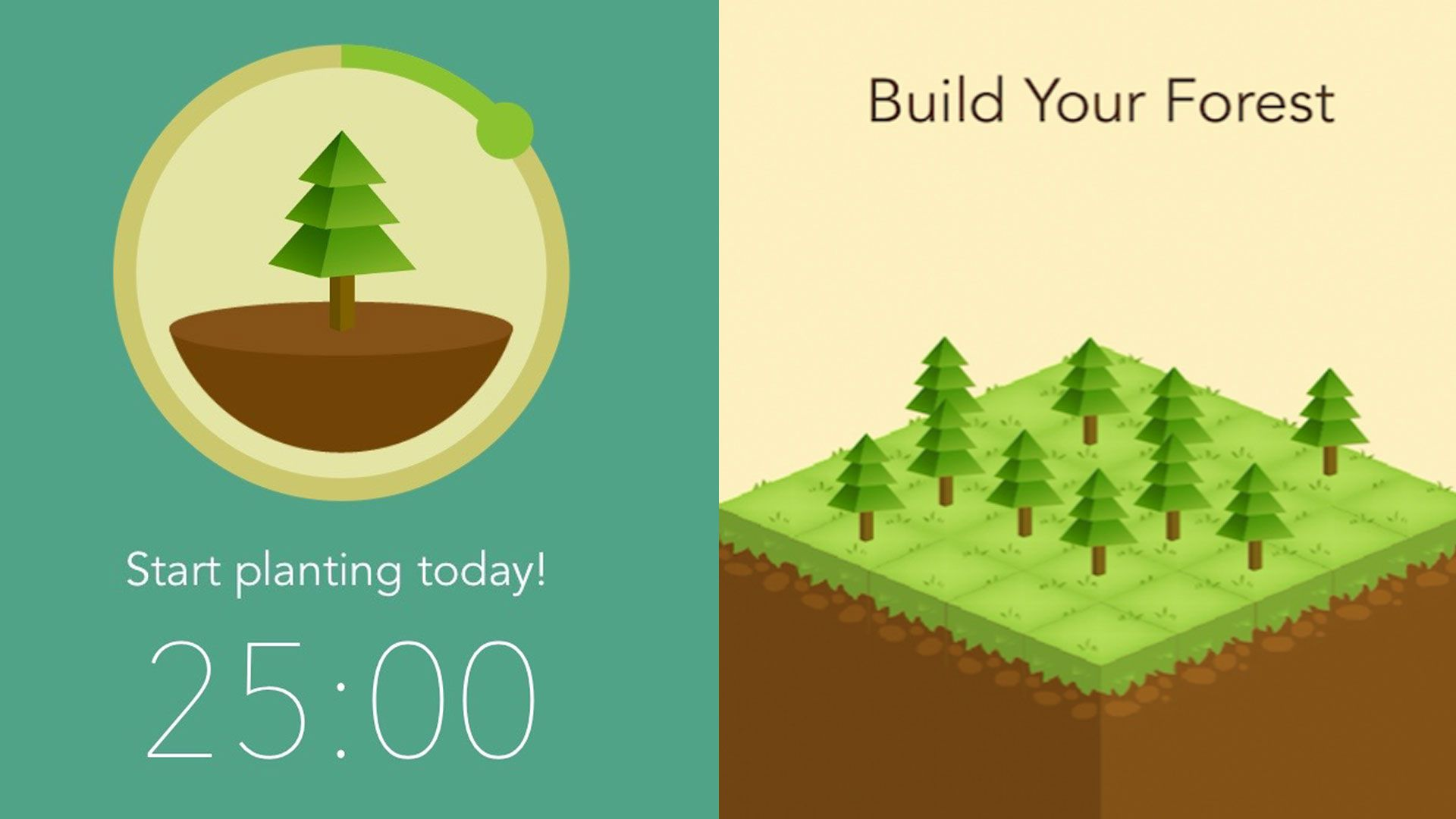
Forest is a gamified focus timer that uses "loss aversion" to help ADHD adults curb phone addiction and overcome executive dysfunction. When you need to work, you plant a virtual seed that grows into a tree over a set duration; however, if you leave the app to check social media or texts, your tree withers and dies.
Key features
- Gamified Pomodoro Timer. This feature transforms abstract time into a tangible living thing, providing the immediate dopamine reward that ADHD brains often lack during boring tasks.
- Deep Focus Mode. For those of us who struggle with "just one quick check" of a notification, this mode strictly detects if you leave the app, ensuring you stay on task by utilizing a "lock-out" mentality.
Pros
- I appreciate how the visual "dead trees" in my gallery act as a permanent record of my distractions, which actually motivates me to keep my streak alive.
- I can whitelist specific "work-essential" apps (like Slack or Spotify) so I don't kill my tree just because I need to change a song.
- The new "Co-focus" sessions where I can body-double with friends; if one person leaves, everyone's tree dies - talk about high-stakes accountability!
Cons
- I feel frustrated that there is no "pause" button for genuine emergencies; if the phone rings, that tree is often toast.
- The "tree-growing" metaphor can feel like a "failure" trigger for some ADHD users who are sensitive to perceived mistakes.
- "Setting habits is almost impossible, because one missed step or one missed day ruins the entire process... it took me 2 years to get to this point of knowing the choice to open this app is worth it." —Verified Review
Pricing
- ~$1.99–3.99 one-time purchase (mobile app)
- Free browser extension
- No recurring fees
Suitable for
- Forest is the "Goldilocks" app for ADHD adults who struggle with 'Time Blindness' and Phone Distraction.
- It is also specifically designed for those who need a visual, external consequence to stay on task and who find traditional, sterile timers too boring to maintain.
How to start
- Download Forest on your phone or browser, plant your first tree, and grow your focus - one session at a time.
Forest review (source)
"I have been using forest nearly since the beginning (from high school to now in my PhD). I LOVE this app and being able to see my data from so long ago too." - Sarah Richman
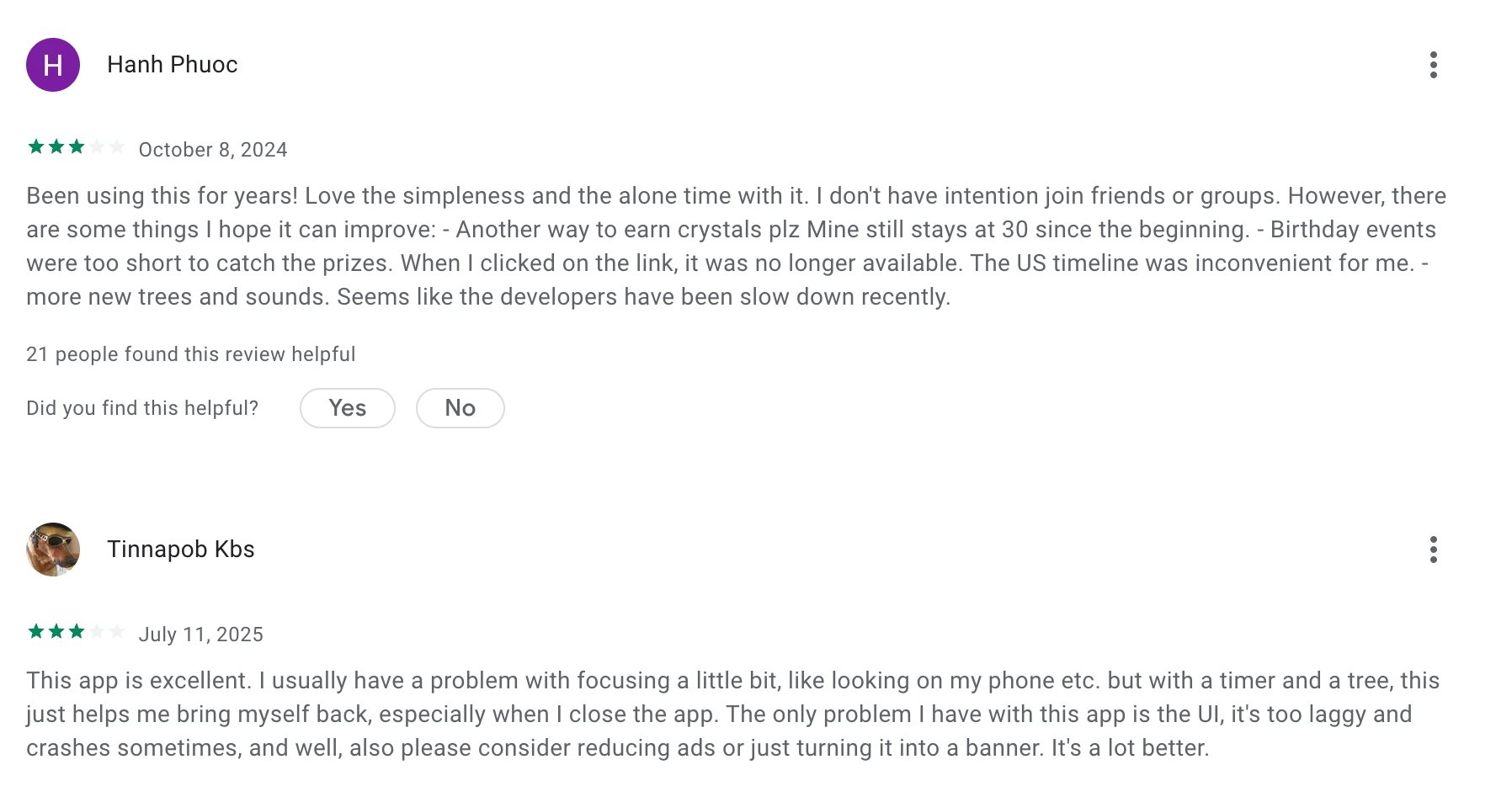
"I bought the premium version because I love the idea of this app, but I keep getting a bug when trying to double my coins. also, the UX needs a lot of work." - John Sorina
3. Focus Keeper
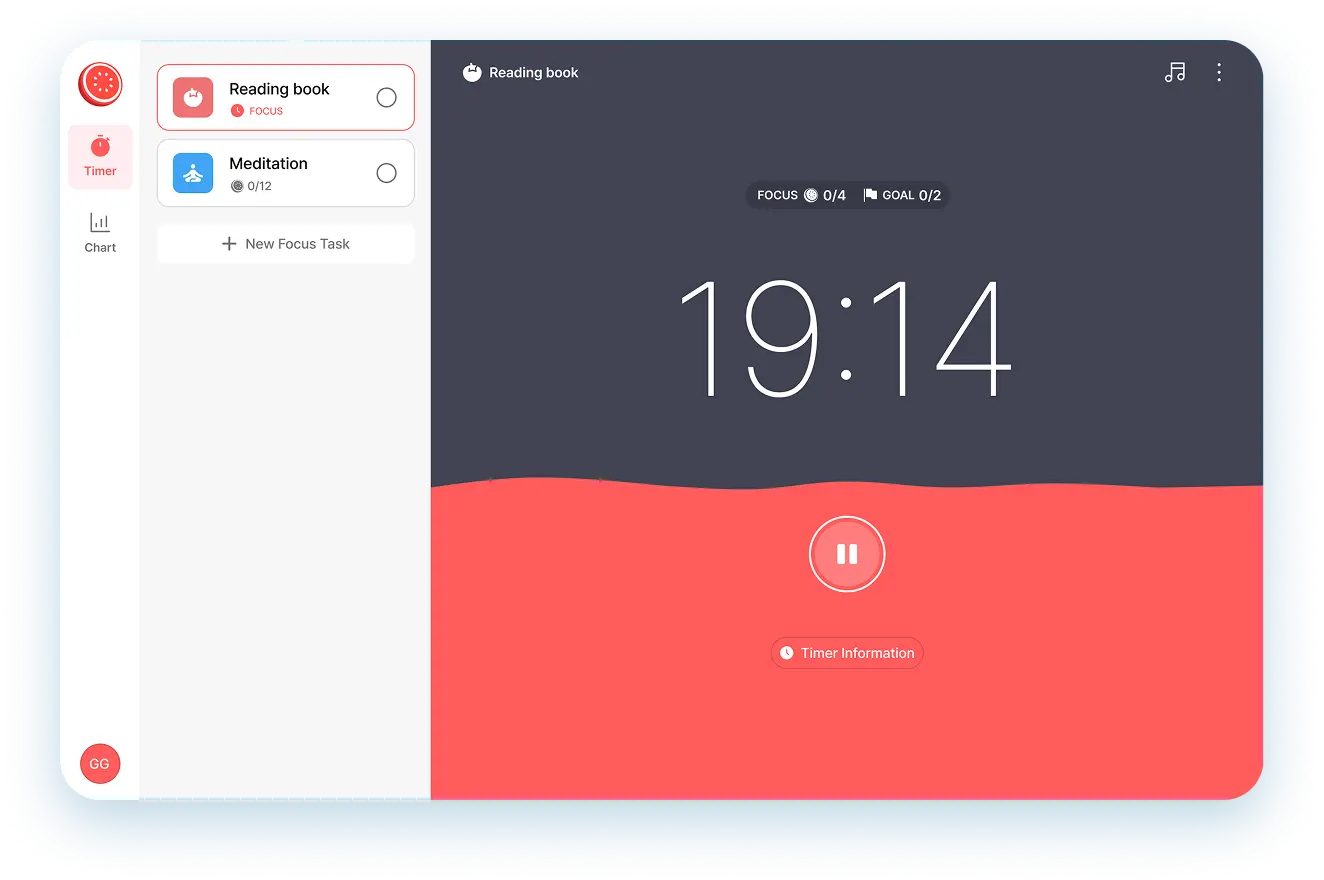
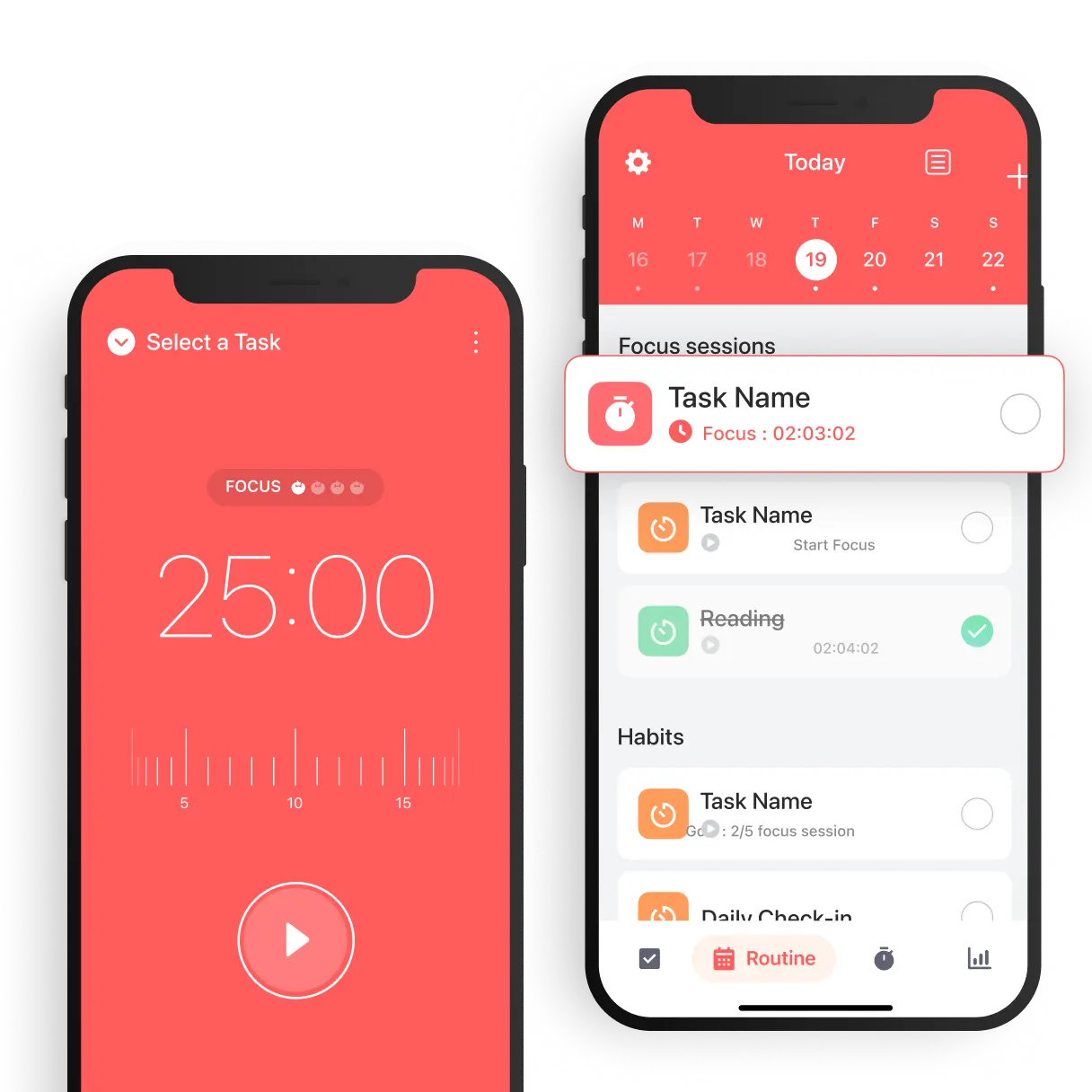
Focus Keeper is a minimalist productivity app built on the foundations of the Pomodoro Technique. By breaking daunting projects into manageable 25-minute sprints followed by restorative breaks, it provides the external structure that many neurodivergent brains lack.
Key features
- Customizable Focus Intervals. The app allows you to bypass the "one-size-fits-all" 25-minute rule, which is vital for ADHD adults who might find 25 minutes too long for boring tasks or too short for hyper-focus.
- Visual Productivity Charts. Focus Keeper uses clean, intuitive charts to visualize your "focus streaks," providing a hit of dopamine that rewards the ADHD brain for sticking to the routine.
- Built-in Screen Time Blocker. Newer updates for 2026 include more robust "Focus Modes" that help prevent the "quick check" of social media from turning into a two-hour rabbit hole.
Pros
- Super simple - just open and start working, no setup needed
- Customizable timers make it easy to match your rhythm
- I can pick from different ticking sounds (like white noise or rain) to provide the "body doubling" effect I need to stay on task.
- I like that it works seamlessly on my Apple Watch, allowing me to track time without picking up my phone and getting distracted.
Cons
- No task list or calendar integration - just a timer
- Can’t label sessions or add notes
- I feel frustrated that certain customization features, like extending focus modes, are now locked behind a subscription.
- I find the recent UI updates a bit "clunkier" than the original minimalist version, which can be a hurdle when I’m already feeling overwhelmed.
Pricing
- Free version available
- Pro upgrade for $1.99/month (unlocks full stats, sounds, themes)
Suitable for
- Adults with ADHD are looking for a distraction-free way to build structure and stay on task.
- Great for professionals, students, and creatives who want to beat procrastination without managing a full productivity system.
How to start
- Download Focus Keeper from the App Store or Google Play, customize your timer settings, and start your first focus session. It’s that easy.
Focus Keeper Review (Source)
"Great idea! I would love for my students to use this in classes to improve their on-task time/ track which things they are better at focusing on."- Janelle Lundy
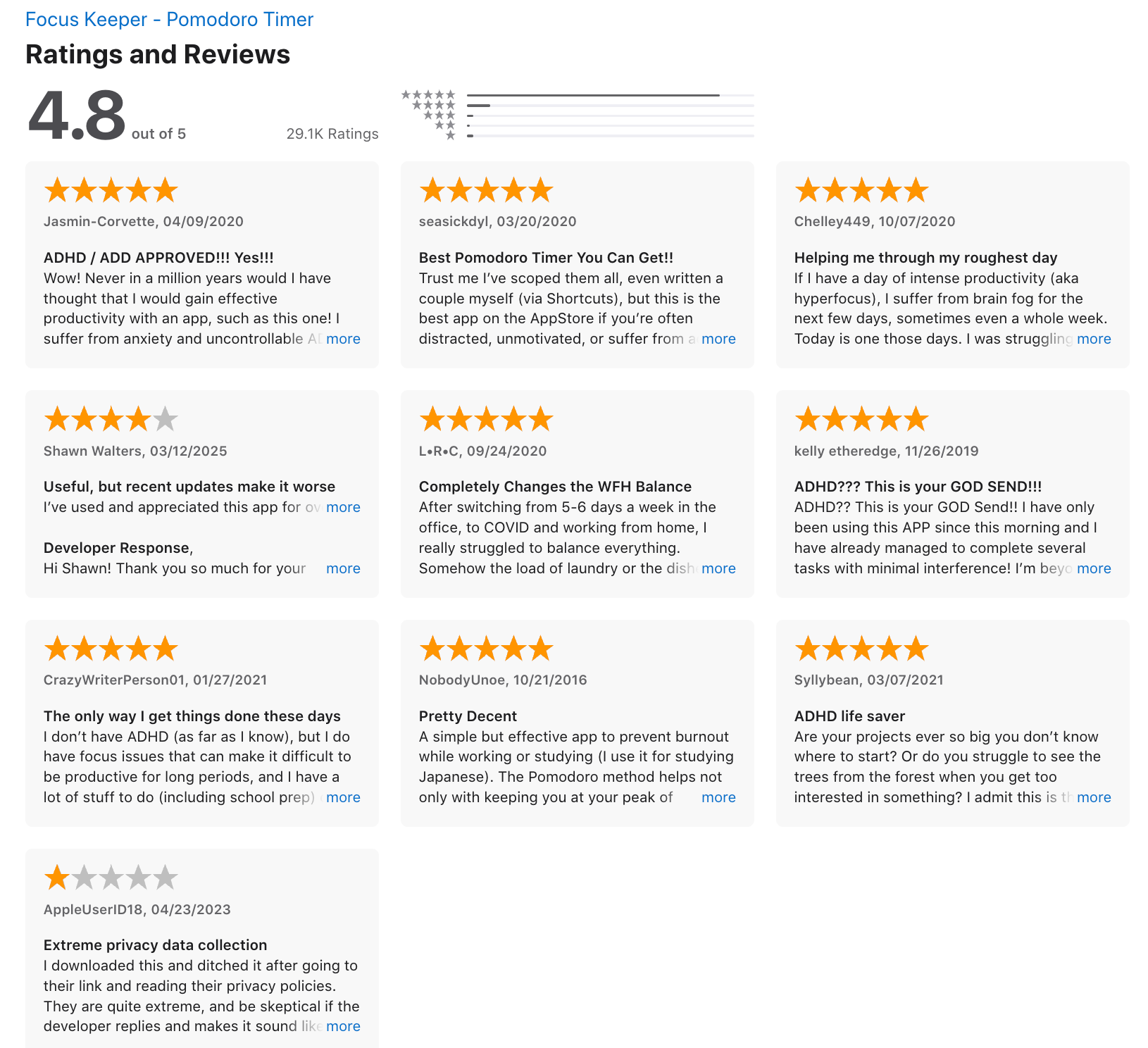
"At first I really liked the app. The way it recorded the amount I studied and how there's a variety of sounds I can choose from during the sessions and breaks." - aminath mohamed
4. Focus@Will
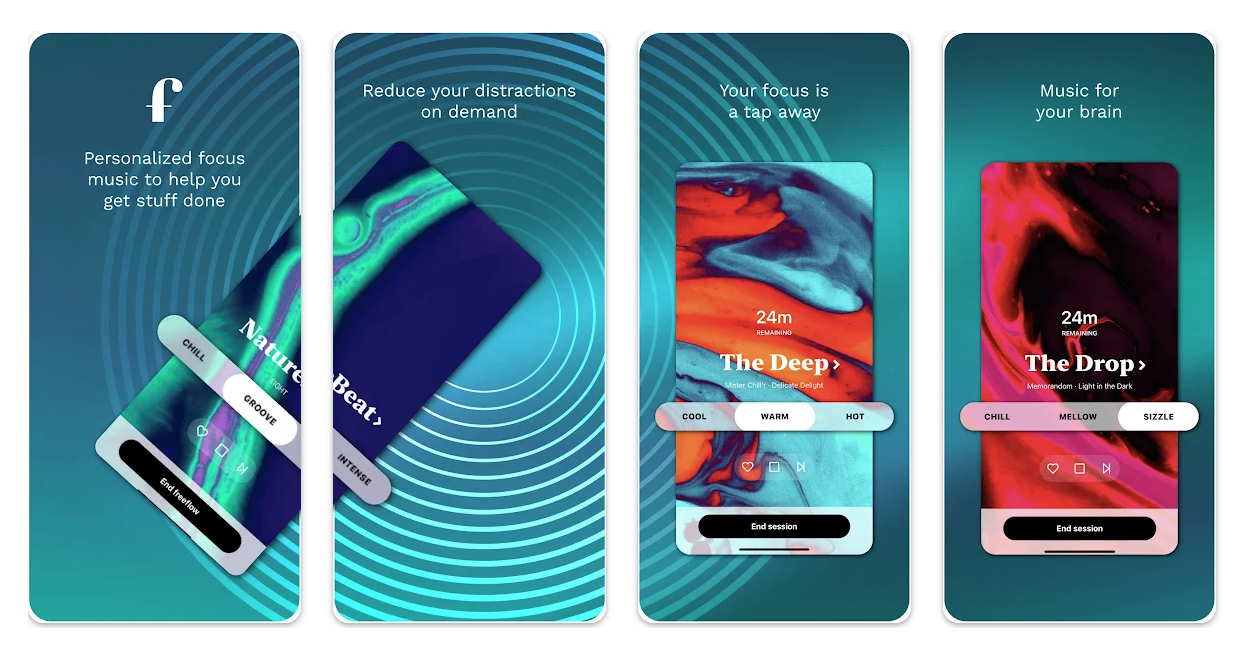
Focus@Will is a neuroscience-based music app designed to help adults with ADHD concentrate, minimize distractions, and get into a flow state. It offers personalized instrumental music channels that adapt to your brain type and energy level.
Key features
- Personalized Brain-Type Assessment. Before you hear a single note, the app uses a diagnostic quiz to categorize your "Brain Type," ensuring the music matches your cognitive needs (e.g., ADHD Type 1 vs. Creative High-Beta).
"The fact that they choose each channel based on a person's brain type instead of randomly giving you a plethora of channels to choose from is amazing." –Verified Review
- ADHD-Specific Audio Channels. These channels are engineered to remove "vocal leads"—the frequencies of the human voice.
- Productivity Tracker & Timer. The built-in productivity tracker monitors your session lengths, helping you identify which genres (like "Soothe" or "Cinematic") keep you focused for the longest stretches.
Pros
- I appreciate how the "ADHD 1" channel feels like a weighted blanket for my brain; it stops the mental itching.
- I feel it helpful that I can adjust the "Energy Level" of the tracks depending on whether I’m doing data entry or creative writing.
- The built-in timer and session log make it easier to stick with a routine and track patterns.
Cons
- The music library can feel repetitive after a while, especially if you use the app daily.
- I feel the subscription cost ($70/year) is a bit steep compared to free alternatives, though the specialized tech makes a difference.
- I appreciate the UI, but some users (myself included) have noticed occasional playback glitches in the mobile version lately.
Pricing
- Free 7-day trial
- Monthly plan: ~$7.50
- Annual plan: ~$52
Suitable for
- Focus@Will is the gold standard for ADHD professionals and students who struggle with "open-office syndrome" or internal distractibility.
- If you find yourself constantly skipping songs on other music apps or feeling overwhelmed by lyrics while trying to work, this app is built specifically for you.
How to start
- Download the app (iOS, Android, or desktop), take the brain-type quiz, and start your free trial to discover your ideal focus channel.
Focus@Will review (source)
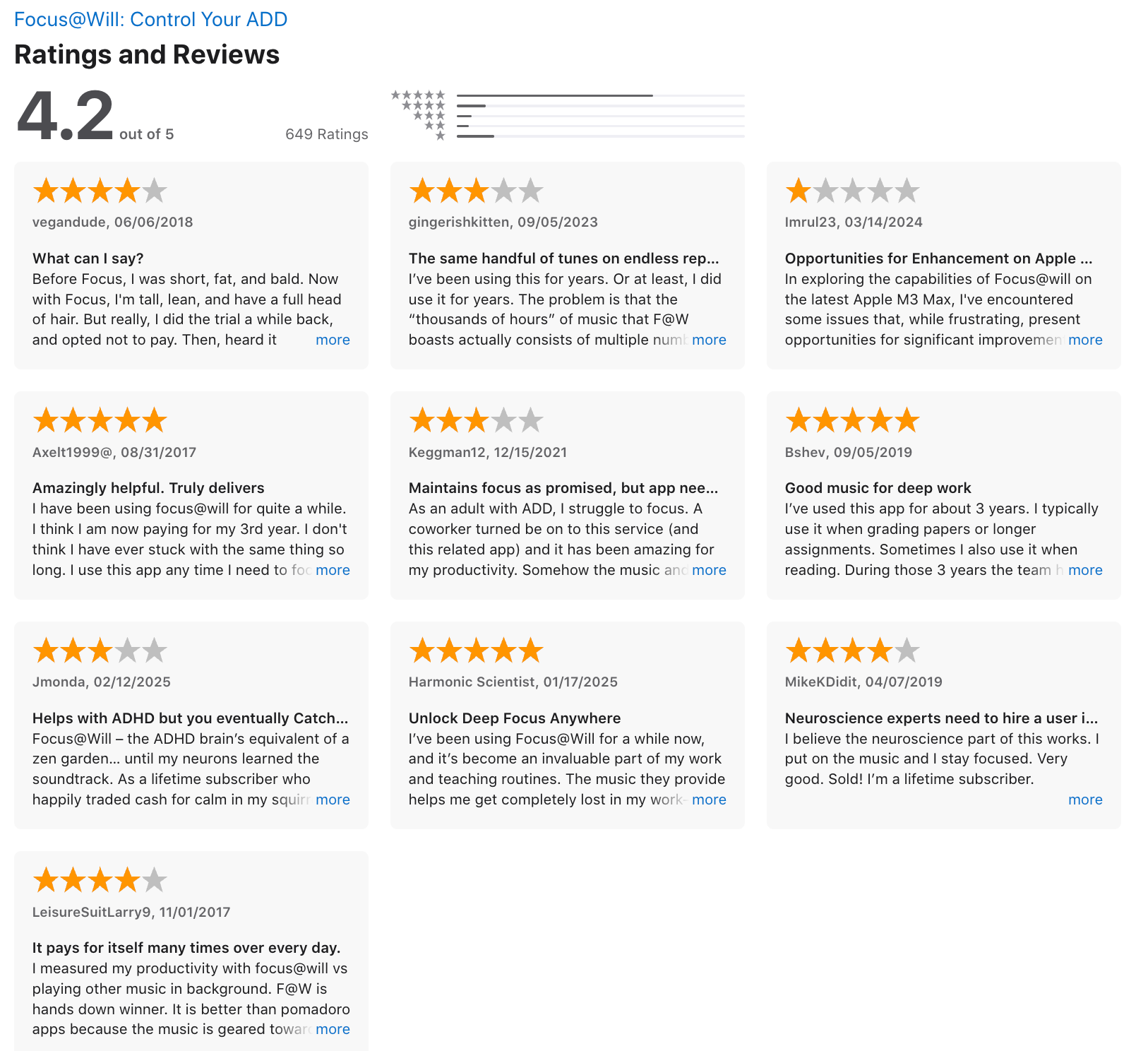
"App works great, as does the player online! You can now pause it which was something I had been waiting years for, so glad to finally have that ability! The interface is beautiful, and it's easy to switch between different types of playlists based on what you need." - Andrew Dumais
"I like the music, but the app is clunky and glitchy. To change the timer requires way too many clicks, everything is slow to load, sometimes music just stops randomly." - Jacci
5. Headspace
Headspace is a powerhouse in the mindfulness space, evolving from a simple meditation app into a comprehensive "mental health operating system." For adults with ADHD, it serves as a digital anchor to combat executive dysfunction and emotional dysregulation through guided "mini-meditations" and focus-enhancing audio.
Key features
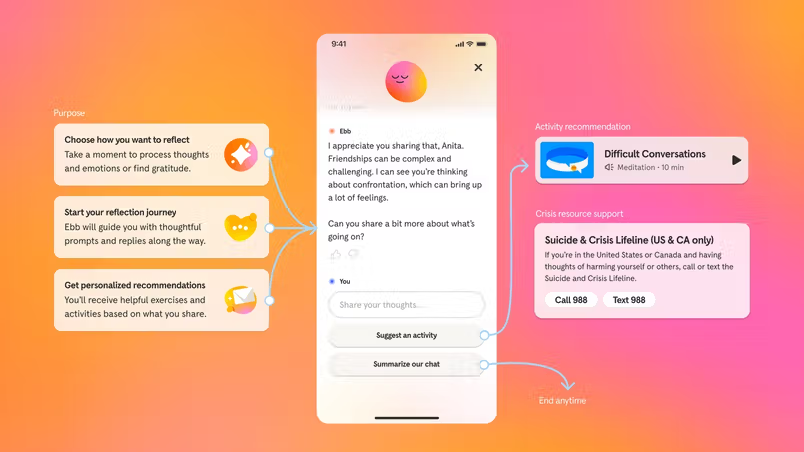
- Ebb: The Empathetic AI Companion. Headspace has moved beyond static audio with Ebb, an AI that talks you through moments of overwhelm or "ADHD paralysis" to find the right resource.
"Ebb asks thoughtful questions and then points users towards resources within the app that are relevant to their specific needs." — Cigna Healthcare Review
- Curated Focus Music & Brown Noise. The app features scientifically backed "Focus" sets, including 50Hz binaural beats and various "colors" of noise to drown out distracting environments.
- Sleepcasts & Wind Downs. Since sleep issues often co-occur with ADHD, these 45-minute audio experiences create a steady, non-stimulating "story" to stop the racing mind at night.
- Daily Check-Ins. Simple mood and mindfulness trackers
- Progress Tracker. Visual streaks to stay motivated
Pros
- I liked how ADHD-friendly the app feels. The meditations are short, the UI is calm and easy to navigate, and the voice guidance helps anchor scattered thoughts.
- The breathing and focus sessions are perfect for overwhelmed moments - like mental resets throughout the day.
- I appreciate the "SOS" sessions for when I feel a panic attack or total sensory overload coming on.
- I like the gamified "streaks," though I appreciate that the app is becoming more forgiving of missed days.
Cons
- It doesn’t have ADHD-specific content or productivity tools - no task tracking, no scheduling.
- Also, most content is locked behind a paywall, and the app can be a bit buggy when switching between sessions or tabs. If you're looking for something to manage daily tasks or reminders, this isn’t it.
- The app can be "too busy" sometimes; the interface has so many options it occasionally triggers my choice paralysis.
- I find it frustrating that the loading times can be slow, which is the last thing I need when I'm already impatient.
Pricing
- Free trial available
- $12.99/month or $69.99/year
- Family and student plans available
- Headspace Care with 1-on-1 coaching: $99.99/month
Suitable for
- Adults with ADHD who want to improve focus, reduce anxiety, and build calm into their routines through mindfulness and meditation.
- Best for those looking to manage emotional regulation not for those needing task or calendar support.
How to start
- Download the app, sign up for a free trial, and start with a beginner-friendly pack like “Focus” or “Managing Anxiety.”
Headspace review (source)
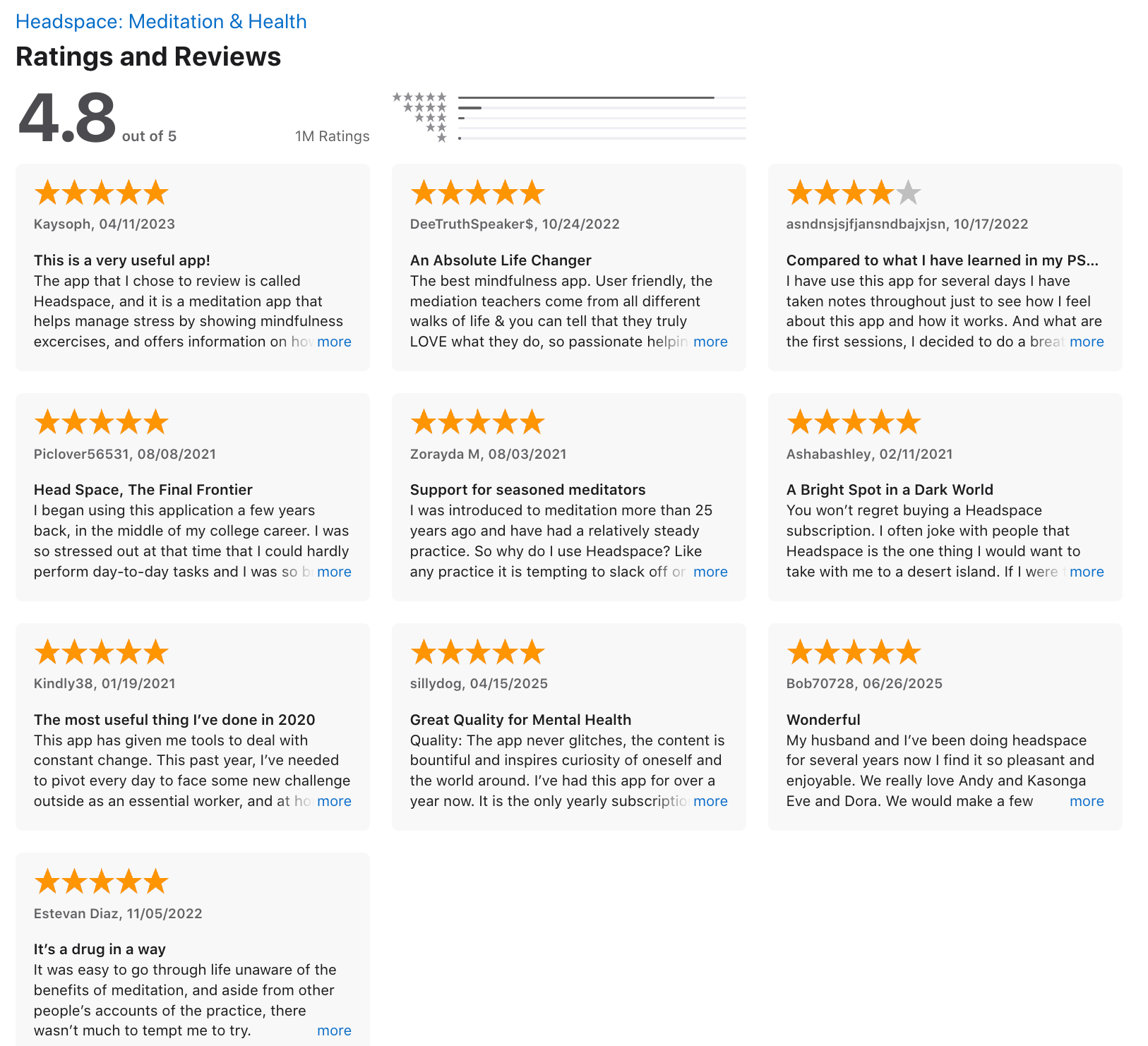
"Great app. I highly recommend it. Things that could be improved - skipping the intro of the meditations (my favourite one starts by saying "we're halfway through the week"), being able to make a playlist (back to back meditations for sleep could help us not look at our phone every 10 minutes)." - Julie D
"While I like it to remind me to relax, it is sloooooooow. It takes forever to load initially and as you switch between the screens it takes even longer to load. I have to constantly close out of the app and go back in just to get the main page to load. When I'm frustrated, stressed or overwhelmed, have the app take so long to load to get to the exercises is NOT helpful. It defeats the purpose." - Sharmiesha Coleman
Final Thoughts: Finding the Ideal ADHD Apps for You
Managing ADHD as an adult isn’t about doing more - it’s about doing what matters, with less friction and overwhelm.
The ideal ADHD app doesn’t just remind you of tasks. It helps you:
- Focus when it’s hard to start
- Stay organized without overthinking
- Turn chaos into clarity
- And most importantly - work with your brain, not against it
Whether you need an all-in-one digital assistant like Saner.AI, a task manager with structure, or a minimalist focus timer, the best app is the one that fits your unique rhythms.
✨ Start small. Try one app. Notice what helps. Then build from there.
Tech isn’t a cure - but the right tools can make every day a little more doable, and a lot more calm.
Stay on top of your work and life
👉 You may like this post on how to improve Productivity for adults with ADHD
ADHD Apps for Adults: FAQ
1. What are ADHD apps for adults?
ADHD apps for adults are designed to help with focus, time management, and mental clarity - especially for those who struggle with overwhelm, distraction, or executive dysfunction. These tools don’t “cure” ADHD, but they can make daily life feel a lot more manageable.
Some help you plan your day. Others help you stay in the zone. The best ones reduce the mental friction of getting started.
Popular ADHD apps for adults include:
- Saner.AI – AI assistant that manages notes, tasks, and schedules
- Forest – Gamified focus timer that grows trees when you stay off your phone
- Focus@Will – Music specifically designed to help ADHD brains concentrate
- Focus Keeper – Simple Pomodoro timer that builds focus habits
- Headspace – Mindfulness and meditation to calm racing thoughts
2. What’s the best ADHD app for staying organized?
If your brain is full of half-finished thoughts, lost notes, or forgotten to-dos, Saner.AI is especially helpful.
It combines:
- Notes, calendar, and task management in one space
- Natural language input (“Remind me to email Sarah tomorrow”)
- Smart reminders that reduce context switching
You don’t need to build folders or remember where things go. Saner.AI organizes your chaos and helps you follow through - without rigid systems.
3. What’s the best ADHD app for building focus?
Focus works differently for ADHD brains. You often need short bursts, accountability, and an external cue to get started.
Here are the top picks:
- Forest – Stay off your phone, grow a digital tree. A surprisingly effective motivator.
- Focus Keeper – Uses Pomodoro-style timers (25 min focus + 5 min breaks) to build a rhythm.
- Focus@Will – Music channels built on neuroscience to help ADHD brains tune in and stay focused longer.
Each supports different attention styles—try a few and see what clicks for you.
4. What’s the best ADHD app for managing stress?
An overwhelmed brain can’t focus. Calming your nervous system helps with everything else.
- Headspace is ideal for ADHD adults struggling with mental clutter, anxiety, or racing thoughts.
- It offers guided meditations, breathing exercises, and mindfulness practices that are short, easy to follow, and non-judgmental.
- Great before work, during breaks, or to wind down before sleep.
5. Which ADHD app is best for overall daily life?
If you’re looking for an all-in-one ADHD app for adults, Saner.AI covers more ground than any single-focus tool.
Why it works:
- Chat-based interface feels like texting your assistant
- Turns random thoughts into structured tasks
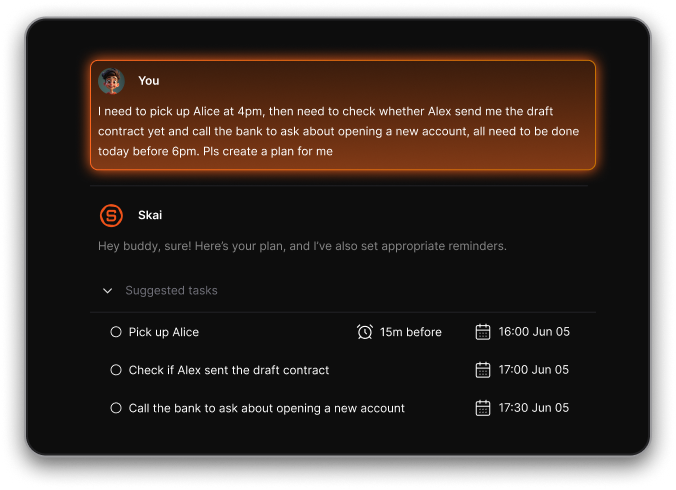
- Pulls up relevant notes automatically when you need them
- Syncs with calendar and checks in throughout the day
It’s especially useful if traditional tools like Notion or Trello feel like too much setup or maintenance.
6. Are these ADHD apps free?
Yes, most of these apps offer free versions to get started:
- Saner.AI – Free forever plan includes note search, task reminders, calendar sync
- Forest – Free version with limited tree types; Pro unlocks more features
- Focus Keeper – Free Pomodoro timer; premium removes ads
- Focus@Will – Offers a free trial; paid plan for full access
- Headspace – Free basics pack; premium unlocks full library
Start with the free version and upgrade only if it truly makes your day easier.
7. Can I use more than one ADHD app?
Absolutely. Many ADHD adults mix and match apps depending on their needs:
- Use Saner.AI to manage tasks and stay organized
- Use Forest or Focus Keeper when you need to lock in and get something done
- Use Headspace to calm your brain between tasks or before sleep
- Use Focus@Will as your background work soundtrack
You don’t need to use all the features. Pick what fits your routine, and drop what doesn’t.
Stay on top of your work and life



