
ADHD Note-Taking Apps: We Tested The Best 7 in 2026
The best ADHD Note-Taking Apps in 2025 are Saner.AI, Apple Notes, Craft, AmpleNote, Reflect, Notion, and Obsidian.

The 7 Best Note-Taking Apps for People With ADHD
You type a brilliant, life-changing idea into a blank note on your phone. You promise yourself you will expand on it later. Two days later, you remember the idea, open the app, and stare at a wall of twenty different untitled notes. You cannot find it. You search a keyword, get zero results, and suddenly feel that familiar, exhausting wave of frustration.
I spent a few weeks testing different options to find out which ones work for brains that hate standard organization. Here are the best seven note-taking apps for ADHD that we tested in 2026.
Quick guide: 7 best ADHD note-taking apps in 2026
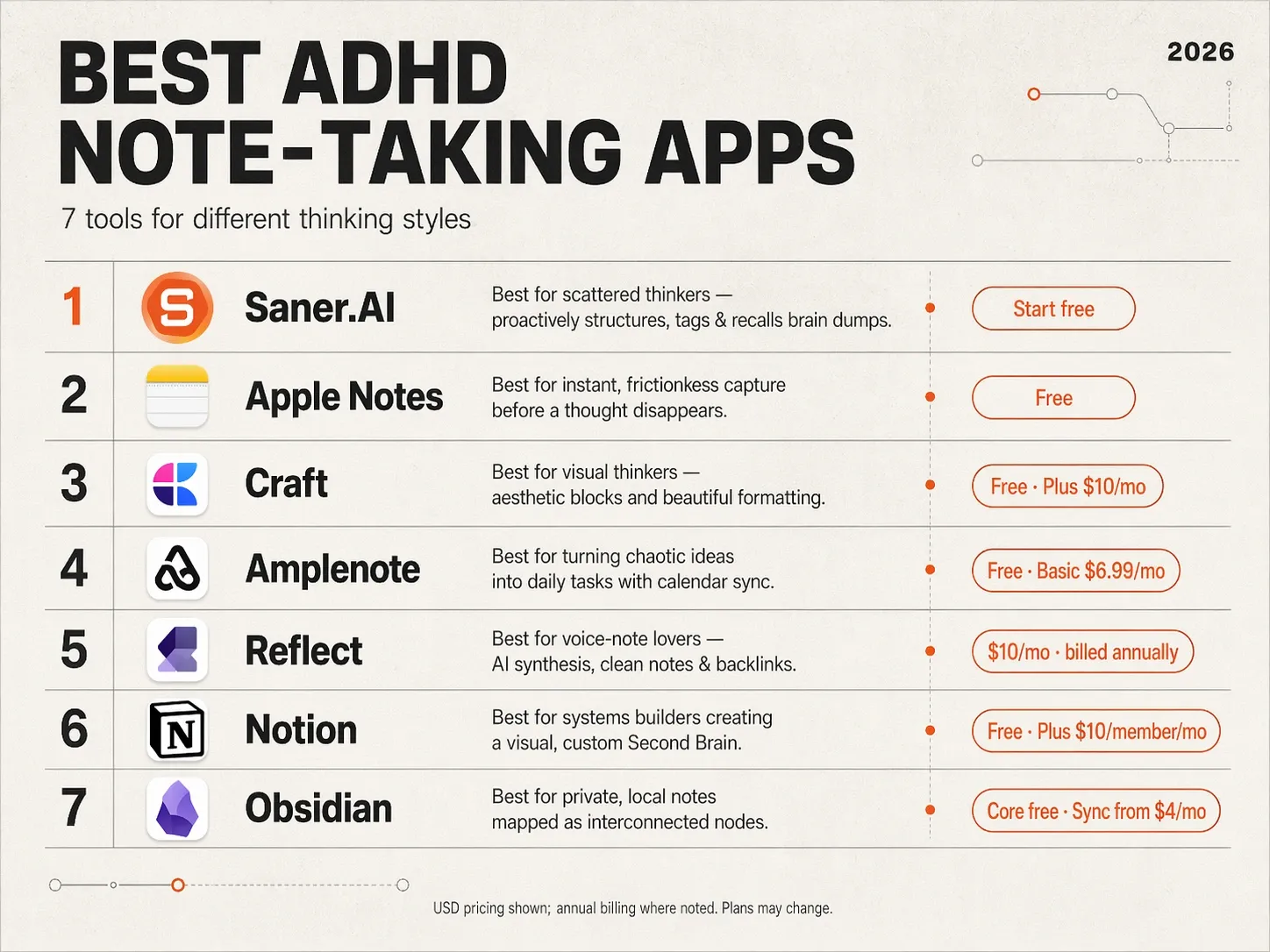
2. Apple Notes: Best for instantaneous, frictionless capture before the thought vanishes from your working memory.
3. Craft: Best for visual thinkers who need aesthetic blocks and beautiful formatting to stay motivated and engaged.
4. Amplenote: Best for turning chaotic, unstructured ideas into actionable daily tasks using built-in calendar sync.
5. Reflect: Best for voice-note lovers who want to talk out loud and have AI synthesize their speech into clean, backlinked daily notes.
6. Notion: Best for systems builders who want to create a fully customized, deeply visual "Second Brain" dashboard.
7. Obsidian: Best for privacy-focused tech enthusiasts who want to visually map out their thoughts like a web of interconnected nodes.
How we chose the best ADHD note-taking apps
An app only works if it works for your specific executive function quirks. We evaluated these tools based on the specific psychological friction points of ADHD:
- Frictionless Capture Speed: Can you open the app and type out a thought in less than two seconds, or do menus and folder structures get in the way?
- AI & Associative Recall: Does the app connect related ideas automatically, or does it rely entirely on you remembering a strict keyword or folder name?
- Dopamine & Interface Appeal: Is the workspace clean and satisfying to look at, or is it sterile and uninspiring (which triggers immediate task avoidance)?
- Voice-to-Text Capabilities: Can it accurately capture unstructured verbal processing and turn it into a readable summary?
- Task Translation: How easily can a random note be converted into a tangible action item without needing to copy-paste into a separate app?
- Out of Sight, Out of Mind Mitigation: Does the app surface old, relevant notes when you need them, keeping your past ideas alive?
What are the best ADHD Note-Taking Apps?
The best ADHD Note-Taking Apps in 2025 are Saner.AI, Apple Notes, Craft, Ample note, Reflect, Notion, Obsidian.
Comparison Table: Best ADHD Note-Taking Apps
| App | Best For | Key ADHD Features | Platforms | Pricing |
|---|---|---|---|---|
| Saner.AI | ADHD-friendly AI workspace | Rant-to-task, reminders, auto-organized notes | Web, iOS, Android | Free plan; $8/mo |
| Apple Notes | Simplicity & quick capture | Instant iPhone capture, checklists, Siri voice | iOS, macOS | Free |
| Craft | Visual thinkers | Beautiful layouts, backlinks, quick sharing | iOS, macOS, Web | Free plan; $5/mo |
| Amplenote | Task + note combo | Daily planner, prioritization, reminders | Web, iOS, Android | From $6/mo |
| Reflect | Minimalist journaling & notes | Linked notes, simple interface, daily reviews | Web, iOS | From $8/mo |
| Notion | All-in-one builders | Templates, databases, collaboration | Web, iOS, Android | Free plan; Pro $8/mo |
| Obsidian | Power users & tinkerers | Local vault, backlinks, graph view | Windows, Mac, iOS, Android | Free; Sync $8/mo |
1. Saner.AI
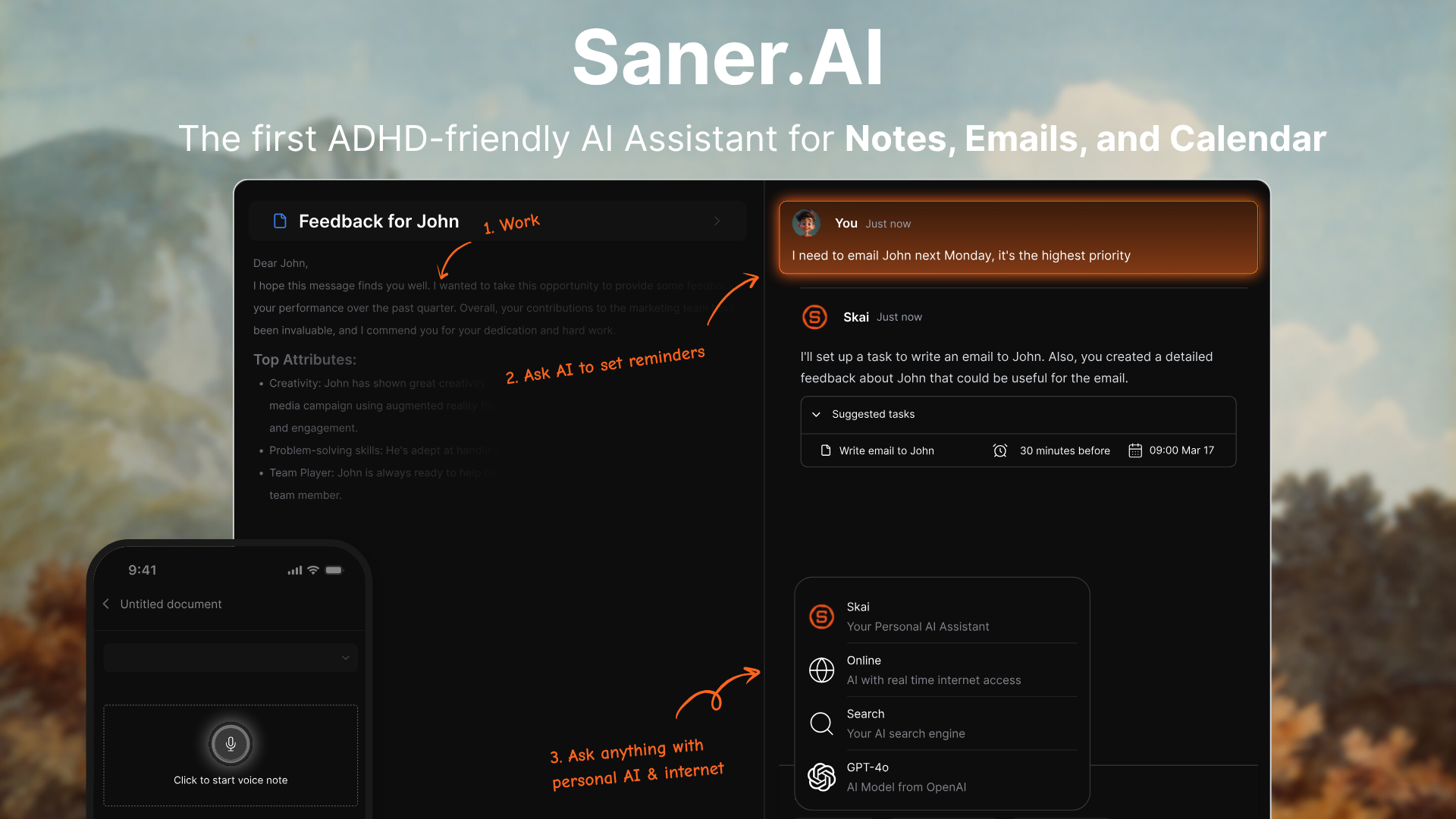
Saner.AI is a personal AI note-taking app designed to help you think clearly - especially when your brain feels scattered. Built by ADHDers, it turns your messy notes, to-dos, emails, and tasks into a calm, organized day. Instead of forcing structure, it lets you work how your brain naturally works - then organizes things for you behind the scenes.
Key features
- Brain dump everything into AI
I tried throwing random thoughts, voice memos, and web articles into the central inbox without worrying about structure. The interface handles unstructured input gracefully, allowing me to speak or type freely during moments of hyperfocus or mental exhaustion.
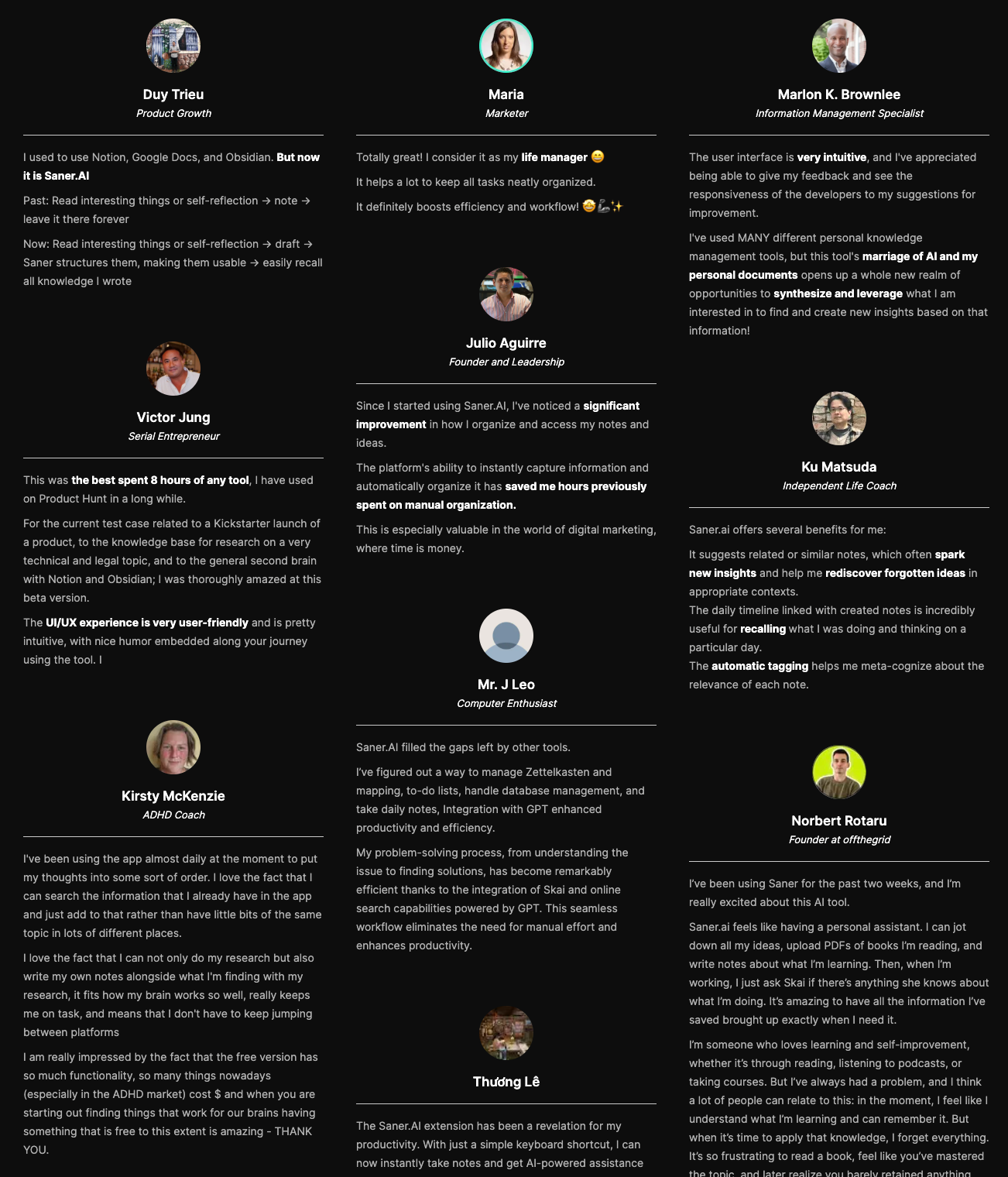
"The user interface is very intuitive, and I've appreciated being able to give my feedback and see the responsiveness of the developers to my suggestions for improvement." — Verified Review
- Let AI categorise + prioritise tasks
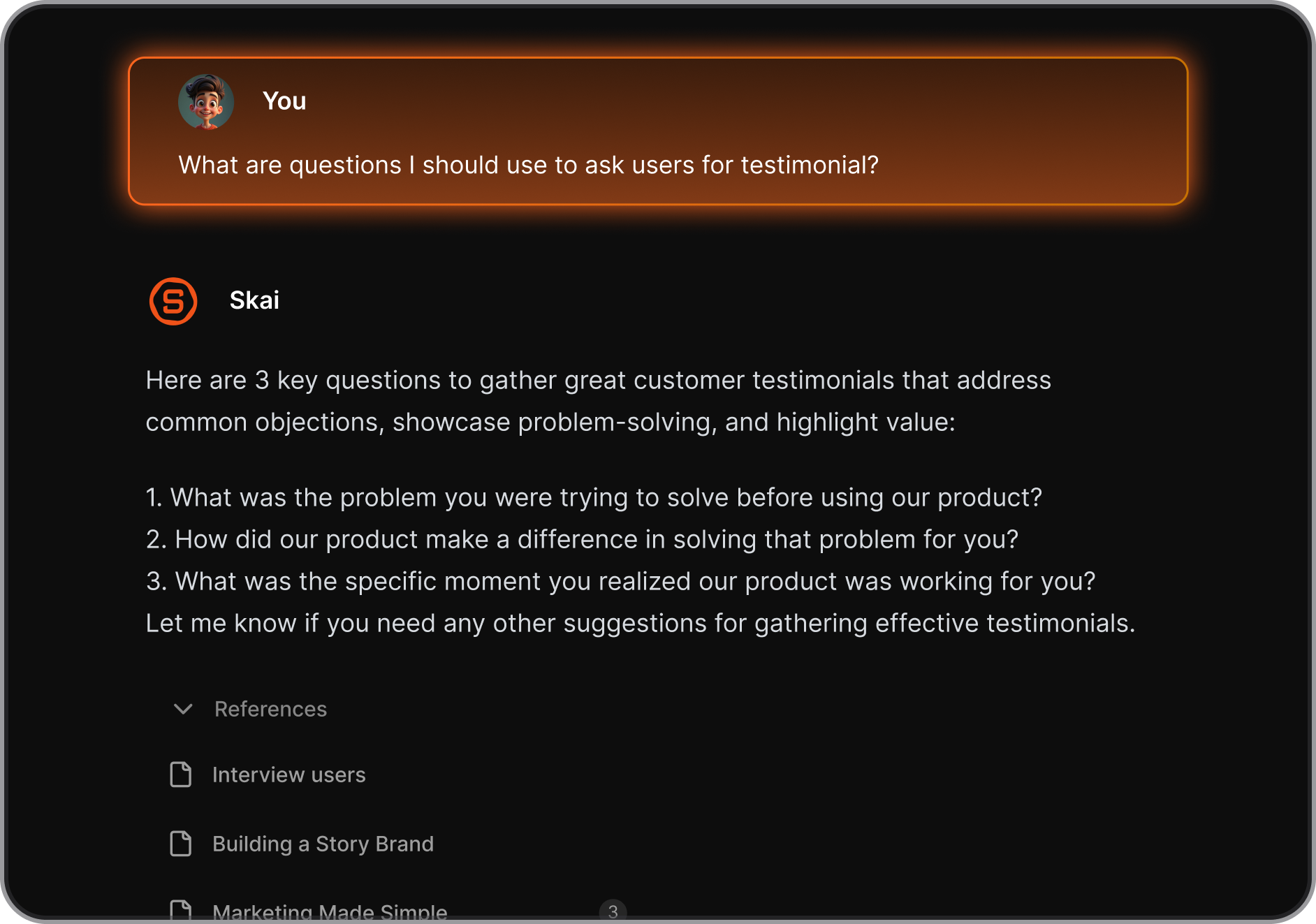
I liked how the built-in AI assistant, Skai, takes my messy brain dumps and immediately handles the heavy lifting of sorting. It groups my chaotic ideas into logical project folders and flags high-priority items automatically so I do not have to organize anything myself.s.
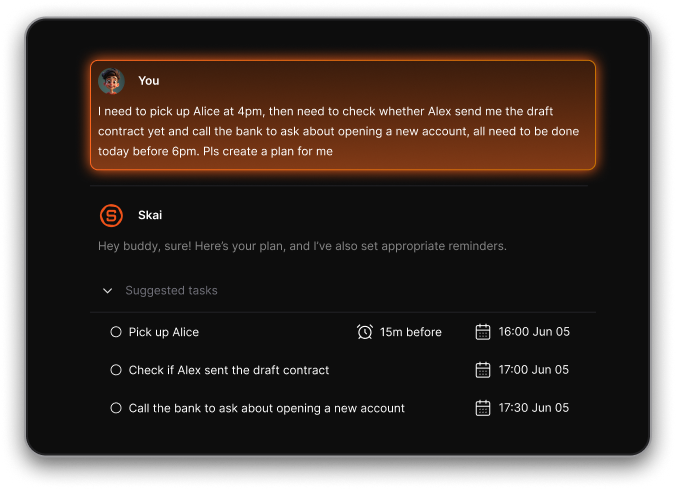
- Time-block your week using AI suggestions
I used the scheduling integrations to map out my calendar based on my actual capacity. Instead of manually moving text boxes around, the assistant analyzes my open work items and suggests specific times to focus on each project.
- Set AI-powered reminders + buffers
I noticed that the task system helps protect my focus by applying intelligent reminders that fit my natural habits. It automatically calculates extra buffer time between meetings to prevent the usual burnout that happens when schedules run back-to-back.
- Weekly review — ask AI what you missed, what to carry forward
I frequently ask the conversational assistant to look back at my archive to find forgotten action items before the weekend. It scans my entire history to point out incomplete tasks and moves them to the following week without losing any notes.
"I was impressed that saner.ai answers questions based on my own knowledge through Skai. At the same time, I think it would be great if I could save all the information I come across in saner.ai and use Skai as my personal secretary." — Verified Review
Pros
- I love how Saner doesn’t force me to be organized upfront. I can just dump thoughts - then it magically pulls structure out of chaos.
- The “Talk to Task” feature is a game-changer. It feels like my brain finally has a translator.
- Search actually works. I don’t need to remember where I wrote something - just what I was thinking.
- It’s the first tool where I want to write things down because it helps me make sense of my own mess.
Cons
- Requires internet access for full functionality.
Pricing
- Free
- Starter: Monthly at $8/month, Annually at $6/month (with early user discount)
- Standard: Monthly at $16/month, Annually at $12/month (with early user discount)
Suitable for
- ADHD-prone entrepreneurs, professionals, and researchers who want a flexible, AI-powered note-taking space that turns chaos into clarity.
Saner.AI Reviews
"Totally great! I consider it as my life manager. It helps a lot to keep all tasks neatly organized and definitely boosts efficiency." — Verified Review
How to start
- Go to Saner.AI, sign up with your email or Google account, and try dumping your thoughts in a note.

The top AI Note-taking app for people with ADHD
2. Apple Notes
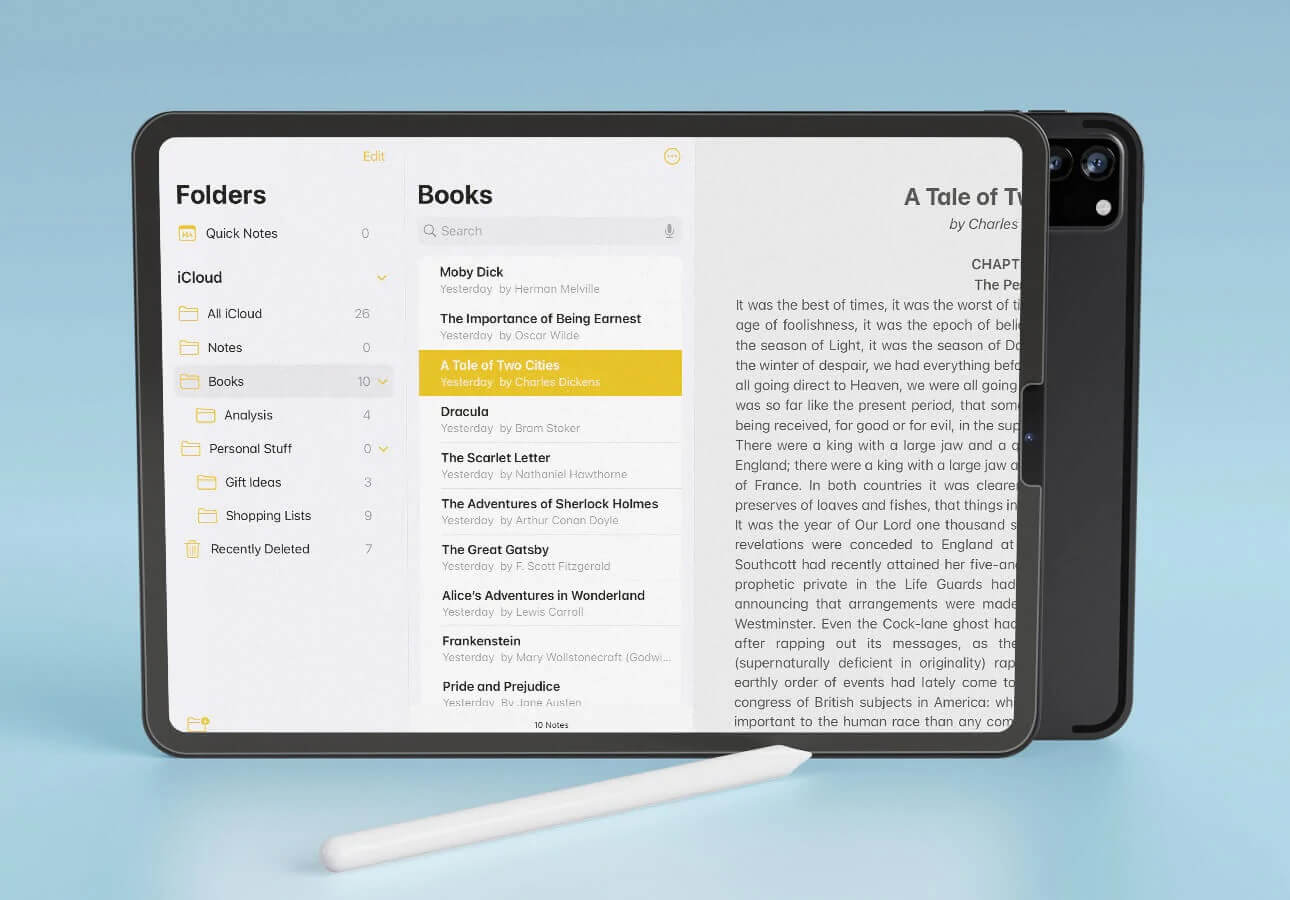
Apple Notes is the built-in note-taking app for Apple devices - and while it may look simple, it packs a surprising punch of good features. If you're already in the Apple ecosystem, it's one of the fastest and easiest ways to capture thoughts before they disappear.
Key features
- Math Notes processing: I used the handwriting tool to scribble down messy project equations on my iPad, and the app solved them automatically right in line.
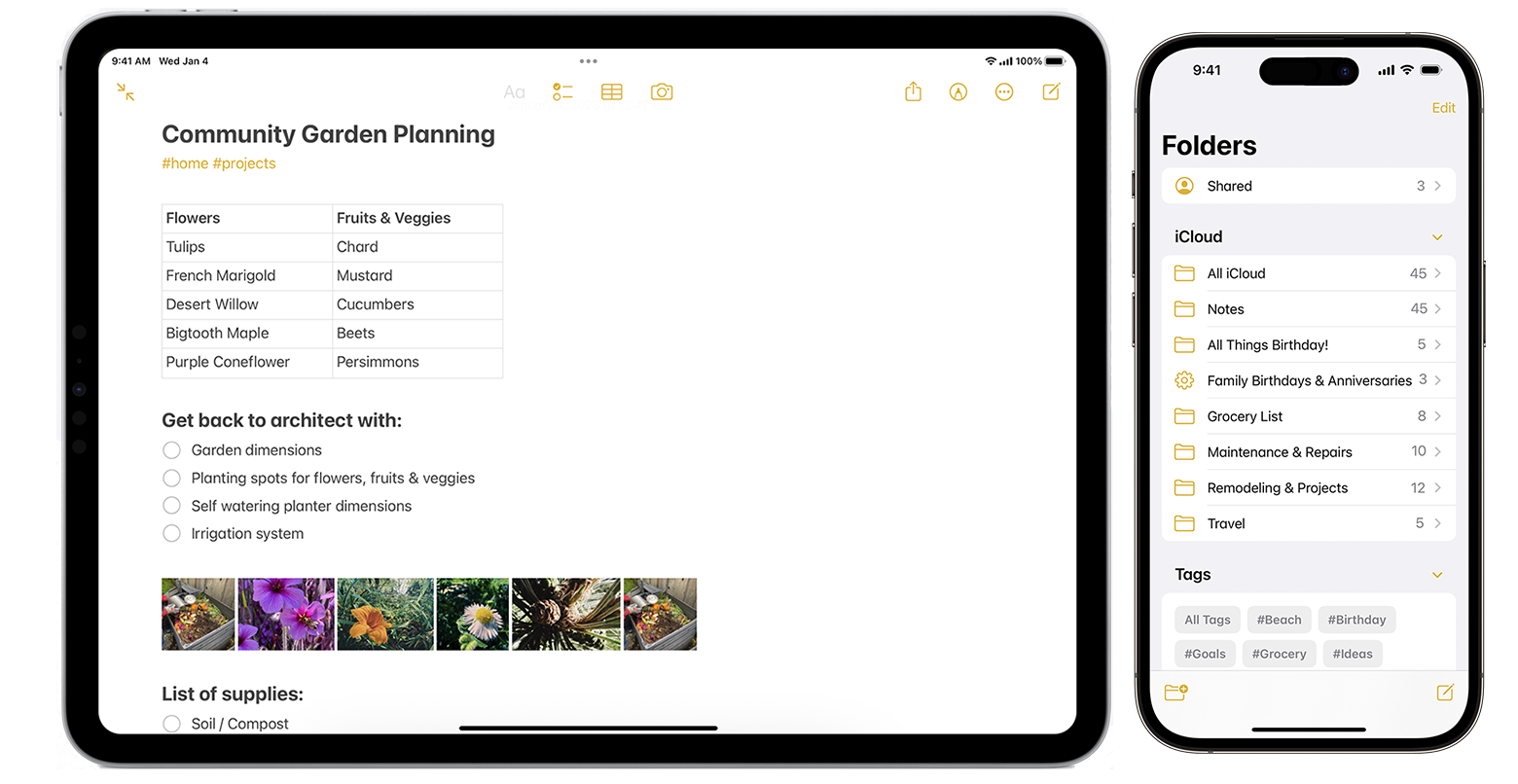
- Folders & Smart Tags: Organize notes into folders or auto-categorize with hashtags
- Checklists: Add simple to-do lists inside any note with text folding to hide long paragraphs under neat, clickable titles. It allows me to keep giant checklists tucked away so my eyes do not feel overwhelmed by massive blocks of text when I open a daily planning note.
- Handwriting & Drawing: Use Apple Pencil (iPad) to scribble, doodle, or sketch ideas
- Audio Notes: Record voice memos directly in a note (via iOS shortcuts or third-party)
Pros
- I love that I can swipe from the corner of my iPad screen to jot down a fast reminder before I forget what I was doing.
- The instant capture is a game-changer. If something’s on your mind, you can write it down in 2 seconds from anywhere. No load time, no decision fatigue.
- It’s completely free and built-in, which removes one more barrier to getting started.
- It updates over iCloud to my MacBook instantly without requiring any manual saving steps.
Cons
- It’s great for brain-dumps and small tasks, but not built for complex workflows or task management. No scheduling, reminders, or AI features.
- Cross-platform support is missing — there’s no Android or Windows version, so you're locked into the Apple ecosystem.
- No built-in calendar, task, or AI assistant for advanced workflows
Pricing
- Completely free on all Apple devices.
Suitable for
- Great for individuals who want instant, distraction-free note-taking and already use Apple devices.
How to start
- Just open the Notes app on your Apple device.
Apple Notes reviews (source)
"What I like most about Apple iOS is how simple and stable it feels, along with the seamless integration across Apple devices. Overall, the platform delivers a smooth user experience." — Verified Review
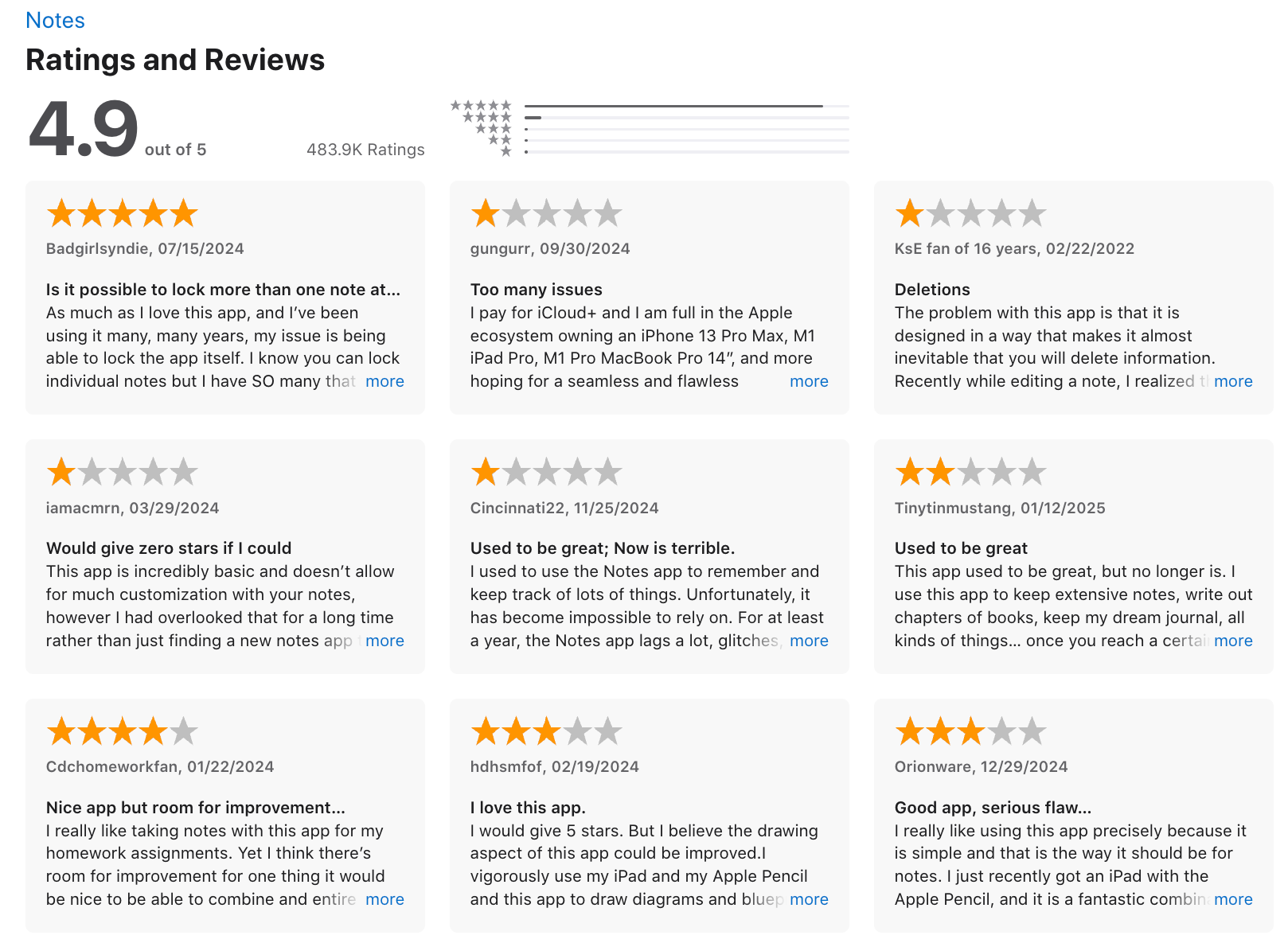
"It's very clunky combining typed & handwritten notes and just takes too much messing around to make it efficient to keep up with your flow." — Verified Review
3. Craft
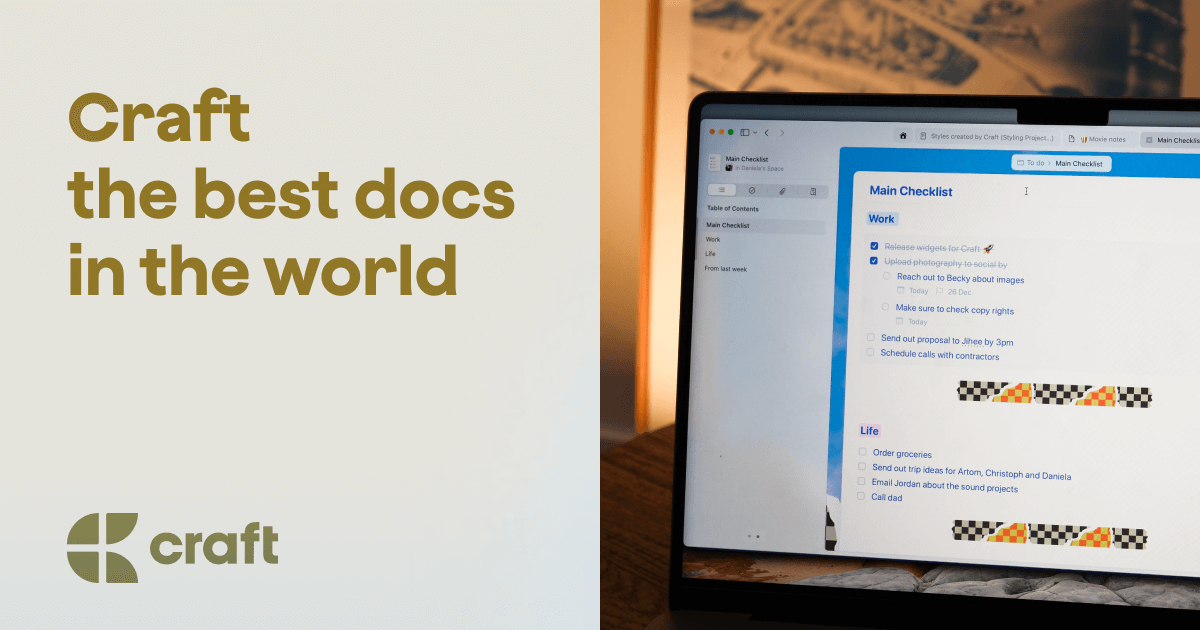
Craft is a visually polished note-taking app designed for people who think in outlines, visuals, and structure - great for minds that crave clarity but often drown in chaos.
Key features
- Visually engaging editor with nested pages, rich formatting, and clean structure
- Daily Notes for capturing quick thoughts, tasks, and ideas
- Task management with due dates, reminders, and a unified inbox
- Calendar view and Apple Reminders sync for managing your day
Pros
- I like how simple and calm the writing environment feels
- The visual layout makes notes feel rewarding
- Daily Notes + Calendar combo is great for planning the day without switching tools
Cons
- Tasks are pretty basic (no subtasks, priorities, or complex project views)
- No Android app yet, which limits accessibility for some users
- I wish search worked better for images or PDFs unless you add text
- You don't have an AI assistant to manage work like with Saner.AI
Pricing
- Free plan with core features
- Pro plan at $10/month or $96/year
Suitable for:
- Visual thinkers and ADHD-prone users who want a calm, elegant space to take notes, track ideas
How to start:
- Go to craft.do, sign up for free, and start with Daily Notes or a blank doc
Craft review (source)
"Craft accomplishes both. Craft it is pretty. And I use it every day... The final output looks downright elegant, it's a breeze to navigate, and the cards are like a dream." — Verified Review
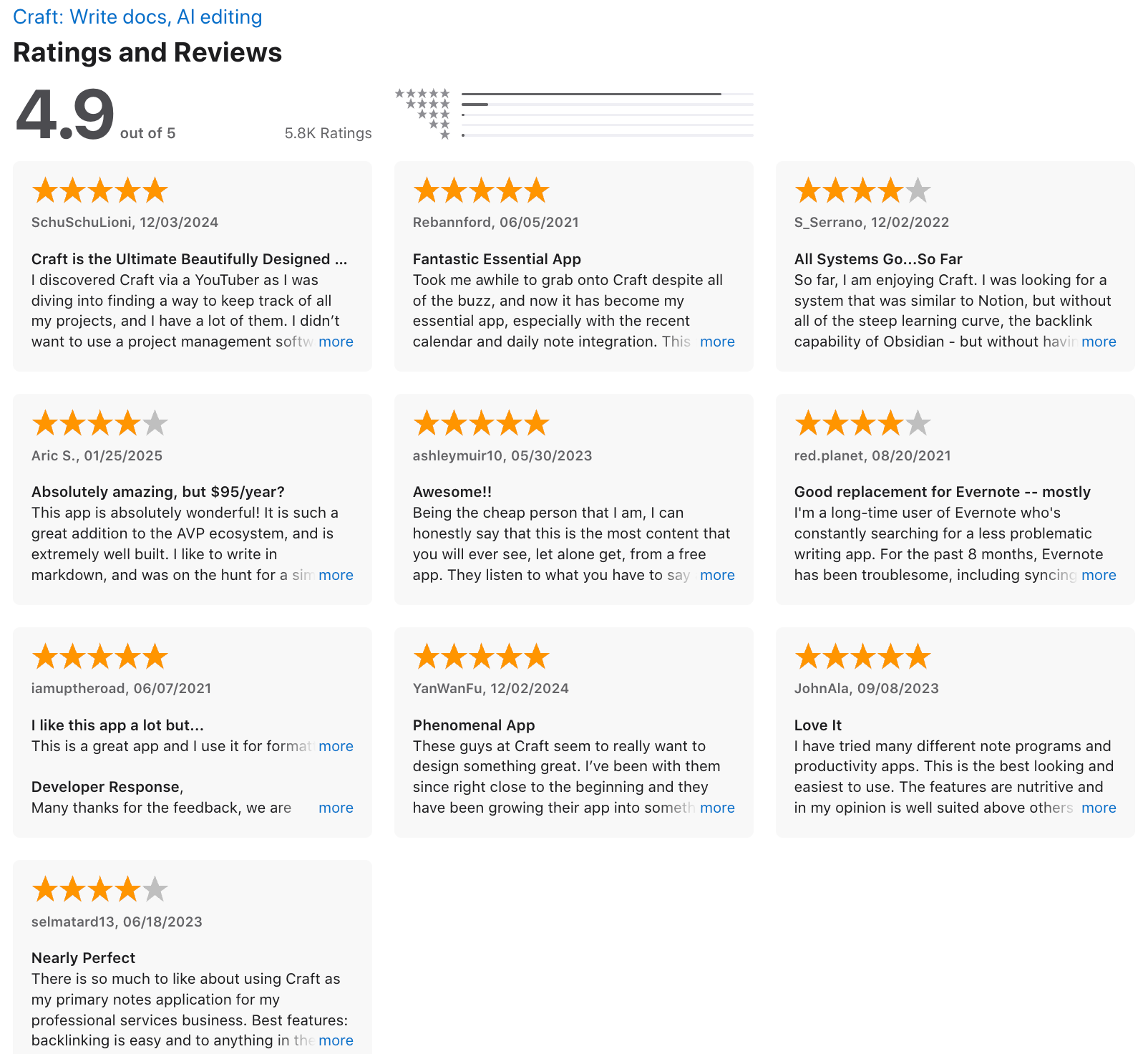
"I can't use this tool for document/note taking in my workflows because it cramps every feature in the UI, which results in endless different views, confusing navigation and animations." — Verified Review
4. Obsidian
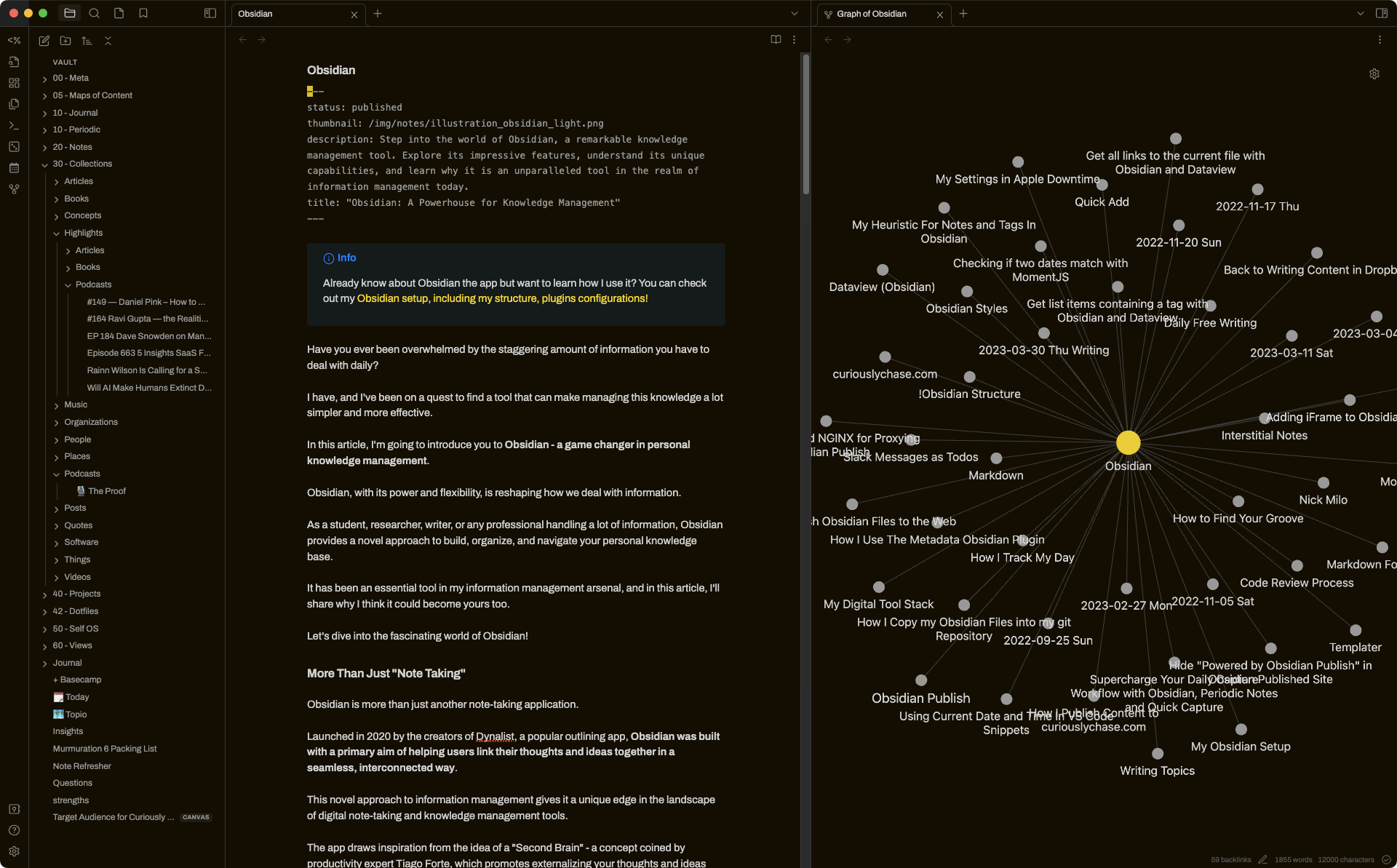
When managing ADHD symptoms, traditional folder systems often cause an out-of-sight, out-of-mind problem where older records disappear from memory. Obsidian helps solve this by using non-linear links to map thoughts visually, operating much like an external brain.
Key features
- Local-first Markdown vaults: notes are stored as simple .md files you can edit with any text editor
- Graph view: I found that linking pages together helps track fleeting ideas across different days. You can connect a new thought to an older note by typing brackets, which prevents important daily logs from getting buried in traditional nested folders.
- Canvas & spatial layouts: arrange ideas visually like a whiteboard
- Plugin ecosystem: 1,000+ community plugins for task management, spaced repetition, kanban, and more
Pros
- It’s endlessly customizable. You can start with simple notes, then slowly build a second brain around how you think
- The offline-first model gives peace of mind
- It’s fast.
Cons
- Getting started can feel overwhelming - there’s a bit of a learning curve, especially with plugins
- Sync across devices isn’t free, and without it, mobile workflows can feel clunky
- There are no native task reminders or ADHD-specific features
- It can be easy to over-customize and get distracted by tweaking your setup.
- Don't have an AI assistant built in
Pricing
- Free plan with all core features
- Sync plan: $5/month
- Sync + Publish plan: $10/month
Suitable for
- Thinkers, visual thinkers, and ADHD users who want a fully customizable note-taking system that grows with them
How to start
- Download the app from obsidian.md, create a vault, and start writing
Obsidian review (source)
"All my research, planning and documentation is now in a connected system, as opposed to files that are not in a connected system." — Verified Review
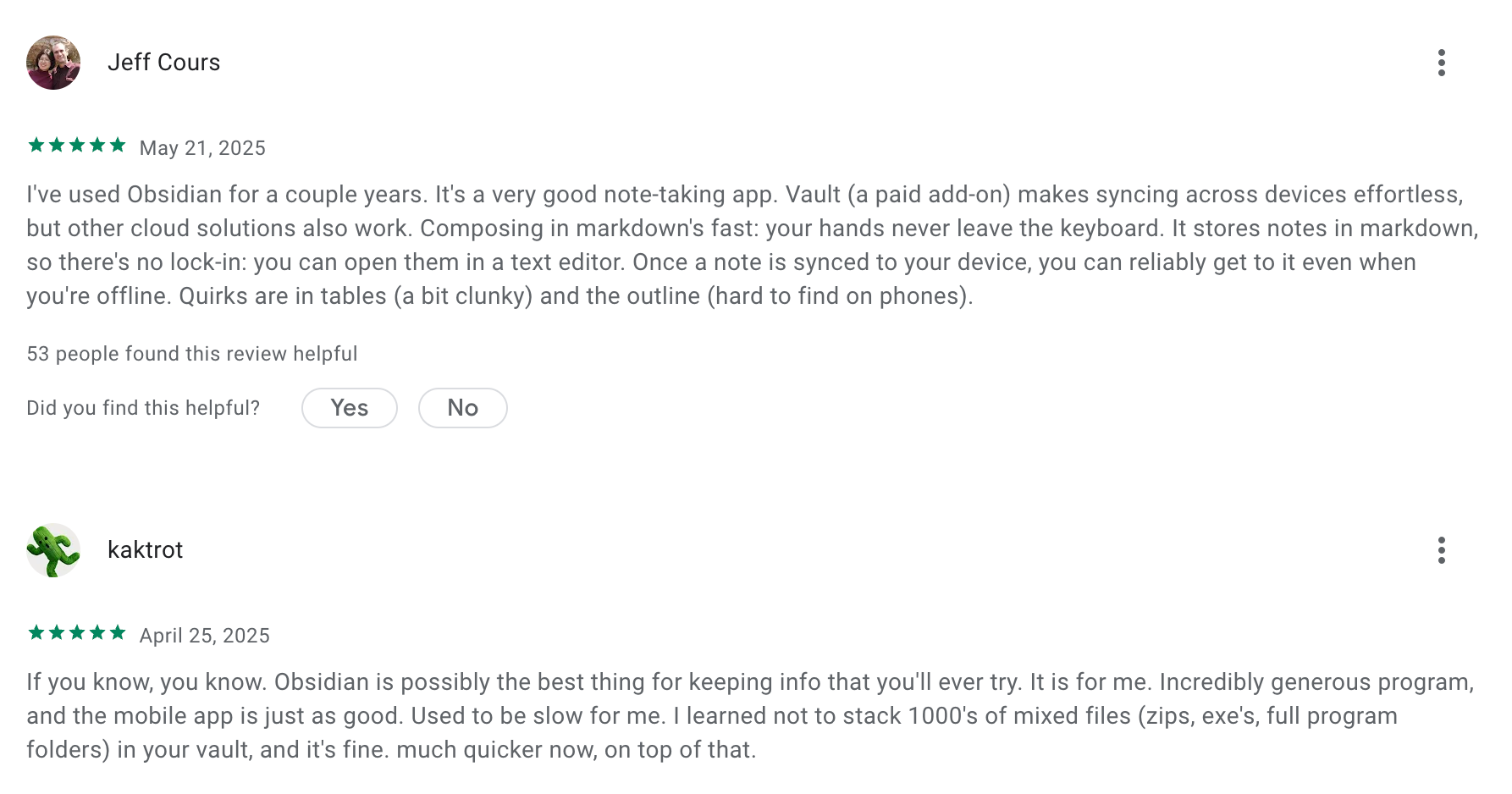
"The initial setup can be intimidating for new users because the app starts as a 'blank slate' with no templates or guided onboarding. While the plugin system is a strength, it can lead to 'productivity procrastination' where you spend more time tweaking the tool than actually writing." — Verified Review
5. AmpleNote
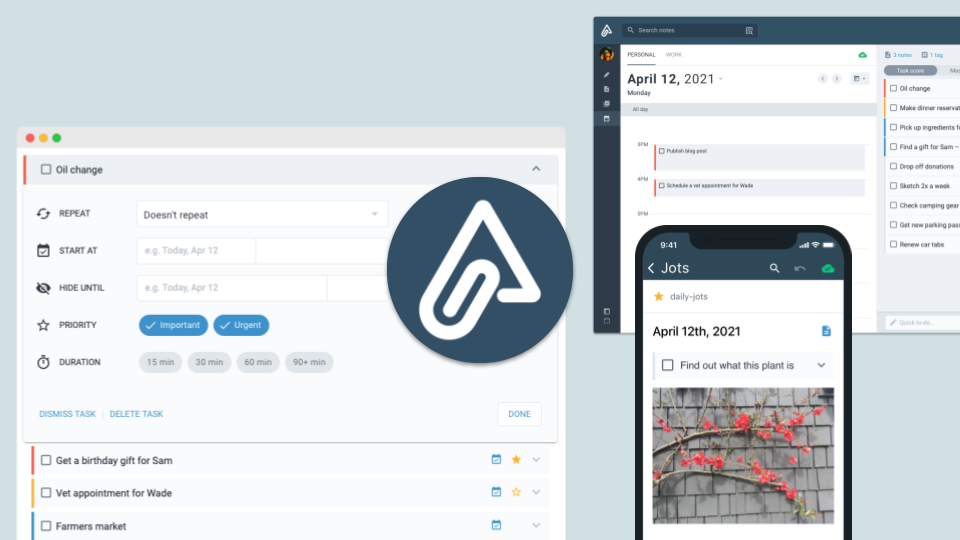
Amplenote is a workspace that builds notes, tasks, and calendars into a single application. It includes a dedicated ADHD dashboard that links a mood tracker with daily schedule planning. The tool focuses on helping people capture thoughts instantly before they vanish and uses automated task scoring to sort priorities by urgency and user energy.
Key features
- Calendar task domains: This view lets you group note tags into isolated calendar view modes, keeping irrelevant tasks out of sight until you switch contexts.
- Smart task scoring to prioritize to-dos by urgency, importance, and effort
- Daily Jots to quickly capture ideas, tasks, or journals each day
- Built-in calendar that syncs with Google or Outlook for real-time task scheduling
- Mood and ADHD dashboard: I tried the dashboard system and found that tracking my energy levels before opening my calendar drastically cut down on task paralysis. The tool integrates a quick questionnaire alongside your daily timeline to see how your mood impacts actual task completion over time.
Pros
- Publishing a note with one click is surprisingly handy for sharing thoughts or lightweight blogs
- The mobile app works offline, so you can brain-dump anytime and sync later
- Linking between notes feels natural
Cons
- The interface takes some getting used to - lots of power-user features that can overwhelm new users
- The design feels a bit dated, especially compared to flashier apps
- Mobile sync isn’t perfect
- You don't have an AI assistant for notes, tasks, and calendar like with Saner.AI
Pricing
- Free plan with basic notes and tasks
- Pro plan: around $6/month
- Unlimited plan: around $10/month
- Founder plan: around $20/month
Suitable for
- Great for writers and solo professionals who want a calm, structured space where their ideas, tasks, and schedules live together.
How to start
- Head to AmpleNote, create a free account, and try the Daily Jot
Amplenote review (source)
"The Amplenote system is not quite like anything else out there. It is not infinitely customizable and instead implements an opinionated model of one way to balance high-level goals with day-to-day implementation." — Verified Review
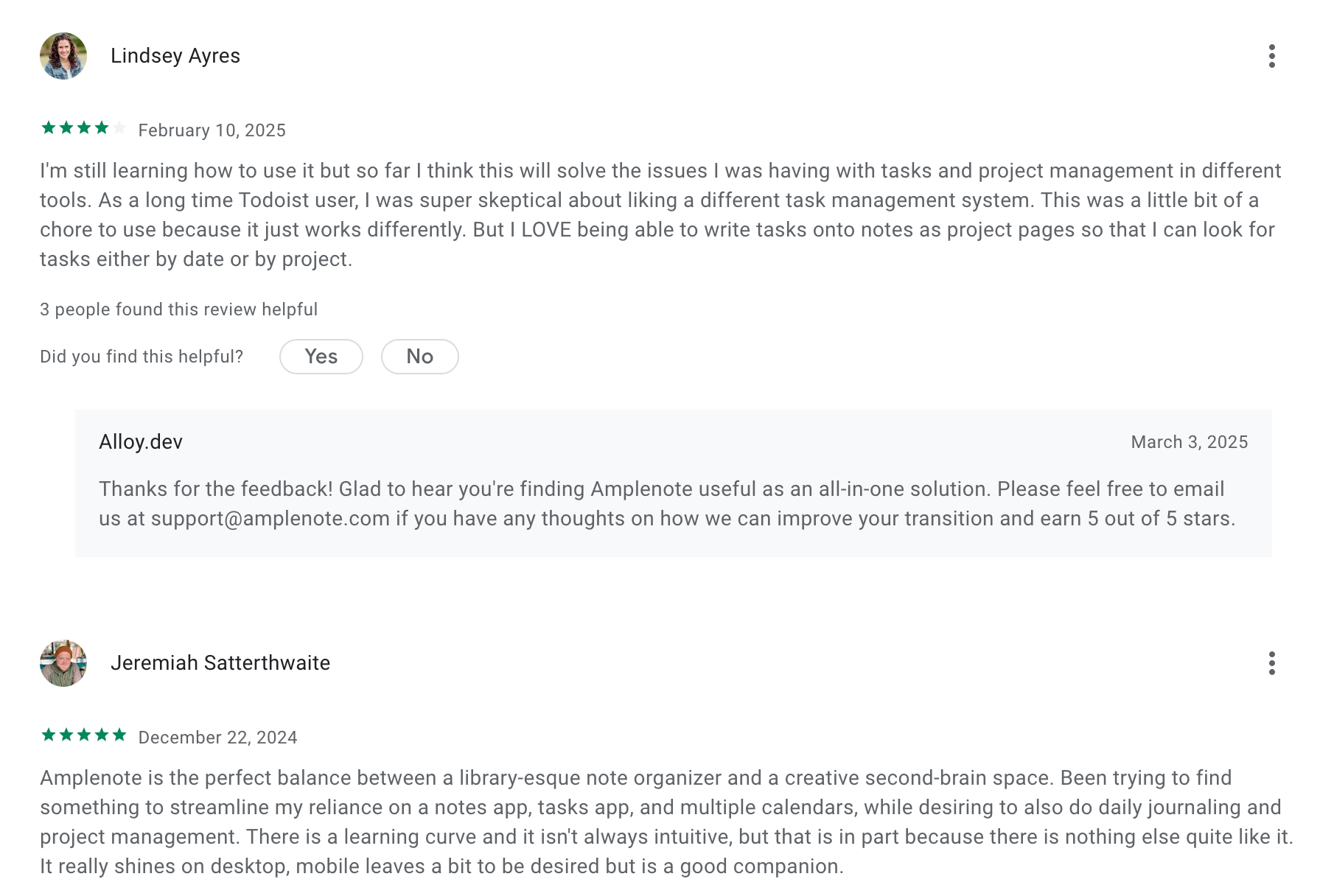
"The big fail for me is that the main user interface isn't compatible with many of iOS accessibility options. For example, if you use the iOS accessibility options to increase text size beyond the typical range, the main menu becomes unreadable" — Verified Review
6. Reflect
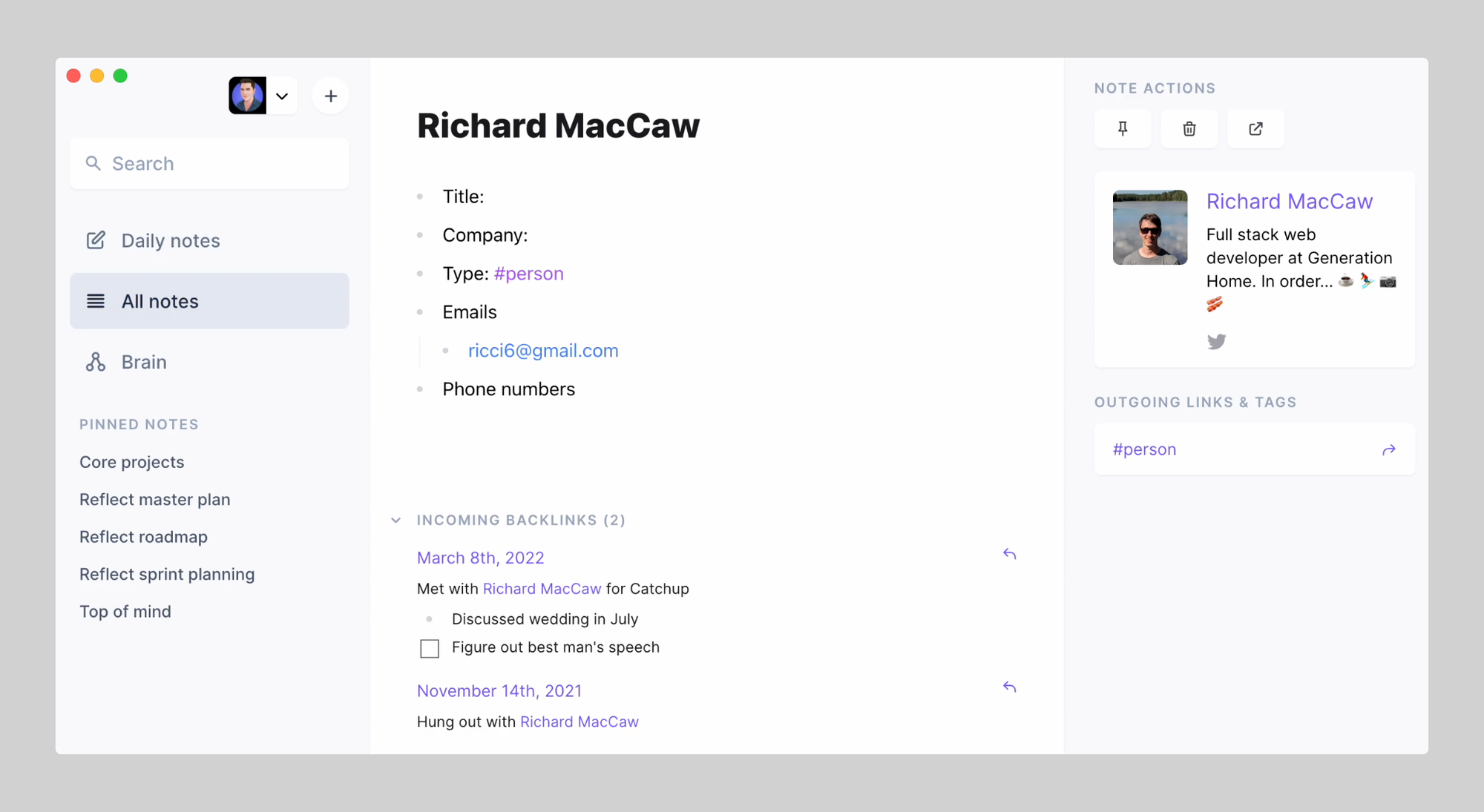
Reflect is a fast, minimalist note-taking app that helps you think clearly, capture ideas effortlessly, and connect your thoughts with AI-powered support. Designed with speed and focus in mind, it’s especially useful for ADHD brains who want to reduce mental friction and make their notes actually usable.
Key features
- Daily Notes: A rolling journal that helps you capture thoughts in the moment without needing to create new pages manually
- Bi-directional Linking: Automatically connects related ideas to make it easier to find things later and follow your thought process
- Graph View: Visualizes how your notes relate, great for seeing the big picture or sparking unexpected connections
- End-to-End Encryption: Everything is encrypted by default
Pros
- It’s fast
- The voice dictation is good
- Backlinking and the graph view are quite helpful
Cons
- No Android app yet. If you’re not on iOS or Mac, you’re stuck with the web version.
- It’s not built for managing complex projects - there’s no timeline, dependencies, or advanced task views.
- You don't have a comprehensive AI assistant like Saner.AI
- There’s no free tier, just a 14-day trial.
Pricing
- 14-day free trial
- $10/month billed annually
Suitable for
- Writers who want a note-taking app that feels intuitive and fast
How to start
- Go to Reflect app, start your free trial, and test out the daily note, voice capture
7. Notion
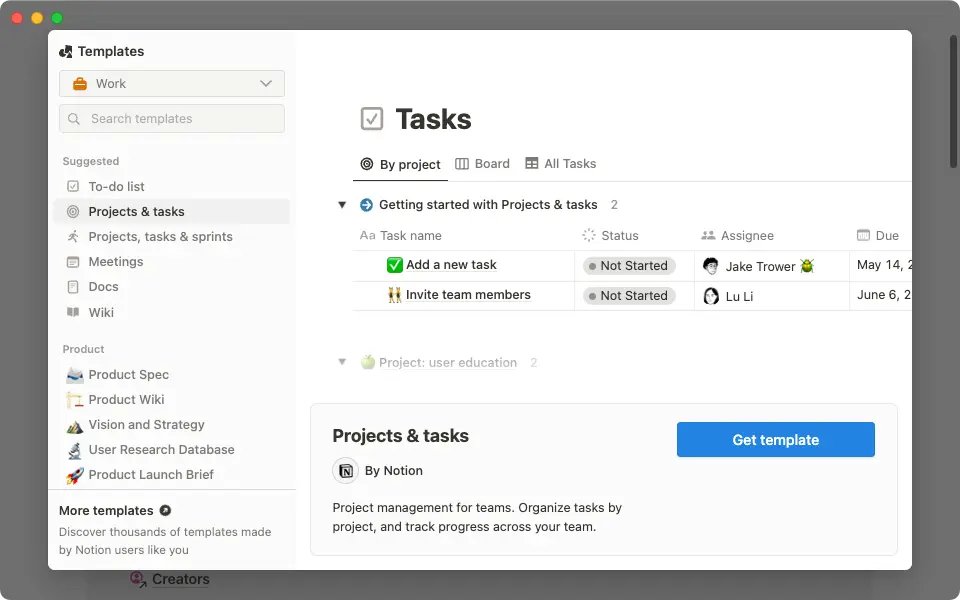
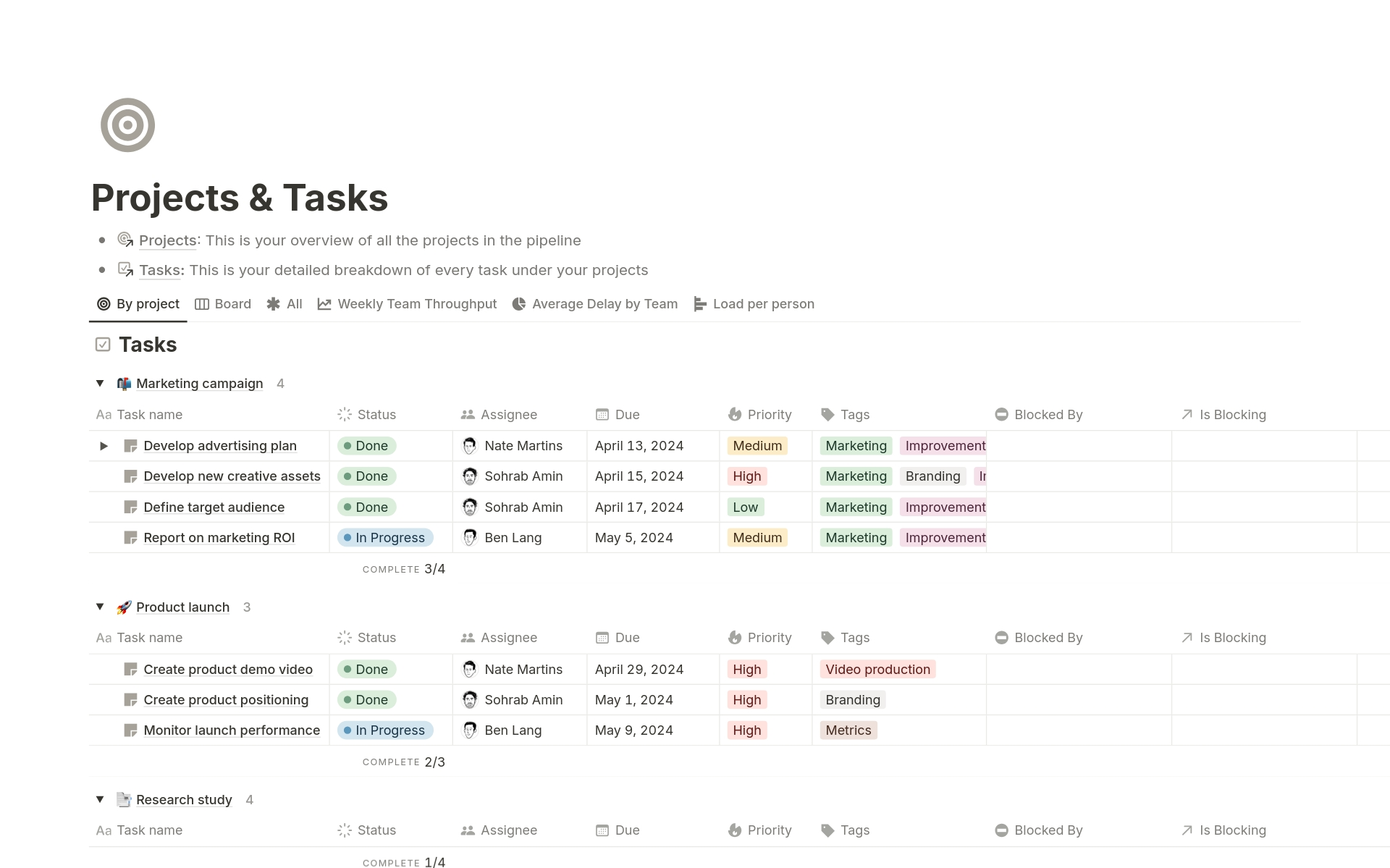
Notion is a flexible all-in-one workspace that combines notes, tasks, wikis, databases, and calendars. Its block-based system lets you design your own workflows - whether you need structure, visual cues, or a clean place to brain-dump without friction.
Key features
- Customizable block-based pages that support text, toggles, tasks, databases, and embeds
- AI features to summarize notes, extract tasks, brainstorm, and rewrite text
- Built-in templates to help you get started faster
- Multi-platform support: use on web, desktop, iOS, and Android
What I liked
- I like how visual and flexible it is
- The community templates are a huge help.
- Notion AI is great for turning long notes into summaries
Pros
- The freedom can feel like too much sometimes - it’s easy to get stuck tweaking your system
Cons
- There’s a learning curve if you’re not used to building things from scratch
- The AI isn’t an assistant yet like with Saner.AI. You can’t just “talk” to your Second Brain like you would with ChatGPT.
Pricing
- Free plan
- Plus plan: $10/user/month (billed annually)
- Business plan: $20/user/month (billed annually)
Suitable for
- People with ADHD who want an all-in-one productivity tool they can fully customize to fit their thinking style.
How to start
- Head to notion.com and create a free account.
Notion reviews (source)
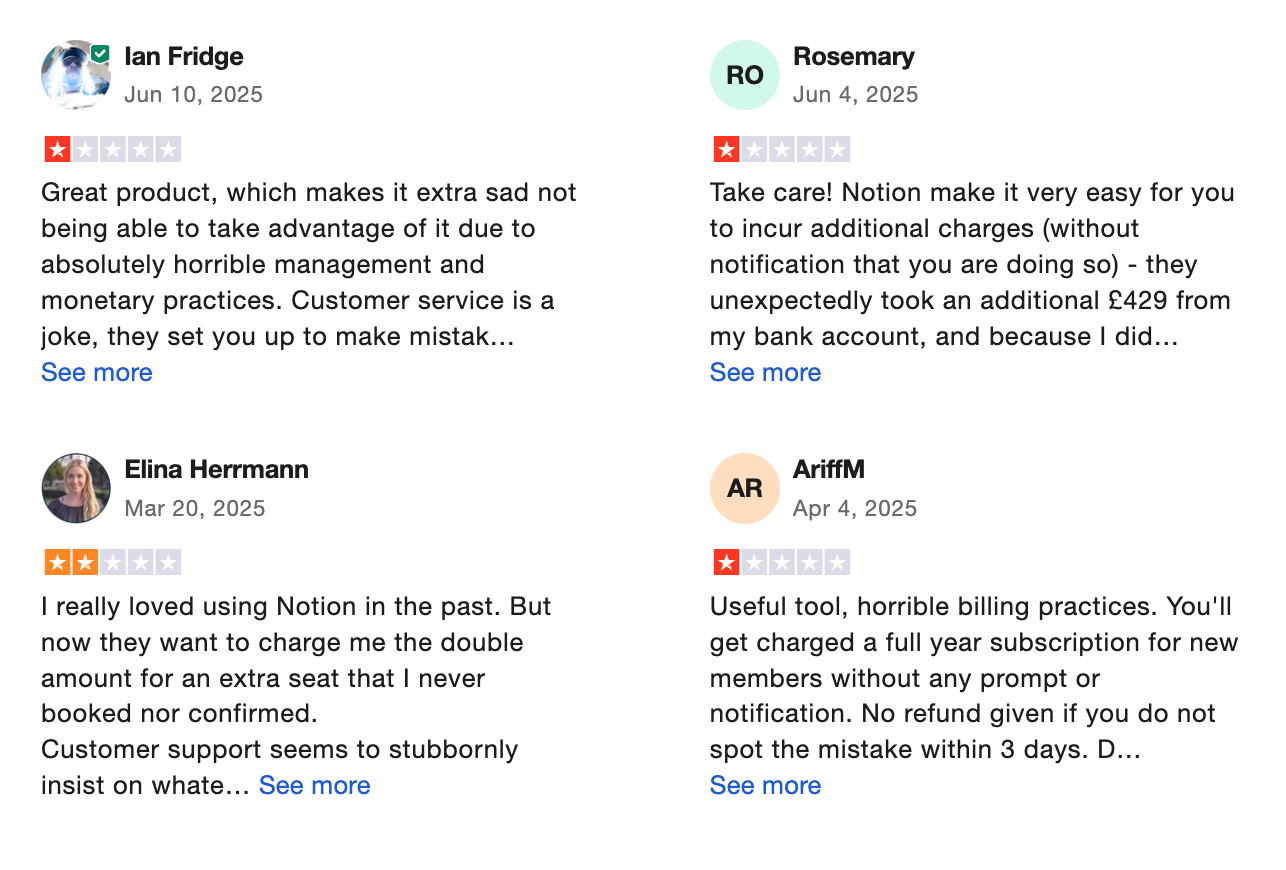
Performance is a genuine concern at scale. Large workspaces with thousands of heavily-linked pages experience slower load times, sluggish search, and mobile app friction." —SaaSMaste Review, 2026
Conclusion - ADHD Note-taking Apps
ADHD doesn’t mean you’re “bad” at note-taking - it just means you need tools that match how your brain works. The right app can be the difference between scribbles that never resurface and a system that actually supports you.
Here’s the quick recap:
- Want simple and free? → Saner.AI, Apple Notes
- Need ADHD-specific AI help? → Saner.AI
- Prefer notes + tasks in one place? → Saner.AI, Amplenote
- Crave calm minimalism? → Saner.AI, Reflect
- Love to build your own system? → Notion
- Deep diver/knowledge nerd? → Obsidian
👉 My advice: don’t try them all at once. Pick one or two, stick with them for a week, and see if they actually reduce stress instead of adding more.
Stay on top of your work and life with the ADHD Note App
👉 You may like this post on how to improve Productivity for adults with ADHD
Frequently Asked Questions - Best ADHD Note-Taking Apps
1. What makes a note-taking app ADHD-friendly?
Great ADHD note-taking apps help reduce overwhelm, forgetfulness, and context switching. The best ones:
- Capture thoughts quickly (via voice, keyboard, or AI)
- Organize automatically, so you don’t need to tag or file
- Turn chaos into clarity - converting notes into tasks, summaries, or reminders
- Are distraction-free and easy to use without steep learning curves
Apps like Saner.AI and Apple Notes stand out for their simplicity and speed.
2. What are the best ADHD note-taking apps right now?
Based on real use cases, these are top ADHD-friendly apps:
- Saner.AI – All-in-one AI workspace that turns rants into reminders, notes into tasks
- Apple Notes – Lightweight, fast, built-in, and great for quick capture
- Craft – Visual structure with daily notes and backlinking
- Ample Note – Prioritized tasks embedded in your notes
- Reflect – Private, journaling-style note app with backlinks and daily review
- Notion – Customizable system for advanced workflows (can be too much for some ADHD users)
- Obsidian – Powerful for linking ideas with markdown + plugins (best for technical ADHD brains)
3. Which ADHD note-taking app is best for messy thinkers?
Saner.AI is purpose-built for messy minds. It’s designed by ADHDers and does the heavy lifting for you:
- Turns voice rants or brain dumps into tasks
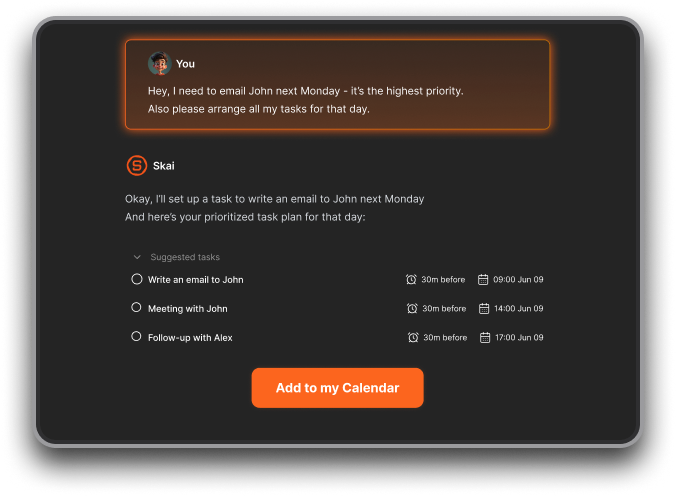
- Automatically organizes your notes
- Helps you search for ideas, even if you forgot what you wrote
- No setup needed - just start typing or talking
4. Is there a free ADHD-friendly note-taking app?
Yes! Many of the best apps offer generous free plans:
- Saner.AI – Free plan includes AI reminders, natural language task capture, and smart search
- Apple Notes – Free for all iOS/macOS users
- Obsidian – Free for personal use
- Notion – Free plan includes unlimited pages and blocks
5. Can these apps help me turn notes into tasks?
Absolutely. This is especially helpful for ADHD users who forget follow-ups.
- Saner.AI – Convert notes, voice, and emails into tasks with AI
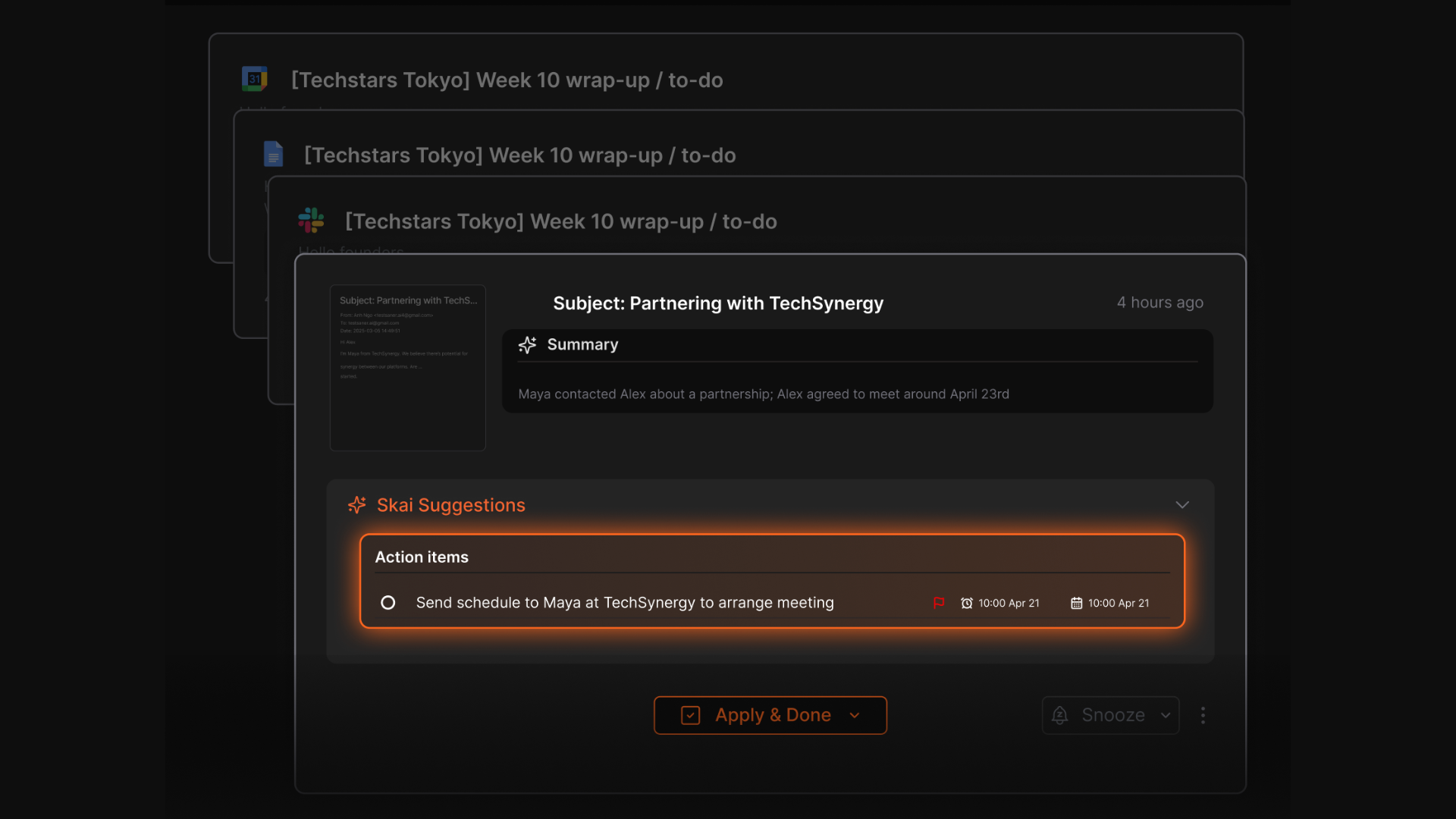
- Ample Note – Notes and tasks are tightly integrated
- Notion + database – Custom task management if you’re willing to build
- Obsidian + plugins – Markdown + task tracking options
6. What if I don’t remember what I wrote last week?
ADHD brains are prone to forgetfulness. That’s why smart search is essential:
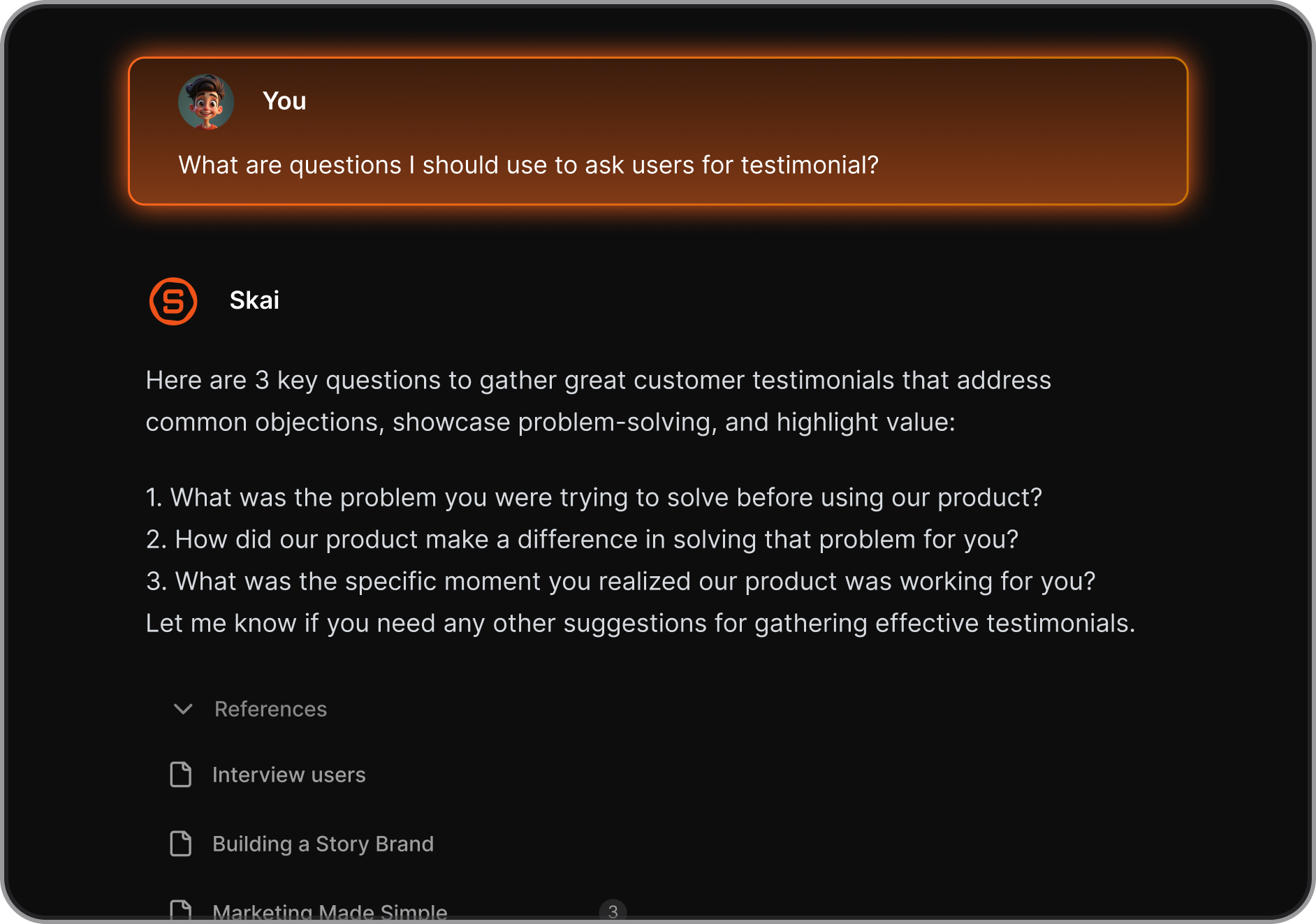
- Saner.AI – Understands what you meant, not just what you typed
7. Which ADHD note app is best for iPhone?
Here’s a quick look:
- Apple Notes – Native, quick, and syncs across devices
- Saner.AI – iOS is ready to use
- Notion – Works, but can feel slow or overwhelming on small screens
8. I hate organizing. Which app organizes for me?
If tagging, sorting, or building databases drives you nuts, use:
- Saner.AI – No tags needed. It understands your notes and auto-sorts tasks + reminders
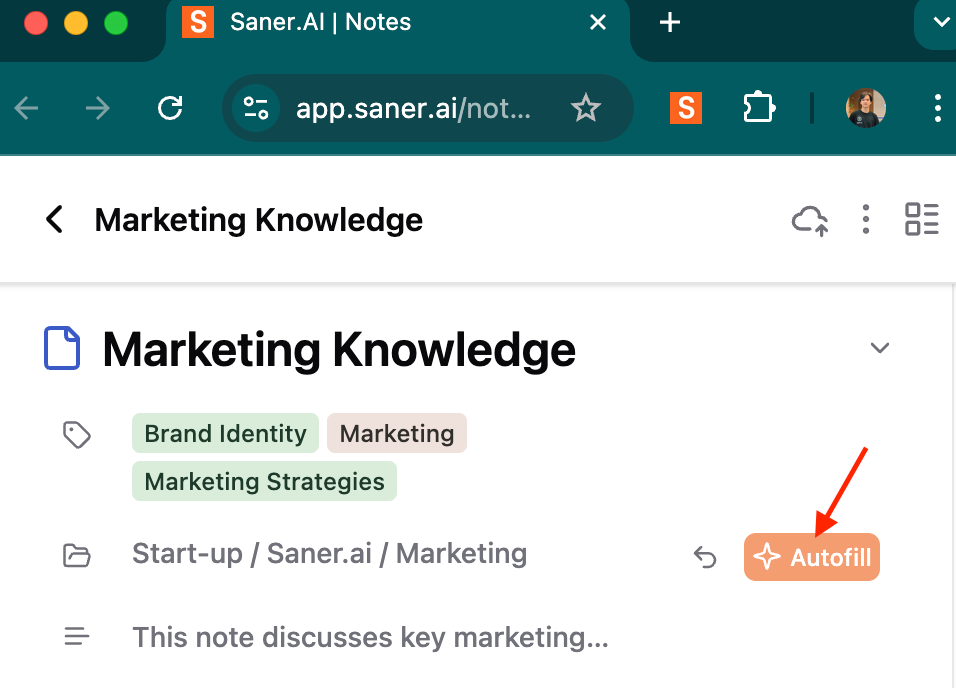
- Reflect – Simple, date-based organization
- Apple Notes – Fast capture, minimal structure
9. What’s the most visual ADHD note-taking app?
If you’re a visual learner:
- Notion – Visual blocks and embeds (can be too much if not tamed)
- Saner.AI – Clean, minimal UI with visual daily views and reminders
11. Can ADHD note apps help with task paralysis?
Yes. The right app helps you break things down:
- Saner.AI – Converts ideas into next steps and pings you at the right time
- Ample Note – Priority-based task system
- Notion – Use templates to plan projects and break down big tasks
12. Can I use voice to capture notes or tasks?
If you think faster than you type:
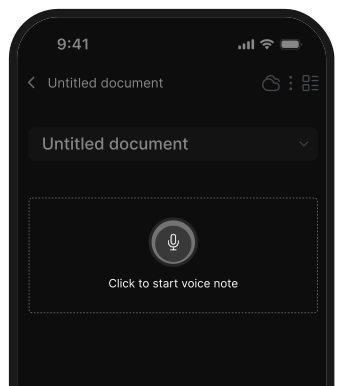
- Saner.AI – Yes. Dictate and it turns your voice into structured notes, tasks
- Apple Notes – Voice-to-text through iOS
- Notion – Voice input with keyboard tools, but limited native support
- Reflect – Supports dictation via iOS voice input
13. I want to journal and reflect. What’s best?
- Reflect – Specifically built for journaling and daily reviews
- Saner.AI – Supports morning dumps and turns them into reminders
- Obsidian – Great for digital journaling with structure
14. Which app works best for ADHD professionals?
For work and team collaboration:
- Saner.AI – Combines calendar, tasks, and notes in one space
- Notion – Great for structured projects with teams
- Obsidian – Solo work system with strong linking features
- Craft – Good for writing, docs, and clean sharing
15. Can ADHD note-taking apps actually boost productivity?
Yes - when they match your brain’s needs. Good ADHD-friendly apps:
- Remove friction and let you capture fast
- Remind you of what matters without needing perfect systems
- Reduce context switching
- Turn mental chaos into visible steps
Saner.AI, in particular, is designed around these principles.
[Last updated in 2026]