
We Tested the Best 10 AI Tools for Entrepreneurs in 2026

In this article, we evaluated the leading AI tools on the market to see which ones genuinely move the needle for founders, rather than just adding to the digital noise. We’ll break down exactly how these platforms handle daily business bottlenecks, the scale of enterprise they are built for, and where they might fall short.
Key Takeaway: What are the must-have AI Tools for Entrepreneurs?
2. Saner.AI (The Personal Assistant): Saner.AI is the absolute top pick because it captures your tasks, emails, notes, and proactively turns them into actionable plans and schedules.
3. Zapier (The Operations Manager): Zapier allows you to build entire autonomous business workflows without a single line of code, linking your tech stack together seamlessly.
How we chose the best AI tools for business owners
Evaluating tools for entrepreneurs requires looking past the marketing hype. We judged these platforms for weeks based on the exact friction points founders face when trying to scale:
- Time-to-Value: How quickly can a busy founder get set up and see a return on investment without a steep learning curve?
- Contextual Intelligence: Can the AI actually understand the specific nuance of your business, or does it give generic, robotic outputs?
- Cross-Tool Integration: Does the app live in a silo, or does it smoothly connect with the calendar, email, and CRM tools you already use?
- Scalability: Is the platform built just for a solopreneur, or can it grow with you as you hire a team?
- Data Security & Privacy: Does the tool protect sensitive company IP and proprietary customer data?
What are the Best AI Tools for Entrepreneurs?
The Best AI Tools for Entrepreneurs are ChatGPT, Claude, Canva, Zapier, Mailchimp, Saner.AI, HubSpot Breeze AI, Flow, Granola, and ThoughtSpot
1. Saner.AI
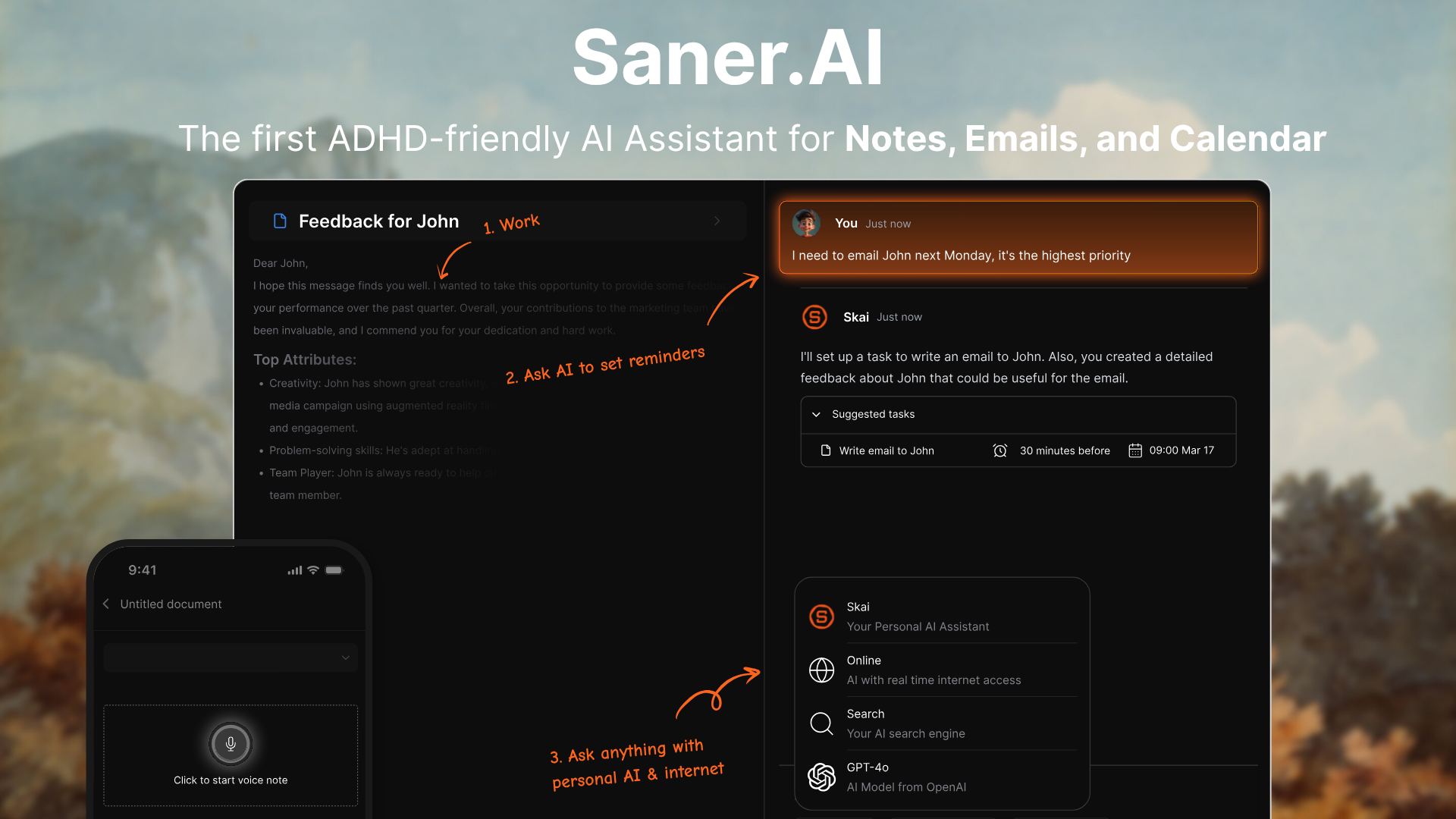
Saner.AI is an AI personal assistant specifically engineered to act as an intelligent "second brain" for busy entrepreneurs. It reduces cognitive load by unifying scattered notes, documents, tasks, and emails into a single, cohesive interface.
Key features
- Low-Friction Semantic Capture: Saner.AI allows entrepreneurs to seamlessly capture voice notes, text snippets, and web pages via a dedicated Chrome extension, reducing the time spent sorting through ideas.
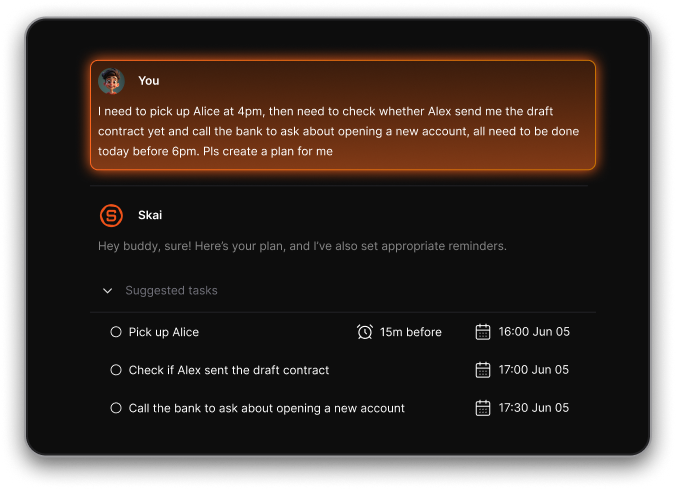
- Automatic Tagging & AI Organization (Skai): The embedded AI assistant, Skai, instantly analyzes ingested information to suggest tags, map dependencies, and link contextual relationships without requiring manual folder setup.
"I was impressed that saner.ai answers questions based on my own knowledge through Skai. At the same time, I think it would be great if I could save all the information I come across in saner.ai and use Skai as my personal secretary." — Verified Reviewe
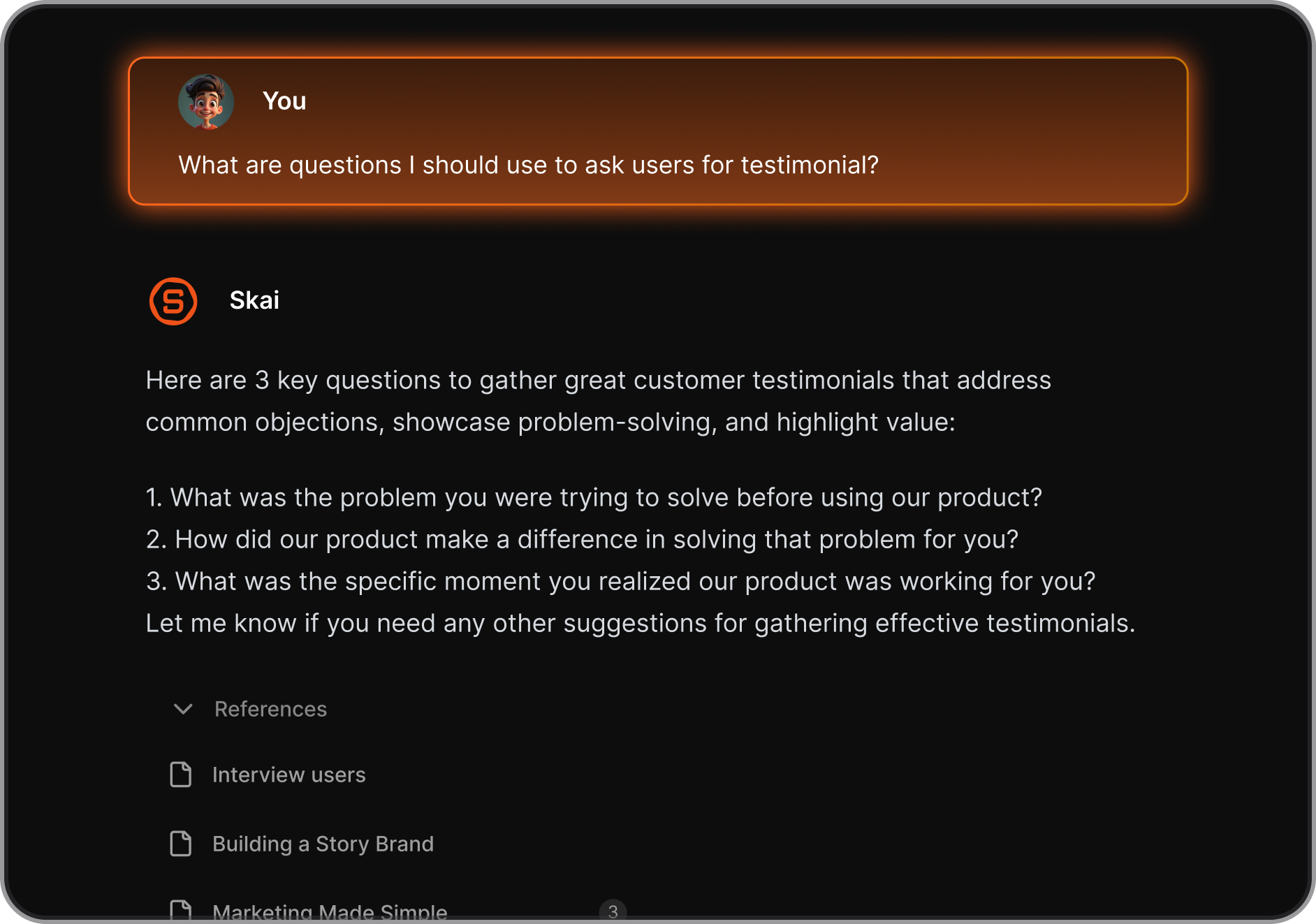
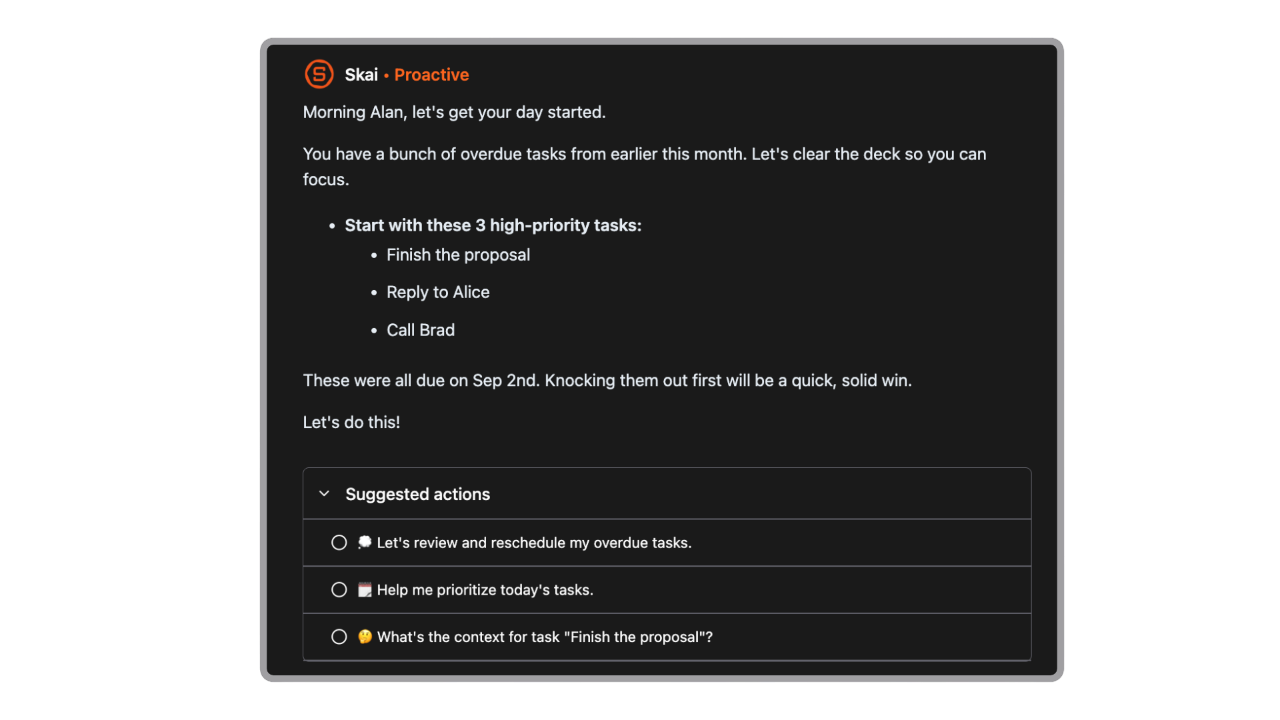
- AI Daily Planner: Automatically scans your inbox, notes, calendar and gives you an optimal plan for the day
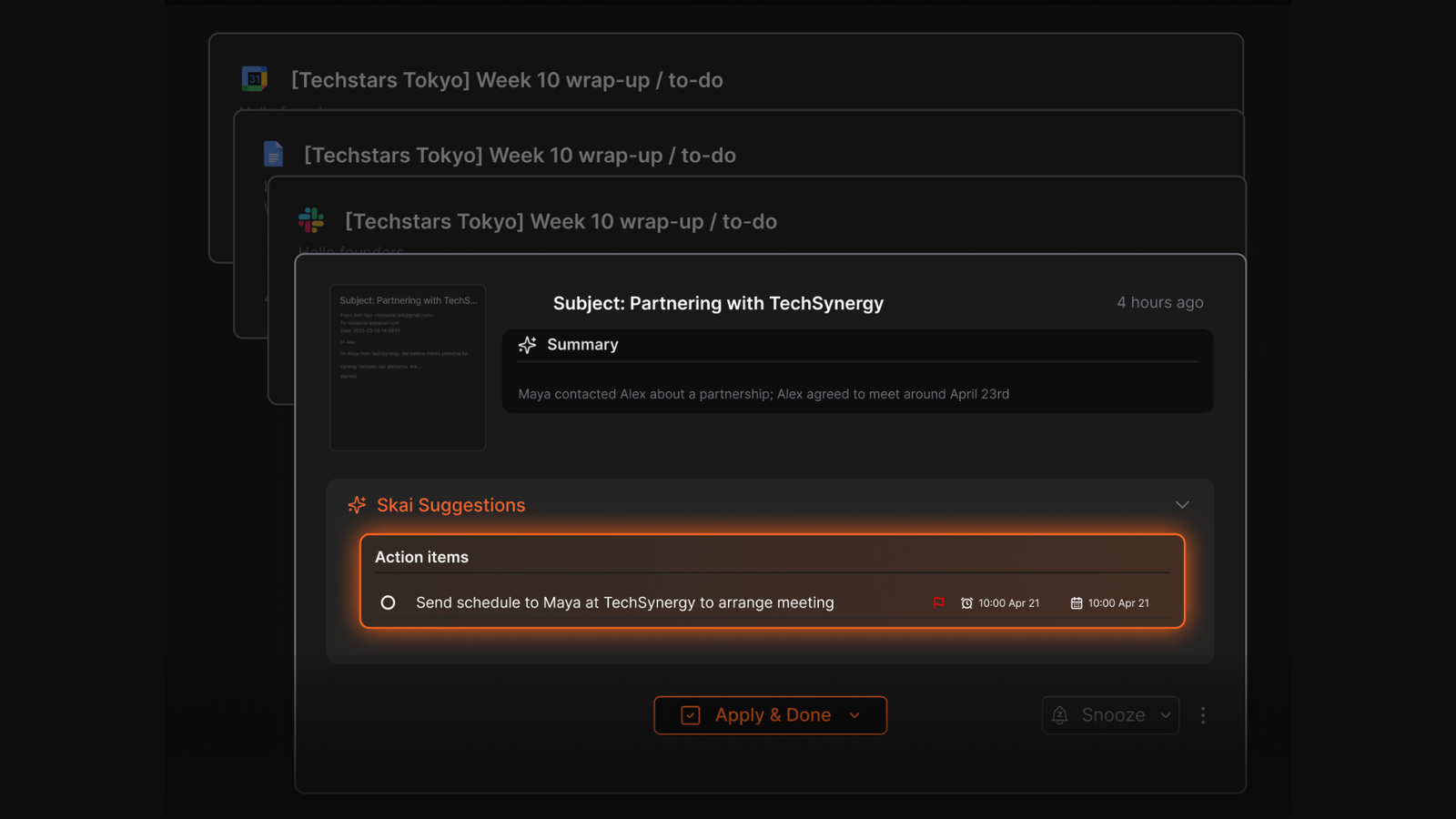
- Emails to Task: Every day, Skai will scan your inbox, and if any email has action items, Skai will extract them and request that they be added to your day plan.
- Cross-Model AI Processing: Users can toggle between premium AI models right alongside their notes to summarize lengthy PDFs, draft email replies, or generate alternative content strategies with built-in source citations.
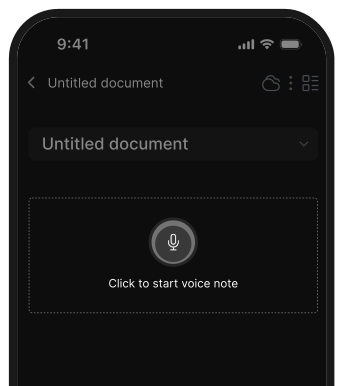
- Voice Notes & Chrome Extension: Capture ideas via voice or while browsing, with instant AI sync
Pros
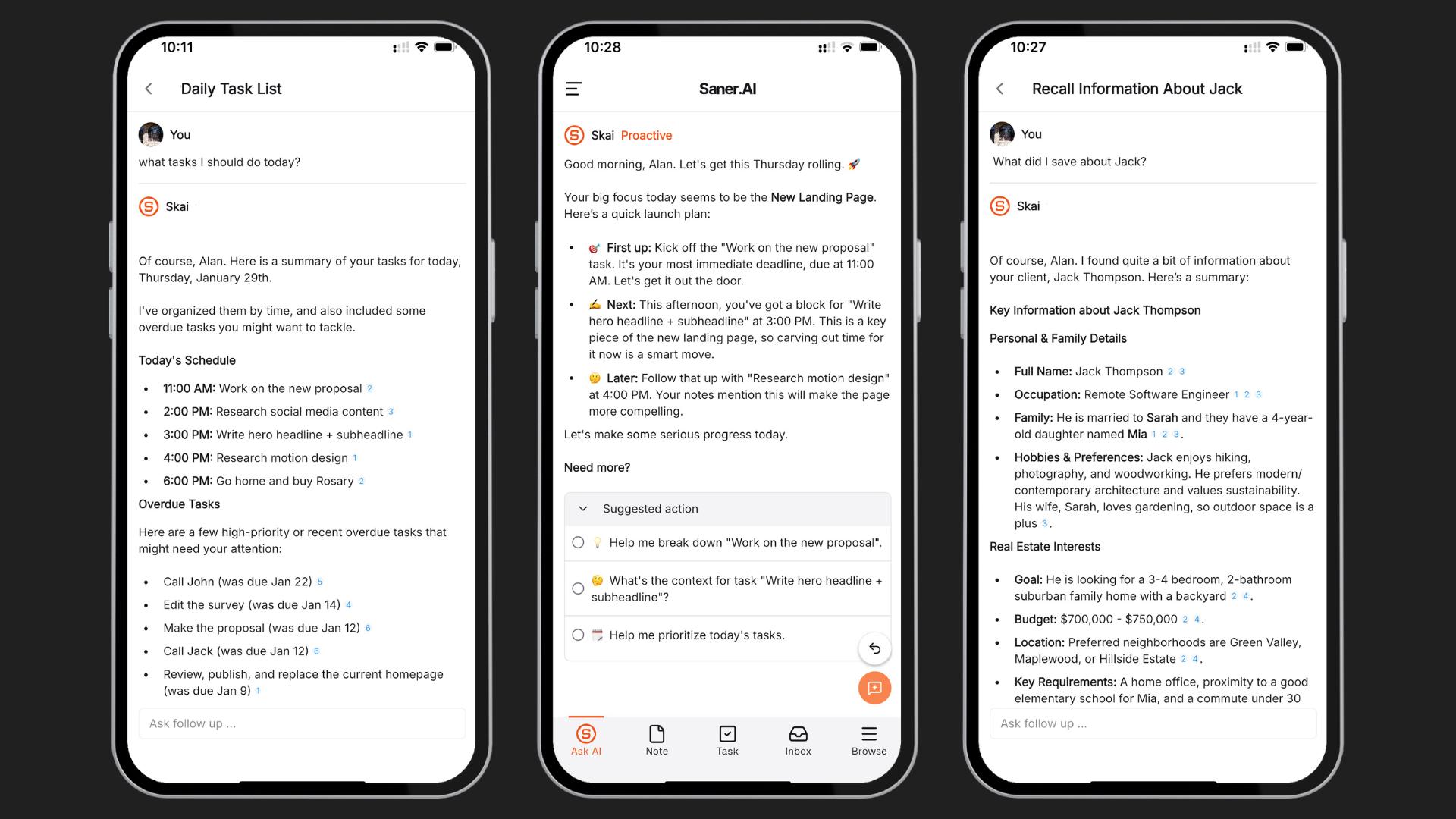
- A true personal assistant, you can just chat to manage your tasksnotes, note and calendar.
- It is great for messy thinkers and people who forget where they stored something
- I appreciate the zero-overhead organization; I don't have to build rigid databases like in Notion before the tool becomes useful.
- I like the minimal, distraction-free focus mode, which severely limits cognitive fatigue during intense deep-work blocks.
Cons
- Not ideal for large teamside panel management.
Pricing
- Free plan
- Paid plans start from $8/month
Suitable for
- Entrepreneurs and solo founders, especially those with ADHD who want to centralize ideas, reduce tool overload, and interact with their tasks and knowledge through natural conversation.
Saner.AI review
"The biggest benefit for me in using Saner is the Proactive AI. Staying on top of the constant flow of email and multiple calendars is challenging, and so far, Saner is the only AI-based tool that truly feels like a personal assistant." - Jerry

How to start
- Create your free account on Saner.AI and add the Chrome extension to easily save web insights.
- Prompt Skai – Open the AI side panel next to any note and ask Skai to draft action items, extract tasks, or summarize your day.

Stay on top of your work and life
2. Claude
In the landscape of the Best AI Tools for Entrepreneurs in 2026, Claude stands out as an asset for strategic planning, workflow automation, and technical execution. Leveraging its elite model lineup, including Claude Sonnet 4.6 and Claude Opus 4.7, it excels at handling massive contexts, such as long financial contracts, generating pristine, production-grade code, and drafting sophisticated brand copy.
Key feature:
- Massive 1-Million Token Context Window: Claude provides an unprecedented context capacity that lets entrepreneurs upload entire codebases, massive legal contracts, or full-length business books for instant synthesis without losing its train of thought.
- Advanced Code Quality and System Design: For technical founders or solo entrepreneurs building their own platforms, Claude offers unmatched code architecture capabilities, often proactively flagging structural flaws before writing any code.
"Claude behaves like a senior engineer who asks 'are you sure you want it this way?' before building what you asked for... The gap between Claude and its nearest competitor on complex code quality is wide enough to matter in real projects." — Verified review
- Agentic Workflows and Multi-Agent Collaboration: The paid models feature advanced "Agent Teams," enabling entrepreneurs to delegate complex, multi-step business objectives to sub-agents that work in parallel to solve problems.
Pros:
- I appreciate how Claude pushes back when my strategic logic or code framework has hidden flaws.
- I can drop an entire quarter's worth of financial data and legal documents into the prompt without hitting memory limits.
- I love the nuanced, human-like tone it achieves in marketing materials compared to the overly robotic vibe of other LLMs.
Cons:
- I feel frustrated by the strict messaging caps on the Pro tier when I am deep in a multi-hour brainstorming or coding sprint.
- The highest-tier models (Opus) are noticeably slower to return outputs when extended thinking mode is toggled on.
Pricing
- Free
- Pro: ~$20/month (or ~$17/month billed annually)
- Max 5×: ~$100/month
- Max 20×: ~$200/month
Suitable for
- Claude is for solo entrepreneurs, technical startup founders, and content agency owners who require premium reasoning capabilities. If your daily operations involve auditing complex legal paperwork, building out digital products without a massive engineering team, or scaling high-end editorial content, Claude is your best choice.
Claude review (source)
"The AI is amazing for research and managing a project of a bigger scale. It can increase your workflow speed. Personally I saved hours of my time because of this. I recommend it for anyone." - KIRA DREAM
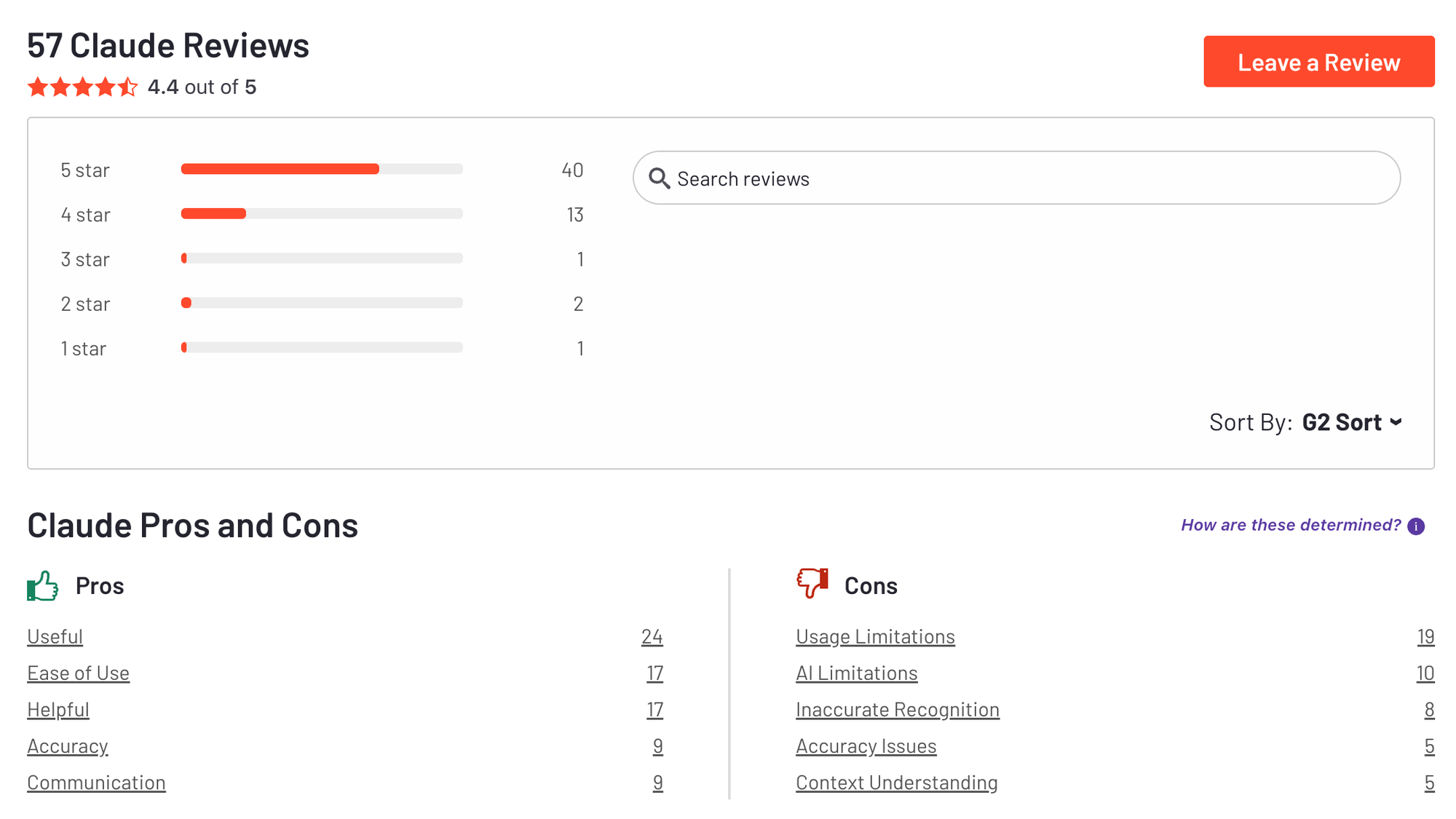
"It's getting worse and worse by the day, even on newer models. Not to mention the prices are genuinely horrid, I get to use 5-6 prompts before my usage limits are up and I have to wait for 6 hours." — Verified Review
How to start
- Head over to Claude.ai and sign up using your business email or Google account.
- Choose the Pro Plan to unlock advanced features like Claude Code, custom Projects, and expanded token usage windows.
- Create your first "Project" container, upload your company’s brand guidelines or codebase, and start prompting Claude to scale your workflows.
3. Zapier
Zapier is the undisputed gold standard for workflow automation, acting as the digital connective tissue for modern businesses. What it does best is democratize engineering; it enables lean startup teams to "hire" software automation to handle repetitive admin work so they can focus on high-level growth strategy.
Key Features
- Integration Ecosystem: Zapier features an unrivaled directory of cloud applications, allowing entrepreneurs to connect almost any software tool stack instantly.
"What I like most is how easy it is to connect tools that normally don't work well together without needing engineering support every time... It saves a lot of repetitive manual work especially around lead updates, notifications, task creation and syncing data across teams." — Verified Review
- Native AI Copilot and Smart Logic: The integrated AI Copilot allows founders to describe the automation they want in plain English, generating complex logic and data mappings automatically.
- Error Handling and Tracking: The platform provides real-time alerts and granular, step-by-step troubleshooting logs so you can quickly fix any broken automation workflows.
Pros
- I appreciate how instantly I can connect niche AI tools with traditional CRMs like Salesforce or HubSpot without needing a developer.
- The AI Copilot can build the framework of a Zap for me just by typing out a simple sentence prompt.
- I love the peace of mind provided by the automated error notifications, meaning I don't have to manually check if my data synced.
Cons
- The user interface changes fairly frequently without much warning, which can make it confusing to navigate when trying to make quick edits.
- I find handling massive, looping data transformations to be a bit restrictive compared to raw custom code or developer-focused alternatives.
Pricing
- Free plan available
- Professional: $29.99 / mo
- Team: $103.50 / mo
Suitable For
- Solopreneurs, fast-growing startups, and lean marketing teams who want to scale their operations without scaling their headcount.
Zapier review (source)
"The setup for simple automations is pretty quick and the UI is easy enough for non-developers too. It saves a lot of repetitive manual work especially around lead updates, notifications, task creation and syncing data across teams." - verified review
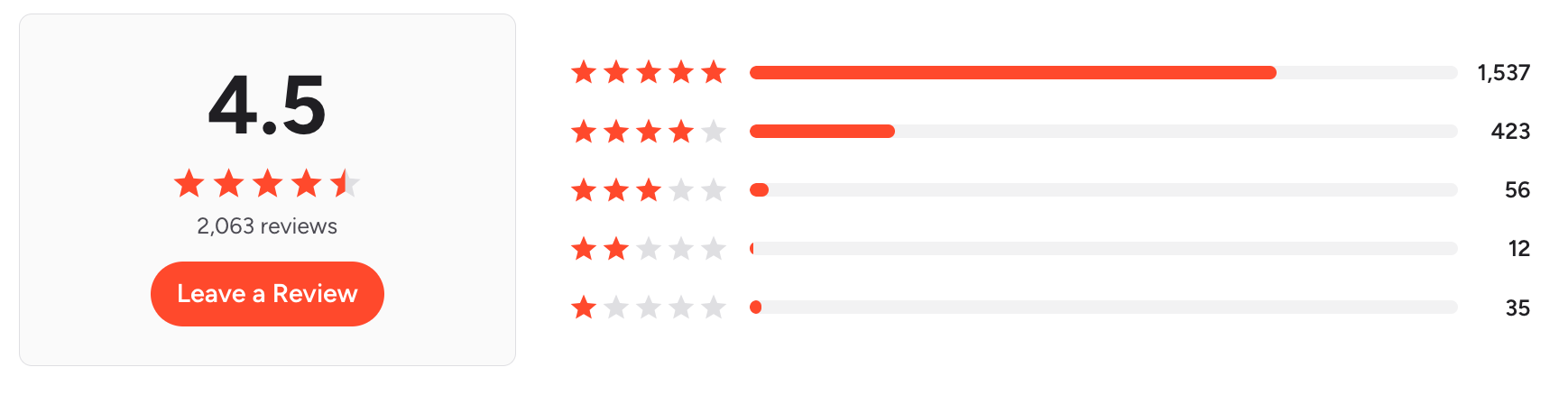
"Larger multi-step Zaps sometimes require significant testing and ongoing maintenance. Pricing can also increase quickly when managing high volumes of tasks across multiple departments. Additionally, occasional delays or failed automations can impact time-sensitive workflows." - verified review
How to Start
- Sign up on Zapier’s platform (no credit card required) to access your dashboard.
- Type a plain English sentence explaining your goal (e.g., "When a new lead comes in from Facebook Ads, send a summary via Slack and save it to Google Sheets").
- Connect your respective app accounts through the secure popup windows, test the data flow, and switch the Zap to "On."
4. ChatGPT
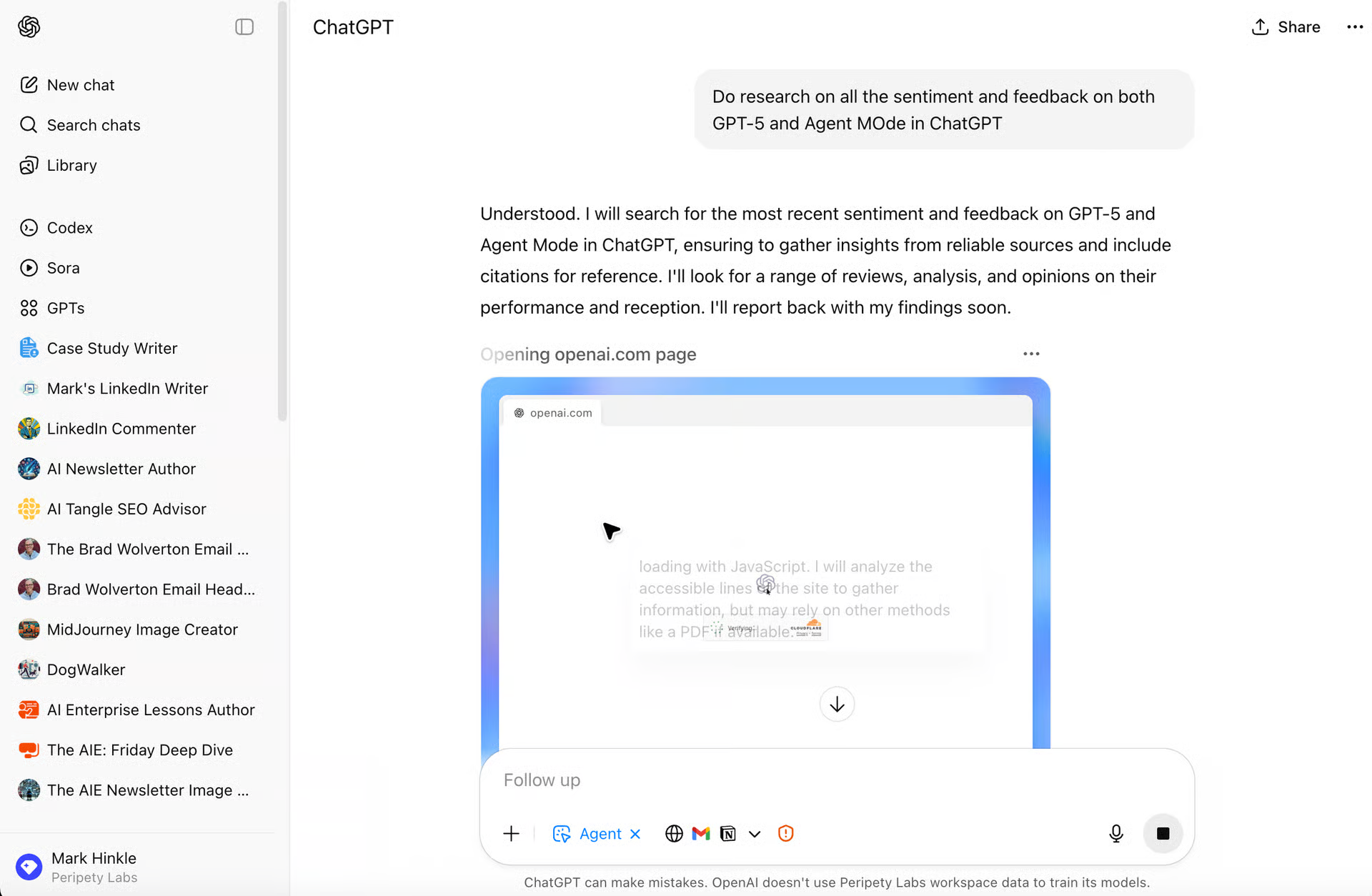
ChatGPT is an all-purpose AI powerhouse built by OpenAI that functions as an AI assistant for busy founders. Its standout feature is Deep Research, an agentic search capability that autonomously executes multi-step web queries, synthesizes complex data, and aggregates comprehensive market reports on your competitors in a matter of minutes.
Why it's on the list: For solo entrepreneurs and small startup teams, ChatGPT acts as a force multiplier across every department. Its massive context window and advanced logic frameworks allow you to upload an entire year's worth of business data, map out complicated operational workflows, or write functional mini-apps directly inside the chat interface using Interactive Code Blocks.
Pros and Cons: It is arguably the most versatile tool on the market, backed by reasoning models that excel at highly complex business strategy and data analysis. The conversational interface is incredibly intuitive, making it a true "jack-of-all-trades" assistant.
However, because it is built for general use rather than specialized workflows, it lacks built-in niche marketing templates, and its extensive output still requires careful human oversight to prevent occasional hallucinations.
Pricing:
- Free: $0/month (Basic access with strict usage limits)
- Go: $8/month (Budget plan with higher limits, includes ads)
- Plus: $20/month (Standard professional plan with Deep Research and Agent Mode)
5. HubSpot Breeze AI
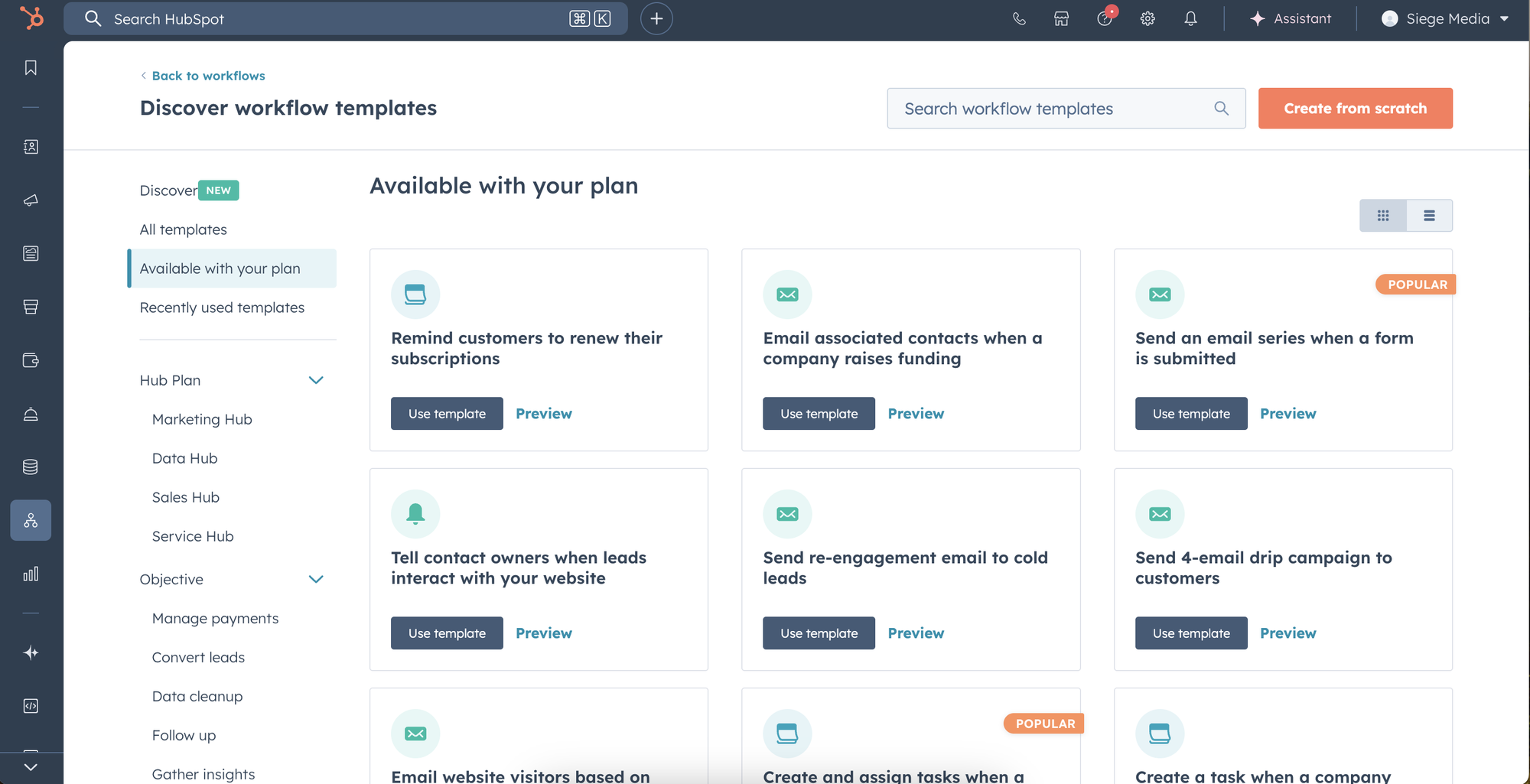
HubSpot Breeze AI is the built-in, unified AI agent that powers HubSpot’s entire customer platform. It's native connection to your central CRM database, giving the AI immediate, secure access to your entire customer history so it can act with deep context rather than generic guesses.
Why it's on the list: It offers specialized "Breeze Agents" (including Content, Prospecting, and Customer Agents) that work in the background 24/7. This makes it an excellent fit for lean, fast-growing startups that need to scale up their sales outreach and customer support operations without immediately expanding headcount.
Pros and Cons: Breeze AI excels at unifying your data—allowing a customer interaction that starts in marketing to flow seamlessly into sales and support with identical AI context. Its data enrichment features (which automatically update missing company profiles and track buyer intent) are massive time-savers.
However, because it is built exclusively for the HubSpot ecosystem, its utility drops significantly if your company keeps knowledge scattered across outside wikis or separate project management tools. Additionally, its advanced agents are locked behind higher-tier plans.
Pricing:
- Base Access: Included in standard HubSpot plans, but advanced Breeze Agents require Professional ($90/seat/month)
- Enterprise ($150/seat/month) tiers.
- Usage-Based Credits: Operates on a flexible credit system ($10 per 1,000 credits), where specific tasks consume allocated amounts (e.g., Customer Agent resolutions cost $0.50 per resolved conversation; Prospecting Agent costs $1.00 per recommended lead).
6. Granola
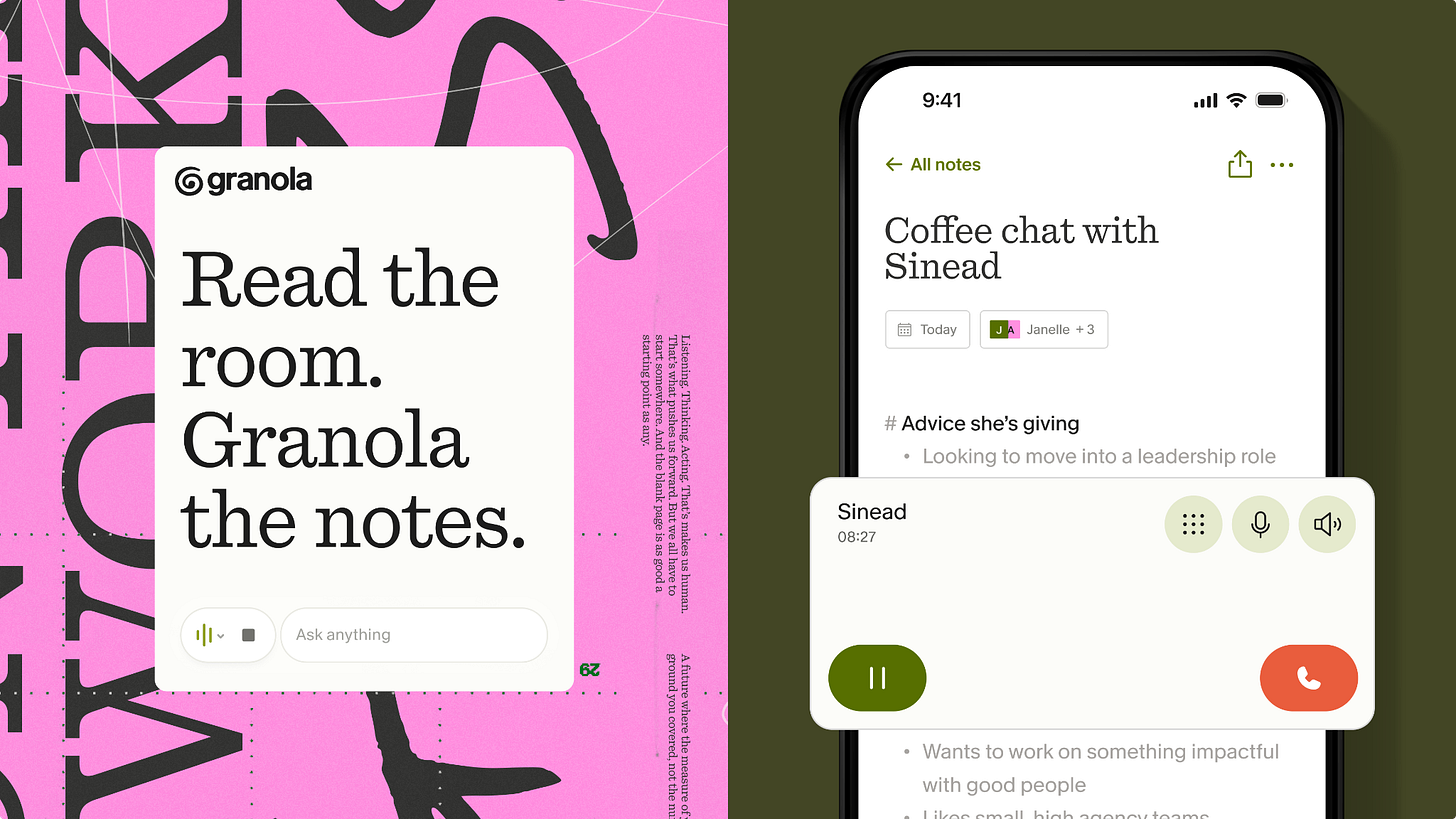
Granola is an AI meeting note designed specifically for professionals and founders who spend their days in back-to-back calls. Granola offers bot-free agent-it, meaning no awkward, uninvited AI bots have to join and disrupt the vibe of your Zoom or Google Meet calls.
Why it's on the list: As an entrepreneur, maintaining professional credibility during sensitive investor pitches, client discovery calls, or high-stakes networking is everything. Additionally, its deep workflow capabilities-like searching across your entire meeting history and utilizing Model Context Protocol (MCP) to bridge with external AI models, make it a powerful knowledge base for lean startup teams.
Pros and Cons: Granola excels at creating clean, structured summaries that heavily prioritize the things you actually decided to write down during the call. It features over two dozen customizable templates tailored for 1-on-1s, pitches, and standups.
However, unlike traditional recorders, it does not store or play back the actual audio files, meaning you rely strictly on the text transcript. It is also primarily built for desktop (Mac and Windows), so entrepreneurs looking to record on-the-go via a native Android app will have to wait for future releases.
Pricing:
- Basic: $0 (Limited to 25 lifetime meetings, 14-day history)
- Individual: $18/month (Unlimited meetings, full history, and core integrations)
- Business: $14/user/month (Includes team folders, consolidated billing, and shared templates)
7. Mailchimp
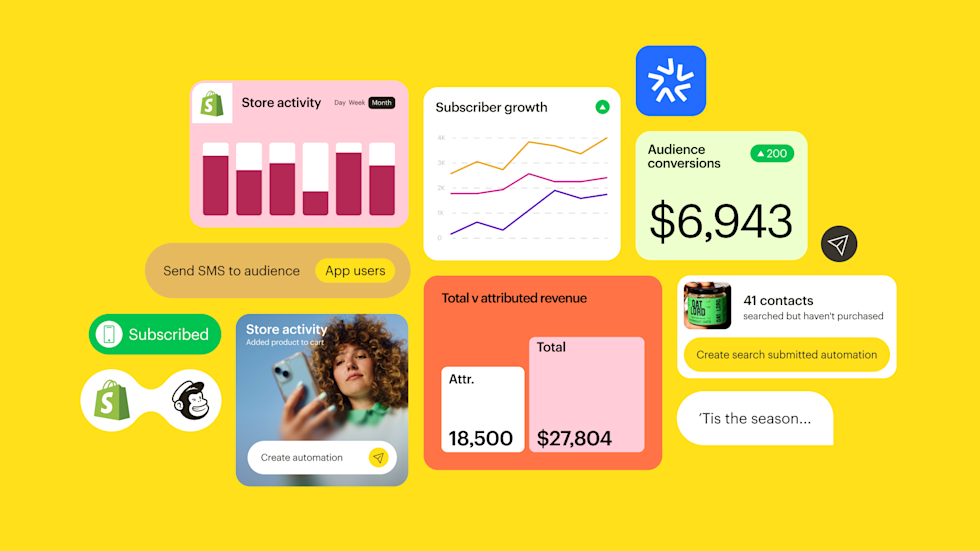
Mailchimp is an all-in-one email marketing and customer relationship management (CRM) platform built with scaling businesses in mind. It helps you design beautiful newsletters, automate customer journeys, and run multi-channel campaigns across email and SMS.
Why it's on the list: Mailchimp remains an essential inclusion among the best AI tools for entrepreneurs in 2026 because it solves a massive hurdle for small business owners: hyper-personalized marketing at scale without a massive marketing team. Its new AI-driven predictive segmentation and automated text-to-SMS features allow busy founders to turn a single email draft into a complete cross-channel campaign with one click.
Pros and Cons: Mailchimp is famous for its extensive gallery of over 300 pre-built templates, its robust visual journey builder, and its seamless integrations with major e-commerce platforms like Shopify and WooCommerce.
On the downside, navigating advanced multi-step automation flows requires moving up to their higher-paid tiers. Additionally, while the platform's AI content assistant speeds up your initial drafting, the copy still requires a human touch to ensure it perfectly aligns with your specific brand voice.
Pricing:
- Free: $0/month (Up to 250 contacts and 500 monthly sends; great for testing basic features)
- Essentials: Starts at ~$14/month (Unlocks A/B testing, email scheduling, and removes Mailchimp branding)
- Standard: Starts at ~$22/month (Unlocks advanced multi-step automations, predictive segmentation, and core AI features)
- Premium: Starts at ~$390/month (Built for large-scale operations with advanced comparative reporting and unlimited users)
8. Flow
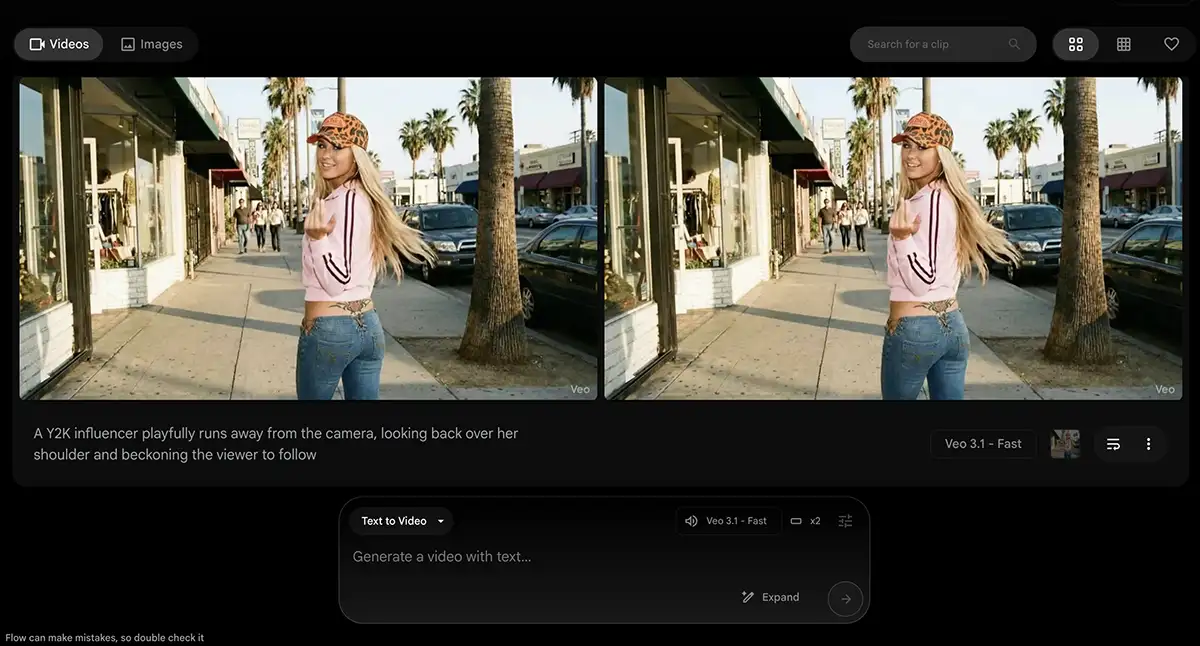
Google Flow is an all-in-one AI creative studio built specifically for modern entrepreneurs and content creators who need to scale their multimedia marketing. Powered by Google DeepMind’s advanced generative models, including Gemini Omni Flash, Nano Banana 2 & Pro and Veo 3.1 - Flow lets you brainstorm, generate, and edit cinematic HD videos and high-quality images in a single, unified workflow.
Why it's on the list: As one of the best AI tools for entrepreneurs in 2026, Google Flow bridges the gap between raw AI generation and practical business marketing. For solo founders and lean startup teams trying to establish a massive digital footprint, Flow acts as an automated, full-scale video and image production agency.
Pros and Cons: Google Flow excels at maintaining visual asset consistency and handling background rendering, letting you queue up multiple video or image generations while you focus on scaling your business operations.
However, because it relies heavily on high-end generative processing, free tier users face strict credit caps and rendering queues. Additionally, achieving perfect character consistency across drastically different background scenes can still occasionally require a bit of manual fine-tuning and human oversight.
Pricing:
- Free Tier: Includes 50 monthly Google Flow credits with standard generation speeds. Image generation is completely free.
- Google AI Plus: Starts at $19.99/month (Includes 1080p video upscaling, video-to-video editing, and higher generation limits).
- Google AI Ultra: Custom/Enterprise tiers available for 4K upscaling and maximum cloud storage.
9. Canva
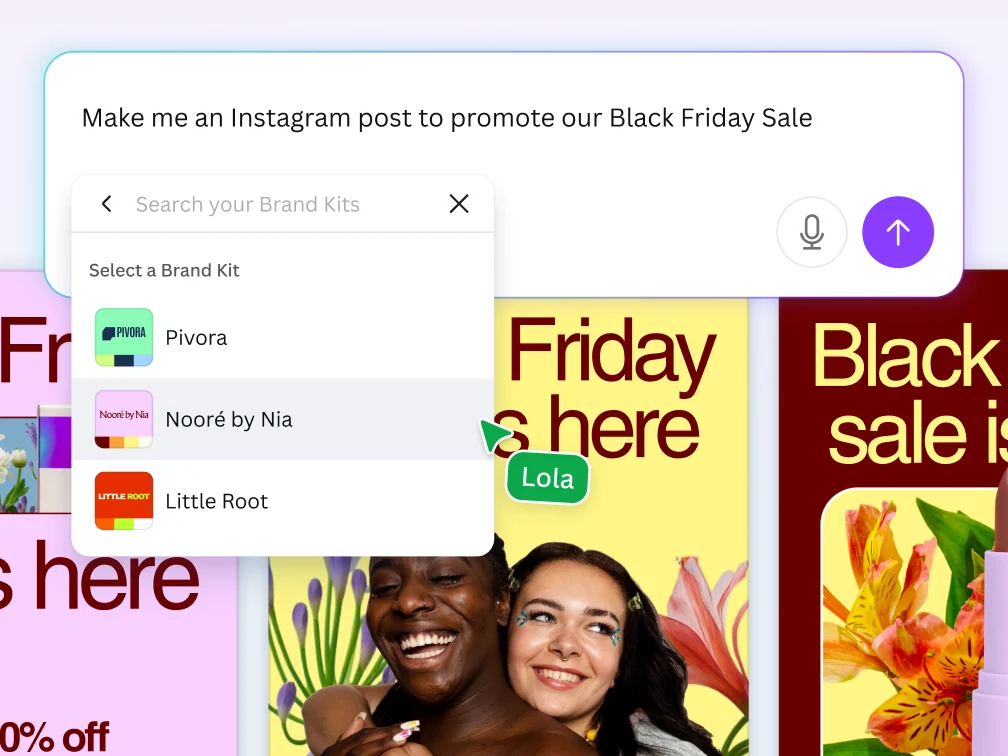
Canva is an all-in-one visual communication and AI design platform tailored specifically to help scaling businesses create professional assets without a graphic designer. It helps you instantly build marketing materials, pitch decks, and brand campaigns using simple text prompts.
Why it's on the list: Canva is a non-negotiable addition to the best AI tools for entrepreneurs in 2026 because it acts as an autonomous visual department for solo founders and small teams. With its new agentic workflows, built-in Brand Intelligence automatically applies your specific colors and typography across every asset. Plus, the platform's native Connectors plug directly into day-to-day tools like Slack, Notion, and Gmail, turning raw data or text threads into ready-to-publish visual campaigns with a single click.
Pros and Cons: Canva is spectacular for rapid prototyping, instantly generating on-brand social media kits, and using Style Match to keep a cohesive aesthetic across different platforms. However, for deeply complex or niche branding, the initial AI layouts can sometimes feel a bit generic, requiring manual fine-tuning.
Pricing:
- Canva Free: $0/month (Limited AI usage and standard templates)
- Canva Pro: $15/month per user (Full access to Canva AI 2.0, Brand Kits, and premium assets)
- Canva for Teams: Custom pricing based on seat volume
10. ThoughtSpot
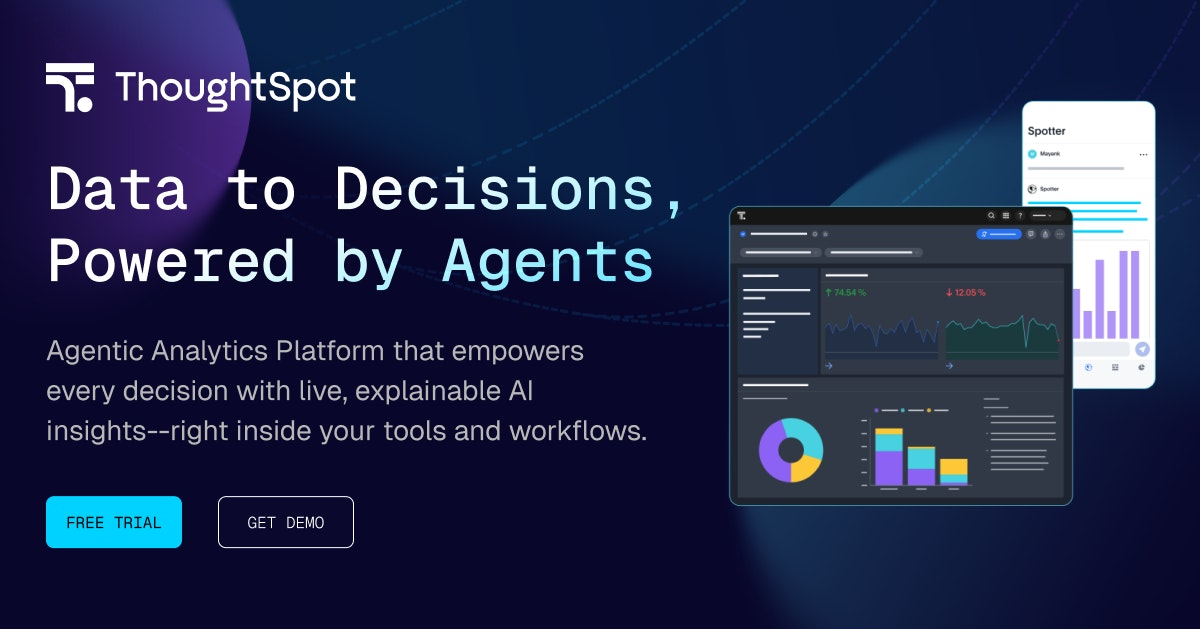
ThoughtSpot is an AI business intelligence (BI) platform engineered to turn complex data analytics into simple, conversational search. Touted as one of the best AI tools for entrepreneurs, it completely eliminates the need for manual data modeling or waiting on an IT department.
Why it's on the list: It connects effortlessly to modern data storage like Snowflake or BigQuery, making it an excellent fit for data-driven entrepreneurs who need to scale operations quickly. Instead of wasting hours sorting through spreadsheets, the Spotter AI Agent handles data preparation and building live dashboards automatically.
Pros and Cons: ThoughtSpot is unmatched when it comes to true self-service AI analytics and eliminating dashboard sprawl. Its automated trend detection instantly surfaces anomalies or hidden opportunities that human eyes might miss.
However, the accuracy of its generative AI answers relies heavily on how well your initial backend data is structured. While the platform is ideal for parsing high volumes of metrics, it carries a premium price tag and a slight learning curve, meaning solo founders with basic, single-source spreadsheets might find it too robust for their everyday needs.
Pricing:
- Developer Plan: Free (Up to 10 users, built for testing embedded workflows)
- Essentials: Starts at $25/user/month (Billed annually, up to 50 users and 25M data rows)
- Pro: Starts at $50/user/month (Billed annually, unlocks the full Spotter AI Agent and up to 250M rows)
- Enterprise: Custom pricing (Unlimited scale and custom compute units)
Final Thoughts: Best AI Tools for Entrepreneurs in 2026
The best AI tools for entrepreneurs in 2026 depend a lot on how you work, what drains your time, and where your business feels messy right now.
Some founders need an AI assistant that keeps their day organized and stops ideas from disappearing into random tabs and sticky notes. That’s where Saner.AI feels different. It helps you capture thoughts fast, turn them into tasks, and keep context connected without making planning feel like another job.
Others may care more about writing and research. ChatGPT and Claude are still some of the strongest picks for brainstorming, drafting content, summarizing meetings, or thinking through business decisions.
Then some tools quietly remove repetitive work in the background. Zapier can automate workflows between apps, while Mailchimp, HubSpot Breeze AI, and ThoughtSpot help with marketing, customer data, and reporting without needing a huge team.
I’d also look at tools based on the kind of work you do every day. Canva is great for quick design work. Granola helps if your calendar is packed with meetings. Flow can help you stay focused when working alone starts to feel chaotic.
My advice? Don’t try to build an “AI stack” overnight. Pick two tools first. Use them for actual work for a week or two: emails, planning, client calls, content drafts, and task management. The useful tools are usually the ones you forget are running because they quietly reduce friction every day.
If you want one place to start, I’d test Saner.AI first. For entrepreneurs juggling ideas, meetings, tasks, and context switching all day, it feels less like another productivity app and more like having a second brain that stays organized when you don’t.
Stay on top of your Entrepreneurial Journey
FAQs: AI Tools for Entrepreneurs in 2026
1. What are the best AI tools for entrepreneurs in 2026?
The best AI tools for entrepreneurs depend on the kind of work you do every day. Most founders end up using a mix of tools instead of one “all-in-one” app.
Here’s the stack I see people using most often in 2026:
- ChatGPT for brainstorming, writing, research, and customer support drafts
- Claude for long-form writing, document analysis, and strategy work
- Canva for social posts, presentations, and quick brand assets
- Zapier for workflow automation between apps
- Mailchimp for email campaigns and audience management
- Saner.AI for AI-powered task management, notes, and calendar organization
- HubSpot Breeze AI for sales and CRM support
- Google Flow for creative generation
- Granola for meeting transcription and summaries
- ThoughtSpot for AI-powered business analytics
Most entrepreneurs I know care less about “AI features” now. They care about saving time, reducing context switching, and keeping information from disappearing across ten different tabs.
2. Which AI tool is best for solo entrepreneurs?
For solo founders, the best AI tool is usually the one that reduces mental overload.
Saner.AI works especially well for this because it combines notes, reminders, tasks, and calendar context in one place. You can dump messy thoughts into it and turn them into actions later without organizing everything first.
Many solo operators also pair it with:
- ChatGPT for content and research
- Canva for marketing assets
- Zapier for repetitive admin work
That combination covers most of the work a small business owner handles alone.
3. What is the best AI productivity tool for entrepreneurs?
If your biggest issue is staying organized, Saner.AI is one of the more practical AI productivity tools right now.
It handles:
- AI task reminders
- Natural language note search
- Calendar-aware planning
- Turning notes into tasks automatically
- Surfacing old context before meetings
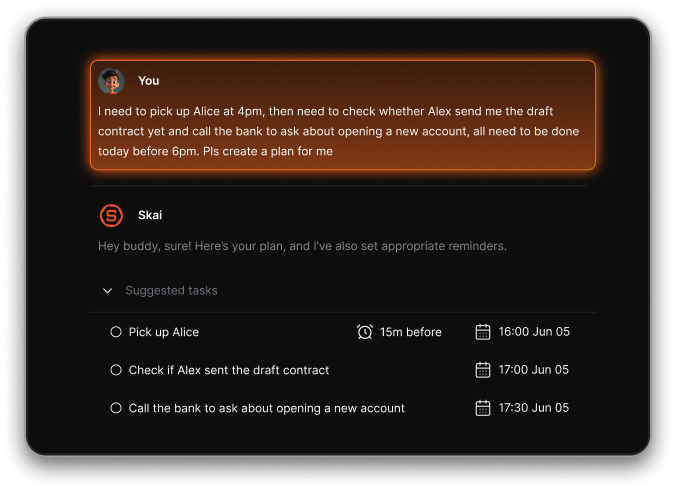
A lot of productivity apps still make you organize everything manually. Saner.AI feels closer to having an assistant that remembers things for you.
4. Which AI tools help entrepreneurs automate workflows?
Automation tools save founders an absurd amount of time once the business starts growing.
The most useful AI workflow tools in 2026 include:
- Zapier for app integrations and automations
- HubSpot Breeze AI for sales workflows and CRM updates
- Mailchimp for automated email campaigns
- Saner.AI for task follow-ups and personal workflow management
Zapier handles the systems. Saner.AI handles your brain. Those are different problems, honestly.
5. Can AI tools help entrepreneurs manage tasks and schedules?
Yes, and this is where AI actually feels useful instead of gimmicky.
Saner.AI can pull action items from notes, remind you about unfinished tasks, and help organize priorities around your calendar. Instead of manually sorting tasks into folders and labels, you can write naturally and search later.
Other scheduling-focused tools include:
- Motion
- Reclaim
- Clockwise
But those apps lean heavily into calendar optimization. Saner.AI feels more flexible for people whose workdays change constantly.
6. What’s the best AI tool for startup founders with ADHD?
A lot of founders with ADHD struggle less with ideas and more with follow-through.
Saner.AI is popular with ADHD entrepreneurs because it reduces context switching. You can store random thoughts, meeting notes, reminders, and ideas in one place without building a complicated system first.
The natural-language search is genuinely useful too. You don’t need to remember exact folder names or tags to find things later.
7. Which AI tool is best for business writing and strategy?
For writing-heavy work, entrepreneurs usually choose between:
- ChatGPT
- Claude
ChatGPT is strong for brainstorming, quick drafts, and general-purpose work. Claude is often better for analyzing long documents, research summaries, and structured strategic writing.
I’ve noticed founders using Claude more for thinking work, and ChatGPT more for speed.
8. What AI tools are best for marketing and content creation?
Entrepreneurs creating content regularly often use:
- Canva for graphics and presentations
- Mailchimp for newsletters
- Claude for blog outlines, captions, and campaign ideas
Canva has become surprisingly useful for non-designers. You can build decent-looking assets quickly without hiring a full creative team early on.
9. Which AI tool is best for meeting notes and follow-ups?
Granola is one of the better AI meeting assistants right now because it focuses on lightweight note-taking instead of trying to replace the entire meeting experience.
A lot of founders pair Granola with Saner.AI:
- Granola captures the meeting
- Saner.AI turns follow-ups into actionable tasks
That workflow feels much cleaner than manually copying notes between apps.
10. Can AI tools help entrepreneurs make better decisions?
Yes, especially when data starts piling up faster than you can review it.
ThoughtSpot helps founders explore business data using natural-language questions instead of dashboards full of filters.
For example, you can ask:
- “Why did conversions drop last month?”
- “Which customer segment grew fastest this quarter?”
That’s much easier for non-technical teams.
11. Are there free AI tools for entrepreneurs?
Yes. Most popular AI tools now have free plans or limited free usage.
Some good free options:
- ChatGPT free plan
- Gemini free access
- Canva free plan
- Saner.AI free plan with AI notes, reminders, and calendar sync
Free plans are enough for testing workflows before committing to a paid stack.
12. Which AI tool replaces multiple productivity apps?
A lot of entrepreneurs are trying to reduce app overload now.
Saner.AI replaces several tools at once because it combines:
- AI notes
- Tasks
- Reminders
- Calendar planning
- Search across information
Instead of jumping between a notes app, a task manager, and a calendar, you keep everything connected.
I don’t think every founder wants another “workspace.” Most want fewer places to think.
13. What’s the best AI CRM tool for entrepreneurs?
For startups building a sales process, HubSpot Breeze AI is one of the strongest AI CRM options in 2026.
It helps with:
- Lead management
- Email drafting
- Sales summaries
- CRM automation
- Pipeline insights
It works best once you already have customers and sales conversations happening regularly.
14. Can AI tools help entrepreneurs save time daily?
Absolutely. The biggest benefit usually comes from small repetitive tasks disappearing.
Entrepreneurs use AI tools to:
- Summarize meetings
- Draft emails
- Organize notes
- Schedule tasks
- Generate content ideas
- Automate admin work
The time savings add up fast. Even saving 30 minutes a day matters when you’re running a business.
15. How should entrepreneurs choose the right AI tools?
- Start with the bottleneck you already have.
- If you lose track of tasks and ideas, try Saner.AI.
- If writing takes too long, use ChatGPT or Claude.
- If repetitive admin work eats your time, use Zapier.
Most entrepreneurs don’t need twenty AI apps. They need two or three that remove friction from work they already do every day.
Stay on top of your work and life
[Last updated in 2026]



