
The Best App to Use When You're Overwhelmed (2026)


Quick Answer
The best app to use when everything feels overwhelming: Saner.AI
- Saner.AI is an AI personal assistant that automatically organizes your notes, emails, tasks, and calendar - and proactively tells you what to focus on each morning, so you never have to start the day staring into a wall of open tabs
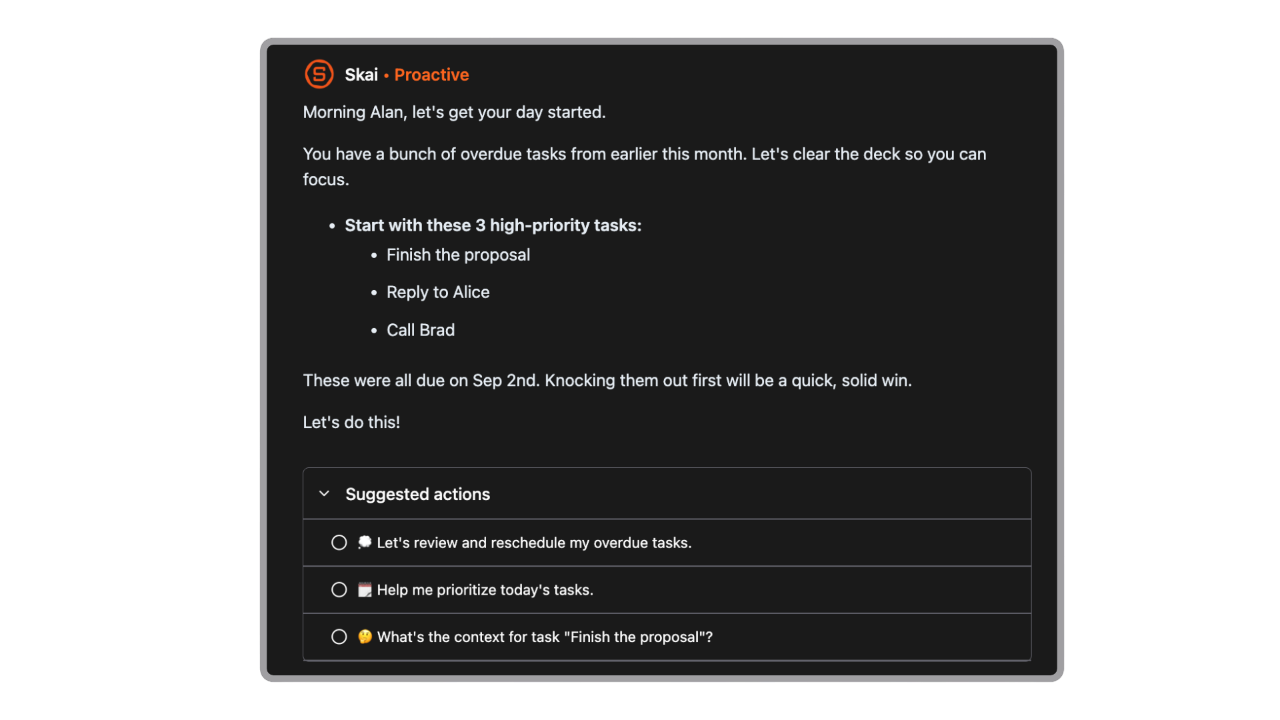
- Its AI assistant Skai scans everything you've captured and presents a prioritized, actionable day plan before you even ask for one
- Voice capture, a Chrome extension, and automatic task extraction from email mean nothing requires manual organization; you brain-dump in, Skai structures it out
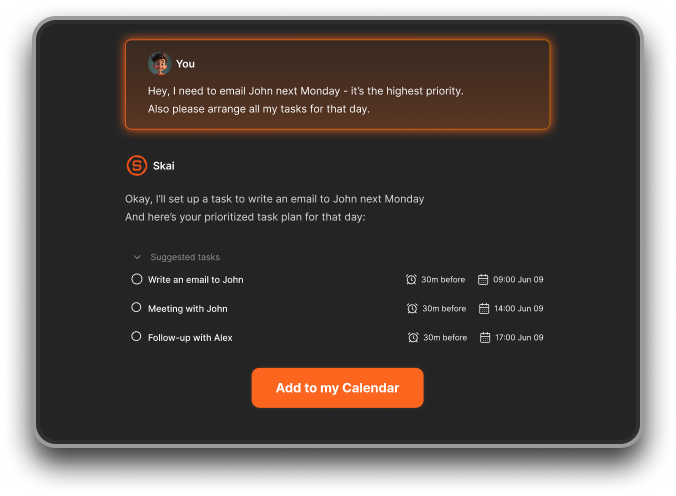
- The tool works even on the days when overwhelm wins — because it doesn't run on your willpower; it runs in the background on your data
"Really like how it proactively tells me what to do each morning. The assistant I need to make sense of my messy thoughts." — Product Hunt
The Five Traps That Make Your Day Feel Overwhelming

1. The Inbox Wall: Too Much Coming In, No Triage Filter
Most professionals start the day by opening their email and experiencing an immediate sense of dread. Not because the emails are necessarily urgent, but because the sheer volume — undifferentiated, unsorted, all demanding a decision — is enough to trigger avoidance before the first coffee is finished. This is information overload in its most common form.
When everything in the inbox looks equally urgent, nothing gets done. The brain freezes rather than prioritizes.
2. The Context-Switching Tax: Every App Switch Costs More Than You Think
Modern work is architecturally designed to fragment attention.
3. Task Scatter: Important Things Disappearing Into the Gaps
Action items live in emails. Reminders live in Slack messages. Commitments are buried in meeting notes. Ideas are in a phone note app. The to-do list is on a different tab.
Every scattered task is a cognitive item held in working memory, and, according to cognitive psychology, working memory holds roughly three to five items at once. Once that buffer is full, things fall out.
4. Decision Fatigue: Running on Empty Before Noon
Every email requires a decision: respond now, respond later, delegate, ignore. Every Slack notification does the same. Every calendar invite. Every task that enters your orbit.
Cognitive scientists have long established that decision-making draws on a finite daily resource.
By late morning on a heavy information day, most professionals are already operating on a depleted decision budget. The result: important things get pushed, emails sit unanswered, and the sensation of being overwhelmed compounds.
5. The Mental Load of Remembering Everything
There's a particular strain that comes not from doing tasks, but from tracking them. The constant anxiety of "what am I forgetting?" is the brain doing a job it was never designed to do: running a perpetual background scan across everything that might need attention.
Without that system, every unresolved commitment sits like a browser tab running in the background, quietly consuming mental RAM. The more open loops, the heavier the cognitive load - and the more that background noise contributes to the daily experience of overwhelm.
How Saner.AI Helps When You Feel Overwhelmed?
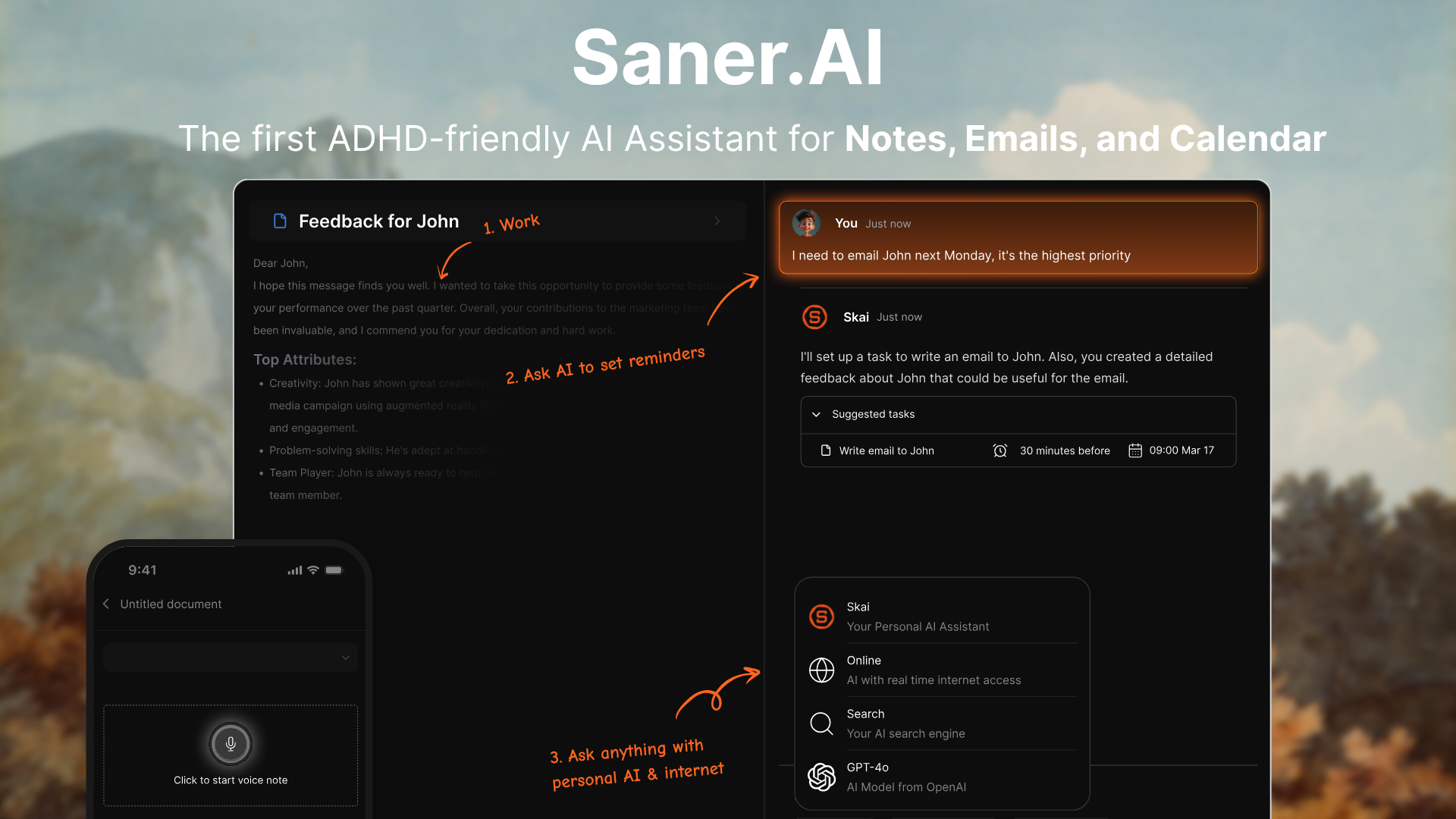
Saner.AI is an AI personal assistant that connects your notes, email, tasks, and calendar into a single environment, and then applies an AI assistant called Skai that proactively organizes everything and surfaces what you actually need to focus on, before you have to ask.
The design premise is simple: stop making the user manage their information, and start making the AI do it. Here's what that looks like in practice:
- Automatic Day Plan. Every morning, Saner's home screen presents a prioritized view of your day: urgent tasks, calendar events, emails requiring responses, and quick wins to build momentum. You don't have to go through hundreds of things to plan. Task paralysis is gone.
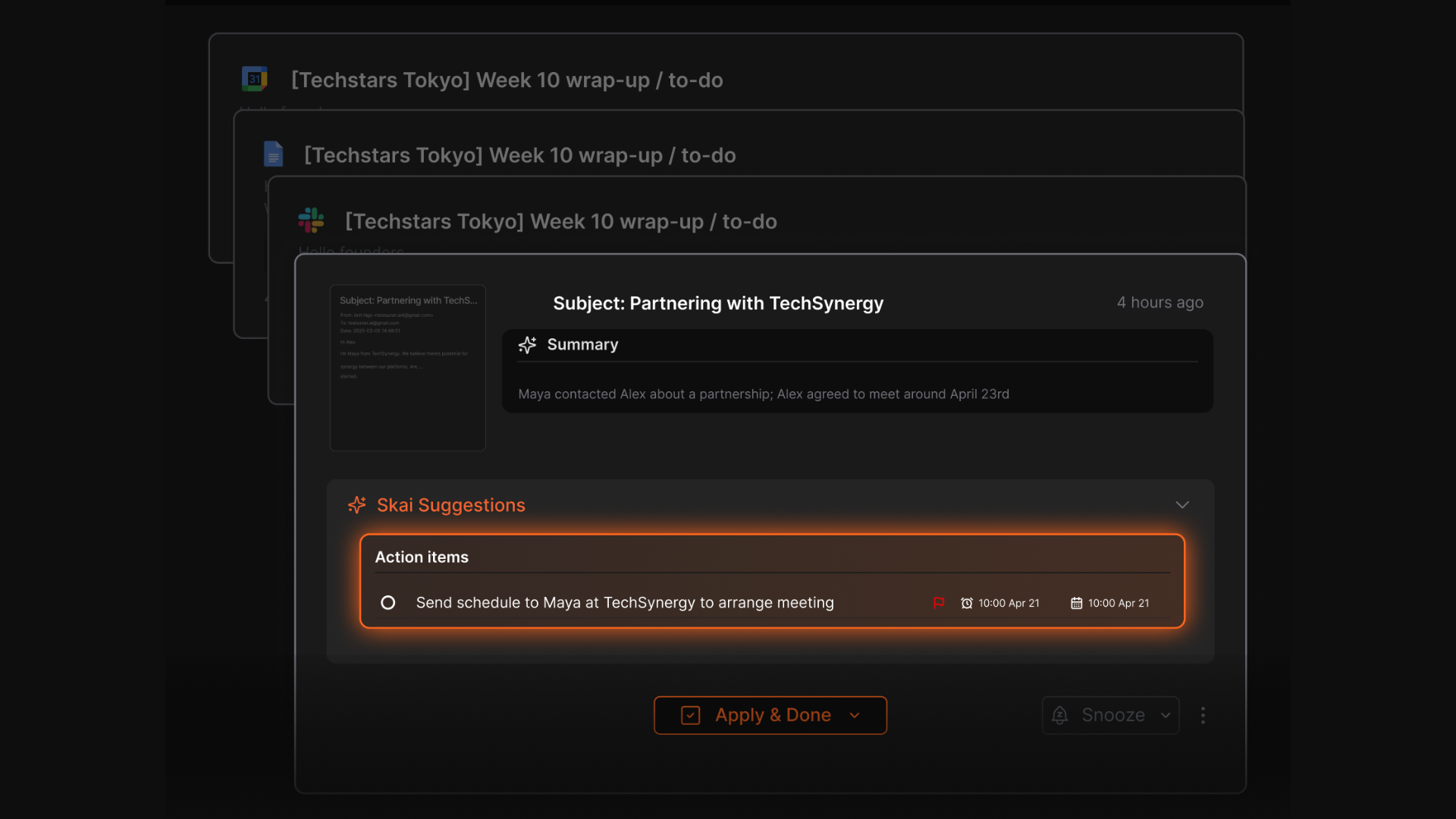
- Automatic Task Extraction from Email. When emails contain action items, Skai identifies and surfaces them as tasks — without you needing to manually copy them anywhere. The item that would have vanished into a read email thread gets captured and prioritized automatically.
- Brain Dump, Structured by AI. You have dozens of thoughts, and they disappear really quick? Just type or speak them into AI chat, and Skai parses them into structured, actionable tasks instantly. No more overloading
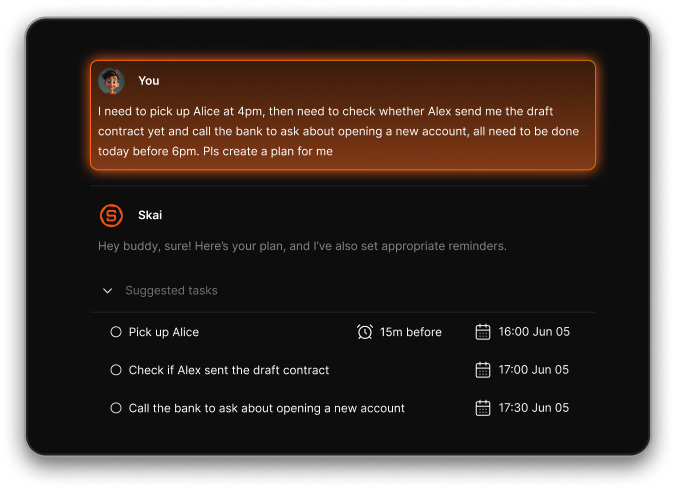
- Focus Box for Deep Work. Once you know your priorities, the Focus Box creates a dedicated workspace for tasks you want to zero in on. No other notifications, no switching required. You can lock in on what matters without the rest of the environment pulling you back.
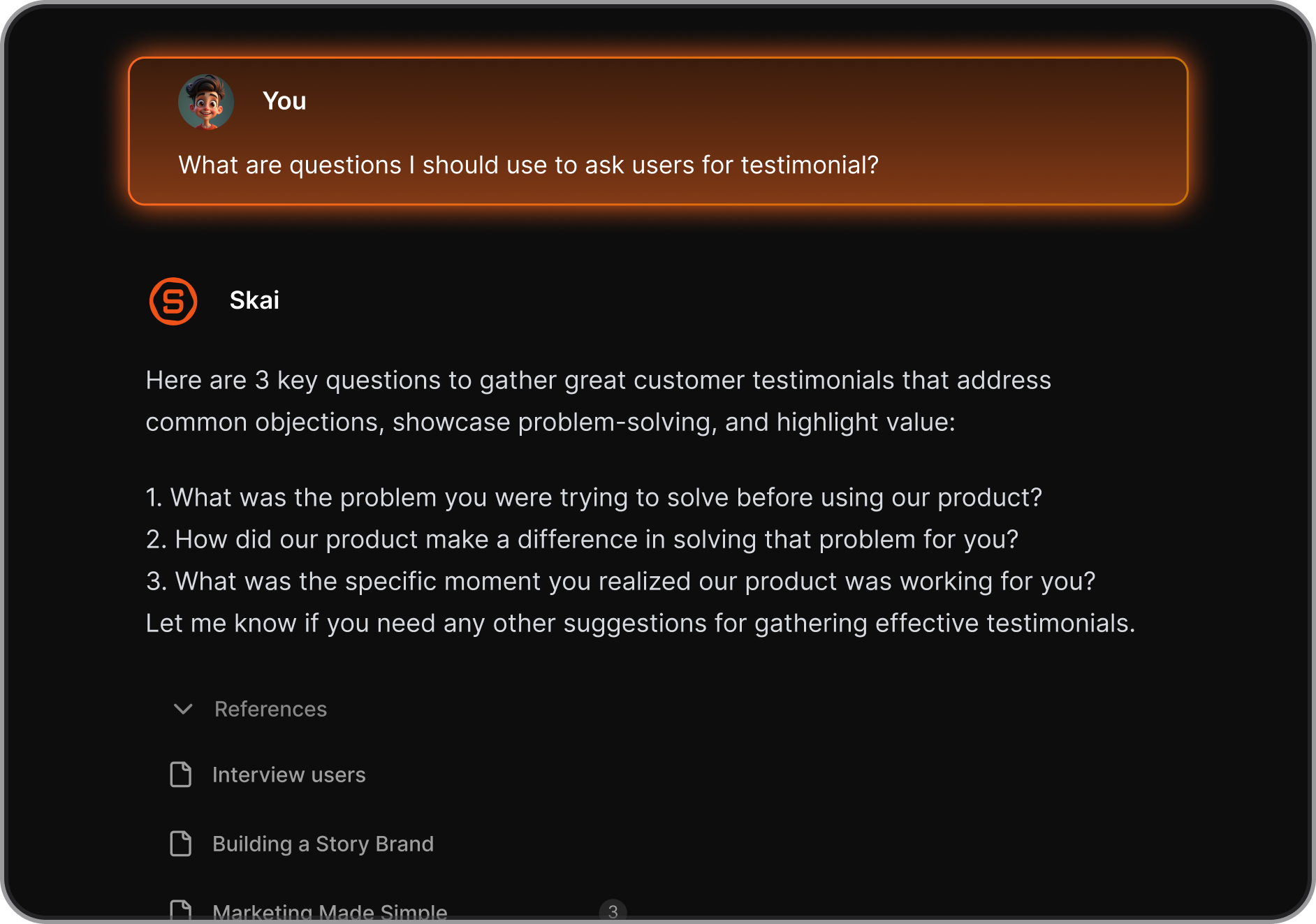
- Semantic Search Across Everything. Can't remember where you saved that note or what that email said last week? You can search in natural language, and Skai retrieves the relevant information across your entire knowledge base, regardless of where it was captured.
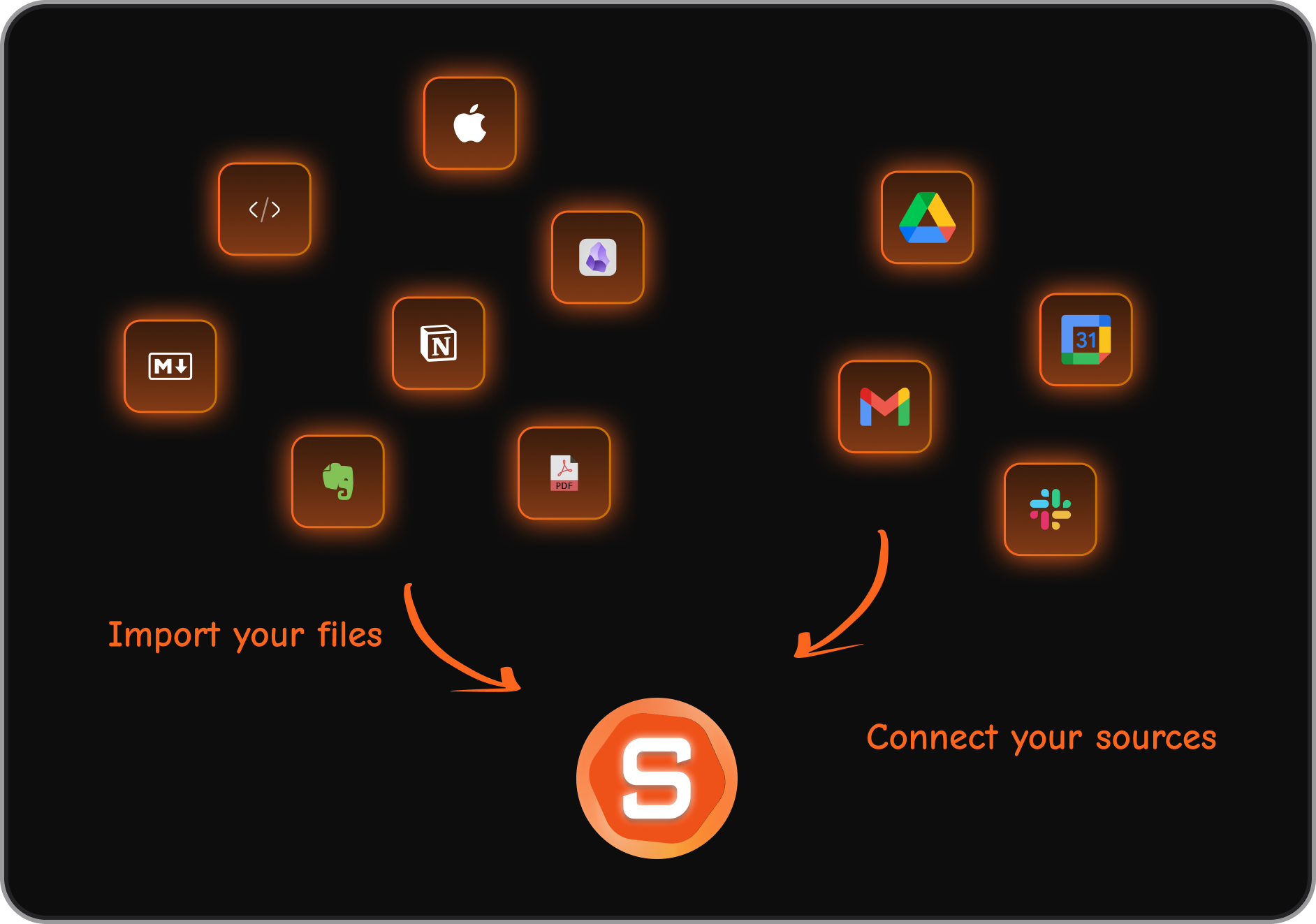
- Integrations That Pull Everything Together. Saner.AI connects with Gmail, Google Calendar, Google Drive, and Slack — and pulls information from all of them into a single unified view. Tasks from your calendar, emails in your inbox, notes you've captured, files from Drive: all accessible without switching between apps.
"I consider it my life manager, and it helps a lot to keep all tasks neatly organized. It definitely boosts efficiency!" — Product Hunt reviewer
"I LOVE IT! It's just insane how efficient it is." — Product Hunt reviewer
The core mechanic is always the same: reduce the number of cognitive decisions you have to make to keep your work organized. Everything you'd normally have to manually sort, tag, file, or remember is something Skai handles, so you spend your mental energy on actual work instead of on managing the tools that are supposed to help you do actual work.

Stay on top of your work and life
Before and After using Saner.AI: A Day When Everything Doesn't Feel Overwhelming anymore
Before Saner.AI
7:55 AM: Open laptop. See 64 unread emails, 11 Slack notifications, and three browser tabs left over from yesterday. Can't remember what any of them were for. Close everything. Make coffee.
8:30 AM: Try to start the day. Spend 25 minutes scrolling through emails trying to reconstruct what's urgent. Miss two items completely — one was buried under five replies, one was from someone you'd starred and forgotten.
10:00 AM: Realize you have a meeting in 15 minutes that you haven't prepared for because you couldn't find the original brief.
12:00 PM: Sent three replies, attended one meeting, started a document, got pulled into a Slack thread. Still don't know what today's actual priority was. The to-do list in another tab has 23 items, none of them have dates, and three of them say "follow up on."
9:30 PM: While watching TV, suddenly remember you were supposed to send someone something by EOD today.

After Saner.AI
7:55 AM: Open Saner.AI. The home screen shows: 64 emails processed — 7 require your response. Three tasks extracted from last night's email thread. One follow-up flagged as overdue by two days. Today's top three priorities ranked by urgency. Meeting brief for 10 AM compiled from the original thread and your notes.
8:10 AM: Review the 7 emails Skai surfaced. Reply to four, triage two, defer one. Send the overdue follow-up. Done with email.
8:20 AM: Scan the meeting brief. Prepared in two minutes instead of scrambling.
8:25 AM: Drop your three priorities into the Focus Box. Start deep work.
5:00 PM: Work is done. Nothing forgotten. No open loops humming in the background.
The total workload is identical. The information volume is the same. The only thing that changed is where the cognitive burden sits — on the AI, not on you.
Why Saner.AI Works When Every Other System Has Failed
Every popular productivity system — GTD, bullet journaling, Todoist, Notion databases, color-coded Trello boards — shares the same fatal structural assumption: that you will consistently perform the maintenance tasks required to keep the system running. You have to enter your tasks manually. You have to file things in the right place. You have to do the weekly review. You have to remember to check the tool.
For most knowledge workers, those maintenance behaviors are exactly what breaks down on overwhelming days — which are precisely the days when they most need the system to work.
Saner.AI is architecturally different from those tools in one key way: it doesn't require you to maintain it for it to work.
It connects to your email, calendar, and other data sources and runs its organization layer on top of them automatically. You don't have to enter your tasks — it extracts them from emails. You don't have to organize your notes into folders — Skai does the tagging and categorization. You don't have to decide what to focus on in the morning — your day plan is already there.
This is why it holds up on the bad days: the system's output doesn't depend on your input quality. Even if you haven't touched it in three days, Skai has been running in the background — and when you come back, it knows where things stand. It is the closest thing on the market to an AI that organizes everything for you.
Getting Started (Under 5 Minutes)
If the phrase "set up a new tool" is itself making you feel more overwhelmed, that is a reasonable response to having been burned by complex onboarding before. Saner.AI is specifically designed for this:
- Sign up at saner.ai — free plan available, no credit card required
- Connect your accounts — Gmail and/or Google Calendar via OAuth (Saner never sees your password)
- Add your first brain dump — type or speak whatever's on your mind; let Skai organize it
- Check your home screen tomorrow morning — your first AI-generated day plan will be waiting
There is no workflow to configure, no template to set up, no rules to build. The first morning brief is usually the moment it clicks: instead of opening to a wall of undifferentiated tasks and emails, you see exactly what needs attention and in what order.
Pricing: Free plan available. Starter at $8/month (billed annually), Standard at $16/month (billed annually).
The Bottom Line
Overwhelm is not a productivity problem. It is an architecture problem.
The average knowledge worker is carrying the cognitive weight of nine different apps, an inbox that never reaches zero, tasks that live in four different places, and a workday interrupted roughly every two minutes. No amount of discipline, better habits, or tighter calendaring fixes a system that is structurally broken. What fixes it is offloading the organizational layer to something that can run it automatically — so your brain gets to focus on the work you were actually hired to do.
What makes Saner.AI different from the other tools you've already tried and set aside is not a feature list. It's a design assumption: that the system should work for you even on the days you can't work for the system. The AI morning brief is there whether or not you remembered to update your tasks. The email extraction runs whether or not you had the bandwidth to manually log your action items. The day plan is ready before you have to muster the energy to build one yourself.
That is what makes it the right tool for the days when everything feels like too much — not just the days when you're already on top of things.
Stay on top of your work and life
👉 You may like this post on how to improve Productivity for adults with ADHD
Frequently Asked Questions
How is Saner.AI different from just using a to-do list app?
A to-do list app stores tasks you manually enter. Saner.AI actively extracts tasks from your emails, connects them to your calendar and notes, and surfaces what's most important each day — without requiring you to manually input or maintain anything. It's the difference between a filing cabinet and an assistant who keeps the filing cabinet organized for you.
Does Saner.AI actually reduce the feeling of overwhelm, or does it just add another tool?
The key design principle is that Saner.AI consolidates your existing tools rather than adding to them. Instead of five apps you switch between, you have one environment where everything already is. That reduction in context-switching is a meaningful part of why it reduces the sense of cognitive load rather than adding to it.
Will I actually keep using it, or is this another abandoned tool?
The structure of Saner.AI is designed around this specific concern. Because it doesn't require daily maintenance behaviors to produce value — it runs automatically on your email and calendar data — it continues working even on days when you don't engage with it directly. When you come back after a hard week, everything is still organized. That continuity is what makes it different from tools that depend on your consistent input.
I have ADHD, should I use Saner.AI?
Yes, absolutely. Saner.AI is built for knowledge workers, especially people with ADHD, to help them improve their productivity.
Can it handle my email?
Yes. Saner.AI integrates with Gmail and syncs emails into a unified inbox view within the platform. Skai can extract tasks from emails, help you draft replies, and surface flagged threads that need follow-up — without requiring you to leave the Saner.AI interface to manage your inbox separately.
What integrations does Saner.AI support?
Saner.AI currently integrates with Gmail, Google Calendar, Google Drive, Microsoft Outlook, and Slack. There is also a Chrome extension for web capture, voice note support on mobile, and the ability to import from Notion, Obsidian, and other note-taking tools.



