
Inflow Alternatives: Here are the best 5 apps in 2026

Inflow may not be the perfect fit for everyone. Some users find the price high. Others want more actionable tools - like a to-do list, calendar sync, or an AI assistant that actually helps them follow through.
Whether you’re an overwhelmed student, a multitasking entrepreneur, or a working parent juggling 100 tabs (mentally and digitally), this post walks you through the best Inflow alternatives - and how they actually help with ADHD
I work at Saner.ai. I've included it in this roundup and called out the gaps I found during testing.
Quick answer: What are the best Inflow Alternatives?
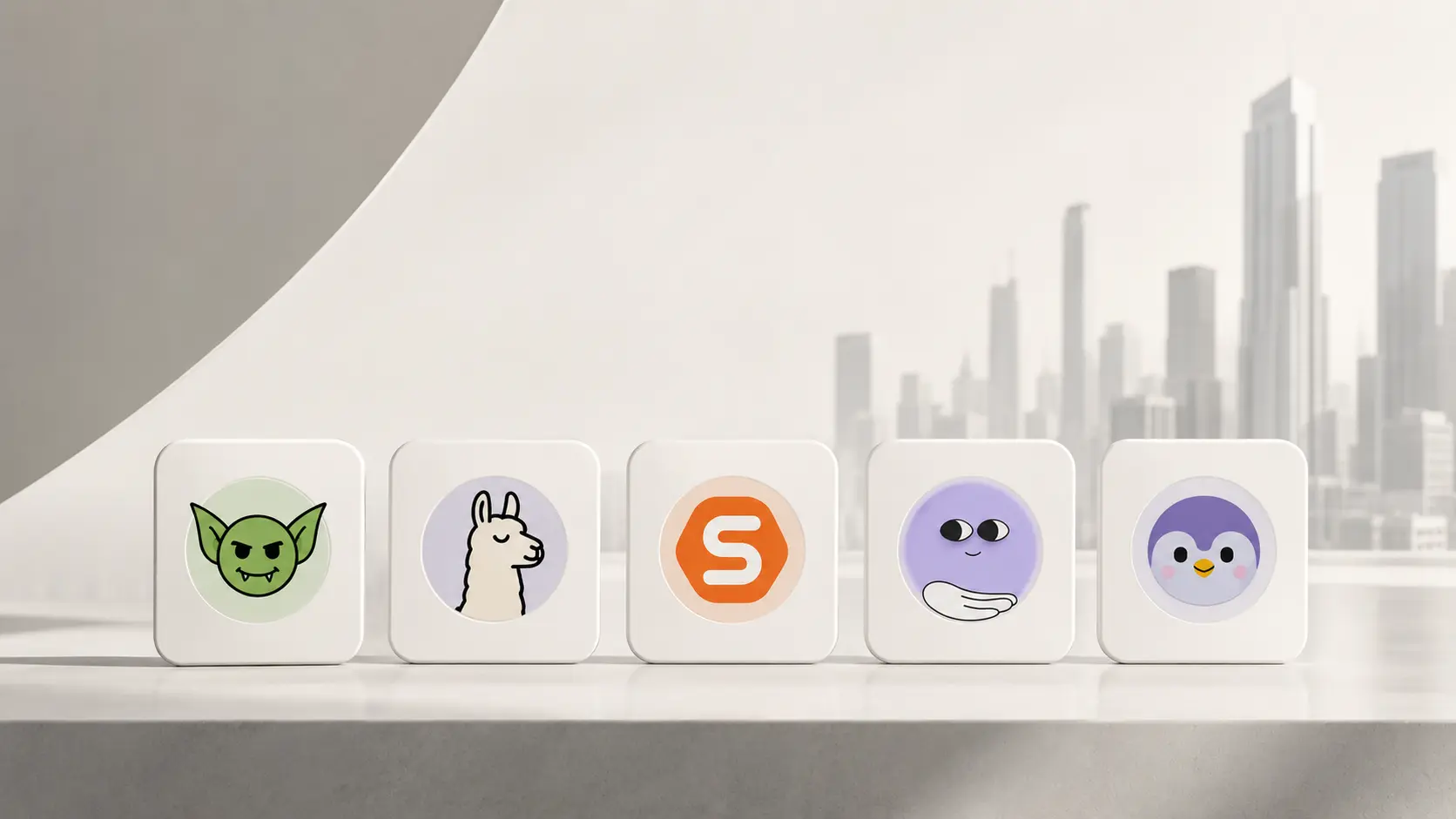
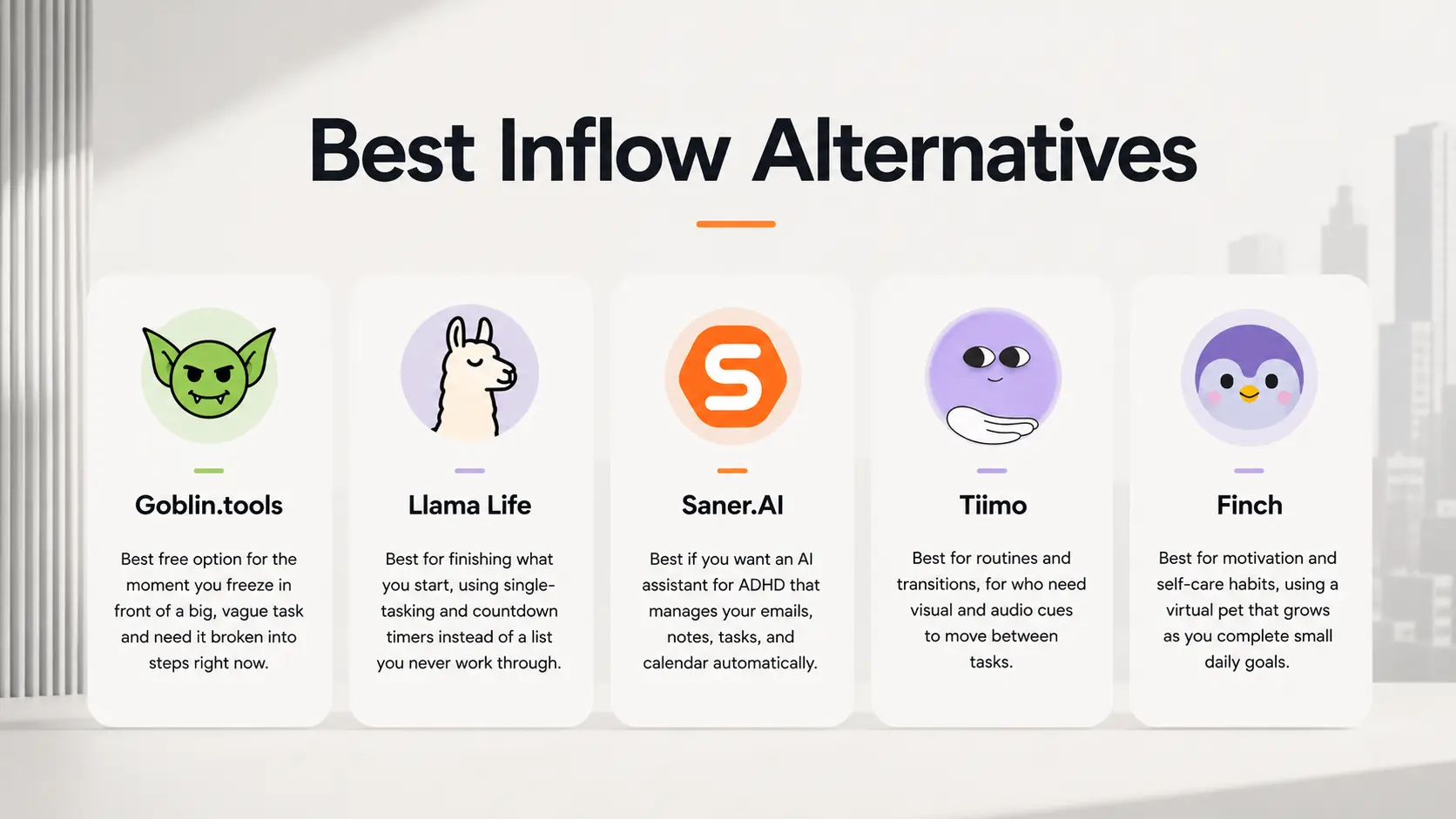
- Saner.AI — best if you want an AI assistant for ADHD that manages your emails, notes, tasks, and calendar automatically.
- Goblin.tools — best free option for the moment you freeze in front of a big, vague task and need it broken into steps right now.
- Llama Life — best for finishing what you start, using single-tasking and countdown timers instead of a list you never work through.
- Tiimo — best for routines and transitions, for users who need visual and audio cues to move between tasks.
- Finch — best for motivation and self-care habits, using a virtual pet that grows as you complete small daily goals.
How I chose these alternatives
I tested each one on the specific job it's actually good at, not against a generic productivity checklist, since an ADHD tool that ignores how ADHD actually works is worse than no tool at all. I judged them on:
- Friction to first use — how many taps or fields stand between opening the app and getting something done, since setup steps are where ADHD tools lose people.
- Task breakdown quality — does it turn a vague, overwhelming task into steps you can actually start, or just rephrase the same to-do.
- Sensory and visual design — does the interface support attention (color, timers, visual timelines) or add more noise to filter out.
- Cost accessibility — is there a usable free tier, since ADHD tool-switching is common and expensive subscriptions get abandoned fast.
- Single job vs. everything app — does it own one problem well, or try to be a full system and end up shallow at all of it.
- Evidence behind the approach — is the method grounded in how attention and executive function actually work, not just wrapped in ADHD branding.
What are the Best Inflow Alternatives?
The Best Inflow Alternatives are Saner.AI, Goblin.tools, Llama Life, Tiimo and Finch
Inflow Alternatives Comparison Table (2026)
| Tool | Best For | Core Features | Pricing | Platforms | Unique Strength |
|---|---|---|---|---|---|
| Saner.AI | Overwhelmed professionals | AI task planning, note/email management | Free plan, Pro $8/mo | Web, Mobile | Turns brain dump into tasks |
| Tiimo | Visual planners, routines | Visual schedule, habits, reminders | Free plan, Pro $9.99/mo | iOS, Android | Playful, ADHD-friendly visuals |
| Goblin.tools | Breaking down tasks, overwhelm | Magic ToDo, time estimation, tone helper | Free (web), $1.99 app | Web, iOS, Android | Made for neurodivergent users |
| Llama Life | Finishing tasks, time blindness | Task timer, mood tracking, productivity sounds | Free trial, $6/month | Web, Chrome Extension | Delightfully calm focus experience |
| Finch | Habit building, emotional wellness | Gamified self-care, mood tracking, daily tasks | Free plan, $39.99/year | iOS, Android | Emotional support meets to-dos |
1) Saner.AI
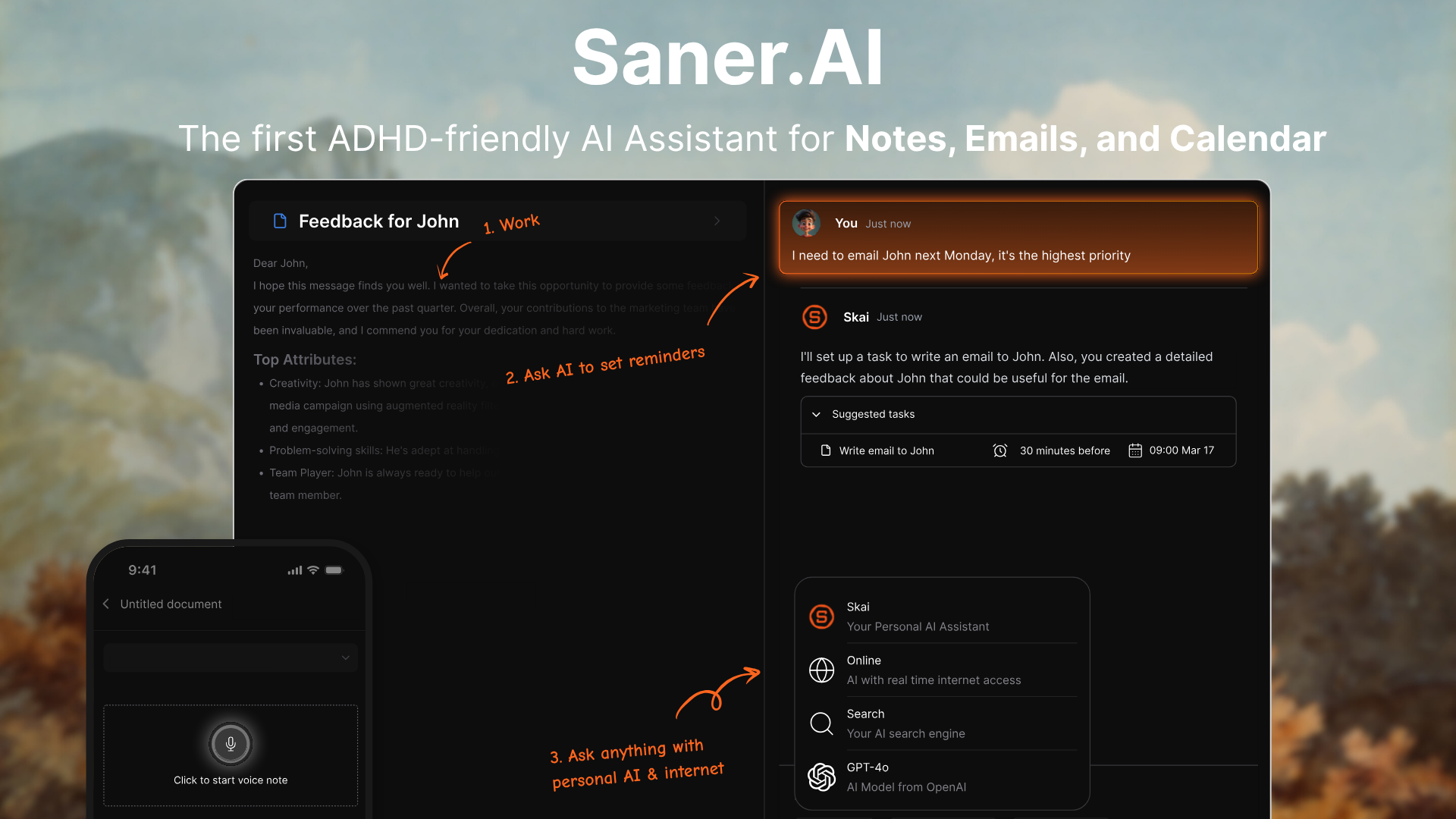
Saner.AI is an ADHD-friendly AI assistant that helps you manage your day without the mental overload. It connects your notes, emails, tasks, and calendar in one place - then acts like an assistant that turns your messy thoughts into organized plans. You just chat. It does the rest.
Key Features
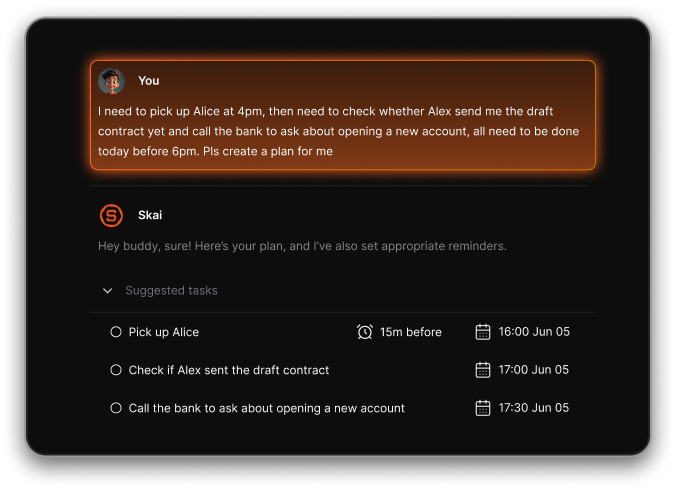
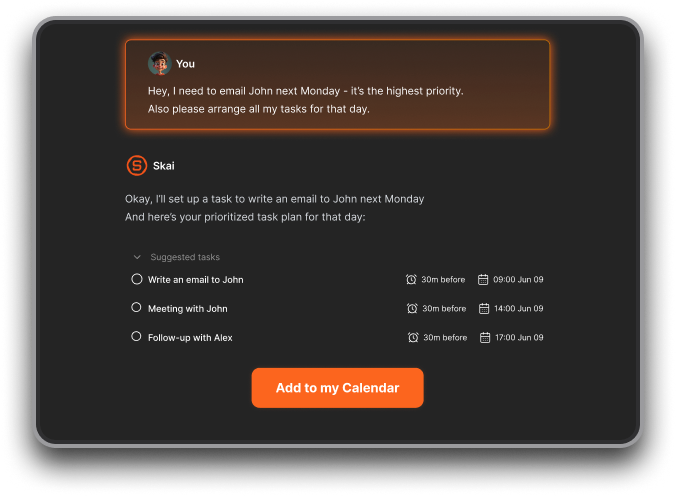
- Natural Language Planning: Just talk or type to the AI — it extracts tasks, sets reminders, and plans your day.
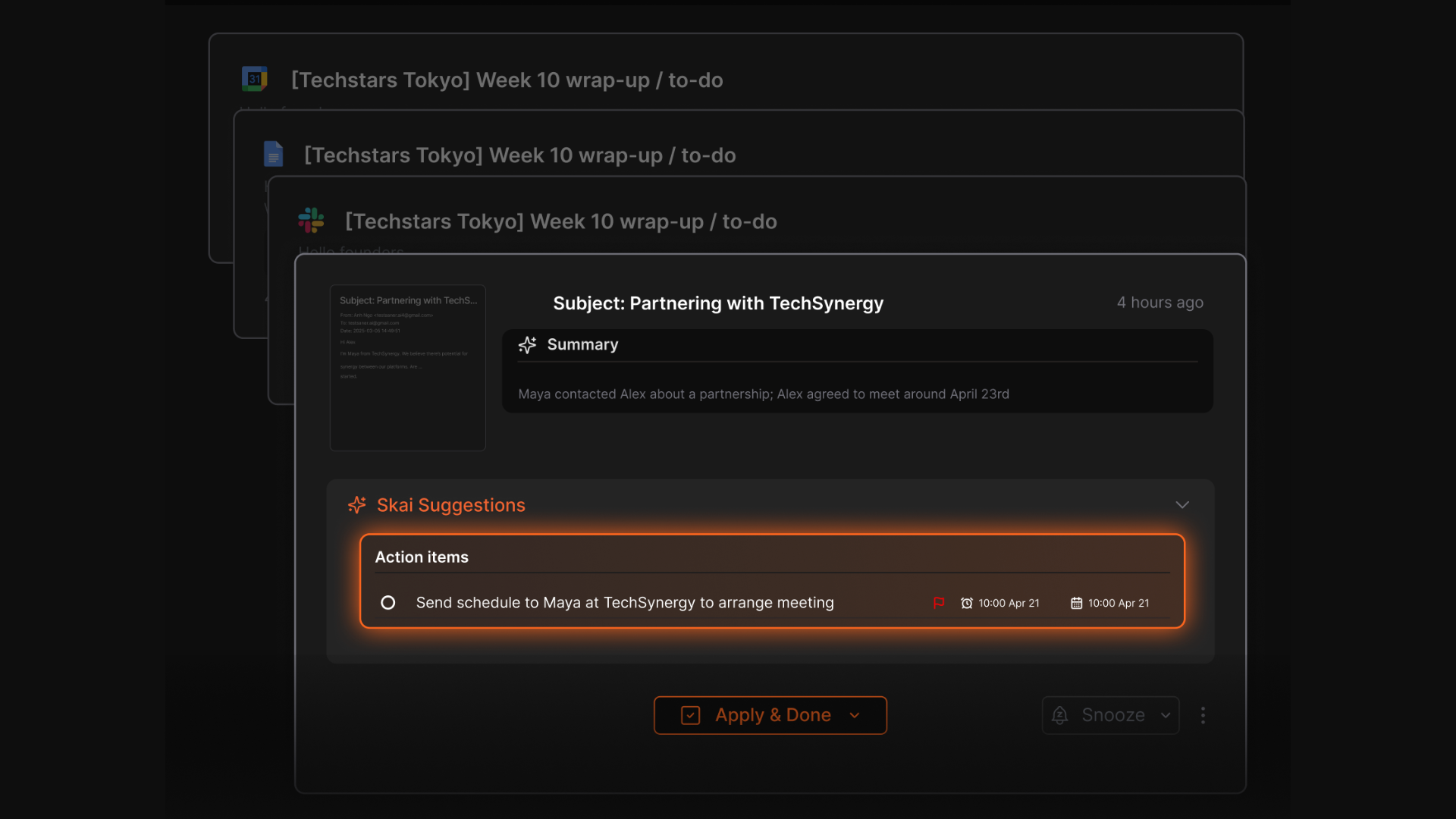
- Task from Notes & Emails: Automatically pulls actionable items from Gmail, meeting notes, and documents.
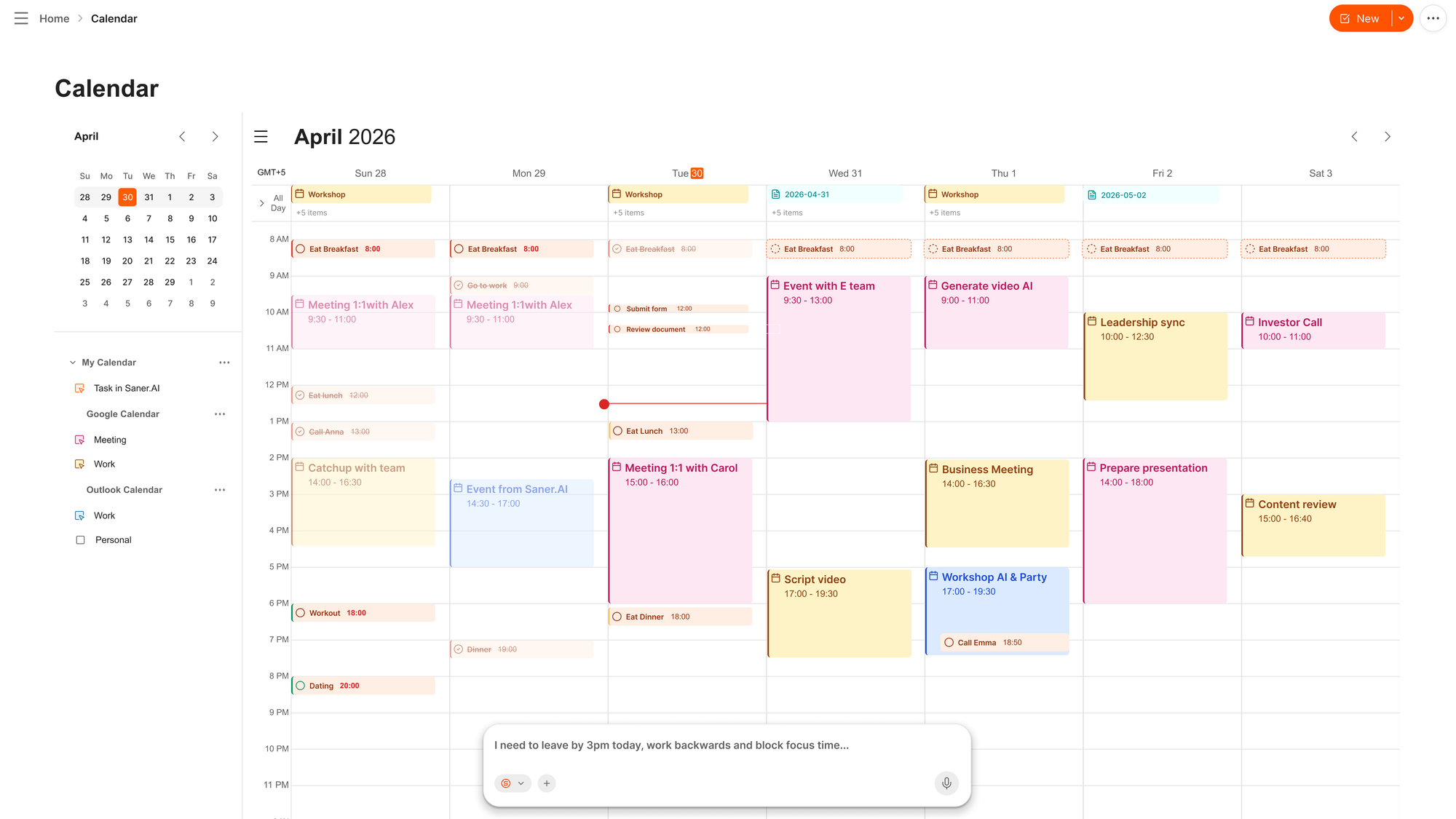
- Smart Daily Planning: Provides a personalized plan for the day, with reminders and priority breakdowns.
- Auto-Organization: AI auto-tags, files, and surfaces related content when you’re writing or reviewing something.
- Gmail + GCal Sync: Makes your inbox and calendar part of one unified brain.
Cons
- Requires internet access for full functionality.
Pricing
- Free
- Starter: Monthly at $8/month, Annually at $6/month
- Standard: Monthly at $16/month, Annually at $12/month
Suitable for
- ADHD-prone professionals, solo founders, and overloaded managers who need to think less and get more done.
- Anyone who struggles to stay organized in scattered tools — and wants AI to do the heavy lifting.
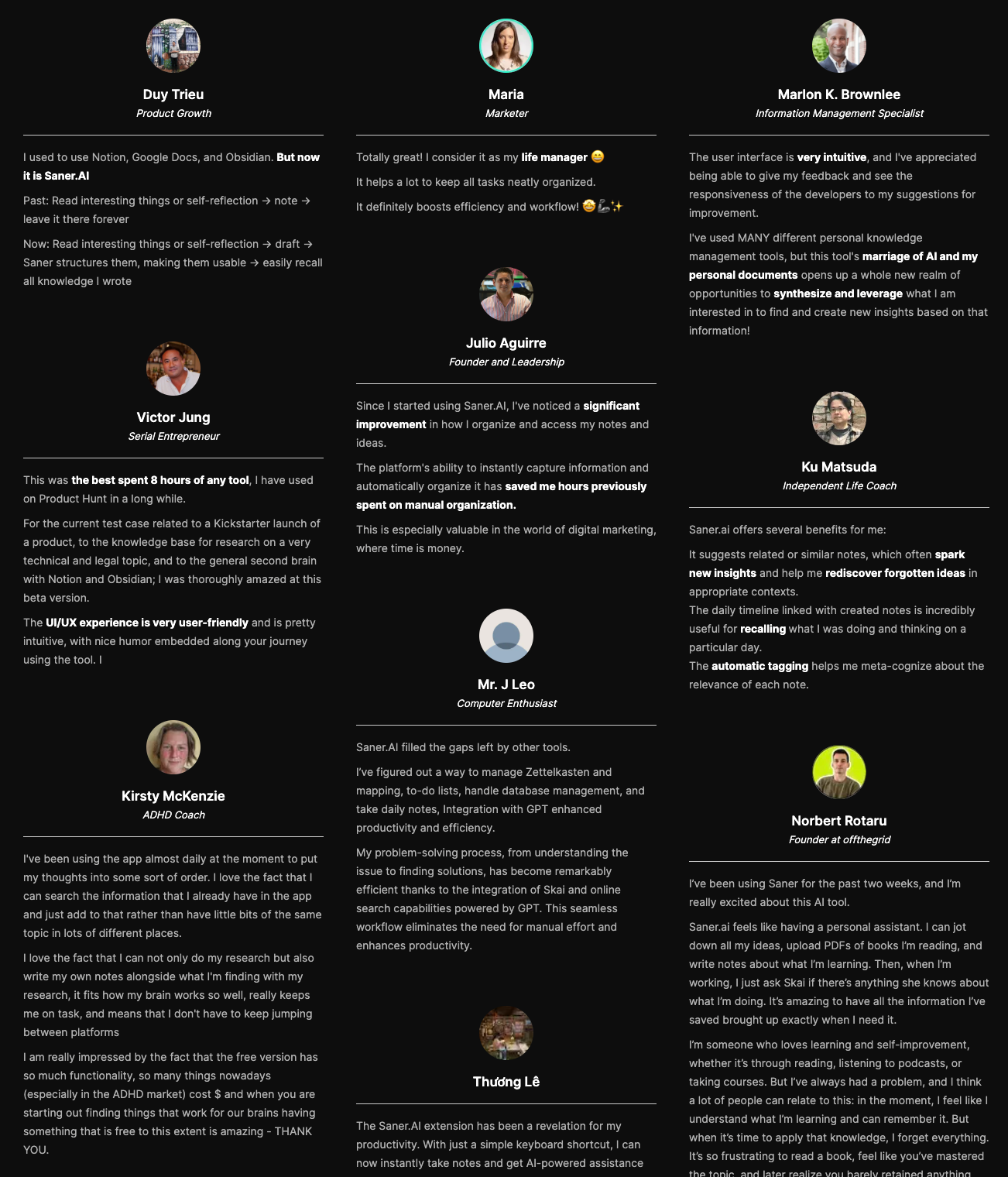
Saner.AI Reviews
How to start
- Go to saner.ai, sign up for free, and connect your Gmail or Calendar to see how it works in your real day.

Stay on top of life with the top Inflow Alternative
2) Llama Life
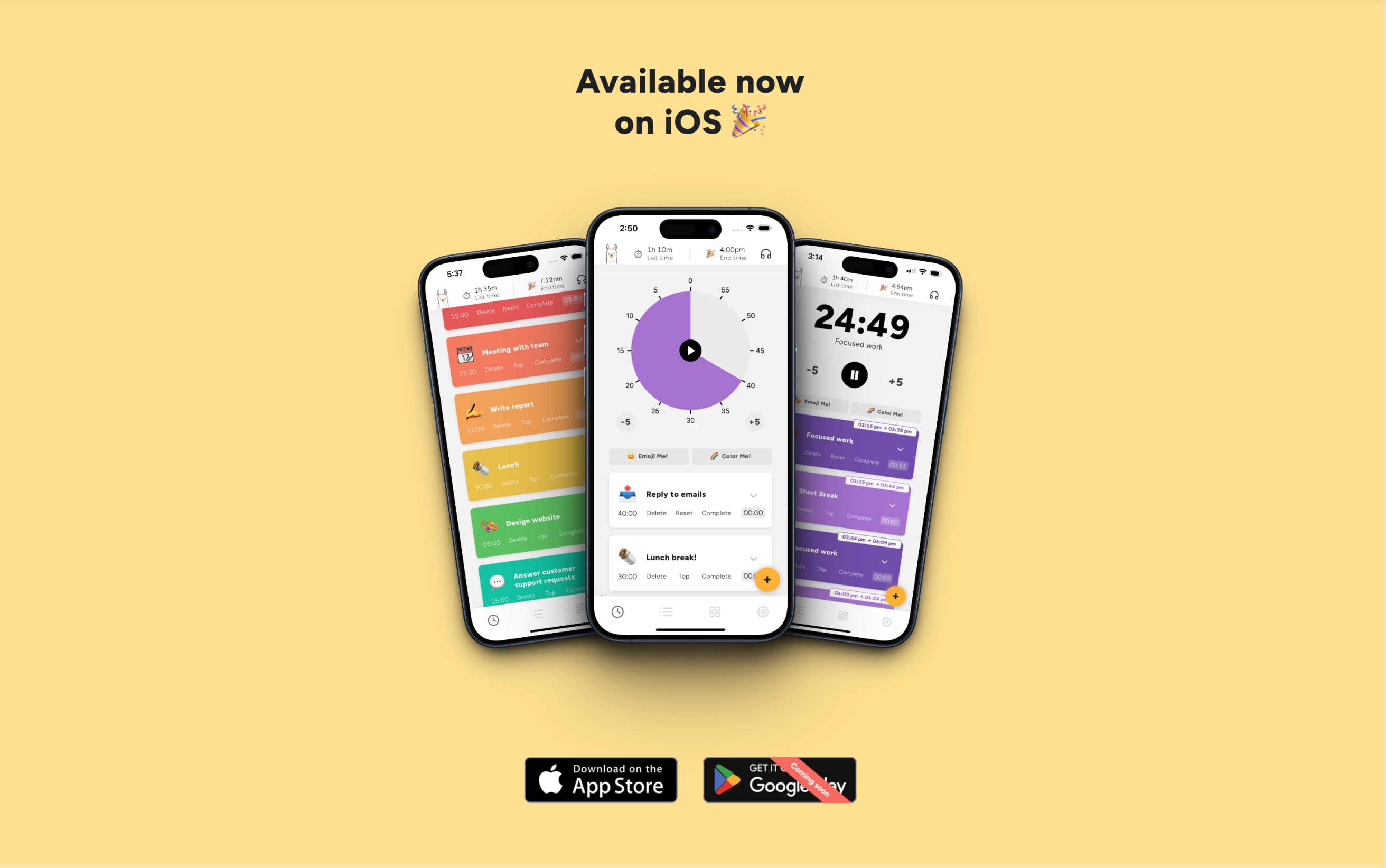
LlamaLife is a playful timeboxing assistant designed to help you focus on one task at a time. Instead of overwhelming to-do lists, it turns your tasks into timed sessions with built-in structure, celebration, and clarity.
Key features
- Timeboxing with countdown timer for each task
- Real-time calculation of “List Time” and estimated end time
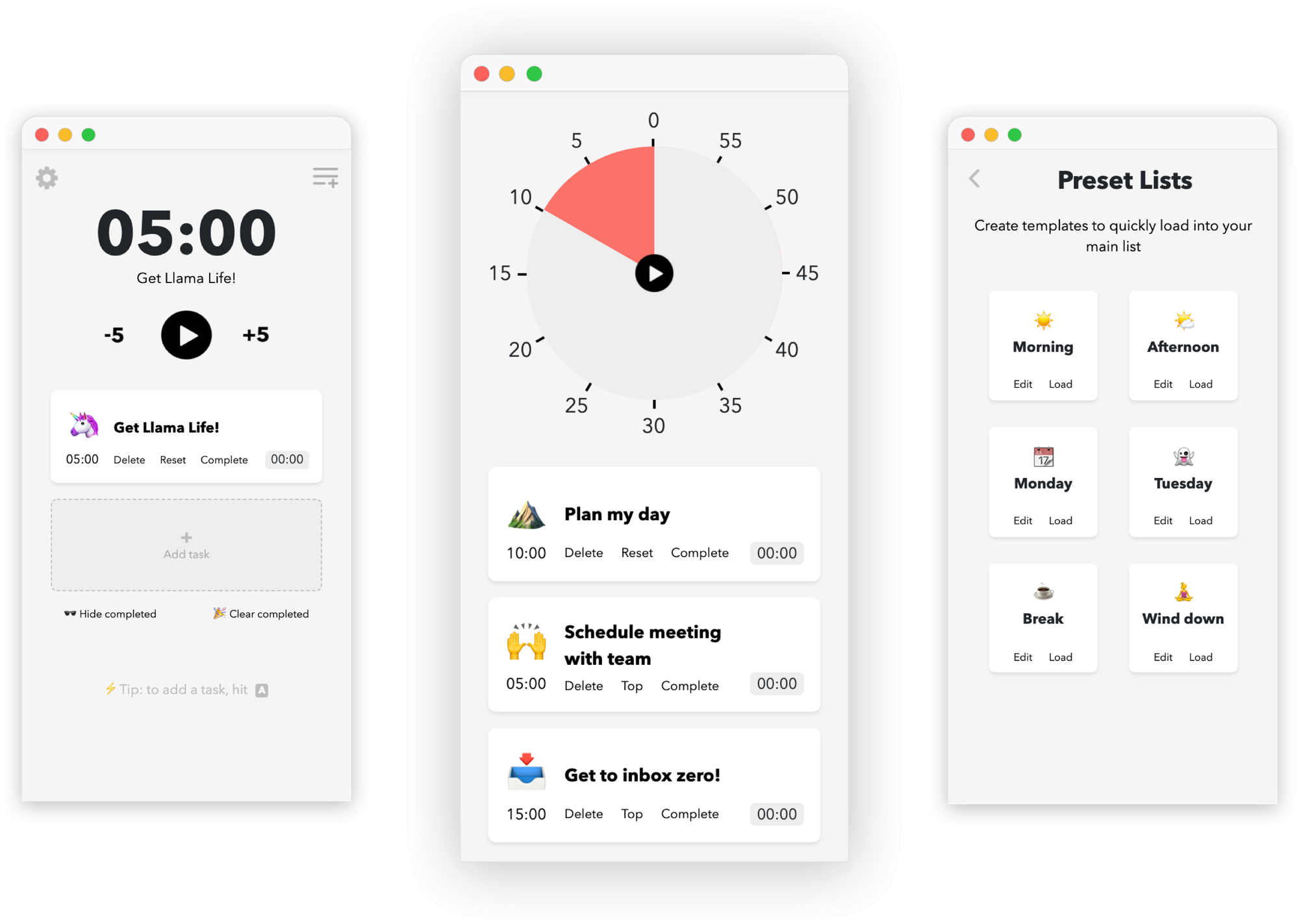
- Preset lists and shortcut-friendly task input
- Fun, colorful interface with visual rewards (yes, confetti)
What I liked
- The countdown timer is flexible and keeps you grounded without pressure
- End time projection makes it easy to plan your day realistically
- The design is fun - colors, emojis, and confetti make it feel rewarding
What I disliked
- No desktop app for macOS or Windows, which is inconvenient if you work on a laptop
- No AI Assistant where you can chat to manage tasks
- Not designed for complex projects - no timelines, subtasks, or team features
Pricing
- $6/month
Suitable for
- Individuals with ADHD, time-blindness, or anyone looking for a more focused and joyful way to get through daily tasks.
How to start
- Go to llamalife.co or download the iOS app, start your free trial, and begin building your task list.
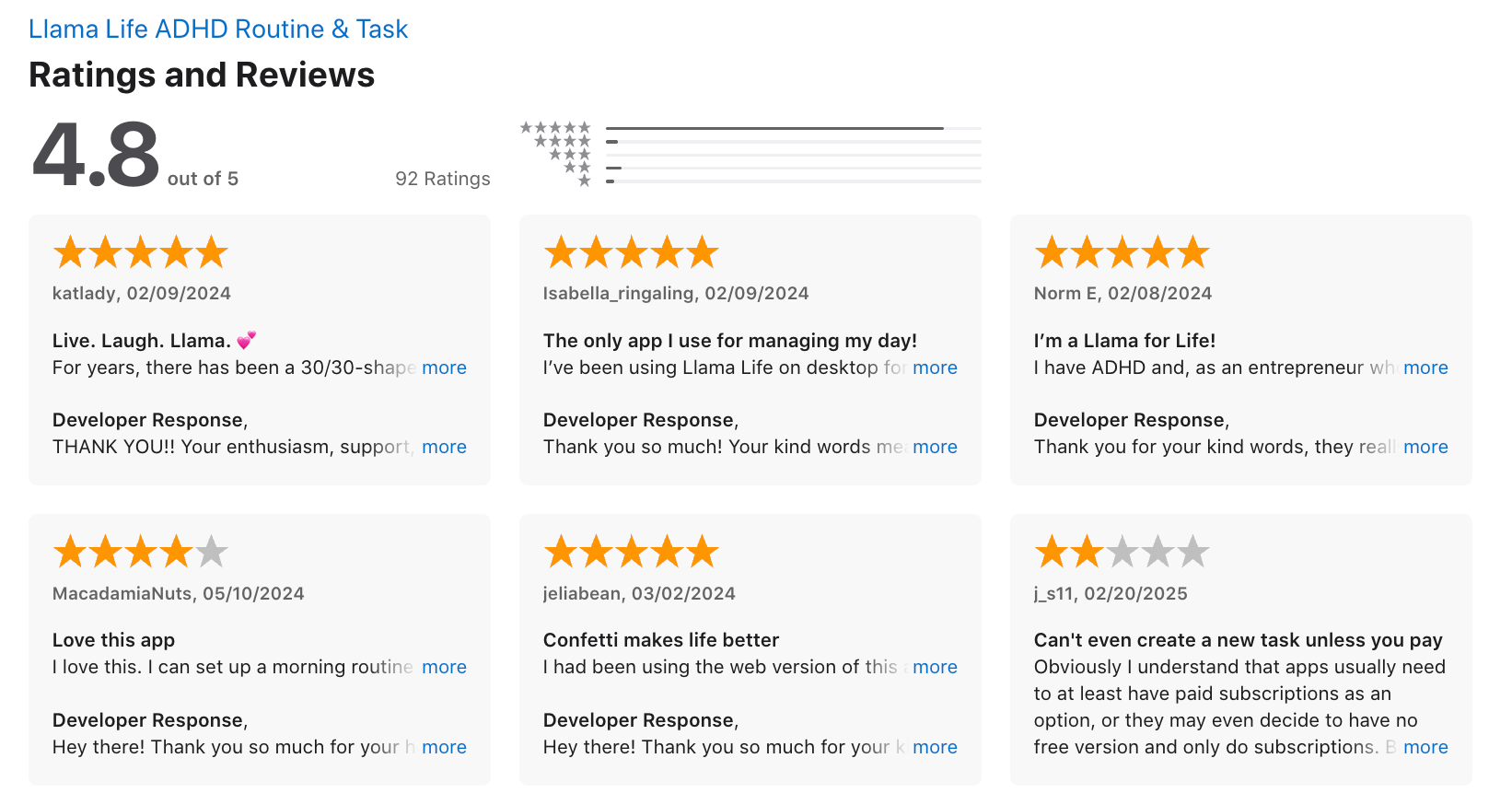
Llama Life reviews (source)
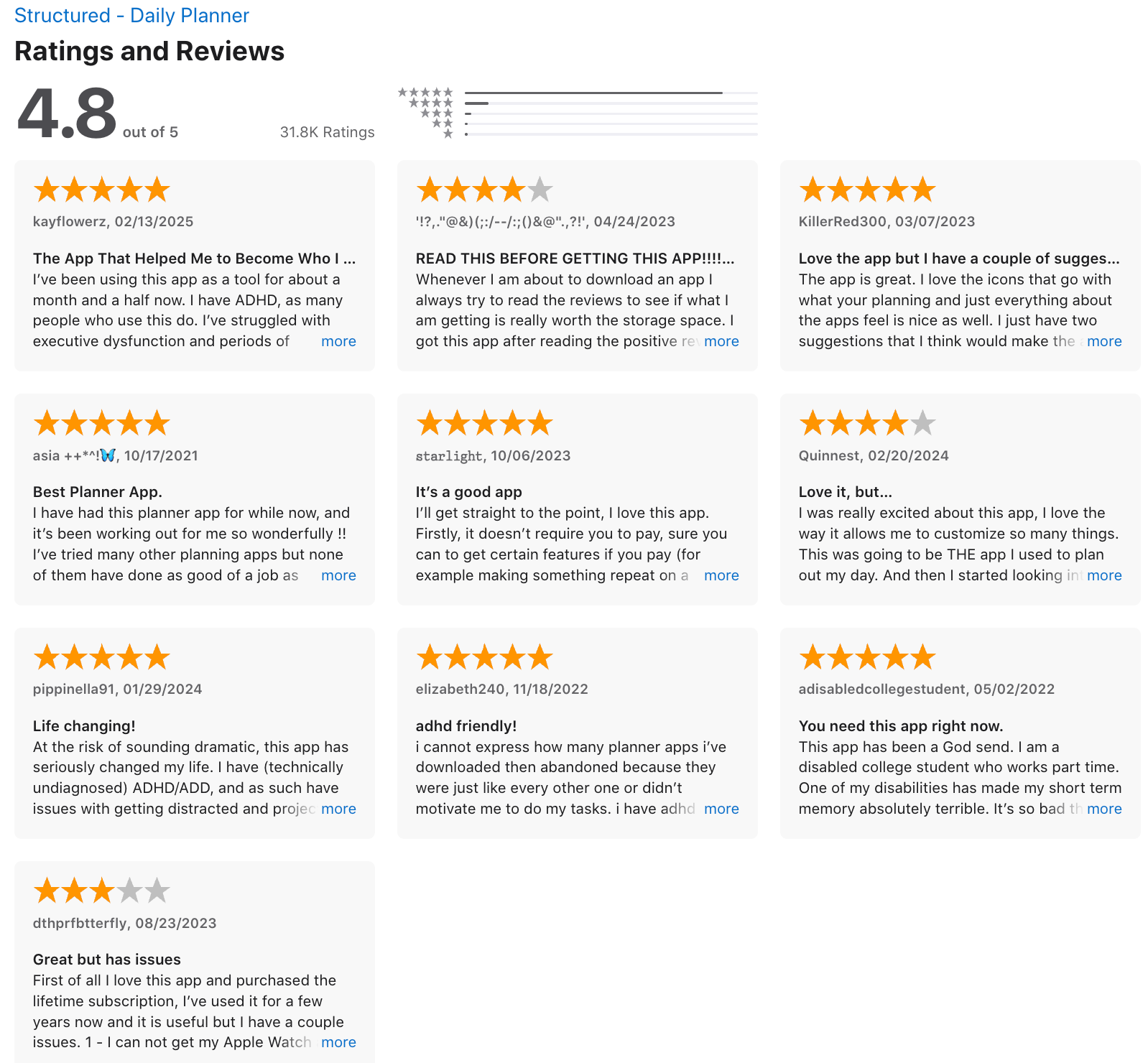
3) Structured
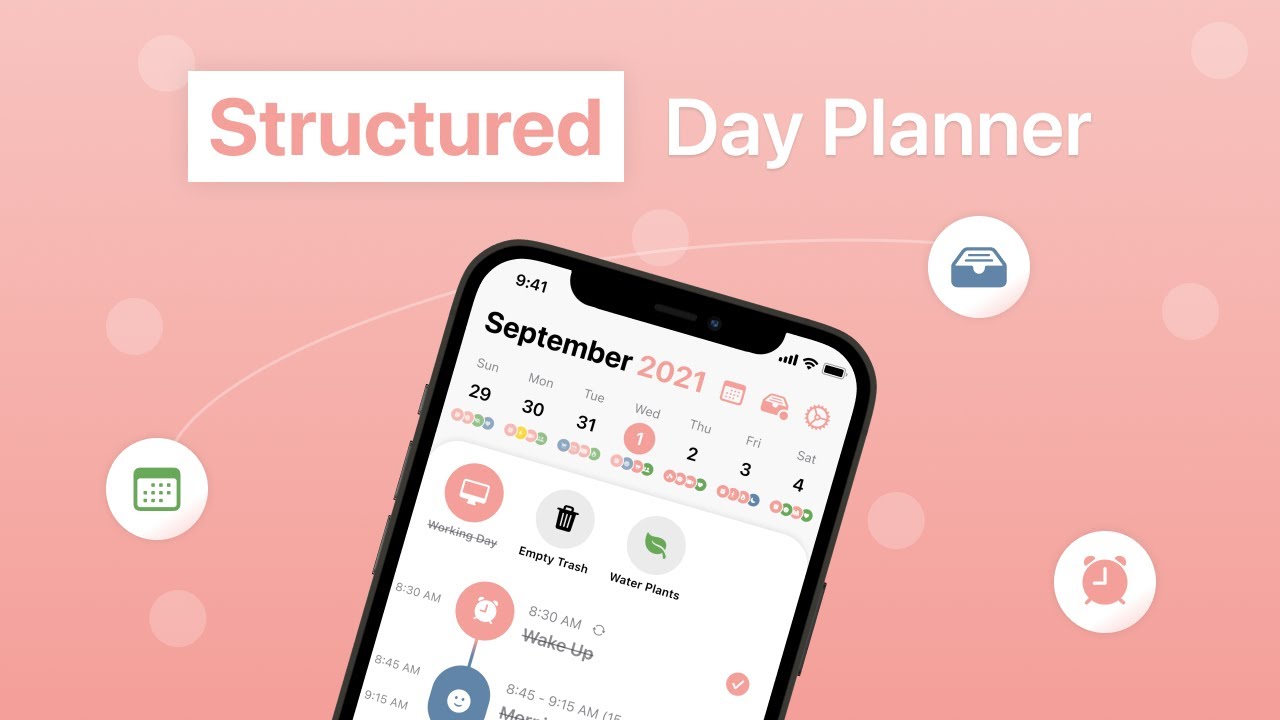
Structured is a visual daily planner that helps you organize your tasks, habits, and calendar events in a clean timeline view. It’s especially helpful for people who like seeing their day unfold hour by hour, without the overwhelm of complicated project tools.
Key features
- Visual timeline: Plan your day using a scrollable timeline that blends tasks, events, and habits into one view
- Drag-and-drop scheduling: Quickly rearrange your day by moving blocks around
- Inbox and subtasks: Capture unstructured thoughts, then break them down into smaller pieces
- Recurring tasks: Set daily, weekly, or custom routines
What I liked
- The timeline view makes it easy to visualize my day without jumping between apps
- Drag-and-drop is smooth - perfect for adjusting things when plans change
- Accessibility settings are well thought out and inclusive
What I disliked
- Syncing across Apple and Android devices is limited (no unified cross-platform sync yet)
- Not ideal for complex workflows - no collaboration, team views, or project timelines
- The Android version feels a bit less polished than iOS
- No AI Assistant where you can chat to manage tasks
Pricing
- Free plan with timeline, inbox, and basic features
- Pro plan starts around $2.99/month or $9.99/year
- Lifetime option available (approx. $29.99 one-time)
Suitable for
- People who want a visual planner to manage daily tasks, routines, and events without overcomplicating things.
How to start
- Download Structured on your device, create your first tasks, and start building your day using the timeline view.
Structured review (source)
4) Finch

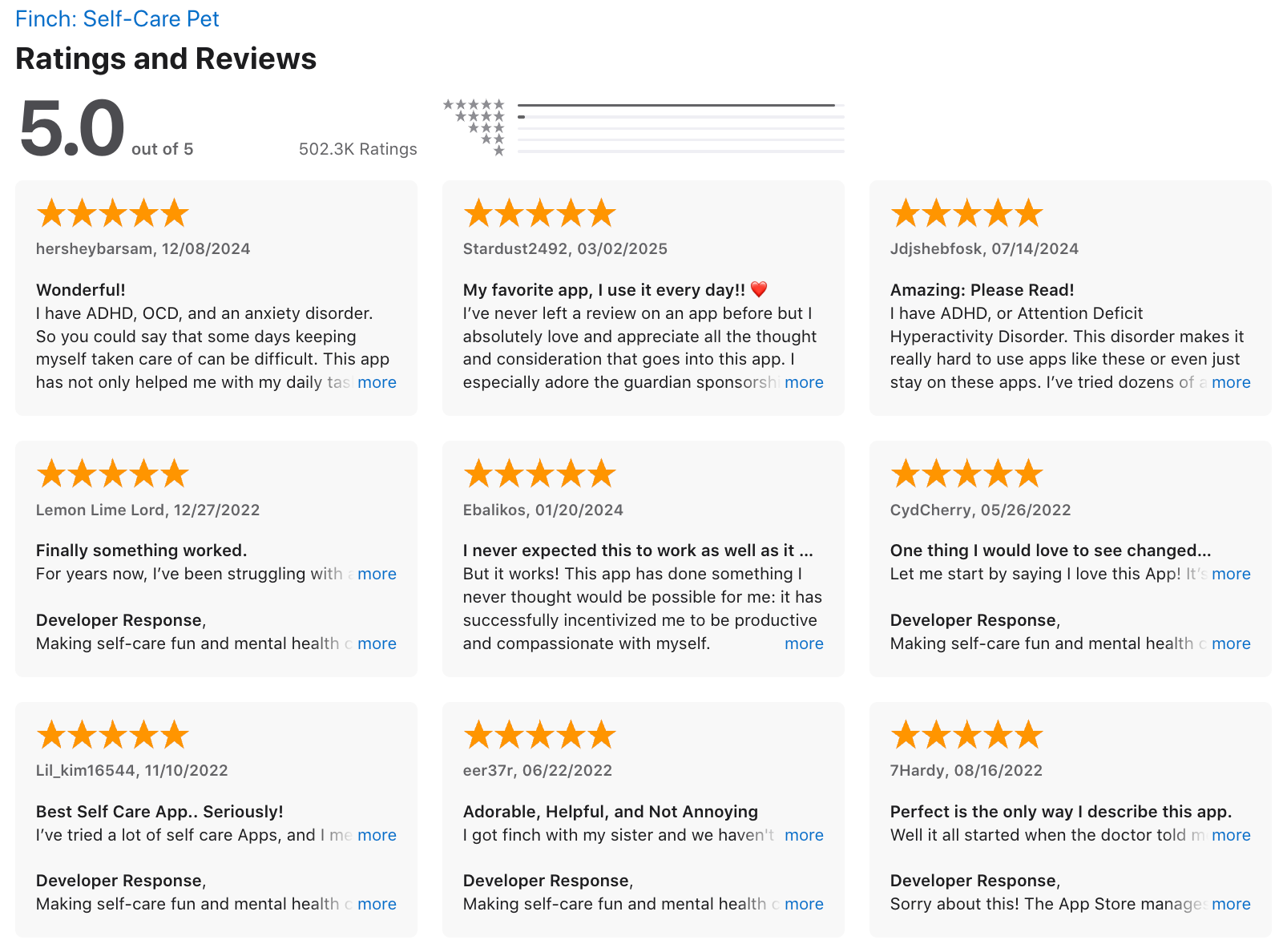
Finch is a gamified self-care companion that turns healthy habits into something you’ll actually want to stick with. Finch helps you build daily routines through journaling, goal tracking, breathing exercises, and a cute virtual bird that grows with every task you complete.
Key features
- Mood & Habit Tracking: Daily check-ins, journaling, mood logs, and wellness activities
- Gamified Self-Care: Complete goals to earn rewards and grow your Finch
- Personalized Wellness Plans: Build custom self-care journeys for stress, focus, confidence, etc.
- Breathing & Reflection Exercises: Guided breathing, gratitude, and thought challenges
What I liked
- It makes self-care feel emotionally rewarding - you’re not just checking boxes, you’re helping your Finch thrive
- The daily reflection prompts and guided breathing make it easy to slow down without pressure
- It’s offering structure and rewards without judgment
What I disliked
- Navigation takes some getting used to; the UI isn’t always intuitive
- Some habit tracking features are rigid (e.g. all-or-nothing goal completion)
- There’s no calendar or scheduling function for future planning
- No AI Assistant where you can chat to manage tasks
Pricing
- iOS: ~$14.99/year
- Android: ~$69.99/year
Suitable for
- People who struggle to stay consistent with traditional planners or mental health apps - especially ADHDers, teens
How to start
- Download Finch on iOS or Android, choose your self-care goals, and start raising your Finch with small daily wins.
Finch reviews (source)
5. Goblin.Tools
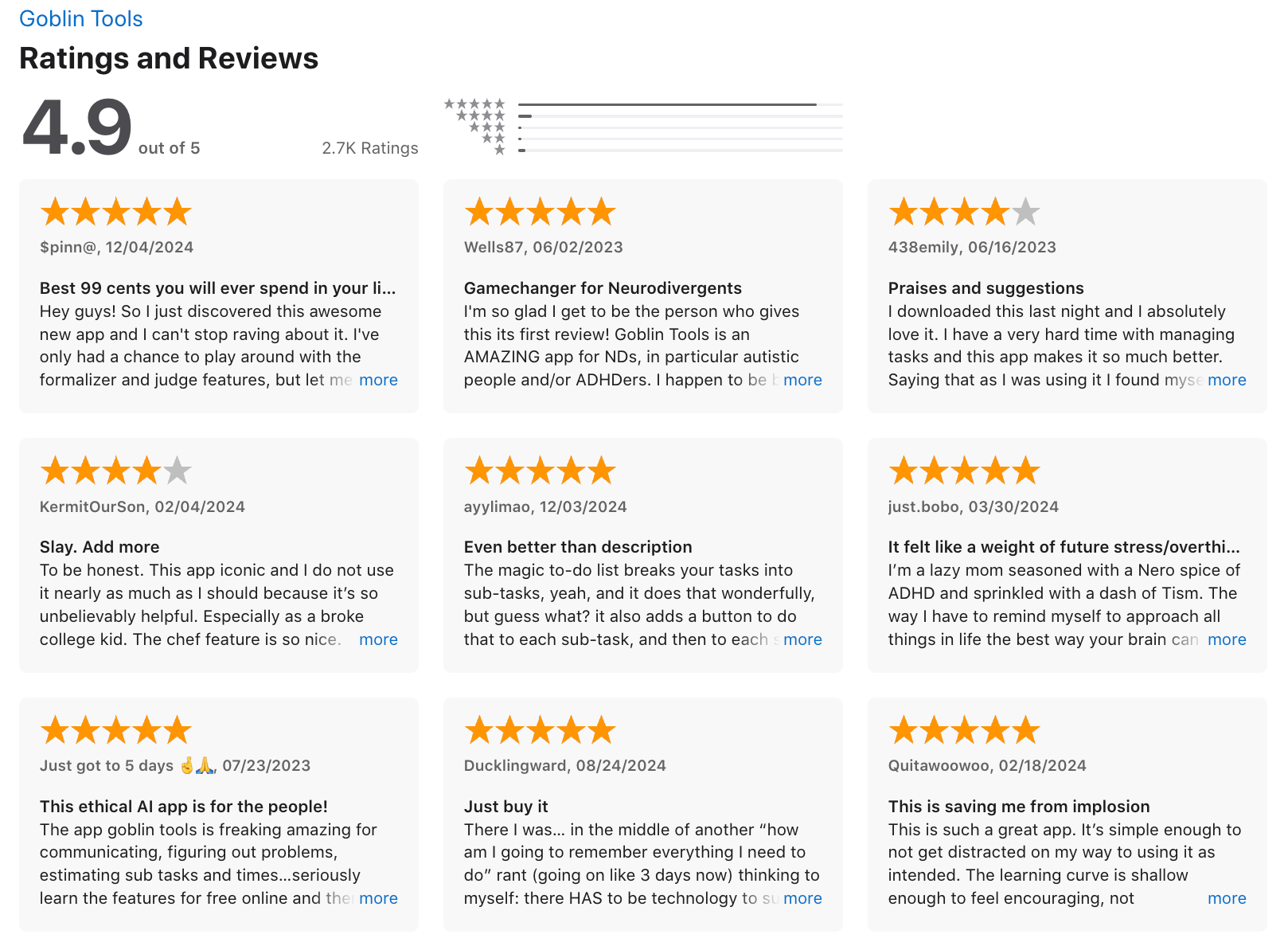
Goblin Tools is a simple yet powerful AI productivity suite made especially for neurodivergent minds. Instead of giving you a complex dashboard, it gives you bite-sized tools that help with executive functioning
Key Features
- Magic ToDo: Breaks down big, vague tasks into smaller, manageable steps
- Estimator: Tells you how long tasks might take so you can plan realistically
- Formalizer: Rewrites your text to match a specific tone—formal, friendly, clear
- Chef: Turns ingredients you have into meal ideas
What I liked
- Magic ToDo is helpful - it makes scary or vague tasks feel doable
- It’s lightweight, private, and doesn’t overwhelm you with features
- The web version is completely free and still full-featured
What I disliked
- No integrations with calendars, task apps, or reminders
- Doesn’t support complex project planning or collaboration
- Mobile apps can be buggy on some devices
- It’s not great for tracking long-term projects or managing deadlines
Pricing
- Free to use on the web
- Mobile apps are around $2 (one-time purchase, no subscriptions)
Suitable for
- Anyone who gets overwhelmed by where to start - especially ADHDers, students, creatives, or solo workers who need clarity and structure without the friction of a full-blown productivity system.
How to start
- Just go to goblin.tools and try it out on the spot - no signup needed.
Goblin.tools review (source)
Conclusion: The Right Inflow Alternative Depends on Your Brain
There’s no “perfect” ADHD app - because no two ADHD brains work the same.
Some of us need structure. Others need flexibility. Some want cozy visuals and self-care support, while others crave an AI that just gets the chaos and sorts it out.
Here’s a quick recap to help you choose:
- Saner.AI – For when your brain is a mess and you just need to talk it out. Great for converting overwhelm into doable tasks.
- Tiimo – If you love visual routines.
- Structured – Ideal for visual planners and timeline thinkers
- Goblin.tools – For those who freeze at vague tasks. Break them down with neurodivergent-friendly tools.
- Llama Life – Excellent for finishing tasks, reducing time blindness, and finding focus without pressure.
- Finch – If you need emotional motivation, gamified self-care, and a buddy to help you build habits.
✨ Pro tip: Try 1–2 tools for a week and see which one actually makes your life easier. ADHD tools should reduce friction, not add more apps to manage.
Stay on top of work and life with your AI Assistant
👉 You may like this post on how to improve Productivity for adults with ADHD
Inflow alternative FAQs:
1. What is an Inflow alternative?
An Inflow alternative is any tool designed to help ADHDers manage tasks, routines, and executive dysfunction - without rigid courses or systems. These tools focus on action and support, not just ADHD education.
Some top Inflow alternatives:
- Saner.AI – AI that turns thoughts, emails, and notes into tasks
- Tiimo – Visual planner built for neurodivergent routines
- Llama Life – ADHD-friendly task timer for finishing what you start
- Goblin.tools – AI-powered breakdowns of overwhelming tasks
- Structured – Timeline planner for time-blindness
- Finch – A self-care pet app that rewards your progress
2. Why would someone look for an Inflow alternative?
While Inflow offers helpful ADHD education, many users hit a wall when it comes to doing the work. If you’ve ever thought:
“I don’t need more info - I need help getting stuff done.”
…then a hands-on tool like Saner.AI, Goblin. tools, or Llama Life might work better for you.
3. What features should I look for in an Inflow alternative?
Look for ADHD-friendly features that focus on action, automation, and visual structure:
- 🧠 Task-from-text (Saner.AI, Goblin.tools)
- 📅 Daily visual planners (Saner.AI, Structured, Tiimo)
- ⏱️ Timeboxing/focus timers (Llama Life)
- 🗣️ Natural language input (Saner.AI)
- 🐦 Gamified self-care (Finch)
- 🤖 Smart reminders (Saner.AI)
4. Which Inflow alternative is best for ADHD brains?
It depends on how your brain works:
- Saner.AI – For messy thinkers who want AI to organize their notes, tasks, and schedule
- Structured – For visual planners who need a timeline view
- Goblin.tools – For task paralysis and overwhelm
- Finch – For emotional motivation through self-care
- Llama Life – For focus issues and task-switching struggles
- Tiimo – For building routines and seeing your day visually
5. Is there a free Inflow alternative?
Yes - many Inflow alternatives offer free plans:
- Saner.AI – Free plan includes AI reminders, calendar sync, and task-from-text
- Goblin.tools – Free to use online, with optional extras
- Structured – Free basic timeline planner
- Finch – Free to play, with in-app upgrades
- Llama Life – Free tier includes focus sessions
6. What’s the best Inflow alternative for task reminders?
If reminders are your priority, Saner.AI is a top choice:
- Pulls tasks directly from your notes, emails, or rants
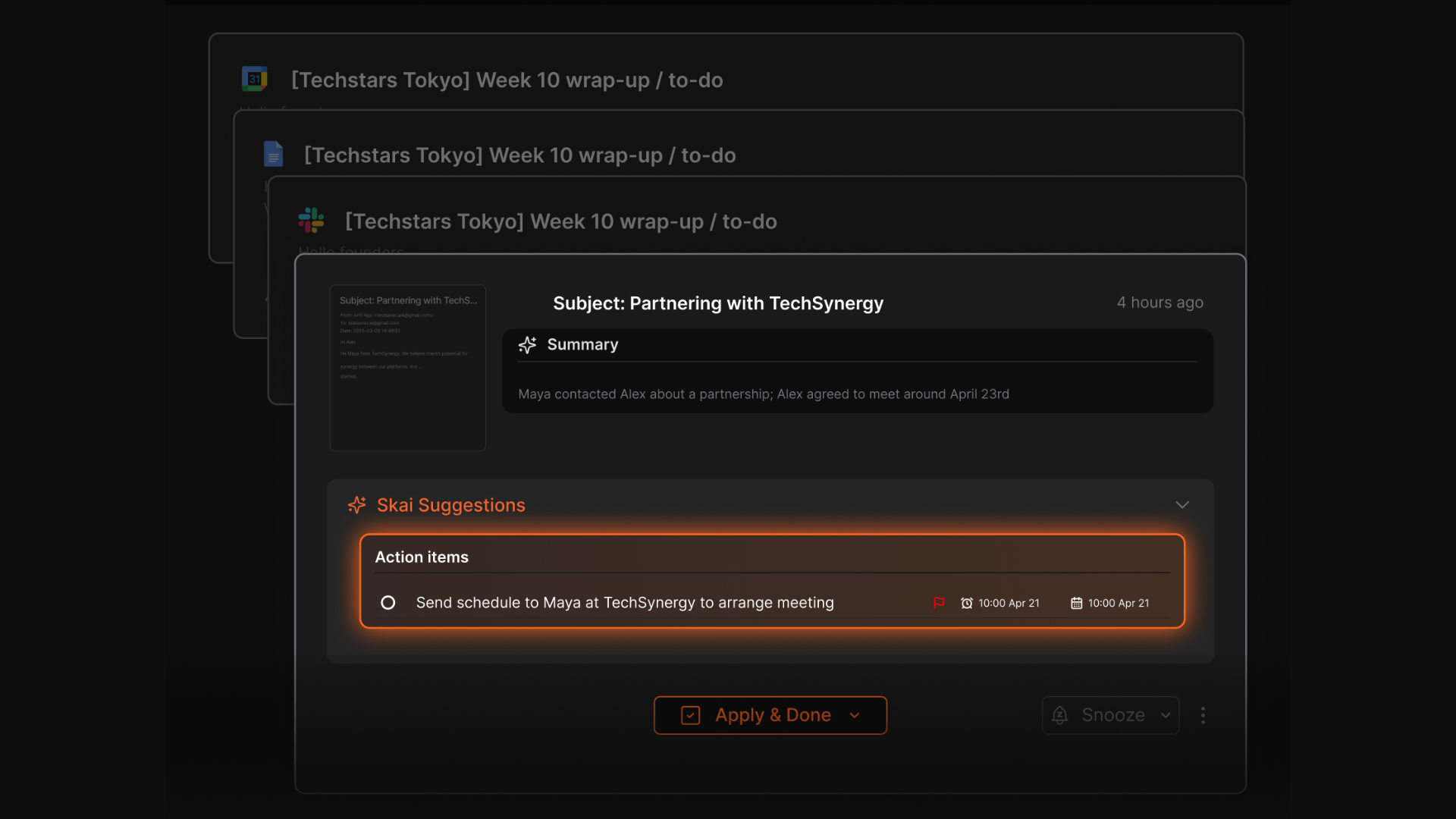
- Adds reminders automatically
- Follows up so you don’t forget what’s important
You don’t have to set up anything - it just works in the background.
7. How do Inflow alternatives help reduce overwhelm?
They simplify the chaos:
- Saner.AI – Captures your ideas and auto-creates tasks + reminders
- Goblin.tools – Turns overwhelming tasks into step-by-step lists
- Structured – Shows your day as a calm, linear plan
- Tiimo – Adds routine and structure through visual blocks
8. Which Inflow alternative is best for people who hate organizing?
Saner.AI is built for this.
- No tagging, no folders, no setup
- You talk, it listens - and pulls out what matters
- Great for ADHDers who forget what they just wrote down
It’s like a second brain that never drops the ball.
9. Can I use these tools with other ADHD support strategies?
Absolutely. Inflow alternatives pair well with:
- Coaching or therapy
- Journaling or bullet planning
- Habit tracking
They act as practical scaffolding, so you can spend less time juggling and more time doing.
Stay on top of your work and life