Morgen Alternatives: We tested and ranked the Best 7 Apps in 2026
The best Morgen Alternatives are: Saner.AI, Reclaim, Sunsama, Notion, Todoist, Akiflow, and Motion


This article is most useful if you're already using Morgen or seriously considering it, but something isn't clicking.
Maybe the pricing feels steep for what you get. Maybe you need the AI to do more than suggest. Maybe you keep hitting the same ceiling when it comes to email, notes, or the cognitive load that lives outside your calendar.
If any of that sounds familiar, you're in the right place.
Quick answer: What are the best Morgen alternatives right now?
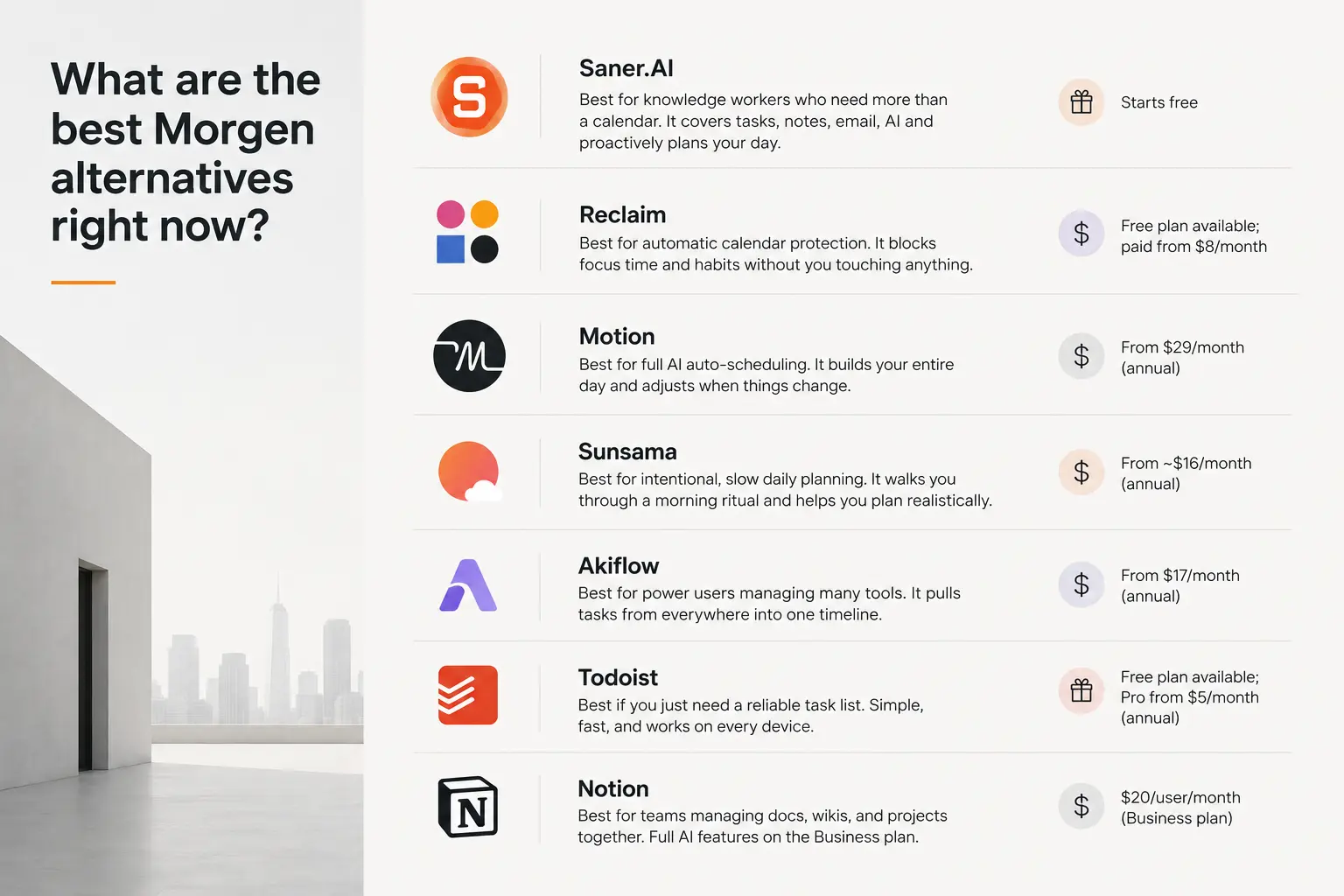
- Saner.AI — Best for knowledge workers who need more than a calendar. It covers tasks, notes, email, AI, and proactively plans your day. Starts free.
- Reclaim — Best for automatic calendar protection. It blocks focus time and habits without you touching anything. Free plan available; paid from $8/month.
- Motion — Best for full AI auto-scheduling. It builds your entire day and adjusts when things change. From $29/month (annual).
- Sunsama — Best for intentional, slow daily planning. It walks you through a morning ritual and helps you plan realistically. From ~$16/month (annual).
- Akiflow — Best for power users managing many tools. It pulls tasks from everywhere into one timeline. From $17/month (annual).
- Todoist — Best if you just need a reliable task list. Simple, fast, and works on every device. Free plan available; Pro from $5/month (annual).
- Notion — Best for teams managing docs, wikis, and projects together. Full AI features on the Business plan at $20/user/month.
How we chose the tools on this list
We evaluated each tool over at least two weeks of daily use, with a full work schedule running through it. Pricing, free plan availability, and whether the AI features actually change how you work were the hard filters. Here's what determined the final ranking:
- Calendar integration depth — Does it sync with Google Calendar, Outlook, and iCloud reliably, or does it break when you have more than one account?
- AI usefulness beyond hype — Does the AI actually reduce manual scheduling work, or does it just put a chatbot on top of a basic task list? I specifically looked for features that change behavior, not features that look impressive in a demo.
- Scope match — Morgen covers calendar and light tasks. Some people need exactly that. Others need email, notes, or project management.
- Price-to-value ratio — Morgen costs $15 to $30 per month. Every tool here is evaluated against that baseline.
- Mobile experience — Morgen's mobile app exists but is limited compared to the desktop. Several users cite this as a reason to switch. Each tool is assessed on whether mobile is a first-class experience or an afterthought.
- Learning curve vs. payoff — A tool that takes three hours to configure and then saves you 30 minutes a day is worth it. A tool that takes three hours to configure and then requires constant upkeep is not. Setup complexity is factored in alongside ongoing friction.
The final seven are the ones I'd actually recommend to someone based on specific scenarios
What Are The Best Morgen Alternatives?
The best Morgen Alternatives are: Saner.AI, Reclaim, Sunsama, Notion, Todoist, Akiflow, and Motion
1. Saner.AI
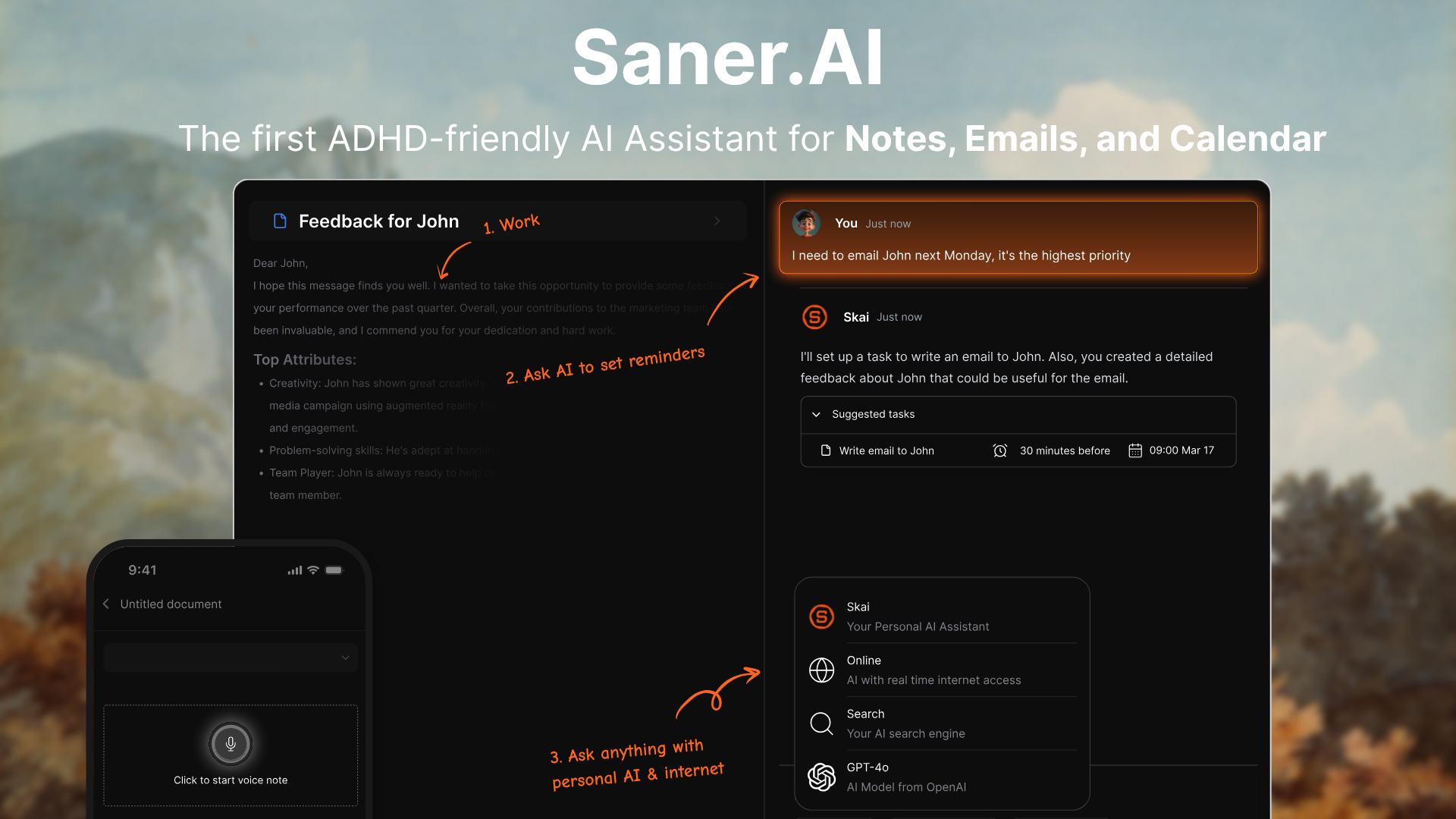
Saner.AI is an all-in-one personal assistant. It brings together your notes, emails, tasks, and calendar into one intelligent workspace - so you can stop juggling apps and start focusing.
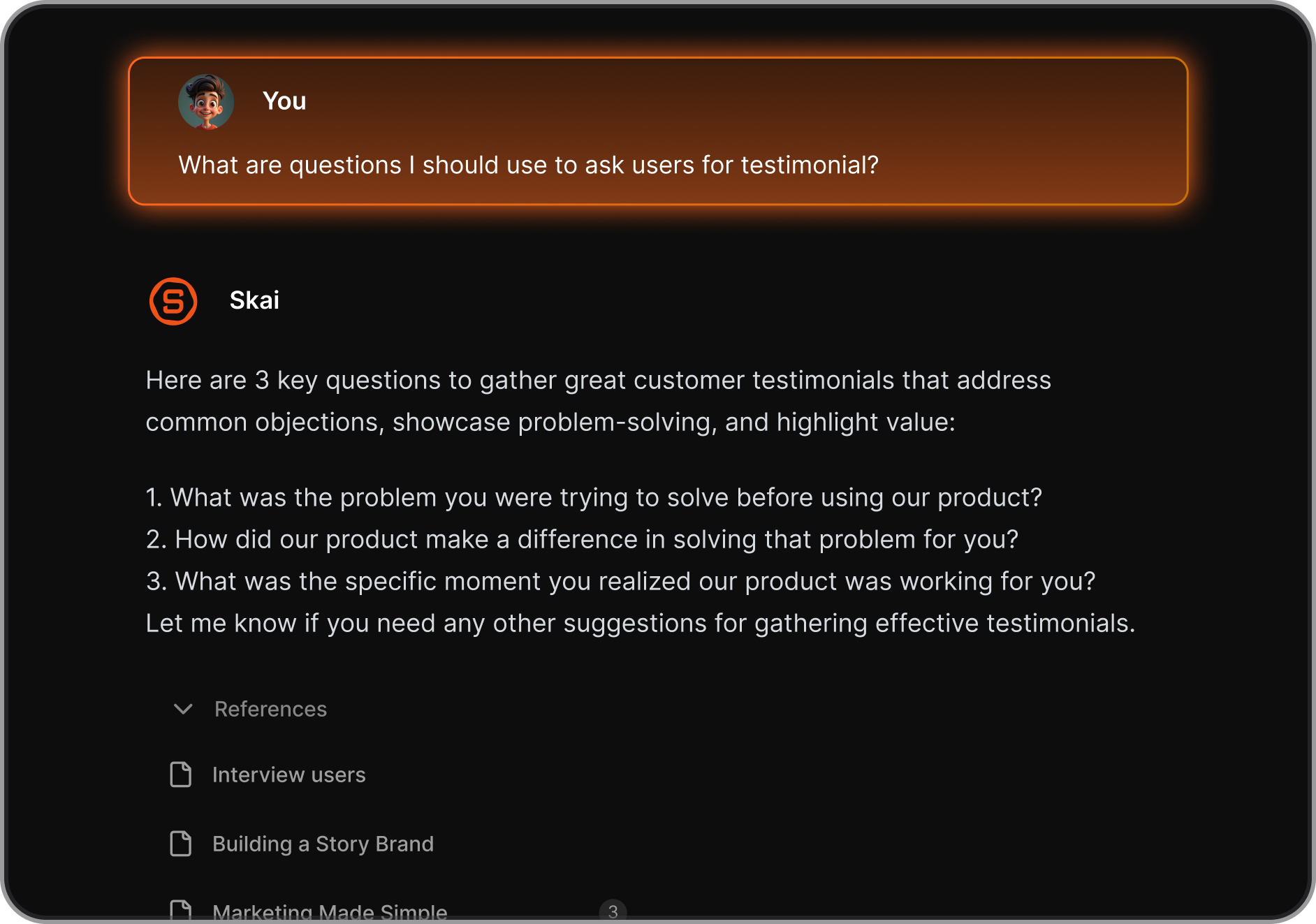
Where Morgen stops at scheduling, Saner.AI keeps going: email triage, AI note-taking, natural language task capture, and a personal knowledge assistant called Skai that lets you search and query everything you've saved in your own words.
Key features
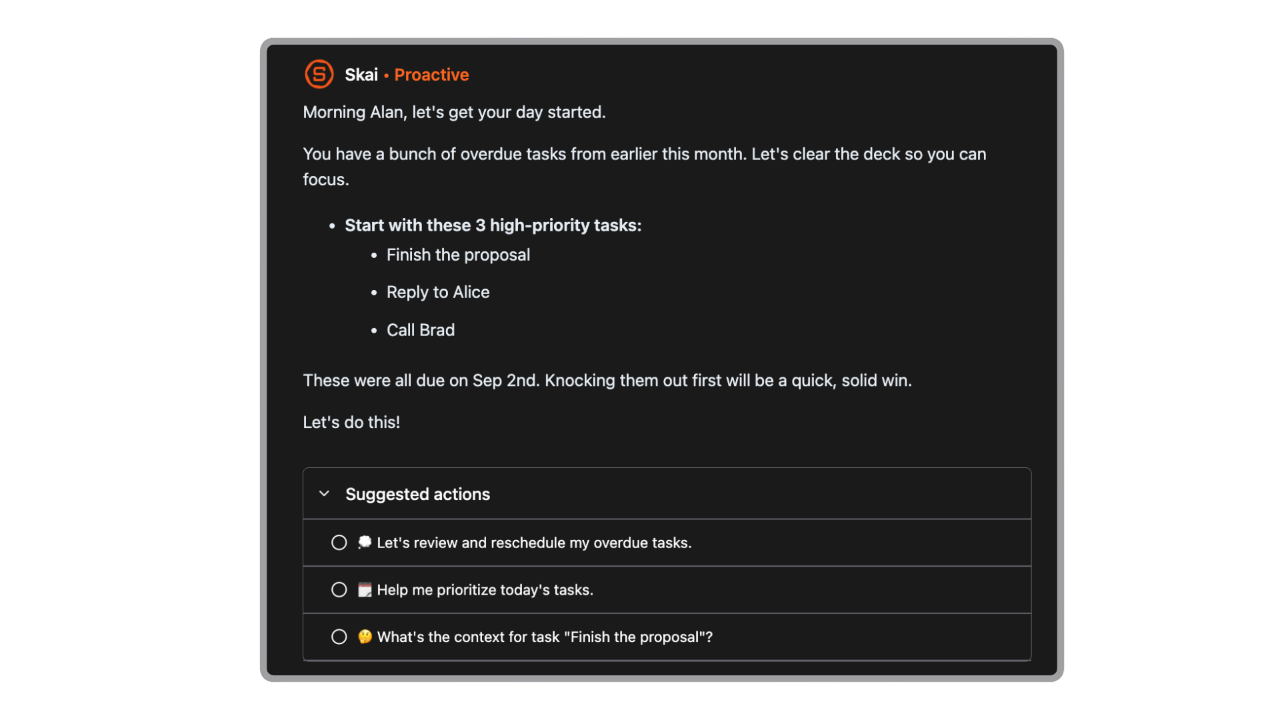
- Daily Planning: Generates a personalized schedule every morning based on your tasks and calendar
- Unified Inbox: Connects your notes, tasks, calendar, email, and Slack in one place
- AI Assistant (Skai): Lets you chat to search, summarize, and organize your content
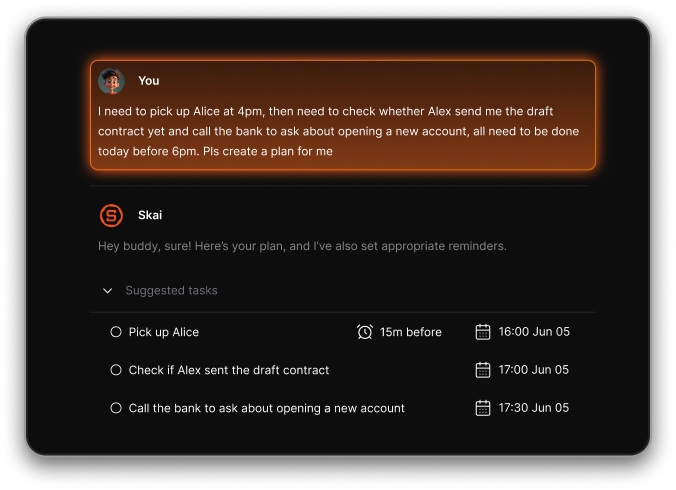
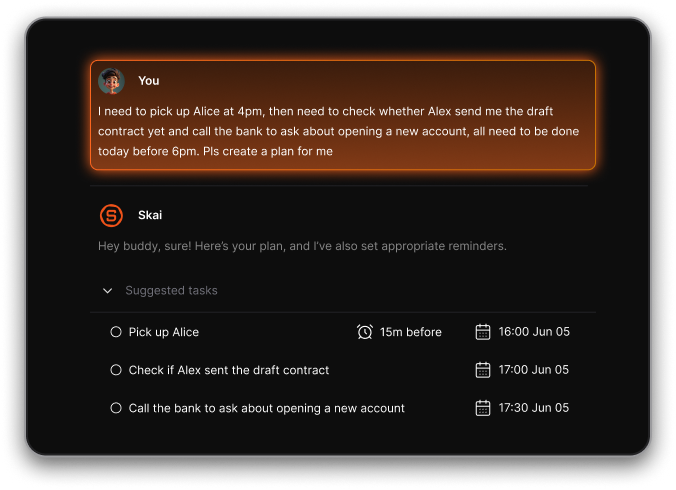
- Smart Capture: Converts voice memos or brain dumps into organized tasks or notes
- Cross-platform Support: Available on web, mobile, and as a Chrome extension
What I liked
- The daily planning feels like having a calm assistant that helps you prioritize, not just a static to-do list
"Saner.ai automatically detects tasks and reminders from diverse sources, such as emails and documents, offering recommendations for subsequent actions." — reviews
- You can dump messy ideas, and Saner turns them into structured action items without extra work
- It’s especially helpful for people with ADHD tendencies - it reduces the stress of figuring out what to do next
Cons
- Not ideal for large teams or project timelines - no Gantt charts or complex task dependencies.
Pricing
- Free
- Starter: Monthly at $8/month (yearly)
- Standard: Monthly at $16/month (yearly)
Who is it suitable for?
- Best for: Knowledge workers managing scattered notes, emails, and tasks across multiple tools who want one place that actually understands their context
- Also good for: ADHD users, consultants, writers, and researchers who live in their notes more than their calendar
Saner.AI review

"Totally great! While alternative second-brain tools feel like static databases, Saner feels like an active partner." — reviews
How to start using it?
- Sign up at saner.ai, connect your calendar, email, and notes, then try creating a brain dump or letting the AI generate your day plan

Stay on top of your work with the top Morgen Alternative
2. Reclaim
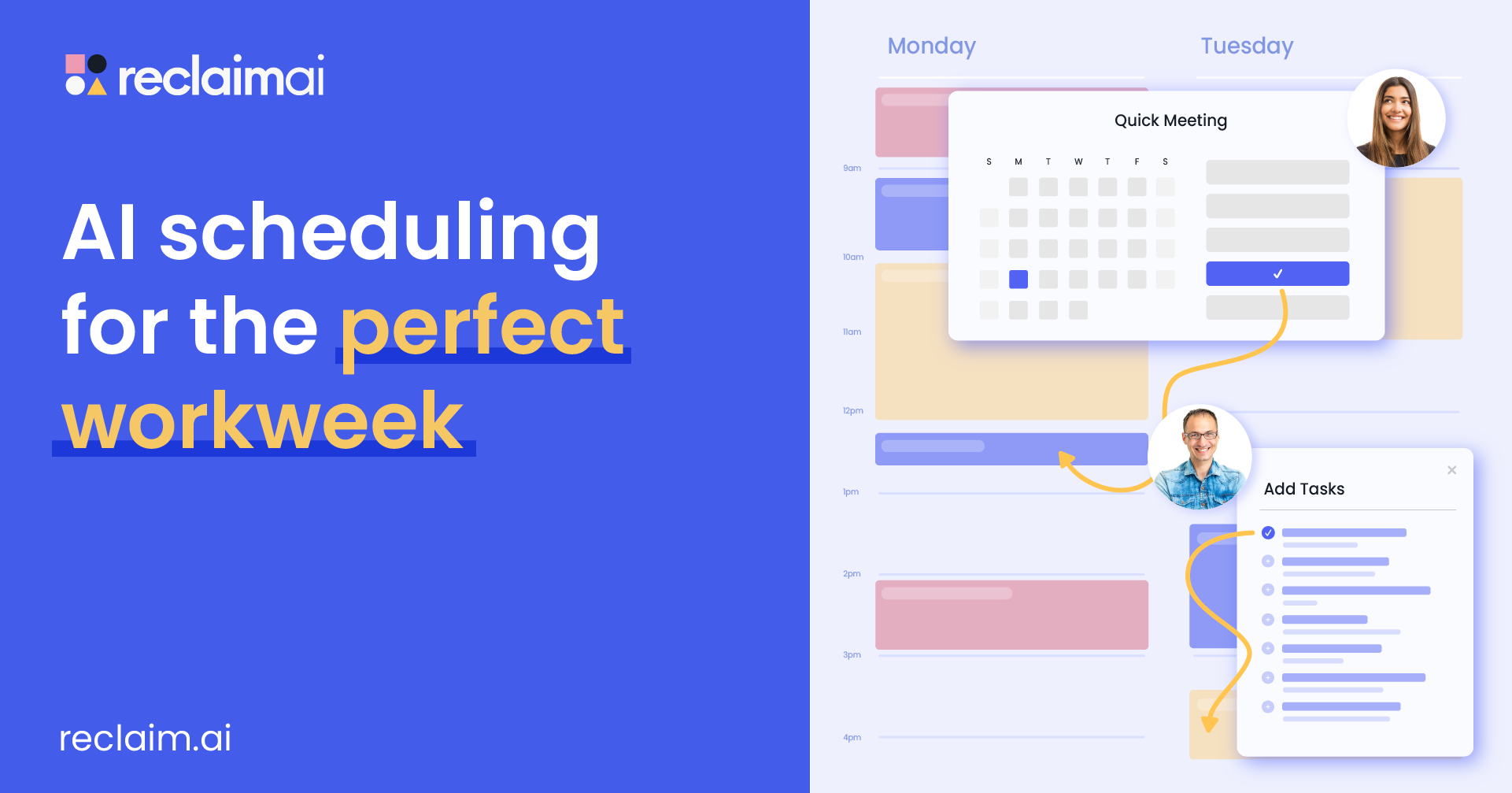
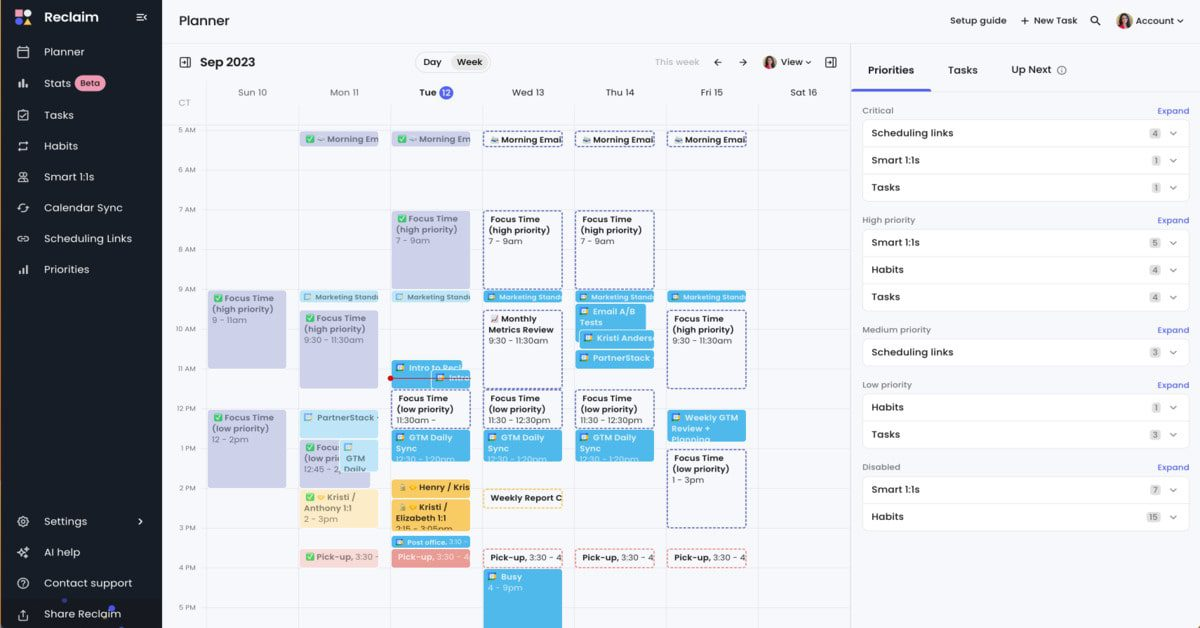
Reclaim.ai is an AI assistant that helps you take control of your time. It doesn't replace your calendar. It sits on top of it. You connect your Google Calendar, tell Reclaim what matters (tasks, habits, focus blocks), and it finds time for all of it automatically, rearranging when meetings land on top of what it scheduled.
Key features:
- Smart Time Blocking: Automatically defends time for deep work, tasks, and routines
- Auto-scheduling Tasks: Connects with task apps like Asana, Todoist, Jira, ClickUp, and schedules them before deadlines
- Adaptive Habits: Flexible routines like planning, workouts, and writing that adjust around your real availability
What I liked:
- Once I've connected my task manager and set my habit preferences, I rarely have to touch my calendar manually. It just handles itself.
"Reclaim.ai really helps me focus on what needs to get done, when it needs to get done. My day is considerably more productive now." — reviews
- Habits are flexible and actually adapt to your schedule
- Task syncing works seamlessly if you already use tools like Todoist or Asana
What I didn’t love:
- There’s still no full native mobile app, which is frustrating if you want to manage your schedule on the go
- If you’re looking for full project timelines, Gantt charts, or cross-functional workflows, Reclaim may feel limited
"Users express frustration over the lack of calendar app integration, limiting seamless access and task management." — reviews
Pricing:
- Free Lite plan
- Starter plan around $10/user/month
- Business plan around $15/user/month
- Enterprise plans start around $18/user/month
Best for:
- Teams that want to track meeting overload, deep work hours, and time usage across the week
How to start:
- Go to reclaim.ai and create a free Lite account
- Connect your Google or Outlook calendar
Reclaim reviews (source)
"Reduced my workweek from 55 to 40 hours while maintaining output. Reclaim's time-blocking changed my career." — Heather Y. on G2
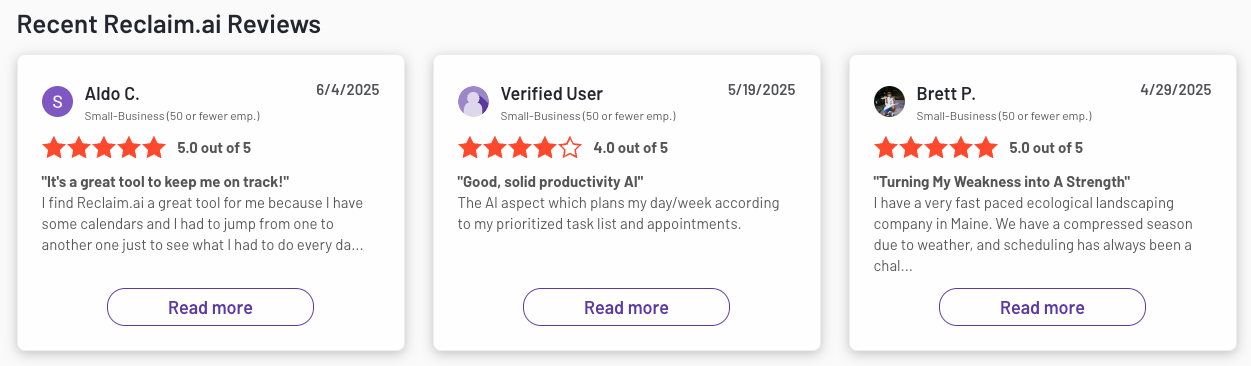
The friction point that comes up most is the Google Calendar lock-in combined with no mobile app, which together make Reclaim a non-starter for a meaningful segment of potential users.
"I really hope they add Outlook support" is a refrain that shows up across G2 and Reddit threads. — reviews
3. Akiflow
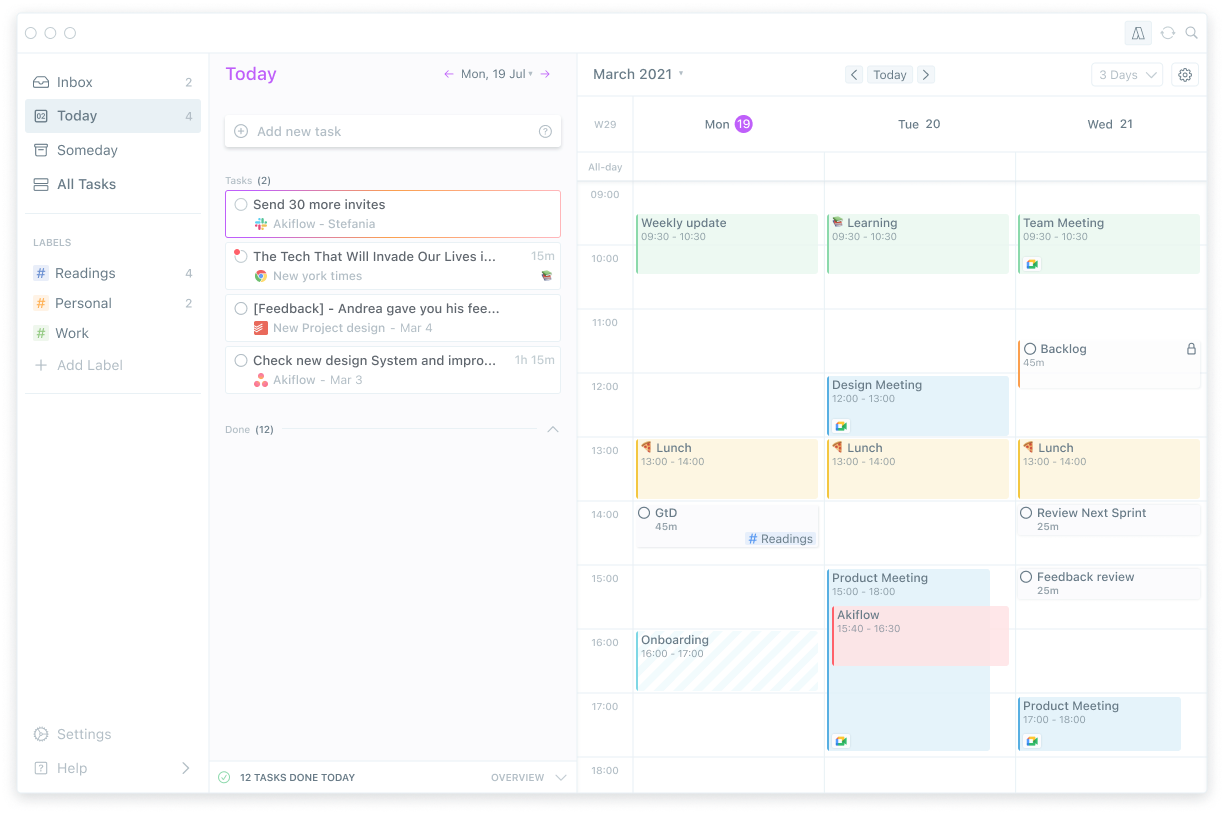
Akiflow is a command-center approach to daily planning. It pulls tasks from everywhere (Gmail, Slack, Notion, Todoist, ClickUp, Asana, Linear, and more), puts them in a unified inbox, and lets you time-block them onto your calendar from a single interface.
Key features
- Smart time-blocking: Plan your tasks directly on your calendar with drag-and-drop scheduling
- Task inbox: Import tasks from Gmail, Slack, Asana, ClickUp, Outlook, and more into a unified dashboard
- Calendar time-blocking: Once tasks are in your inbox, you drag them onto calendar blocks.
What I liked
- It pulls all your to-dos into one place, which makes it easier to stay on top of everything without switching between tabs
- The keyboard shortcuts are fast
What I disliked
- At $34/month (monthly), Akiflow is one of the more expensive tools on this list, and it has no free plan. The 7-day trial is short for a tool with this learning curve.
- Some features like subtasks or recurring reminders feel basic for the price
- The mobile app is still in beta and lacks full feature parity with desktop
Pricing
- No free tier
- Paid plans start at $34/month (billed monthly)
Suitable for
- People who rely on time-blocking and visual scheduling to stay focused
How to start
- Go to Akiflow, sign up for the free trial, connect your calendar and task app
Akiflow Reviews (source)
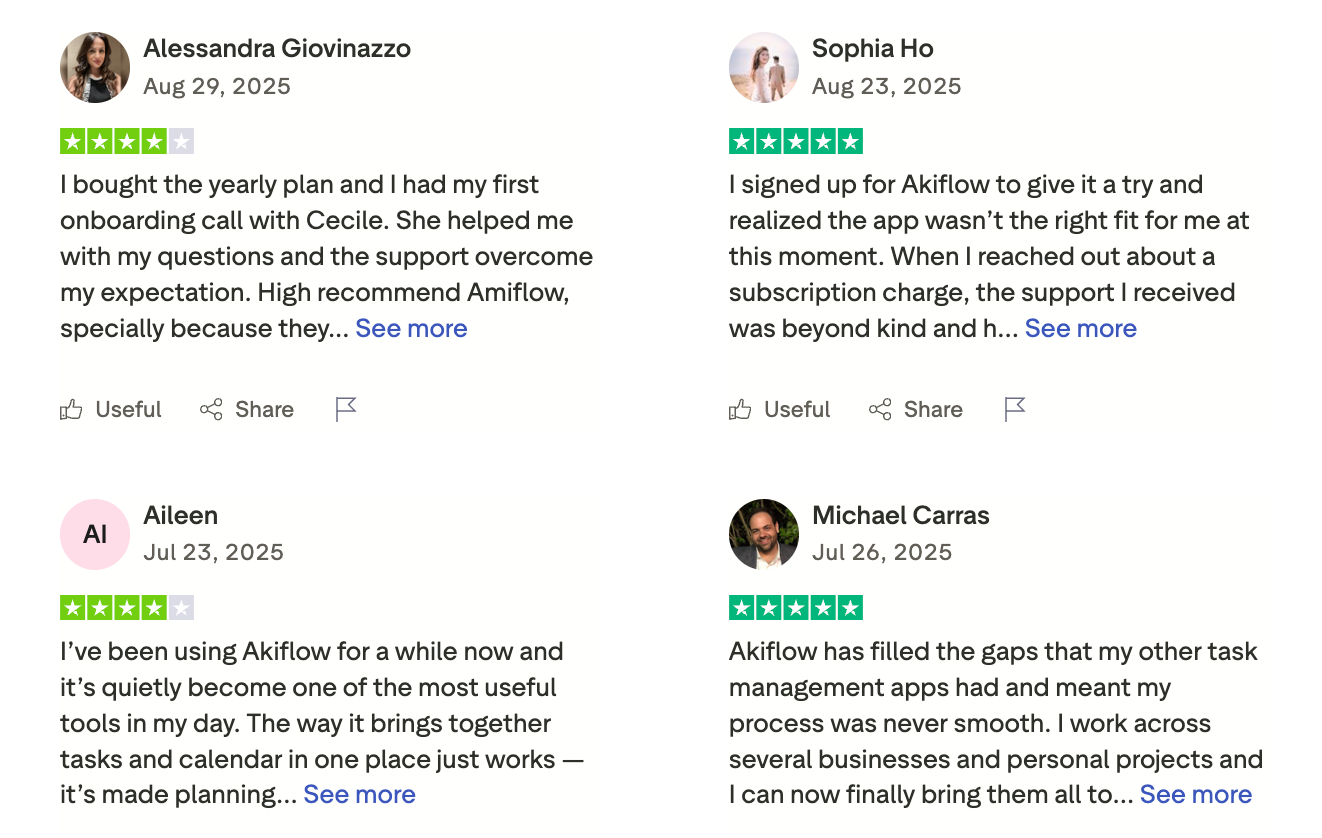
The common frustration is the price for what is ultimately a task aggregation and time-blocking tool, without the AI scheduling that justifies the premium in tools like Motion.
"I would love for the tasks created in Akiflow to also flow into Notion. As far as I'm aware, I can only get Notion tasks to flow into Akiflow but not the other way around." — Capterra
4. Motion
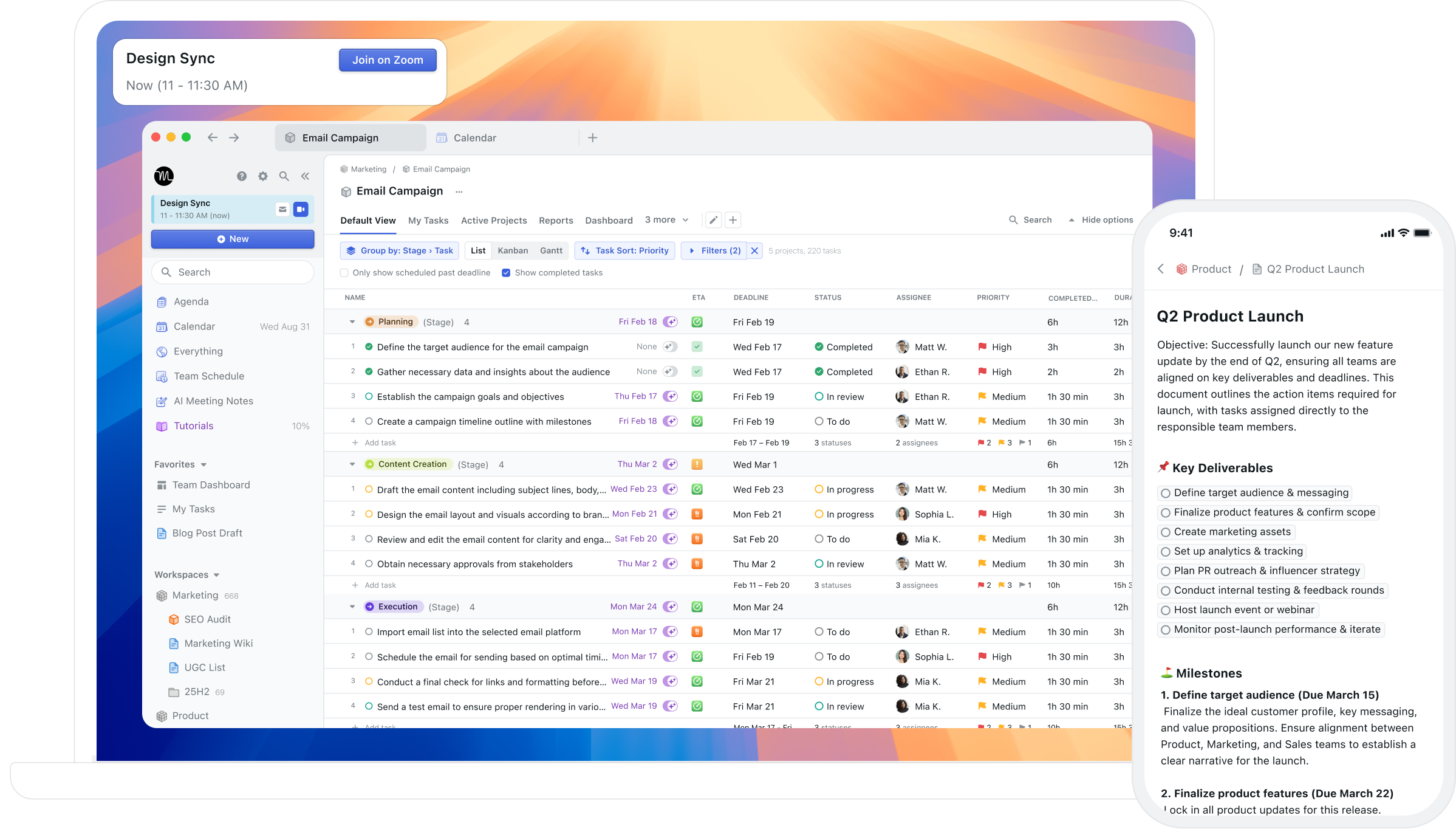
Motion is the most aggressive AI scheduler on this list. You add tasks, set deadlines and priorities, and Motion builds your entire day for you, automatically blocking time, slotting meetings, and rebuilding the plan when things change.
Key features
- AI auto-scheduling: Motion looks at your task list, deadlines, meeting schedule, and priorities, then builds a day for you automatically.
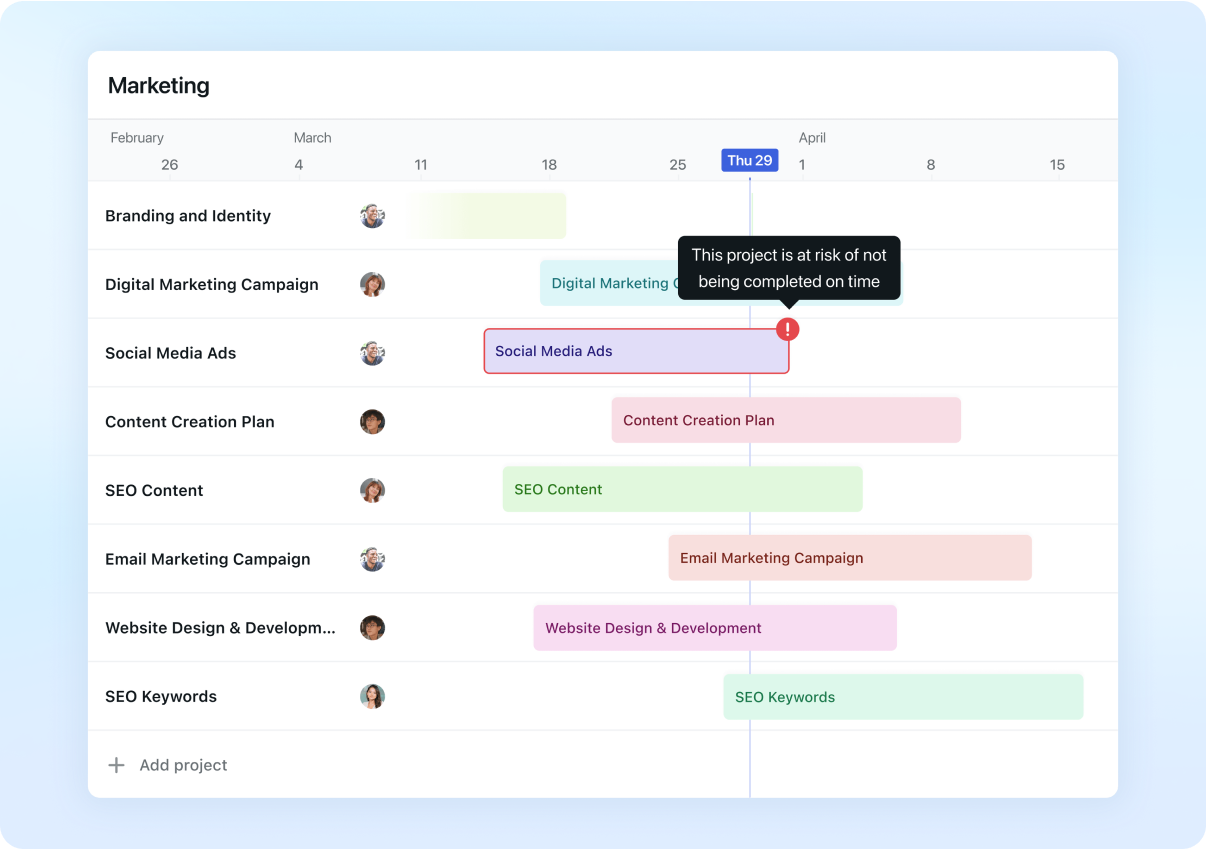
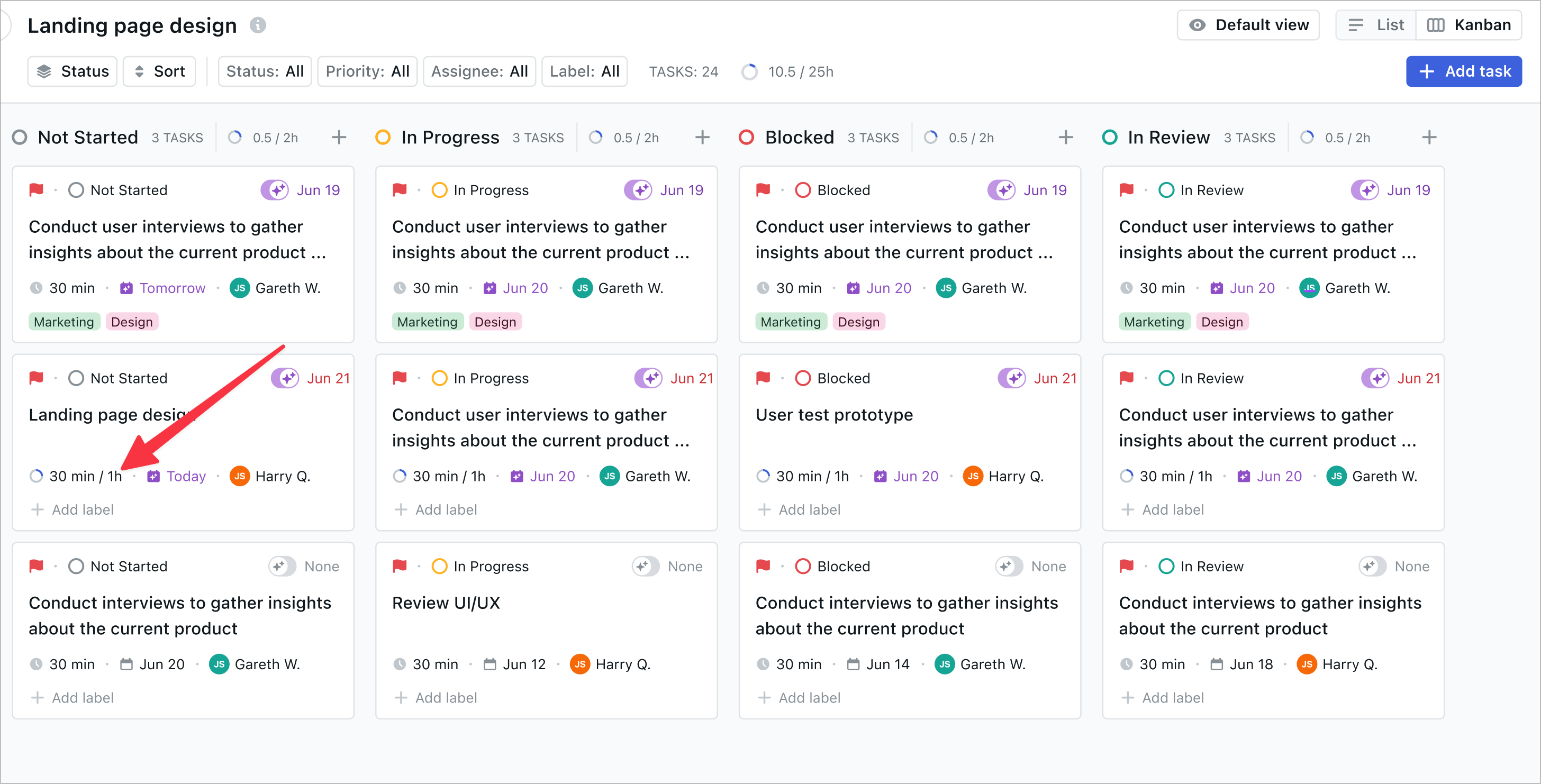
- Project management built in: Motion handles full projects with tasks, subtasks, assignees, and timelines. It's closer to a project management tool than a personal planner.
- Meeting notetaker: Motion records and transcribes meetings, generates summaries, and turns action items into tasks automatically.
Pros
- I don't have to decide what to work on next. Motion tells me.
- The full project management capability means I can run client work and personal tasks in one place,
- The meeting notetaker saves meaningful time for anyone in back-to-back calls most of the day.
Cons
- At $49/month (monthly) or $29/month (annual), Motion is the most expensive individual tool on this list. For solo users, the price-to-value question is real.
"Cost is too high to bring on for my small business right now." — verified reviewer via Capterra
- The AI auto-scheduling can feel rigid. If you want to work on something at 9am but Motion scheduled it for 3pm, changing that requires extra steps.
"There's a bit of a learning curve at first, and sometimes the auto-scheduling can feel rigid if I want more flexibility on short-notice changes." — Hannah S. via Capterra
- Mobile features lag behind the desktop. Several functions available on the web aren't in the mobile app
Pricing
- Individual Monthly — $49/month — full AI scheduling, project management, meeting notes
- Team — from $20/user/month (annual) — team workspaces, shared projects, team scheduling
What users say
The consistent negative theme is price combined with an AI that doesn't always align with how you actually want to work.
"Its just so expensive. They don't really ship the features I want. The basic product with scheduling just needs so much work." — via Trustpilot
Suitable for
- Best for: Founders, consultants, and small teams who want AI to fully take over scheduling decisions and are willing to pay for it
How to get started
- Motion offers a 7-day free trial, but requires a credit card. Add your five to ten most important active tasks on day one, including real deadlines, and let the AI schedule your first day before you judge it.
5. Sunsama
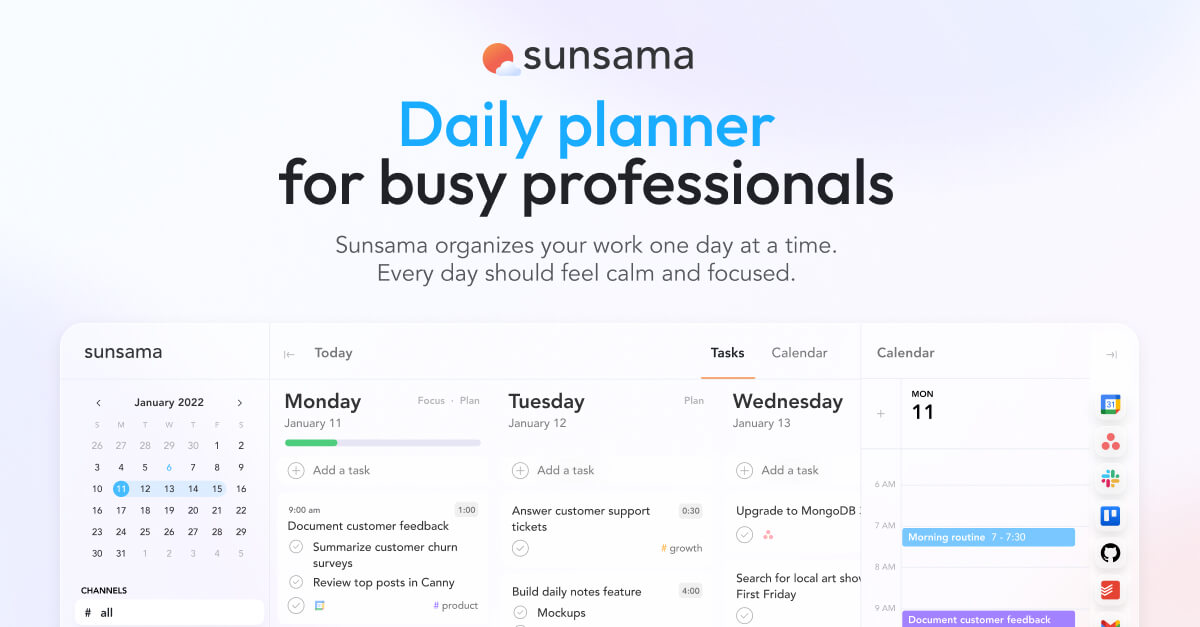
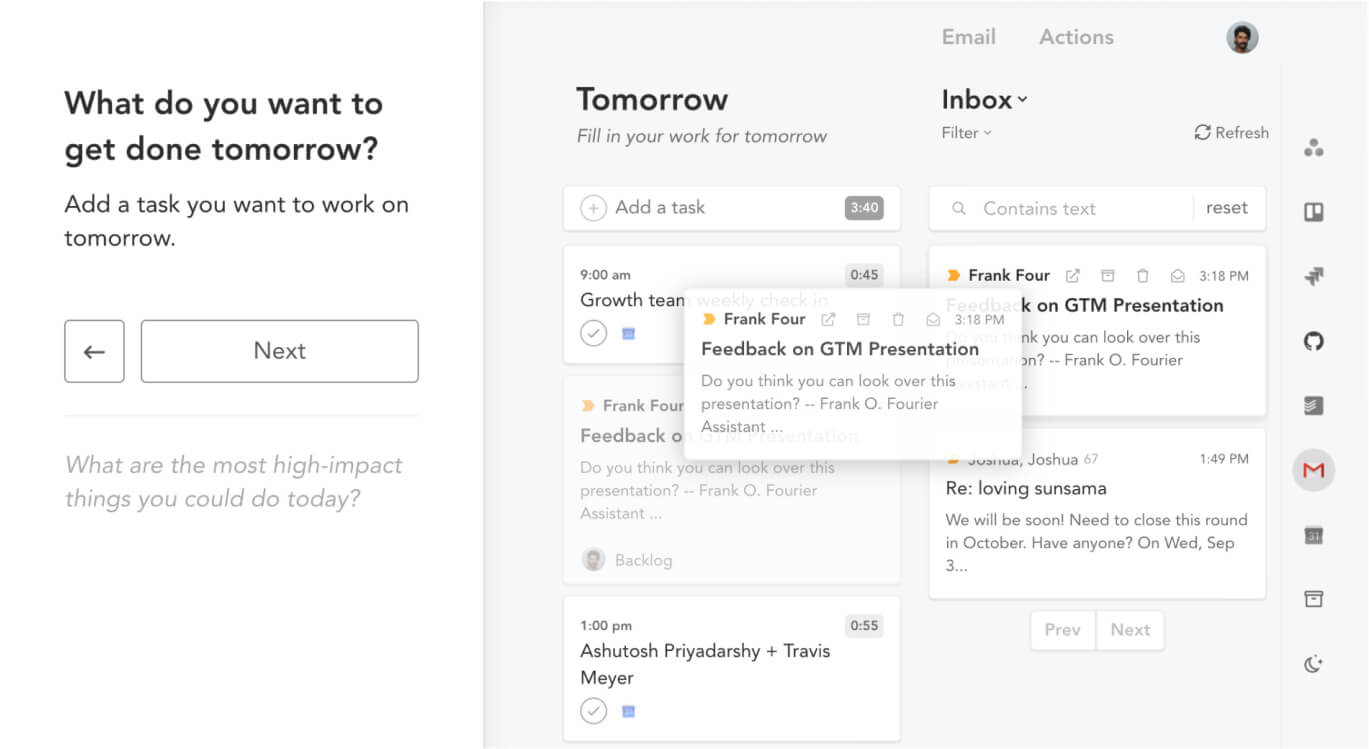
Sunsama's selling point is deliberate slowness. Every morning, it walks you through a 10-15 minute ritual: review your calendar, pull tasks from connected tools, estimate how long each takes, and commit to a realistic plan for the day. There's no auto-scheduling. No AI making decisions for you.
Key features
- Morning planning ritual: Sunsama's core flow guides you through pulling tasks from connected tools (Asana, Jira, Todoist, Gmail, Slack, and others), estimating time, and scheduling them against your calendar
- Task integration from everywhere: Sunsama connects to more than a dozen task and project tools and brings everything into a single daily view.
- Weekly planning and shutdown ritual: Beyond the morning routine, Sunsama has a weekly review flow and a daily shutdown ritual.
Pros
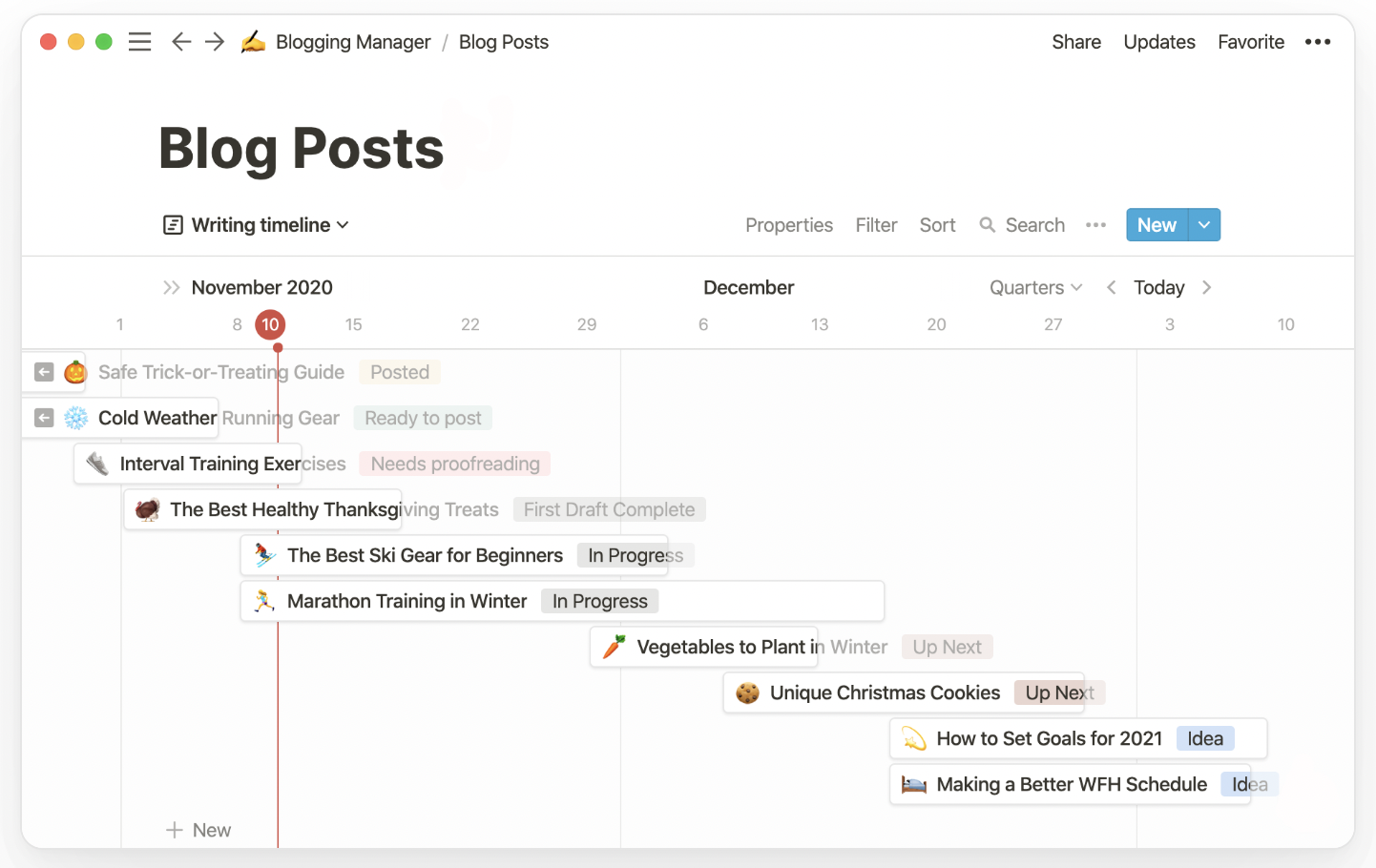
- It discourages over-scheduling. The time estimates and daily capacity meter make it obvious when you've put too much on your plate
- Calendar integration is tight. Sunsama treats meetings and tasks as the same category of time commitment, which means the view of your day is always honest about what's left.
Cons
- There's no AI scheduling. Sunsama is fully manual. Every task gets placed by you, every day.
- The mobile app is a companion experience, not a primary one. The Android and iOS apps are limited compared to the desktop
"The Mobile app doesn't load for certain devices requiring the use of the Web App which is less intuitive." — Capterra
Pricing
- Monthly — $22/month — all features, 14-day free trial
- Annual — ~$16-17/month (billed annually) — same features, roughly 25% savings
What users say
People who love Sunsama tend to describe it as the first productivity tool that actually stuck.
The frustration for people who don't stick with it is usually the price relative to the manual nature of the tool. At $20+/month with no automation, some users feel they're paying for a workflow guide they could replicate with a cheaper tool.
Suitable for
- Best for: Knowledge workers who want a structured daily planning habit and are willing to spend 10-15 minutes every morning in exchange for a calmer, more intentional workday
6. Notion
Notion is a flexible all-in-one workspace that blends notes, tasks, databases, calendars, and now AI tools into a single interface. If you value flexibility, customization, and combining documents with planning, Notion might be a great alternative to Morgen - especially if your work goes beyond just scheduling.
Key features
- Databases with multiple views (calendar, board, table, list) let you organize and visualize tasks, notes, and projects however you want
- AI tools include research mode, meeting summaries, instant writing, translation, and document generation
- Notion Mail brings Gmail integration into your workspace so you can draft, organize, and send emails directly from Notion
What I liked
- Customization is unmatched - you can create your own workflows, dashboards, and templates to match how your brain works
- AI feels decent - meeting summaries, writing helpers, and email drafting speed up common tasks
What I disliked
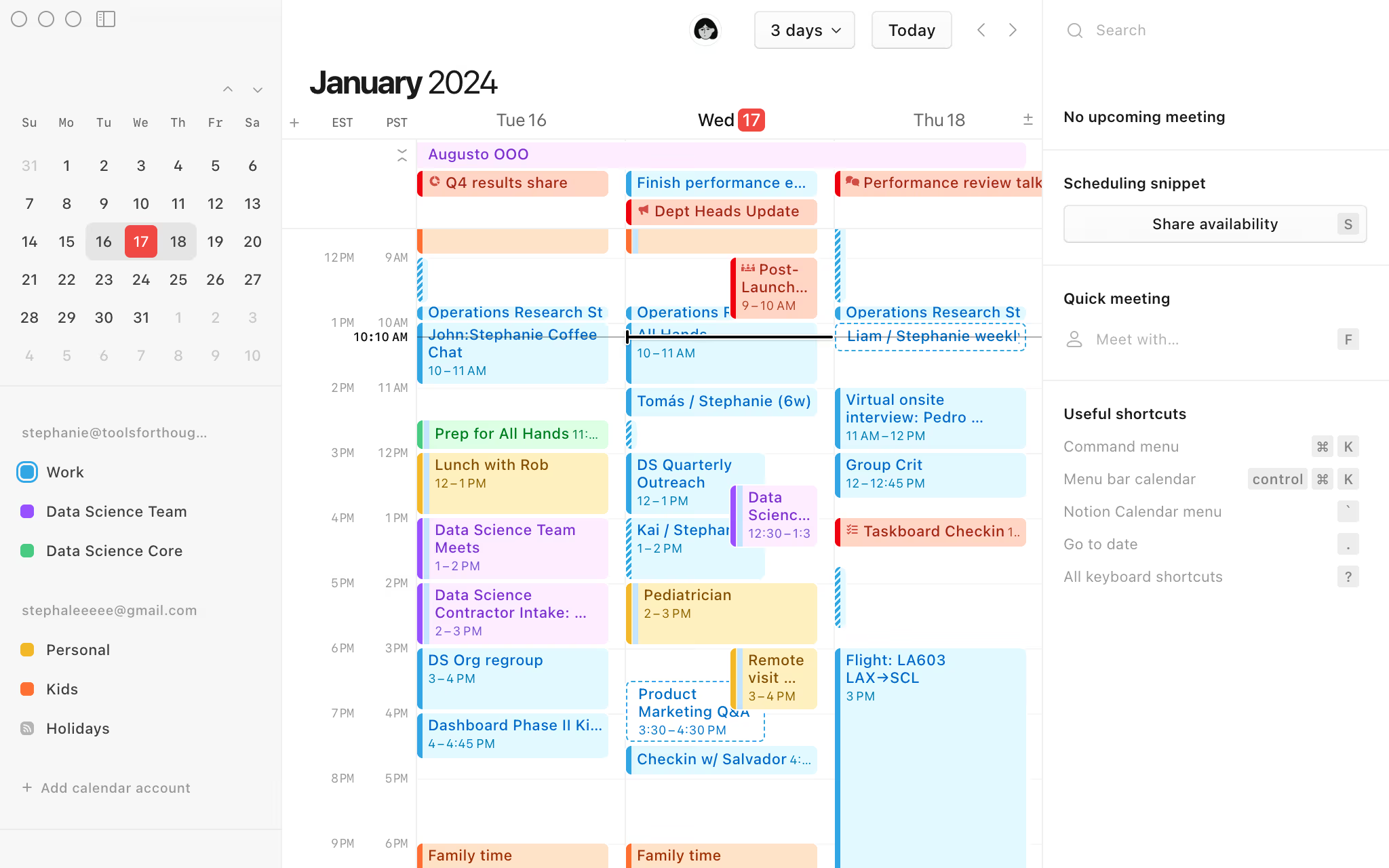
- Calendar scheduling isn’t as automatic - no smart time blocking or task auto-scheduling around meetings
- Automation and database logic still feel limited for more complex workflows
- Many AI features are only available in the Business plan and above
Pricing
- Free plan: $0/month for individuals with basic collaboration and limited file size
- Plus plan: $10/user/month with more guests, unlimited uploads, and longer version history (no full AI access)
- Business plan: $20/user/month with full Notion AI, private teamspaces, advanced permissions, and analytics
Suitable for
- Users who prefer flexible layouts and powerful customization over rigid workflows
- People who need AI for writing, note-taking, summarization, and documentation
How to start
- Just go to Notion and sign up for a free account. You can explore templates and set up your workspace
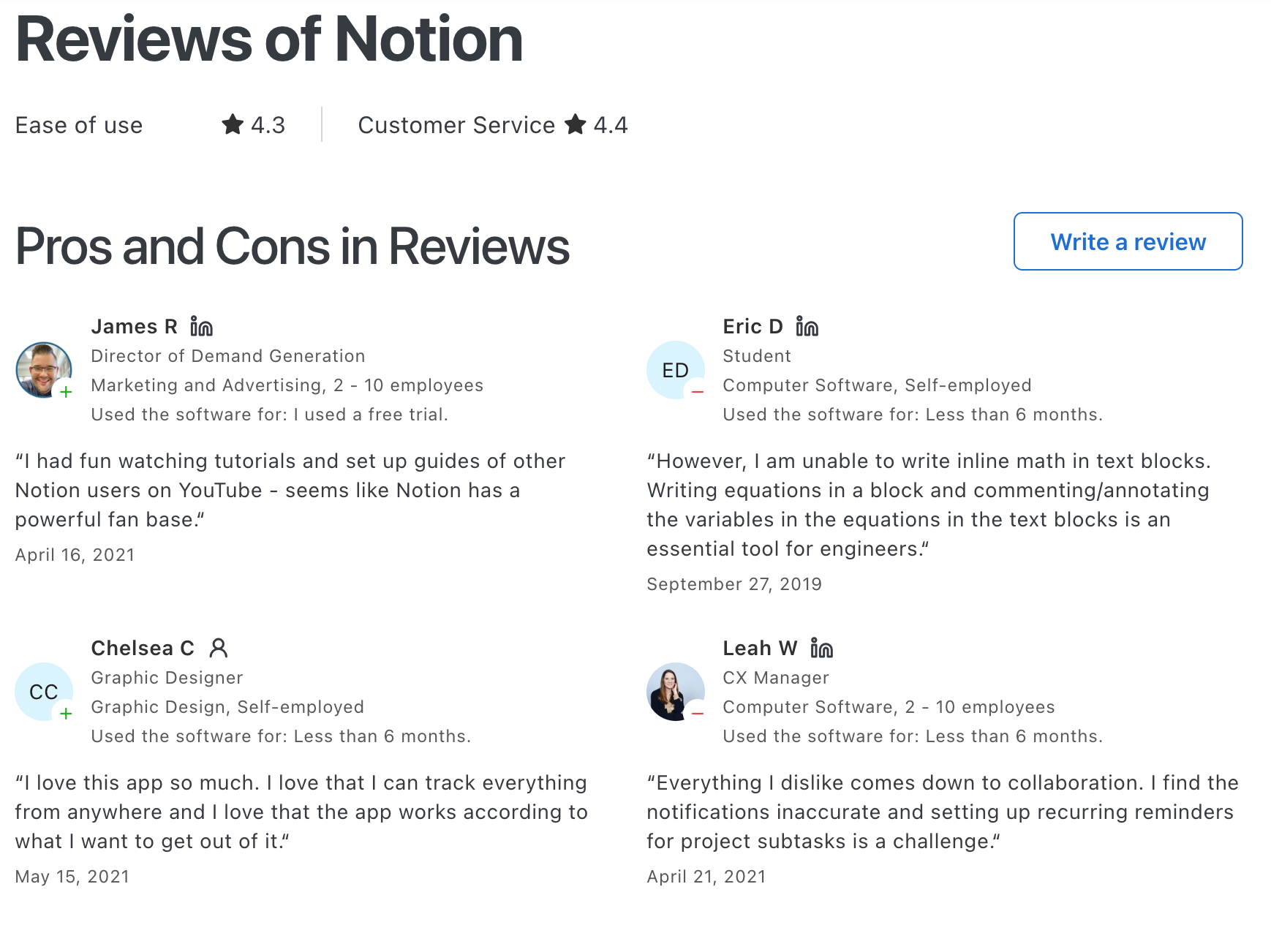
Notion reviews (source)
7. Todoist
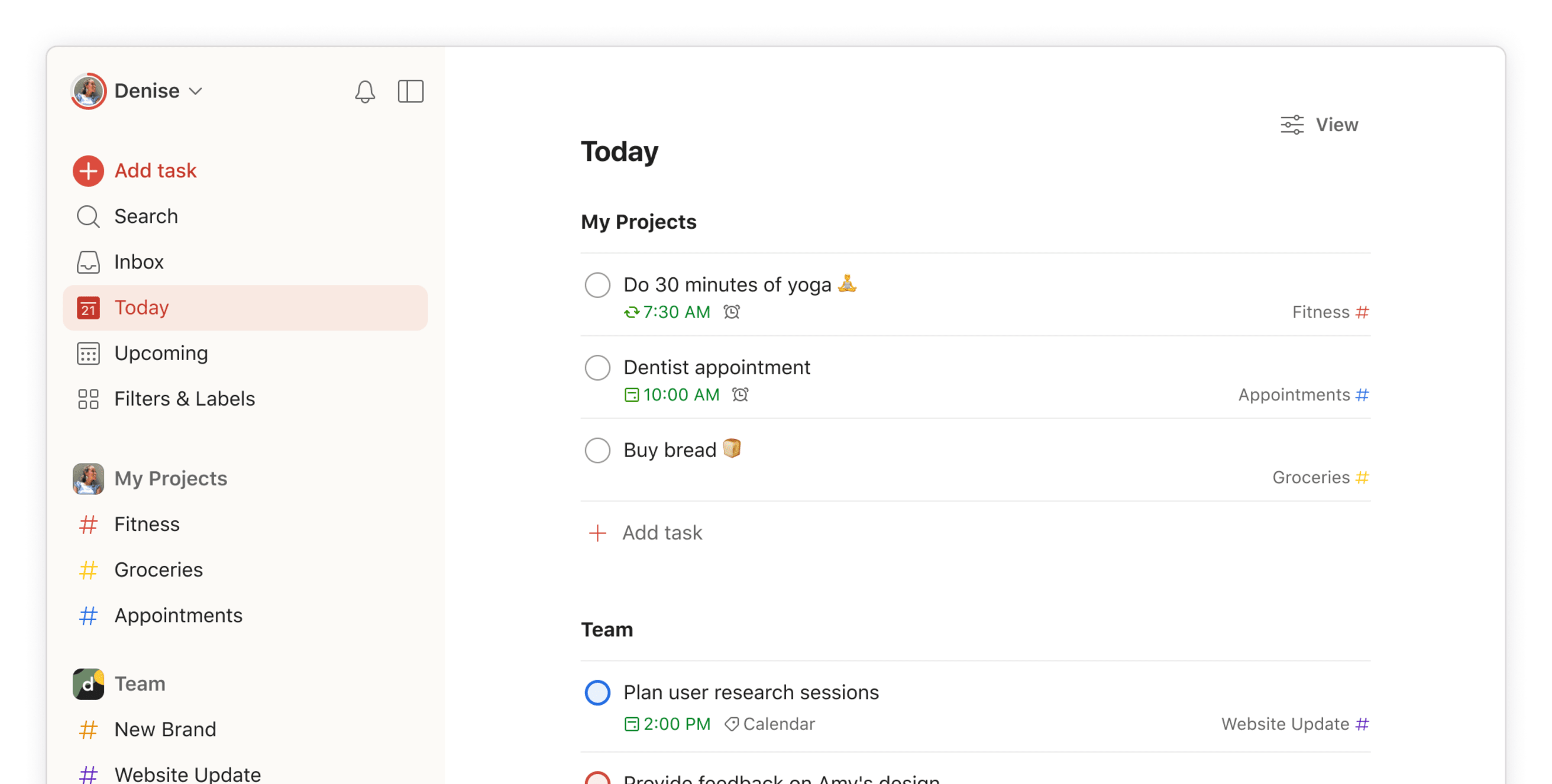
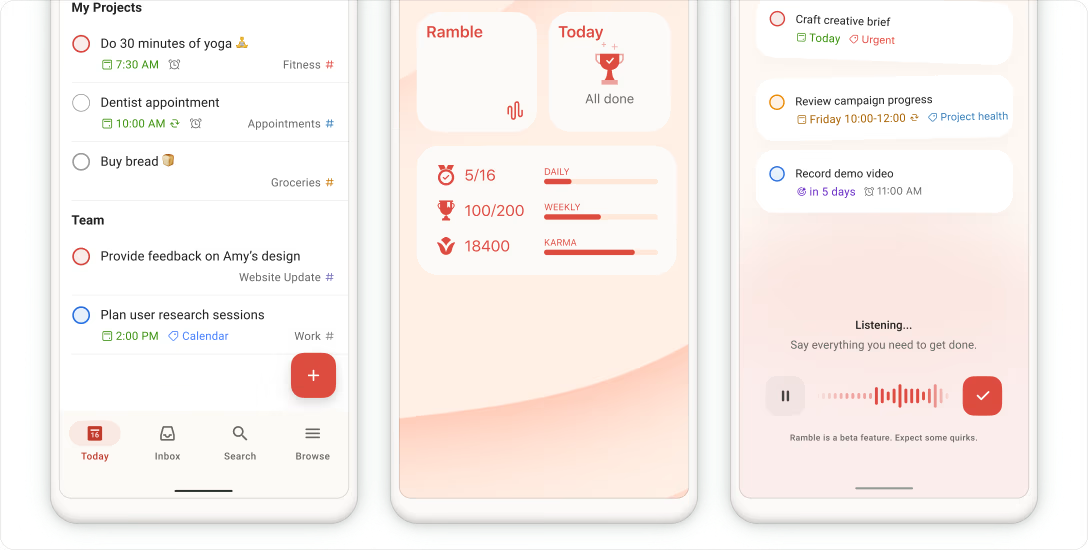
If your problem with Morgen is that you want less, not more, Todoist is probably the answer. It doesn't do time-blocking, doesn't auto-schedule anything, and doesn't try to manage your calendar. It captures tasks fast, organizes them well, and works reliably on every device you own.
Key features
- Create tasks, subtasks, sections, and projects with custom labels, priorities, and filters
- Natural language input like “Call Alex every Tuesday at 10am” auto-schedules recurring tasks
- Board, list, and calendar views available (depending on plan)
- Powerful search and filtering options to zero in on what’s important today
What I liked
- Super fast to capture and organize tasks
- Works consistently well across devices, which makes task capture feel seamless
- The free plan is generous enough for solo use
What I disliked
- Not ideal for complex project management - there’s no built-in support for dependencies or timelines
- Time blocking feels like an afterthought; calendar view is helpful, but not proactive
- Don't have an AI chatbot to talk to manage tasks
- Users occasionally mention feeling nudged to upgrade by the UI
Pricing
- Free plan for basic task management with up to 5 projects and limited collaborators
- Pro plan at around $4/month (billed annually)
- Business plan at around $6/user/month with team workspaces
Suitable for
- Individuals who need a fast, clean way to manage personal or work tasks
- People who prefer organizing by list or label instead of blocking tasks into their calendar
- Small teams that need simple collaboration but don’t require full project timelines
How to start
- Just head to Todoist.com, create a free account, and start adding tasks. Use projects and labels to keep things organized.
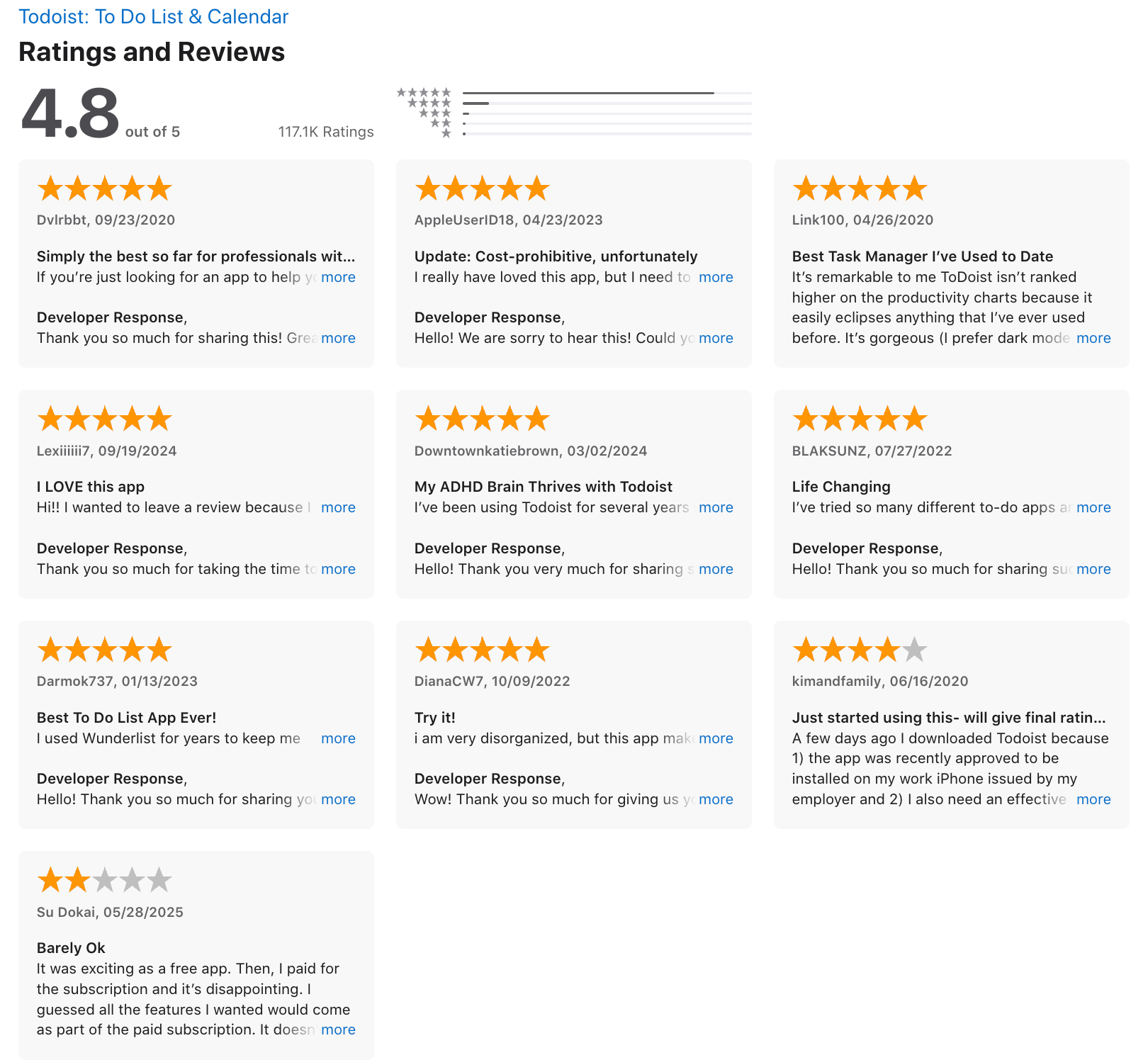
Todoist reviews (source)
Final Thoughts
Morgen is a solid tool if you want to combine your calendar and to-do list in one place. But it’s not the only option - and definitely not the best for everyone.
The truth is: no one tool works for every brain or every workflow.
- If you need something for personal productivity that can turn chaos into clarity, try Saner.AI.
- If you want AI to fully automate your schedule, check out Motion
- If you’re managing a team and drowning in meetings, Reclaim.ai can help
Each tool has its own personality. Some feel like quiet assistants. Others, like powerful automation engines. What matters most is finding the one that feels like it “gets” how you work.
Stay on top of your work and life with the top Morgen Alternative
FAQ: Best Morgen Alternatives (2026)
1. What is Morgen, and why are people looking for alternatives?
Morgen is a productivity tool that combines calendar, task management, and scheduling in one app. It’s loved for its clean UI and time-blocking features. But some users find its pricing high, mobile experience limited, or want better task automation, ADHD support, or team collaboration.
That’s why people search for Morgen alternatives - to find tools that are more affordable, more powerful, or simply a better fit for their workflow.
2. What makes a good alternative to Morgen?
The best Morgen alternatives typically include:
- Smart calendar integration
- Task management that syncs with your day
- AI-powered planning or reminders
- Collaboration or team visibility
- Better mobile UX or automation
- ADHD-friendly workflows
Tools like Saner.AI, Motion, Reclaim, Clockwise, Notion, and Todoist all bring something different to the table - depending on what you need.
3. What’s the best overall alternative to Morgen?
If you want a true all-in-one workspace that helps you think, plan, and follow through, Saner.AI is one of the best Morgen alternatives available today.
Why it stands out:
- Combines notes, tasks, and calendar in one place
- Automatically suggests your daily plan based on what’s in your head, notes, and inbox
- Great for ADHD-prone minds or anyone overwhelmed by scattered to-dos
- Lets you talk to your assistant and turn rants into tasks (yep, really)
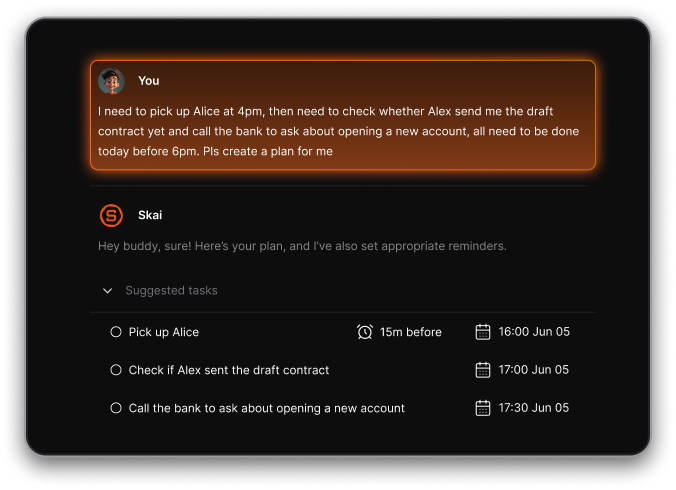
Unlike Motion (which focuses on auto-scheduling) or Notion (which requires more setup), Saner helps you start messy and stay on track.
4. How does Saner.AI compare to Morgen?
Saner.AI is more than just a calendar app. It’s a thinking partner for chaotic minds.
Here’s how it compares:
| Feature | Saner.AI | Morgen |
|---|---|---|
| Calendar + Tasks | ✅ Unified view | ✅ Unified view |
| Natural language input | ✅ “Just say it” planning | ❌ Manual input only |
| Voice-to-task | ✅ Built-in | ❌ Not available |
| Daily plan suggestions | ✅ Based on real context | ✅ Static time blocks |
| Note integration | ✅ Searchable + AI-linked | ❌ No note linking |
| ADHD-friendly design | ✅ Built by ADHDers | ❌ Not designed for that |
6. Is Reclaim a better fit than Morgen?
Reclaim is best for people who already live inside Google Calendar and want AI time blocking without switching tools.
Reclaim’s strengths:
- Dynamically blocks time for habits, tasks, and meetings
- Syncs with Google Workspace
- Works well for recurring personal routines and team availability
It’s less useful if you want an integrated task + note system, which Saner or Notion provide better.
7. What’s the best Morgen alternative for ADHD?
Saner.AI is an AI planner designed with ADHD in mind.
Here’s what makes it ADHD-friendly:
- Turns chaotic rants into organized action items
- Suggests your daily plan based on what matters most
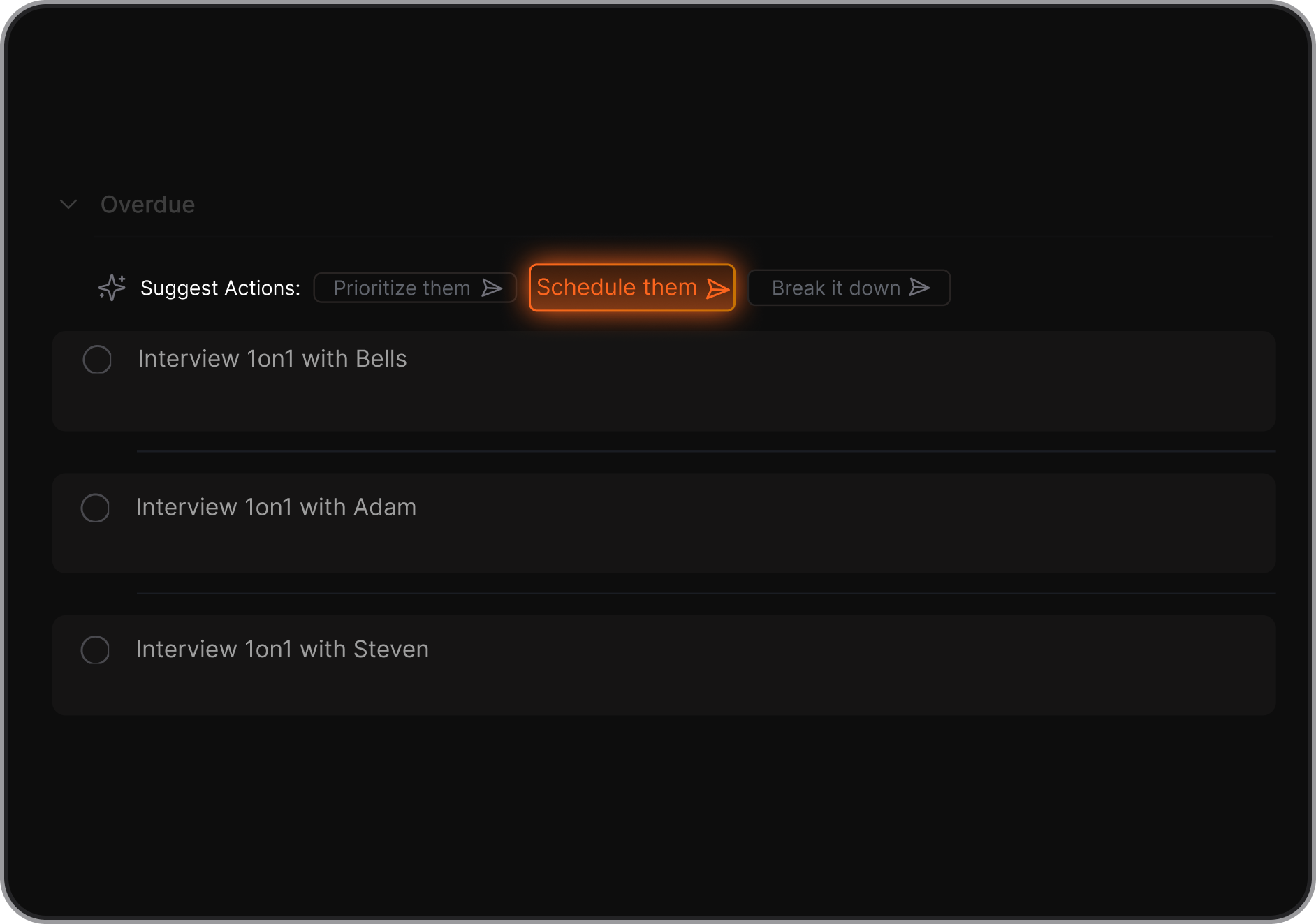
- Reduces context-switching by keeping everything - notes, tasks, follow-ups - in one view
- No need to build complicated systems or tag everything manually
It’s a calmer alternative that works with your brain, not against it.
8. Which Morgen alternative supports team collaboration?
Here are some good picks based on team needs:
- Reclaim – Strong for calendar syncing across busy teams
- Clockwise – Optimizes meeting times and team focus time across calendars
- Notion – Ideal for shared docs, wikis, and project notes
- Motion – Works for teams with predictable task flows
If your team needs more than just calendar coordination, Saner and Notion offer deeper collaboration.
10. What are the most affordable Morgen alternatives?
Here’s a quick pricing breakdown:
| Tool | Free Plan | Paid Plan Starts At | Notes |
|---|---|---|---|
| Saner.AI | ✅ | $8/month | Full AI assistant + calendar/tasks |
| Motion | ❌ | $29/month | No free plan |
| Reclaim | ✅ | $10/month | Free tier includes time blocking |
| Clockwise | ✅ | $6.75/month | Focused on calendar coordination |
| Notion | ✅ | $8/month | Task + doc system (no built-in calendar) |
| Todoist | ✅ | $5/month | Pure task manager |
11. What’s the best Morgen alternative for solo founders?
Saner.AI is excellent for solo founders who:
- Need one place to manage investor notes, product feedback, and daily planning
- Prefer typing or talking to plan their day
- Want an app that thinks with them, not just stores tasks
It saves hours of clicking around, so you can focus on building - not juggling tools.
12. Which alternative works best with Google Calendar?
- Reclaim – Deepest native Google Calendar sync
- Clockwise – Optimizes team calendars across GCal
- Saner.AI – Syncs with Google Calendar and pulls tasks/emails into your schedule
All three work well—but only Saner gives you notes, tasks, and scheduling context together.
13. What’s the easiest Morgen alternative to get started with?
Saner.AI or Todoist are great for fast starts.
- Saner lets you brain-dump and instantly creates tasks
- Todoist is easy if you just want clean checklists
- Reclaim and Motion take more setup to get the most out of them
Tired of Morgen?