We Tested 14 Motion Alternatives. Here are The Best 6


Motion tries to automatically rearrange your schedule when you get off track. For a lot of people, though, its automated alerts and high price tag just add a whole new layer of pressure.
If you are ready to find a daily planner that feels like a supportive assistant instead of a demanding boss, here are the best Motion alternatives to help you organize your day.
Quick Answer: What are the Best Motion Alternatives Right Now?
- Reclaim.ai is for users who want automated task and habit scheduling with strong team features.
- SkedPal is a good one if you want more control over how your schedule gets built.
- Todoist — Best simple task manager with an AI layer
- Akiflow — Best time-blocking tool for people who want one unified inbox for tasks from every app
- FlowSavvy — Best budget-friendly auto-scheduler.
What Is Motion?
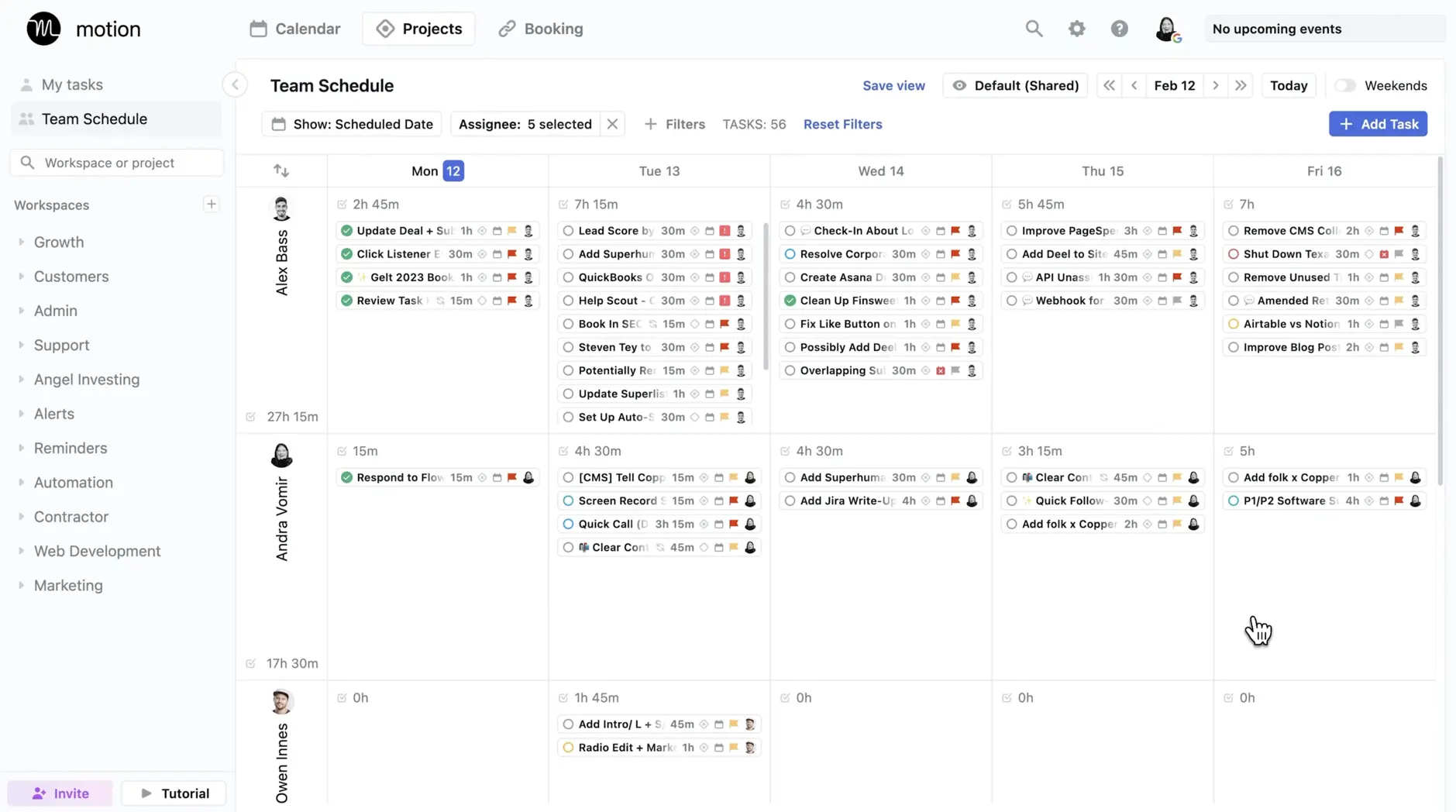
Motion is a calendar and task management application that uses AI to build your daily schedule. Instead of you manually picking when to do a task, you type in your to-do list, add a deadline, and set a priority level.
How We Evaluated These Motion Alternatives
We looked at eight tools that come up consistently when people are searching for Motion alternatives - across Reddit threads, review platforms, and comparison sites. Each was evaluated on the following criteria:
- Scheduling intelligence — Does the tool actually help you decide when to do work, whether through automation or structured planning?
- Ease of setup — How long does it take to get value out of the tool? Can you be productive on day one, or does it require a week of configuration?
- Calendar integration — Does the tool work smoothly with Google Calendar, Outlook, or iCloud? Does syncing go in both directions?
- Pricing and free plan access — Is there a usable free tier, and does the paid plan justify its cost relative to what you get?
- Real-world reliability — Based on user reviews from G2, Capterra, Reddit, and Product Hunt, does the tool do what it promises when a real workday gets messy?
- ADHD and focus-friendliness — Does the interface reduce cognitive load, or does it add to it?
What Are The Best Motion Alternatives in 2026?
The best Motion Alternatives are: Saner.AI, Akiflow, Flowsavvy, Reclaim, Skedpal, and Todoist.
1. Saner.AI
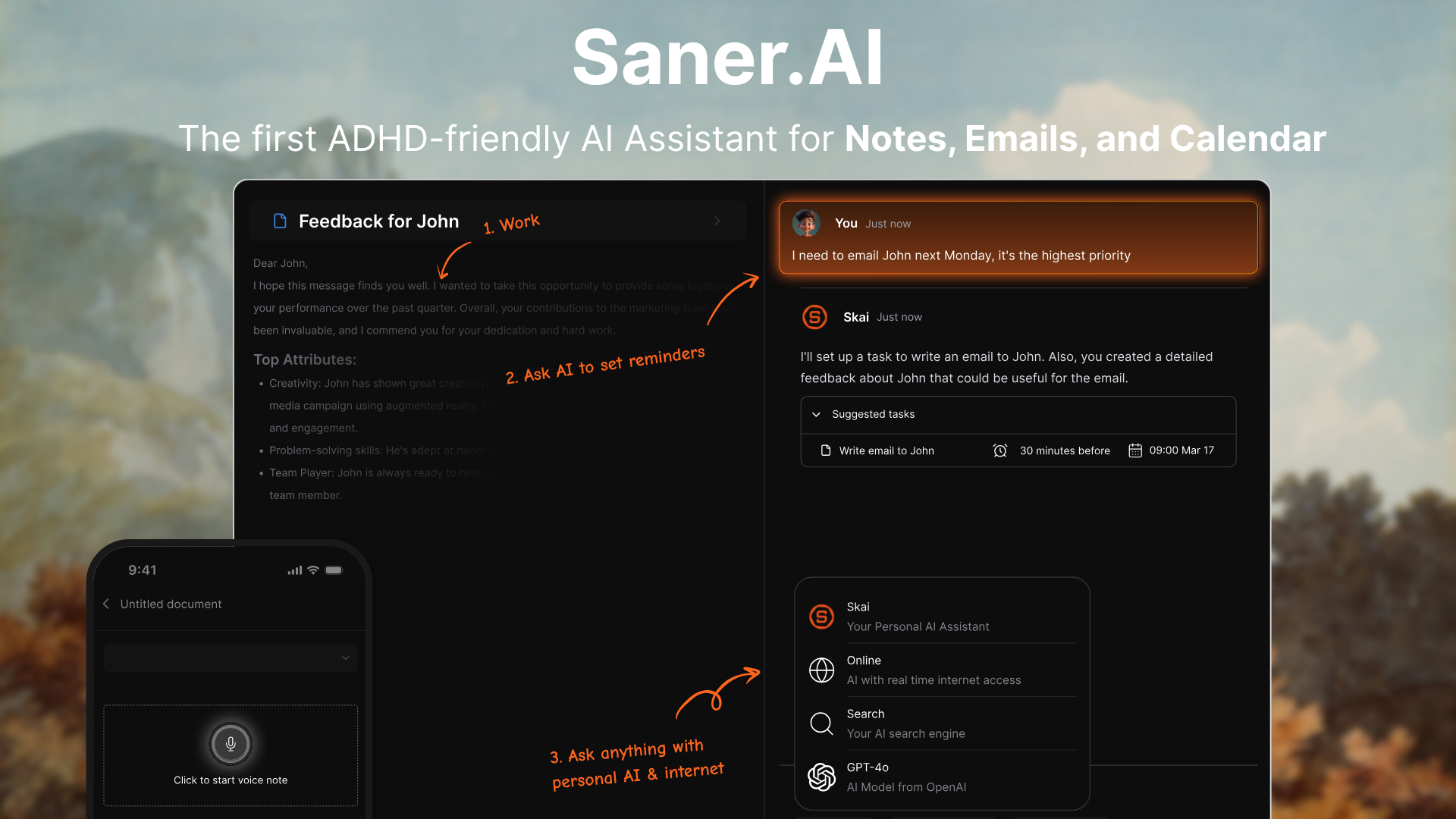
Saner.AI is a better Motion alternative if your day is filled with notes, scattered tasks, and mental clutter. It’s an AI personal assistant that helps you think, plan, and stay on top of things, without relying on rigid time blocks. Instead of just scheduling tasks, it helps you actually manage your information and follow through.
Key features
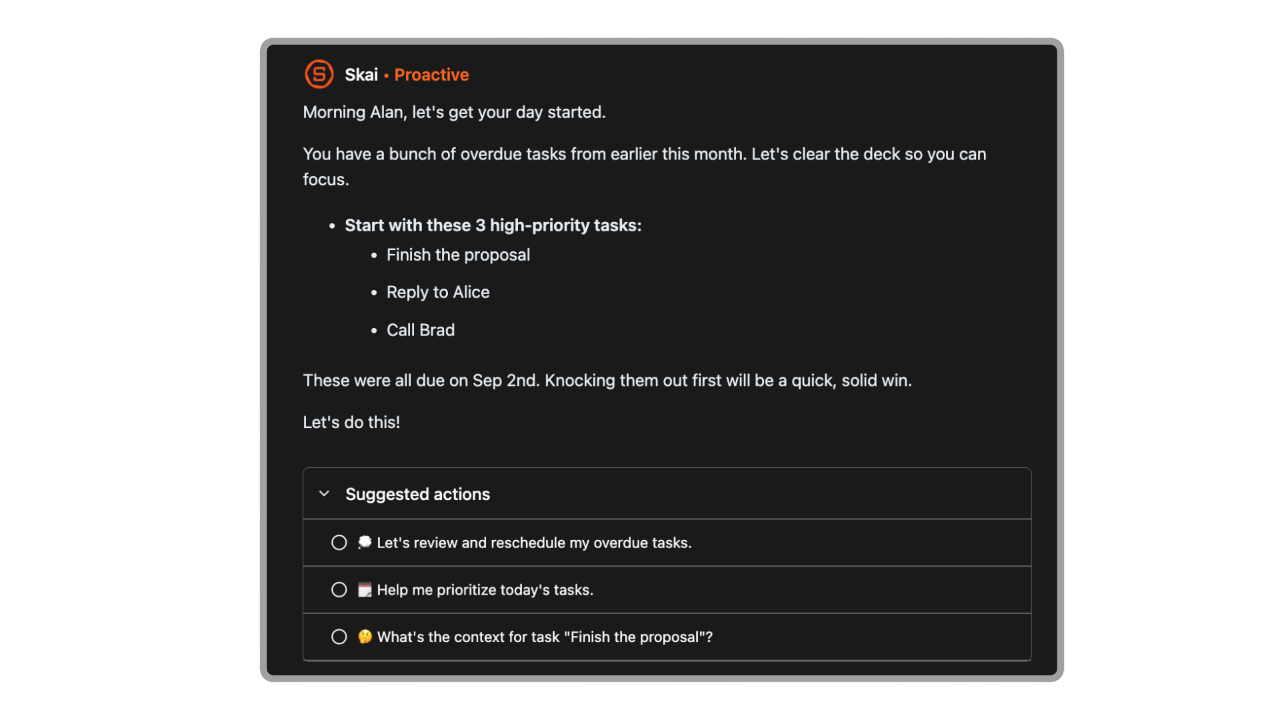
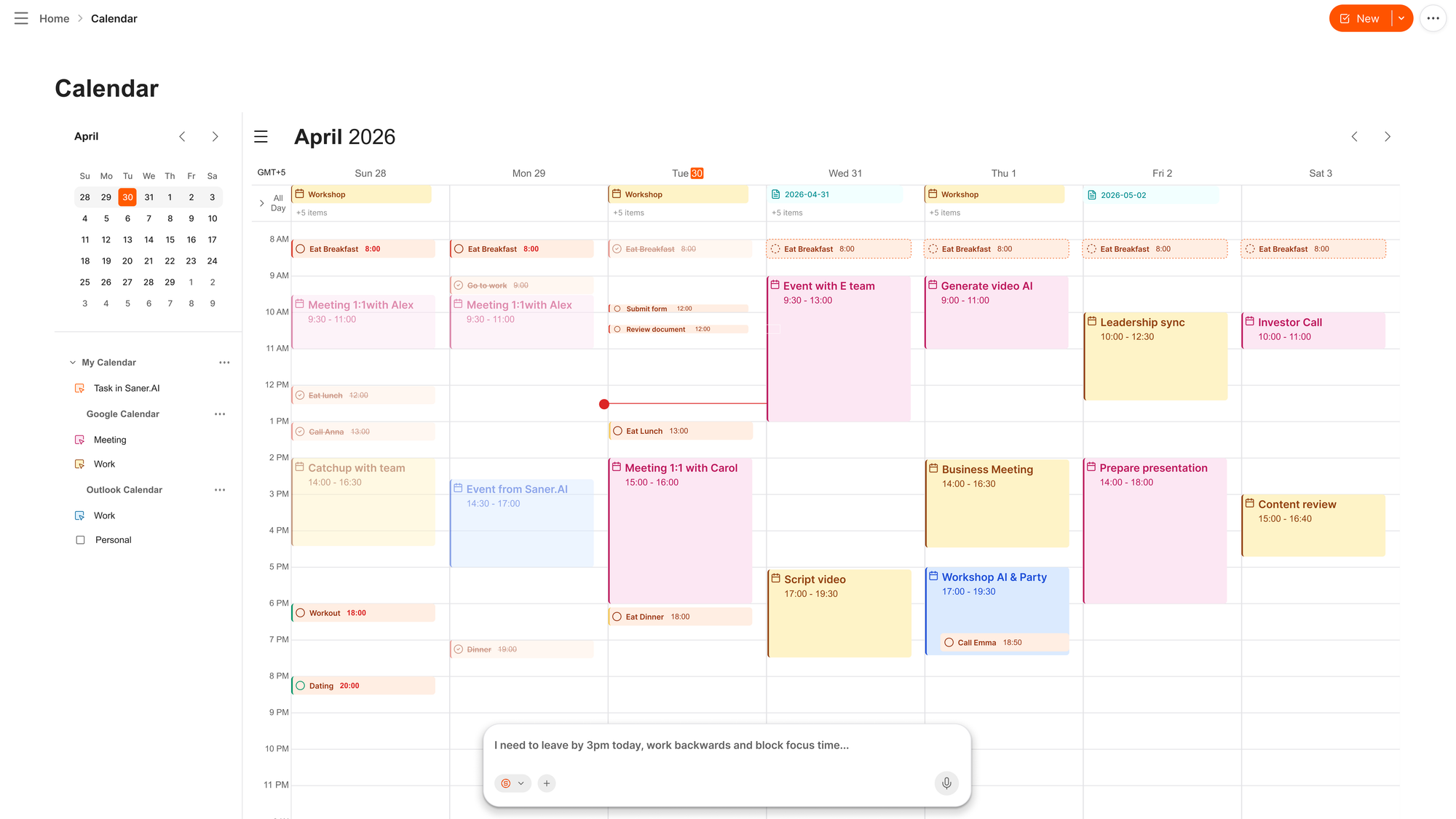
- Automatic Planning: Every morning, AI prepares an optimal day schedule for you from emails, notes, tasks, and calendar
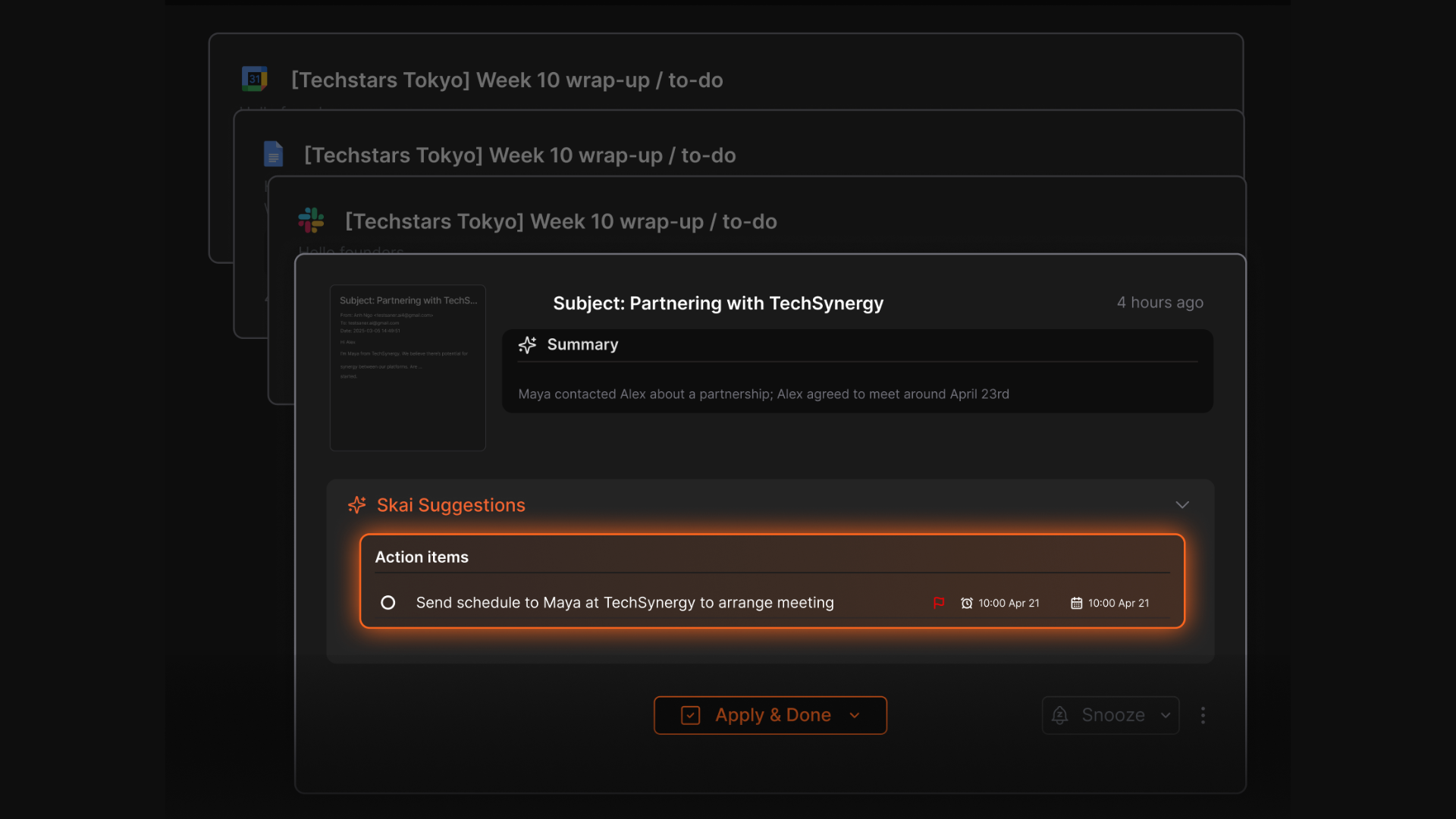
- Tasks from Emails: Sync your Emails - Saner turns it into structured, prioritized to-dos
- AI calendar: Just chat, and the calendar will manage itself for you
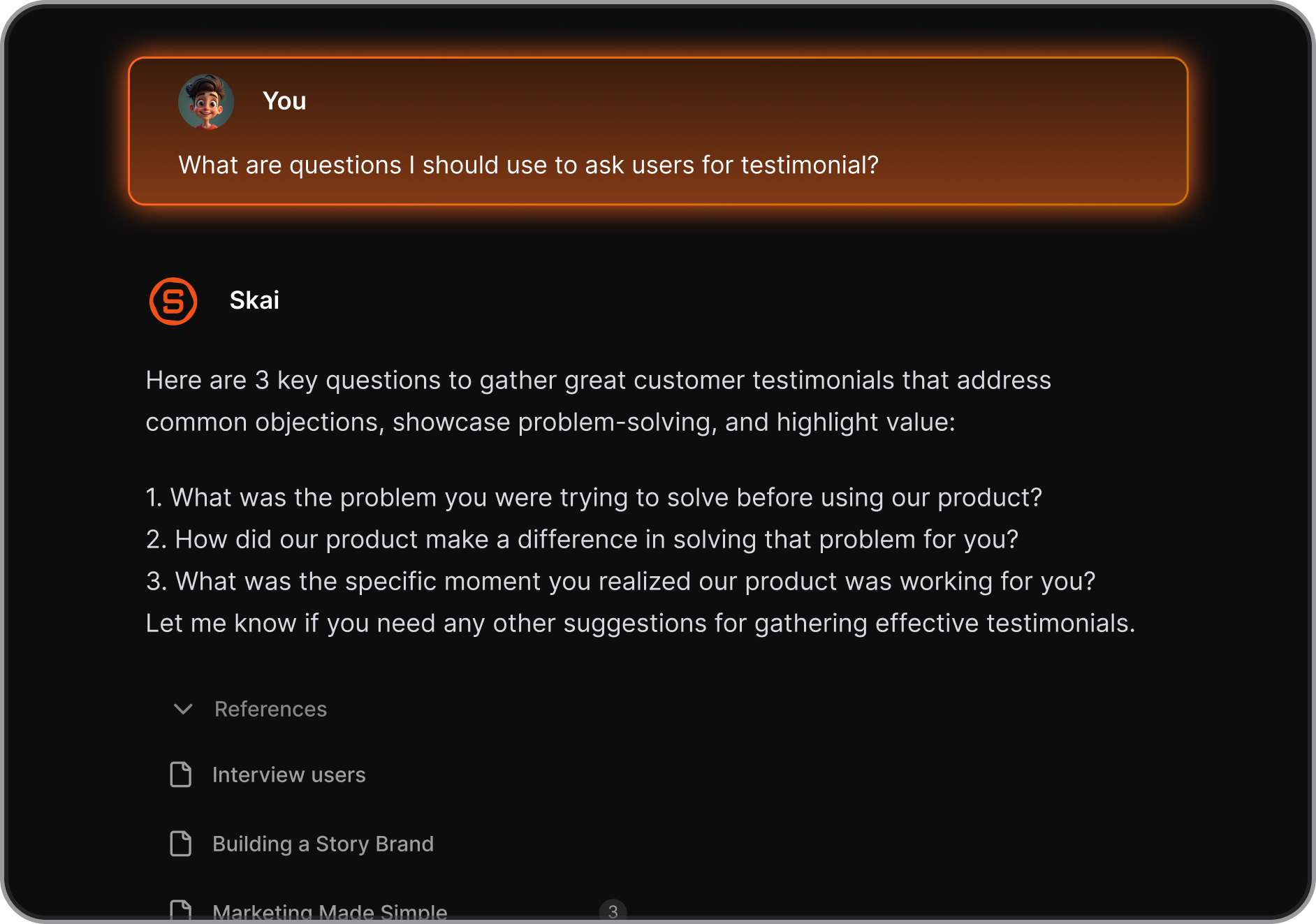
- Natural Search: Ask questions like “What did I say about project X last week?” and get instant answers
Pros
- I can just ask instead of searching, and it finds the note I forgot I even wrote.
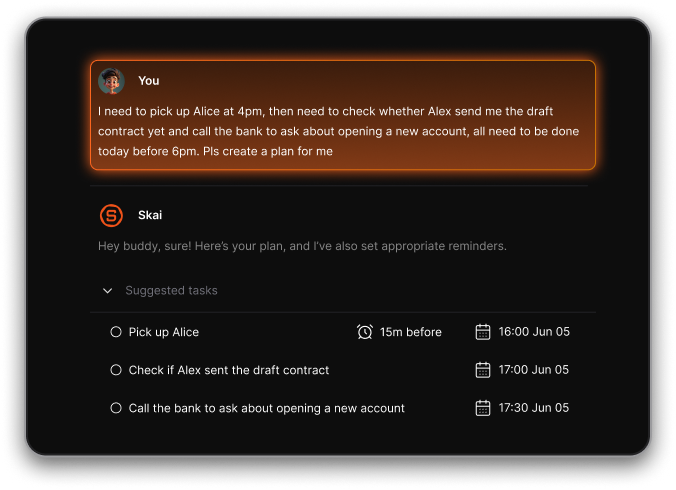
- It pulls tasks out of messy thoughts and reminds me automatically. No more rewriting my to-do list.
- The mobile app is solid, and I don’t have to wait to get back to my laptop.
- Works well with how ADHD brains function - nonlinear, scattered, but still want structure.
Cons
- Not ideal for large teams or project timelines — no Gantt charts or complex task dependencies.
Pricing
- Free
- Starter: Monthly at $8/month
- Standard: Monthly at $16/month
Who is it suitable for?
- Knowledge workers, ADHD users, and anyone managing a high volume of notes, emails, and scattered tasks who want a single AI assistant to hold it all together - without paying Motion's price or surrendering control of their calendar.
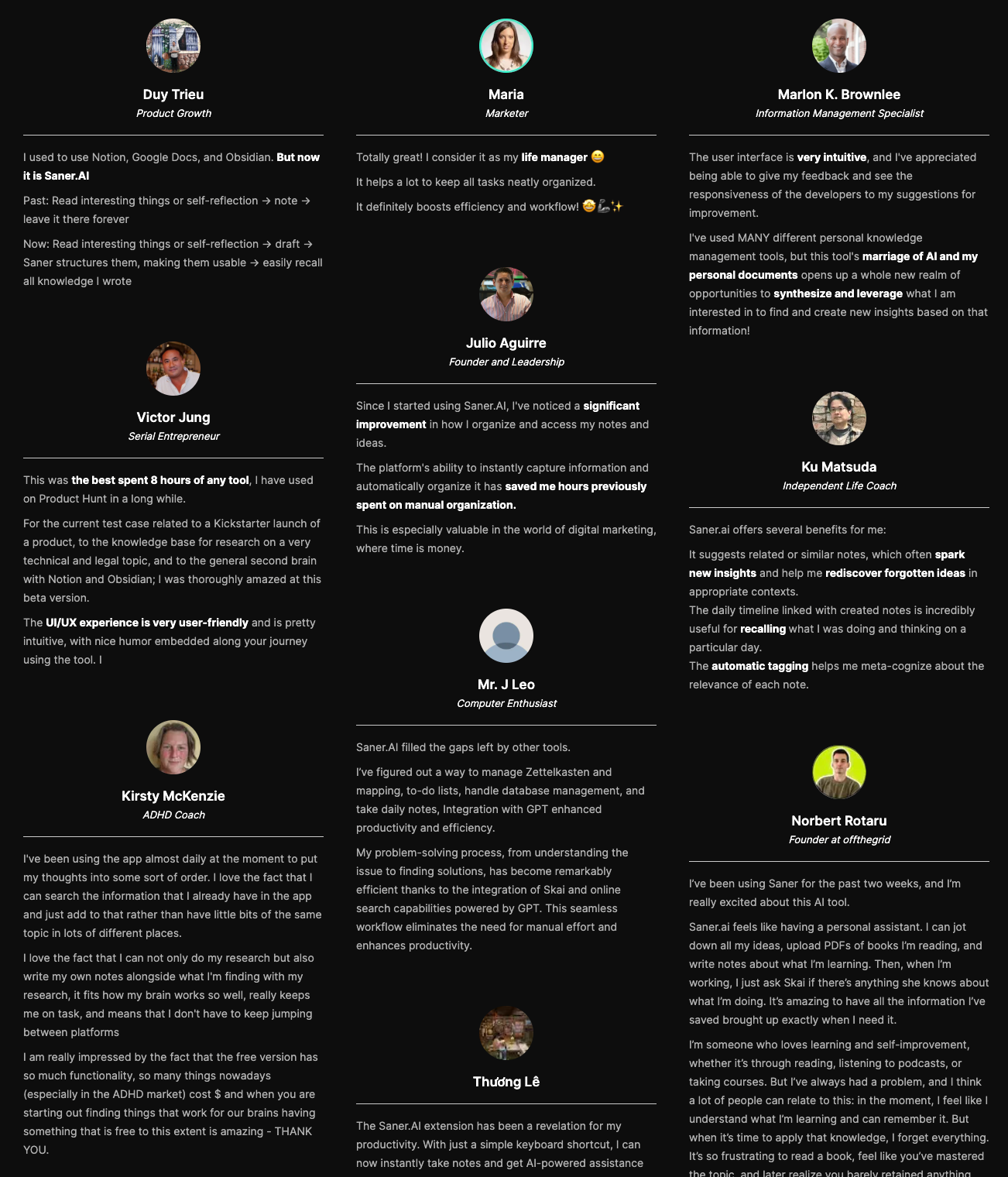
Saner.AI reviews
How to start
- Sign up, dump in your notes and tasks, and start chatting with the assistant. It’ll help you make sense of the chaos.

Stay on top of your work with the Top Motion Alternative
2. Reclaim

Reclaim.ai is an AI calendar assistant that organizes your week. It auto-blocks time for tasks, habits, deep work, and breaks - so you don’t have to constantly tweak your schedule.
Key features
- Smart time blocking for focus work, tasks, habits, and breaks
- Scheduling links that find the best time for everyone
- Syncs with Asana, Todoist, ClickUp, Linear, and Google Tasks
- Supports Google and Outlook calendars
- Adds buffer time between meetings to avoid burnout
What I liked
- The auto-scheduling is solid - it works around existing meetings without me doing anything
- Focus Time protection actually helps you get uninterrupted work done
"I block 3-hour chunks for focused work, and Reclaim defends these time blocks like a guardian." — reviews
- I liked how it pulled tasks directly from my to-do apps

What I disliked
- There’s no native mobile app yet, which feels overdue
- Not great for complex task management - no timelines or dependencies
- No chatbot assistant interaction
- Mostly built for calendar automation, not full project management
- When I fall behind mid-day and need to clear my afternoon, Reclaim keeps reshuffling and notifying me rather than accepting that I've stepped away
Pricing
- Free Lite plan available
- Starter: around $10/user/month
- Business: $15/user/month
- Enterprise: starts at $18/user/month
Suitable for
- Anyone looking for a Motion alternative that helps protect their time, auto-schedule tasks and habits, and avoid back-to-back meeting chaos.
How to start
- Just sign up, connect your calendar, and let it start managing your time automatically.
Reclaim reviews (source)
"Great time blocking service with great calendar integration, supports work and personal calendars, and integrations with task tracking apps. It's actively being developed with new features rolling out." — reviews
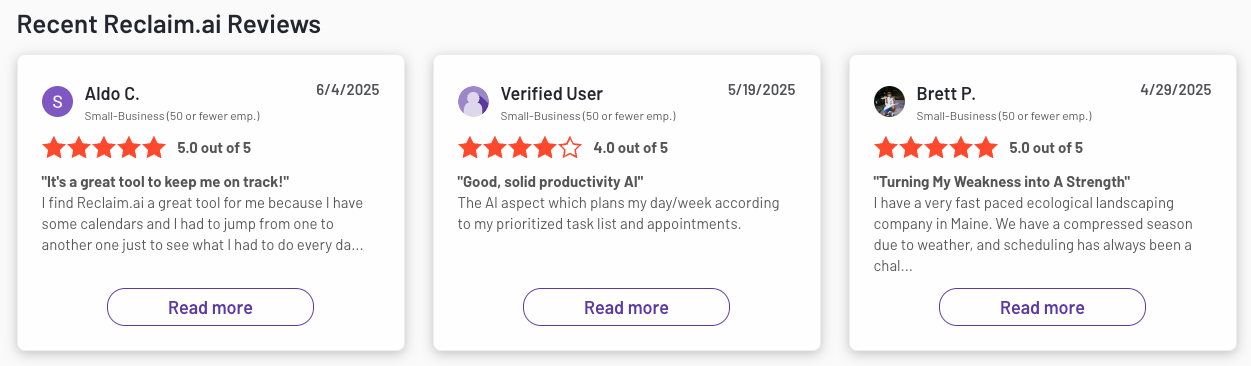
"My team tested Reclaim.ai to help balance meetings with focus time. I used it for a few weeks to protect my work blocks. It works okay, but the syncing with calendars can lag." — reviews
3. FlowSavvy
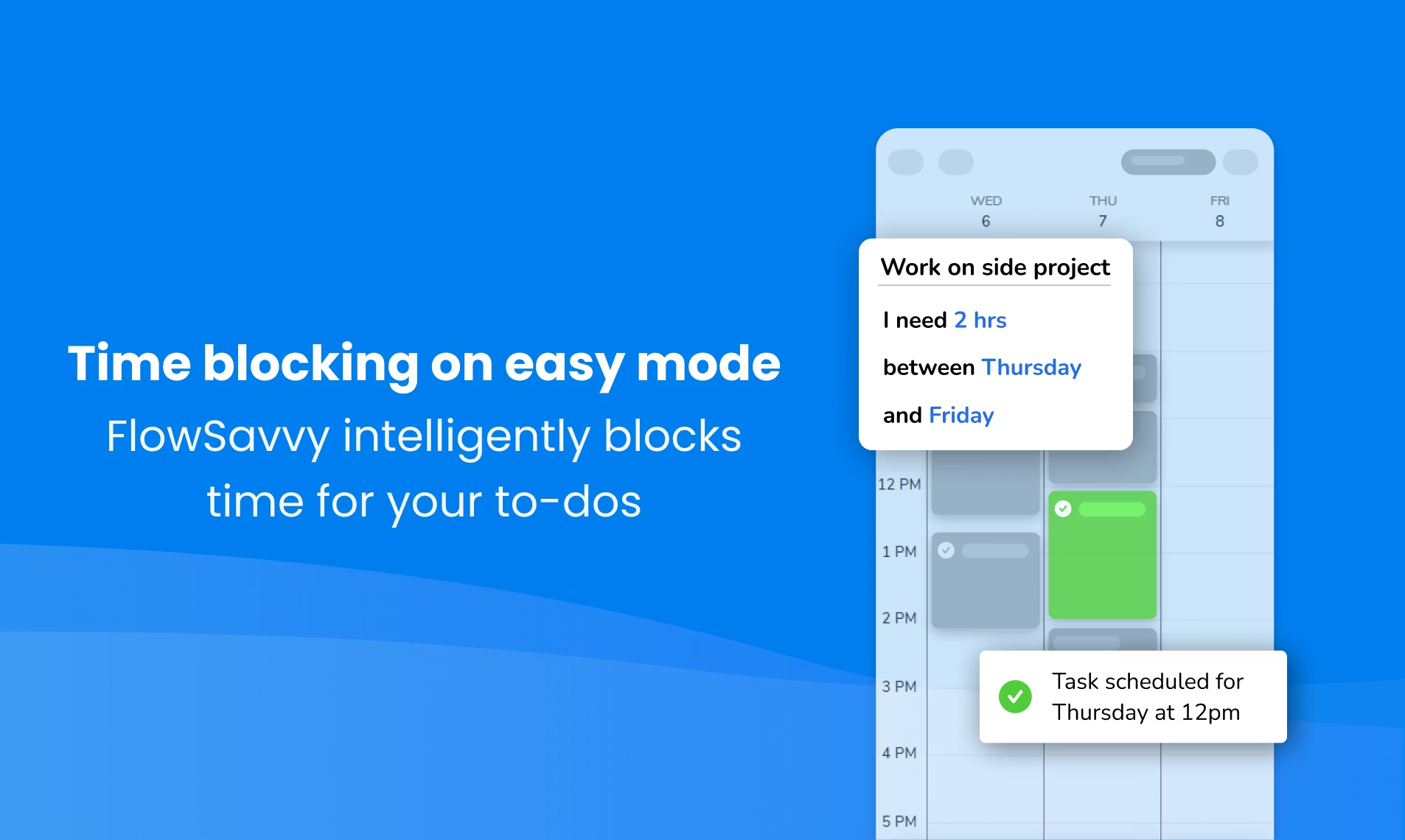
FlowSavvy is a Motion alternative, particularly for individual users. While Motion offers extensive team collaboration features, it comes with a higher price point and a more complex user interface.
Key features
- Auto-scheduling: Just enter tasks and deadlines
- Calendar sync: Works with Google, Outlook, and iCloud
- Recurring tasks: Automatically schedules routines like workouts or planning
- Urgency colors: Highlights how close tasks are to being overdue
What I liked
- The auto-scheduling is good. I can dump all my tasks in, set deadlines, and it fills in my week for me
- Habits are easy to stick to when they’re automatically scheduled in
- It’s affordable - Pro is just $7/month, and the free plan is solid for basic use
What I didn’t like
- The design feels a bit basic
- If you manually adjust a task that’s been split, you have to move the whole thing
- Notification settings could be more customizable
- It’s built for individuals - there’s no real support for teams or shared calendars
- No chatbot-style interaction like “reschedule this for tomorrow.”
- Not supporting document management
Pricing
- Free plan: Great for solo use, with 2-week auto-scheduling
- Pro plan: $7/month ($5/month billed annually) with longer scheduling, priorities, dependencies, and more
Suitable for:
- Anyone looking for a simple, affordable Motion alternative - especially if you want your schedule to adapt without constant tweaking.
How to start:
- Just sign up at Flowsavvy.app, connect your calendar, add your tasks, and let it handle the rest.
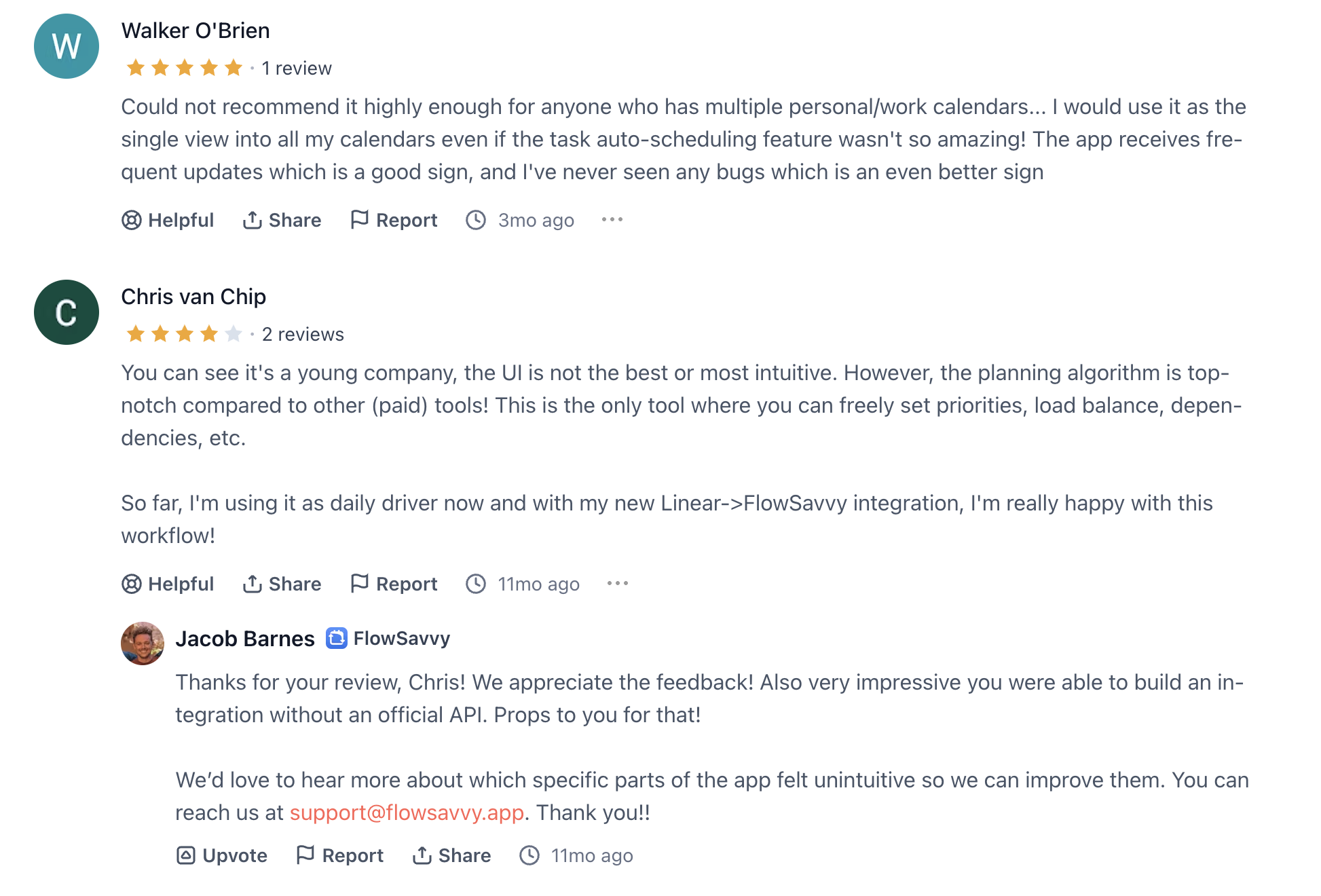
Flowsavvy reviews (source)
4. SkedPal

SkedPal is an AI calendar assistant that turns your to-do list into a smart, flexible schedule.
It automatically plans your day around priorities, work hours, and personal routines - perfect if you want more control than Motion gives.
Key features
- Smart Time Blocking: Plans your tasks based on urgency, priority, and ideal working times
- Time Maps: Let you set rules for when different types of work should happen
- Auto Rescheduling: If something changes, it’ll shift your tasks around like a GPS
- Status Tracker: Highlights what’s overdue, done, or needs re-planning
What I liked
- It gives you super fine control, down to 5-minute task block
- I like how it balances work, personal stuff, and deep focus time
- When my day gets derailed, it automatically reshuffles everything

What I didn’t like
- The learning curve is steep. Took me a few days to really get it
- The UI feels a bit dated
- Calendar sync can lag or bug out if you’re behind a strict firewall
- There are no collaboration or team features. It's purely a solo planning tool
"There are no collaboration tools that I am aware of, and I still use Trello or Asana for their visible cues." — reviews
Pricing
- $14.95/month
- Or $9.95/month billed annually
- 14-day free trial
Suitable for
- Solo professionals who want a Motion alternative with more flexibility and deeper control over their time, especially if you like rules, structure, and automation.
- Not ideal if you need team collaboration tools or want a plug-and-play experience.
How to get started:
- Just go to SkedPal, create an account, sync your calendar, and start adding tasks.
SkedPal Reviews (source)
"It took a little while to learn how it works fully and getting all my tasks and habits set up properly, but it has quickly become my trusted daily task and routine manager." — reviews
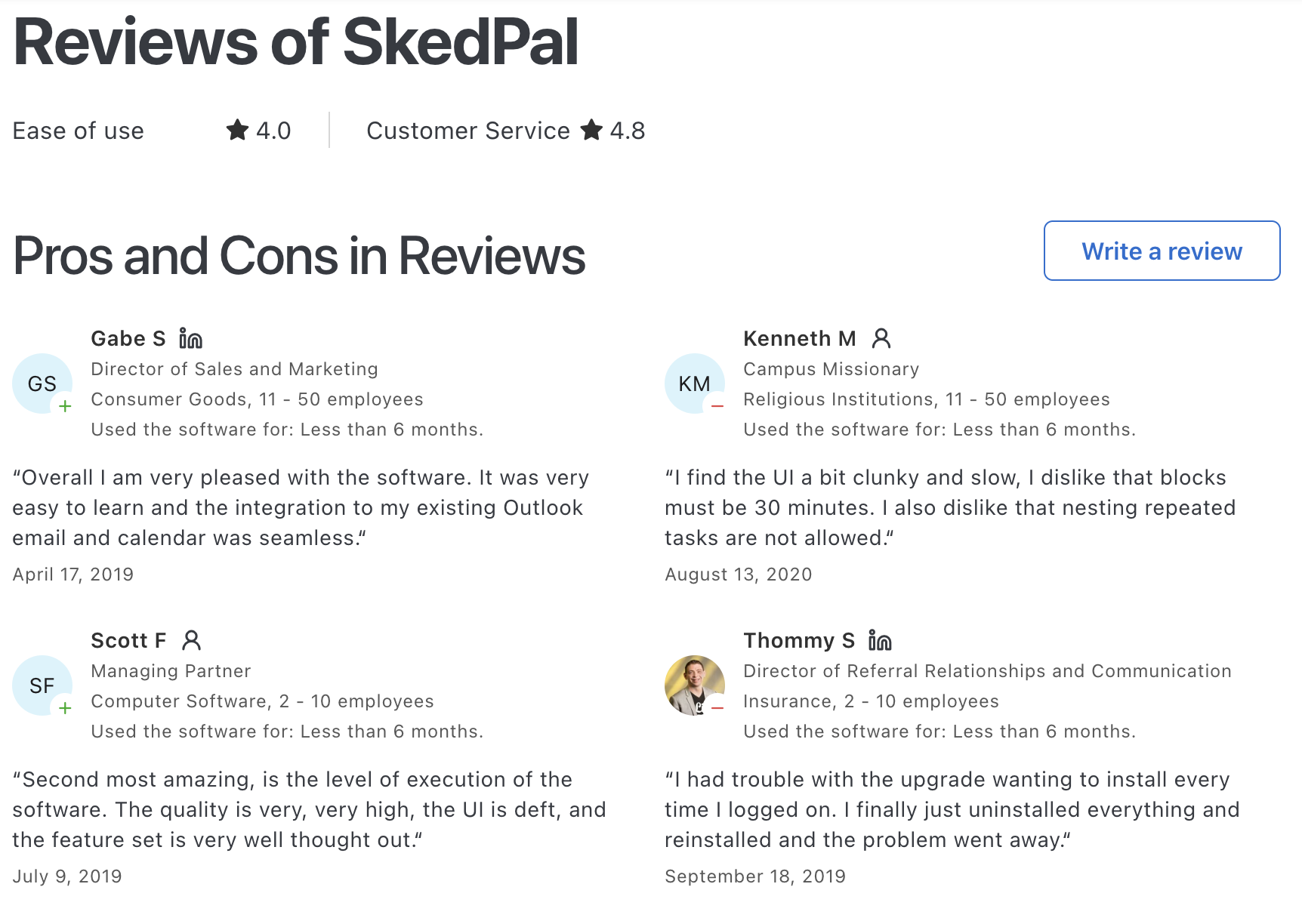
"It's not plug and play. For busy managers with lots of meetings and projects to handle, SkedPal's simple features might not be sufficient." — reviews
5. Todoist
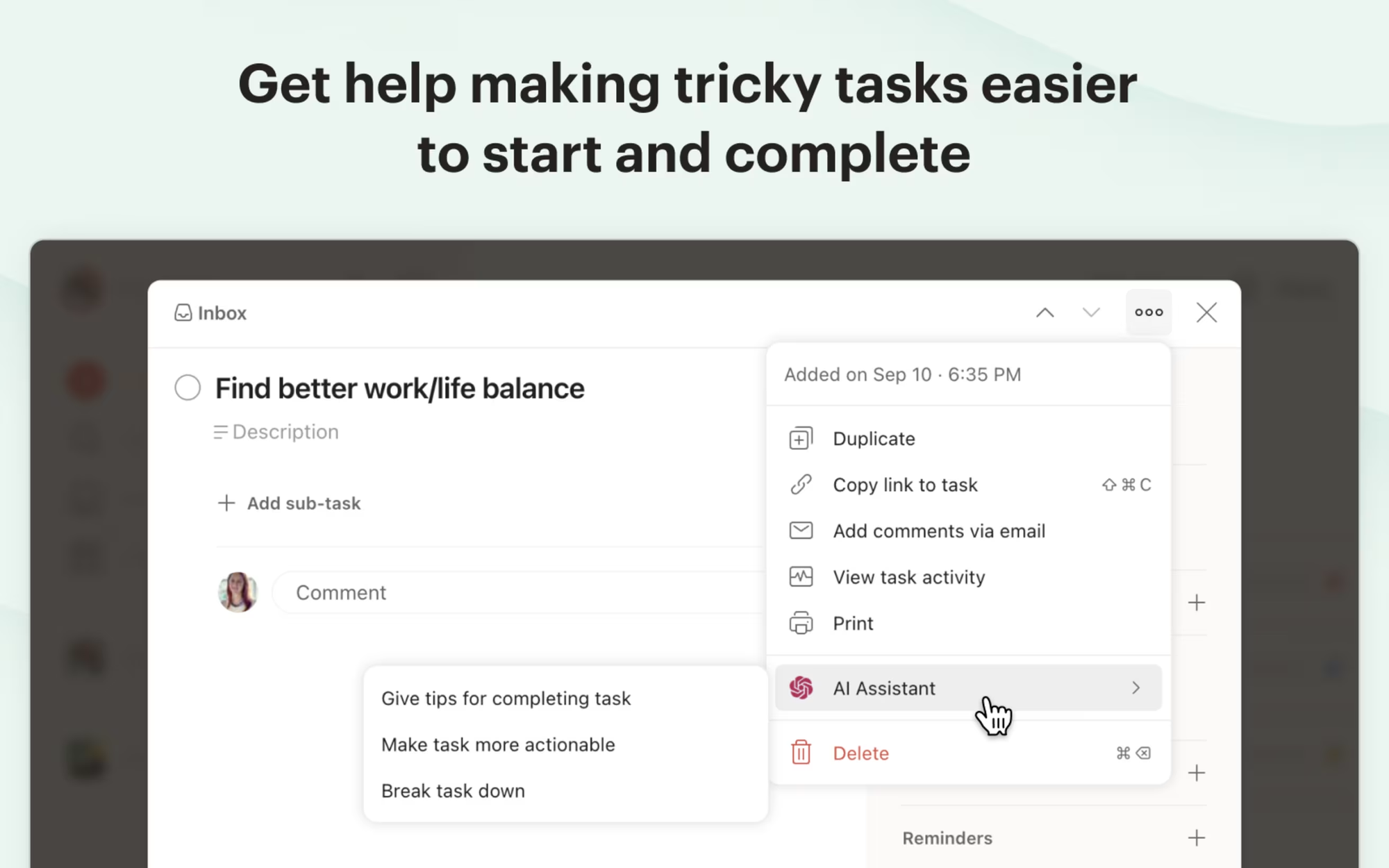
Todoist is a beautifully simple task manager that works across all your devices. It's not just for checklists - it’s also a smart, lightweight Motion alternative that supports time blocking, recurring tasks, and even an AI assistant that helps you plan better.
Key features
- Natural language input – Type “Review slides every Monday” and it gets it.
- Task durations + calendar view – Helps you plan your week visually, like Motion.
- Smart AI assistant – Suggests priorities and helps you schedule better.
What I liked:
- I like that Todoist feels clean but powerful. I can plan with durations and see it all in calendar view.
- It syncs fast across my phone, laptop, and browser, so I never lose track.
- Time blocking is easy.
What I disliked:
- The calendar view and some smart features are only available on paid plans.
- The AI assistant isn’t as conversational - no “reschedule my afternoon” in natural language yet.
- It’s not a project management tool, so no dependencies or timeline view if that’s your thing.
Pricing:
- Free plan with up to 5 projects and basic task features
- Pro plan at $4/month (billed annually)
- Business plan at $6/user/month with shared team features
Suitable for:
- Anyone looking for a Motion alternative that’s lightweight, beautifully designed, and works great for daily task management and time blocking.
How to start:
- Just download the app or head to the website, make a free account, and you’re good to go.
Todoist review (source)
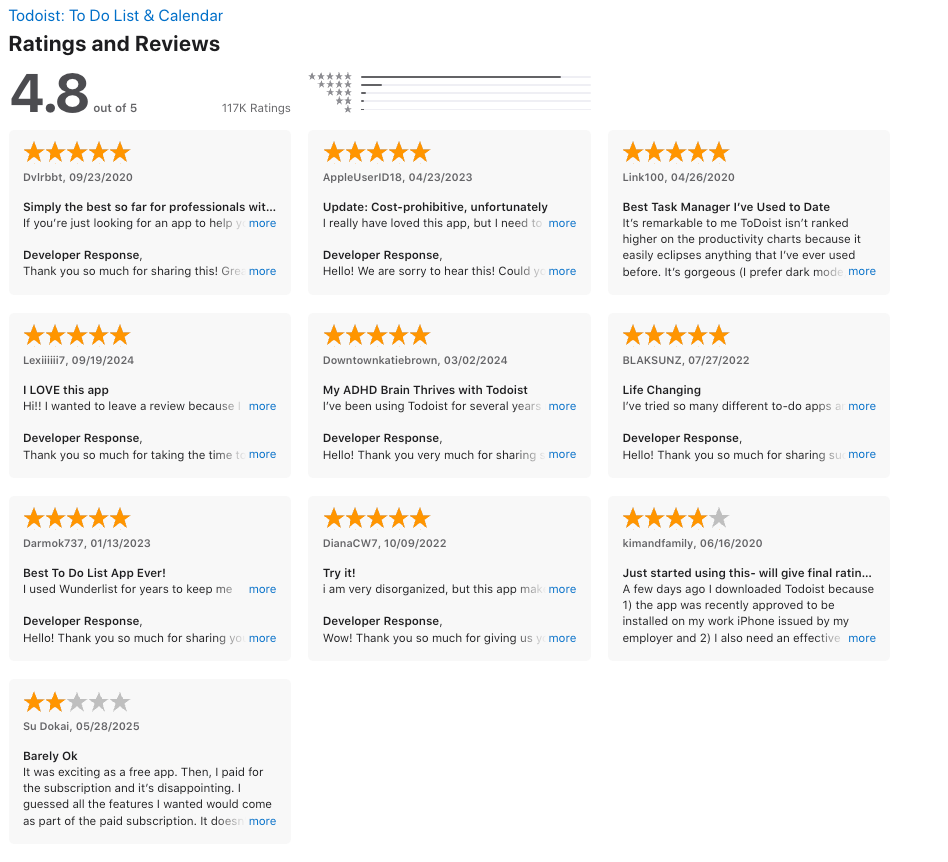
"While Todoist offers great features for task management, it isn't providing innovative features that would make me switch from my current app." — reviews
6. Akiflow
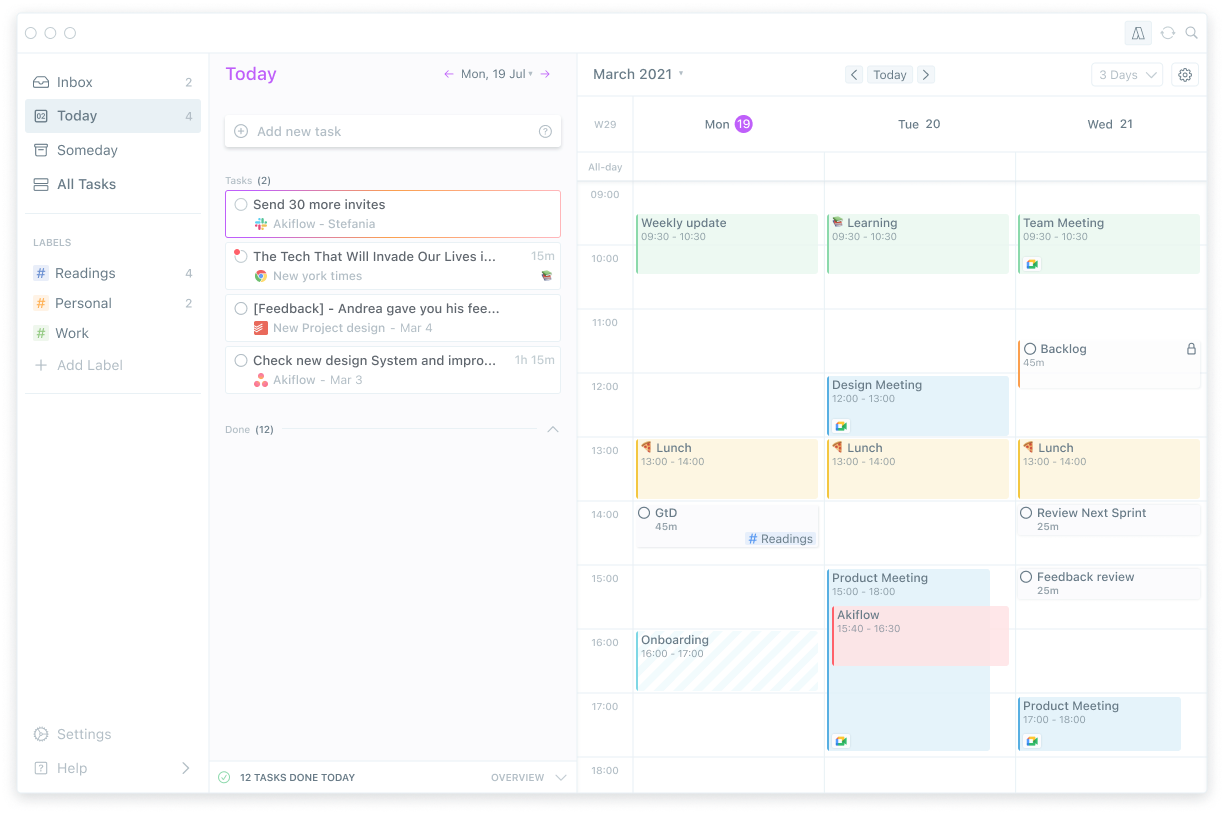
Akiflow is a Motion alternative that helps you plan your day by dragging tasks straight onto your calendar. It pulls in to-dos from places like Gmail, Slack, Notion, and Asana, so you don’t have to jump between tools to stay organized
Key features
- Task + Calendar integration: Drag tasks onto your calendar to block time
- Unified inbox: Collects tasks from Gmail, Slack, Notion, and other apps
- Keyboard command bar: Plan your day fast with just a few shortcuts
What I liked
- I like how I can pull in tasks from all over and drop them onto my calendar
- The command bar is fast
- The keyboard shortcuts make scheduling fast enough
What I disliked
- It’s a bit pricey if you’re just testing things out
- There’s a bit of a learning curve with all the keyboard shortcuts
- The mobile app is still in beta, so it’s not as polished as the desktop
- There is a lot of bad feedback about customer service, refund recently
Pricing
- Free 7-day trial
- $34/month or $19/month billed annually
Suitable for:
- Anyone who wants a Motion alternative that’s clean, fast, and built for focused solo work.
How to start:
- Just sign up, connect your tools, and start dragging tasks onto your calendar.
Akiflow Reviews (source)
"I've tried all similar apps and solutions — Motion, Sunsama, Clockwise, and many others. Akiflow is the one that holds me." — reviews

"I would never recommend Akiflow to anyone as their team don't have the customers best interest at heart." — reviews
Conclusion: Choosing the Right Motion Alternatives 💡
Do you feel like your workflow in Motion has hit a wall? Maybe it’s not quite keeping up with your needs, or you’re struggling with limited notes or knowledge management options.
These 6 Motion alternatives aren’t just about ditching the tool - they’re about finding a system that fits your unique way of working.
And at the end of the day, the best tool is the one that fits you. Whether you're looking for something simpler, more affordable, or just a fresh start, there’s no shortage of options to help you stay organized and focused.
Your productivity isn’t about the app you use; it’s about how you make it work for you
So, try those above and choose the one that best fits your style!
Stay on top of your work and life
FAQ for Motion Alternative
1. What is a Motion alternative?
A Motion alternative is a productivity tool that helps you plan your day and manage tasks, without relying solely on calendar auto-scheduling.
While Motion automatically blocks time for tasks, some users prefer tools with more flexibility, AI-powered assistance, or better support for messy brains and shifting priorities. Tools like Saner.AI offer a more conversational, context-aware approach to getting things done - perfect if you're overwhelmed by rigid scheduling.
2. Why would someone look for a Motion alternative?
Motion works great if your tasks are structured and your day is predictable. But it may fall short when:
- You prefer to think out loud and want AI to turn that into tasks
- Your schedule changes frequently
- You need AI to remind, prioritize, or plan - not just time-block
- You find rigid auto-scheduling stressful or inflexible
Motion alternatives like Saner.AI cater to people who value context, calm, and flexibility over pure optimization.
3. What features should I look for in a Motion alternative?
Look for tools that offer:
- Conversational task creation – Talk or write naturally, and let AI figure out the tasks
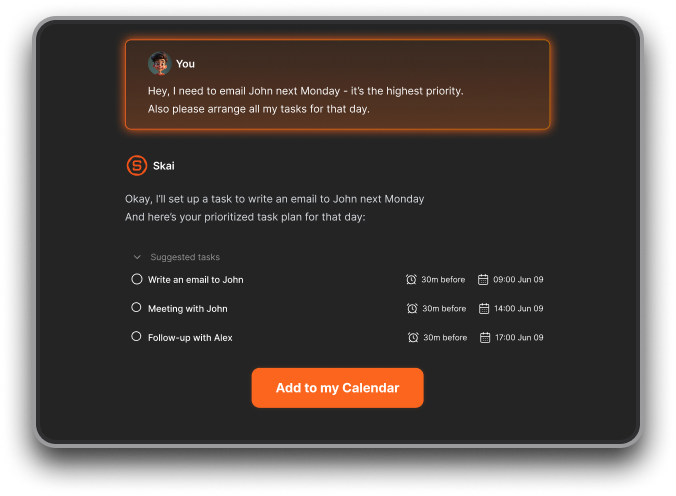
- Smart reminders – Instead of fixed times, get nudges when things are most relevant
- Note + calendar + task integration – See the full picture without switching tools
- Customizable AI behavior – Not every task needs to be scheduled—some need thinking space
- ADHD-friendly workflows – Tools like Saner.AI are built to reduce context-switching and mental overload
4. Is there a free alternative to Motion?
Yes, these 2 Motion alternatives offer free plans:
- Saner.AI – Free tier includes task-from-text, calendar sync, and natural language search across your notes
- Reclaim.ai – Offers limited free access to calendar optimization
Each option has different strengths. Saner.AI focuses more on understanding your brain, not just organizing your calendar.
5. What’s the best Motion alternative for ADHD?
If you struggle with overwhelm, forgotten tasks, or shifting priorities, Saner.AI is a great pick. Here’s why:
- It lets you brain dump and turns it into clear action items
- Helps break down big tasks to smaller steps
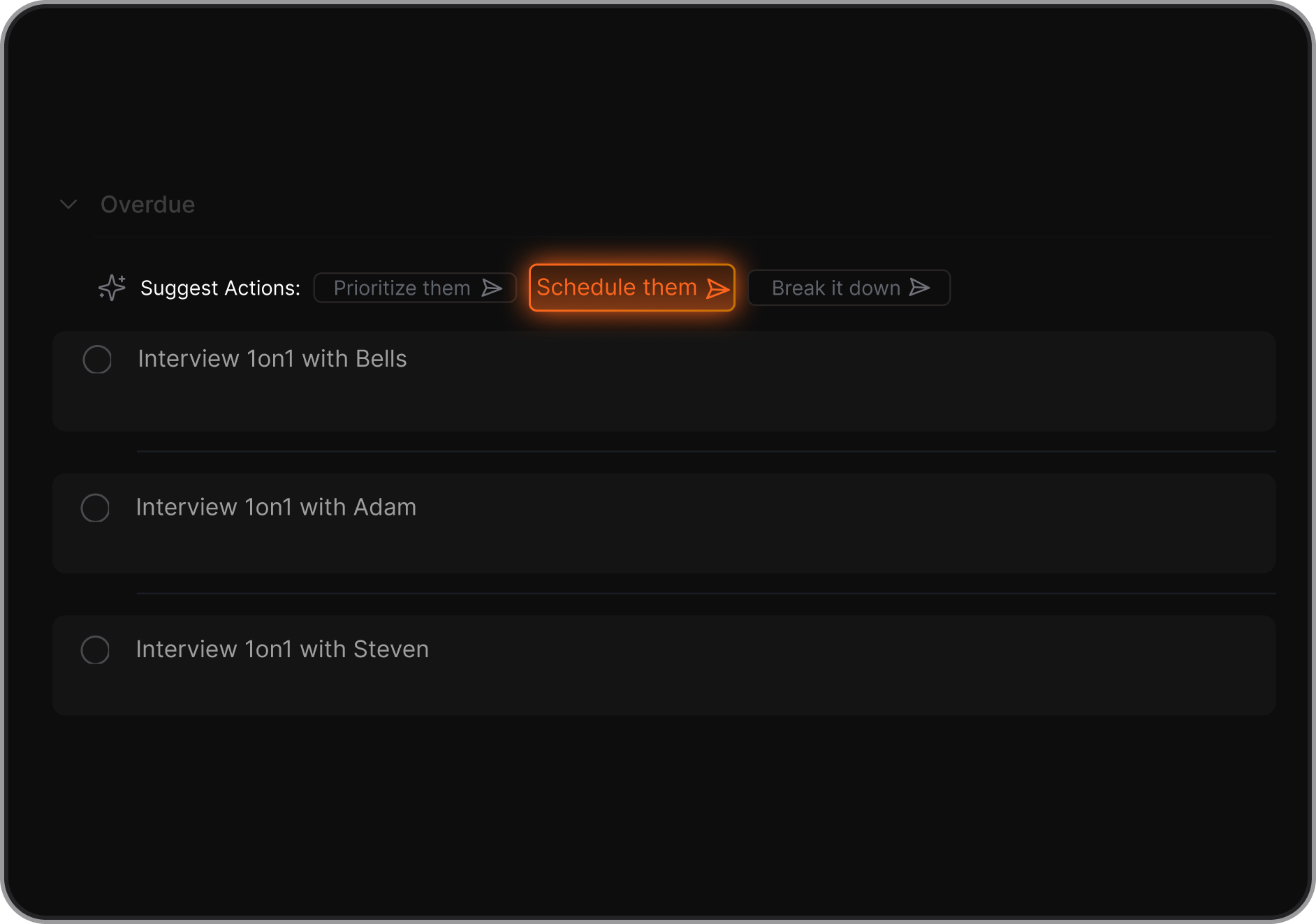
- Reminds you gently - no jarring calendar blocks
- Doesn’t rely on strict schedules, which often backfire for neurodivergent users
6. Can Motion alternatives help with scheduling?
Yes - but in different ways.
- Saner.AI suggests when to work on tasks based on context, importance, and your current workload
- Reclaim adapts dynamically based on availability
If you want more guided prioritization rather than rigid automation, Saner.AI gives you space and structure.
7. What’s the best Motion alternative for entrepreneurs?
Founders need more than scheduling - they need clarity, recall, and flexibility. Saner.AI is a best fit because it's built for:
- Turning scattered ideas into action plans
- Connecting notes, emails, tasks, and calendar in one AI workspace
- Surfacing past investor convos, meeting notes, or to-do lists—instantly
- Helping you follow through, not just brainstorm
8. How is Saner.AI different from Motion?
| Feature | Saner.AI | Motion |
|---|---|---|
| Task input | Natural conversation, rants | Manual or list-based input |
| Scheduling style | Context-aware, flexible nudges | Automatic calendar blocking |
| Notes and docs | Integrated with smart search | Not supported |
| ADHD-friendly | ✅ Built with ADHD brains in mind | ❌ Can feel rigid or overwhelming |
| Ideal for | Entrepreneurs, creative thinkers | Rigid planners, time blockers |
9. Can a Motion alternative still boost productivity?
Absolutely. Saner.AI improves focus without forcing structure:
- Surfaces the right task at the right moment
- Understands messy notes, reminders, or vague goals
- Keeps your day light, yet intentional
If Motion feels like too much pressure, a tool like Saner.AI might help you get more done with less stress.
10. Which Motion alternative is best?
It depends on how your brain works. Choose Motion if you thrive on structure and time-blocking. But if you're looking for a tool that adapts to you, not the other way around, Saner AI is worth trying.
It’s not just a calendar tool. It’s a personal assistant that actually helps you think, plan, and remember - without breaking your flow.
11. Which Motion alternative supports granular project scheduling?
If you want to assign specific time blocks to individual projects, Motion alternatives like Saner.AI offer more control.
Saner lets you plan by simply describing what needs to happen, and it turns that into prioritized tasks with gentle reminders - great if you’re juggling multiple responsibilities across projects.
12. Are there Motion alternatives that automate based on energy or context?
Yes - some tools go beyond rigid scheduling by factoring in your energy levels or type of work. Saner.AI shines here: it doesn’t just block time, it learns what tasks fit your current mental load.
For example, you can tell it “I have 30 mins and low energy,” and it’ll suggest the right task to match that moment, like a productivity coach that gets you.
13. What’s the most affordable Motion alternative?
Many Motion alternatives offer free or low-cost plans. Saner.AI has a generous free tier that includes AI task reminders, calendar sync, and natural language search.
Other budget-friendly tools like Reclaim and Skedpal offer basic scheduling features, but Saner gives you smart organization and planning features without paying upfront.
13. Can I migrate data from Motion to another tool?
Yes. Most Motion alternatives let you bring your tasks over.
Saner.AI makes it easy to copy-paste task lists or import notes directly. While it doesn’t yet support direct integrations with Motion, you can quickly recreate your workflow by describing what you're working on, and Saner will build the structure for you faster than manual transfer.
Tired of Motion?