
n8n Alternatives: We Tested the 5 Best in 2026


The 5 Best n8n Alternatives
Seeking an easier and smarter alternative to n8n? You’re not alone.
While n8n is one of the most powerful open-source workflow automation tools available today, it’s not for everyone. Between self-hosting headaches, developer-only logic, and a steep learning curve, many teams and individuals are searching for simpler or more intelligent automation solutions in 2026.
In this guide, we’ll walk you through the best n8n alternatives - from plug-and-play no-code tools to advanced AI assistants - so you can automate your work without the overwhelm. I work at Saner.ai, so I'm reviewing a product I'm involved with. Keep that in mind as you read.
Quick answer: What are the best n8n alternatives?
- Zapier — best all-around n8n alternative for non-technical founders, with the broadest app library (9,000+ integrations) and the easiest setup.
- Make — best visual builder if you still want n8n-style branching and logic control but a real free tier and cheaper per-operation pricing.
- Gumloop — best for data-heavy, node-based workflows like scraping, enrichment, and research, built on a visual canvas.
- Relevance AI — best if you want to build a coordinated team of AI agents ("AI workforce") for sales or ops rather than a single linear workflow.
- Saner.AI — best if the automation you actually need is for your own daily work, not a team process, since it organizes your tasks, notes, email, and calendar without you building anything. Free tier; paid from $8/month.
How I chose these
I built the same sample workflow, a new-lead-to-follow-up sequence, on each platform and timed how long it took to get from signup to a working automation. I judged them on:
- Setup time — how long from account creation to a live, working workflow, since most people abandon automation tools in the first hour if this drags.
- AI-native vs. bolted on — whether AI reasoning is core to how the workflow decides what to do next, or just a feature added to a trigger-and-action system.
- Integration depth — not just how many apps connect, but whether the connection covers the specific action you need, not just a generic webhook.
- Pricing transparency — task-based, credit-based, or seat-based, and whether real usage tracks anywhere close to the advertised numbers.
- Non-technical usability — can someone without a developer background build and, more importantly, maintain the workflow six months later.
- Failure visibility — does it tell you clearly when a run fails, or does it quietly drop tasks until you notice something's missing.
What Are The Best n8n Alternatives in 2026?
The best n8n Alternatives are: GumLoop, Zapier, Make, Relevance.ai, Lindy, and Saner.AI
1. Gumloop
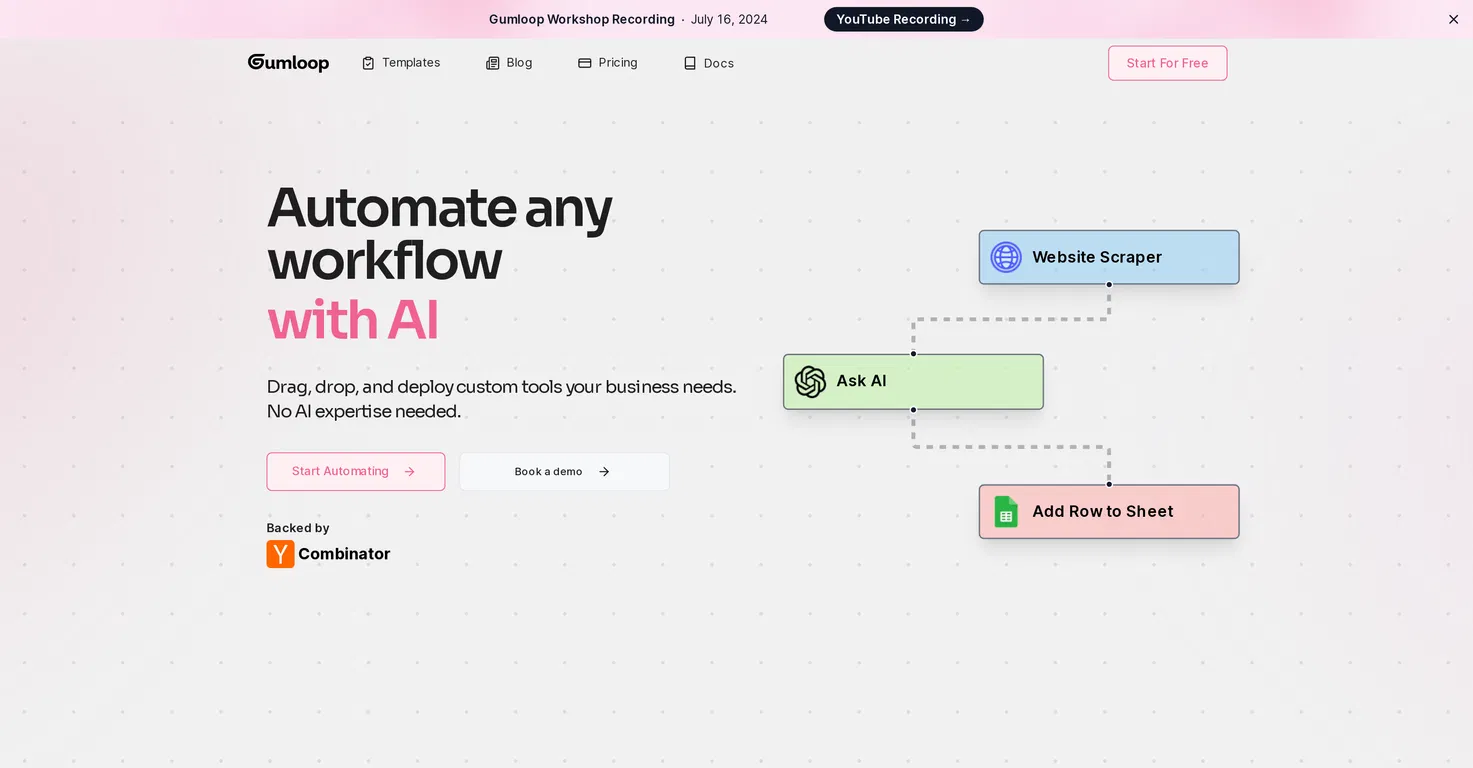
Gumloop is a no-code AI automation platform that helps teams build and deploy complex workflows through a visual drag-and-drop interface. It’s designed to make AI workflows accessible for business users - without needing engineers or deep technical skills.
Key features
- Visual canvas for building workflows using modular nodes
- AI-native nodes like Summarize, Extract Data, Categorize, Ask AI
- “MCP” (multi-step command prompt) lets you describe a task in plain English and auto-generates the workflow
- Integrates with tools like Slack, Gmail, Notion, Salesforce, Airtable, Google Sheets
What I liked
- You don’t need to know how APIs work - just describe the task and it generates the steps
- The visual interface is genuinely intuitive, even for people who’ve never built a workflow before
- You can connect apps and run AI processing (like summarizing emails or tagging leads) in the same flow
What I disliked
- It’s less flexible if you want full developer-level control or deep customization
- The credit system is generous, but if you don’t monitor usage, it could scale quickly
- Still maturing - some integrations and features are in early stages compared to open-source tools like n8n
Pricing
- Free plan: $0/month – 1 seat, 1 trigger, limited concurrency
- Solo plan: $37/month – unlimited triggers, 4 concurrent runs, webhooks, bring your own key
- Team plan: $244/month – 10 seats, Slack support, workspaces, analytics
Suitable for
Marketers, operators, and solo builders who want powerful automations without touching code
How to start
Just go to gumloop.com, sign up, and try the free plan to see how it fits your workflow
2. Relevance.ai
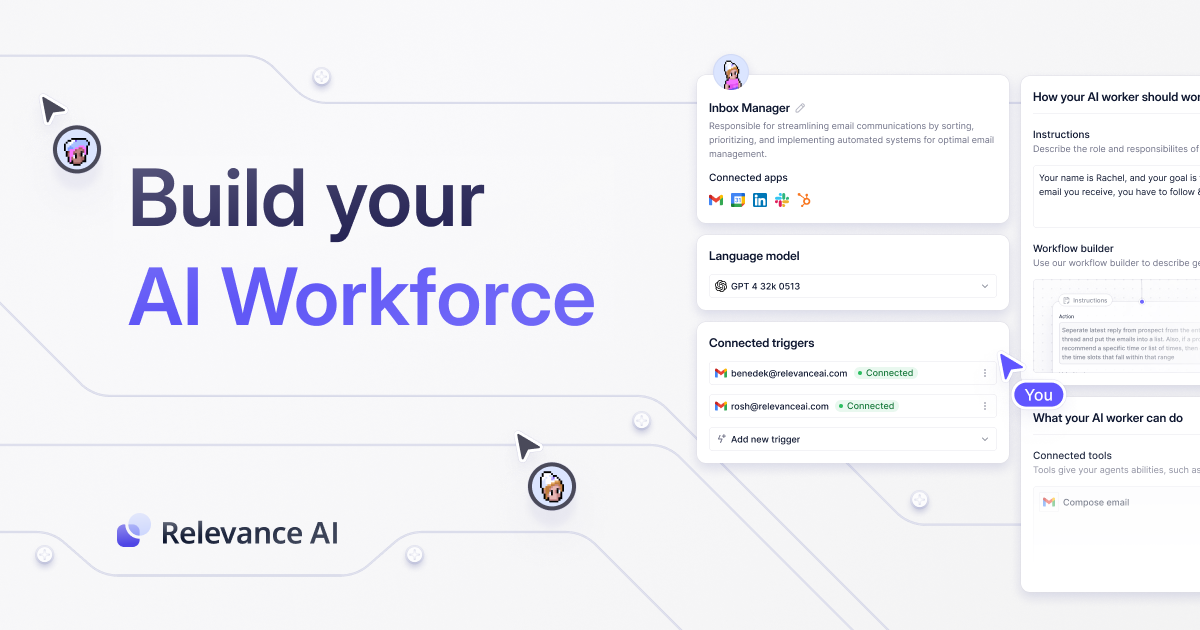
Relevance.ai is a low-code platform that helps you build and deploy AI agents to automate tasks across your business - without writing a single line of code. You can think of it like hiring a digital operations team, where each agent can take care of repetitive workflows, customer queries, or internal tasks.
Key features
- AI Agent Builder: Drag-and-drop interface to create agents with goals, tools, and triggers
- Multi-Agent Support: Deploy multiple AI agents working together in parallel
- 2000+ Integrations: Plug into tools like Zapier, Slack, CRMs, Notion, or custom APIs
- LLM Agnostic: Use OpenAI, Claude, Gemini, or your own LLM of choice
What I liked
- The agent builder is actually beginner-friendly. You can get something running without knowing how to code.
- It scales well - from a solo AI agent to a full-on multi-agent workflow.
What I disliked
- The credit-based pricing model is a bit confusing at first—it’s not super clear how many credits each run will cost until you dig in.
- Some of the enterprise features feel hidden behind the “request demo” wall, even though they’d be useful for smaller teams too.
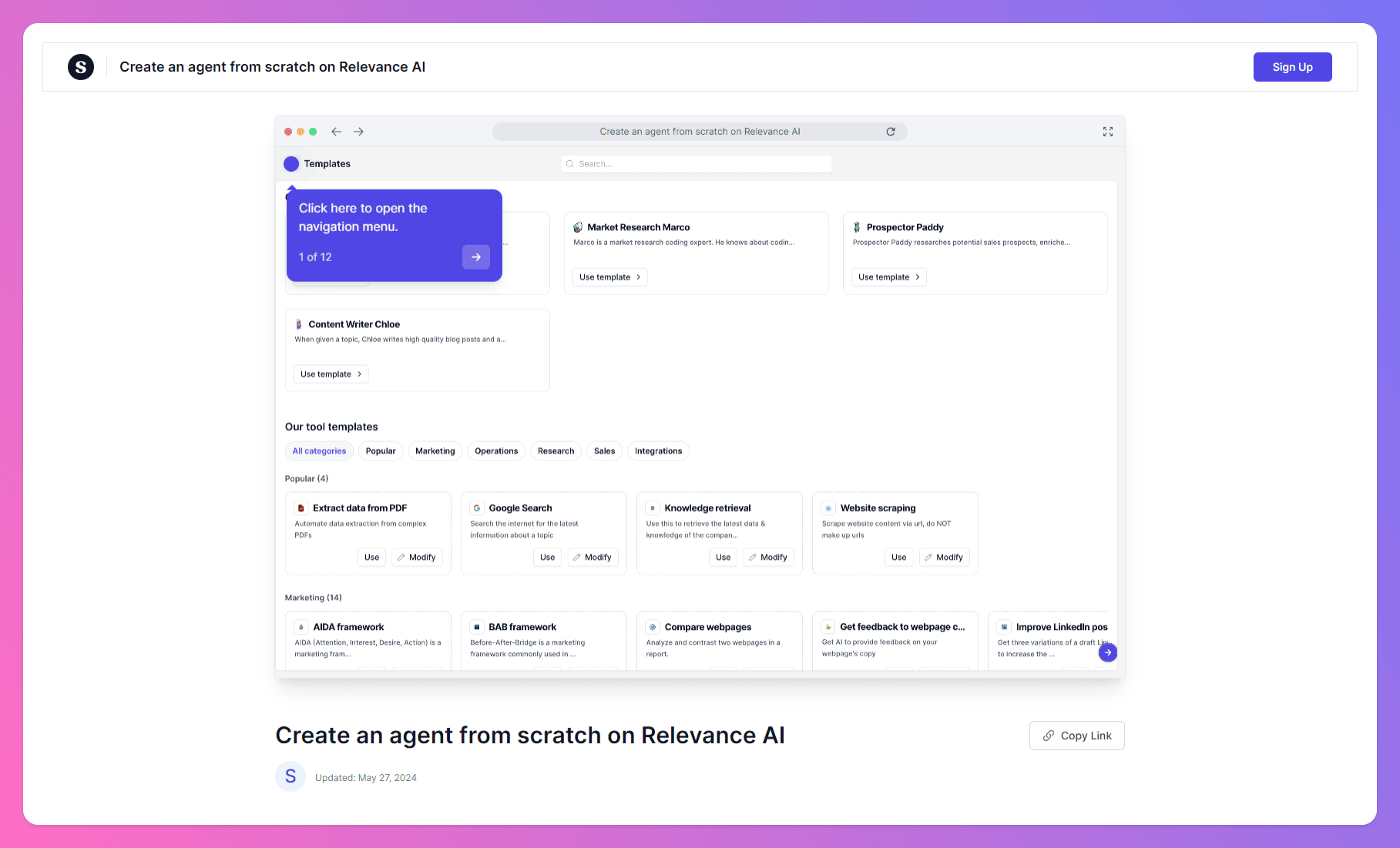
- There's still not a huge community or many user-shared templates yet, so you're often building things from scratch.
Pricing
- Free plan available with 100 credits/day
- Pro plan starts at $19/month
- Team plan around $199/month for up to 10 users
Suitable for
Startup teams, operations managers, and non-technical users who want to launch powerful AI automations without engineering support
How to start
Go to Relevance.ai, sign up for the free plan, and build your first AI agent with their visual workflow builder
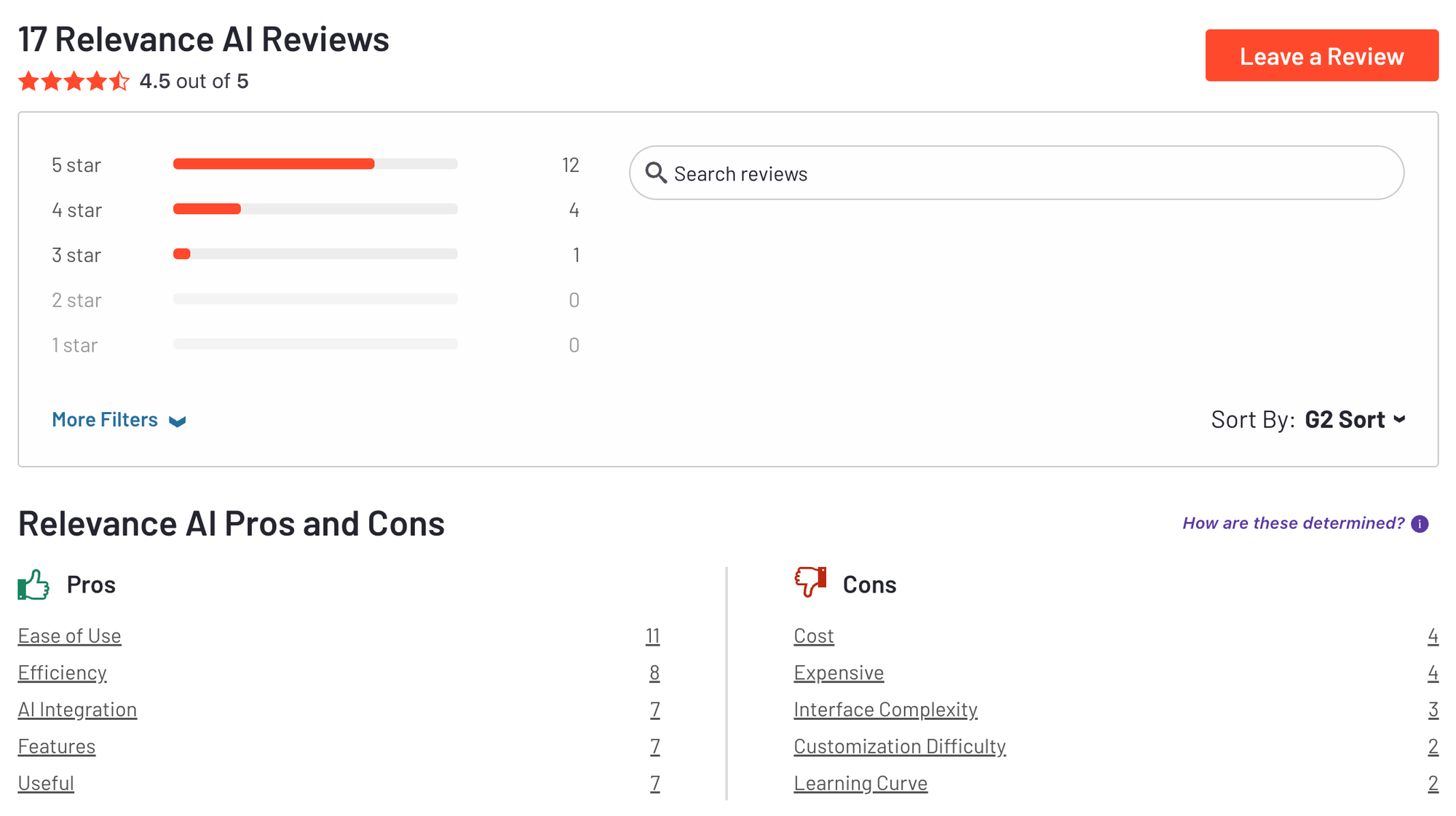
Relevance.ai review (source) 4.5/5
3. Zapier
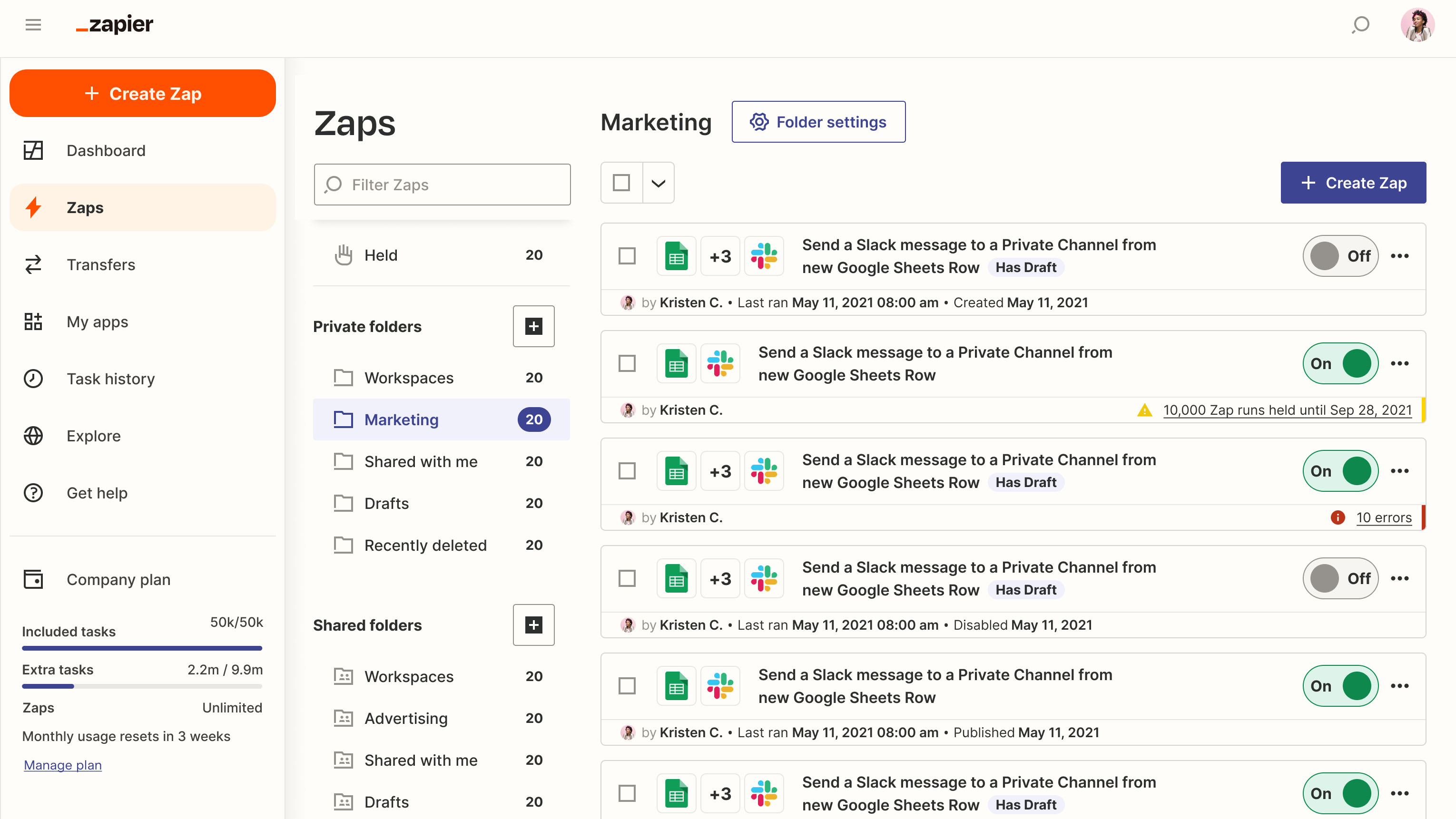
Zapier is a no-code automation tool that connects over 8,000 apps so you can create workflows that move data and trigger actions automatically. Whether it’s syncing new leads into your CRM, auto-saving email attachments to Google Drive, or generating tasks from form submissions, Zapier makes it fast and easy.
Key features
- Extensive app integrations: Works with 8,000+ tools, including Gmail, Slack, Airtable, Notion, Salesforce, and more
- Multi-step Zaps: Chain together complex workflows with filters, paths, and conditional logic
- AI-powered Copilot: Build automations just by describing them in plain English
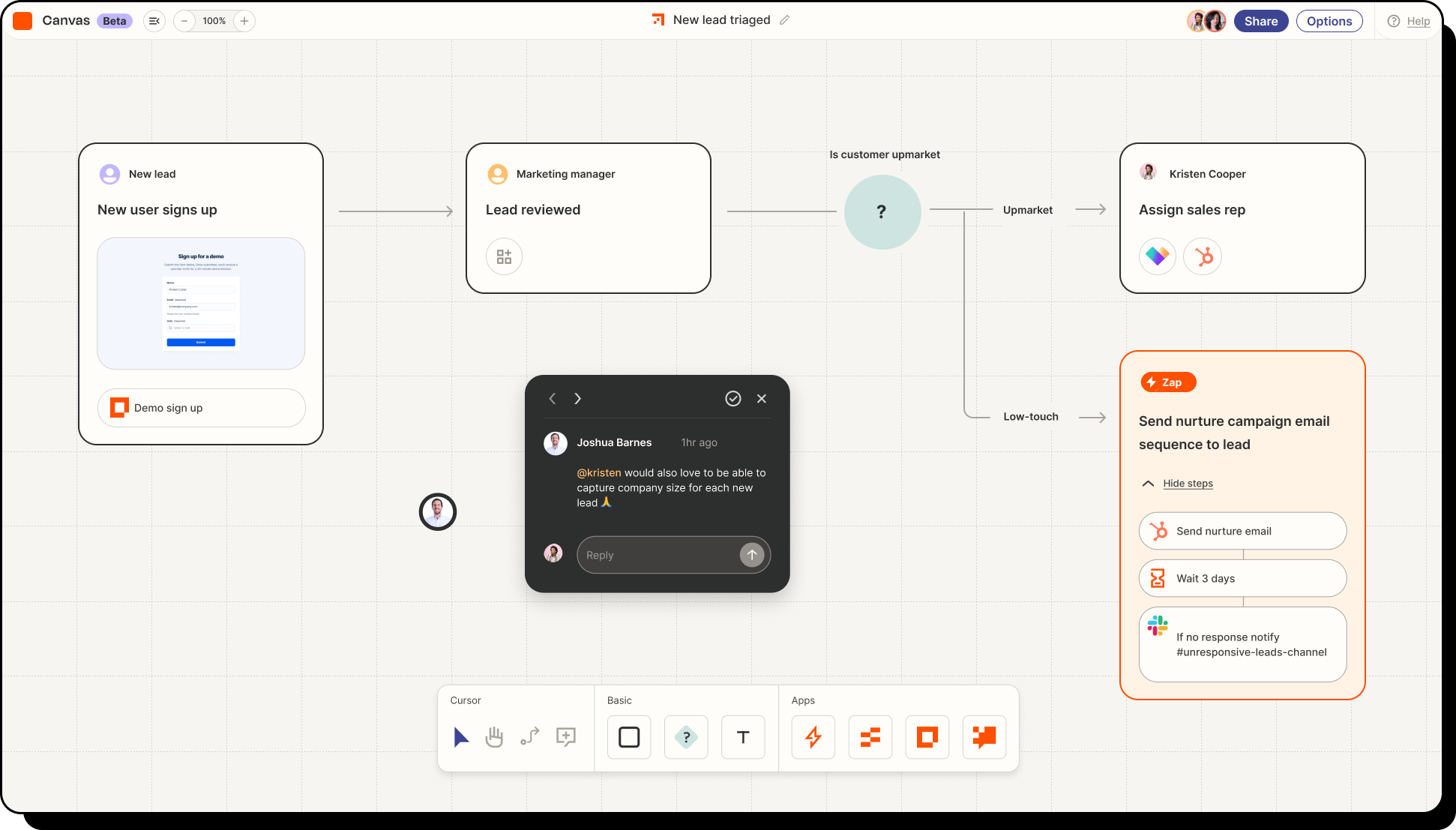
- Zapier Canvas: Visual workflow builder for mapping out entire processes before building
What I liked
- Huge integration library
- I like how easy it is to set up multi-step automations without needing to touch code
- The Canvas view helps when planning bigger automations across teams or systems
What I disliked
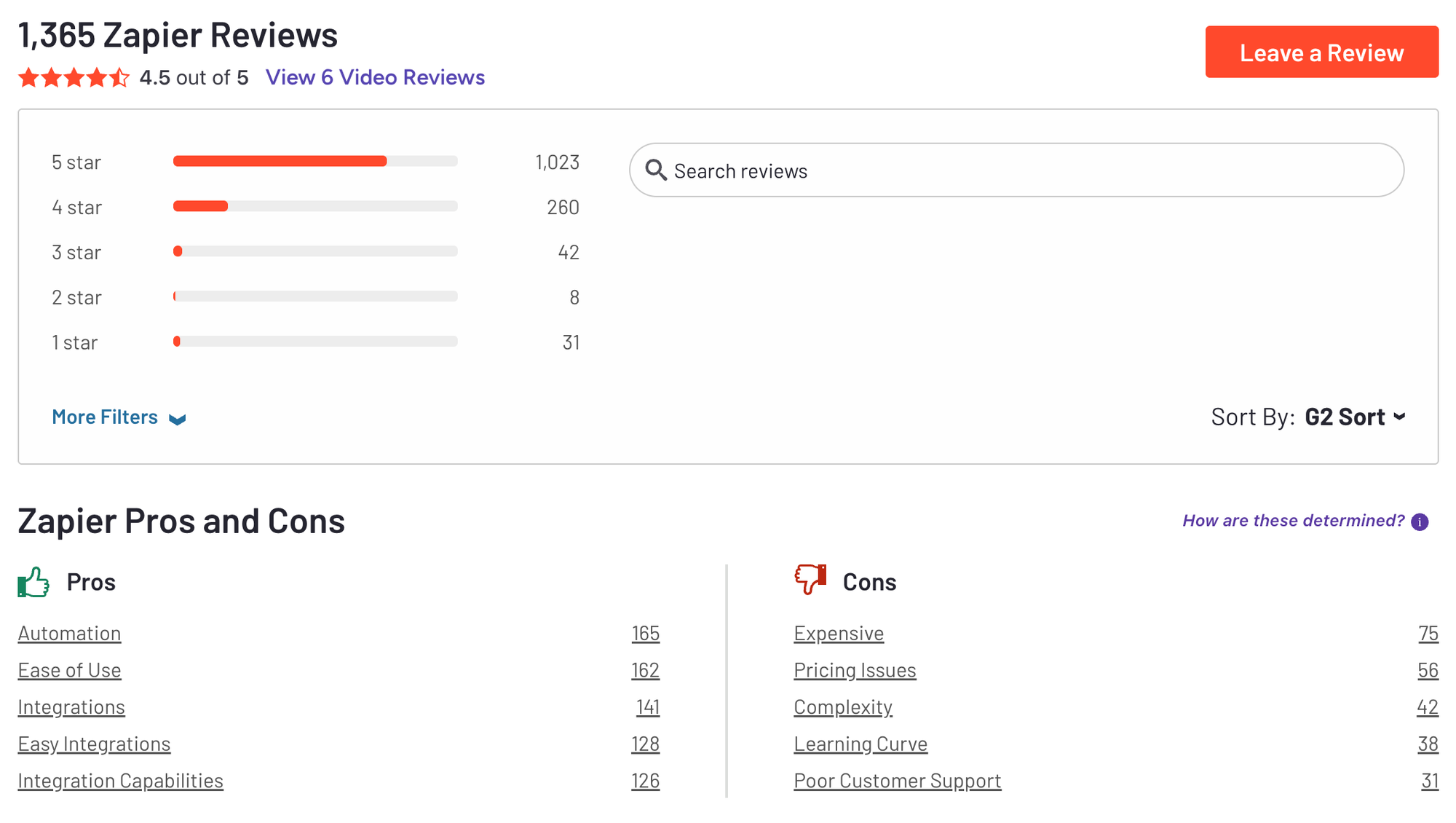
- The task-based pricing can get expensive if your workflows run often or across multiple tools
- You can’t self-host Zapier, so it may not work for teams with strict data residency requirements
- Some integrations and advanced features are locked behind higher-tier plans
Pricing
- Free plan available (100 tasks/month)
- Professional: $29.99/month
- Team: $103.50/month
- Enterprise: Custom pricing
Suitable for:
Professionals, small businesses, and growing teams that want a plug-and-play way to automate tasks across popular tools.
How to start:
Just head to zapier.com, create a free account, and build your first Zap with the visual editor or AI Copilot.
Big Interview Reviews (Source)
4. Make
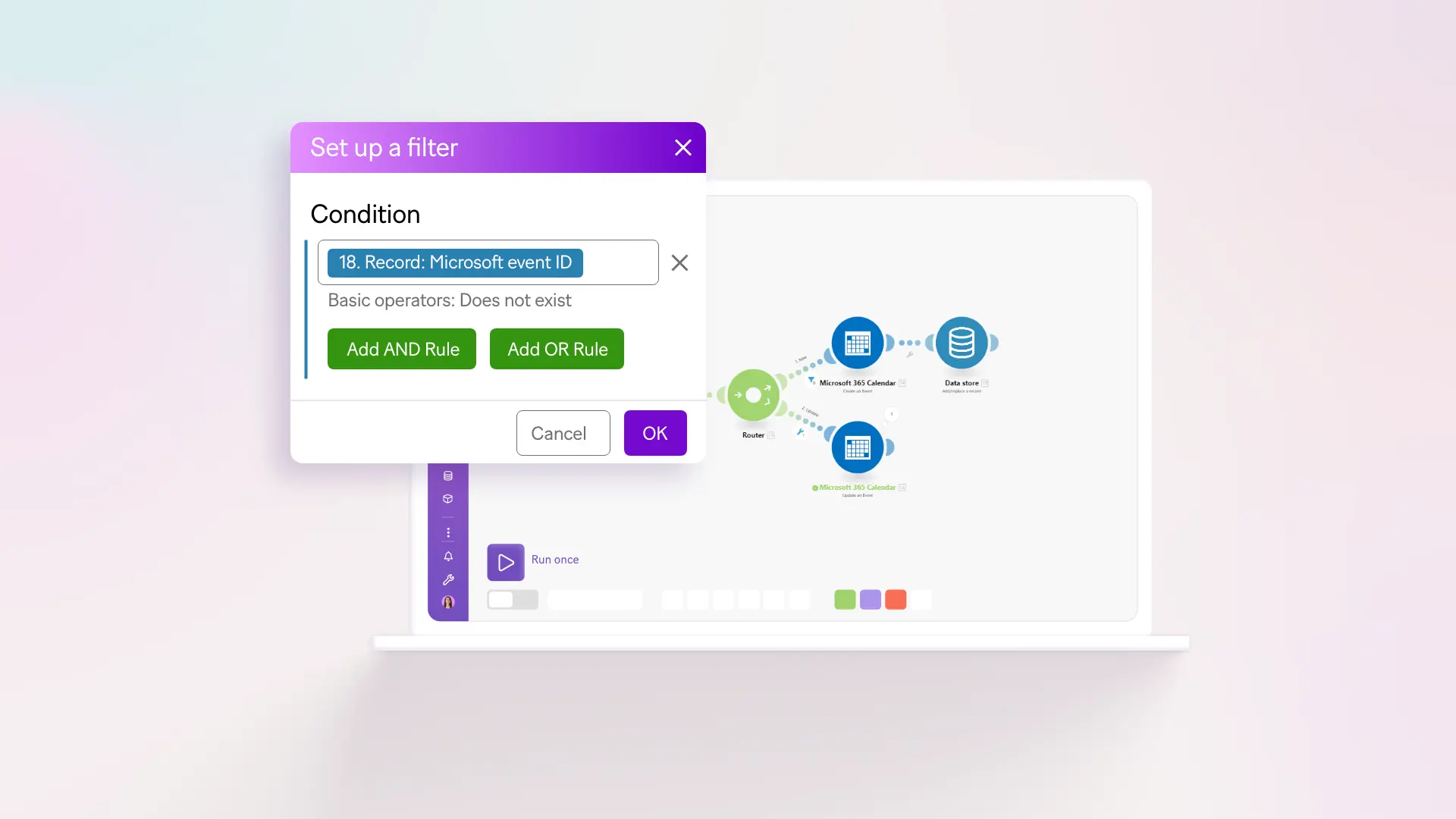
Make.com is a visual automation platform that lets you build complex workflows without writing code. Compared to n8n, it’s much more beginner-friendly thanks to its drag-and-drop interface, while still offering advanced data logic for power users
Key features
- Visual Workflow Builder: Drag-and-drop interface to build scenarios with filters, routers, and conditional logic
- Advanced Data Manipulation: Supports iterators, aggregators, and custom functions
- 2,800+ App Integrations: Works with tools like Google Sheets, Slack, Airtable, Shopify, Notion, and more
What I liked:
- The visual UI is intuitive - great for operations teams or product folks who don’t code
- You can build really advanced workflows without needing to self-host or manage infrastructure
- Flexible enough to support branching logic, nested loops, and real-time event triggers
What I disliked:
- Pricing is based on “operations,” so costs can spike fast with complex or frequent workflows
- No self-hosting option—Make is cloud-only, which might not work for some security-conscious teams
- It has a bit of a learning curve if you're used to Zapier-style one-to-one automations
Pricing:
- Free plan available (1,000 ops/month)
- Core plan starts at $9/month
- Pro plans start around $16–18/month
Suitable for:
Solo builders, teams, and growing companies that want a powerful no-code platform to build advanced automations, without managing servers or infrastructure.
How to start:
Go to Make.com, create a free account, and start building your first scenario using the visual editor. Templates are available to help you get going fast.
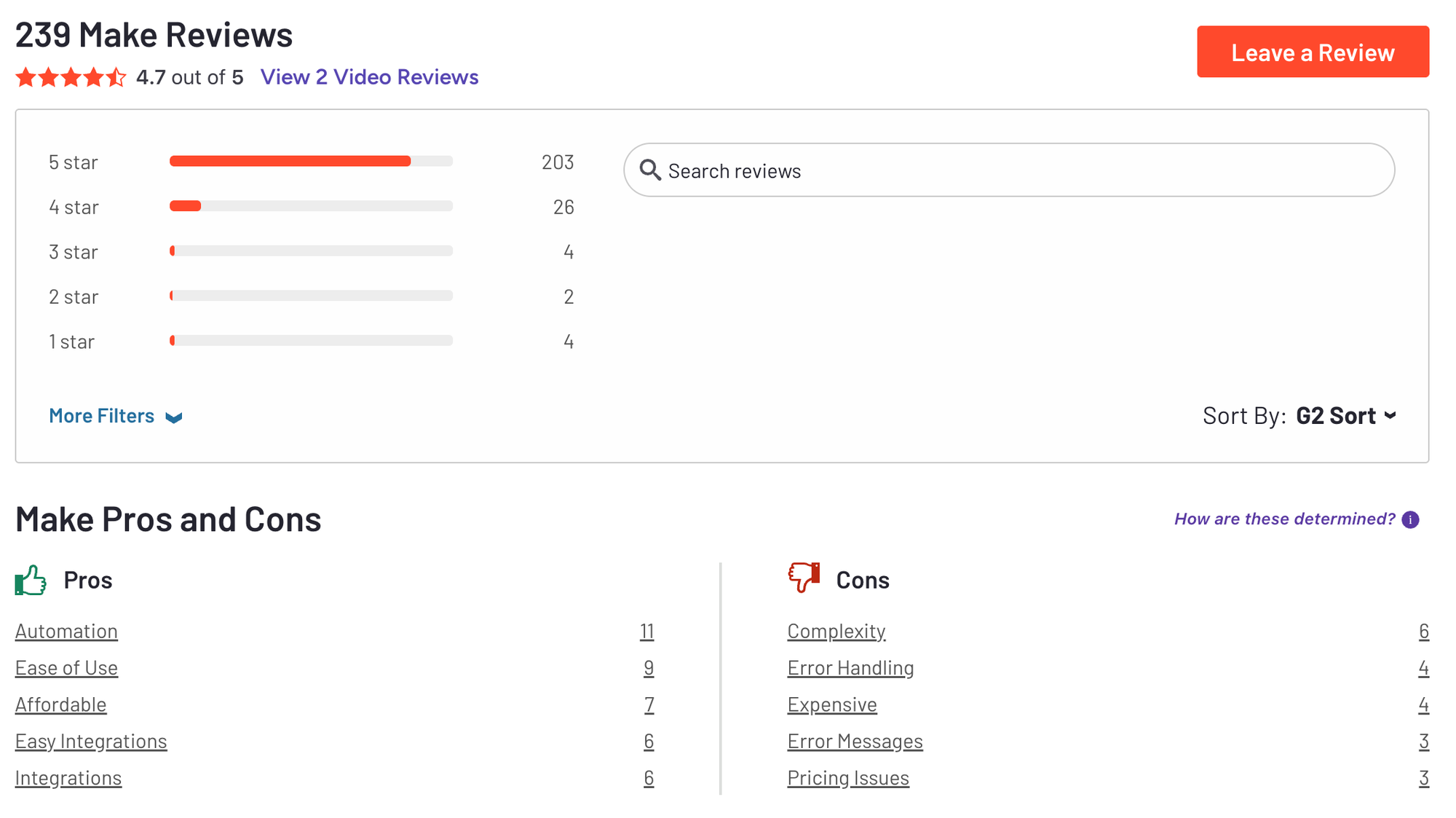
Make Reviews (Source) 4.7/5
5. Saner.AI - No-setup AI assistant
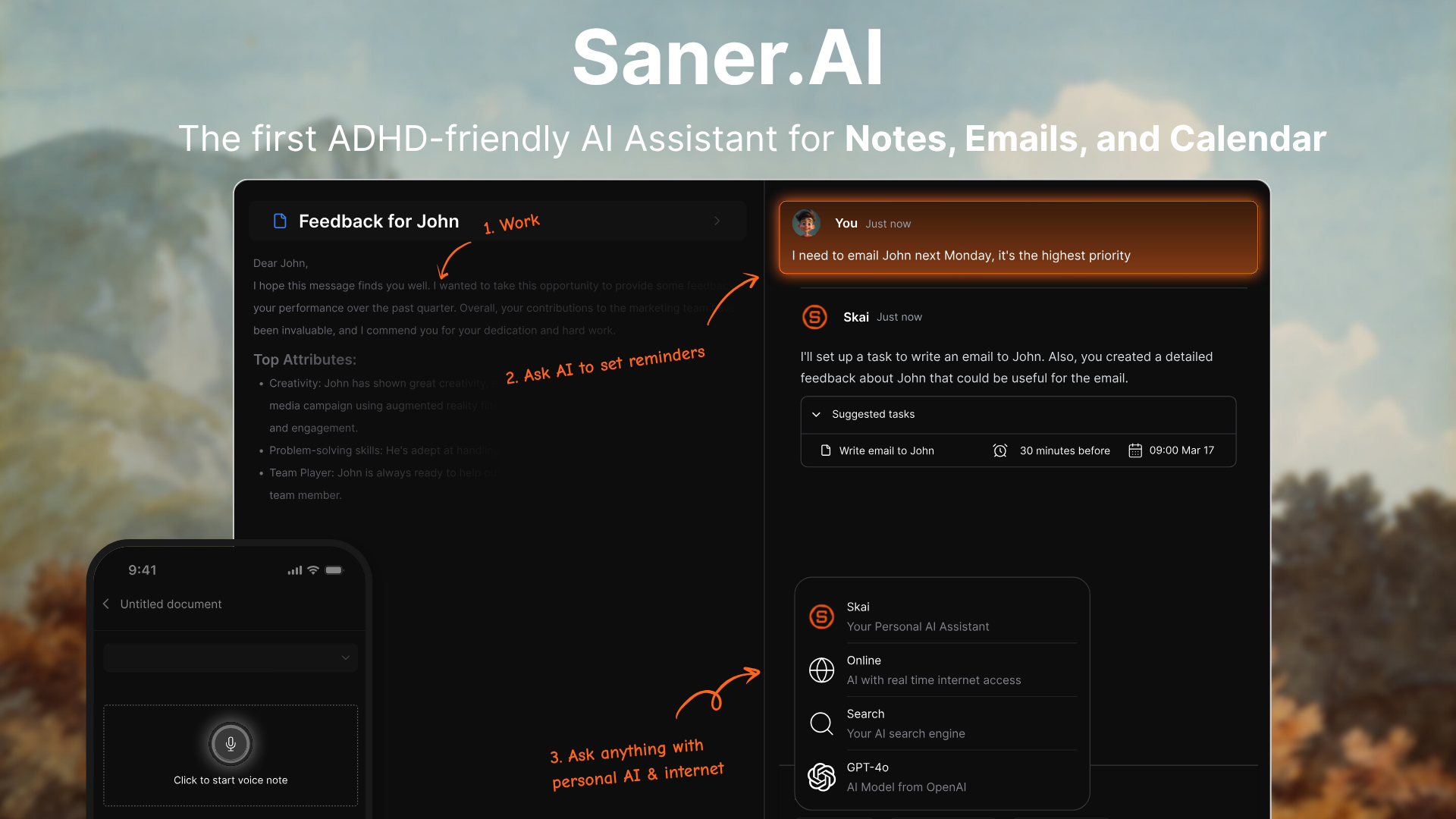
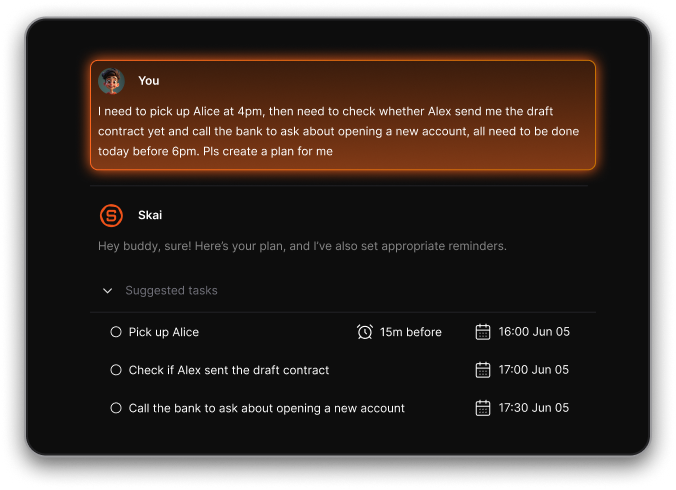
Saner.AI is an AI assistant that helps you manage your notes, tasks, email, and calendar in one place. Instead of building complex automations, you just talk to it - and it plans your day, surfaces reminders, and helps you stay focused.
Key features
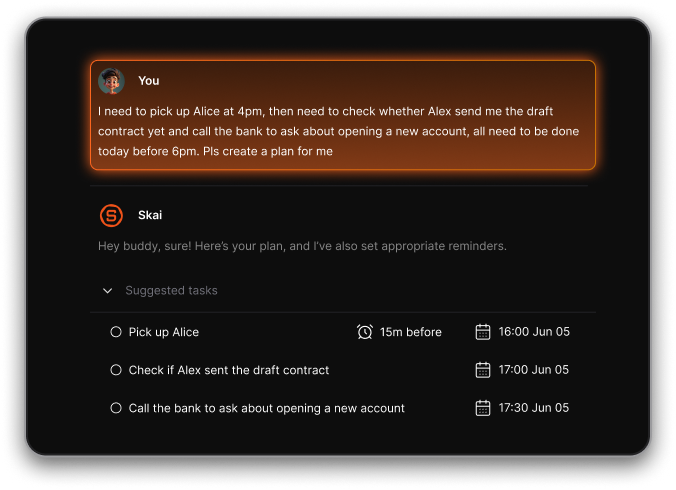
- Chat-Based Assistant: Capture tasks, ask questions, and plan your day through conversation
- Multi-Source Sync: Connects with Gmail, Google Calendar, Notion, Google Drive, and more
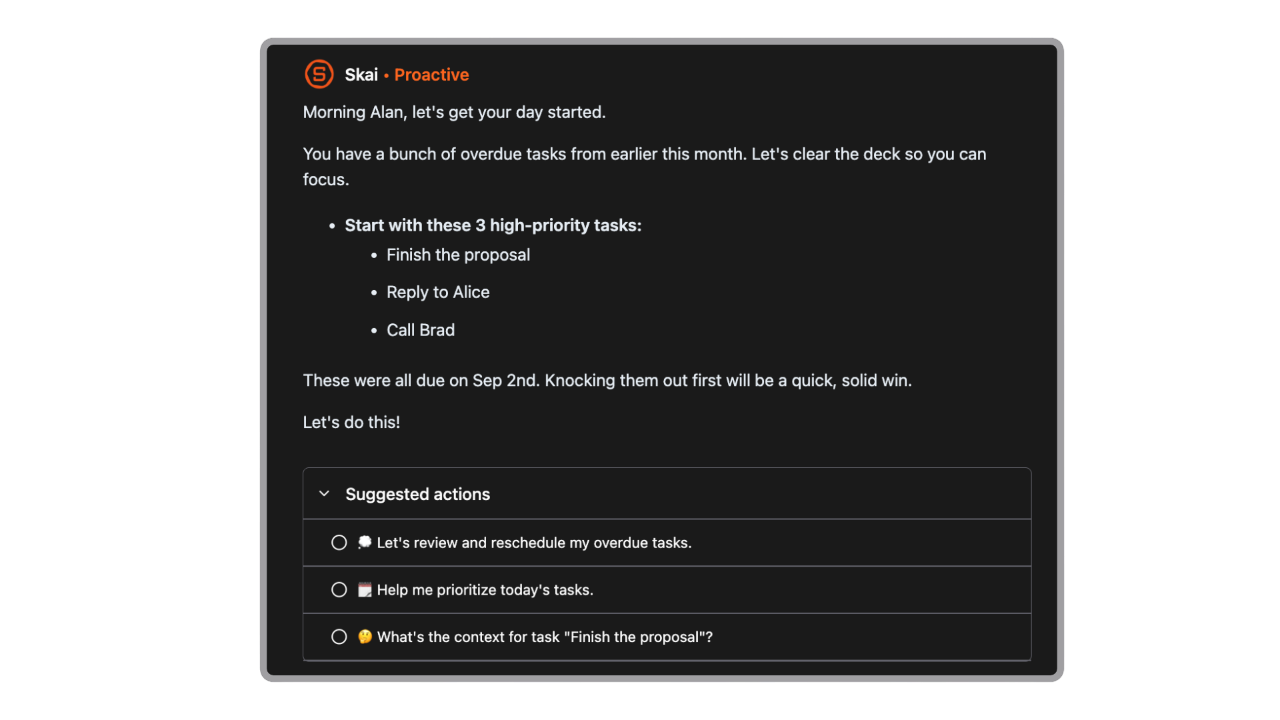
- Smart Daily Planning: Proactively suggests tasks and blocks time for you
- AI Search: Retrieve notes, context, and reminders in natural language
- AI calendar
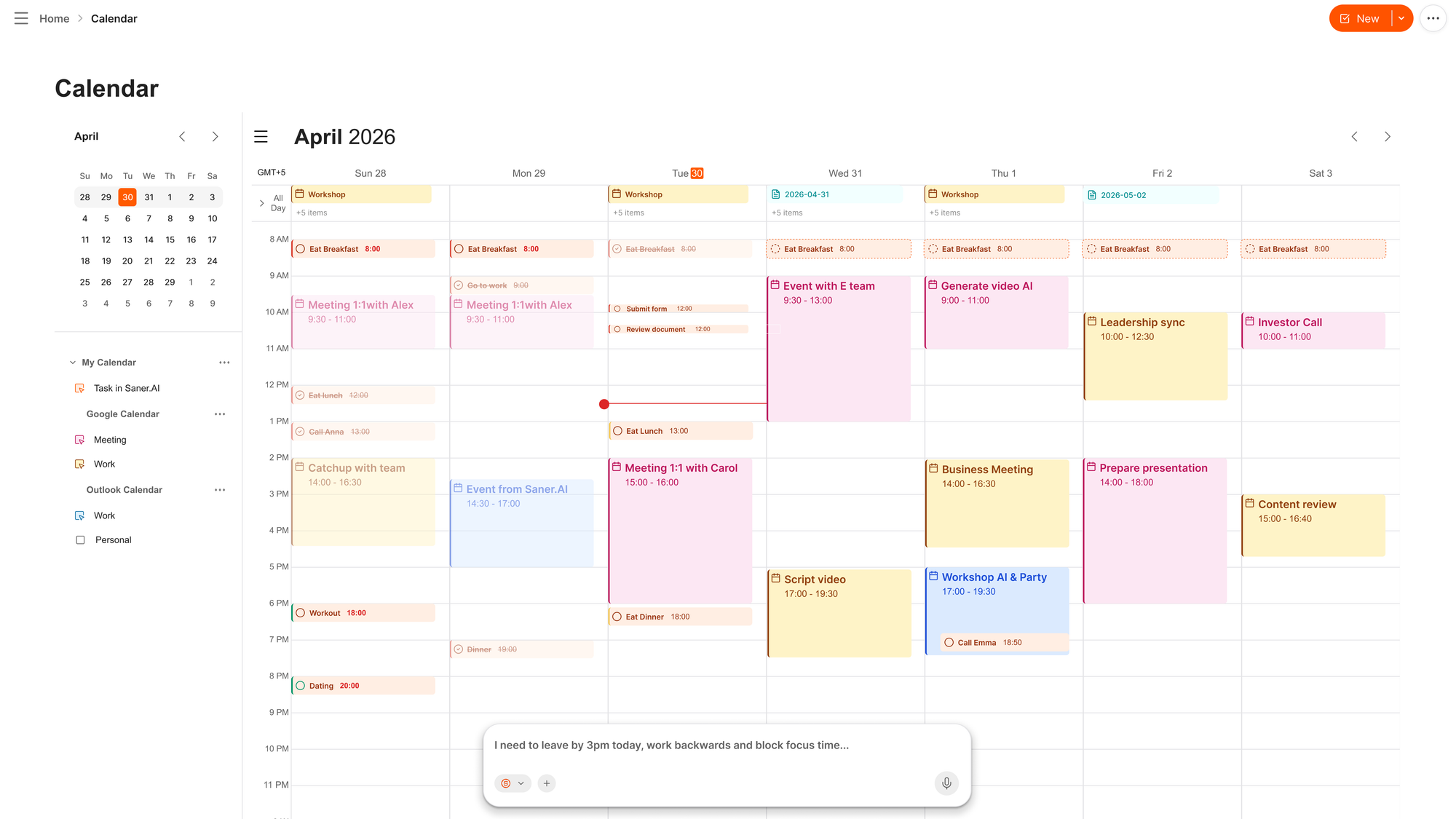
- ADHD-Friendly Focus Mode: Built to reduce overwhelm with minimal design and fewer tabs
What I liked
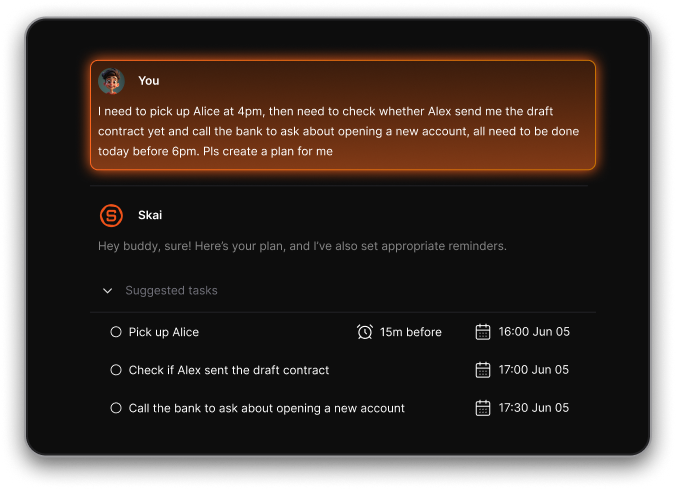
- I like that it feels like a real assistant - just type what you’re thinking, and it helps you sort it out
- Everything happens in one chat - your notes, reminders, and calendar work together seamlessly
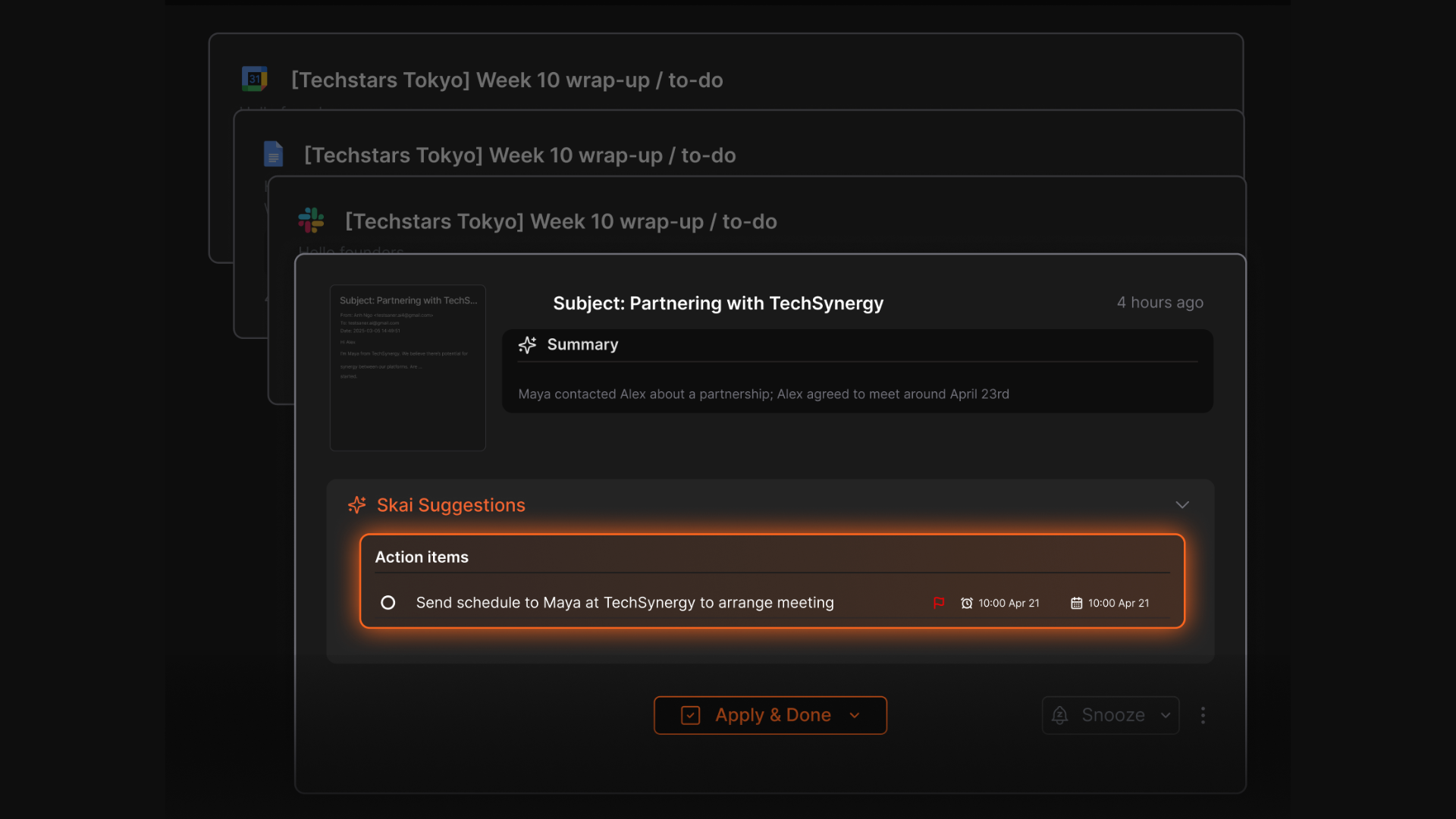
- You don’t need to “set up” automation logic; it just understands what you want to get done
- It’s built with ADHD in mind - clean, distraction-free interface that feels calming
Cons
- Not ideal for large teams or project timelines — no Gantt charts or complex task dependencies.
Pricing
- Free
- Starter: Monthly at $8/month, Annually at $6/month (with early user discount)
- Standard: Monthly at $16/month, Annually at $12/month (with early user discount)
Who is it suitable for?
- Solo professionals, creatives, and ADHD-prone thinkers looking for a chat-first way to manage their day, without the complexity of automation tools like n8n.
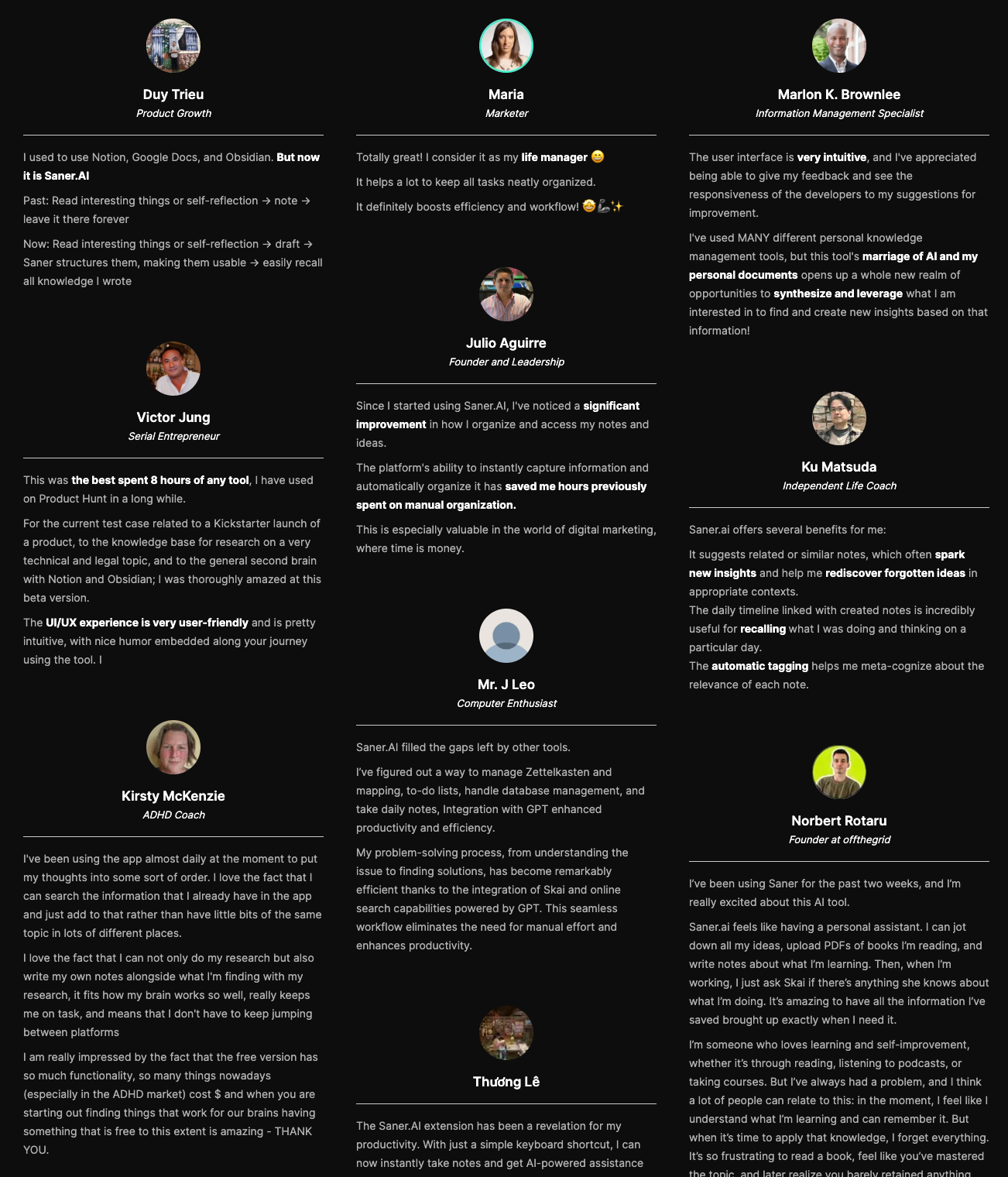
Saner.AI review
How to start using it?
- Go to saner.ai, create a free account, connect your email and calendar, and just start chatting with your assistant.

AI Agent that Works Instantly without any setup
🎯 Conclusion: Which n8n Alternative Is Right for You?
At the end of the day, the best n8n alternative depends on what you need most:
- 🧠 Saner.AI – Best for professionals and small teams who want an AI assistant that simplifies notes, tasks, emails, and calendars without technical setup.
- ⚡ Zapier – Best for beginners and businesses that value ease of use and the largest integration library.
- 🖼️ Make – Best for power users who want visual, complex workflows at an affordable price.
- 🤖 Lindy.AI – Best for founders and execs looking for AI-first delegation and multi-agent workflows.
- 🌐 Gumloop – Best for teams that want AI-enhanced workflows and browser automation with a modern UI.
- 🛠️ Relevance.AI – Best for developers building custom AI agents and backend automations at scale.
If you’re a developer who loves tinkering, n8n (self-hosted and free) may still be your best bet. But if you want to skip servers, reduce friction, and take advantage of AI automation, the tools above offer faster paths to results.
Get your AI personal assistant without complicated setup
FAQ: Best n8n Alternatives
1. What is n8n and why are people looking for alternatives?
n8n is an open-source workflow automation tool that lets you connect apps and automate tasks. It’s powerful- but often too technical for the average user.
Common pain points:
- Requires self-hosting or DevOps knowledge
- Complex setup for non-engineers
- Hard to scale without manual intervention
That’s why many are turning to simpler, cloud-based, or AI-powered n8n alternatives.
2. What are the best n8n alternatives right now?
Here’s a list of tools people love for different automation needs:
- Saner.AI – AI assistant that turns notes, emails, and thoughts into tasks and plans
- ChatGPT – Great for quick automations, writing help, and GPT-based integrations
- relay.app – Team-first automation with no-code logic, approvals, and handoffs
- zapier – The OG automation tool for plug-and-play workflows
- make.com – Visual automation builder with deep customization
- relevance.ai – Focuses on AI-driven search and workflow orchestration
Each has its strengths - keep reading to find the best fit for your use case.
3. Which n8n alternative is easiest for non-technical users?
If you want something that just works out of the box, Saner.AI is ideal. It doesn’t require setup or flow logic. Just write or speak your thoughts, and it turns them into scheduled tasks, reminders, or summaries.
relay.app is another great no-code option, especially for team automations with approvals.
4. What’s the best AI-powered n8n alternative?
Saner.AI stands out.
- Saner.AI handles messy thoughts, scattered notes, and follow-ups - great for entrepreneurs and ADHD minds.
Both go beyond “if this, then that” logic by understanding natural language.
5. Is there a free alternative to n8n?
Yes, here are some free options:
- Saner.AI – Free plan with AI reminders, natural language input, calendar sync
- Make.com – Free tier with limited monthly ops
- Zapier – Free tier, capped tasks
Most are freemium - start free and upgrade as your automations grow.
6. What if I want something more visual and customizable?
If you loved n8n's node-based flows, you’ll probably enjoy:
- make.com – Clean drag-and-drop builder with deep app integrations
- zapier – User-friendly, though less flexible than Make or n8n
- relevance.ai – For visualizing complex data workflows with AI layers
These tools are best for power users who want to customize every step.
7. What’s the best n8n alternative for busy founders or executives?
Founders need context, not complexity. Saner.AI helps by:
- Turning voice notes or ideas into structured plans
- Surfacing old info (investor decks, client tasks, etc.) instantly
- Acting like an AI chief-of-staff - minus the meetings
It’s great for people who don’t have time to build automations from scratch.
8. Can I use ChatGPT instead of n8n?
Kind of.
While ChatGPT doesn’t replace full workflow automation, you can:
- Use it to draft code for APIs or automations
- Connect it with tools like Zapier or Make
- Use plugins or GPTs (Pro) to handle specific tasks
For lightweight, conversational workflows - it’s powerful. For robust, multi-app flows, you’ll still need tools like Saner, Zapier, or Make.
9. What’s the best team-friendly n8n alternative?
Try relay.app if your team needs:
- Multi-step flows with logic
- Approvals and human-in-the-loop steps
- Clear ownership across stages
It’s built for modern workflows like onboarding, content approval, or client handoffs.
10. What’s the best automation tool for entrepreneurs with ADHD?
Saner.AI is built for this.
It reduces overwhelm by:
- Letting you “dump” thoughts and converting them into tasks
- Reminding you at the right time - without overcomplication
- Surfacing what’s important, even from messy notes
Unlike n8n, you don’t have to build flows. You just… use it.
11. Which n8n alternative works best with Google Workspace?
- Saner.AI – Syncs with Gmail, Calendar, Drive for seamless AI planning
- Zapier – Dozens of plug-and-play G-Suite automations
- Make.com – Full support for Gmail, Sheets, Docs, etc.
- ChatGPT / Gemini – Native to Google, but less structured automation
If your stack is Google-heavy, any of these will work - choose based on how hands-on you want to be.
12. What’s better: Saner.AI or n8n?
Depends on what you want:
- n8n = open-source power, for engineers and tinkerers
- Saner.AI = natural language, no-code AI assistant for daily productivity
If you’re tired of context-switching, Saner will feel like magic. If you love tinkering with flows, n8n might still be your go-to.
13. Can Saner.AI fully replace my automation stack?
Maybe not everything - but it replaces:
- Task managers
- Calendar planners
- Meeting note tools
- Manual “what’s next?” thinking
And unlike traditional tools, it gets smarter as you use it. For many users, that’s more than enough.
14. What makes a good n8n alternative?
Look for tools that are:
- Easy to use (no code or scripting)
- AI-powered (not just trigger-action)
- Integrated with your existing tools
- Flexible enough to scale with your needs
The best tools in 2026 think with you - not just for you.