Planning AI: We tested the Best 4 in 2026
The best Planning AI tools in 2025 are: Saner.AI, Motion, Notion, Todoist, and Reclaim

The top 4 Planning AIs to improve productivity in 2026
Planning used to be simple. You made a list, picked a few priorities, and worked through them. That model no longer fits how modern work actually happens.
Today, knowledge workers juggle meetings, Slack messages, emails, documents, ideas, and personal tasks across dozens of tools. Context switches happen every few minutes. Plans made in the morning are obsolete by noon. For people with ADHD or high-volume roles, the mental cost of “keeping everything in your head” is often higher than the work itself.
That’s where Planning AI comes in.
In this guide, you’ll learn:
- What Planning AI actually is (and what it is not)
- How modern AI planners work under the hood
- What criteria matter when choosing a Planning AI in 2026
- A comparison of the best Planning AI tools available today
- Which type of Planning AI fits different work styles and needs
1. What is a Planning AI
A Planning AI is an AI-powered system designed to help you decide what to work on, when, and why, based on your context, priorities, and real-world constraints.
A Planning AI is not just a smarter to-do list. It’s also not a chatbot you talk to occasionally. And it’s not an automation agent running workflows in the background.
In 2026, Planning AI focuses on one core job: turning messy inputs into a workable, adaptive plan.
2. Why are people looking for a Planning AI?
Modern work creates constant interruptions, shifting priorities, and unfinished tasks spread across calendars, chats, notes, and documents.
- Traditional to-do apps can store tasks, but they don’t help decide what matters now.
- AI chatbots can answer questions, but they don’t track your workload over time.
- Automation agents can execute actions, but they don’t help you think through trade-offs.
What people are really looking for is an AI that can hold context, adapt as plans change, and reduce the mental effort of deciding what to work on next.
3. How I Picked and Tested These AI Planning Tools
I tried dozens of tools in real-world scenarios. Here’s what I looked for:
- ✅ Works with tools you already use (email, calendar, docs)
- ✅ Combines tasks + notes in one place
- ✅ Easy to talk to (natural language input)
- ✅ Sends smart reminders and updates
- ✅ Strong privacy policies
- ✅ Has a solid free plan
- ✅ Works on all your devices
- ✅ Offers real human support if needed
Here's how I tested them
- I used each one in at least three real-life work scenarios.
- I evaluated how well they handled tasks, notes, and reminders.
- I assessed how accurately they captured context and surfaced follow-ups.
- I tested how easy it was to retrieve information later.
With these criteria, here are some AI assistants that stand out for different reasons.
What Are The Best Planning AI Tools in 2026?
The best Planning AI tools in 2026 are: Saner.AI, Motion, Notion, Todoist, and Reclaim
1. Saner.AI
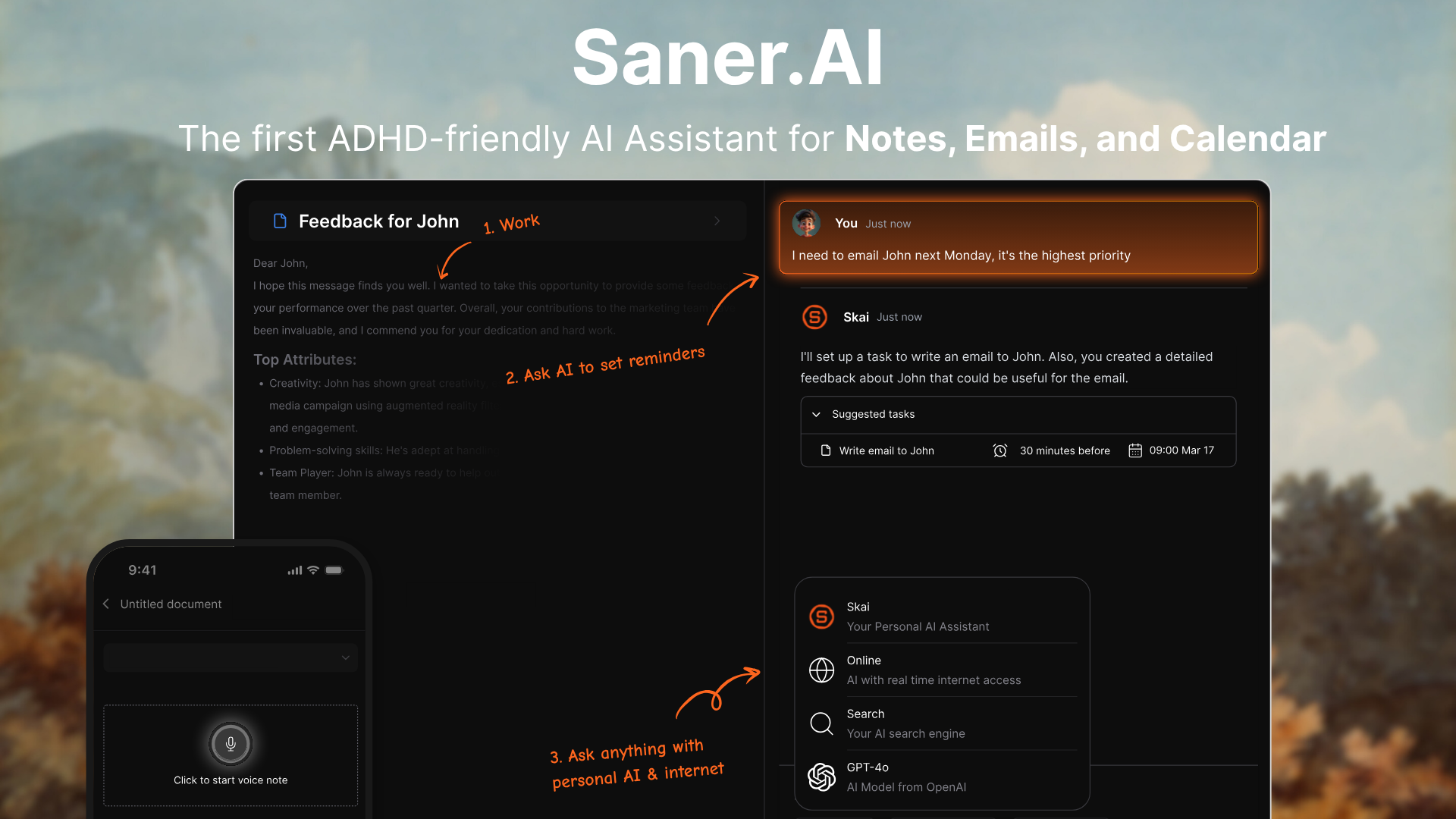
Saner.AI is an AI-powered productivity and planning assistant designed to help individuals and teams manage notes, tasks, emails, calendars, and research in a unified workspace.
The platform is especially pitched for people with ADHD or anyone struggling with information overload. Unlike traditional planners, Saner.AI can automatically extract tasks from content, prioritize them, and help you recall relevant information across projects.
Features
- You can dump thoughts, plans, or reminders in plain language, and the AI turns them into structured tasks.
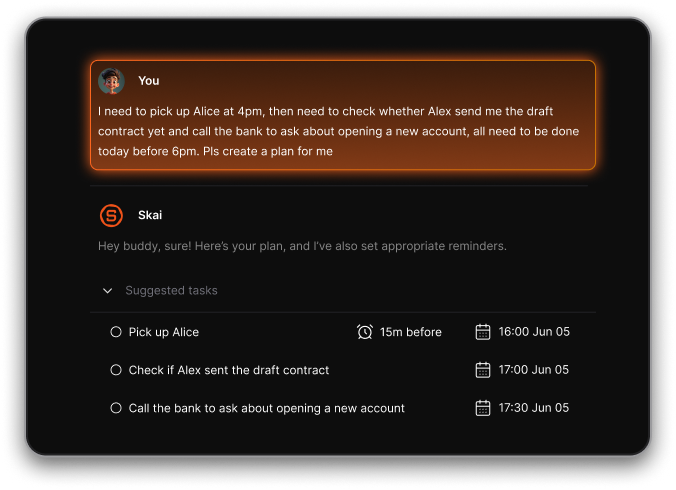
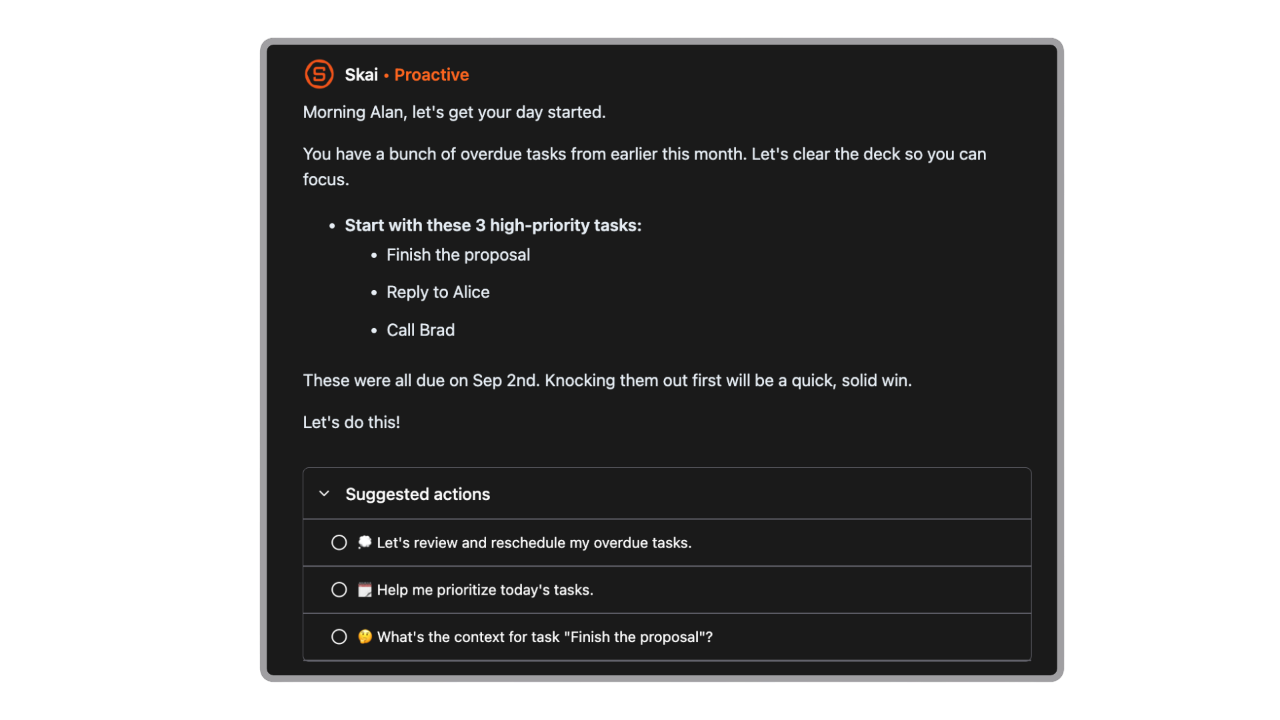
- Each day, Saner.AI resurfaces unfinished tasks, relevant notes, and past intentions to help you build a fresh plan instead of starting from zero.
- Supports voice notes, text input, Chrome extension, and imports from tools like Google Drive, Slack, email, and calendar.
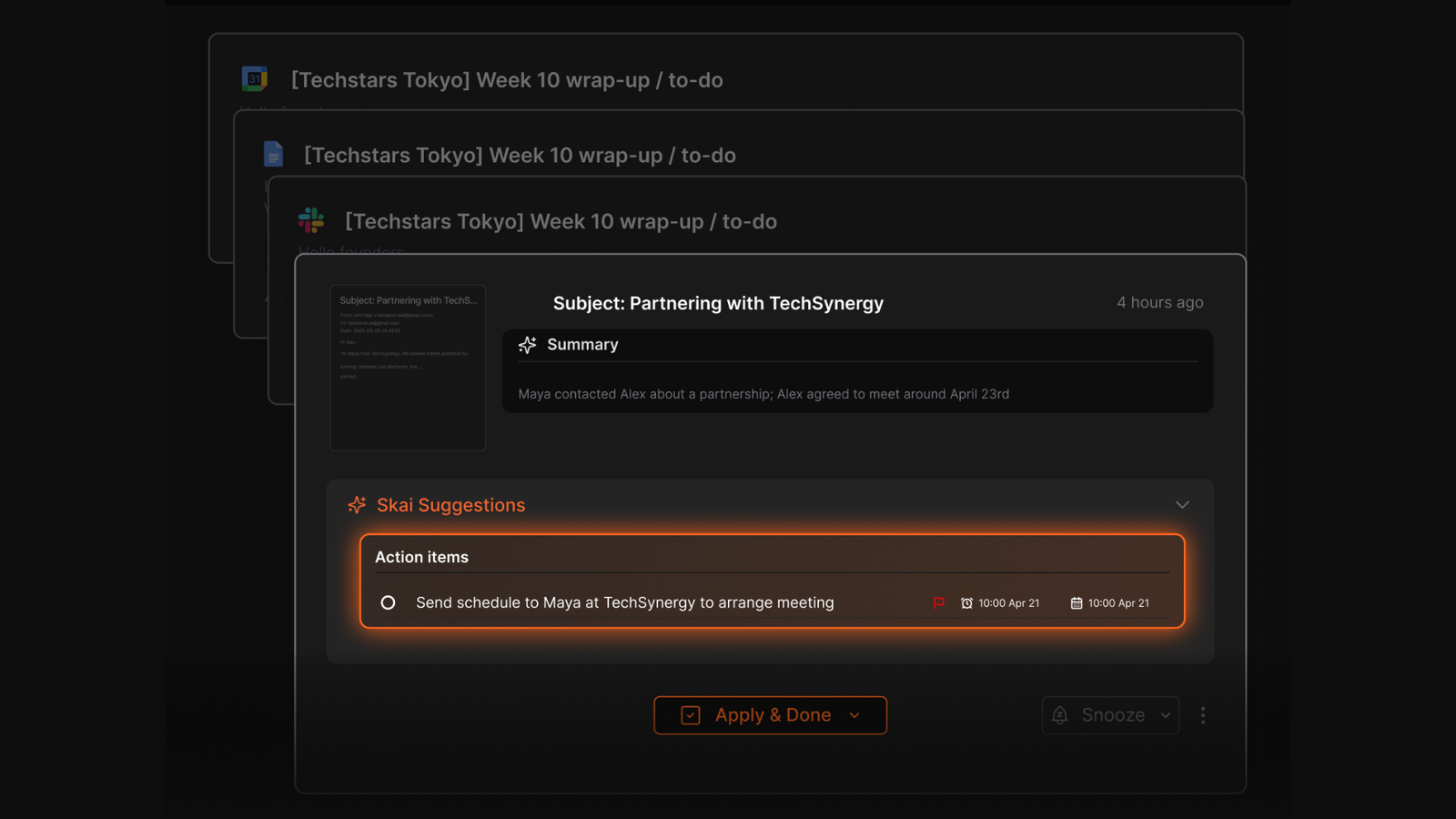
- Automatically extracts tasks from your Emails, suggests next steps, and helps you focus through distraction-free interfaces.
Pros
- Eliminates the “blank page” problem when planning your day.
- Natural language search and summarization make finding and synthesizing insights fast.
- Works across devices and integrates with key productivity tools.
- Strong value for ADHDers and knowledge workers who struggle with scattered workflows.
Cons
- Less suitable for teams that need shared task boards or complex workflows.
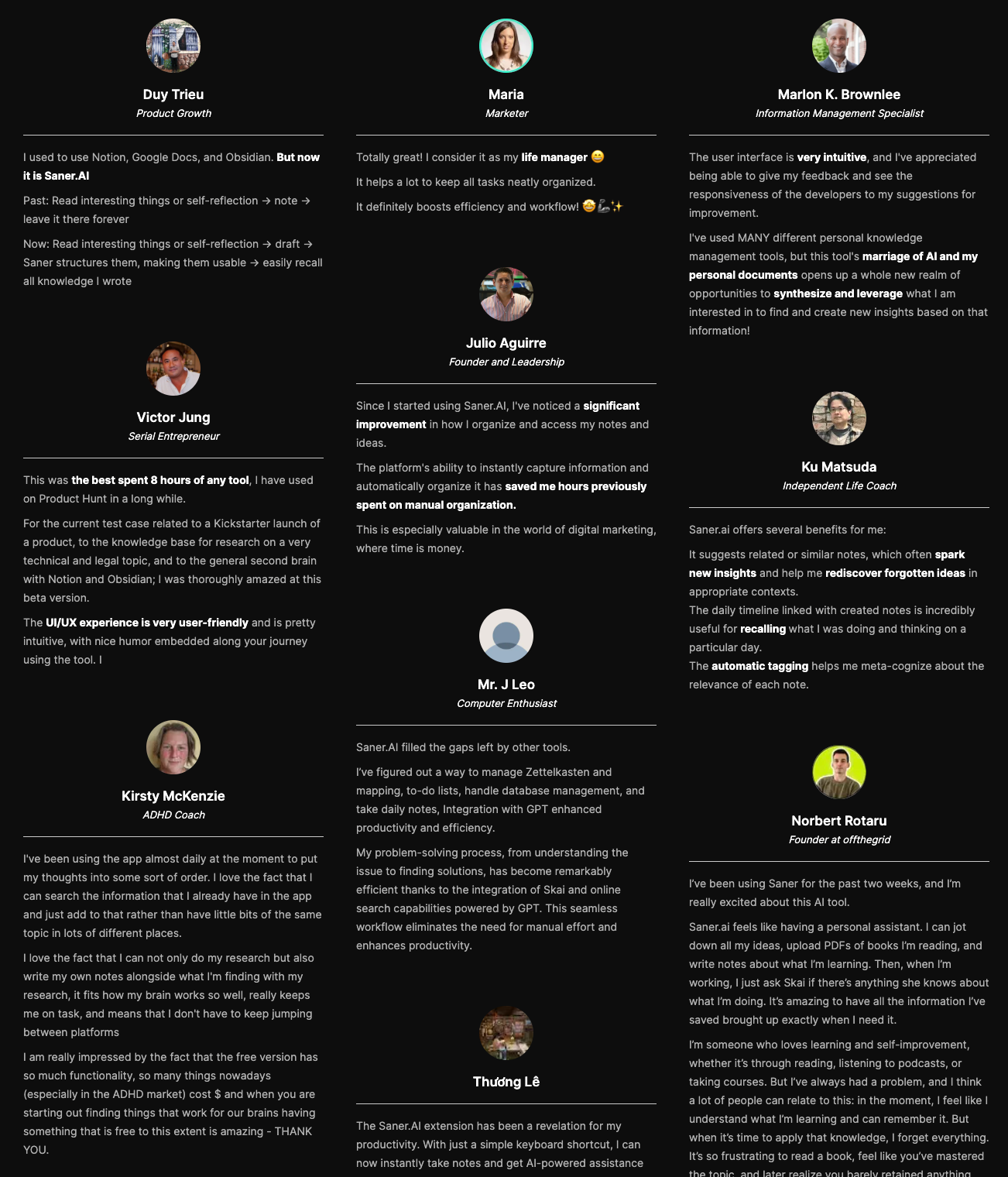
Saner.AI Reviews
Pricing
- Free
- Starter: Monthly at $8/month, Annually at $6/month (with early user discount)
- Standard: Monthly at $16/month, Annually at $12/month (with early user discount)
Who is it suitable for?
Saner.AI is particularly well-suited for:
- Intensive knowledge workers who need to manage large amounts of information efficiently from multiple sources, such as entrepreneurs, researchers, managers, and content creators
- Individuals with ADHD or those who struggle with information organization and time management
- Anyone looking to streamline their workflow without spending too much time learning a new tool.
How to start using it?
- Visit the Saner.AI website and sign up for an account
- Explore the app's features, starting with basic note-taking and task creation.
- Check out the 1-minute tutorial here

Stay on top of your work and life
2. Reclaim

Reclaim.ai is an AI-powered calendar assistant that works on top of your existing Google Calendar or Outlook Calendar to automatically plan and defend your time.
Instead of manually blocking hours, you tell Reclaim what tasks, habits, meetings, and focus time matter, and the AI schedules them around your existing events. It also adjusts your calendar dynamically when priorities shift, rescheduling tasks and routines to protect focus time and reduce conflicts.
Key features
- Automatically finds the best time for your focus sessions, tasks, habits, meetings, and breaks based on priority and availability.
- Let you set priority levels and share booking links so others can schedule time with you without creating conflicts.
- Syncs multiple calendars (Google/Outlook) and auto-adds breaks or travel time to protect your day.
- Tracks how your time is spent across categories, helping you identify productivity patterns and improve work-life balance.
What I liked:
- AI handles time blocking and rescheduling for you.
- Let you automate recurring focus time and routines with minimal effort.
- Scheduling links respect your most important work and time blocks.
What I disliked:
- No mobile app. In 2026, that feels limiting, especially for people who plan their day while commuting or on the move.
- Core focus is calendar automation rather than deep task/project management.
- It’s not a conversational assistant. You can’t just “ask” it to move a meeting like you would with Saner.AI.
Pricing:
- Free (Lite): essential smart scheduling, 1 calendar sync, 1 smart meeting, 1 scheduling link.
- Paid plans start at $10/month.
Suitable for
- Busy professionals with crowded calendars who want AI-driven time management.
- Teams and managers who need shared scheduling policies and analytics.
- People who want focus time defended automatically without manual rearranging.
- Anyone using Google or Outlook calendars as their central schedule source.
How to start
- Go to reclaim.ai and sign up with your Google or Outlook account.
- Connect your calendar(s) and give Reclaim permission to schedule.
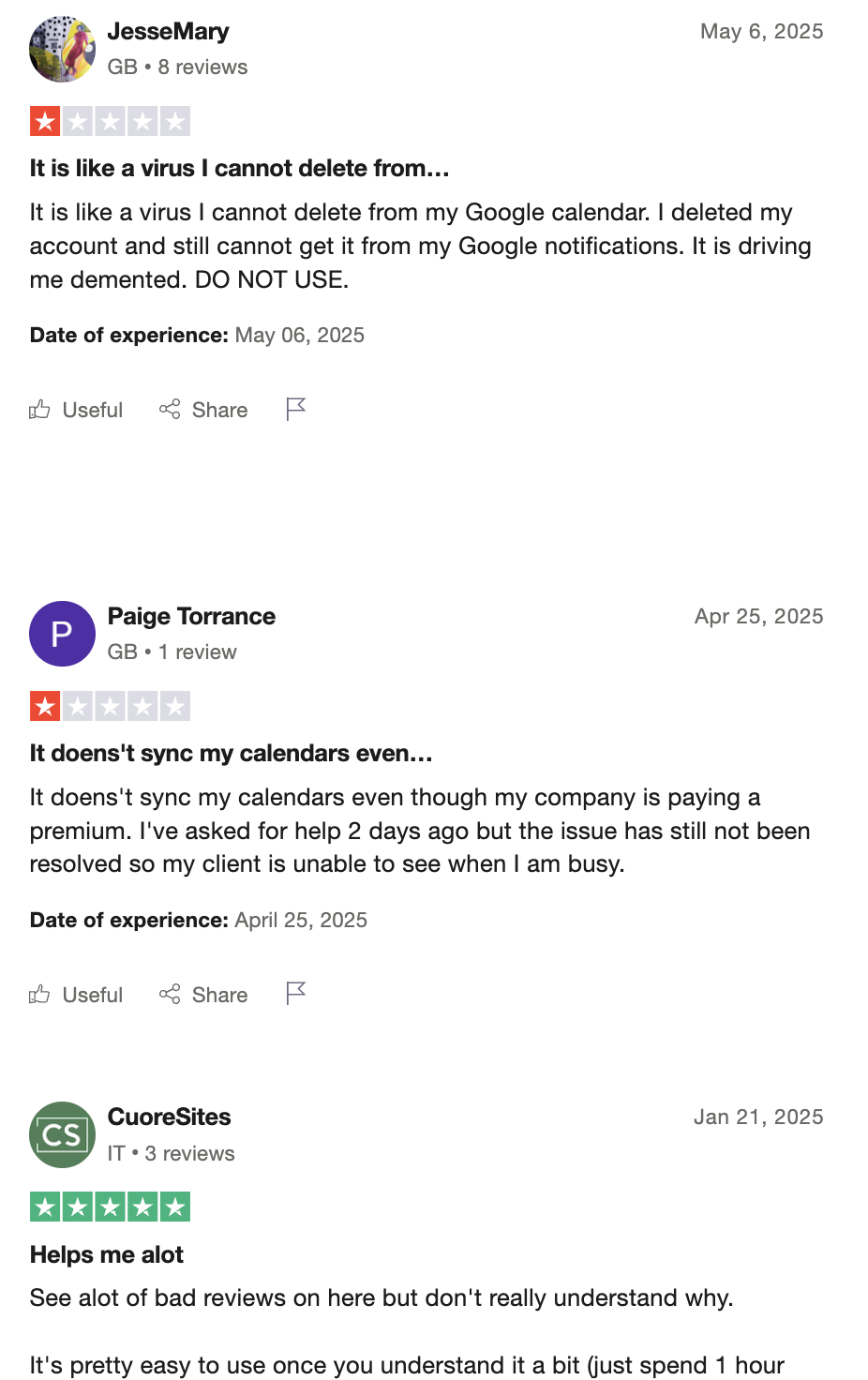
Reclaim.ai Reviews (source)
3. Notion AI
Notion AI is an AI layer built directly into Notion that helps you think, plan, and write inside the same workspace where your notes, tasks, and projects already live.
Instead of being a separate planning app, it supports your existing system by summarizing information, generating plans, and answering questions based on your workspace content.
Features
- Can draft daily plans, project outlines, task lists, and meeting agendas based on prompts you give it.
- Answers questions using your Notion pages, notes, databases, and documents as context.
- Turns long notes or meeting transcripts into concise summaries and action items.
- AI is available directly inside pages, databases, and docs without switching tools.
What I liked
- Lives inside Notion, so there’s no context switching if you already use it daily.
- Strong at turning messy notes into structured plans when prompted.
- Works well for documentation-heavy workflows and long-term planning.
- Flexible - adapts to many use cases (planning, writing, research).
What I disliked
- Notion AI is mostly reactive rather than proactive. You ask it to draft a plan, summarize tasks, or turn notes into action items, and it responds on demand.
- Requires manual prompting, which can be tiring for daily planning.
- Planning quality depends heavily on how well your Notion workspace is structured.
- Can feel slow or expensive if used only for basic planning needs.
Pricing
- Notion Free / Plus / Business: Core Notion plans vary by tier
- Notion AI add-on: ~$10/month per user (monthly) or ~$8/month per user (billed yearly)
(Notion AI is an add-on, not included by default.)
Suitable For
- Existing Notion power users who already manage tasks and projects there.
- Knowledge workers who plan through documents, databases, and written thinking.
- Teams that want AI support for shared docs, roadmaps, and planning pages.
- People who prefer on-demand planning help rather than proactive guidance.
How to Start:
- Create or log into your Notion account
- Enable the Notion AI add-on in settings
- Use
/ask AIor inline AI commands to draft plans, summaries, or task lists - Refine outputs manually inside your existing Notion system
4. Todoist AI

Todoist AI is a smart planning AI built right into Todoist's task manager. It helps you organize your day with less mental effort.
For planning, Todoist AI is task-centric and reactive. You add tasks (or dump messy thoughts), and the AI helps clean them up, suggest subtasks, or clarify next actions. It does not proactively resurface old tasks or generate a daily plan on its own.
Features
- Write tasks like “Prepare report tomorrow afternoon” and Todoist automatically assigns date, time, and priority.
- Helps split vague tasks into clearer, actionable subtasks when prompted.
- Recommends task wording improvements and next steps to reduce ambiguity.
- Works across web, mobile, desktop, and integrates with email, calendar, and productivity tools.
What I liked
- Extremely fast and frictionless task capture.
- Clean, minimal interface that’s easy to maintain long-term.
- Reliable reminders and recurring task handling.
- Works well as a lightweight backbone for personal productivity.
What I disliked
- AI features are assistive, not proactive.
- No automatic daily planning based on past behavior or unfinished tasks.
- Limited context awareness beyond individual tasks.
- Can feel rigid for users who think in notes or ideas instead of lists.
Pricing:
- Free basic plan;
- Pro plan at 5$/month for advanced features.
Suitable For:
- People who want a simple, dependable task manager with light AI help.
- Users who already plan their day manually but want faster task input.
- Professionals who prefer lists over notes or documents.
- Teams or individuals who value consistency over experimentation.
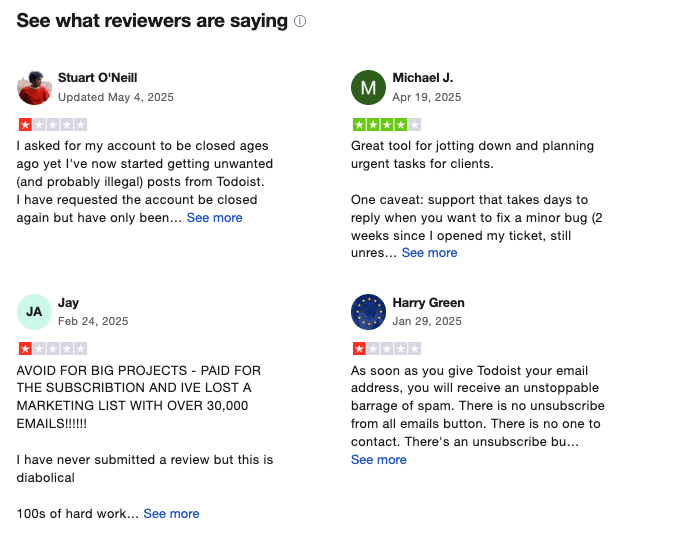
Todoist Reviews (source)
How to Start:
- Create an account at todoist.com
- Start adding tasks using natural language
FAQs About Planning AI
1. What is a Planning AI?
A Planning AI is an intelligent assistant that helps you organize your time, tasks, and thoughts. It turns scattered inputs - like notes, emails, and to-dos - into a structured daily plan.
You can talk to it like this:
- “Plan my week based on these meeting notes”
- “What tasks are still pending from yesterday?”
- “Remind me to follow up with Sarah next Thursday”
Tools like Saner.AI fall into this category, each specializing in different aspects, like calendar blocking, task generation, or smart reminders.
2. What can Planning AIs actually do?
Planning AIs reduce the mental load by handling:
- Task Creation from Thoughts – Just write or say your ideas, and it turns them into tasks
- Note Retrieval – Find any thought, even if you forgot what you named it
- Calendar Scheduling – Automatically block time for what matters
- Meeting Preparation – Surface past notes, key decisions, and follow-ups
- Daily Prioritization – Suggests what to do now based on urgency and goals
- Writing & Research – Drafts emails, summarizes documents, and ideates content
Some, like Saner.AI, unify all of this in a single workspace, designed to reduce context switching and overwhelm.
3. Is there a free Planning AI?
Yes! Tools like offer free plans:
- Saner.AI - Free tier includes AI task conversion, smart reminders, and calendar integration
4. How do I start using Planning AI every day?
Start simple:
- Let it remind you of key tasks
- Ask it to summarize meetings or emails
- Use it to find notes instead of hunting through folders
As you get used to it, you can expand into full-on task planning, calendar automation, and priority setting.
5. What’s the best Planning AI for ADHD?
Saner.AI is built with neurodiverse users in mind, especially ADHDers.
- No cluttered design
- Natural input with minimal setup
- Automatic task suggestions and smart nudges
- Keeps your attention where it matters
6. What’s the best Planning AI for work?
If you're managing deadlines, projects, and team conversations, Saner.AI is a solid Planning AI to:
- Combine notes, tasks, and calendar in one place
- Suggests next steps automatically
- Helps you stay focused without bouncing between tools
7. How do Planning AIs improve productivity?
By cutting context-switching. You don’t have to think about where to write, what to tag, or which tool to open.
With Saner.AI, for example:
- You type one note - it gets categorized, scheduled, and turned into a reminder
- You ask one question - it finds tasks, context, and notes
- You focus on work - the AI keeps track of the rest
8. Do Planning AIs support voice input?
Some do. Here’s a quick breakdown:
- Saner.AI - Yes, voice-to-task supported
- Reclaim / Motion - No native voice support
- ChatGPT / Gemini - Voice but cannot turn to tasks
9. Which Planning AIs auto-schedule your day?
These are the three top options:
- Saner.AI – Context-aware scheduling based on your notes and task priorities
- Reclaim – Time blocks your to-dos by reshuffling meetings
- Motion – Smart scheduling focused on dynamic work calendars
Saner.AI stands out by understanding what’s important to you, not just what’s next on your list.
10. What’s the best Planning AI for entrepreneurs?
Saner.AI offers both flexibility and focus as a Planning AI for entrepreneurs:
- Brain-dump ideas and turn them into clear actions
- Sync notes, tasks, calendar, and even emails
- Surface relevant info automatically when you need it - like past investor notes or product goals
11. How can busy managers use Planning AI?
If you're a manager juggling team updates, meetings, and planning, a Planning AI like Saner.AI can help you:
- Stay on top of follow-ups without sticky notes
- Summarize updates and meetings in one click
- Prioritize your daily plan based on urgency and workload
It reduces manual tracking and helps you lead without micromanaging.
12. How do CEOs benefit from Planning AI?
For decision-makers like CEOs, Planning AIs offer:
- Instant access to past context, without searching
- Strategic overviews of current tasks and team priorities
- Smart nudges and reminders to follow up
Saner.AI turns chaotic weeks into clear, focused execution. It’s not just smart - it’s leadership-ready.
13. What’s the best Planning AI for beginners and non-technical people?
If you’re new to productivity tools or feel overwhelmed by tech, Saner.AI is a great Planning AI to start with.
- No complicated setup - just type or speak naturally
- You don’t need to learn workflows or tags
- It turns your thoughts into tasks, reminders, and plans automatically
- Everything lives in one place - notes, calendar, emails, to-dos
Saner.AI is built to feel like talking to a helpful assistant, not managing software. It’s perfect for beginners who want less stress and more clarity.
14. What’s the best Planning AI for executives?
Saner.AI excels for high-level leaders:
- Integrates calendar, tasks, and meeting notes into one dashboard
- Automatically surfaces what matters - without digging
- Designed for clarity, not micromanagement
While others focus on scheduling or conversation, Saner.AI handles the whole leadership workflow.
15. How is a Planning AI different from traditional productivity tools?
- Traditional tools = You do the organizing (folders, tags, templates)
- Planning AI = It does the organizing for you
For example, here’s how an AI Planner like Saner.AI works:
- You write naturally - it tags and categorizes behind the scenes
- You don’t set up workflows - it just works
- You don’t open five apps - you ask one question and move forward
It’s the shift from managing tools to getting stuff done.
Stay on top of your work and life with a Planning AI