Best Simplenote Alternatives: We tested the best 8 in 2026
The Best Simplenote Alternatives are Saner.AI, Bear, Obsidian, Notion, Evernote, Standard Notes, Apple Notes, and Google Keep.


The best Simplenote alternatives in 2026 are note-taking apps that maintain the same core promise: fast, distraction-free writing - while offering enhanced organization, task support, offline access, or workflow flexibility.
People typically seek a Simplenote replacement as their needs evolve. Plain text notes are great, but over time, many users want folders, tags, backlinks, reminders, or light task management - without turning their notes into a complex system.
This guide compares 8 Simplenote alternatives based on simplicity, real-world usability, cross-platform support, and transparent pricing. You’ll quickly see which app works best for quick notes, structured thinking, productivity, or minimalist workflows - so you can choose confidently without over-engineering your setup.
1. What Is Simplenote?
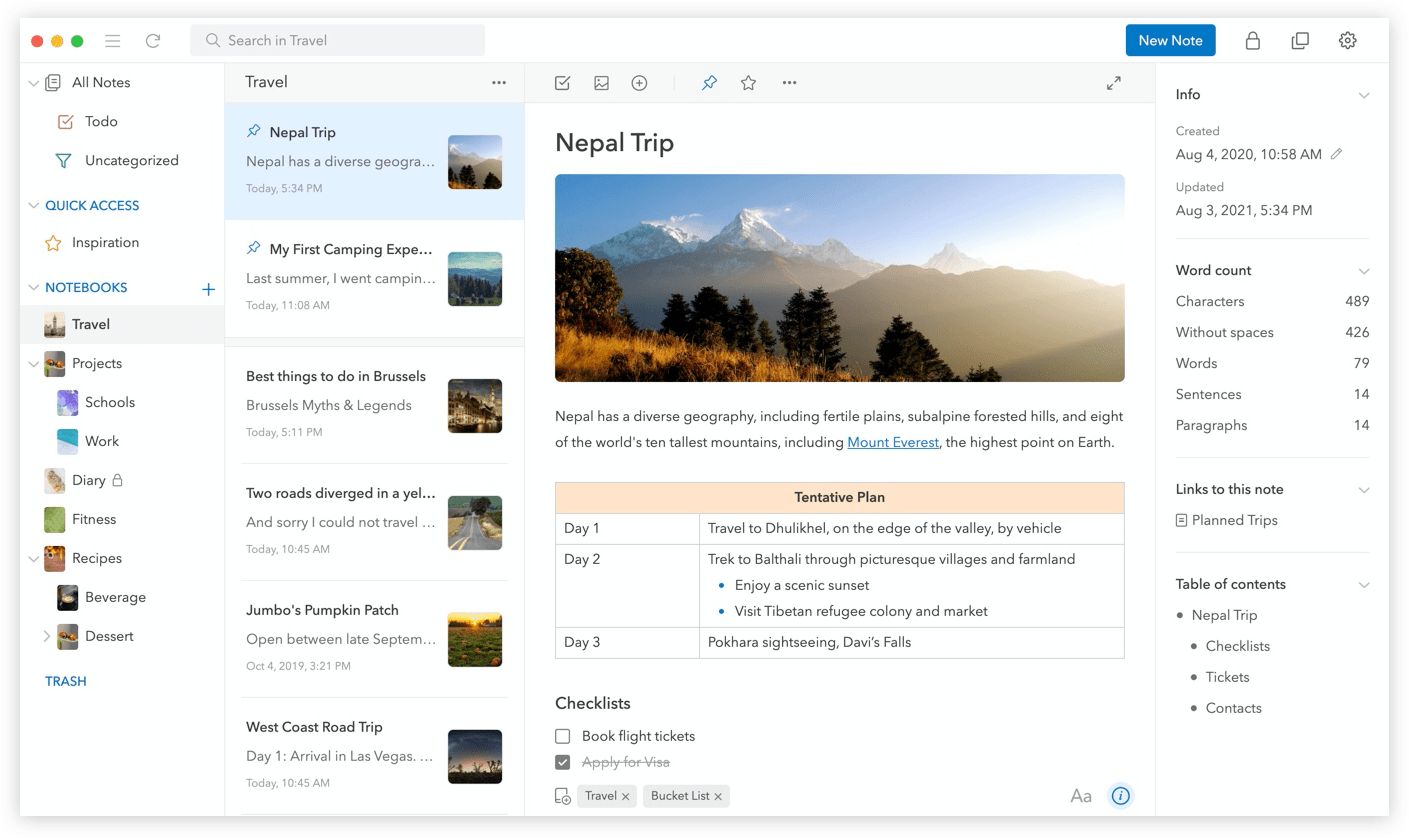
Simplenote is a free, minimalist note-taking app created by Automattic. It offers excellence in fast note creation with a clean, distraction-free interface and markdown support for writers. Simplenote is also reliable in instant cross-platform sync.
2. Why do people look for Simplenote Alternatives?
While Simplenote is a popular choice among productivity tools, it still has some disadvantages that its alternatives are currently addressing and improving upon.
- No folders or hierarchical structure
- No task management or reminders
- Limited offline capabilities on some platforms
- No backlinks, rich formatting, or advanced organization
As workflows grow more complex, many users want a simple note-taking app that still helps them manage ideas, tasks, or projects - without becoming overwhelming.
3. How We Evaluated These Simplenote Alternatives
Each app in this list was evaluated using practical, user-first criteria:
- Ease of use - How quickly you can write and retrieve notes
- Cross-platform support - Desktop, mobile, and web availability
- Features beyond plain text - Organization, tasks, markdown, links
- Pricing transparency - Clear free vs paid plans
- Best real-world use cases - Who the app is actually good for
The goal isn’t more features - it’s a better fit for your workflow.
Now, let's dive in!
What are the Best Simplenote Alternatives?
The Best Simplenote Alternatives are Saner.AI, Bear, Obsidian, Notion, Evernote, Standard Notes, Apple Notes, and Google Keep.
🧠 Best Simplenote Alternatives - Comparison Table (2026)
| Tool | Key strengths | Best for | Platforms | Pricing |
|---|---|---|---|---|
| Saner.AI | AI-first note + task system, frictionless brain dump, auto-organized by AI, proactive reminders and planning | People who want notes that turn into action automatically | Web, iOS, Android | Free plan available; Paid plans from $8–10/month |
| Bear | Beautiful Markdown editor, fast writing, local-first feel, strong tagging system | Writers and creators who value clean writing | macOS, iOS | Free (limited); Pro $2.99/month or $29.99/year |
| Obsidian | Local-first vault, powerful backlinks, graph view, plugin ecosystem | Power users building a personal knowledge base | Windows, macOS, Linux, iOS, Android | Free for personal use; Sync $10/month |
| Notion | All-in-one workspace, databases, templates, collaboration, AI add-on | Teams and individuals managing complex systems | Web, Windows, macOS, iOS, Android | Free personal plan; Paid from $10/month |
| Standard Notes | End-to-end encryption, privacy-first, long-term durability | Privacy-focused users | Web, Windows, macOS, Linux, iOS, Android | Free basic; Paid from $12/month |
| Evernote | Web clipping, document storage, search OCR, mature ecosystem | Heavy note archivists and document hoarders | Web, Windows, macOS, iOS, Android | Free (limited); Paid from $14.99/month |
| Apple Notes | Deep Apple ecosystem integration, fast capture, folders + tags | Apple-only users wanting simplicity | iOS, macOS, iPadOS | Free (included with iCloud) |
| Google Keep | Ultra-lightweight notes, reminders, Google ecosystem sync | Quick notes and reminders | Web, iOS, Android | Free |
1. Saner.AI
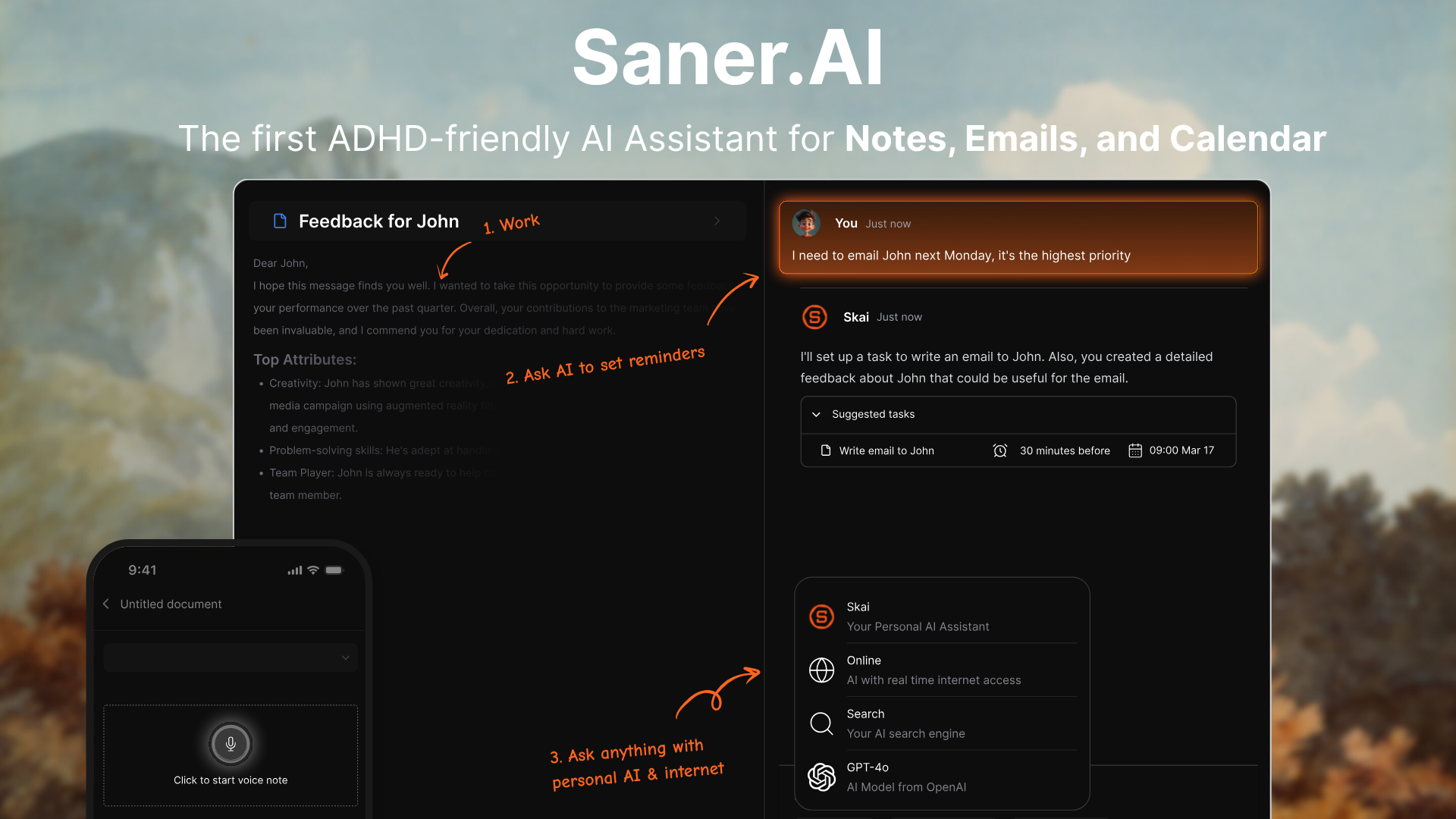
Saner.AI is an AI-first note-taking and task capture tool designed to replace simple text notes with structured, actionable thinking. Instead of manually organizing notes, you dump everything in, and the AI helps turn messy inputs into tasks, projects, and priorities.
You write (or speak) freely, and the AI handles organization, retrieval, and planning in the background. The goal is to reduce friction and mental clutter, not to create another system you need to maintain.
It’s built for people who think fast, jump between ideas, and don’t want to maintain folders or rigid systems. Saner.AI focuses on reducing mental load rather than adding more features to manage.
Key features
- You can dump notes, thoughts, tasks, or ideas in natural language without deciding where they belong. AI automatically understands intent and context, so you don’t have to pre-organize.
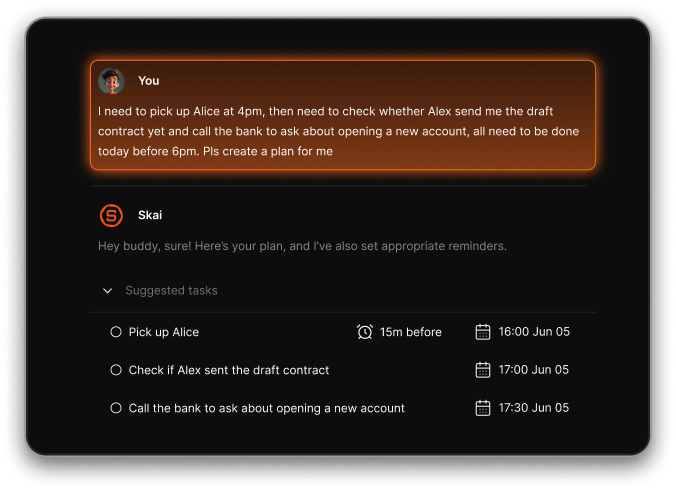
- Saner.AI helps surface what matters today based on your notes, tasks, and priorities, making daily planning more intentional and less overwhelming.
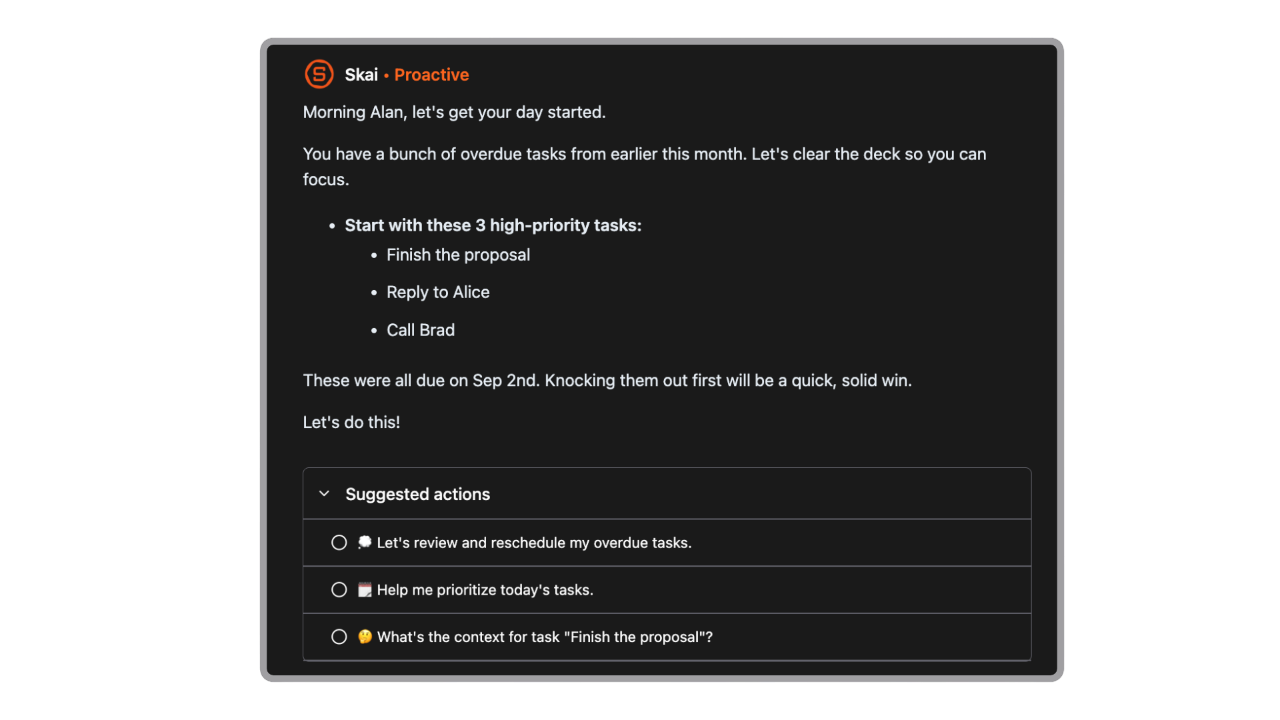
- Instead of manually searching, you can ask things like “What tasks did I mention about content planning?” and get relevant results instantly.

- Everything lives in one place. Notes can become tasks, tasks can link back to context, and nothing feels disconnected.
- No folders, heavy dashboards, or complex settings. The focus is on capture and clarity.
Pros
- You don’t need folders, tags, or strict systems. This is ideal if you abandon organization setups after a few days.
- Unlike pure note apps, Saner.AI bridges notes and tasks, so ideas don’t just sit there.
- Strong fit for modern AI-first workflows that go beyond plain markdown.
Cons
- Not designed for large teams yet.
Pricing
- Free plan available
- Paid plans starting around $10/month (monthly and yearly options)
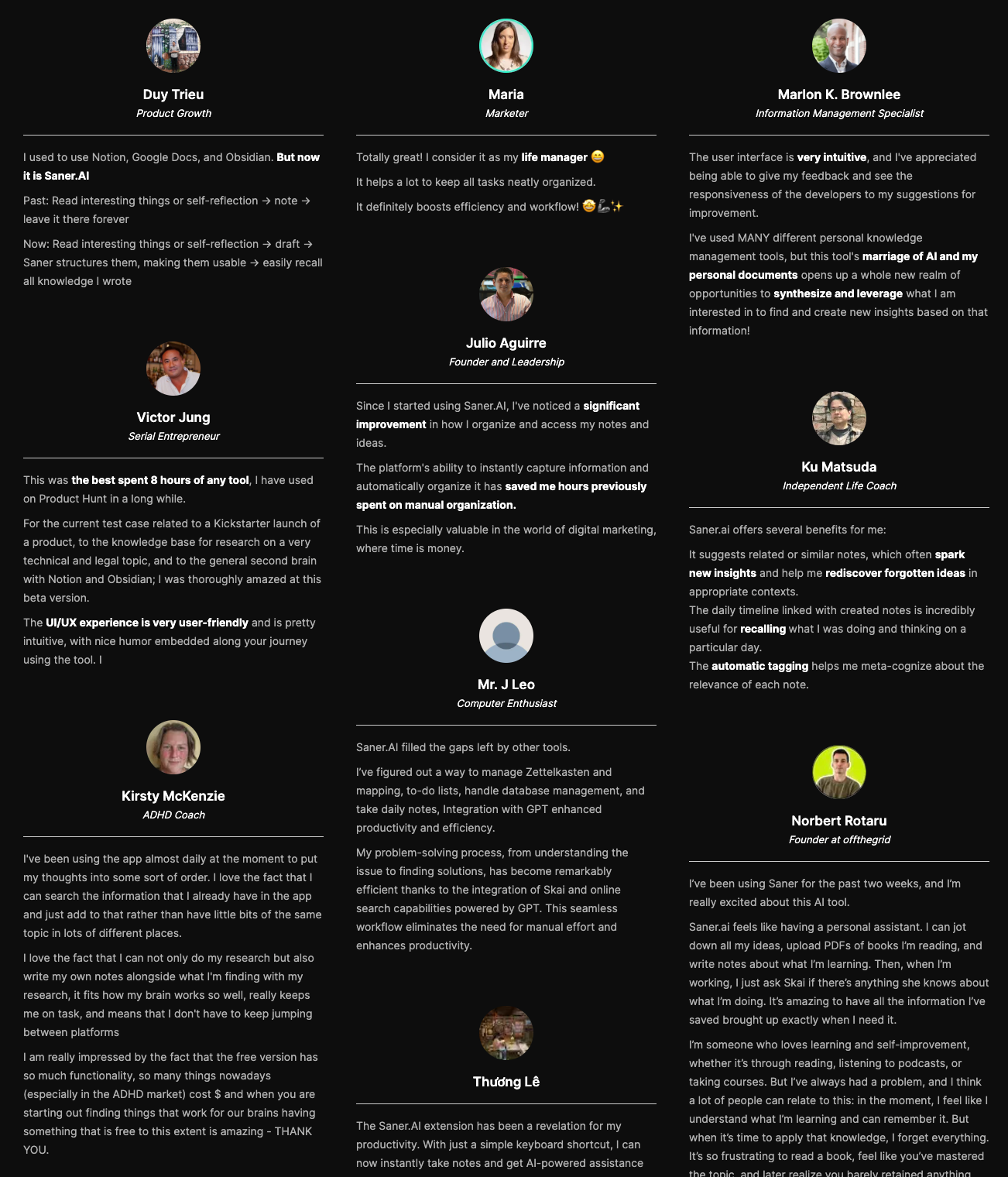
Saner.AI review
Best for
- Perfect for content creators, marketers, and founders who capture ideas constantly and hate cleanup.
How to get started
- Create a free account on Saner.AI
- Start dumping notes and tasks without organizing - let the AI handle the rest

Stay on top of your work with the Best Simplenote Alternative
2. Obsidian
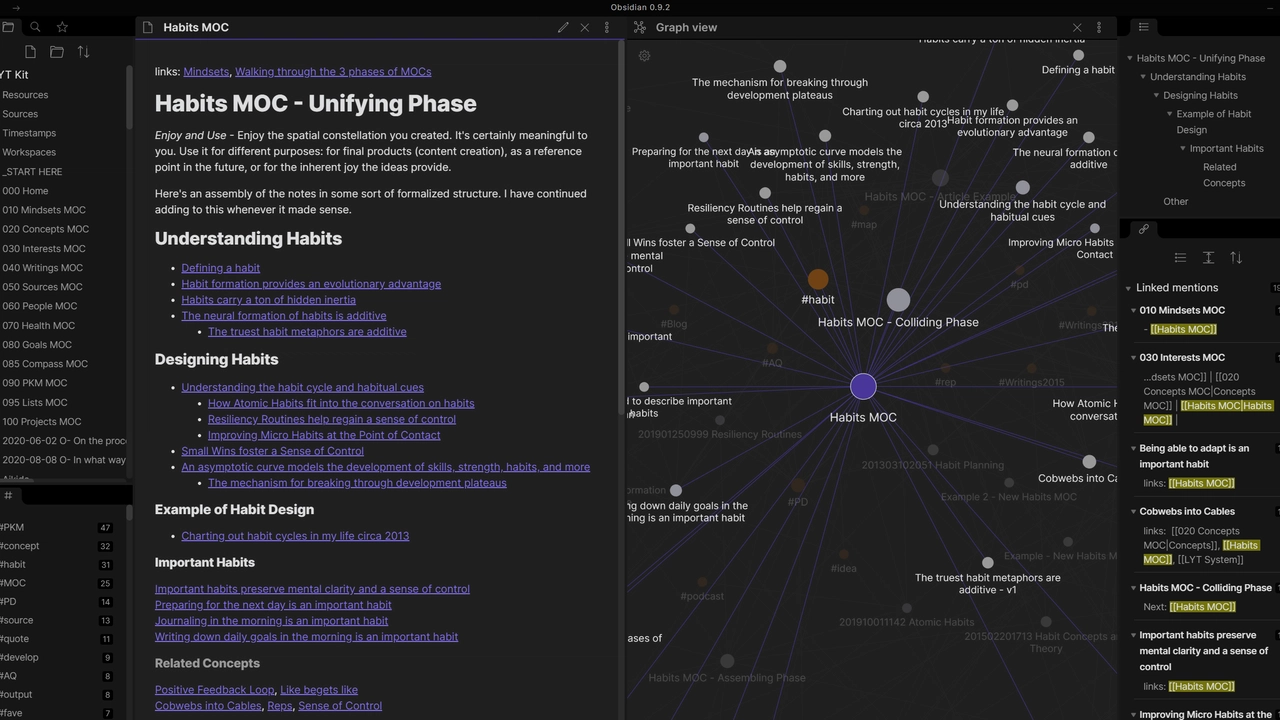
Obsidian is a local-first note-taking app built around Markdown files and bidirectional links. It helps you create a personal knowledge base where notes are connected like a network, not stored in folders alone. Everything lives on your device by default, giving you full ownership of your data. In this, it’s often chosen for depth rather than simplicity.
Key features
- Obsidian automatically connects notes that reference each other. The visual graph helps you see relationships between ideas over time.
- All notes are written in plain Markdown files, making them future-proof and portable. You’re never locked into a proprietary format.
- Your notes are stored offline on your device by default. This gives you full control over privacy and performance.
- Community plugins let you add task management, daily notes, calendars, and more.
Pros
- Your notes are just files on your computer. No reliance on cloud servers unless you choose to sync.
- You can build complex systems for knowledge management, writing, or research. Power users love the control.
Cons
- Compared to Simplenote, setup takes time. Linking, plugins, and workflows can feel overwhelming at first.
- You need to actively design and maintain your system. There’s no AI to auto-organize like Saner.AI has for you.
- If you want official cross-device sync, you’ll need a paid plan.
Pricing
- Free for the core app.
- Obsidian Sync: around $10/month.
- Obsidian Publish (optional): around $20/month
Best for
- Writers, researchers, and power users who want full control over a personal knowledge system.
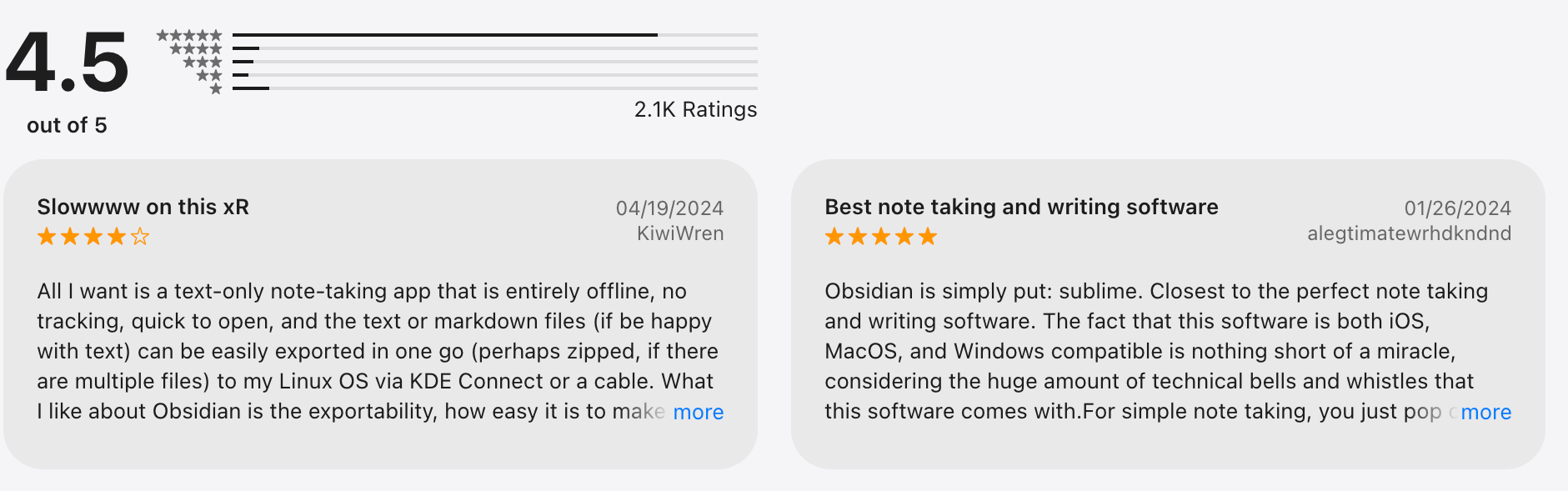
Obsidian review (sources)
How to get started
- Download Obsidian and create a local vault
- Start with simple notes before adding plugins or advanced setups
3. Bear
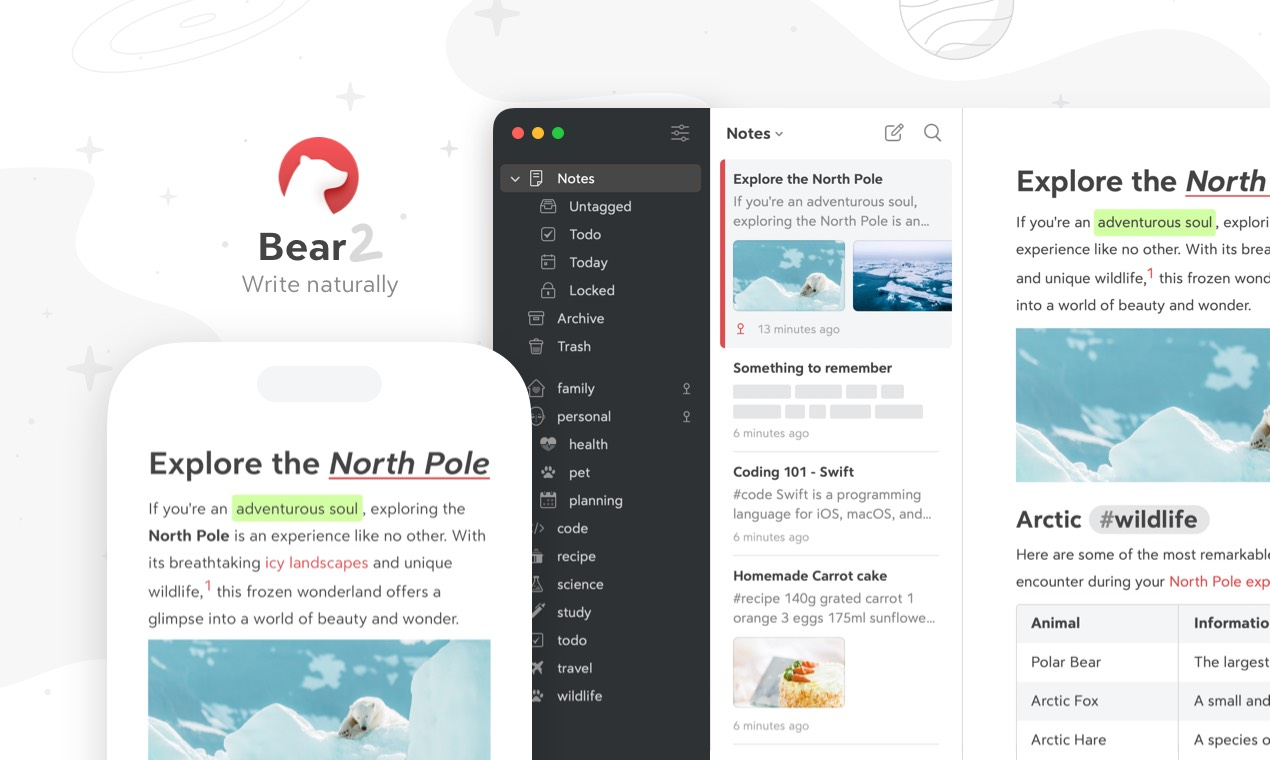
Bear is a clean, Markdown-based note-taking app focused on fast writing and simple organization. It’s designed for capturing ideas, notes, and drafts without distractions.
Instead of folders, Bear uses tags to keep everything searchable and lightweight. Compared to Simplenote, Bear feels more polished and writer-focused, but still keeps things simple.
Key features
- Notes are organized using hashtags instead of folders. This makes it easy to group ideas flexibly without committing to a rigid structure.
- You can write in Markdown naturally while seeing clean formatting in real time. It’s great for writers who want structure without clutter.
- Bear’s design is one of its strongest points. Everything is optimized for focus, from typography to spacing.
- Works seamlessly across iPhone, iPad, and Mac with fast sync. It feels very native to Apple devices.
Pros
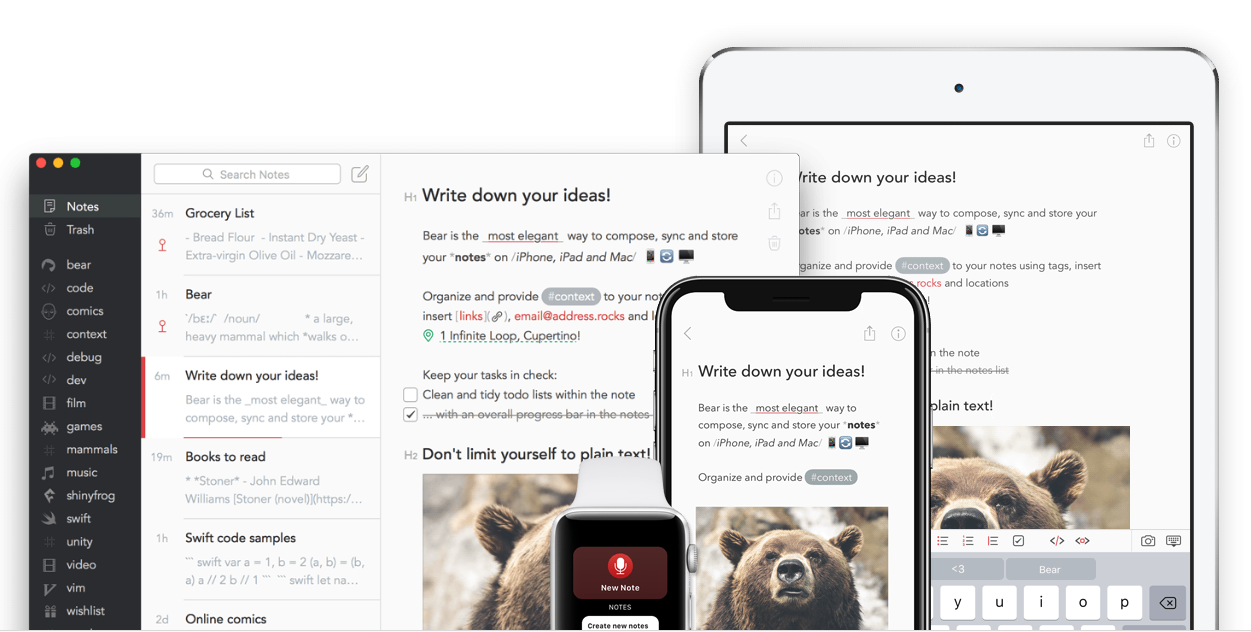
- The editor is fast, clean, and calming. Ideal for long-form notes, drafts, and daily writing.
- Tags are easier to maintain than folders and work well as your notes grow.
- Bear feels stable and thoughtfully designed, with very few rough edges.
Cons
- No Windows, Android, or web app. This is a deal-breaker for cross-platform users.
- Bear is mainly for notes and writing, not planning or action tracking.
- All organizations are manual, unlike newer AI-driven ones like Saner.AI.
Pricing
- Free version available.
- Bear Pro: ~$2.99/month or ~$29.99/year.
Best for
- Writers and Apple users who want a beautiful, minimalist note app with a light structure.
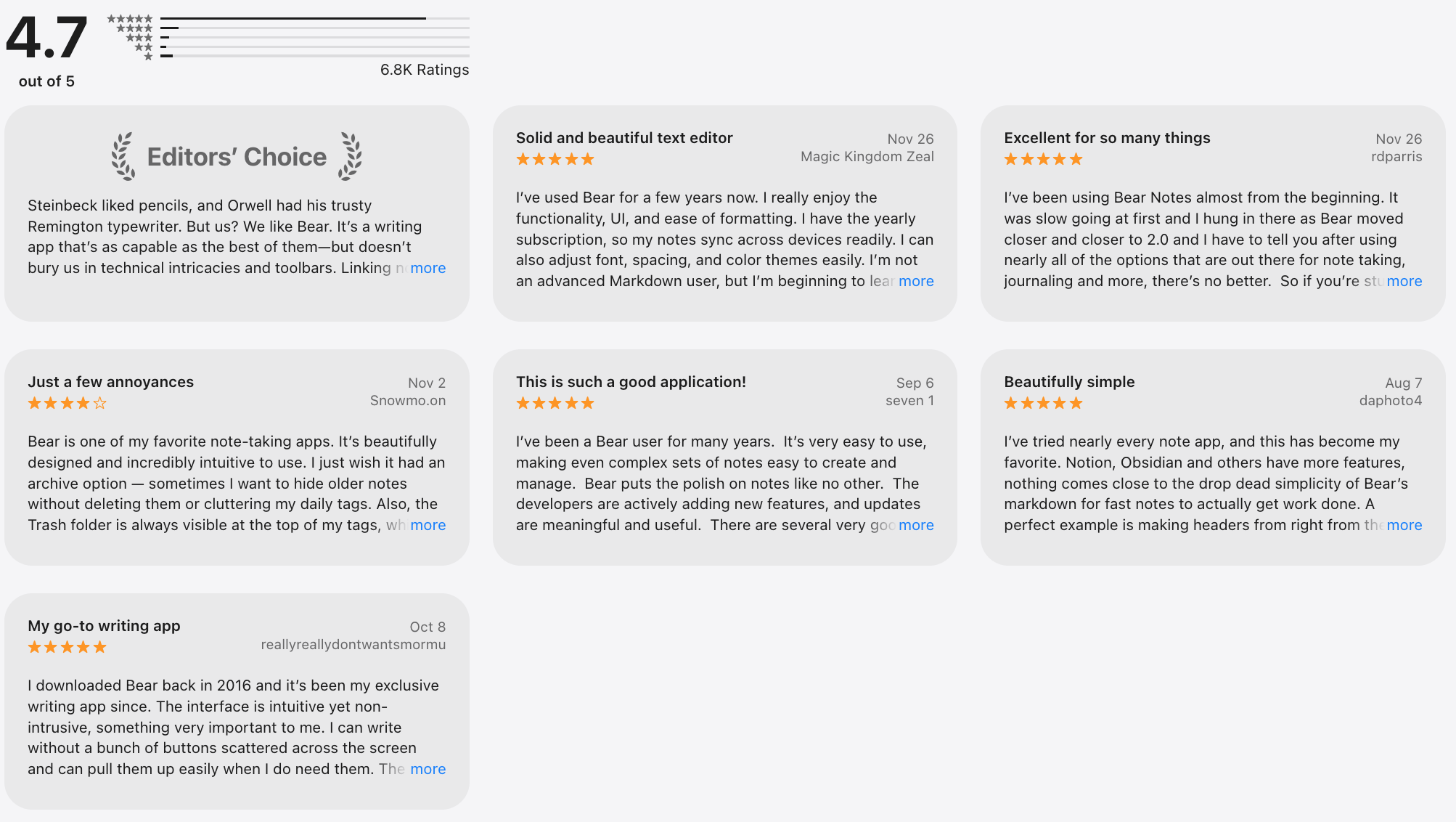
Bear review (source)
How to get started
- Download Bear on iPhone, iPad, or Mac.
- Start with simple tags and build your note library naturally.
4. Evernote
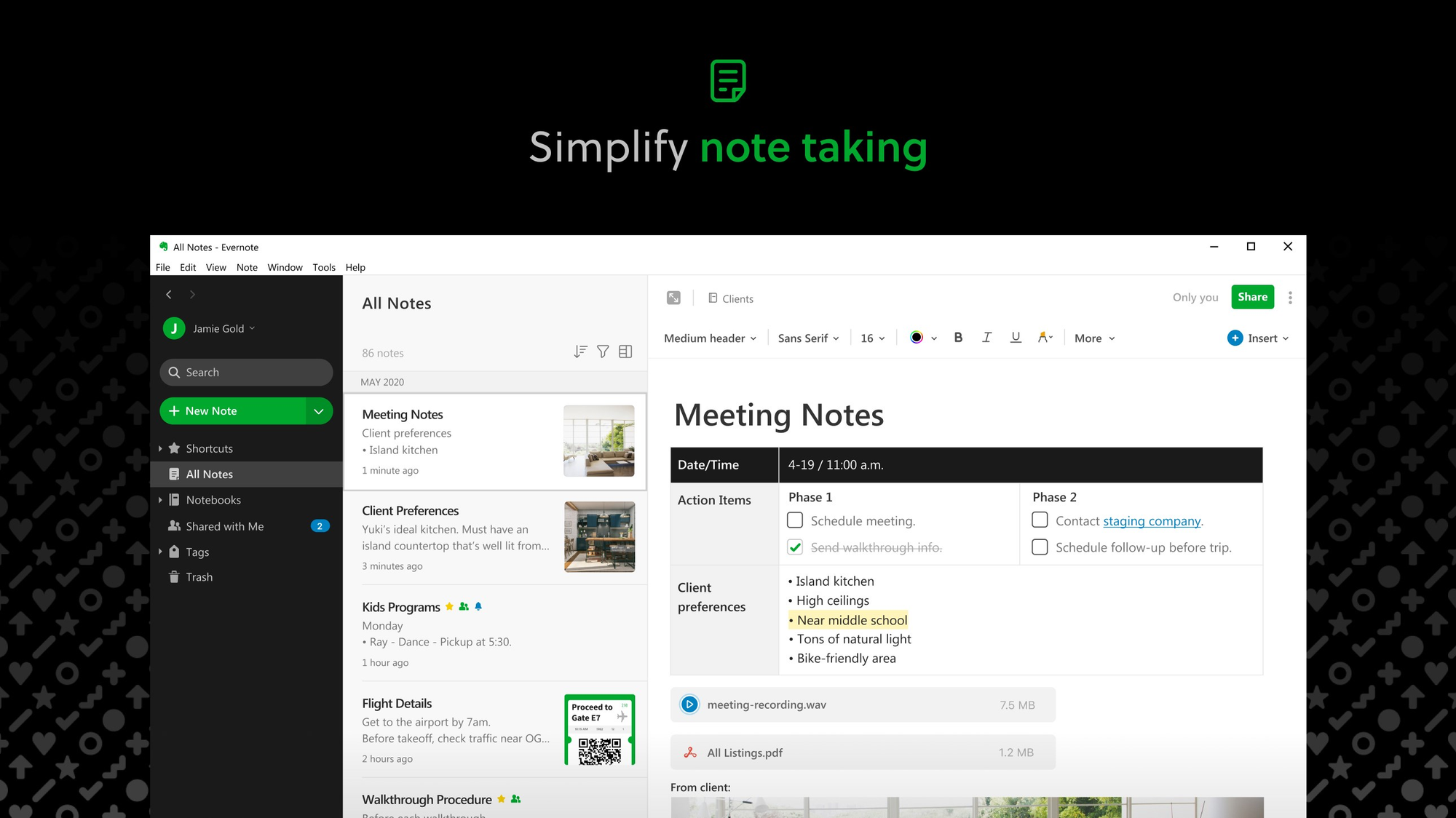
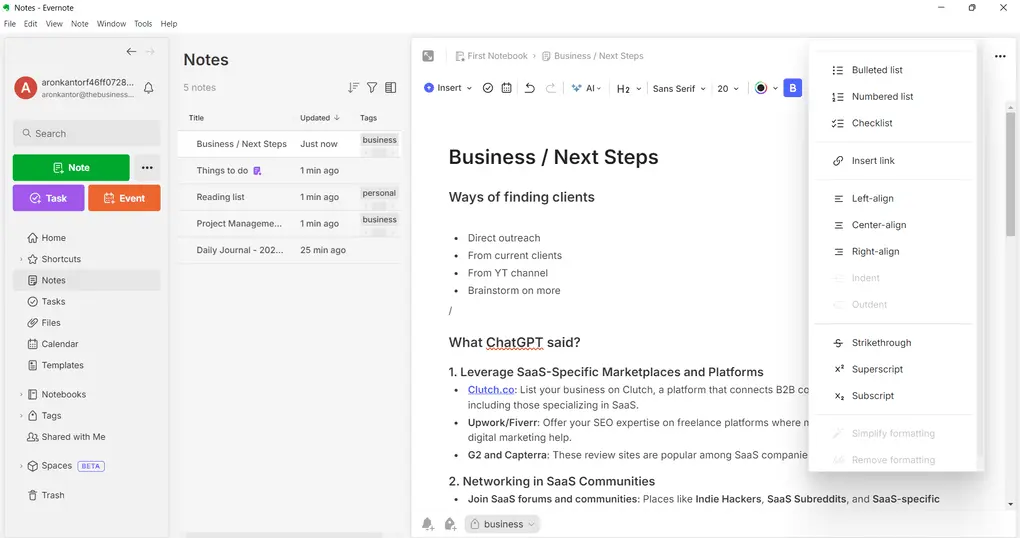
Evernote is a long-standing note-taking app designed to store everything in one place - notes, documents, images, web clips, and tasks. It’s built for people who want a digital filing cabinet rather than a lightweight notes app like Simplenote.
You can capture information from multiple sources and search across all of it later. Compared to newer tools, Evernote focuses more on storage and recall than workflow automation.
Key features
- You can save text notes, PDFs, images, emails, and web pages. Everything lives inside notebooks with tags for organization.
- Evernote can search text inside images and scanned documents. This is useful if you store receipts, handwritten notes, or PDFs.
- Lets you save articles and web content directly into your notes. It’s one of Evernote’s most popular features.
- You can add tasks and due dates inside notes. It’s functional, but not as advanced as dedicated task tools.
Pros
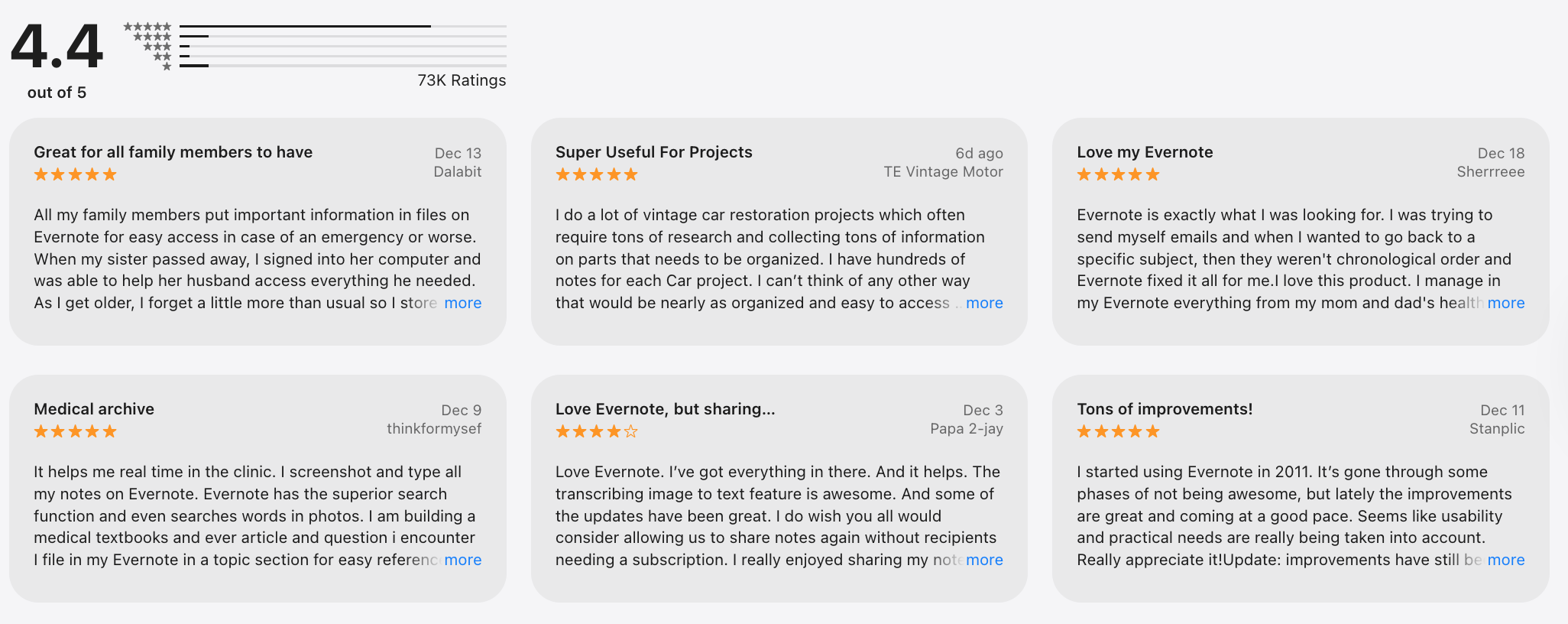
- Evernote works best when you have years of content. It’s designed for heavy storage and long-term archiving.
- Finding old information is easy, even inside attachments and images.
- Available on web, Windows, macOS, iOS, and Android.
Cons
- The interface can feel slow and cluttered if you just want quick notes.
- Many users feel the value no longer matches the cost for simple use cases.
- Compared to AI-first alternatives like Saner.AI, the workflows of Evernote feel more traditional and manual.
Pricing
- Free plan with limited features.
- Personal plan: around $14.99/month (monthly or yearly options)
Best for
- Users who need to store, search, and manage a large archive of notes and documents.
Evernote review (source)
How to get started
- Create a free Evernote account.
- Install the app and start importing or clipping your existing notes.
5. Standard Note
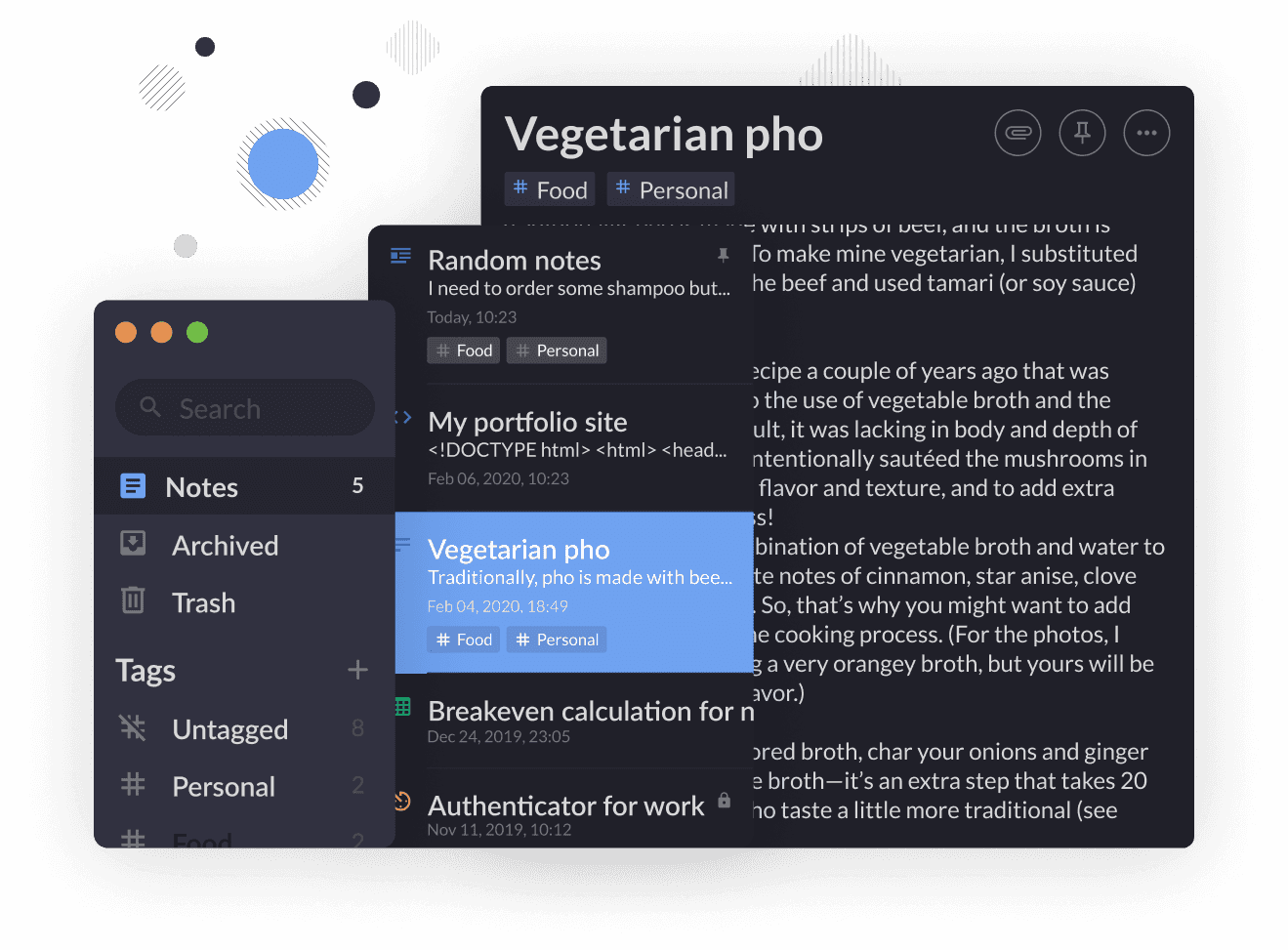
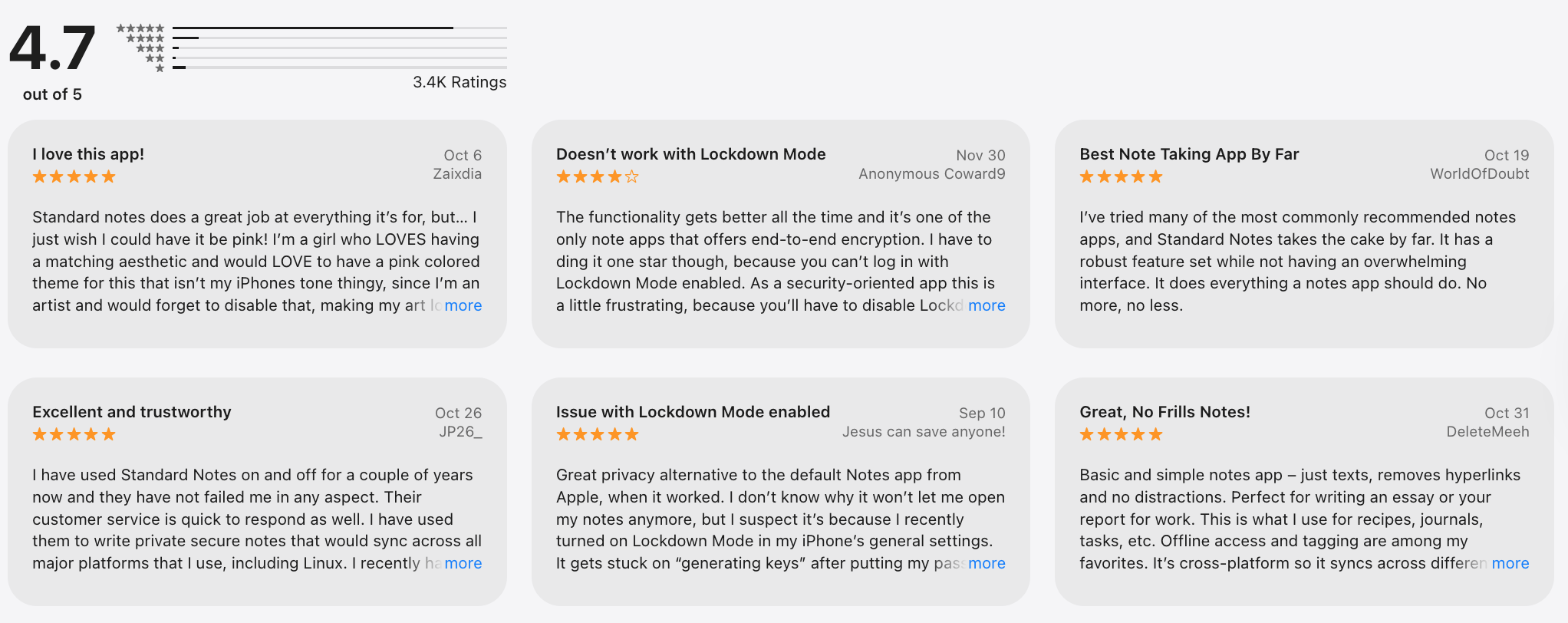
Standard Notes is a privacy-focused note-taking app built around end-to-end encryption. It’s designed for people who want a secure, distraction-free alternative to Simplenote for writing and storing notes long term. Notes are synced across devices but remain encrypted, so only you can read them. The app prioritizes security and longevity over advanced workflows.
Key features
- All notes are encrypted on your device before syncing. Not even Standard Notes can access your content.
- At its base, it’s a simple, plain-text note app. Paid plans unlock Markdown, rich text, code editor, and spreadsheets.
- Available on web, desktop, and mobile. Notes stay consistent across devices without manual export.
- The app is designed so your notes remain readable decades later. No proprietary formats or lock-in.
Pros
- Ideal for personal journals or confidential information.
- The core experience is clean and stable. No unnecessary features getting in the way.
- Open-source components and a clear focus on user trust.
Cons
- Advanced editors and organization tools require a paid subscription.
- No smart task management, planning, or AI assistance.
- Compared to newer apps, the design can feel utilitarian.
Pricing
- Free plan available
- Paid plan: around $10/month or ~$90/year
Best for
- Users who want a secure, encrypted replacement for Simplenote with long-term data ownership.
Standard Note review (source)
How to get started
- Create a free Standard Notes account.
- Start with plain-text notes, then upgrade if you need advanced editors.
6. Notion
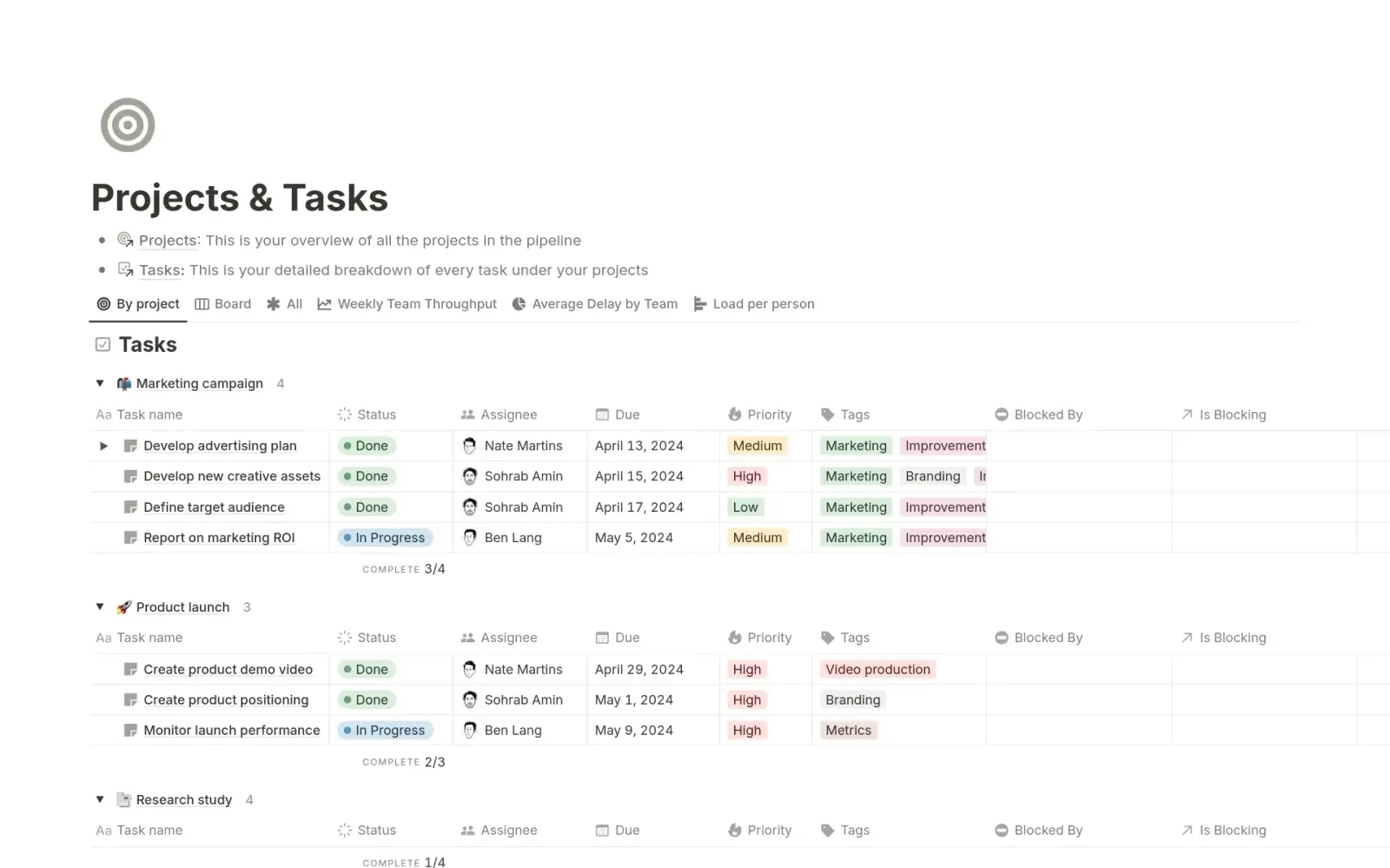
Notion is an all-in-one workspace that combines notes, documents, databases, tasks, and collaboration tools. Unlike Simplenote’s plain-text focus, Notion lets you build structured pages and systems for work or personal projects.
You can use it as a note app, a wiki, a project manager, or all three at once. It’s powerful but requires setup and maintenance. In roundups of the 8 best Simplenote alternatives, Notion is chosen for flexibility, not speed.
Key features
- Everything is built from blocks - text, headings, tables, checklists, and embeds. This makes pages highly customizable but less lightweight.
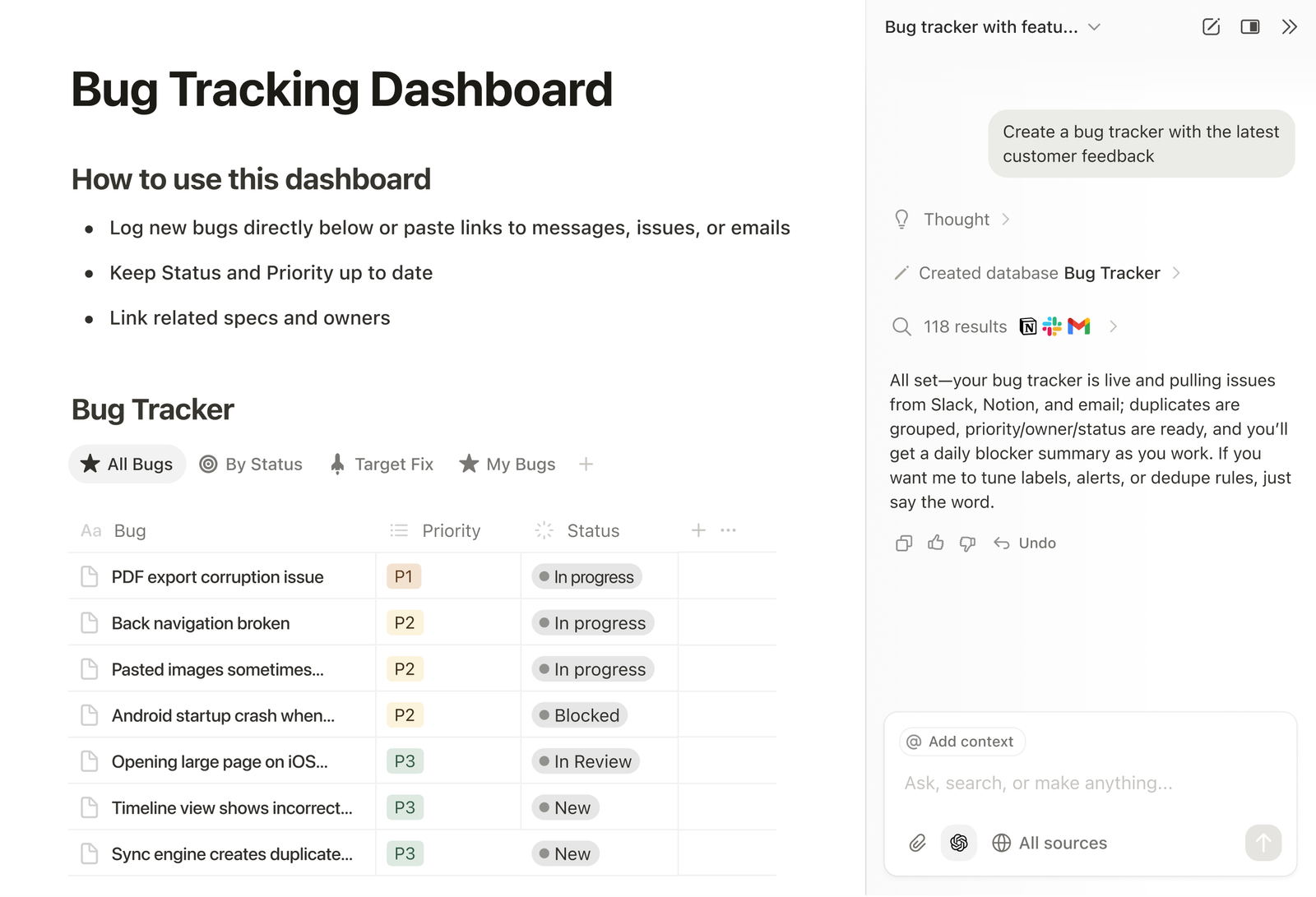
- You can turn notes into structured databases with filters, views, and properties. Useful for tracking content, projects, or knowledge.
- Notion offers many templates for notes, planning, and documentation. Teams can collaborate in real time.
- Available on web, desktop, and mobile with automatic syncing across devices.
Pros
- You can shape Notion to fit almost any workflow, from simple notes to complex systems.
- Ideal for teams, shared knowledge bases, and documentation.
- Templates, integrations, and community resources are widely available.
Cons
- If you just want fast note capture like Saner.AI, Notion can feel slow and heavy.
- You need to design your own structure. There’s little automation by default.
- Performance drops without a stable internet connection.
Pricing
- Free plan available.
- Plus: ~$10/month.
- Business: ~$18/month (monthly or yearly options).
Best for
- Users or teams who want one flexible workspace for notes, docs, and structured information.
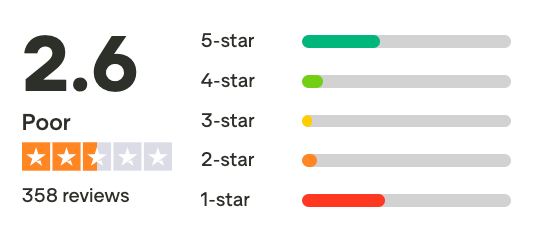
Notion review (source)
How to get started
- Create a free Notion account.
- Start with a template instead of building everything from scratch.
7. Google Keep
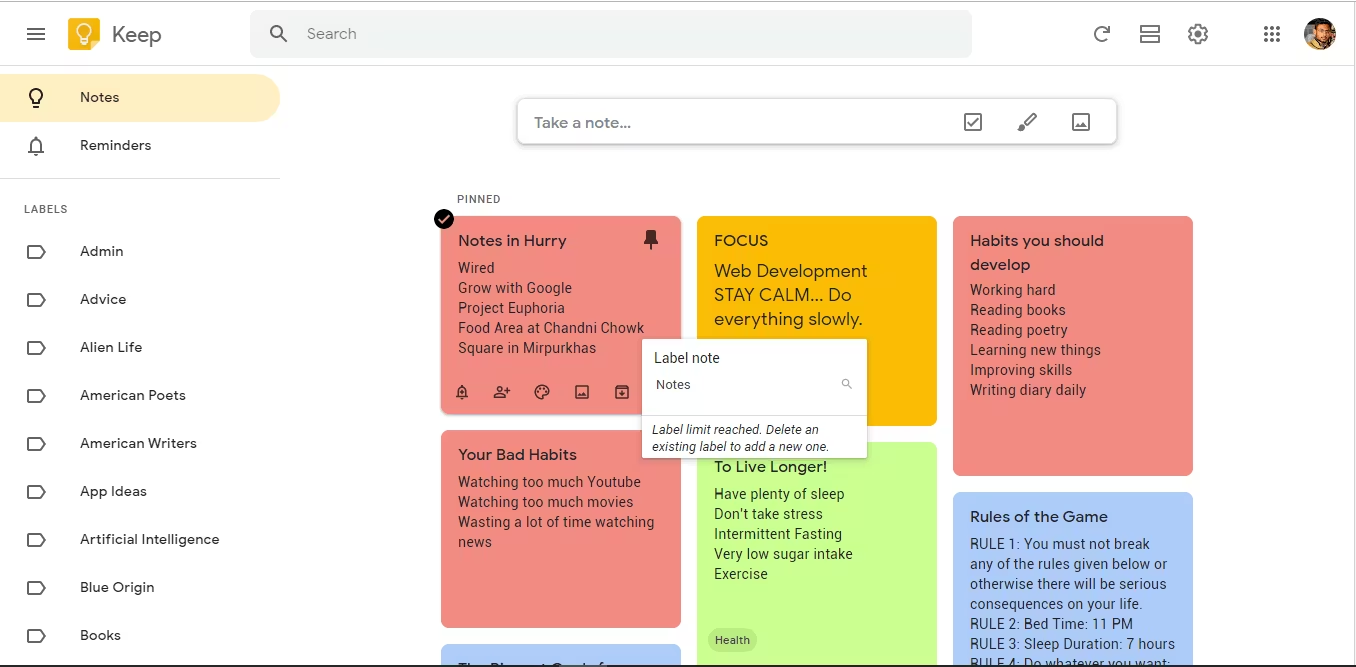
Google Keep is a lightweight note-taking app designed for quick capture and reminders. It lets you jot down notes, make checklists, record voice memos, and set location- or time-based reminders.
Everything syncs automatically with your Google account across devices. Compared to Simplenote, Google Keep adds reminders and visual notes but stays very minimal. It’s often mentioned in the 8 best Simplenote alternatives for users who want speed over structure.
Key features
- You can create text notes, checklists, voice notes, and drawings in seconds. The app opens quickly and stays out of your way.
- Notes can trigger reminders based on time or location.
- Notes can be color-coded and tagged with labels. It’s basic but helps with light organization.
- Works seamlessly with Google Docs, Google Assistant, and Gmail. Notes are tied directly to your Google account.
Pros
- There’s almost no learning curve. Ideal for quick thoughts and short-term notes.
- No paid tiers or upsells. Sync and performance are stable.
- Location-based reminders are especially useful for everyday tasks.
Cons
- No folders, hierarchies, or advanced linking. Notes can become messy over time.
- Finding older notes can be difficult as your collection grows.
- Everything is manual, with no automation or AI assistant.
Pricing
- Free (included with a Google account)
Best for
- People who want a free, ultra-simple note app for quick notes and reminders.
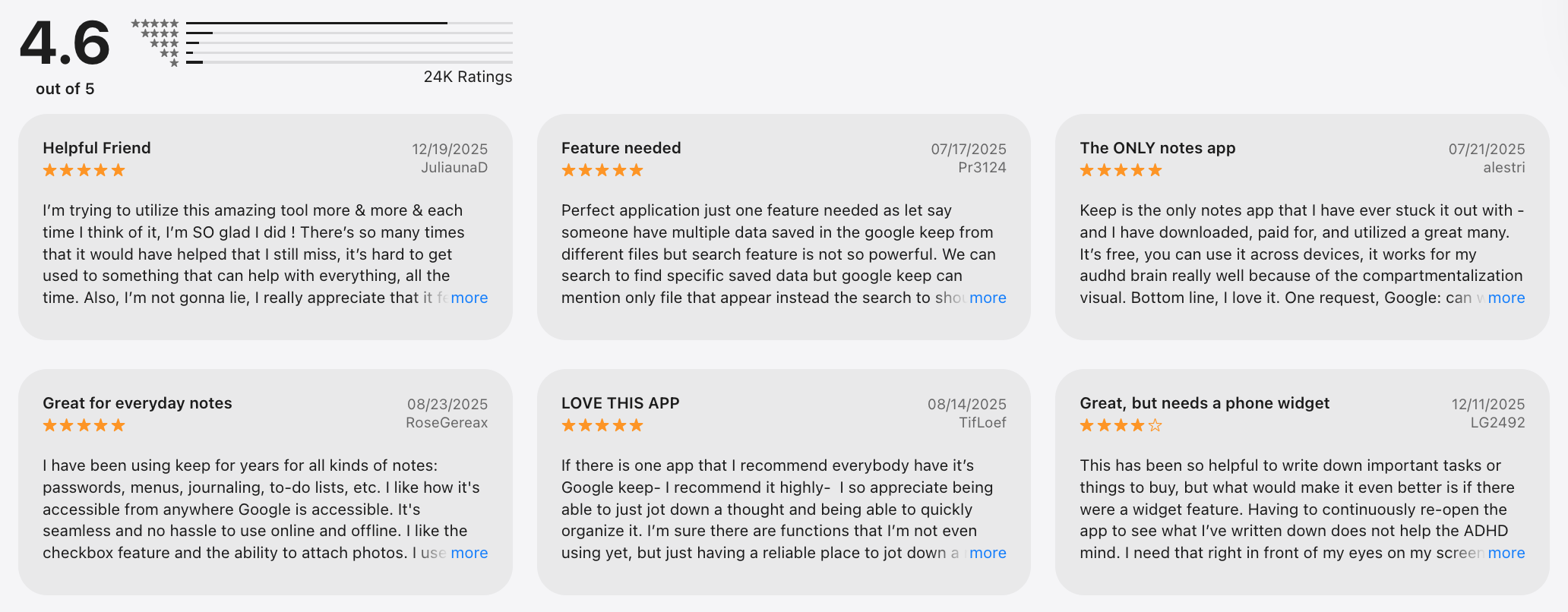
Google Keep reviews (source)
How to get started
- Open Google Keep with your Google account
- Start creating notes and reminders immediately
8. Apple Notes
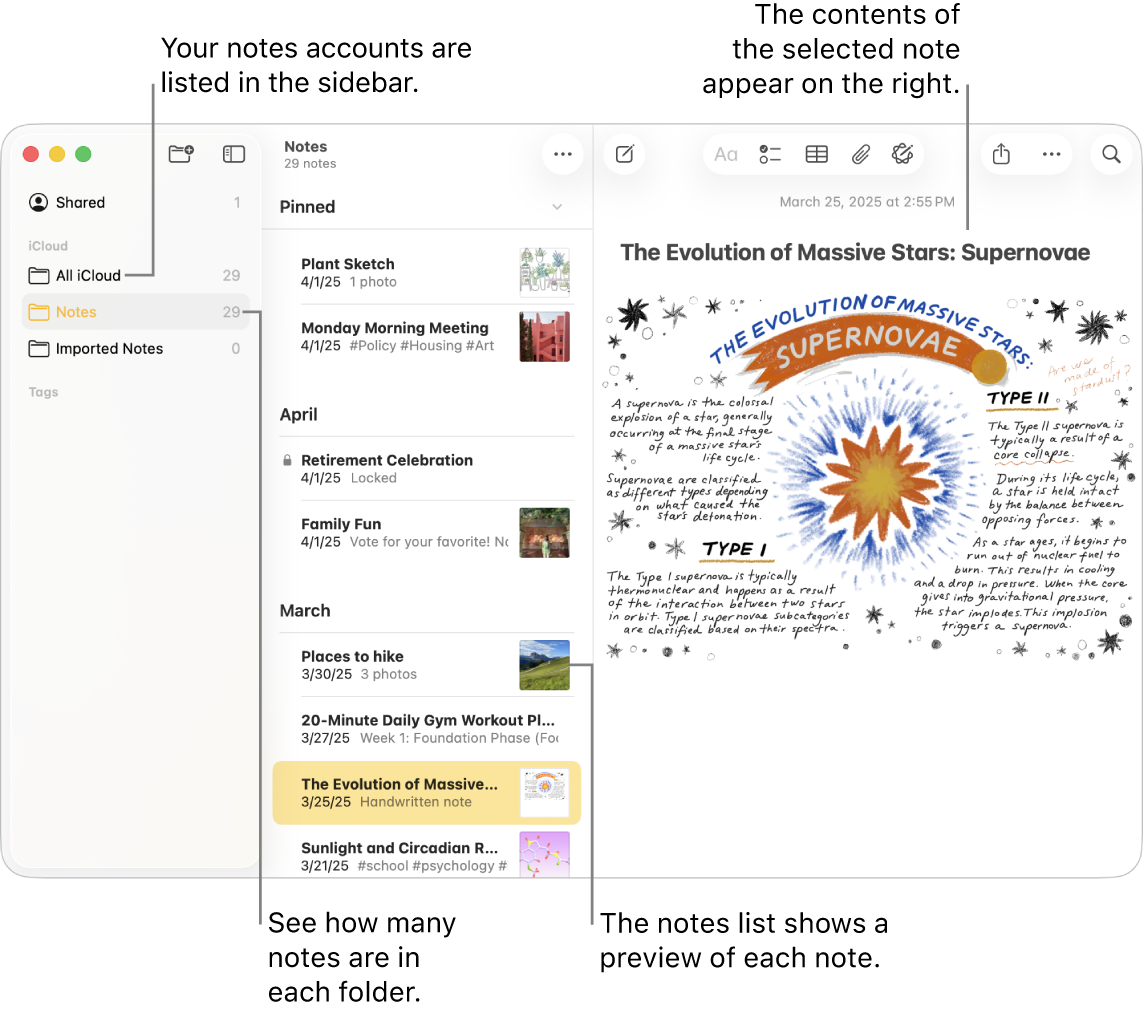
Apple Notes is a built-in note-taking app for Apple devices that handles quick notes, lists, documents, and basic organization. It’s designed to work seamlessly across iPhone, iPad, and Mac via iCloud. You can use it for everyday notes, checklists, scanned documents, and shared notes.
Compared to Simplenote, Apple Notes offers more features while staying relatively simple.
Key features
- Supports text, checklists, tables, drawings, scanned documents, and attachments. This makes it more versatile than plain-text note apps.
- Notes can be organized using folders and hashtags. Smart folders automatically group notes based on tags.
- Works with Siri, Spotlight search, Share Sheet, and Apple Pencil. Notes feel native across Apple devices.
- You can share notes or folders with others and collaborate in real time.
Pros
- No setup or subscription needed. It’s already on Apple devices.
- Scans, tables, and handwriting support make it useful beyond simple notes.
- Notes stay up to date across devices with minimal issues.
Cons
- No official Windows or Android apps. Web access is very limited.
- No AI or automation like Saner.AI to help manage growing note libraries.
- Lacks advanced task management or knowledge linking.
Best for
- Apple users who want a free, capable note app that works out of the box.
Pricing
- Free (included with Apple devices and iCloud)
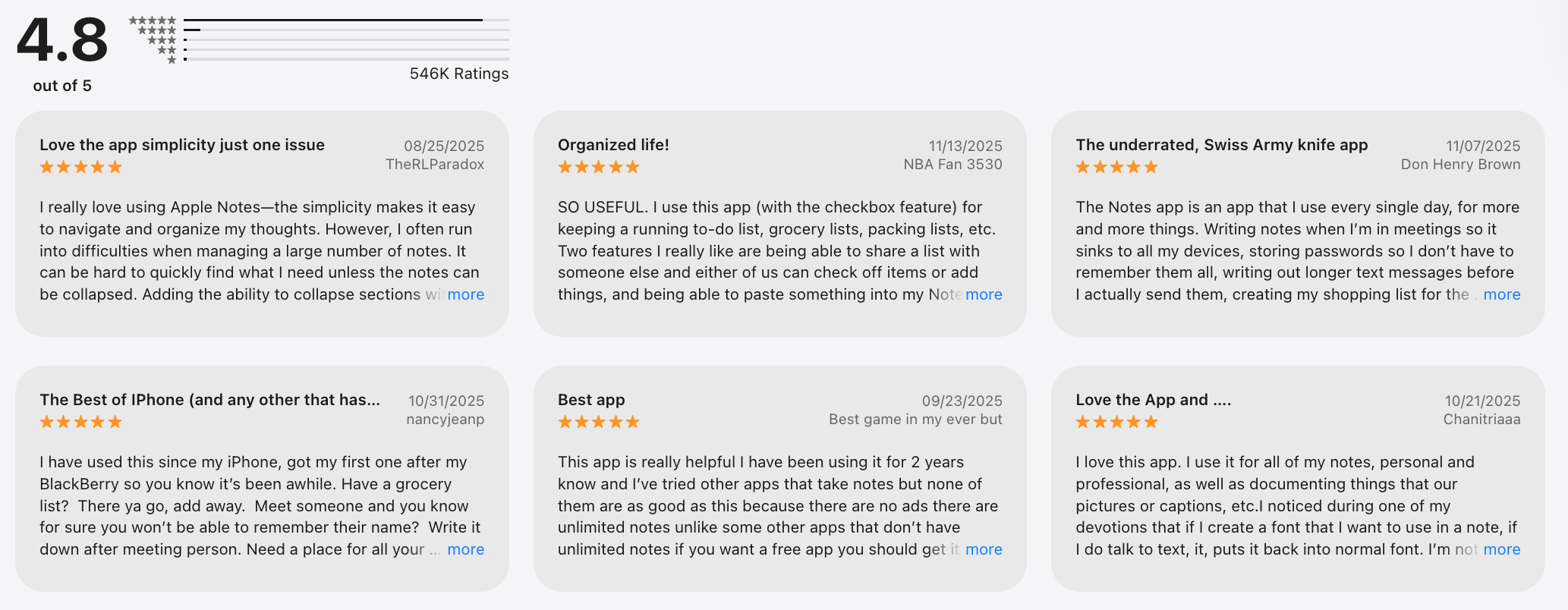
Apple Notes reviews (source)
How to get started
- Open Apple Notes on any Apple device
- Create folders or tags, then start adding notes
Final thoughts: choosing the best Simplenote alternative in 2026
There’s no single best Simplenote alternative for everyone - because not everyone thinks, plans, or captures ideas the same way.
- Some people want an AI note-taking app that handles messy thoughts, scattered ideas, and unfinished tasks for them - that’s where Saner.AI shines.
- Others prefer a powerful knowledge base like Obsidian, or an all-in-one workspace such as Notion.
- If you value beautiful writing, Bear is hard to beat, while Evernote and Standard Notes focus on structure and security.
- For lightweight, fast capture, Google Keep and Apple Notes still do the job.
What really matters isn’t which app has the most features - but which Simplenote replacement actually reduces mental load and fits how you work.
Our recommendation:
- ✨ Try 2–3 note-taking apps from different styles (AI-first, knowledge-based, minimalist)
- 🧪 Use them in real situations: daily notes, tasks, content ideas, meeting thoughts
- 🧠 Judge by clarity gained, not complexity added
If a tool helps you feel more focused, less scattered, and more in control — that’s your best note-taking app.
👇 Ready to start?
Begin with Saner.AI if you want a calm, AI-powered Simplenote alternative that organizes your thoughts after you brain-dump - not before.
Stay on top of your work and life
Simplenote Alternatives FAQ
1. What are the 8 best Simplenote alternatives?
The 8 best Simplenote alternatives include note-taking tools that keep writing fast and simple, while improving search, organization, and follow-through. These range from minimalist note apps to AI-powered systems.
Among them, Saner.AI stands out as a next-generation alternative that turns notes into clear actions automatically.
2. How does Saner.AI compare to other AI note-taking apps?
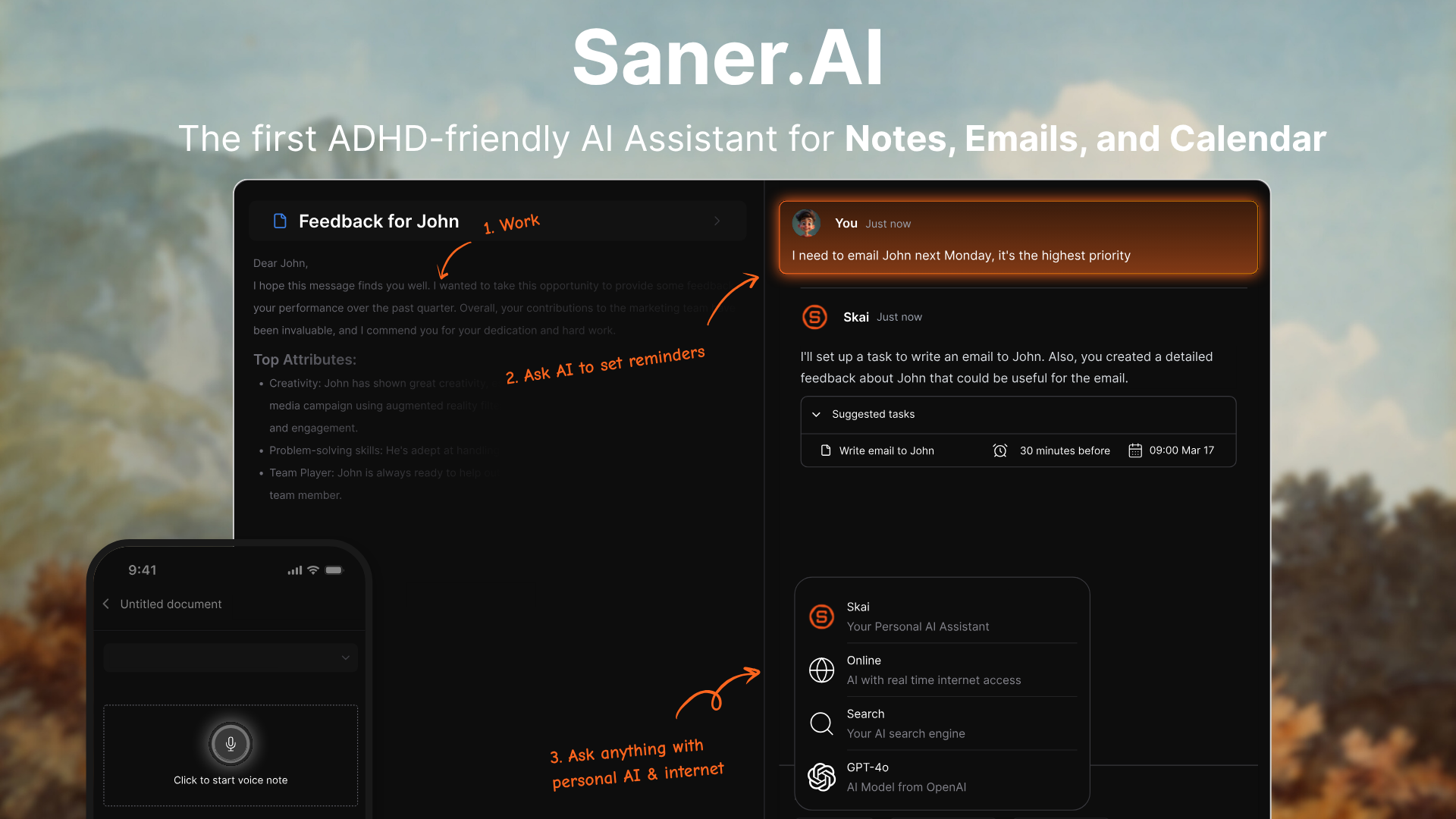
Many AI note-taking apps focus on writing or summarization. Saner.AI is different because it’s action-first. Instead of just polishing text, Saner:
- Understands which parts of your notes matter
- Turns ideas into tasks automatically
- Reminds you when something needs follow-up
Among the 8 best Simplenote alternatives, Saner is less about “better notes” and more about better follow-through.
3. What makes Saner.AI different from Simplenote?
The biggest difference is intent:
- Simplenote stores notes
- Saner.AI understands and uses them
Saner lets you write naturally, then:
- Extracts tasks from notes
- Reminds you at the right time
- Surfaces relevant context automatically
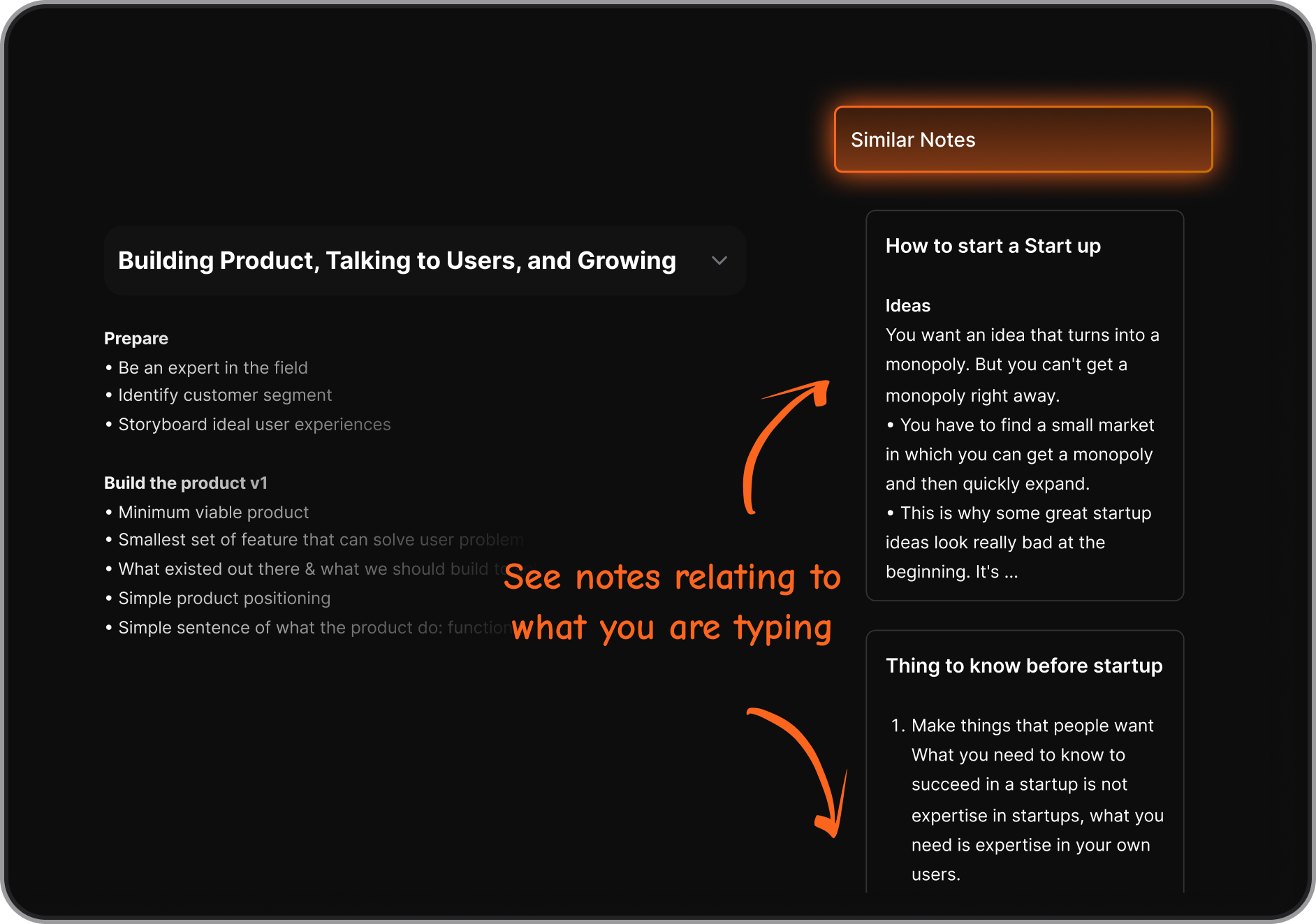
No folders, no rigid systems.
4. Is Saner.AI still simple like Simplenote?
Yes - by design.
Saner keeps the same fast, frictionless capture that Simplenote users love, but adds intelligence behind the scenes. You just write. Saner handles structure, prioritization, and reminders quietly.
5. Which Simplenote alternative is best for productivity?
If productivity means actually following through, Saner.AI is one of the strongest Simplenote alternatives. It connects:
- Notes
- Tasks
- Calendar context
This makes it easier to move from ideas → actions without switching apps.
6. Are there AI-powered Simplenote alternatives?
Yes. AI-powered Simplenote alternatives focus on:
- Natural-language search
- Turning notes into tasks or reminders
- Bringing old notes back when they’re relevant
Saner.AI fits this category by acting like an assistant that understands messy notes - not a filing cabinet you manage manually.
7. Do any of the Simplenote alternatives replace both notes and to-do apps?
Yes - just take look at how Saner.AI does it:
- A Simplenote replacement for fast notes
- A lightweight task manager
- A daily planning assistant
This is especially useful if you’re tired of juggling multiple tools.
8. Are any of the Simplenote alternatives good for ADHD or easily distracted users?
Saner is often chosen by users who:
- Forget tasks written in notes
- Struggle with manual organization
- Get overwhelmed by complex systems
It reduces cognitive load by deciding what matters now instead of showing everything.
9. Can Simplenote alternatives replace it completely?
For many users, yes. Newer tools like Saner.AI cover:
- Quick note capture
- Long-form notes
- Task creation from notes
- Smart reminders and follow-ups
If you mainly used Simplenote as a thinking space, Saner adds execution without adding complexity.
10. Are there free Simplenote alternatives worth trying?
Yes. Many Simplenote alternatives offer free plans with:
- Basic note-taking
- Sync across devices
- Limited AI or automation features
Saner.AI, for example, includes a free plan that supports natural language notes, reminders, and search - enough to test whether the workflow fits you.
11. Is Saner.AI suitable for work and professional use?
Yes. Saner is commonly used by:
- Content marketers
- Founders and solo operators
- Managers handling multiple projects
It helps keep notes and tasks from email, follow-ups, and priorities connected - without heavy setup.

12. Are Simplenote alternatives better for long-term note storage?
It depends on your goal:
- Knowledge-base tools are better for structured archives
- AI-driven tools focus more on retrieval and relevance
If you rarely browse old notes manually, tools like Saner.AI can be more effective than traditional storage-heavy systems.
13. Is Saner.AI free like Simplenote?
Saner offers a free plan that includes:
- Fast note capture
- AI-powered search
- Task and reminder basics
Paid plans unlock more advanced planning and automation features.
14. How hard is it to switch from Simplenote?
Switching is usually straightforward:
- Notes can be exported as text or markdown
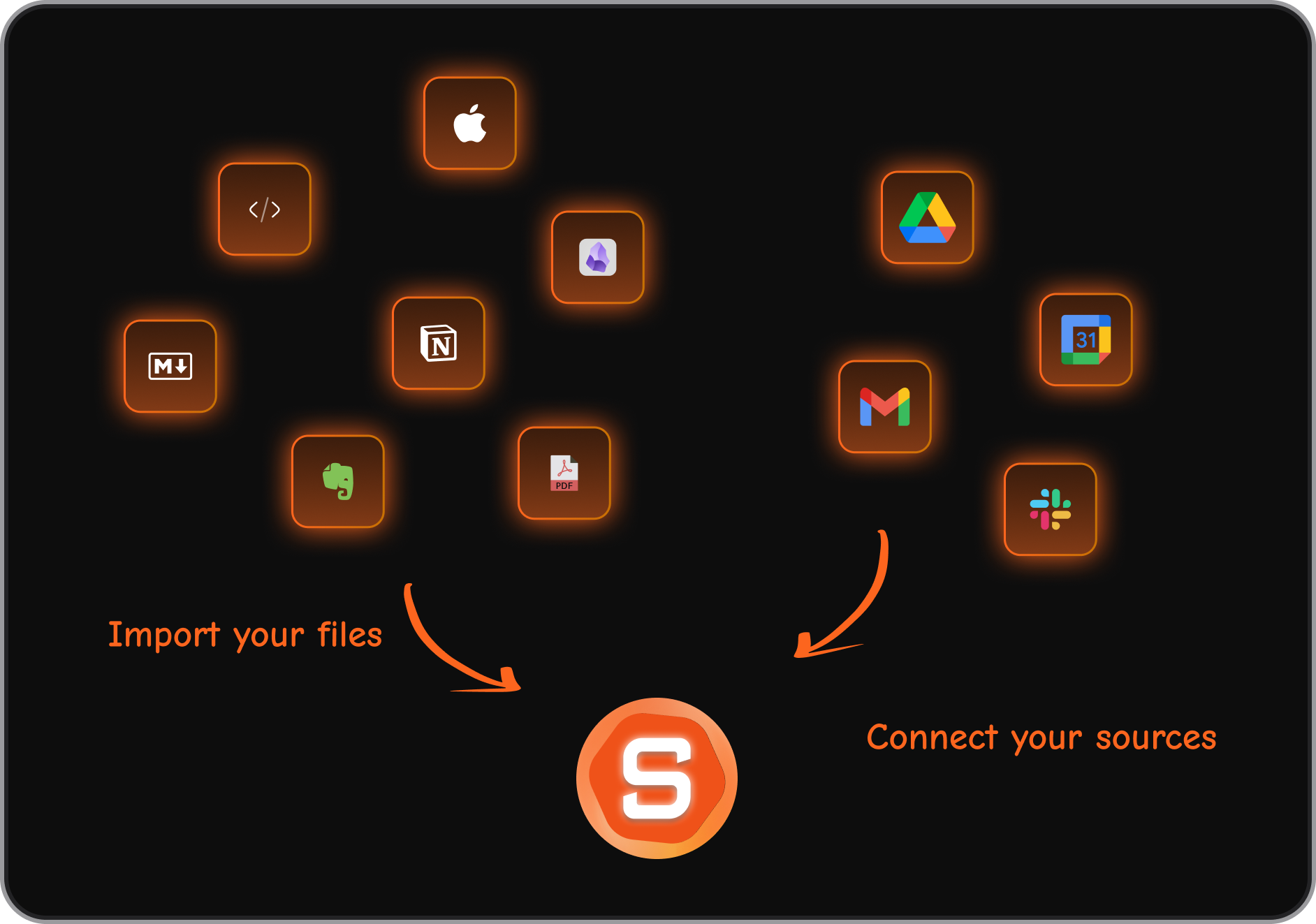
- Saner.AI support bulk import text/markdown files
- You don’t need to reorganize everything upfront
Many users start by running Simplenote and a new tool in parallel.
15. Is Saner.AI the best Simplenote alternative overall?
A simple way to decide:
- Want pure minimal writing → choose a lightweight note app
- Want structured knowledge → choose a markdown-based tool
- Want notes that turn into action → try Saner.AI
There’s no single “best” tool - only the one that reduces friction for how you actually think and work.
Stay on top of your work and life