Tiimo Alternatives: We Tested and Ranked the Best 7


While Tiimo is incredible for building rigid routines, it often struggles when "life happens"- like when a messy brain dump needs to become a project, or when an unexpected email throws my entire visual schedule out of alignment. If you’ve felt that Tiimo is a bit too restrictive for your evolving workflow, you aren't alone.
We’ve tested the top tools to find the best Tiimo alternatives for different neurodivergent brain types. We’ll dive into how each app handles time-blocking, whether they offer gamified motivation, and which ones are best for escaping the "planner overwhelm" cycle.
Quick guide: What are the best Tiimo alternatives in 2026?
- Structured: Best for visual time-blocking with a clean, aesthetic timeline.
- Llama Life: Best for "Time Blindness" and focusing on one task at a time with fun haptics.
- Todoist: Best for those who need a simple, reliable list that integrates with everything.
- Finch: Best for gamified self-care and building habits through a digital pet.
- TickTick: Best all-in-one tool with built-in Pomodoro timers and Eisenhower matrices.
- Structured: Best for Apple power-users who want a calendar-synced daily overview.
How we chose the best Tiimo alternatives
The right app shouldn't feel like another chore on your to-do list. It should work with your executive dysfunction, not against it. We evaluated these platforms based on the specific hurdles Tiimo users often face:
- Task Initiation Support: Does the app help you break down "scary" big tasks into tiny, doable steps?
- Flexibility vs. Rigidity: Can you easily shift your schedule when things go wrong, or does the app "punish" you for falling behind?
- Input Friction: How many clicks does it take to get a thought out of your head and into the system?
- Visual Clarity: Does the interface reduce cognitive load or add to the noise?
- Cross-Platform Sync: Will your plan follow you from your laptop to your phone and watch?
- AI & Automation: Does the tool take over the heavy lifting of organizing, or are you still doing all the manual sorting?
What are the Best Tiimo Alternatives?
The Best Tiimo Alternatives are Saner.AI, Structured, Todoist, Finch, Structured, Llama Life, TickTick
Best Tiimo Alternatives in 2026 - Comparison Table
| 🧰 Tool | 🎯 Best For | ⚙️ Key Features | 💰 Pricing (2026) |
|---|---|---|---|
| Saner.AI | AI-powered organization for ADHD minds | AI note capture, task organization, daily planning, natural language input | Free; Paid ~$8–16/mo |
| Structured | Visual day planning | Timeline-based schedule, routines, calendar integration, minimalist mobile UX | Free; Pro ~$4.99/mo |
| Todoist | Clean task management | Recurring tasks, priority levels, cross-platform sync, productivity tracking | Free; Pro from $4/mo |
| Finch | Self-care + habit building | Gamified habits, mood check-ins, virtual pet motivation system | Free; Paid from ~$9.99/mo |
| Llama Life | Focused task execution | Time boxing, countdown timers, distraction-free workflow | Free trial; Paid from ~$6/mo |
| TickTick | Productivity all-in-one | Tasks, calendar, Pomodoro timer, habits, Eisenhower Matrix | Free; Premium from $35.99/year |
1) Saner.AI
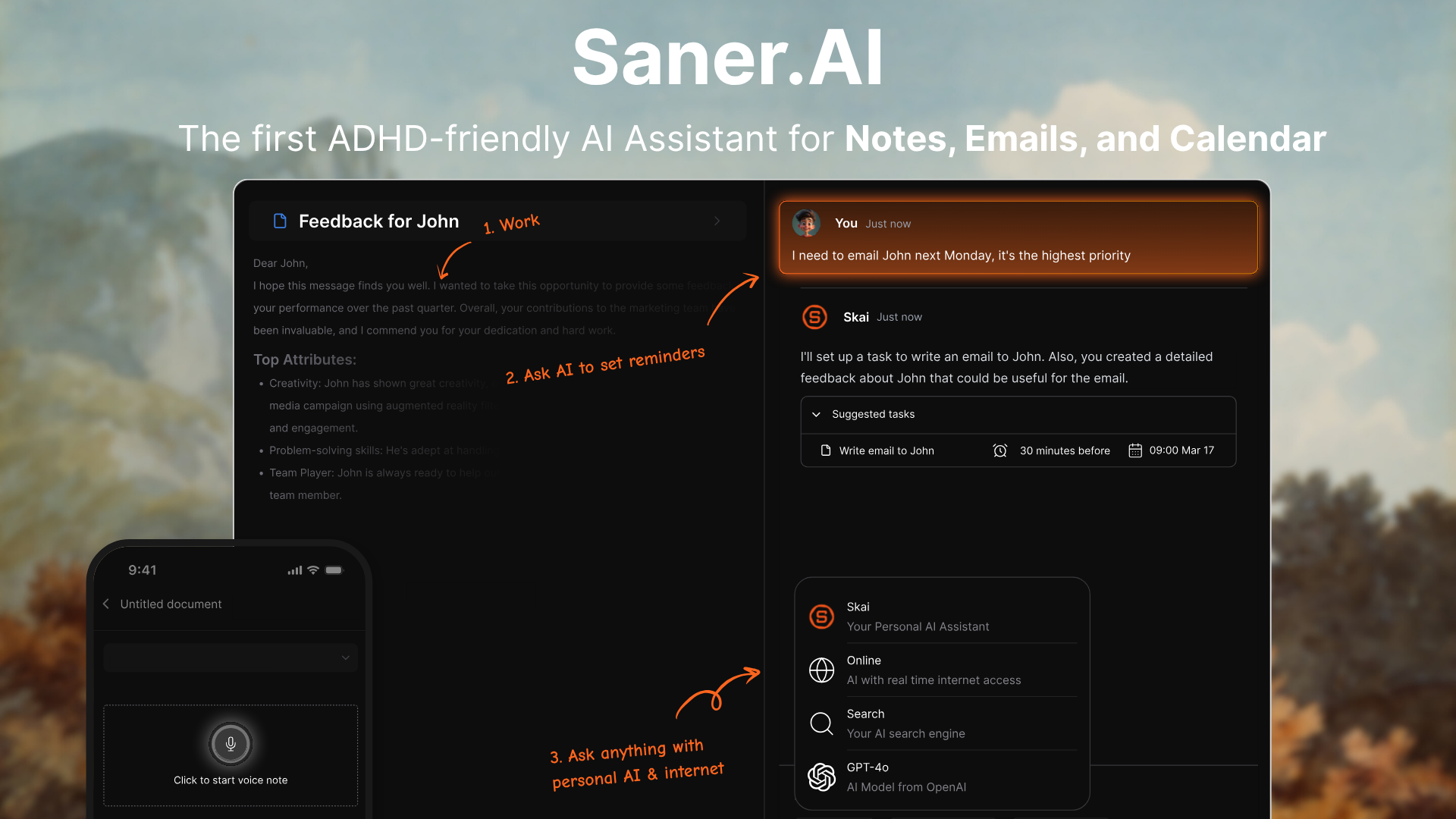
Saner.AI is an AI Executive Assistant designed specifically to combat the cognitive load of ADHD and information overload.
Unlike traditional planners, it merges notes, tasks, and calendar into a unified "Second Brain" that proactively helps you find information and organize your day. Its core strength lies in its ability to turn messy, unstructured brain dumps into actionable schedules without requiring the user to maintain complex folder systems.
Key features
- AI Day Planning & Smart Breakdowns. The assistant can take a vague goal and break it into manageable, bite-sized steps that are then slotted into your calendar.
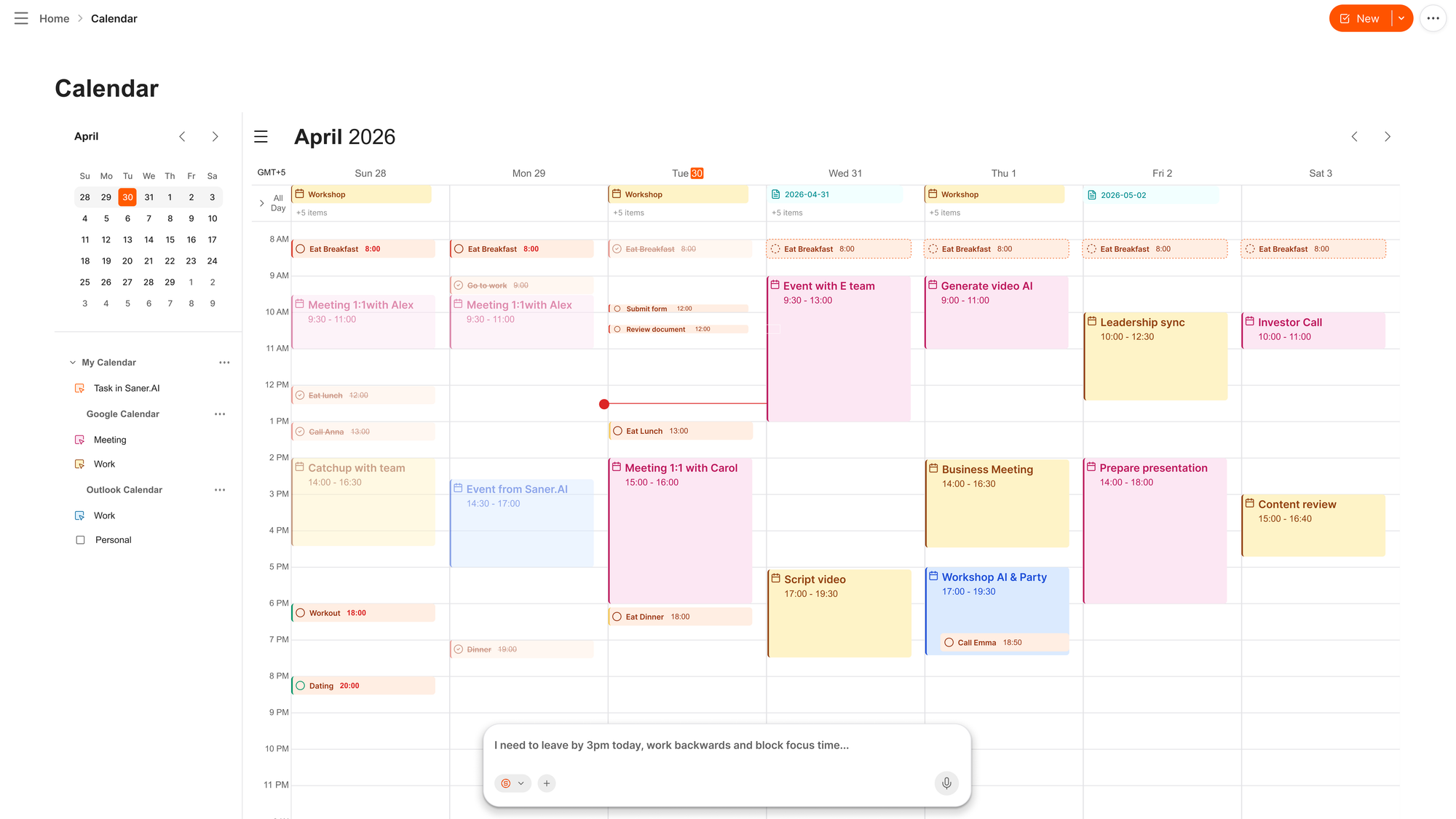
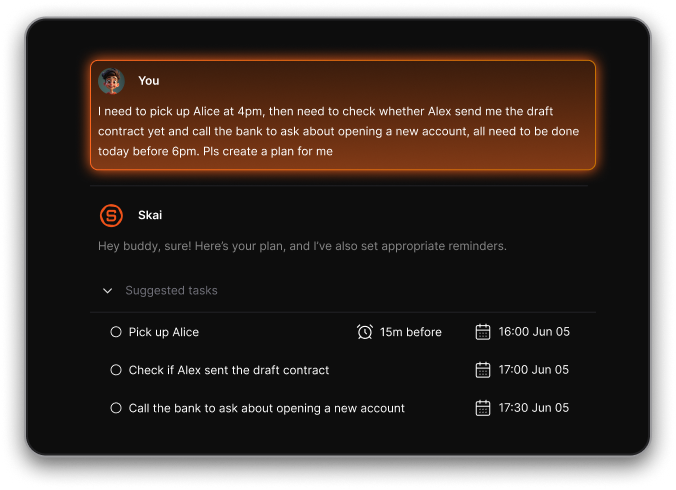
- Natural Chat Commands: Just type “reschedule my meeting” or “add reminder to buy groceries” to update your workflow
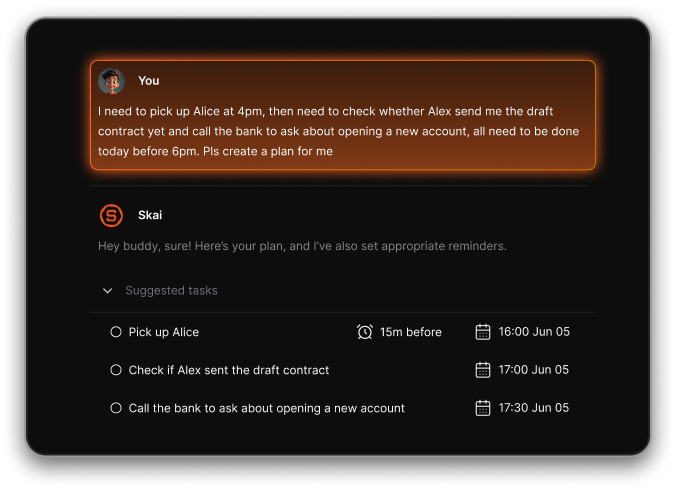
- Personal AI Assistant (Skai): Skai acts as a conversational partner that can recall specific details from your notes or synthesize complex documents
- AI calendar mode
- Focus Mode: Pops up a single-task overlay so you can work without distraction
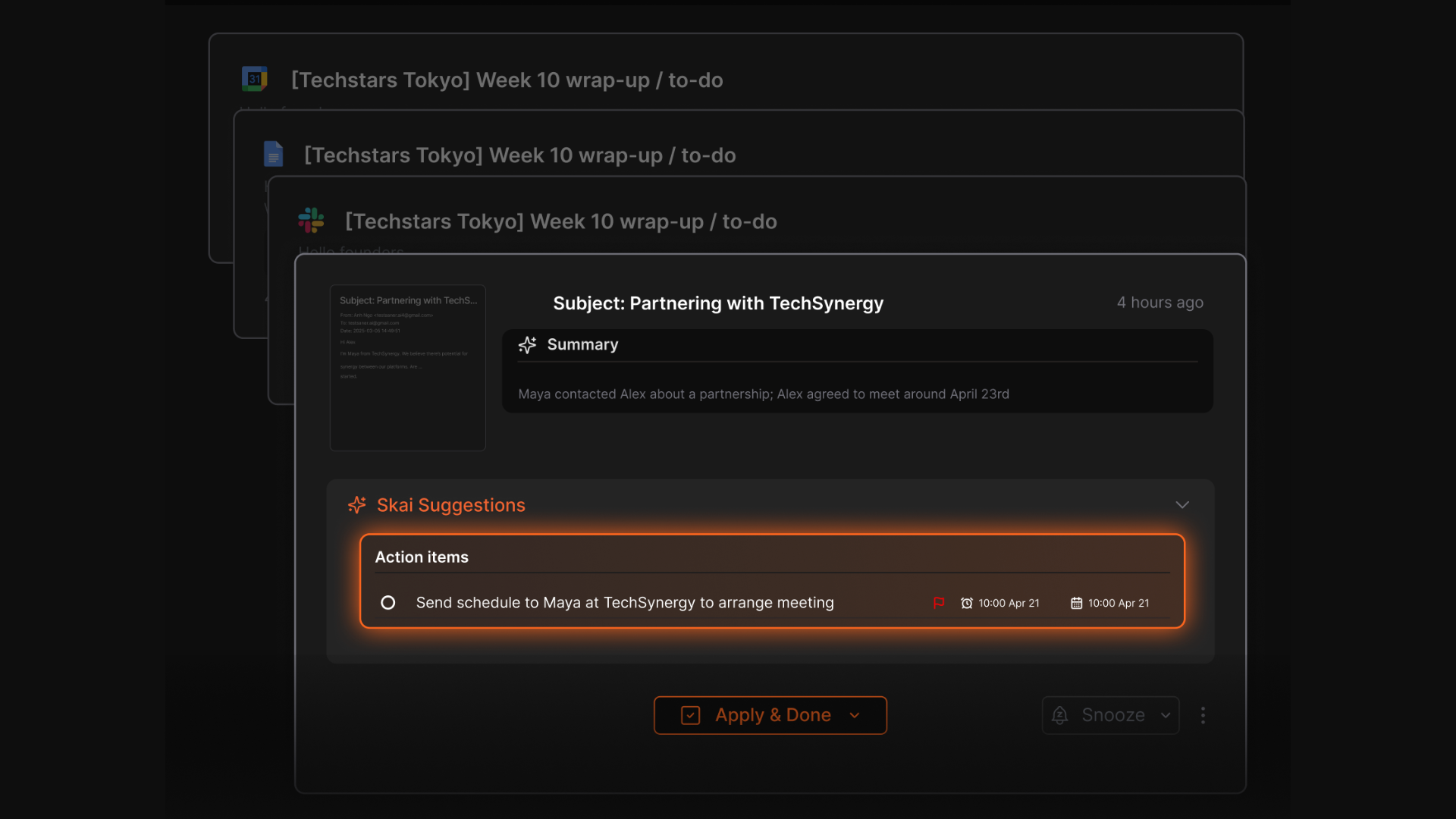
- AI Email Assistant: Extracts action items from emails and suggests reminders or tasks
Pros
- I appreciate how it handles the organization part, allowing me to dump thoughts without worrying about where to file them.
- AI doesn't just nag me, but actually suggests solutions and next steps when I'm stuck.
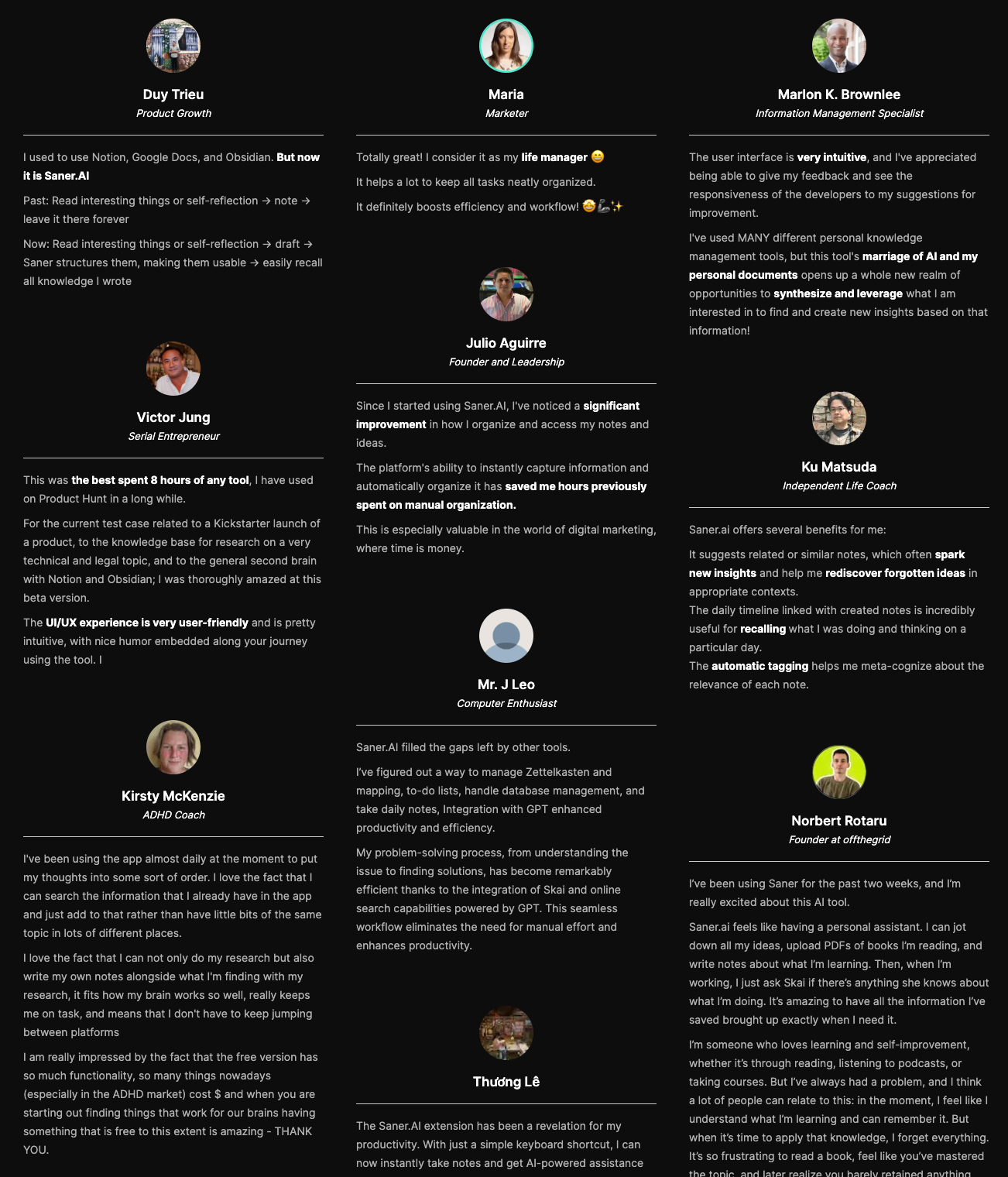
"While alternative second-brain tools feel like static databases, Saner feels like an active partner. It handles the 'Brain' (memory), enabling me to handle the 'Body' (execution)." – verified reviews
Cons
- Requires internet access for full functionality.
Pricing
- Free
- Starter: Monthly at $12/month, Annually at $8/month
- Standard: Monthly at $20/month, Annually at $16/month
Suitable for
- Professionals, entrepreneurs, and ADHD-prone people who want an AI assistant that brings clarity to their notes, emails, and schedule - without needing to manage each tool separately.
Saner.AI Reviews
How to start
- Go to saner.ai, create a free account, connect your calendar, email, or notes - and let the AI build your first personalized plan. Then just talk to it like a productivity buddy.

Stay on top of life with the top Tiimo Alternative
2) Todoist
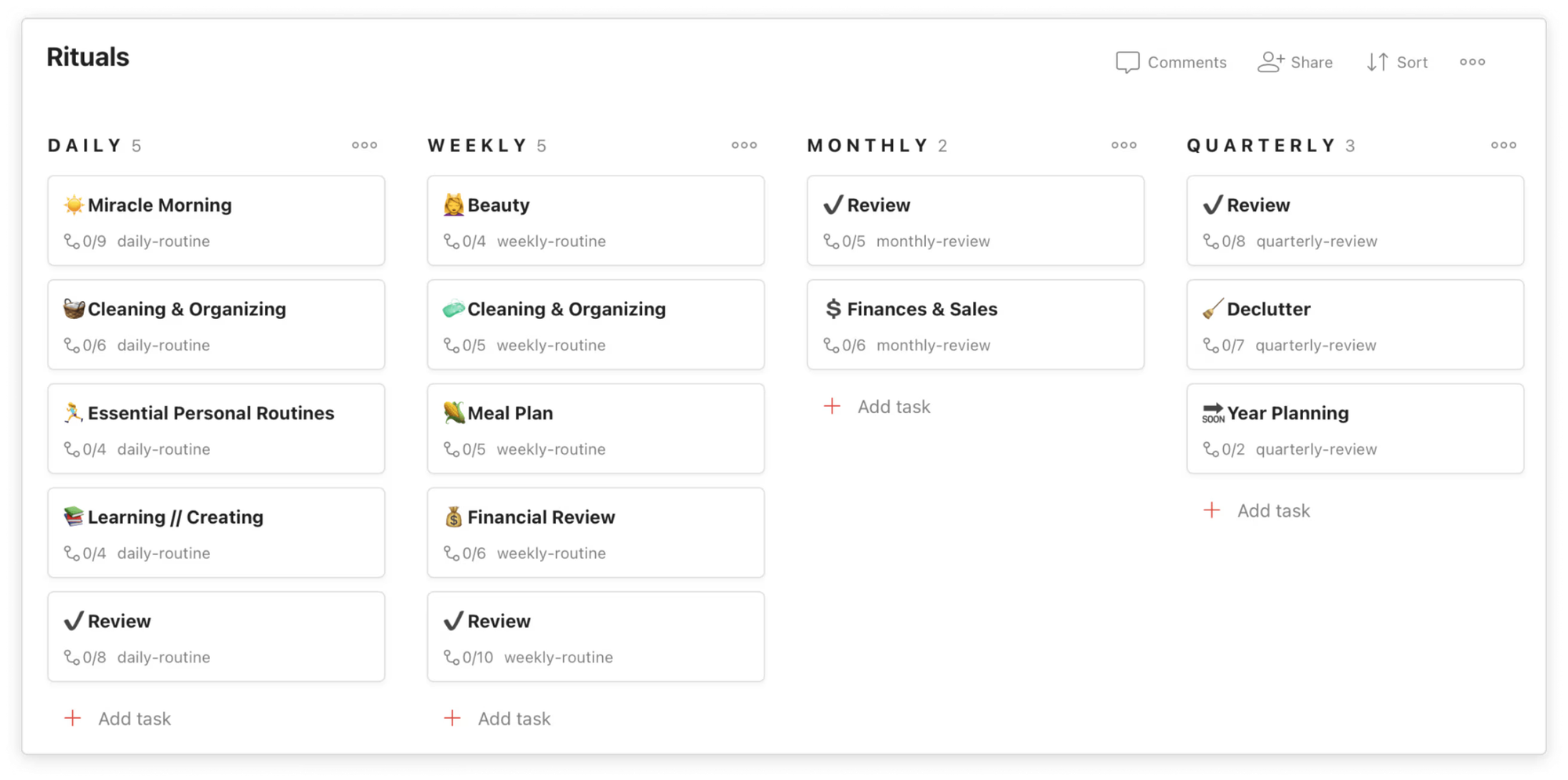
Todoist is a sleek, high-performance task manager designed to capture ideas the second they strike. In 2026, it has evolved from a simple list into a multi-dimensional planner featuring List, Kanban Board, and Calendar views.
Key features
- Natural Language Input: Add tasks like “Submit report every third Thursday” and it auto-schedules
- Filter Assist: Create custom views by describing what you want in plain English
- Task Hierarchies: Break big goals into subtasks, add comments, priorities, attachments
Pros
- Natural-language input makes it quick to add tasks without clicking around
- I like the new "Filter Assist" AI; it helps me create custom views for "Easy Wins" or "High Energy" tasks when I'm feeling overwhelmed.
- I value the clean, minimalist interface that doesn't feel "childish" but still remains colorful and organized.
Cons
- I feel frustrated that reminders - which are essential for my ADHD, are still locked behind the Pro subscription.
- I find the calendar view slightly limited because it doesn't always show my external Google Calendar events side-by-side with tasks unless I use a third-party integration.
- The AI assistant is not a chatbot interface, so you cannot chat to manage, prioritise, and arrange your tasks like Saner.AI
Pricing
- Free plan available
- Pro plan: around $5/month
- Business plan: around $8/month per user
Suitable for
- Anyone who wants a structured task planner. Great for individuals who prefer lists over blocks, or teams looking to streamline collaboration without needing full-blown project management tools.
How to start
- Head to todoist.com and create a free account
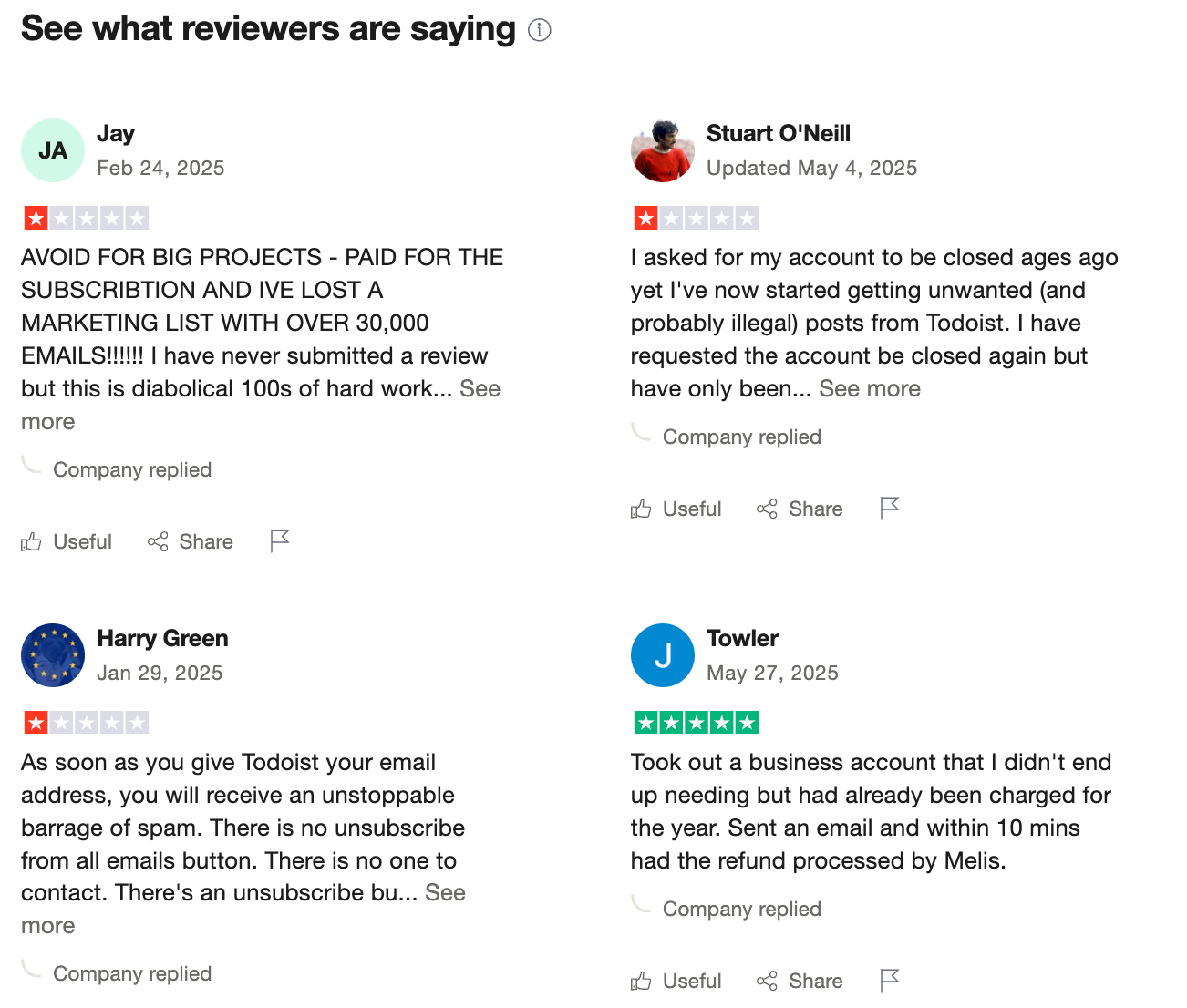
Todoist reviews (source)
3) Any.do
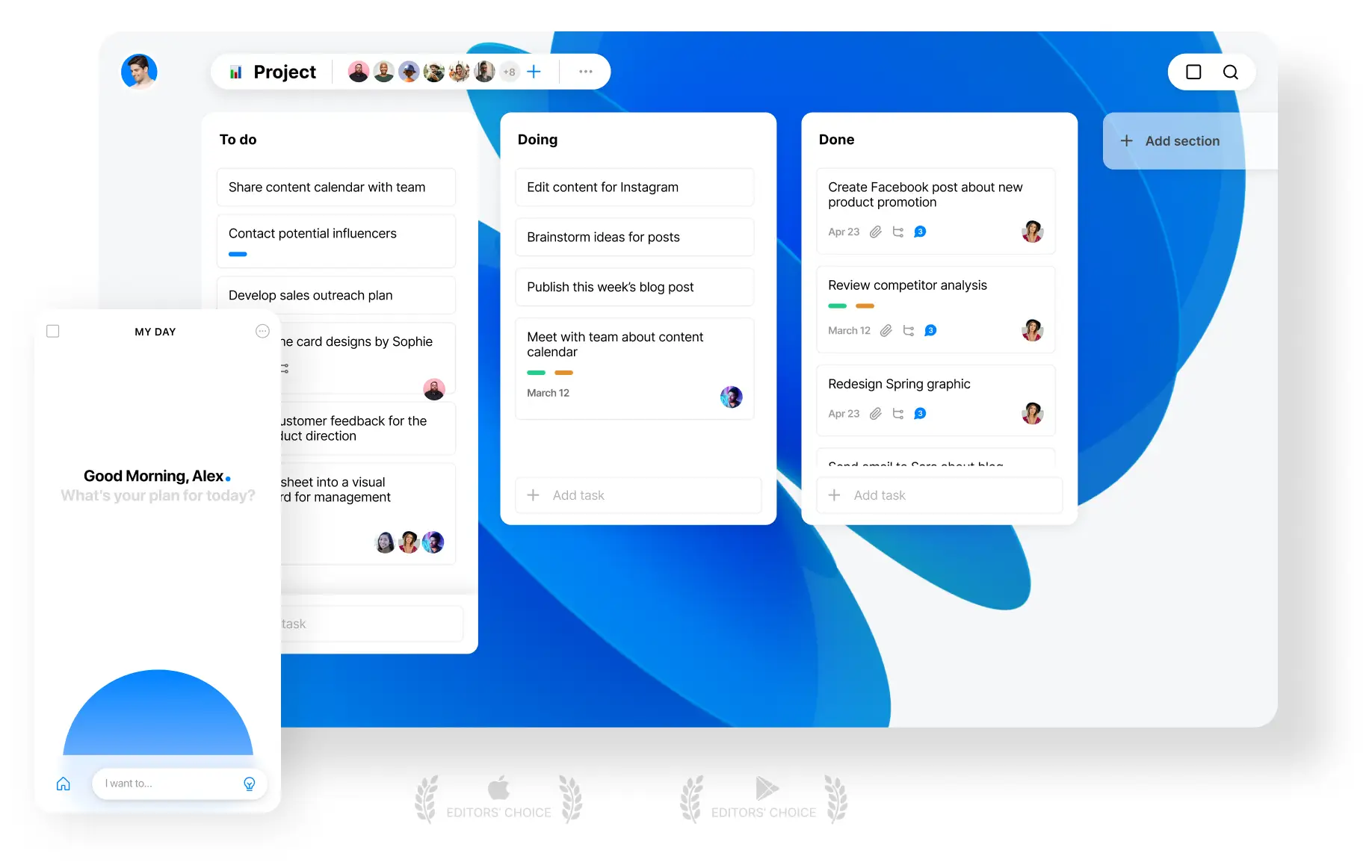
Any.do is a comprehensive task management and calendar app designed to centralize your entire life. Its core philosophy centers on "My Day," a streamlined daily planning ritual that helps you clear the clutter and focus on immediate priorities.
Key features
- The "My Day" Planner. This feature provides a clean slate every morning, prompting you to review your tasks and decide what actually deserves your attention today
- WhatsApp Integration. In 2026, Any.do allows you to turn messages directly into tasks without opening the app
- Any.do uses your phone's GPS to trigger alerts exactly when you reach a specific destination.
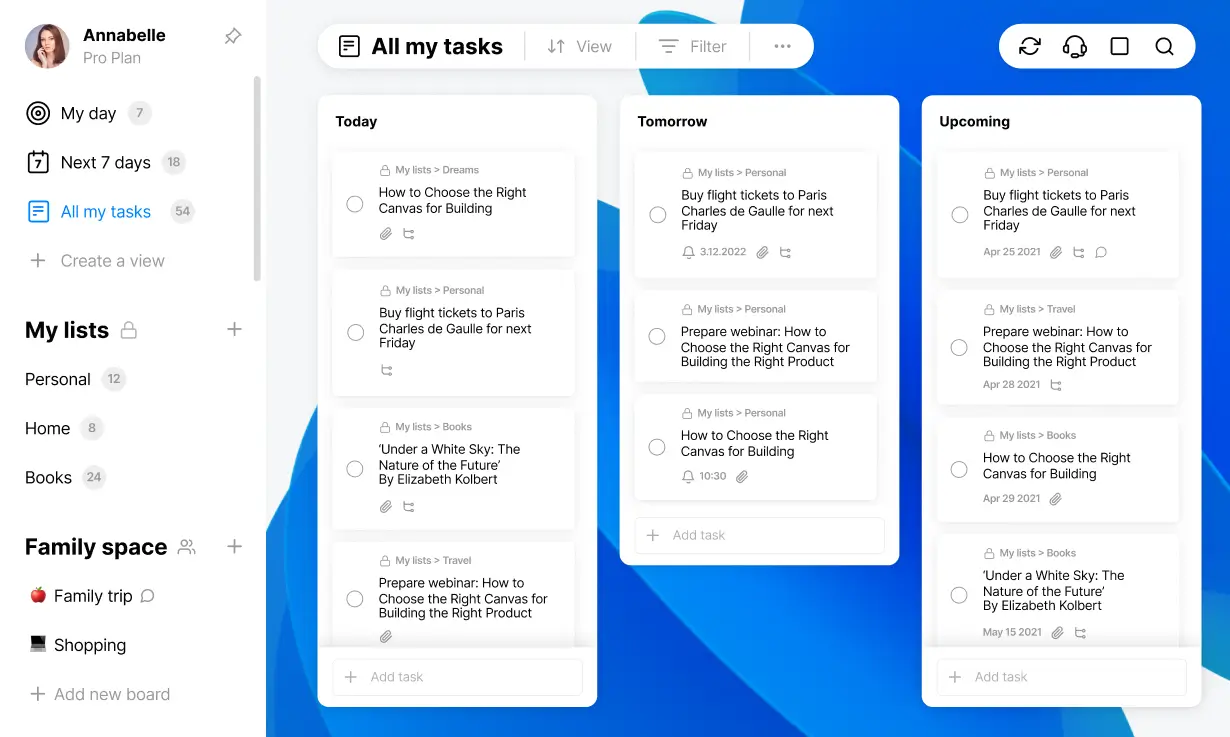
- Family & Team Collaboration: Share lists, assign tasks, and keep everyone on the same page
Pros
- The interface is clean and intuitive
- It’s flexible enough to use for personal life, work, or even shared family routines
- I like how the "My Day" ritual stops me from feeling paralyzed by a huge backlog.
Cons
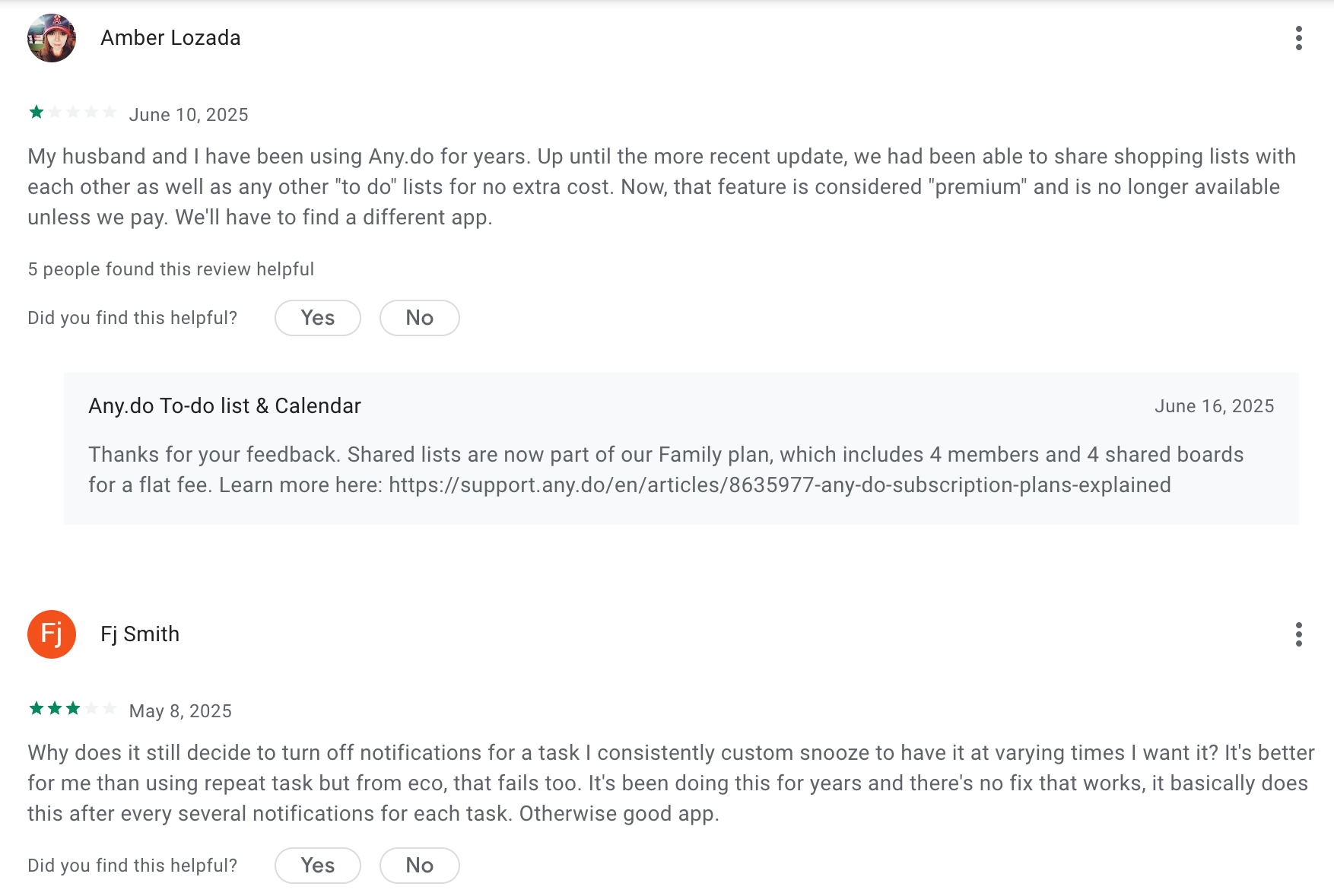
- Many helpful features like recurring tasks and location reminders are locked behind Premium
- It’s not built for complex project management - no timelines or task dependencies
- You can’t chat with the AI like a true work assistant
- The desktop version occasionally feels a bit more "bare-bones" than the highly polished mobile app.
Pricing
- Free plan available with core features
- Premium plan starts around $5–8/month
Suitable for
- Anyone looking for a beautiful, no-fuss task planner that works across devices. Great for students, busy professionals, families, and small teams who need shared routines, not complex workflows.
How to start
- Visit Any.do, sign up for the free plan, and explore daily planning and shared boards.
Any.do Review (source)
4) TickTick

TickTick is a powerful, all-in-one productivity hub that bridges the gap between a simple to-do list and a complex project management tool. While Tiimo focuses heavily on visual schedules for neurodivergent users, TickTick offers a more robust ecosystem featuring native calendar integration, habit tracking, and focus timers.
Key features
- Integrated Calendar & Time Blocking. TickTick allows you to visualize your day by dragging tasks directly onto a calendar, providing the same "time-realness" that Tiimo users crave but with deeper professional functionality.
- TickTick includes a native focus timer that helps users commit to a single task for a set duration, complete with white noise options.
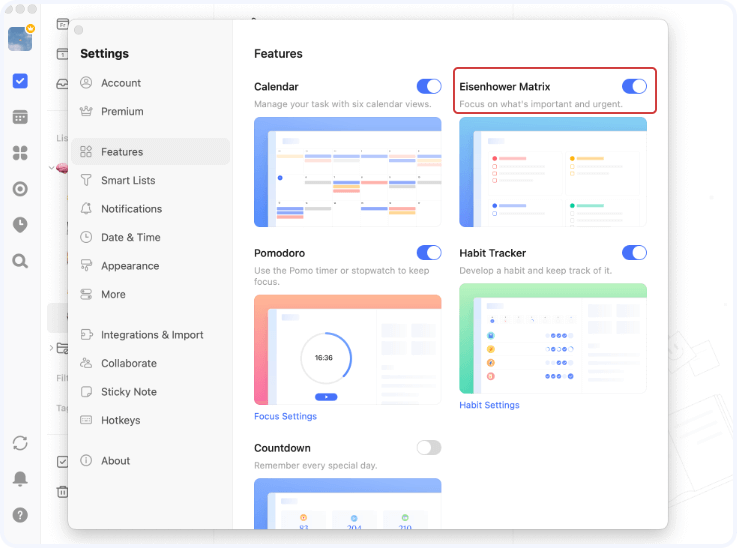
- Eisenhower Matrix View. This feature automatically sorts your tasks into four quadrants based on urgency and importance, helping you decide what to do next without the "choice paralysis" often felt in simpler apps.
"I use the eisenhower matrix function a lot to segment my tasks into urgent and important... this helps me not to get lost in the immediate." — Verified Review
- Cross-Platform: Available on web, desktop, mobile, smartwatches, and supports widgets.
Pros
- I appreciate how fast the "Quick Add" feature is; I can just type "Gym at 6pm," and it automatically sets the reminder.
- I feel it's helpful that I can sync my Google and Outlook calendars directly into the app so I don't double-book myself.
Cons
- No live support - only email, which can be slow at times.
- Some users report slow rollout of new features and limited community feedback loops.
- Not ideal for complex project management - no timelines, dependencies, or workflows like Asana.
- No AI assistant where you can chat to manage tasks
Pricing
- Free plan available with core features.
- Premium plan is $3/month (billed annually) or $3.99/month (monthly).
Suitable for
- Professionals, freelancers, students, and small teams looking for a structured yet flexible productivity tool that combines daily planning, task management, and habit tracking.
How to start
- Just go to ticktick.com, sign up for a free account, and explore the features.
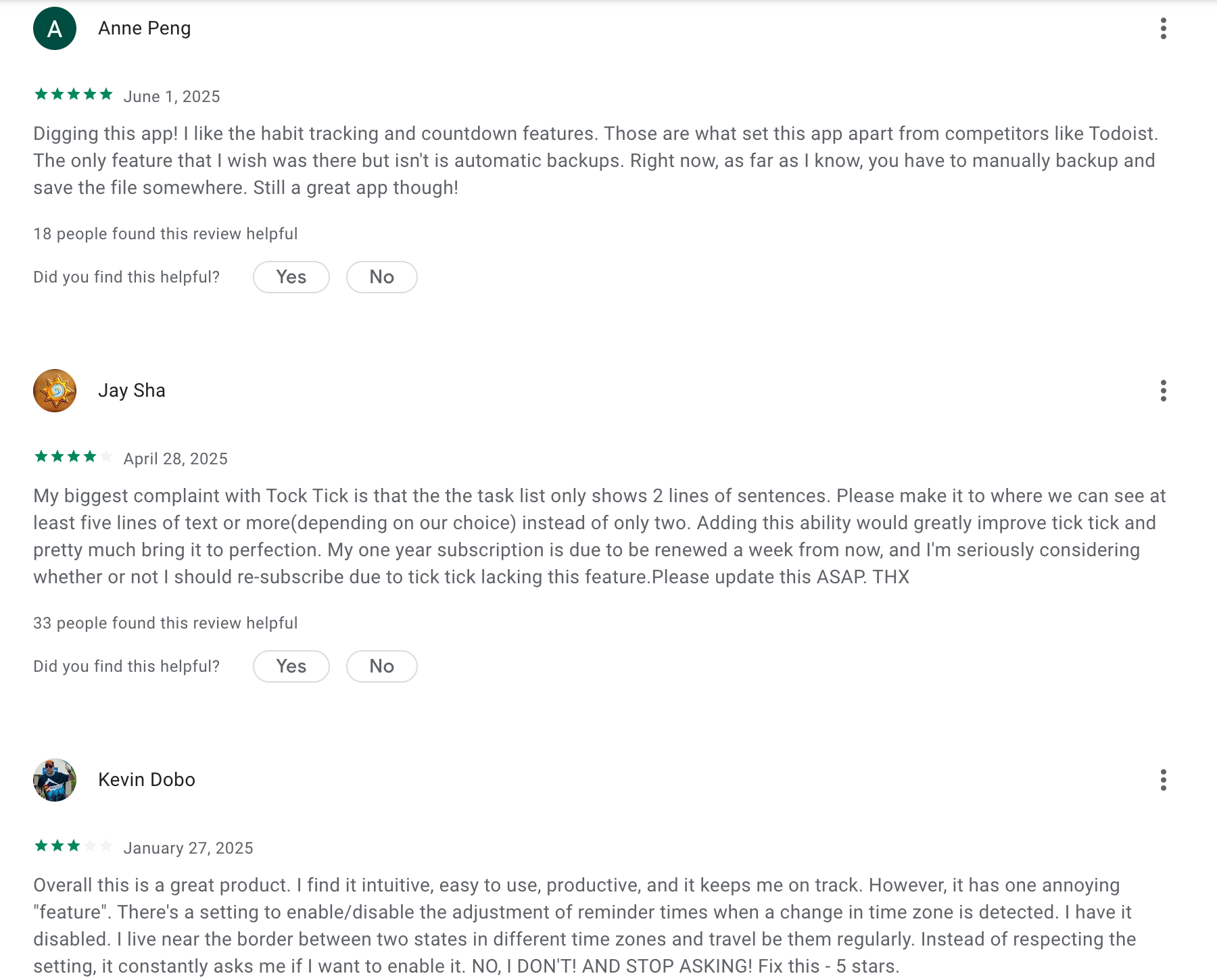
TickTick Reviews (Source)
5) Llama Life
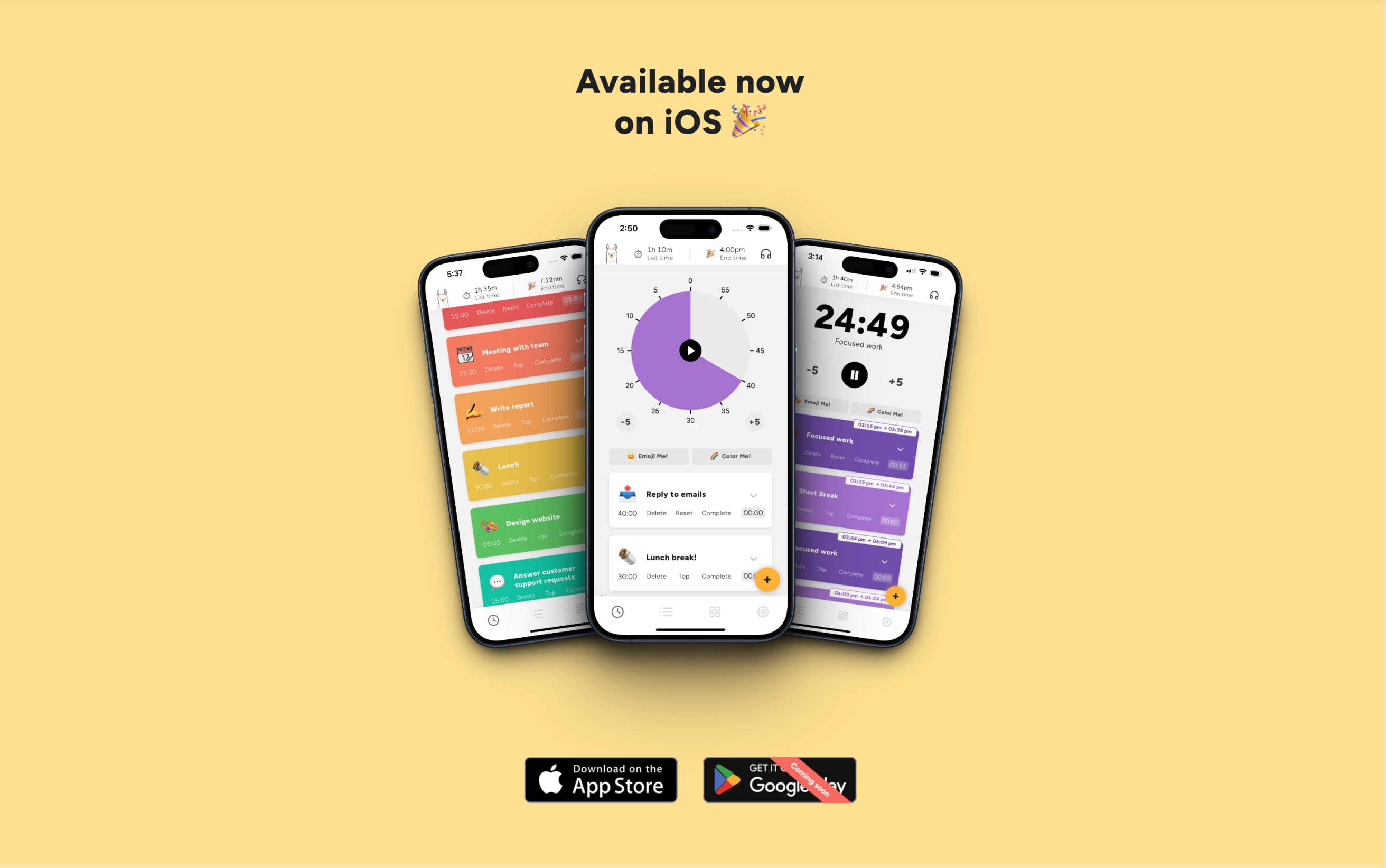
Llama Life is a high-tempo task manager designed to combat "time blindness" by turning static to-do lists into active countdowns. Its core philosophy revolves around Task Timers and Timeboxing, allowing users to assign specific durations to every item.
Key features
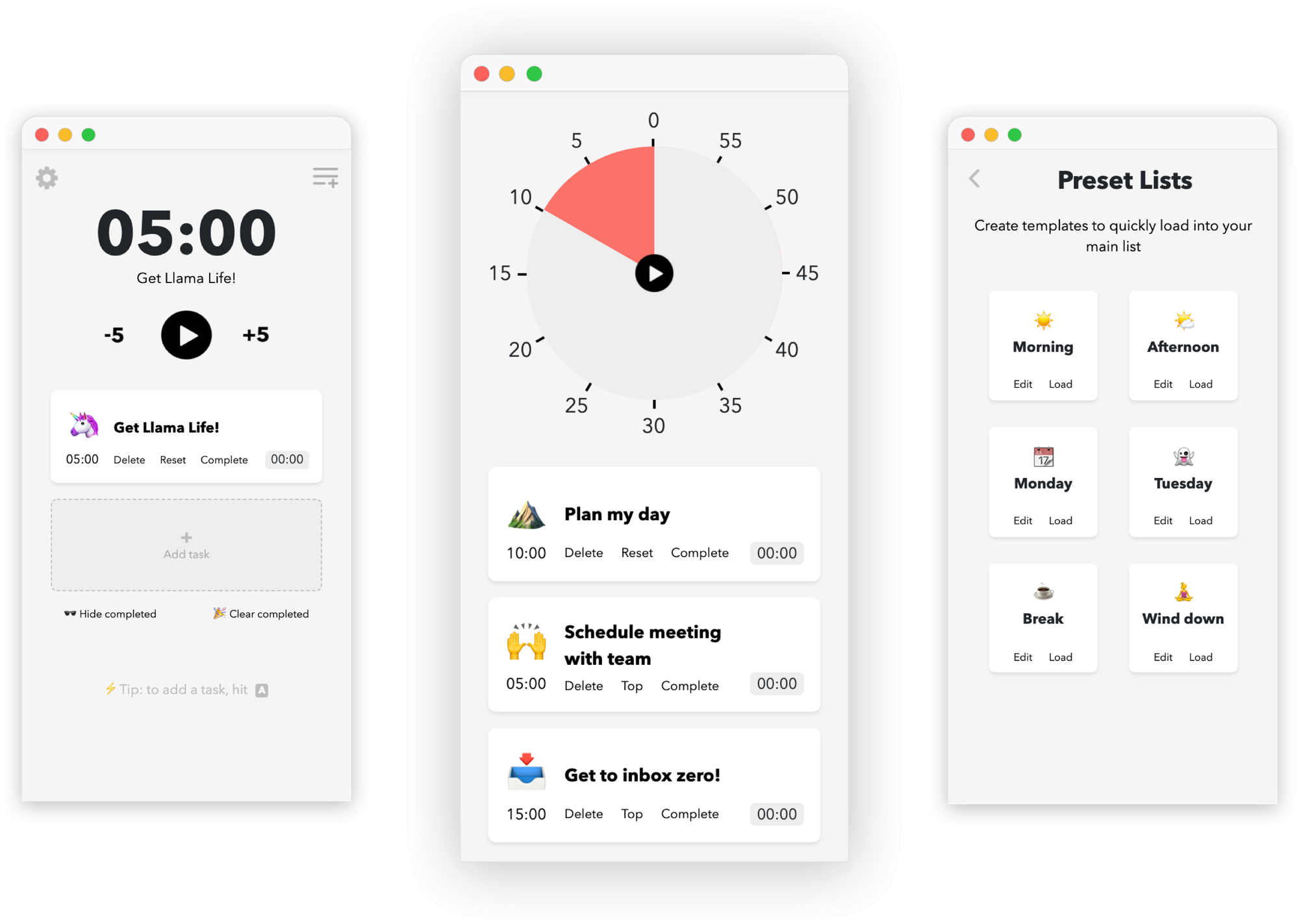
- Precision Task Timers. The app replaces vague to-do lists with active countdowns that create a gentle sense of urgency to keep you from drifting.
"I immediately fell in love because it’s a digitized way of how I do work—I used to do pomodoro, but not all tasks are equal. Llama Life is pomodoro on steroids!" —Verified Review
- Dynamic End-Time Calculation. As you add or adjust tasks, the app automatically updates the exact time you will finish your entire list, which is a game-changer for planning
- The "Break-it-Down" Tool. For users facing "task paralysis," this feature uses AI to slice a large, scary project into tiny, manageable 5-10 minute steps automatically.
Pros
- Tasks feel manageable when you see how long each one will take
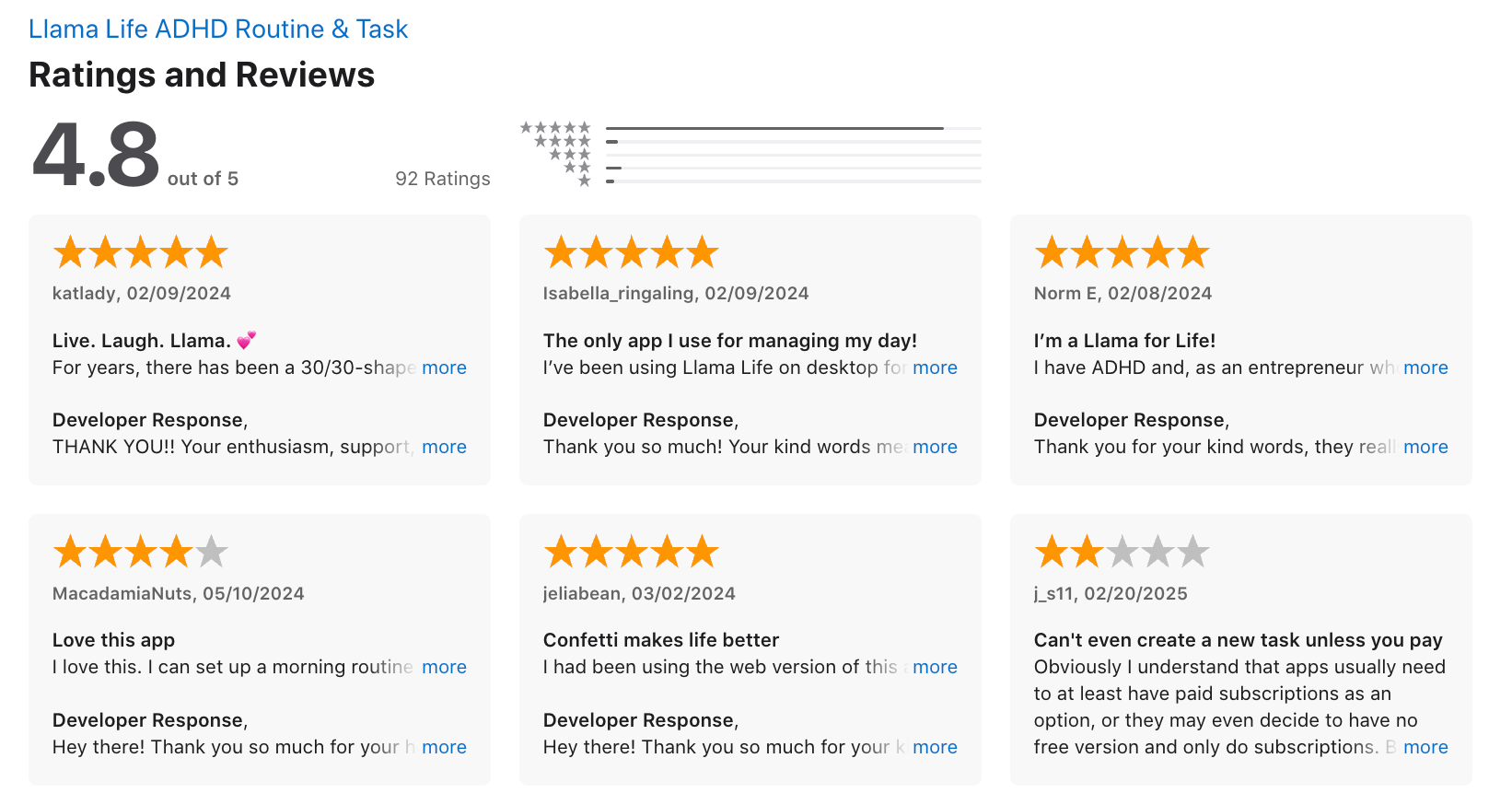
- The confetti and cheerful design actually made work feel more fun
- Great for those who need visual clarity and minimal distractions
Cons
- No Android app yet, which limits access for non-iOS users
- Doesn’t integrate with calendars, so no automatic scheduling
- No team or collaboration features
Pricing
- 7-day free trial
- $6/month
Suitable for
- People with ADHD, neurodivergent users, or anyone who prefers fun, structured focus over complex planning tools.
How to start
- Go to llamalife.co or download the iOS app, start your free trial, and begin building your task list.
Llama Life reviews (source)
6) Structured
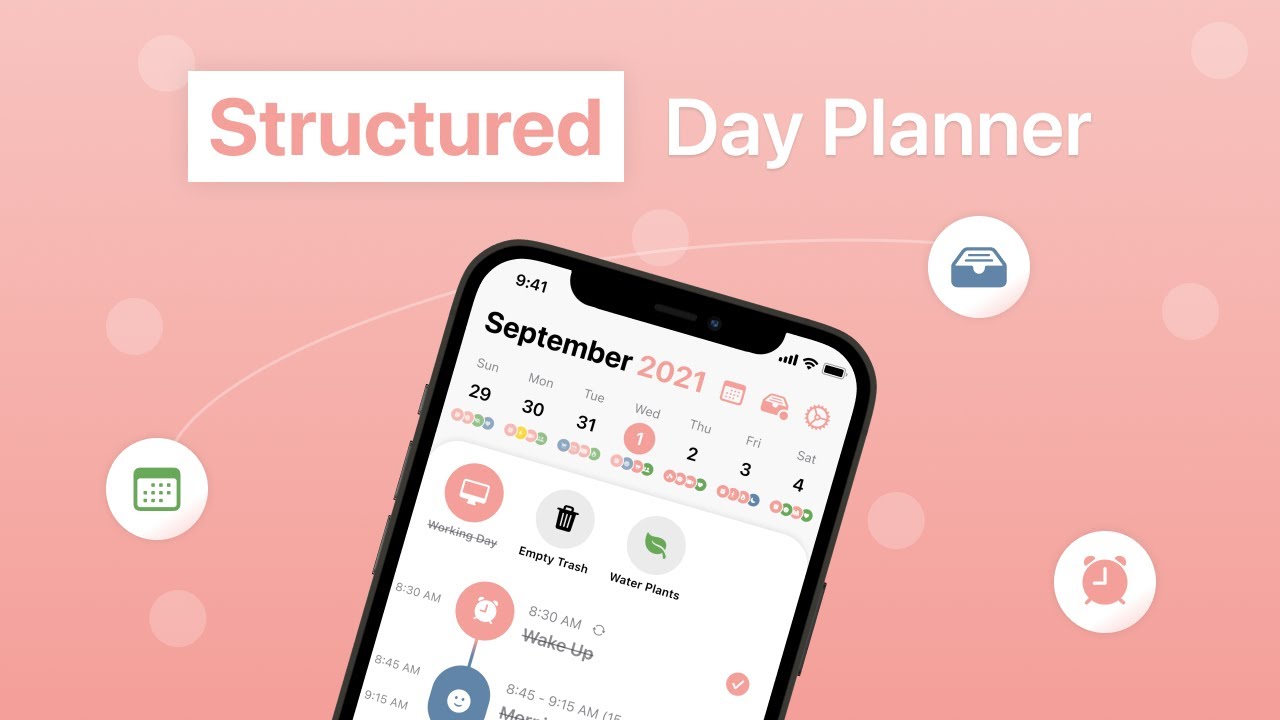
Structured is a visual day planner designed to bridge the gap between a calendar and a to-do list. It transforms your tasks and appointments into a single, sleek vertical timeline, allowing you to see exactly how your day flows from hour to hour.
It includes core features like an AI planning assistant, subtask management, and energy-level tracking, making it an ideal external brain for users with ADHD or anyone prone to time blindness.
Key features
- Visual Timeline & Time Blocking. The core of the app is a high-contrast vertical line that connects your tasks, visually representing the passage of time and gaps in your schedule.
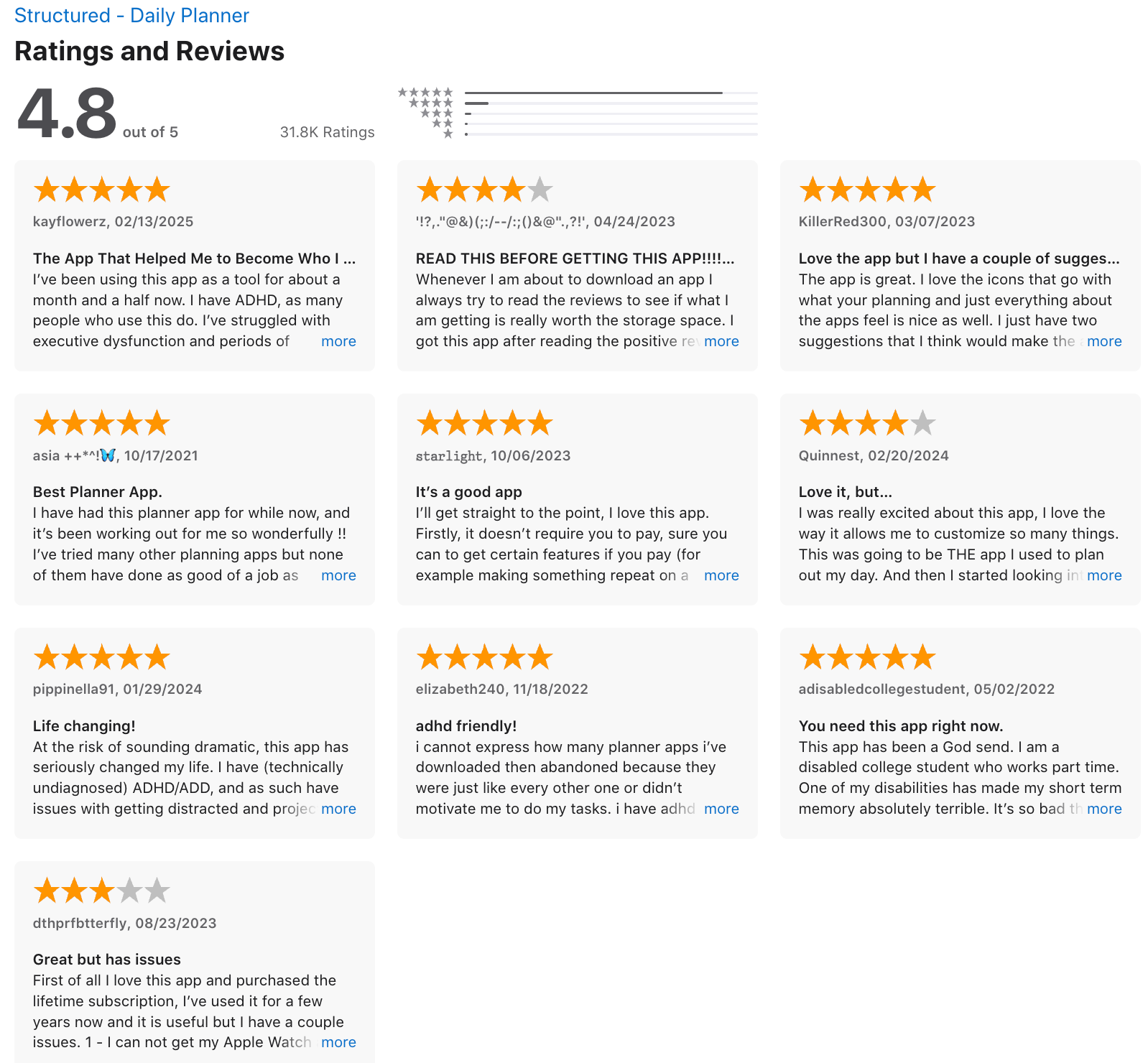
"Equal parts task manager and calendar, Structured has helped us take our busy days and build a schedule that's as productive as it is practical." - verified review
- AI-Powered Planning Assistant. Users can type or speak a messy list of thoughts, and the AI instantly categorizes them into a logical, time-blocked schedule.
- Energy-Based Planning. A 2026 update allows you to tag tasks based on the mental energy they require, helping you avoid burnout by not over-scheduling "high-drain" activities
Pros
- I appreciate the "Inbox" feature, which lets me dump tasks quickly without having to decide when to do them immediately.
- I feel it’s helpful how the app automatically calculates the "free time" between tasks, making my day feel less claustrophobic.
- I like the haptic feedback and clean icons; they make the act of "checking off" a task feel genuinely rewarding.
Cons
- Limited integrations - no deep sync with tools like Todoist or Notion
- No team collaboration or project tracking features
- Web version is still in development, so it’s mostly a mobile/desktop experience for now
- You don't have an AI Assistant in Structured
Pricing:
- Free core version available
- Pro plan costs around $4–5/month (via App Store), includes unlimited tasks, themes, and more
Suitable for:
- Individuals, freelancers, students, and ADHD-prone users who want a beautifully simple, visual way to structure their day
How to start:
- Download Structured from the App Store or Google Play, set up your calendar, and start dragging your tasks into your day.
Structured review (source)
7) Finch

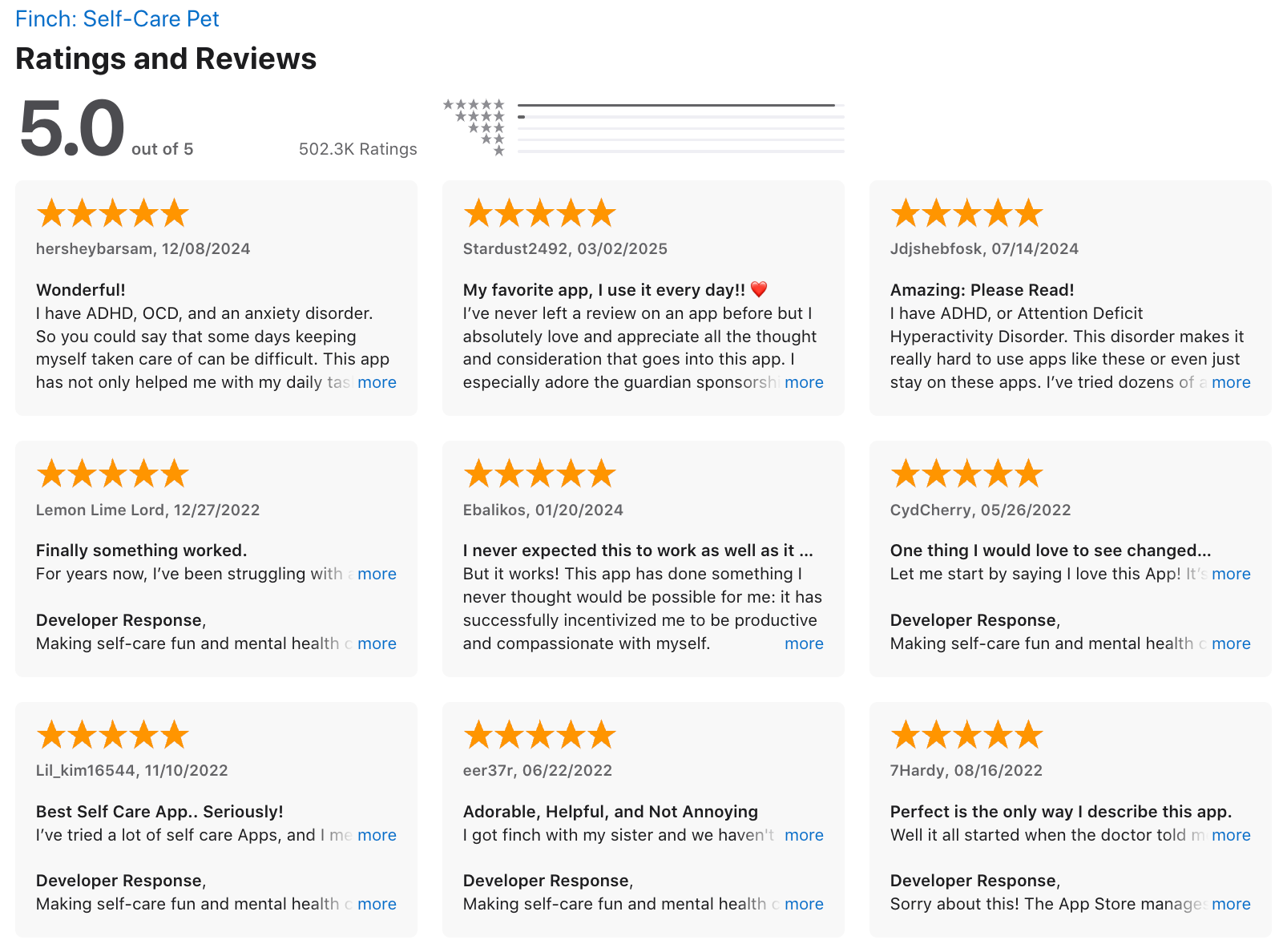
Finch is a playful self-care app where you care for an adorable virtual pet by completing wellness habits, reflecting on your emotions, and showing up for yourself. Finch motivates you through positive reinforcement, gamified growth, and gentle nudges
Key features
- Virtual Pet Gamification. Your pet bird (your "Birb") grows and explores new lands based on the "energy" you earn from completing tasks.
"I enjoy this one because the virtual pet is really cute and it takes just a moment to be honest about how I really feel." —Verified Review
- Customizable Goal Tracking: The app allows you to set tiny, manageable goals (like "wash one dish")
"When you're feeling low, you don't realize all that you actually accomplished in a day. This app helps highlight the little wins." —Verified Review
- Guided Mindful Exercises: Finch offers a robust library of breathing exercises, soundscapes, and movement breaks to help ground you in the moment.
- Mood Insights & Quizzes: The app tracks your mood trends over time and offers clinically backed quizzes to help you understand your anxiety or depression levels.
Pros
- The virtual pet is genuinely motivating
- Mood and energy tracking is lightweight and easy to do, even on tough days
- There's a strong sense of progress without pressure
Cons
- There’s no calendar or time-blocking feature, so it’s not meant for task planning
- It lacks integrations with tools like Google Calendar or Notion
- The cutesy, gamified design might not appeal to users who prefer minimalist or professional UI
Pricing
- iOS: ~$14.99/year
- Android: ~$69.99/year
Suitable for
- Individuals with ADHD, anxiety, or burnout who want to build self-care habits gently
- Teens and young adults who prefer visuals and gamification over traditional task lists
How to start
- Just download Finch: Self-Care Pet from the App Store or Google Play, create your Finch, and begin with a few small daily goals.
Finch reviews (source)
Final Thoughts: What’s the Best Tiimo Alternative?
If Tiimo isn’t quite clicking anymore - whether it’s the pricing, features, or just the way your brain’s wired - you’re not alone. The good news? There’s no shortage of ADHD-friendly planners out there that can help you stay grounded, organized, and a little less overwhelmed.
Here’s a quick recap based on different needs:
- 🧩 Best all-in-one with smart AI support: Saner.AI
- 🖼️ Best visual day planner: Structured
- ⏱️ Best for time blindness & focus: Llama Life
- 🔁 Best for habits: TickTick
- 💖 Best for emotional motivation: Finch
At the end of the day, the “best” app is the one that feels intuitive and makes you want to use it consistently. You might need to test a couple before finding the one that sticks - and that’s totally okay.
✨ If you’re curious about using an AI-first planner that helps you reduce overwhelm, structure your day, and handle chaos with a bit more calm, Saner.AI might be worth a look.
Now go explore - and find the tool that works with your brain, not against it.
Stay on top of your work and life with your AI Assistant
Best Tiimo Alternative: FAQ Guide for 2026
1. What is the best Tiimo alternative right now?
If you’re looking for the best Tiimo alternative in 2026, a few standout options combine visual scheduling, ADHD-friendly features, and smart task management:
- Saner.AI – Combines calendar, notes, and tasks into one AI workspace. Ideal for ADHD, visual thinkers, and people who get overwhelmed easily.
- Structured – A visual day planner that turns your to-dos into timeline blocks.
- Llama Life – Focuses on timeboxing and joyful productivity.
- Finch – A gamified self-care planner with emotional tracking.
Each app has its strengths depending on how you like to plan your day - whether through AI, structure, visuals, or gamification.
2. Why are people searching for Tiimo alternatives?
Tiimo is loved for its colorful visuals, routine-building, and ADHD-friendly interface - but it’s not perfect for everyone.
You might be exploring other options because:
- Tiimo’s customization can feel limited over time
- It lacks advanced task management or smart reminders
- You want better integration with calendars, emails, or to-do tools
- Pricing or platform limitations (e.g., no desktop version)
- You need AI support to actually follow through, not just plan
3. Which Tiimo alternatives are best for ADHD brains?
Here’s what helps most ADHD users:
- Saner.AI – Organizes your chaos without the overwhelm. It reads your messy thoughts and turns them into tasks, reminders, or plans - automatically.
- Llama Life – Uses fun timers and small task bursts to create momentum.
- Structured – Visual, linear timelines that reduce decision fatigue.
All of these minimize context switching, support dopamine-driven focus, and reduce the “where do I even start?” feeling.
4. What Tiimo alternatives work for visual planning?
If you love seeing your day laid out clearly:
- Structured – Clean visual day planner. Drag-and-drop blocks by the hour.
- Llama Life – Color-coded, time-boxed to-dos you can finish in one sitting.
- TickTick – Combines calendar view + checklist mode.
- Saner.AI – Doesn’t rely on a visual timeline, but uses smart AI to show you “what to do next” based on context.
5. What’s the best free alternative to Tiimo?
Most apps on this list offer generous free plans. Here are the highlights:
- Saner.AI (Free) – AI task creation, calendar sync, natural-language reminders
- Structured (Free) – Daily planner with limited blocks
- Todoist (Free) – Task lists and basic productivity features
- Finch (Free) – Self-care and daily habit motivation through a virtual pet
6. What Tiimo alternatives work across devices?
Cross-platform matters if you switch between phone and laptop. These work well on both:
- Saner.AI – Web + mobile; syncs notes, tasks, and calendar in real time
- Todoist, TickTick, Any.do – Native apps for web, iOS, Android
7. Which Tiimo alternative uses AI?
If you’re looking for a productivity boost powered by AI:
- Saner.AI – The only tool on this list with true AI assistance. It turns your brain dump into actionable tasks, schedules your day, and nudges you when needed.
Others like Todoist or TickTick offer rule-based automation, but they don’t understand context the way an AI tool like Saner does.
8. What’s the most beginner-friendly Tiimo alternative?
Start here if you want a gentle, easy-on-the-brain experience:
- Structured – Visual, simple, intuitive
- Finch – Fun, encouraging, gamified
- Saner.AI – Chat-based. Just type what’s on your mind - “Remind me to call Mom” - and it handles the rest.
9. Which Tiimo alternative is best for time-blocking?
For turning your day into time blocks:
- Structured – Timeline-style planning
- Llama Life – Timeboxing with built-in timers
- TickTick – Combines tasks with calendar slots
- Saner.AI – Doesn’t use traditional time blocks but offers smart suggestions based on priority and availability
Stay on top of your work and life