
Chrome Bookmark Extensions: We ranked the best 6 tools
The Best Chrome Bookmark Extensions are Raindrop, Saner.AI, Instapaper, Toby, Diigo, and Notion

Quick Guide: What are the Top Chrome Bookmark Extensions?
- Raindrop.io — Best all-around bookmark manager with visual collections, full-text search, and a generous free plan
- Saner.ai — Best for users who want bookmarking, note-taking, tasks, and AI-powered retrieval all in one place
- Instapaper — Best for distraction-free reading and saving long-form articles offline
- Toby — Best for tab and session management; replaces your new tab with an organized dashboard
- Diigo — Best for researchers who need to highlight and annotate directly on web pages
- Notion Web Clipper — Best for Notion users who want to send web content straight into their workspace
How We Chose These Extensions
Chrome's default bookmarks are functional - but barely. You get folders, a star icon, and no way to search the content of pages you've saved. When you're trying to manage research, reading lists, or project resources across devices, that falls apart fast.
We focused on extensions that solve real problems:
- Disorganized link dumps — no tagging, no search, no memory of why you saved something
- "Read it later" piles that never get read
- Tab hoarding instead of intentional saving
- No context attached to saved links
- No way to find saved content when you actually need it
Every tool on this list was tested on Chrome (latest version), checked for active updates within the past 12 months, and evaluated across both free and paid tiers.
Now, let's dive in!
What are the Best Chrome Bookmark Extensions?
The Best Chrome Bookmark Extensions are Raindrop, Saner.AI, Instapaper, Toby, Diigo and Notion
Chrome Bookmark Extensions - Comparison Table
| Extension | Best For | Free Plan | Paid Plan | Key Strength | Main Weakness |
|---|---|---|---|---|---|
| Raindrop.io | All-around bookmark management | ✅ Unlimited bookmarks | ~$3.15/mo | Full-text search, cross-device sync | Full-text search is paid only |
| Saner.ai | AI-powered knowledge management | ✅ Available | From $8/mo | AI retrieval, auto-tagging, notes + tasks | Learning curve for new users |
| Instapaper | Read-it-later, distraction-free reading | ✅ Basic features | $2.99/mo | Clean reading mode, offline access | Minimal Chrome extension UI |
| Toby | Tab and session management | ✅ Core features free | Paid tiers | Session saving, drag-and-drop dashboard | Only 15 tags on free plan |
| Diigo | Research annotation | ✅ Ad-supported | From $40/yr | Sticky notes, highlights on live pages | Declining reliability |
| Notion Web Clipper | Notion users | ✅ Included with Notion | Via Notion pricing | One-click save to databases | Only useful inside Notion |
1. Raindrop.io
Chrome Web Store rating: 4.1/5 (400,000+ users) | G2 rating: 4.1/5
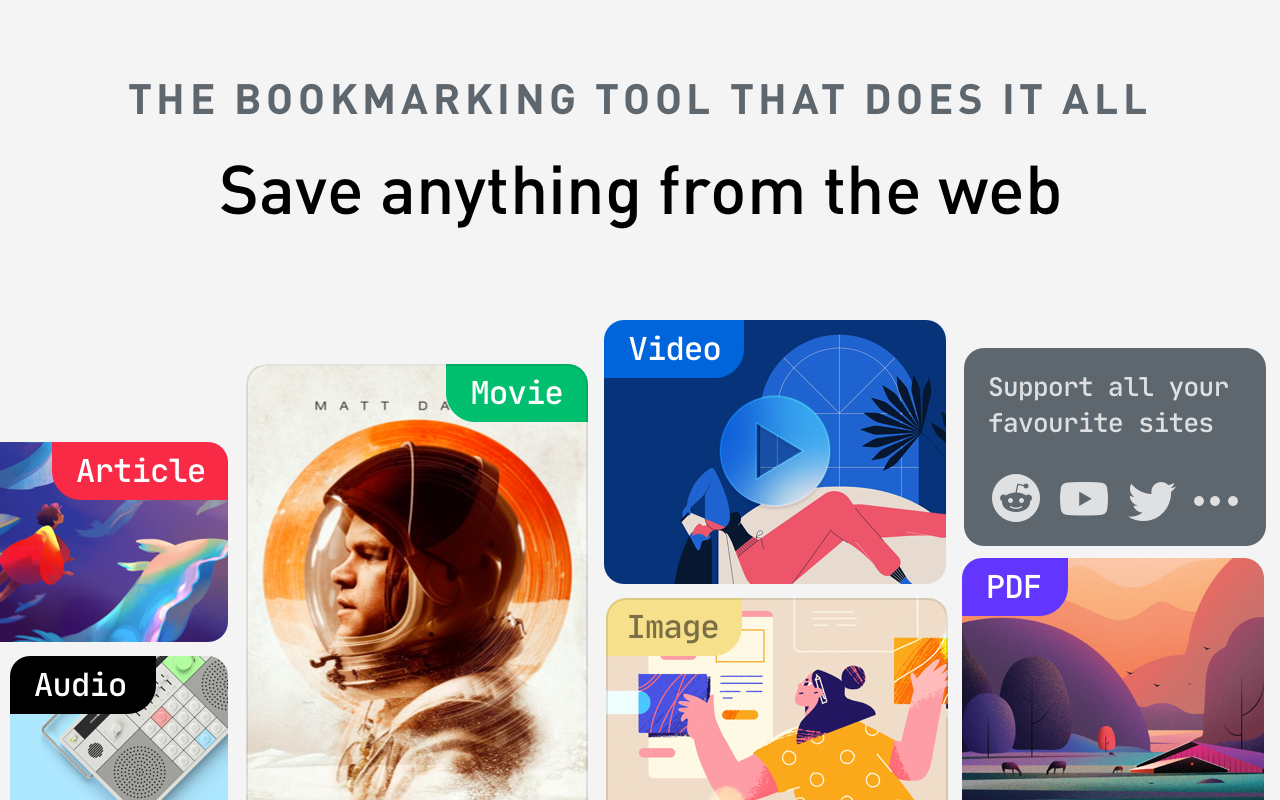
Raindrop.io sits somewhere between a bookmark manager and a personal library. You save links, PDFs, videos, and images into collections that look more like a curated magazine than a folder of URLs. It works across Chrome, Firefox, Safari, and Opera, and syncs to native apps on iOS, Android, macOS, and Windows.
Key Features
- Visual collections with nested folders. Organize content with thematic collections, custom icons, and card or list layouts. You can build nested structures like "Design Research > Typography"
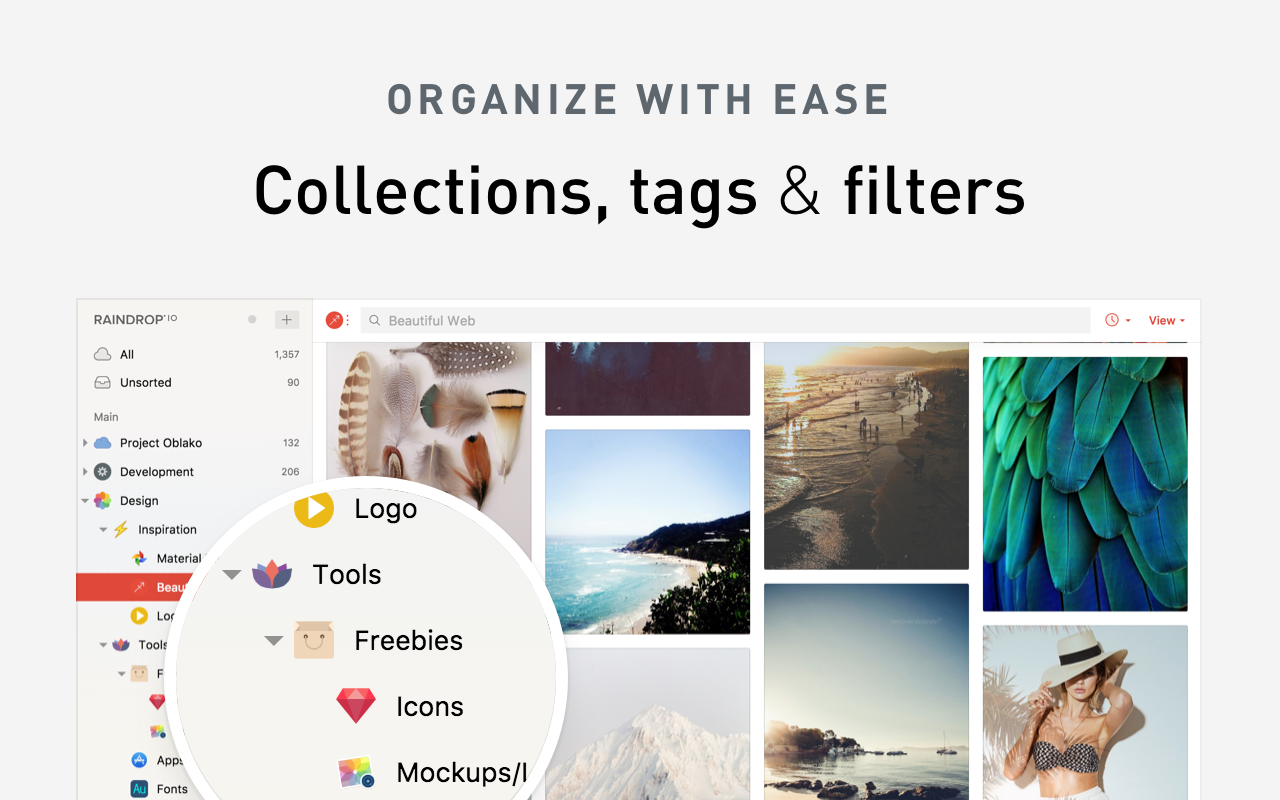
"I can bookmark category or folder-wise, so I can easily separate all things — news, designs, coding skills, project-related things. The sync across devices is there too." — reviews
- Full-text search (Pro). The free plan searches titles and tags. The Pro plan searches the actual text of every saved page and PDF
"Fantastic bookmarking app, super feature-rich and amazing cross-platform support making it really easy to add, manage, and access your bookmarks everywhere." — reviews
- Permanent library. Raindrop saves cached copies of pages so even if the original goes offline, your version stays accessible.
- Team collaboration. Share collections with controlled permissions, making it useful for research teams or shared project resources
✅ Pros
- Free plan supports unlimited bookmarks with no artificial cap on collections
- Works across every major browser and platform
- Clean, modern interface that's genuinely pleasant to use every day
- 256-bit encryption, no ads, no tracking
❌ Cons
- Full-text search and permanent archive are locked behind Pro
- AI tagging is included but inconsistent — "The AI tagging is not fully matured yet, and is not always practical." — reviews
- Mobile app is weaker than the web and desktop versions — "In-app experience across Android and iOS is a bit sub-optimal and can be made better to access saved content anytime anywhere." — reviews
Pricing
| Plan | Price | What's Included |
|---|---|---|
| Free | $0 | Unlimited bookmarks, unlimited collections, cross-device sync, tags |
| Pro | ~$3.15/mo (billed annually) | Full-text search, permanent library, AI tagging, nested collections |
Reviews
"Raindrop.io helps me manage different bookmarks, especially on Google Chrome via plugin, in an extremely structured manner. Any product/design article that I read, I immediately tag it to Raindrop.io for visiting later." — review
Who Is It Best For?
Researchers, designers, writers, and anyone who has hit the limits of Chrome's native bookmarks.
How to Get Started
- Install the Raindrop.io Chrome extension
- Create a free account at raindrop.io
- Set up your first collection
- Save pages with one click from the toolbar, adding tags and notes in the pop-up panel before saving
2. Saner.ai
Chrome Web Store rating: 4.5/5 | Product Hunt rating: 4.5/5
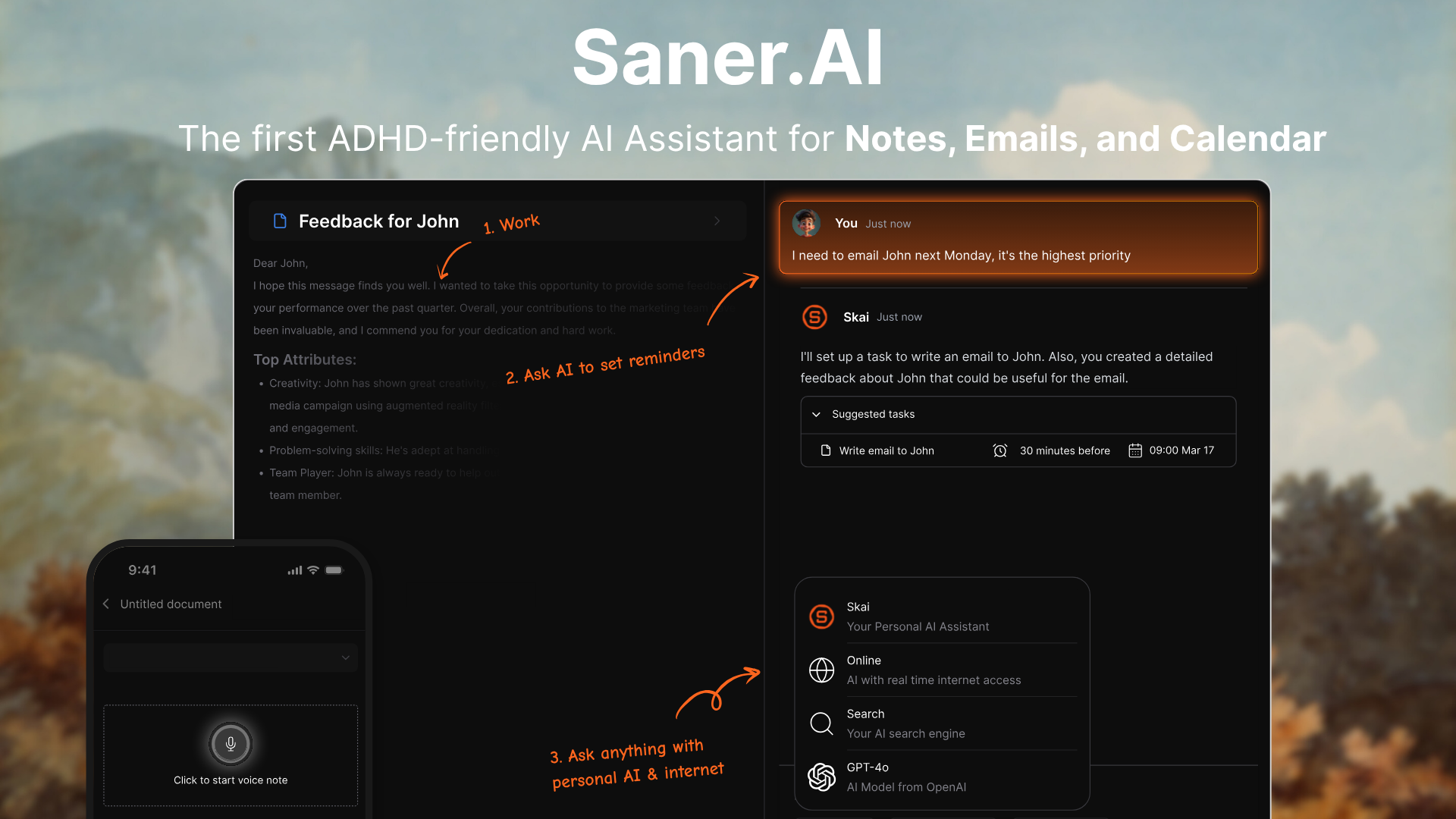
Most bookmark managers just store links. Saner.ai does something different: it turns everything you save - web clips, notes, PDFs, emails - into a searchable, connected knowledge base that actually helps you recall and use what you've captured.
The Chrome extension ("Saner.AI") opens as a side panel that follows you across every web page you visit. You can pull up a note, clip content from the page you're reading, or ask Saner.ai's AI assistant a question - all without switching tabs. Once saved, your notes are automatically tagged and organized in your Saner.ai inbox.
If you've saved bookmarks you never end up using because you can't find them when you need them, that's the exact problem this is built to fix.
Key Features
- Side panel that follows you across the web. The extension opens as a persistent sidebar, so you can take notes, clip content, and reference your saved knowledge without leaving the page you're on. Two clicks or a keyboard shortcut is all it takes to capture something.
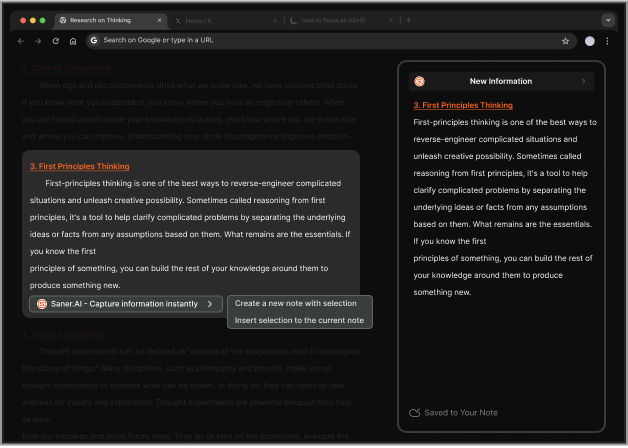
"The saner.ai extension has been a revelation for my productivity. With just a simple keyboard shortcut, I can now instantly take notes and get AI-powered assistance without ever leaving my browser." — reviews
- Auto-tagging and automatic organization. The moment you capture something, Saner.ai's AI (called Skai) suggests tags and files your note into your inbox automatically. No manual categorization, no folder-picking
"The ability to quickly capture and organize information without leaving my browser has been a game-changer for my productivity." — reviews
- Semantic search across everything you've saved. Instead of keyword matching, Saner.ai understands what you're looking for. You can ask "what did I save about content marketing frameworks?" and it surfaces the right note even if that exact phrase isn't in it.
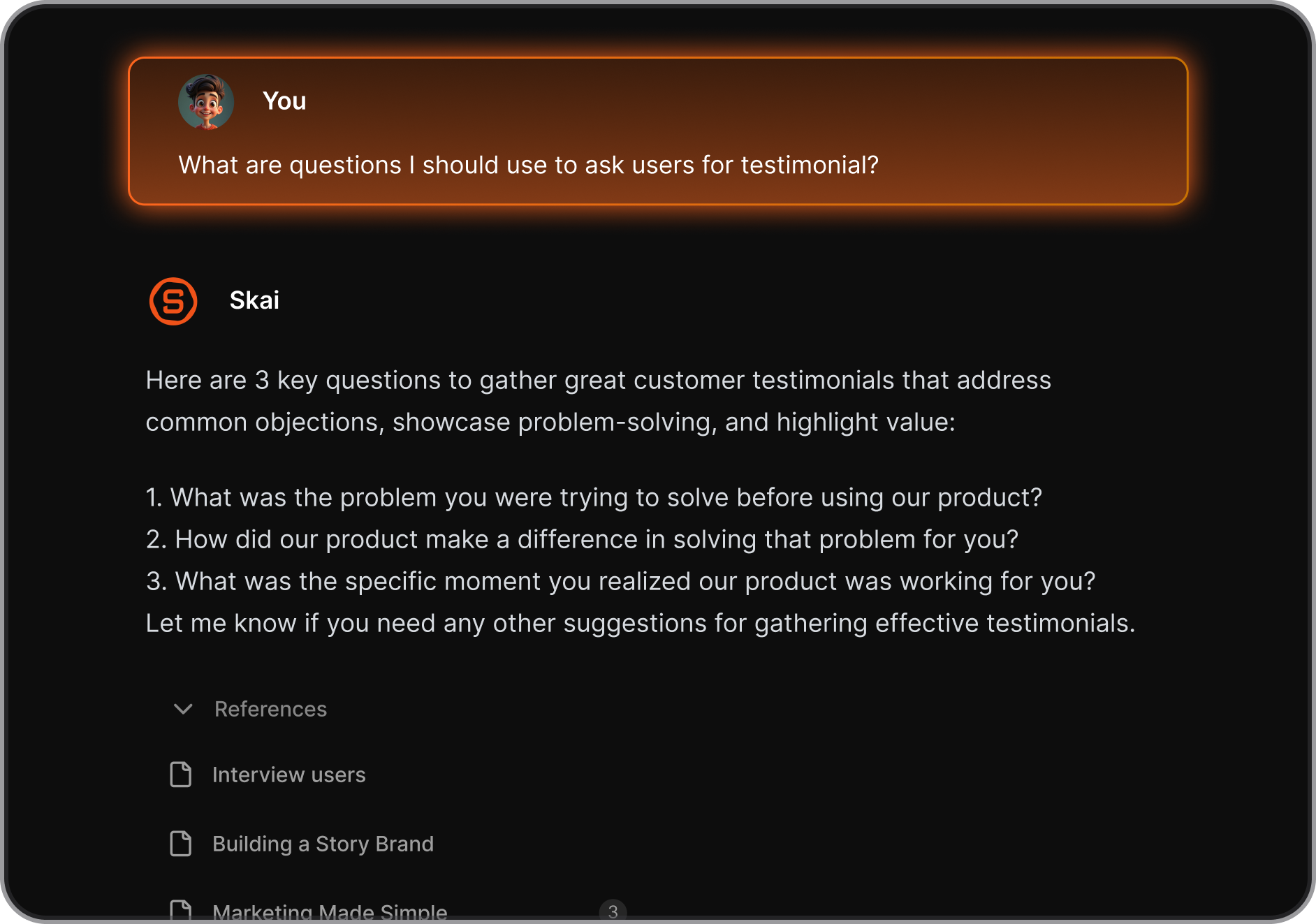
"I'm impressed by how saner.ai adapts to my ADHD style of working. It helps me stay on track, avoid distractions, and access relevant information quickly. It's like having a personal AI assistant that knows me well." — reviews
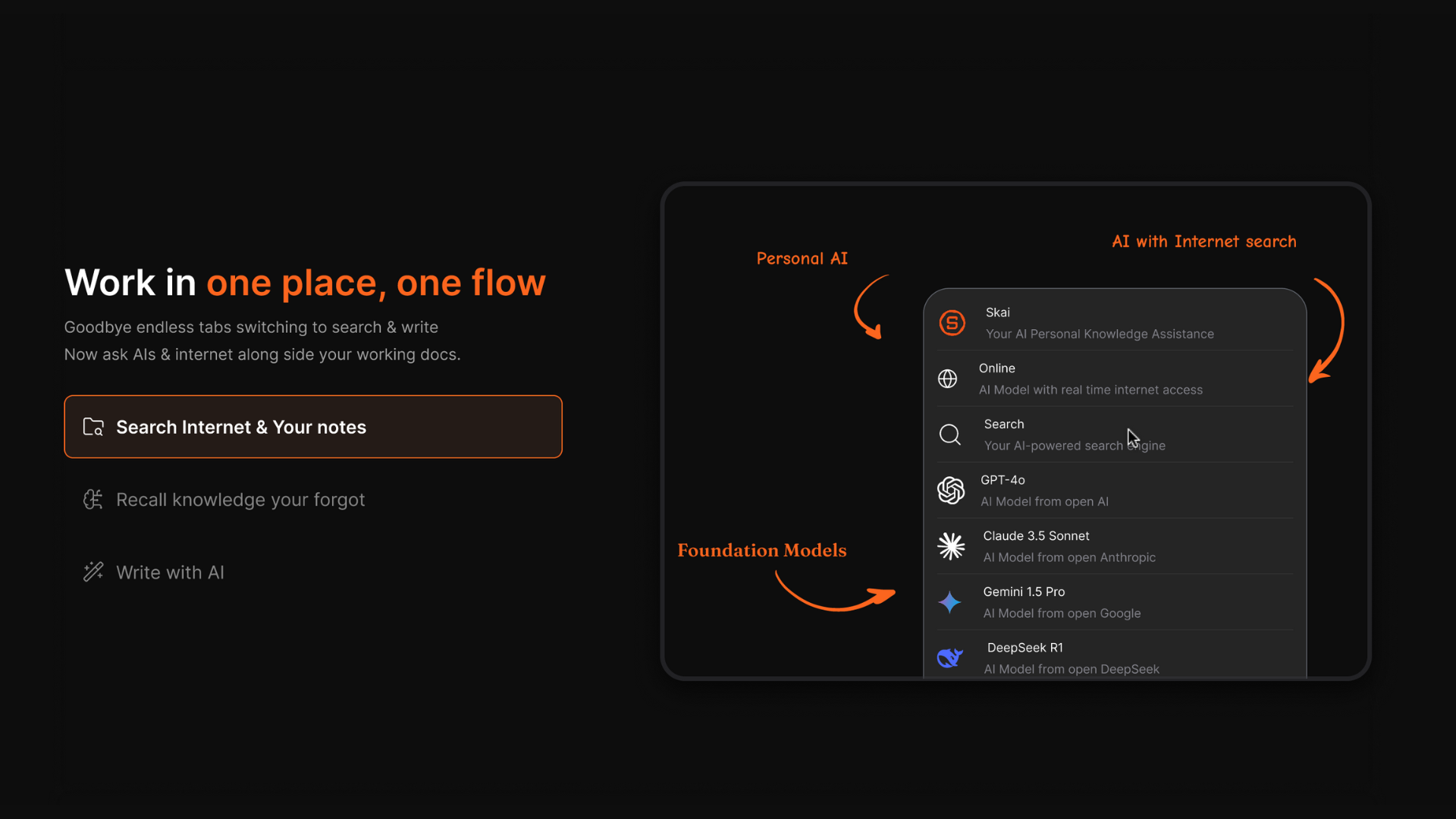
Multi-AI integration (Skai, GPT, Claude, Gemini). You're not limited to one AI model. Saner.ai lets you work with Skai (your personal AI trained on your own notes), GPT-4, Claude 3, and Gemini Pro
✅ Pros
- The Chrome extension works as a true side panel - no tab-switching, no friction for capturing
- AI does the organizational work (tagging, filing, connecting related ideas)
- Goes beyond bookmarking: handles notes, tasks, and email alongside web clips
- Integrates with Google Drive, Gmail, Slack, and Google Calendar
- Free plan available — no credit card required to start
- Specifically designed to reduce cognitive load for ADHD users and knowledge workers
❌ Cons
- The mobile app doesn't yet match the web app for complex workflows
Pricing
| Plan | Price | What's Included |
|---|---|---|
| Free | $0 | Core note-taking, Chrome extension, auto-tagging, semantic search |
| Starter | $8/mo (billed annually) | Expanded AI usage, more storage, priority features |
| Standard | $16/mo (billed annually) | Full feature access, integrations, advanced AI models |
Reviews
"New but has a lot of potential — I especially like the Chrome Extension. It's super handy, I can pull up a new note immediately alongside web articles, ChatGPT... It reduces the mental friction I have to suffer to note side by side on Mac." — reviews
"Totally great! I consider it as my life manager, and it helps a lot to keep all tasks neatly organized. It definitely boosts efficiency and workflow!"
Who Is It Best For?
- Knowledge workers, researchers, content creators, and entrepreneurs who are tired of bookmarks they never use.
- Also strong for ADHD users who need a capture-first system where the AI handles organization so they can focus on doing the work.
How to Get Started
- Install the Saner.ai Chrome extension
- Open the side panel on any webpage using the toolbar icon or keyboard shortcut
- Clip content, take notes

Stay on top of your work and life
3. Instapaper
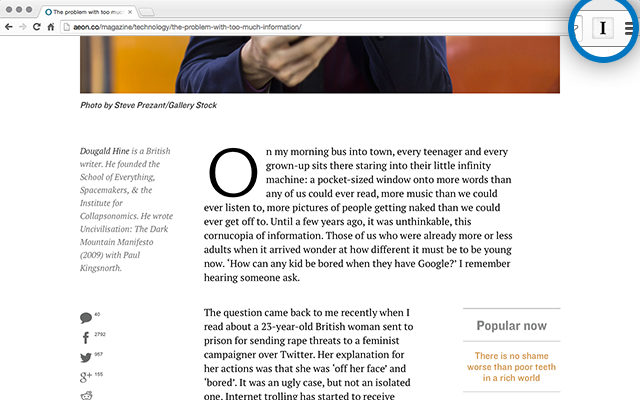
Chrome Web Store rating: 3.8/5 | G2 rating: 4.1/5
Instapaper has been around since 2008 and it still does one thing better than almost any tool on this list: it makes web articles worth actually reading. The Chrome extension saves a clean text version of any article to your account - stripped of ads, sidebars, and page clutter - so you can read it properly later, on any device, even offline.
Key Features
- Distraction-free reader mode. Every saved article gets stripped of ads and page junk, leaving only the text. Font, size, and background color are all adjustable.
"It has a varying set of contrasts for reading, allowing maximum comfort to the eyes, whether I'm reading in the sun or in a dark room." — reviews
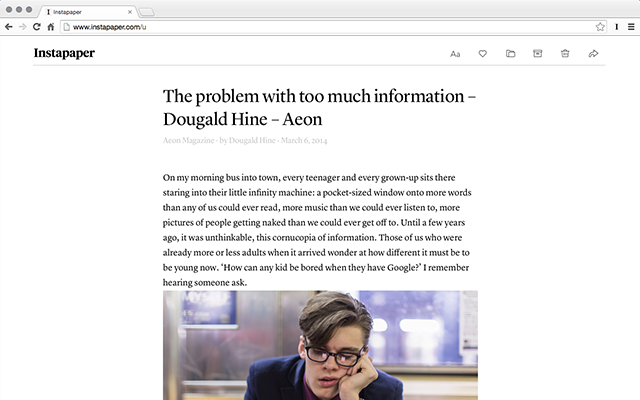
- Offline reading. Articles sync to your phone before you go offline, so subways and flights aren't wasted.
"I tested it by saving articles on my PC, opened the app on my Android phone to let the articles sync, then put on airplane mode and was able to open the articles — the offline functionality is working." — reviews
- Highlights and notes. Select text in any saved article, apply a color highlight, and attach notes that sync to your account and can be exported to Readwise.
✅ Pros
- The reading experience is the cleanest of anything in this category
- Cross-platform: iOS, Android, Kindle, Kobo, and web
- Connects to Readwise for syncing highlights into a knowledge system
- Actively maintained with regular updates
❌ Cons
- Chrome extension is very thin - no ability to tag or select folders at save time
- Login issues are a recurring complaint — "The Chrome extension doesn't appear to test if you are logged in, so it just shows 'Saving' forever. You need to manually go to the Instapaper site to login." — reviews
- Not a general bookmark manager — it's built for reading articles, not organizing every type of link
- Some complex or paywalled sites don't save cleanly
Pricing
| Plan | Price | What's Included |
|---|---|---|
| Free | $0 | Unlimited saves, offline reading, basic highlights |
| Premium | $2.99/mo or $29.99/yr | Full-text search, unlimited highlights, permanent archive, AI Voices, Send to Kindle |
Reviews
"Instapaper is ubiquitous — it has an Android app, an iOS app, a browser extension, and the browser version. That means I can store and view my articles and highlights across devices." — reviews
Who Is It Best For?
Avid readers, journalists, students, and anyone building a personal reading archive. If you constantly open articles you never finish because you're busy, Instapaper is the fix.
How to Get Started
- Install the Instapaper Chrome extension
- Click the toolbar icon on any article page to save it instantly to your queue
- Open Instapaper on your phone and read when you're ready
4. Toby
Chrome Web Store rating: 4.2/5 | Product Hunt rating: 4.4/5
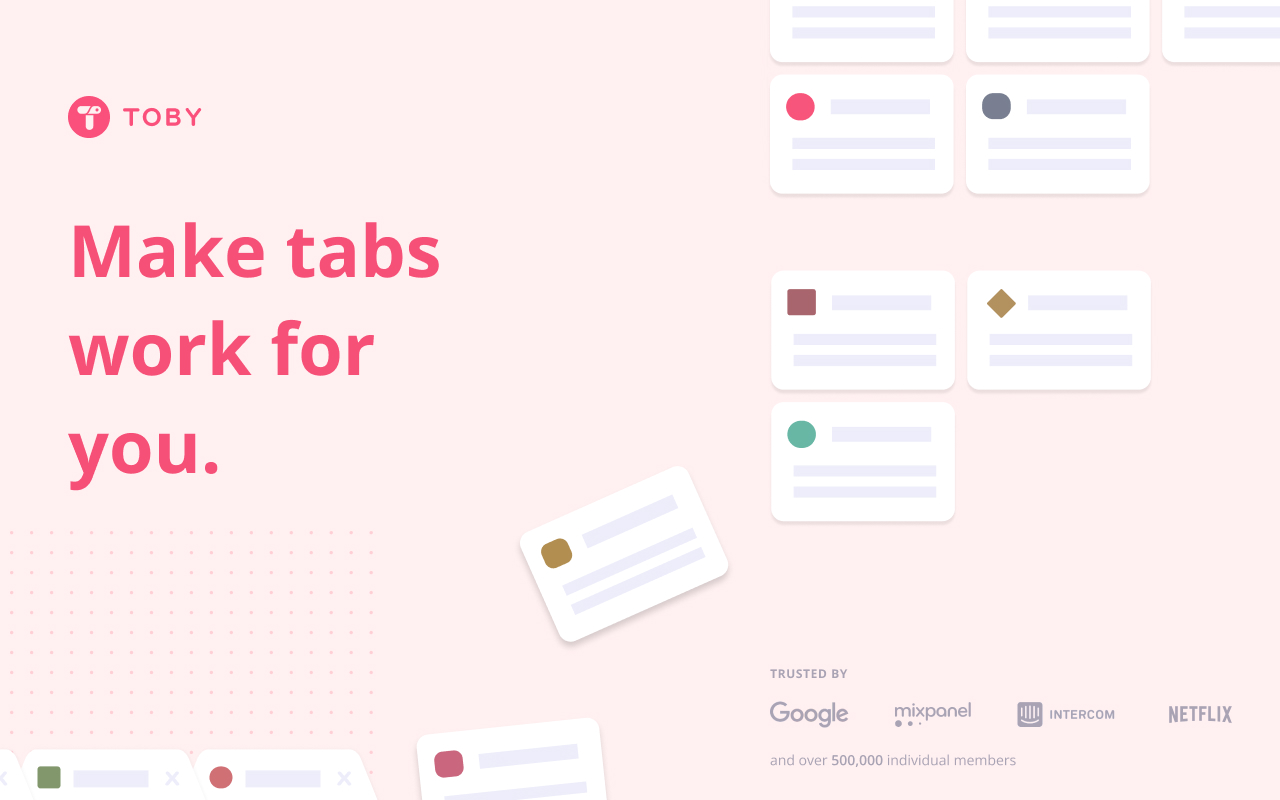
Toby takes a different approach from traditional bookmark managers. Instead of saving links to a separate app, it turns your Chrome new tab page into an organized dashboard for the tabs and links you're actively working with right now. You drag open tabs into named collections, save entire sessions with one click, and reopen them later when you need to pick up where you left off.
Key Features
- Session saving. Save your entire current set of open tabs as a named collection. Reopen them as a group later when you're ready to get back into that project.
"More than two years later and Toby is still my #1 productivity extension. It transformed the way I work by allowing me to save entire sessions and switch between projects instantly." — reviews
- Drag-and-drop collections. Organize tabs into named groups by dragging them on the new tab dashboard. No menus, no folders
"Toby is a game-changer for tab organization! It keeps my browser clutter-free and makes switching between projects seamless." — reviews
- Search across saved collections. Find any saved link instantly without scrolling through tab history.
"I am a High School Instructional Coach and Toby is a tool that I frequently share at presentations. It is free for educators and has a lot of capabilities." — reviews
- Team sharing. Share collection links with collaborators so everyone accesses the same set of resources.
"This is THE BEST at managing numerous tabs, folders, and sessions for everyday business life. I have multiple businesses and this tool has enabled me to not go insane with all of the tabs and windows." — reviews
✅ Pros
- Core features are completely free
- Replaces your new tab with a clean, functional dashboard
- Session saving is genuinely good — one click to capture and restore a full workspace
- Good for educators and teams who share resource lists
❌ Cons
- Free plan limits you to 15 tags — not enough if you're organizing a large library
- Not available on Firefox
- Data loss has been reported with slow support: "One day I lost all my notes and support refused to help. They respond once a week and are not willing to help." — reviews
- Not a full bookmark manager - if you want to save random links you find, Toby is the wrong tool
Pricing
| Plan | Price | What's Included |
|---|---|---|
| Free | $0 | Unlimited collections, session saving, team sharing |
| Paid tiers | Varies | Advanced features — check gettoby.com for current plans |
Reviews
"I have been using Toby for a few years and it is the best tab manager I have used — I find I absolutely need it!" — reviews
"As a teacher, Toby has been a life saver. I teach in 5 different rooms throughout the day and use multiple devices — Toby has made it so I do not have to waste time every single period opening the same tabs over and over again." — reviews
Who Is It Best For?
Professionals and students managing multiple projects simultaneously, educators sharing resource lists with students, and anyone who keeps 20+ tabs open at a time and wants a cleaner way to organize them.
How to Get Started
- Install Toby for Chrome
- Open a new tab - Toby replaces it with your dashboard automatically
- Drag open tabs into collections from the top of the screen
- Name collections by project or topic, and save entire sessions for later
5. Diigo
Chrome Web Store rating: 4.6/5 (2,300+ reviews) | G2 rating: 3.8/5
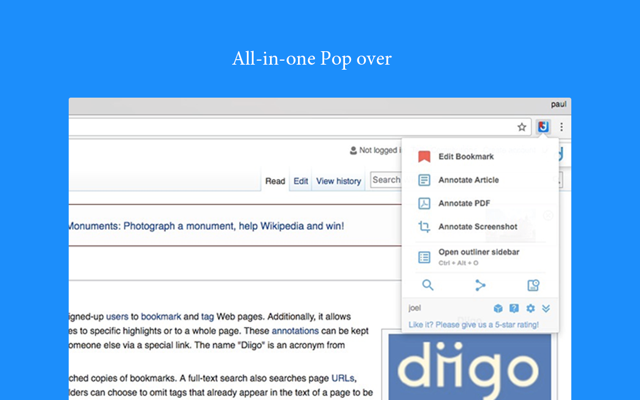
Diigo has been around since the mid-2000s, and its core idea is still solid: instead of just saving a URL, you save the page, highlight the parts that matter, and attach sticky notes that reappear every time you revisit that URL. That's useful for research, studying, or annotating sources you need to reference repeatedly.
Key Features
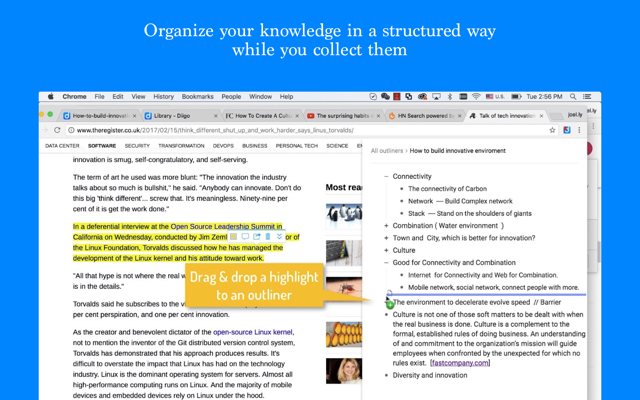
- Persistent highlights and sticky notes. Highlight text on any web page and add notes that stick permanently. When you revisit the URL later, your annotations are still there.
"If you tend to do a lot of work and research online, it's an absolute godsend. Just highlight something and decide what you want to do with it — and it instantly gets added to your account." — reviews
- Bookmark tagging and lists. Two different organizational systems: tags (flexible, cross-cutting) and lists (focused collections for specific projects).
"The best feature is that we can save and organize as many webpages we want. It is like a mini collection folder for web content from Chrome/Firefox." — reviews
- Full-text search including highlights. Search not just titles and URLs but the actual text of pages you've saved and annotated.
"Diigo did all of that in one place which was fantastic. Also I loved that it just hooks right into your browser so there is no installation required." — reviews
- Social bookmarking. Find bookmarks saved by others on the same topic — more niche today than when Diigo launched, but still useful for some research workflows.
"The ability to highlight and annotate passages of websites and share them with my students is a fantastic way to tailor my lessons to their needs." — reviews
✅ Pros
- The annotation system is unique and genuinely useful for academic research
- Many users have used it for 10+ years; loyal, established base
- Free plan exists with core annotation features
- Search includes highlight text, not just bookmark titles
❌ Cons
- Interface looks dated and confusing to new users
- Reliability has declined significantly — "Flaky beyond tolerance level. For some time now, the bookmarking function rarely works, I have to enter every bookmark manually. Searching for tags rarely works." — reviews
- Mobile app is slow and underdeveloped
Pricing
| Plan | Price | What's Included |
|---|---|---|
| Free | $0 | Basic bookmarking, highlights, and annotations (ad-supported) |
| Standard | ~$40/yr | No ads, PDF annotation, private groups, full-text caching |
| Professional | ~$59/yr | More storage, priority support |
Reviews
"I really liked how easy it made to take notes when you are reading online. Prior to this it was a chore taking notes, copying links and saving reminders for later." — reviews
"Easily my most used addon, ever. Never gets new features, but the real magic is its ability to highlight and notate any website, anywhere on the web, at any time." — reviews
Who Is It Best For?
Students, academics, and researchers who need to actively annotate web sources — not just save them.
How to Get Started
- Sign up at diigo.com and create a free account
- Install Diigo Web Collector for Chrome
- Highlight text on any web page — a toolbar appears with color options and sticky note access
- Visit diigo.com to browse saved pages, search highlights, and organize by tag or list
6. Notion Web Clipper
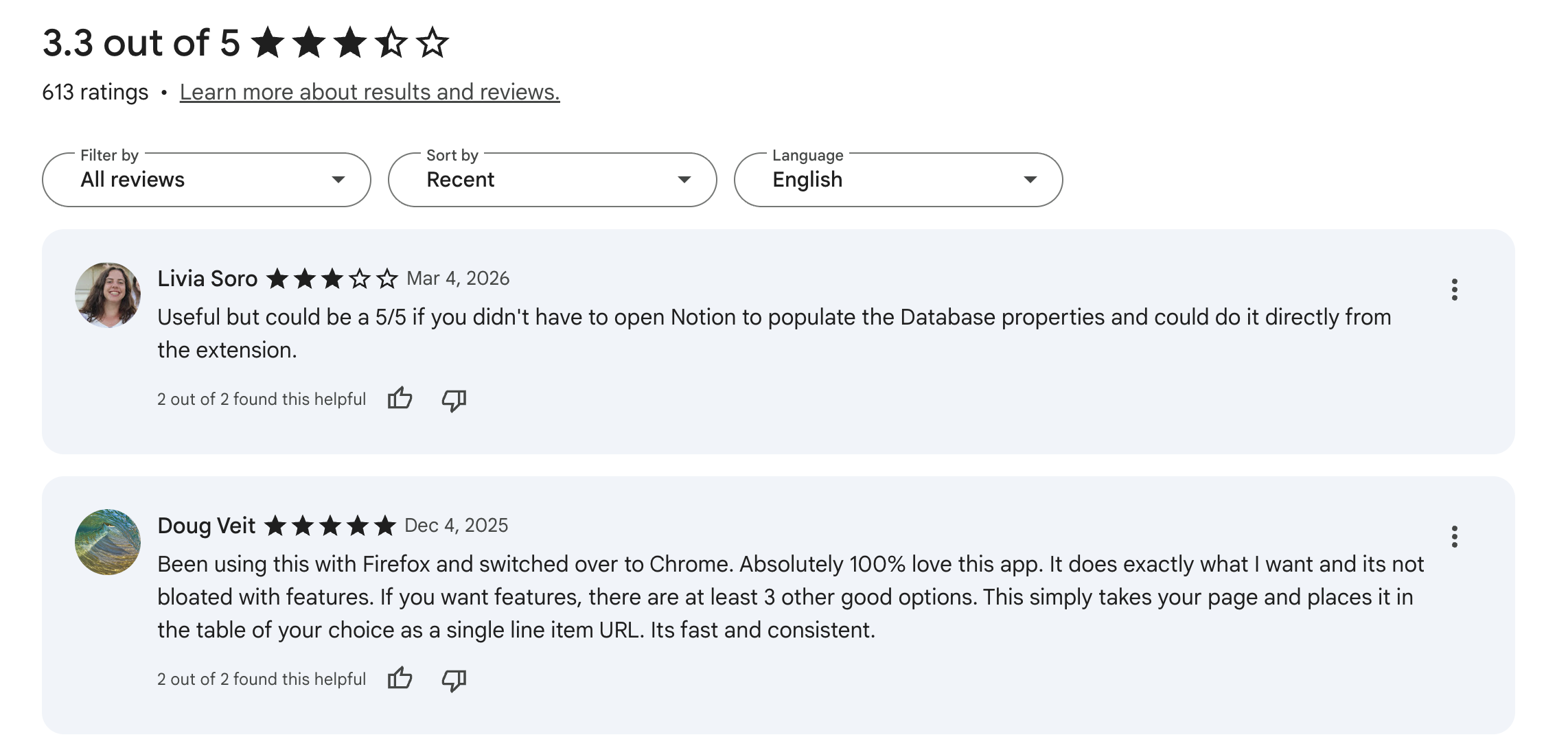
Chrome Web Store rating: 3.3/5
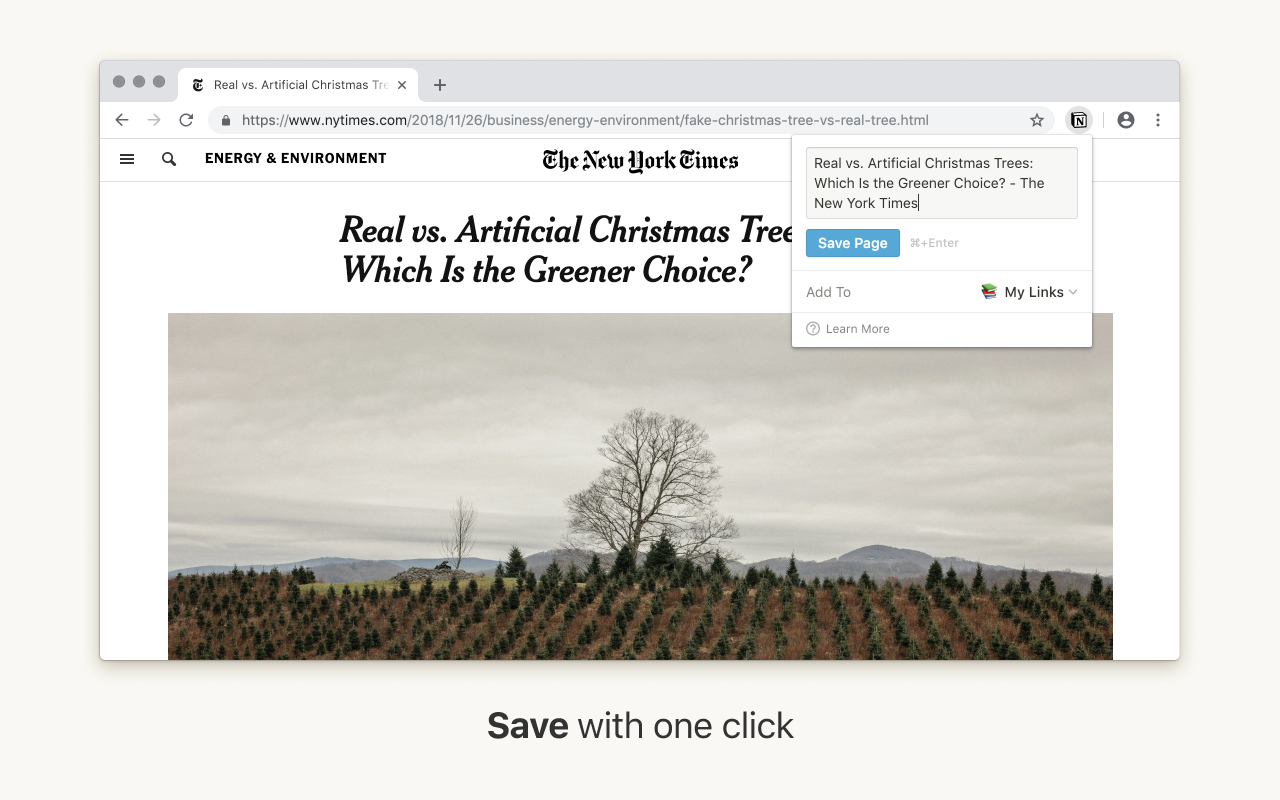
The Notion Web Clipper isn't really a standalone bookmark manager - it's a one-click shortcut for people already living inside Notion who don't want to break their flow to manually add links. You click the icon, pick a database, and the page gets saved straight into your Notion workspace with the title, URL, and a content snippet.
Key Features
- One-click save to any Notion database. Choose which database (reading list, project board, research archive) to clip to, and the page lands there immediately with no extra configuration.
"It is the fastest path from a web page to a Notion database. No configuration, no forms, no learning curve." — reviews
- Instant organization into existing workflows. Because the page goes directly into Notion, it inherits your existing database structure, views, and filters right away.
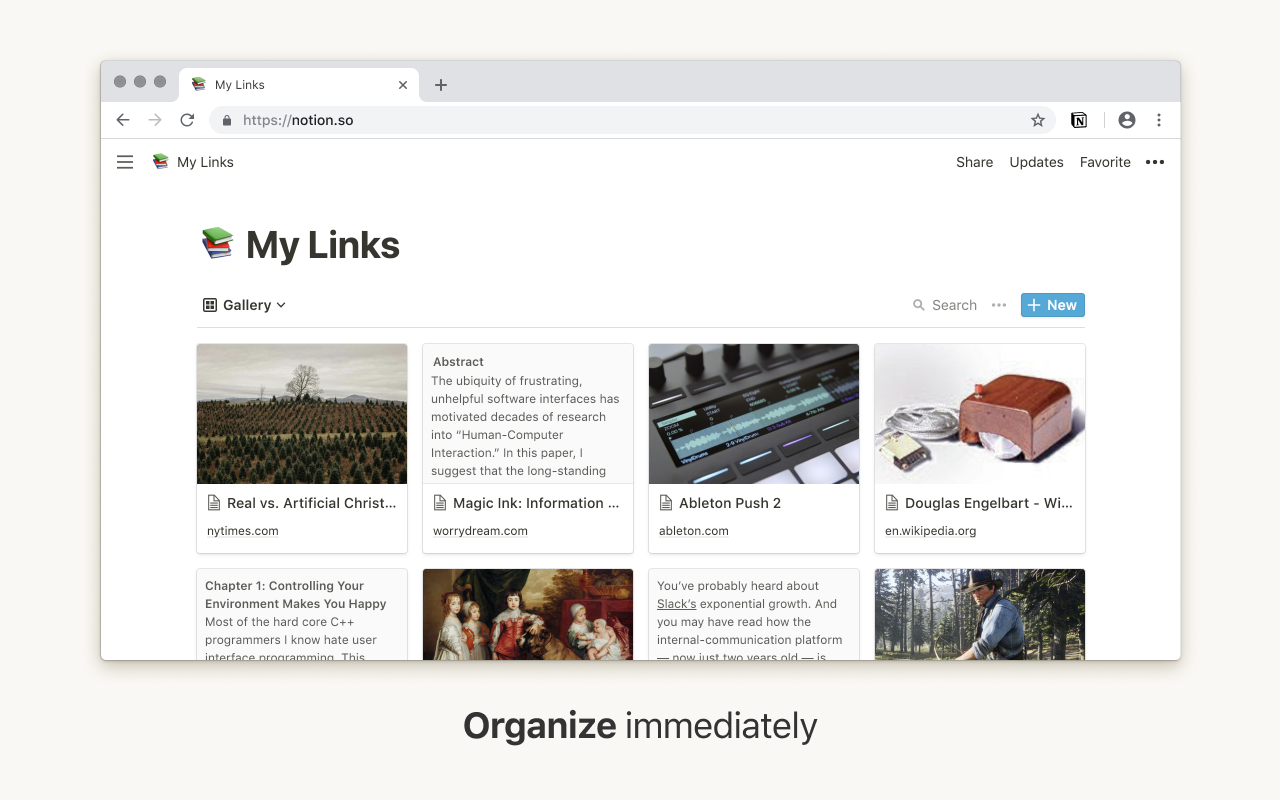
- Tag, share, and comment in Notion. From Notion, teammates can comment on clipped pages, assign them to projects, or turn them into action items.
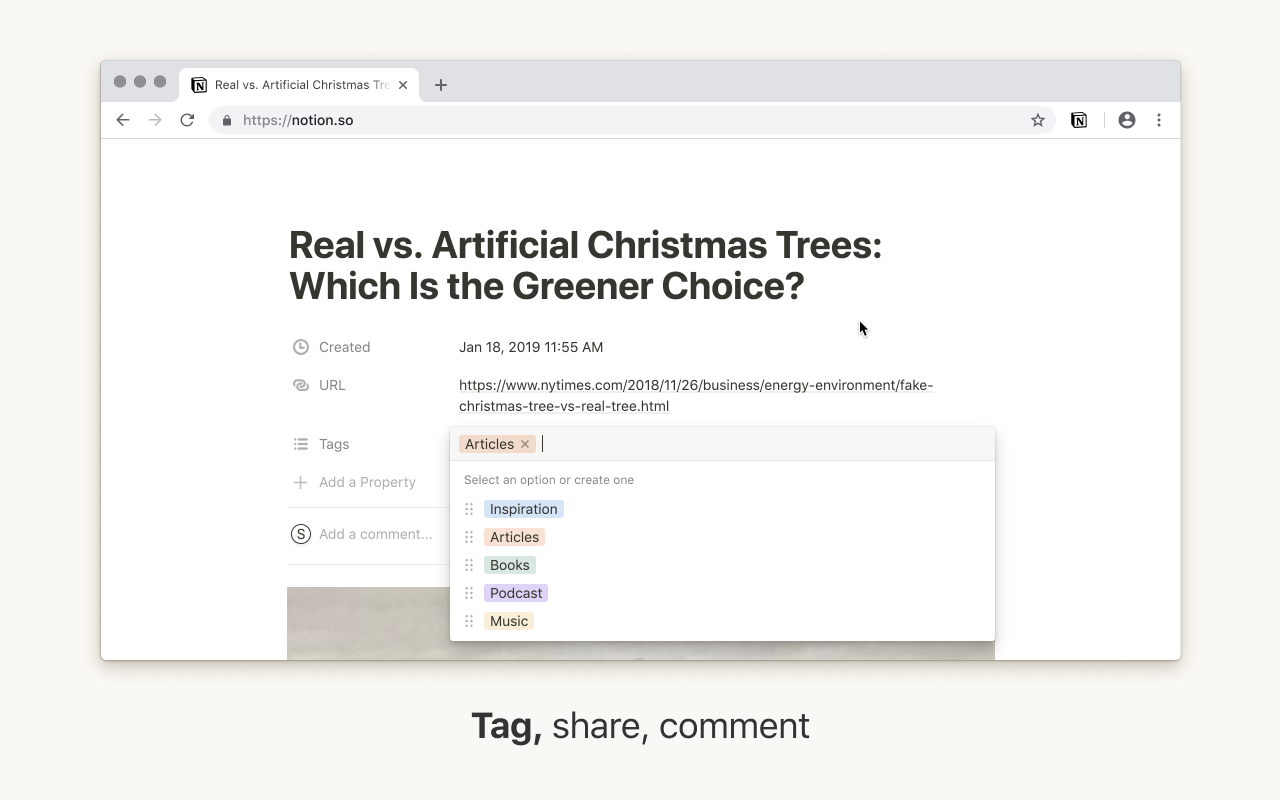
- Works on Safari, Firefox, and mobile. Cross-browser and available via Notion's iOS share sheet, so you can clip from any device
✅ Pros
- Zero learning curve for Notion users
- Free - included with all Notion accounts, including the free tier
- Clips land inside your actual workspace, not a separate silo
- Works across all major browsers and mobile
❌ Cons
- Completely useless if you don't already use Notion
- Can't set properties (tags, due dates) at clip time
- Rated 3.3/5 on the Chrome Web Store - sluggish update cadence has frustrated users
- No standalone search, tagging, or organization features in the extension itself
Pricing
| Plan | Price | What's Included |
|---|---|---|
| Free | $0 | Included with all Notion accounts |
| AI summarization | Via Notion AI plan | Summarize clipped content with Notion AI |
Reviews
Useful but could be a 5/5 if you didn't have to open Notion to populate the Database properties and could do it directly from the extension. - Link
Who Is It Best For?
- Notion users who want to capture web content without leaving their existing system.
- If your notes, tasks, and documents all live in Notion, this removes a step from your research workflow and costs nothing extra.
How to Get Started
- Create or log into your Notion account at notion.so
- Install the Notion Web Clipper
- Click the extension icon on any page you want to save
- Select the target database, then click "Save page"
Conclusion
Chrome's built-in bookmarks haven't changed much in years. If your workflow has grown beyond what they offer, any of the tools above is a real upgrade - but the right choice depends on what you're actually trying to solve.
- Raindrop.io is a good starting point: free, powerful, and it works everywhere.
- If your primary need is organized knowledge management where AI does the filing for you, Saner.AI goes further - it handles web clipping, notes, tasks, and search in one place, which is more than any traditional bookmark manager offers.
- For saving long articles to read properly later, Instapaper is the clear pick, especially now that Pocket is gone.
The more interesting question is whether a standalone bookmark manager is actually enough. If you're doing serious research, managing a content strategy, or just tired of losing good ideas in a pile of forgotten links, Saner.AI handles the full chain: capture, organize, connect, and retrieve. That's worth knowing about.
Pick the tool that fits how you actually work, not the one with the longest feature list on paper.
Stay on top of your work and life
FAQ
1. What's the best free Chrome bookmark extension? Raindrop.io has the strongest free plan — unlimited bookmarks, unlimited collections, and cross-device sync with no cap. Saner.ai also offers a free plan with core AI features. Toby and Instapaper have solid free tiers as well.
2. Is Pocket still available in 2026? No. Mozilla shut down Pocket on July 8, 2025, and permanently deleted all user data by November 2025. The best alternatives are Raindrop.io, Instapaper, and Saner.ai — all of which can import from a Pocket HTML export (if you saved your data before the cutoff).
3. What's the difference between a bookmark manager and a read-it-later app? A bookmark manager stores any link and helps you organize and find it later — Raindrop.io and Saner.ai are good examples. A read-it-later app specifically strips articles to clean text for focused reading — that's Instapaper's specialty. Some tools overlap, but the distinction matters when choosing one.
4. Which Chrome bookmark extension is best for researchers? Diigo has the most powerful in-page annotation features. Raindrop.io is better for organizing and searching a large library across topics. For building a real research knowledge base with AI connections across your notes, Saner.ai goes further than both - it connects ideas across documents, not just links.
5. Can I share bookmarks with my team? Yes - Raindrop.io, Toby, and Notion Web Clipper all have team sharing features. Raindrop.io lets you share collections with permission controls. Toby lets you share collection links. Notion Web Clipper saves directly into a shared workspace that teammates can access.
6. Do any of these extensions work offline? Instapaper explicitly supports offline reading - articles download to your device before you go offline. Raindrop.io's permanent library saves cached copies of pages, but you need a connection to access the web interface.
7. Which extension is best for students? Diigo is widely used in education for its annotation and highlighting features. Toby is popular with educators for sharing resource lists. For heavy research workflows where you need to connect notes, saved pages, and tasks, Saner.ai offers the most connective tissue between different types of saved content.
8. How do I migrate my bookmarks from Pocket now that it's shut down? If you exported your Pocket data before October 8, 2025, you'll have an HTML file. Both Raindrop.io and Instapaper can import from this format. If you missed the export window, that data was permanently deleted in November 2025.
9. Is Diigo still worth using in 2026? It depends. The in-page annotation features are still genuinely useful and have no direct equivalent in this list. But reliability has declined - particularly on Firefox - and the interface hasn't been updated in years. For pure bookmarking, other tools are more dependable. For heavy annotation workflows on Chrome only, it still works.
10. What if I want bookmarking, note-taking, and task management all in one tool? That's where Saner.AI fits. It combines web clipping via the Chrome side panel, AI-organized notes, task tracking, and semantic search in a single workspace. Most bookmark managers handle one or two of those things. Saner.ai handles all of them - which makes it worth evaluating if you've been stitching together multiple tools just to stay organized.
Stay on top of your work and life



