New Gmail AI Inbox: Will it work for you?

Gmail AI Inbox Review
Google just made the biggest change to Gmail in 20 years on April 1, 2026.
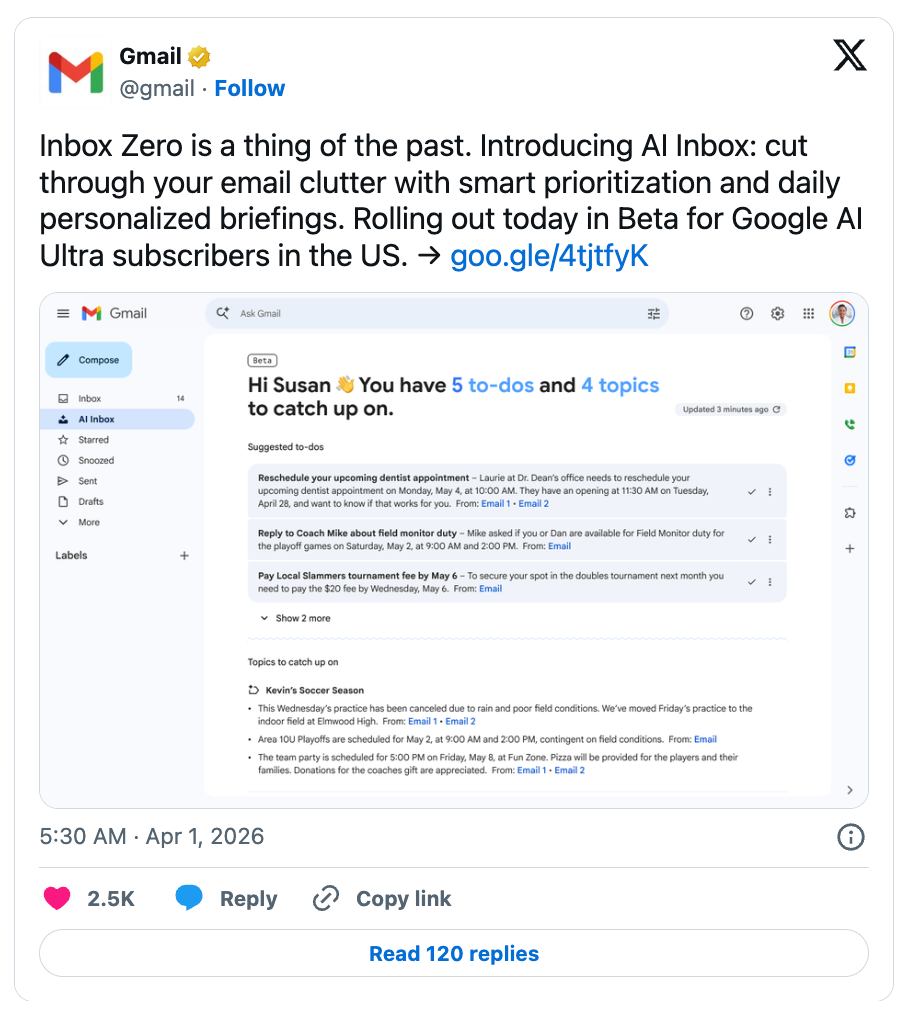
Inbox Zero is a thing of the past. Introducing AI Inbox: cut through your email clutter with smart prioritization and daily personalized briefings. Rolling out today in Beta for Google AI Ultra subscribers in the US. → https://t.co/Oa6gfKYO1a pic.twitter.com/AQZ7VEeK9k
— Gmail (@gmail) March 31, 2026
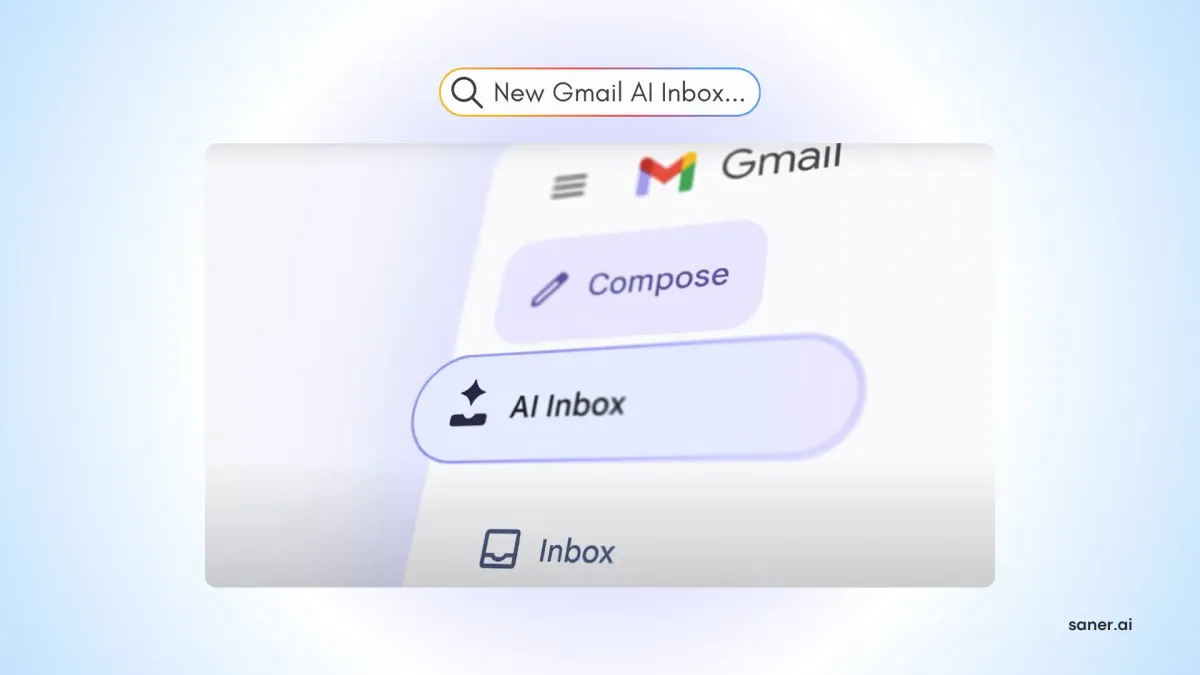
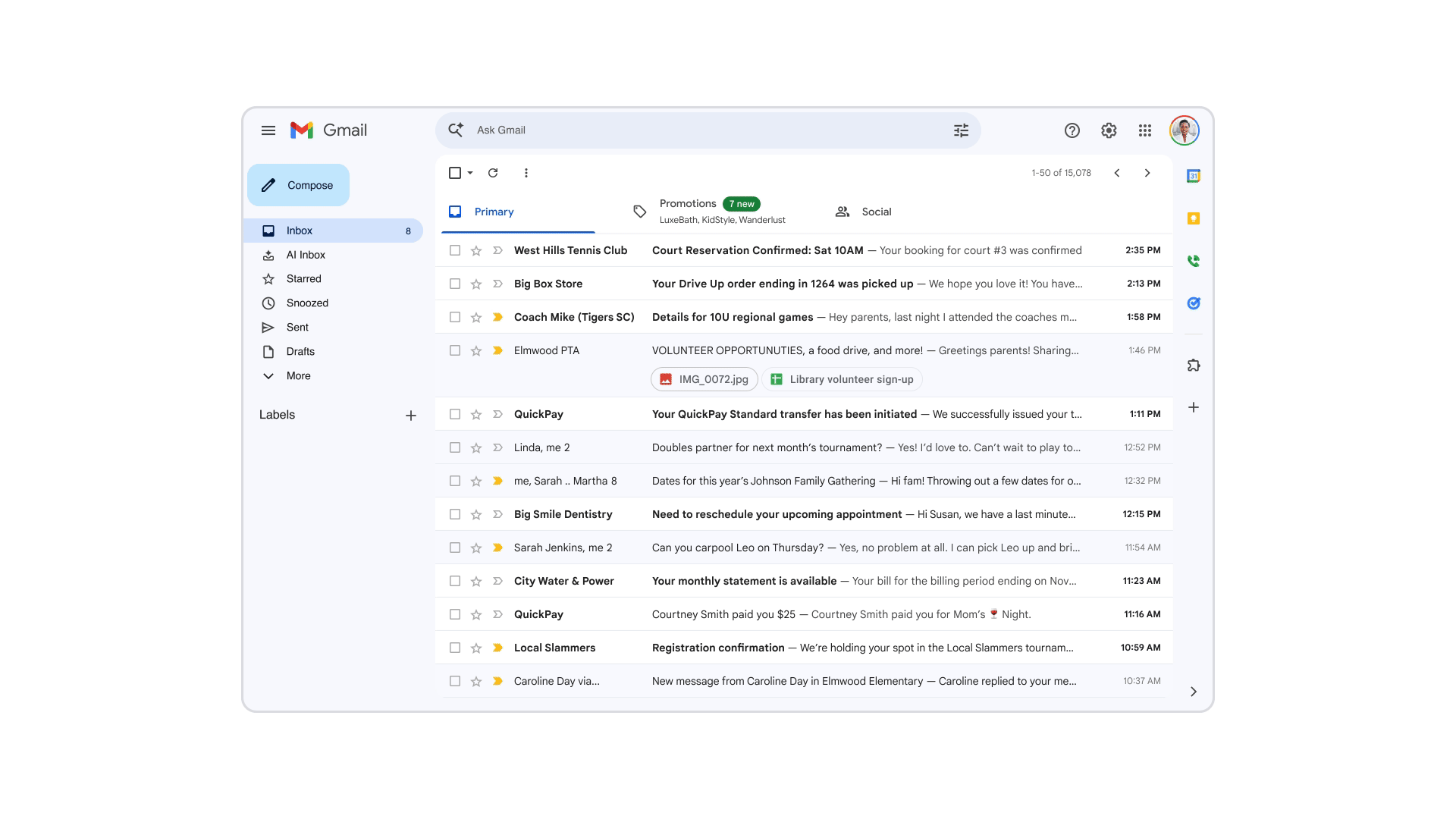
The new AI Inbox replaces the familiar chronological message list with something closer to a briefing. Instead of opening your inbox and seeing emails in the order they arrived, you see a curated view of to-dos, conversation summaries, and "topics to catch up on."
The pitch sounds good. Email volume keeps climbing, and most people aren't managing it well. Google's AI is supposed to fix that, spotting what matters, surfacing urgent tasks, and helping you draft replies faster. But a lot of users who've started testing these features aren't sure how they feel about them.
Key Takeaways
- Several core AI features (Help Me Write, thread summaries, Suggested Replies) are now free for all users. The most powerful features, including natural language inbox search and AI Inbox itself, require a paid Google AI Pro or Ultra subscription.
- For users who want AI to go beyond email triage and actually organize tasks, notes, and calendar events in one place, tools like Saner.AI pick up where Gmail's AI leaves off.
Gmail AI Inbox At a Glance
| Feature | Score (out of 5) |
|---|---|
| AI inbox organization | 3.5 |
| Thread summarization | 4.0 |
| Privacy and transparency | 2.0 |
| Ease of opting out | 1.5 |
| Free feature availability | 3.0 |
| Value for paid users | 3.0 |
| Overall | 2.8 / 5 |
What Is Gmail AI Inbox?
Gmail announced its AI Inbox feature in January 2026 alongside a broader suite of Gemini 3-powered updates. The rollout began in the US, and as of late March 2026, Google started opening the AI Inbox beta to Google AI Ultra subscribers.
The idea is straightforward: your inbox becomes less of a pile of messages and more of a daily briefing.
Alongside AI Inbox, Google released several other features:
- AI Overviews in search: Instead of hunting for keywords, you can ask Gmail a question in natural language ("who gave me a quote for the bathroom renovation last year?")
- Help Me Write: Drafts full emails from a short prompt, now available to all users for free after previously being a paid perk.
- Suggested Replies: An upgraded version of Smart Replies that matches your writing style rather than just offering generic one-click responses. Free for all users.
- Proofread: Grammar, tone, and style checking are built directly into compose. Available to paid subscribers.
Gmail AI Inbox Features Breakdown
AI Inbox: The Briefing View
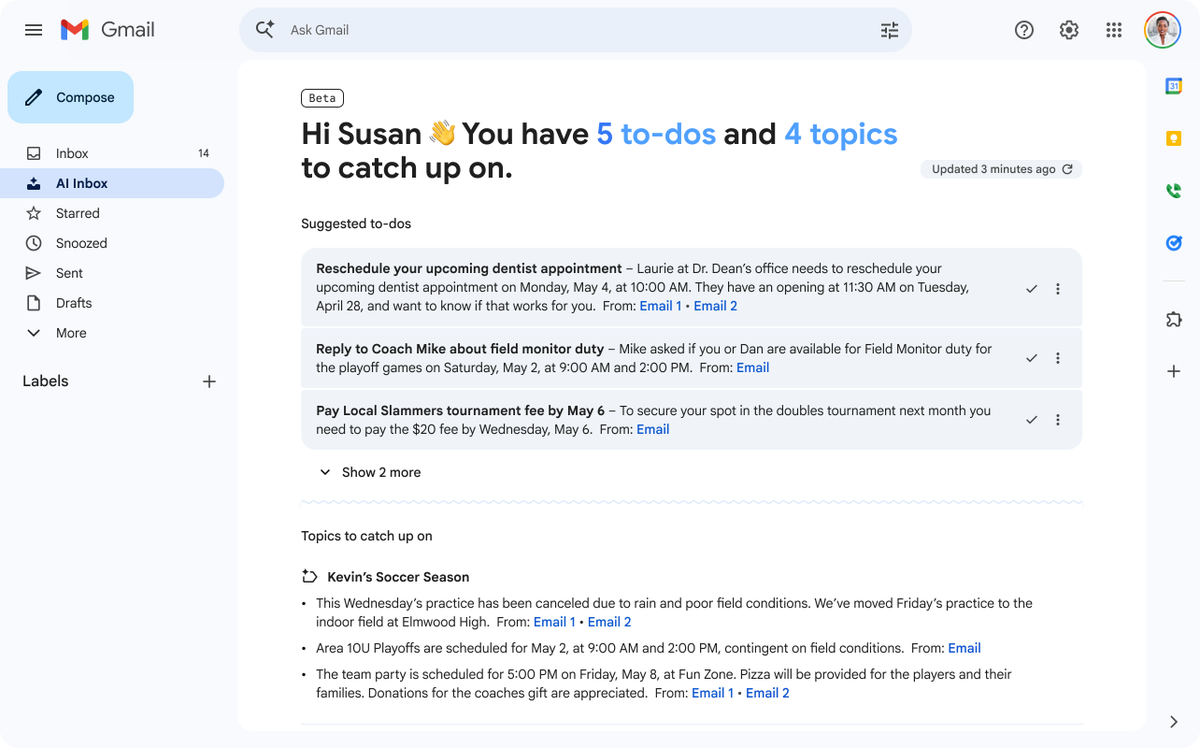
The AI Inbox panel sits above your regular inbox in the sidebar on Gmail's web interface. It greets you with a count of important updates and a timestamp showing the last refresh.
- Suggested to-dos appear with links back to the source email and a checkmark to dismiss each item.
- The "Topics to catch up on" section covers ongoing conversations that don't require immediate action.
In practice, users are still figuring out whether the AI's judgment matches their own. The system has no way to learn your priorities explicitly - it infers them. That works well for obvious cases (a payment due tomorrow) but less well for nuanced ones (an email from a client you only write to once a quarter but consider critical).
"Gmail has become a greed monster. It forces advertising into your inbox. Reads your emails for AI (without telling you first) and is only driven to make more money off your personal and potentially sensitive information." — reviews
Thread Summarization with AI Overviews
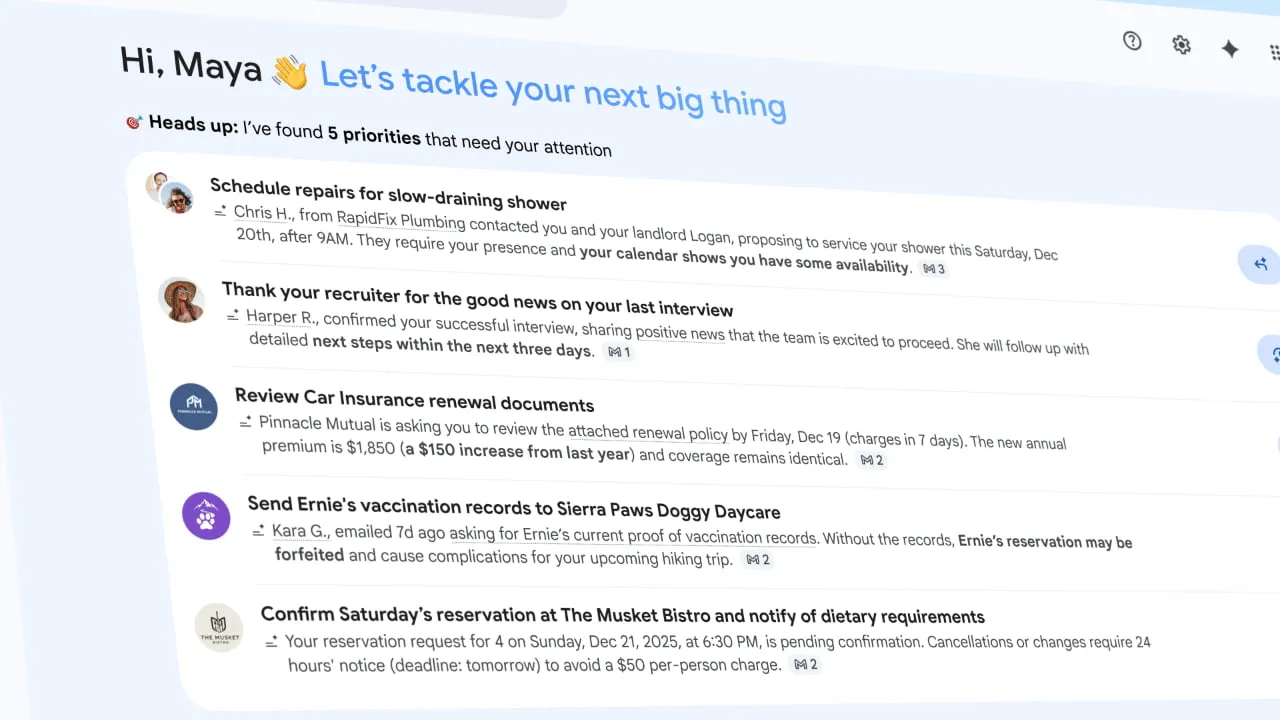
This is probably the most genuinely useful thing Gmail's AI does. When you open a long email chain, a summary appears at the top. For threads with 20 or 30 replies, this saves real time - you get the key points, dates, and decisions without reading every message.
"Gmail seems to be faster and easier than any other inbox. Gmail has a great UI. It's always easy to navigate." — reviews
Help Me Write
This feature has been around for a while, but it's now free for everyone. You give Gmail a prompt ("reply saying I'll send the report by Friday") and it drafts a full response in your writing style. You can accept the draft, edit it, or regenerate.
The Suggested Replies feature works similarly for shorter responses. Rather than the old Smart Replies (which gave you three generic options like "Sounds good!"), the new version uses the context of the conversation to generate replies that actually reflect what you'd probably say.
"It's nice not having to worry about whether something actually went through, especially when timing matters. Another thing we really like is how easily Gmail works with other email programs." — reviews
Privacy Controls (or the Lack Thereof)
This is where Gmail's AI update gets complicated. Google turned these features on by default for US users.
"You have been automatically OPTED IN to allow Gmail to access all your private messages and attachments to train AI models. You have to manually turn off Smart Features in the Setting menu in TWO locations." — reviews
Gmail AI Inbox Pricing Table
| Plan | Monthly Price | AI Inbox Access | Help Me Write | Inbox Q&A | Free Trial |
|---|---|---|---|---|---|
| Gmail (Free) | $0 | No | Yes | No | N/A |
| Google AI Pro | ~$19.99/mo | No | Yes | Yes | Yes |
| Google AI Ultra | ~$249.99/mo | Yes (beta) | Yes | Yes | Yes |
Note: Pricing is approximate and subject to change. AI Inbox is currently in beta for AI Ultra subscribers as of April 2026. Check Google's official pricing page for current details.
Gmail AI Inbox Pros and Cons
| Pros | Cons |
|---|---|
| Thread summaries are genuinely time-saving | AI Inbox requires an expensive paid plan to access |
| Help Me Write and Suggested Replies are now free | Features were turned on by default without clear notice |
| Natural language search is impressive for paid users | Opting out removes unrelated basic features like spell-check |
| Deep integration with existing Google tools | AI Inbox logic is opaque — no way to set explicit priorities |
| No new app to install | Tasks extracted from emails don't sync with a task manager |
| Familiar interface with AI layered on top | Privacy concerns and an active class-action lawsuit |
What People Say about Gmail AI Inbox
Users who love Gmail's core reliability are generally okay with the AI additions - as long as they notice them being turned on. The positive reviews focus on thread summaries saving time and the upgraded smart replies being more useful than the old one-click options.
The critical reviews, which are louder, center on three things: the opt-in controversy, the feeling that Google is monetizing personal data, and frustration that the most useful AI features are locked behind a subscription that costs nearly $250 a month for the top tier.
"If I could give Google a zero I would. If you don't use their spyware/AI training programming, they don't filter spam mail from your regular mail." — reviews
"I've never been tempted to switch email inboxes. Always been positive." — reviews
"They're scanning your email anyway, Gemini or not. They already know everything that's in there, so opting out makes no difference. The only way out is to not use Gmail." — reviews
"Why do Google automatically assume every single person will want a manage subscription box? My inbox is never cluttered and I never use a manage subscription box but all my subscriptions are going in there. It looks like I will have to change emails." — reviews
Who Is It Best For
Gmail AI Inbox works best for people who are already deep in the Google ecosystem and who spend enough time on email that thread summaries and AI search would save them meaningful time. Paid subscribers who field dozens of long threads per day get the clearest return from the Pro or Ultra features.
Who It's Not Ideal For
People who care about inbox privacy probably won't be comfortable with these features, regardless of what Google's privacy policy says. The opt-out controversy showed that even technically privacy-conscious users had no idea what was being turned on and when.
Budget-conscious users get a watered-down version of the feature set. The parts of Gmail's AI that are impressive — inbox-wide natural language search, AI Inbox prioritization — are behind a paywall that many people won't justify just for email.
And users who want an AI assistant to do more than manage email - to capture tasks from messages, connect their calendar, organize their notes, and surface what they need to act on next - will find Gmail's AI stops at the inbox door. It doesn't feed into a broader productivity system. A task it suggests in the AI Inbox panel doesn't become a real task anywhere. You still have to move it manually.
Gmail AI Inbox vs. Saner.AI
Gmail's AI Inbox and Saner.AI are solving adjacent problems, but they're starting from different places.
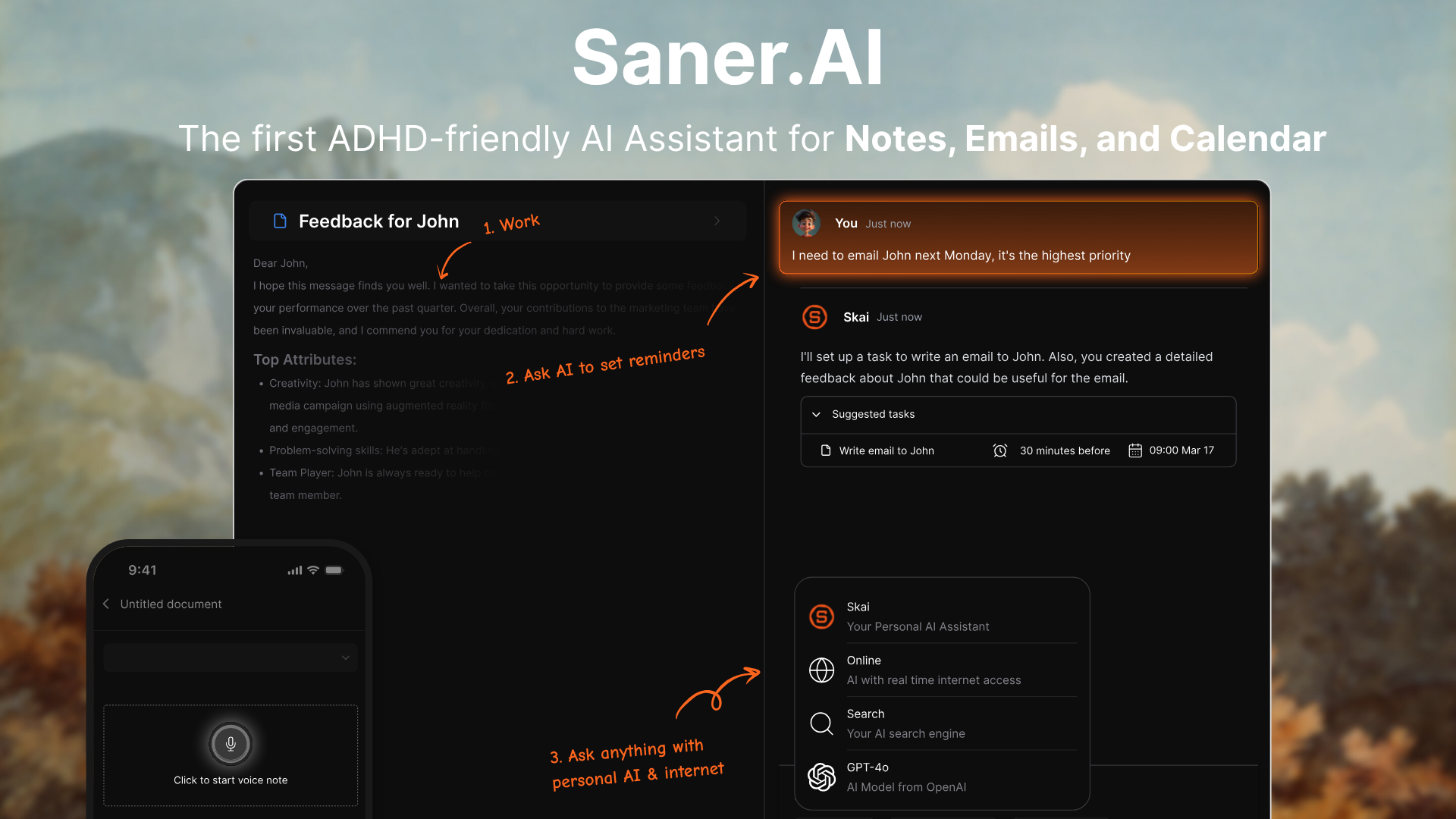
Gmail's AI sits inside your inbox. But they don't connect to your calendar, your notes, or anything outside Gmail. Once you leave the inbox, the AI's work doesn't follow you.
Saner.AI connects Gmail, Google Calendar, Outlook, Notes, Google Drive, and Slack into one workspace.
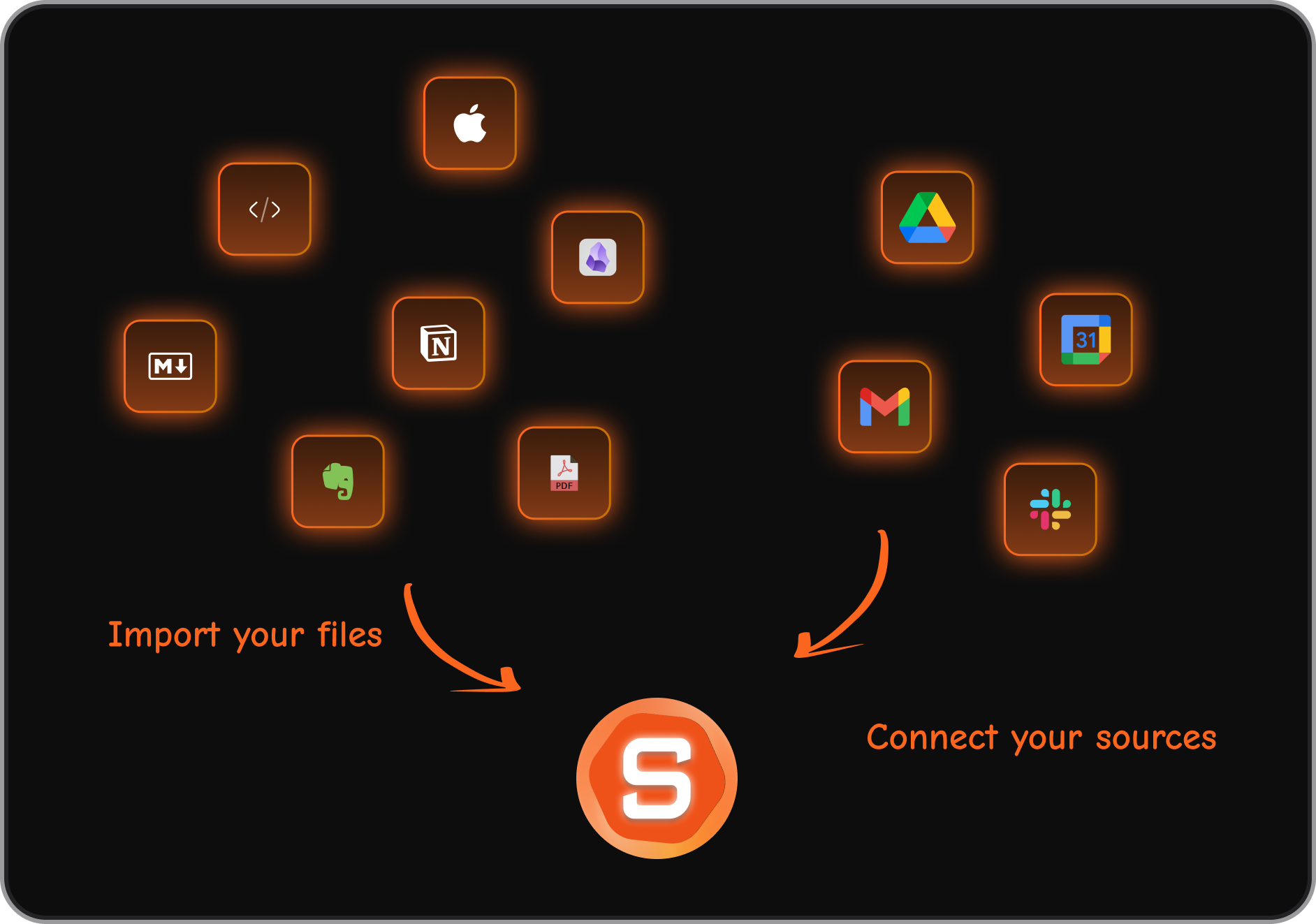
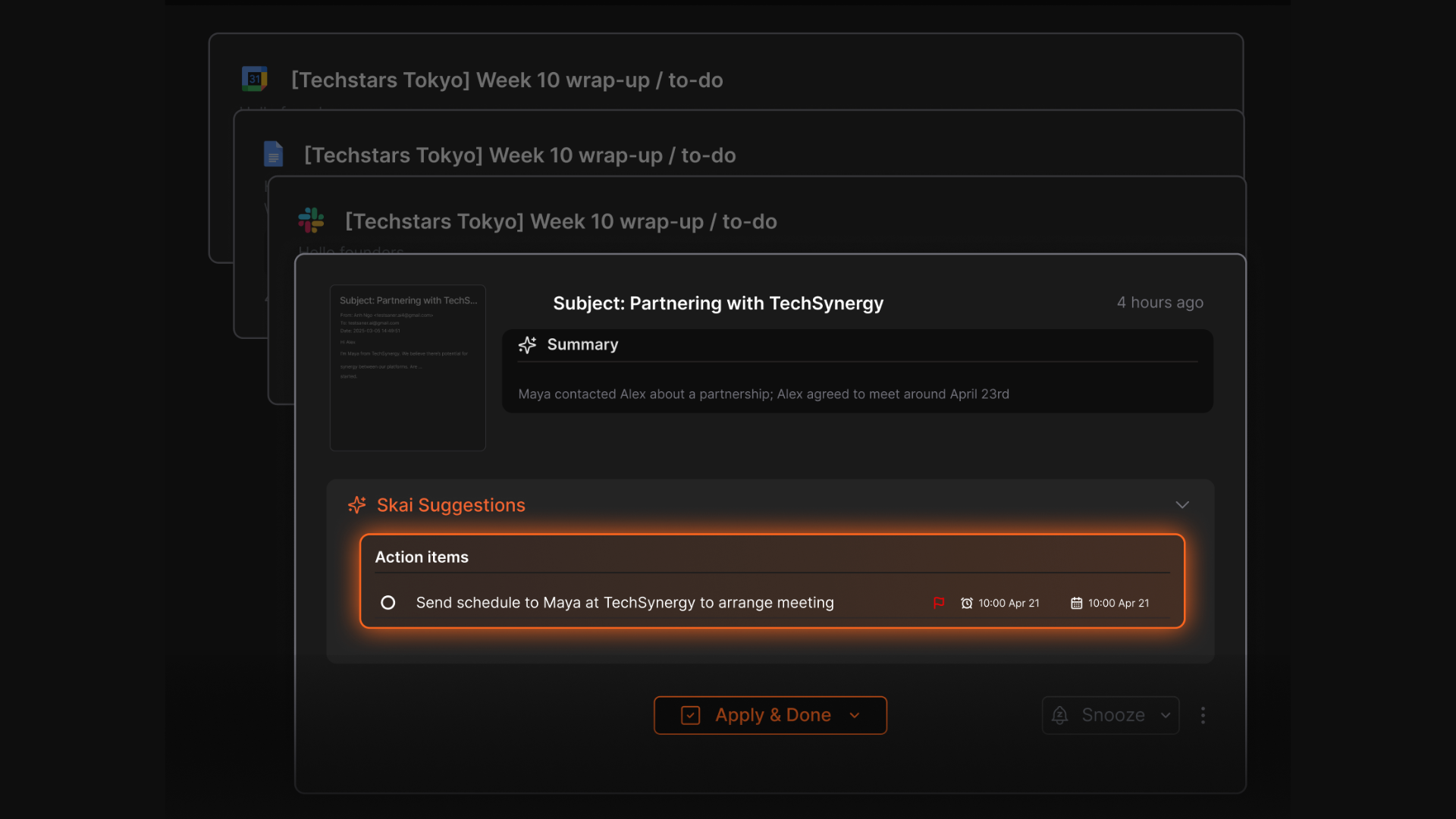
When your inbox has emails with action items, Saner.AI identifies those tasks, suggests due dates, and adds them to your task list with one tap. The difference is that the task now exists as a real, trackable item - not just an inbox suggestion that disappears once you open another email.
Also, Saner.AI helps turn your thoughts into a task list
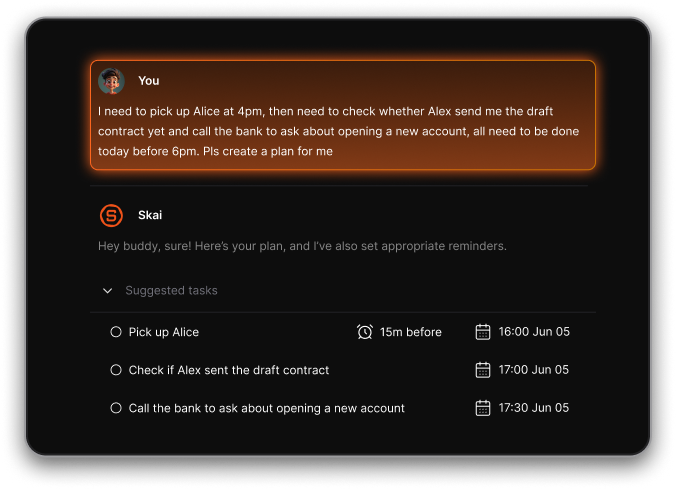
- This is the most loved feature of Saner.AI - You talk with AI, then it will identify tasks, set reminders, and put them in your calendar
And of course, Proactive Scheduling + Day Brief is also available on Saner.
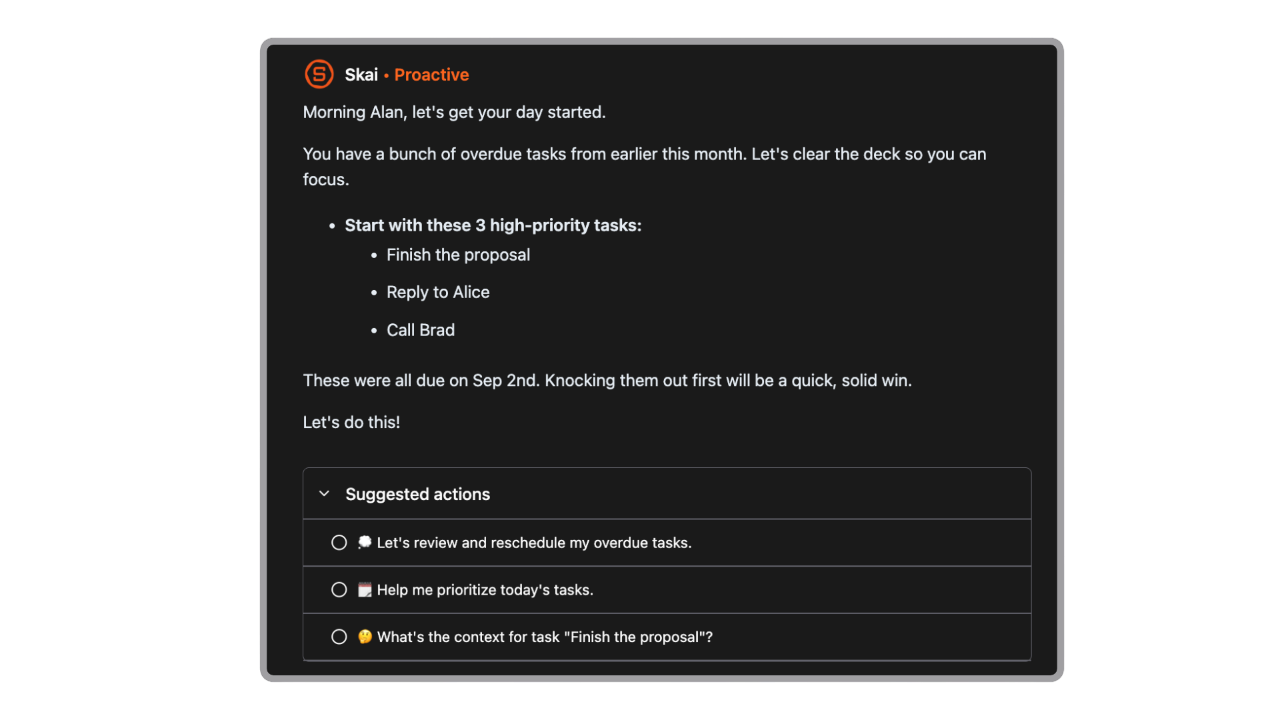
- At the start of each day, Saner checks what’s on your plate and suggests a plan.
- It checks in with you during the day: “Still want to work on the pitch deck now, or push it to tomorrow?”
Saner.AI also doesn't require you to pay for a plan that rivals the cost of a software subscription to access its core AI features. There's a free tier with note-taking, AI search, and task management, and paid plans aimed at individuals and teams rather than Google's Ultra tier pricing.
The obvious trade-off: Saner.ai doesn't replace Gmail. You still use Gmail for email. It works alongside it, pulling in what matters and organizing it somewhere you can actually act on it.
If you only want to improve the inbox itself, Gmail's native AI is the simpler choice. If you want AI that works across your whole workflow, saner.ai covers territory Gmail doesn't reach.
| Feature | Gmail AI Inbox | Saner.AI |
|---|---|---|
| Task extraction from email | Displays in AI panel only | Adds to actual task list with due dates |
| Calendar connection | No direct task-to-calendar sync | Yes — calendar events appear alongside tasks |
| Notes integration | No | Yes — notes, tasks, and emails in one workspace |
| Natural language search | Yes (paid) | Yes — searches across email, notes, and files |
| Privacy model | Opt-out, data scanned by Google | Connects via OAuth, does not train on your data |
| Free tier | Basic email features | Notes, tasks, AI search included |
| Best for | Gmail power users on paid plans | Knowledge workers managing multiple tools |
Final Verdict
Gmail's AI Inbox is capable. Thread summaries work well. The upgraded Suggested Replies are more useful than what came before. Natural language inbox search, for paid subscribers, is the kind of thing that should have existed years ago.
For free users, the AI additions are useful but limited. The features that are actually impressive cost money - and Google's AI Ultra plan, at nearly $250 a month, is priced for a different audience than the average Gmail user.
If you're already a paid Google AI subscriber and you live in Gmail all day, the new features add genuine value. If you're a free user, you get thread summaries and better replies, which is fine. If you're someone who wants AI to help organize your whole workday - not just your inbox - Gmail's AI stops short of that.
That gap is where tools like Saner.AI are worth a look. Not as an email client, but as the layer that connects email to everything else.

Stay on top of your work and life
FAQ
What is Gmail AI Inbox?
Gmail AI Inbox is a new view inside Gmail, powered by Google's Gemini 3 AI model, that organizes your messages into a briefing-style display instead of a chronological list. It surfaces suggested to-dos from your emails and groups less urgent conversations into a "Topics to catch up on" section. Google announced it in January 2026 and began rolling it out to AI Ultra subscribers in beta in March 2026.
Is Gmail AI Inbox free?
The full AI Inbox feature is currently available only to Google AI Ultra subscribers. Some related features - including Help Me Write, basic thread summaries, and Suggested Replies - are free for all Gmail users. The ability to ask natural language questions across your whole inbox requires a Google AI Pro or Ultra subscription.
Is Gmail reading my emails for AI?
Gmail scans email content to power its smart features, including spam filtering, categorization, and AI suggestions. Google has stated it doesn't use Gmail content to train its public Gemini AI models, though this has been disputed. The controversy in late 2025 centered on a settings change that many users experienced as an automatic opt-in to broader AI access. Google's explanation was that the settings themselves weren't new, but the way they were surfaced and communicated caused significant confusion.
How do I turn off Gmail AI features?
Go to Gmail Settings, then scroll to "Smart features and personalization" and turn it off. You also need to navigate to "Google Workspace smart features" and turn those off separately. On mobile, the option is under Settings > your account > Data privacy. Note that turning off smart features also disables older tools like spell-check, Smart Compose, and inbox categorization.
What's the difference between Gmail AI Inbox and a tool like Saner.AI?
Gmail AI Inbox works inside Gmail and focuses on email triage — summarizing threads, suggesting to-dos, and helping you draft replies. Tasks it surfaces stay in the Gmail panel and don't sync to a separate task manager or calendar. Saner.ai connects Gmail, Google Calendar, Drive, and Slack into one workspace, so tasks pulled from emails become real actionable items with due dates, and everything stays searchable in one place. They serve different purposes: Gmail AI improves email; saner.ai connects email to the rest of your workflow.
Will Gmail AI Inbox come to all users?
Google said broader availability is coming in the months following the January 2026 announcement. As of April 2026, it's in beta for AI Ultra subscribers. There's no confirmed date for a general rollout to free accounts.
Stay on top of your work and life