
How to Time Block: The Complete Guide (Works for ADHD)


I built the perfect time-blocked day on Tuesday. Every hour had a color, a clear task, and a neat little checkbox. By 10:00 AM, the whole thing collapsed because a single email threw me off script, and I spent the next two hours staring at a wall wondering where the day went.
Most productivity guides treat your day like a math problem. They assume you can just allocate ninety minutes to a project and your brain will automatically cooperate. If you have an ADHD brain, or just a normal human brain that gets tired, that rigid approach is a recipe for guilt.
Time blocking can work, but the standard advice misses the reality of how our focus actually moves. Here is what those guides leave out, and how to build a schedule that survives real life.
What is time blocking?

Time blocking is a time management method where you divide your day into dedicated chunks of time, assigning a specific task or group of tasks to each block. Instead of working from a long, open-ended to-do list, you schedule exactly when you will focus on a single priority, treating your calendar like a daily blueprint.
Why time blocking works

If you have ever stared at a wide-open Saturday and ended up doing absolutely nothing, you have felt the weight of decision fatigue. Standard to-do lists force you to choose what to do next, dozens of times a day. That constant choosing drains your mental energy.
Time blocking stops this drain by making the decision once. Instead of wondering what to do, you just look at your calendar. It turns a vague intention into a concrete assignment, which is exactly why the science shows it helps people actually finish tasks instead of just planning them.
But if you have ADHD, a rigid schedule can feel like a trap. ADHD brains naturally deal with time blindness, making it incredibly hard to gauge how long a task will take. Because your brain struggles with executive function, shifting gears from a creative task to an administrative one requires a massive amount of effort.
To make time blocking work, you have to plan for reality, not an idealized version of your day. It helps to use oversized blocks and include generous buffers for transitioning between tasks. When you treat the calendar as a flexible guide rather than an absolute rule, you get the structure your brain needs without the pressure that makes you want to quit.
4 types of time blocking (and which one fits your brain)
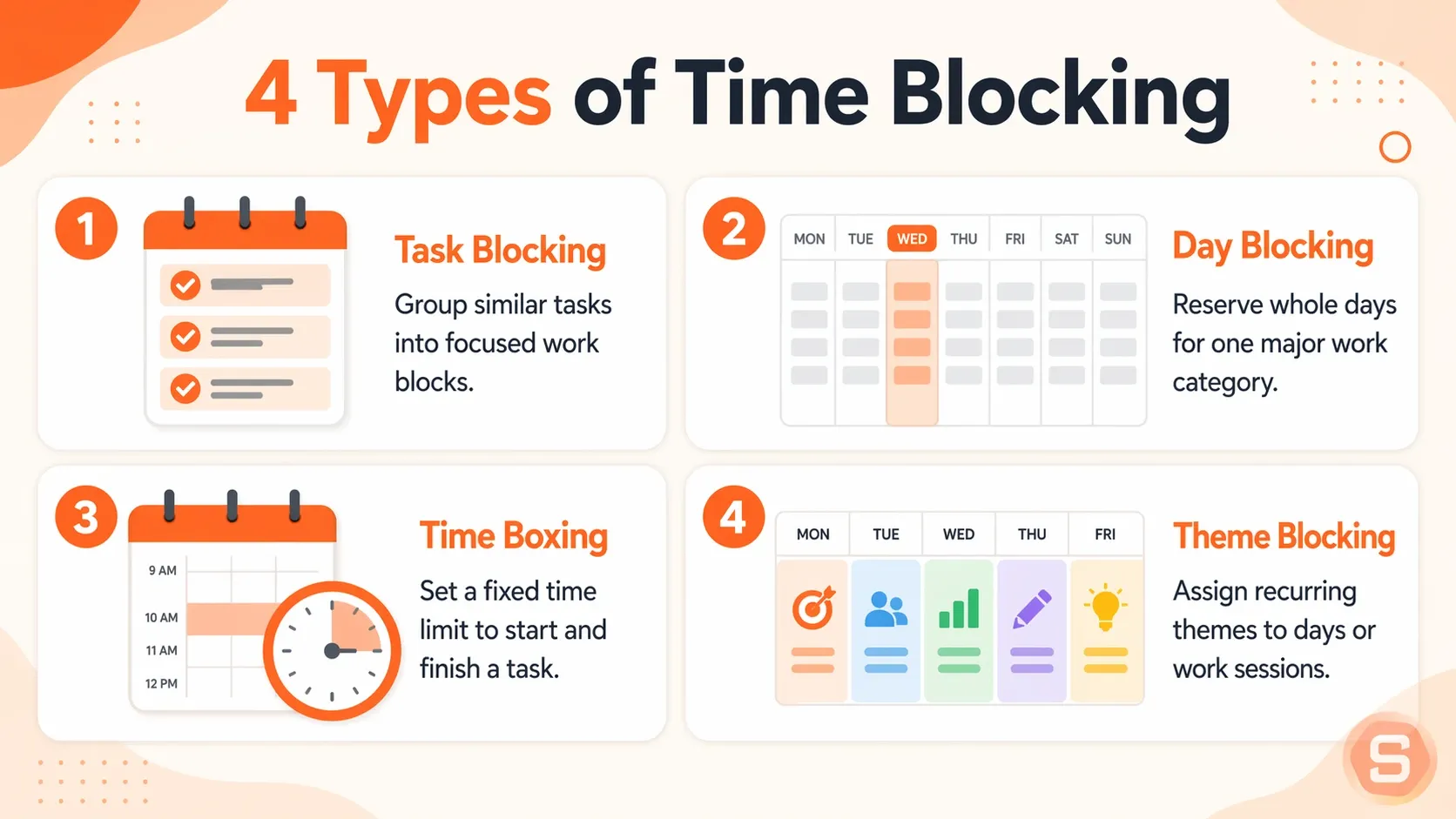
Time blocking is not a single rigid system. It changes depending on how you structure your attention. I find that some versions make me feel trapped, while others actually give me space to breathe. Finding the right style depends on how your mind handles transitions.
1. Task blocking
- You group similar small tasks into a single block of time. You might spend an hour answering emails and paying bills.
- For an ADHD brain, this can feel like a trap because forcing yourself to switch between different small tasks in one hour takes too much mental effort. I usually get distracted by a random link in the first email and forget the rest of the pile.
2. Day blocking
- You dedicate entire days to one specific area of your work. You might have a day just for meetings and a day just for writing.
- ADHD brains often love this because it removes the friction of switching between contexts, where focus usually dies. If you do not have to worry about an upcoming appointment later that afternoon, you can actually settle into what you are doing.
3. Time boxing
- You set a strict limit on how long you will work on a specific project. When the timer goes off, you stop, even if you are not finished.
- This creates a sense of urgency that works well for ADHD minds. It turns a dull task into a fast race against the clock, though it can backfire if you hit a state of intense focus and hate being forced to quit.
4. Theme blocking
- You give each day a broad theme, like marketing on Mondays or administration on Tuesdays. It is a larger version of day blocking that gives you flexibility within the day itself.
- If you have ADHD, this offers structure without the suffocating feeling of a strict calendar. You know your general focus for the day, but you still get to choose your next specific task.
How to time block in 6 steps
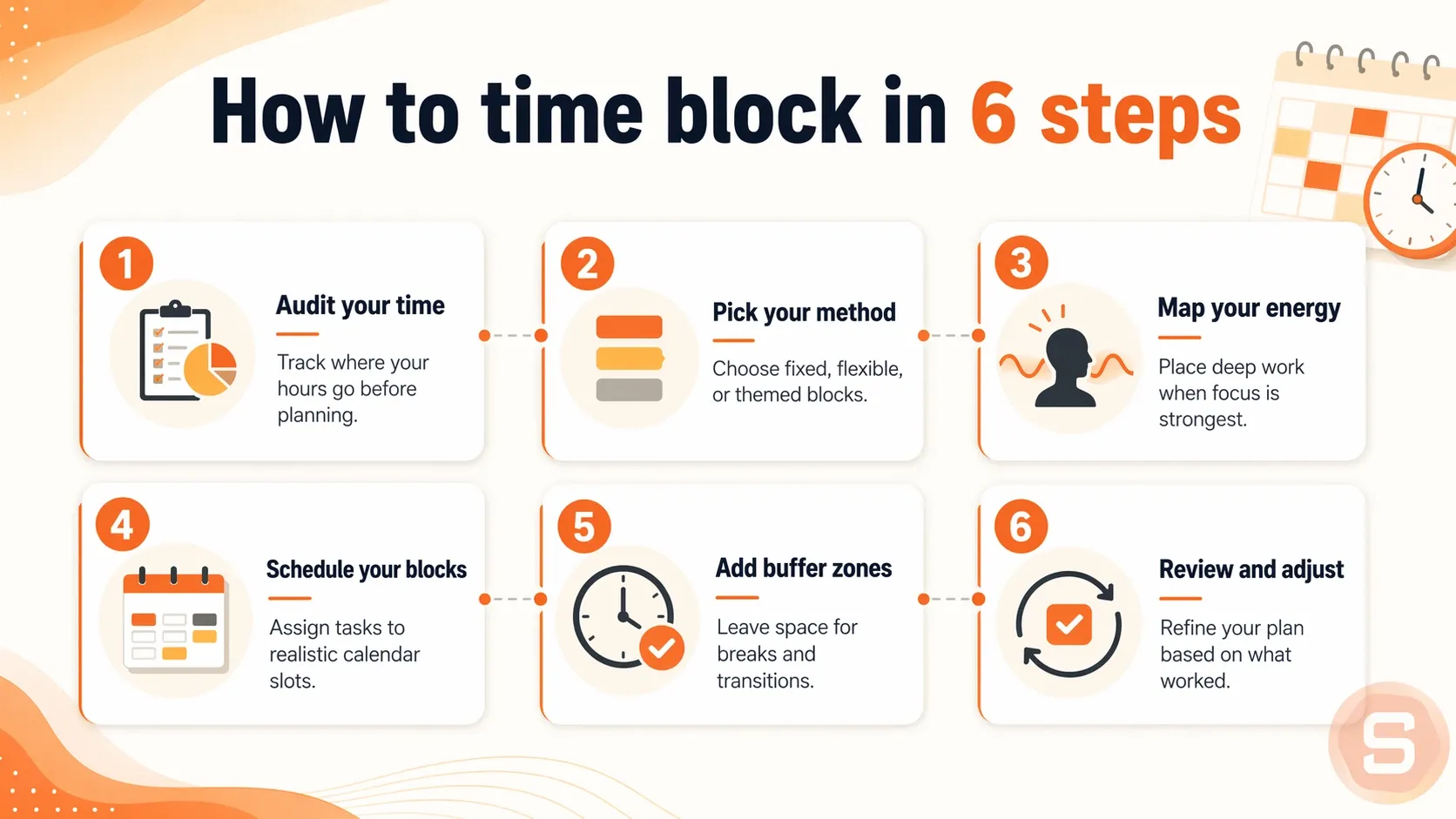
1. Audit your time
Track what you actually do for three days before you change your schedule. Write down your activities every hour in a notebook or a simple document. You cannot plan a realistic day if you guess how long tasks take, because most people underestimate their daily obligations.
If you have ADHD, time blindness makes guessing impossible. I find it helps to set a quiet phone alarm to chime every half hour. When it goes off, quickly note down your current activity so you do not lose track of where the morning went.
2. Pick your method
Choose how to divide your calendar. Some people prefer scheduling every hour of the day, while others group tasks into broader categories like administrative work or creative projects.
For an ADHD brain, rigid hourly grids often cause anxiety. I recommend using broad thematic blocks instead of strict timetables. Assigning a general focus to your morning gives you room to breathe and prevents a single delay from ruining your whole plan.
3. Map your energy
Pay attention to when you feel alert and when your focus drops. Place your most demanding projects during your peak attention windows and leave simple tasks like answering email for your afternoon slumps.
ADHD attention can be unpredictable, so tracking your energy takes flexibility. Notice your general trends, but keep a list of simple, low-stimulation tasks ready for days when your focus completely disappears.
4. Schedule your blocks
Open your calendar and write your tasks into specific time slots. Put your highest-priority items on your calendar first so they do not get crowded out by minor tasks later.
When you schedule these windows, make every block 25% longer than you think you need. If a project feels like a one-hour task, give it 75 minutes. The extra room removes the intense pressure of the clock and gives you a safety net for distractions.
5. Add buffer zones
Leave empty spaces between your scheduled tasks. Stacking blocks directly against each other leads to exhaustion and makes it impossible to handle unexpected phone calls or quick breaks.
Think of these buffers as a clean reset point. If your morning block falls apart and you lose focus, use the buffer time to step away from your desk, stretch, and start fresh during the next block.
6. Review and adjust
Look at your calendar every Friday afternoon to see how your week went. Notice which blocks worked and which ones you ignored, then change your approach for the next week.
A calendar is an experiment, not a contract. When you have a chaotic week, it means the system needs a tweak, not that your brain is broken. Fix the timing on Monday and try again.
The ADHD-friendly time blocking system
1. Energy blocks

This means organizing your day by how much mental fuel you have, not by the clock. Group your tasks into high, medium, and low effort. High-effort tasks require your deep focus. Medium tasks are routine things like responding to messages or filling out forms. Low-effort tasks are things you can do when your brain feels like mush, such as organizing your desktop or cleaning up files. When you sit down to work, you look at your energy level first and pick a matching block.
2. Peak, maintenance, and recovery blocks

Most days naturally split into three waves. Peak blocks are for your sharpest hours, whenever those happen to hit. Maintenance blocks handle the administrative overhead of life and work. Recovery blocks are non-negotiable windows where you deliberately do nothing demanding.
If you do not schedule recovery, your brain will steal it from you anyway, usually in the form of doomscrolling when you are supposed to be working.
3. Buffer zones and reset points

You need empty space between your blocks. A thirty-minute buffer zone gives you permission to run late, get distracted, or just transition from one task to the next without panic. Along with buffers, pick a specific reset point in the afternoon.
4. Completion rate tracking

Stop measuring success by whether you followed your schedule perfectly. Track your completion rate instead. If you finish half of what you planned, that is a win.
The AI for time-blocking
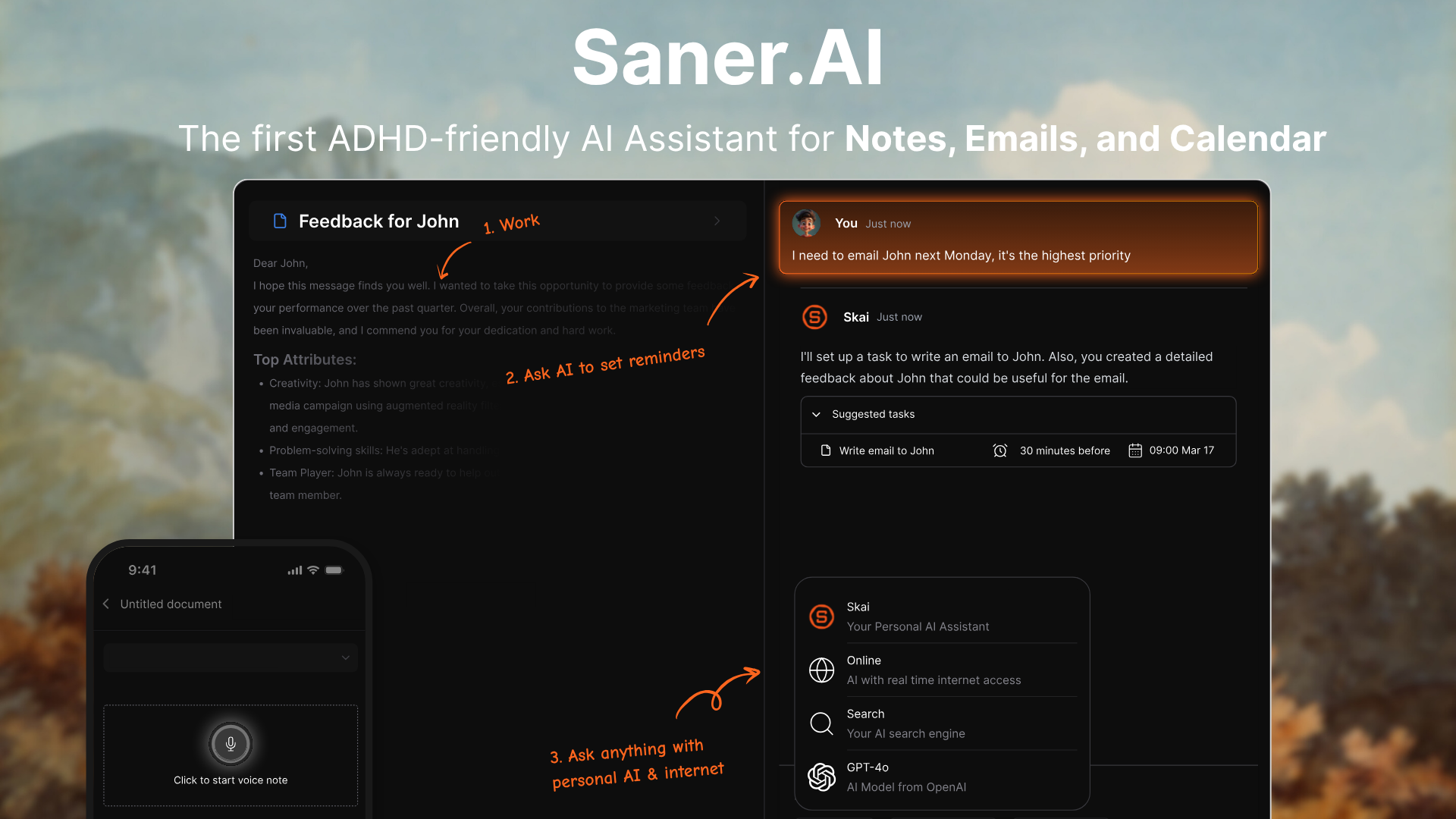
Saner.AI is an AI productivity assistant built to help knowledge workers structure unstructured days without heavy organizational overhead. It is particularly effective for managing executive dysfunction and info-overload by blending note-taking, task management, and calendar events into one view. By removing the friction of manual tagging and calendar planning, it makes daily scheduling realistic and low-stress.
Key feature
- Auto-scheduling time blocks
When I tried planning a chaotic work week, Saner.AI handled the calendar mapping automatically. The system looks at your brain dumps, parses your schedule, and structures your day into focused time blocks so you do not have to drag and drop everything manually.
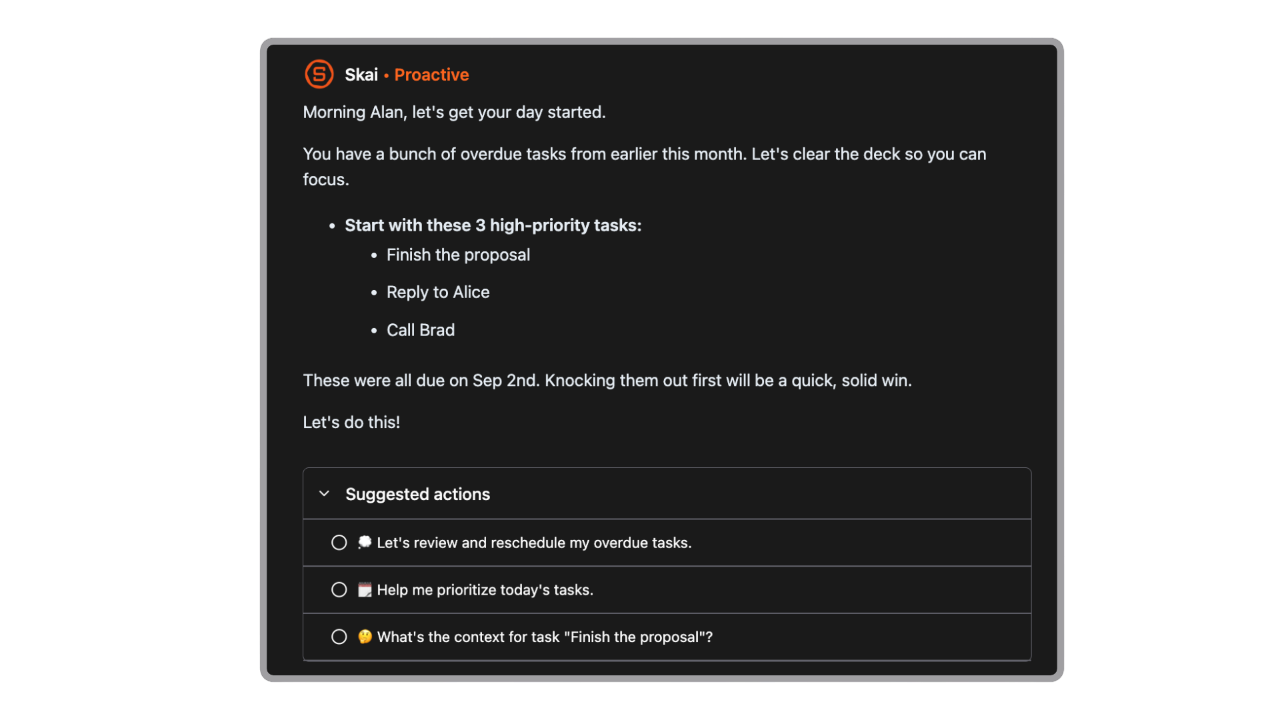
- Intelligent task extraction
I used to waste hours combing through loose meeting notes just to figure out what to do next. Saner.AI solves this by scanning incoming emails, tasks, calendar, and raw text files to pull actionable tasks straight into your daily list.
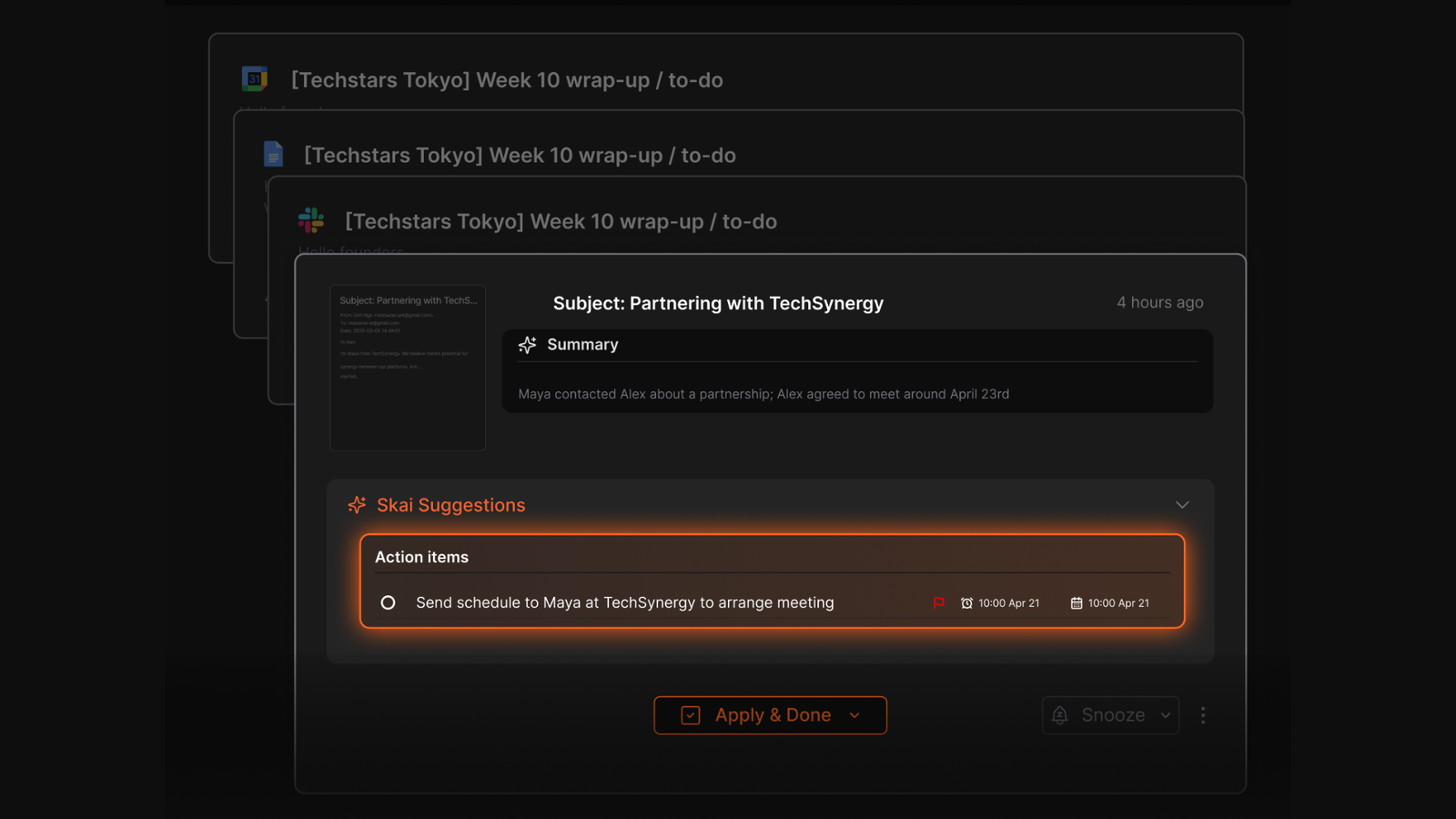
- Proactive check-ins and reminders
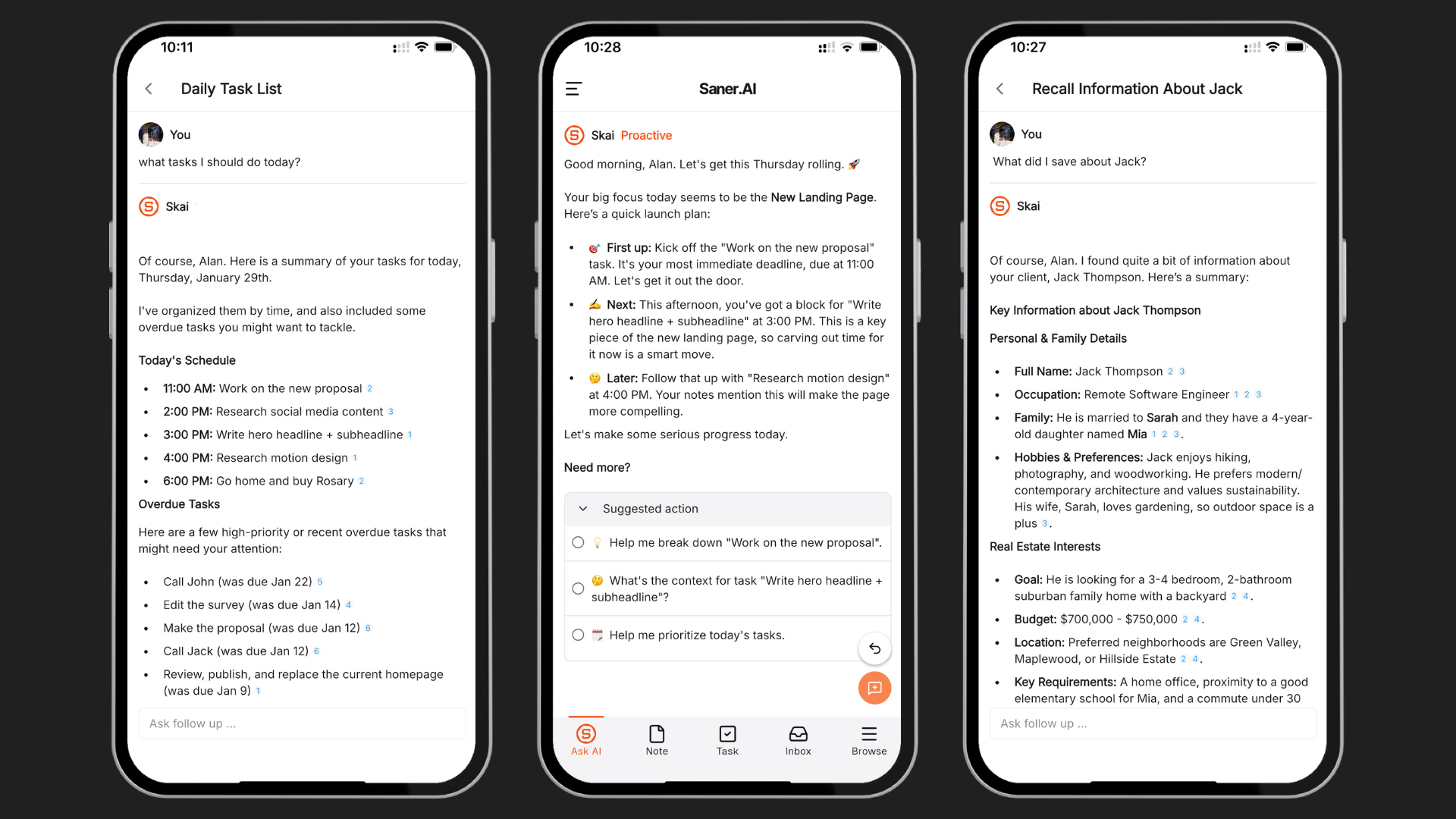
I liked how the tool targets time blindness by checking on your progress before your schedule falls apart. Instead of letting you drown in notifications, its personal AI assistant, Skai, pings you gently to keep you tethered to your current time block.
Pros
- I can throw text, voice notes, and links into one place without worrying about folders or tags.
- I appreciate how the concept search finds vague ideas across months of old notes without needing perfect keywords.
- I feel it helpful that the task initiation tool breaks overwhelming items down into simple starting steps.
Cons
- Suitable for personal task management only.
Who is it best for
- Saner.AI is best for professionals, freelancers, and students with ADHD or executive dysfunction who find traditional, rigid planners overwhelming and need a self-organizing system to structure their daily time blocks.
Pricing table
- Free
- Starter Plan: $12/mo
- Standard Plan: $16/mo
Saner.AI reviews
"Totally great! I consider it as my life manager, and it helps a lot to keep all tasks neatly organized. It definitely boosts efficiency and workflow!" —Product Hunt Review

How to get started
- Step 1: Create an account at the official site and link your Google Calendar to establish your baseline schedule.
- Step 2: Complete a raw brain dump of your tasks using text or voice recording via the web panel
- Step 3: Use the AI chat to ask Skai to build your daily action plan and automatically block out your afternoon.
Wrapping up
Time blocking isn't about forcing your brain into a rigid schedule that feels like a trap. If you have ADHD, that kind of structure usually backfires by noon anyway. It is really just a way to give your day a loose outline so you do not have to constantly decide what to do next.
Some days you will stick to your blocks, and other days your focus will completely fall apart. That is normal, and it does not mean you failed. You can always just reset the next day.
If paper planners feel too static and Google Calendar gives you anxiety, you might like Saner.AI. It is an app built specifically to help you organize tasks and notes without the overwhelming clutter of traditional tools. It handles the scheduling side of things quietly in the background so you can just focus on getting things done.

Stay on top of time with ADHD
Frequently asked questions - How to time block your day (even with ADHD)
1. What is time blocking?
Time blocking is a scheduling method where you divide your day into dedicated chunks of time. Each block is reserved for a specific task or a group of similar tasks. Instead of working from an open-ended to-do list, you decide in advance when you will handle each responsibility, which keeps your day structured.
2. How does time blocking help people with ADHD?
People with ADHD often struggle with a weak sense of time and getting started on tasks. Assigning a clear, visual boundary to a job removes the pressure of deciding what to do next. It gives your brain a concrete roadmap, making big projects feel manageable rather than overwhelming.
3. What should I do if a time block fails?
You simply adjust your calendar and move on. Schedules are guides, not contracts. If a task takes longer than you thought, or an emergency happens, shuffle the remaining blocks to the next day or later in the week. Expecting perfection will only make you want to quit the system.
4. How long should an ideal time block be?
Most people do well with blocks ranging from 30 to 90 minutes. Anything shorter creates frantic energy, while anything longer makes it hard to maintain focus. If you have ADHD, shorter bursts of 25 or 30 minutes followed by a clear break usually keep your energy consistent.
5. What is the difference between time blocking and time boxing?
Time blocking allocates a specific period to work on a task, but you might not finish it. Time boxing limits the total amount of time you are allowed to spend on that task. In time boxing, you stop working the moment the timer goes off, whether you are done or not.
6. How do I handle unexpected interruptions during the day?
You can build a buffer block into your afternoon schedule. Leave an hour completely blank to handle random emails, phone calls, or tasks that ran over their original slots. If no emergencies happen, you can use that time to get ahead or take a longer break.
7. Can I use time blocking for my personal life?
Yes, and you probably should. If you do not schedule your rest, hobbies, or chores, work will expand to fill all your free hours. Putting blocks in your calendar for things like reading, grocery shopping, or doing nothing helps protect your personal time from getting pushed aside.
8. What tools are best for time blocking?
You can use a digital calendar like Google Calendar, Saner.AI, a physical paper planner, or a simple notebook. Digital tools make it easy to drag and drop blocks when your day changes. Paper works well if you get easily distracted by phone notifications or computer tabs.
9. How do I prevent burnout while time blocking?
You need to schedule your breaks first. If you fill your calendar with back-to-back intense work sessions, you will burn out by noon. Put your lunch, walks, and rest periods into your schedule before you start assigning slots to your projects.
10. What is theme day planning?
Theme days are a variation of time blocking where you dedicate an entire day to one type of work. For example, you might handle all administrative tasks on Mondays and focus entirely on creative projects on Tuesdays. This prevents the mental exhaustion that comes from switching tasks constantly.
11. How detailed should my time blocks be?
Keep them general. If you schedule every single minute, like five minutes for one email and ten minutes for another, you will fall behind immediately. Group similar tasks together under a broad label like "admin work" or "client communication" to give yourself some breathing room.
12. Why do I keep overestimating what I can get done?
We usually assume we will work at maximum efficiency without any pauses. To fix this, look at how long you think a task will take and double that number. If you finish early, you get a surprise break, which feels much better than running behind all day.
13. How do I start time blocking if I feel overwhelmed?
Start by blocking out just tomorrow morning. Do not try to plan your entire month or even your whole week right away. Schedule your first two hours of work, see how it feels, and adjust. You can gradually build up to a full day as you get used to it.
14. Should I block out time for checking emails?
Yes, because checking email constantly ruins your focus. Set two or three blocks a day for your inbox, perhaps once in the morning, after lunch, and before you stop working. Keep your email app closed outside of those specific times so you can actually focus.
15. Is time blocking too rigid for creative people?
It actually protects your creative time. Without a block dedicated to your creative projects, urgent but unimportant tasks like administrative chores tend to take over. Setting a clear boundary ensures you have the uninterrupted space you need to think and make things.
Stay on top of your work and life