
Lifestack Review 2026: Is this Energy-Based AI Planner Worth It?

I've tested a lot of AI planners this year, and most of them make the same promise: let AI handle your schedule so you don't have to think about it.
Lifestack makes a narrower, stranger promise. It looks at your sleep, your heart rate variability, and your recovery data from an Oura Ring or Apple Watch, then builds your day around whether your body can actually handle it.
That's a different pitch from others. The question is whether "your calendar, but powered by your biometrics" is worth it and a wearable device you may not already own, or whether it's solving a problem most people don't have with a tool that can't do much else.
Key takeaways
- Lifestack's energy-based scheduling is real, and reviewers like it, but the entire feature depends on owning a wearable. Without one, the AI has nothing to read.
- There's no free version. The only trial is 7 days, and it's locked to the annual plan, so testing it on monthly or lifetime billing means paying first.
- It's calendar and task scheduling only. No notes, no email, no knowledge management, which matters if your mess isn't just a scheduling problem.
- At $7/month or $120 lifetime, it's cheap, but you're paying for a narrower tool.
- If you want the energy-aware scheduling idea without the wearable dependency, or you need notes and email handled in the same place, Saner.AI covers more ground for a comparable price.
Lifestack at a glance
| Category | Score |
|---|---|
| Energy-based scheduling | 4.5 / 5 |
| Ease of use | 4 / 5 |
| Integrations | 3 / 5 |
| Pricing & free trial | 2.5 / 5 |
| Platform coverage | 3.5 / 5 |
| Customer support | 3 / 5 |
| Overall | 3.4 / 5 |
What is Lifestack?
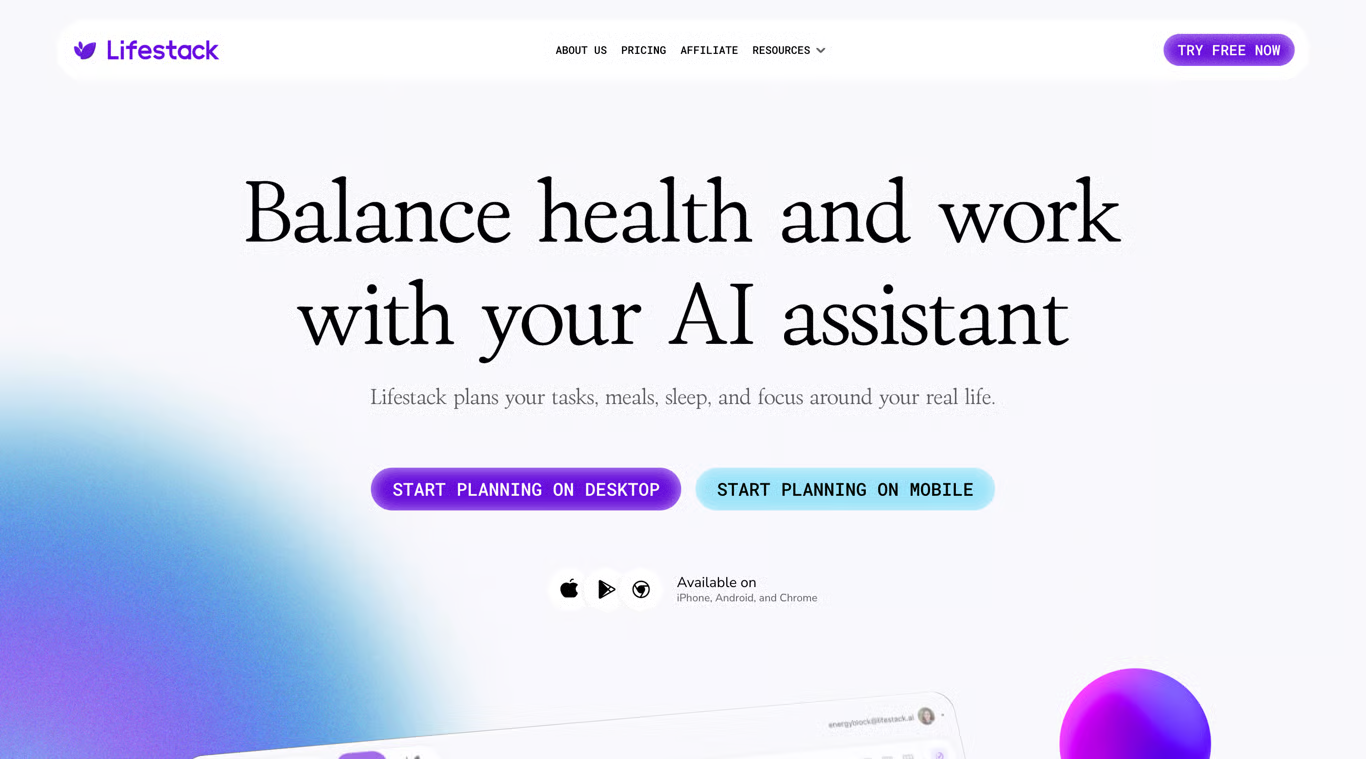
Lifestack is an AI daily planner built by DeMind Inc. that reads sleep, recovery, and activity data from wearables like Oura, WHOOP, Apple Watch, Fitbit, and Garmin, then time-blocks your tasks around when your body is actually able to focus.
It launched out of Y Combinator, has been picked up by health and fitness communities on Product Hunt, and has grown to over 30,000 users. The core idea: most calendars treat every hour the same, and Lifestack doesn't. Deep work goes into your energy peaks, admin work fills the dips, and a chat-based AI copilot handles the plain-language adjustments in between. It's available on iOS, Android, Mac, and as a Chrome extension.
Lifestack features breakdown
Energy Zones
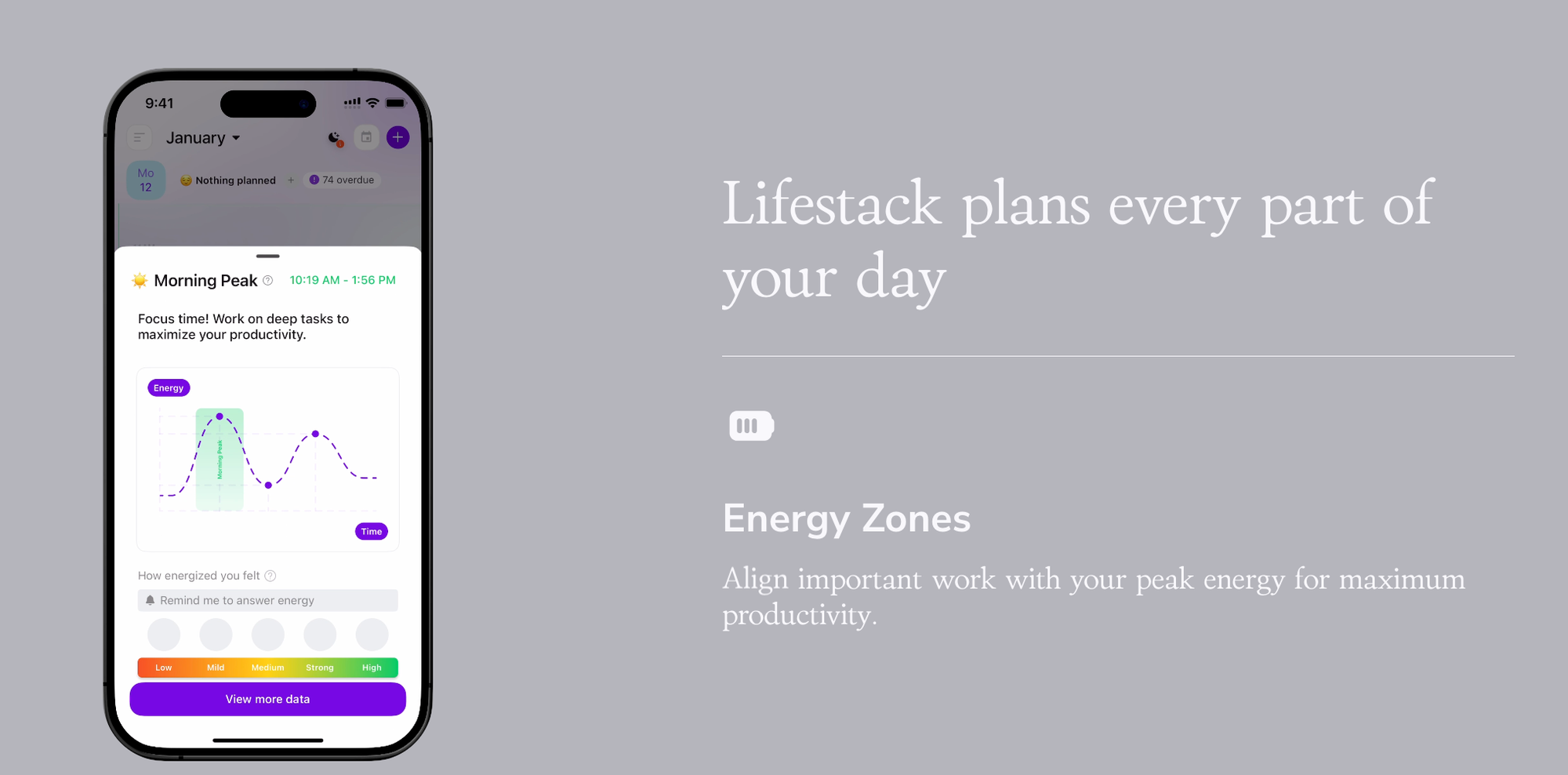
This is the feature Lifestack is actually built around. It reads your overnight sleep and recovery data, forecasts your energy throughout the day, and automatically slots demanding work into your peak windows.
Reviewers who already track their sleep tend to like it a lot. The energy tracking feature is a game changer – App Store reviews.
It's a different approach to time blocking than most planners take, and it lines up with research on matching hard tasks to your actual energy hours rather than just what's marked urgent.
Wearable insights
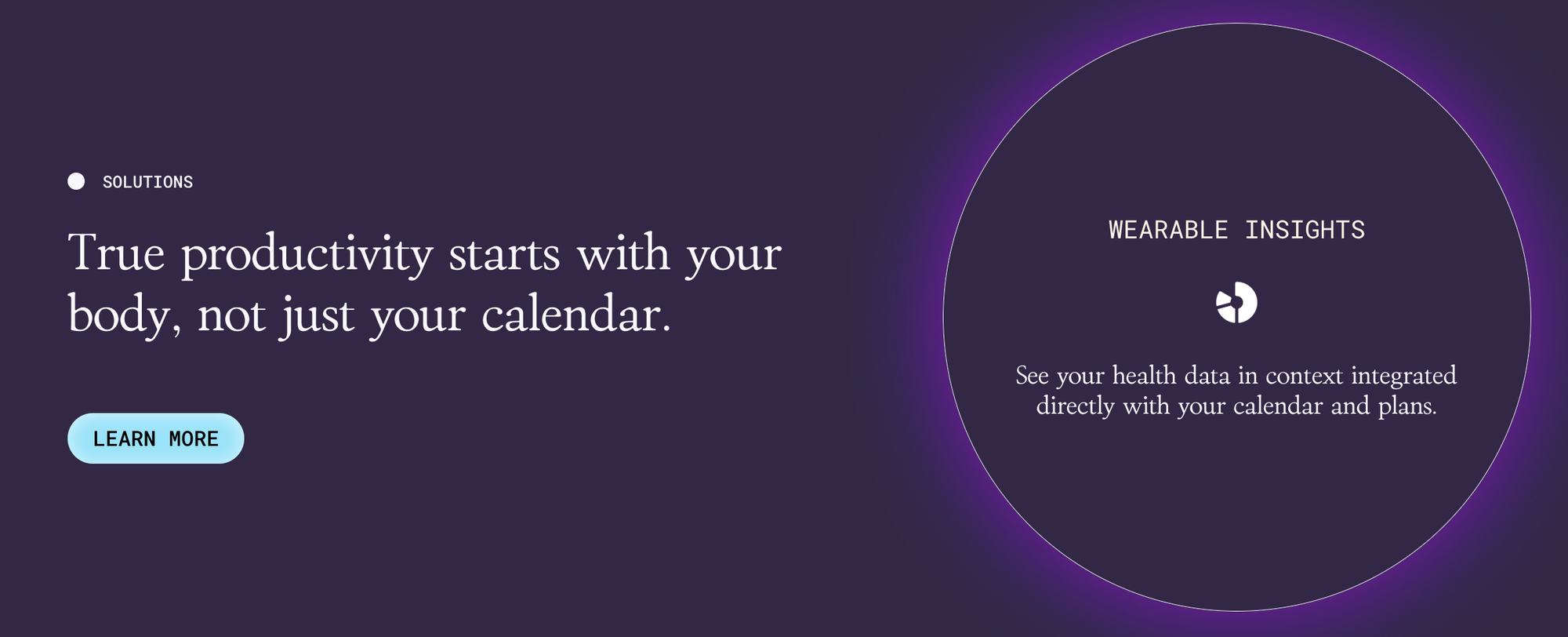
Your health data from Oura, WHOOP, or Apple Watch shows up directly next to your calendar, not in a separate app you have to check. Users who wear a tracker daily report it actually changes how they plan.
"I feel more balanced and less stressed as it works fine with fitness tracker." – Ajay Sahoo, Product Hunt reviews.
The catch is baked into the feature itself: no wearable, no wearable insights.
Chat with Lifestack
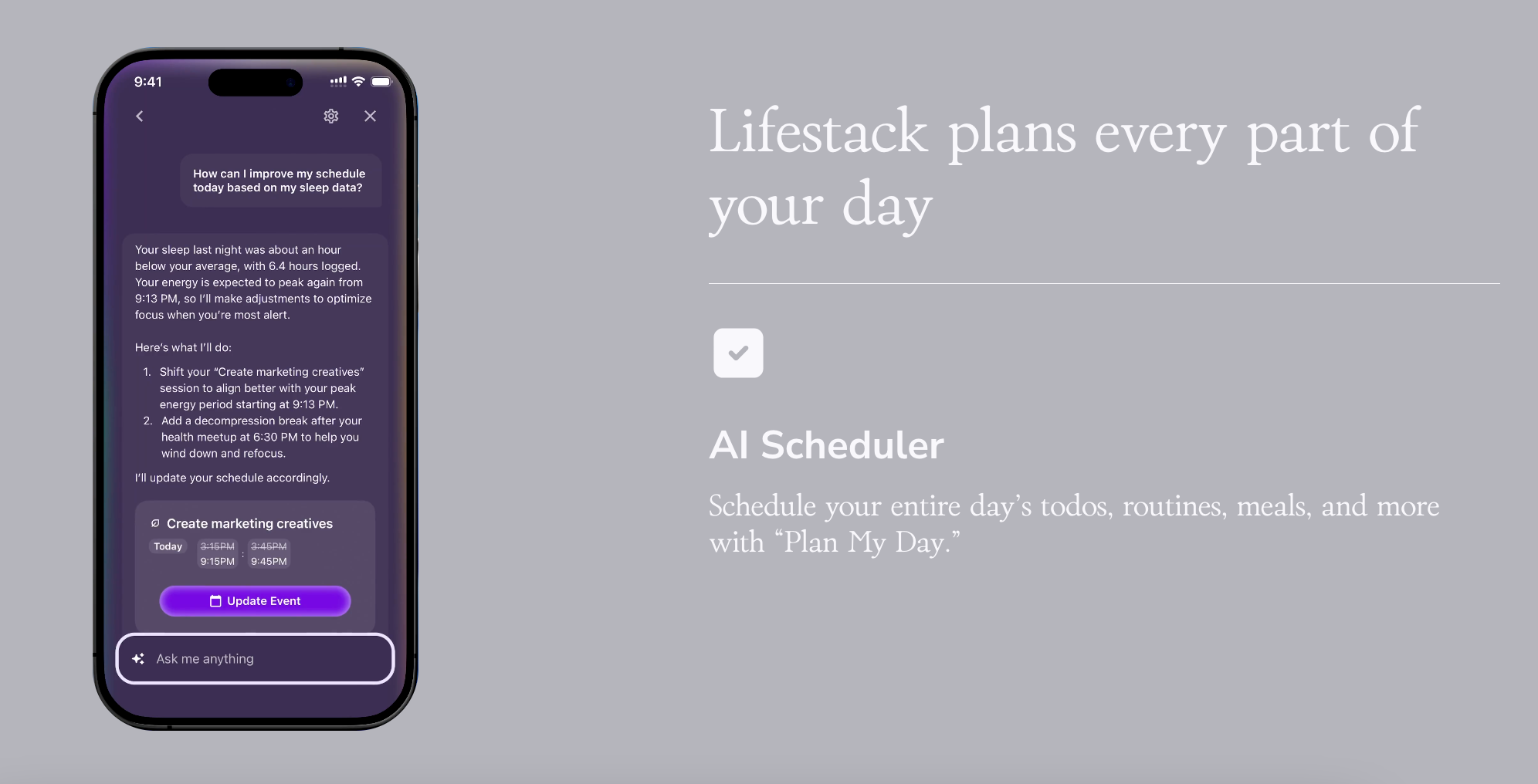
The AI copilot lets you type or talk your day into existence. People with a lot on their plate seem to lean on it the most.
"I really like Lifestack, I have so much to do constantly." – Verified review.
Meals and sleep planning
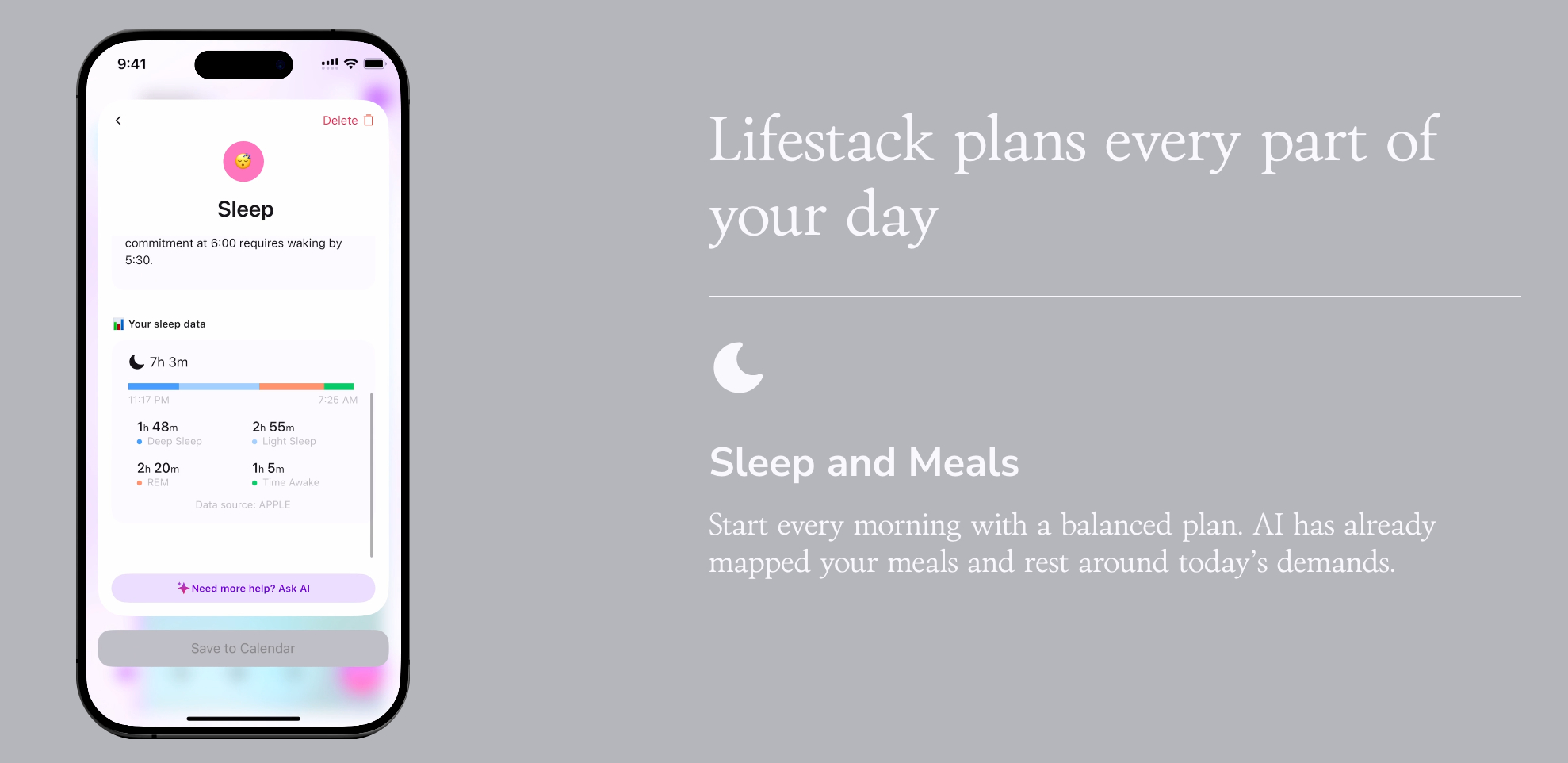
Lifestack also nudges meal timing and rest periods into your day, not just work blocks. It's a nice touch, but it's also where the model's limits show. The circadian rhythm approach doesn't fit everyone's actual patterns, and some testers found that leaning on an energy score too heavily started to affect their mood on off days. A model that's this confident about your body needs to be right often, and it isn't always.
Pricing
| Plan | Price | Free trial | Free version | Payment methods |
|---|---|---|---|---|
| Monthly | $7/month | No | No | Card, App Store/Google Play billing |
| Annual (Most Popular) | $50/year (~$4.17/mo) | 7 days | No | Card, App Store/Google Play billing |
| Lifetime | $120 one-time | No | No | Card, App Store/Google Play billing |
There's no free tier at all, which is unusual in this category. If you want to try before you buy, the only path is the 7-day trial, and it only exists on the annual plan. Pay monthly or go lifetime, and you're committing before you've used it once.
Lifestack pros and cons
| Pros | Cons |
|---|---|
| Genuinely different energy-based scheduling using real biometric data | No free version at all, and the only trial is gated to annual billing |
| Fast, simple onboarding | Core value collapses completely without a wearable device |
| Cheapest AI auto-scheduler in its category, with a rare lifetime option | No notes, email, or knowledge management, it's calendar and tasks only |
| Chat-based AI copilot for quick, plain-language replanning | No real desktop app for Windows, Chrome extension and mobile only |
| Small team, visibly active development | No team or shared plan for coordinating with others |
| Reported lag with third-party integrations like Todoist, and energy scores don't always match how users actually feel |
What people say
The pattern across reviews is consistent: people who already wear a tracker and just want their calendar to respect it are happy. But the complaints cluster in the same few places every time. One recurring theme, echoed across multiple compiled reviews, is that the 7-day trial feels short for a tool this specific, and a few users on Google Play were caught off guard by the billing structure entirely.
"7 days is a very short term too." – Google Play review.
For a tool asking you to trust it with your sleep and recovery data, that's a fair thing to be cautious about.
Who is Lifestack best for?
- People who already wear an Oura Ring, WHOOP, Apple Watch, or Fitbit and want their calendar built around real recovery data, not guesswork
- Solo users whose only real need is calendar and task time-blocking, nothing more
- Anyone who'd rather pay a flat lifetime fee once than keep subscribing
- People who've tried standard time-blocking apps and want scheduling that reacts to how tired they actually are
Who Lifestack isn't ideal for
- Anyone without a wearable device, since the app's whole differentiator has nothing to read from
- People juggling scattered notes, emails, and half-formed ideas alongside tasks, since Lifestack doesn't touch any of that (a full second brain AI app covers this instead)
- Teams, or anyone who needs to share a plan or delegate scheduling
- Budget-conscious users who want to properly test a tool before paying, since there's no free version
- Windows-first users who want a real desktop app rather than a Chrome extension
Lifestack Alternatives Comparison
Lifestack vs Saner.AI.
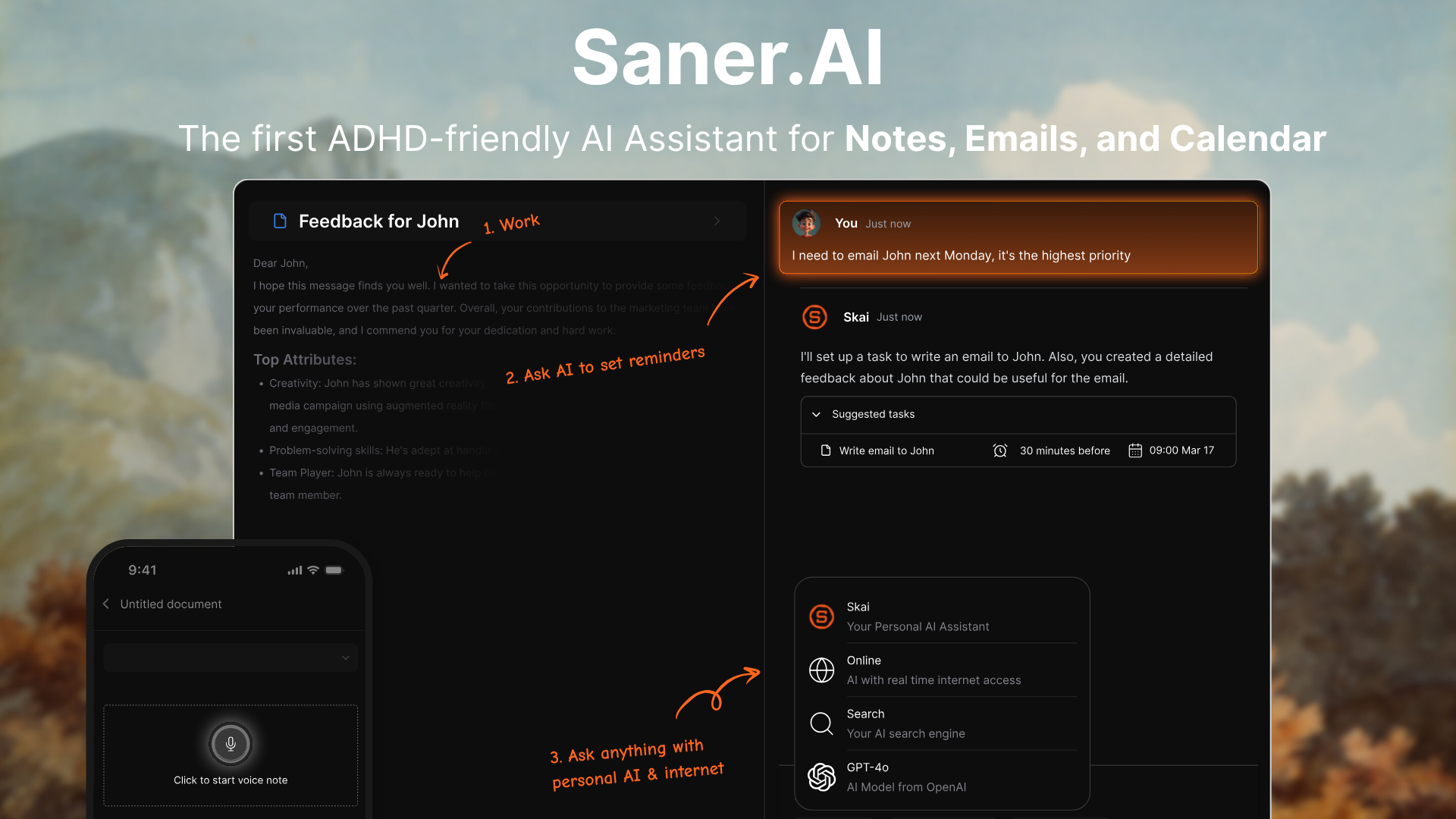
These solve different problems that happen to overlap on scheduling. Lifestack schedules your day around your body. Saner.AI schedules your day around your entire information stream- notes, email, tasks, and calendar- through an AI assistant that's built specifically around ADHD executive dysfunction rather than just circadian rhythm.
Where Saner.AI pulls ahead:
- A unified workspace: notes, email, tasks, and calendar live in one AI-searchable place, not just a calendar layered on top of your existing apps (see the full task management software comparison)
- A free tier you can use indefinitely, versus Lifestack's 7-day trial that only exists on annual billing
- No wearable required. Skai infers priority and energy from your calendar, deadlines, and how you actually write to it, so the tool still works without a $300 ring
- Built specifically around ADHD executive dysfunction, with proactive check-ins and task breakdown for initiation problems, not just "when" you work but whether you start at all (more in this ADHD time management guide)
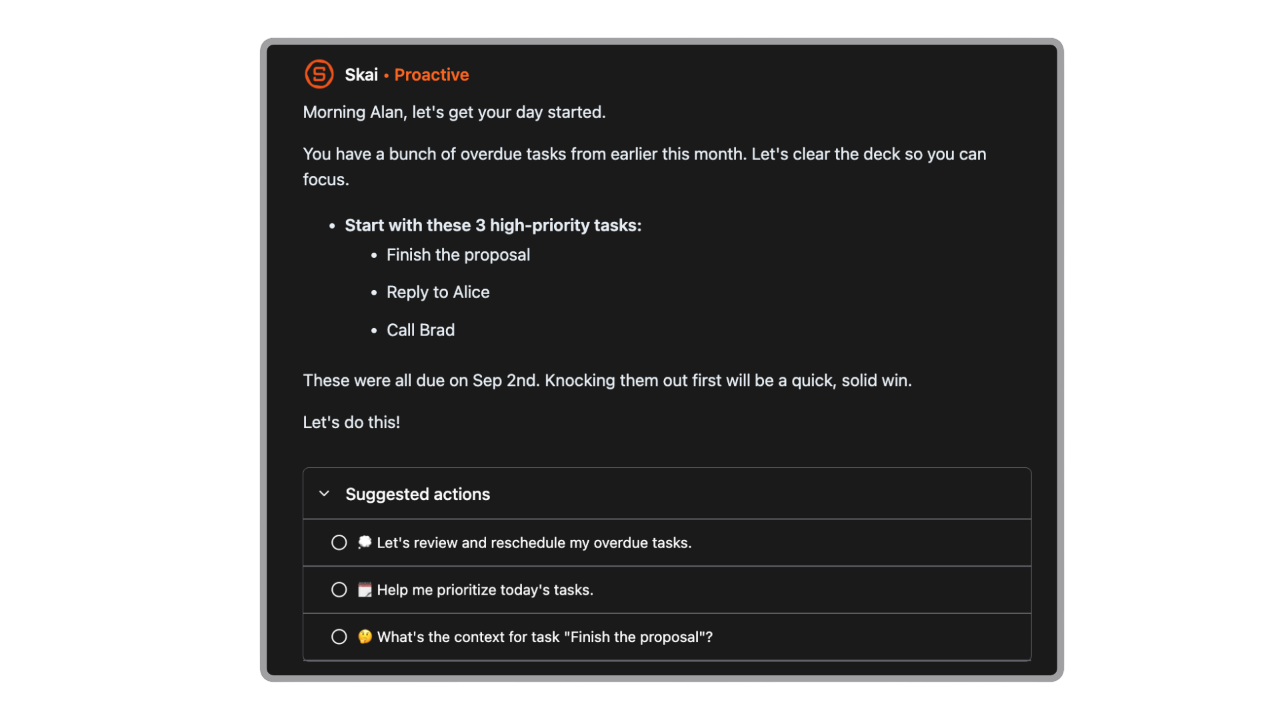
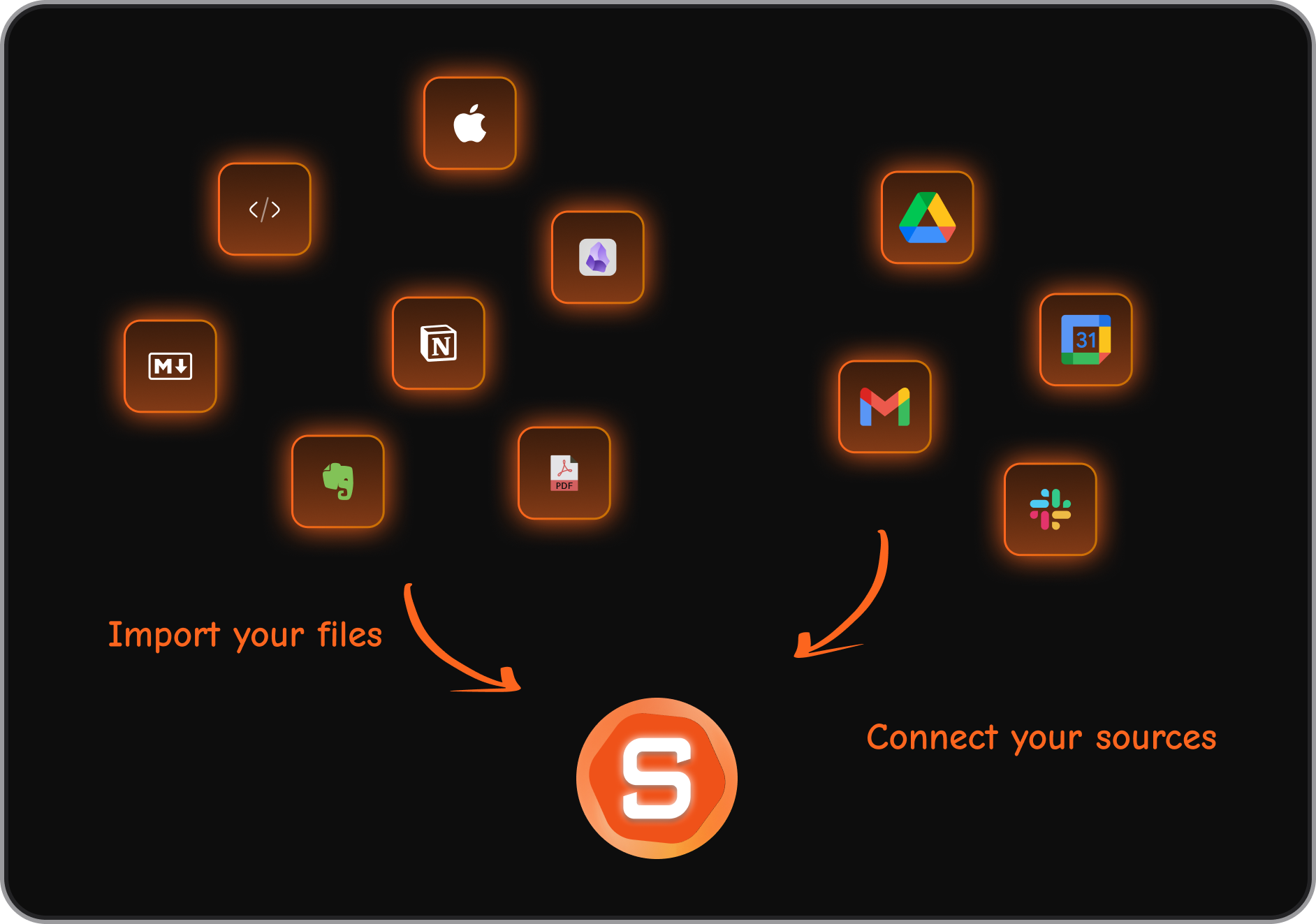
- Automatic task capture from Gmail, Notion, so action items don't need to be typed in by hand
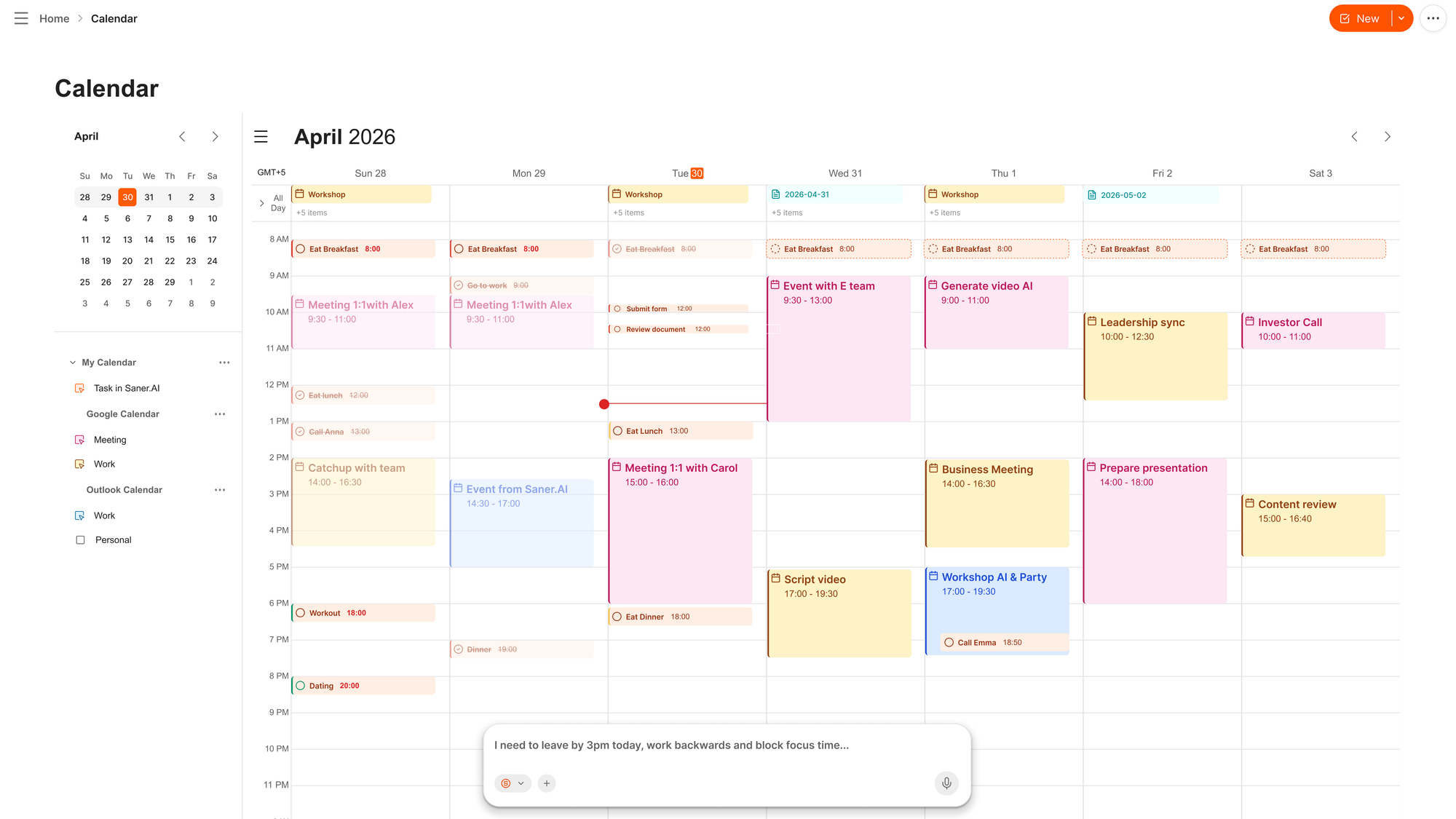
- Semantic search across your own notes and past decisions, functioning as an actual second brain, something Lifestack has no equivalent for
Lifestack vs Motion:
Motion auto-schedules aggressively around deadlines and priority, no wearable data involved, and it's built more for teams and project timelines. At $19 to $29 per seat per month, it's also considerably more expensive. Lifestack is cheaper and narrower, built for one person's body, not a team's workload.
Lifestack vs Reclaim.ai:
Reclaim automatically defends focus time, habits, and meeting buffers on your Google Calendar, backed by Dropbox, with a genuine free-forever tier. It doesn't touch wearable data either. If Lifestack's biometric angle isn't the draw for you, Reclaim's free tier makes it the lower-risk test.
| Tool | Best for | Starting price | Free tier | Standout feature |
|---|---|---|---|---|
| Saner.AI | ADHD-friendly all-in-one AI workspace | Free / $8 per month | Yes | Notes, email, tasks, and calendar in one place |
| Lifestack | Wearable owners who want energy-based time-blocking | $7/month | No | Biometric-driven scheduling |
| Motion | Teams wanting aggressive, full auto-scheduling | $19/seat/month | No | Deadline-driven auto-scheduling |
| Reclaim.ai | Automatically protecting focus time on Google Calendar | Free / paid tiers | Yes | Auto-defends habits and focus blocks |
Final verdict
Lifestack does one thing that almost nothing else in this category does well: it turns your actual physiology into a scheduling input, not just a wellness dashboard sitting next to your calendar. If you already wear an Oura Ring or WHOOP band and your only complaint about existing planners is that they ignore how tired you actually are, this is worth the $7.
But the list of what it doesn't do is long. There's no free version, the trial is short and oddly gated, and the entire premise falls apart the moment you don't own a wearable. It also doesn't touch notes, email, or anything beyond your calendar and tasks, so if your actual problem is more like "my brain has forty open tabs," Lifestack isn't built to close any of them.
That's the gap tools like Saner.AI are built to fill instead, unifying the scattered parts of your day rather than just the hours in it. Worth trying if the biometric angle excites you. Worth skipping if you're still deciding whether you even want a wearable.

Stay on top of your work and life effortlessly
FAQ
Is Lifestack free?
No. There's no free version. The only trial is 7 days, and it's only available if you sign up for the annual plan.
Do I need a wearable device for Lifestack to work?
Effectively, yes. The core scheduling engine reads energy data from a wearable like Oura, WHOOP, Apple Watch, Fitbit, or Garmin. Without one, the app has nothing to base its energy predictions on.
What's the difference between Lifestack and Saner.AI?
Lifestack schedules your calendar around biometric energy data from a wearable. Saner.AI unifies notes, email, tasks, and calendar in one proactive AI workspace, with no wearable required.
Can Lifestack manage my email or notes?
No. It's a calendar and task-scheduling tool only.
Does Lifestack have a desktop app?
There's a Mac app, plus mobile apps and a Chrome extension. There's no dedicated Windows desktop app.
Is Lifestack worth it?
If you already own a wearable and only need calendar and task scheduling, yes, it's cheap and does that one thing well. If you want broader ADHD support or a system that also handles notes and email, an all-in-one option like Saner.AI will cover more of your actual day.
Stay on top of your work and life effortlessly