
Personal Knowledge Management: What It Is, Where It Came From, and How It Works


Personal Knowledge Management: To Infinity & Beyond
I used to keep 40 browser tabs open, juggling 12 different note apps, and still had zero memory of why any of it mattered. My digital life was a digital graveyard of half-read articles and random thoughts, and I spent more time organizing my tools than actually thinking.
That changed when I finally set up a Personal Knowledge Management system, or PKM. It is a simple way to capture, organize, and use the information that floods your brain every day. Instead of drowning in bookmarks, you build a reliable second brain.
This guide covers how PKM works, the classic tools to use, and how to build a setup that fits your actual life.
I. What is Personal Knowledge Management?
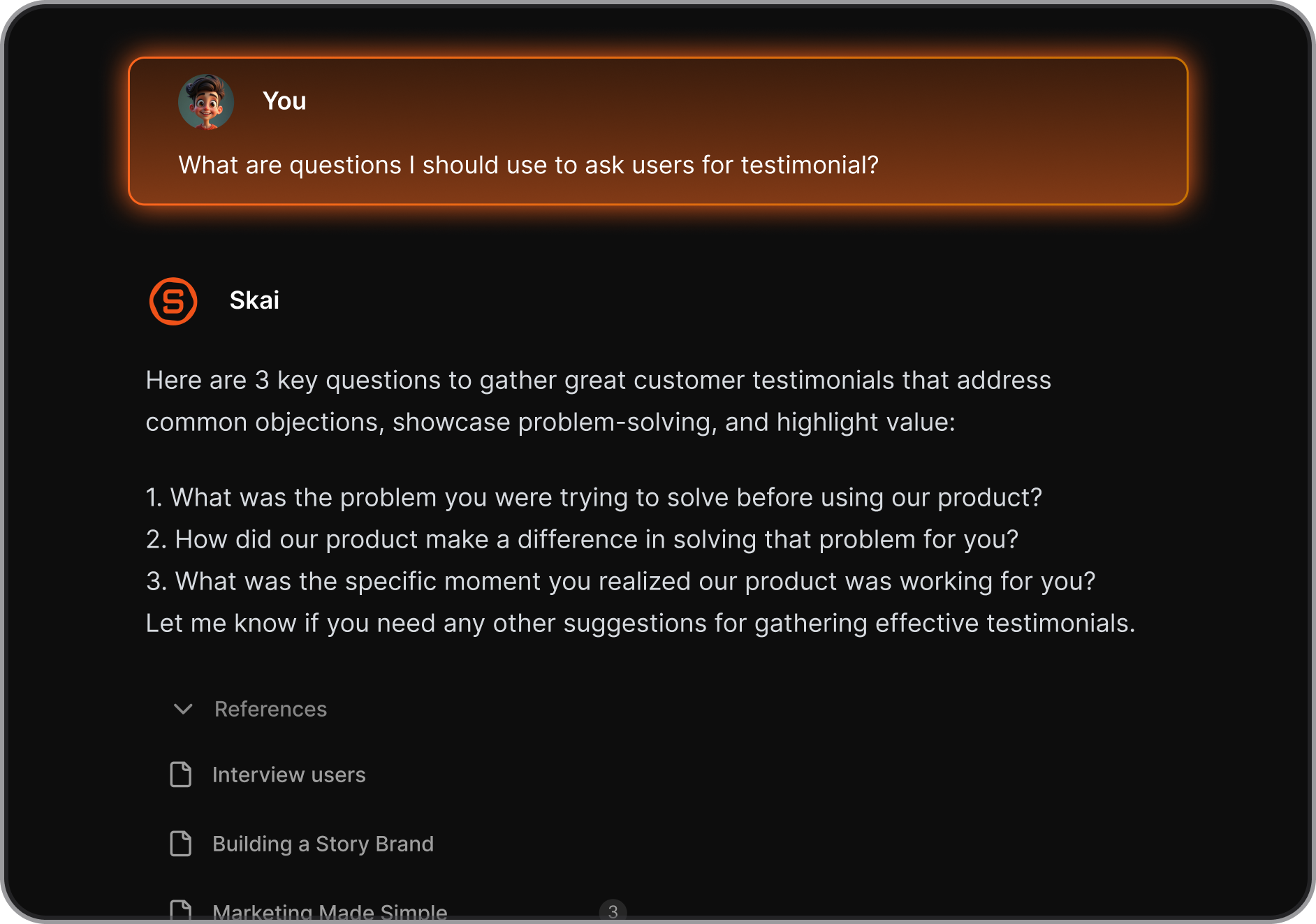
At its core, knowledge management (KM) is the practice of collecting, organizing, and using knowledge in the most efficient way possible. It’s not just about storing information - it’s about ensuring the right knowledge reaches the right person at the right time.
II. Where did PKM come from?

I used to think personal knowledge management was just a trendy internet term, but the concept actually goes back to 1945. An engineer named Vannevar Bush wrote an essay imagining a mechanical desk called the Memex. This machine was designed to store books and personal notes, connecting different pieces of information through associative trails instead of rigid categories.
Later, in the mid-20th century, a German sociologist named Niklas Luhmann built a highly practical physical version. He used thousands of paper index cards organized in wooden slip-boxes, which he called a Zettelkasten. This analog database acted like a second memory that grew alongside his research.
Fast forward to the 2010s, and software developers finally turned these decades-old ideas into modern digital apps. Suddenly, anyone with a computer could build a linked web of their own thoughts. For an ADHD brain, this evolution from rigid folders to flexible, visual networks completely changed how we track our chaotic ideas.
III. Why personal knowledge management matters today
Managing your own knowledge is a survival strategy if your brain struggles to filter incoming noise. The modern internet floods us with text, videos, social media, and notifications. For someone with ADHD, this constant stream causes immediate mental fatigue.
- The rise of remote and hybrid jobs.

Working from home means managing your own schedule, files, project tasks, and communications without a manager looking over your shoulder. You have to track updates across chat apps, emails, task managers, and shared folders. Without an external system to catch these details, important tasks disappear from your mind the moment they leave your screen. I find that trying to hold everything in my head just leads to staring blankly at my laptop.
- The recent explosion of AI-generated content makes the situation more difficult.

The internet is full of cheap, automated text that says very little but takes up space. You cannot easily tell what is worth reading and what is machine-written filler. A personal knowledge system acts as a physical barrier against this noise. It lets you save only the specific facts you actually need, protecting your limited focus from the infinite scroll of the web.
III. The 3 PKM methods worth knowing
Managing information when you have ADHD is less about organizing data and more about managing your dopamine and working memory. If a system requires too much maintenance, you will abandon it in a week. I have done this myself dozens of times. Instead of looking for a perfect system, you want to find an approach that matches how your brain processes the world right now.
1. Para
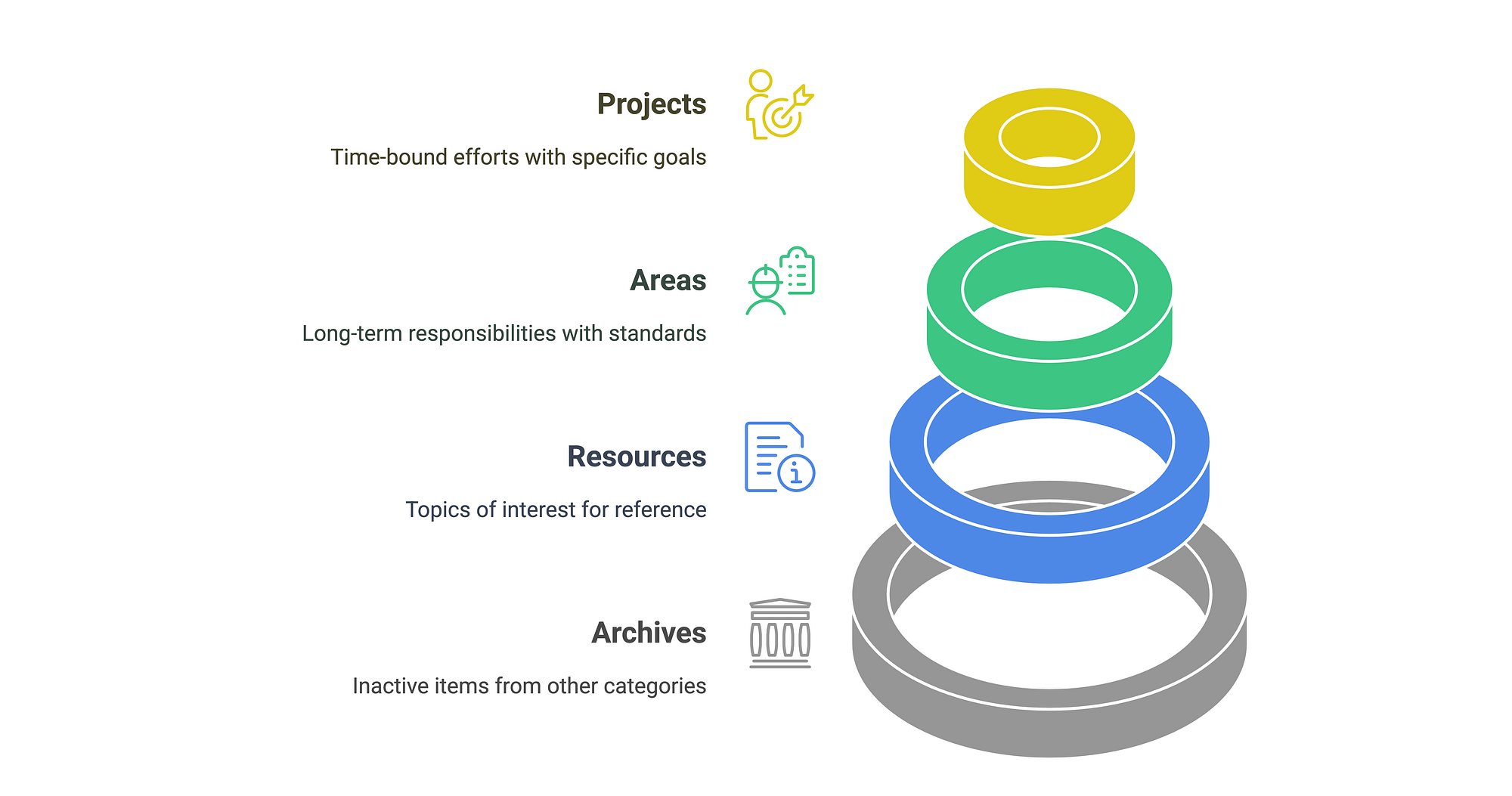
This approach organizes your files and notes by how soon you need to act on them. It splits everything into four groups: projects, areas, resources, and archives. A project is something you are actively working on with a specific deadline, like finishing a work assignment. Areas are ongoing responsibilities like health or finances. Resources are topics you care about, and archives are things you are finished with.
2. Zettelkasten
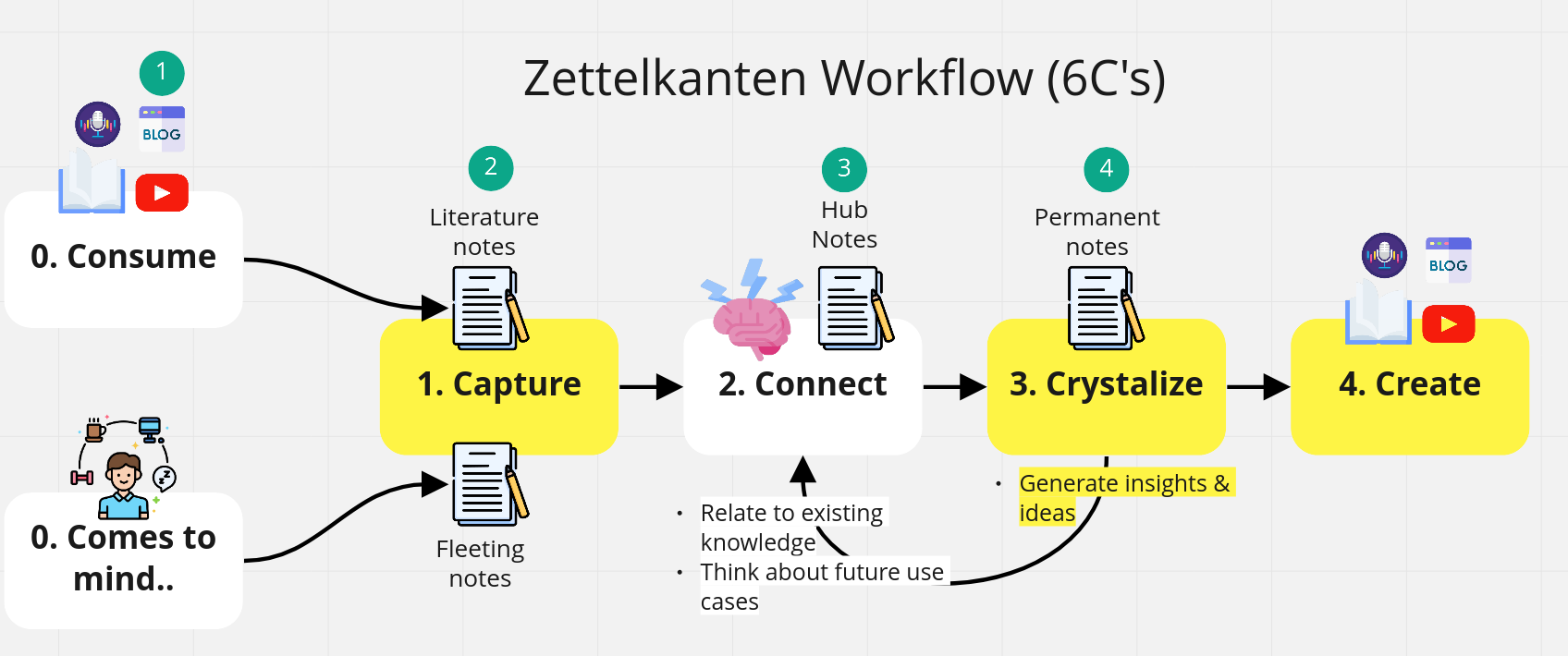
This translation means note-box, and it relies on linking ideas together rather than putting them in folders. You write one thought on a single note, give it a unique identifier, and link it to related thoughts. Over time, you build a web of ideas.
I find this method works well if you struggle with linear thinking or if you tend to hyperfocus on random topics. You do not have to decide where a note belongs right away. You just connect it to whatever you are thinking about at the moment. The risk here is that you can easily spend hours tweaking links instead of doing actual work, so you have to watch out for that trap.
3. Code
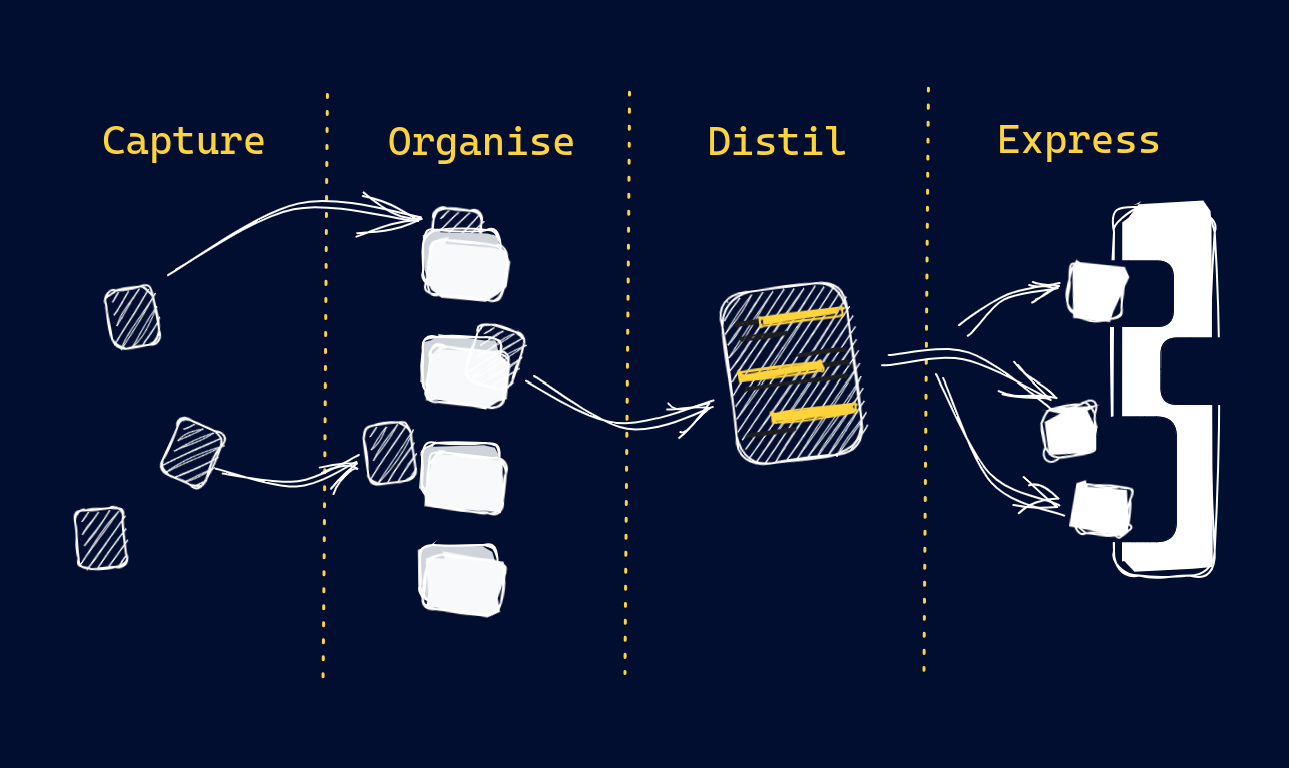
This stands for capture, organize, distill, and express. It is a four-step pipeline for information. You grab an idea, put it in a central inbox, clean it up later, pull out the most important sentences, and eventually turn it into something you share or use.
This works nicely for the ADHD tendency to collect interesting facts. It gives you permission to just grab everything now and deal with it later. The danger is building a digital graveyard of unread articles, so the distillation step is where you will have to put most of your energy.
IV. The 4 stages of every PKM system
A Personal Knowledge Management (PKM) system is basically an external hard drive for your mind. The entire process relies on four distinct stages, and they work regardless of what app or notebook you use.
- First, you capture. When an idea, a quote, or a sudden hyperfixation hits, you must write it down immediately. Do not trust your brain to remember it later. You need a single, frictionless place to dump these thoughts before they vanish—like a dedicated note app on your phone or a pocket journal.
- Next, you organize, but you do it gently. Instead of building massive, over-complicated folders that you will abandon in a week, just group things by project or immediate relevance.
- Then comes the fun part: you connect. This is where you look for links between your random thoughts. You might realize a recipe you saved actually uses the same organization strategy you want to try at work. Linking these notes lets your system match the non-linear way your brain already thinks.
- Finally, you retrieve. A PKM system fails if you can never find your files again. You need a simple search function or a clear dashboard so that when you need a specific piece of information three months from now, it takes you five seconds to pull up, not an hour of frustrated clicking.
An AI second brain for ADHD minds
PKM tool built for low-friction capture
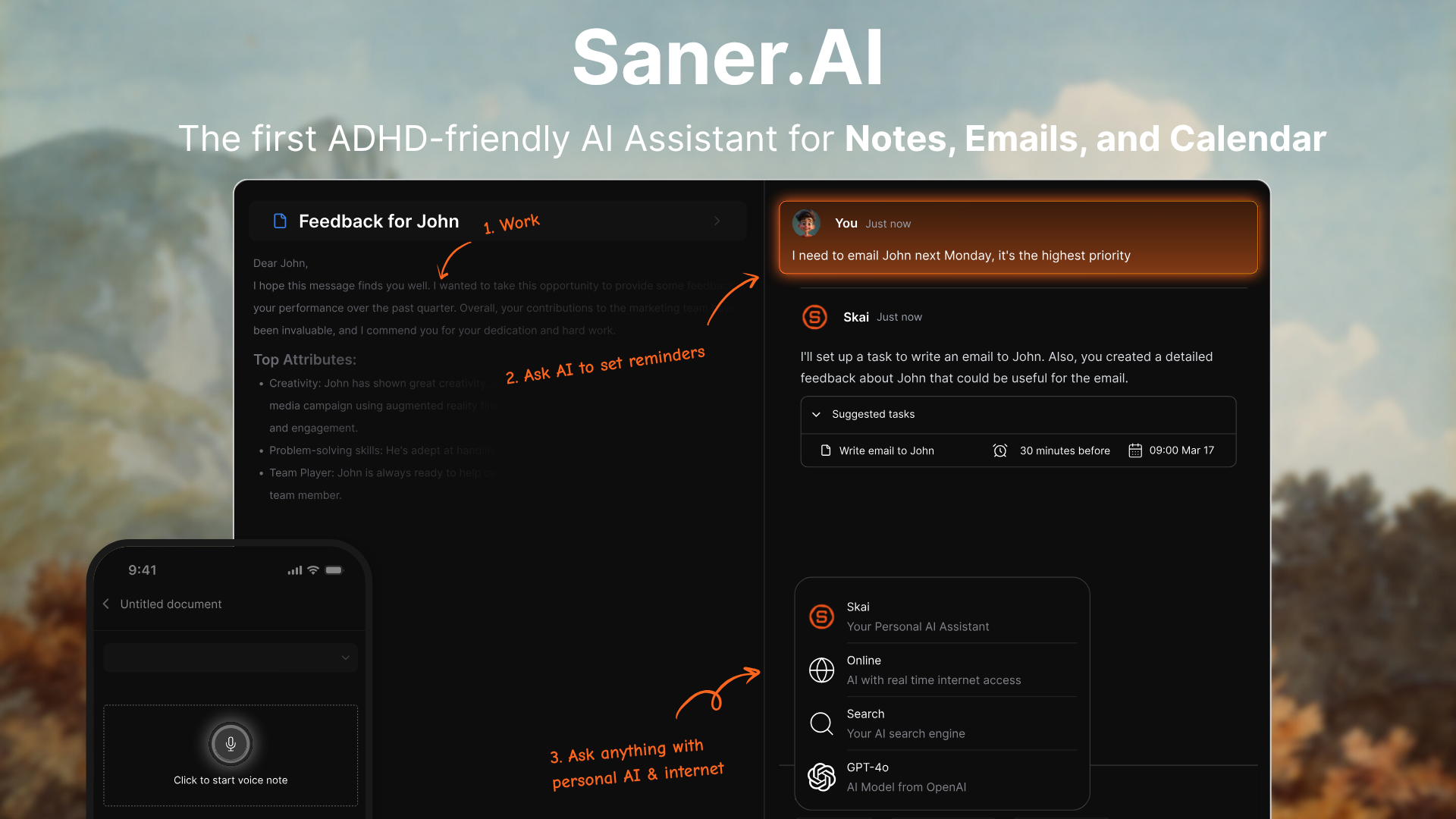
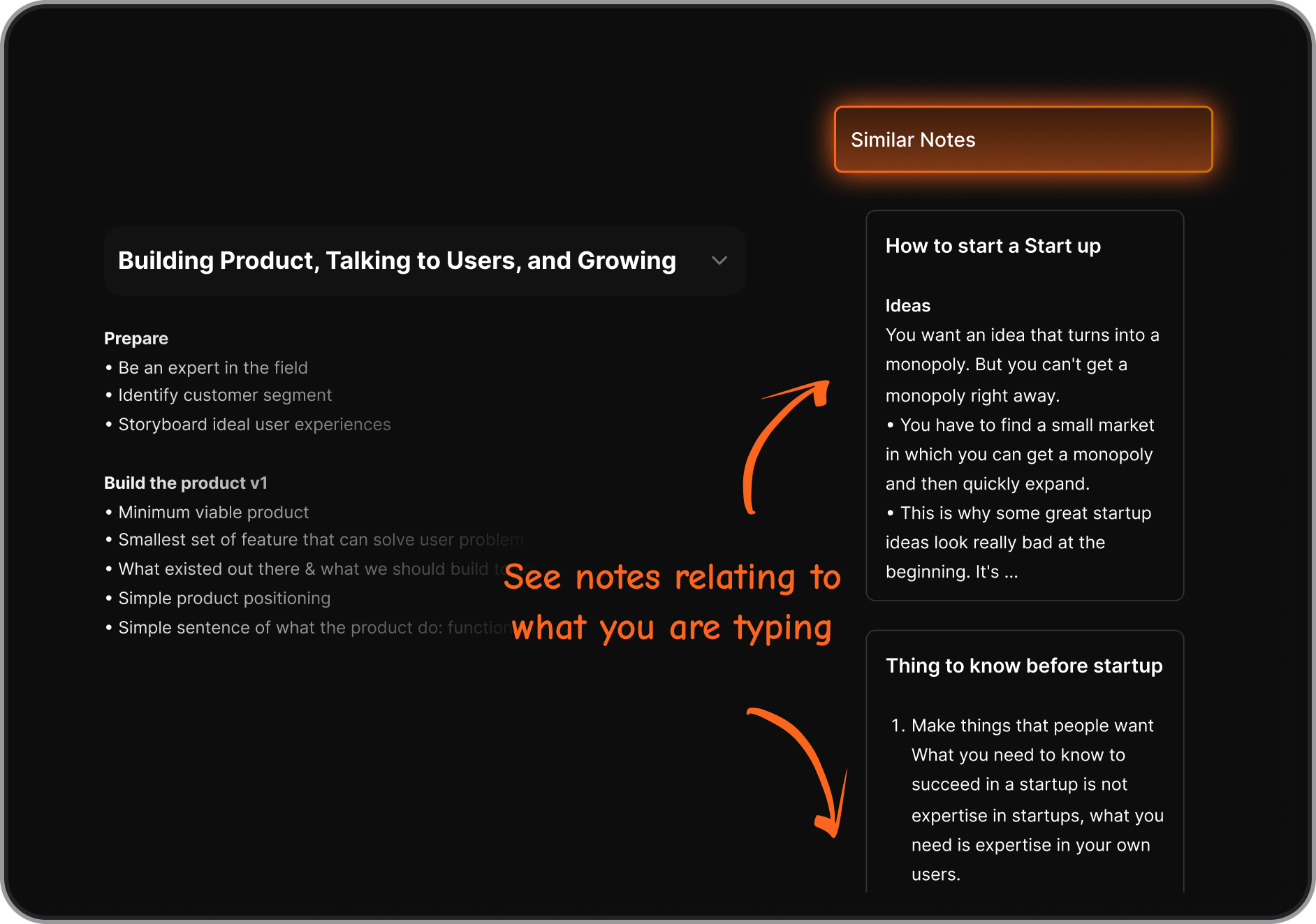
Saner.AI is a personal knowledge workspace designed to consolidate your thoughts, daily notes, and digital files into an accessible information base. It handles the manual work behind a personal knowledge management workflow by automatically identifying links between separate entries.
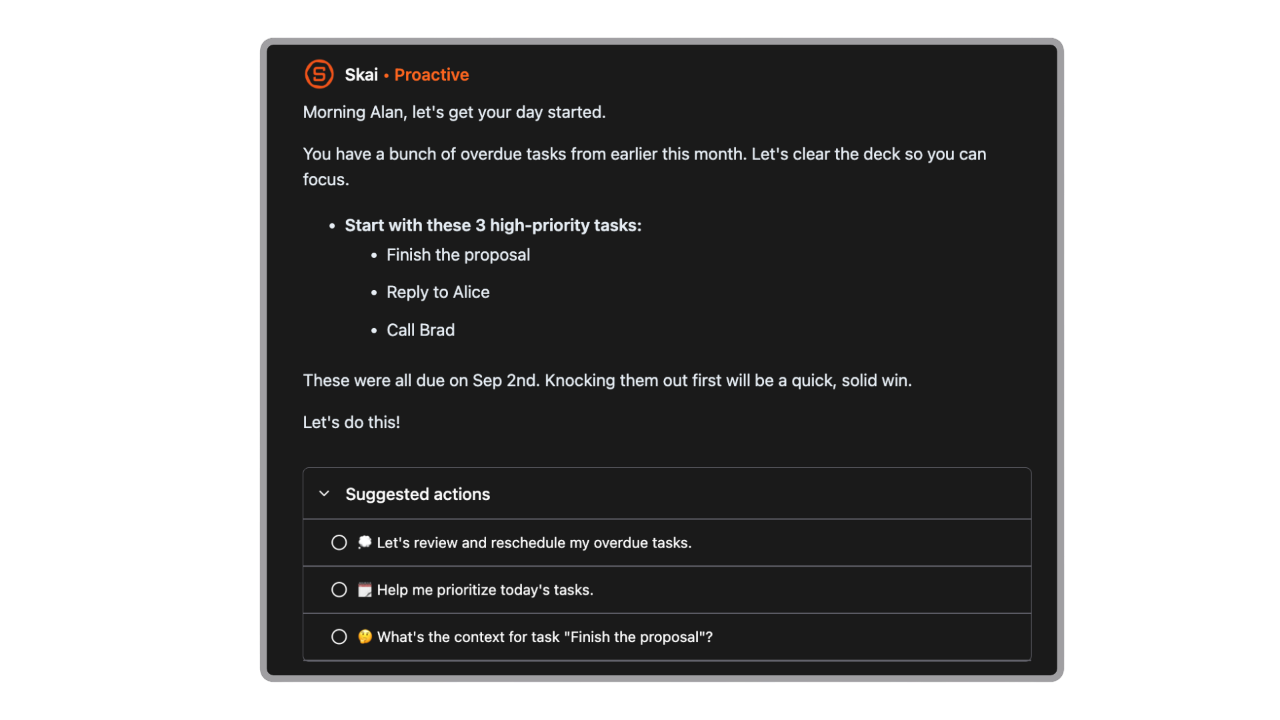
The tool includes an integrated AI companion named Skai to help retrieve hidden facts, format task lists from unstructured brainstorming text, and summarize external files.
Key feature
- Capture Instantly: Whether it’s a passing thought, an article, or a key point in a book you’re reading - Saner.AI lets you grab that info without interrupting your flow.
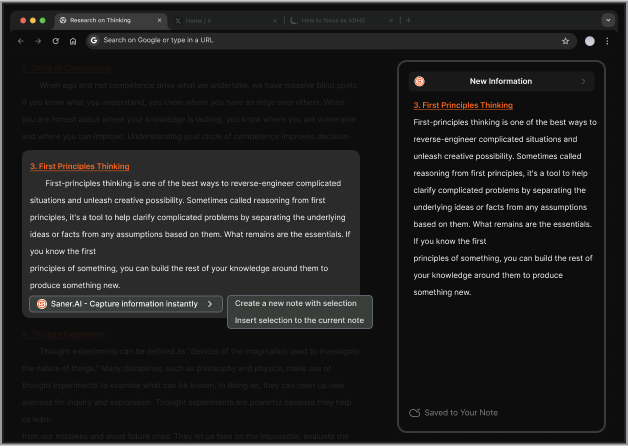
- Link It All Together: Forget about searching through endless tabs or losing your train of thought while searching for a file. Saner.AI connects ideas, so you can easily see how different insights relate to each other.
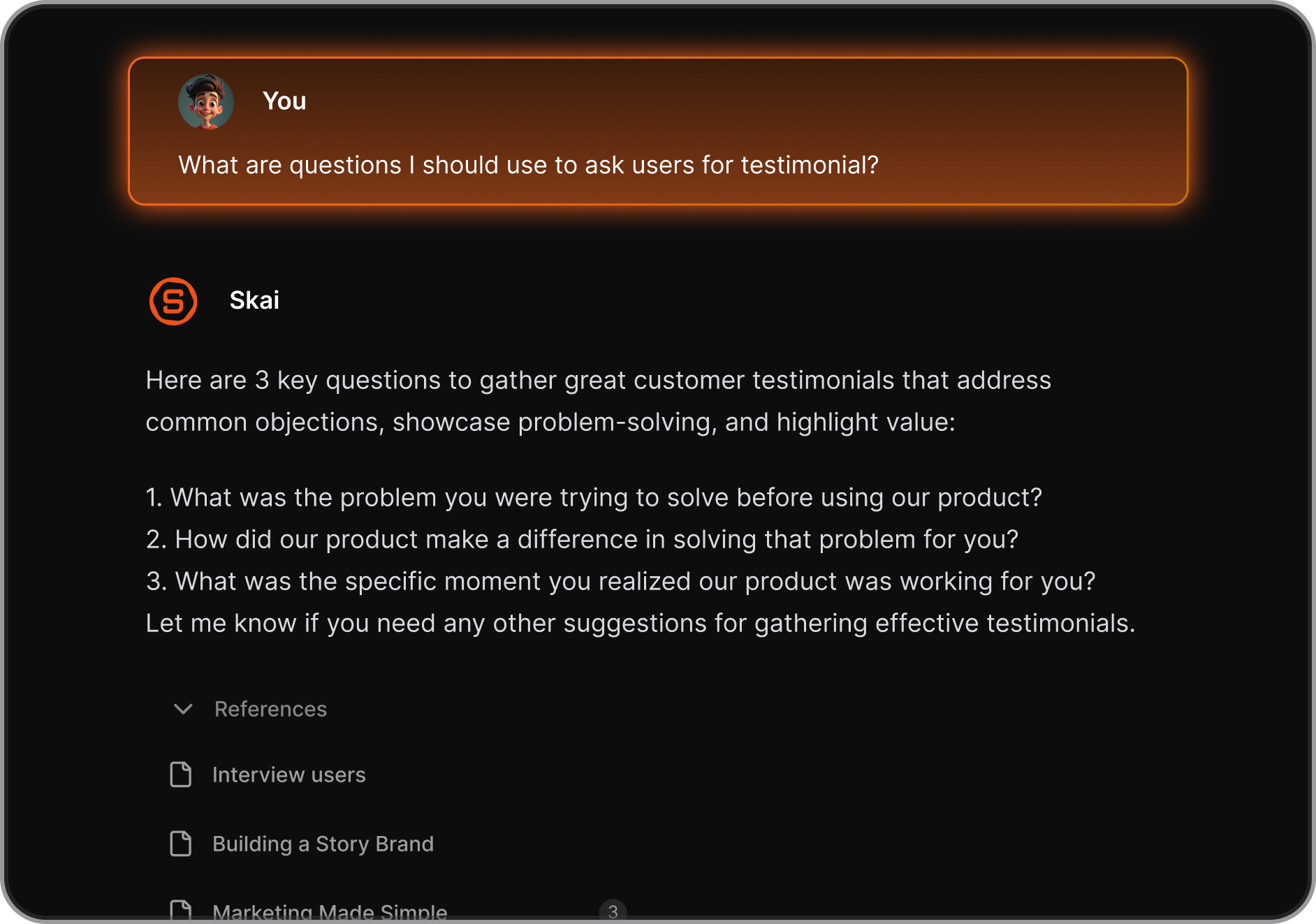
- Minimize Context Switching: ADHDers thrive on hyper-focus but often fall victim to distractions. Saner.AI reduces context-switching - you spend less time scrambling to find information and more time working on what matters most.
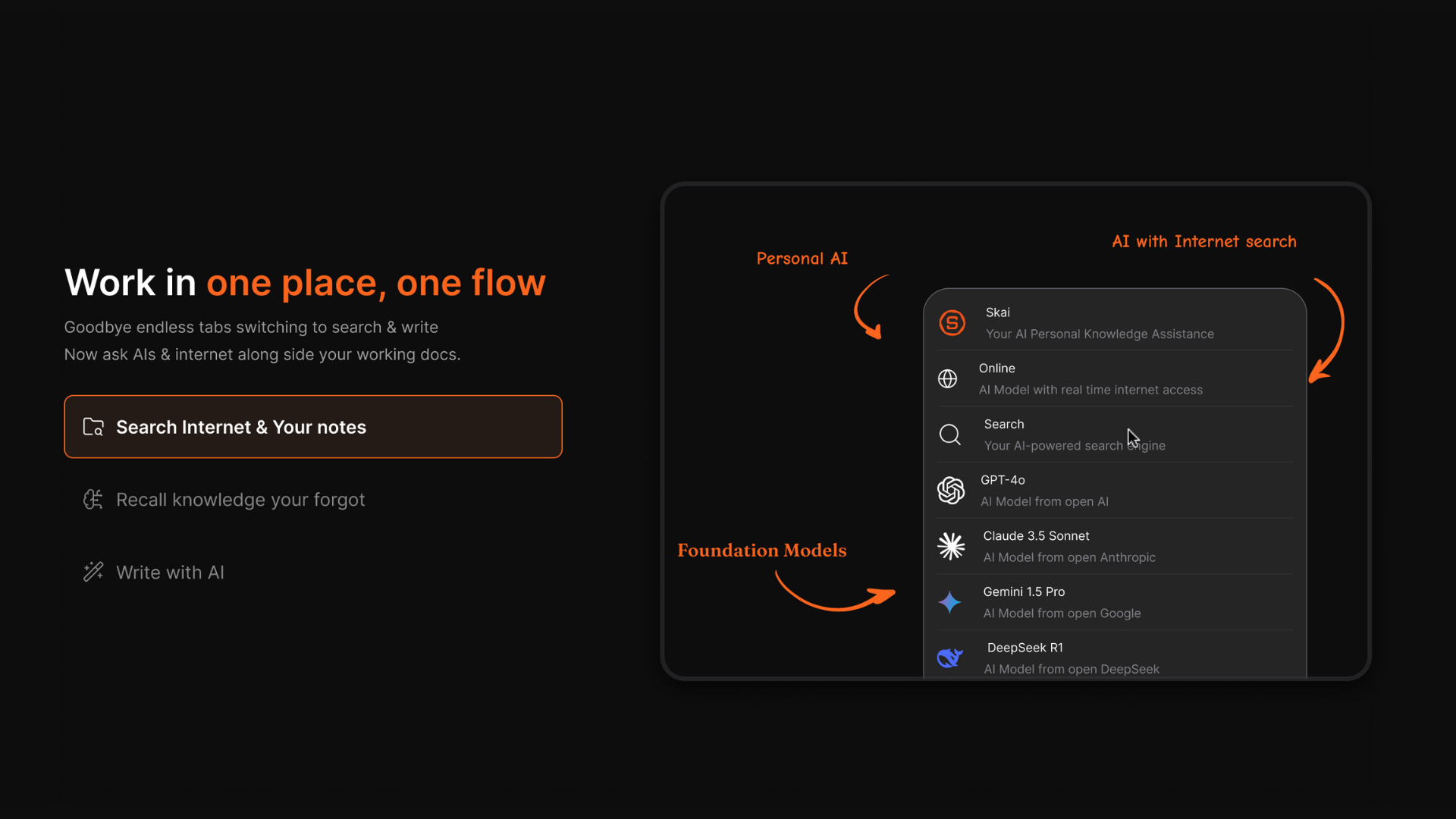
- Stay Organized Without Effort: You don’t need to remember where everything is. Saner.AI’s AI means you can retrieve information easily, when and where you need it.
Pros
- I appreciate that I can drop a messy text dump into a page and let the system sort everything for me.
- I like using the conversational chat panel to find specific numbers from older PDFs without scrolling through long files.
- I feel it helpful that the interface stays minimalist, which stops me from feeling overwhelmed by my dashboard.
- I enjoy the fast data capture options that let me log passing thoughts before I lose focus.
Cons
- Saner.AI is more suitable for personal task management than large team project management.
Pricing plan
- Free plan available
- Paid plans start at $8/month (yearly plan)
Who is it best for
- Saner.AI is best for researchers, students, and professionals with ADHD who want a clean approach to their personal knowledge management routines without configuring database systems.
How to get started
- Step 1: Create an account on the web application or add the desktop browser extension to your toolbar.
- Step 2: Upload your primary reference files or paste your unstructured notes directly into a new window.
- Step 3: Open the Skai assistant chat panel to ask questions regarding your saved information pool.
Saner.AI reviews
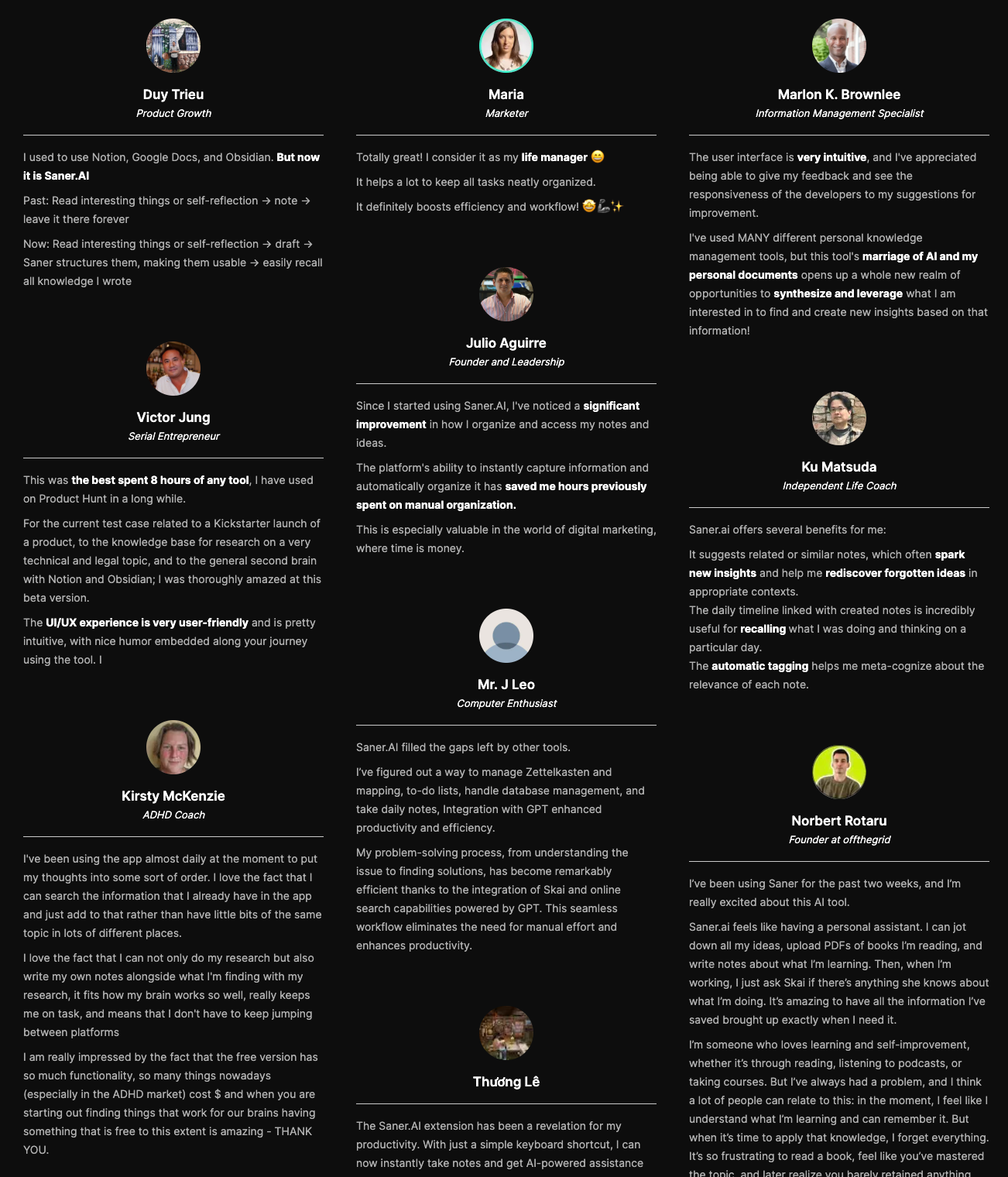
"I was very impressed when I found it. In today's world, information is divided into small pieces for the Web, PDF, Markdown, and YouTube, and you have to search for it in each tool. I was impressed that saner.ai answers questions based on my own knowledge through Skai." — Verified Review

Stay on top of your work and life
Why most PKM systems fail
1. The biggest trap is over-organizing.
It is easy to spend all your energy color-coding folders and creating tags instead of actually reading what you saved. You build a massive digital graveyard of links, capturing everything but retrieving nothing. When looking at a wall of hundreds of unsorted notes, the mental friction is too high, so your brain shuts down.
2. Another issue is tool-hopping.
When a system stops giving you that initial dopamine hit, it is tempting to think, Maybe Notion is the problem; I should move everything to Obsidian. It is a vicious cycle. You spend more time migrating data than using it. I used to think I just lacked discipline. But the reality is that most PKM advice is built for neurotypical brains that love strict, rigid maintenance.
If a system requires you to be a meticulous archivist every single day just to find your own thoughts, it is going to fail. You do not need a more complex folder structure; you just need a system that gets out of your way.
Conclusion- Knowledge Management in Action
Getting your thoughts organized isn't about building a flawless, rigid system that looks good in a YouTube thumbnail. For a long time, methods like Tiago Forte's PARA method or Niklas Luhmann's Zettelkasten have been praised as the ultimate solutions for digital clutter.
But if you have ADHD (or strongly suspect you do), these highly structured systems often backfire. You spend hours setting up complex folder hierarchies, only to forget they exist two days later. The biggest mistake is falling into the trap of "productivity procrastination," where you spend more time organizing your notes than actually using them. When a system requires too much maintenance, it quickly becomes overwhelming and gets abandoned entirely.
The goal of personal knowledge management is simply to give your mind some breathing room. You need a setup that adapts to how you naturally think, not one that forces you to change your brain to fit a specific framework.
If you want a tool that does the heavy lifting for you, take a look at Saner.AI. It is an AI note-taking app designed to reduce the mental effort of organizing, making it easier to capture your thoughts without the stress of managing a complicated system.
Stay on top of your work and life
Personal Knowledge Management - Frequently Asked Questions
1. Is PKM just a fancy word for note-taking?
Note-taking is just capturing what someone else said. Personal Knowledge Management is about what you do with those notes later so they actually help your brain. For ADHD minds, it is the difference between letting a good idea die in a random notebook and actually using that idea to finish a project next month.
2. Do I need a specific app to start?
You do not need a shiny new app. People with ADHD often spend three days customizing a complex new tool only to abandon it by Friday. Start with whatever text editor or notebook is already open on your screen. The tool matters much less than building the habit of dropping your thoughts into one predictable place.
Stay on top of your work and life
3. What is the difference between PARA and Zettelkasten?
PARA organizes your files by how soon you need them, using categories like active projects or general archives. Zettelkasten connects individual ideas together like a web using links. I find that PARA works better for keeping track of daily life, while Zettelkasten is great if you enjoy falling down research rabbit holes.
4. Why does my PKM system always fall apart after a week?
Your brain gets bored when the novelty wears off, which is completely normal for ADHD. Most setups fail because they require too much maintenance. If your system requires you to categorize and sort every single note perfectly every day, you are setting yourself up for burnout.
Keep it low-friction.
5. How do I stop spending all my time organizing instead of doing?
Set a strict timer for organizing your notes, or do not organize them at all until you actually need them. It is incredibly easy to turn organizing into a form of procrastination. If you spend two hours making your folders look pretty, you have less energy left to do the actual work.
6. Should I use a folder system or tags?
Folders force you to make a rigid decision about where a note belongs, which can cause mental paralysis. Tags let a note exist in multiple places at once. If you have ADHD, a loose tagging system combined with a strong search function usually feels much less restrictive than rigid folders.
7. Is it okay to change my PKM system completely?
You can absolutely change your system whenever it stops working for you. A lot of people feel guilty when they abandon a setup, but your needs change. Think of your system as an evolving tool. If a specific layout feels annoying to use today, burn it down and try something simpler.
8. How do I handle the overwhelming amount of things I want to save?
Be aggressively selective about what you keep. If you try to save every article or link you find interesting, your digital space will quickly become as cluttered as your physical desk. Ask yourself if this specific information supports a project you are actively working on right now. If not, let it go.
9. Do I need to review my notes every single day?
Daily reviews are a quick way to make yourself hate your system. Instead, only look at your notes when you are actively trying to solve a problem or start a task. Your system should support your life, not become a daily chore that makes you feel guilty when you inevitably skip a day.
10. Can a physical notebook work for PKM if I have ADHD?
Paper is fantastic because it has zero digital distractions, but it lacks a search bar. If you use a notebook, keep an index page at the front so you can find things later. Just accept that you might misplace the notebook occasionally, which is why a hybrid approach often works best.
11. What should I do when I forget my system even exists?
Put a shortcut to your main inbox page directly on your phone home screen or computer desktop. Out of sight means out of mind for ADHD. If you have to click through multiple folders just to open your notes app, you will completely forget to use it within a week.
12. Is search better than a strict organization system?
A good search function is your best friend. Modern apps can find keywords inside messy text instantly, which means you do not need to spend hours building perfect structures. Trust the search bar. It saves you from the boring task of sorting everything into neat little digital piles.
13. How do I know if a piece of information is actually worth saving?
Save things that surprise you or solve a specific frustration you keep running into. Do not save things just because they look important or because you feel like you should know them.
If a note does not trigger a clear idea for your future self, it is just noise.
14. Can PKM help with my working memory issues?
It acts as a "second brain" for your thoughts. When you have ADHD, your brain spends a lot of energy just trying to hold onto fleeting ideas before they vanish. Offloading those ideas into a reliable system frees up your mental energy so you can focus on thinking.
15. What is the absolute simplest way to start today?
Open a single blank note and title it Inbox. Put every random thought or link into that one note for the next few days. Do not worry about organizing them yet. Just practice the habit of getting things out of your head and into a safe place before you forget them.
[Last updated in 2026]