
Honest Structured Review (2026): Is this Visual Daily Planner Worth It?


Structured is the app that turned time blocking into something you'd want to open every morning.
But a beautiful timeline is not the same thing as a complete planning system. The real question buried under all those five-star ratings is whether Structured actually holds up once your day involves more than tasks and calendar blocks. That's where we will deep dive.
Key Takeaways
- Structured's visual timeline is genuinely one of the best-designed planning interfaces on the market, and it's a real fit for visual thinkers and people managing ADHD-related time blindness.
- Sync problems are a recurring theme across reviews. iCloud sync in particular gets called out often enough that the developers built their own alternative, Structured Cloud, to work around it.
- The app is personal-only. There's no collaboration, no shared calendars, and no way to assign a task to someone else, which rules it out for teams or even simple household coordination.
- Feature parity is uneven across platforms. iOS gets new features first, Android lags behind on AI tools, and the web version is the most limited of all.
- Structured plans your day, but it doesn't touch your notes, your inbox, or your documents. If your mental clutter is bigger than your schedule, you'll likely need a second tool alongside it, which is the gap AI personal assistants are built to close.
Structured At a Glance
| Category | Score (out of 5) |
|---|---|
| Visual design & ease of use | 4.7 |
| ADHD-friendliness | 4.3 |
| Feature depth (beyond scheduling) | 2.8 |
| Cross-device sync & platform parity | 2.9 |
| Collaboration | 1.2 |
| Pricing & value | 3.6 |
| Overall score | 3.3 / 5 |
What Is Structured?
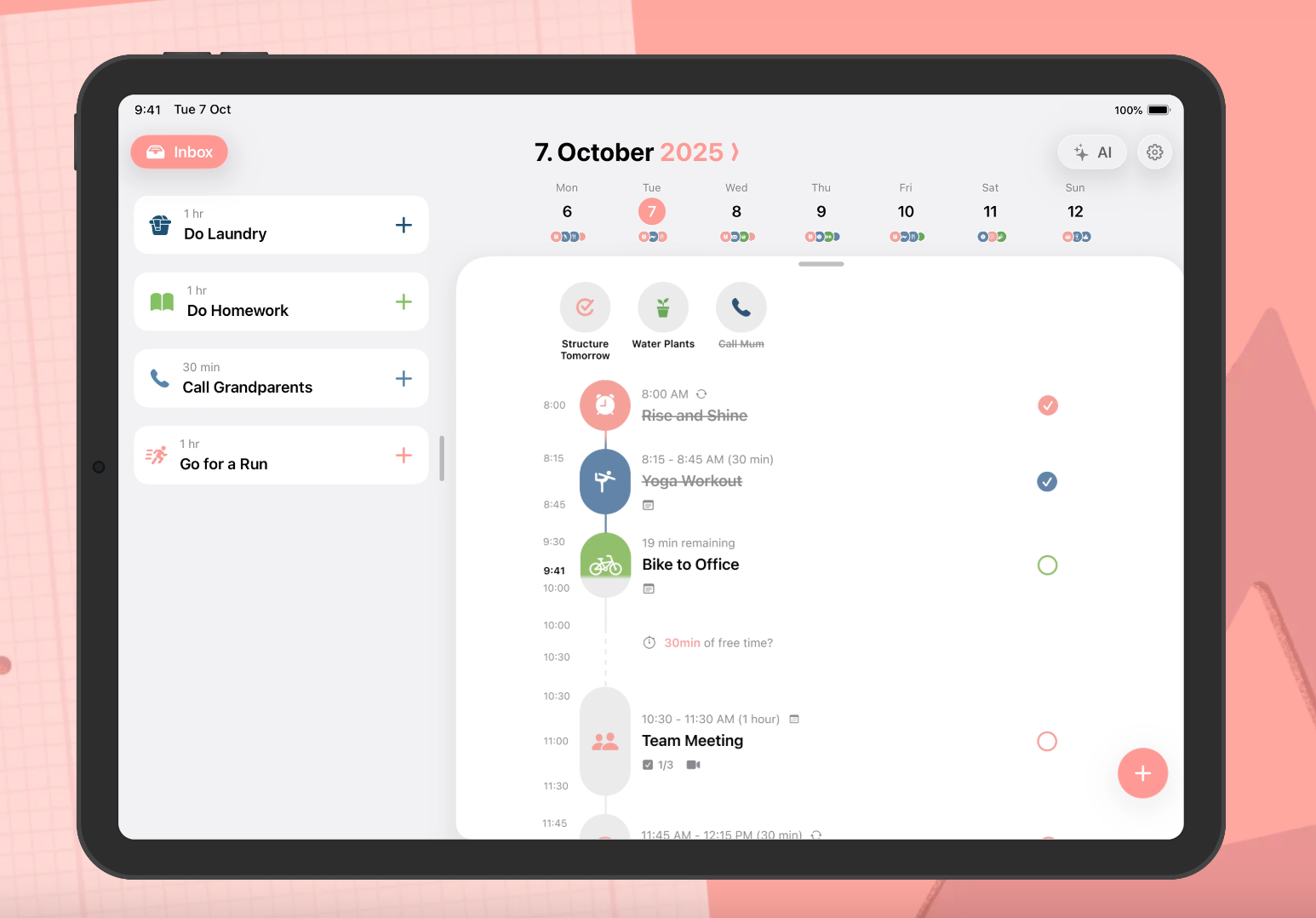
Structured is a visual daily planner built by unorderly GmbH, a small independent team led by developer Leo Mehlig. So Structured turns your tasks, calendar events, and routines into a single vertical timeline, with each item sized according to how long it takes.
The app is available on IOS, Android, and a browser web app also in the mix, though both trail the iOS app in features. If you are on Pro plans, you will have an AI planning assistant that turns spoken or typed input into scheduled blocks, and a "Replan" feature that automatically reshuffles missed tasks.
Structured Features Breakdown
Visual Timeline
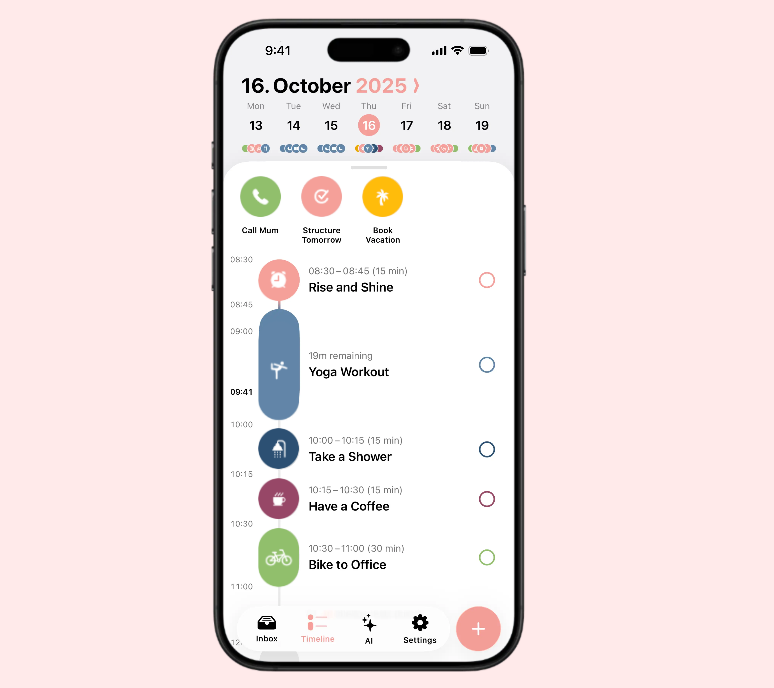
This is the feature Structured is built around: your day appears as a vertical strip of color-coded blocks, so a 30-minute task visibly takes up less space than a two-hour one, and gaps in your schedule are obvious at a glance instead of buried in a list.
Users consistently describe it as the thing that finally made planning feel less like a chore. "I've tried countless planners, todo lists, calendars. Structured really combines it all in the best way and lets you bring 'structure' into your day" – reviews
AI Planning Assistant
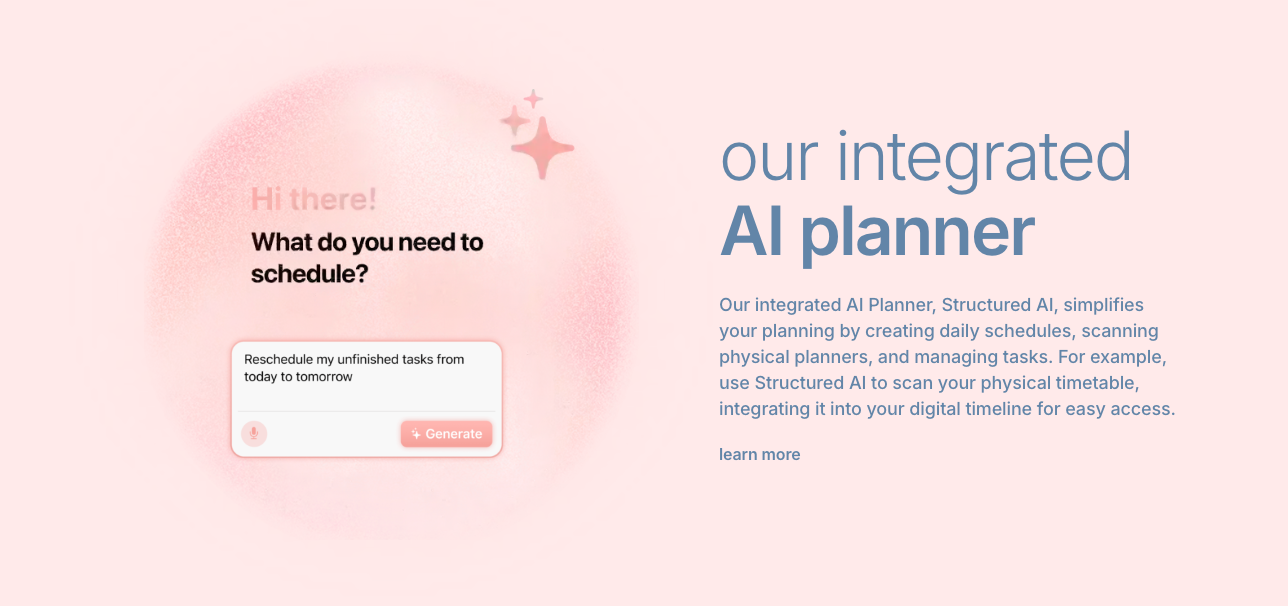
Tap the AI icon, talk through everything on your mind, and Structured turns that into tasks. It's a genuinely useful shortcut for anyone who plans better out loud than on a keyboard.
The catch is that this feature only schedules what you say. It doesn't remember it, connect it to anything you wrote last week, or pull it into a searchable note.
Calendar & Reminders Sync
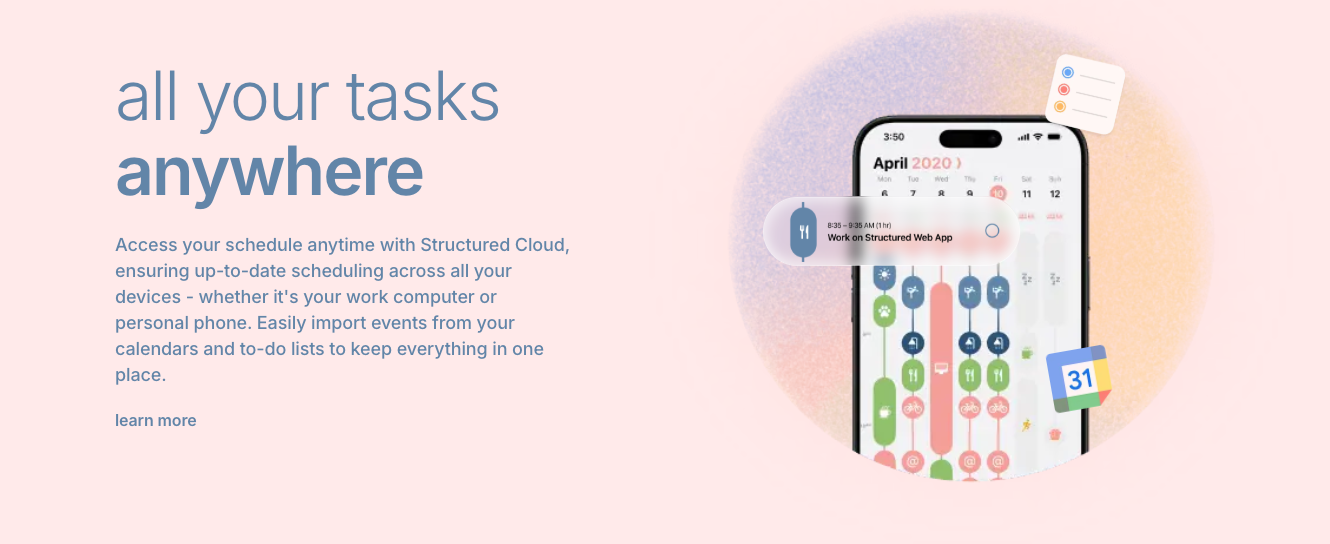
Structured pulls in your Apple Calendar, Google Calendar, and Apple Reminders so everything shows up on one timeline instead of three separate apps. When it works, it's seamless. When it doesn't, it's the single most common complaint attached to this app.
Recurring Tasks and Routines
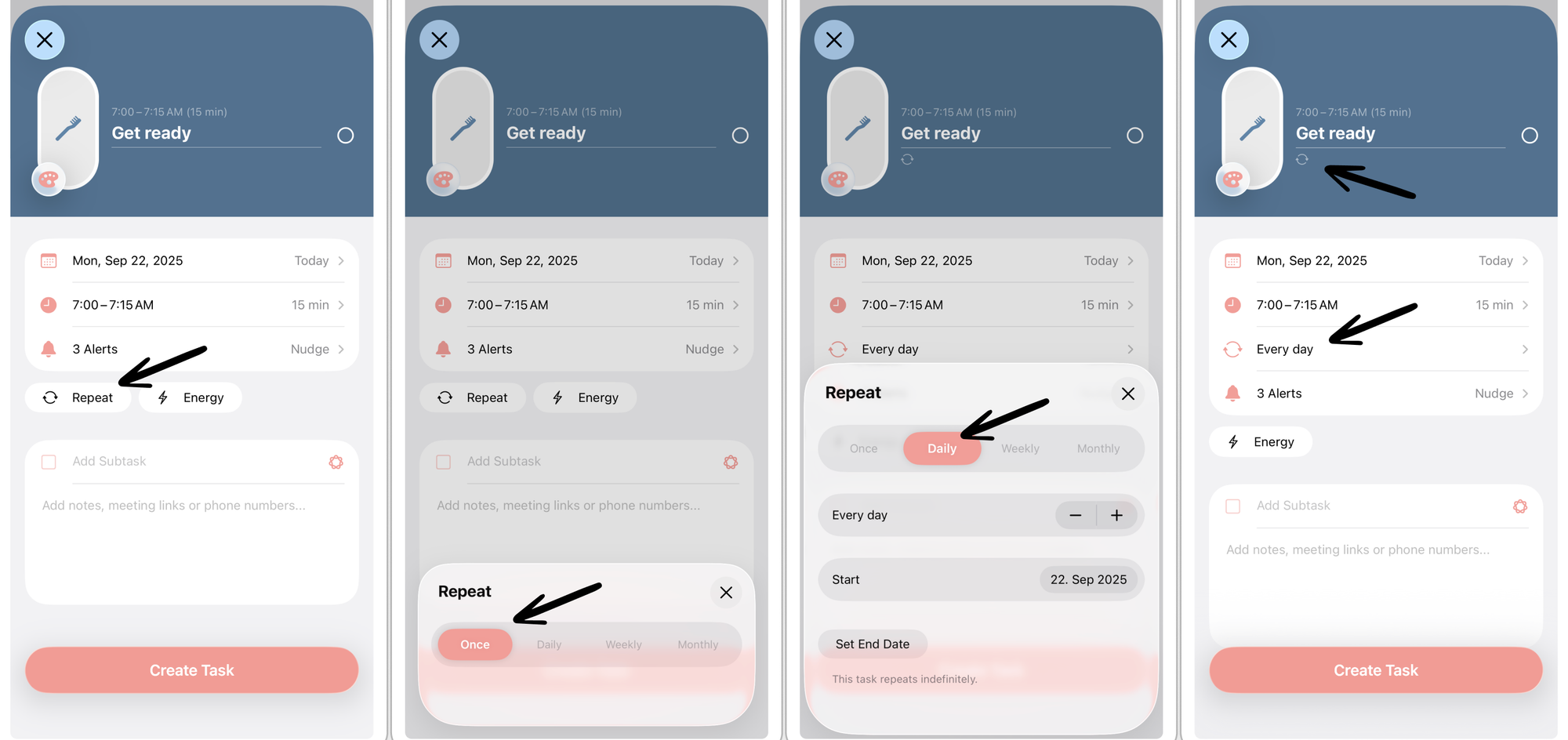
While Structured can be used as a light routine builder. It's not trying to be a full habit tracker though, and it doesn't pretend to be. There are no streaks, no completion analytics, no long-term trend view.
For people who just want their morning routine to show up on the timeline without extra setup, that's fine. For anyone who wants to actually track a habit over months, it falls short.
Focus Timer
For ADHD brains especially, this kind of gentle, visual urgency does something abstract deadlines can't. It's a small feature that does real work, which is more than can be said for some of the flashier ones.
Cross-Platform Availability
Here's where the marketing gap shows up most clearly. Structured technically works on iPhone, iPad, Mac, Apple Watch, Android, and a browser, but "available on" and "fully functional on" are two very different claims.
iOS gets every new feature first, often including the AI tools that make the app worth paying for. Android trails behind on those same features. The web version is the thinnest of all three. If you're not living inside the Apple ecosystem specifically, expect a noticeably smaller version of the app everyone's raving about.
Structured Pricing
| Plan | Price | Free Trial | Free Version | Payment Methods |
|---|---|---|---|---|
| Free | $0 | N/A | Yes, limited (no calendar import, no recurring tasks, no AI) | N/A |
| Pro Monthly | $2.99/month | 3 days | — | Credit/debit card, Apple/Google Pay |
| Pro Yearly | $29.99/year | 3 days | — | Credit/debit card, Apple/Google Pay |
| Pro Lifetime | $99.99 one-time | 3 days | — | Credit/debit card, Apple/Google Pay |
A quick note on the numbers here: Structured's in-app pricing varies noticeably by region and by promotional window. The 3-day free trial is short. Since most of what makes Structured worth paying for - AI planning, calendar sync, recurring tasks- sits behind that Pro wall, three days isn't much runway to decide if the paid version earns its keep.
Structured Pros and Cons
| Pros | Cons |
|---|---|
| Beautiful, calming visual timeline | iCloud sync frequently breaks between devices |
| Genuinely helpful for ADHD time blindness | No collaboration or shared planning features at all |
| One-time lifetime purchase option available | Android and web versions lag well behind iOS |
| Focus timer adds real value for task transitions | Free plan is too limited for a fair trial |
| Clean, distraction-free, no ads | Only 3-day trial before Pro features lock |
| Good accessibility support (VoiceOver, dyslexic font) | No notes, email, or document handling of any kind |
| Active development with frequent updates | Interface can lag or feel buggy on complex days |
What People Say
The praise for Structured tends to cluster around one thing: it makes planning feel calm instead of overwhelming.
"Life changing app. Helped me so much. Can't imagine living without it anymore" – reviews.
Another user credited the lifetime purchase specifically for paying for itself:
"I invested in the lifetime membership because this app has saved me at least two hours a week, which adds up to over 100 hours a year" – reviews
The complaints, though, tend to circle back to the same handful of structural limits rather than one-off bugs. A detailed independent review put it plainly:
"Sync issues between devices... Android version lacks many features... No collaboration features" – reviews.
Even a reviewer who rated the app highly overall (8 out of 10) still drew a hard line around what it can't do:
"Where it falls short is collaboration and cross-platform support. If you work in a team or need Windows and Android apps, look elsewhere" – reviews
Who Is Structured Best For?
- Someone who is entirely in the Apple ecosystem, plans mostly solo, and needs their day to look like a day rather than a list.
- Students managing class schedules, freelancers blocking out client work, and people who need a visual, low-friction system all get real value here.
However:
- If you need to loop in a partner, a team, or even just share one calendar with a roommate, there's nothing here for you.
- If half your mental load is scattered notes, email threads, and half-written ideas rather than clean, schedulable tasks, Structured will organize the tasks and leave everything else exactly where it was.
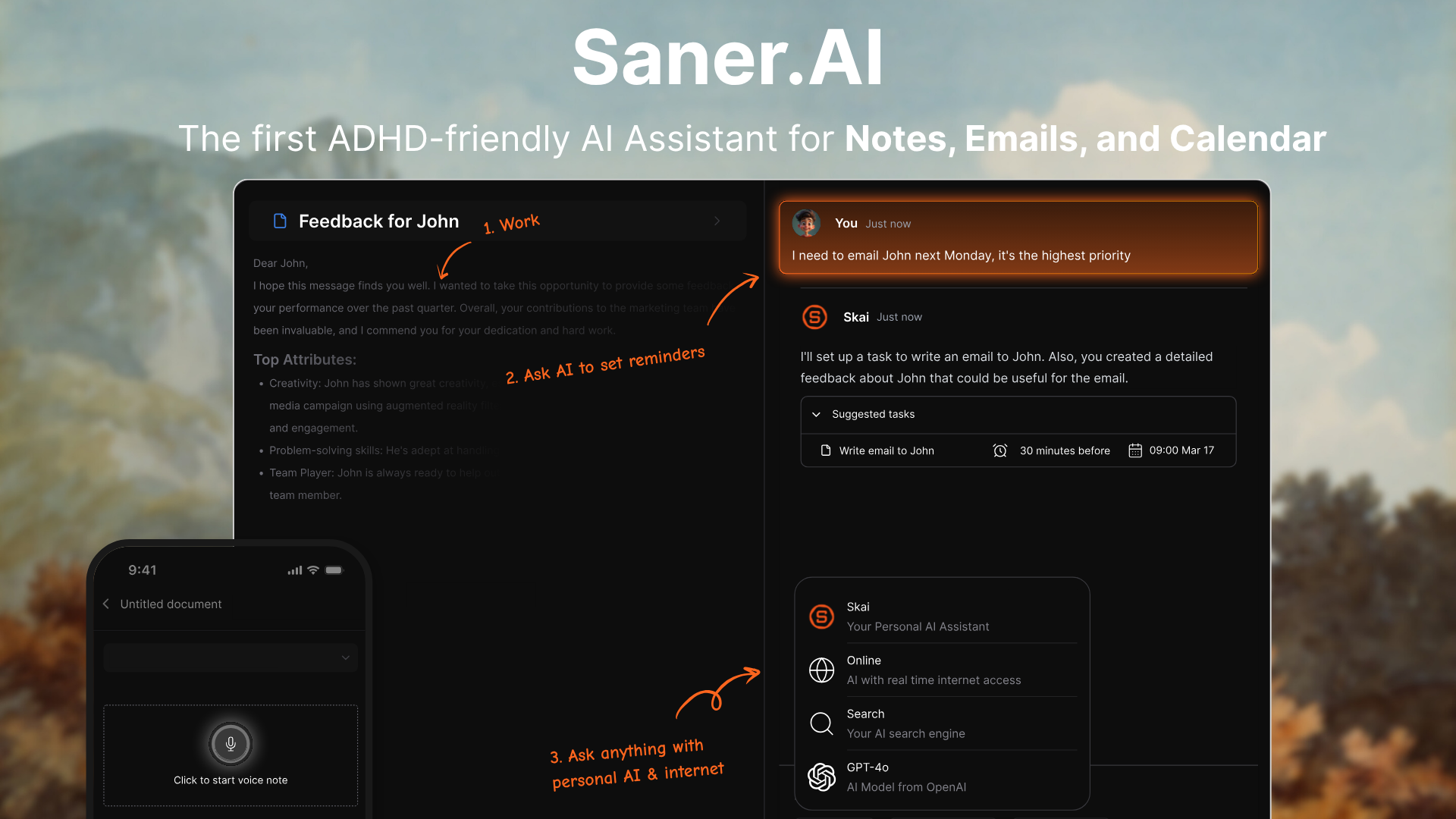
Structured organizes the tasks you already know about. Saner.AI is built to catch everything else - the notes, the emails, the meeting recaps, the ideas- and turn that mess into a plan on its own.
- Proactive Daily Planning
This is the feature Saner.AI leads with, and it lives on the Home screen the moment you open the app. Instead of a blank dashboard waiting for input, Skai scans everything already synced (email, tasks, notes, calendar) and lays out a ready-made plan for the day, with urgent items and a few "quick wins" surfaced up top
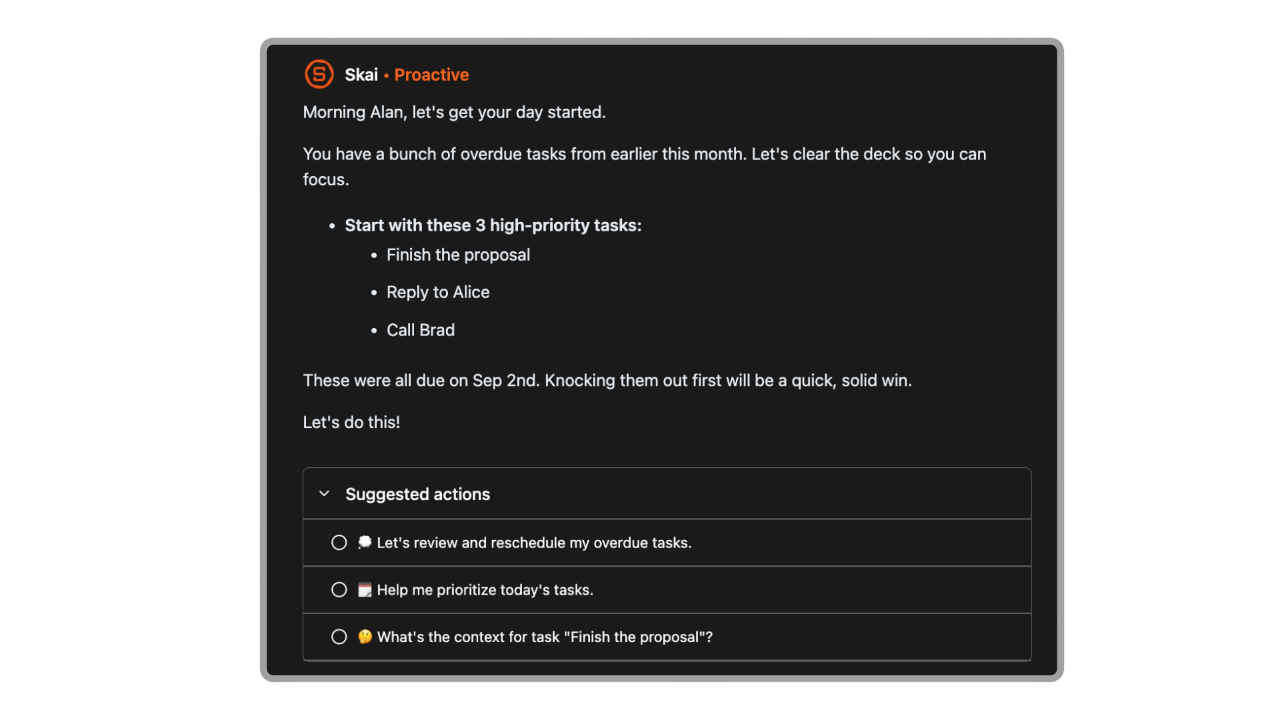
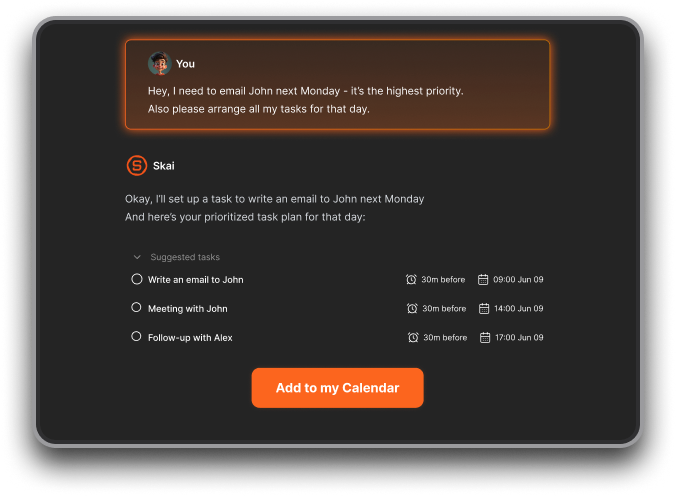
- AI Assistant built-In Calendar
This is Saner's most differentiated feature; it sits inside a Calendar View paired with a Focus Box, where you lock in your top priorities for the day
- Brain Dump to Tasks
You can chat it straight to Skai, or drop it into the Timeline, which auto-generates a daily note for whatever you jot down during the day without you having to file it anywhere.
- Email to Tasks
Saner proactively reviews synced Gmail messages (not just labeling them) and suggests concrete next steps. You review the suggestion and hit "Apply Selected," or uncheck what you don't want.
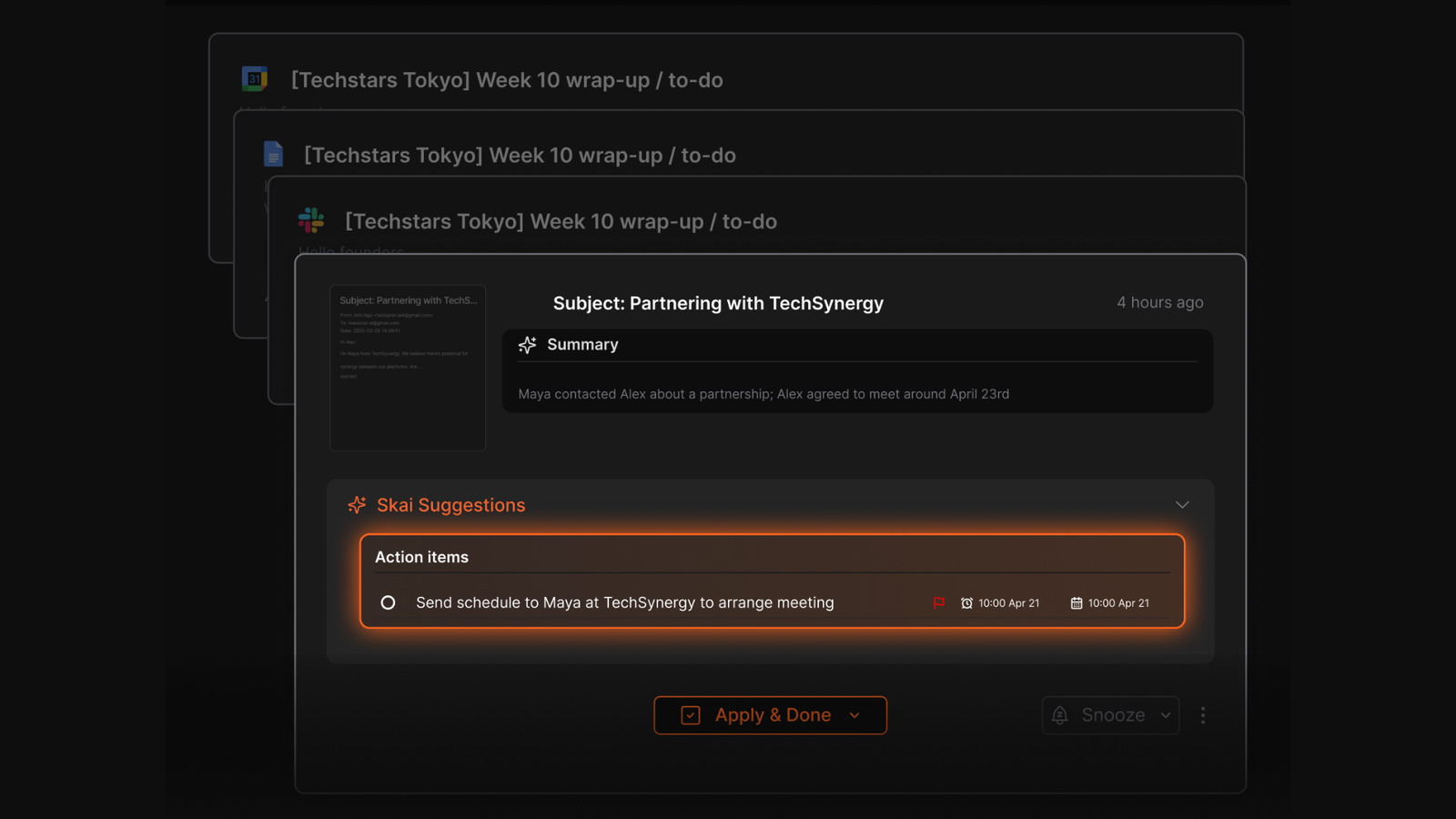
- Dynamic Reminders
Worth being precise here since Saner.AI doesn't market a feature literally named "Dynamic Reminders." What they do have is what they call Smart Notifications: reminders generated based on deadlines, priorities, and context the AI has already picked up from your notes or email, rather than a single static line repeated on a timer.
- Chrome Extension
The core idea is a side panel that follows you across the web so you can capture without opening a new tab, which is the specific friction the extension is built to remove.
| Feature | Structured | Todoist | Motion | Saner.AI |
|---|---|---|---|---|
| Visual timeline | Yes | No | Partial | Yes |
| Notes & knowledge base | No | No | No | Yes |
| Email integration | No | No | No | Yes (Gmail, Outlook) |
| AI proactive planning | Basic (dictation only) | No | Yes | Yes |
| Team/shared use | No | Yes | Yes | Yes |
| Platform parity | Uneven (iOS-first) | Strong | Strong | Strong |
| Starting price | Free / $2.99/mo | Free / $4/mo | $19/mo | Free / $8/mo |
- Todoist is also a good choice for task management, but it doesn't have Structured's timeline visualization, and it doesn't have Structured's sync headaches either.
- Motion takes the opposite approach to time blocking: instead of you dragging tasks around a timeline, its AI auto-schedules and reshuffles your day whenever something changes. It's a pick for people who want automation over manual control, though it comes at a steeper price point than Structured.
Final Verdict
Structured does one thing extremely well: it makes your day visible, and for visual thinkers or people wrestling with ADHD time blindness, that alone can be worth the download. The lifetime purchase option is a rare bit of user-friendliness in this market.
But it's worth being honest about the ceiling here. Structured is a scheduler, not a system. It won't remember your notes, read your email, or notice the task buried in a message you forgot about. The sync issues aren't rare edge cases; they show up often enough that the developers built a workaround for their own platform. And if your planning ever needs to include another person, the app simply isn't built for that conversation.
If your mental clutter runs deeper, an assistant that actually reads your inbox and notes alongside your schedule is going to close a gap Structured was never designed to touch.

Stay on top of your work and life effortlessly
Frequently Asked Questions
Is Structured app free?
Yes. The free plan includes the visual timeline, task creation, and the inbox, but calendar sync, recurring tasks, and AI planning are locked behind Structured Pro, which starts at $2.99/month.
Does Structured work on Android?
Yes, but the Android app trails the iOS version, particularly on AI features. If full feature parity matters to you, Structured is best experienced on an Apple device.
Why does Structured keep losing sync between my devices?
Structured historically relies on iCloud for sync, which a number of users report as unreliable across devices. The developers built an in-house alternative called Structured Cloud specifically to address this.
Can I use Structured with my team?
No. Structured has no collaboration, sharing, or task-assignment features. It's built exclusively for individual, personal planning.
Is Structured good for ADHD?
Many users with ADHD report real benefits from the visual timeline and focus timer, both of which make time feel more tangible than a list-based app does. It addresses time blindness well but doesn't manage the broader information overload that often comes with ADHD.
What's a good alternative to Structured if I need more than a schedule?
If your planning involves notes, email, or documents alongside your calendar, a broader AI assistant like Saner.AI covers that ground in one place instead of requiring a second app.
Stay on top of your work and life effortlessly