
Honest Taskade Review (2026): What It Does and Is It Worth It?


Taskade wants to be the app that replaces your task manager, your notes app, your automation tool, and now, with Genesis, your no-code app builder too. It's a workspace that combines projects, AI agents, and a "describe it and it builds itself" app generator, all under one flat, per-workspace price instead of the usual per-seat tax.
That pitch is genuinely rare in this category. The tension is what happens once you're inside: is this a smart consolidation, or is it five products stapled together with an AI credit meter that quietly decides how much of it you actually get to use?
Key takeaways
- Taskade's biggest differentiator is Genesis, its prompt-to-app builder that turns a plain-English description into a live CRM, dashboard, or client portal inside your workspace.
- Pricing is flat per workspace, not per seat. A 10-person team on Pro pays the same $10/month as a solo user, which undercuts most competitors badly.
- The AI credit system is the most common source of frustration. Reviewers on G2, Capterra, and AppSumo describe running out of credits faster than expected, especially after Taskade moved early lifetime-deal buyers off unlimited AI access.
- Customer support and billing transparency are the weakest categories across review platforms, with recurring complaints about auto-renewal charges and refund refusals on Trustpilot.
- Taskade is a strong fit if you want an AI app builder bolted onto a task manager.
Taskade at a glance
| Category | Score | Why |
|---|---|---|
| Ease of use | 8.5/10 | Fast to start with, but Genesis and automations take real time to learn |
| AI capabilities | 9.0/10 | Genesis app builder plus multi-model agents (GPT, Claude, Gemini) on every plan |
| Task & project management depth | 6.5/10 | No time tracking, no Gantt charts, no workload view across a team |
| Value for money | 8.8/10 | Flat per-workspace pricing beats per-seat tools by a wide margin |
| Customer support | 8.0/10 | Lowest-scoring category among Taskade's own G2 sub-scores |
| Billing transparency | 5.5/10 | Recurring Trustpilot and AppSumo complaints about auto-renewal and shifting AI credit terms |
| Overall score | 4.1/5 | Real AI value, real friction around support and billing clarity |
What is Taskade?
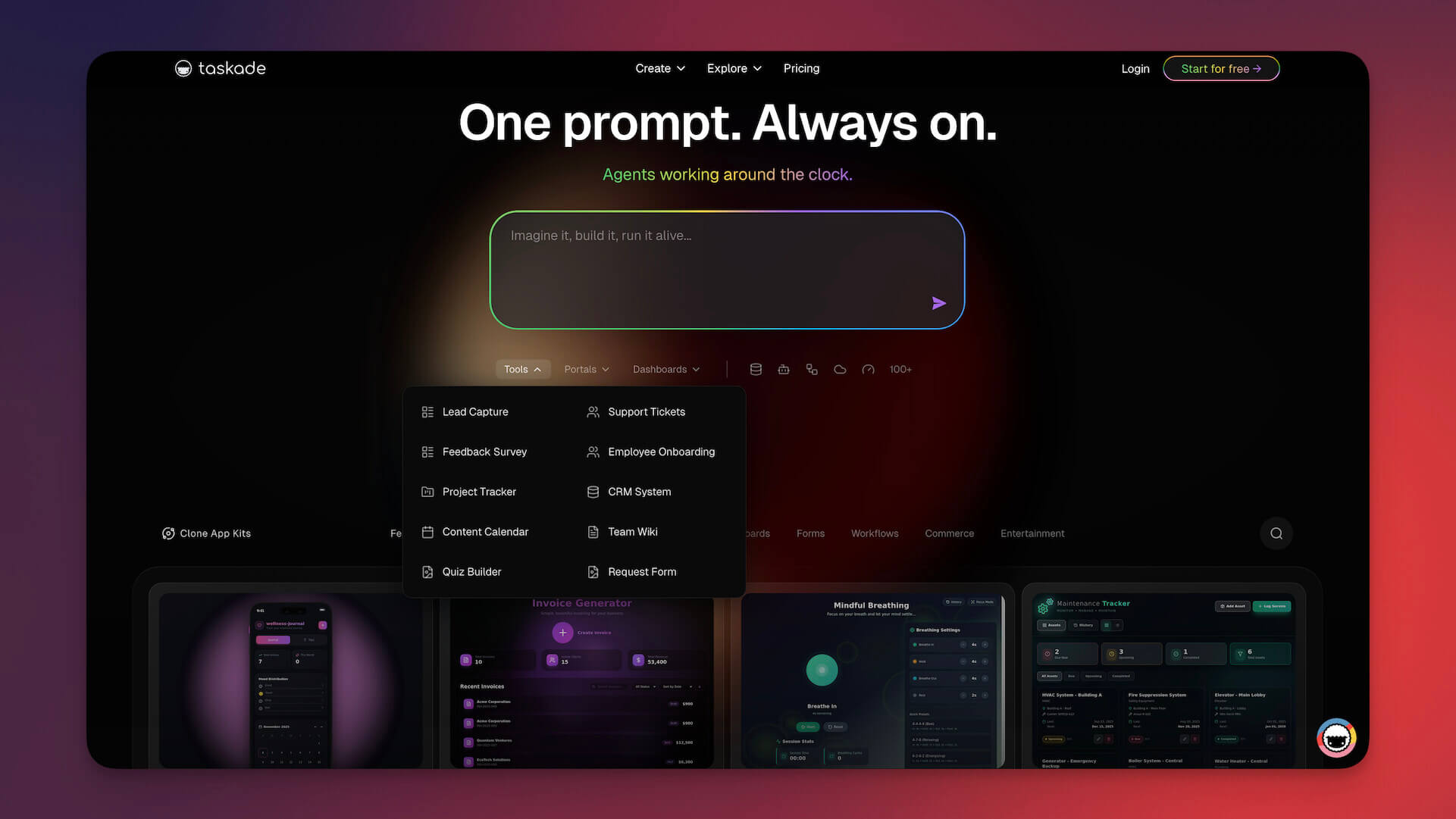
Taskade is an AI workspace, founded in 2017 by John Xie, Dionis Loire, and Stan Chang, that combines task lists, docs, mind maps, kanban boards, and calendars with an AI layer running on top of all of it.
The core pitch changed meaningfully in 2026 with the launch of Genesis, a no-code builder that turns a text prompt into a working application, complete with a database, inside your existing workspace. You can clone from a library of 500-plus templates, deploy AI agents that act on your project data, and wire up automations across 100-plus integrations, all inside one subscription.
Taskade features breakdown
Genesis: the AI app builder
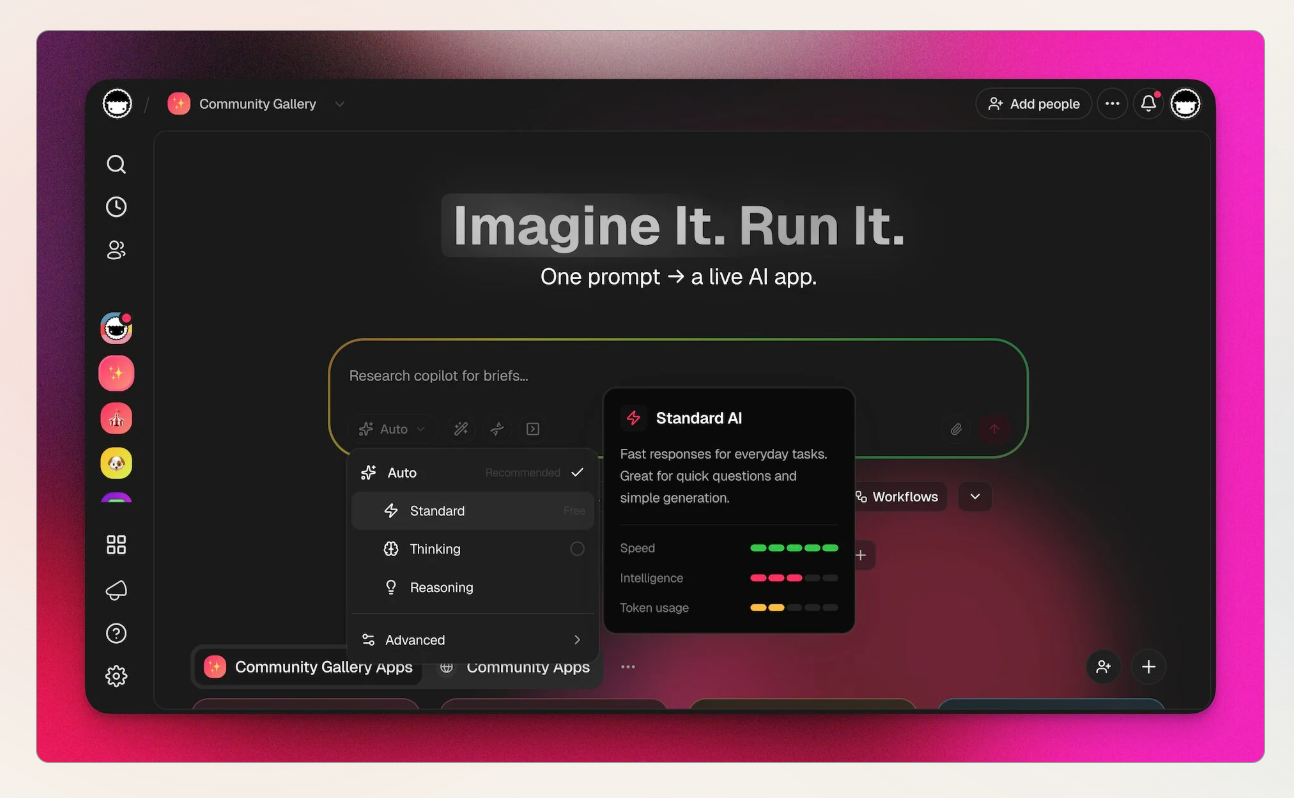
Genesis is the feature Taskade leads with in 2026, and it's the one that separates Taskade from a standard task manager. Describe a CRM, a booking portal, or a client dashboard in plain English, and Genesis generates a working app with its own database, pulling from the same project data your agents already use.
One G2 reviewer working in design called it "Genesis is probably the best feature now", and it's easy to see why once you've watched a prompt turn into a functioning tool in a few minutes (reviews).
The catch is that heavier builds burn through AI credits fast, and the apps you build aren't exportable, so you're building inside Taskade's walls, not shipping something you can host elsewhere.
AI agents and multi-model access
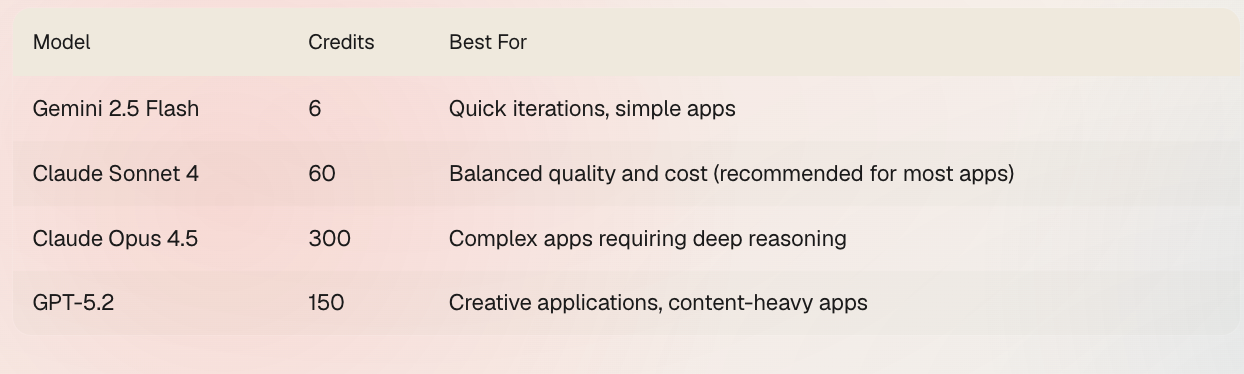
Every paid plan includes access to a stack of frontier models rather than locking you into one vendor. You can run GPT, Claude, and Gemini from the same agent without upgrading or paying extra per model, which is genuinely unusual pricing behavior in this space.
An early Product Hunt reviewer summed up the appeal well, calling it "one of the better implementations of GPT-4 that I've seen" and noting it wasn't hidden behind a paywall (reviews).
What that review doesn't cover is how credit-hungry heavier agent runs became once Taskade tightened its free and legacy-tier allowances later on.
Projects, views, and templates
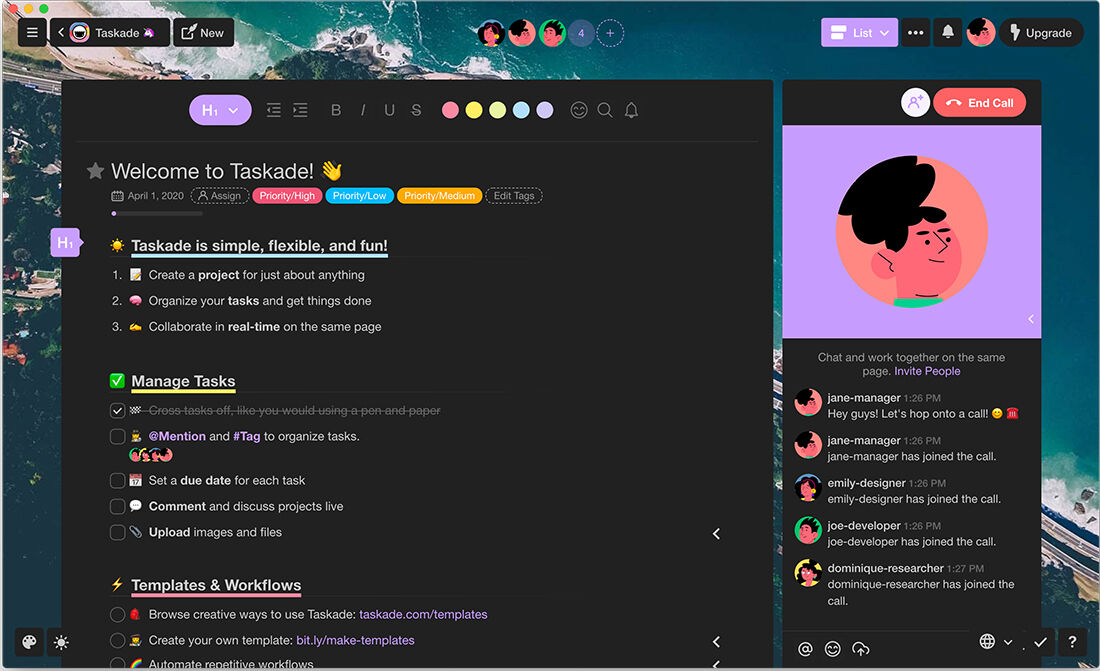
The day-to-day workspace covers lists, kanban boards, mind maps, calendars, and a tree-structured outliner, with over 500 templates to skip the blank-page problem.
This is the part of Taskade that most closely resembles a traditional task manager, and reviewers consistently say it's the easiest part of the product to pick up.
A civil engineer on G2 put it simply: "It is swift and easy" for day-to-day task management (reviews).
Where it falls short is depth. There's no dedicated time tracker, no true Gantt view, and no workload dashboard across team members, so anything with real dependencies and resourcing will outgrow this layer quickly.
Automation and integrations
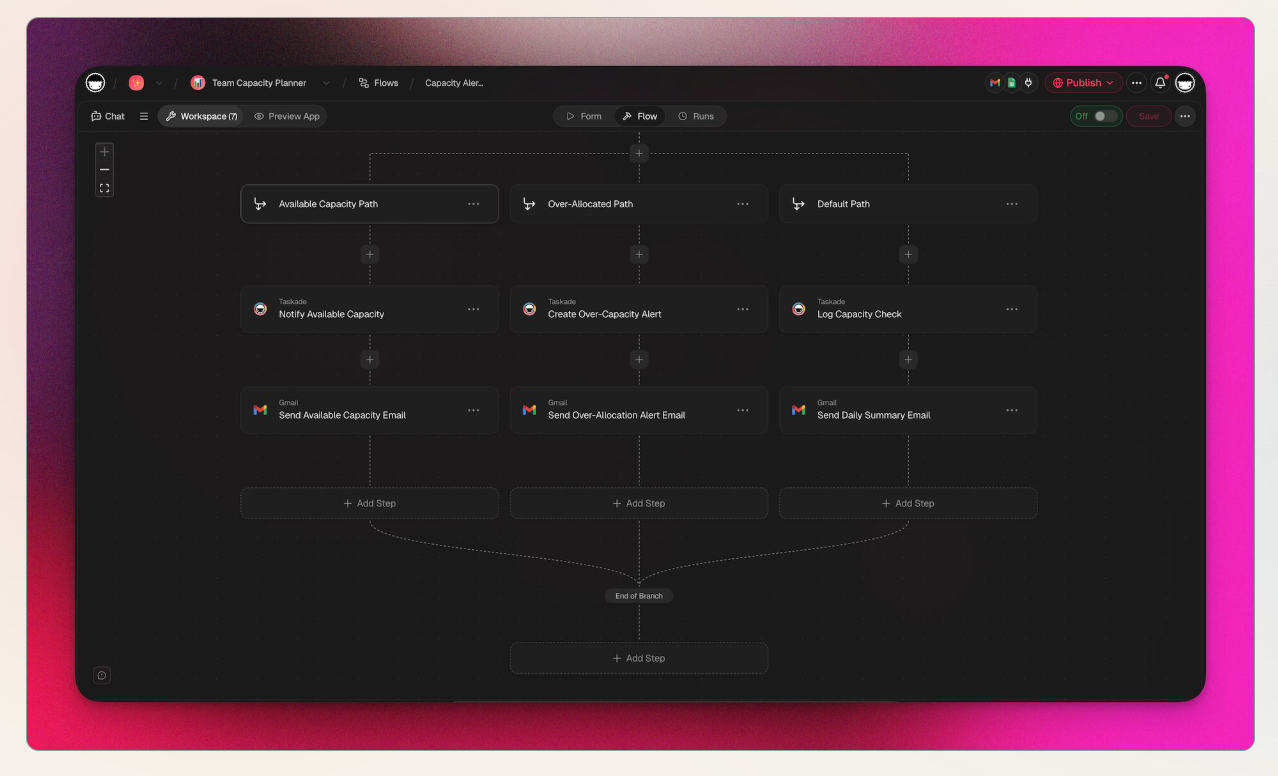
Taskade's automation engine connects to 100-plus apps, including Slack, Google Workspace, HubSpot, and Stripe, with a visual builder for branching and conditional logic. It's a capable layer for a workspace this price, but it comes with a maintenance cost reviewers flag often: automations need to be re-tuned as your project structure evolves, and they don't fail loudly when something breaks.
AI credits and the pricing model that powers it
This is the feature that generates the most reviews, positive and negative. Every AI action, agent runs, Genesis builds, automations, chat, draws from a shared credit pool that resets monthly on paid plans, or once on legacy free/lifetime tiers. Long-time users who bought lifetime access describe the shift toward metered credits as a real breach of trust.
One AppSumo reviewer wrote that "this shift from unlimited access to paid usage is a breach of trust" that disrupted workflows they'd built around the original unlimited terms (reviews).
If you're evaluating Taskade fresh in 2026 rather than as a legacy buyer, this matters less, but it's worth knowing the AI credit ceiling is the thing most likely to surprise you a few weeks in.
Taskade pricing (2026)
| Plan | Price (annual billing) | Seats | Free trial | Free version | Payment methods |
|---|---|---|---|---|---|
| Free | $0 | 2 | No dedicated trial; free-forever plan doubles as one | Yes | Card, Apple Pay, Google Pay (via Stripe) |
| Pro (most popular) | $10/mo ($120/year) | Up to 10 | — | — | Same as above |
| Business | $25/mo ($300/year) | Unlimited | — | — | Same as above |
| Max | $100/mo ($1,200/year) | Unlimited | — | — | Same as above |
| Enterprise | $250/mo ($3,000/year), custom available | Unlimited | — | — | Same as above |
Monthly billing runs higher than the annual-equivalent rates shown here; Taskade doesn't publish the exact monthly figure on its plan comparison page, so check the live pricing page for that number before you quote it anywhere. There's also a legacy Starter tier still active for existing subscribers, but it's no longer the recommended entry point for new signups.
Taskade pros and cons
| Pros | Cons |
|---|---|
| Flat per-workspace pricing, not per seat | AI credit system can run out mid-task with little warning |
| Genesis lets non-technical users build real internal tools | Apps built in Genesis aren't exportable outside Taskade |
| Access to GPT, Claude, and Gemini on every paid plan | No time tracking, Gantt charts, or workload view |
| Fast to start, 500+ templates | Customer support is the lowest-rated G2 sub-category |
| Generous free-forever tier | Recurring Trustpilot complaints about auto-renewal and refund refusals |
| Real-time collaboration across web, desktop, and mobile | No offline mode at all |
What people say about Taskade
Reviewers are consistently split along one line: people who came for AI agents and Genesis are enthusiastic, and people who came for straightforward task management find the billing and support experience frustrating once something goes wrong.
On the pricing side specifically, the complaints aren't really about the sticker price. They're about what happens after you've already paid.
A Capterra reviewer described trialing the tool, deciding it wasn't a fit, and then getting billed anyway: "I was billed for the pro plan with no notice" (reviews).
On Trustpilot, this pattern shows up repeatedly around annual plans specifically.
One reviewer who tried to cancel an accidental renewal wrote that "Taskade flatly refused a refund" despite reaching out the day after the charge hit (reviews).
Another put it more bluntly: "Don't get suckered into the annual subscription like I did" (reviews).
None of this means Taskade is badly built. It means the parts of the product that touch money, credits, renewals, refunds are the parts you should read the fine print on before you commit to a year.
Who Taskade is best for
- Small teams who want project management, video calls, and AI agents under one flat subscription instead of five separate tools
- Non-technical founders and ops people who want to prototype an internal CRM, dashboard, or client portal without hiring a developer
- Anyone comparing per-seat tools like Asana or Monday for a growing team, since Taskade's flat pricing scales far better past 3 to 4 people
Who Taskade is not ideal for
- Teams running complex projects with real dependencies, resourcing, or portfolio reporting; there's no Gantt view or workload dashboard here
- Heavy daily AI users on lower tiers, since credits are the resource most likely to run out before the month does
- Anyone who wants a private, personal thinking space rather than a team workspace with modes for building customer-facing apps
- People who've been burned by subscription billing before and want a refund policy with no fine print
Taskade Alternatives
Taskade vs Saner.AI: where Saner.AI wins
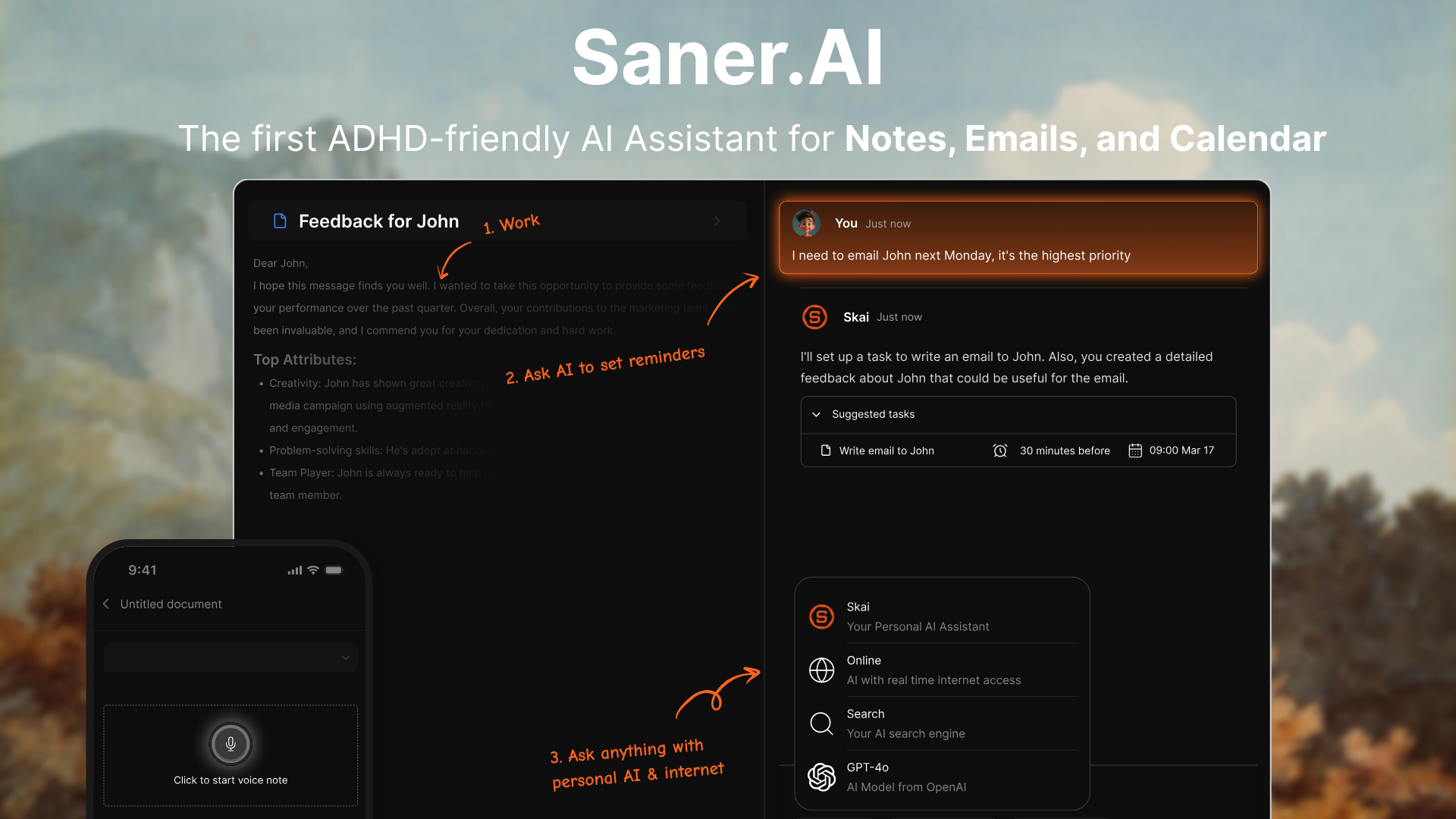
Taskade is built to help a team build and run things together. Saner.AI is built to help one person think, remember, and act on their own notes, email, and tasks without becoming a second job to maintain. That difference shows up in a few concrete ways:
- No credit anxiety. Saner.AI assistant runs on a message-and-request quota tied to your plan, not a shared credit pool that AI agents, app builds, and automations all draw from at once, so there's no moment where a Genesis build eats the AI budget you needed for something else.
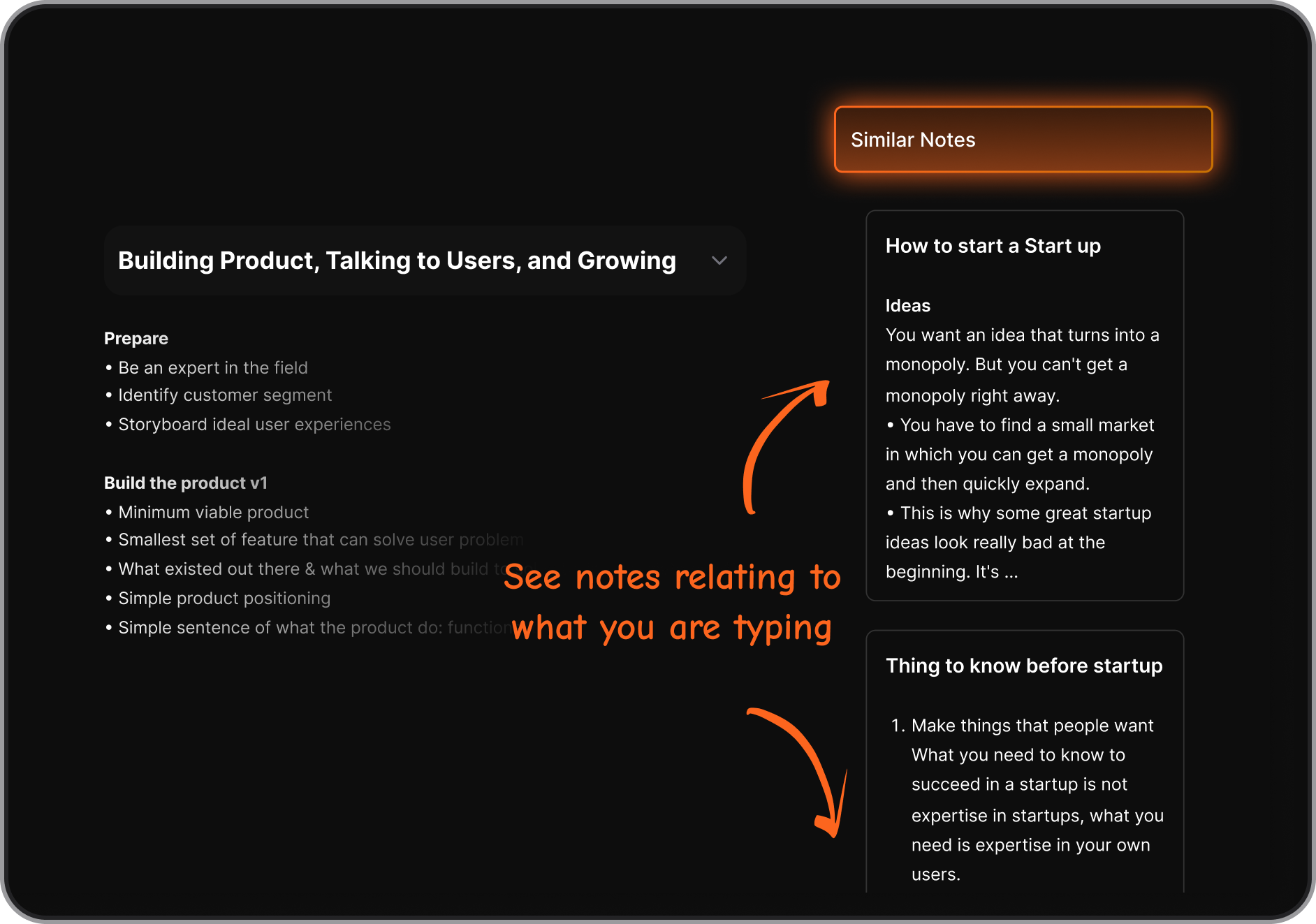
- Synthesis over storage. Taskade organizes what you put into it. Saner.AI reads across your notes, email, and tasks and surfaces connections you didn't go looking for, closer to how a chief of staff works.
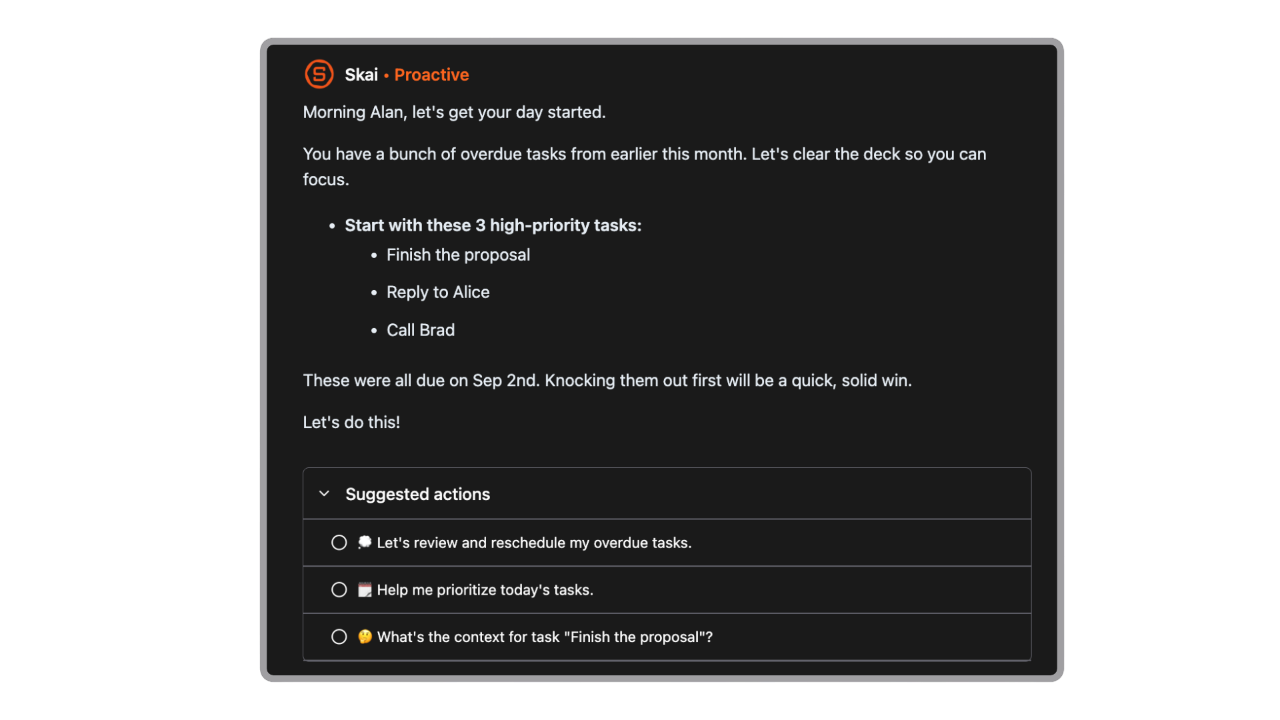
- Proactive by default. Taskade waits for you to open a project and decide what's next. Saner.AI checks in and plans your day for you, which matters most for people who lose time to context switching between tools, a pattern covered in the proactive feature.
- Lower cost for a single person. Saner.AI's Starter plan runs $8/month billed annually, cheaper than Taskade Pro's $10/month, and includes every connector (Gmail, Calendar, Slack, Drive) on the free tier with no feature gating.
- Built for one brain, not one org chart. There's no team tier, no seat pricing, no admin console. That's a limitation if you need team collaboration, but it also means the product never gets pulled toward features a solo user doesn't need.
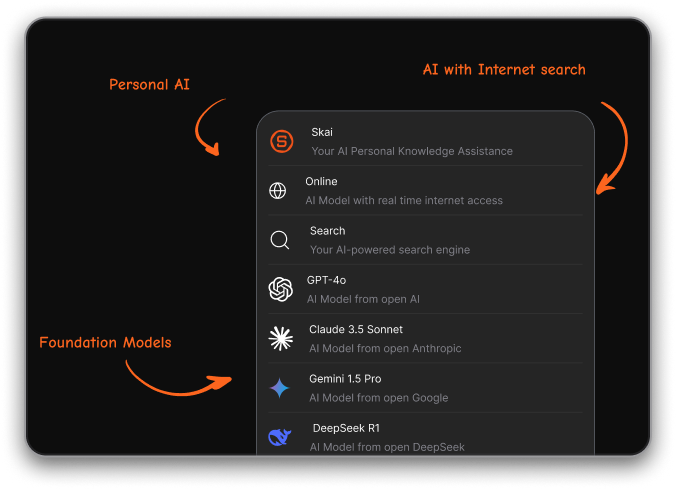
- Taskade fits you if: you're coordinating a small team, want to prototype internal tools without a developer, and are comfortable managing an AI credit budget.
- Saner.AI fits you if: you're one person drowning in scattered notes, email, and half-finished to-do lists, and what you want is something that organizes and surfaces that mess for you rather than a blank workspace you have to structure yourself. If that's the closer description, Taskade Alternatives is a useful next read, since it covers this exact fork in more depth.
Saner.AI isn't trying to replace Taskade for team app-building. It's the better fit for the person who opened this review actually looking for a way to stop losing track of their own notes, tasks, and inbox, not a way to build a client portal for other people.

Stay on top of your work and life effortlessly
Taskade Alternatives comparison
| Tool | Best for | Pricing (entry paid tier) | Key limitation |
|---|---|---|---|
| Taskade | Small teams wanting AI agents + app building in one flat price | $10/mo (10 seats) | No time tracking or Gantt view |
| ClickUp | Teams needing deep project management features | ~$7/user/mo | Per-seat pricing adds up fast |
| Notion | Teams wanting flexible docs + databases | ~$10/user/mo | Steep setup and learning curve |
| Asana | Structured task execution across departments | ~$11/user/mo | Less flexible for freeform docs |
| Saner.AI | Individuals wanting one AI to organize notes, email, and tasks without team overhead | $8/mo (1 user) | No team tier, personal use only |
- ClickUp goes deeper on traditional project management than Taskade does, with time tracking and portfolio views Taskade lacks entirely, but you'll pay per seat once your team grows past a handful of people.
- Notion covers similar ground to Taskade's docs and database side, and its AI features have matured, but reviewers consistently point to setup time as the tradeoff for that flexibility.
- Asana wins on structured execution for larger departments but doesn't try to be a docs or notes tool the way Taskade or Saner.AI do.
Final verdict
Taskade earns its reputation on the strength of Genesis and its multi-model AI access, both ahead of most competitors at this price point, and flat per-workspace pricing is a real structural advantage for small teams.
Where it falls short is everything adjacent to money: the AI credit system creates real anxiety for daily users, project management depth thins out fast for anything complex, and the billing and refund experience described across Trustpilot and AppSumo reviews is rougher than a tool this well-funded should have.
If you're building for a team and comfortable managing a credit budget, Taskade is worth the free plan test. If what you actually want is something that thinks with you personally rather than a workspace you have to build out, it's worth trying Saner.AI's free plan first and seeing which one your brain actually reaches for after a week.
Stay on top of your work and life effortlessly
FAQ
Is Taskade free?
Yes, Taskade has a permanent free plan for 2 seats with no credit card required. It includes a limited AI credit pool, up to 3 deployed Genesis apps, and access to the full template library.
Does Taskade have a free trial?
Not a dedicated time-limited trial. The free-forever plan functions as the trial, though its one-time AI credit allowance means you'll hit the AI ceiling faster than you'd expect from a true trial.
Is Taskade good for large teams?
It can work, especially with the Business or Max plans covering unlimited seats, but it lacks portfolio-level reporting, Gantt charts, and workload views, so complex, dependency-heavy projects will outgrow it.
What happens when I run out of AI credits?
AI features stop working until your credits reset (on your monthly billing date for paid plans) or until you buy a credit pack. This is the single most common complaint across G2, Capterra, and AppSumo reviews.
Can I cancel my Taskade subscription anytime?
Yes, and your plan stays active until the end of your paid period. Refunds are a separate matter: several Trustpilot reviewers report difficulty getting refunds after accidental renewals, so it's worth canceling manually well before your renewal date rather than relying on a refund request afterward.
Is there a Notion or Taskade alternative for individuals, not teams?
Yes. If your use case is personal rather than team-based, tools built specifically for one person's notes, email, and tasks, like Saner.AI, tend to fit better than team workspaces retrofitted for solo use. This post walks through this comparison across ten tools if you want the wider picture before deciding.
Stay on top of your work and life effortlessly