
The Second Brain: Your Dynamic Door of Memory [2026]

You sit at your desk staring at a dozen open tabs, surrounded by neon sticky notes that lost their stick months ago. You know you read a genius quote yesterday. You know you saved that specific tutorial link somewhere. Yet, as you click through your browser history with increasing frustration, it feels completely gone. Your brain stalls, trying to remember what you were even looking for in the first place.
What if the problem isn't your memory? What if you're just storing things in the wrong place entirely?
Most professionals struggle to keep up with the daily digital flood. We try to force our brains to act like hard drives, but we end up stressed and disorganized. Thankfully, people who used to drown in scattered links built a better system. They set up a digital second brain to handle the storage, freeing up their actual minds to just think.
If you want to stop losing your best ideas to the internet abyss, here is how to build a second brain that actually works for you.
What Is a Second Brain?

At its core, a Second Brain created by productivity expert Tiago Forte is a personal knowledge management (PKM) system that helps you store, connect, and use ideas over time. Unlike simple to-do apps or digital notebooks, a Second Brain is built for thinking. It’s a way to externalize memory, reduce mental clutter, and make better decisions by having your best insights just one click away.
Why does the ADHD brain struggle to store and retrieve information?
If you have ADHD, your brain doesn't lack a memory; it lacks a reliable sorting system. According to Dr. Russell Barkley, a leading expert on ADHD, the core issue is an executive function deficit, not an intellectual one. The brain knows the information is there, but it can't find the right folder when it needs it.
Working memory overload

Your working memory is like a small desk. For a neurotypical person, the desk holds a few folders, a notebook, and a cup of coffee. For someone with ADHD, the National Institutes of Health (NIH) notes that this "desk space" is significantly limited. Your brain tries to stack a laptop, three calendars, a week's worth of mail, and a dozen open tabs onto that same tiny surface. Within minutes, everything spills onto the floor. You don't forget the task because you are careless; you forget it because your mental desk ran out of room before you could write it down.
Time blindness means lost context

People with ADHD tend to experience time in two zones: "now" and "not now." When you stumble across a great article or a brilliant idea, it exists in the "now." But the moment you look away, it drops into "not now," which is practically a black hole.
Because you struggle to track the passage of time, you also lose the context of why that information mattered. You find a random note three weeks later that says "buy the green one," and you have absolutely no idea what "the green one" was.
Dopamine-driven forgetting

Your brain relies on dopamine to flag information as important. If a piece of data is boring, your brain doesn't produce the chemical signal needed to save it to your hard drive.
If a new, shiny idea comes along, it brings a rush of dopamine that instantly overwrites whatever you were trying to remember a second ago. It is incredibly frustrating to watch a great thought vanish just because something else caught your eye, but it is a chemical reality, not a personal flaw.
What a second brain actually does?
Your first brain is great at coming up with ideas, but it is terrible at holding onto them. If you have ADHD, your working memory often feels like a leaky bucket. You see an interesting article, mean to read it later, and then it vanishes into the digital void.
A second brain is just a digital system designed to hold those thoughts for you so your actual brain can rest. Instead of forcing yourself to remember everything, you use a note-taking app and considered as your "second brain" to do the heavy lifting.
Forte’s CODE framework breaks this down into four simple stages: capture, organize, distill, and express. You grab what catches your attention, put it in a central place, boil it down to the core point, and use it later.
This setup handles three major things that your regular brain struggles to manage:
- It stores context. When you get interrupted mid-task, you lose your train of thought. A second brain keeps your place so you can jump back in without starting over.
- It surfaces the right thing at the right time. You do not need to scroll through hundreds of random folders. The system brings up the exact note you need when you are working on a specific project.
- It reduces decision fatigue. You do not have to constantly decide what to do with every piece of information that flies at you. You just dump it into your system and deal with it when you have the energy.
How to build your second brain: the step-by-step
Here’s a practical guide to setting up your Second Brain:
If you have ADHD, your brain is probably a brilliant, chaotic web of ideas, open tabs, and sudden hyperfixations. The problem isn't a lack of information; it's that everything feels equally urgent all the time. Standard productivity advice tells you to systematically organize your entire life. I don't know about you, but when I try to build a massive, perfect system, I abandon it within four days.
A second brain shouldn't be another chore you have to maintain. It is simply an external place—like a digital notebook—to hold your thoughts so your actual brain can rest. Here is how to build one that actually works with an ADHD mind, rather than against it.
Step 1: Decide what to capture
The biggest mistake is trying to save everything. If you clip every article and save every tweet, your digital notebook quickly turns into a messy closet that gives you anxiety.
Only save what resonates. If a quote makes you pause, a random fact sparks an idea, or an article solves a problem you are currently dealing with, grab it. If it feels like a dry obligation, leave it behind. Your second brain is an collection of things you genuinely care about, not an encyclopedia of things you think you should know.
Step 2: Choose one entry point
When you get excited about a new system, it is tempting to download five different apps, buy a new paper journal, and set up a complex database. Don't do that. That novelty wears off quickly, leaving you with five half-empty tools.
Pick one single place to capture everything. It could be Apple Notes, Google Keep, or a basic notebook. The tool doesn't matter. What matters is that you can open it and type a thought within two seconds. If inspiration hits while you are walking or driving, use Voice Memos. Keep the friction as close to zero as possible.
Step 3: Organize with PARA
Once you start saving things, you need a simple way to sort them. The PARA method divides everything into four clear folders:
- Projects: Things you are actively working on right now with a specific deadline, like planning a trip or finishing a work assignment.
- Areas: Ongoing responsibilities that don't have an end date, like managing finances, health, or car maintenance.
- Resources: Topics you are interested in but aren't actively acting on, like cooking recipes, book lists, or gardening tips.
- Archives: Everything from the other three folders that is finished or no longer relevant.
Step 4: Distill with progressive summarization
Saving information is useless if you never look at it again because the note is too long to read. Progressive summarization means you review a note in layers over time.
The first time you save an article, just keep the raw text. The next time you open it, bold the most interesting sentences. If you return to it a third time, write a one-sentence summary at the top in your own words. You don't have to do this all at once. By layering the information, you make the note incredibly easy to skim the next time you need it.
Step 5: Express your knowledge
A second brain isn't just a digital museum; it exists to help you make things. Once you have thoughts, quotes, and references saved in one place, starting a project becomes much easier.
Instead of staring at a blank page trying to remember your ideas, you open your project folder and find a collection of building blocks ready to use. This makes it much easier to write a report, make a decision, or plan a project because your memory isn't carrying the heavy lifting.
Step 6: Review weekly
A system only works if you trust it, and you will only trust it if you check in on it. Set a timer for 20 minutes once a week to clear out your inbox folder, sort notes into their PARA folders, and look over your active projects.
Do not turn this into a daily obligation. If you try to clean your notes every day, you will burn out. A quick weekly reset is all it takes to keep the system clean and functional.
What if your second brain thought with you, not just stored for you?
The 6 steps above work, but they require discipline ADHD brains often can't sustain consistently. What if there is a system that automates capture, surfaces context, and reminds you what matters?
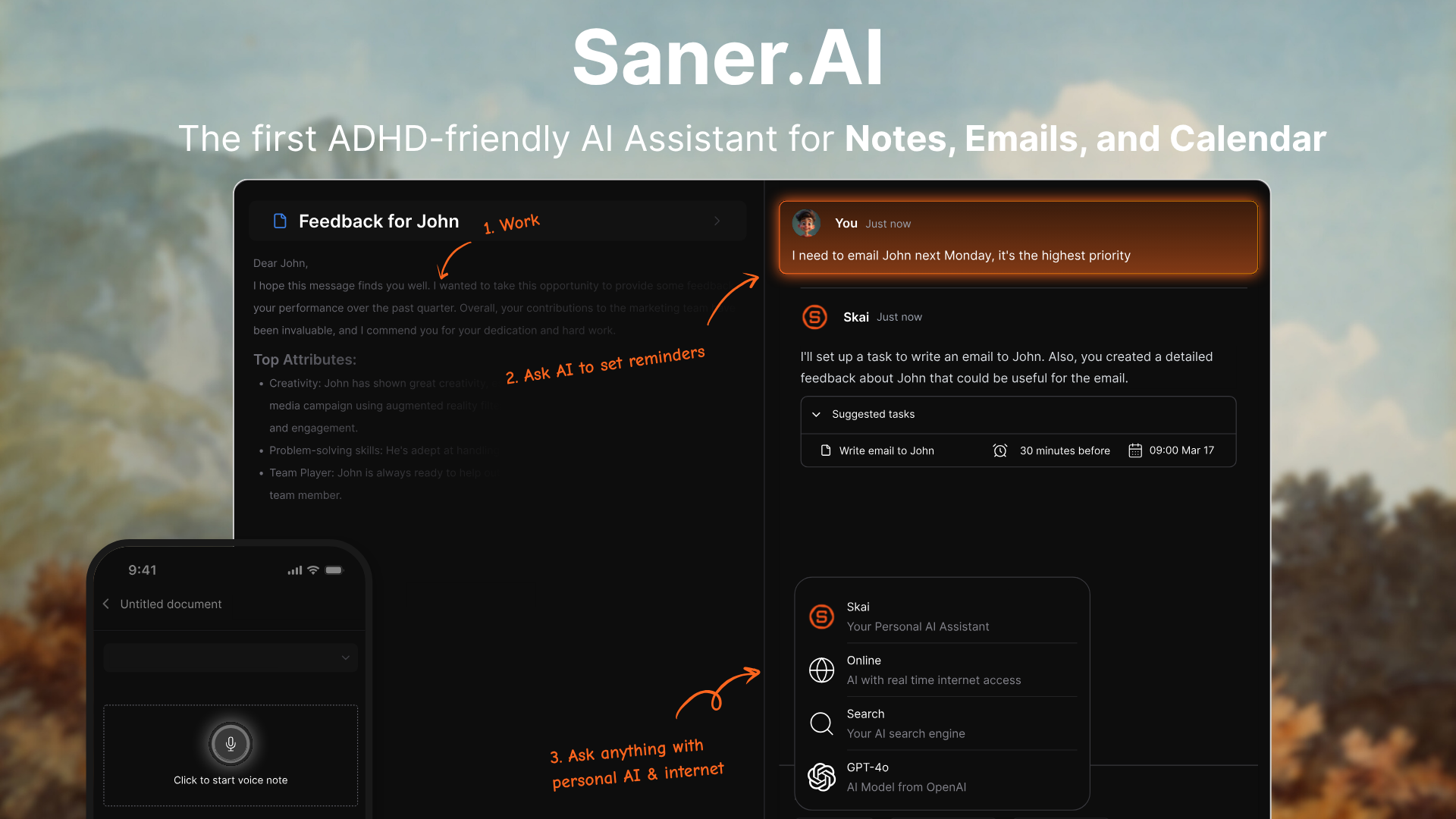
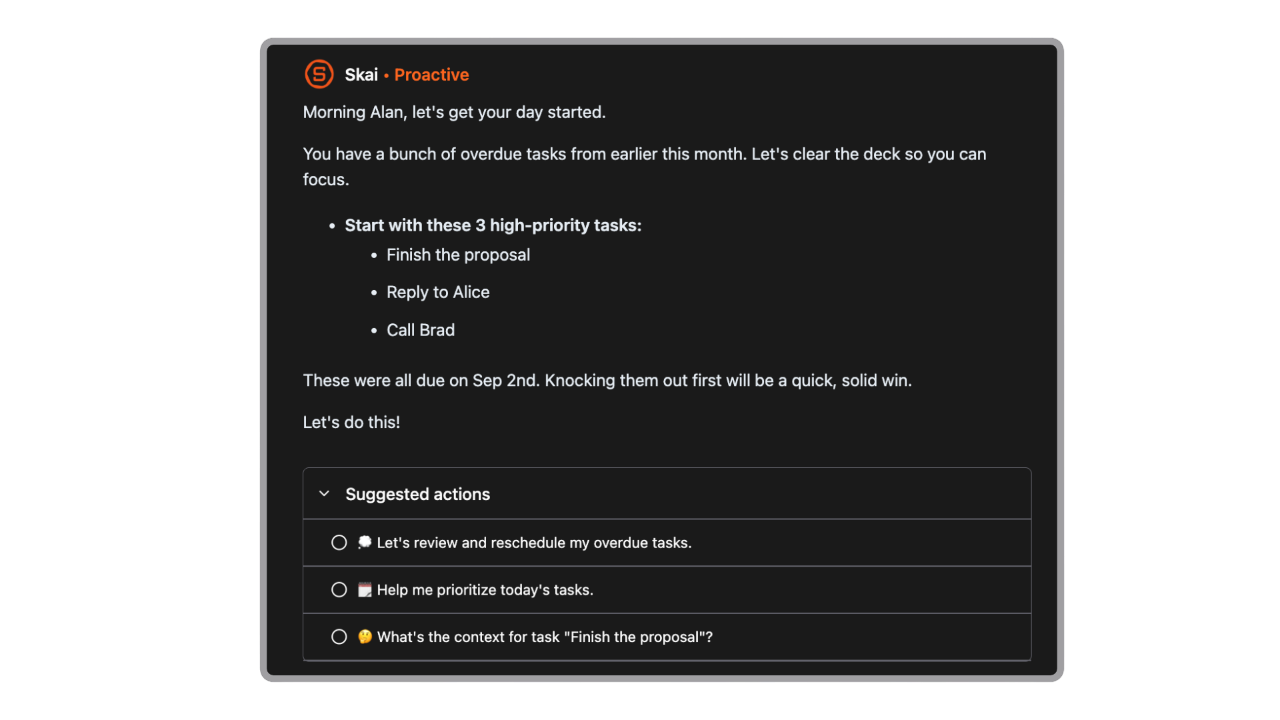
Saner.AI is an AI-powered note and task application that works as a digital memory extension. It helps knowledge workers and individuals with ADHD collect unorganized thoughts, track tasks, and retrieve files without manual tagging or folder management. The platform features an AI assistant named Skai that scans your entries to uncover hidden connections, turning random brain dumps into structured action steps.
Key feature
- Automated task parsing
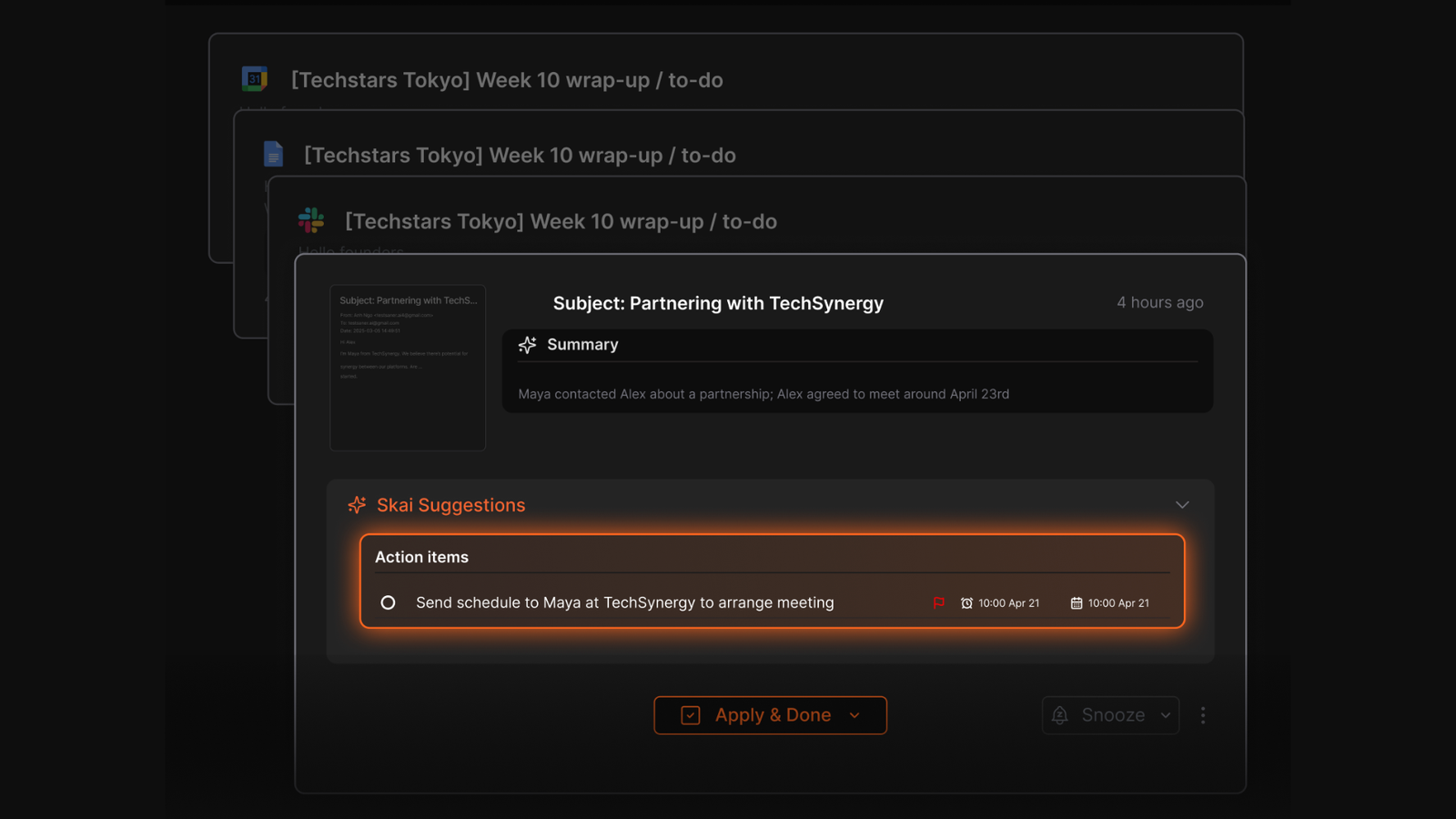
The application automatically pulls actions out of casual notes or audio transcriptions, even emails to create organized checklists with suggested dates.
"Skai (the AI) instantly parses it into a clean to-do list, suggests realistic due dates if I don't specify, and asks for confirmation on timings. One tap, and everything's added to my tasks." — Verfied Review
- Unified knowledge search
The system queries across files, calendar events, bookmarks, and emails from a single search box without making you open separate programs.
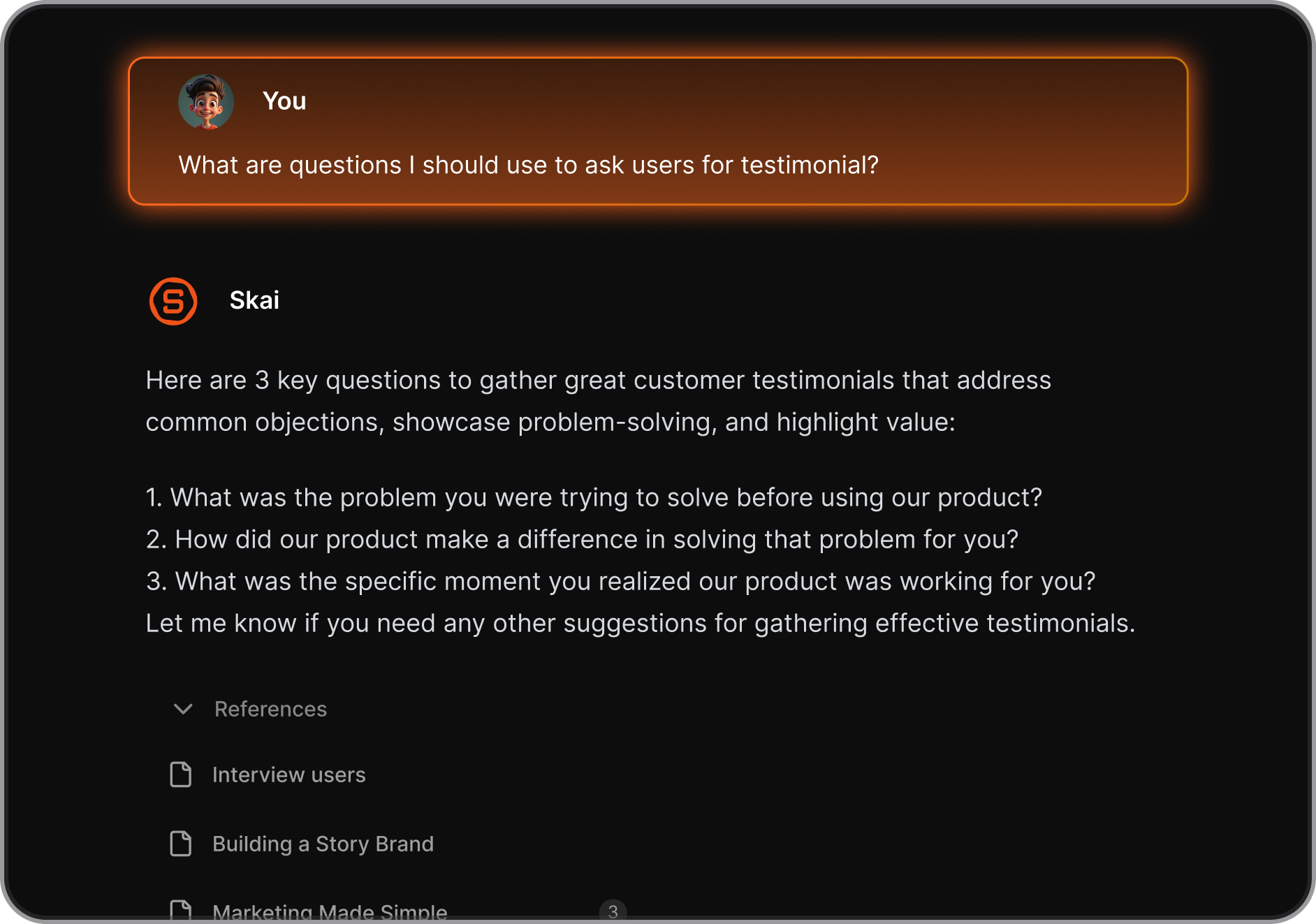
"I was impressed that saner.ai answers questions based on my own knowledge through Skai." — Verified Review
- Contextual daily planning
The built-in scheduler reviews your active notes and calendar to structure a daily agenda that updates when priorities change.
"The platform's ability to instantly capture information and automatically organize it has saved me hours previously spent on manual organization." — Verfied Review
Pros
- I like that the clean design does not trigger sensory overload when my inbox gets busy.
- I appreciate how it turns unstructured audio recordings into categorized tasks without making me tag them first.
- I enjoy being able to ask questions about old PDF files and getting direct answers using my past research.
- I feel it helpful that the system pairs my daily schedule alongside my scratchpad notes.
Cons
- I dislike the strict 10MB individual file size limit when trying to upload larger reference ebooks.
- I feel restricted by the small number of third-party integrations for developer APIs.
- I sometimes wish it had inline AI editing commands inside the note paragraphs.
Who is it best for
- Saner.AI is best for independent researchers, writers, and individuals with ADHD who want to store fleeting thoughts into an unmapped database that handles the categorizing, sorting, and linking automatically.
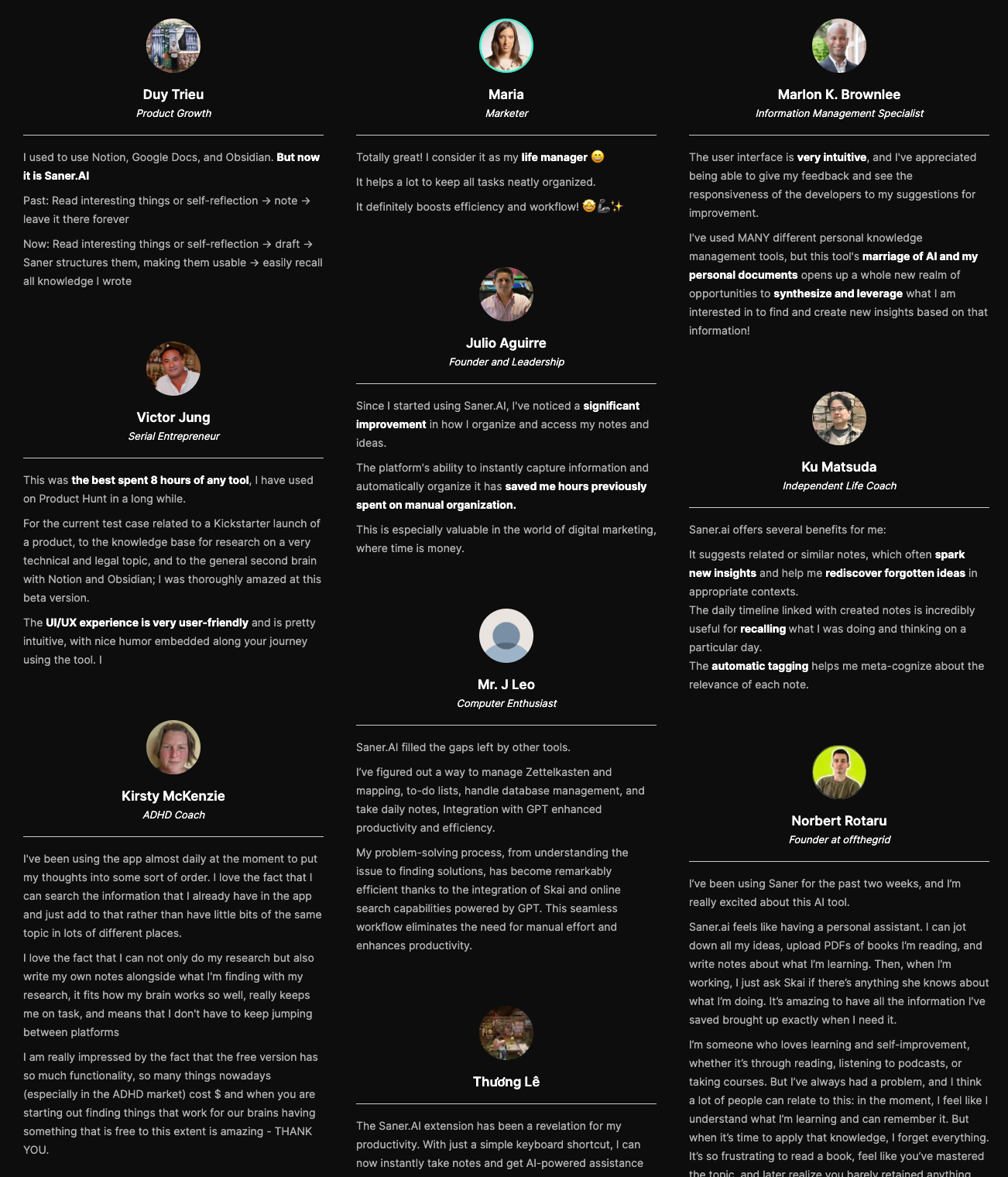
Saner.AI reviews
Conclusion - The Second Brain: Your Dynamic Door of Memory
You’ve probably seen the heavy-hitting productivity setups everyone talks about online, the intricate setups that take weeks to build, or graphs that look like glowing spiderwebs. They look incredible in YouTube thumbnails. But if your brain is already working overtime just trying to keep track of where you put your keys, building a massive digital fortress usually ends up feeling like another chore you’ll eventually abandon.
A second brain shouldn't be a part-time job. It just needs to hold onto the things you’re going to forget, exactly when you need them. If the thought of organizing a traditional note-taking system makes you want to close your laptop, you might want to look at Saner.AI.
It’s built to do the heavy lifting of sorting and remembering for you, so you can actually focus on whatever you're doing right now.

Stay on top of your work and life
Second Brain FAQ: Everything You Need to Know
1. What is a Second Brain?
A Second Brain is a digital system that helps you remember, organize, and use the information in your life. It's like an external version of your brain - built to capture your thoughts, ideas, tasks, and notes so you don’t have to rely on memory.
At its best, a Second Brain helps you:
- Recall past notes instantly
- Connect scattered thoughts into insights
- Turn ideas into actions
- Stay organized without extra mental load
Popular tools used as a Second Brain include Saner.AI, Notion, Obsidian, and Roam Research. Saner.AI takes it a step further by combining AI understanding with natural workflows - perfect for those who move fast and think even faster.
2. What can a Second Brain do?
A good Second Brain isn’t just a note app - it’s a thinking partner. Core capabilities often include:
- Capture anything – Ideas, tasks, bookmarks, voice memos
- Smart search – Find what you meant, even if you forgot the keywords
- Link thoughts together – Make connections across projects and topics
- Organize as you go – No need for folders or strict systems
- Surface what matters – Reminders, task nudges, and follow-up prompts
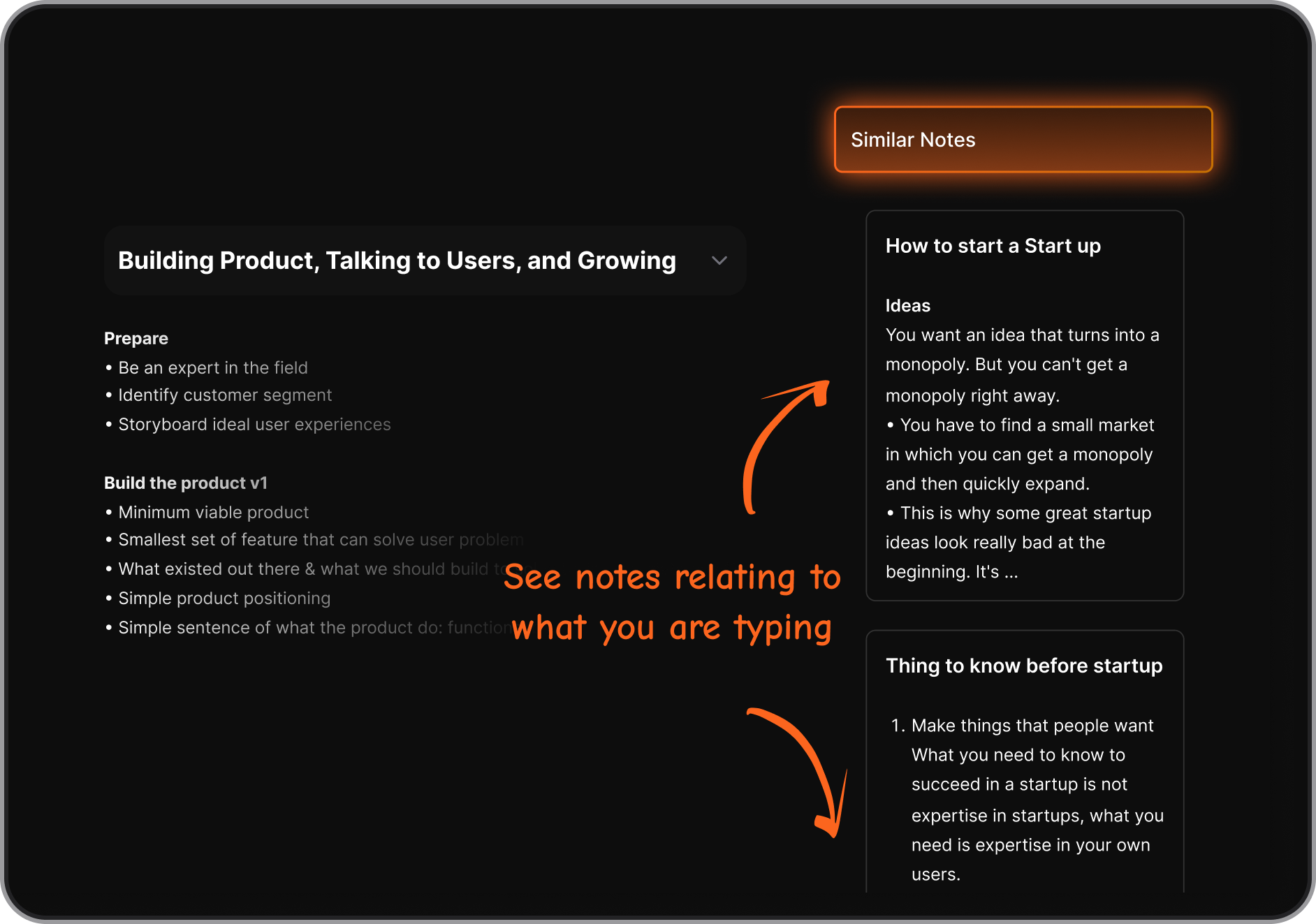
Tools like Saner.AI even auto-tag and summarize your notes so they’re useful later, even if you forgot you wrote them.
3. Why do people use a Second Brain?
Most people turn to a Second Brain because their actual brain is overloaded. Common reasons:
- You forget where you saved things
- You write notes but never revisit them
- You have ideas at the wrong time
- You bounce between apps and lose focus
A Second Brain brings it all together - so your ideas, research, and tasks live in one place and work for you.
4. What’s the best Second Brain tool?
It depends on your style:
- Saner.AI – Ideal for entrepreneurs, ADHD minds, and knowledge workers. Combines AI, notes, tasks, and calendar in one calm space.
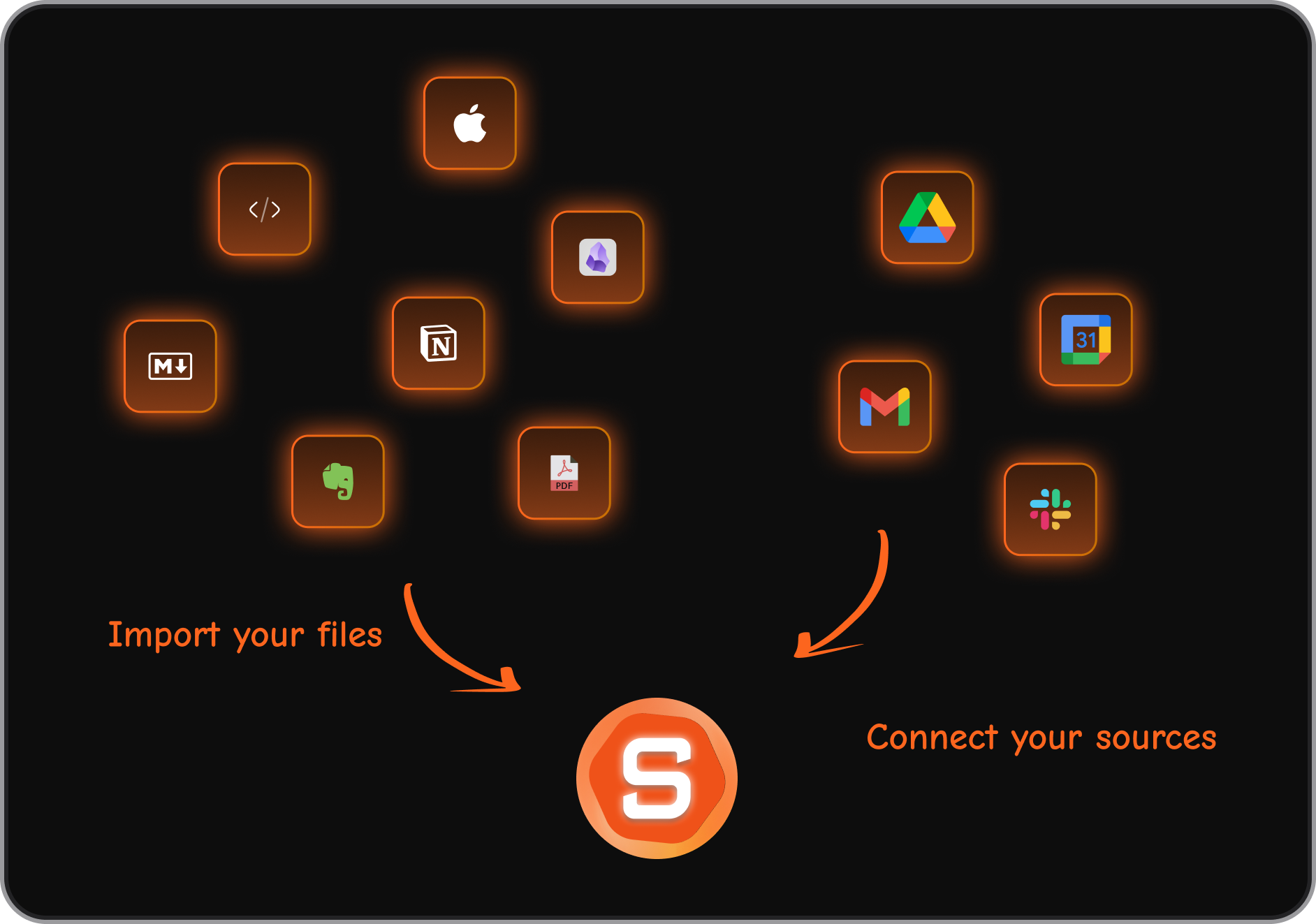
- Obsidian – Great for networked thinking and markdown lovers.
- Notion – Flexible for teams and databases.
- Roam Research – Powerful for backlinking and idea exploration.
If you want a Second Brain that thinks with you (not just stores stuff), Saner.AI stands out for actionability.
5. How is a Second Brain different from a to-do list or note app?
Traditional tools are static - you input stuff, then have to remember to come back.
A Second Brain is dynamic. It:
- Organizes as you go
- Surfaces what’s relevant in context
- Connects notes, tasks, and meetings
- Helps you act, not just store
Think of it like this:
- Notes app = a drawer
- Second Brain = an assistant who opens the drawer when you need it
6. Can a Second Brain help with ADHD?
Absolutely. For people with ADHD, a Second Brain like Saner.AI is a game-changer because:
- Reduces mental clutter and context switching
- Captures scattered ideas before they disappear
- Turns brain dumps into clear, actionable steps
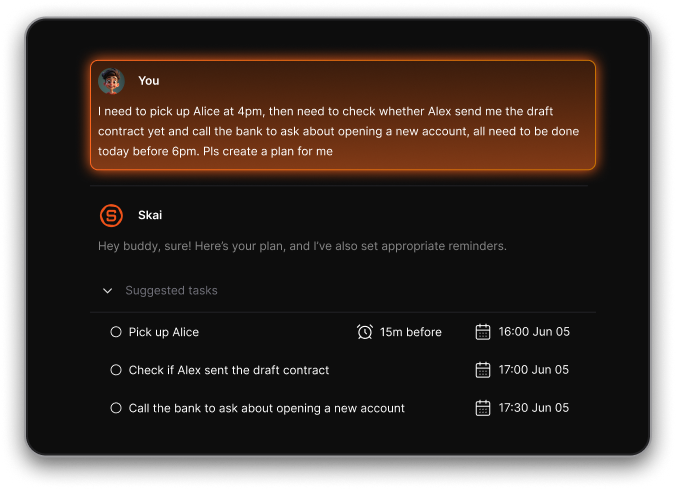
- Nudges you to follow through without nagging
It’s like having a calm, consistent partner to help keep your mind on track.
7. How do I build a Second Brain?
You don’t need a complex system to start. Begin with:
- Capture – Write down anything on your mind (notes, tasks, ideas)
- Organize lightly – Use tags or smart AI tools like Saner.AI
- Review weekly – Revisit, connect, and reflect
- Use it daily – Search, plan, or journal through your Second Brain
Let it grow naturally with your needs. Tools like Saner.AI make this easier by handling the structure for you.
8. Do Second Brain apps use AI?
More and more do; you can check out our posts about the best AI second brain apps. AI makes your Second Brain:
- Smarter at searching
- Better at summarizing
- Faster at organizing
- More helpful when planning
Saner.AI uses AI to understand your notes, suggest tasks, and surface insights—without needing perfect inputs.
9. What’s the best Second Brain for professionals?
Professionals need a Second Brain that’s quick, reliable, and actionable. Saner.AI is built for this:
- Combines notes, tasks, and calendar in one view
- Understands natural language (e.g., “Find investor notes from Q1”)
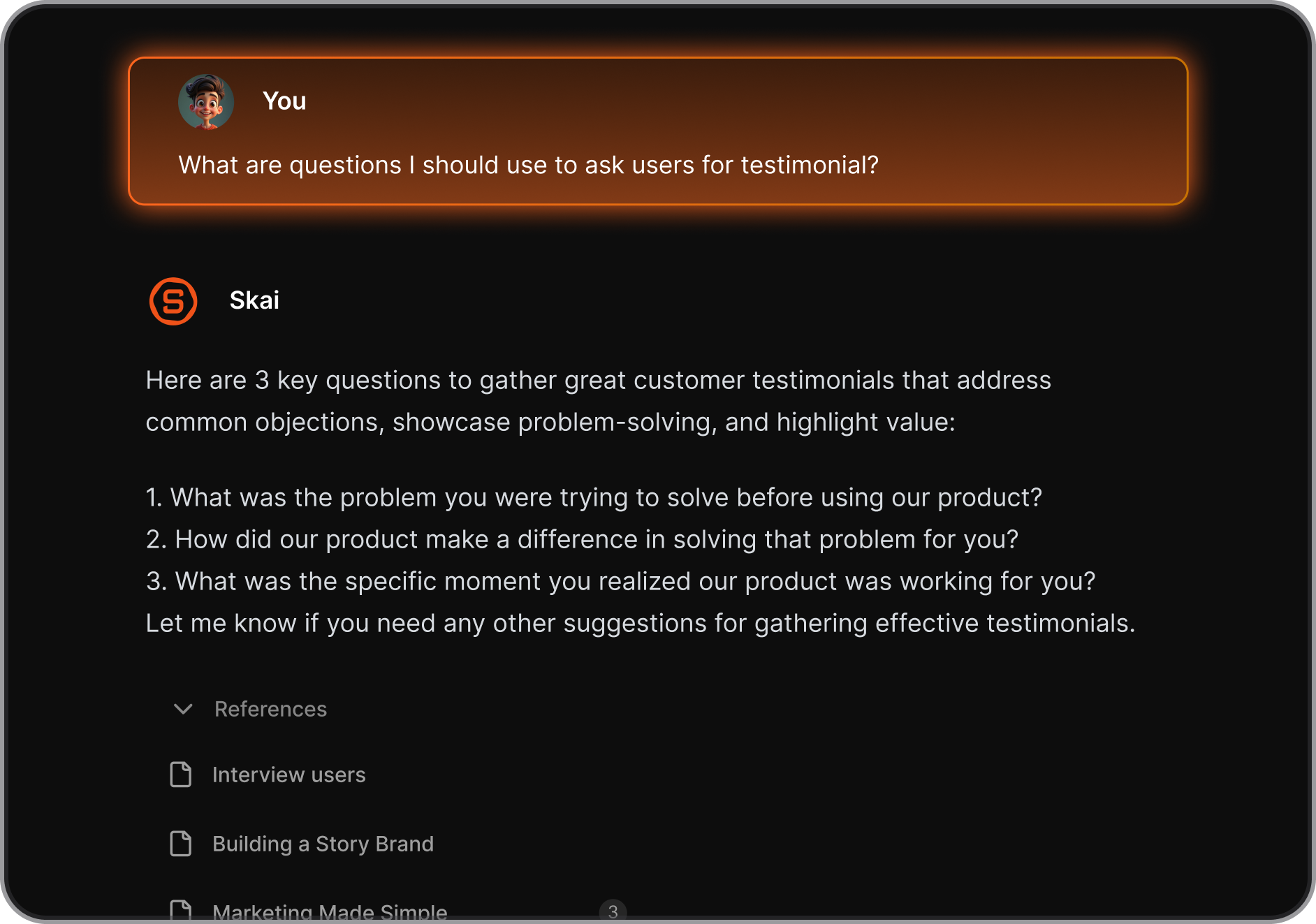
- Helps prep for meetings, follow up, and plan ahead - without effort
If your work is fast-paced and information-heavy, Saner.AI becomes your edge.
10. Can a Second Brain help with personal growth?
Yes. Many use their Second Brain to track:
- Books and takeaways
- Journaling and reflections
- Fitness or habit logs
- Ideas and projects over time
It’s a space where you can think clearly and grow intentionally, because it remembers what you don’t.
Stay on top of your work and life with a Second Brain