We Tested the 10 Best AI Second Brain apps in 2026
The Best AI Second Brain apps are: Saner.AI, NotebookLM, MyMind, Obsidian, Reflect Notes, Tana, Notion, and Capacities

The right AI Second Brain app in 2026 shifts the burden of organization from you to the software. Instead of requiring rigid hierarchy, these tools use machine learning, semantic search, and context-aware synthesis to connect disparate ideas across your digital life effortlessly. We evaluated the leading AI-first knowledge platforms to see which ones best bridge the gap between static note-taking and active thinking.
We’ll look at how each app handles automatic synthesis, what level of control you retain over your local data, and which specific workflows from visual canvas mapping to deeply linked databases—they’re built to support.
Key Takeaway: What are the best AI Second Brain apps?
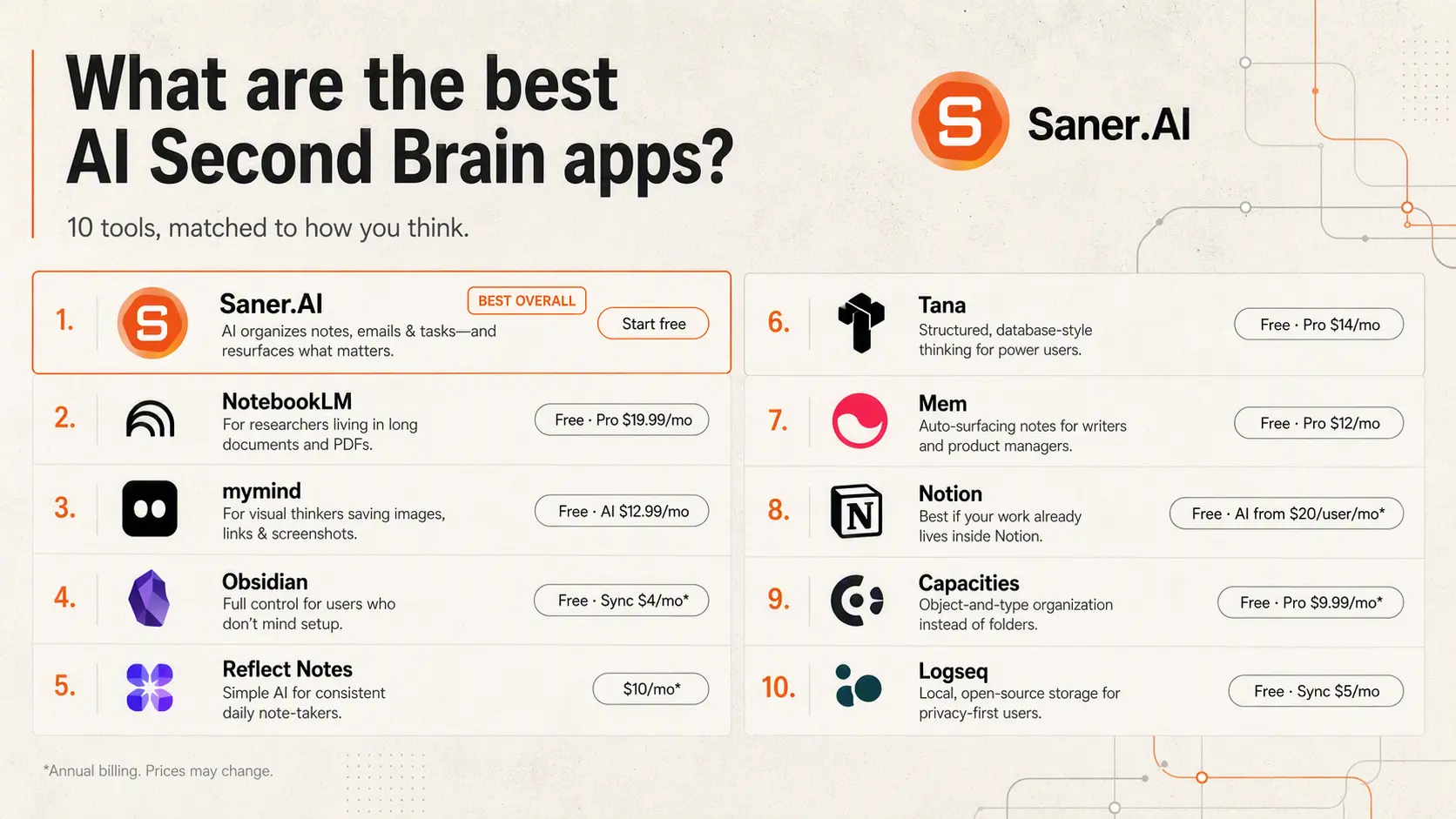
- NotebookLM: Works best for researchers who live inside long documents and PDFs
- MyMind: Fits visual thinkers who save images, links, and screenshots more than text
- Obsidian: Built for people who want full control and don't mind a setup process
- Reflect Notes: Good for daily note-takers who want AI without the complexity
- Tana: Works for power users who want a structured, database-style second brain
- mem.ai: Fits writers and PMs who want their notes to surface automatically
- Notion: Works if you're already inside Notion and want AI layered on top
- Capacities: Built for thinkers who prefer objects and types over folders
- Logseq: Option for privacy-first users who want local, open-source storage
1. What’s an AI Second Brain? 🤔

An AI second brain is a digital system that captures, organizes, and retrieves your knowledge automatically, without you having to file, tag, or maintain it
You feed it notes, articles, highlights, and ideas, and the AI figures out what everything means, connects related pieces across weeks or months of input, and surfaces the right information when you actually need it.
2. Why does an AI second brain matter?
3. How we chose the best second brain AI apps
We tested each tool over a minimum of six weeks with real working conditions: capturing notes from research sessions, saving articles and highlights, organizing notes, querying the AI with specific questions, and checking how well each tool surfaced relevant information without prompting. We also pulled real user feedback from G2, Capterra, Reddit, and Product Hunt to cross-check our experience against a wider range of use cases.
- AI retrieval quality: Can it surface the right note when you describe what you need, not just when you remember the exact keyword?
- Connection and linking: Does it automatically connect related ideas, or do you have to do all the linking yourself?
- Capture flexibility: Can you save from multiple sources (web, PDF, voice, email), without breaking the workflow?
- Learning curve: How long before the app is actually useful, and how much ongoing maintenance does it require?
- Privacy and data ownership: Where is your data stored, and do you have control over it?
- Free vs. paid gap: Is the free tier a real product or just a teaser that forces an upgrade?
- AI transparency: When the AI summarizes or connects something, can you trace it back to the source?
What are the best AI Second Brain Apps?
The Best AI Second Brain apps in 2026 are: Saner.AI, NotebookLM, MyMind, Obsidian, Reflect Notes, Tana, Mem, Notion, Capacities, Logseq.
Comparison Table - Best AI Second Brain Apps
| 🧠 App | 💪 Key Strengths | 🎯 Best For | 💻 Platform | 💰 Pricing (2026) |
|---|---|---|---|---|
| Saner.AI | AI-first second brain, frictionless capture, auto-structured tasks & notes, ADHD-friendly | People who want AI to organize for them | Web, iOS, Android | Free plan · Paid from ~$8/month |
| NotebookLM | Grounded AI answers from your own sources, strong summarization | Research, studying, document-heavy work | Web | Free |
| MyMind | Automatic tagging, visual-first memory, zero folders | Creatives, inspiration collectors | Web, iOS | ~$7–12/month |
| Obsidian | Local-first, backlinks, graph view, plugin ecosystem | Power users, PKM nerds | Windows, macOS, Linux, Mobile | Free · Sync ~$8/month |
| Reflect Notes | Backlinks + AI summaries, daily notes focus | Writers, thinkers, journaling | Web, macOS, iOS | ~$15/month |
| Tana | Structured data, nodes, AI-powered workflows | Complex systems thinkers | Web | Free · Paid from ~$10/month |
| mem.ai | AI auto-organizes notes, strong recall | Fast note-takers, meetings | Web, iOS | ~$15/month |
| Notion | All-in-one workspace, databases, AI writing | Teams, docs + project management | Web, Desktop, Mobile | Free · AI add-on ~$10/month |
| Capacities | Object-based knowledge, clean UI, long-term thinking | Knowledge builders, researchers | Web, Desktop | Free · Paid ~$10/month |
| Logseq | Local-first, block-based, backlinks | Privacy-focused PKM users | Web, Desktop, Mobile | Free · Optional sync |
1. Saner.AI
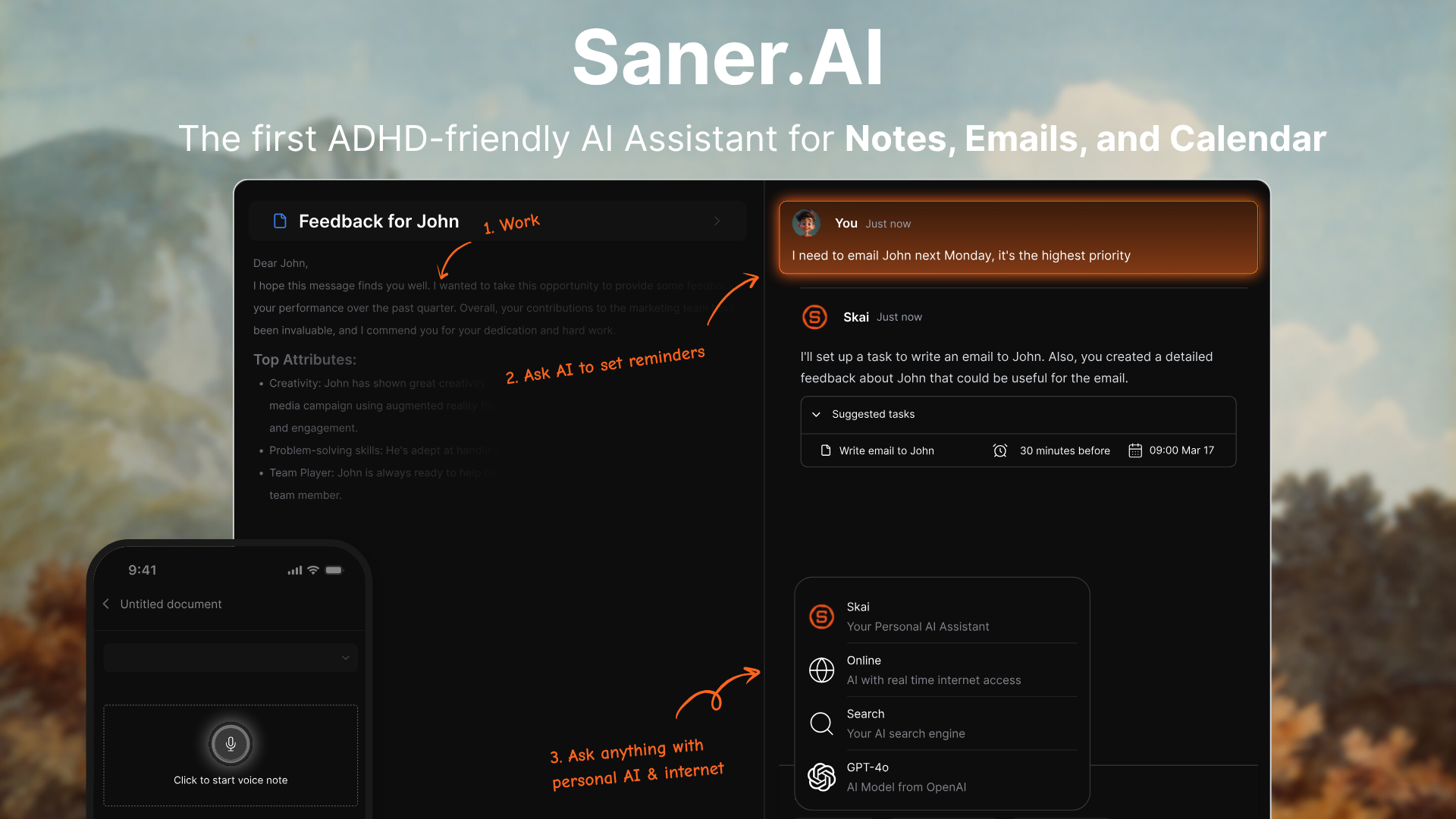
Saner.AI is what I consider to be one of the top AI Second Brain apps to organize everything that matters. It assists me in staying focused by capturing thoughts, notes, emails, and tasks, and turning them into something I can actually use.
Key features
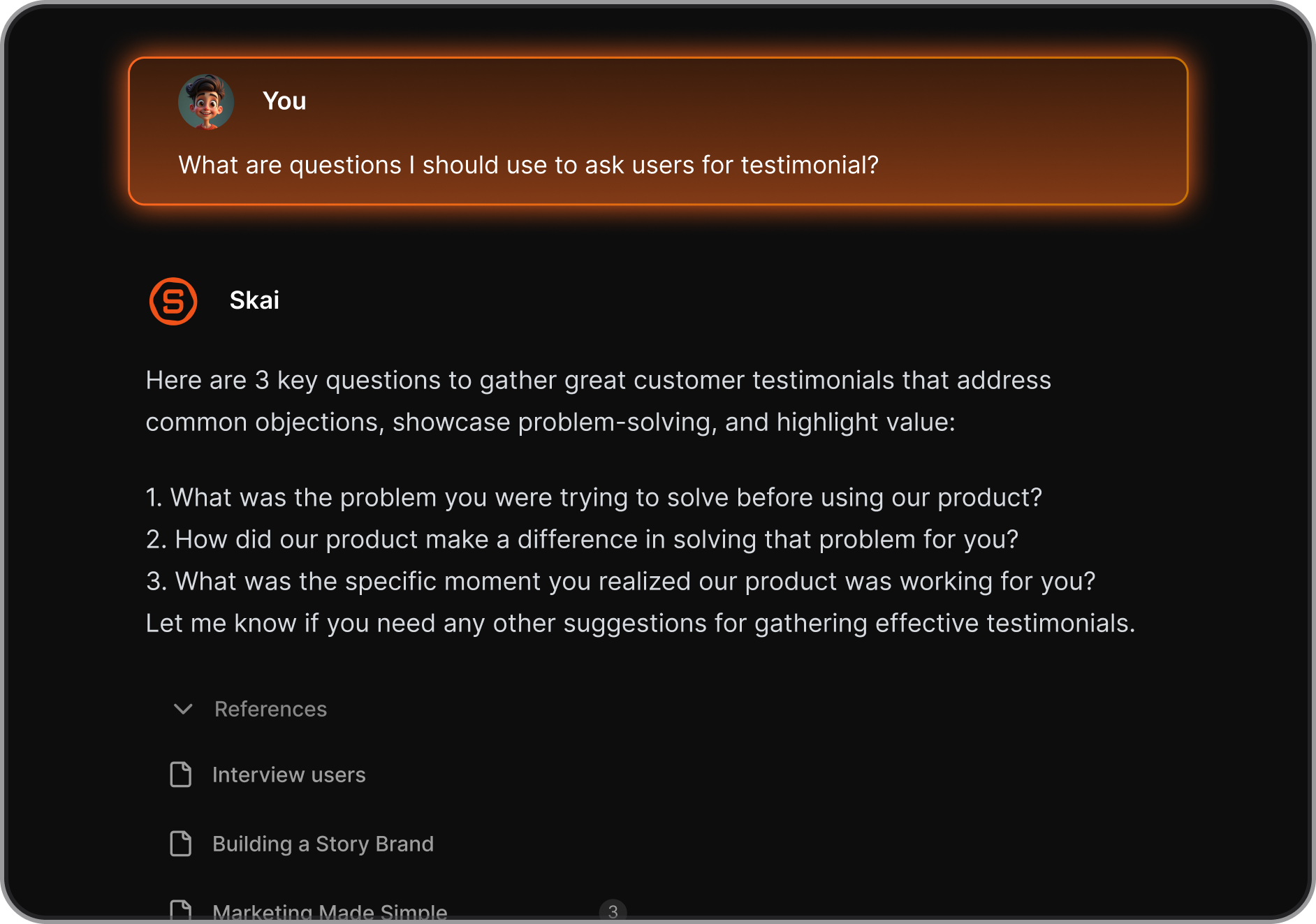
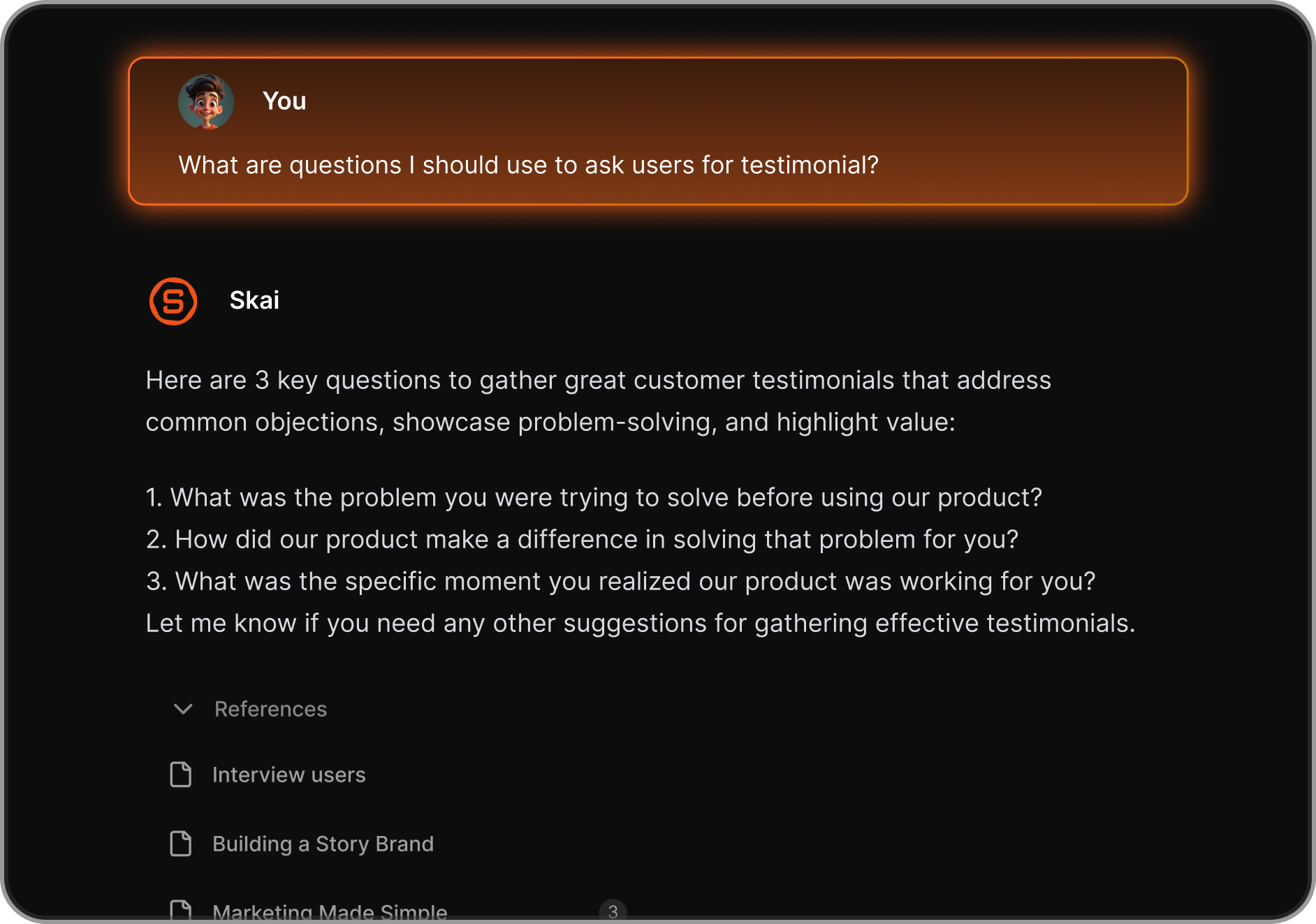
- The AI Assistant. It doesn't just search your notes; it reads them and gives you answers based on your own documents. So instead of hunting through folders, you ask a question, and it surfaces what you wrote.
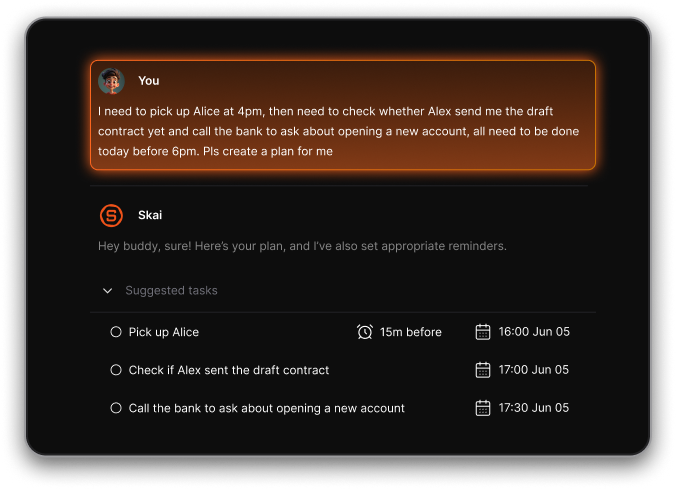
- Task Assistant: Turns thoughts or messages into to-dos, reminders, or calendar events
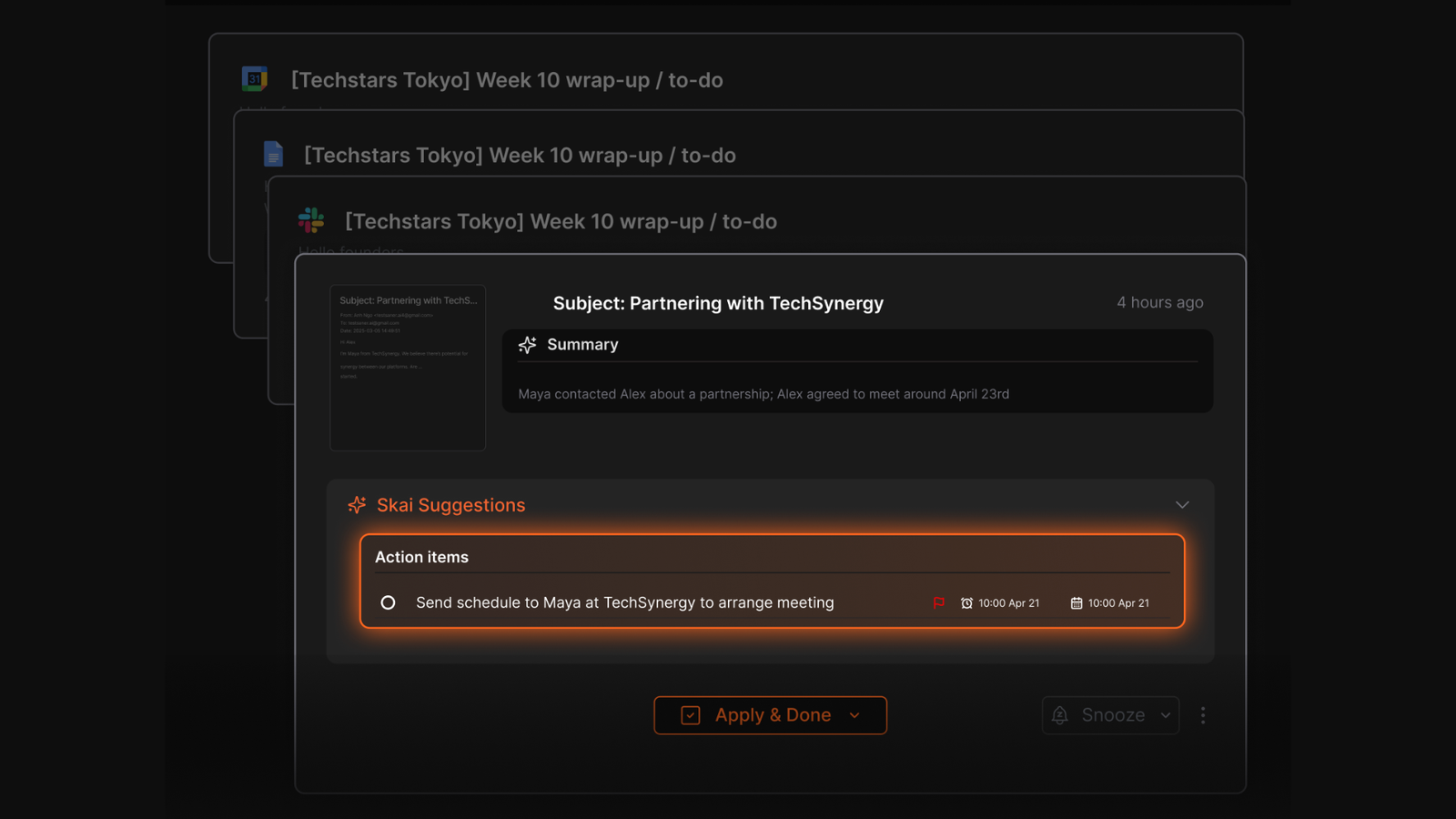
- AI Inbox: Captures notes, web clips, emails, docs, and even Slack messages in one place
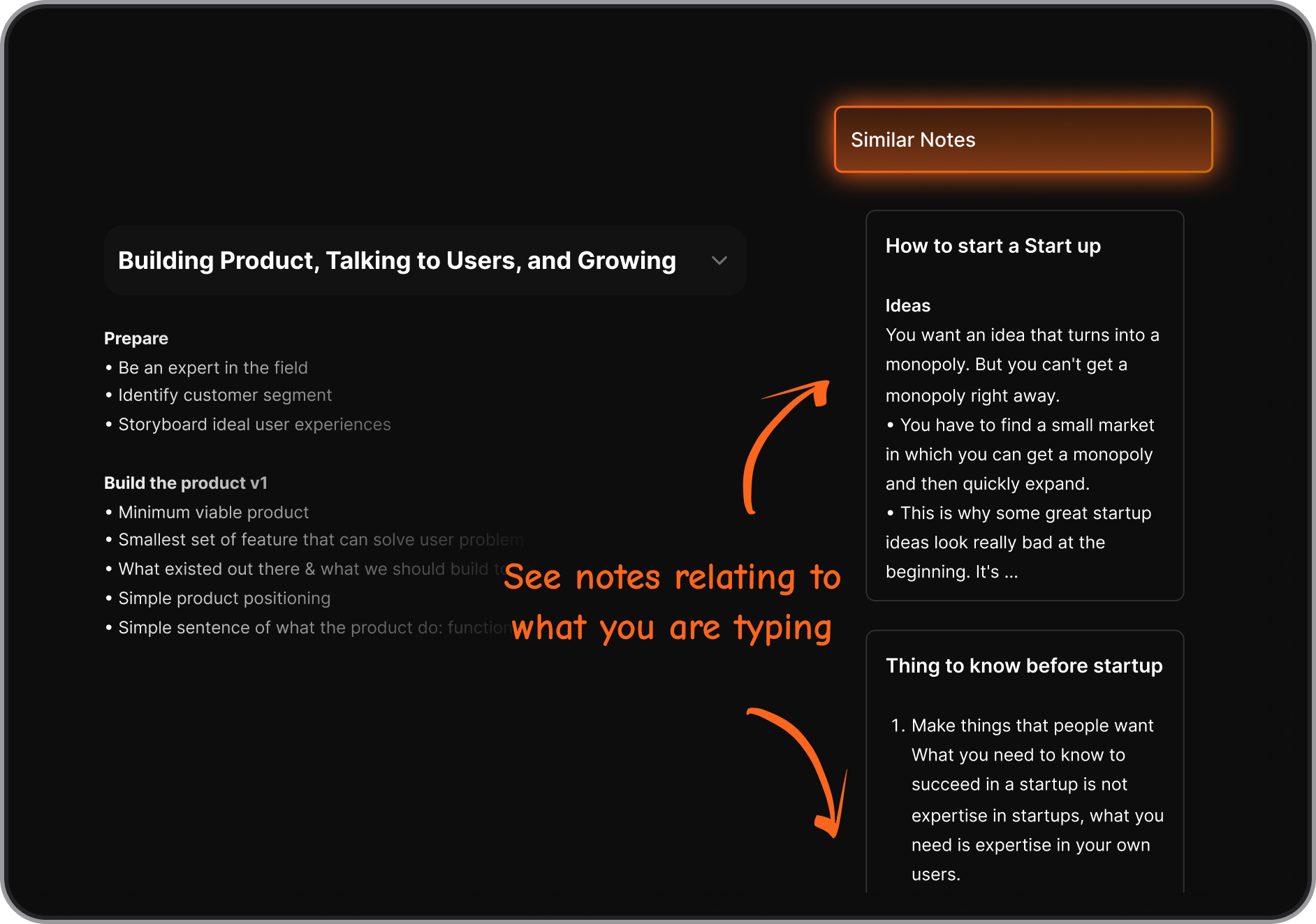
- Skai automatically tags, categorizes, and connects notes without requiring manual effort. If you write a messy, unstructured note, Saner figures out what it's about and files it correctly.
Pros
- I just brain dump my ideas, stuff I need to work on, and the AI handles all my organization
- I find the semantic search genuinely useful. Asking a question in plain language and getting something relevant back beats keyword searching every time.
- I appreciate that it works across notes, emails, tasks, and calendar in one place.
- The interface is built for focus. No clutter, no distractions.
Cons
- Requires internet access for full functionality.
Pricing
- Free
- Starter: Monthly at $8/month, Annually at $6/month
- Standard: Monthly at $16/month, Annually at $12/month
Suitable for
- Anyone who’s drowning in information and wants an AI second brain that actually helps think through the chaos.
- Especially good for entrepreneurs, researchers, and people with ADHD who don’t want to manually organize everything.
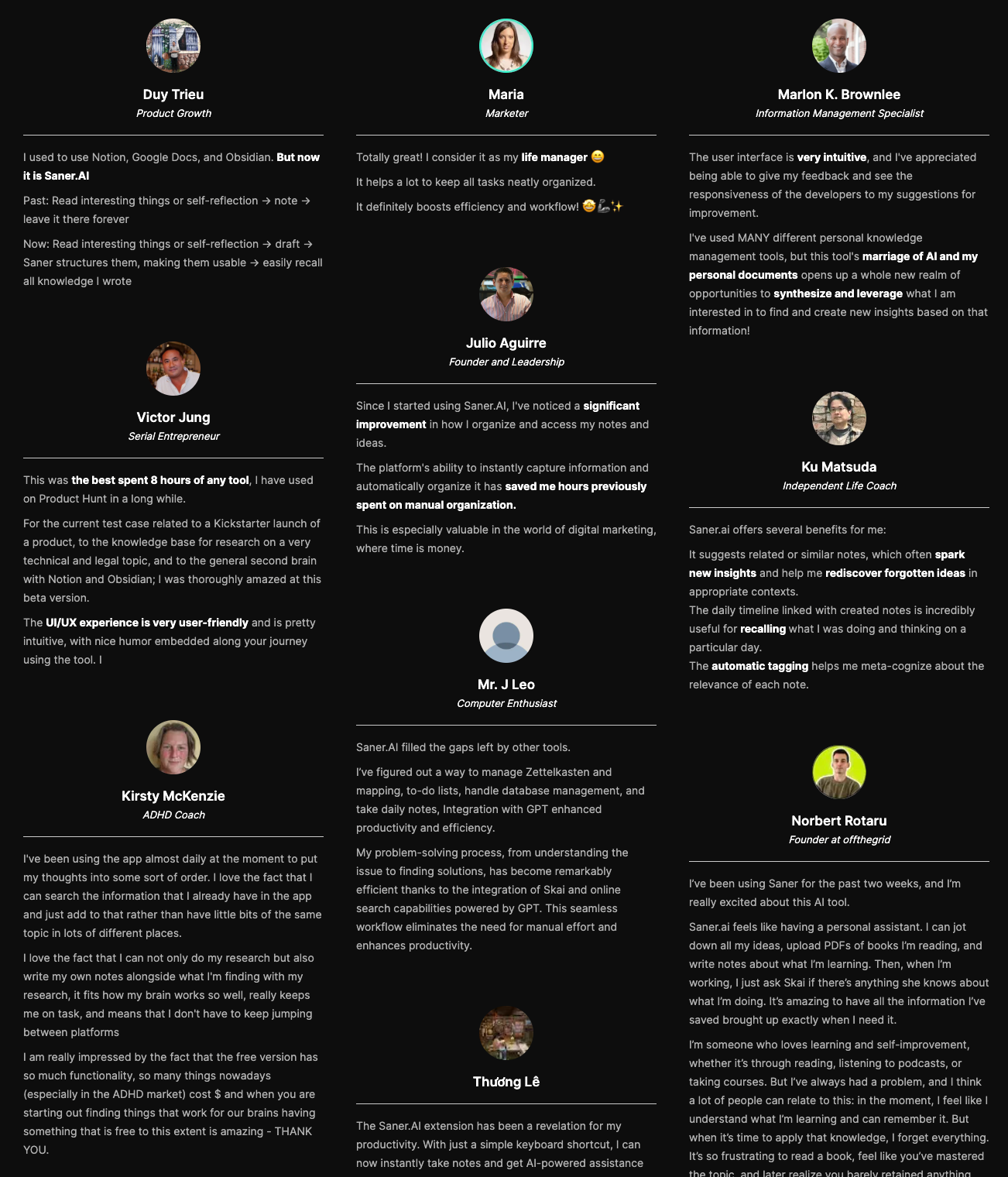
Saner.AI Reviews
"The biggest benefit for me in using Saner is the Proactive AI. Staying on top of the constant flow of email and multiple calendars is challenging, and so far, Saner is the only AI-based tool that truly feels like a personal assistant." - Jerry
How to start
- Just go to saner.ai, make a free account, connect your tools, and start chatting with Skai. The AI will help you organize without the usual friction.

The AI Second Brain for you notes, tasks and emails
2. Notion
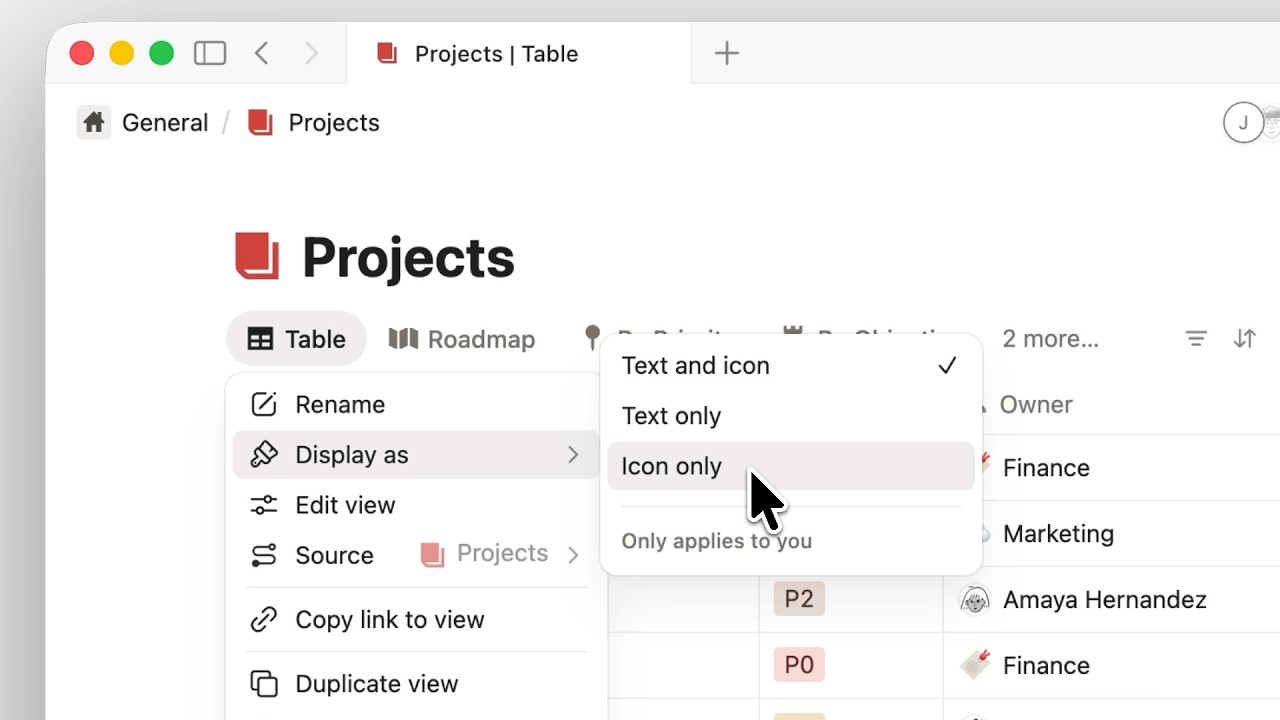
Notion brings your notes, databases, project tasks, and documents together into a custom grid. The system uses connected pages to build a personal knowledge graph, using built-in AI search to recall facts, pull quotes, and link related ideas across your entire workspace without making you manually tag everything.
What it does well
- Deep context memory: The AI searches across every page, database entry, and uploaded file to pull accurate answers based on your actual history.
"What I like best about Notion is how it combines notes, task management, databases, and collaboration in one place... It helps me keep all my information organized without needing multiple apps." - verified review
- Endless customization: You can build complex, linked databases for projects or keep things plain with a simple daily diary.
- Built-in writing and editing: It drafts summaries, extracts action items from notes, and updates database records on command.
"With the introduction of Notion AI, I get to write my 1 pagers much more efficiently as well as search for information I need quickly." - verified review
What it doesn't do well
- Setup takes work: You have to build the layout yourself. If you do not set up an organized structure early on, finding things gets messy.
- Large databases slow down: Pages loaded with massive datasets or years of heavy files take extra time to respond.
"Some advanced functions have a learning curve, and performance may slow down when working with very large pages or databases." - verified review
- Weak offline support: If your internet connection drops, relying on saved pages or pulling quick searches gets frustrating fast.
Notion reviews (source)

The interface may seem a little complicated at first, but it becomes clearer over time. Overall, the service is suitable for everyday use and helps keep information in one place - Andre Reindeer
3. NotebookLM
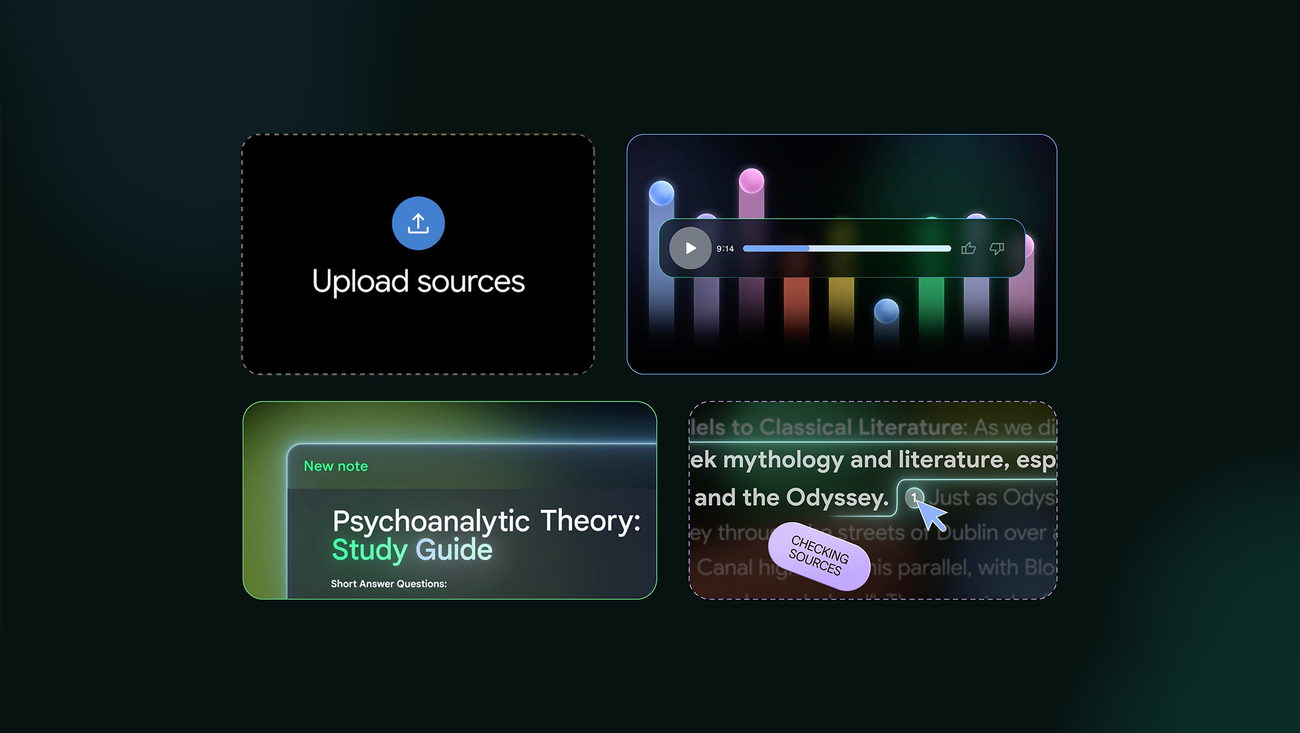
NotebookLM operates like a localized brain extension rather than a wide-open web search engine. You feed it your own source files—PDFs, Google Docs, slide decks, or YouTube links—and it builds a dedicated workspace anchored strictly to that data.
What it does well:
- Strict source grounding: NotebookLM doesn't wander off into general internet noise or guess wildly. It sticks to the documents you upload, giving you inline citations so you can verify answers in a click.
- Audio summaries on the fly: Its Audio Overview converts text notes into a surprisingly natural host-style conversation. It lets you listen through key takeaways while commuting instead of staring at pages of text.
"It turns your boring documents into a lively, two-person radio show where the hosts explain your material in plain English." — verified review
- Zero price tag barrier: It runs completely free with a standard Google account, making it an easy pick for students and solo researchers who don't want another monthly subscription.
"If you are a student and don't understand what your teachers are telling you, upload the files and let NotebookLM be your teacher." — verified review
What it doesn't do well:
- Siloed workspace boundaries: Each notebook stays isolated in its own box. It can't pull context automatically across separate project folders or talk smoothly to outside task managers.
- Limited native note editing: You get great summaries, but organizing and tweaking written drafts inside the workspace feels stiff compared to standard apps.
Verified review: "I love almost everything about this platform but I wish that this platform allows note keeping and little bit of editing." —G2 Reviewer
- Upload constraints: Heavy projects can run into document count caps, so it won't store your entire life's history in a single space.
Who it's actually for: Students, writers, and analysts who need an AI second brain anchored purely to their own source documents without the fluff or broad fabrications.
How to start
- Just go to notebooklm.google.com or download the mobile app.
- Upload your docs, start asking questions, and explore your ideas visually or through audio.
NotebookLM review (source)
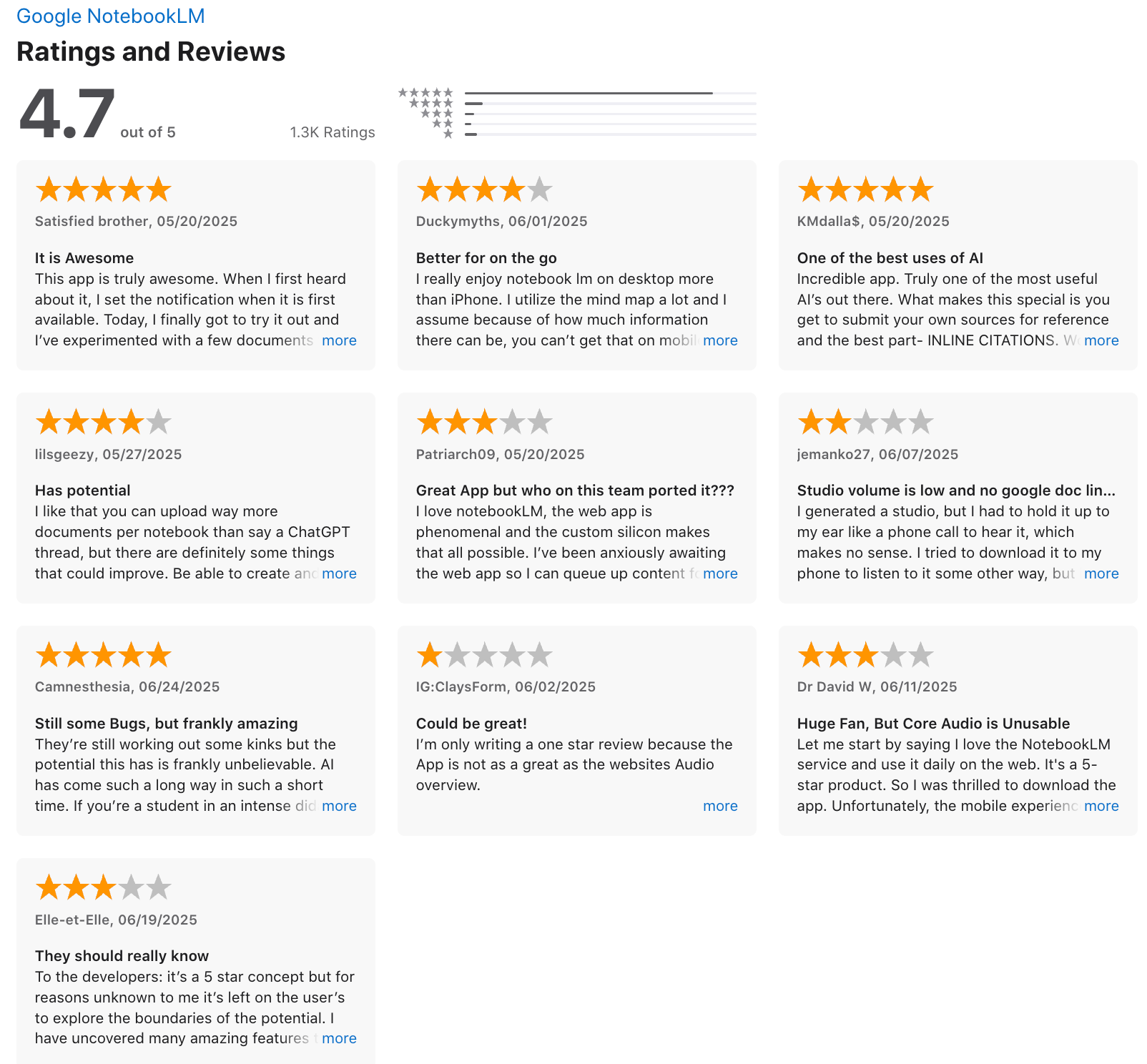
"Not as many tools on the mobile version, but it’s good if you want to listen to the podcast in your commute or on the go. You still have the chat to ask questions and you can upload resources on mobile too." - Duckymyths.
4. Mem
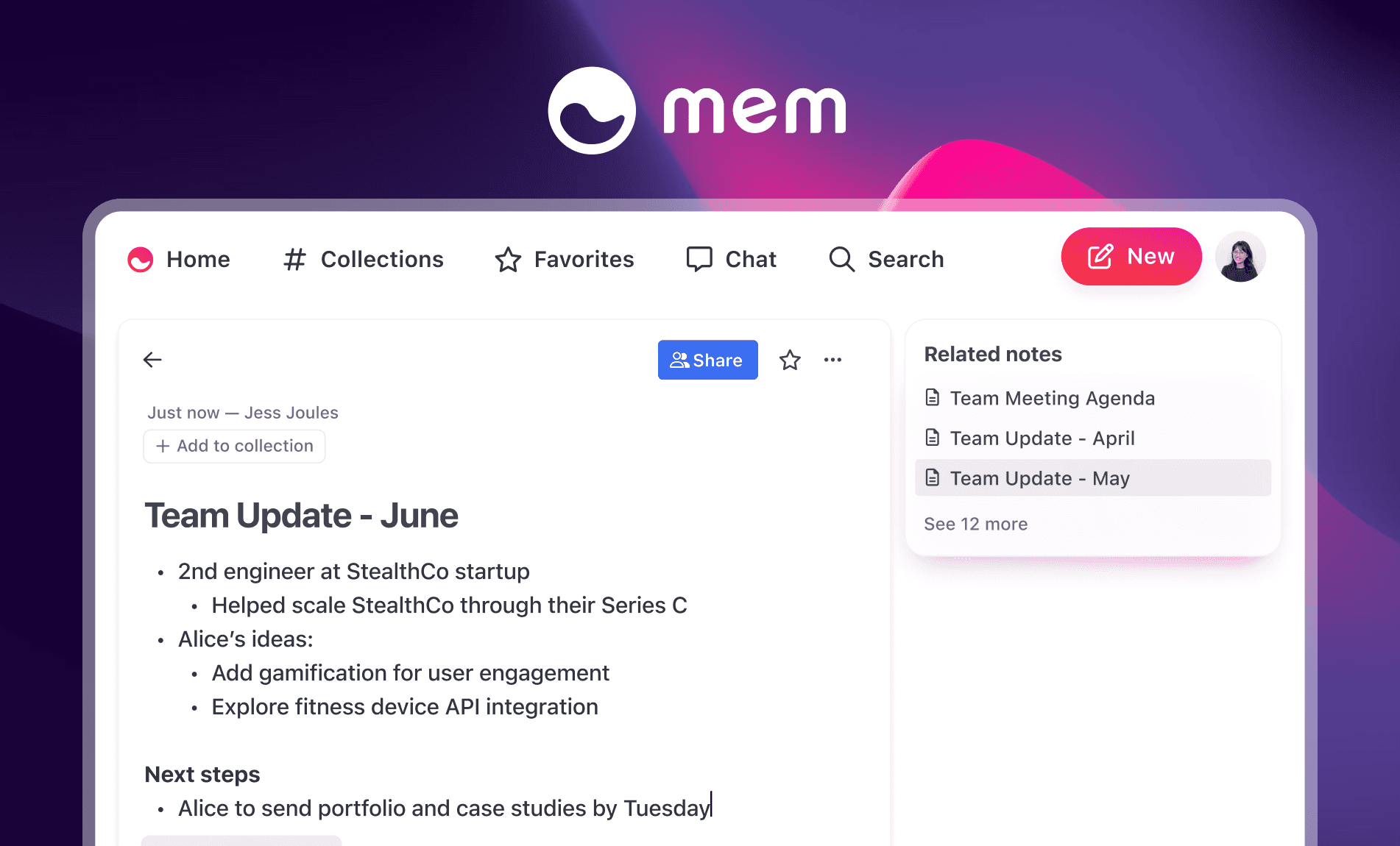
Mem is an AI second-brain app built around one idea: you should not have to organize your notes manually again. It works by reading what you write and automatically connecting related thoughts, meeting logs, and research across your entire knowledge base.
Key features
- Self-Organizing Notes. Notes are auto-tagged and linked contextually, so you never have to decide where something goes or what category it belongs to.
- Mem Chat lets you talk to your entire knowledge base. You can ask it to recall facts, summarize meetings, or find patterns across your notes
Pros
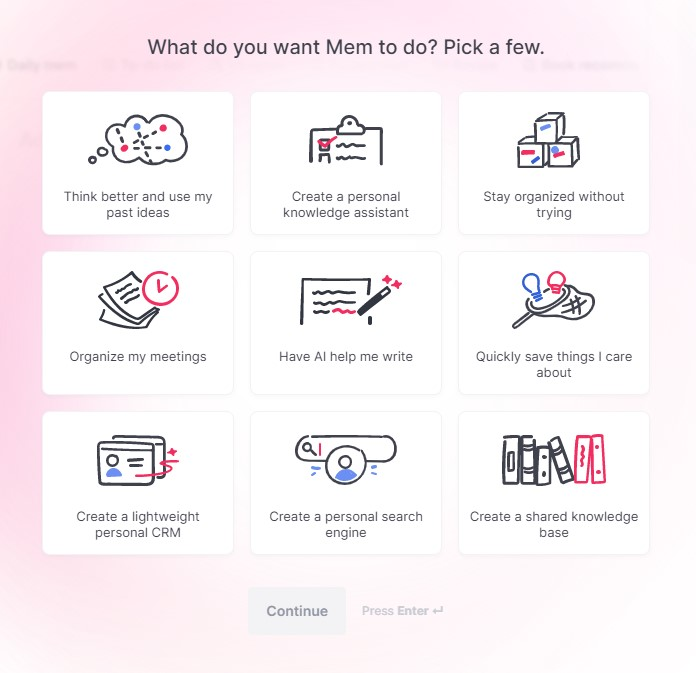
- I like that I can ask Mem to search for my notes
- Collections in Mem can overlap. A note about a client pitch can live in both "Client Work" and "Q2 Ideas" without me duplicating anything.
Cons
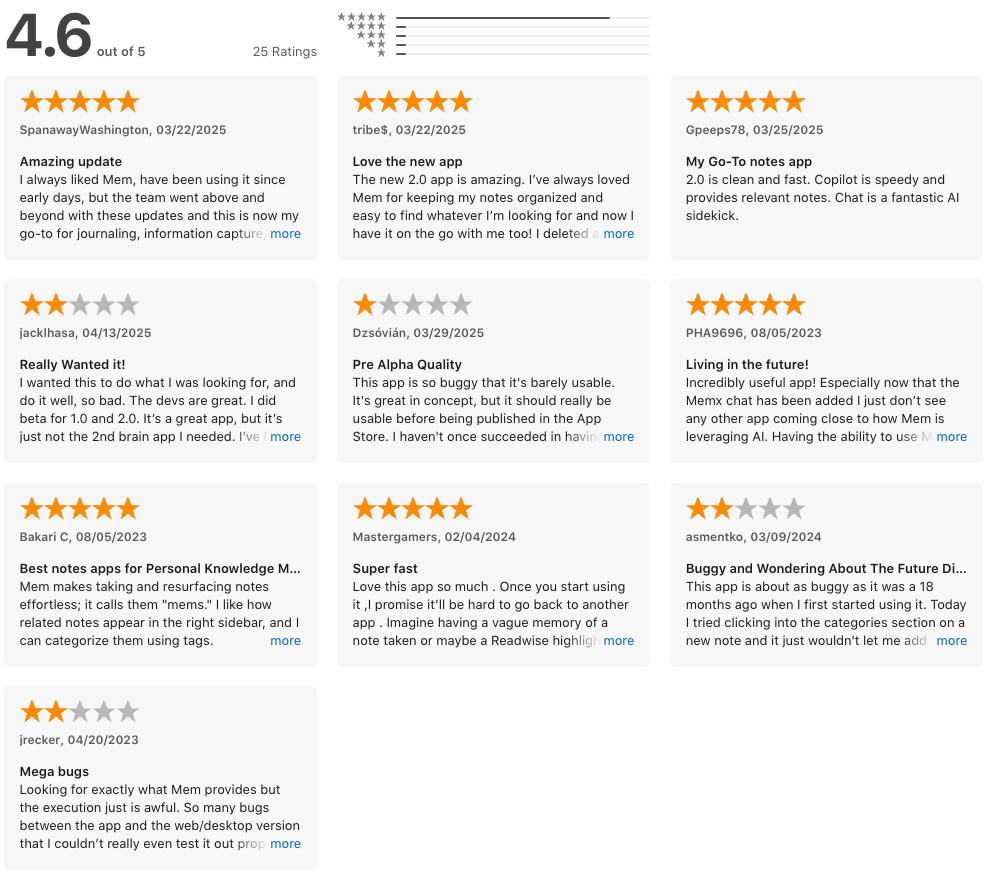
- Some bugs reported by long-term users have stayed unfixed across versions, which makes me cautious about trusting it as my only capture system.
- Semantic search is great until you need to find a specific phrase and it can't locate it precisely.
- I don't love that heavy project management isn't part of the picture. Mem is a knowledge tool, not a task manager like Saner.AI
"It's in a bit of a crisis as to what it is as a product. If it can work out the bugs and deliver on the promise of AI-powered note-taking it'll be awesome, but at the moment it's a bit frustrating." — Verified Review
Pricing
- Free plan with basic notes and search
- Mem X (premium) at $8/month for AI features
Suitable for
- Freelancers and consultants who capture a lot of client notes and need to pull up context quickly before a call.
- Researchers and writers building a knowledge base over months or years, where the AI's ability to resurface old notes becomes more valuable over time.
How to start
- Go to Mem, sign up for a free account, and start writing.
- Try the daily note, test Mem’s AI, and upgrade if you want access to the full experience.
Mem Reviews (Source)
5. Obsidian
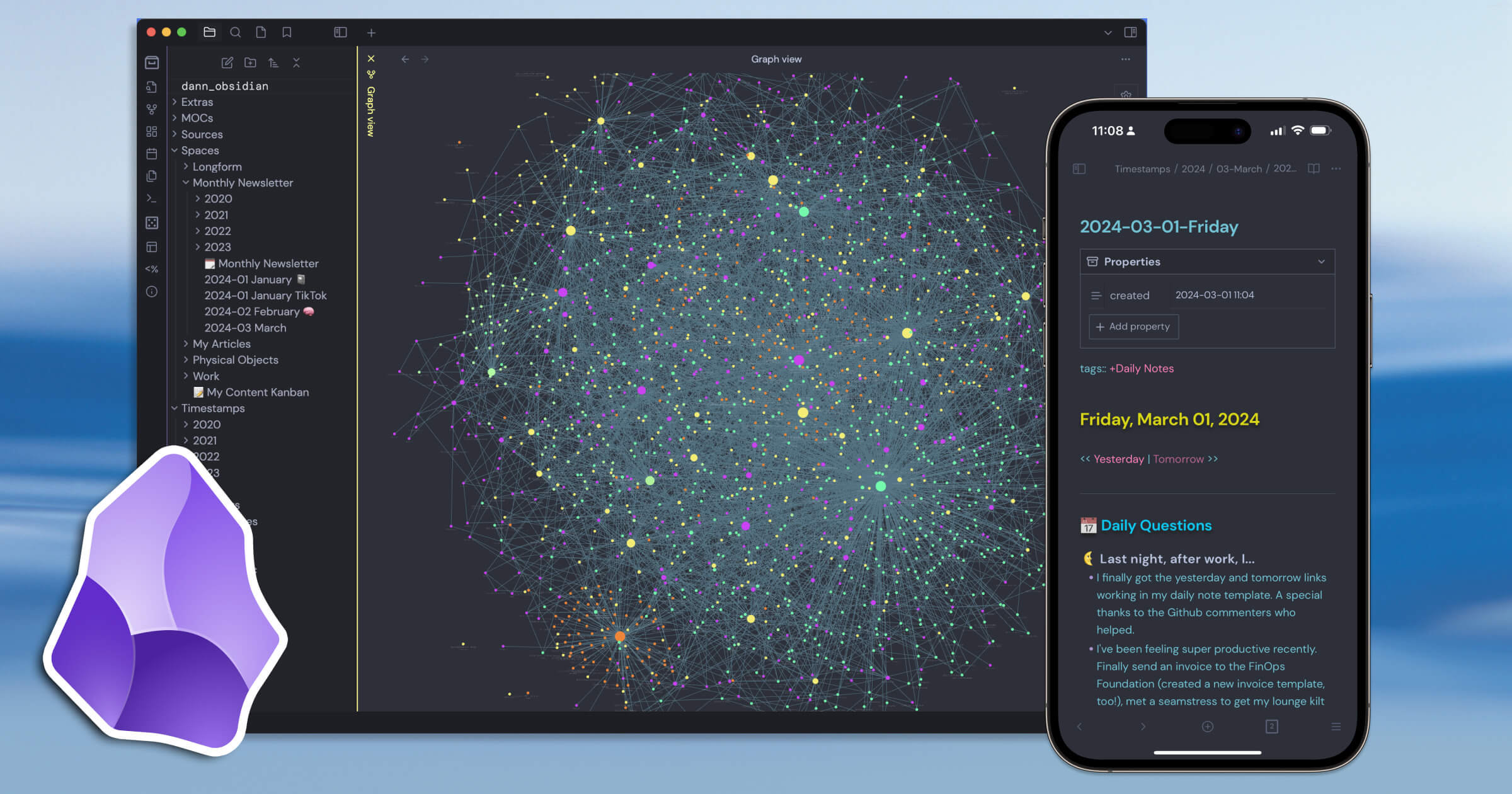
Obsidian turns scattered thoughts into an interconnected web using bidirectional links, and its AI plugins let you chat with your entire personal library without uploading private files to someone else's server.
What it does well
- Offline privacy and total ownership: Your data stays on your device in plain text files. You genuinely own your data and avoid vendor lock-in.
- Deeply connected note structure: Links between pages turn isolated documents into a visible network.
Reviewers highlight how “because of the clever method in which it relates papers through the use of its visualization tools, it is quite simple to comprehend how your information is interconnected”.
- Community-driven AI expansion: The app itself is lean, but community plugins add local AI models directly to your workspace.
What it doesn't do well
- Steep learning curve: It opens as a completely blank canvas.
Verified reviews mention that“it is not user friendly and, even with a well documented wiki, it takes some time to the user to fully understand the potential of what this app offers”.
- Setup distraction: Getting everything working requires tweaking settings and installing plugins, which turns into a project of its own.
Users point out that“it can lead to 'productivity procrastination' where you spend more time tweaking the tool than actually writing”.
- Paid sync for native cross-device access: While local files can be moved manually, seamlessly syncing notes to mobile without setup hurdles requires an extra paid subscription.
Who it's actually for: Writers, researchers, and privacy-minded builders who want absolute ownership of their notes and prefer linking ideas together over using standard linear folders.
How to start
- Just download Obsidian, create your first vault, and explore plugins like Smart Second Brain or Smart Composer.
Obsidian review (source)
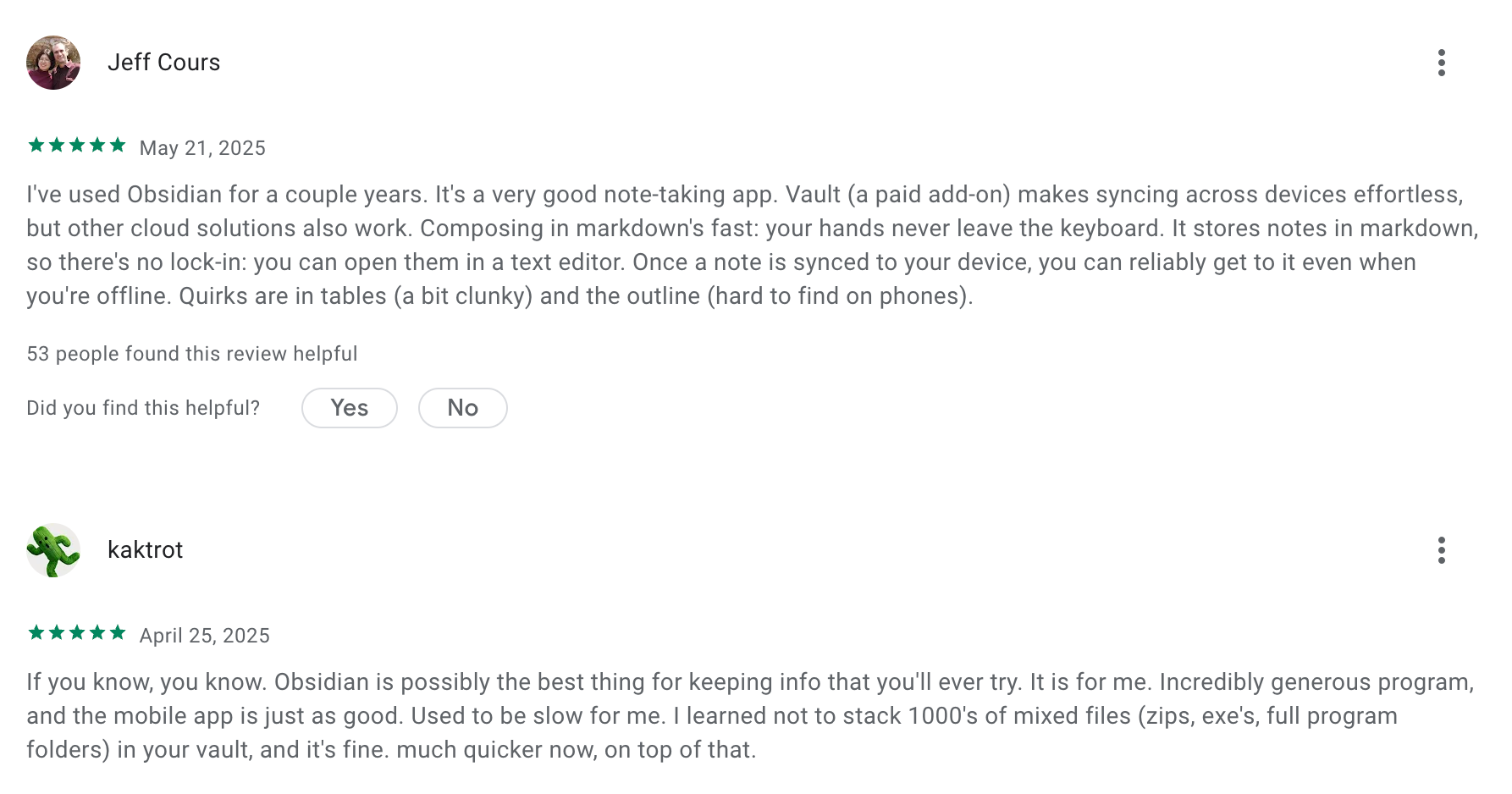
"I'd always seen Obsidian championed by fancy creative productivity types, but it turns out, you can also just make a "wiki" about your own boring life, and never forget someone's name again." - A P.
6. Tana
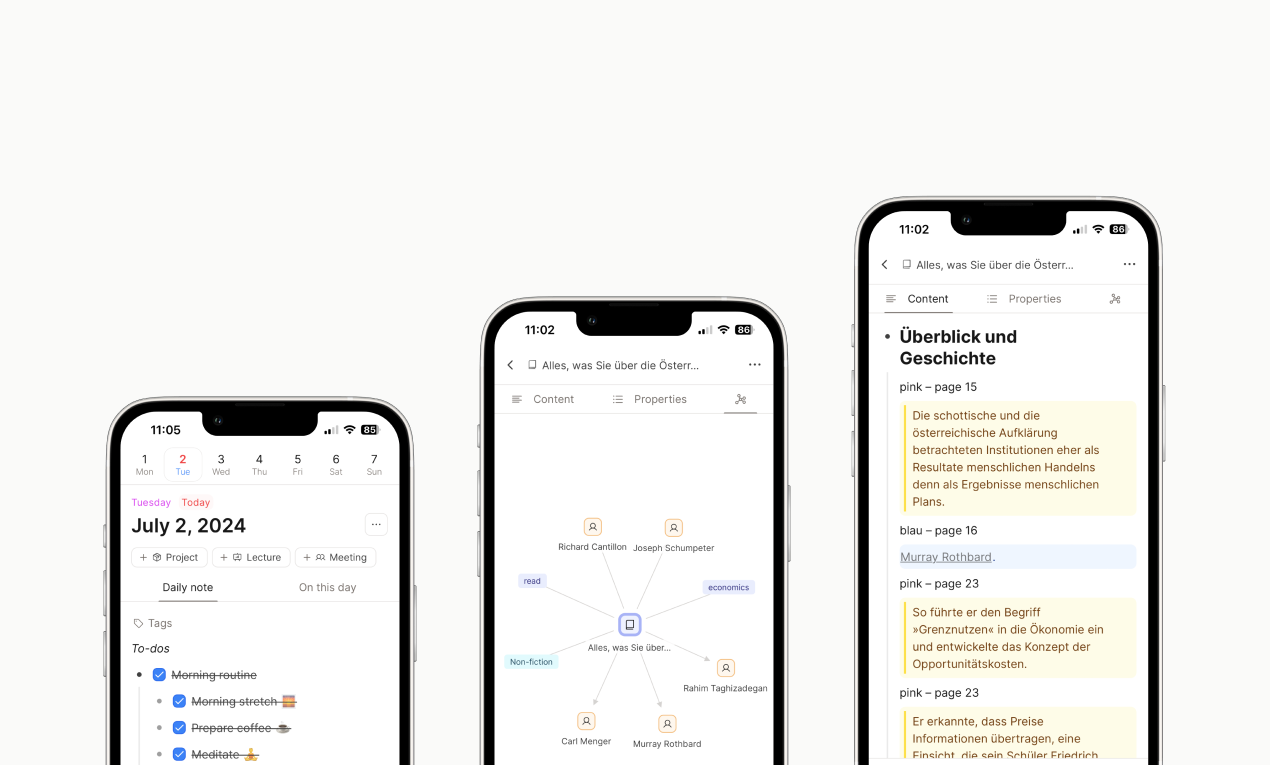
Tana organizes your thoughts into a living network where notes, tasks, and meetings link together automatically, making it one of the most capable AI Second Brain apps in 2026.
What it does well:
- Emergent structure through Supertags: Instead of sorting notes into rigid folders, you tag a bullet point, and Tana dynamically turns it into a structured database entry with custom fields.
- Integrated knowledge graph: Every note exists as an individual node, allowing your AI assistant to pull context across your entire history instead of searching line by line.
- Live meeting transformations: It transcribes calls in real time and automatically converts spoken decisions into assigned tasks or Linear tickets before the call even wraps up.
According to verified reviews, "Behind the calls, Tana is a connected workspace for notes, tasks, projects, and AI. You start by writing, and structure shows up when you need it."
What it doesn't do well:
- Steep learning curve: The node-based structure and command primitives take serious effort to master compared to traditional note-taking apps.
- Overwhelming interface for casual users: If you just need a quick place to jot down a grocery list or a short note, Tana's dense feature set can feel like overkill.
- No true offline mode: Because its AI agents and knowledge graph run heavily through cloud processing, relying on it without an internet connection is frustrating.
According to verified G2 and ClickUp software analysis, "Tana is a standout when it comes to structured note-taking and knowledge graph creation... but its node-based architecture gives power users freedom while remaining less built for seamless, live team workflows."
Who it's actually for: Power users, researchers, and systems thinkers who want an AI-driven knowledge graph rather than a basic digital notebook.
How to start
- Sign up at tana.inc, install the desktop app, and grab the mobile capture app to start building your Second Brain.
Tana Reviews (Source)
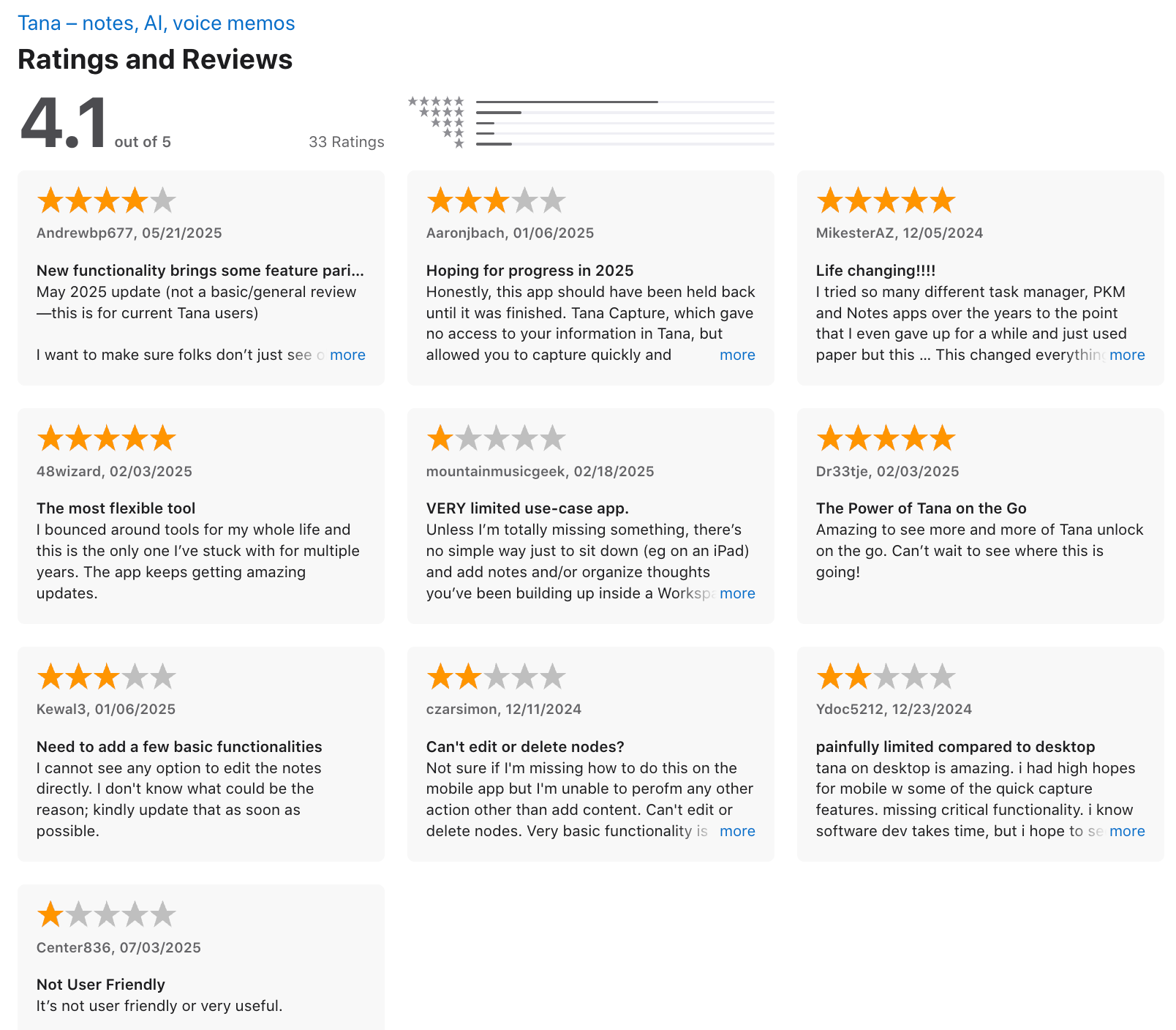
I bounced around tools for my whole life and this is the only one I've stuck with for multiple years. The app keeps getting amzing update - 48wizard.
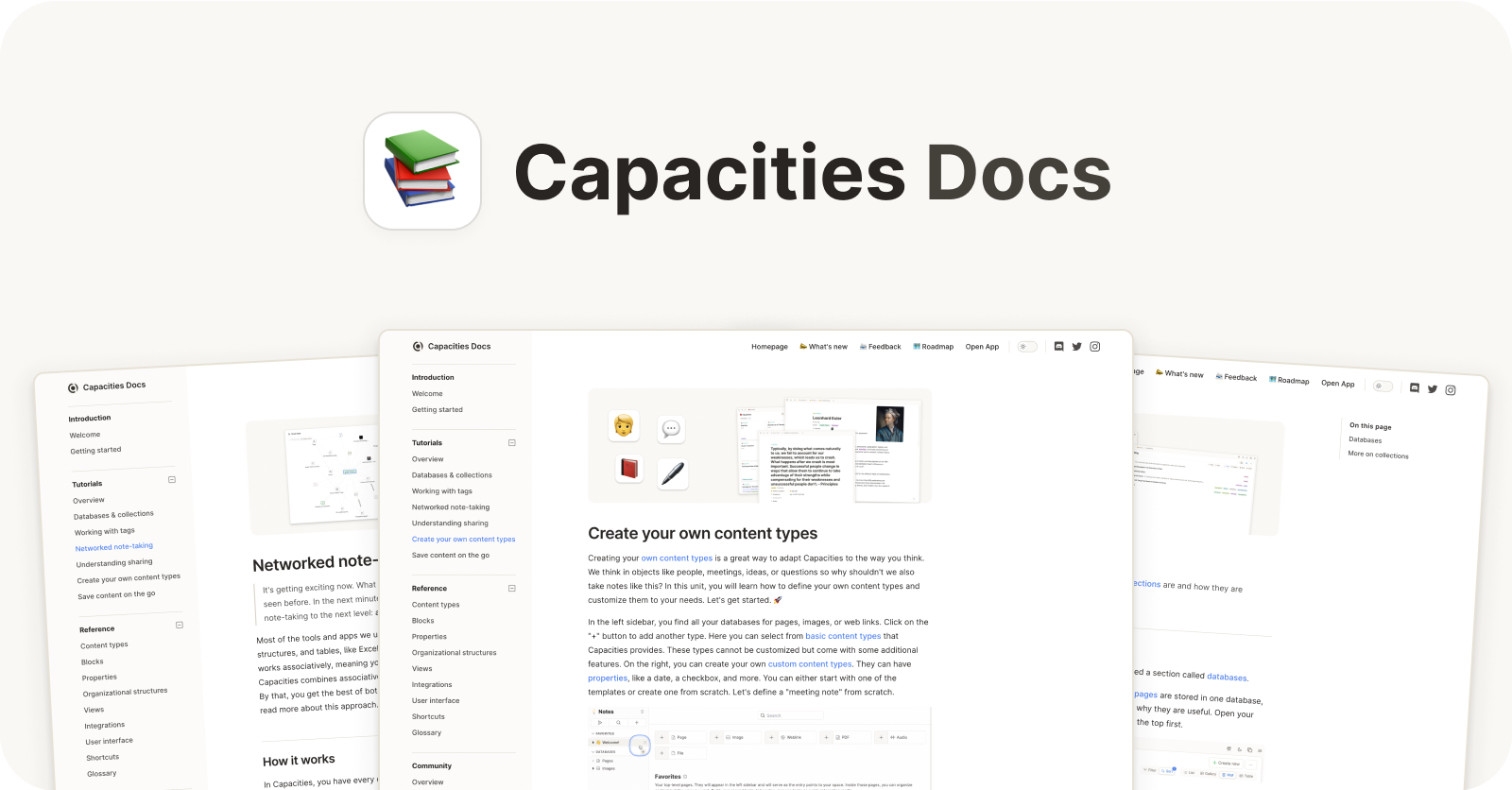
7. Capacities
Organize your thoughts as real-world objects rather than buried files. It treats your notes, books, and meetings as distinct entities, automatically linking them together so your knowledge base grows organically.
What it does well:
- Generous free plan: The free tier includes full core functionality and unlimited notes, giving you plenty of room to build out a workspace before paying a dime.
- Relational linking and graphs: Visualizing your notes reveals connections between old book quotes and current projects that you wouldn't notice in standard folder setups.
"Suddenly my daily notes linked to a personal project, which linked to a book quote I'd saved months ago. Felt like my thoughts were finally talking to each other. The graph view shows these wild connections I never planned." — Verified Review
- Daily note friction reducer: You can dump raw thoughts into a single chronological feed each morning and turn those fragments into structured data later.
- Object-based structure: Instead of throwing text onto plain pages, Capacities lets you define specific content types like books, ideas, or people with custom properties.
What it doesn't do well:
- No bulk import tools: Moving years of existing notes over from Notion or Obsidian requires painful manual transferring since automated importers are largely absent.
- Unreliable mobile experience: The desktop app runs great, but mobile companion access feels clunky and buggy when trying to capture ideas on the run.
- Steep initial learning curve: If you just want to open an app and write down a quick grocery list, forcing every thought into an object structure can feel like unnecessary homework.
Who it's actually for: Writers, researchers, and deep thinkers who are tired of losing notes inside traditional folder hierarchies and want a connected, database-like brain on desktop.
How to start
- Just sign up on Capacities, try the daily notes, and let the system grow around your thoughts. It starts simple and gets smarter with you.
Capacities Review (source)
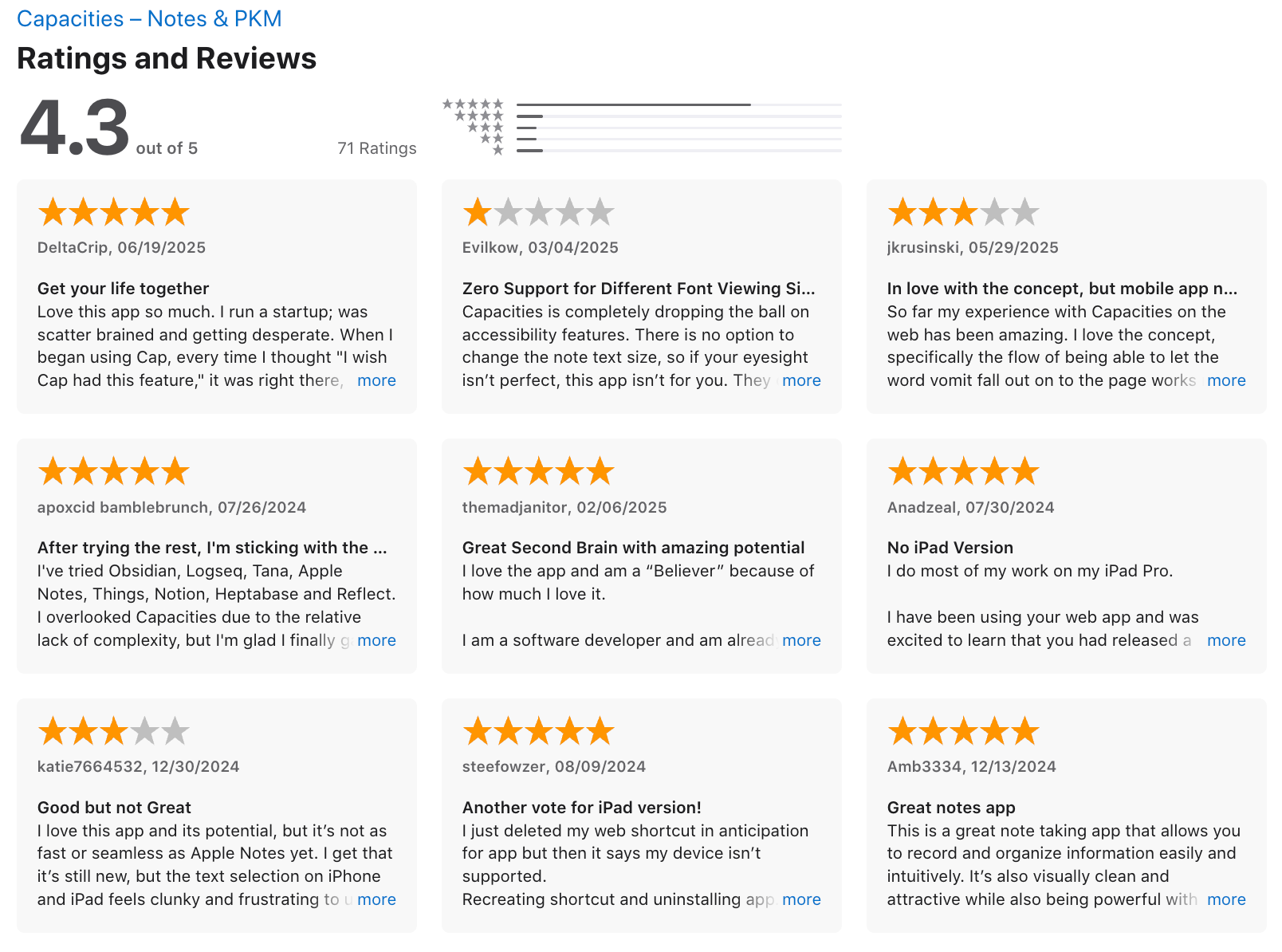
Love this app so much. I run a startup; was scatter brained and getting desperate. When I began using Cap, every time I thought "I wish Cap had this feature," it was right there, waiting for me. Thank you! - DeltaCrip.
8. Reflect
Reflect replaces heavy, bloated workspaces with an instantly loading daily journal that connects your notes, calendar events, and thoughts automatically.
What it does well
- Speed and minimalist design: Notes load immediately without the lag or complex setups that usually bog down Notion or Obsidian.
Verified reviewers note that"it has you enter notes in chronological form and then uses backlinks to cross-reference everything".
- Integrated AI capabilities: The built-in GPT integration handles transcription, voice notes, and instant summaries right where you type.
Users point out that"the semantic search capability is particularly impressive, allowing me to find relevant information without remembering exact keywords".
- End-to-end encryption: Your notes are private by default, which is rare for apps offering this level of calendar and web-clipper integration.
What it doesn't do well
- No traditional folder structure: It relies heavily on backlinks and tags.
As one reviewer highlighted,"it requires your brain to work in a way that mine doesn't... it does away with hierarchy and folders".
- Price point: At $10 to $15 per month, it costs more than many competing note apps that offer free or one-time payment tiers.
- Limited database customization: If you need complex relational databases or heavy project management boards, Reflect will feel too basic.
Who it's actually for: People who want a fast, daily note-taking tool with built-in AI assistant features and zero tolerance for slow interfaces or folder management.
How to start
- Just go to Reflect, create an account, and start writing. The rest builds naturally.
Reflect notes reviews (source)
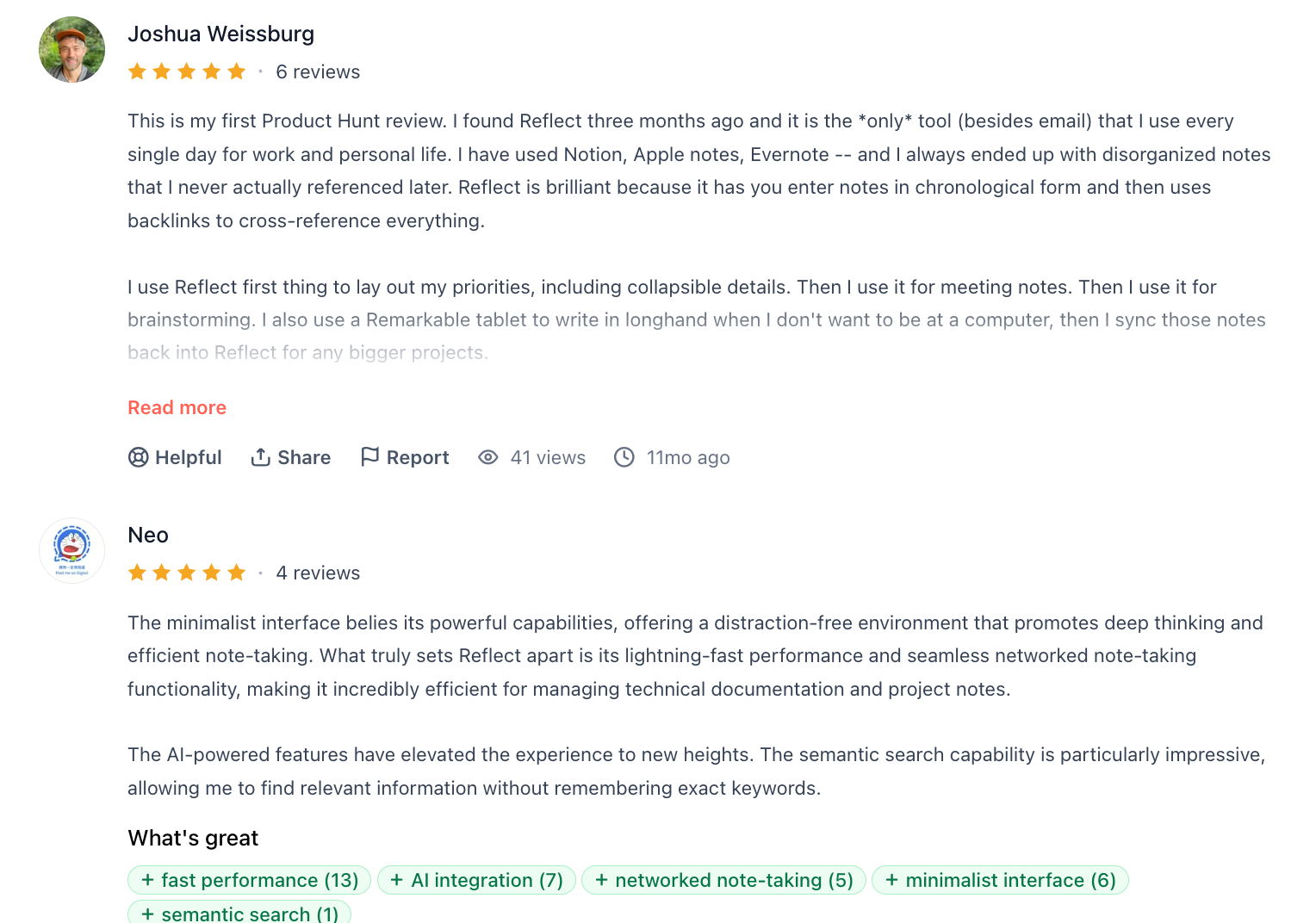
I love Reflect notes. After starting with Roam in early 2020, I've been using Reflect solid for the past year. It has a robust feature set and is focused on providing a stable notes experience across web and iOS with networked notes, meeting/calendar integration, a web highlighter, and Kindle notes support - Jonathan Simcoe.
9. MyMind

MyMind acts like a zero-maintenance archive for your digital life, stripping away manual tags, folders, and messy nested lists. You dump in web clippings, photos, product pages, or quick thoughts, and its background AI handles all the indexing automatically.
What it does well
- Strict focus on user privacy: The developers built the service without social features, shared spaces, or ad-tracking, keeping your personal notes completely isolated.
- Visually rich search: Searching feels like querying a private browser rather than digging through text documents. You can type broad visual descriptors like "blue shoes" or "minimalist design" to bring up relevant clips.
"Search functionality is the best - wildcards, smallest of keywords, random set of jumbled words - just about any scenario." — Verified Review
- Frictionless capture with zero filing: The moment you clip an item, AI analyzes the image, text, or metadata to build its own tags. You never have to spend time organizing folders.
What it doesn't do well
- No team collaboration: Built explicitly as a solo tool, it lacks features for sharing boards, sending links, or co-editing with coworkers.
- No permanent free tier: While you can test the basic setup, ongoing use requires a paid plan with no option for a fully featured free tier.
- Weaker at long-form text analysis: If you rely heavily on deep semantic analysis across massive, dense text documents, visual-first indexing can sometimes feel limited compared to dedicated text databases.
Who it's actually for: Designers, researchers, and visual thinkers who want an effortless digital hoard without the tax of maintaining an organizational system.
How to start
- Download the app or browser extension, sign up, and start saving whatever’s on your mind.
MyMind Review (Source)
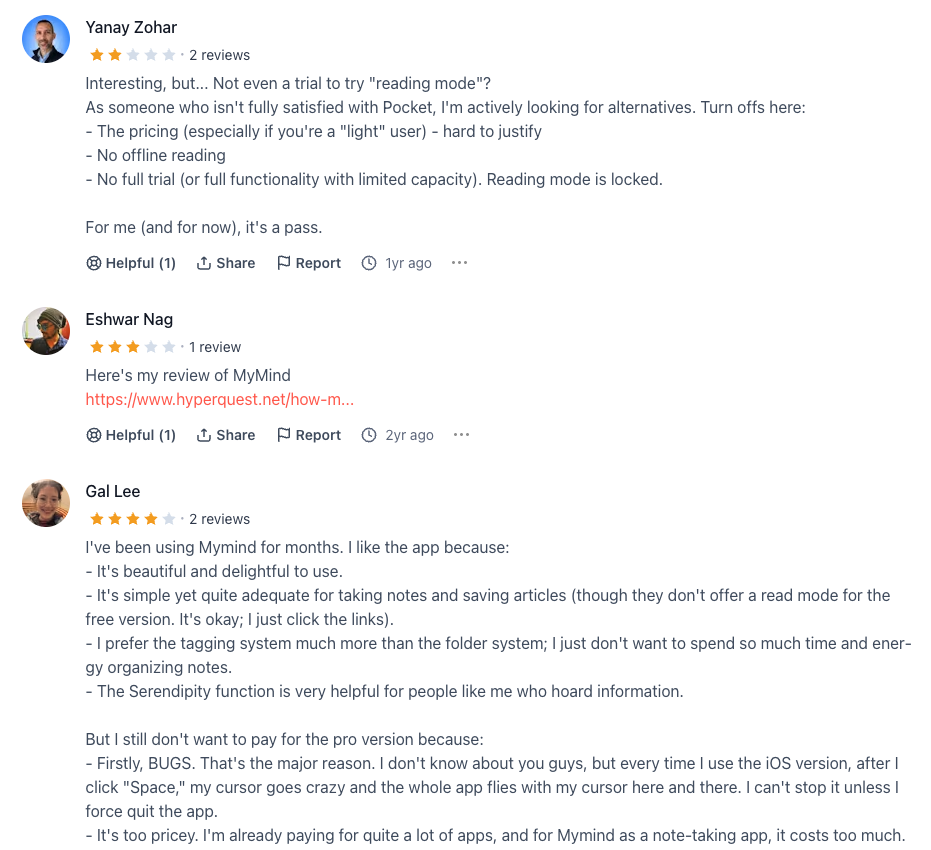
"Hard to take my ideas off this platform to create content or put into a canvas. It's missing some key features like offline article reading that competitors such as Instapaper provide." -
Rylie Hendren.
10. Logseq
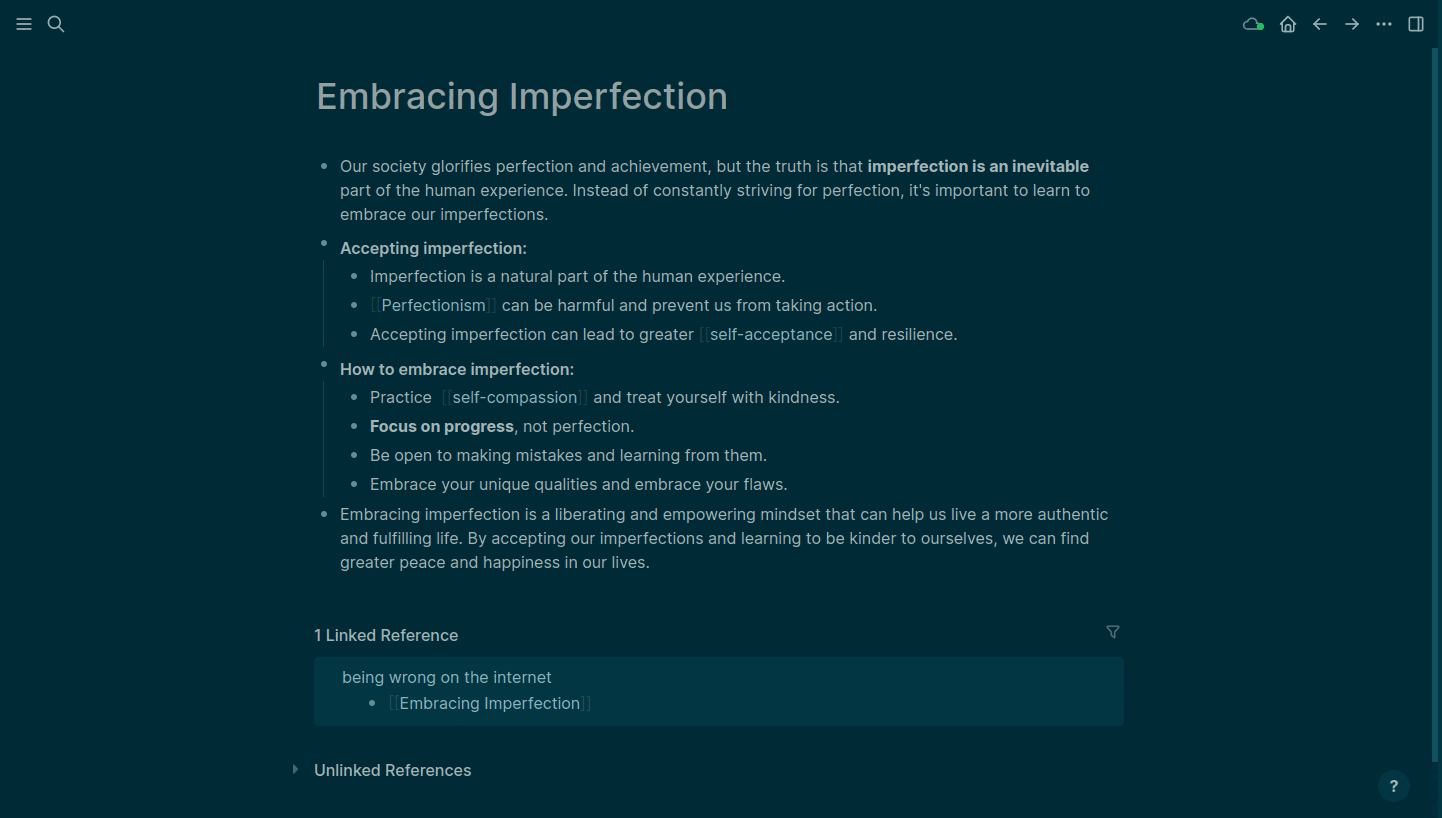
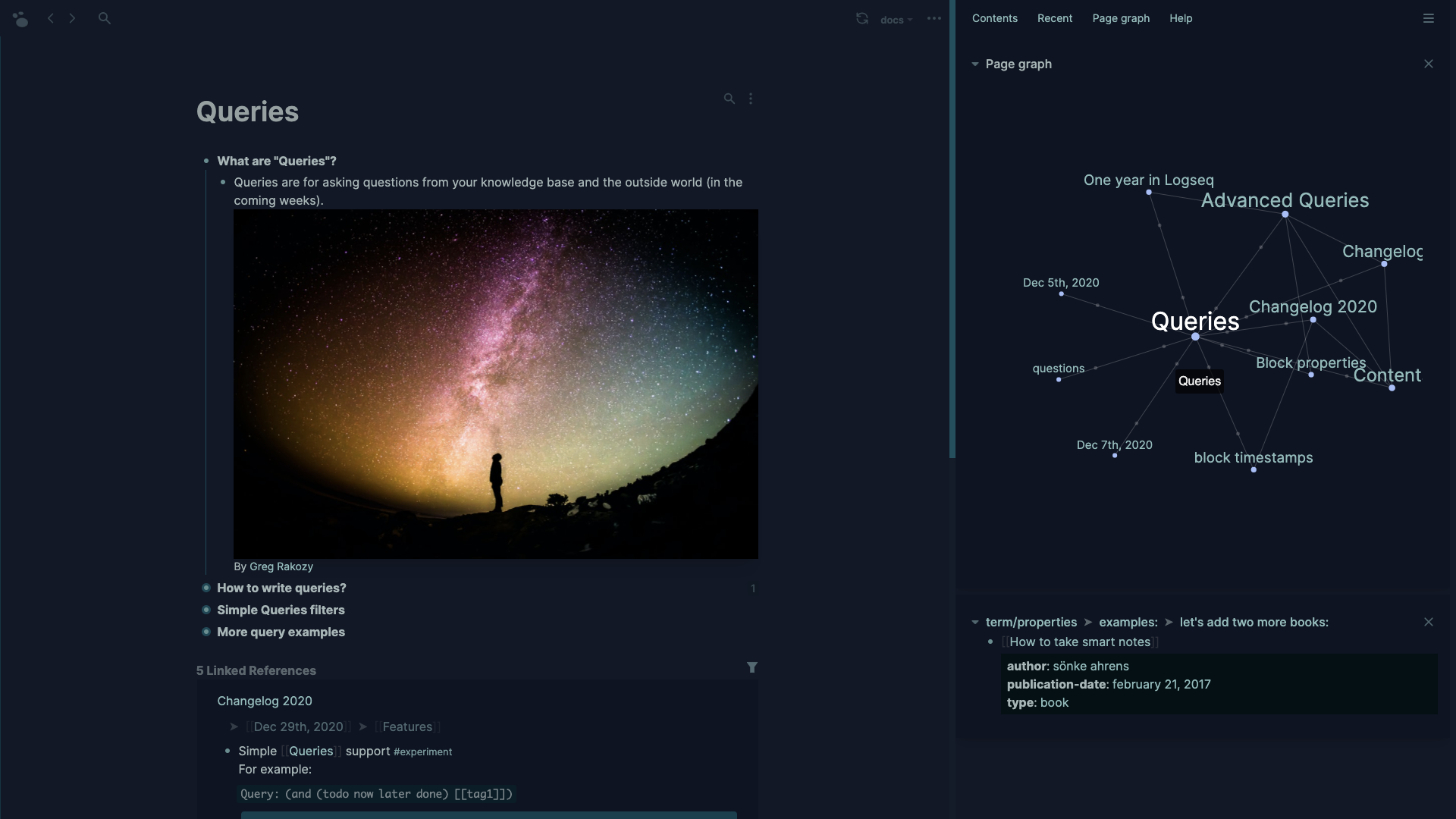
Logseq takes a local-first approach to note-taking. It skips rigid folder structures and opens straight to a daily journal, letting you dump thoughts as nested bullet blocks. The app automatically cross-references your ideas as you write, turning a stream of daily logs into an interconnected graph of insights.
What it does well
- Journal-centered workflow: Opening to a fresh daily note cuts down on deciding where to put new ideas.
As one reviewer on Product Hunt put it,"Logseq has transformed my journal... the linking that comes so naturally makes it so much easier to find what you had before."
- Built-in PDF annotations: You can drop research PDFs directly into your graph and highlight text inline.
- Privacy and data ownership: Your notes live on your device in plain text Markdown
- Dynamic query system: It lets you pull related task blocks across different days using custom filters.
What it doesn't do well
- Steep outliner curve: If you prefer long-form documents over bullet-based blocks, writing long essays inside it feels awkward.
- Unpolished mobile apps: Syncing files across devices can run into conflicts, and the mobile performance lags compared to the desktop app.
- Rough plugin setup for AI: Bringing AI queries into your local graph requires tinkering with third-party plugins and your own API keys.
Who it's actually for: Researchers, developers, and privacy-focused thinkers who prefer capturing daily thoughts quickly and letting links build connections over time.
How to start
- Just head to logseq.com, download the app, and start writing in the Daily Journal.
- Add a few tasks, try linking notes together, and you’ll be hooked.
Logseq reviews (source)
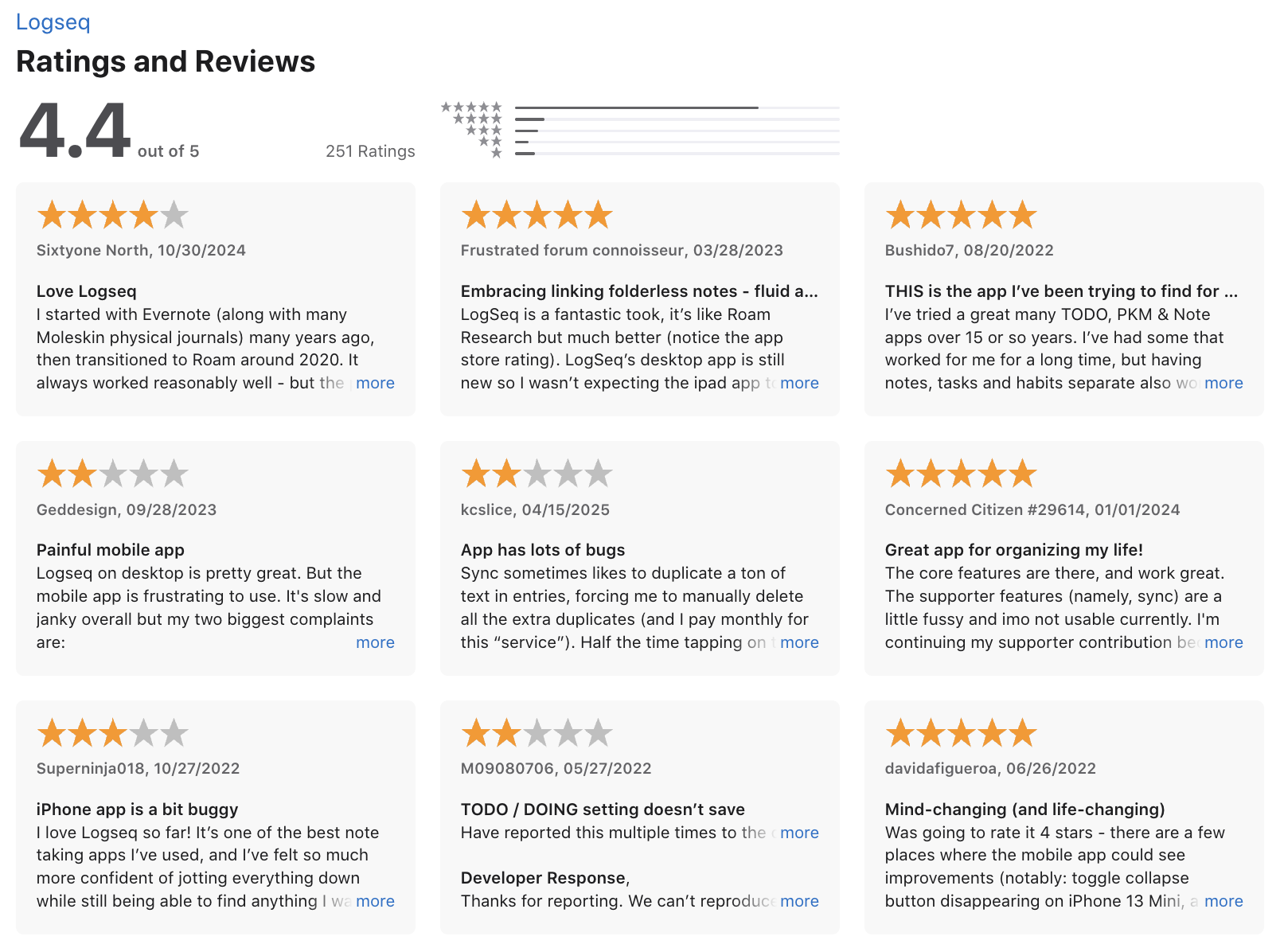
"It's incredible, but I need to access my notes on mobile, and I want to build a graph on top of the growing notes to make it easier to ask and answer some questions and see the connections between different topics."- Tienson Qin
Conclusion: How to Choose the Right AI Second Brain 💡
Now that you're sold on the idea of an AI second brain, how do you pick the right one for you?
Start by thinking about your specific needs, your workflow, and your budget. There’s no one-size-fits-all. Maybe you’re someone who needs help organizing daily tasks, or perhaps you’re looking for a way to synthesize research and generate insights. Either way, there’s an app out there tailored to your style.
Quick takeaway
- Want AI to manage your notes? → Saner.AI
- Research & learning? → NotebookLM, Obsidian
- Visual memory & inspiration? → MyMind
- Structured second brain? → Tana, Capacities, mem.ai
- All-in-one workspace? → Notion
Most of these second brain AI apps offer free trials or free plans, so you can test the waters before diving in.
Stay on top of your work and life with a Second Brain AI
AI Second Brain: Frequently Asked Questions
1. What is an AI Second Brain?
An AI Second Brain is a digital assistant that helps you think, remember, and organize like a pro - without the mental overload. It’s not just a place to store notes. It understands your information and helps you use it.
You can ask it to:
- Summarize meetings
- Find past notes from messy thoughts
- Remind you of important tasks
- Help you focus on what matters today
Popular AI Second Brain tools include Saner.AI, NotebookLM, each offering unique features for productivity and personal knowledge management.
2. How is an AI Second Brain different from a note-taking app?
Most note apps are digital filing cabinets.
An AI Second Brain is more like a helpful assistant:
- It knows what you wrote last month and why it matters today
- It reminds you of action items before you forget
- You can ask things like: “What’s still pending from last week’s strategy meeting?”
It connects dots across your digital life, without needing perfect organization.
3. What’s the best AI Second Brain for ADHD?
People with ADHD need tools that reduce chaos, not add more. And Saner.AI is built with neurodivergent users in mind:
- No tags or folders required
- Converts brain dumps into clear actions
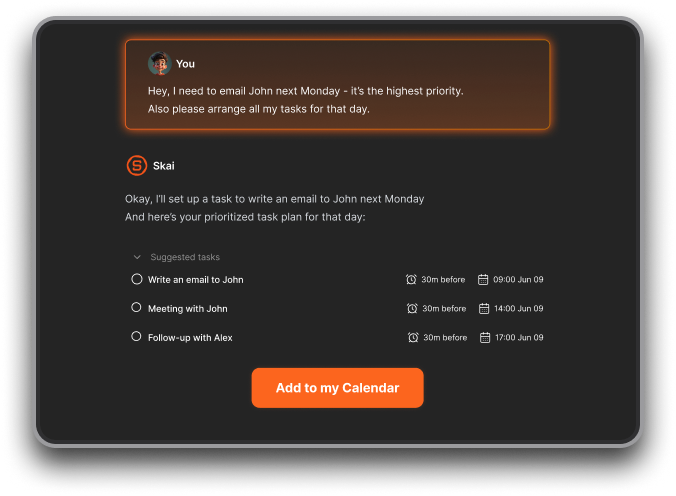
- Reduces context switching by combining notes, tasks, and reminders
- Keeps your thoughts searchable and actionable
It’s ideal if you’ve tried complex systems like Notion or Obsidian and felt overwhelmed.
4. Can I use an AI Second Brain for free?
Yes! There are 2 powerful options included:
- Saner.AI – Free plan with AI reminders, calendar sync, and note search
- NotebookLM – Free to use
Free plans are great for getting started with lightweight planning and task management.
5. How do I start using an AI Second Brain?
Start small. Use your AI Second Brain to:
- Remind you to follow up with people
- Summarize long messages or calls
- Pull up past notes without digging
Once you trust it, you can scale up to full project planning and daily prioritization.
6. Can AI Second Brains help with meeting prep?
Yes - this is one of their superpowers.
Just ask:
- “What did we decide in the last marketing sync?”
- “What’s still open from the product review?”
Tools like Saner.AI surface relevant notes, tasks, and context automatically—so you never walk into a meeting unprepared.
7. What’s the best AI Second Brain for entrepreneurs?
Entrepreneurs wear too many hats. You need something that thinks ahead for you.
Saner.AI is great for founders:
- Translates messy ideas into structured workflows
- Keeps investor, product, and team notes in one place
- Auto-prioritizes what to focus on next
- Requires no setup—just start typing or talking
8. How do executives use an AI Second Brain?
For CEOs and senior leaders, clarity is everything.
An AI Second Brain can:
- Track key decisions and follow-ups
- Remind you of strategic priorities
- Organize cross-functional goals without micromanaging
- Help you delegate and focus
Saner.AI acts like a lightweight command center, so you don’t drop balls in the chaos.
9. Do AI Second Brains support voice input?
Yes, Saner.AI does. It supports voice-to-task conversion
Voice input is especially useful for capturing thoughts on the go.
10. Which AI Second Brain can schedule tasks automatically?
If you want a second brain that understands your time, try:
- Saner.AI – Suggests smart time slots based on your real priorities
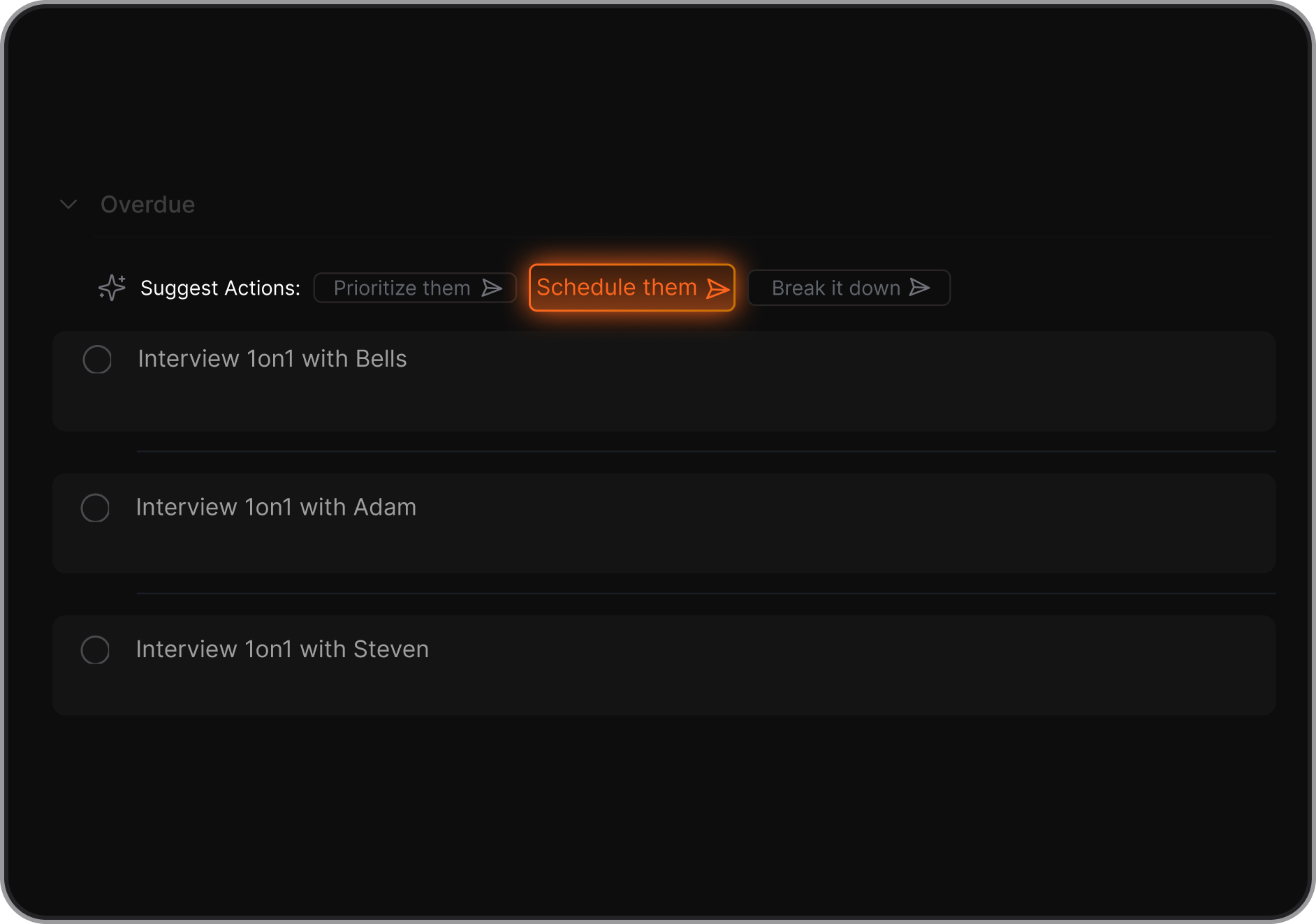
Saner.AI offers more personalized, context-aware suggestions than simple calendar bots.
11. Do AI Second Brains really improve productivity?
Yes - and not in a hypey way.
By reducing mental load and friction, they:
- Remind you when things actually matter
- Help you find what you need faster
- Keep projects moving - even when you’re distracted
For people juggling multiple roles, tools like Saner.AI feel like a second brain you can count on.
12. What’s the best AI Second Brain for work?
If you need more than just chat replies, go for:
- Saner.AI – Built for action. Combines notes, calendar, and tasks
- Helps you do the work, not just organize it
- Smart nudges and reminders keep you on track
Unlike general-purpose tools, Saner is made for busy professionals who hate busywork.
Stay on top of your work and life