
6 Best Apps for ADHD Entrepreneurs: What Actually Works in 2026
The best ADHD apps for Entrepreneurs are Saner.AI, Focusmate, Granola, Claude, One sec, and Manus

We Tested the 6 Best Apps for ADHD Entrepreneurs
I'm not a productivity blogger who stumbled onto ADHD as a niche. I'm a business owner. I've tried more apps than I can count - not because I enjoy it, but because nothing ever quite worked. This post exists because I finally found a combination that does.
I tested how each tool holds up in real life. I also pulled real reviews from people who have been using these tools for months or years, not just their first week.
This article is for ADHD entrepreneurs specifically. If you run or co-run a business, deal with task paralysis, time blindness, or idea overload on a weekly basis, you're in the right place.
Quick Answer: What are the Best Apps for ADHD Entrepreneurs right now?
- Focusmate: Best for task initiation and body doubling.
- Granola: Best AI meeting notes tool. No bot joins your call. Runs locally, captures what was said, surfaces action items
- Claude: Best AI thinking partner for executive function support. Breaks down big tasks, writes drafts, simplifies decisions
- One sec: Best for impulse control and distraction blocking. Forces a pause before you open Instagram or Reddit.
- Manus: Best for delegating full workflows to an AI agent. Give it a complex task, disconnect, come back to results.
What is an ADHD App for entrepreneurs?
An ADHD App for entrepreneurs is any tool specifically designed — or demonstrably effective - at reducing the executive function demands of running a business.
Why ADHD Entrepreneurs Struggle More Than They Admit
The productivity gap is measured in real money
ADHD and entrepreneurship are more connected than most people think
So ADHD brains are drawn to entrepreneurship - the novelty, the autonomy, the risk. But the data also shows the struggle isn't in starting. It's in sustaining.
Starting a business is the easy part for ADHD entrepreneurs. Keeping it running - consistent follow-through, systems, admin, the parts that don't give you a dopamine hit - is where the gap opens.
How We Chose These Tools: Evaluation Criteria
We evaluated over 30 tools across weeks of real-world use, focusing specifically on entrepreneurs with ADHD - not students, not enterprise teams, not people managing ADHD on the side.
Here's what we looked at:
- Cognitive load at entry — Can you start using it within minutes without a tutorial?
- Friction reduction — Does the tool remove a mental step, or add one? The best tools do something for you, not just remind you to do it.
- ADHD-specific design — Was the tool built with neurodivergent users in mind, through minimal UI, auto-organization, body doubling mechanics, or other intentional design choices?
- Real user reviews — We pulled reviews from G2, Trustpilot, Product Hunt, Reddit, and the App Store. .
- Pricing vs. value for solo operators — ADHD entrepreneurs often work lean. A tool needs to pull its weight on a solo or small team budget.
- Reliability — Does it work consistently?
What are the best Apps for ADHD Entrepreneurs?
The best ADHD apps for Entrepreneurs are Saner.AI, Focusmate, Granola, Claude, onesec and Manus
Comparison Table: Best ADHD Apps for Entrepreneurs
| Tool | Best For | Key ADHD Feature | Free Plan | Starting Price |
|---|---|---|---|---|
| Saner.AI | All-in-one productivity hub | Auto-organizes notes, tasks, and email; minimal context switching | Yes (limited) | $8/mo (billed annually) |
| Focusmate | Task initiation / body doubling | Live virtual co-working sessions with real humans | Yes (3 sessions/week) | $5/mo |
| Granola | AI meeting notes | Local audio capture, no meeting bot, automatic action items | Yes (25 meetings) | $18/mo individual |
| Claude | AI thinking partner | Breaks down tasks, removes blank-page paralysis, 24/7 available | Yes (limited) | $20/mo (Pro) |
| one sec | Impulse and distraction control | Interrupts unconscious app-opening with a forced pause | Yes (1 app) | ~$2.99/mo |
| Manus | Full workflow delegation | Autonomous AI agent completes multi-step research and work tasks | Limited beta access | Credits-based |
1. Saner.AI
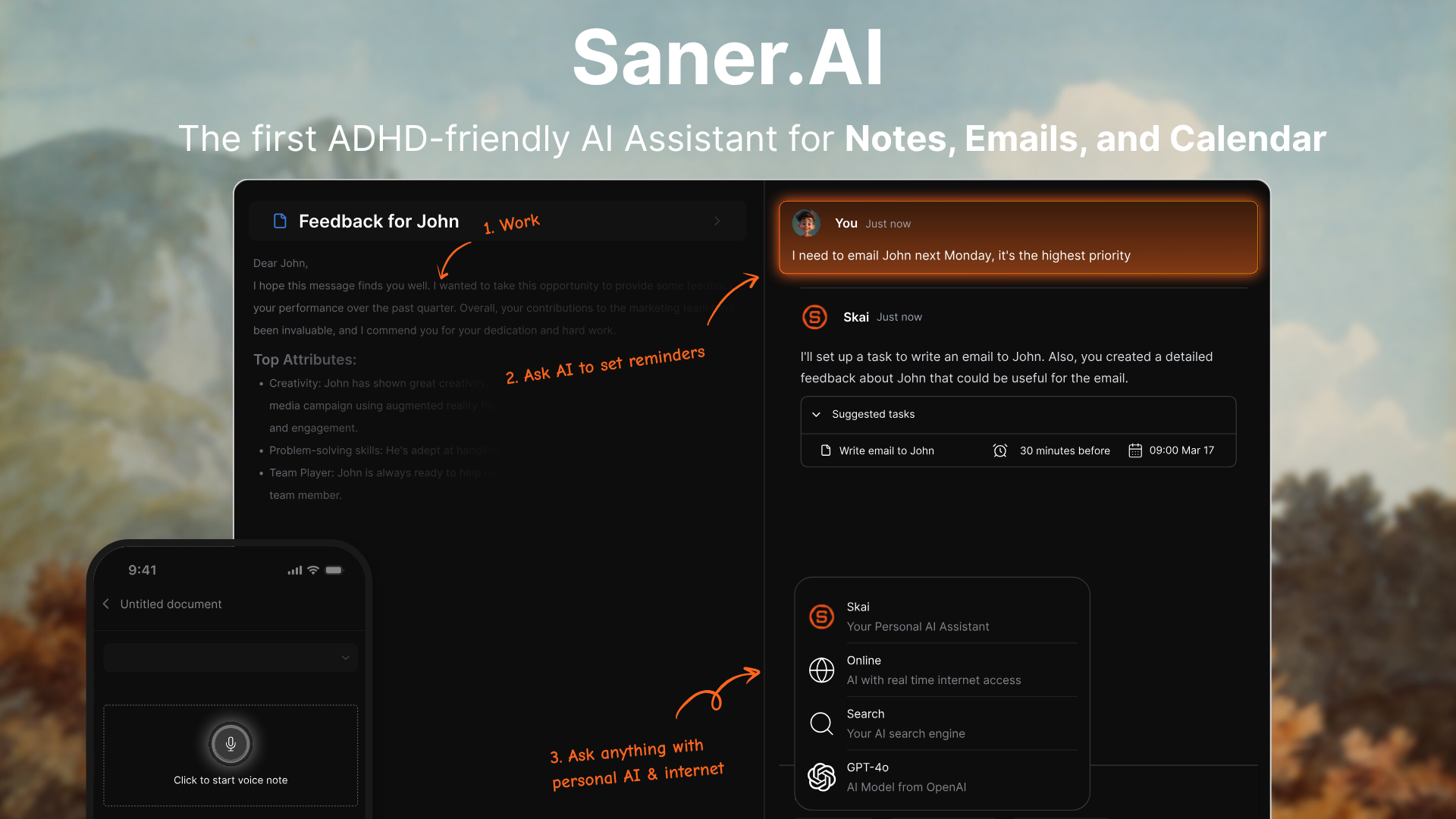
Saner.AI is an AI personal assistant that maintains itself. You drop information in - a voice note, a clipped article, an email - and the AI organizes it, connects it to related things you've saved, and makes it retrievable when you need it. For an entrepreneur with ADHD, that's a major improvement for daily workflow.
ADHD symptoms it specifically helps with:
- Context switching — centralizes notes, tasks, email, and calendar in one place so you stop losing threads across five apps
- Task initiation paralysis — brain dump to Skai (the AI assistant), and it parses the chaos into an actual to-do list
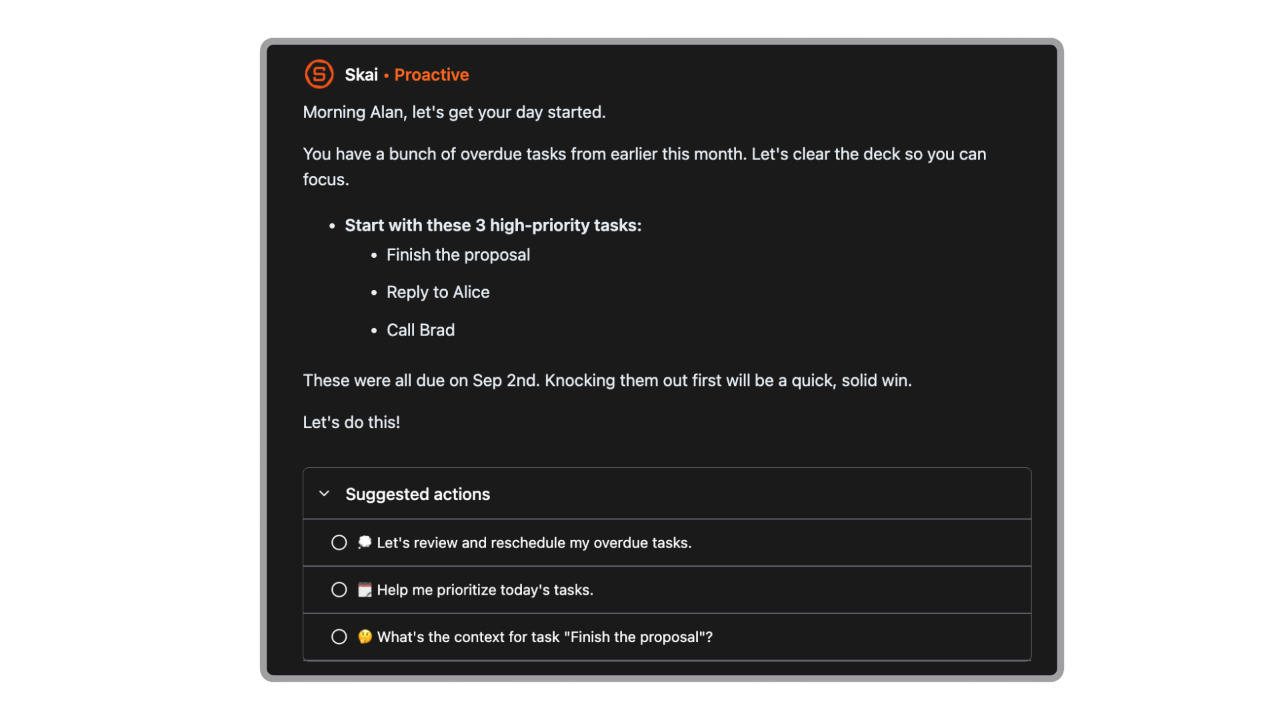
- Time blindness — proactive daily summaries and check-ins so you're not surprised by what you forgot
Key Features:
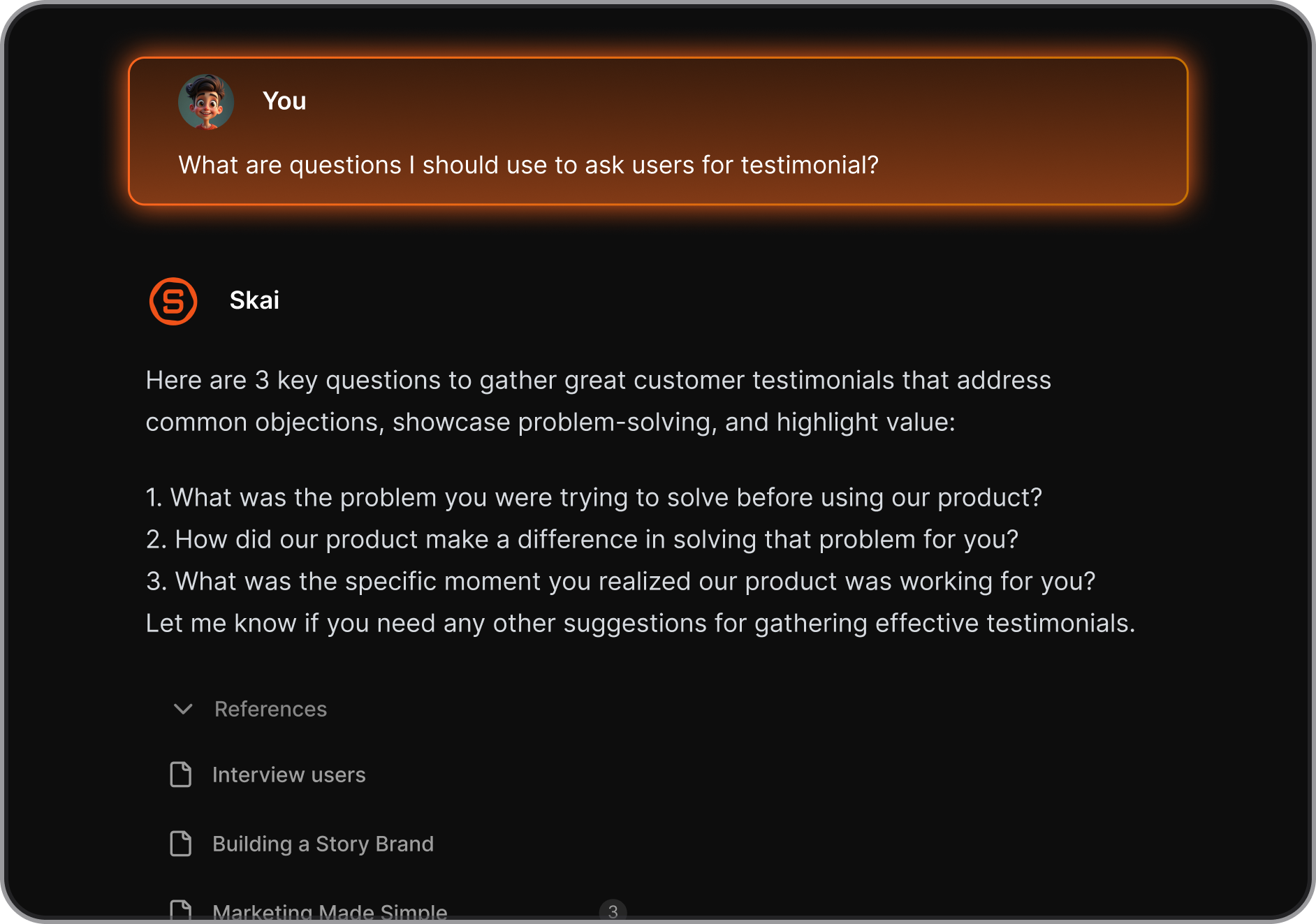
- Skai Personal AI: Saner's built-in assistant learns your notes and tasks over time. Ask it a question in plain language, and it pulls answers from your own knowledge base
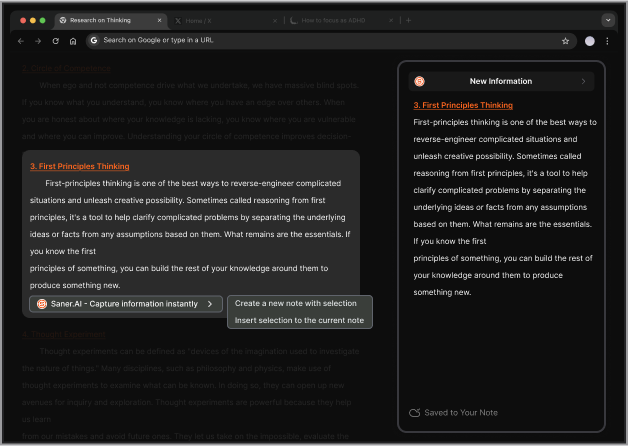
- Quick Capture and Chrome Extension: A side panel lets you clip web content, drop a voice note, or log a task without switching apps. This matters for ADHD specifically because friction at the capture step means thoughts disappear.
"It's super handy, I can pull up a new note immediately alongside web articles, chatGPT... It reduces the mental friction I have to suffer to note side by side on Mac." — reviews
- Auto-Organization: Notes get AI-tagged and categorized without you touching them. No manual folders, no maintenance.
- Unified Inbox (Email, Tasks, Calendar): Saner pulls in your email, Google Calendar, Slack, and Drive so you have one place to see what matters. No more tab-switching
Pros:
- I can brain dump a paragraph of scattered thoughts, and Skai turns it into a clean task list. One less executive function step.
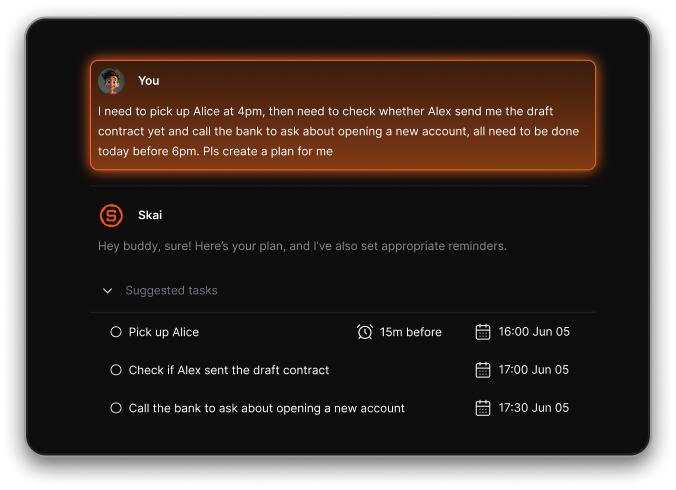
"In the AI conversation mode, I can just ramble everything swirling in my head. Skai instantly parses it into a clean to-do list, suggests realistic due dates if I don't specify, and asks for confirmation on timings." — reviews
- The automatic day plan gives me a quick start for the day and reduces the time wasted on task paralysis
Cons:
- Still in active development, which means some features are unfinished or inconsistent.
Pricing:
- Free
- Starter — $8/month (billed annually) or $12/month billed monthly
- Standard — $16/month (billed annually) or $20/month billed monthly
What Users Say:
"I've tried countless task and productivity apps with only moderate success — they never felt like a true 'coach'... Saner.AI feels like it was made for us." — reviews
For power users on desktop, satisfaction is high. For Android-first users, it needs more work.
Suitable for:
- Solo founders and entrepreneurs who deal with information overload and scattered notes
- Knowledge workers who move between research, tasks, and meetings frequently
- ADHD users who want a "second brain" that organizes itself, rather than waiting for them to maintain it
How to Get Started:
- Sign up at saner.ai. Start by dumping your existing tasks into a conversation with Skai rather than setting up folders or structure.
- The AI works better with chaos than most productivity tools do. Give it a week - the organization gets smarter as it learns your patterns.

Stay on top of your work and life
2. Focusmate
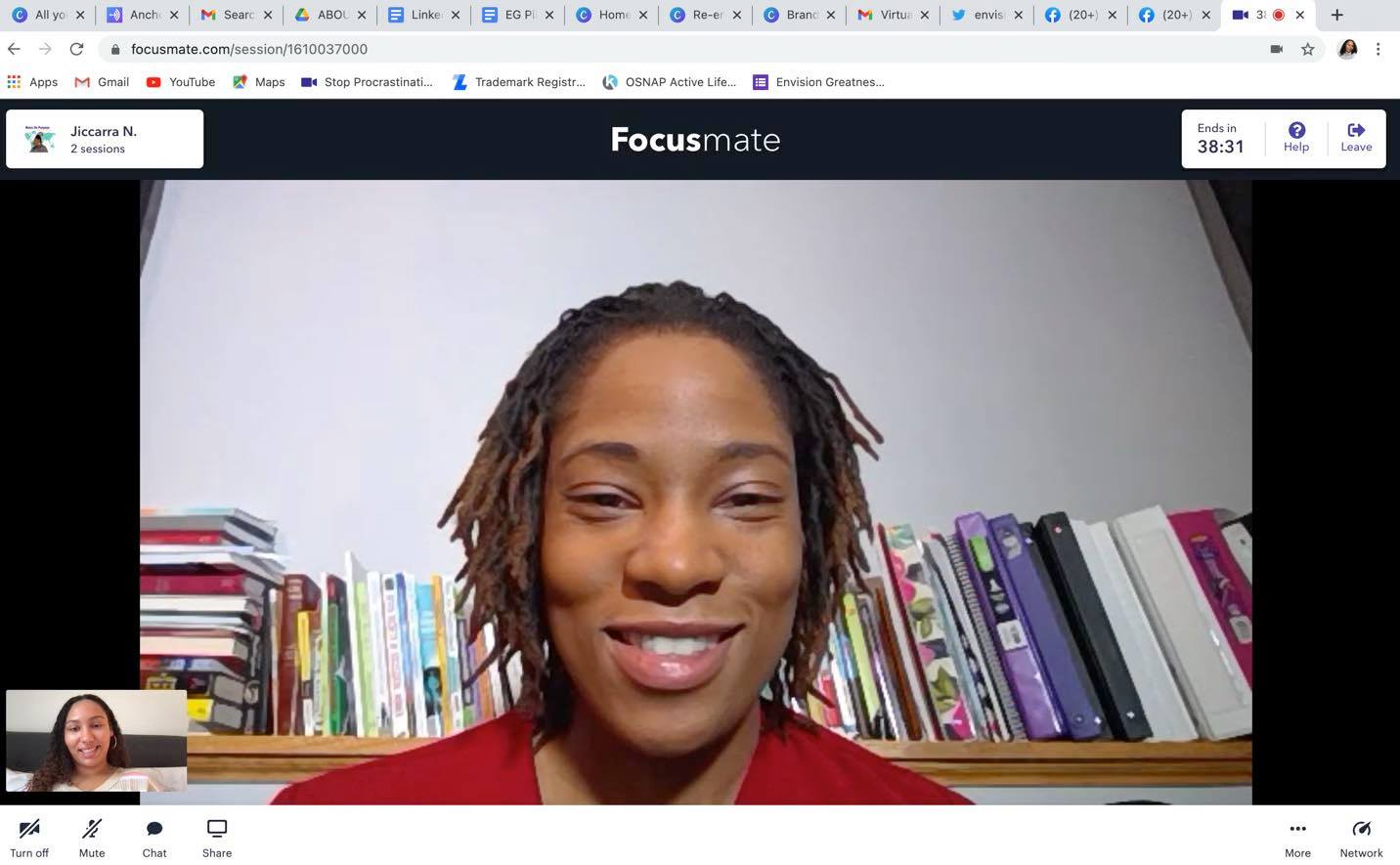
Body doubling is a well-documented strategy for ADHD - the presence of another person, even silently, helps the ADHD brain start and stay on tasks. Focusmate takes that concept and makes it available on demand. You schedule a 25, 50, or 75-minute session, get matched with a partner, state your goal at the start, work silently on video, and check in at the end. That's it.
Key Features:
- On-Demand Scheduling: Sessions run 24/7. You can book one in the next 10 minutes or plan ahead for the week.
- Goal-Setting Check-In: Every session starts with a brief verbal or written statement of what you're working on.
- Silent Co-Working with Video: Mics are muted. You're visible. That visibility is the whole mechanism.
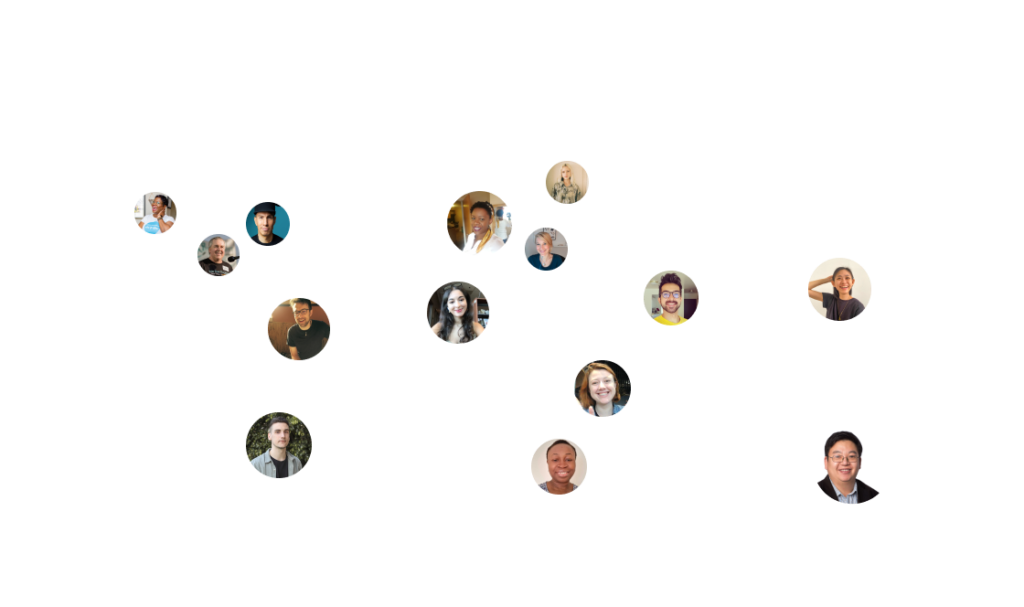
- Community and Repeat Partners: You meet people from all over the world
Pros:
- I've tried every time management trick available. Nothing works for starting a task like knowing someone is watching.
"After the FIRST session on this platform I knew this was it for me!! The closest I've come to staying this on-track, in focused work sessions, is with Ritalin." — reviews
- The flexibility to book a session at 6am, 11pm, or any other hour means it fits ADHD schedules that don't look like normal 9-5 windows.
"I've clocked 1,300 sessions on Focusmate now! The power of having someone there for accountability is truly astonishing!" — reviews
- Affordable at $5/month, and the free tier gives you enough sessions to test whether body doubling actually works for you before paying anything.
Cons:
- No-shows happen, and they can derail your momentum if you're already fighting to start.
"You do get no-shows but there are so many users that a replacement is usually found within 2min so the show rolls on." — reviews
- You can't pick specific partners to work with repeatedly
"You can't meet up with specific members if you enjoyed working with someone." — reviews
- Not useful for deep creative work that requires audio
Pricing:
- Free — 3 sessions/week (12/month) — enough to test whether it works
- Plus — $5/month — unlimited sessions, more control over scheduling
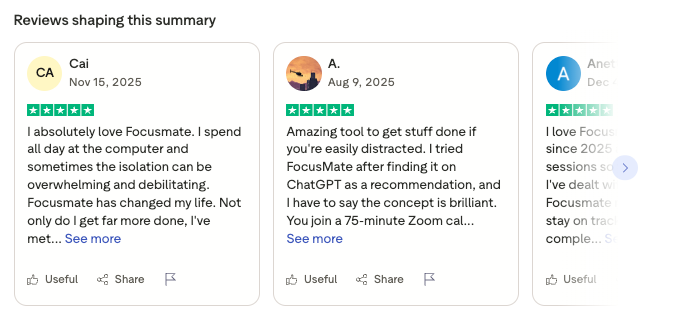
Focusmate reviews (source)
Long-term users are unusually loyal
"Procrastination and avoidance used to ruin my work life. I am not afraid anymore of being unable to make myself do something!" — reviews
The main complaints are around logistics - no-shows, inability to filter partners, and requests for more goal-tracking features
Suitable for:
- ADHD entrepreneurs who consistently know what they need to do but can't make themselves start
- Solo founders who feel isolated working from home and want human connection without a meeting
- Anyone whose to-do list looks fine but their done list is empty
How to Get Started:
- Book a session for a task you've been avoiding for more than a week.
3. Granola
ADHD and meetings are a bad combination. You're listening, you're thinking, someone says something important, and by the time you've processed it, three more things have been said and the important one is gone.
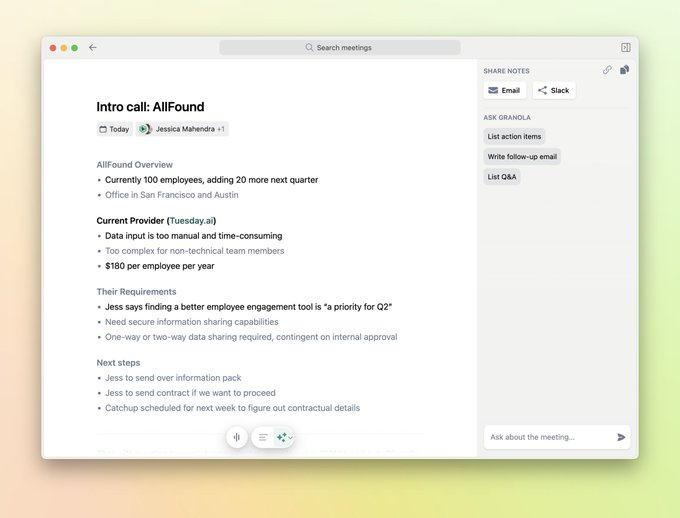
Granola runs on your computer, captures your device's audio, and lets you jot rough notes during the call. After the meeting ends, one click merges your sparse notes with a full AI-generated summary, action items, and key decisions. No bot. No announcement. No one knows it's running unless you tell them.
Key Features:
- Bot-Free Local Recording: Granola captures audio directly from your device, not by joining the call as a participant.
- Hybrid Note Enhancement: You take rough, shorthand notes during the meeting. After it ends, Granola's AI fills in the full context from the transcript. Your notes stay in black;
- Ask Granola (Post-Meeting AI): Ask questions about the meeting in natural language.
- Granola Recipes: Pre-built AI prompts you apply to your meeting notes. A "Coach Me" recipe analyzes how you showed up in the meeting.
Pros:
- I can stay in the conversation instead of dividing attention between listening and typing.
"It helps me stay focused during meetings instead of typing nonstop. I can quickly review action items afterward, and the summaries are surprisingly accurate." — reviews
- It works across every video platform without integration
"It works seamlessly across all conference software. It doesn't record, so there's no need to interrupt attendees. It takes accurate notes." — reviews
Cons:
- Transcription accuracy drops in larger meetings with 5+ speakers, and speaker identification can get confused.
- No audio playback - you can read the transcript but can't go back and listen to a specific moment. In meetings where exact wording matters, this is a real limitation.
- Android users are left out entirely. Desktop app only (Mac and Windows), with iOS for in-person meetings.
Pricing:
- Basic (Free)
- Individual — $18/month — unlimited meetings, full history
- Business — $14/user/month — team features, shared folders, collaboration
- Enterprise — $35/user/month — admin controls, SSO, opt-out of model training
What Users Say:
"Very quickly went from 'nice-to-have' to one of the most essential tools in my stack." — reviews
Suitable for:
- ADHD entrepreneurs who have back-to-back meetings and can't reliably recall action items afterward
- Founders in client-facing roles where a visible recording bot would change the dynamic
- Anyone who consistently leaves meetings knowing something important was said but can't remember what
How to Get Started:
- Download the desktop app, connect your Google Calendar, and let it run in the background for your next call.
4. Claude
Claude is an AI assistant that's specifically good at things that ADHD entrepreneurs struggle with daily: breaking down an overwhelming task into manageable steps, getting past blank-page paralysis, reviewing a contract without a lawyer, thinking through a decision when your brain is going in seventeen directions at once.
Claude is patient, clear, and doesn't judge the mess.
ADHD symptoms it specifically helps with:
- Blank-page paralysis — gives you a starting draft, outline, or structure to work from rather than staring at nothing
- Decision fatigue — helps you think through options, tradeoffs, and priorities without burning executive function
Key Features:
- Draft Generation: ADHD entrepreneurs often know what they want to say but can't get it out of their heads and onto the page. Claude writes the first draft so you're reacting and editing rather than starting from zero.
- Projects and Persistent Context: Claude's Projects feature keeps your context, files, and custom instructions across multiple sessions.
- Long Context Window: Claude can read and reason over extremely long documents — up to 200,000 tokens.
Pros:
- "My ADHD brain is terrible at doing both [capturing and processing] at once. In the moment: just capture. Later: process with Claude... AI bridges that gap." — Medium, Jon Wiggens
- "Claude externalizes context, provides gentle guardrails, and turns diffuse-mode walks into design sessions. The result isn't just productivity; it's reduced shame and fewer burnout cycles." — Zack Proser, developer with ADHD
Cons:
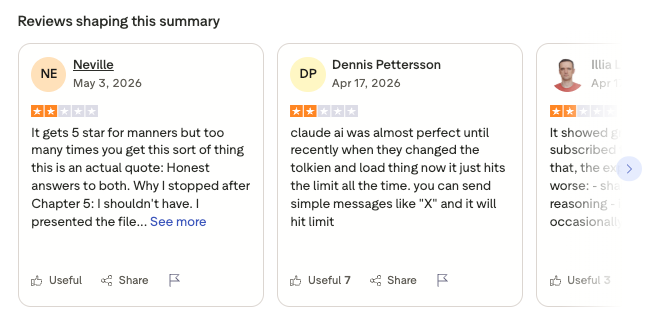
- It doesn't connect to your actual tasks, calendar, or notes by default. It's a thinking partner, not a task manager.
- The free tier has message limits that can feel frustrating mid-project.
- Like all LLMs, it can be wrong. For legal, financial, or medical questions, treat it as a starting point that requires verification, not a final answer.
Pricing:
- Free — Claude.ai access with message limits
- Pro — $20/month — higher limits, priority access, Projects feature, longer context
Claude Reviews (reviews)
Suitable for:
- ADHD entrepreneurs dealing with blank-page paralysis on writing tasks
- Founders who need to make decisions but are overwhelmed by the number of options
- Anyone who has important thoughts in their head but can't get them organized on paper
How to Get Started:
- Start with one specific task you've been avoiding this week.
5. one sec
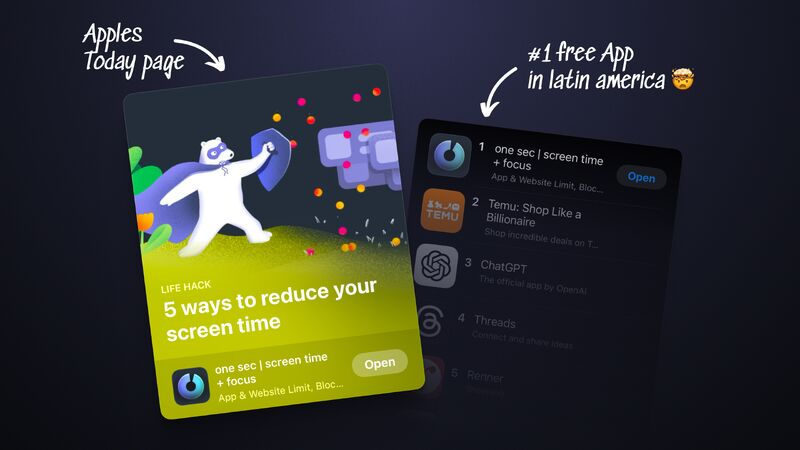
ADHD comes with impulsivity. You're writing a proposal, something triggers a thought, and before you've consciously decided anything, you've opened Instagram. By the time you realize what happened, you've been scrolling for 20 minutes and lost your train of thought entirely.
one sec targets exactly that moment. When you open a distracting app, one sec intercepts the action, shows you a deep breath animation for a few seconds, and asks: "Why do you want to open this?"
ADHD symptoms it specifically helps with:
- Impulsivity — the pause between impulse and action is the core ADHD intervention point. one sec creates that pause artificially.
- Attention hijacking — breaks the unconscious habit loop that pulls you into apps without deciding to go there
- Hyperfocus on the wrong thing — when you notice you've opened Reddit for the fifth time, one sec makes the habit visible
Key Features:
- Forced Pause Mechanism: Every time you open a configured app, one sec triggers a breathing animation and a prompt asking you to reflect.
- Progressive Slowing: You can configure one sec to slow down each successive attempt to open an app. Open Instagram once and wait 5 seconds. Open it again and wait 10. Open it a third time and wait 20.
- Block Sessions: Schedule hard blocks where certain apps are unavailable entirely.
- Healthy Alternatives: You can configure one sec to suggest a different action when you try to open a distracting app - a glass of water, a short walk, a specific task.
- Usage Tracking: Shows you how many times you tried to open each app and how many times you chose not to. For ADHD entrepreneurs who have no idea how much time is leaking to social media, this is often a wake-up call.
Pros:
- Most app blockers I've tried, I just turned off. one sec doesn't block - it pauses. That distinction matters because it doesn't create the frustrated rebellion that hard blocks do.
Cons:
- The free tier only works with one app.
- Some users feel the yearly cost (~$19/year) is high relative to what the app does technically - it essentially adds a shortcut automation on iOS.
- It can't stop you from opening a browser and going directly to a site - the block is app-level, not network-level.
Pricing:
- Free — works with 1 app
- Pro — $19.99/year or $2.99/month — unlimited apps, all features
- Family — $24.99/year
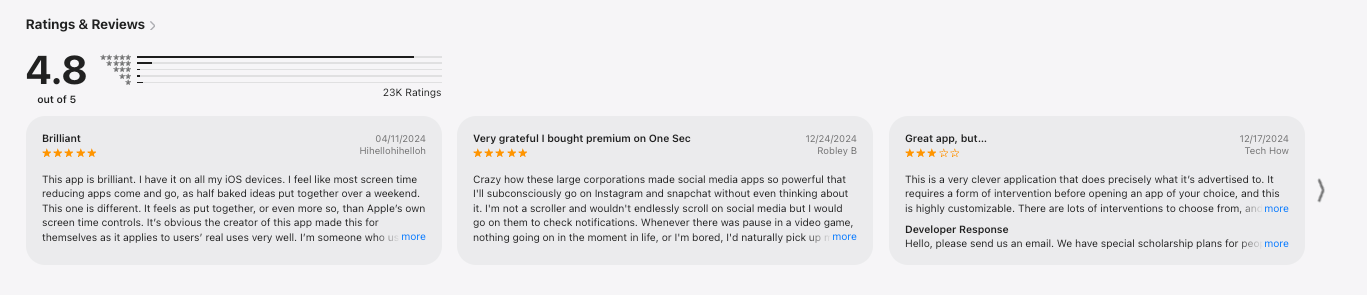
One sec reviews (source)
Suitable for:
- ADHD entrepreneurs who find themselves on social media without knowing how they got there
- Anyone who has tried hard blockers and turned them off out of frustration
- Founders who waste time on distractions but don't want to cut off social media entirely
How to Get Started:
- Download the app and start with your top two or three most distracting apps - the ones you open without thinking.
6. Manus
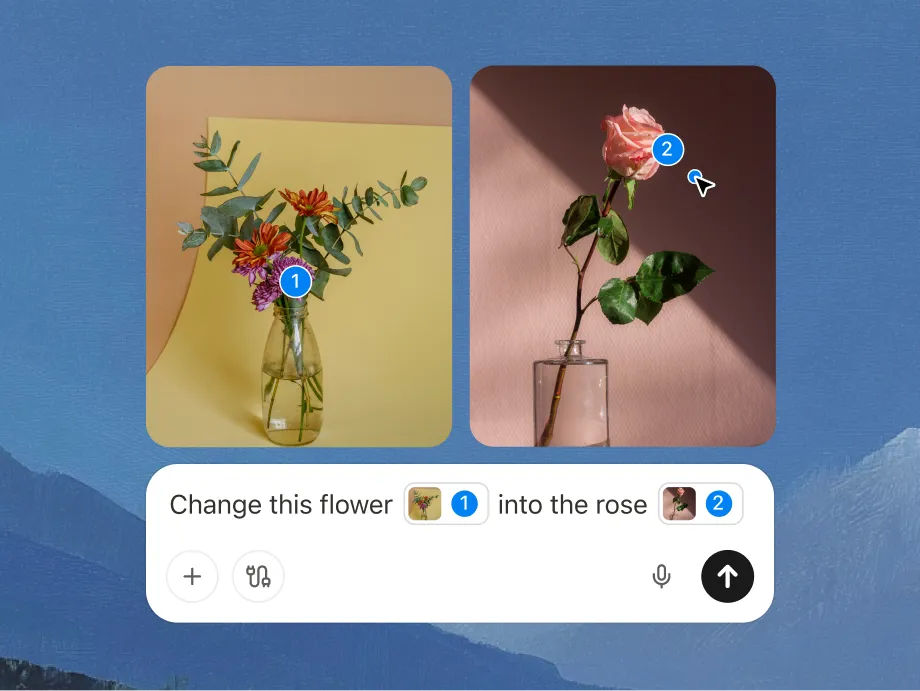
Most AI tools are conversational. But Manus goes and does it. Its AI agent browses websites, pulls information, organizes it, and delivers a finished document. You come back to results, not an answer you still have to act on.
ADHD symptoms it specifically helps with:
- Executive dysfunction on complex tasks - removes the need to plan and sequence multi-step work
- Follow-through - the agent runs autonomously, so even if you get distracted, the work continues
Key Features:
- Autonomous Multi-Step Execution: Give Manus a high-level goal and it breaks it into steps, executes each one, and delivers results.
- Wide Research Mode: Runs parallel research across multiple sources simultaneously, rather than one search at a time. Useful for ADHD entrepreneurs who need to understand a topic quickly and thoroughly but don't have the patience to open 15 browser tabs and synthesize manually.
- Session Replay: Every Manus session is replayable. You can watch what the agent did, step by step.
- Scheduled Tasks: You can set Manus to run recurring tasks and it handles them automatically.
Pros:
- For research-heavy tasks, Manus saves hours.
- The transparent, collaborative feel of watching the agent work (and being able to redirect it mid-task) is different from most AI tools.
"It actively asks questions along the way and retains key instructions as 'knowledge' in its memory for future use." — MIT Technology Review
Cons:
- The credit-based pricing model is genuinely unpredictable. Complex tasks can drain your monthly credit allocation in minutes.
- Reliability is inconsistent. It works brilliantly on some tasks and fails mid-way on others.
Pricing:
- Free — 300 daily credits (very limited — enough for light exploration)
- Basic — $19/month — 1,900 monthly credits
- Plus — $39/month — 4,000 credits, broader research and project generation
- Pro — $99/month — 8,000 credits
What Users Say:
"The result was clear, thoughtful, and well-organized. It followed most of my earlier instructions and kept the structure consistent throughout." — Cybernews review
The strongest complaints are around the credit model - unexpected costs, no pre-task estimates, and credits that don't roll over
Suitable for:
- ADHD entrepreneurs who do a lot of research-heavy work (market analysis, competitor research, industry summaries) and find the manual process overwhelming
- Founders who know what result they want but dread the multi-step process of getting there
How to Get Started:
- Start with a concrete, bounded research task. Monitor your credit balance closely for the first week before deciding which plan makes sense for your usage.
Conclusion
The problem with most productivity advice for ADHD entrepreneurs isn't that it's wrong - it's that it treats ADHD as an attention problem with an organizational solution. Build a better to-do list, use a fancier calendar, set more alarms. If that worked, you'd have figured it out already.
The tools in this list work differently.
- Saner.AI reduces the chaos of scattered information so you're not losing context every time you switch tasks.
- Focusmate adds a human witness.
- Granola removes the cognitive load of meeting memory.
- one sec interrupts the impulse loop before it swallows your morning.
- Claude decompresses overwhelming tasks.
- Manus completes multi-step work autonomously.
No single tool solves everything. The best starting point depends on your worst symptom. If starting tasks is your wall, start with Focusmate. If information chaos is your wall, start with Saner.AI. If distraction is your wall, start with one sec. Give any tool three weeks before you judge it - that's usually how long it takes to know whether a system is actually changing your behavior or just exciting you in the novelty window.
The goal isn't a perfect stack. It's one fewer thing your brain has to do on its own each day. That compounds.
Stay on top of your life with the best app for ADHD entrepreneurs
FAQ
What is the best app for ADHD entrepreneurs?
- The best all-in-one option is Saner.AI, which centralizes notes, tasks, email, and calendar in one place and auto-organizes everything so you're not maintaining a system on top of running a business.
- For task initiation specifically, Focusmate is hard to beat. Most ADHD entrepreneurs who build a stack use both — something for structure and something for accountability.
Is Saner.AI worth it for ADHD entrepreneurs?
- Yes, for the right user. If your biggest problem is information scattered across multiple tools, Saner.AI is one of the few tools that actually consolidates all of it with minimal setup.
- The AI organizes everything for you, which removes the maintenance burden that kills most productivity systems for ADHD users.
- The $8/month Starter plan (billed annually) is worth testing for a month before committing.
Does Granola work with all meeting platforms?
- Yes. Granola captures audio from your device rather than joining meetings as a bot, so it works with any platform that runs on your computer — Zoom, Google Meet, Microsoft Teams, Slack huddles, Webex, and others.
Is Manus AI free?
- Manus has a free tier, but it's very limited — 300 daily credits, which a single complex research task can exhaust entirely. For serious use, you'll need the Basic plan ($19/month, 1,900 credits) at minimum.
Can Claude replace a human assistant for an ADHD entrepreneur?
- For specific tasks, yes — breaking down projects, drafting emails, summarizing documents, thinking through decisions. For relationship management, follow-through on commitments, and proactive task tracking, no.
Is there a free ADHD productivity app that actually works?
Yes.
- Focusmate's free plan (3 sessions/week) is useful - enough to test whether body doubling works for your brain before paying anything.
- one sec is free for one app.
- Saner.AI has a limited free plan.
- Claude's free tier has message limits but is functional for occasional task breakdowns.
How much should an ADHD entrepreneur budget for productivity tools?
- A functional stack doesn't have to be expensive. Focusmate ($5/month) + one sec ($1.67/month billed annually) + Saner.AI ($8/month billed annually) + Claude Pro ($20/month) comes to about $35/month for the full toolkit in this review.
- You don't need all four from day one. Start with the one that addresses your worst symptom, add a second after 30 days if the first is working. Tool stacking without behavior change is just another ADHD rabbit hole.
What's the best ADHD app for someone who hates being on camera for Focusmate sessions?
- If the camera requirement feels like too high a social cost, one sec plus a physical accountability system (a text with a friend when you start and finish a task) can replicate some of the effect. Alternatively, some people use Focusmate with camera-off, though it's less effective.
Do these apps work for ADHD without a formal diagnosis?
- Yes. None of these tools require a diagnosis, and the ADHD symptoms they address — task initiation difficulty, working memory gaps, impulsivity, distraction, time blindness — affect many people who haven't been formally diagnosed or who sit in subclinical ranges.
- The tools work on the behavior patterns regardless of what's causing them. If you recognize the problems described in this article, the tools are worth trying whether or not you have a formal diagnosis.
Can these tools actually replace ADHD medication?
- No. These are productivity tools, not medical interventions. If you're dealing with ADHD that significantly affects your life, speak to a professional. These tools are most useful as complements to treatment, not replacements for it.
Stay on top of your work and life



