
AI for Journalists: We tested the best 6 tools

Best AI for Journalists: Tools That Actually Help You Report Faster
Journalists are expected to break stories, verify facts, transcribe hours of interviews, write publishable copy - and do it all before the deadline hits. The tools most people recommend were built for marketers, not reporters.
We evaluated over a dozen AI tools with journalism-specific use cases in mind: transcription accuracy in noisy environments, research sourcing, writing polish, and information management across long-form investigations.
Key Insights
- Journalists using AI for research need sourced outputs, not confident-sounding guesses. Tools like Ground News and NotebookLM handle this better than general chatbots.
- The gap between "writing faster" and "writing better" matters. Grammarly catches errors; it doesn't replace editorial judgment.
- Journalists need a place to manage their information and tasks like Saner.AI
Quick Guide: Best AI Tools for Journalists
- Otter.ai — Best for transcribing interviews, press conferences, and virtual briefings
- Ground News — Best for bias-aware news monitoring and multi-source story comparison
- Google NotebookLM — Best for deep research and document-heavy investigations
- Claude — Best all-around assistant for drafting, summarizing, and long-form analysis
- Grammarly — Best for catching grammar errors and tightening copy before publication
- Saner.AI — Best for organizing notes, research, and tasks across a complex beat
How We Chose These AI
Journalism isn't a single workflow. A breaking news reporter's needs look nothing like an investigative journalist working a story for three months. We evaluated each tool based on five criteria:
- Accuracy — Does it get facts and transcriptions right, or does it confidently hallucinate?
- Speed — Can it keep up with deadline pressure?
- Source transparency — Does it show where information came from?
- Workflow fit — Does it reduce friction or add to it?
We excluded tools that looked good in demos but fell apart on real journalistic tasks - multi-speaker press conferences, leaked documents, non-English audio, and long-form writing that still needs a human voice.
What are the Best AI for Journalists?
The Best AI for Journalists are NotebookLM, Otter, Saner.AI, Claude, Ground News, Grammarly
Comparison Table of Best AI for Journalists
| Tool | Best For | Free Plan | Starting Price | Transcription | Research | Writing |
|---|---|---|---|---|---|---|
| Otter.ai | Interview transcription | Yes (300 min/mo) | $16.99/mo | ✅ Core feature | ❌ | ❌ |
| Ground News | Bias detection & source comparison | Yes (limited) | $9.99/mo | ❌ | ✅ Core feature | ❌ |
| Google NotebookLM | Doc-heavy investigations | Yes | Via Google AI plans | ❌ | ✅ Core feature | ❌ |
| Claude | Drafting & long-form analysis | Yes (limited) | $17/mo | ❌ | ⚠️ With web search | ✅ |
| Grammarly | Copy editing | Yes (basic) | $12/mo | ❌ | ❌ | ✅ Core feature |
| Saner.AI | Knowledge & task management | Yes | $8/mo | ❌ | ✅ Via synthesis | ✅ Via Skai |
1. Otter.ai

Otter.ai is an AI meeting note taker. It converts spoken audio to text in real time, integrates directly with Zoom, Google Meet, and Microsoft Teams, and generates automated summaries after each session. For journalists who spend hours logging interviews, it's one of the most practical time-savers available.
Key Features
- Real-time transcription across platforms. Otter joins your video calls automatically and starts transcribing the moment someone speaks. On clean two-person interviews, accuracy is excellent - even in multi-speaker settings like press gaggles
"an amazing tool for journalists on a deadline. It allows you to navigate through a transcript relatively easily, play back excerpts, and make corrections inside the interface." — reviews
- Filler word removal. The platform automatically strips "um," "uh," and "you know" from transcripts before you see them.
"Otter cuts down the time it takes to navigate through interviews. It lets you record and transcribe conversations in real time and you can highlight phrases or sentences during the recording." — reviews
- Automated summaries with AI highlights. After the session ends, Otter generates a short meeting summary with key topics pulled from the transcript.
"It has been incredibly helpful for meeting notes. I can go back, search specific keywords, and instantly find the part of the conversation I need." — reviews
- Mobile recording for field work. The iOS and Android app lets you record in-person interviews without needing a laptop.
"Mobile App for In-Person Recording — being able to use the Otter app to capture live, in-person conversations on the go was incredibly convenient." — reviews
Pros
- Fast, reliable transcription in clean audio environments
- Speaker labels work well in one-on-one and small group interviews
- Strong integrations with Zoom, Google Meet, and Teams
- Free plan gives 300 minutes monthly - workable for moderate use
Cons
- Accuracy drops with noise or multiple speakers - users frequently note that Otter struggles when several people talk at once or when background noise is present, leading to mixed-up segments or incorrect attributions. A user on G2 put it plainly:
"I've noticed that when I use Otter.ai during conference talks, it doesn't always distinguish clearly between different speakers." — reviews
- Free users can only upload three pre-recorded audio files total — ever. Most journalists hit that limit fast.
- OtterPilot can join meetings without explicit per-meeting approval, which has frustrated users who don't want it to record everything automatically.
Pricing
- Free: 300 minutes/month, 30-minute session limit, 3 audio file uploads total
- Pro: $16.99/month — 1,200 minutes, 90-minute recordings, 10 file uploads/month
- Business: $30/month — 6,000 minutes, 4-hour recordings, unlimited uploads
- Enterprise: Custom pricing
Otter Reviews
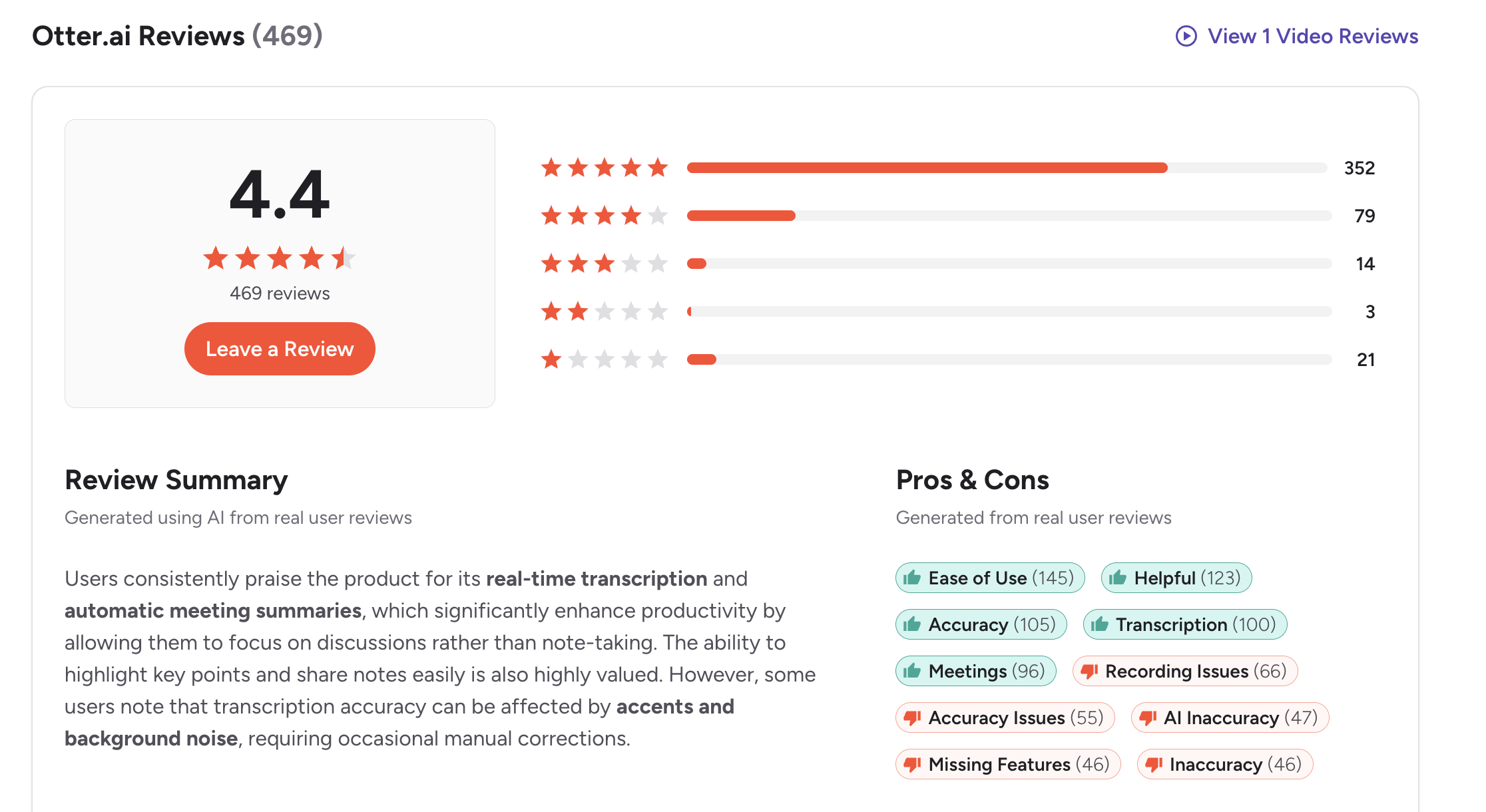
On G2, Otter.ai holds 303 reviews with a 4.3/5 star rating. Users highlight that it's easy to use with an intuitive interface and seamless Zoom integration.
Who Is It Best For
- Journalists who conduct regular interviews, attend virtual press briefings, or need clean transcripts fast. Especially useful for TV and radio producers logging audio from recorded segments.
How to Start Using It
- Go to otter.ai, create a free account, and grant microphone access. For live transcription, connect your calendar and enable OtterPilot. For uploading existing recordings, navigate to "Import Audio/Video" in the dashboard.
2. Ground News
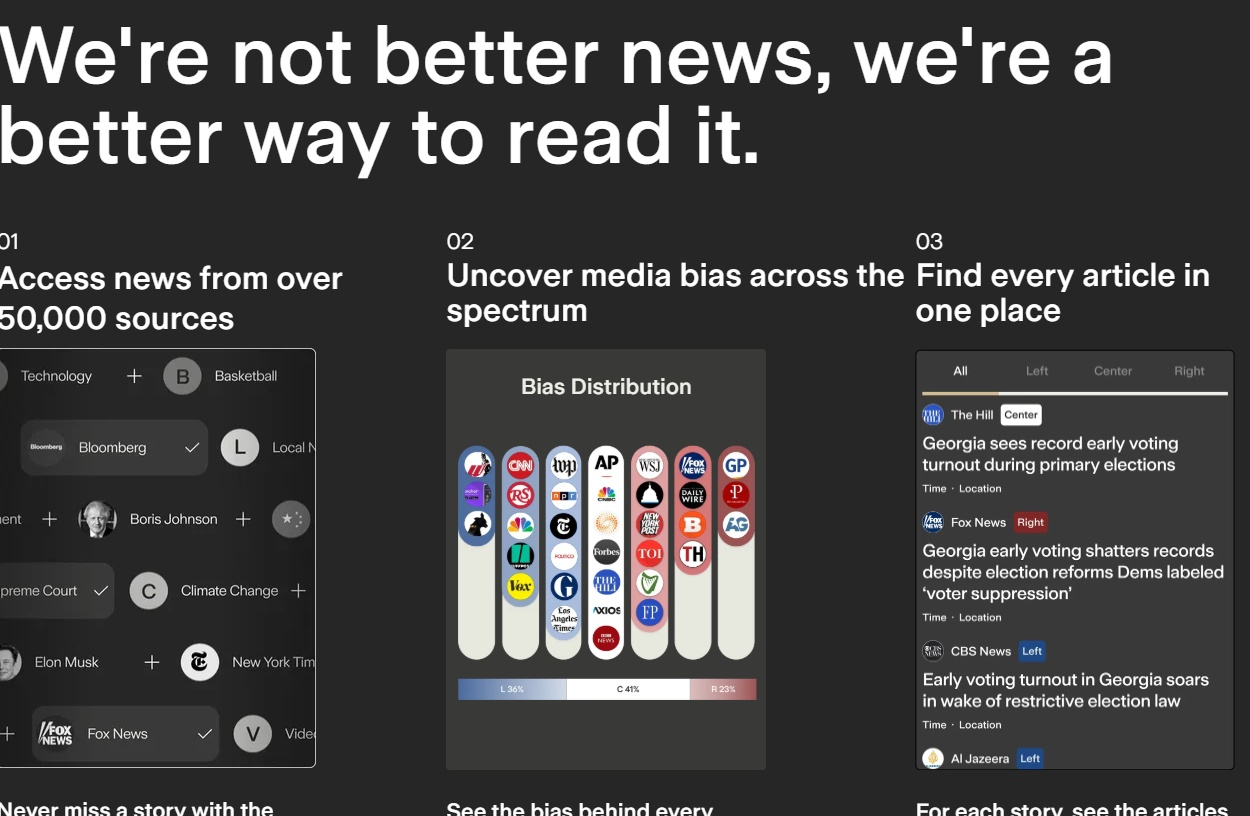
Ground News is a news aggregation platform that does something no standard search engine does: it shows you not just what's being covered, but who is covering it and what everyone else is leaving out. It pulls from over 50,000 sources daily, rates each one by political bias and factuality, and flags when a story is getting lopsided coverage from only one side of the spectrum. For journalists, it's a fast, practical way to spot narratives, check source credibility, and see the full shape of a story before you start reporting.
Key Features
- Bias Bar and source ratings. Every story on Ground News shows which outlets are covering it and their political bias — Left, Center, or Right — based on ratings from three independent organizations: AllSides, Ad Fontes Media, and Media Bias/Fact Check. One longtime user put it plainly:
"I find the bias and fact view incredible. It combats a lot of the echo chambers that occur in the news and helps me identify if I am reading from a trustworthy source." — reviews
- Blindspot Feed. This is Ground News's most useful feature for working journalists. It surfaces stories that are being heavily covered by one side of the political spectrum but largely ignored by the other.
One investigative reporter at a major US outlet said: "Ground News is my new answer. It's hands-down the best way for people who don't know who to trust to get reliable news coverage." — reviews
- Source comparison across the spectrum. When you open a story, you can see how left, center, and right outlets are framing the same event — different headlines, different details, different omissions.
"how the left and right put their spin on a story" and letting them "zoom out to the big picture and see the patterns over time." — reviews
- Factuality scores and ownership data. Each source carries a factuality rating and ownership label. Ground News does not fact-check individual articles, but the publication-level factuality rating is a fast proxy for how reliable a source has been. The app also processes around 30,000 stories daily from 40,000+ sources, making it one of the broadest news aggregators available. — reviews
Pros
- Makes media bias visible rather than leaving it implicit
- Blindspot Feed is genuinely useful for identifying what's being under-covered
- Source comparison lets you see framing differences side by side
- Rated "Least Biased" by Media Bias/Fact Check; no ads on the Ground News platform itself
- Free tier includes bias ratings and headline comparison
Cons
- Bias ratings are applied at the publication level, not the individual article - a Center-rated outlet can still publish slanted pieces. Ground News does not fact-check or assess the bias of individual articles.
- The platform is primarily U.S.-centric in its bias framing, which limits its usefulness for international reporters.
- Linked articles often load on the publisher's own page - with all the paywalls, pop-ups, and ads that come with that. Ground News can't block those.
- A small number of users report community comment sections becoming partisan echo chambers of their own.
Pricing
- Free: Basic access — bias ratings, headline comparison, free newsletters
- Pro: Around $9.99/month or $59.99/year — unlimited Blindspot access, advanced comparisons, factuality scores
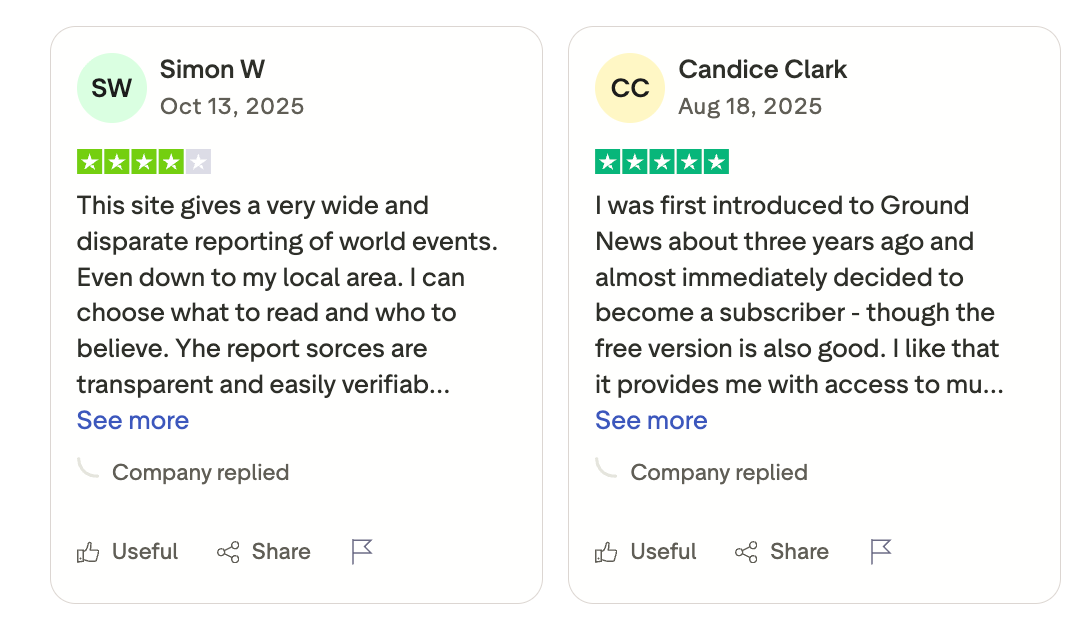
Ground News Reviews (source)
Who Is It Best For
- Journalists who cover politics, policy, or any beat where narrative framing matters. Also useful for reporters who want a fast morning scan of what's being covered - and what isn't - across the full media spectrum.
How to Start Using It
- Download the Ground News app on iOS or Android, or go to ground.news in a browser. Create a free account to access bias ratings and the Blindspot feed. Install the browser extension to get bias labels on articles as you read them across the web.
3. Google NotebookLM
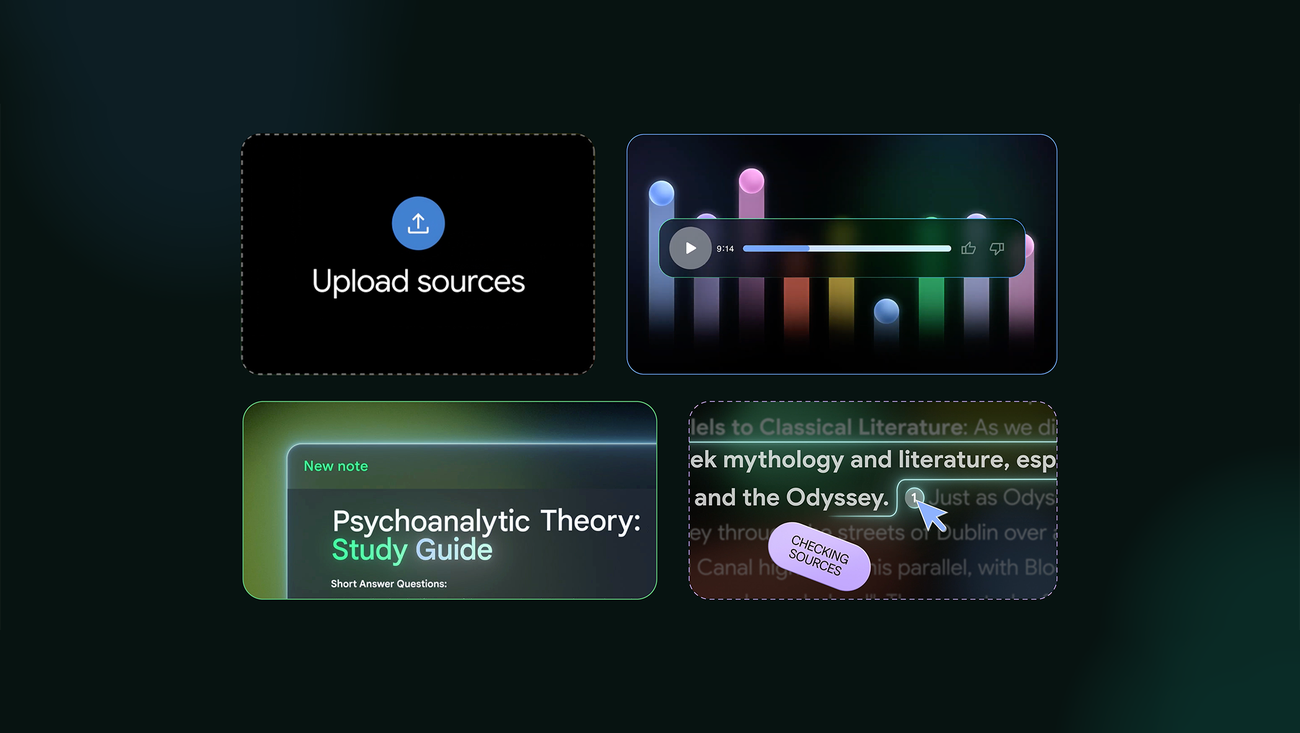
NotebookLM works differently from most. Instead of pulling from the open web, it works exclusively from the documents you upload. That makes it a strong choice for investigative journalists dealing with large document sets - court filings, leaked records, source materials, interview transcripts - where hallucination risk from open-ended models is a real concern.
Key Features
- Source-grounded answers only. NotebookLM won't answer based on general knowledge — it only draws from what you've uploaded. NotebookLM is more reliable for grounded answers because it strictly uses your sources.
- Multiple source formats. You can upload PDFs, Google Docs, Word files, YouTube video transcripts, Google Sheets, and images. NotebookLM currently runs on Gemini 3 models and supports a wide range of source types.
- Audio overviews and Deep Research mode. NotebookLM can generate a podcast-style audio summary of your uploaded sources — useful for long-read prep or briefing a colleague.
- 1 million token context window. The free tier now includes a 1 million token context window, meaning you can load massive document collections and ask questions across all of them simultaneously. That's a genuine asset for data-heavy investigations.
Pros
- Answers are tied to your sources - no hallucinated facts from training data
- Free tier is generous and sufficient for individual journalists
- Handles long, dense documents well
- Podcast-style audio overviews are genuinely useful for getting briefed fast
Cons
- NotebookLM doesn't replace manual reading and fact-finding, but it helps summarize information, answer questions, and reduce the time you'll manually spend retrieving insights from a document. It has occasional inaccuracies.
- Deep Research mode takes 3–5 minutes to run — not instant, though usually worth the wait
- No offline access; requires an internet connection and Google account
Pricing
- Free: 100 notebooks, 50 sources per notebook, 50 daily chat queries
- Google AI Pro: Bundled with Google One — increases limits to 300 sources per notebook and unlocks additional features
Reviews
The consensus is that NotebookLM represents a major step forward in AI research tooling — but you still need to fact-check its outputs against the original sources. Researchers consistently praise its citation accuracy and the ability to ask granular questions across a large document set.
A TechRadar reviewer called it "very useful for academic, technical, and general research." One practical limitation: if your research library has gaps, NotebookLM's answers will too — it won't fill in what you haven't uploaded. — reviews
Who Is It Best For
- Investigative journalists, data reporters, and anyone working through large volumes of primary source material - leaked documents, government filings, academic papers, or long interview transcripts.
How to Start Using It
- Go to notebooklm.google, sign in with a Google account, and create a new notebook.
- Upload your documents or paste URLs. Start by clicking "Generate Overview" to get a summary of everything you've loaded, then ask specific questions in the chat.
4. Claude
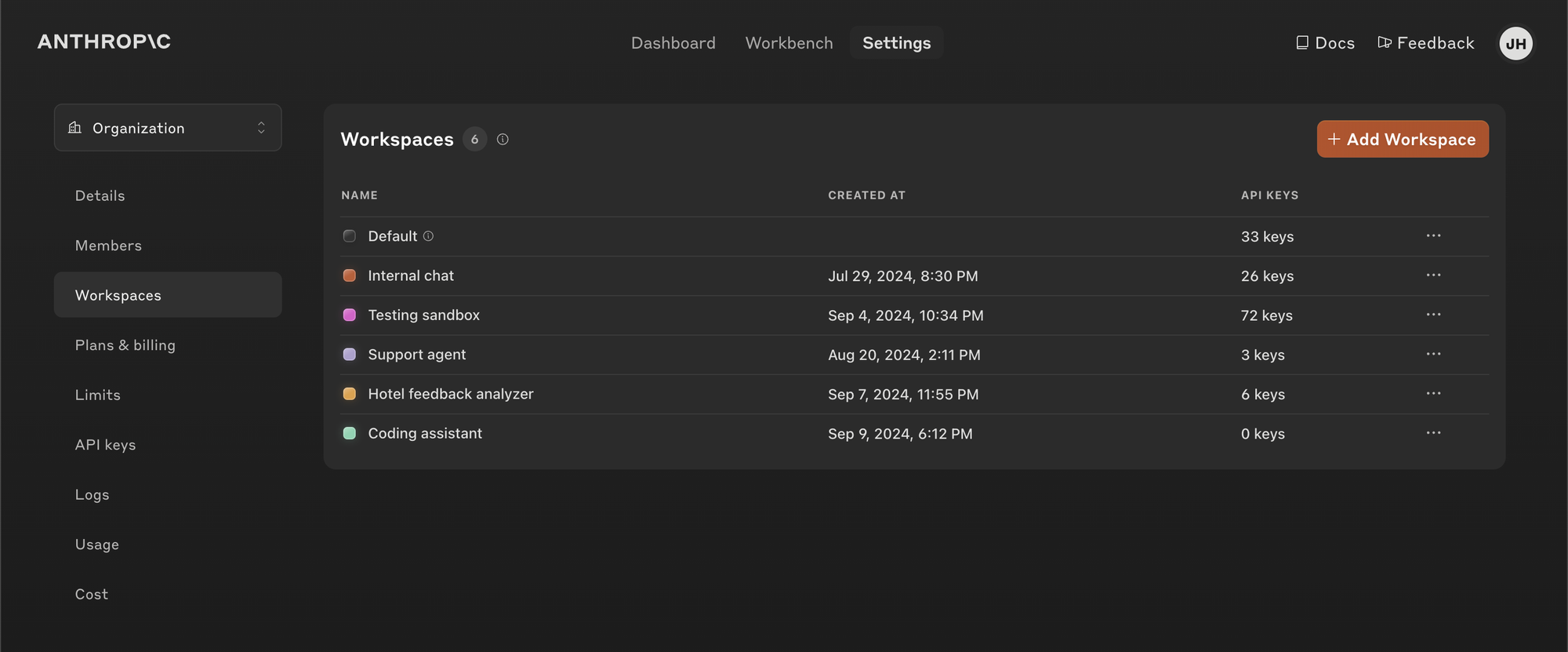
Claude, built by Anthropic, has become one of the more trusted AI assistants in newsroom workflows — particularly for journalists who work with long documents, complex briefs, or anything that requires more than a quick summary. For journalists, that matters: a tool that's honest about its limits is more useful than one that sounds confident when it's guessing.
Key Features
- Long-form drafting and editing. Claude handles the full range of journalistic writing tasks — turning a pile of notes into a structured draft, compressing an overlong piece, rewriting for tone, or drafting a source email. One user called it
"probably the most intelligent AI model I have ever used" — able to "discuss a ton of different things, ranging from general advice to very particular ones, like which word choice would make a better fit and why." — reviews
- Deep document analysis. Claude handles large documents without losing coherence — uploading PDFs, research papers, or long transcripts and asking detailed questions about them.
"understands context, maintains a decent tone, and helps with more advanced or business-grade work." — reviews
- Research and Advanced Research modes. Claude now includes Research mode, which runs multiple connected web searches and delivers structured, citation-backed answers. Advanced Research extends this to up to 45 minutes of autonomous investigation across hundreds of sources. Claude covers more sources faster than many alternatives and integrates with Google Workspace and other tools. — reviews
- Tonal control and contextual writing. Claude adjusts its framing based on how you ask — shifting from "conversational" to "editorial distance" within the same session without requiring a new prompt. For journalists writing in different registers across outlets or story types, this flexibility is practical.
Pros
- Consistently praised for natural, well-structured responses that don't sound robotic
- Handles large documents and long context windows without losing focus
- Honest about uncertainty - less prone to confident hallucinations than some competitors
- Free plan is genuinely usable for extended writing and analysis sessions
Cons
- Usage limits are the most consistent complaint, even on paid plans. One Capterra reviewer put it directly:
"The daily and weekly usage amounts have been slowly shrinking. It feels disingenuous to long-time customers." — reviews
- No image generation - Claude is text-only. For journalists who need visual outputs alongside writing, another tool is required.
- Some users find Claude slightly conservative in tone.
Pricing
- Free: Web and desktop access, writing, editing, analysis, web search — full features, usage-capped
- Pro: $17/month (annual) or $20/month — more usage, advanced models, Projects, deep research tools, Claude Code
- Max/Team/Enterprise: Higher usage tiers and organizational features at custom pricing
Claude Reviews
Claude scores well on Capterra (4.7/5) and G2 (4.3/5 across verified reviews). Users consistently praise clear structure, tonal flexibility, and its ability to stay coherent across complex, multi-step requests.
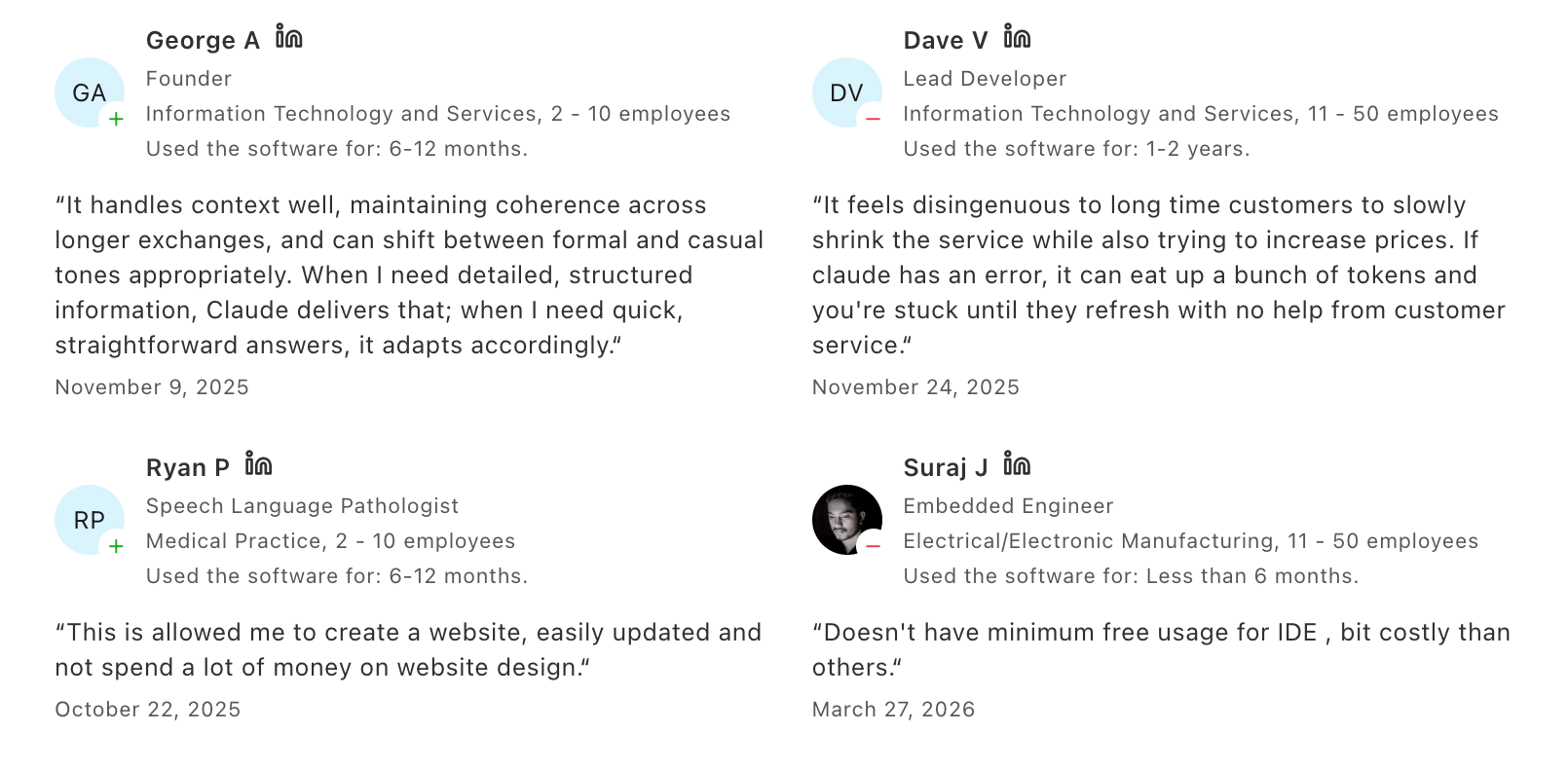
- A common theme in positive reviews is that Claude "doesn't hallucinate like ChatGPT does" and responses feel like talking to "a knowledgeable and articulate companion."
- The main criticisms cluster around message limits and the absence of image generation. One Capterra reviewer summed it up:
"My overall experience with Claude has been very positive. The responses are accurate, well-structured, and easy to understand." — reviews
Who Is It Best For
- Journalists who work with large amounts of text - long investigations, complex briefs, multi-document analysis, or regular writing that needs a consistent, high-quality edit.
How to Start Using It
- Go to claude.ai and create a free account. Start with a writing or summarization task to test the free tier.
5. Grammarly
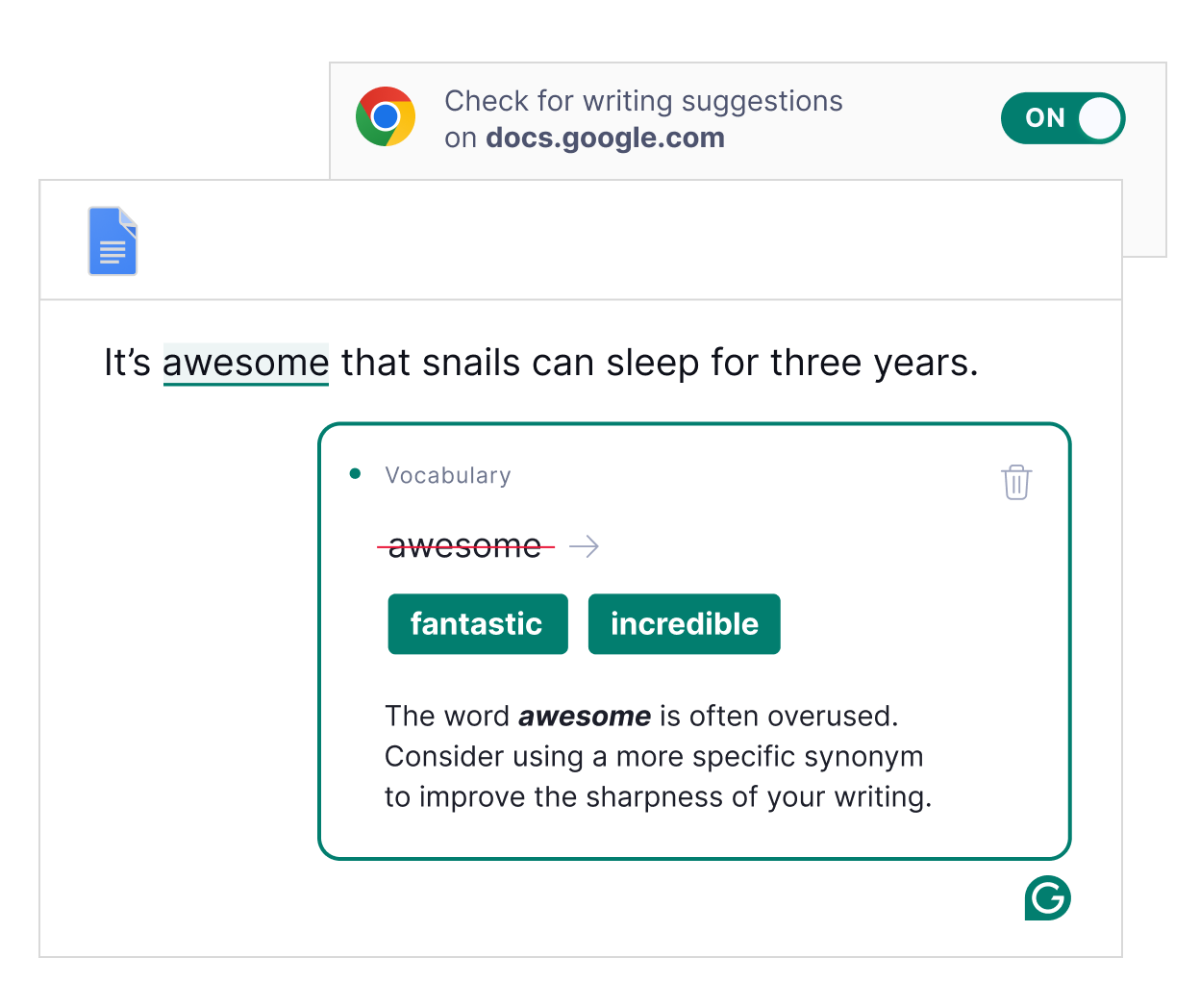
Grammarly is the closest thing journalism has to a universal last-pass editor. It's been around since 2009 and has evolved well beyond spell-check - it now catches tone inconsistencies, flags passive voice, suggests sentence restructuring, and includes a plagiarism checker. Most journalists treat it as the final stop before filing.
Key Features
- Real-time grammar and style corrections. Grammarly works across browsers, Microsoft Word, Google Docs, and most writing platforms - flagging errors as you type. It can go through up to 100,000 characters at once and recommend fixes. It identifies overused words, repetitive phrases, and passive voice.
- Tone detection. Grammarly reads the overall tone of your writing and flags when it doesn't match your stated goal. For journalists calibrating the register of a piece to its publication, this is useful.
- Plagiarism checker. Grammarly Pro includes a plagiarism scanner that checks against billions of web pages.
- Cross-platform integration. It works wherever you write — Gmail, Slack, Google Docs, Word, and most CMS fields via the browser extension. A Cybernews reviewer highlighted its ability to detect "advanced syntax errors and awkward phrasing" beyond what standard spell-check catches. — reviews
Pros
- Works in real time across nearly every platform where journalists write
- Plagiarism checker is fast and practical for editors
- Tone and clarity suggestions go beyond surface grammar
- Free tier is a genuine upgrade from built-in spell-checkers
Cons
- Grammarly can be a stickler for rules - especially for creative or technical writers who intentionally bend them.
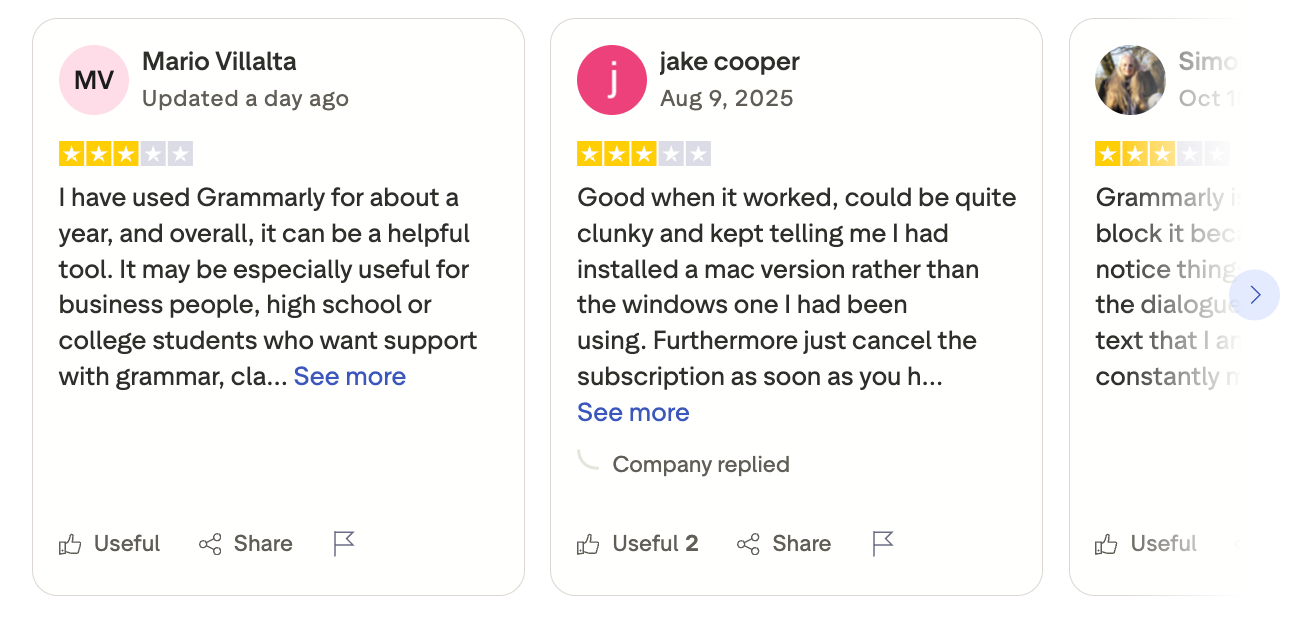
- AI-generated writing suggestions (GrammarlyGo) are often described as generic and robotic - "clunky" is the word that keeps appearing in reviews
- Paid plans can feel expensive relative to what the free version already covers
Pricing
- Free: Basic grammar and spell-check
- Pro: $12/month (annual billing) — full sentence rewrites, plagiarism detection, 2,000 AI prompts/month
- Business: $15/person/month — style guide, analytics dashboard, team features
- Enterprise: Custom pricing
Grammarly Reviews (source)
Who Is It Best For
- Any journalist who wants a reliable last pass before filing - especially useful for non-native English writers, fast-filing reporters, and editors reviewing freelancer submissions.
How to Start Using It
- Download the browser extension from grammarly.com. It activates automatically across most platforms.
6. Saner.AI
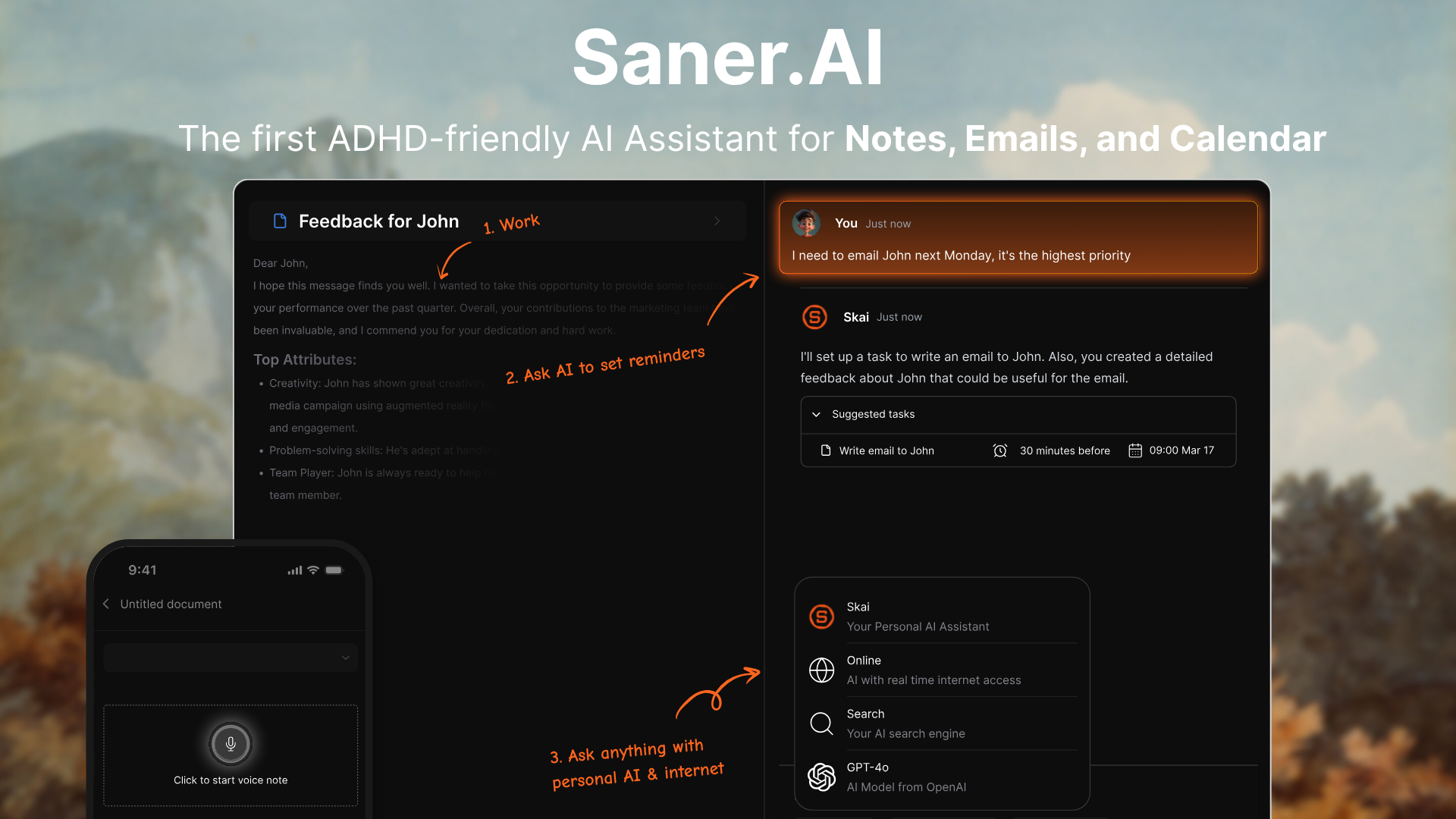
Saner.AI is a personal knowledge management and task tool built around one idea: journalists collect a lot of information, and finding it again is often the problem. It captures notes, emails, tasks, and web content in one place, then uses its AI assistant Skai to organize and surface what matters - without requiring you to file everything manually.
For journalists, you can see that most AI tools handle either the research phase or the writing phase. Saner.AI, in contrast, is built for what happens in between: managing the knowledge you've already gathered, across sources, beats, and time.
Key Features
- Automatic organization via Skai. Saner.ai's AI assistant learns your content and organizes it without manual tagging. Unlike generic productivity tools, it automatically captures, organizes, and synthesizes insights from your notes and tasks without requiring manual organization. For journalists juggling multiple stories at once, this reduces the time spent looking for things you know you saved. — reviews
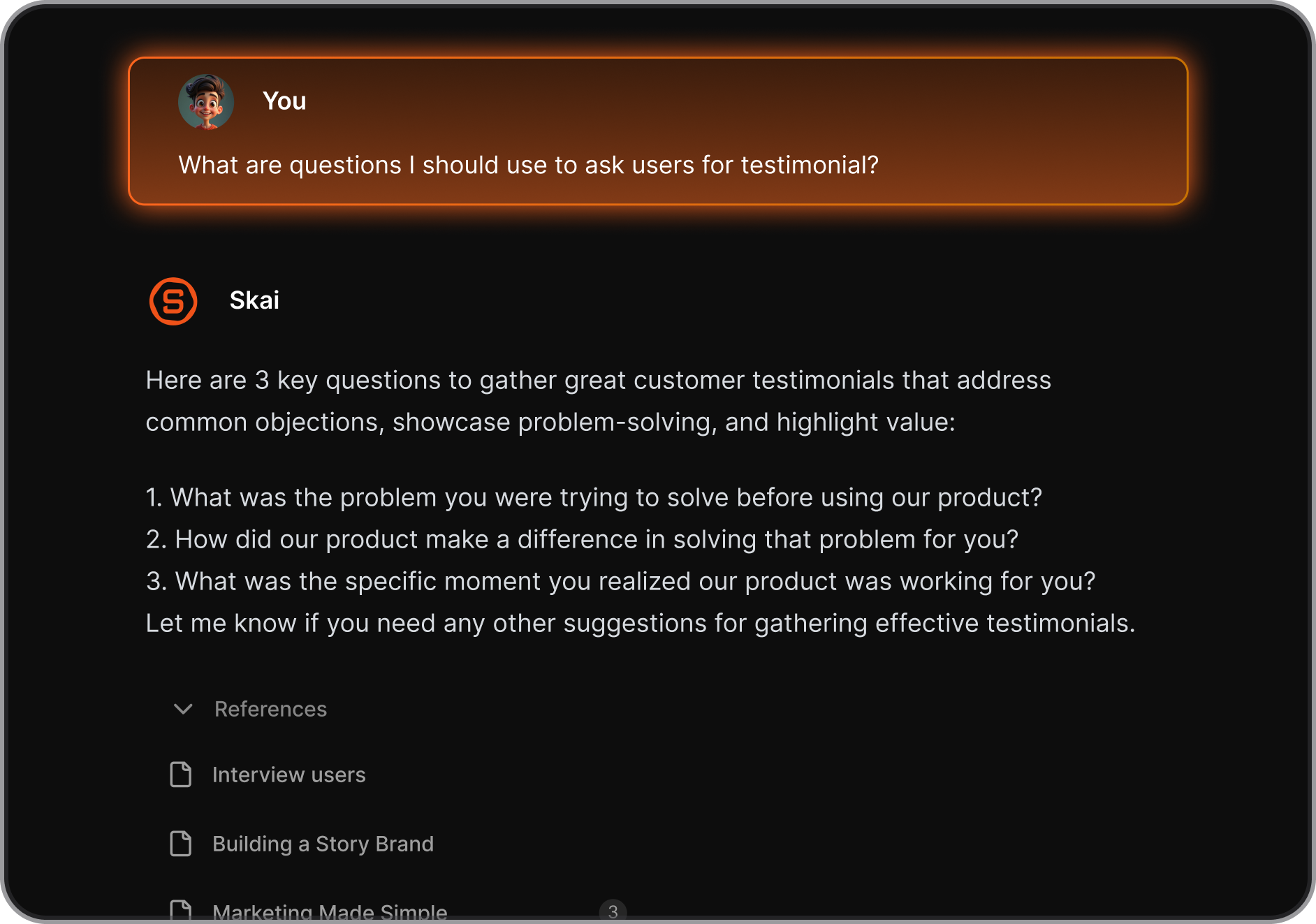
- Semantic search across your knowledge base. You can ask Saner.AI questions in natural language and it searches your own notes — not the web — to find relevant content.
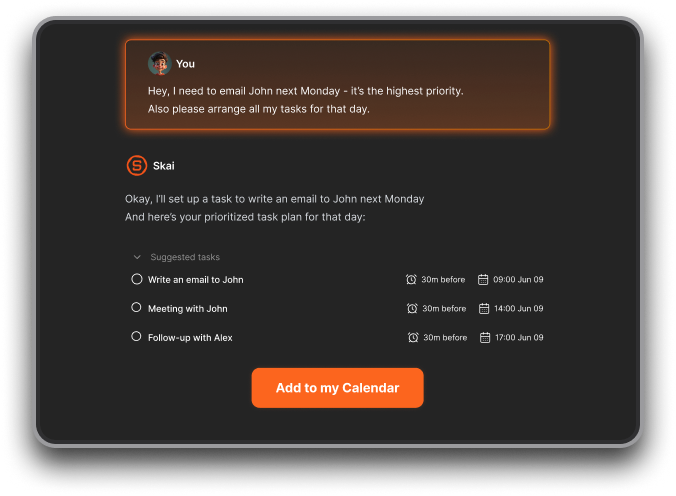
- Unified task and knowledge management. Saner.ai pulls tasks from emails, thoughts, and documents and connects them to your notes. Action item detection extracts tasks and follow-ups automatically and schedules reminders to stay on track. For journalists tracking sources, deadlines, and follow-ups across multiple stories, this replaces multiple separate tools.
- Integration with email, Drive, Slack, and Calendar. Saner.AI connects to your existing workflow rather than replacing it. It integrates with Email, Google Drive, Slack, and calendars, offers a Chrome extension for web research alongside notes, and provides a distraction-free focus mode with related note suggestions.
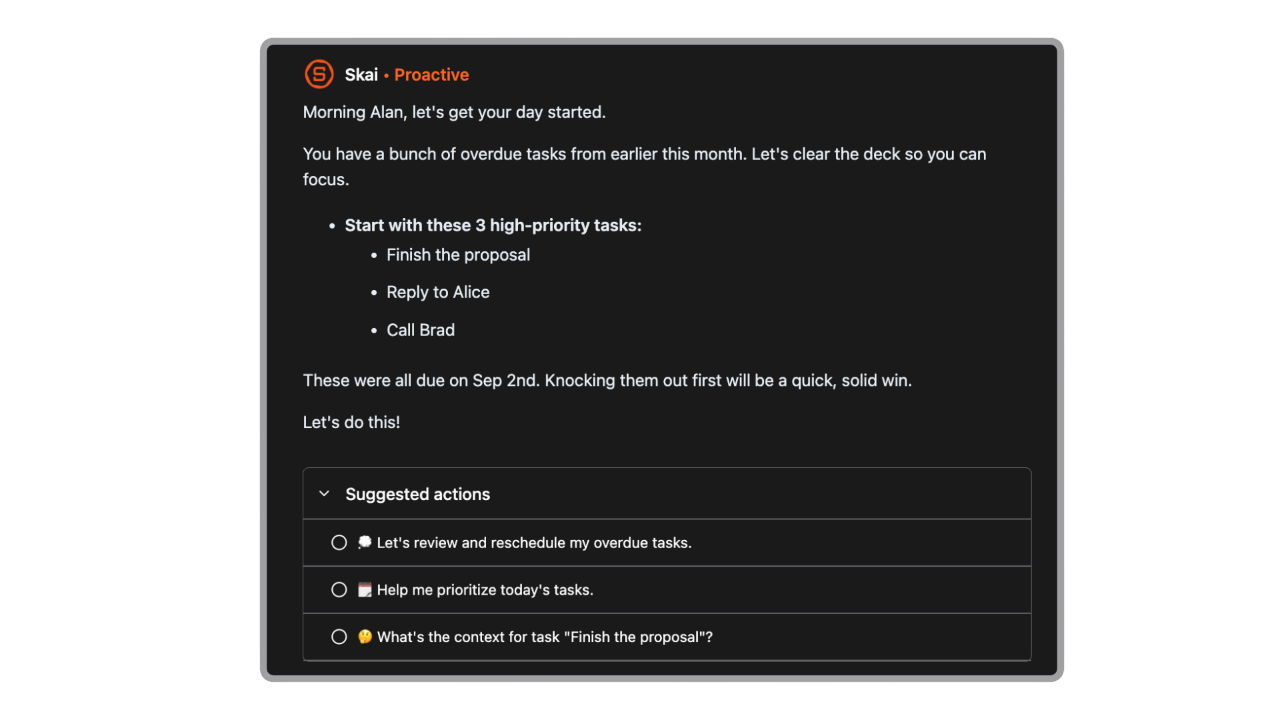
- Plan your day automatically every morning
Pros
- Reduces the time spent re-finding information you already have
- Semantic search works across your own notes, not the open web
- Connects notes, tasks, and deadlines in one place
- Free plan available; paid plans start at $8/month - among the most competitive pricing in this space
- Privacy-first: does not train on or sell user data
Cons
- Full collaboration features are still in development - better suited to solo reporters than newsroom teams right now
Pricing
- Free: Core features including Skai, semantic search, and calendar sync
- Paid: Starting around $8/month - full AI features, integrations, and extended storage
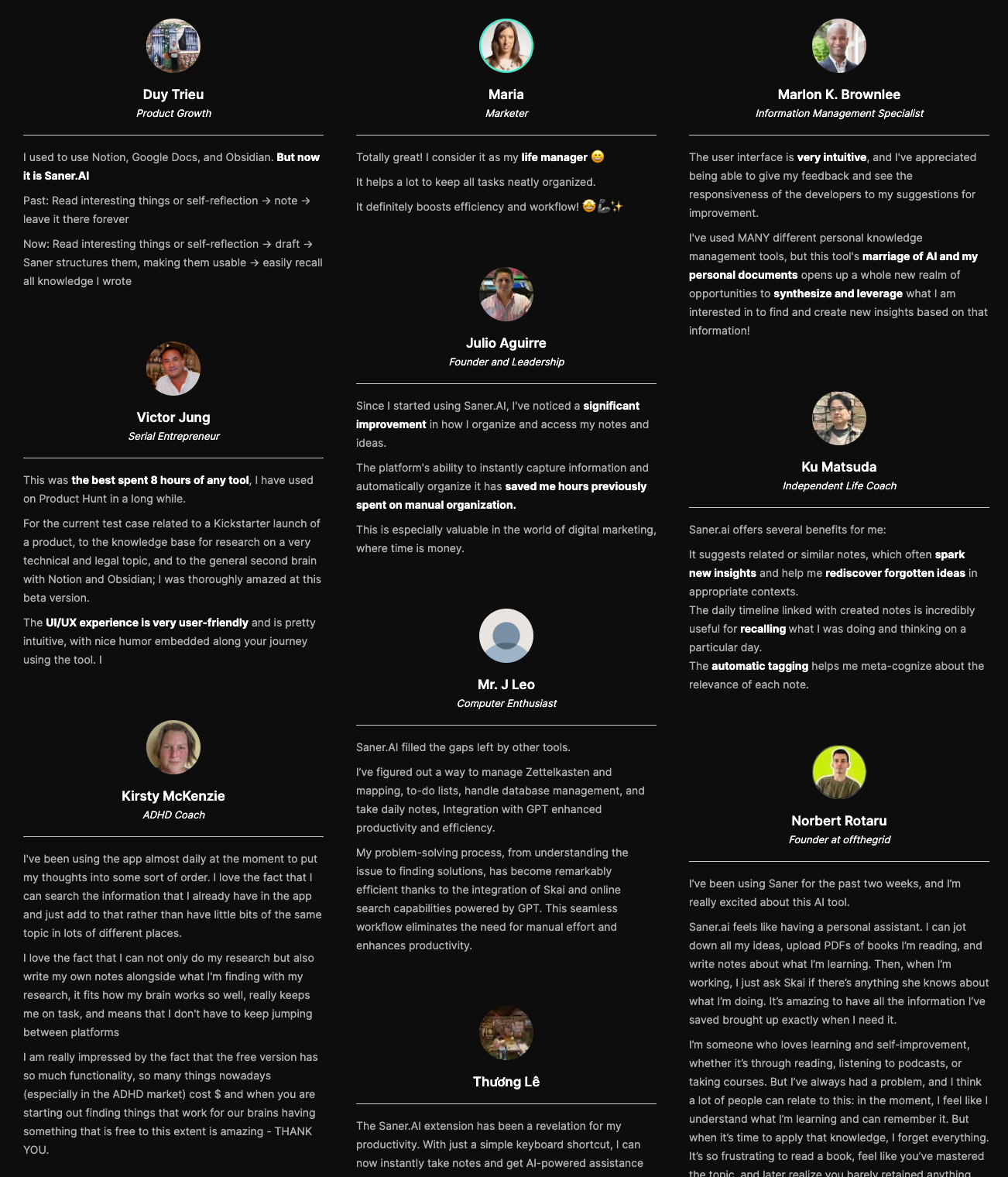
Saner.AI Reviews
Who Is It Best For
- Journalists working long-form investigations, beat reporters managing large note archives, or any reporter who finds themselves spending too much time searching for things they've already collected.
- It's also a strong fit for freelancers managing client-specific research across multiple ongoing stories.
How to Start Using It
- Go to Saner.ai and sign up for a free account. Install the Chrome extension to clip web content directly into your knowledge base.
- Connect your Google account to sync emails and calendar. From day one, you can start capturing notes — Skai begins organizing them automatically.
Conclusion
The most useful AI tools for journalists don't try to replace reporting. They handle the parts of the job that eat hours without producing anything publishable: transcribing a one-hour interview, building background on an unfamiliar topic, fixing grammatical errors in a rush, and finding the note you took three weeks ago about a source who just called back.
Different tools cover different parts of that problem.
- Otter.ai handles the interview log.
- Ground News and NotebookLM cover research from different angles. Grammarly catches errors.
- Claude helps with drafting and long-form analysis.
Saner.AI sits slightly apart from the others because it's not solving a single task — it's solving the problem of managing everything you accumulate as a reporter. Notes, emails, tasks, web clips, and interview summaries all land in one place, organized by an AI that learns your work. If the gap in your workflow is between "I found something" and "I can find it again when I need it," that's where Saner.AI earns its place.
None of these tools replaces the phone call, the source relationship, or the editorial judgment that makes good reporting. They just clear enough space that you can focus on those things instead.

Stay on top of your work and life
FAQ
1. Can AI tools replace journalists? No. AI tools handle transcription, research synthesis, grammar checking, and information organization. They can't cultivate sources, make editorial judgments, verify claims through original reporting, or take responsibility for what gets published. Every tool on this list is built to support a human journalist, not substitute for one.
2. Is it safe to use AI tools with sensitive sources or confidential documents? It depends on the tool. General-purpose models like Claude process inputs through cloud servers and may use data to improve their models (check your account settings and opt out of data training). For investigations involving leaked materials or confidential sources, tools like NotebookLM and Saner.AI — which keep data within your own notebook or account — are safer choices. Always check the privacy policy before uploading anything sensitive.
3. What's the best AI tool for transcribing press conferences? Otter.ai handles this better than most, though accuracy drops in high-noise multi-speaker environments. For press conferences with clear audio, it's reliable. For gaggles, phone calls, or noisy field recordings, plan to spend time correcting the transcript.
4. Can AI help with fact-checking? To a degree. Ground News shows which outlets are covering a story and flags factuality scores for each source. Grammarly's Pro plan includes a plagiarism checker. But no AI tool currently does rigorous fact-checking in the journalism sense - confirming claims with original documents, on-record sources, and institutional verification. Treat AI-generated information as a starting point, not a verified fact.
5. How do journalists use NotebookLM differently from Claude? NotebookLM only answers based on documents you've uploaded. Claude draws from its training data and the web (with web search enabled). For investigations built on primary source documents — court filings, research reports, transcripts — NotebookLM is more precise and less prone to hallucination. Claude is more flexible for general drafting, analysis, and open-ended tasks.
6. What's the most affordable AI tool on this list? Saner.AI starts at $8/month and has a free tier that includes core features. Google NotebookLM is effectively free for most individual journalists through the standard tier. Otter.ai's free plan covers 300 minutes monthly, which is enough for light use.
7. Can AI tools help with non-English reporting? Yes. Claude handles translation and multilingual summarization well. Otter.ai supports transcription in French and Spanish in addition to English. Ground News aggregates international sources, though its bias framework is primarily calibrated to the U.S. political context.
8. What's the biggest risk of using AI in journalism? Hallucination — confident-sounding wrong answers. The tools most likely to hallucinate are those generating text from general training data without live sourcing. Ground News and NotebookLM reduce this risk by grounding answers in retrievable sources. Claude is generally more forthcoming about uncertainty than some alternatives. Even so, no AI output should go into a published piece without independent verification.
9. How do newsrooms handle AI ethics policies? Most major outlets have policies, but they tend to be broad. Journalists are largely figuring out workflows individually. The common ground across most policies: AI cannot be a bylined contributor, AI-generated content needs human review, and sensitive source information should not be entered into public AI models.=
10. Is there one AI tool that does everything a journalist needs? Not quite - and that's probably fine. The tools that try to do everything often do none of it particularly well. The more realistic approach is a small stack: Otter.ai for transcription, Ground News or NotebookLM for research, Grammarly for editing, and Saner.AI for keeping all of it organized. Together, they cover the full workflow without creating tool overload.
Stay on top of your work and life
👉 You may like this post on the best AI personal assistants and the top Free AI tools



