
Honest Notion AI Review (2026): Is the AI Actually Worth It?

Notion AI Review: Powerful Workspace, But Is the AI Actually Worth It?
Notion started as a flexible all-in-one workspace - part wiki, part project manager, part note-taking app. Then it added AI. The pitch sounds good on paper: get writing help, auto-summaries, and smart search without ever leaving the tool where your team already works. But here's the real question most review posts skip over: Does Notion AI actually make you more productive, or does it just make an already complex tool more expensive?
After testing it and going through hundreds of real user reviews from G2, Capterra, and Product Hunt, the answer is messier than Notion's marketing suggests. The AI is useful - in specific situations.
But between pricing that locked AI behind Business-tier plans in 2026, a steep learning curve, and performance that slows noticeably under load, there's a gap between what Notion AI promises and what most people actually experience day to day.
Key Takeaways
- Notion AI is only available on Business ($20/user/month) and Enterprise plans - free and Plus users get a short trial and then hit a wall.
- The AI works best when you're already deep in the Notion ecosystem. If you don't have a workspace full of well-organized content, the context-aware features lose most of their value.
- Writing and summarization are the strongest features. Q&A, search, and database automation are solid but inconsistent.
- Performance degrades with large databases, which is a real problem for teams that have been using Notion for years and have accumulated content.
- For solo users and small teams who want AI productivity without the setup overhead, tools like Saner.AI offer a more focused experience at a fraction of the cost - see how it stacks up in this breakdown of the best AI productivity tools.
Notion AI At a Glance
| Category | Score |
|---|---|
| Ease of Use | 6.5 / 10 |
| AI Feature Quality | 7 / 10 |
| Value for Money | 6 / 10 |
| Writing & Summarization | 8 / 10 |
| Search & Q&A | 6.5 / 10 |
| Task Management | 6 / 10 |
| Mobile Experience | 5.5 / 10 |
| Customer Support | 5 / 10 |
| Overall | 6.5 / 10 |
What Is Notion AI?
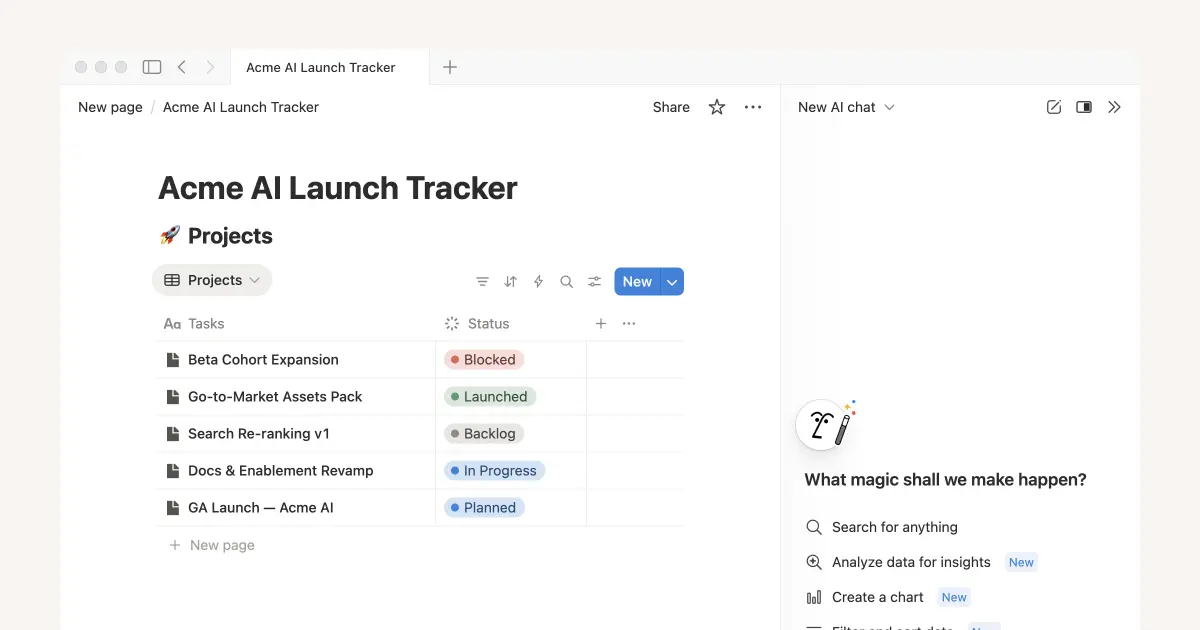
Notion is a workspace platform founded in 2016 that combines notes, documents, databases, wikis, and project tracking into one environment. Over 100 million users have signed up for it globally, and for a long time it was the go-to tool for teams who wanted to replace four or five separate apps with one.
Notion AI is the AI layer built on top of that workspace. It launched in alpha in late 2022, went public in early 2023, and has been updated regularly since. In September 2025, Notion released version 3.0, which introduced autonomous AI Agents - programs that can execute multi-step tasks across your workspace without you manually doing each step. If you're comparing AI workspaces more broadly, Notion 3.0 is one of the more ambitious entries in that field right now.
The core idea is that because the AI lives inside your workspace, it can pull context from your actual pages, databases, and connected apps. Ask it a question, and instead of generic output, it should (in theory) answer based on what your company actually wrote down.
Core features include:
- AI writing assistant (draft, edit, summarize, translate - triggered by
/aior the spacebar on an empty line) - Q&A and search across your workspace and connected apps like Slack and Google Drive
- AI Meeting Notes (captures, transcribes, and summarizes meetings with auto-generated action items)
- AI Database Properties (auto-fills tags, summaries, and translations inside database fields)
- Autonomous AI Agents that can run multi-step workflows across hundreds of pages
- Access to multiple AI models including GPT-4 and Claude (model routing is handled automatically)
Notion AI Features Breakdown
Writing Assistant
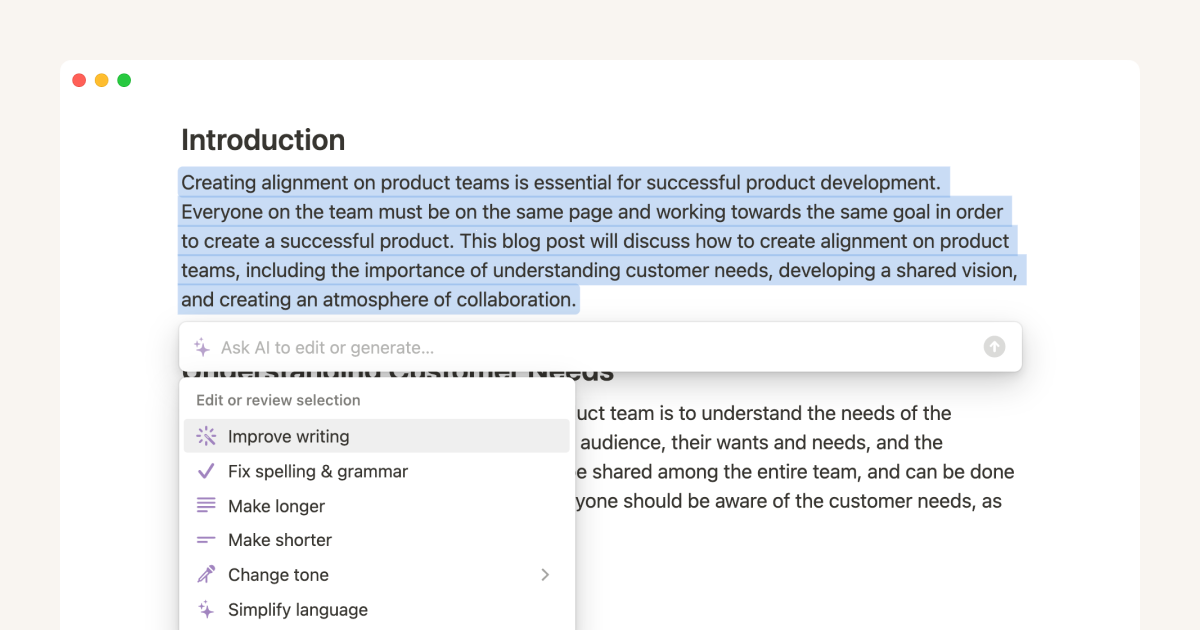
The writing assistant is Notion AI's strongest feature, and probably the one most people actually use regularly. You can trigger it on any page to draft content, rephrase a paragraph, change the tone, translate text, or generate a summary of what's on the page. It works in-line, so you're not copy-pasting between tabs.
The context advantage is real here - when you're in a project brief and ask the AI to "write a follow-up email," it can pull from what's already on the page rather than starting from scratch.
"The AI is useful for summarizing notes or creating content, which can save a lot of time. It also integrates well with other tools like Slack and Google Calendar, which keeps things from getting messy." — reviews
"The AI feature is promising but not advanced enough yet to replace manual structuring. It helps set up a base structure when I create new pages, which saves time, but I still end up going in and fixing things manually." — reviews
Q&A and Connected Search
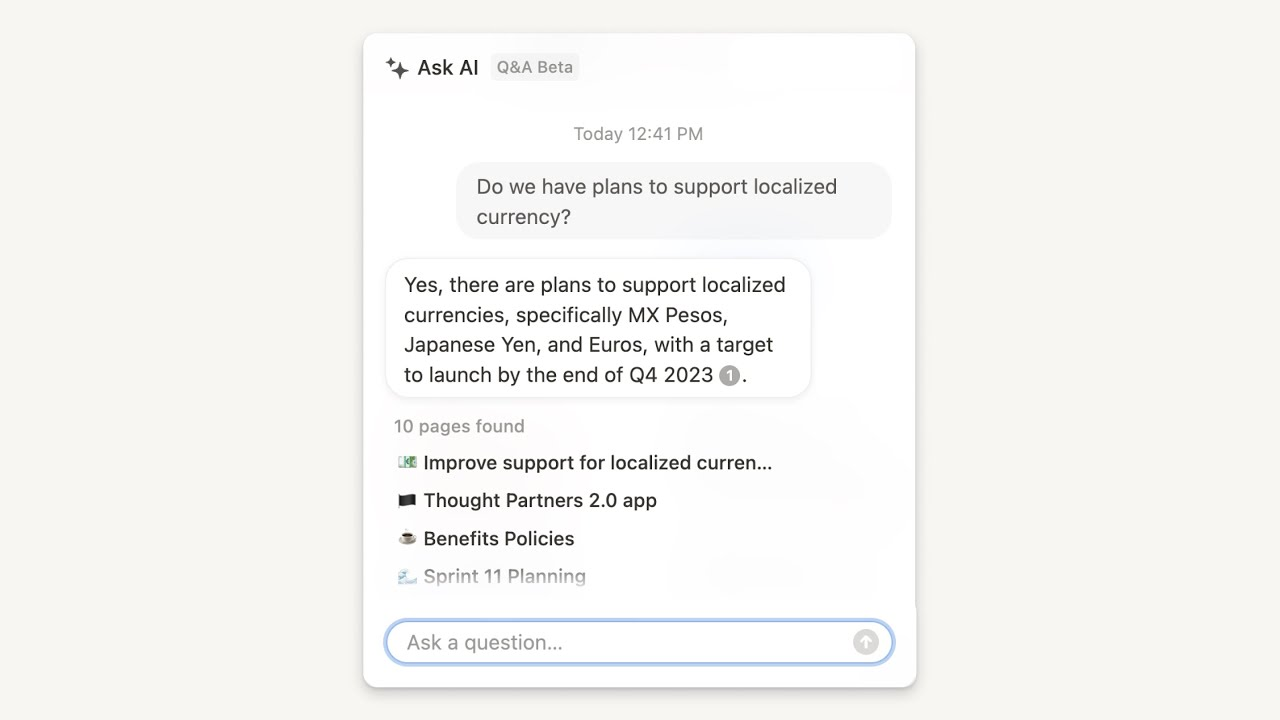
This feature lets you ask questions and get answers pulled from your workspace - not just links to pages, but actual synthesized answers with citations. You can also connect apps like Slack and Google Drive so the search extends beyond Notion itself. The promise is essentially a personal knowledge management system that can answer your own questions back at you.
In practice, it works well for straightforward questions against organized workspaces. When your content is scattered or inconsistently structured, the answers get less reliable. Users have also reported issues with natural-language database queries - asking the AI to filter or find items inside a specific database often doesn't work as expected.
"What I dislike is that once things are scaled up, such as a large database or a complex page, the performance may not be so smooth and may even lag a little. Some AI capabilities and other advanced features are only available in higher-tiered plans, and the support is not very guided." — reviews
"I just wish I could opt out of the AI aspect. I feel less secure with the AI hovering, and I'm just trying to take notes on meetings and keep my tasks organized." — reviews
AI Meeting Notes
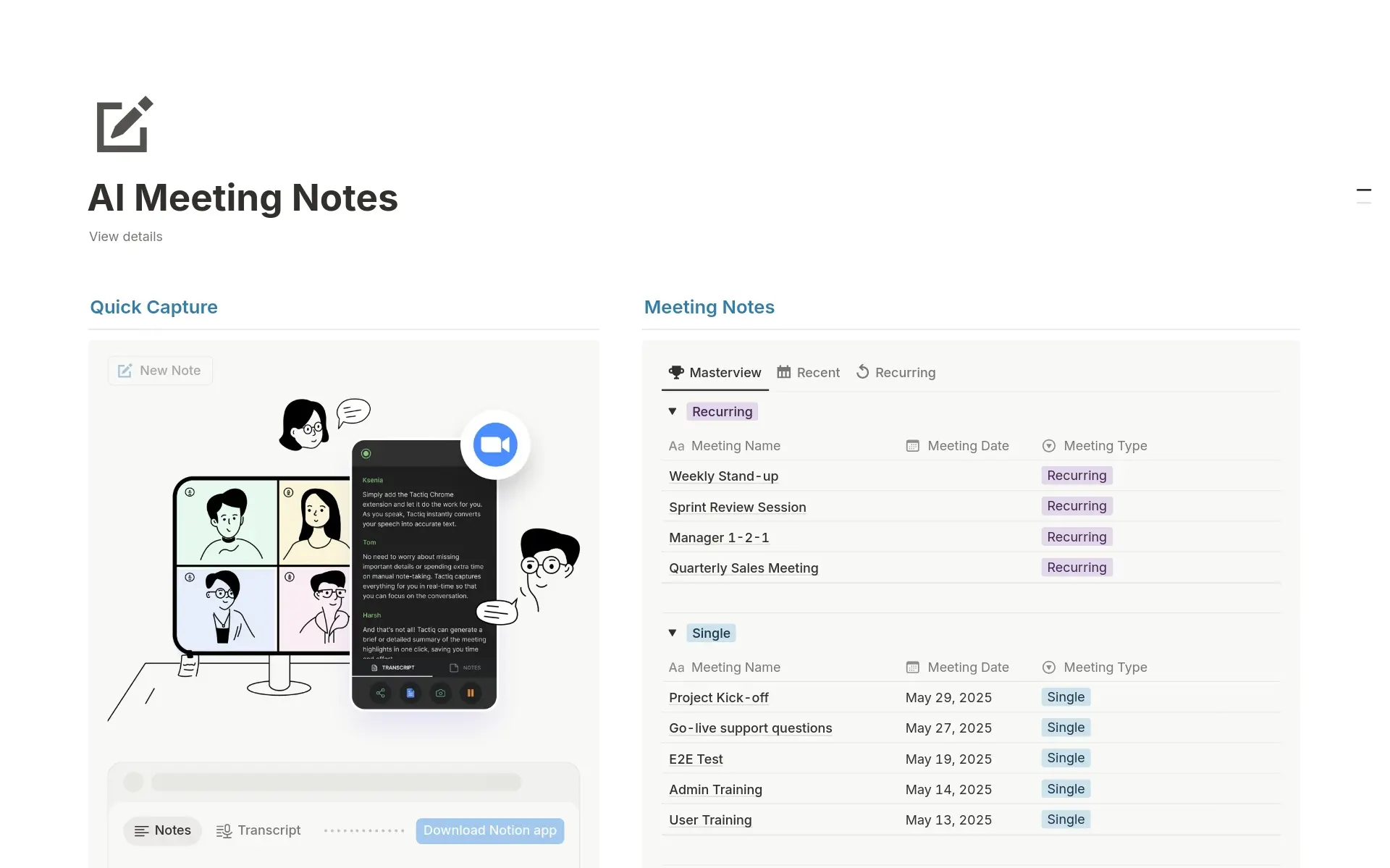
Notion added a dedicated meeting notes block that can transcribe conversations, extract key decisions, and generate follow-up tasks - which automatically link to your Notion calendar. For teams already using Notion as their primary workspace, this reduces the round-trip of opening a separate transcription tool.
The consent and privacy configuration is thoughtfully documented (Notion is clear you need to disclose recording). The main limitation is that it requires your meetings to flow through Notion's ecosystem to work well.
"I have found the addition of AI to the app to be kind of annoying, especially when a note-taking banner would automatically pop up every time I started a Zoom call or even made a call via Google Voice in my browser." — reviews
AI Database Properties and Agents
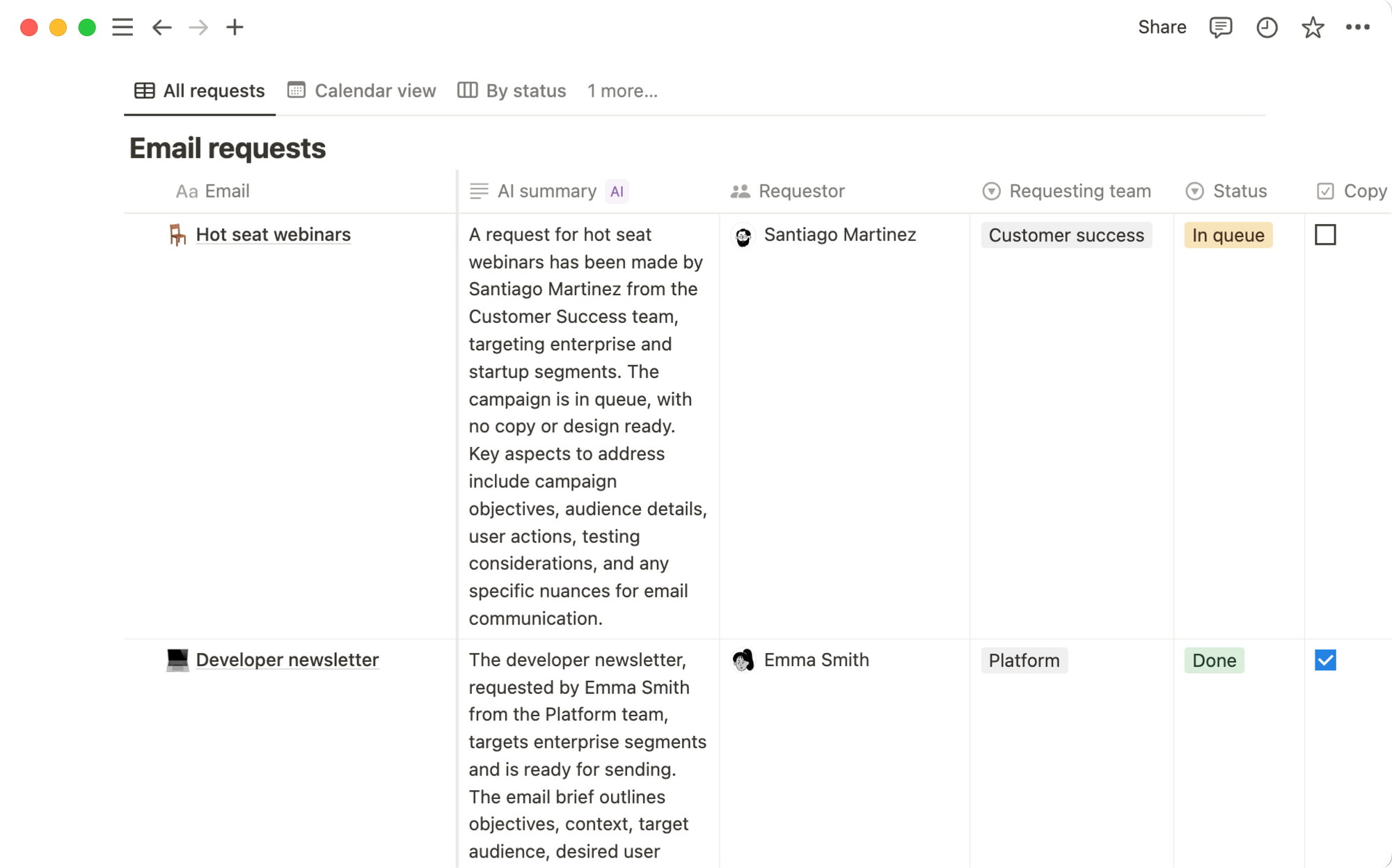
Notion's databases can now auto-fill properties using AI - so a field for "summary" or "category" fills in automatically based on the page content. The New Agents update pushed this further: you can instruct an Agent to execute multi-step tasks across your workspace, like compiling user feedback from multiple sources or updating database entries at scale.
This is the most technically impressive part of Notion 3.0. It's also the feature that requires the most existing workspace infrastructure to actually deliver value. If your databases are well-structured and your content is organized, Agents can save significant time. If not, they produce results that need significant correction.
"Setting up effective workflows often requires significant customization, which can be time-consuming. As workspaces grow, performance can slow down, and finding information can become difficult without strict organization." — reviews
Notion AI Pricing
| Plan | Monthly Price (per user) | Annual Price (per user) | AI Included | Free Plan |
|---|---|---|---|---|
| Free | $0 | $0 | Trial only (limited responses) | Yes |
| Plus | $12 | $10 | Trial only (new users since May 2025) | No |
| Business | $20 | $16 | Yes, fully included | No |
| Enterprise | Custom | Custom | Yes, fully included | No |
Payment methods: Credit and debit cards (all major brands)
Notion AI Pros and Cons
| ✅ Pros | ❌ Cons |
|---|---|
| AI is embedded natively — no tab-switching | Full AI access requires the $20/user Business plan |
| Writing and summarization quality is genuinely strong | Performance slows noticeably with large databases |
| Access to multiple AI models (GPT-4, Claude) | Steep learning curve, especially for new users |
| Meeting notes with auto task extraction | Mobile editing experience is poor for AI-generated content |
| Agents can automate complex multi-step workflows | No customer support chat — email only, with long wait times |
| Workspace context improves AI output quality | AI doesn't train on your data, but many users still report privacy concerns |
| Good template library | Inflexible per-user billing — guests don't get AI access |
| Real-time collaboration for teams | AI Q&A unreliable when querying specific database fields |
What People Say About Notion AI
Across G2, Capterra, and Product Hunt, Notion's overall workspace scores well - 4.7/5 on both G2 (from 4,000+ reviews) and Capterra. The AI specifically gets more mixed feedback. Users who are already power Notion users and have well-organized workspaces tend to rate it higher. People who came to Notion hoping the AI would organize things for them are often disappointed.
Positive:
"Incredibly flexible. You can build pretty much any workflow you need. Real-time collaboration is smooth and reliable. Notion AI is a nice bonus for rewriting and summarizing docs." — reviews
"I've started using Notion AI, and while it's still developing, it's useful for setting up a base structure when I create new pages, which saves time." — reviews
Critical:
"Their customer support has been pretty terrible. Long wait times for helpful responses, no real resolution for substantial blockers. It's also just NOT very intuitive to use." — reviews
"What I don't like about Notion is that it's pivoted to AI, and I'm just trying to take notes on meetings and keep my tasks organized." — reviews
"The worst part of Notion is that there is no customer support for immediate assistance." — reviews
"For very small businesses it's somewhat cost prohibitive unless your business can make a saving elsewhere." — reviews
"Notion is probably the most frustrating document tool I've ever used. While it has a lot of nice features, the interface makes it extremely frustrating to use them." — reviews
Who Is Notion AI Best For / Not Ideal For
Notion AI works well for:
- Teams of 5–25 people who already live in Notion and want AI embedded in their daily document workflows
- Content and product teams who write a lot and want faster summarization and drafting inside their existing workspace
- Organizations with well-structured Notion databases that want to automate property filling and repetitive tasks
- Companies on Business or Enterprise plans that can absorb the per-user cost across a full team
Notion AI is not ideal for:
- Solo users or freelancers who don't need team features and don't want to pay $20/month for AI access - there are plenty of Notion alternatives worth checking first
- People new to Notion who expect the AI Assistant to organize their workspace for them - the AI works with the structure you already have, not instead of it
- Users who primarily need AI for task management and personal productivity rather than document creation
- Teams with large databases and complex workspaces who are already experiencing performance slowdowns
- Anyone who wants real customer support - there's no live chat and email response times are slow
- Small businesses that find the per-seat Business plan cost prohibitive compared to what they're actually using
Notion AI Alternatives Comparison
Notion AI vs. Saner.AI
This is the comparison that matters most if you're a solo operator, knowledge worker, or someone who finds Notion's complexity more exhausting than helpful. Both tools position themselves as second brain apps, but they go about it in completely different ways.
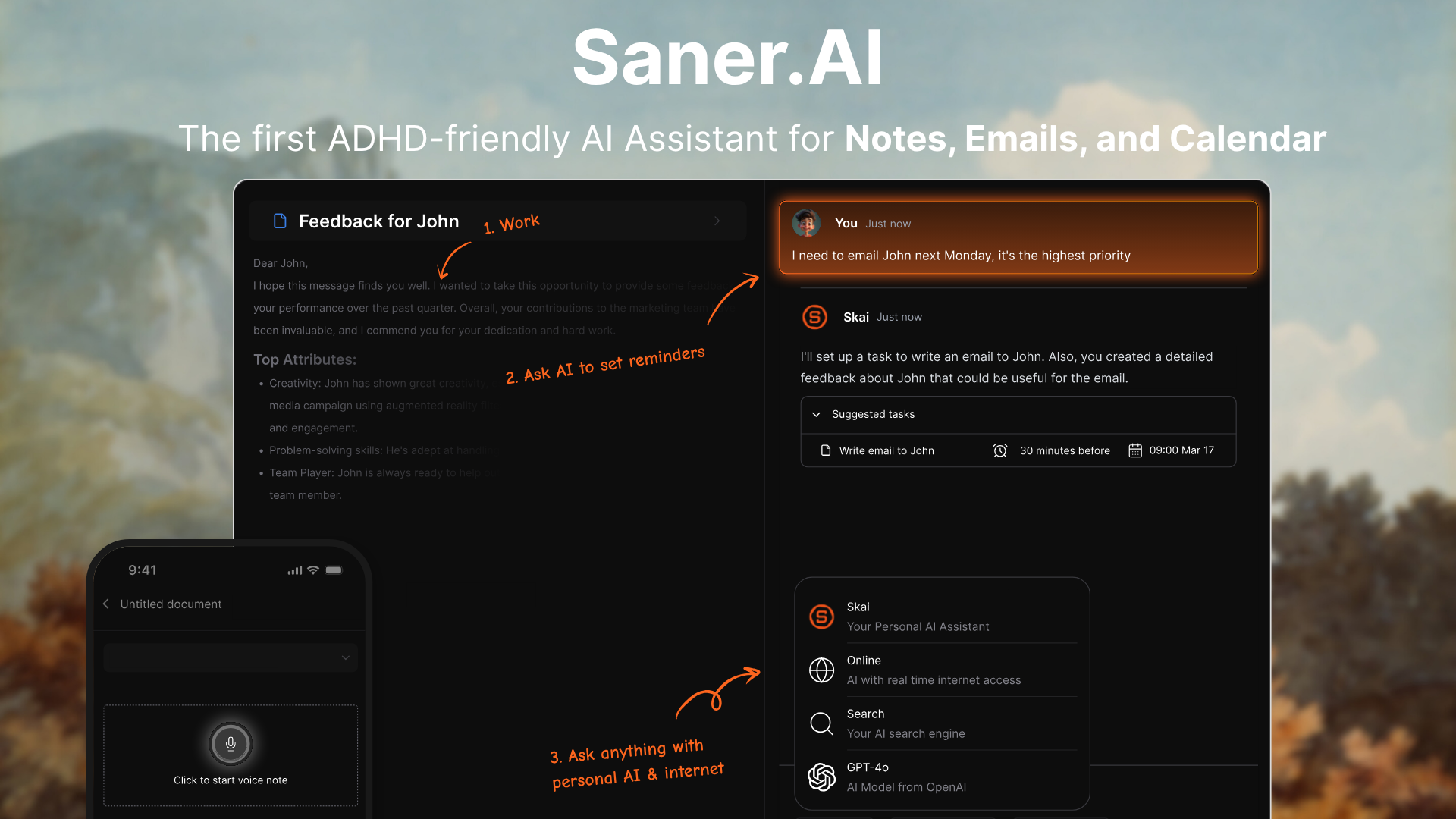
Notion AI was built to serve an existing, well-organized workspace. Saner.ai was built to handle the fact that most people's information is not well-organized. That's a fundamentally different starting point.
Where Saner.AI has a clear edge:
- Free plan that's actually usable. Saner.AI's free tier includes 30 AI requests per month, 100 notes, and 100MB of storage - real usage, not just a trial. Notion's free plan gives you a handful of AI responses before cutting you off entirely.
- Pricing that makes sense for individuals. Saner.ai's Starter plan is $8/month. Getting AI on Notion requires the Business plan at $20/user/month - more than double, and it scales per seat.
- AI that does the organizing for you. Saner.ai's personal AI assistant, Skai, automatically tags and categorizes notes from the moment you capture them - voice, text, or Chrome extension. You don't have to build the system first.
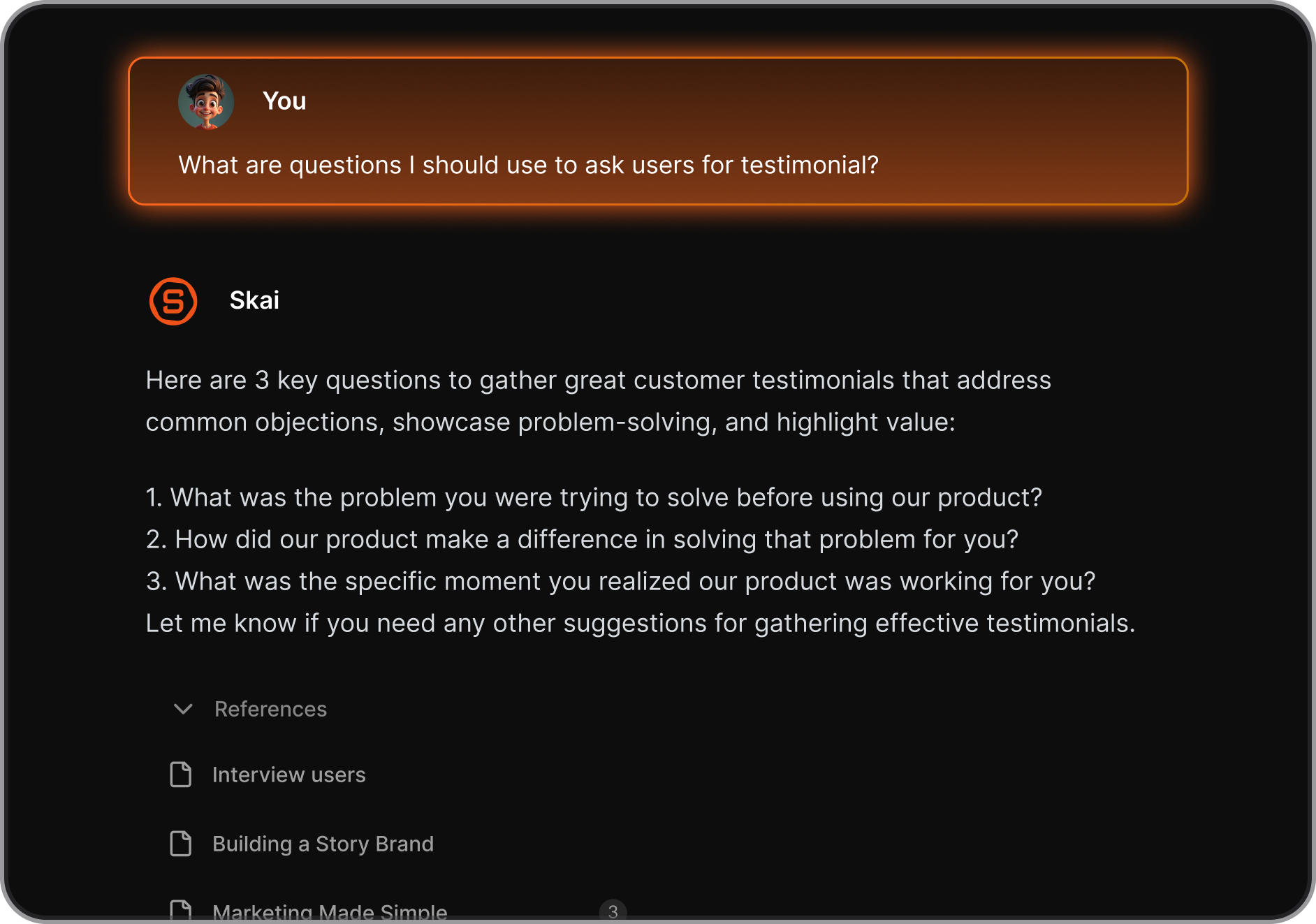
- Built for how people actually capture information. Voice notes, Braindump, Chrome Extension. You can just input information and the AI will sort the rest
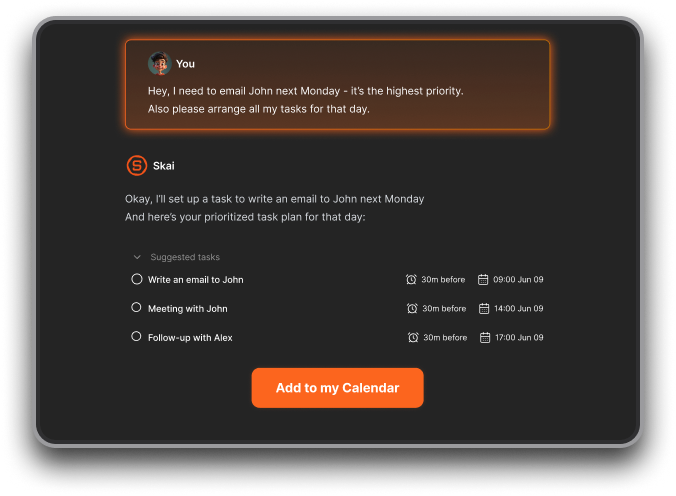
- Semantic search that works without perfect organization. saner.ai's search understands natural language queries ("what did I write about Q4 strategy last month?") even when your notes aren't perfectly tagged or organized.
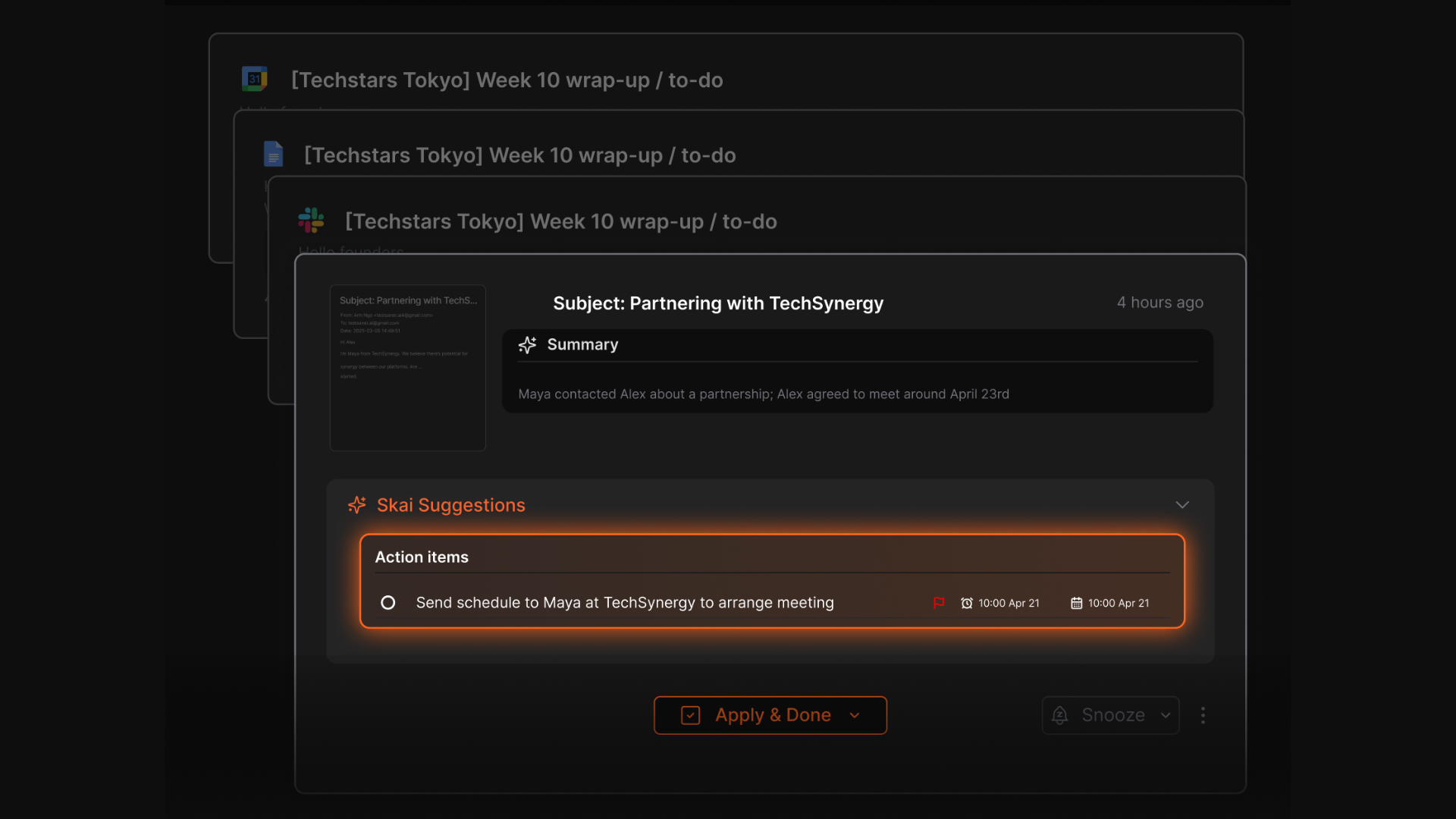
- Unified inbox across your tools. Saner.ai connects Gmail, Google Drive, Slack, and Calendar into one searchable workspace. Notion connects to these tools, but you're still managing separate apps - Notion is where documents live, not where everything flows together.
- For more on this, see how saner.ai handles AI for emails specifically.
- Designed for cognitive load reduction. Saner.AI was specifically built for knowledge workers who struggle with information overload - including ADHD users. If you're in that camp, the guides on ADHD note-taking apps and note-taking strategies for ADHD explain the design thinking well. The interface is deliberately minimal. Notion gives you infinite flexibility, which is powerful, but the cognitive overhead of configuring that flexibility is real.
- No per-seat billing headaches. Saner.AI plans cover individual use without the pressure of paying per seat the moment a team member joins.
- Lower learning curve from day one. With Saner.AI, you start capturing and the AI immediately begins organizing. With Notion, you spend time setting up databases, properties, and templates before the AI has anything useful to work with.
Where Notion AI still wins:
- Team wikis and documentation - Notion's collaborative document features are more mature
- Complex database management for teams
- Autonomous Agents for Large-Scale Workspace Tasks
- Breadth of project management views (kanban, timeline, calendar)
| Feature | Notion AI | Saner.AI |
|---|---|---|
| Free plan | Trial only (new users) | Yes — 30 AI requests/month |
| Paid starting price | $20/user/month (Business) | $8/month (Starter) |
| AI auto-organization | No — you build the structure | Yes — Skai does it automatically |
| Voice capture | No | Yes |
| Semantic search | Partial | Yes |
| Email/calendar integration | Limited | Native (Gmail, Google Calendar) |
| Learning curve | High | Low |
| Best for | Teams with existing Notion workspaces | Solo users, ADHD, knowledge workers |
| Performance at scale | Degrades with large databases | Designed for growing knowledge bases |
| Customer support | Email only, slow | Founders support (Standard plan) |
Notion AI vs. Other Competitors
Notion AI vs. ChatGPT ($20/month): ChatGPT offers more raw AI capability for content generation and reasoning, but has no integration with your actual workspace. If you don't need documents and databases, ChatGPT gives you more AI for the same price. Notion AI only wins when the workspace context genuinely improves output quality. For a deeper look at alternatives across the board, this roundup of the best Notion AI alternatives covers the field thoroughly.
Notion AI vs. Coda AI: Coda is closer to Notion in structure - docs, databases, and automation in one place. Coda AI handles structured data better, particularly for teams that need automation inside spreadsheet-like docs. Notion has the larger user base and more templates, but Coda is worth considering for data-heavy workflows.
| Notion AI | Saner.AI | ChatGPT | Coda AI | |
|---|---|---|---|---|
| Free plan | Limited trial | Yes | No | Yes (limited) |
| Starting price | $20/user/month | $8/month | $20/month | $10/user/month |
| Auto-organization | No | Yes | No | No |
| Workspace context | Deep | Deep | None | Moderate |
| Voice capture | No | Yes | No | No |
| Best for | Document-heavy teams | Individual knowledge workers | General AI tasks | Data-heavy docs |
Final Verdict
Notion AI is a capable tool - but the people it works best for are already heavy Notion users who have built out a well-organized workspace and want AI embedded in that environment. The writing and summarization features are solid. The Agents functionality, while still maturing, points toward real workflow automation potential.
The problems are real too. Locking AI behind the $20/user/month Business plan cut off a large portion of Notion's user base. Performance slows with large workspaces. Customer support is essentially non-existent for most users. And if you're coming to Notion hoping AI will organize your notes for you, you'll be disappointed - you still have to build the structure yourself.
If your team already runs on Notion and collaborates on documents and databases daily, the AI features are a reasonable add-on to that investment.
If you're a solo user, a freelancer, someone with ADHD, or anyone looking for an AI assistant that organizes information without requiring you to become a Notion power user first, there are better fits.
Saner.AI, for instance, starts free, costs $8/month at its paid tier, auto-organizes your notes from day one, and handles the connection between your email, calendar, Slack, and knowledge base without requiring you to configure anything.

Stay on top of your work and life
Bottom line: Notion AI is worth it if you're already in the Notion ecosystem and on a Business plan. If you're evaluating from scratch, do the math - $20/user/month is a significant commitment for AI features that assume a well-organized workspace you may not have yet.
Frequently Asked Questions on Notion AI
Is Notion AI free? No. The new Free and Plus users only get a limited trial of AI features. Full AI access requires the Business plan at $20/user/month (billed monthly) or $16/user/month (billed annually).
What AI models does Notion use? Notion routes tasks between models depending on the use case. As of 2025–2026, this includes GPT-4, Claude, and other models. Users don't choose the model manually — Notion selects it automatically.
Does Notion AI train on my data? No. Notion has contractual agreements with its AI providers prohibiting the use of customer workspace data to train models. Enterprise plan users also get zero data retention with LLM providers.
Can I use Notion AI without a Notion subscription? No. Notion AI is an add-on to Notion's workspace platform, not a standalone product. You need at least a Business plan to access full AI features.
How does Notion AI compare to Saner.AI for personal productivity? For individual use, Saner.AI is significantly more accessible. It has a real free plan, costs $8/month at its Starter tier, and auto-organizes your notes without requiring you to set up a workspace structure first. Notion AI's value depends heavily on already having a well-built Notion environment. If you're thinking through how to build a personal knowledge management system from scratch, Saner.AI is worth starting with before committing to Notion's complexity.
What happened to the Notion AI add-on? In May 2025, Notion discontinued the AI add-on for new Free and Plus users. It's now bundled into Business and Enterprise plans. Users who had the old add-on before May 2025 are grandfathered at their previous rate while they remain subscribed.
Stay on top of your work and life