
6 Best AI for Legal Work: Handle cases more effectively

We tested the 6 Best AI for Legal Work in 2026
Legal work runs on time and accuracy. When either slips, the consequences go well beyond a missed deadline.
We spent weeks evaluating the most-talked-about AI tools for legal professionals - from BigLaw-grade platforms to accessible options for solo practitioners. One finding stood out: the tools that save the most time aren't always the ones with the flashiest feature lists. We compared each option across research quality, drafting accuracy, security, pricing transparency, and day-to-day usability. Here's what we found.

Key insights
- Citation accuracy is the highest-stakes variable.
- Most enterprise tools have opaque pricing.
- The right tool depends on your role, not just your firm size.
Quick guide: best AI tools for legal
- Harvey AI — Enterprise-grade AI for complex M&A, litigation prep, and multi-jurisdictional work at AmLaw 100 firms
- Lexis+ AI — Best for citation-verified legal research grounded in the LexisNexis content library
- CoCounsel (Thomson Reuters) — Strong for litigation research teams already using Westlaw
- Spellbook — Contract drafting AI that works inside Microsoft Word, built for transactional lawyers
- Clio — All-in-one practice management with embedded AI for firm operations, billing, and client intake
- saner.ai — AI productivity workspace for legal professionals who need to track tasks, manage research notes, and reduce cognitive overload across a high-volume caseload
How we chose these tools
We looked specifically at tools that legal professionals are actually using in 2026 — not just well-funded startups with good marketing. Each tool was evaluated across five criteria:
- Research accuracy and citation reliability — does the AI ground its answers in verifiable sources?
- Data security and confidentiality — does the platform meet SOC 2 Type II or ISO 27001 standards?
- Workflow fit — does it reduce friction or create new steps?
- Pricing transparency — are costs predictable for different firm sizes?
- Real user feedback — what are lawyers actually saying on G2, Capterra, and Reddit?
What are the Best AI for Legal Work?
The Best AI for Legal Work in 2026 are Harvey, Lexis+, CoCounsel, Spellbook, Clio, Saner.AI
Comparison table - Best AI for Legal Work
| Tool | Best For | Starting Price | Key Strength | Weakness |
|---|---|---|---|---|
| Harvey AI | Large law firms, M&A, litigation | Custom (est. $1,200+/seat/mo) | Deep legal AI, custom workflows | Enterprise-only, no public pricing |
| Lexis+ AI | Legal research, citation verification | Custom (contact sales) | Shepard's validation, trusted sources | Locked into LexisNexis ecosystem |
| CoCounsel | Litigation research, Westlaw users | ~$225/mo + Westlaw add-on | Deep Research, Westlaw integration | Core plan needs Westlaw on top |
| Spellbook | Contract drafting, transactional work | ~$40/user/mo (Team tier) | Lives in Word, fast drafting | Word-only, limited analytics |
| Clio | Practice management, firm ops | From $49/user/mo | All-in-one legal platform | Steep learning curve, add-on costs |
| Saner.AI | Task management, knowledge tracking | Free plan available | Unified inbox, AI task assistant | Need internet for full access |
Harvey AI
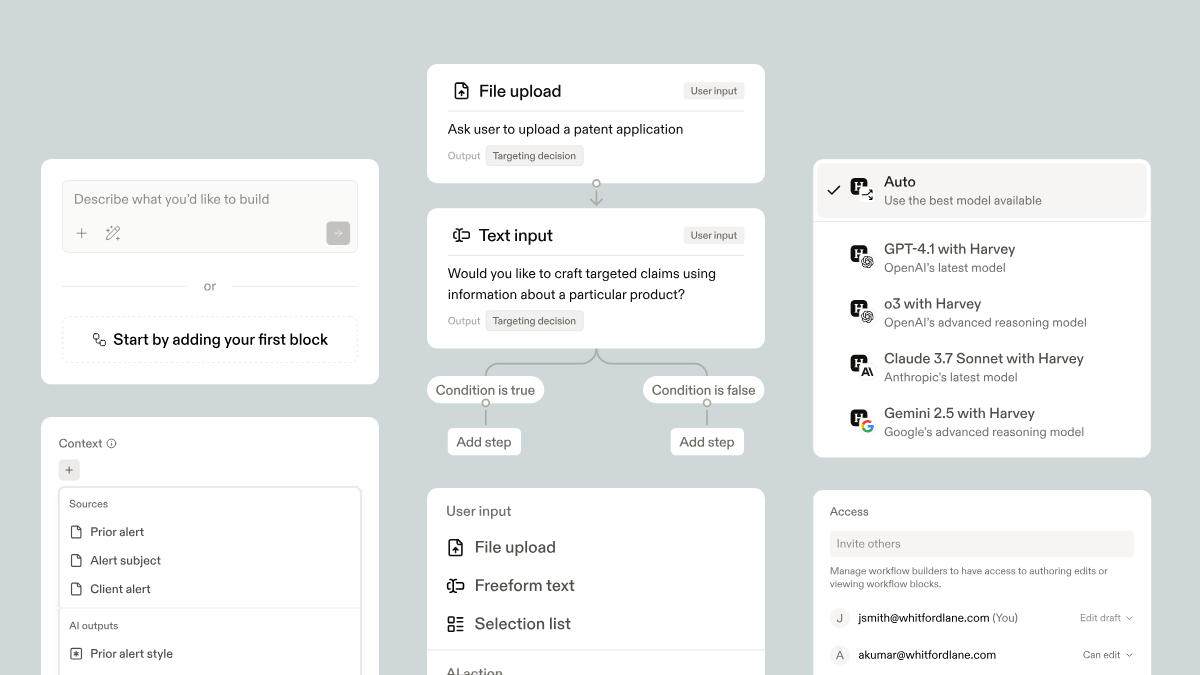
Harvey AI started in 2022 with backing from OpenAI, Sequoia, and Andreessen Horowitz. By late 2025, it was generating over $100M in annual recurring revenue and had reached a valuation above $8 billion. Around 60 of the AmLaw 100 firms now use it. The pitch: a legal AI built specifically for high-stakes, complex work — contract analysis, due diligence memos, litigation prep, and multi-jurisdictional regulatory research.
Key features
- Document vault and bulk analysis. Harvey's Vault ingests large document sets — contracts, discovery materials, expert witness transcripts — and runs analysis across all of them simultaneously.
"Harvey has completely changed how our associates handle initial case law research," noted one partner who described it freeing senior attorneys to focus on strategy instead of supervision. — reviews
- Jurisdiction-aware drafting. Harvey generates contract language with awareness of applicable law by jurisdiction. It populates documents using firm-approved templates and suggests alternative clauses with risk flags baked in.
- Custom workflows. Firms can build their own automated sequences.
"The ability to build custom workflows for our specific templates is a game changer," one user shared. — reviews
- Microsoft 365 integration. Harvey works inside Word and Outlook, letting transactional lawyers draft agreements against firm style guides without context switching.
Pros
- Handles document analysis at a scale and speed that outperforms manual review by a significant margin. A 2025 benchmark study found AI tools like Harvey can process documents up to 80 times faster than lawyers.
- Security is enterprise-grade: SOC 2 Type II, ISO 27001 compliance, and built on Microsoft Azure.
- Firms report time savings of 60%+ on research and due diligence.
Cons
- No public pricing. The sales process is long, and estimates place the cost at $1,200+ per seat per month with 20-seat minimums — roughly $288,000 per year at entry.
"Too expensive for our mid-sized firm, but the tech is clearly ahead of generic LLMs," one Capterra reviewer noted. — reviews
- Citation accuracy still requires human verification.
- Not accessible to small or mid-size firms.
Pricing
- Custom enterprise only. Estimated $1,200+/seat/month with minimum 20 seats.
Real user reviews
Firms using Harvey at scale report meaningful productivity gains on document-heavy work.
"Excellent security features that finally make AI viable for our high-stakes litigation work," one G2 reviewer said. — reviews
Who is it best for?
- AmLaw 100 and 200 firms, Big 4 legal services arms, and Fortune 500 in-house legal departments. If your attorneys are billing at $500+/hour and burning time on document review and research, the ROI math works. For anyone else, it doesn't.
How to get started
- Request a demo at harvey.ai. Expect a full enterprise sales process with custom deployment scoped to your firm's practice areas.
Lexis+ AI
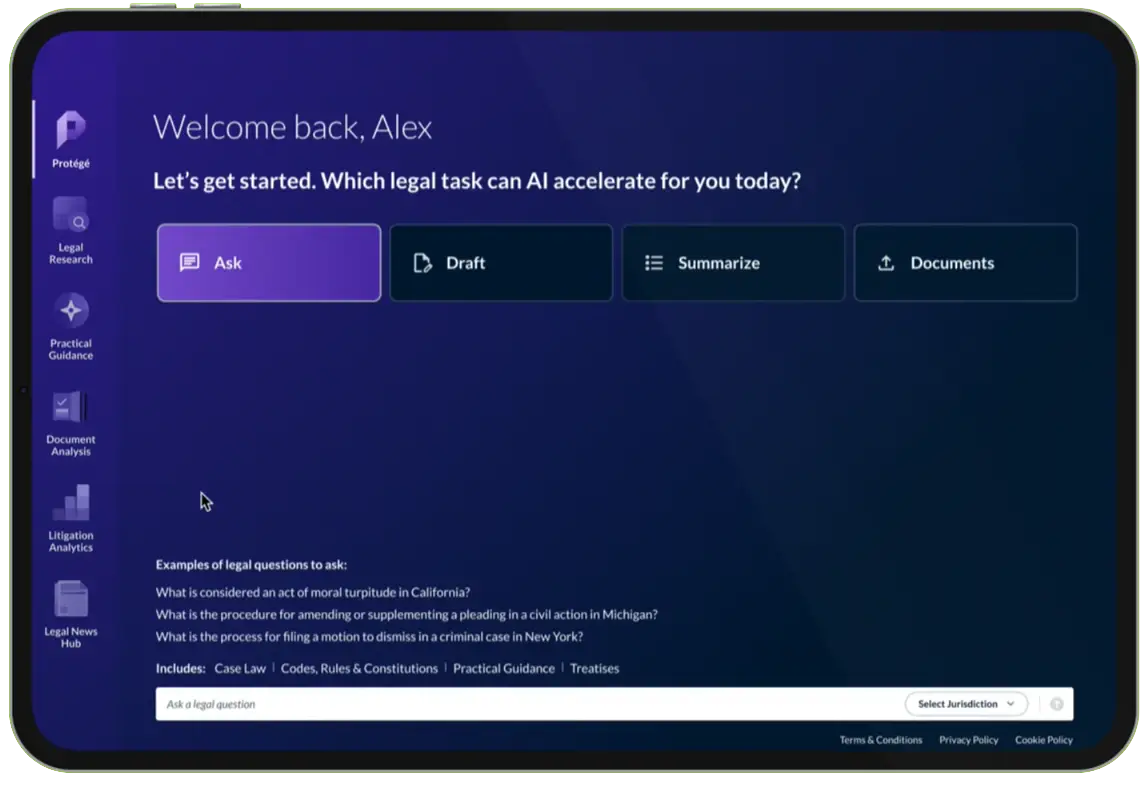
LexisNexis has been in legal research longer than most of its AI competitors have existed. Lexis+ AI is its generative AI layer, built on top of one of the largest proprietary legal content libraries in the world. The product combines conversational search, document drafting, and citation verification — with Shepard's Citations validation baked in to flag whether a case is still good law.
Key features
- Hallucination-free citations with Shepard's validation. Every answer Lexis+ AI generates links back to verifiable LexisNexis sources, and Shepard's validates those citations in real time. This is the platform's most significant advantage over general-purpose AI tools, which have no way to distinguish a reliable legal source from an unreliable one.
"Legal research has been made easier. Thousands of relevant judgements can be found here," a civil litigation attorney wrote on G2. — reviews
- Conversational research interface. Lawyers can ask complex legal questions in plain language and receive memo-style answers with cited case law
- AI drafting across 20+ practice areas. Protégé, the AI assistant inside Lexis+ AI, generates first drafts of motions, contracts, memos, and correspondence. It draws from firm knowledge bases and LexisNexis content simultaneously, and can be tuned to a specific jurisdiction or drafting style.
- Document management integrations. Connects to iManage, NetDocuments, SharePoint, and Google Drive, allowing lawyers to use firm documents as context when drafting or researching.
Pros
- Most trusted citation infrastructure among legal AI tools currently available.
- Covers 60+ jurisdictions and pulls from 500+ verified legal sources.
- Mobile app available for research and drafting on the go.
Cons
- Pricing requires a sales call. No public rates, and the full value of the platform comes only within the LexisNexis ecosystem, which creates lock-in.
- Some G2 reviewers flagged that the AI features within the standard Lexis subscription felt underwhelming compared to the premium Protégé tier.
"They lock you into a long-term contract and the AI is incredibly subpar," — reviews
- The cluttered interface remains a complaint. One solo attorney wrote that they now use Lexis+ mainly to verify citations after running initial research through ChatGPT, because the platform's UI slows them down. — reviews
Pricing
- Custom pricing through sales. Estimated $500–$1,000+/user/month for full Protégé access, depending on firm size and content subscriptions.
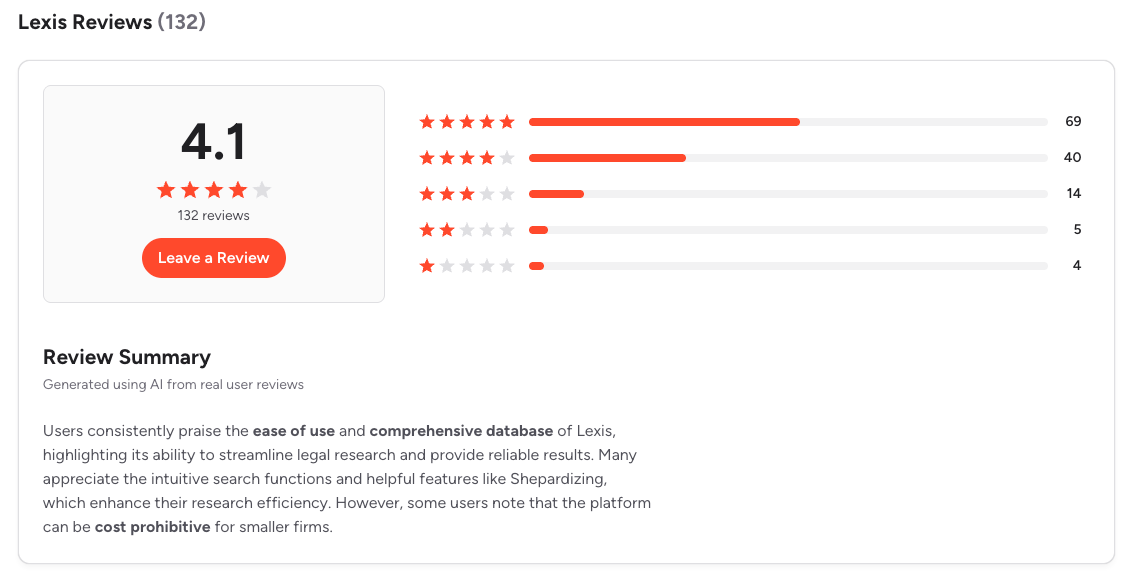
Real user reviews (source)
Who is it best for?
- Research-heavy practices: appellate litigators, regulatory attorneys, and in-house counsel at large organizations where citation accuracy is non-negotiable.
How to get started
- Visit lexisnexis.com and request a demo. Specify your practice area and firm size to get a relevant quote.
CoCounsel (Thomson Reuters)
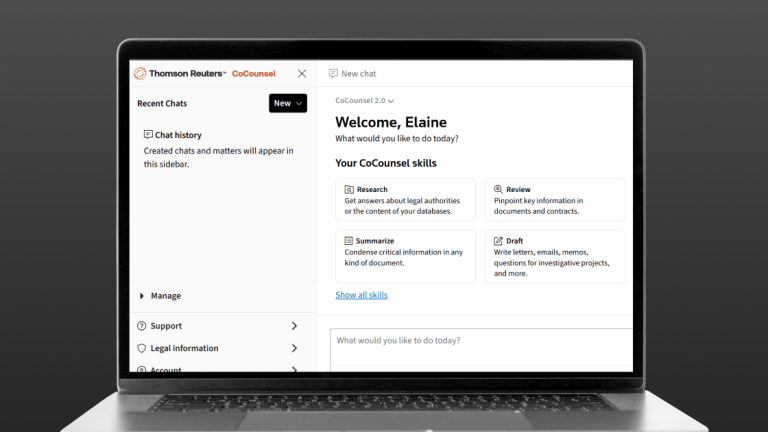
CoCounsel started as Casetext — an independent legal AI platform — before Thomson Reuters acquired it in 2023 for $650 million. Today it operates as the AI layer inside the Thomson Reuters ecosystem, sitting alongside Westlaw and Practical Law. Its standout feature is Deep Research: an agentic AI that reasons through complex legal questions, builds multi-step research plans, explains its logic, and delivers cited answers.
Key features
- Deep Research with Westlaw grounding. CoCounsel's Deep Research doesn't just retrieve cases — it generates multi-step research plans, explains its reasoning at each step, and delivers a cited memo-style output.
"The interface is user-friendly. I love that I can copy parts of cases directly into my document and the citation is correct," one attorney wrote on G2. — reviews
- Task-specific skills. CoCounsel has dedicated AI workflows for common legal tasks — contract review, deposition summary, legal research memos, and drafting correspondence.
- Document comparison and timeline creation. Side-by-side automated summaries, contract comparisons, and automatic timeline generation from case documents are recent additions that litigation teams find useful during discovery.
- Microsoft 365 integration. Connects to Word, SharePoint, and common document management systems, allowing lawyers to run research without leaving their drafting environment.
Pros
- Backed by Westlaw's content library, which remains the gold standard for case law depth.
- Deep Research feature handles questions that would previously take hours of research time.
- Firm data is not used to train external models
Cons
- The base CoCounsel plan ($225/month) does not include case law search. That requires a Westlaw Precision subscription on top, pushing the real cost to $400+/month.
- Less flexible for firms that want to use their own proprietary document sets as research context.
- Premium pricing tiers require a custom sales process.
Pricing
- CoCounsel Core starts at around $225/user/month, but full access to case law search requires a Westlaw Precision subscription. Full-access plans with Westlaw bundled are estimated at $292+/user/month.
Real user reviews
- Litigation teams inside firms already using Westlaw are the clearest beneficiaries. The integration removes friction that would otherwise come from switching between research and drafting platforms.
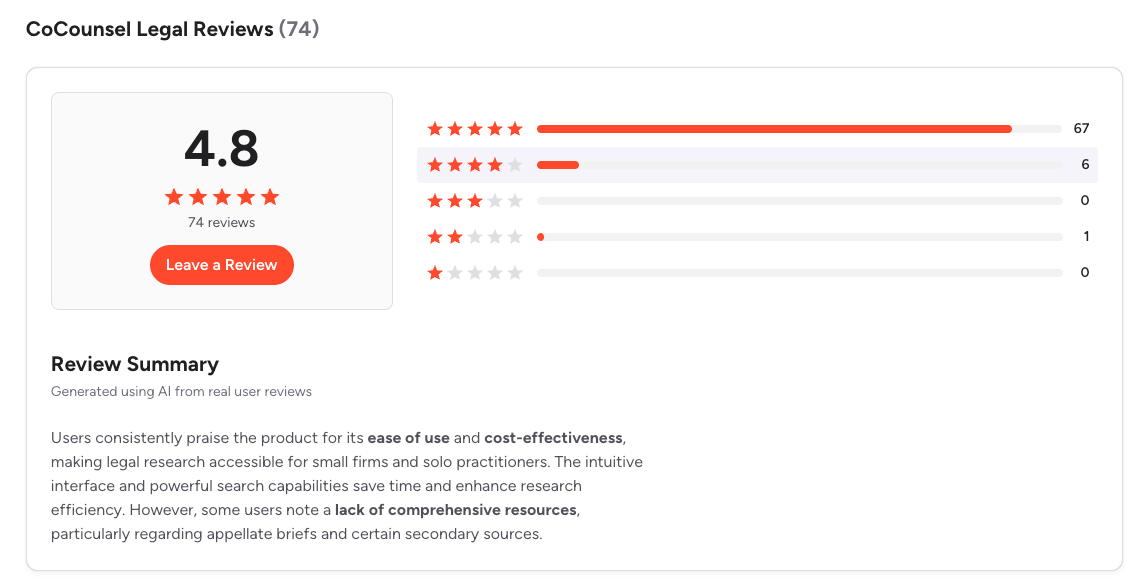
- The complaints center on cost stacking - once you add Westlaw Precision on top of CoCounsel, the monthly bill climbs quickly. Some smaller firms have found the ROI hard to justify at that price point compared to standalone research tools. (source)
Who is it best for?
- Mid-size to large litigation firms with active Westlaw subscriptions. In-house counsel at large organizations where research volume is high and the Westlaw content library is already part of daily workflow.
How to get started
- Access CoCounsel through the Thomson Reuters product switcher inside Westlaw.
Spellbook
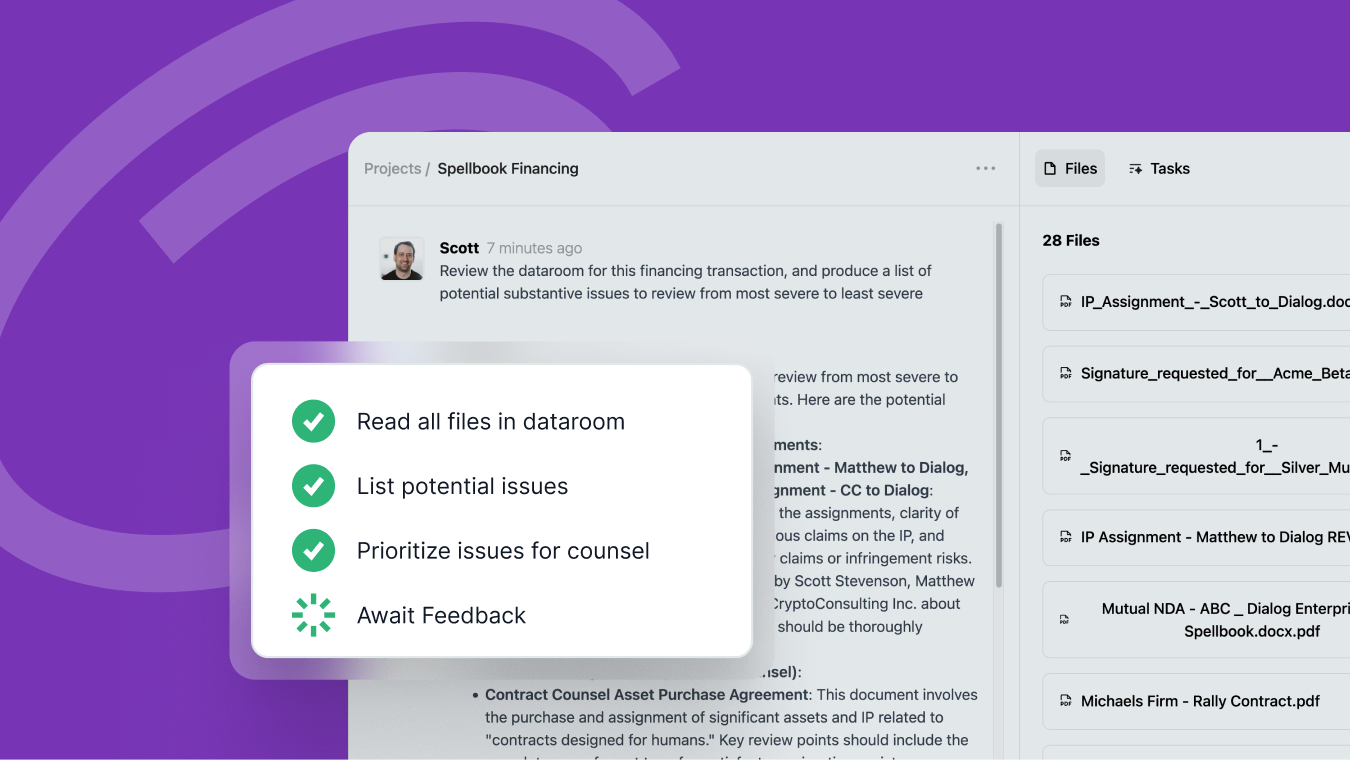
Spellbook is purpose-built for transactional lawyers. It lives inside Microsoft Word as a sidebar, uses GPT-5 and Claude Opus under the hood, and handles contract drafting, redlining, clause suggestion, and risk identification without requiring attorneys to leave their document.
Key features
- Word-native drafting and redlining. Spellbook adds a sidebar to Word where lawyers can generate clause suggestions, redline counterparty drafts, and flag risk terms.
- Precedent library learning. Spellbook Library lets the AI learn from a firm's own contract templates and precedents, producing outputs that reflect internal drafting conventions rather than generic language.
- Market benchmarking. Spellbook compares contract terms against real-time market data across industries and geographies, letting lawyers quickly identify non-market terms during negotiation.
- Missing clause detection. Automatically surfaces clauses that are standard in comparable contracts but absent from the document being reviewed — a feature that saves time on manual checklists.
Pros
- Fastest time-to-value of any tool on this list — setup takes 1–2 weeks.
- Zero Data Retention agreements mean client document content is not used for model training.
- Works for solo practitioners through to large teams.
Cons
- Requires Microsoft Word — no Google Docs integration.
- The base Pro plan ($20/month) has limited functionality for serious contract work. Mid-tier plans run around $40/user/month; enterprise pricing is custom.
- Limited analytics and no post-signature contract management.
Pricing
- Pro plan at $20/month. Team plan at approximately $40/user/month. Enterprise pricing is custom-quoted. A 7-day free trial is available.
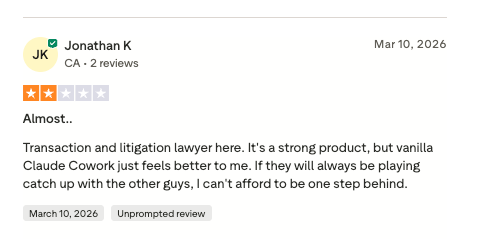
Real user reviews (source)
Who is it best for?
- Transactional lawyers handling NDAs, vendor agreements, commercial contracts, and real estate documents.
- Corporate legal teams processing high volumes of similar contracts.
How to get started
- Sign up at spellbook.legal and install the Word add-in. The 7-day free trial gives full access.
Clio
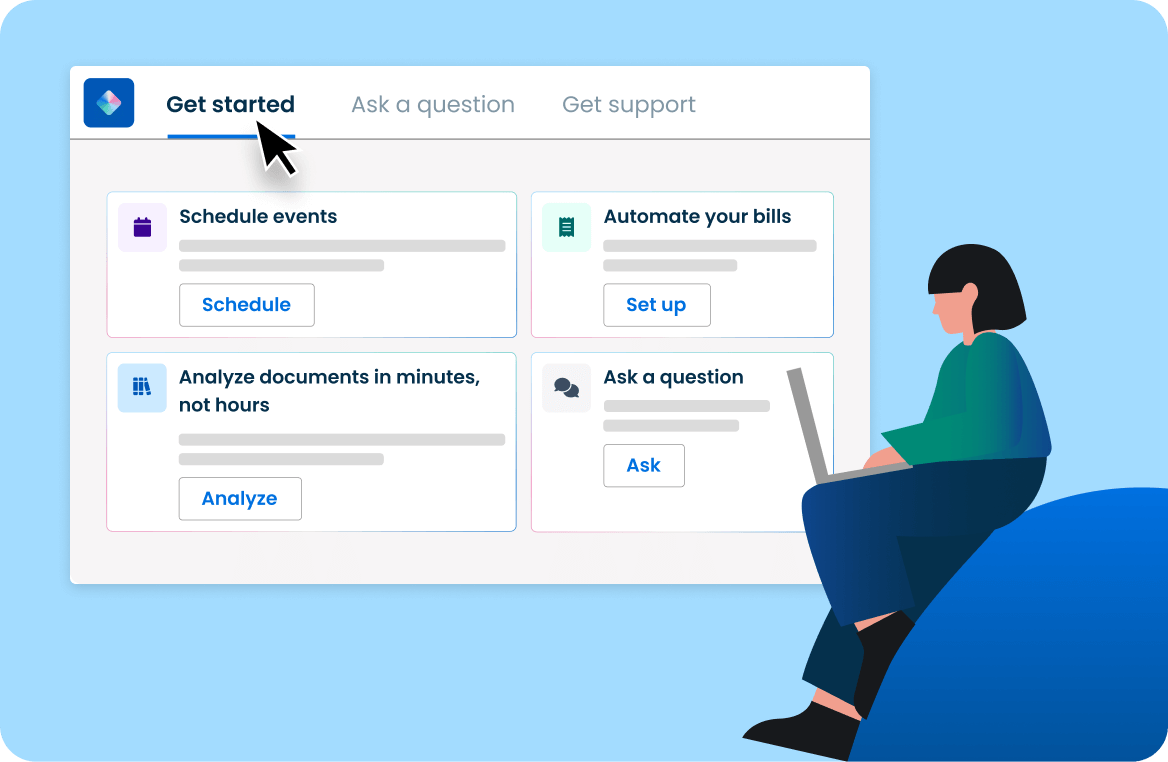
Clio is the most widely adopted legal practice management platform in the world, with G2 recognizing it as a top-10 company across all industries in its Winter 2025 reports. It's not a pure AI tool — it's an all-in-one platform that handles case management, billing, client intake, time tracking, and document management, with AI capabilities layered in through Clio Duo, Drafting AI, and Manage AI.
Key features
- AI-powered practice management. Clio Manage AI extracts deadlines from court documents to create calendar events, summarizes case notes, drafts client communications, and tracks billable time
"The capabilities are really impressive, and it seems like they continue to get better and better every day," wrote one G2 reviewer. — reviews
- Document automation and Drafting AI. Clio's 2025 Drafting AI addition lets attorneys generate documents from within their case files, keeping everything inside one secured environment.
- Client intake and CRM. Clio Grow handles lead management, intake forms, and client onboarding. Combined with Clio Manage, it covers the full client lifecycle from first contact to invoice.
- Billing and time tracking. Clio's invoicing and time-tracking tools are consistently rated among the platform's strongest features.
"Almost everything I need to run my law firm can be done directly from Clio," — reviews
Pros
- Widest feature set of any tool on this list
- Strong integrations with Gmail, Google Calendar, QuickBooks, and LawPay.
Cons
- AI features like Drafting AI are add-ons that increase the already-high base price.
"The per user cost and constant updating of services that are not included feels less like a subscription and more like a toxic relationship," one managing partner wrote on Capterra. — reviews
- Reporting features are consistently flagged as limited. Several reviewers pay for third-party reporting tools because Clio's built-in reports don't meet their needs.
- Clio Grow and Clio Manage don't always integrate as smoothly as the marketing suggests, creating friction for teams trying to use both.
Pricing
- Plans start at $49/user/month. AI features (Drafting AI, Manage AI) are add-ons. Full access to the AI layer runs roughly $49–$59/month on top of the base plan. Enterprise pricing available on request.
Real user reviews (source)
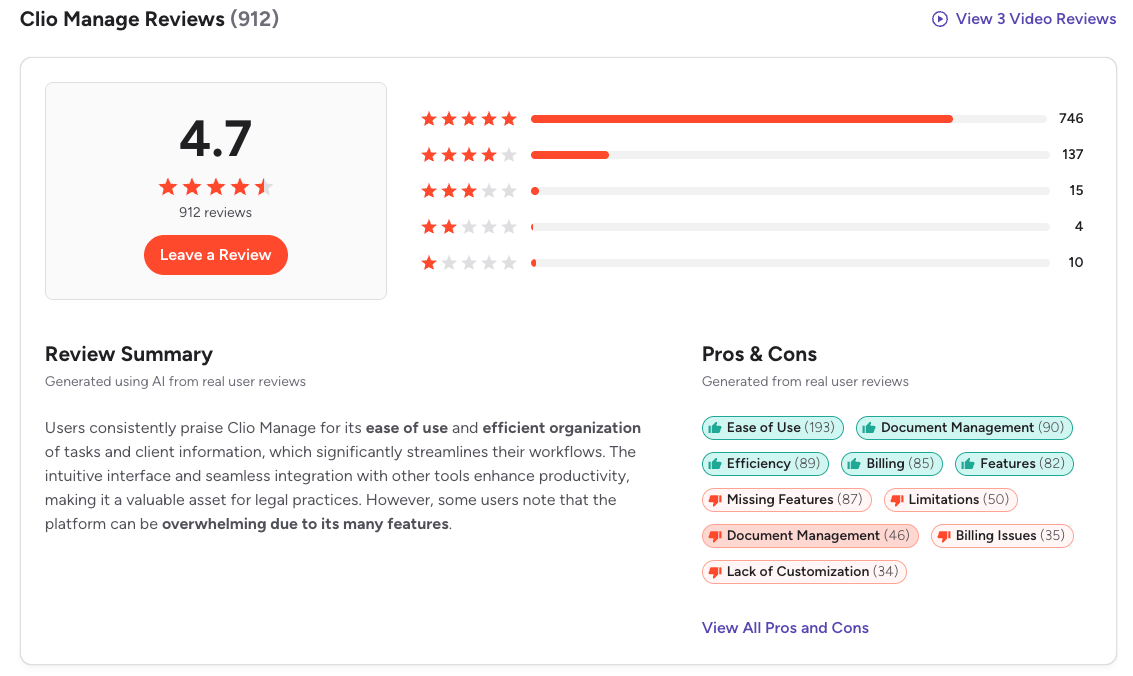
"Clio is intuitive to use and easy to customize. Their chat support is the best of any product I've used, in any category," wrote one attorney on Capterra. — reviews
- On the other end, some long-term users feel the platform has become expensive without proportional improvement in core features.
Who is it best for?
- Solo practitioners and small to mid-size law firms that want one platform to handle all firm operations
How to get started
- Sign up for a free demo at clio.com. Most firms start with Clio Manage and add Clio Grow and the AI features once the core platform is running smoothly.
Saner.AI
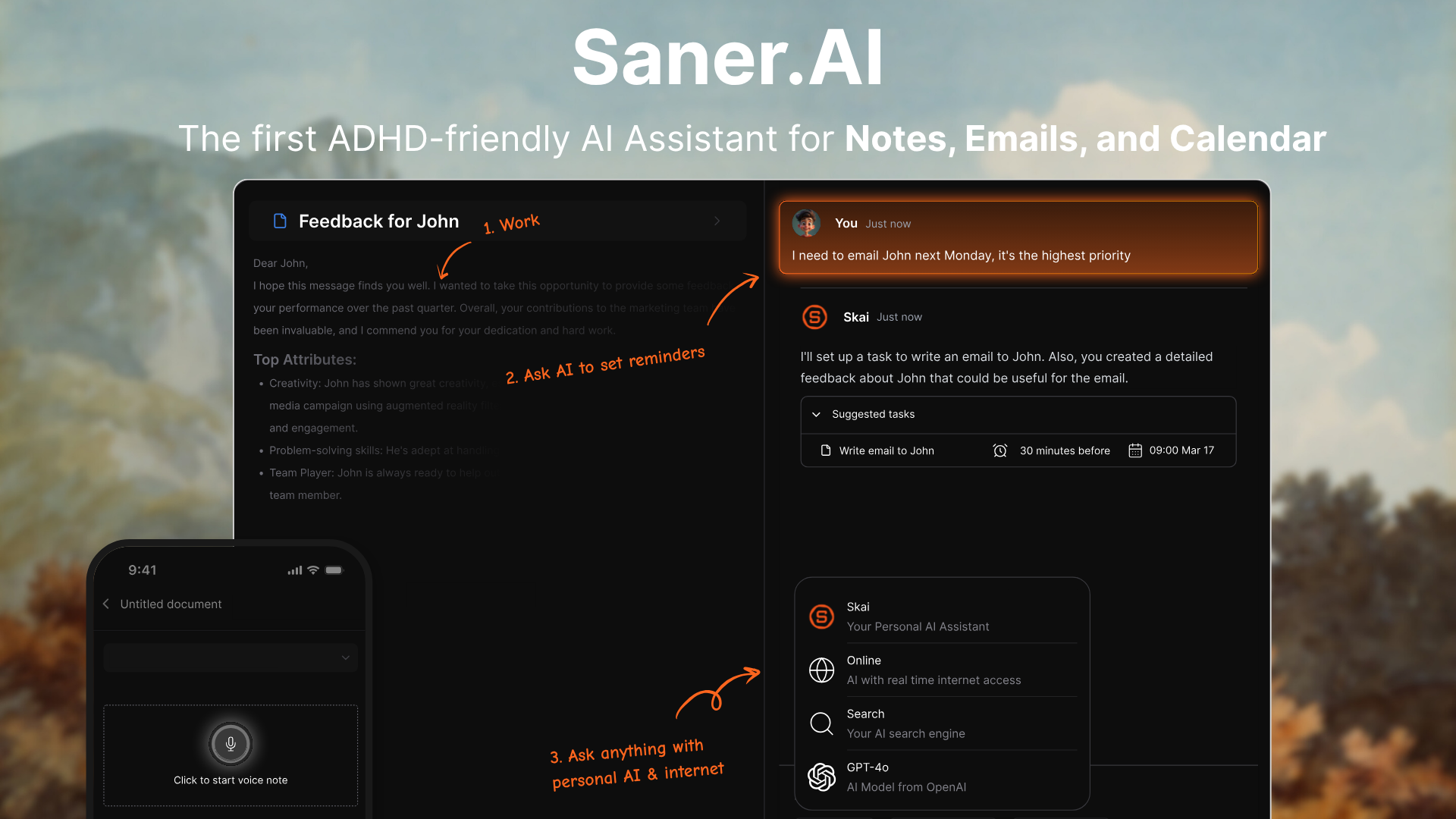
Legal professionals don't just need research and drafting tools. They also need to manage where all that work actually lives - the notes from a client call, the research threads for five open matters, the action items buried in a 40-email thread. That's where saner.ai fits.
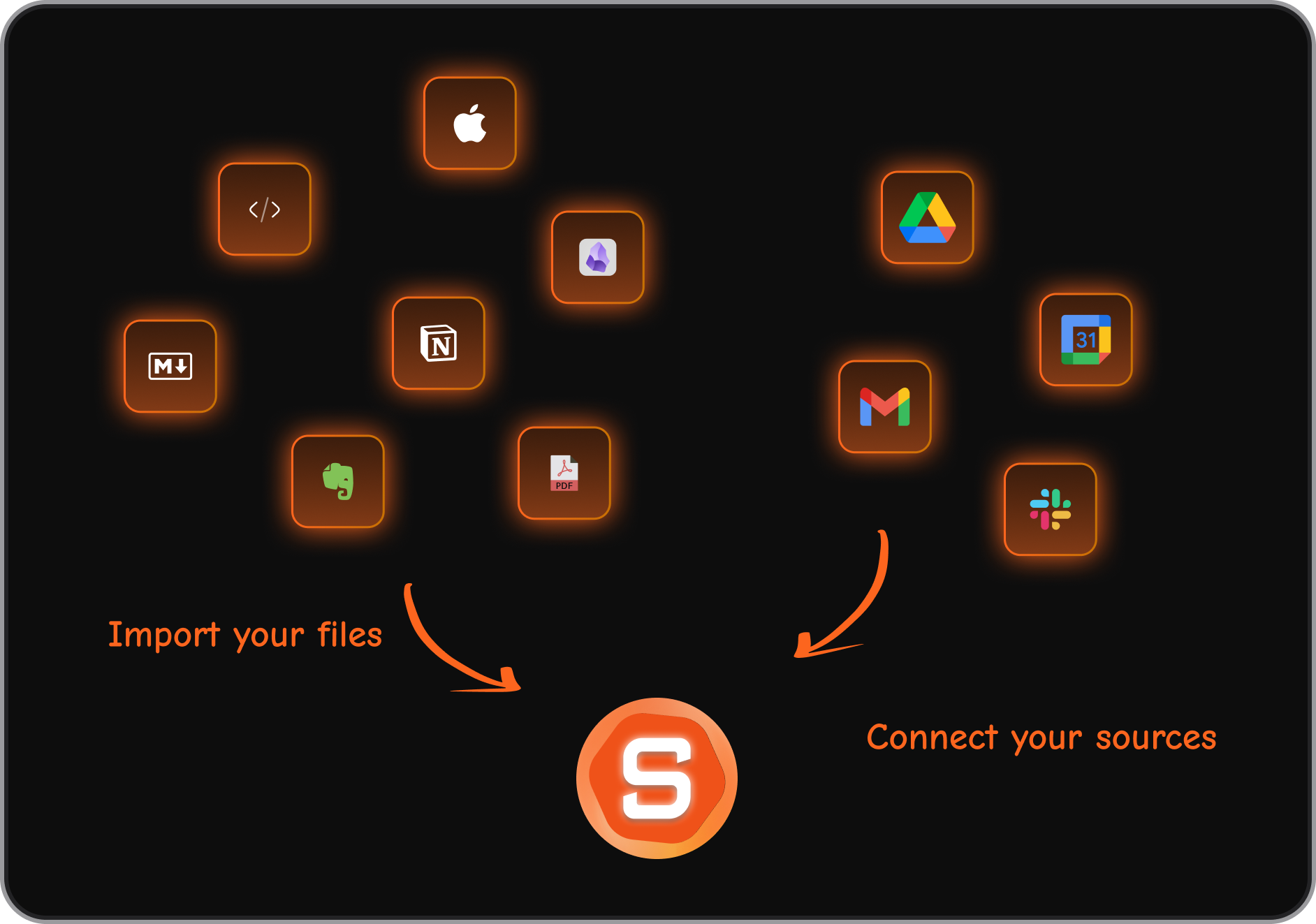
Saner.AI is an AI productivity workspace that connects email, Google Drive, Slack, and calendar into a single unified inbox, then uses its AI assistant to convert that information into organized tasks, searchable notes, and a clear daily plan. It's not a legal research tool. It doesn't draft contracts. What it does is reduce the organizational overhead that eats into the time legal professionals actually want to spend practicing law.
Key features
- AI task extraction from emails and thoughts. Saner.ai reads through your connected inboxes and braindump and surfaces action items automatically. For a lawyer managing multiple matters, this means fewer things falling through the cracks when email volume is high.
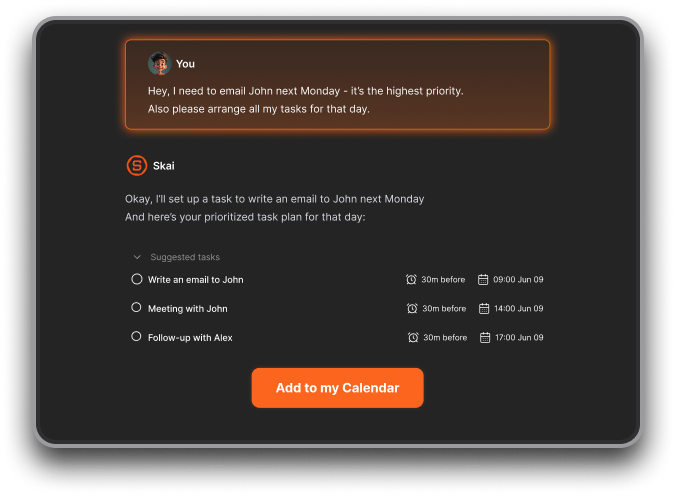
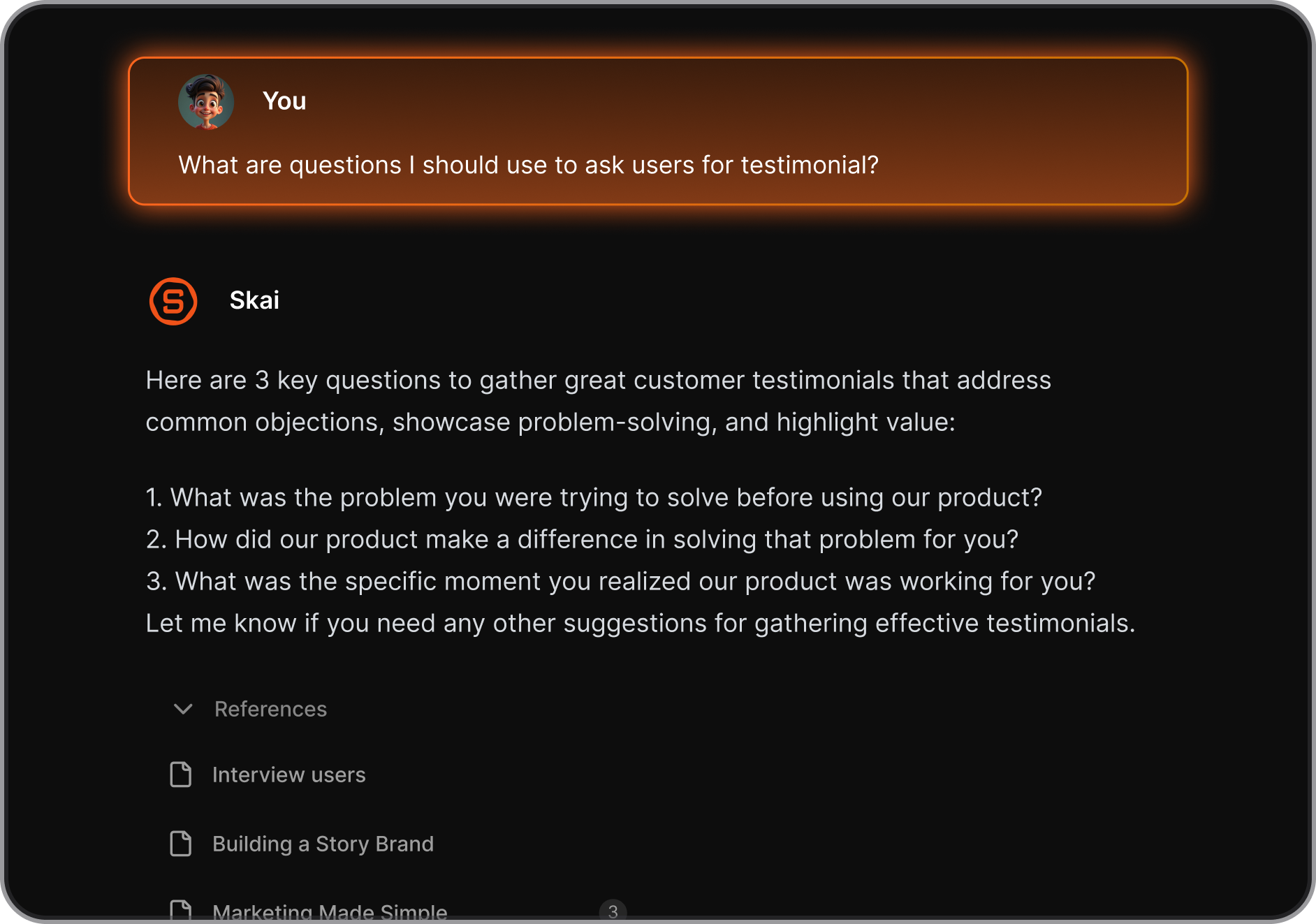
- Personal knowledge assistant (Skai). Skai recalls notes across all connected sources, answers questions about your own documents in plain language, and connects related information you might not remember saving.
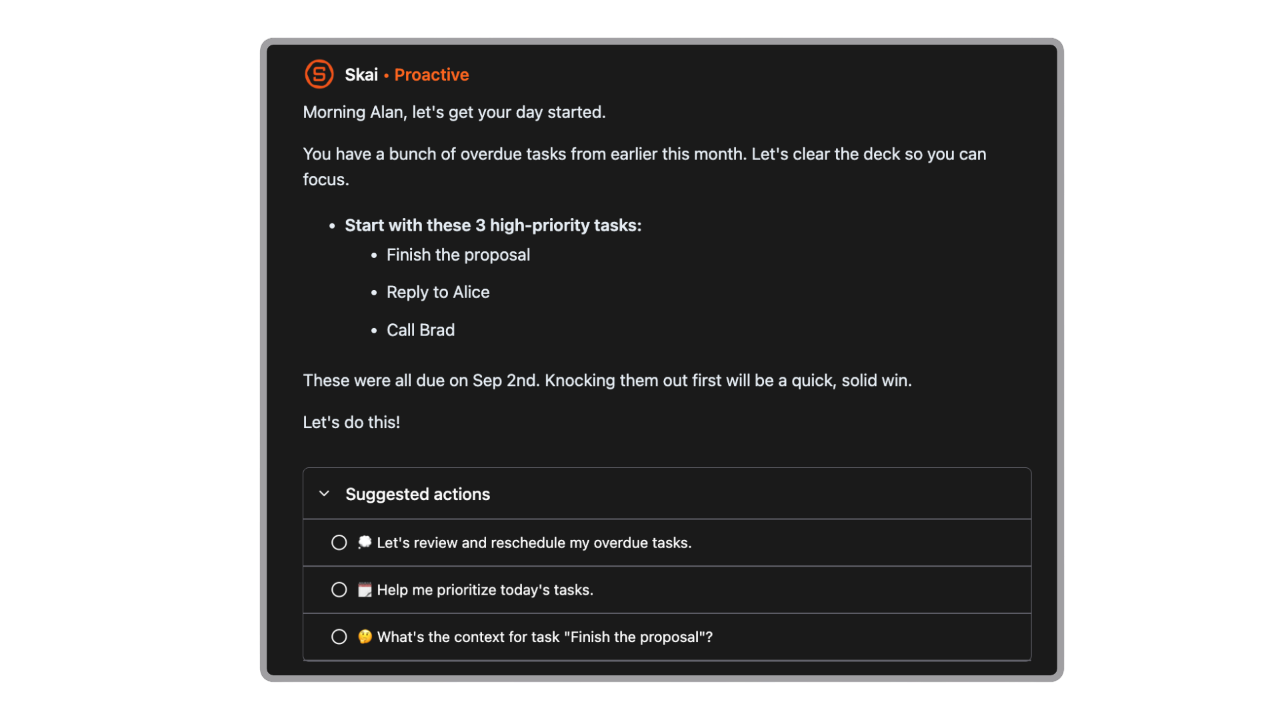
- Unified inbox and daily planning. Saner.ai pulls together email, calendar, Slack, and notes into one distraction-free workspace, then generates an optimal daily plan. For attorneys who context-switch constantly across clients and matters, this reduces the mental overhead of figuring out what to work on next.
Pros
- Free plan available, with full AI features starting at accessible price points compared to the rest of this list.
- Works across platforms that legal professionals already use - Gmail, Google Drive, Slack, Google Calendar.
- Built specifically for people managing high information volume, which describes most attorneys.
Cons
- Not a legal research tool - won't replace Westlaw, Lexis, or any citation-verified research platform.
Pricing
Free plan available. Paid plans with full AI features start from $8/month.
Real user reviews
- "Skai immediately categorizes and reminds you when something is relevant — it's like having a librarian who knows your brain," one reviewer wrote. — reviews
Who is it best for?
- Individual attorneys managing multiple active matters who need a smarter way to track tasks, store research notes, and stay on top of client communications.
- Particularly well-suited for solo practitioners, in-house counsel at smaller organizations, and legal professionals with ADHD or high-volume workflows who need structure without rigidity.
How to get started
- Sign up at Saner.AI, connect your Gmail, Google Calendar, and Slack accounts.

Stay on top of your work and life
Conclusion
The legal AI market in 2026 is real, crowded.
- Harvey and Lexis+ AI lead for deep legal work at large firms.
- CoCounsel is the natural choice if your team is already in the Westlaw ecosystem.
- Spellbook wins for contract drafting in Word.
- Clio does the most for firm operations.
- And Saner.AI fills the gap that all the others leave open: keeping a legal professional's own information organized well enough to actually use.
The tools that save the most time aren't necessarily the ones with the deepest feature sets. They're the ones that fit how you already work - and that you can trust enough to act on without re-checking every output. Whatever your practice area, start there.
Stay on top of your work and life
FAQ on the best AI for Legal Work
1. What is the best AI tool for legal research in 2026? Lexis+ AI is the most trusted option for citation-verified research, with Shepard's validation and access to 500+ legal sources across 60+ jurisdictions. CoCounsel is the strongest alternative for firms already using Westlaw, with its Deep Research feature handling multi-step legal questions with cited outputs.
2. Is Harvey AI worth the cost for smaller law firms? For most small and mid-size firms, no. Harvey requires a 20-seat minimum at an estimated $1,200+/seat/month — roughly $288,000 per year at entry. The technology is impressive, but the ROI only holds if your attorneys are billing at $500+/hour and processing high volumes of complex documents.
3. Can AI replace lawyers? No. Every expert and tool provider on this list explicitly says AI handles the repetitive and time-intensive tasks — research, drafting, document review - while legal judgment, strategy, and client relationships remain human work. AI speeds up the work that leads to a legal decision, not the decision itself.
4. What AI tools are best for solo practitioners? Spellbook is the strongest choice for contract-heavy solo work at a price point that makes sense ($20–$40/user/month). Clio covers practice management and billing. Saner.AI helps with task management at low cost.
5. Are AI-generated legal documents safe to use? They're useful starting points, not final outputs. Every major legal AI provider recommends attorney review before any AI-drafted document is filed, sent to a client, or used in negotiation.
6. How do legal AI tools handle client confidentiality? The serious platforms — Harvey, Lexis+ AI, CoCounsel, and Spellbook — all offer Zero Data Retention agreements or explicitly prohibit using customer documents to train their models. Always review the vendor's data processing agreement and confirm it aligns with your jurisdiction's professional responsibility rules before using any tool for client matters.
7. What's the difference between Harvey AI and CoCounsel? Harvey is a standalone AI model fine-tuned across the full spectrum of legal work, optimized for large law firms and Fortune 500 legal departments. CoCounsel is built on top of Westlaw and Practical Law content, making it better for research-grounded litigation work. Harvey is more flexible across practice areas; CoCounsel is more reliable for citation-verified research.
8. Does Spellbook work with Google Docs? No. Spellbook is built exclusively as a Microsoft Word add-in. Teams using Google Docs as their primary drafting environment will need to look at other tools, such as Genie AI or contract review platforms with browser-based interfaces.
9. Is there a free AI tool for legal work? ChatGPT's free tier is usable for drafting and research as a first pass, but it's not grounded in legal sources and outputs need careful verification. Spellbook offers a 7-day free trial. Saner.AI has a free plan that covers core tasks and knowledge management features. No legal research platform with verified citation access offers a meaningful free tier - that level of content access comes at a cost.
Stay on top of your work and life



