
ADHD Apps: We tested 44 apps, and here're the Best 9 in 2026

The best ADHD apps don't try to force your brain into a rigid box.
Instead, they act as an external prosthetic for your executive functions. They understand that on this day you might need an AI to break down your task paralysis, while on Thursday you might just need a gamified virtual pet to trick your brain into drinking water.
In this article, we’ll break down how each tool tackles specific ADHD obstacles-like time blindness, task paralysis, and "the dopamine chase"-and identify exactly which type of neurospicy brain they are designed to support.
I work at Saner.ai, reviewed below under the same criteria as every other tool.
1. What is ADHD?

Attention-deficit/hyperactivity disorder (ADHD) is marked by an ongoing pattern of inattention and/or hyperactivity-impulsivity that interferes with functioning or development. People with ADHD experience an ongoing pattern of the following types of symptoms: Hyperactivy, Inattentive or a mix of both.
What Is an ADHD App?
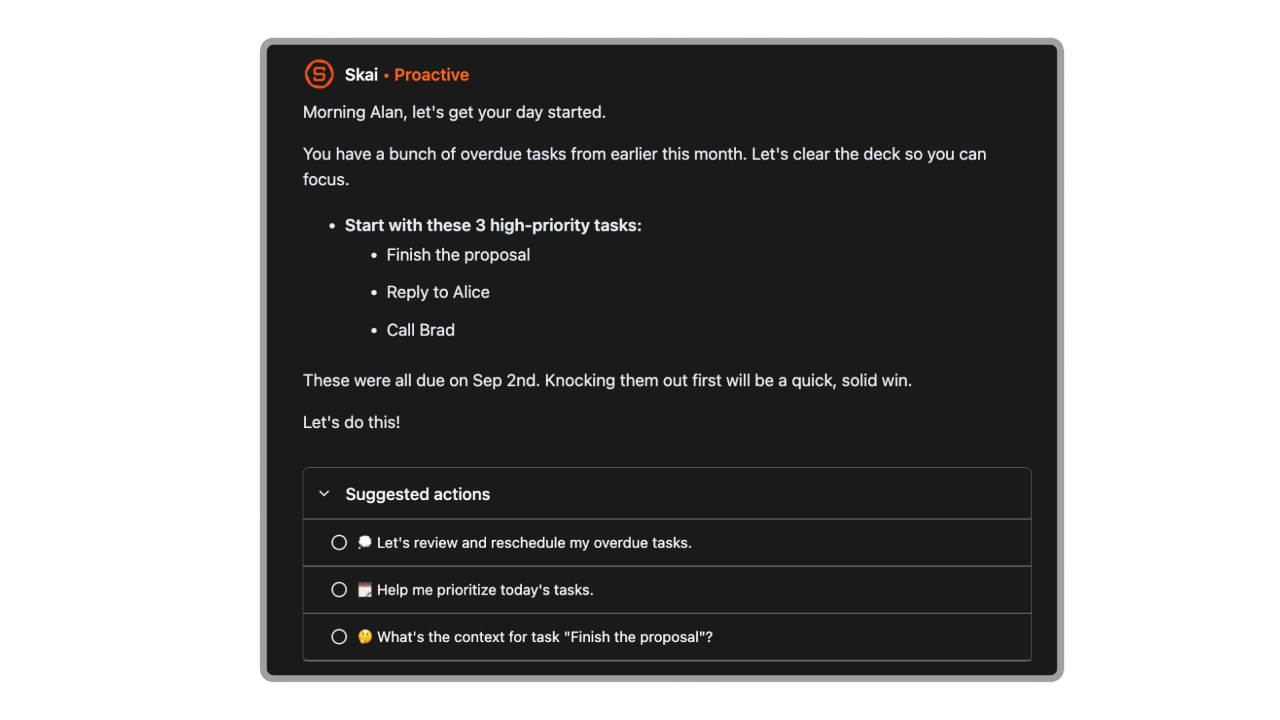
An ADHD app is a digital tool designed to support people with Attention Deficit Hyperactivity Disorder (ADHD) by improving focus, reducing overwhelm, and managing executive function challenges.
What are the top picks for ADHD Apps?
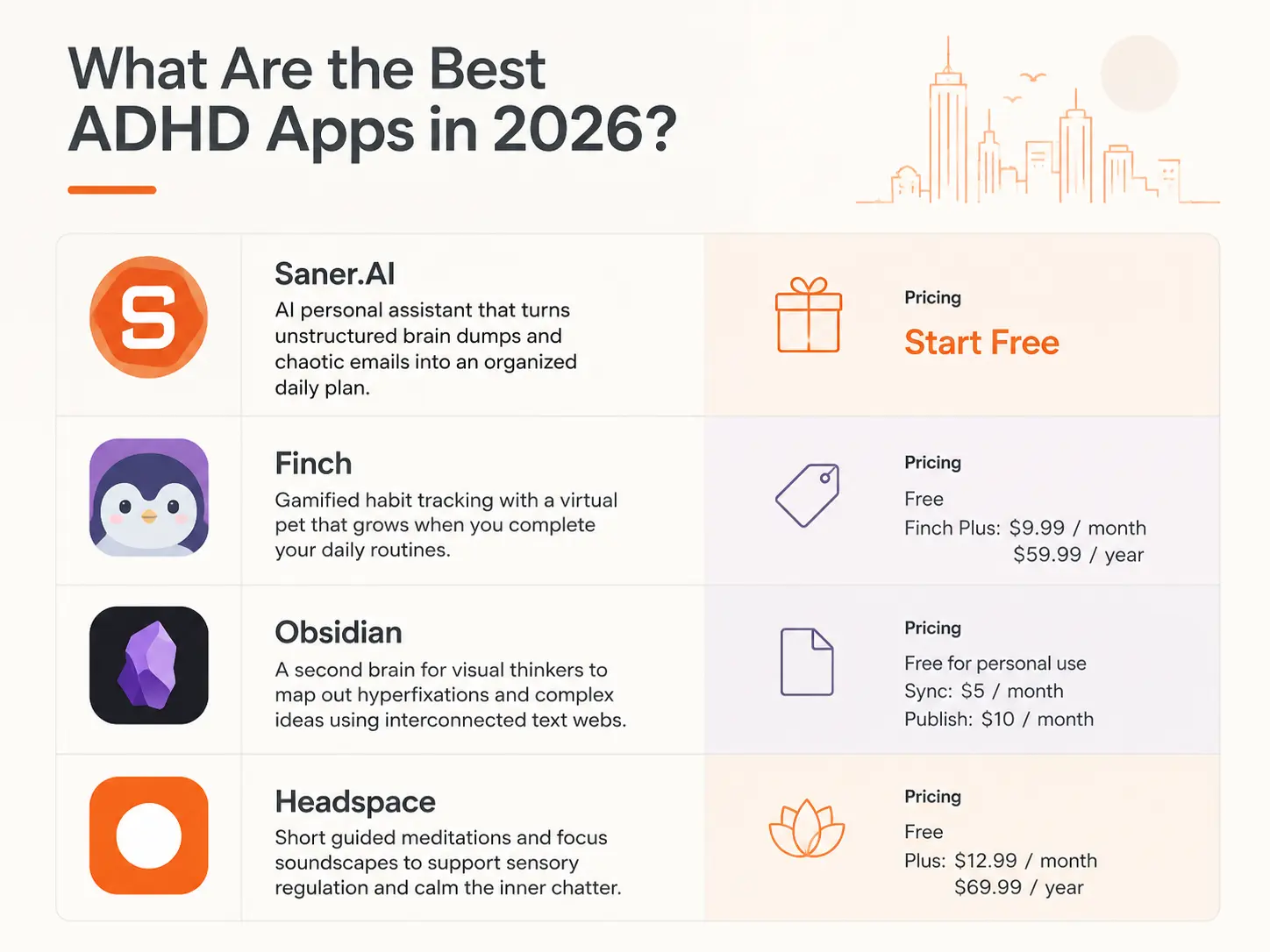
2. Finch: Best for gamified habit tracking, using a self-care virtual pet that grows only when you complete your daily routines.
3. Obsidian: Best for visual thinkers who need a "second brain" to map out hyperfixations and complex ideas using interconnected text webs.
4. Headspace: Best for sensory regulation and calming the inner chatter through short, ADHD-friendly guided meditations and focus soundscapes.
Clinical Evidence - Do ADHD Apps Actually Work?
How we chose the best ADHD apps
We evaluated each option based on the real-world friction points the ADHD community battles every single day:
- Frictionless Capture: How many clicks does it take to log a thought? If it takes more than two seconds, the thought is gone forever.
- Executive Function Support: Does the app help you start? We prioritized tools that lower the barrier to entry for overwhelming tasks.
- Dopamine Delivery: Does the app provide an immediate, positive feedback loop (rewards, gamification, or clean visual satisfaction) to keep you coming back?
- Out of Sight, Out of Mind Protection: How effectively does the app keep your priorities visible without overstimulating your screen with notifications?
- Flexibility and Forgiveness: Does the app penalize you with red overdue flags when you have a bad day, or does it effortlessly adapt and reset?
- UI Cleanliness: Is the interface minimalist and calming, or is it a crowded mess that invites immediate distraction?
What are the best ADHD Apps?
The best ADHD apps are: Saner.AI, Obsidian, Todoist, Sunsama, Finch, Goblin.tools, Forest, Headspace, and Tiimo
1. Saner.AI
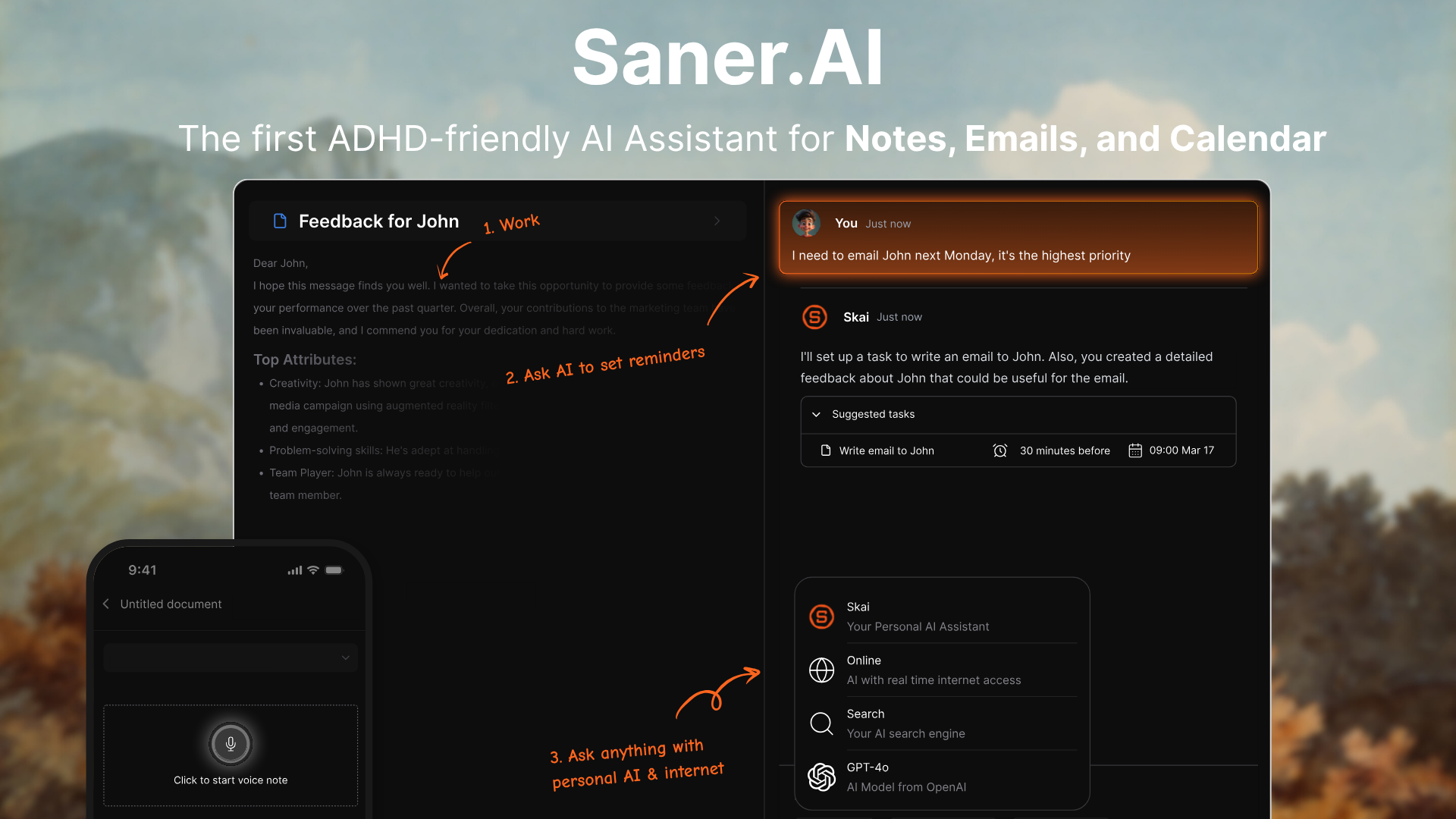
Saner.AI is an AI personal assistant explicitly engineered to fight executive dysfunction, task paralysis, and cognitive overload.
Instead of forcing you to build and maintain complex database structures, this tool acts as an active "Executive OS" that captures, automatically tags, and synthesizes your notes, tasks, emails, and calendar into a unified workspace.
Key features
- Auto-Organization & Knowledge Synthesis: The app completely eliminates the burden of manual folder creation by using background AI to dynamically tag, link, and structure incoming data.
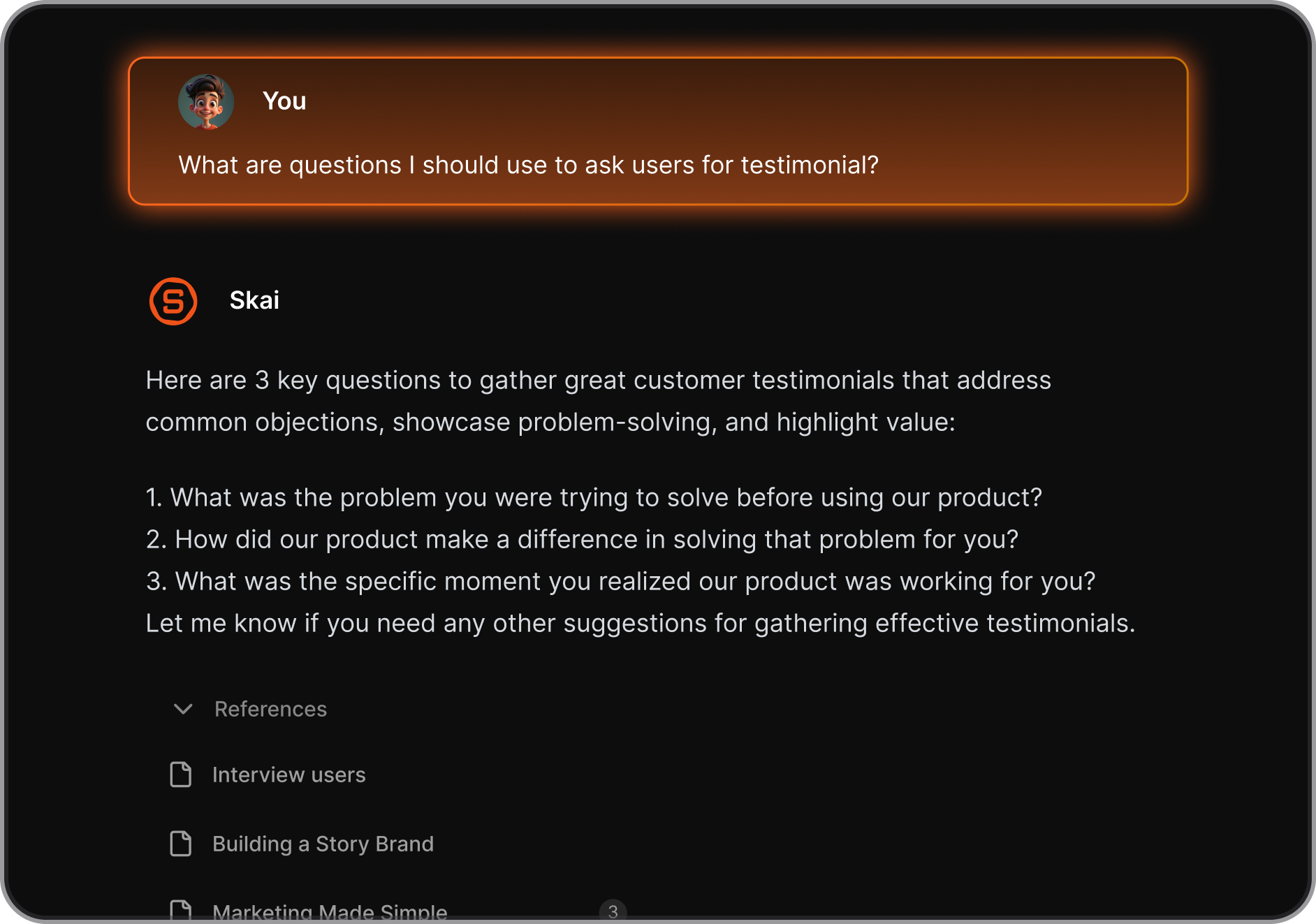
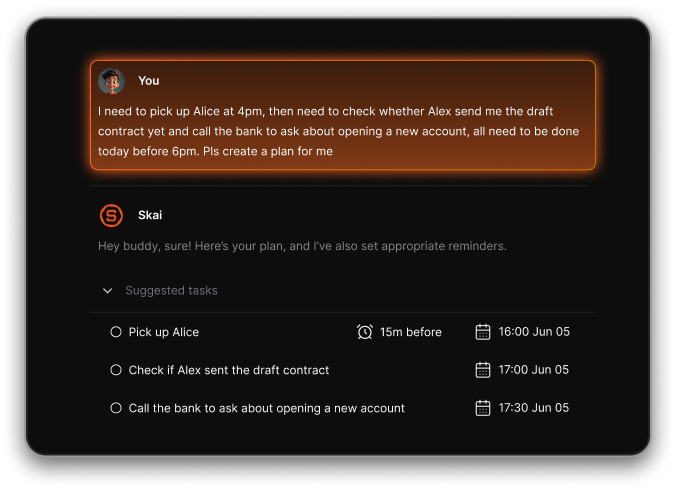
- Proactive Task Assistant: Every day, the AI reads through your notes, emails, and calendar and gives you an optimal schedule
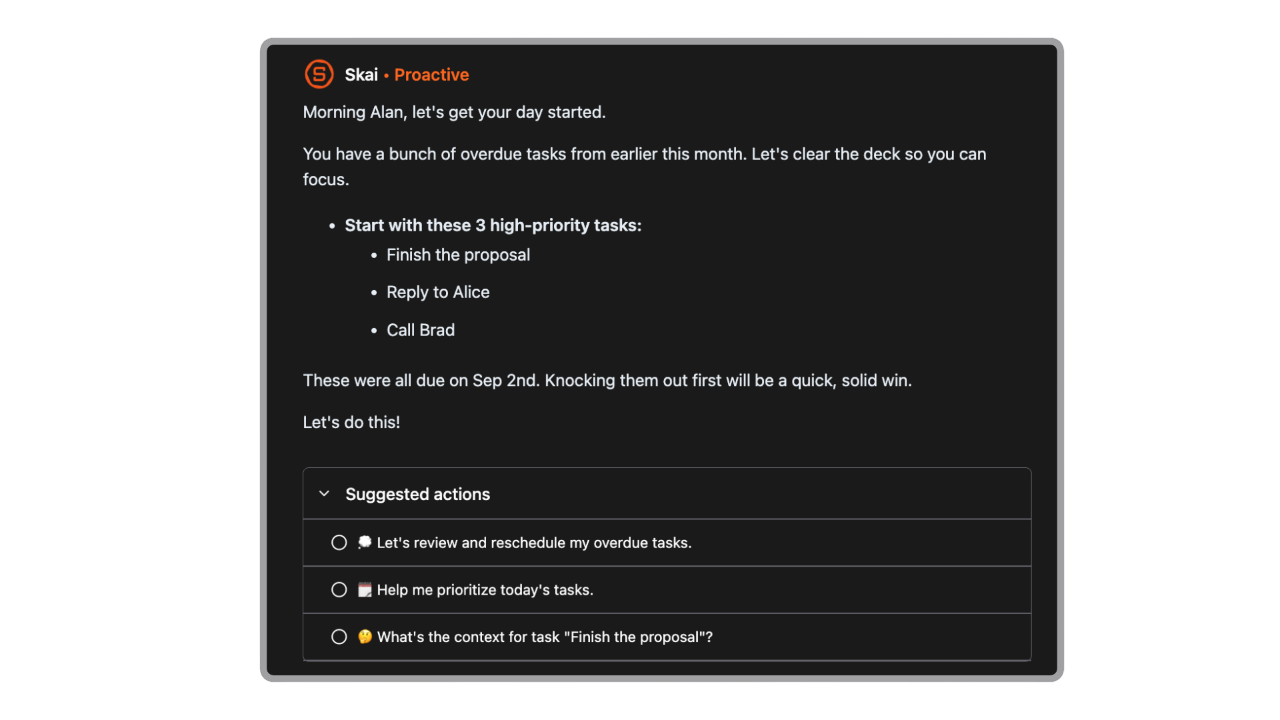
- Universal Inbox: Saner.AI pulls actionable items straight from your linked emails, documents, or calendars
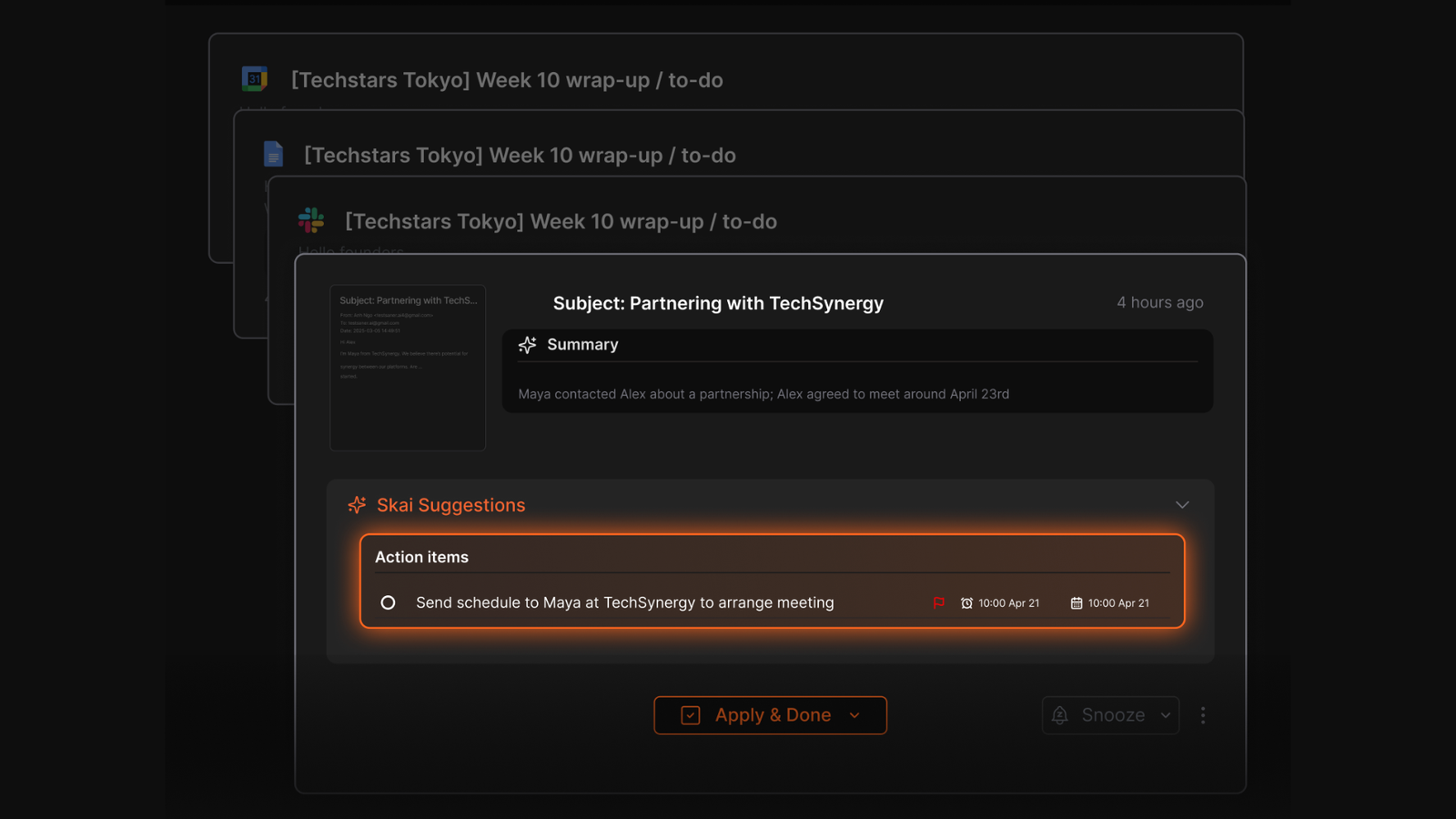
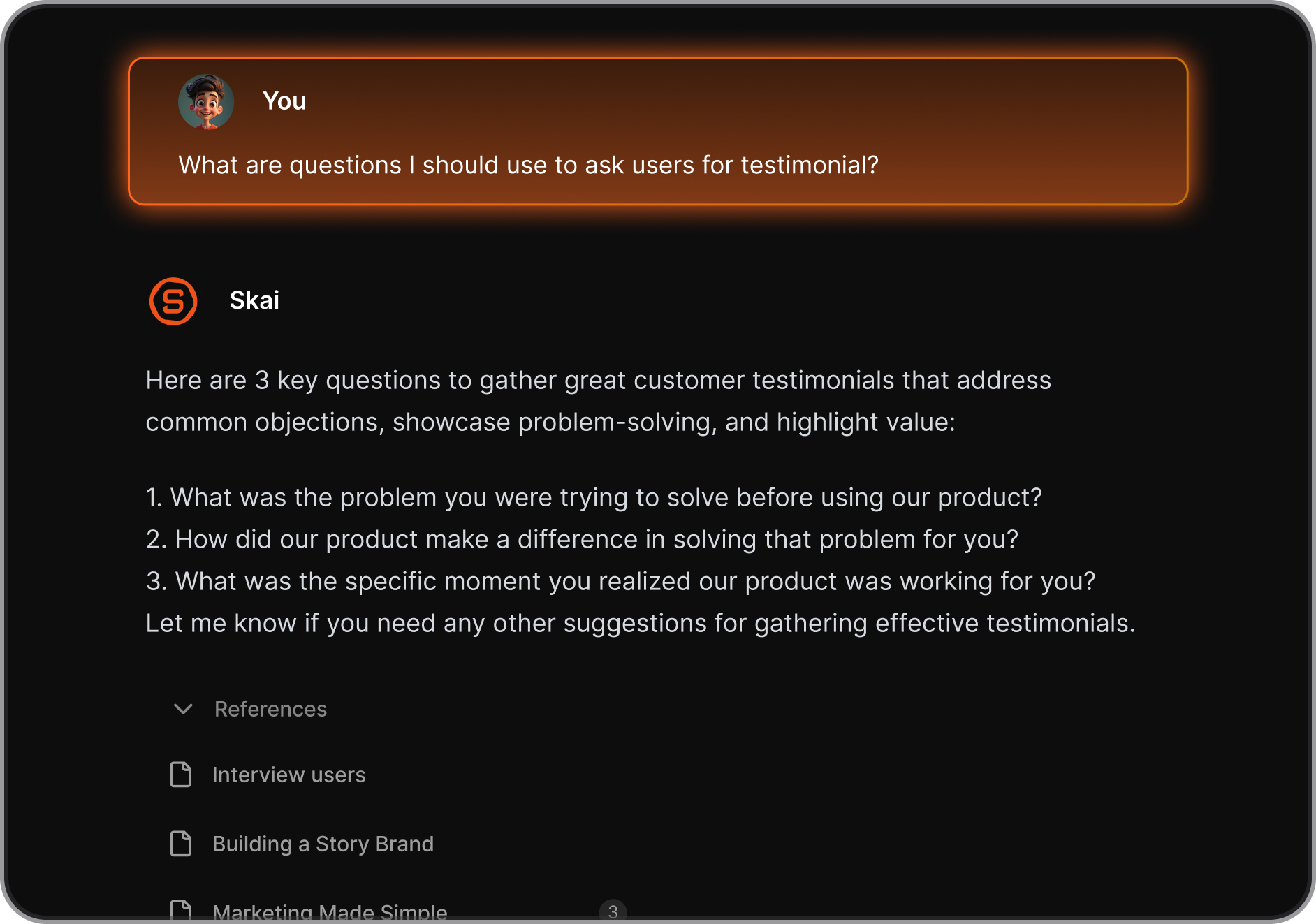
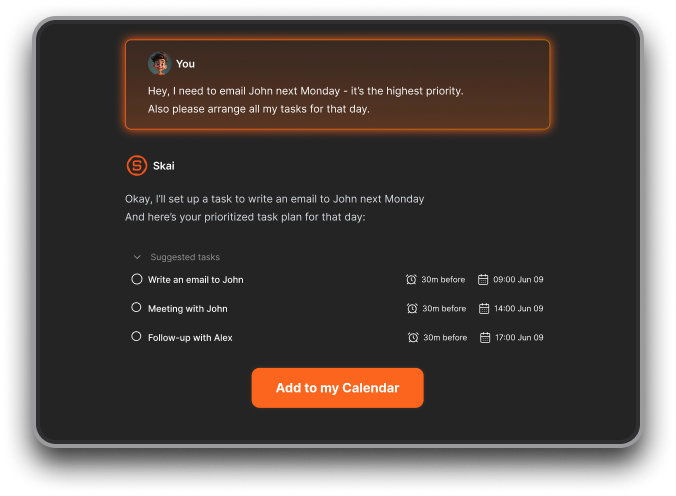
- "Skai" Personal AI Assistant: Serving as your on-demand cognitive secretary, the built-in chatbot "Skai" allows you to perform semantic searches across scattered files, PDFs, YouTube links, and notes to recall information instantly
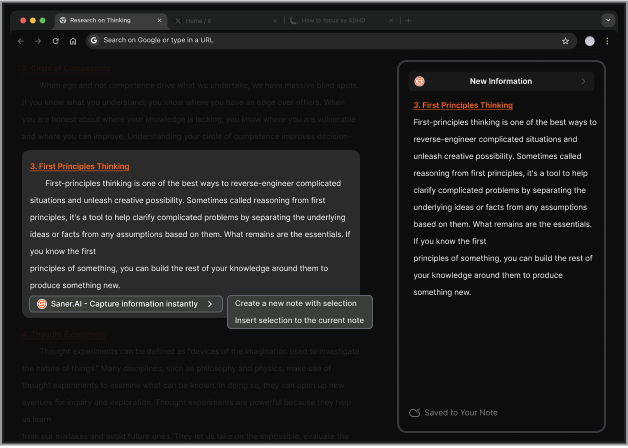
- Chrome Extension: side-by-side note panel to clip web articles effortlessly.
Pros
- I appreciate that it manages itself; I don't have to waste executive function organizing tags or creating folders.
- It pulls my emails, calendar, and notes into one single view, heavily cutting down my habit of getting lost in open browser tabs.
- I like how it targets task paralysis right at the start of the morning with its automated daily plans.
- It reduces context switching. I don’t need to ask, “Where did I write that?”
- The chat interface makes task planning feel natural, like texting an assistant.
Cons
- Requires internet access for full functionality.
Pricing
- Free
- Starter: Monthly at $8/month (yearly)
- Standard: Monthly at $16/month (yearly)
Suitable for
- Anyone with ADHD (or ADHD-like tendencies) who needs help turning messy thoughts into doable steps.
- It’s also ideal if you constantly lose track of your tasks or hate traditional to-do apps that expect you to stay organized on your own.
Saner.AI Reviews
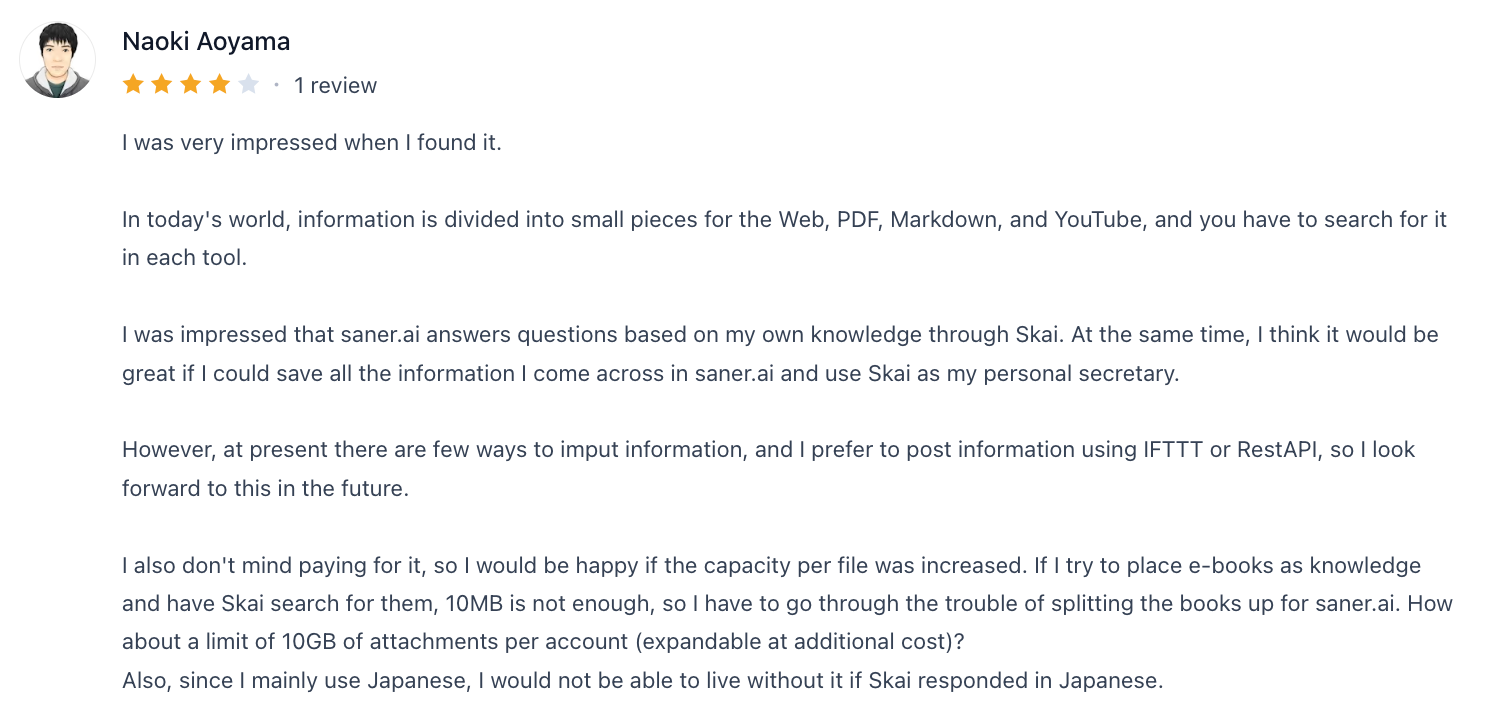
"I was impressed that saner.ai answers questions based on my own knowledge through Skai. At the same time, I think it would be great if I could save all the information I come across in saner.ai and use Skai as my personal secretary.", shared by Naoki Aoyama
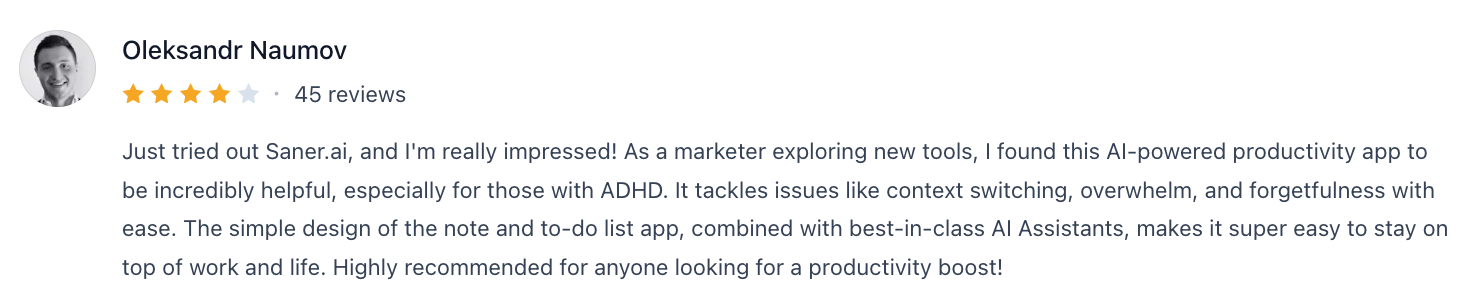
"I found this AI-powered productivity app to be incredibly helpful, especially for those with ADHD. It tackles issues like context switching, overwhelm, and forgetfulness with ease. The simple design of the note and to-do list app, combined with best-in-class AI Assistants", said by Oleksandr Naumov
How to start
- Just go to saner.ai, make a free account, connect your tools, and start chatting with Skai. The AI will suggest tasks and help you organize without the usual friction.

Stay on top of life with the top ADHD app
2) Obsidian
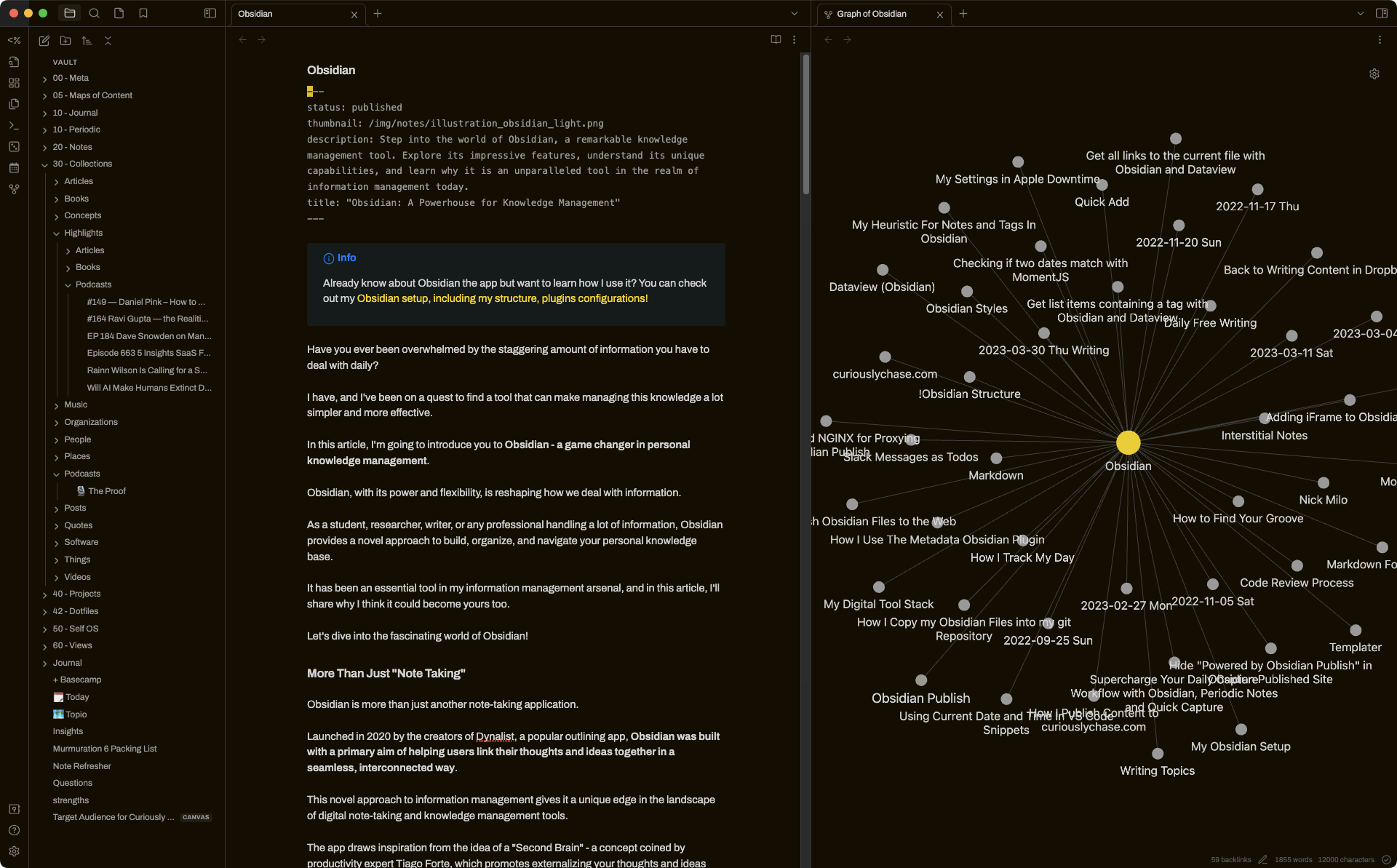
Obsidian is a highly customizable, local-first Markdown note-taking application designed to act as a digital "Second Brain". Obsidian allows users to build a personalized, interconnected web of thoughts that adapts directly to their organic brain patterns.
Key features
- Bidirectional Linking & Knowledge Graphs: This feature maps visual nodes to connect fragmented thoughts seamlessly.
- Local-First Markdown Storage: Storing files locally as plain text ensures total ownership and zero loading lags
- Robust Community Plugin & Canvas Support: The highly flexible plugin ecosystem and visual whiteboard features
Pros
- The graph view is motivating. Seeing my knowledge grow over time gives me little dopamine hits.
- Daily notes + task plugins help me focus on just what matters today, instead of drowning in a huge to-do list.
- I don’t need to be online, and there are no pop-ups or notifications.
Cons
- It’s easy to fall into the trap of over-customizing. People spend hours tweaking instead of actually using it at first.
- The learning curve is real. If you’re not familiar with Markdown or plugins, it can feel overwhelming.
- No built-in sync unless you pay for it. Not a deal-breaker, but something to consider.
Pricing
- Free core app
- Paid add-ons like sync and publish
Suitable for
- People with ADHD who want a highly flexible way to organize their thoughts, love visual thinking, and aren’t afraid to start simple and grow into the tool over time.
How to start
- Download Obsidian, make a vault, try the daily note feature, and resist the urge to install every plugin on day one. Start small.
Obsidian review (source)
"The within-note links are very practical, but on their own they’re only so useful; combined with the graph, they come together into an amazing connectome." - Pelin

"hile the plugin system is a strength, it can lead to "productivity procrastination" where you spend more time tweaking the tool than actually writing." - Simone B

3) Todoist
Todoist is a task management app that functions as an external hard drive for your working memory. For the neurodivergent brain, it serves as a digital sanctuary that reduces cognitive overload by capturing fleeting thoughts before they vanish.
Key features
- Ramble feature: Todoist enables instantaneous task dumping by automatically parsing dates, priorities, and project tags as you type or speak.
- Custom Filters and Energy Labels: You can organize your tasks using custom filters based on your current cognitive bandwidth
- Cross-Device Syncing: The application updates instantly across all platforms
Pros
- The quick capture is perfect when I’m overwhelmed
- Karma points are a small thing, but they really give me that dopamine kick to keep going.
- It’s super clean and low-friction, no clutter, no learning curve.
Cons
- You don’t get reminders on the free plan, which is a bit of a bummer if you rely on nudges.
- I feel overwhelmed when tasks roll over: If I have a bad day and miss my goals, the accumulation of overdue tasks can create an intimidating backlog that triggers task avoidance.
Pricing
- Free plan available (no reminders or calendar sync)
- Premium is around $4/month (adds reminders, calendar, templates)
- Business plan for teams
Suitable for
- Todoist is best for action-oriented individuals with ADHD who struggle with severe working memory deficits and need an immediate, low-friction tool to dump thoughts before they disappear.
How to start
- Go to todoist.com, sign up for the free plan, and start by dumping everything into your Inbox. From there, build projects or use labels if you want more structure.
Todoist reviews (source)
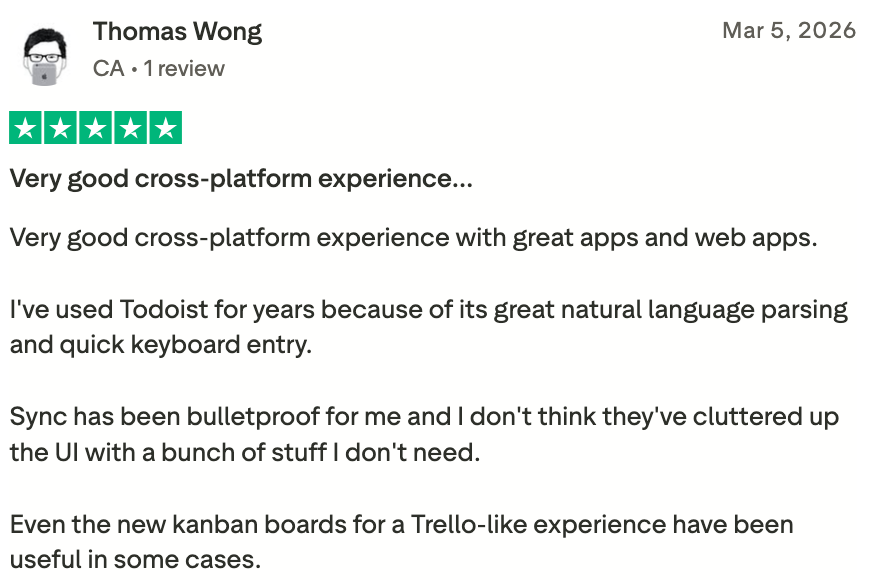
"Very good cross-platform experience with great apps and web apps. I've used Todoist for years because of its great natural language parsing and quick keyboard entry." shared by Thomas Wong
"I wish there was better support for continuous tasks and the outlook add in needs to add support for sections and assignments. It kind of dangles between task and project management and needs to solidify the identity." said by Graham S

4) Sunsama

Sunsama is a daily planner and calendar app designed to help turn to-do lists into realistic, time-blocked days. It emphasizes intentional planning by guiding users through step-by-step morning and evening rituals.
Key features
- Daily Planning & Shutdown Rituals: It has a structured, step-by-step process that forces you to define your day before jumping into work.
- Visual Time Blocking & Workload Guardrails: By forcing you to add a realistic time estimate to each task and drag it directly onto your unified calendar, the app actively combats ADHD "time blindness."
- Unified Cross-Platform Integrations: It aggregates tasks from multiple fragmented sources (like Gmail, Outlook, Notion, Slack, Todoist, Asana, and Jira)
- End-of-Day Review: Wrap up your day and roll over unfinished tasks
Pros
- I appreciate how the guided morning routine takes away the agonizing choice paralysis of figuring out where to start.
- Timeboxing with visual blocks and estimation tools gives tangible cues for users
- The daily and weekly rituals help me reflect and feel like I’m making progress, even on rough days.
Cons
- If you’re new to time-blocking, the setup can be a bit much at first.
- It’s not meant for big project management - no timelines or dependencies.
- I wish the mobile app were a bit more powerful, especially for planning on the go.
- You have to store your documents elsewhere, which increases context switching
- And you have to manually organize stuff yourself; you don't have an AI assistant to help you with it like in Saner.AI
Pricing
- 14-day free trial
- $20/month or $16/month billed annually
Suitable for
- People with ADHD who need structure but not rigidity. If you struggle with overwhelm, poor time estimation, or feeling scattered, this could be one of the most helpful ADHD apps you try.
How to start
- Go to sunsama.com, sign up for the free trial, and follow the daily planning walkthrough.
Sunsama reviews (source)
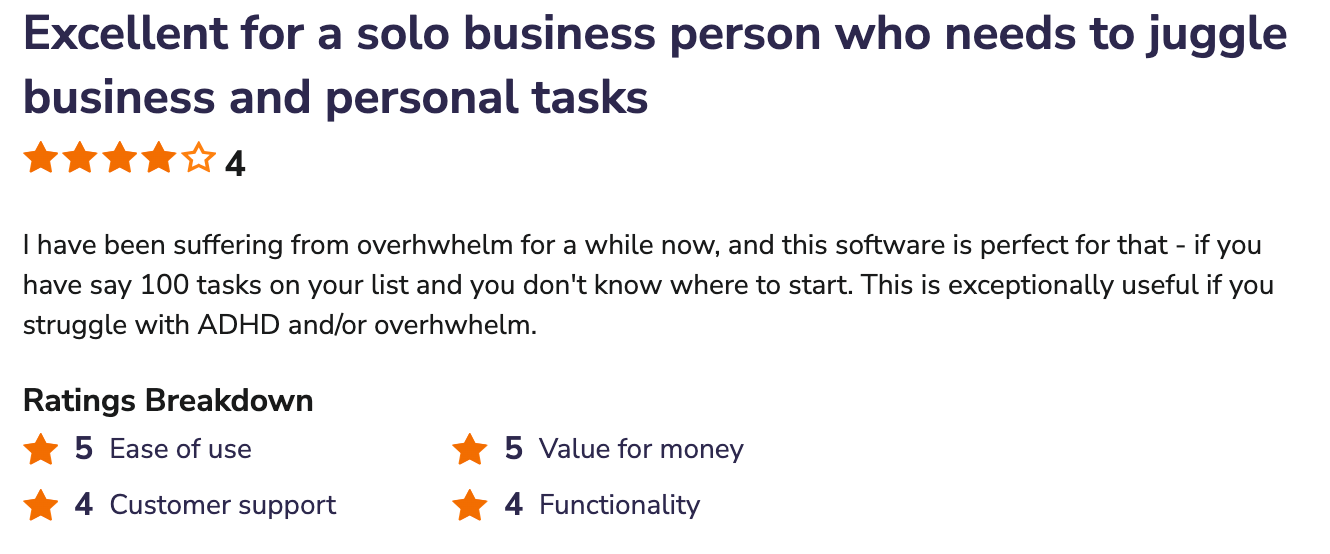
"I have been suffering from overhwhelm for a while now, and this software is perfect for that - if you have say 100 tasks on your list and you don't know where to start. This is exceptionally useful if you struggle with ADHD and/or overhwhelm.", shared by Gareth H.
"It's difficult to put together the broad brush strokes for a project within Sunsama. This has led our company to integrate with Trello to plan more long-term tasks and phases." shared by Derek S.

5) Tiimo
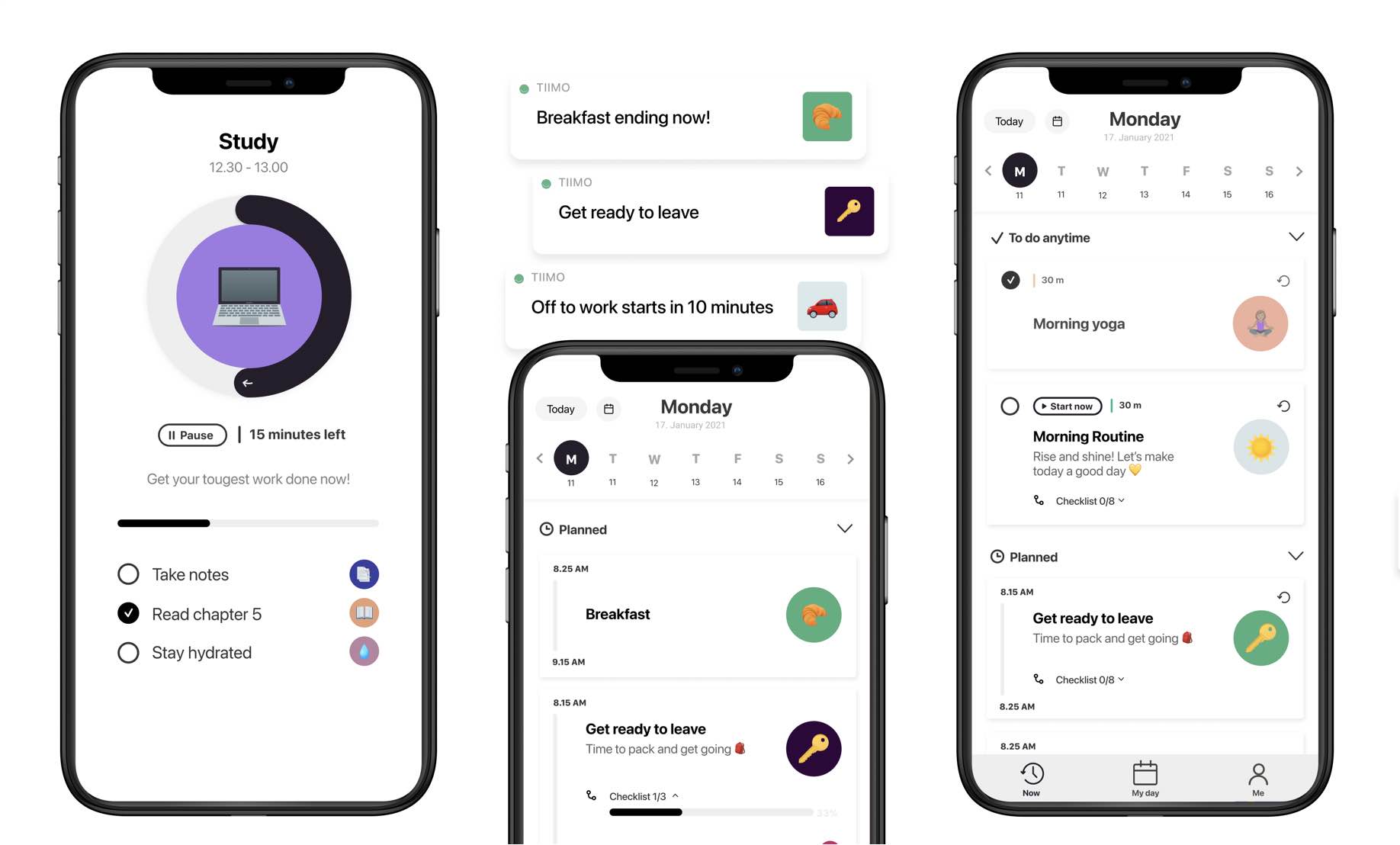
Tiimo is an award-winning iPhone App of the Year visual calendar and AI planner designed specifically to support executive dysfunction, ADHD, autism, and neurodivergent minds.
Key features
- Visual Timeline & Time Blocking: Tiimo replaces traditional, generic checklist formatting with a scrollable, color-coded visual timeline that maps out the day in distinct blocks.
- AI Co-Planner & Task Breakdown: The built-in AI assistant allows users to dump unorganized thoughts into a chat box and instantly generate actionable tasks
- Focus Timers & Smart Widgets: The app has highly visible countdown widgets and adaptive timers
Pros
- I like how visual it is: The color-coding and custom icons genuinely lower my initial anxiety when starting a busy day.
- If I miss a block, the app lets me shift my schedule easily
- I like the cross-device sync
Cons
- The timer sometimes glitches or adds time randomly, which throws me off
- I’ve had some sync issues - like routines duplicating or not updating properly
- The layout doesn’t scale well on iPad; everything feels a bit too small
- Cannot store your notes or information
Pricing
- Free version available with basic features
- Tiimo Pro unlocks full features with a 7-day free trial
Suitable for
- People with ADHD who want a gentle, visual way to manage time and tasks. It’s especially good for folks who struggle with task initiation and time blindness.
How to start
- Download the app, set up a timeline, and try out the AI task planner. You can stick with the free version or upgrade if you need more.
Tiimo Reviews (source)
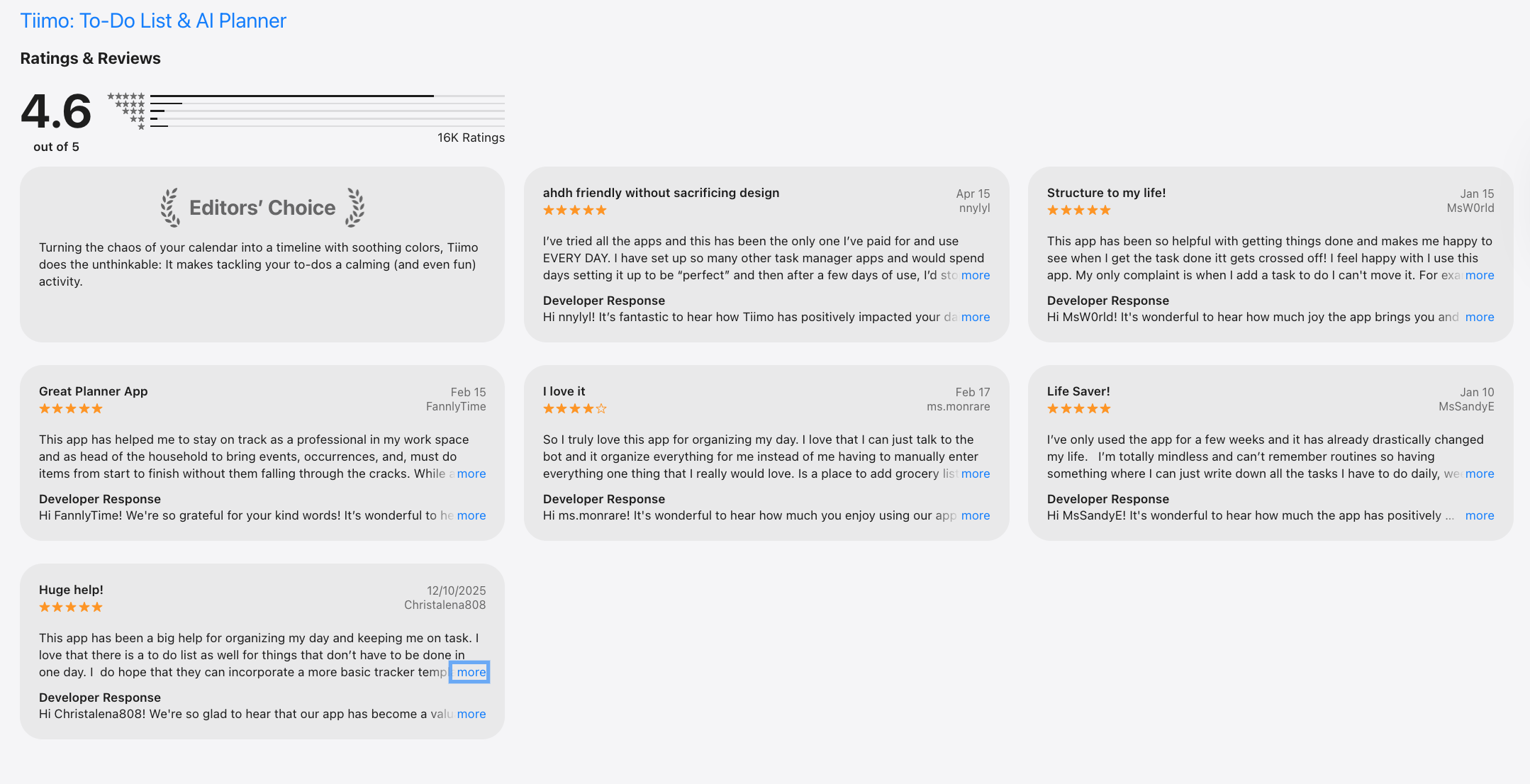
"I struggle with adhd and have tried multiple apps to help me focus. This has been the only one that has actually helped!” — Verified Review
"The day overview is chaotic and cluttered. I honestly have no clue how it was supposed to serve ADHD people. Not assigned topics are mixed together..." — Verified Review
6) Finch

Finch is an engaging, gamified self-care app designed to transform overwhelming daily routines into mindful, bite-sized tasks by pairing you with a virtual pet chick.
Key features
- Gamified Executive Function Support: Finch turns the tedious chores of neurodivergent life into a rewarding dopamine loop.
- Sectioned Self-Care Areas: The interface avoids the dense, text-heavy walls of standard planners
- First-Aid Grounding Toolkit: The app provides immediate, low-barrier audio and physical exercises to interrupt the mental loop.
Pros
- I feel it is helpful that Finch does not emotionally punish me or break a rigid streak metric if I miss a day, which usually triggers my ADHD shame spiral.
- I like how the user interface uses rounded, soft pastel designs that don't overwhelm my visual processing when I open my to-do list.
Cons
- I feel that the app can sometimes overstimulate me with too many overlapping features (journals, quizzes, and breathing exercises) if I don’t manually turn off the extra tabs.
- It lacks a built-in "snooze" feature for push notifications, meaning if a reminder goes off while I am hyper-focused on something else, I risk completely forgetting it.
- It cannot replace a complex project manager
Pricing
- Free version available with core features
- Premium: Around $15/year on iOS, but up to $70/year on Android
Suitable for
- It’s especially helpful for folks who get overwhelmed by traditional to-do lists or apps that feel too rigid.
How to start
- Download Finch from the App Store or Google Play, create your little bird, and start with 2–3 self-care goals. That’s all it takes.
Finch reviews (source)
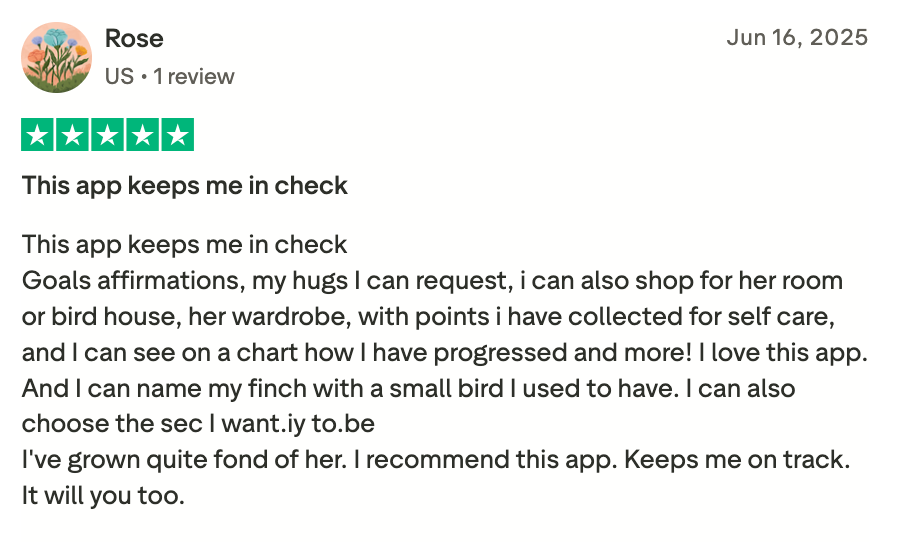
"This app keeps me in check", shared by Rose
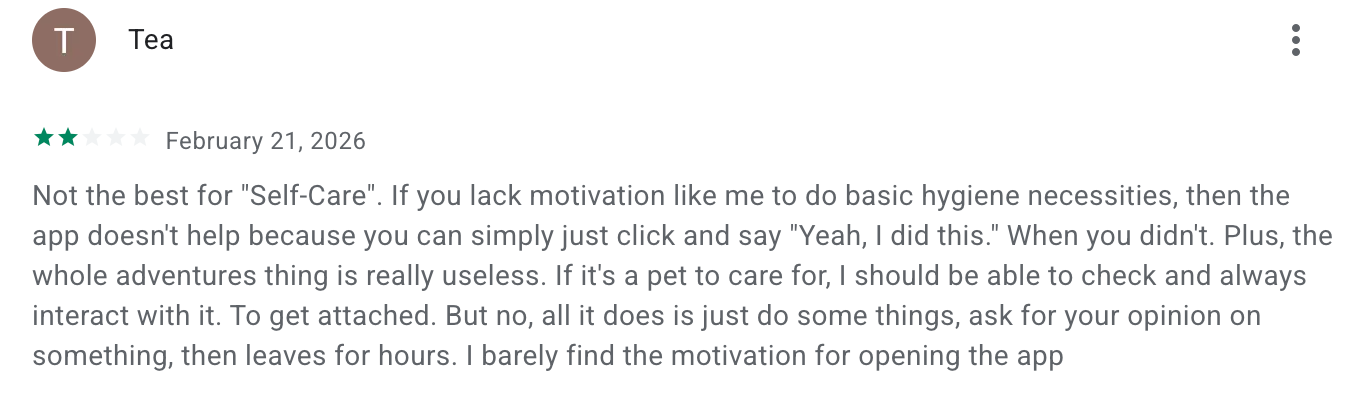
"All it does is just do some things, ask for your opinion on something, then leaves for hours. I barely find the motivation for opening the app." said by Tea
7) Goblin.Tools
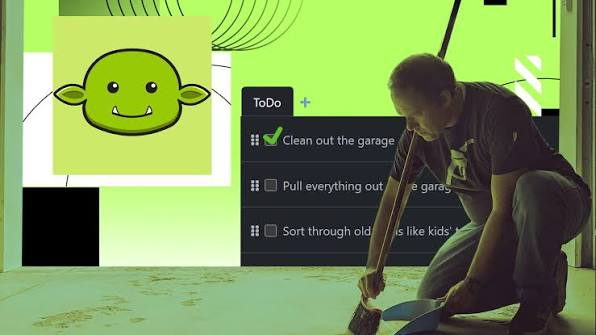
Goblin.tools is a collection of single-task AI utilities specifically engineered to assist neurodivergent individuals, particularly those navigating ADHD.
Key features
- Magic ToDo: Breaking any vague or massive prompt into micro-tasks.
- Formalizer: This converts raw, emotionally unedited thoughts into polished, professional correspondence.
- Judge & Tone Checker: This tool accurately decodes the emotional baseline, intent, or hidden tone behind confusing messages or emails sent to you
- Chef: Generates recipes using only the ingredients currently sitting in your pantry.
Pros
- I appreciate the adjustable "spiciness" scale because it lets me control exactly how detailed a task breakdown needs to be
- I like the distraction-free, text-only interface
- Each tool has a clear purpose and doesn’t overwhelm me.
- The web version is totally free, and even the mobile app is super cheap - like $2 one-time.
Cons
- The mobile app confused me at first
- Some tools, like Estimator or Professor, are hit-or-miss depending on what you throw at them.
- It’s not a full planner- no calendar or habit tracking, so I still need other tools alongside it.
- A few Android users mentioned billing issues or crashes, so I stuck with the web version.
Pricing
- Free web app
- Mobile apps: Around $2 one-time (iOS); Android may require a subscription
Suitable for
- Anyone with ADHD looking for a quick, no-pressure way to break down tasks, get unstuck, and build momentum - without having to set up a whole productivity system.
How to start
- Go to the goblin.tools, try it out free on the web, or grab the app if you want it on your phone.
Goblin.tools reviews (source)
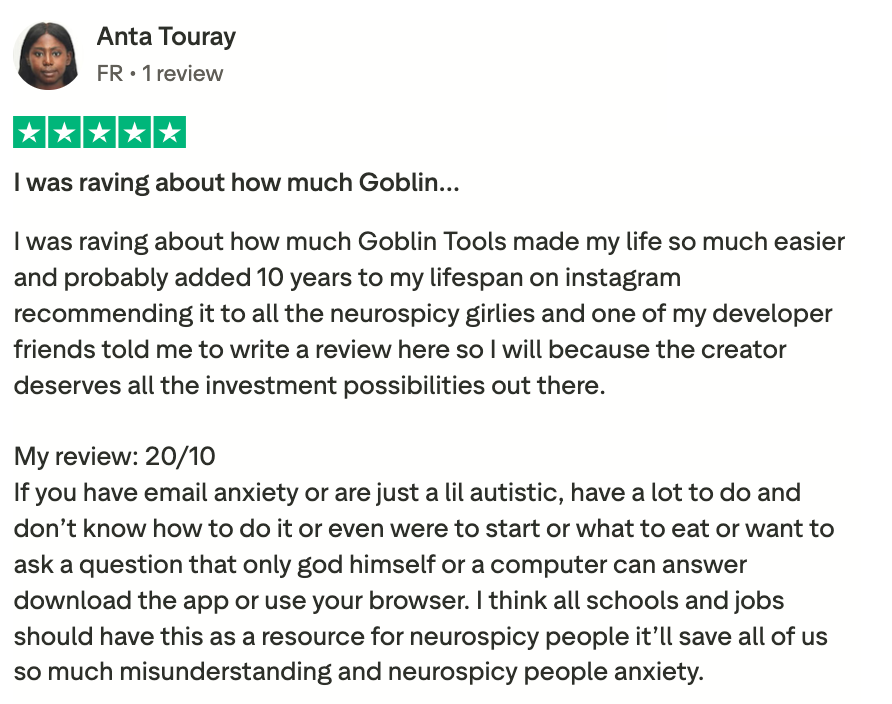
"I think all schools and jobs should have this as a resource for neurospicy people it’ll save all of us so much misunderstanding and neurospicy people anxiety.", shared by Anta Touray
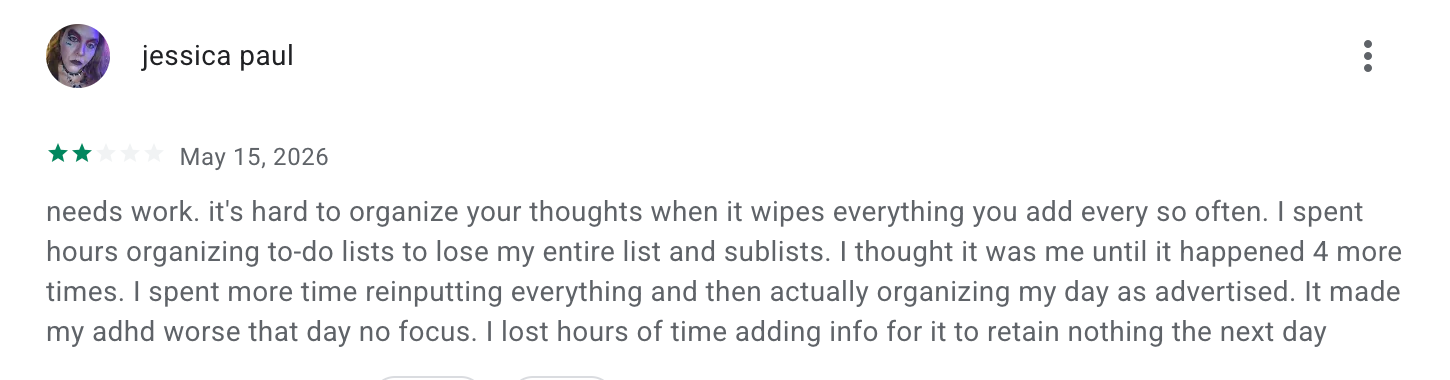
"I spent more time reinputting everything and then actually organizing my day as advertised. It made my adhd worse that day no focus. I lost hours of time adding info for it to retain nothing the next day.", shared by Jessica Paul
8. Forest
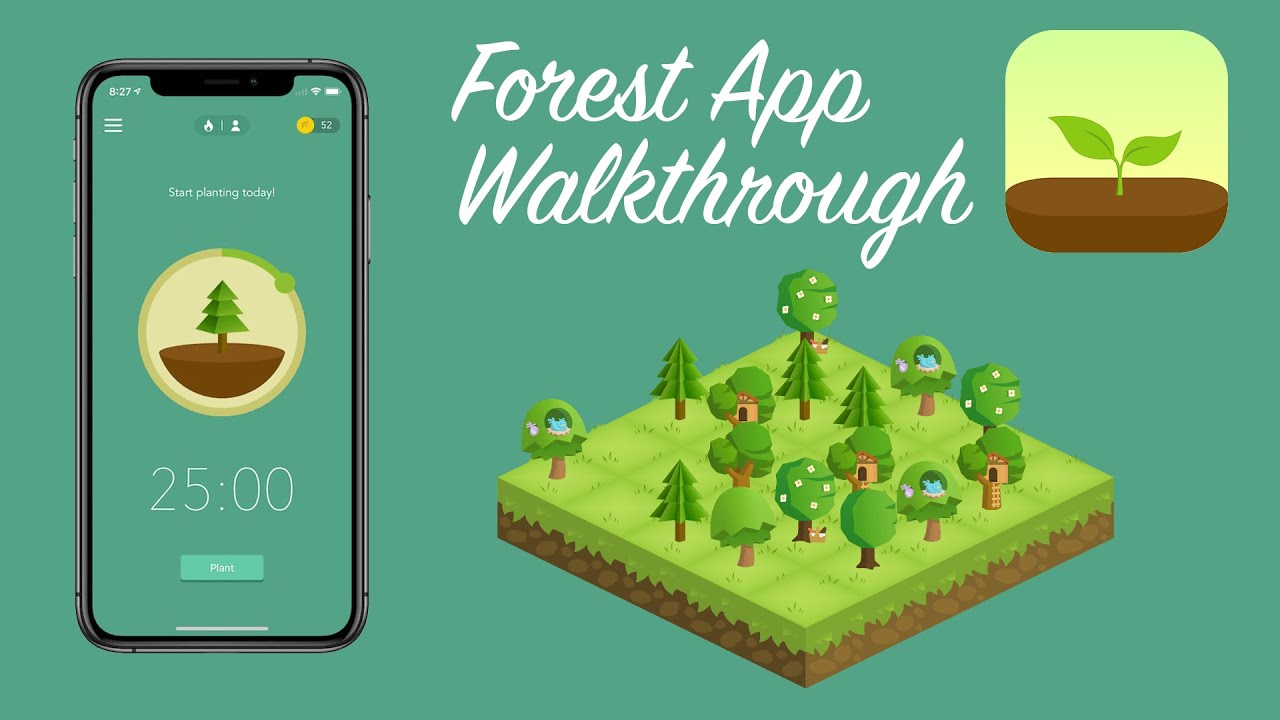
Forest is a gamified productivity and focus timer that transforms the abstract concept of time management into a tangible visual reward system. The app rewards your focused intervals by growing virtual seeds into flourishing digital trees.
Key features
- Gamified Focus Timer: The core timer assigns high-stakes accountability to your focus blocks by forcing you to actively protect a virtual sapling from withering.
- Deep Focus Mode & Custom App Whitelisting: This shuts down non-essential notifications
- Collaborative Focus: Use "body doubling" by building shared focus rooms with friends.
- Flexible Timing: This gives users a realistic safety net to step away from their desks without destroying their session progress.
Pros
- I like how visual and simple it is; when I’m overwhelmed, tapping “plant tree” feels like a low-friction way to start working
- The tree dying if I check my phone is actually a great deterrent - I don’t want to kill it!
- The app makes it feel like I accomplished something, even if I only worked for 25 minutes
Cons
- It’s not a task manager - you can’t make a to-do list or plan your day inside Forest
- The novelty wears off over time, especially if you’re not into gamification
- No strong desktop support—the browser extension is limited
- It’s great for focus sprints, but doesn’t help much with long-term planning or prioritization
Pricing
- Free on Android (with optional in-app purchases)
- ~$4 one-time purchase on iOS
- No monthly fees or subscriptions
Suitable for
- Anyone with ADHD who wants a simple, non-overwhelming tool to stay off their phone and actually start working, especially helpful for students, writers, and people who need external accountability.
How to start
- Download the app, pick a focus time, and plant your first tree. Try using it for just one task at a time, like reading or email. It’s surprisingly motivating.
Forest Reviews (source)
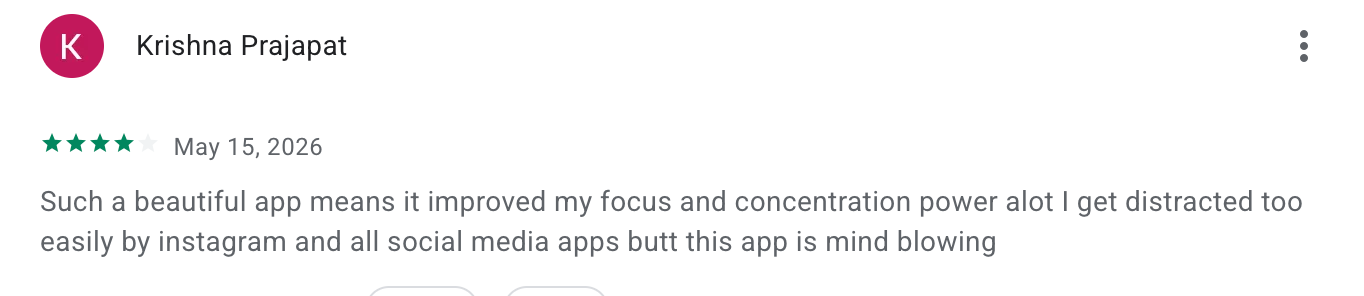
"Such a beautiful app means it improved my focus and concentration power alot I get distracted too easily by instagram and all social media apps butt this app is mind blowing.", shared by Krishna Prajapat
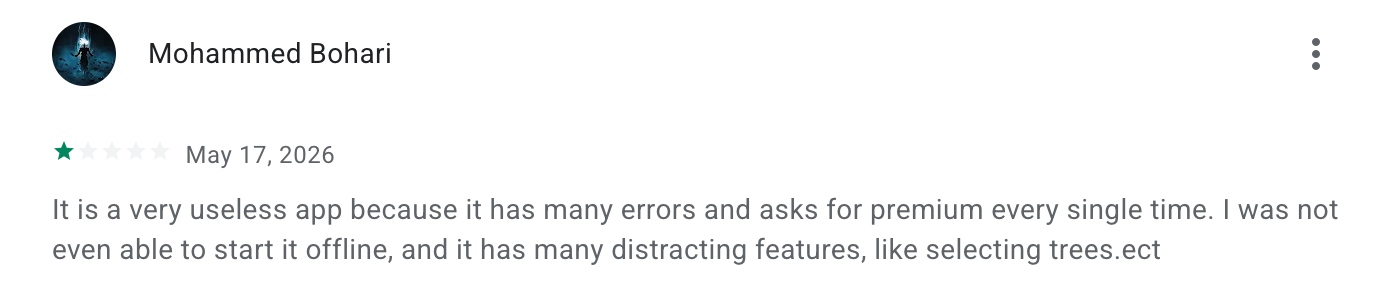
"It is a very useless app because it has many errors and asks for premium every single time. I was not even able to start it offline, and it has many distracting features, like selecting trees.", shared by Mohammed Bohari
9. Headspace

Headspace is a mental wellness and mindfulness app engineered to cultivate focus, alleviate anxiety, and improve sleep quality through heavily researched audio sessions.
Key features
- Real-Time Biometric Stress Interventions via Apple Watch: The app natively syncs with smartwatches to monitor your heart rate variability (HRV) throughout the day.
- Specialized ADHD & Concentration Focus Music: Headspace offers highly ambient soundscapes, lo-fi tracks, and brown noise frequencies explicitly structured to block out external environmental distractions
- Mindful Sleepcasts: These are 45-to-50-minute narrative audio experiences that change their progression layout slightly every night
Pros
- I love how short the sessions are - makes it feel doable even when I’m scattered
- The sleepcasts are legit helpful when my brain won’t shut up at night
- The app is super clean and calming with no visual clutter or decision fatigue
- It adds just enough structure to my day without being rigid
Cons
- It’s on the pricey side if you’re not using it often
- The navigation between different sections isn’t always intuitive
- Coaching and therapy features are only available through their separate Headspace Care platform
Pricing:
- Free version with limited content
- $12.99/month or $69.99/year for full access
- Discounts available for students and families
Suitable for:
- Anyone with ADHD looking for a calming, non-overwhelming way to build mindfulness into their routine, especially helpful for sleep, anxiety, and focus.
How to start:
- Download Headspace, start the free trial, and try a 3-minute meditation or sleepcast. That’s all it takes to get a feel for it.
Headspace review (source)
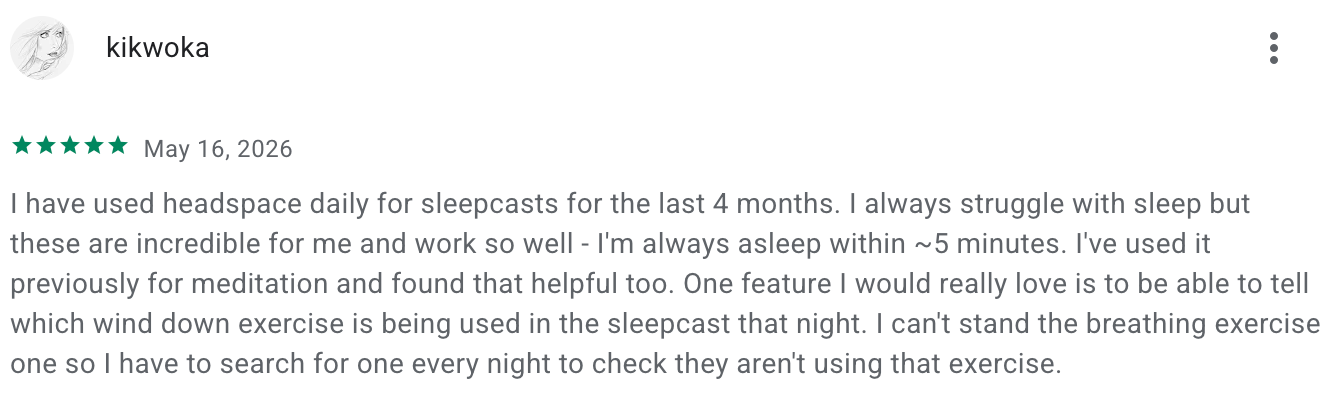
"I always struggle with sleep but these are incredible for me and work so well - I'm always asleep within ~5 minutes.", said by kikwoka
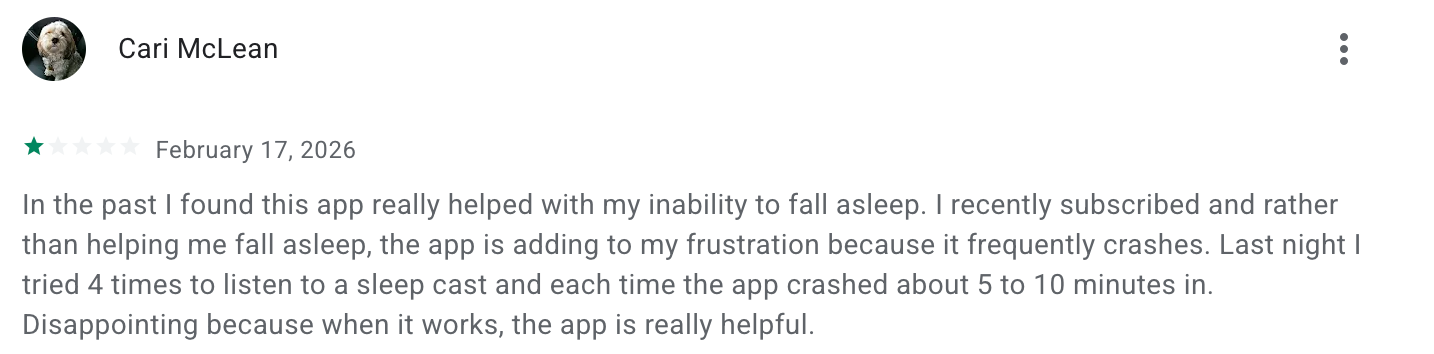
"...the app is adding to my frustration because it frequently crashes. Last night I tried 4 times to listen to a sleep cast and each time the app crashed about 5 to 10 minutes in.", said by Cari Mclean
Conclusion
This list includes very different tools. Saner.AI helps people who constantly jump between ideas and unfinished tasks. Obsidian works well for deep thinkers who want full control over their notes. Todoist is great if you want something simple that keeps life from feeling chaotic.
Then you’ve got apps like Finch, Forest, and Headspace that focus more on energy, focus, and emotional regulation, which honestly matter just as much as productivity.
If you want one place to start, I’d pick Saner.AI. It’s one of the few ADHD tools that feels calm instead of demanding. You can dump messy thoughts into it, let AI organize things, and keep moving without spending half your energy managing the system itself.
Stay on top of your work and life with the best ADHD app
Frequently Asked Questions about ADHD apps
1. What is an ADHD app?
An ADHD app is a digital tool designed to support focus, memory, planning, and emotional regulation - key challenges for people with ADHD. Unlike standard to-do lists or calendars, these apps help with:
- Reducing distractions
- Breaking down tasks into steps
- Managing time visually
- Reminding you of important follow-ups
- Turning ideas into actions automatically
Some ADHD apps also use AI to understand what you need without complex setup. Saner.AI, for example, acts like a smart brain assistant that helps you stay on track without switching between 10 tools.
2. What can ADHD apps help with?
Good ADHD apps are built for brains that bounce around. They can:
- Turn voice memos or ideas into tasks
- Find scattered notes instantly
- Remind you at the right time—not just any time
- Prioritize your day so you don’t get overwhelmed
- Pull context from past notes to keep you grounded
- Reduce decision fatigue and planning stress
Apps like Saner.AI combine all these into one calm, low-effort workspace.
3. Are there free ADHD apps?
Yes. Many top ADHD apps offer free versions:
- Saner.AI – Free plan includes smart reminders, natural note search, and AI task management
- TickTick – Free version includes Pomodoro and habit tracking
- Trello – Visual boards are good for ADHD brains, free for personal use
- ChatGPT – Free with basic access, can help structure your thoughts with prompts
Start free, and see what works for your brain.
4. What’s the best ADHD app for productivity?
Here’s how each tool supports productivity for ADHD users:
- Saner.ai – Converts thoughts into tasks, connects notes with reminders, and keeps everything in one calm place
- Forest – Visual timer that keeps you off distractions and rewards deep work
- Finch – Gentle support for planning your day and caring for your mental health
Together, they create a focused, low-stress workflow.
5. Can ADHD apps help with executive function?
Yes - and they’re often designed to. Executive function struggles like forgetfulness, time blindness, or task initiation can be supported with ADHD-friendly tools that:
- Break large projects into bite-sized steps
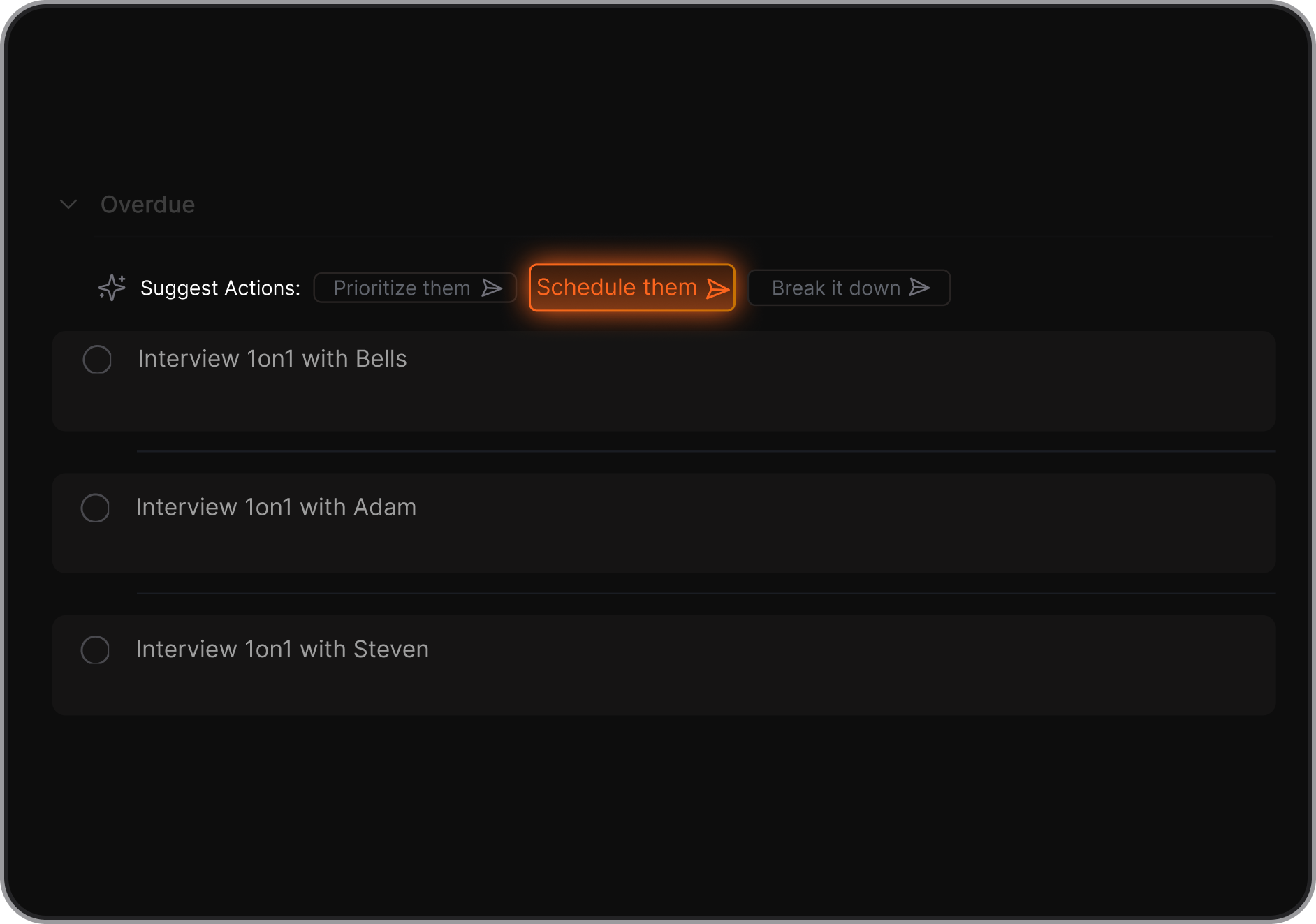
- Nudge you gently when you’re off track
- Show you what matters now, not everything at once
- Surface relevant notes and actions automatically
Apps like Saner.AI act more like a thinking partner than a to-do list.
6. What’s the best ADHD app for adults?
Adults with ADHD often juggle work, life, and mental clutter. Top apps that help:
- Saner.AI – Combines calendar, notes, and smart task management
- Forest – Visual timer that keeps you off distractions and rewards deep work
- Finch – Gentle support for planning your day and caring for your mental health. Choose the one that matches your flow - some people love structure, others need flexibility.
7. What’s the best ADHD app for students?
Students often struggle with remembering deadlines, organizing notes, and starting work. ADHD-friendly student apps include:
- Saner.AI – Helps summarize readings, manage study notes, and create tasks from class discussions
- Forest – Encourages deep focus using a visual timer
Look for tools that simplify, not add more to your plate.
8. Are there ADHD apps that support voice input?
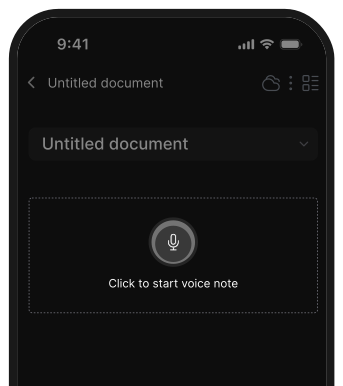
Absolutely. Voice support is great for ADHD users who think faster than they type.
- Saner.AI – Lets you talk to create tasks, notes, and reminders
- Google Assistant / Siri – Basic reminder and note functions
If your brain works best out loud, voice-first apps can make a huge difference.
9. What’s the most ADHD-friendly AI app?
Saner.AI stands out here. It’s built specifically to help people who get overwhelmed by too many tools. Why it works:
- No need for tags or folders—just talk or type naturally
- AI understands your intent and turns it into action
- Helps you follow through, not just collect information
- Works with messy notes and scattered thoughts
11. What are the tips and strategies to manage ADHD?
If you have adult ADHD, you probably take medicine to ease your symptoms. But alongside it, there are strategies and tips to manage ADHD without medication.
Check out:
- 5 Effective Strategies to Manage ADHD without medication
- 7 Effective Note-Taking Strategies for Individuals with ADHD
12. How do people with ADHD create a better lifestyle?
This includes getting plenty of sleep, exercising regularly, eating nutritious meals, and using effective stress-management techniques.
Below is a summary of ways to support a healthy lifestyle that you can refer to:
- 7 Tips to Create an ADHD-Friendly Environment for your Mind
- 3 Beneficial & Simple Exercises For ADHD
- How Does Caffeine Affect ADHD?
Stay on top of your work and life with an ADHD app
👉 You may like this post on how to improve Productivity for adults with ADHD