
We Tested The 6 Best Apps for Executive Function in 2026
The best apps for executive function are Saner.AI, Goblin, Forest, Focusmate, Brain.fm and Finch

We tested the 6 Best Apps for Executive Function
We've spent the last few months testing every executive function app we could get our hands on. This post is everything we learned from that process, written for adults who have already googled "best productivity app" 12 times and still can't get through their to-do list.
This isn't a list for kids or students. It's for working adults: people with ADHD, people who got diagnosed late and are still figuring out what "support" even looks like, people who are neurotypical but somehow can't stop losing track of what they were doing five minutes ago, and people who just want to stop feeling like their brain is working against them.
If that sounds like you, keep reading.
Quick answer: What are the best apps for executive function right now?
2) Goblin Tools — best for task paralysis. If you can't figure out how to start a task, this breaks it into micro-steps for you. Free.
3) Forest — best for people who need a Pomodoro timer with a visual stake.
4) Focusmate — best for people who need body doubling (working alongside someone else) to actually follow through on tasks.
5) Brain.fm — best for people who need their environment to support focus.
6) Finch — A self-care app that builds gentle daily routines through a virtual pet.
What is executive function?
Executive function is the set of cognitive skills your brain uses to plan, start, manage, and finish things.
Think of it as the management layer of your mind - the part that coordinates your attention, working memory, impulse control, emotional regulation, and ability to shift between tasks.
The three core skills that researchers most consistently identify are
- working memory (holding information in mind while you use it),
- cognitive flexibility (adjusting when something changes or stops working), and
- inhibition control (stopping yourself from doing the impulsive thing when you need to do the useful thing).
Executive function problems are common and costly

1) The scale of the problem is bigger than most workplaces admit.
2) The workplace cost is measured in tens of billions of dollars.
How we chose these executive function apps
WE tested over 30 apps across months, covering tools from AI task management to calendar automation to distraction blocking. The tools on this list come from different categories intentionally - because executive function problems show up differently in different people, and a single app category won't fix all of them.
Each tool was evaluated on:
- Low friction to start — If getting into the app takes effort, it won't survive contact with a bad brain day.
- Task initiation support — Does the app help you figure out what to do first, rather than presenting you with a flat list of everything you're behind on?
- Working memory offload — Can the app hold context for you so you don't have to?
- Time blindness support — Does the tool help you see time, feel it, or at least stay aware of it?
- Flexibility vs. structure — Rigid systems break during hard weeks. The best tools let you rebuild without starting from scratch.
- Cross-category coverage — I included tools from AI productivity, task breakdown, visual planning, body doubling, focus audio, habit building, and distraction blocking.
What are the best apps for executive function?
The best apps for executive function are Saner.AI, Goblin, Forest, Focusmate, Brain.fm and Finch
Comparison table: Best apps for executive function
| Tool | Category | Best for | Free plan | Paid from | Platform |
|---|---|---|---|---|---|
| Saner.AI | AI productivity / notes + tasks | ADHD adults, knowledge workers, second brain | Yes | $8/mo | Web, iOS, Android |
| Goblin Tools | Task breakdown | Task paralysis, starting anything | Yes (fully free) | Free | Web, iOS, Android |
| Forest | Pomodoro / focus timer | Phone addiction, focus sessions, visual accountability | Yes | $3.99 one-time | iOS, Android |
| Focusmate | Body doubling / accountability | Follow-through, isolation, working from home | Yes (3 sessions/wk) | $6.99/mo | Web |
| Brain.fm | Focus audio | Deep work, sustained attention, sensory support | No (trial) | $6.99/mo | Web, iOS, Android |
| Finch | Self-care / emotional regulation | Burnout recovery, low motivation, gentle routine building | Yes | $7.99/mo | iOS, Android |
1) Saner.AI
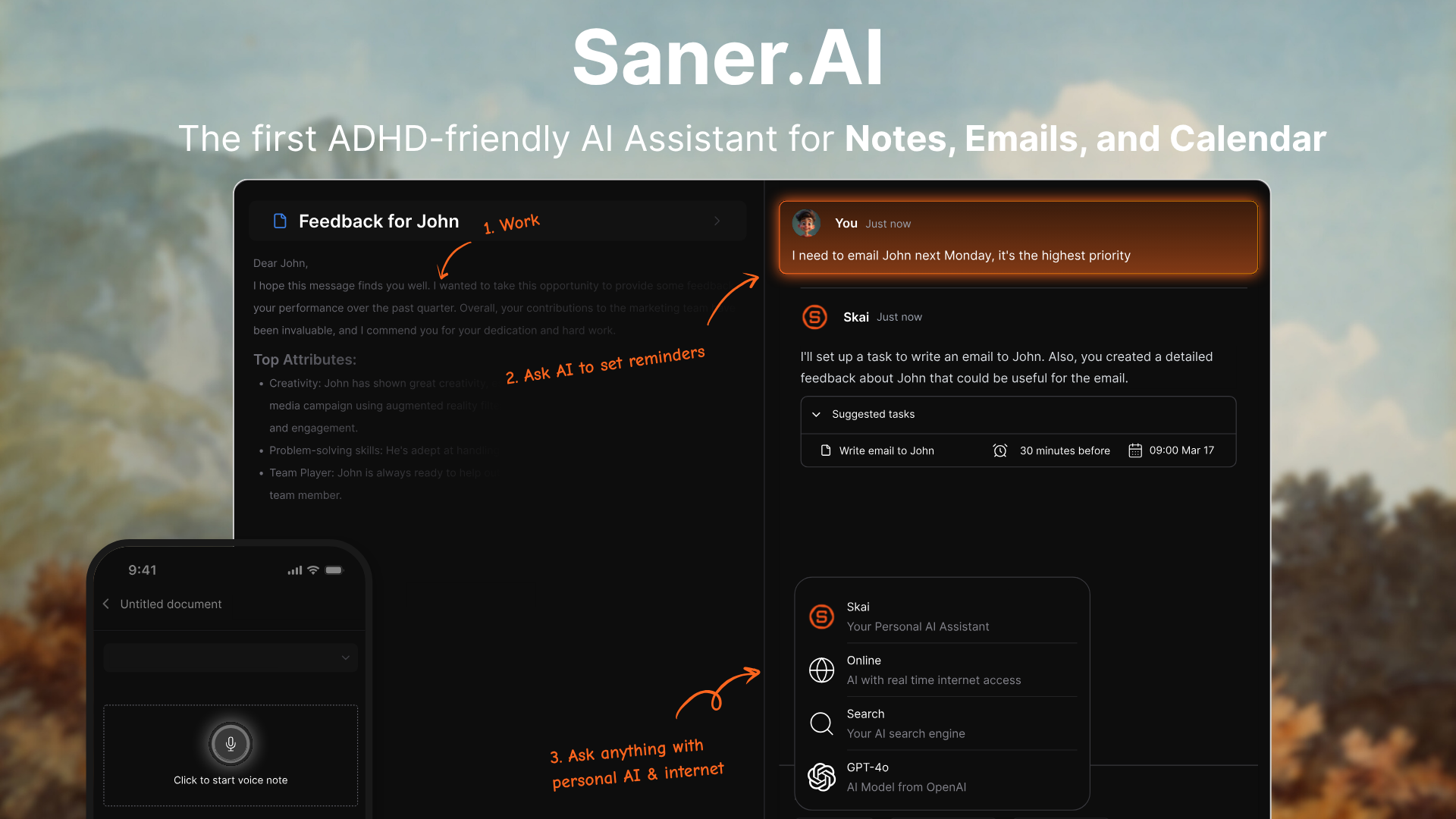
Most productivity apps assume you already know what to do. You open them, you see a list, you're supposed to just... get started. That doesn't work for people whose problem is initiating. Saner.AI takes a different approach: it assumes your thoughts are scattered, and its job is to catch them.
Saner.AI is the AI personal assistant that organizes everything for you. Notes get tagged automatically. Tasks get extracted from your writing and emails. Related ideas get surfaced when you're working on something new. The personal AI assistant, called Skai, learns from your notes over time and gets more useful the more you use it.
Key Features:
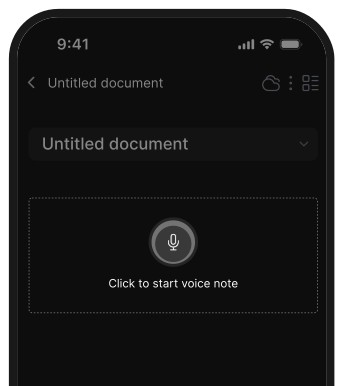
- Voice Capture and Quick Capture: You can record voice notes on mobile, clip web content with one click via the Chrome extension, or type directly into the side panel without leaving whatever tab you're on.
- Task Management with AI Scheduling: Skai pulls tasks from your notes and emails automatically, lets you assign due dates in natural language, and sends reminders.
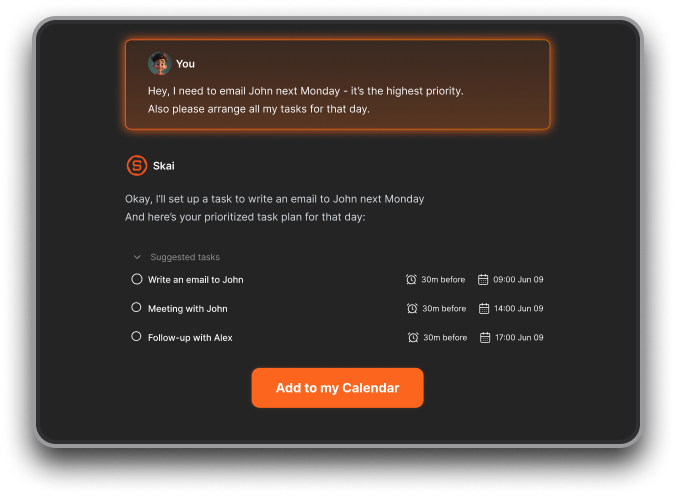
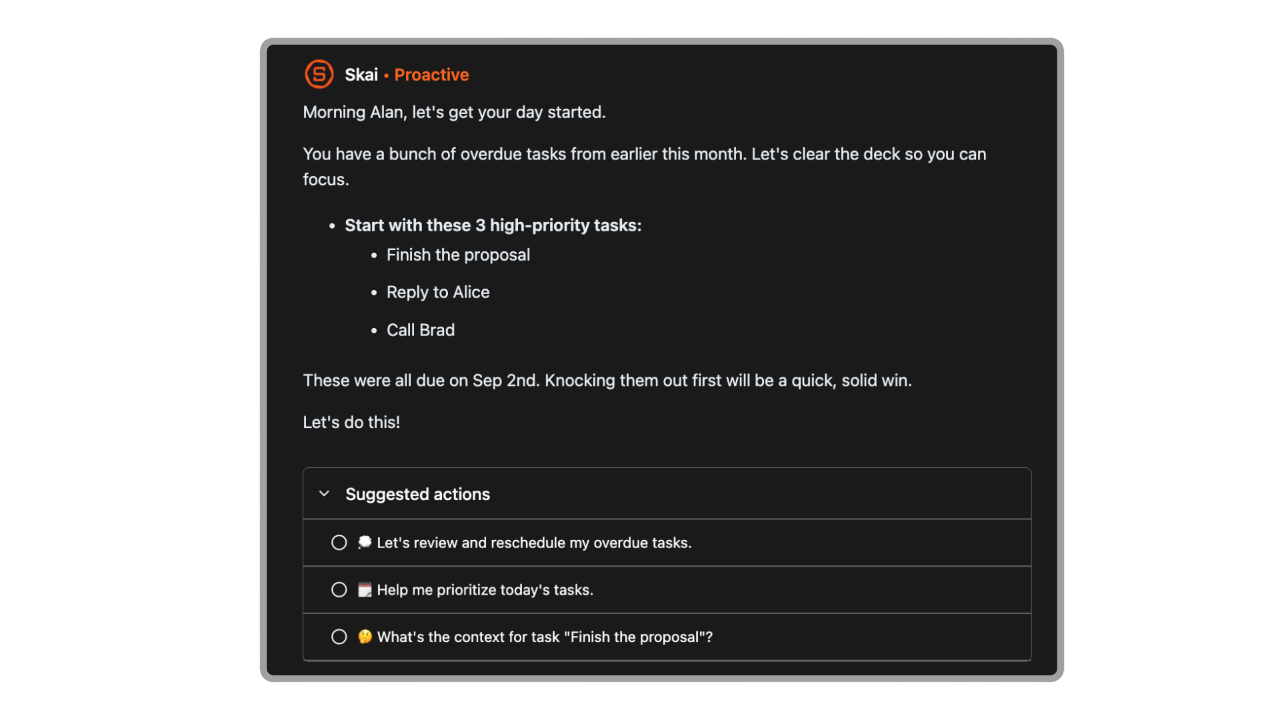
- The proactive daily planner scans your inbox, calendar, and notes every morning and proposes a day plan without you asking.
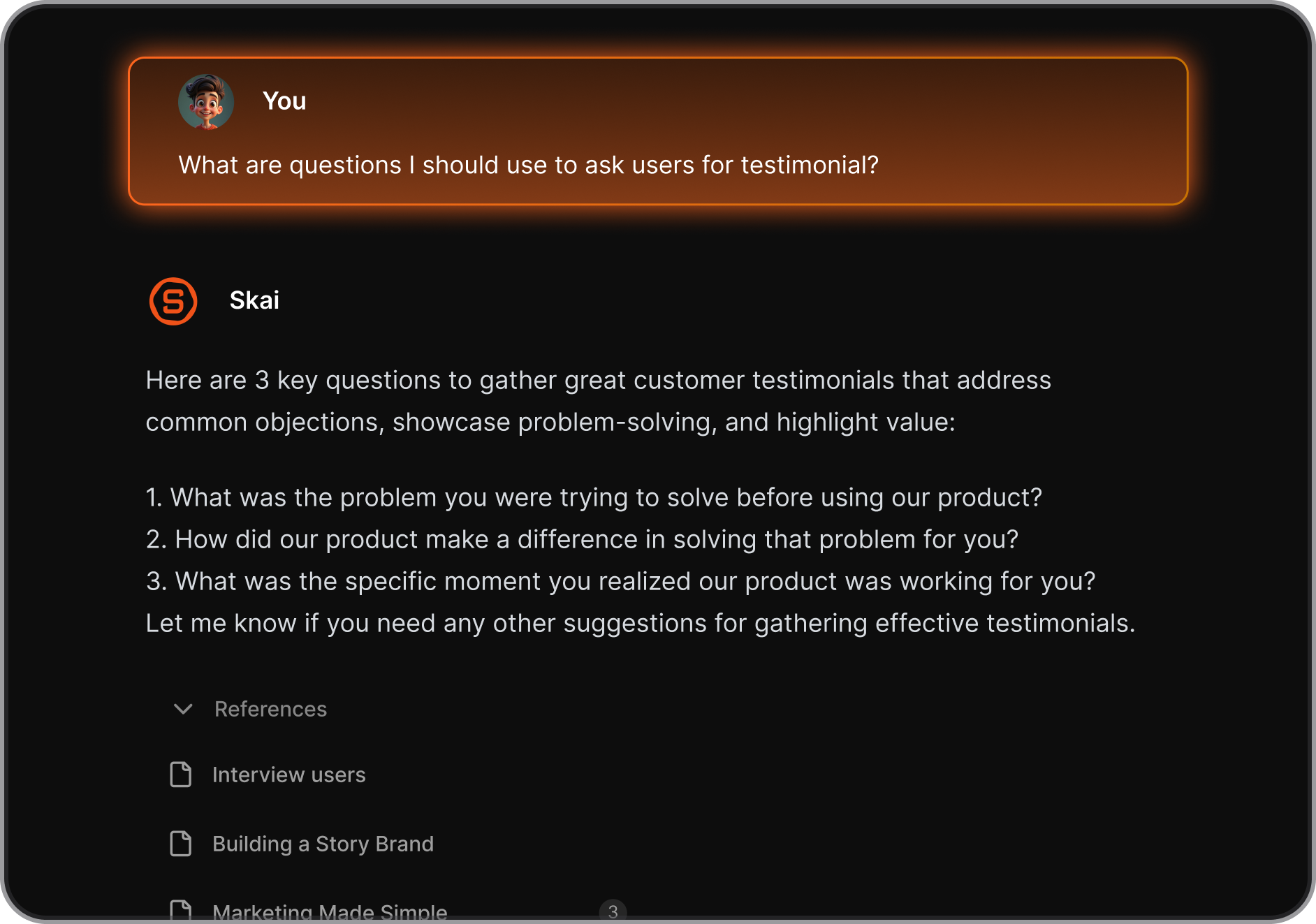
- Semantic Search: You don't need the exact word you used to find a note. Ask in plain language, and Skai retrieves it.
Pros:
- I don't have to organize anything manually. Skai handles tagging, categorization, and connections without me doing anything except capturing.
"Totally great! I consider it as my life manager — it helps a lot to keep all tasks neatly organized. It definitely boosts efficiency and workflow!" — reviews
- The Chrome extension side panel is the fastest note-capture tool I've used.
- Morning walks, commutes, any moment you have a thought - you don't need to type anything. Skai transcribes and organizes it.
Cons:
- Most AI features require the internet.
Pricing:
- Free Plan — $0 — 30 AI requests/month, 100 notes, 100MB storage. Core Skai features and semantic search.
- Starter Plan — $8/month — 50 AI requests/day, 1,000 notes, 5GB storage, team support.
- Standard Plan — $16/month — Unlimited AI requests, unlimited notes, 100GB storage, and founders support.
What Users Say:
- Users with ADHD consistently describe Saner.AI as one of the few tools that works with how their brain actually operates, rather than demanding a system they have to maintain.
"This was the best spent 8 hours of any tool I have used on Product Hunt in a long while... I was thoroughly amazed at this beta version." — reviews
Suitable for:
- Best for: Knowledge workers, ADHD adults, managers, entrepreneurs, and anyone who captures information across many formats and can't keep it organized manually.
How to Get Started:
- Create a free account at saner.ai. Start by brain-dumping whatever's in your head — voice note, typed, or web clips — without worrying about organization. Skai will begin tagging and categorizing immediately.
- Expect it to get noticeably smarter after a week or two of consistent capture as it learns your patterns and vocabulary.

Stay on top of your work and life
2) Goblin Tools
Goblin Tools' core feature is Magic To Do: you type in any task, and the AI breaks it into specific, concrete, completable steps. "Clean the apartment" becomes a list of seven actions you can actually do. You can adjust a "spiciness" slider to control how granular the breakdown gets.
Key Features:
- Magic To Do: Paste in any task that feels overwhelming and Goblin Tools breaks it into micro-steps. The spiciness slider (1–5) controls the level of detail.
- The Estimator: Adds time estimates to each broken-down step. Useful for people with time blindness who consistently underestimate how long things take.
- The Formalizer: Lets you write a rough, emotional, or informal message and converts it to a professional or neutral tone.
Pros:
- It's free on the web. No account required, no subscription, no barrier between me and the tool I need.
- The task breakdown actually works for the kind of tasks that cause paralysis.
"I struggle the most with Object Permanence... This has 100% helped me be active and actually be productive." — reviews
- Low friction. You don't set up an account. You don't configure anything. You type a task and get steps.
"Life-changing app! It helps me organize tasks in a way that finally makes sense for my ADHD brain." — reviews
Cons:
- It doesn't connect to your calendar, your task manager, or anything else. Each session is standalone. There's no memory of what you worked on before.
- Time estimates are guesses, and sometimes poor ones. The Estimator can be off enough that it's not reliable for actual scheduling.
- The mobile app has a small paid subscription for full features, though the web version stays free. Some users have reported inconsistent loading on mobile.
"Recently having issues using certain features and the pages are not consistently loading." — reviews
Pricing:
- Web version — Free — No account required, all main tools accessible.
- Mobile app — Free to download — Some features require a subscription (~$1.99/month or ~$19.99/year)
What Users Say:
"An autistic senior in high school who has a lot of work I easily get distracted from. This app is a godsend!" — reviews
Suitable for:
- Best for: Anyone who gets stuck before tasks even start. People with ADHD, anxiety, depression, or autism who experience task paralysis regularly.
- Also useful for anyone dealing with emotionally charged communication.
How to Get Started:
- Go to goblin.tools in any browser. Type a task you've been avoiding into Magic To Do, set the spiciness to 3 or 4, and hit go.
3) Forest
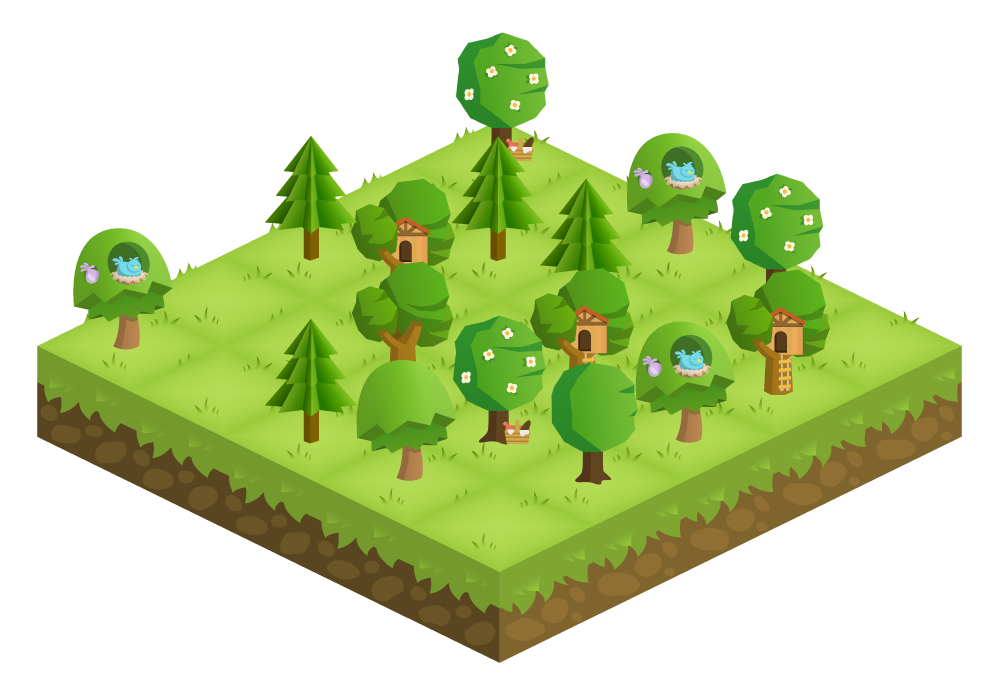
The concept is simple: you plant a virtual tree when you start a focus session. If you leave the app to check Instagram or scroll Twitter, the tree dies. Stay focused for the session length, and the tree survives and is added to your growing forest.
Key Features:
- Gamified Focus Sessions: Plant a tree, set a timer, and stay in the app. Sessions can be customized from 10 minutes to several hours. The default 25/5 Pomodoro structure works out of the box, but you're not locked into it.
- Visual Productivity History: Every completed session is logged and displayed as trees.
- Friends and Social Accountability: You can add friends and plant a shared forest, or compete to see who accumulates the most focus time.
- Real Tree Planting: Accumulated in-app coins can be donated to plant real trees through Trees for the Future.
Pros:
- The dead tree consequence is genuinely effective for people who don't respond to abstract warnings. Seeing a withered tree is more visceral than a timer running out.
"Forest is absolutely perfect for me because it can help me break tasks down into manageable parts." — reviews
- The analytics made me realize I was doing more than I thought. For people who feel chronically behind, seeing 40 hours of real focus in a week is validating.
"This app made me realize I'm actually spending a full 40-hour work week on homework, studying, tests. It was a confidence boost that I am actually putting in the work." — reviews
- It works across iOS, Android, and as a browser extension.
Cons:
- No automatic break timer. After a session ends, you have to manually start the next one.
"The only thing I would say could improve is to have an option to pause your timer... it would greatly help to stay focused." — reviews
- The UI hasn't changed much in years.
"The user interface hasn't really been updated since it was my go-to Pomodoro app five years ago." — reviews
Pricing:
- iOS — $3.99 one-time purchase
- Android — Free with ads, or paid to remove them
Forest app reviews (source)
"I tried so many different tools to help keep me on track when my neurodivergent brain has other plans. Forest is absolutely perfect for me." — reviews
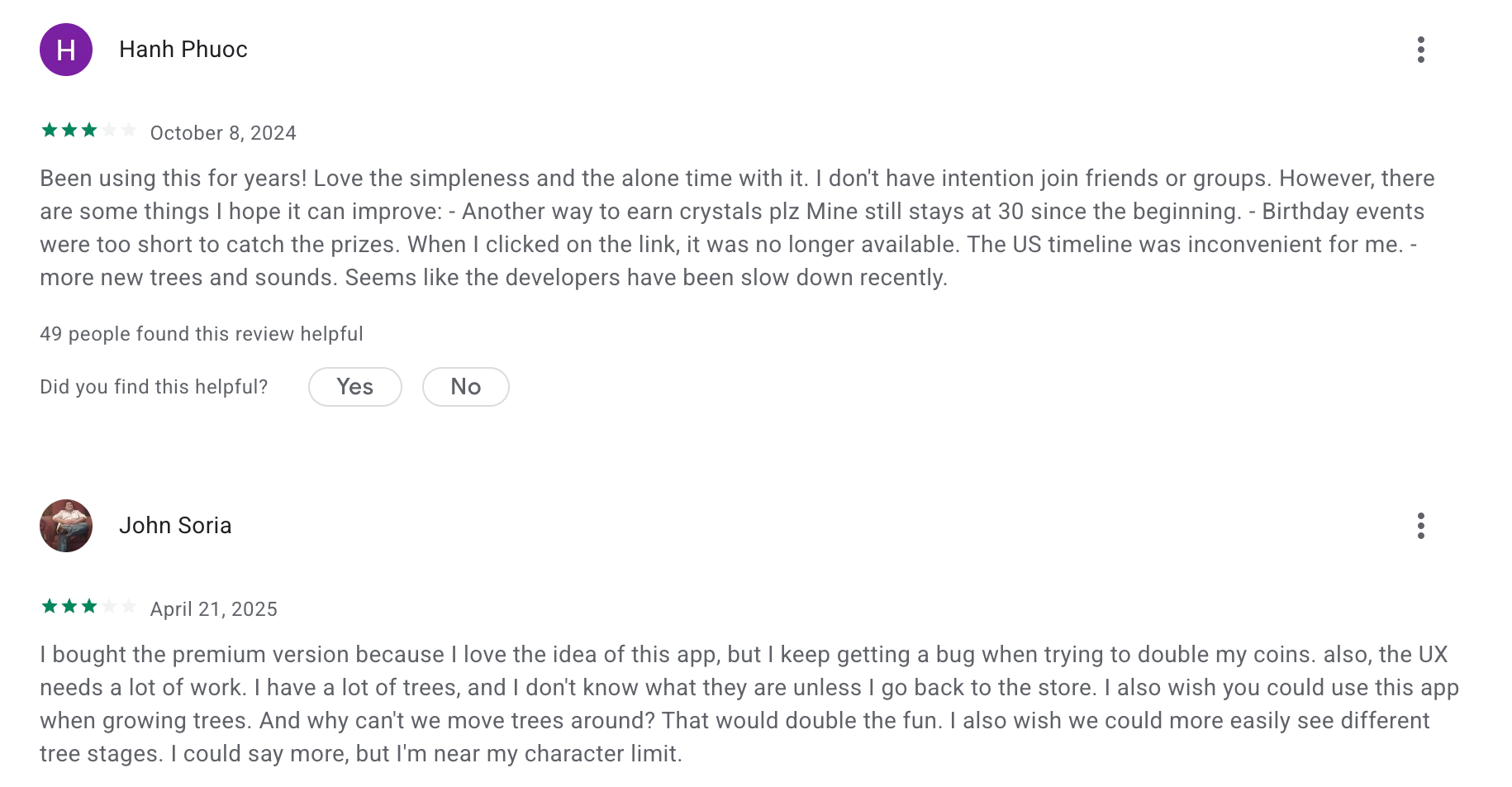
"Forest isn't strictly a Pomodoro timer — you can focus for as long as you want." — reviews
Suitable for:
- Best for: People who need phone accountability above all else. Students and remote workers who lose hours to phone scrolling.
How to Get Started:
- Download the app, plant your first tree, and set it for 25 minutes.
Focusmate
Focusmate is a body doubling platform. You book a 25, 50, or 75-minute video session, get matched with another person you've never met, state your goal at the start, work in silence, and check in at the end.
Key Features:
- Real-Time Accountability Sessions: You book sessions in advance, get matched with a partner, and show up.
- Session Lengths of 25, 50, or 75 Minutes: Different tasks need different containers.
- Goal-Setting at Session Start: Both partners briefly state what they're working on.
- Community and Repeat Partners: Over time, you can request the same partners again.
Pros:
- It works when nothing else does. For people with ADHD who can't generate internal accountability, this is external accountability in the most direct form possible.
"I have ADHD but can't take Adderall (medical reasons) — I honestly think Focusmate works just as well." — reviews
- The session format removes the decision of when to start. You committed to 9am. 9am comes. You start.
"FocusMate is probably responsible for saving my career on more than one occasion." — reviews
Cons:
- You have to schedule in advance. If you need to get into focused work in the next five minutes, Focusmate doesn't give you that. You're working around other people's calendars. "
The Focusmate works, but it requires energy. You have to schedule a session, look presentable on camera, and talk to a stranger." — reviews
- Camera-on is required. For people with social anxiety or sensory sensitivities to video calls, this is a genuine barrier.
Pricing:
- Free — 3 sessions/week
- Focusmate Pro — $6.99/month
Focusmate reviews (sources)
"There has only been one tool that I have returned to time after time after time... for YEARS. It's FocusMate." — reviews
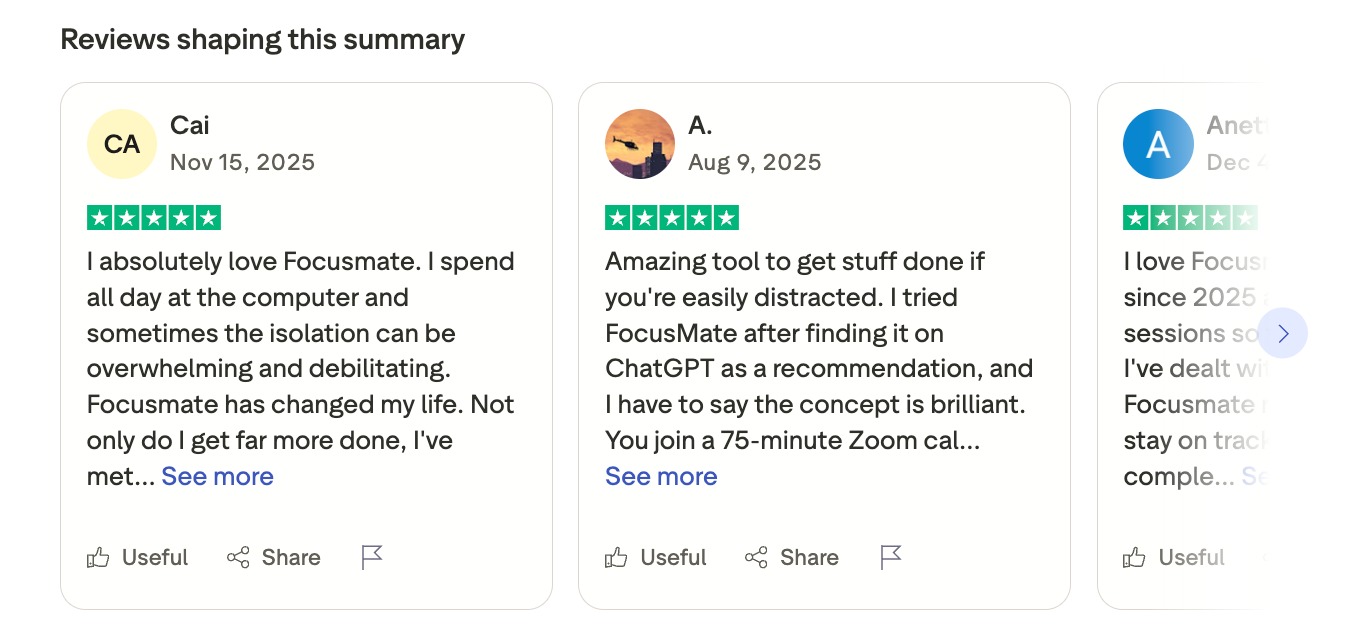
"Every ADHDer should know about Focusmate! I wish I'd known about it sooner." — reviews
Suitable for:
- Best for: Remote workers, freelancers, students, and anyone who knows they can work in a cafe or library but can't work alone.
How to Get Started:
- Go to focusmate.com, create a free account, and book a session.
Brain.fm
Most background music "for focus" is just lo-fi beats with a study aesthetic. Brain.fm is different in a specific, verifiable way: its audio is built on neural entrainment, a process where rhythmic auditory stimulation nudges your brainwaves toward states associated with attention and focus.
Key Features:
- Neural Entrainment Audio: Patented technology that uses rhythmic sound patterns to influence brainwave activity.
- ADHD Mode: A higher-stimulation version of the focus audio specifically tuned for ADHD brains.
- Genre Options: Lo-fi, classical, nature sounds, ambient, and others.
- Pomodoro Mode and Timer Integration: Built-in timer support for structured focus sessions.
Pros:
- The focus shift is noticeable, not dramatic, but real.
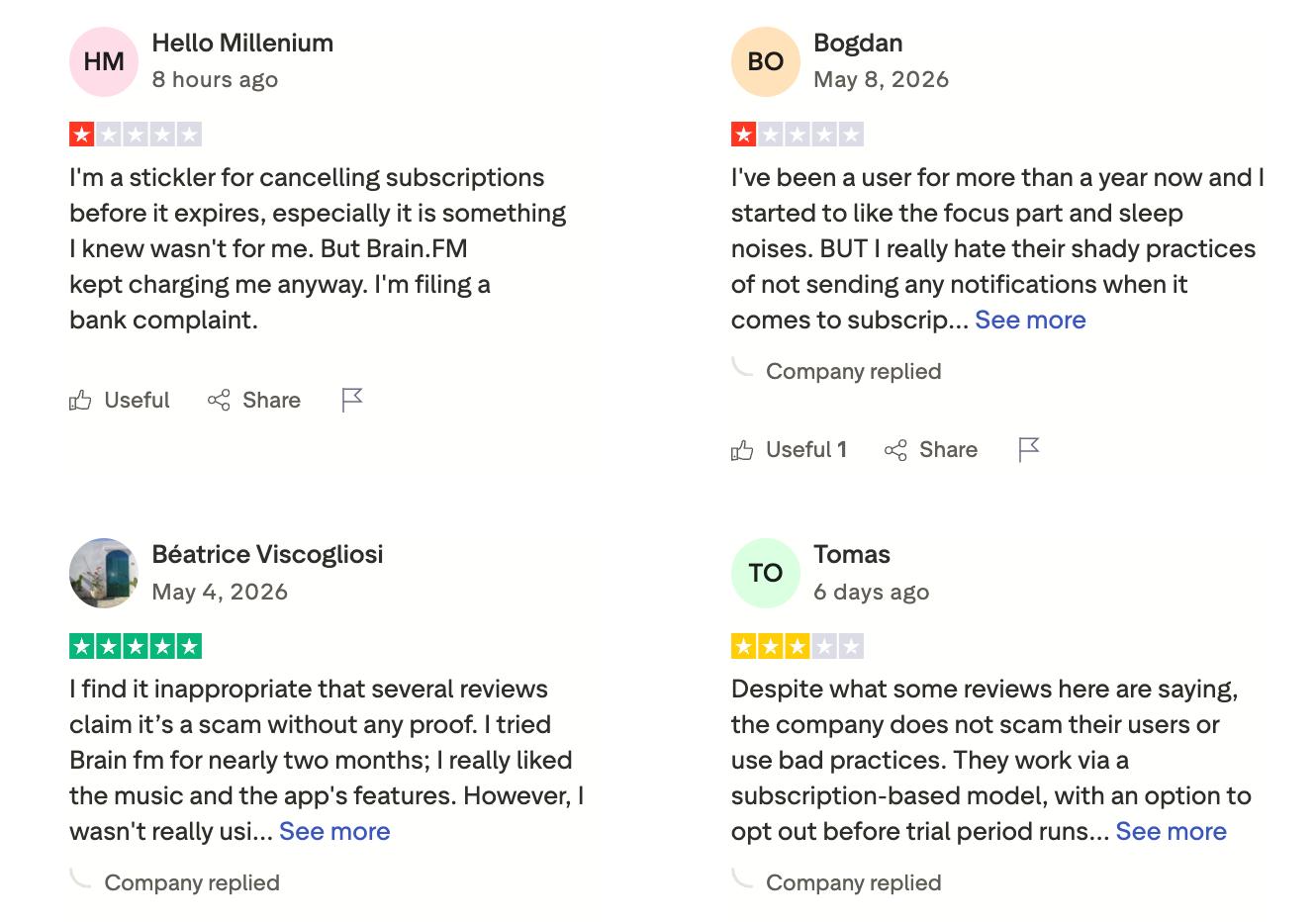
"when I look back at how the day went, I didn't get distracted by my phone and other websites nearly as much." — reviews
- Offline downloads are available on paid plans.
Cons:
- The music doesn't sound like music in the traditional sense. It's functional, not enjoyable. Some people find it grating or characterless.
"AI Slop generated music, each song sounds like worse noncopyrighted music that sounds like it's playing on a cheap Bluetooth speaker through spinning fan blades." — reviews
- It doesn't work for everyone. Neural entrainment responses vary person to person. A meaningful minority of users report no effect.
"Sound preference is personal and it's not for every brain." — reviews
Pricing:
- Free trial — 3 days (credit card required)
- Monthly — $6.99/month
- Annual — $49.99/year (roughly $4.17/month)
Brain.fm reviews (source)
"Honestly, brain.fm does well in doing its job... There could be more features, though, like playlists or combining Deep Work and Rain Mix." — reviews
Suitable for:
- Best for: Knowledge workers who work with headphones. People who find silence distracting and regular music too engaging.
How to Get Started:
- Sign up for the free trial at brain.fm. On your first session, select Focus, choose a genre that sounds tolerable
6) Finch

Finch is a self-care app built around a virtual pet bird that grows and earns rewards when you complete daily goals. The goals are things like drinking water, taking your medication, showering, going outside, journaling. The bird travels to new places, collects items, and levels up as you show up for yourself.
Key Features:
- Daily Goal Setting: You set your own goals each day, picking from preset options or creating custom ones.
- Mental Health Check-ins: Simple quizzes and mood tracking that surface patterns over time.
- Social Vibes: You can send encouragements to friends on the platform. Low-pressure connection that doesn't require conversation.
Pros:
- It addresses the emotional regulation and self-care dimension of executive dysfunction. tion.
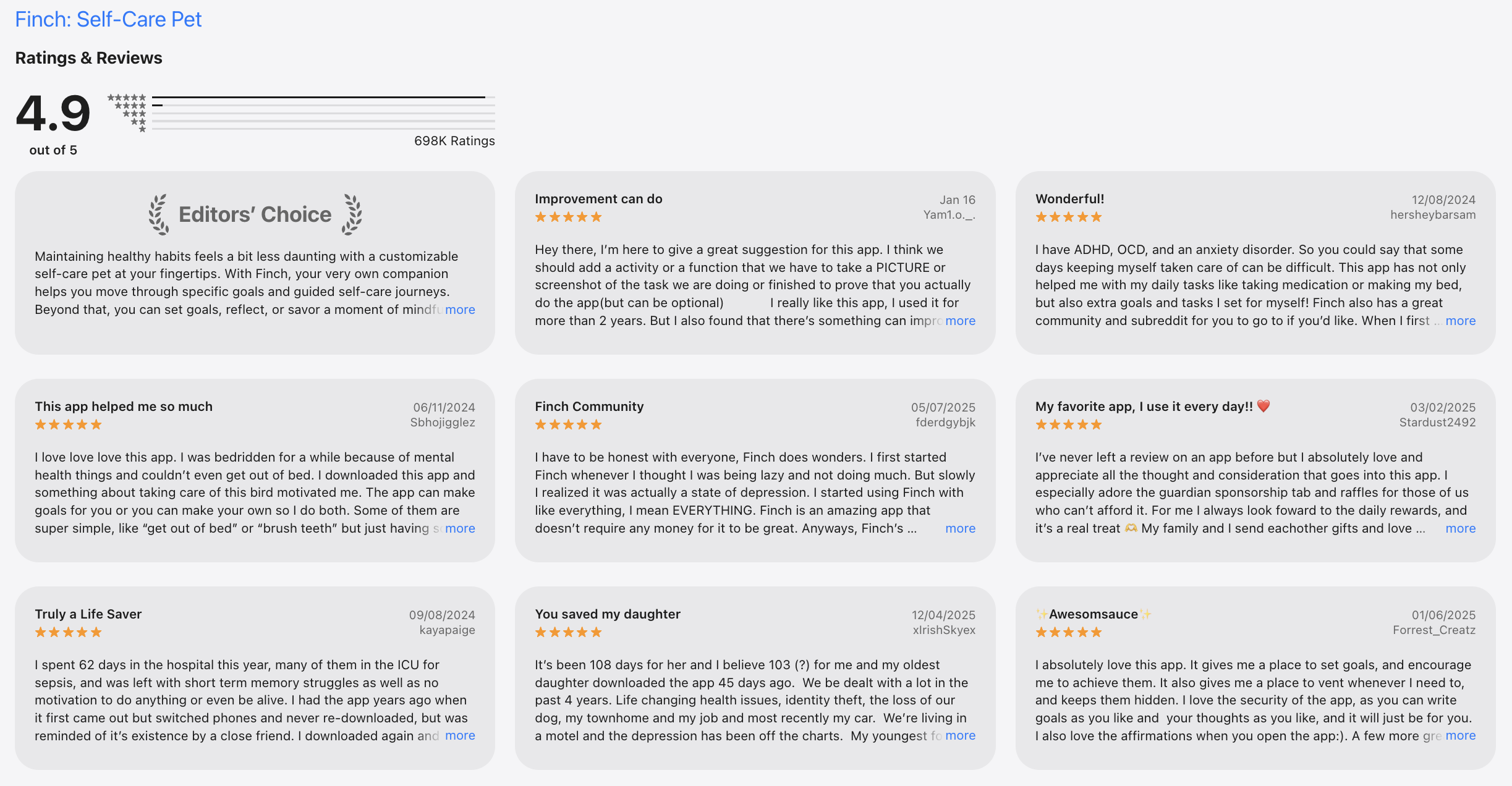
"For years now, I've been struggling with a plethora of mental health issues on top of ADHD, and it's made it extremely difficult to take care of myself even with professional help." — reviews
- The free version is usable.
Cons:
- Finch doesn't help with work tasks, project management, or time management. It's not a productivity tool in that sense.
- The gamification wears off for some users after a few months. Once the novelty of the bird is gone, the habits need to be intrinsically motivating to stick
Pricing:
- Free — Core features, daily goals, journaling basics, bird care
- Finch Premium — $7.99/month or $39.99/year
Finch reviews (source)
- The main criticism is that it can feel like a toy rather than a serious support tool, which makes it harder to recommend to skeptical users or employers.
Suitable for:
- Best for: People with ADHD, depression, anxiety, or burnout who struggle with basic self-care routines.
- Anyone who has found traditional productivity apps misses the point of what they actually need help with.
How to Get Started:
- Download Finch on iOS or Android, name your bird, and set three goals for tomorrow
Conclusion
Executive dysfunction isn't a discipline problem. It's a support infrastructure problem. The right tool doesn't fix your brain — it fills in for the parts of the cognitive process that aren't working the way you need them to. That's why this list covers six different categories instead of six versions of the same task manager.
- If you only try one thing from this list, make it the tool that addresses your biggest daily breakdown point.
- If that's starting tasks, Goblin Tools or Saner.AI.
- If it's staying on task once you've started, Forest or Brain.fm.
- If it's following through when you're working alone, Focusmate.
- If it's the self-care foundation that everything else sits on top of, Finch.
For most people with executive dysfunction, the full picture requires more than one.
The tool that actually changes things is the one with the lowest friction on your worst days. Judge every app by how easy it is to use when your brain is at 40%, not when you're motivated and set up for success.
Start with the free tier of whatever fits your scenario. Give it a week before deciding.
Stay on top of your life with an app for executive function
FAQ for Executive Function Apps
What is the best app for executive function?
There's no single best app because executive dysfunction shows up differently depending on the person and the situation.
- The most complete single tool for knowledge workers and ADHD adults is Saner.AI, which addresses task management, information capture, and AI-assisted organization in one place.
- For task initiation specifically, Goblin Tools is the most targeted tool available, and it's free.
- For accountability, Focusmate consistently gets the strongest long-term reviews of any app in this category.
What's the difference between Saner.AI and Goblin Tools?
- Goblin Tools is a task breakdown tool you use it in the moment when you can't start something, and it gives you concrete micro-steps. It doesn't store anything between sessions.
- Saner.AI is a full knowledge management and productivity system - it captures your notes and tasks over time, organizes them automatically, and lets you retrieve information in natural language.
- Goblin Tools is a free, single-use tool for initiation. Saner.AI is an ongoing system for managing your brain's work.
Can these apps replace ADHD medication?
No. Apps are external supports - they fill in for cognitive processes that aren't functioning optimally, but they don't change the underlying neurological factors that cause ADHD. Medication changes brain chemistry. Apps change your environment and provide scaffolding.
Is there a free executive function app that actually works?
- Yes. Goblin Tools is entirely free on the web with no account required.
- Focusmate offers three sessions per week on the free tier, which is enough to build a real habit.
- Saner.AI has a free plan with 30 AI requests per month and 100 notes
- Finch's free version covers all core features.
What should I look for in an executive function app?
The single most important criterion is low friction. An app that's hard to open, slow to load, or requires setup effort before use will not survive contact with a bad brain day.
Beyond that, look for: task initiation support (does it help you figure out what to do first?), working memory offload (does it hold context so you don't have to?), flexibility (can you rebuild after a week off without starting over?), and a trial period long enough to form a habit — at least a week.
Can I use multiple apps from this list at the same time?
Yes, and for most people one app isn't enough because executive dysfunction shows up in multiple areas. A practical stack for someone with ADHD might be:
- Saner.AI for capture and organization, Focusmate for accountability, and Brain.fm or Forest for focus sessions.
The key is not to over-engineer it. Start with one tool that addresses your biggest breakdown point. Add a second only if the first one is working and you've identified another specific gap.
What's the best executive function app for someone who is not diagnosed with ADHD?
- Executive dysfunction is not exclusive to ADHD, and all the tools in this list are built for general use even when they explicitly mention ADHD in their marketing.
- If your issue is task paralysis, Goblin Tools. If it's distraction and phone use, Forest. If it's working alone without accountability, Focusmate. If it's information overload and scattered notes, Saner.AI. None of these require a diagnosis to work.
Is Saner.AI good for people without ADHD?
Yes. While Saner.AI was built with ADHD brains in mind, the core functionality — capturing information fast, organizing it automatically, and retrieving it in natural language — is useful for anyone managing complex information across multiple sources.
Researchers, consultants, content creators, and managers without ADHD use it as a second brain. The ADHD design principles (low friction, automatic organization, minimal setup) make it easier to use for everyone, not just people with attention difficulties.
How do I get started with executive function apps without getting overwhelmed?
Pick one tool based on your single biggest problem right now. Not the most comprehensive tool. Not the one with the best reviews. The one that addresses the specific thing that's making your week harder. Install it, use it for five days in a row, and don't add another tool until the first one feels like a habit.
Stay on top of your work and life



