
ADHD Reminder Apps: We tested 20 Apps and Here're the Best 5 in 2026

The 5 Best ADHD Reminder Apps in 2026
I would tell myself, "I just need to write things down." But after a lifetime of ignoring sticky notes, bypassing standard phone alarms, and leaving notebooks open to blank pages, I figured out the real hole in traditional productivity advice.
The flaw with standard reminder apps is that they assume forgetting is the only issue. For an ADHD brain, the real gap is the transition between the notification and the actual movement of your body. A standard ding on a phone doesn’t create momentum; it just creates guilt, gets swiped away, and disappears into the ether of "out of sight, out of mind."
In this article, we’ll break down how each ADHD app handles persistent alarms, how they gamify or simplify the process of starting, and which type of executive dysfunction each tool is best suited to treat.
Quick answer: What are the Best ADHD Reminder Apps right now?
- Tiimo: Tiimo’s highly visual, color-coded circle countdowns make the concept of time literal and visible.
- Habitica: RPG-style tasks, streaks, rewards, habit tracking
Brief Look at the Market & Demand of ADHD Reminder Apps
How I chose the best ADHD reminder apps in 2026
The best reminder app is one you'll actually open. It should be fast enough that adding something takes less thought than just hoping you'll remember it. I tested each app with that bar in mind, and evaluated them on:
- Cross-device sync: Does it update in real time across phone, tablet, and desktop, or do you notice a lag?
- Natural language input: Can you type "call dentist next Thursday at 2pm" and have it understand you?
- Recurring reminders: How well does it handle daily, weekly, and custom repeat schedules?
- AI features: Do the AI tools actually change how you work, or are they just a badge on the pricing page?
- Platform fit: Is it genuinely cross-platform, or does it quietly work better on one OS?
- Price vs. what you get: Is the free tier usable, or does anything useful sit behind a paywall?
What are the Best ADHD Reminder Apps?
The Best Reminder Apps in 2026 are: Saner.AI, Due, Tiimo, Flowsavvy, Habitica
ADHD Reminder Apps Comparison Table
| 🧰 App | 🎯 Best For | ⚙️ Key Features | 💰 Pricing (2026) |
|---|---|---|---|
| Saner.AI | People with ADHD who forget tasks quickly | AI captures tasks from messy notes, auto-organizes reminders, daily planning with less manual setup | Free; Paid ~$8–16/mo |
| Due | Persistent reminders | Repeating alerts that keep nagging until completed, quick reminder setup, offline support | ~$10 one-time purchase (iOS/Mac) |
| Tiimo | Visual routine planning | Visual schedules, calming timers, routine builder, neurodivergent-friendly design | Free limited plan; Premium from ~$5.99/mo |
| Flowsavvy | Automatic time blocking | AI auto-schedules tasks into your calendar, workload balancing, smart rescheduling | Free; Pro from ~$7/mo |
| Habitica | Gamified productivity | RPG-style tasks, rewards, habits, streaks, social accountability | Free; Subscription from ~$4.99/mo |
1. Saner.AI
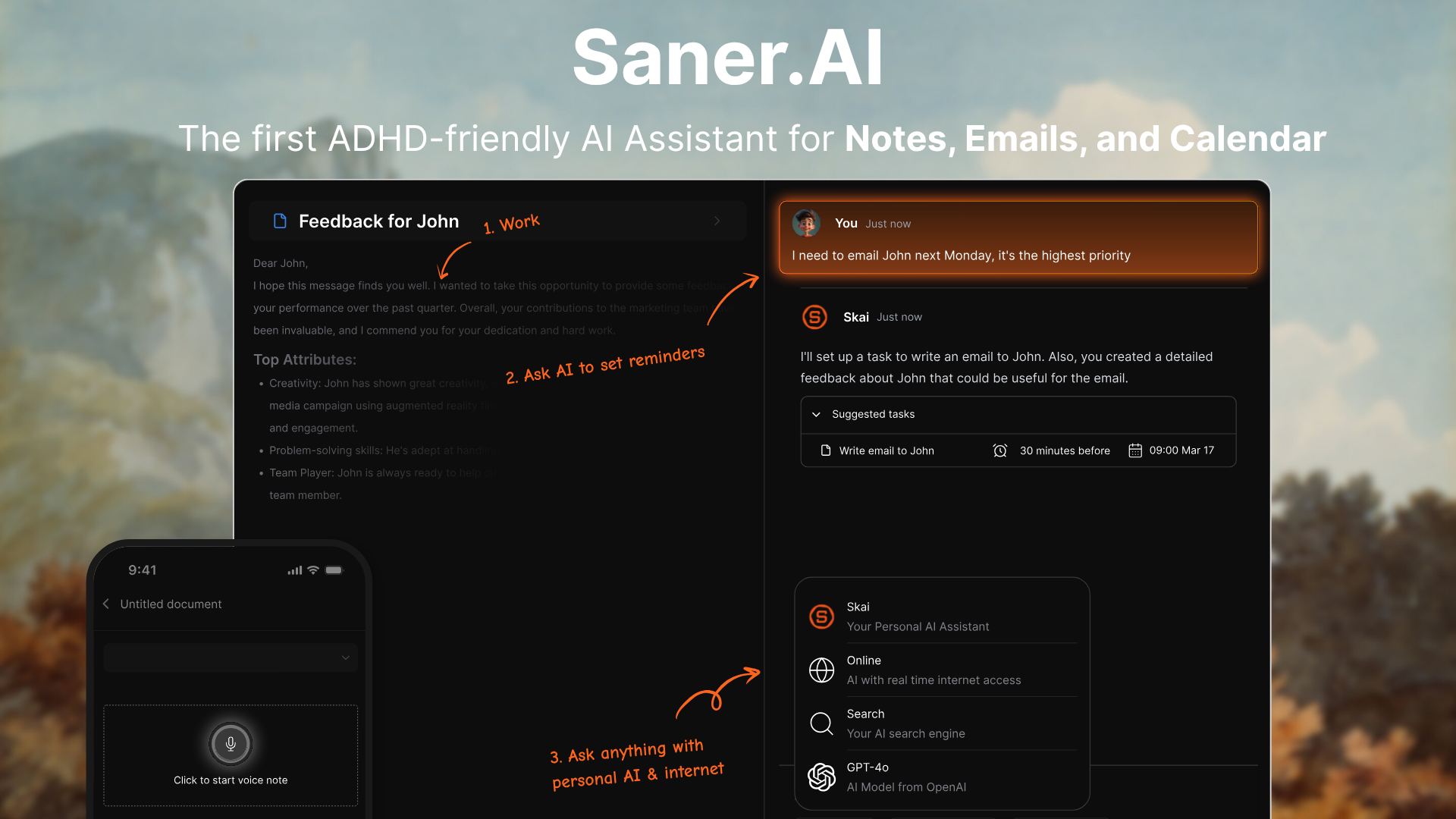
Saner.AI is an AI productivity assistant and "second brain" for individuals with ADHD, entrepreneurs, and overwhelmed knowledge workers.
The app's massive appeal lies in its ability to drastically minimize context-switching, leveraging an embedded personal AI assistant to turn chaotic thought dumps into organized, actionable tasks.
Key features
- Dynamic & Non-Repetitive Reminders: Saner.AI utilizes an intelligent task assistant that ditches the typical robotic, easy-to-ignore alerts in favor of context-aware, non-repetitive task reminders that successfully bypass ADHD "alarm blindness."
"The best one I've used so far to make sense of my messy thoughts. It turns them to reminders, which saves so much time." – Verified Review
- Quick Widget Capture: The app's seamless mobile widgets allow users to instantly offload racing thoughts, voice memos, or sudden tasks with zero steps, ensuring critical ideas are documented before distractions take over.
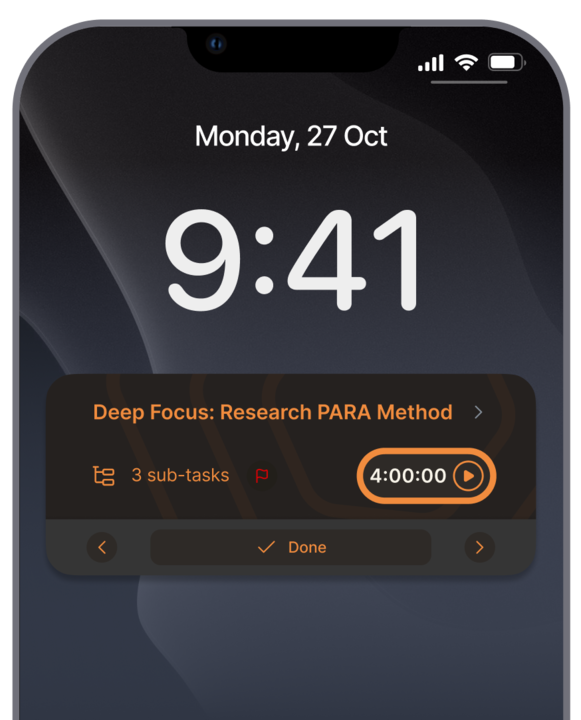
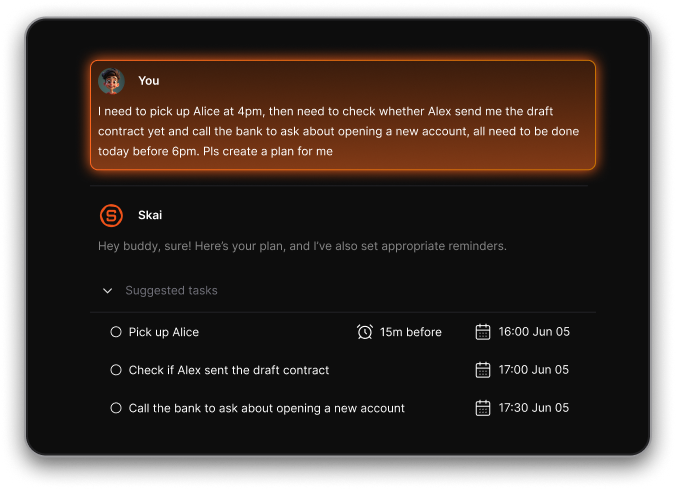
- Proactive Morning Planner: Every morning, the app automatically crawls your integrated tools to map out a clear day plan for your day without requiring manual inbox excavation.
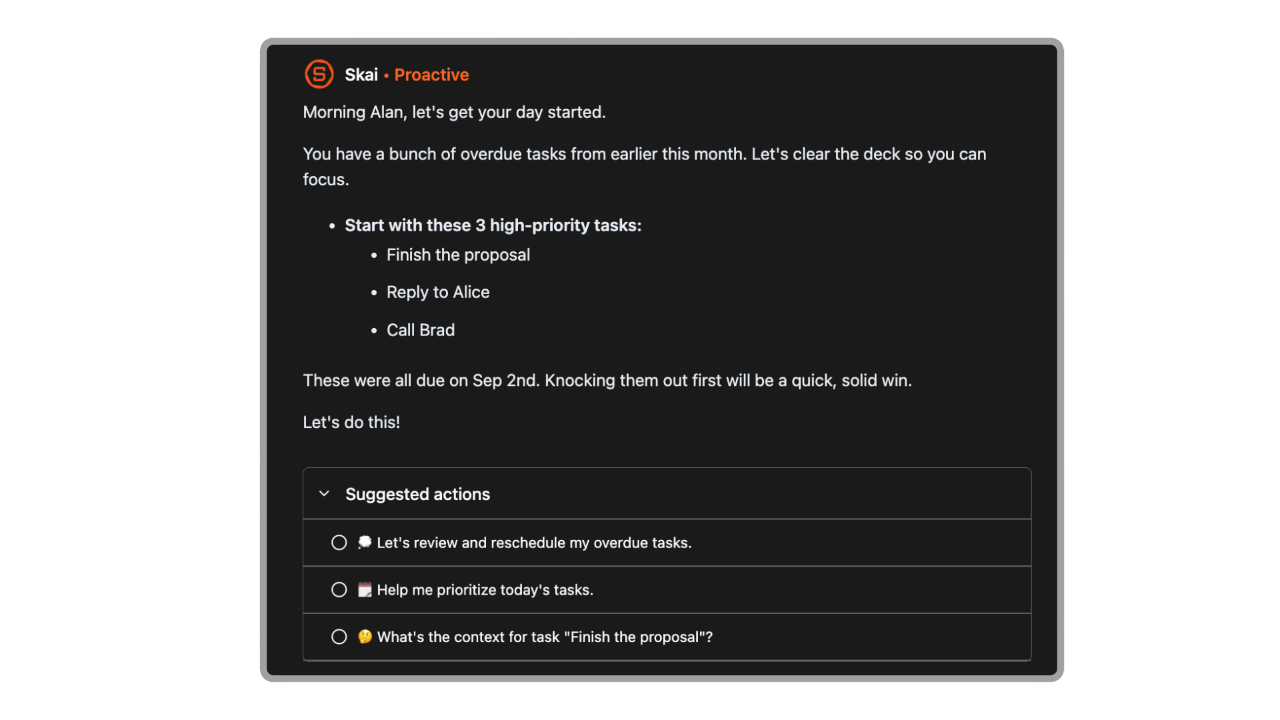
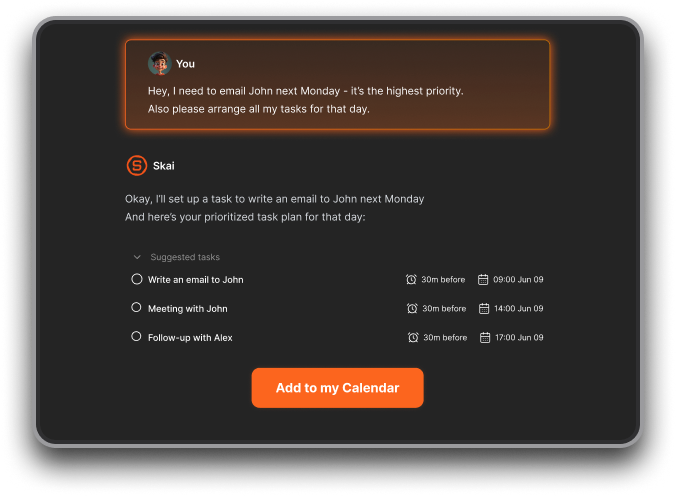
- Chat with the AI assistant (Skai) to check tasks, break them into steps, schedule reminders, or get suggestions.
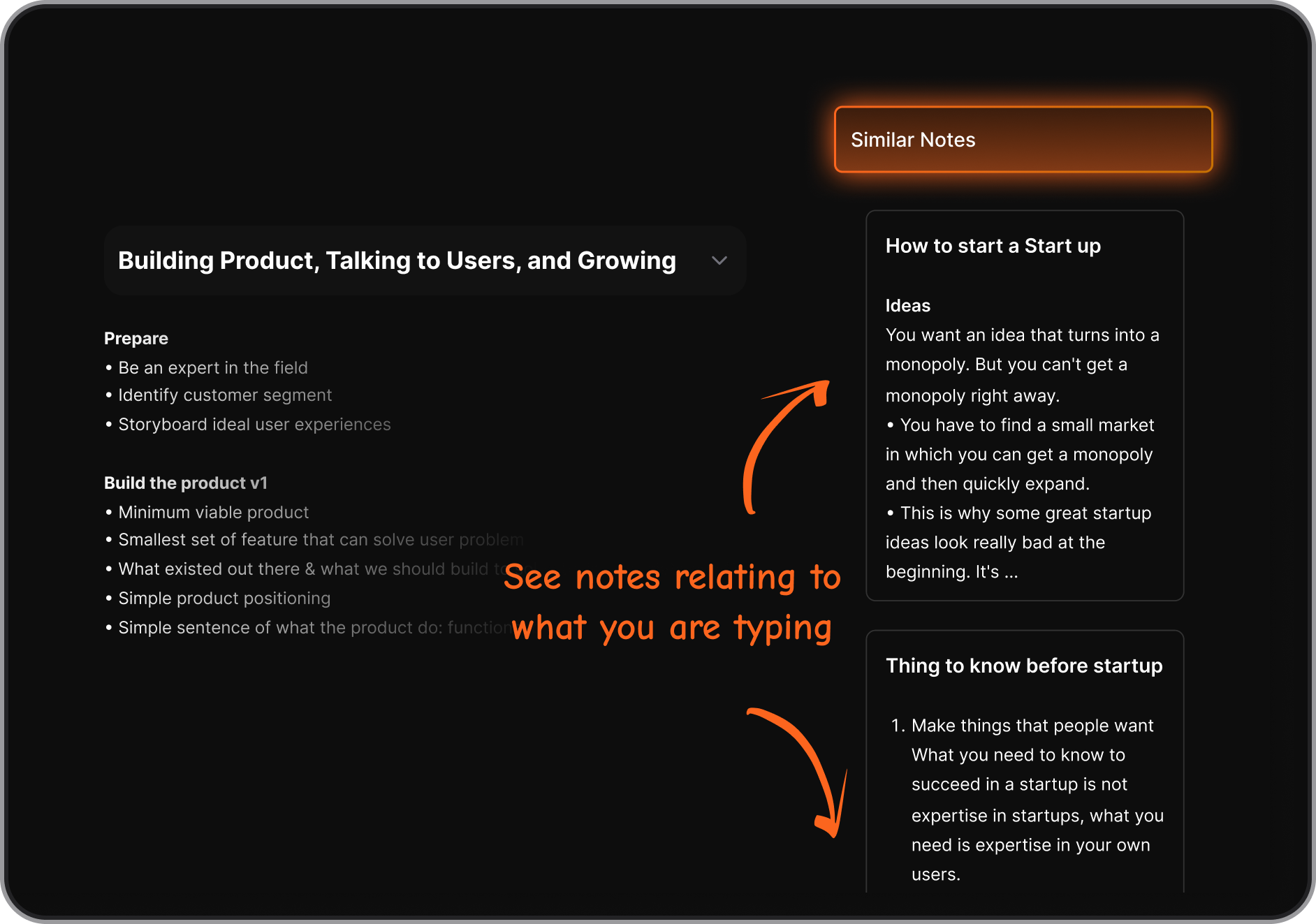
- Notes and tasks from various sources are searchable and connected in one unified space
Pros
- I appreciate how it completely removes the cognitive load of manual folder organization and tag structures; I just dump my thoughts and the AI sorts it.
- I feel it helpful that it automatically pulls actionable items directly from my messy client emails so I don't overlook critical sub-tasks.
- I like the distraction-free UI design which stops me from falling into a rabbit hole of endless layout customizing.
- Less “notification fatigue” thanks to varied reminder messages
"This tool's marriage of AI and my personal documents opens up a whole new realm of opportunities to synthesize and leverage what I am interested in to find and create new insights based on that information!" — Verified Review
Cons
- Not ideal for large teams or project timelines
Pricing
- Free
- Starter: Monthly at $8/month, Annually at $6/month (with early user discount)
- Standard: Monthly at $16/month, Annually at $12/month (with early user discount)
Who is it suitable for?
- Professionals, students, and especially ADHDers looking for a smarter reminder app that understands context, reduces mental load, and doesn’t interrupt your flow.
Saner.AI review
"The biggest benefit for me in using Saner is the Proactive AI. Staying on top of the constant flow of email and multiple calendars is challenging, and so far, Saner is the only AI-based tool that truly feels like a personal assistant." - Jerry

How to start using it?
- Head over to Saner.AI and sign up for a free account (no credit card required).
- Toggle on the one-click integrations to connect your Google Calendar, Outlook, Slack, or email inbox.
- Start typing or using voice notes to talk to your AI assistant, and let it automatically generate your very first structured daily plan.

Stay on top of your work and life with the best ADHD reminder app
2. Tiimo
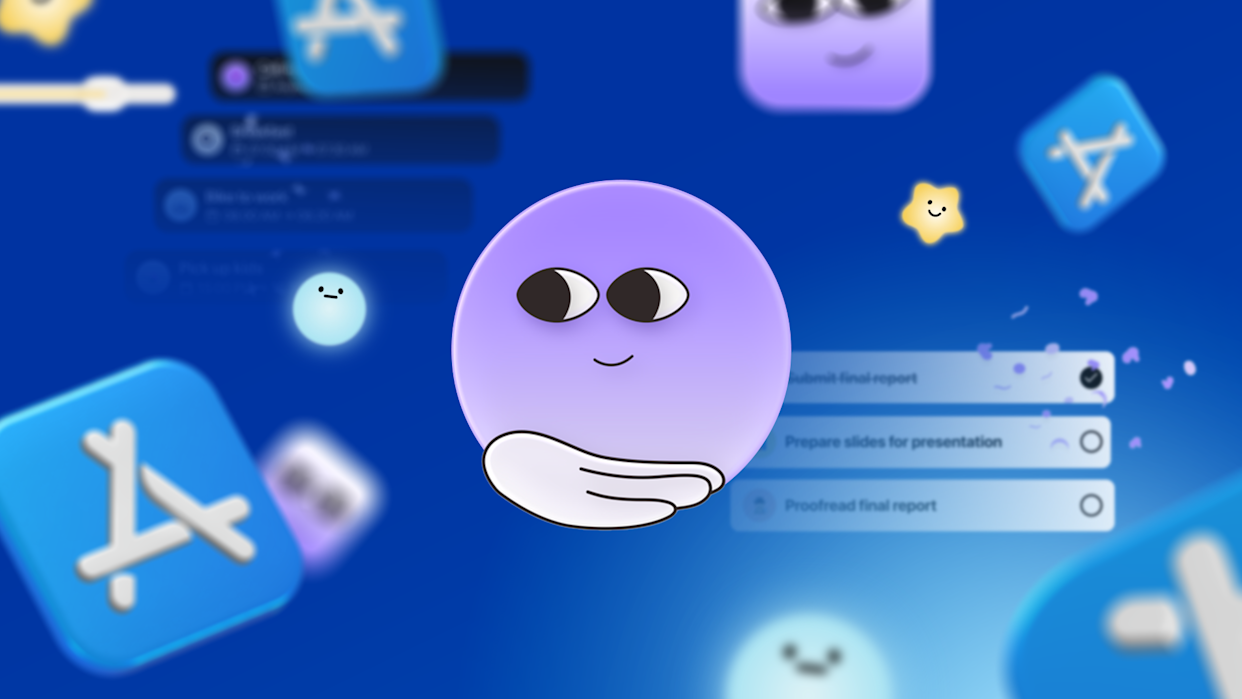
Tiimo transforms overwhelming calendars into a highly visual, calming, and icon-based timeline. Tiimo doesn't just remind you what to do; it uses AI to break down massive tasks and utilizes visual tracking to guide your brain safely through tricky daily transitions.
Key features
- Visual Timelines and Timers: Turn a standard, text-heavy calendar into an interactive, color-coded visual sequence
- AI Co-Planner Task Breakdown: The built-in AI assistant takes a single overwhelming thought and turns it into micro-steps with realistic time estimates.
- Flexible Routines and Smart Recurring Tasks: Setting up recurring habits or managing complex schedules is straightforward
Pros
- I like the icon-based visual interface
- I appreciate the gentle, non-invasive countdown timers
- I can easily track my mood alongside my schedule to figure out what routines keep my energy high.
Cons
- The desktop web app experiences performance stutters and isn't quite as smooth as the mobile version.
- I wish it integrated more deeply with third-party ecosystems like Apple Reminders or Google Calendar.
"There's no clear backlog system - unfinished tasks have to be tracked mentally, which adds cognitive load instead of reducing it." — Verified Review
Pricing
- Free plan available with core features
- Premium plan: $6.99/month or $34.99/year
Suitable for
- Tiimo is absolute magic for visual thinkers who struggle with time blindness and task initiation.
- If traditional, text-heavy to-do lists cause your brain to freeze or if you easily lose track of hours between tasks, this app provides the tactile, visual boundaries you need.
How to start
- Install Tiimo on your preferred device.
- Let AI Build Your Micro-Steps.
- Setup the Active Widget.
Tiimo Reviews (source)
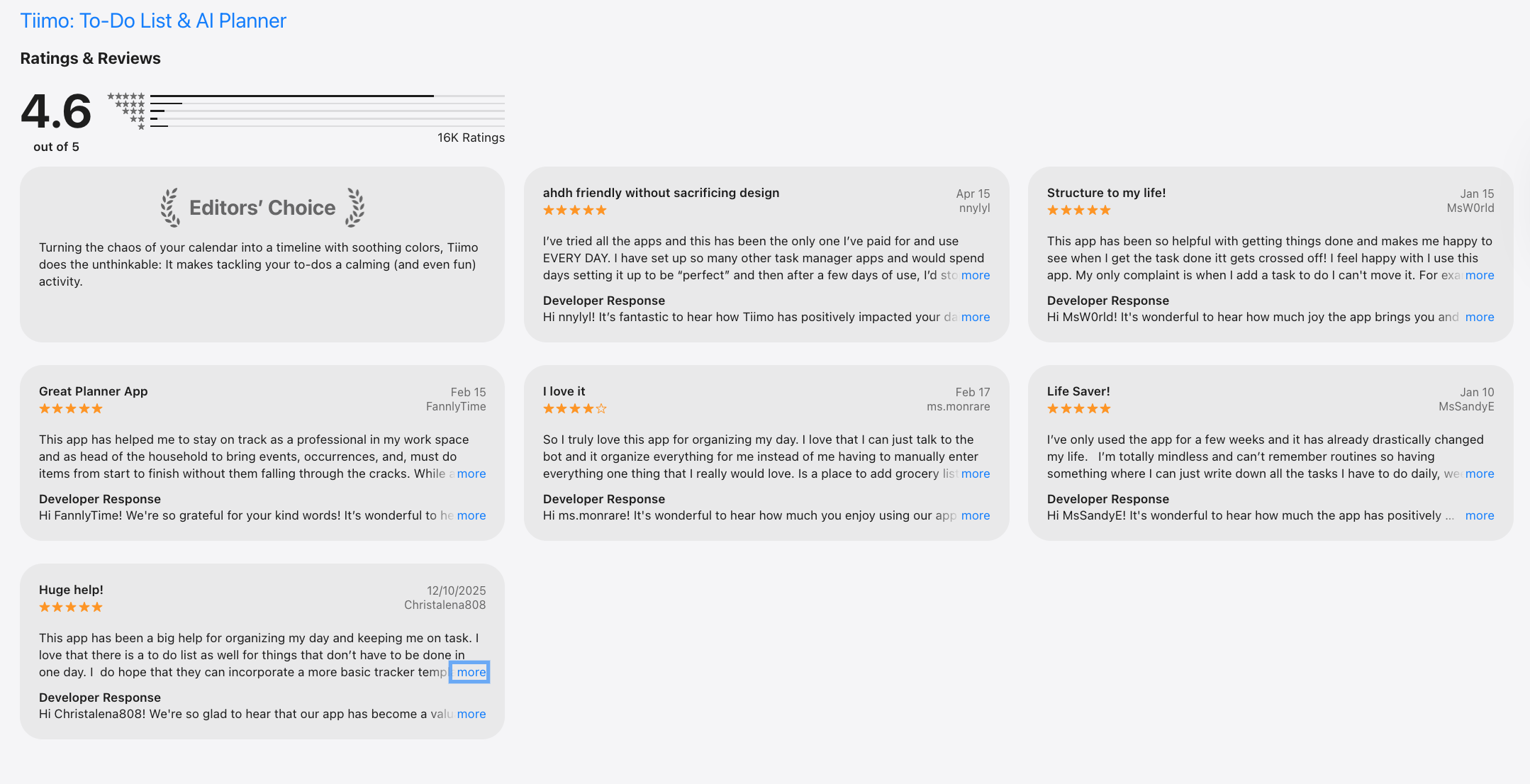
"I struggle with adhd and have tried multiple apps to help me focus. This has been the only one that has actually helped!” — Verified Review
"The day overview is chaotic and cluttered. I honestly have no clue how it was supposed to serve ADHD people. Not assigned topics are mixed together..." — Verified Review
3. Flowsavvy
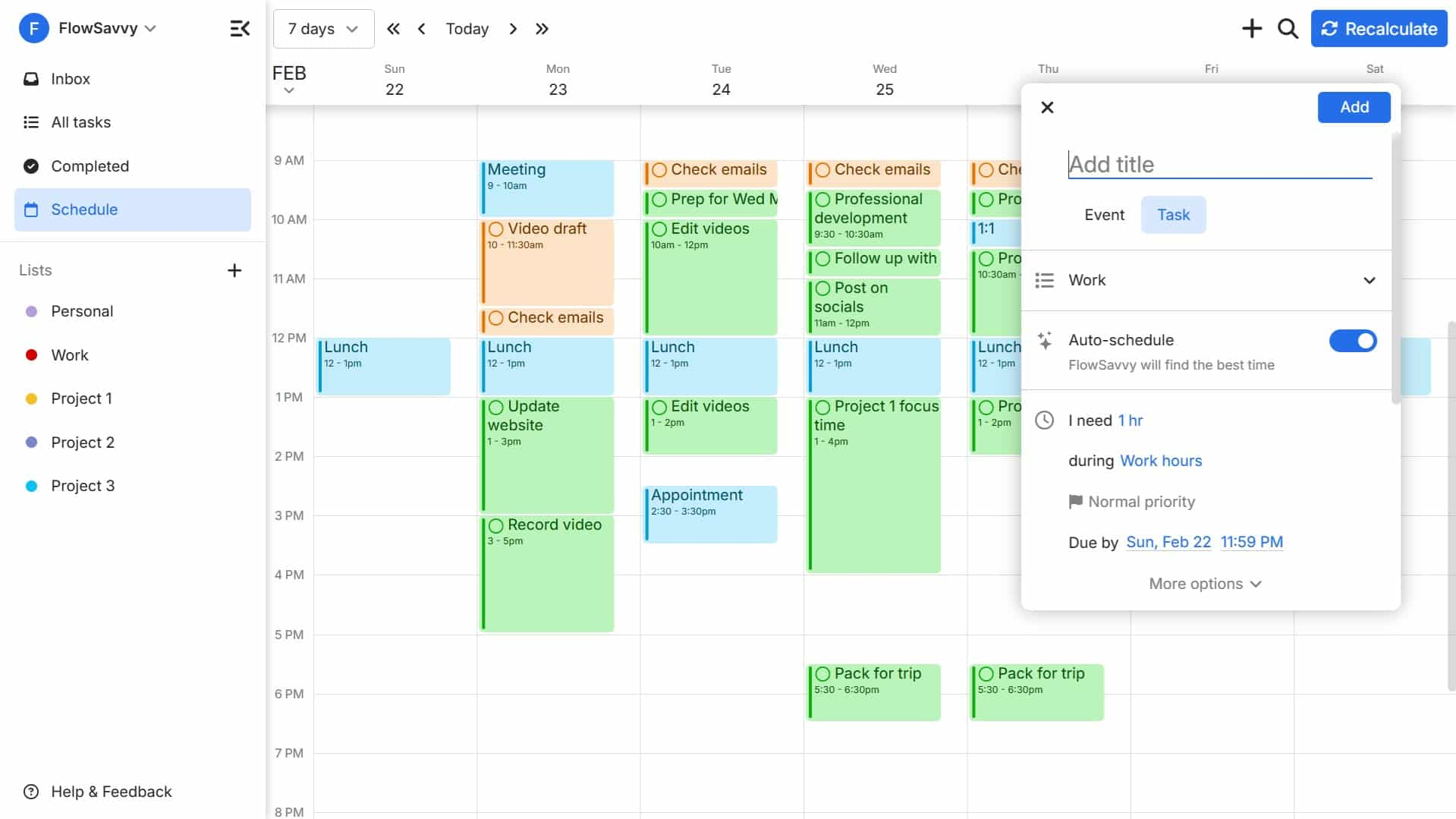
Flowsavvy takes your tasks, factoring in their real durations and deadlines, and automatically carving out dedicated time slots around your existing commitments.
Key features
- Automatic Rescheduling: The standout feature of Flowsavvy is its ability to instantly recalibrate your daily schedule with a single tap whenever unexpected disruptions happen.
- Intelligently Balanced Workloads: Flowsavvy automatically calculates deadlines and time constraints,
- Multi-Calendar Synchronization: The app integrates seamlessly across Google Calendar, iCloud, and Outlook
Pros
- I appreciate how the automatic recalculation removes the paralyzing executive dysfunction that hits when a rigid schedule falls apart.
- Tasks stay permanently fixed to my calendar and visually roll over to the next available block until they are actually checked off.
- The color-coding system because it gives me an immediate visual cue
Cons
- The user interface could benefit from a visual facelift, as it feels a bit basic compared to more modern, aesthetically-driven design planners.
- I find it frustrating that essential custom scheduling profiles (like dividing my work hours from my personal hours) are locked completely behind the premium version.
Pricing
- Basic free plan
- Pro Plan (Monthly) $10.00 / month
- Pro Plan (Annual)$5.00 - $7.00 / month (Billed annually)
Suitable for
- Flowsavvy is ideal for professionals, freelancers, and students with ADHD who struggle with "time blindness" and find traditional, static to-do lists overwhelming.
How to start
- Install Flowsavvy on Web, iOS, or Android, and connect your existing Google, iCloud, or Outlook calendars during account creation.
Todoist Reviews (source)
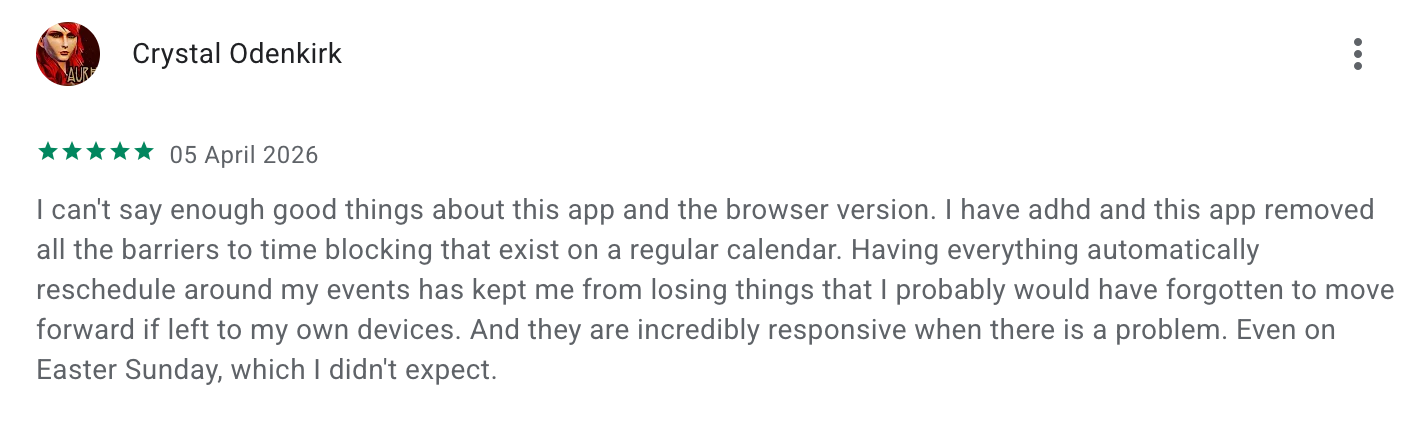
"I can't say enough good things about this app and the browser version. I have adhd and this app removed all the barriers to time blocking that exist on a regular calendar.", shared by Crystal Odenkirk
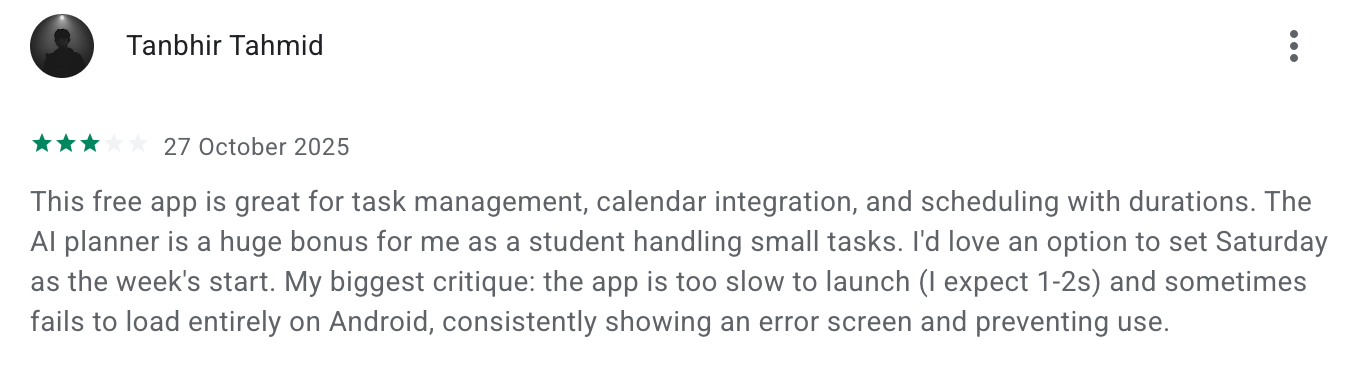
"...the app is too slow to launch (I expect 1-2s) and sometimes fails to load entirely on Android, consistently showing an error screen and preventing use.", said by Tanbhir Tahmid
4. Due
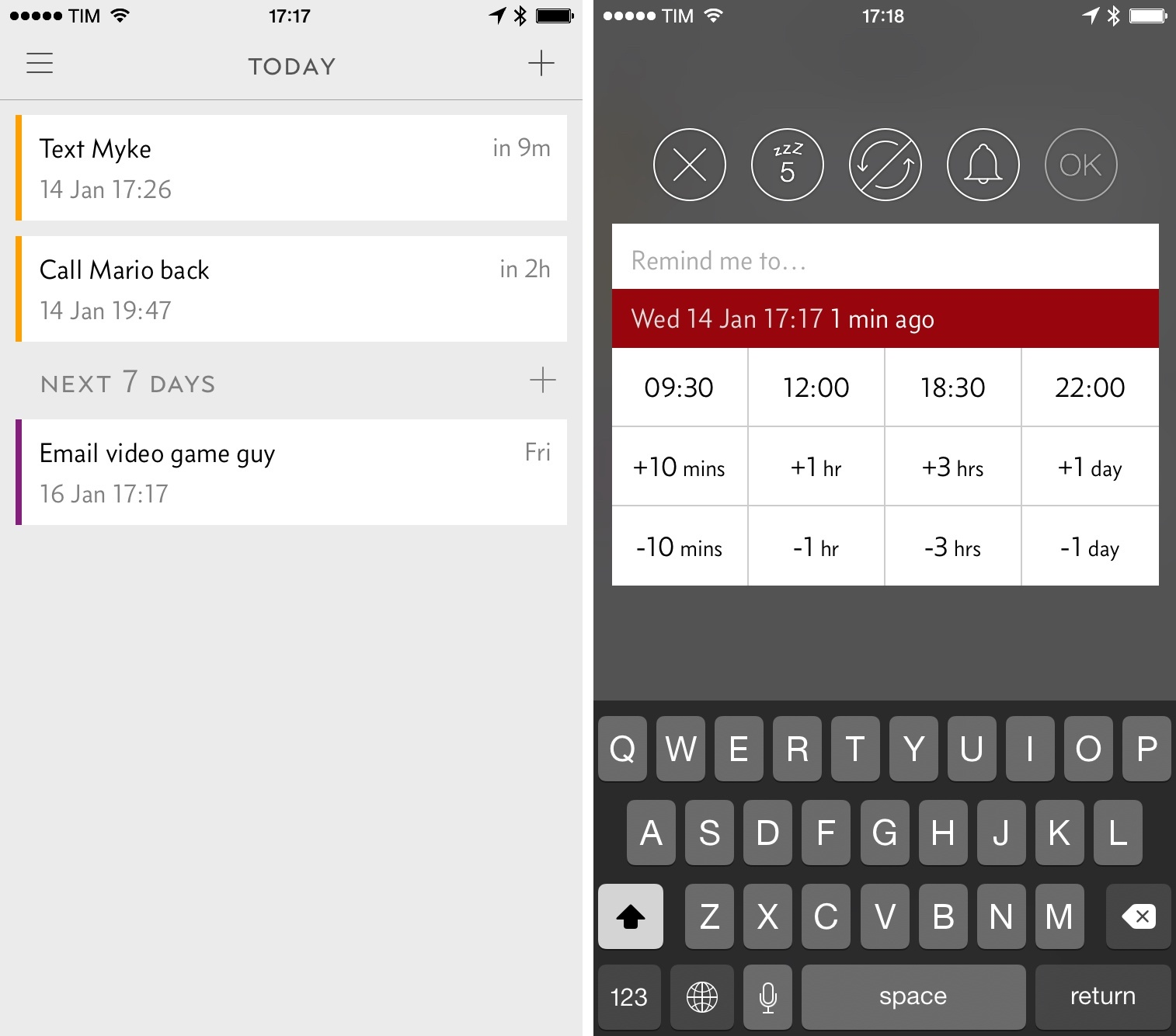
The hype surrounding this app in the ADHD community stems from its relentless focus on combating time blindness and task paralysis. By utilizing an aggressive, customizable auto-snooze mechanism, Due refuses to let your high-priority items slip through the cracks.
Key features
- Persistent Auto-Snooze: This core feature tackles the ADHD tendency to dismiss a notification and immediately forget it by repeatedly pinging you at set intervals until a task is marked complete or rescheduled.
“Due is for todos that I MUST do. It bugs me until I do it, and yet it will snooze when I need it to. It has a good variety of alarm tones including longer ones that are difficult to miss.” – Verified review
- Lightning-Fast Time Pickers & Custom Presets: Instead of forcing you through sluggish scrolling menus, Due uses 12 fully customizable quick-access buttons that let you set, postpone, or adjust due dates with a single tap.
- Voice memos & image OCR: Record voice notes (auto-transcribed) or snap a photo and extract the text
Pros
- I appreciate the sheer persistence of the notifications;
- I can reschedule or postpone a task directly from the lock screen notification without needing to open the app and get distracted by my phone.
- It requires absolutely no account sign-up and works entirely offline, meaning my personal data remains completely private.
Cons
- I feel frustrated that there is no native calendar integration, making it hard to see my daily schedule alongside my reminders.
- I do not like that the Mac version is a separate purchase from the iOS app, which feels steep if you want cross-device synchronization.
- The interface a bit too rigid, as it lacks a floating action button or multi-line description fields to add extra context to my tasks.
"...Still, there is no calendar integration and I personally, for this reason not really using it very often.” – Verified review
Pricing
- Base App Purchase: $14.99 (One-time)
- Optional Upgrade Pass: ~$4.99/year
- Mac App (Separate): $14.99 (One-time)
Suitable for
- Due is best for adults with ADHD who struggle heavily with time blindness and severe forgetfulness.
How to start
- Grab Due from the iOS App Store or Mac App Store.
5. Habitica

Habitica is a completely open-source, gamified task management and habit-building application designed to treat your life like a classic retro role-playing game (RPG).
Built on the psychological foundation of operant conditioning, it helps users build consistency by instantly rewarding positive behaviors with gold and experience points, while penalizing missed deadlines by chipping away at their character's health pool.
Key features
- Gamified Operant Conditioning (Dailies, Habits, and To-Dos): Habitica divides your tasks into three categories - Habits (flexible routines), Dailies (strict repeaters), and To-Dos (one-off tasks), and giving you immediate in-game currency upon completion.
- Custom In-App Reminders and Flexible Alarms: The app features custom push notifications and strict time-based alerts to ensure time-blindness doesn't cause you to miss crucial real-world obligations.
- Party Quests and Social Accountability: You can team up with friends or online groups to tackle large boss monsters
Pros
- I appreciate how the instant dopamine loop of collecting gear and hatching rare pixel pets makes boring chores exciting.
- I feel it helpful that the app categorizes tasks cleanly, which drastically reduces the initial overwhelm and mental block of a massive to-do list.
- Joining a "Party" makes me feel like my productivity affects something bigger than just myself.
"It transforms the boring chore of daily tracking into a literal game. Building streaks and upgrading my gear keeps me returning every single morning without fail." - Verified review
Cons
- The visual interface a bit cluttered and overwhelming when my executive dysfunction is hitting hard.
- I dislike that the reminder system relies heavily on manual self-reporting, meaning it is very easy to "cheat" and check off items I haven't actually finished.
"If you have a rough week and skip your reminders, your character loses health rapidly. Sometimes this penalty loop makes me feel defeated rather than motivated to catch up." — Verified Review
Pricing
- Free plan
- Monthly subscription: $4.99/month
- Group/Team Plan: $9.00/month + $3/user
Suitable for
- Habitica is tailor-made for neurodivergent individuals, students, and gamers who struggle with traditional productivity planners.
- Also if standard text-based alert apps fail to grab your attention, or if you require external accountability and structural gamification to bypass ADHD brain-fog, Habitica’s RPG framework is perfect for keeping you engaged over the long term.
How to start
- Download the app and customize your retro 8-bit character's appearance and starting class.
- Populate your board by breaking down your overwhelming schedules into small, digestible chunks across the Habits, Dailies, and To-Dos columns.
Habitica Reviews (source)
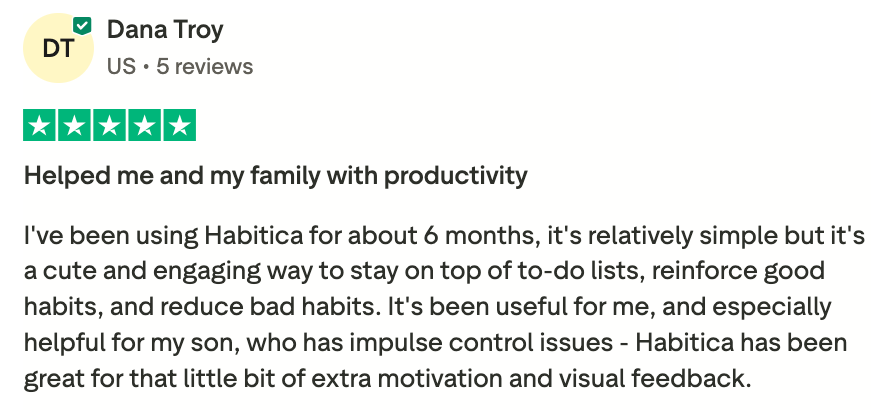
"I've been using Habitica for about 6 months, it's relatively simple but it's a cute and engaging way to stay on top of to-do lists, reinforce good habits, and reduce bad habits.", shared by Dana Troy
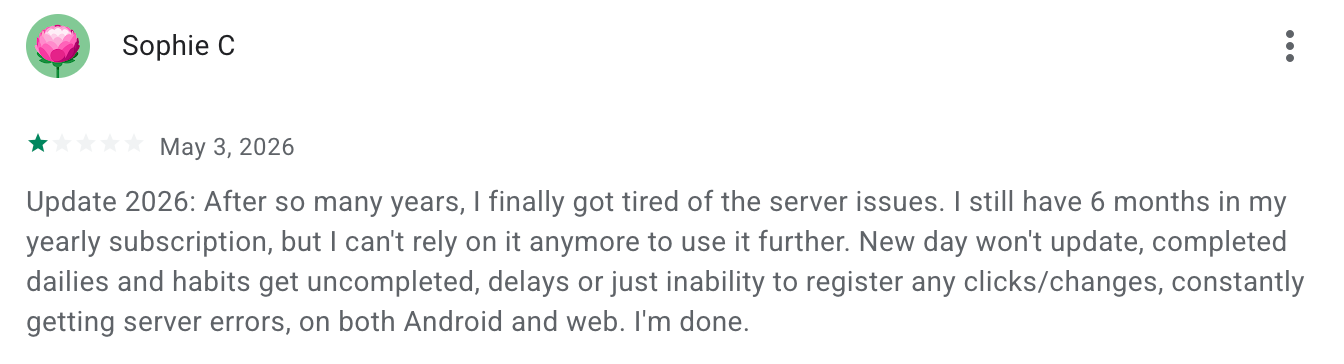
"New day won't update, completed dailies and habits get uncompleted, delays or just inability to register any clicks/changes, constantly getting server errors, on both Android and web.", shared by Sophie C
Final Verdict: Which Reminder App Should You Choose if You Have ADHD?
Finding the best ADHD reminder app in 2026 really comes down to how your brain handles time, tasks, and overwhelm. Some people need loud reminders that refuse to disappear. Others need visual schedules, gamified motivation, or an AI assistant that helps organize scattered thoughts before they turn into forgotten tasks.
That’s why apps like Saner.AI, Due, Tiimo, Flowsavvy, Habitica, all work for different kinds of ADHD struggles. There isn’t one perfect setup. I’ve seen people love Habitica because it makes boring tasks feel less painful, while others just want Due to keep buzzing until they actually do the thing.
What matters is whether the app reduces mental friction. If you spend more time organizing the system than using it, the app usually won’t last long.
A good place to start:
🧠 Try a couple of apps with different approaches, not just different designs
⏰ Test them during real ADHD moments, missed deadlines, task paralysis, context switching
📌 Pay attention to what helps you start tasks, not only to remember them
Stay on top of your work and life
FAQ: Best ADHD Reminder Apps in 2026
What is the best ADHD reminder app in 2026?
The best ADHD reminder app depends on how your brain works. Some people need visual schedules. Others need fast reminders before they forget something important five seconds later.
Here’s a quick breakdown of popular ADHD reminder apps in 2026:
- Saner.AI: Best for people who want AI reminders, notes, tasks, and calendar in one place
- Habitica: Best for turning tasks into a game
- Tiimo: Best visual planner for ADHD and autism support
- Flowsavvy: Best for automatic time blocking
- Due: Best persistent reminder app for Apple users
Which ADHD reminder app is easiest to use?
If you get overwhelmed by complicated setups, Saner.AI and Due are probably the easiest to start with.
- Due is simple: set reminders, get reminded repeatedly until you act on them.
- Saner.AI feels different. You can dump messy thoughts into it naturally, and the AI helps turn them into tasks, reminders, or notes without forcing you to organize folders first.
What features should an ADHD reminder app have?
The best ADHD apps usually help with three things:
- Remembering tasks before they disappear from your brain
- Reducing context switching between apps
- Making planning feel less exhausting
Helpful features include:
- Recurring reminders
- Voice-to-task capture
- Calendar sync
- Smart prioritization
- Visual schedules
- AI note search
- Automatic task organization
Apps like Saner.AI combine reminders, notes, and scheduling together, which cuts down on mental clutter.
Is Saner.AI good for ADHD?
Yes. Saner.AI is one of the more ADHD-friendly productivity apps right now because it removes a lot of manual organization.
You can quickly brain dump ideas, meeting notes, or random thoughts, then let the AI organize them into tasks and reminders later. That’s useful for people who struggle with follow-through or forget tasks while switching between apps.
It also supports:
- AI reminders
- Natural language search
- Calendar integration
- Voice input
- Smart task suggestions
The experience feels calmer than traditional productivity systems that expect you to tag, sort, and structure everything yourself.
Which ADHD reminder app is best for time blindness?
Time blindness is one of the hardest ADHD symptoms to manage, especially during busy workdays.
Here’s where each app helps most:
- Tiimo: Visual timelines and routines
- Flowsavvy: Automatic time blocking
- Due: Persistent reminders that keep repeating
- Saner.AI: AI reminders tied to your notes, meetings, and priorities
I’ve noticed many ADHD users don’t actually forget tasks entirely. They lose track of when to do them. Apps that connect reminders to context tend to work better long term.
Are there free ADHD reminder apps?
Yes. Most ADHD productivity apps have free plans.
Popular free ADHD reminder apps include:
- Saner.AI
- Habitica
- Tiimo
- Flowsavvy
Free plans usually include basic reminders, task management, and calendar syncing. Advanced AI features or automation often sit behind paid tiers.
What’s the best ADHD app for work and productivity?
For work, the best ADHD app is usually the one that reduces friction.
Saner.AI works well for professionals because it combines:
- Notes
- Tasks
- AI search
- Calendar reminders
- Meeting prep
That setup helps people avoid the “where did I save that?” problem that happens constantly with scattered productivity tools.
Which ADHD reminder app works best for students?
Students with ADHD often need help managing deadlines, routines, and study planning.
Good options include:
- Tiimo for visual schedules
- Habitica for motivation through gamification
- Saner.AI for organizing class notes, assignments, and reminders in one place
AI note search can be surprisingly useful during exam season. Instead of digging through folders, you can ask questions naturally and pull up the right notes fast.
Does Habitica actually help ADHD users?
For some people, yes.
Habitica turns tasks into a role-playing game. You earn rewards for completing habits and daily goals.
It works best for ADHD users who:
- Need dopamine-based motivation
- Enjoy streaks and rewards
- Struggle with boring task lists
The downside is that some users eventually stop engaging with the game mechanics. ADHD novelty burnout is real.
What’s the difference between Due and regular reminder apps?
Due is built around persistence.
Most reminder apps notify you once, then disappear. Due keeps reminding you until you mark the task complete or snooze it. For ADHD users who accidentally swipe notifications away without processing them, that design helps a lot.
It’s especially popular among Apple users because it’s lightweight and extremely fast.
Can AI reminder apps help people with ADHD?
Yes, especially for task capture and follow-through.
AI reminder apps can:
- Turn messy thoughts into tasks
- Suggest deadlines
- Pull reminders from meeting notes
- Surface forgotten action items
- Reduce manual planning
Saner.AI is a good example because the AI connects your notes, reminders, and calendar together instead of treating them as separate systems.
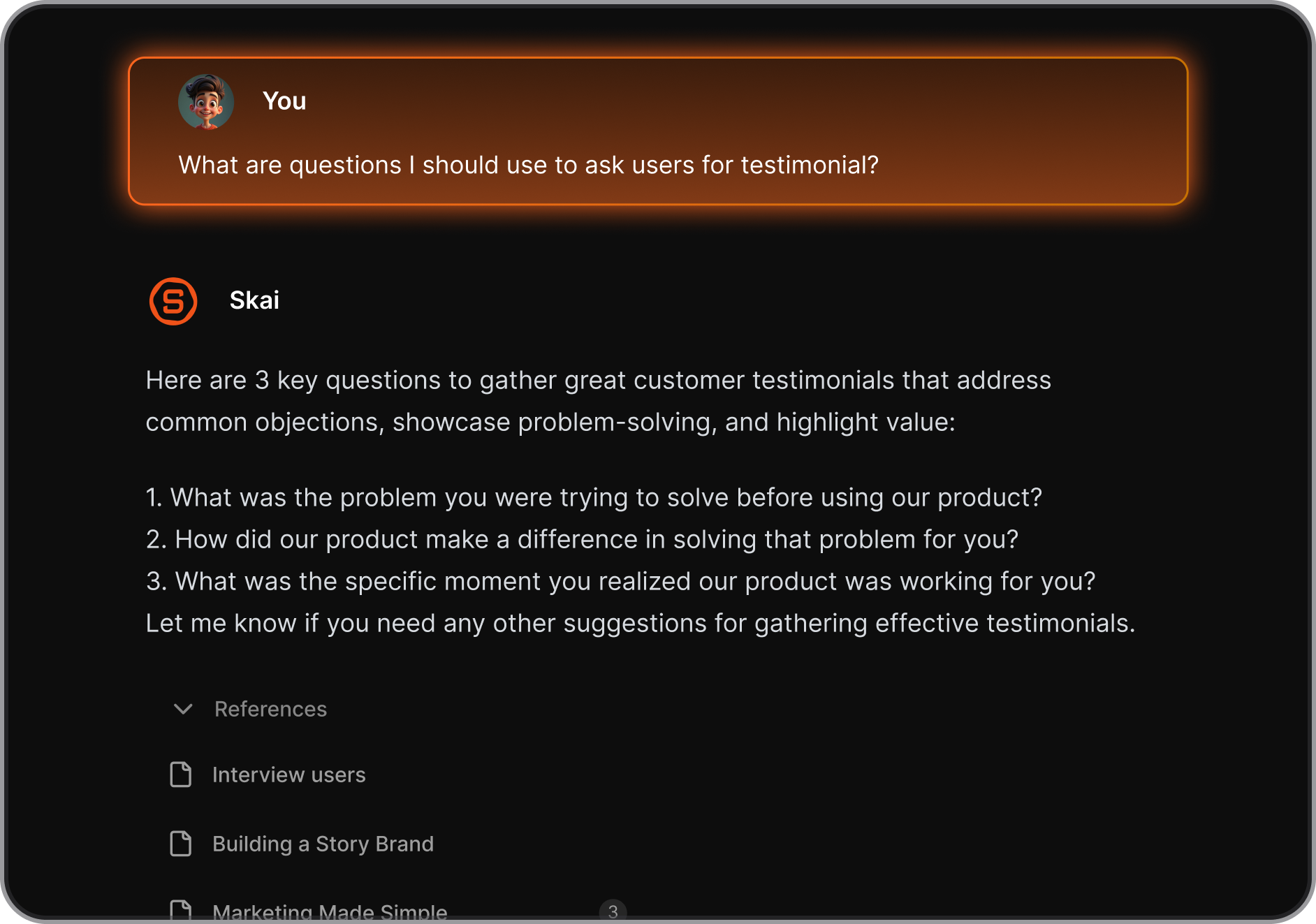
That reduces cognitive load, which is usually the real issue behind abandoned productivity tools.
Which ADHD reminder app is best for entrepreneurs?
Founders and freelancers usually deal with constant context switching. Emails, meetings, ideas, follow-ups, all happening at once.
- Saner.AI works well for entrepreneurs because it helps capture information quickly without breaking focus. You can save random thoughts, client notes, and tasks in one place, then search everything later using natural language.
- Flowsavvy is also useful if your biggest struggle is overbooking your day.
Do ADHD reminder apps support voice input?
Some do, and honestly, voice capture is underrated for ADHD.
Typing feels slow when your brain moves faster than your hands.
Apps with voice support include:
- Saner.AI
- Tiimo
- Apple Siri integrations with Due
Voice-to-task input makes it easier to capture thoughts before they disappear.
Which ADHD reminder app is best for scheduling?
If scheduling is your biggest challenge:
- Flowsavvy is strong for automatic time blocking
- Tiimo helps with routines and visual planning
- Saner.AI works well if you want scheduling tied to notes, reminders, and task context
A lot of ADHD users struggle with overly rigid schedules. Flexible planning tends to work better than minute-by-minute systems.
How do I choose the right ADHD reminder app?
Start with your biggest problem, not the app with the most features.
Ask yourself:
- Do I forget tasks entirely?
- Do I struggle with time blindness?
- Do I avoid planning because it feels overwhelming?
- Do I lose notes and ideas constantly?
Then pick the tool that solves that specific issue first.
Stay on top of your work and life



