6 Best AI Tools for Middle Age: These actually work right away.
The best AI tools for Middle Age are: Claude, Gemini, ChatGPT, Microsoft Copilot, Perplexity and Saner.AI

You're in your 40s or 50s. You have a job, probably a family, and responsibilities that don't pause for onboarding tutorials. The last thing you need is another app that promises to change your life and instead gives you a 47-step setup wizard.
AI could genuinely help you. The problem is most of the coverage about it is written for 21-year-olds who have four hours to spare and nothing to lose.
This post is for everyone else.
Quick Answer: What are the Best AI Tools for middle-aged people right now?
- ChatGPT — Best general-purpose AI assistant for everyday questions, drafting, research, and getting a first take on anything. Low floor, high ceiling.
- Google Gemini — Best if you already live in Gmail, Google Docs, and Google Calendar. Plugs into the tools you're already using.
- Microsoft Copilot — Best for anyone whose work life runs inside Word, Excel, Outlook, and Teams.
- Claude — Best for longer, more thoughtful work: reading documents, coding, or thinking through a complex decision with nuance.
- Perplexity — Best for research and fact-checking. Gives you answers with citations
What Is AI for Everyday Life?
AI tools are software you can talk to, type into, or ask questions of - and they respond in plain English with useful output.
The category spans a wide range.
- At one end, you have general-purpose AI assistants like ChatGPT or Claude, which can answer questions, write drafts, summarize documents, or think through a problem with you.
- At the other end, you have purpose-built tools like Saner.AI, which use AI to solve a specific problem: organizing your tasks and notes automatically so you don't have to maintain a system manually.
The Real Problem AI Can Solve for People in Their 40s and 50s

Middle age is when cognitive load hits its peak. You're managing more than you ever have: a career at or near its most demanding point, family responsibilities, financial planning, health decisions, aging parents, and a social life you're barely maintaining.
This is not a personal failure. It's structural.
However, we are seeing an increase in the adoption of AI among older adults:
And AI adoption really brings positive impacts on productivity
How We Chose These AI Tools?
We evaluated many AI tools across weeks with a specific lens: ease of use for someone who didn't grow up with smartphones, value for the specific life stage of 40s and 50s, and real-world utility beyond "impressive demo."
- Ease of setup — Can you get started in under 10 minutes without a tutorial? Tools that require integrations, API keys, or workflow design before they're useful didn't make the cut.
- Low learning curve — Does the tool work the way a normal person thinks, not the way a software engineer designed it?
- Practical daily value — Does this actually help with the things people in their 40s and 50s deal with: managing information overload, staying on top of tasks, communicating more efficiently, making better decisions?
- Reliability — Tools that were frequently offline, slow, or inconsistent in their outputs didn't make the list. When you're busy, you need something that works every time.
- Price transparency — Hidden costs and confusing tier structures were weighted negatively. Tools with a clear free tier or a straightforward paid plan scored higher.
Now, let's dive in!
What are the best AI tools for Middle Age?
The best AI tools for Middle Age are: Claude, Gemini, ChatGPT, Microsoft Copilot, Perplexity and Saner.AI
Comparison Table: Best AI Tools for Middle Age
| Tool | Best For | Free Plan | Starting Price | Ease of Use | Key Strength |
|---|---|---|---|---|---|
| Saner.AI | Task + note management, reducing mental load | Yes | ~$12/mo | ★★★★★ | AI organizes everything for you |
| ChatGPT | General-purpose questions, writing, research | Yes | $20/mo (Plus) | ★★★★★ | Widest capability, most familiar |
| Google Gemini | Gmail/Docs/Calendar users | Yes | $19.99/mo (Advanced) | ★★★★☆ | Deep Google Workspace integration |
| Microsoft Copilot | Word/Excel/Outlook/Teams users | Yes | Free (M365 bundled) | ★★★★☆ | Works inside tools you already use |
| Claude | Long documents, nuanced writing, analysis | Yes | $20/mo (Pro) | ★★★★☆ | Most human-sounding AI output |
| Perplexity | Research, fact-checking, cited answers | Yes | $20/mo (Pro) | ★★★★★ | Answers with sources, not guesses |
1. Claude
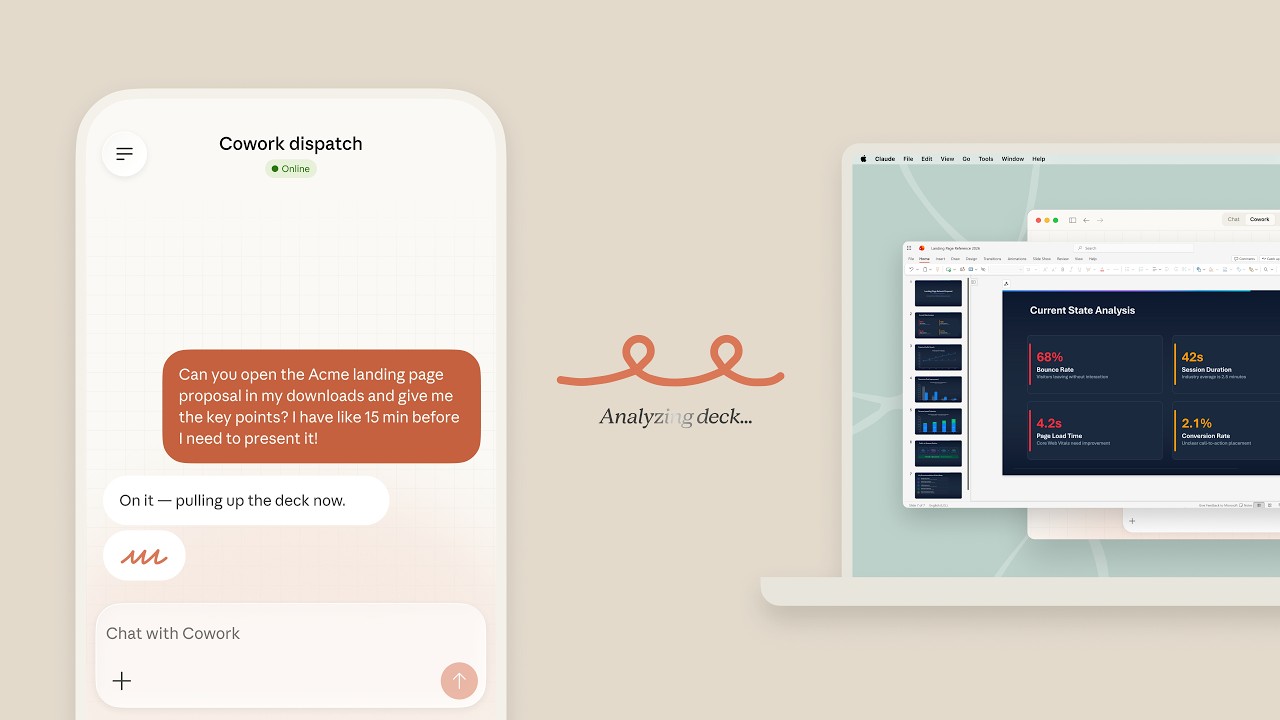
Claude is built by Anthropic, and it's the AI assistant that consistently produces the most human-sounding output. It handles nuance and shifts tone appropriately.
For people in their 40s and 50s who need to read long documents, write things that actually sound like them, or think through something complex, Claude is the most reliable option for those specific use cases.
Key Features
- Long Document Analysis: Claude can process up to 500 pages of text in a single session.
"I am using Claude for the past 5 months for research and summarizing long documents." — reviews
- Natural Writing Quality: The output reads like a person wrote it, not like it was assembled from training data.
"The main benefit is the sheer quality and human-like feel of the output." — reviews
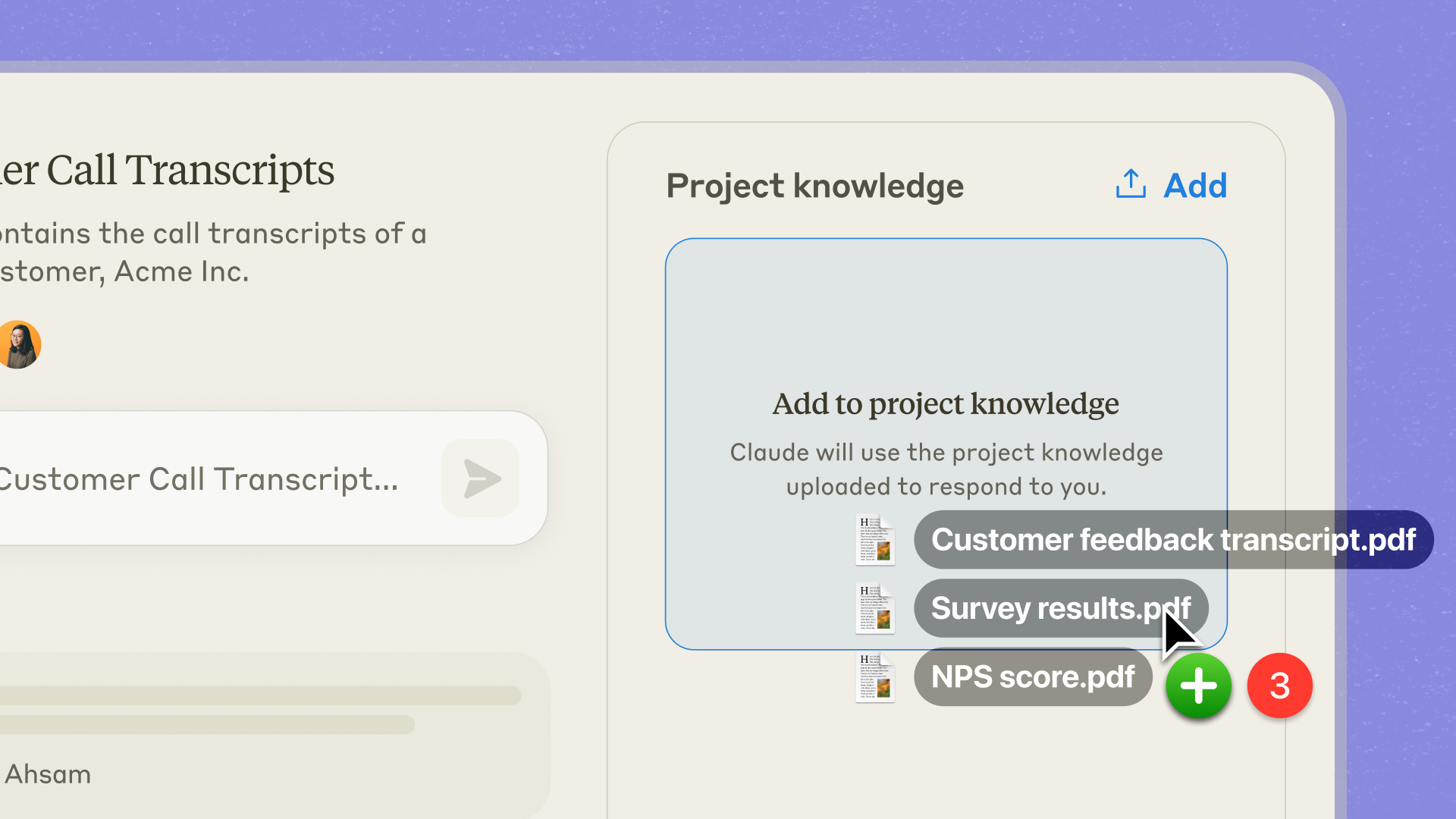
- Projects: Create persistent workspaces where your context, documents, and instructions are saved across conversations.
- Thoughtful, Careful Responses: Claude flags uncertainty rather than filling gaps with confident-sounding guesses.
Pros
- I can upload a long document and actually interrogate it. No other tool on this list handles large files as reliably."
Claude can process roughly 500 pages of text in a single conversation. I've uploaded long research docs and messy notes without watching the model lose context." — reviews
- I like how it focuses on safety
Cons
- Usage limits on the paid plan hit faster than expected. Heavy document work eats through your message cap quickly.
"Within an hour of purchasing the Pro plan I'm locked out due to usage limits." — reviews
- No image generation. If you need to create visuals alongside your text work, you'll need a separate tool.
- Occasional over-caution - sometimes declines tasks that are genuinely harmless because it misreads the context.
"Its safety guardrails can sometimes be a bit too aggressive, occasionally refusing perfectly harmless prompts if it misinterprets the context." — reviews
Pricing
- Free — $0 — Core Claude access with generous document handling and writing features
- Claude Pro — $20/month — Higher usage limits, priority access, and extended Projects;
Claude Reviews (source)
The frustration is mostly about limits — users who rely heavily on it hit the message cap more often than they'd like.
"Claude is currently the best fit for researchers, strategists, and knowledge workers who want a collaborator that can connect the dots and tell them why something matters." — reviews
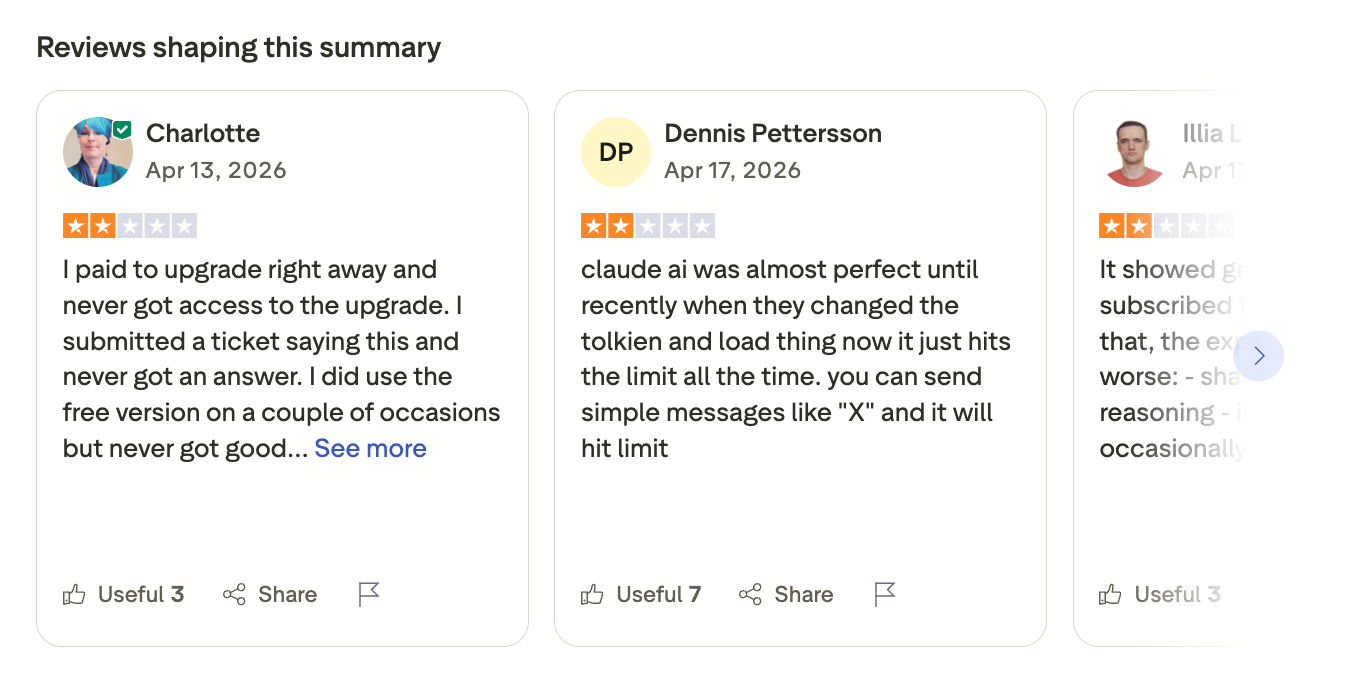
For people in their 40s and 50s who are doing meaningful work — not just quick queries — and care about the quality of what they produce, Claude is the tool that most consistently delivers.
"My overall experience with Claude has been very positive. The responses are accurate, well-structured, and easy to understand." — reviews
Suitable for
- Best for: Anyone who reads or writes a lot professionally, needs to analyze documents, or wants AI that responds thoughtfully rather than quickly.
How to Get Started
- Go to claude.ai, create a free account, and start with something you'd normally spend significant time on
2. Saner.AI - The One That Does the Organizing for You
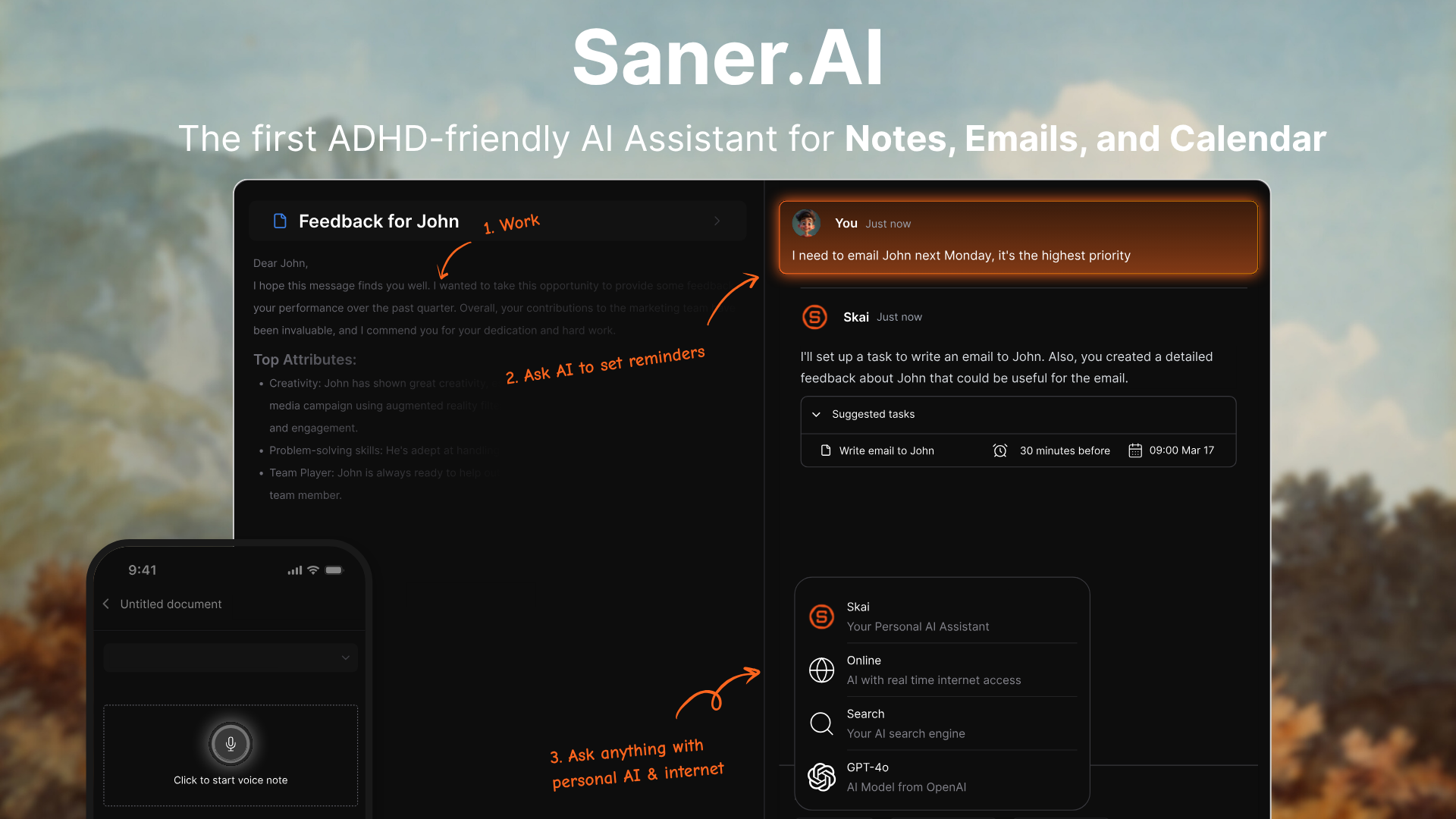
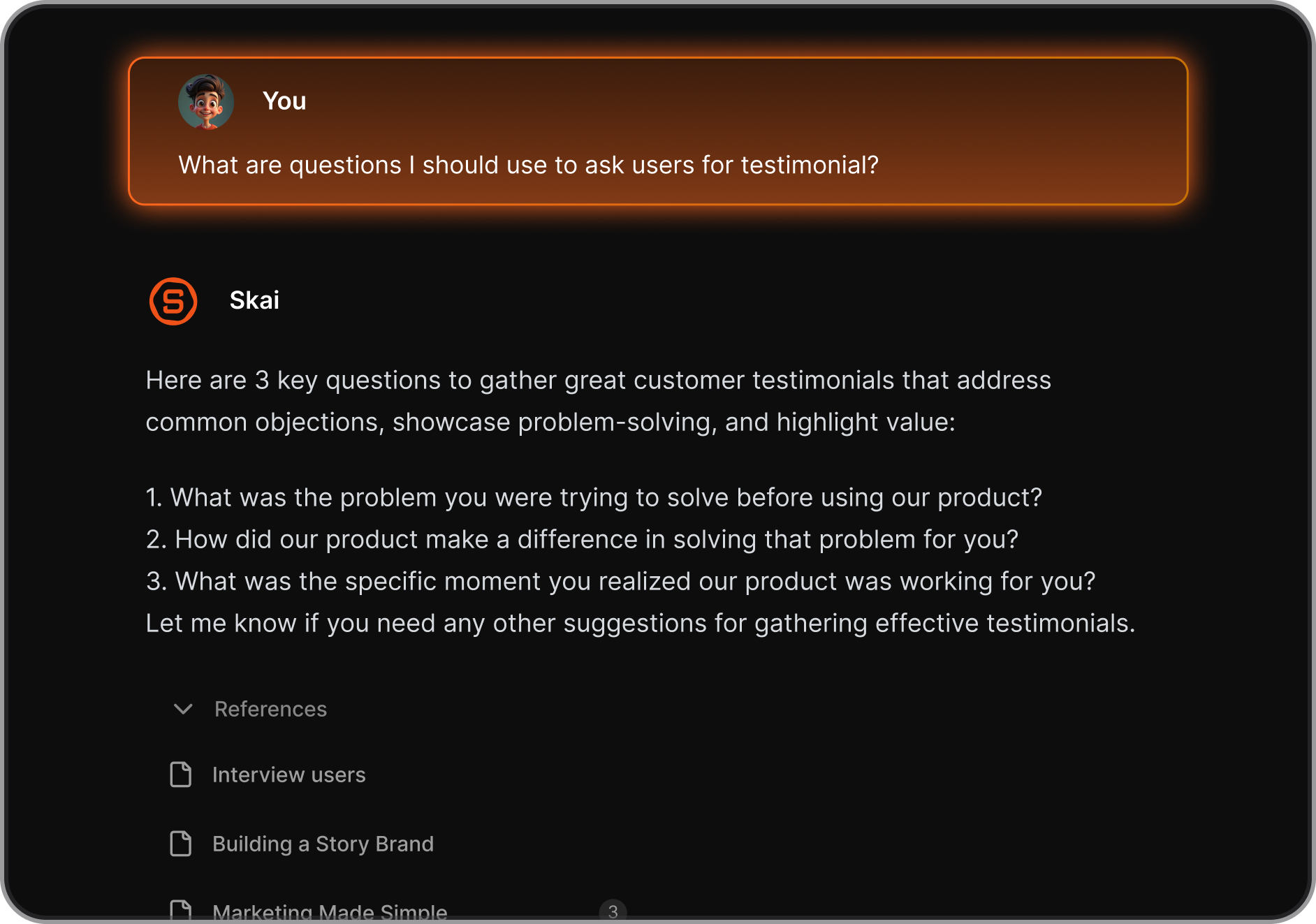
Saner.AI combines note-taking, task management, and an AI assistant into one place - and the AI handles the organizing so you don't have to. For someone in their 40s or 50s who has tried and abandoned a dozen productivity systems, that's a genuinely different proposition.
The core idea: dump what's in your head — a voice note, a clipped article, a task you remembered in the shower — and Skai, Saner.ai's personal AI assistant, categorizes, tags, and connects it to everything else you've captured.
Key Features
- Skai (Personal AI Assistant): Saner.ai's built-in AI that auto-organizes your notes, creates to-do lists from brain dumps, suggests task priorities, and sends proactive check-ins.
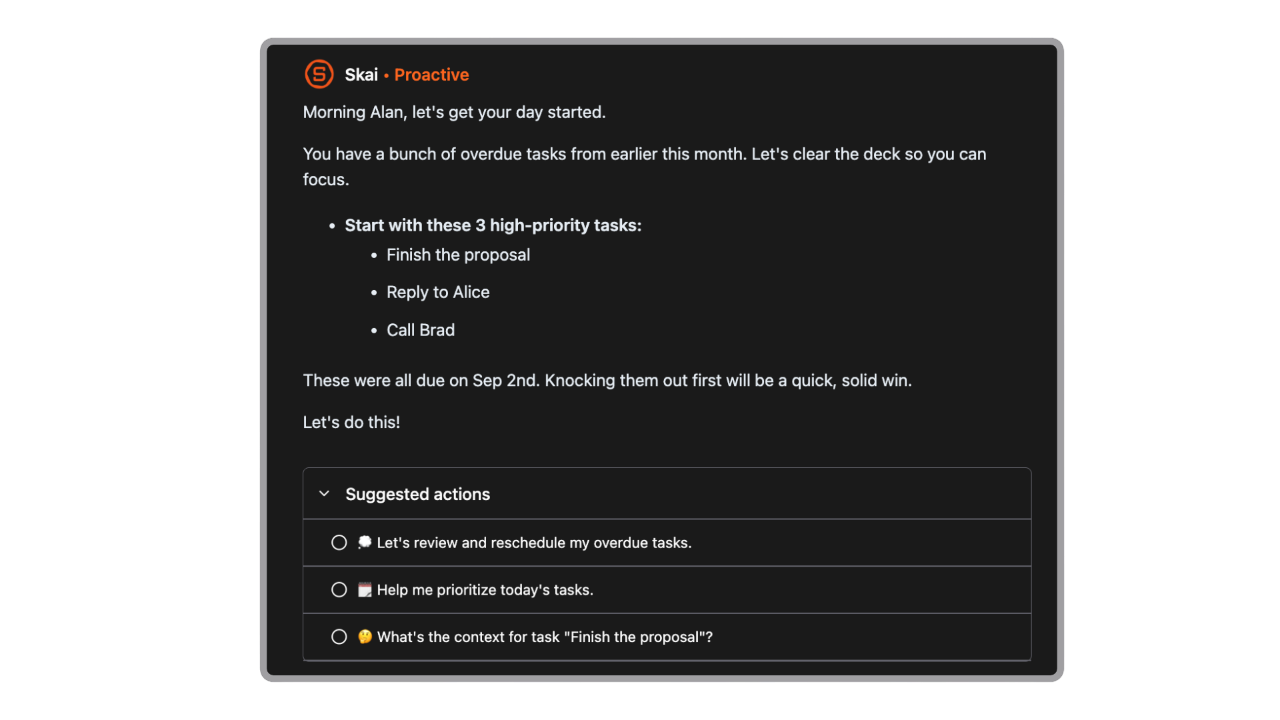
- Semantic Search: You ask questions in plain language and it finds the answer across all your notes
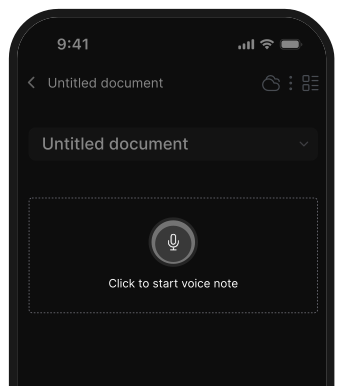
- Voice Capture and Chrome Extension: You can speak a thought or clip a web page without switching apps. The side panel means you never lose context while browsing.
- Gmail, Slack, and Calendar Inbox Intelligence: Skai can sort, prioritize, and surface what needs attention from your inboxes — so you're not starting every morning by wading through 80 emails.

Pros
- I don't have to build or maintain a system. Skai handles categorization automatically, which means there's no discipline required to keep it useful.
"The platform's ability to instantly capture information and automatically organize it has saved me hours previously spent on manual organization." — reviews
- The interface is clean and not overwhelming.
- It works at every level of how organized you are. You can use it as a simple voice-note dumping ground or build a full second brain - and Skai grows with you.
Cons
- It's still relatively new, which means occasional gaps in features that more established apps have had for years.
Pricing
- Free Plan — $0 — Core features including Skai, semantic search, voice capture, and the Chrome extension
- Starter Plan — $8/month — Higher usage limits and additional AI features;
What Users Say
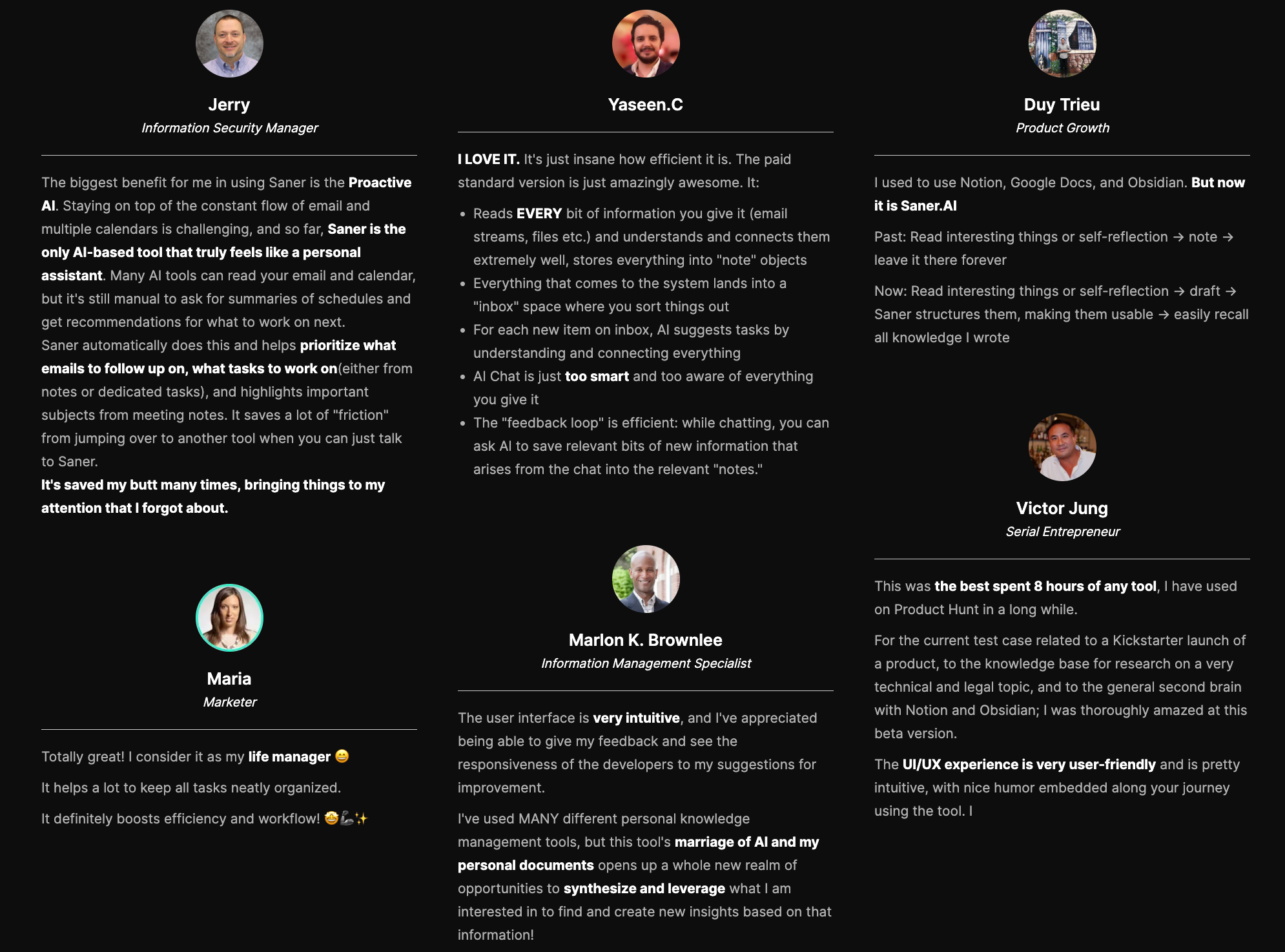
Reviewers on Product Hunt consistently describe it as the first app that feels like it was made for how their brain actually works:
"I've used MANY different personal knowledge management tools, but this tool's marriage of AI and my personal documents opens up a whole new realm of opportunities." — reviews
The criticism is mild and constructive - mostly requests for more features rather than fundamental problems.
"The app is still relatively new, but the team is incredibly responsive — they even personally replied to my feedback." — reviews
Suitable for
- Best for: Professionals in their 40s and 50s who feel buried under tasks, notes, and things they keep forgetting. Particularly strong for people who have tried and quit other productivity systems because maintaining them became a job in itself.
How to Get Started
- Sign up for free at saner.ai and spend the first week just adding things without worrying about organization; let Skai show you what it does.

Stay on top of your work and life
3. Google Gemini
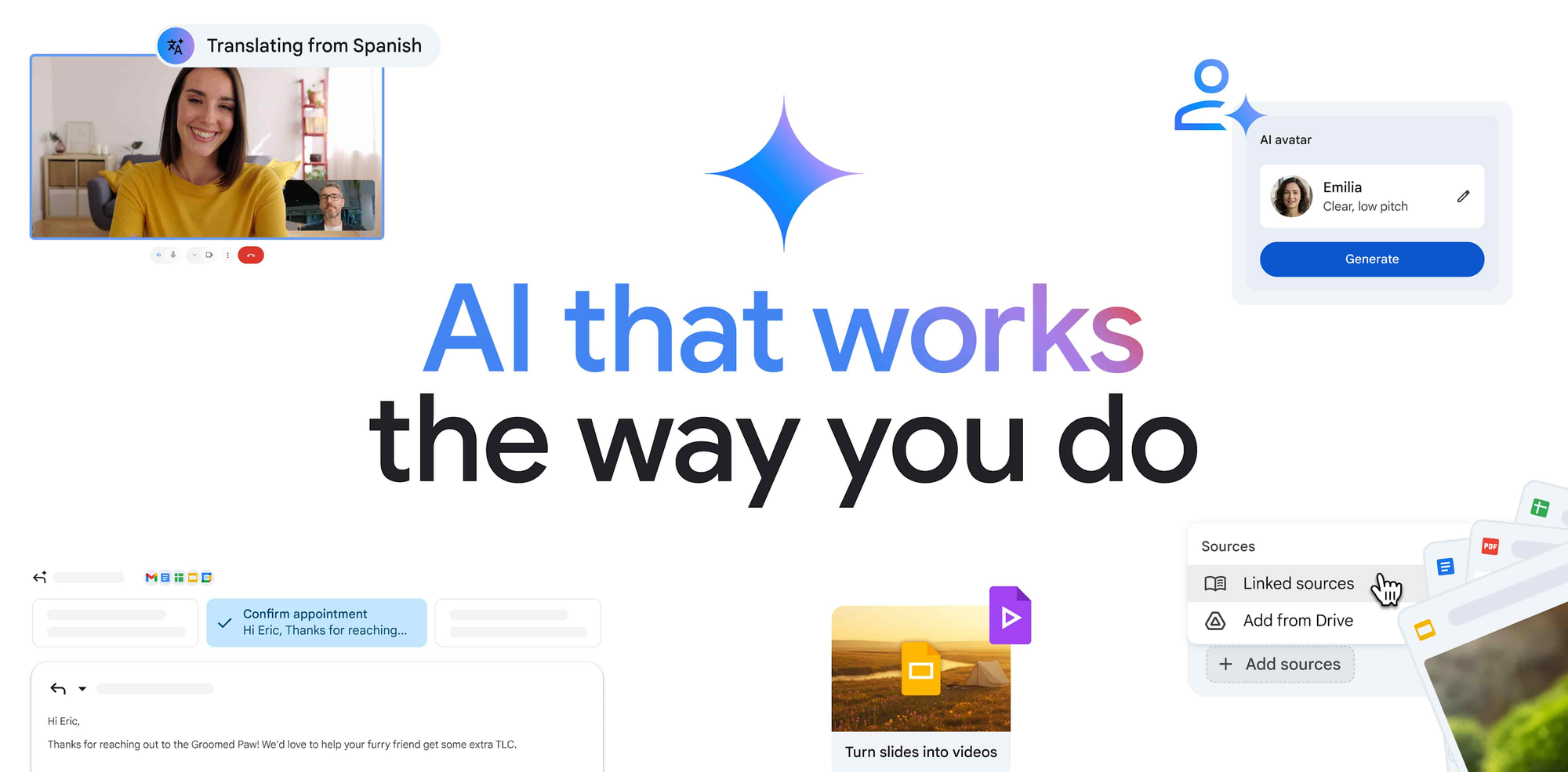
If your daily life runs through Gmail, Google Docs, Google Calendar, or Google Drive, Gemini is worth paying attention to. For most people in their 40s and 50s, that's more useful than a more powerful AI that can only see what you type into a chat window.
Key Features
- Google Workspace Integration: Tag @Gmail or @Drive in a conversation and Gemini pulls context directly from your actual files and inbox.
"Its deep integration with Google Workspace enhances productivity by streamlining tasks like drafting emails and summarizing documents." — reviews
- Massive Context Window: Gemini's paid plan processes up to a million tokens — roughly 750,000 words — in one session.
- Gems (Custom AI Modes): You can create specialized versions of Gemini for specific tasks
- Real-Time Research: Gemini connects to Google Search, so it answers from live web data rather than a training cutoff.
Pros
- I don't have to leave Gmail to get AI help. The integration is genuine, not a copy-paste workaround.
- The free tier is useful for basic tasks.
"Gemini helps me overcome creative blocks by acting as a brilliant brainstorming partner." — reviews
- It handles creative work well — drafting, editing, image generation
Cons
- Hallucinations are a real issue and more common than on some competitors. Any factual output needs checking.
- Billing and subscription management have generated significant complaints.
"Very bad experience — today I have seen without my permission I was charged 18.99. I never wanted to buy a monthly subscription." — reviews
- Context in long conversations degrades. Go deep enough in a session and it starts losing track of what was said earlier.
"After I returned to the saved chat a few days later, I could no longer scroll up all the way to the earliest prompts and outputs." — reviews
Pricing
- Free — $0 — Core Gemini assistant with Google Search integration and basic Workspace features
- Google One AI Premium — $19.99/month — Full Gemini Advanced, 2TB Google storage, and deep integration across all Workspace apps;
What Users Say
Gemini is a Workspace tool with AI built in, not an AI tool that happens to connect to Workspace. If you live in Google's ecosystem, that's the right thing. If you don't, it's less compelling.
Suitable for
- Best for: People who already use Gmail, Google Docs, and Google Calendar daily and want AI that works inside those tools without switching apps.
How to Get Started
- Go to gemini.google.com and sign in with your existing Google account
4. ChatGPT

ChatGPT is the AI most people try first. It can handle an enormous range of tasks - drafting an email, explaining a medical term your doctor used, helping you think through a decision, summarizing a long document...
Key Features
- Conversational Interface: Just type what you need in plain language. There are no commands to learn, no templates to fill in.
- Memory: On paid plans, ChatGPT remembers your preferences and past interactions so you don't have to re-explain yourself every session.
"The memory function really makes the experience more tailored." — reviews
- Deep Research Mode: Sends AI agents to search the web, cross-reference sources, and compile cited reports on a topic.
- Voice Mode: Talk to it like you'd talk to a person. Useful while driving, cooking, or when you don't want to type. Available on mobile and desktop.
Pros
- I can use it for almost anything without switching tools. Writing, research, image generation, voice conversations, and data analysis are all in one place.
- It solves the blank-page problem. Starting a task is always the hardest part, and ChatGPT gets you past the first sentence.
Cons
- It hallucinates. It will sometimes state wrong information with complete confidence. Anything important — medical, legal, financial — needs a human check.
"Sometimes it gives wrong or outdated answers, so I have to double-check important things." — reviews
- Usage limits on the free plan are real. Heavy use of free will hit caps within a few hours.
Pricing
- Free — $0 — Access to GPT-5 (limited), voice, and basic web search
- ChatGPT Plus — $20/month — Full access to all models, higher usage limits, image generation, Deep Research, and memory;
- ChatGPT Pro — $200/month — For very heavy users and developers; most people don't need this
ChatGPT Reviews (source)
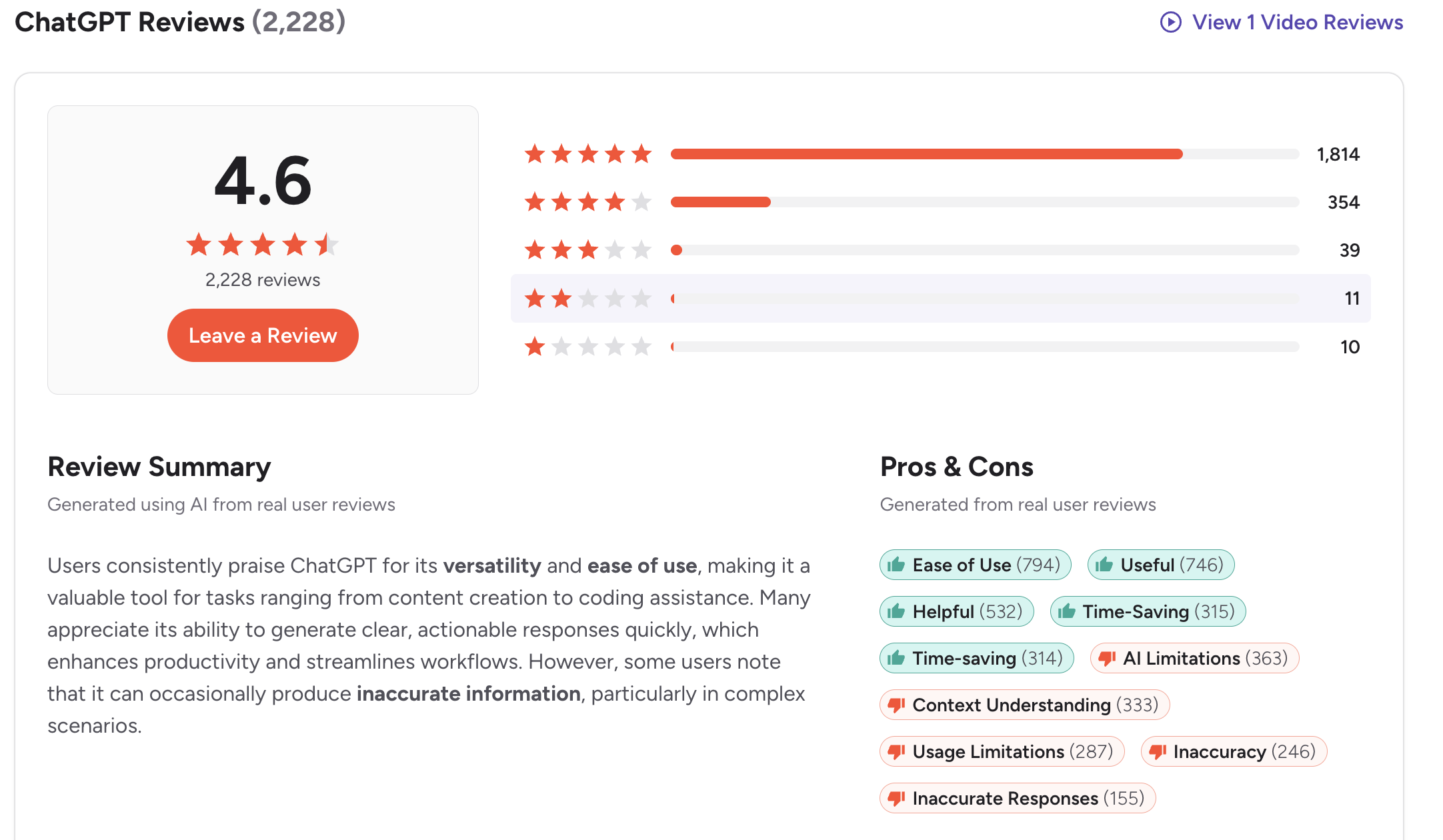
ChatGPT is fast, versatile, and genuinely useful for everyday tasks. The frustrations are consistent, too: hallucinations require fact-checking, and the free plan limits can feel deliberately tight.
"ChatGPT has honestly become my go-to tool for just about everything — brainstorming, writing something tricky, figuring out a coding issue. It's always there with smart and helpful suggestions." — reviews,
Suitable for
- Best for: Anyone new to AI who wants one tool that handles most things without specializing in any one area. Also strong for people who need a thinking partner for decisions, writing help, or research.
How to Get Started
- Go to chat.openai.com and create a free account. Start with something low-stakes
5. Microsoft Copilot
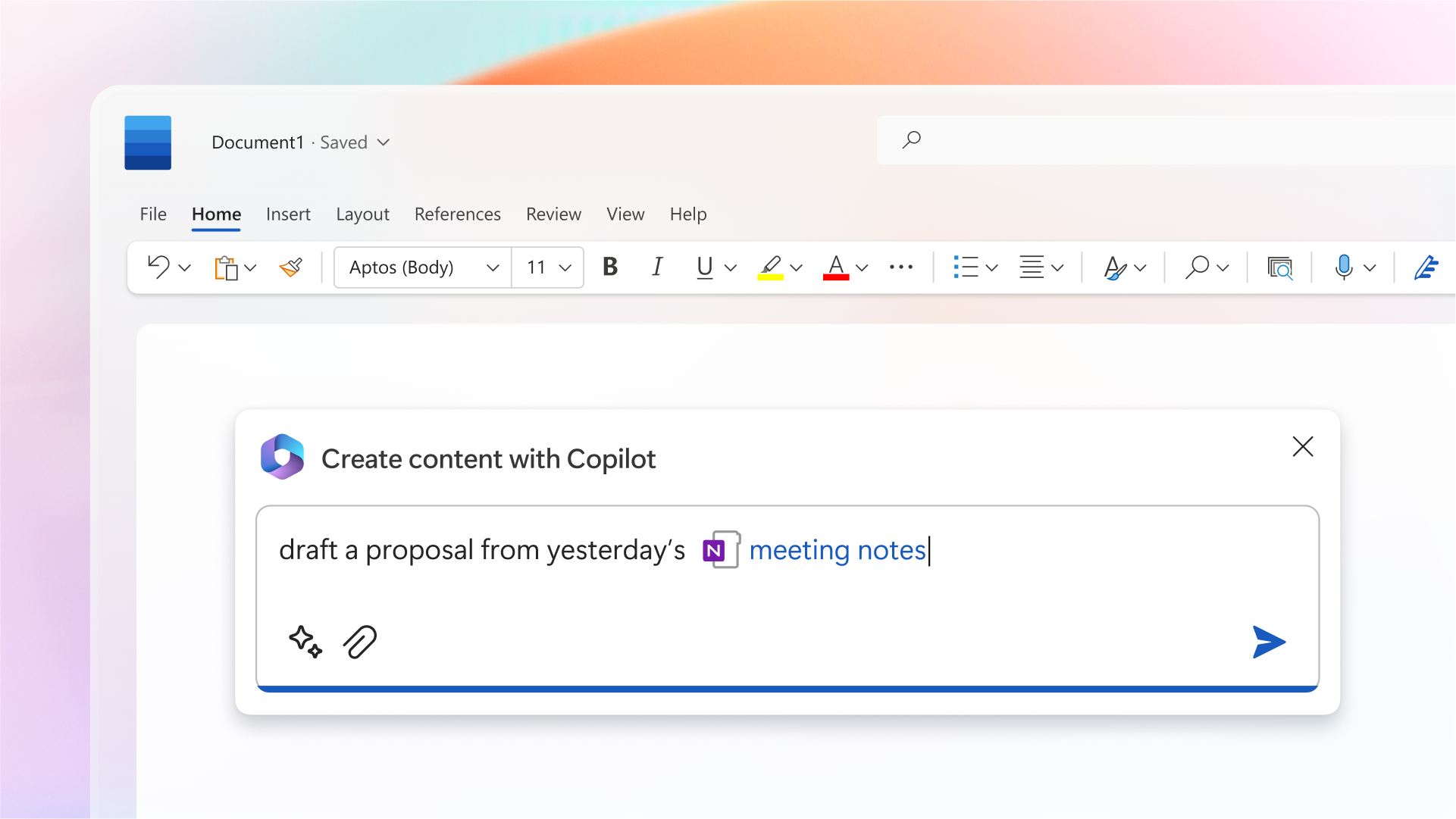
If most of your working life happens inside Word, Excel, Outlook, PowerPoint, or Teams, Copilot is the most practical option on this list. It shows up inside the tools you're already in.
Key Features
- In-App Integration Across Microsoft 365: Copilot lives inside Word, Excel, PowerPoint, Outlook, and Teams.
- Teams Meeting Summaries: After a meeting, Copilot generates a summary of what was decided, who owns what, and what happens next.
- Excel Data Analysis: Upload a spreadsheet and ask questions about it in plain English.
- Outlook Email Drafting: Summarizes long email threads and helps you write or respond to messages in a fraction of the time.
"What I appreciate most is how efficiently it helps me gain clarity on information. It condenses lengthy chats, emails, and documents into straightforward points." — reviews
Pros
- I don't have to learn a new app. AI shows up where I'm already working.
- Meeting summaries alone save significant time for anyone in back-to-back calls.
- The output quality for structured tasks is high.
Cons
- Outputs often need editing. The drafts are good starting points, not finished products. You still need to review and refine.
- The free version of Copilot and the enterprise Copilot inside Microsoft 365 are quite different products.
- Re-authentication issues have been flagged by multiple users, requiring multiple logins per day in some setups.
Pricing
- Free — $0 — Basic Copilot chat in Windows, Edge, and the web; limited features
- Microsoft 365 Personal — $9.99/month — Includes Copilot for one user plus desktop Office apps;
- Microsoft 365 Family — $12.99/month — Up to 6 users; Copilot available to primary account holder
What Users Say
The consistent theme across G2 reviews is that Copilot works best for people who are already invested in the Microsoft ecosystem.
"It feels like a natural extension of tools like Excel and PowerPoint, making everyday tasks faster and more natural." — reviews
perSuitable for
- Best for: Professionals whose day-to-day work happens primarily in Word, Excel, Outlook, and Teams.
How to Get Started
- If you already have a Microsoft 365 subscription, Copilot is likely already available - check in Word or Outlook for the Copilot icon.
6. Perplexity

Perplexity is the simplest tool on this list to explain: you ask it a question, it searches the live web, and it gives you an answer with numbered citations you can click to verify every single claim.
Key Features
- Citation-First Answers: Every response includes numbered footnotes linking directly to the source pages. You can verify any claim in seconds.
"The clickable citations are a trust-builder. I found myself relying on it for stats and current info precisely because I could verify sources instantly." — reviews
- Pro Search: For complex questions, Pro Search breaks the question into multiple queries, reads the fine print, and compiles a structured answer.
- Real-Time Web Data: Perplexity answers from live sources, not a training cutoff. Ask about something that happened last week, and it will know.
- Spaces and Research Organization: Save threads into organized project folders and turn research sessions into shareable pages.
Pros
- I trust the answers more because I can see exactly where they came from.
- It's simple. No setup, no learning curve, no system to build. You type a question and get a sourced answer.
- The free version handles most research tasks well.
Cons
- It's a research tool, not a conversational assistant. It doesn't hold a back-and-forth dialogue as naturally as ChatGPT or Claude.
- It's not built for writing or creative work. If you need to actually produce something (not just research it), you'll need a second tool.
Pricing
- Free — $0 — Unlimited basic searches with citations; limited Pro Search queries per day
- Perplexity Pro — $20/month — Unlimited Pro Search, model switching (GPT, Claude, Gemini), file uploads, and more;
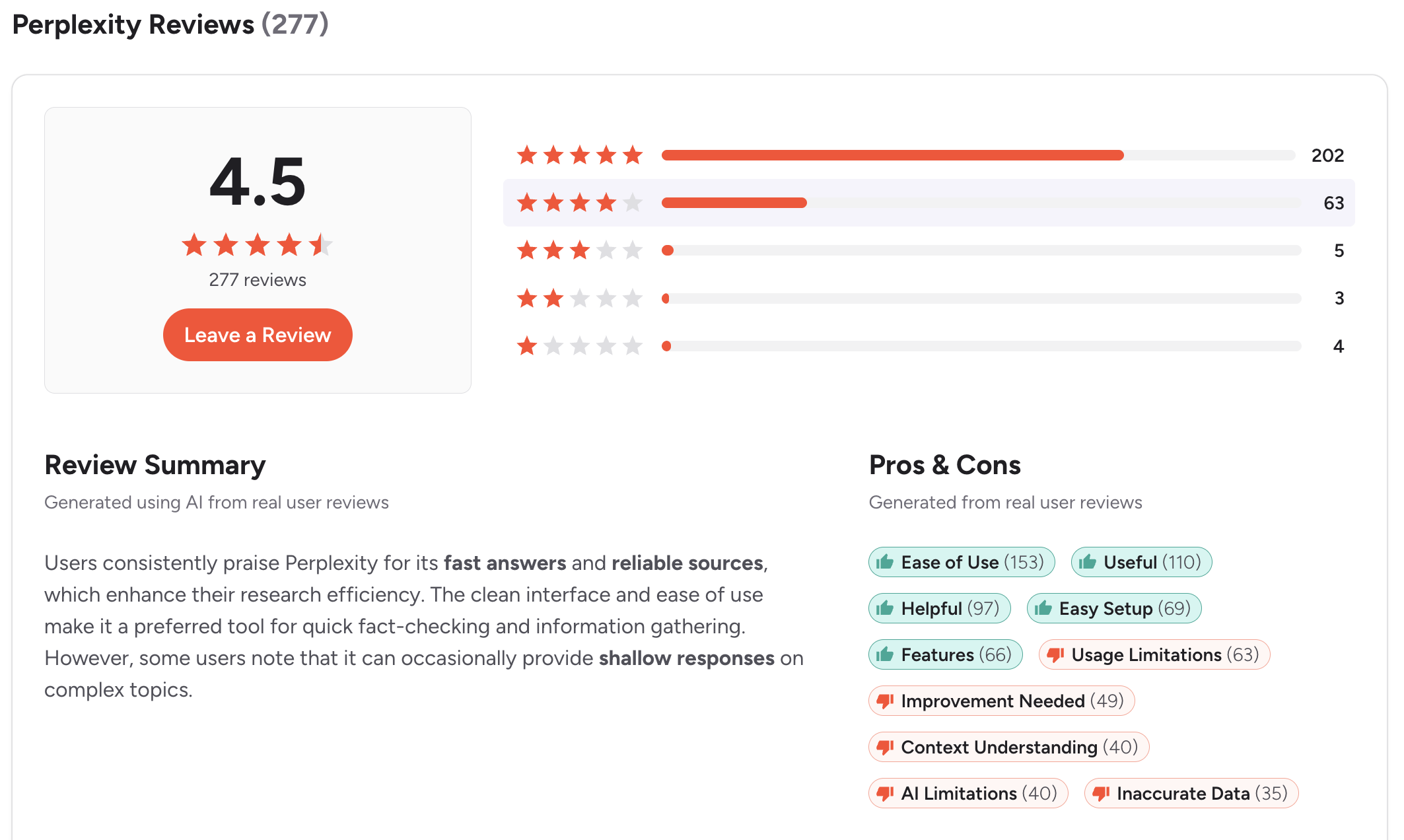
Perplexity reviews (source)
Suitable for
- Best for: Anyone who frequently researches things before making decisions
How to Get Started
- Go to perplexity.ai and start typing a question - no account required for basic use.
Quick-Pick Guide
- If you're brand-new to AI and want to start somewhere — ChatGPT (Free). The largest community, the most written about, and works for nearly everything. No wrong answers here.
- If you feel buried under tasks, notes, and things you keep forgetting — Saner.ai ($0–$8/month). It's the only tool that organizes your life without asking you to maintain a system.
- If your inbox is out of control and you live in Gmail — Google Gemini ($19.99/month). It reads your actual emails and helps you manage them from inside the apps you already use.
- If your work runs on Word, Excel, Outlook, and Teams — Microsoft Copilot (Free–$9.99/month). AI that shows up inside the tools you're already in, with no behavior change required.
- If you need to read, summarize, or analyze long documents — Claude (Free–$20/month). Handles hundreds of pages in a single session and produces output that reads like a human wrote it.
- If you want answers you can actually trust and verify — Perplexity (Free–$20/month). Every answer comes with clickable citations. For health, finance, or anything factual, this matters.
Conclusion
The best AI for middle age isn't the most powerful one. It's the one you'll actually use - and that means the one that fits into your day without demanding you reorganize your life around it.
For most people in their 40s and 50s, the right answer is two tools:
- one for capturing and organizing the things in your head (Saner.AI), and
- one for getting things done in the moment (ChatGPT, Gemini, or Copilot, depending on which apps you already live in).
- Claude earns a spot if you read or write seriously.
- Perplexity earns a spot if you research seriously.
Start with one. Get comfortable. Add a second when the first feels like second nature.
The goal is a quieter brain, not a more complicated setup.
Stay on top of your life with the top AI for middle age
FAQ
Q1: What is the best AI assistant for someone in their 40s or 50s who has never used AI before?
ChatGPT is the best starting point. The free version is capable enough to show you what AI can actually do, the interface is familiar and conversational, and there's more help available online for it than for any other tool. Start there, get comfortable, and then branch out.
Q2: What's the difference between Saner.AI and ChatGPT?
ChatGPT waits for you to ask it something. Saner.AI organizes your life proactively — capturing your notes, structuring your tasks, and surfacing what needs attention before you think to ask.
- Use ChatGPT when you need help with a specific task in the moment.
- Use Saner.ai to keep your day organized and your brain less cluttered.
They're not competitors; most people who use both find they serve completely different purposes.
Q3: Is there a free AI tool worth using in 2026?
Yes - several. ChatGPT's free tier, Claude's free tier, and Perplexity's free version are all genuinely useful without paying anything. Saner.AI also has a free plan. You don't need to spend money to get meaningful value from AI. If you find yourself using one daily, the $8–$20/month paid plans start making sense.
Q4: Do any of these AI tools work with Gmail and Google Calendar?
Google Gemini integrates directly with Gmail, Google Docs, Google Calendar, and Google Drive. It's the only tool on this list that can read your actual emails and calendar events to give you context-aware help. Saner.AI also connects to Gmail, Slack, and Google Calendar to surface what needs attention from your inboxes.
Q5: What should I look for in an AI tool as an older adult?
Ease of use on day one, a real free plan (not just a trial), and reliability. Tools that require extensive setup, API configuration, or a learning curve before they're useful tend to get abandoned. The best AI tools for middle age are the ones that deliver value in your first 10 minutes — no manual required.
Q6: Can AI tools replace a therapist, doctor, or financial advisor?
No. AI tools are good at organizing information, drafting communications, explaining concepts in plain language, and surfacing research - but they're not qualified professionals and should never be treated as a substitute. For health, legal, or financial decisions, always involve a licensed professional. Use AI to prepare for those conversations, not to replace them.
Q7: Is AI safe to use for personal information?
It depends on the tool and what you share. As a general rule: don't enter sensitive personal information (Social Security numbers, passwords, full financial account details) into any AI chat tool. Most major tools — ChatGPT, Claude, Gemini, Copilot — have clear privacy policies, but it's worth reading them before using the tool for work-related or personally sensitive content.
Q8: How much does a good AI tool cost per month?
Most useful AI tools fall in the $0–$20/month range. The free tiers are genuinely capable for casual use. The paid plans ($8–$20/month) are worth it if you're using the tool daily and hitting limits. At $20/month, you're paying less than most streaming subscriptions for something that can realistically save you several hours a week.
Q9: Which AI is best for researching health questions?
Perplexity, for one specific reason: it shows you exactly which sources it's drawing from, and you can click through to verify any claim. For health topics in particular, being able to trace information back to a medical journal or reputable health site matters. Use Perplexity to research, then bring what you find to your doctor.
Q10: How do I get started with AI without feeling overwhelmed?
Pick one tool, try it for one specific task, and give it a week before judging it. Don't try to learn everything at once. A good first task: ask ChatGPT (free) to draft a difficult email you've been putting off. That single experience usually shows more than an hour of reading about AI ever will.
Q11: Is Google Gemini the same as Google Assistant?
No. Google Assistant is the older voice assistant built into Android phones and smart speakers - useful for hands-free tasks like setting reminders or playing music. Gemini is Google's AI tool for more complex work: writing, research, document analysis, and deep integration with Gmail and Google Docs. They serve different purposes and are increasingly being merged, but Gemini is the one worth paying attention to for productivity.
Q12: Can I use AI to help manage my parents' care or medical paperwork?
Yes, and this is one of the genuinely underrated use cases. Claude is particularly strong for this: upload discharge papers, care instructions, or insurance documents and ask it to summarize the key points, flag what needs follow-up, or explain medical terminology in plain English. Perplexity is useful for researching specific conditions, medications, or care options with cited, verifiable sources.
Q13: Does Saner.AI work on a phone?
Yes. Saner.ai has mobile apps for iOS and Android, plus a Chrome extension for desktop. The mobile app is where voice capture is most useful - you can speak a thought or a task while you're away from your desk and it gets organized automatically when you open the app later.
Q14: What is the best AI for someone who is retired or semi-retired?
It depends on what you're trying to do, but Perplexity for research (health, travel, financial questions) and Claude for creative or communication tasks (writing letters, planning, explaining things to grandchildren) make a strong pair. If you're still doing some professional work, Saner.AI helps keep things organized without requiring you to maintain a system. All three have free options.
Stay on top of your work and life