
Finch Alternatives: We Tested and Ranked the Best 6 Apps in 2026
The Best Finch Alternatives are Saner.AI, Tiimo, Amazing Marvin, Llama Life, Todoist, and TickTick

I liked the idea behind Finch at first. A tiny pet cheering me on, gentle reminders, small wins. It felt light, almost comforting. But after a while, I started noticing my tasks were still scattered, my days still messy, and the “self-care” part didn’t always translate into actually getting things done.
So I started looking for alternatives. Tools that still support focus and mental clarity, but also give you more control over your tasks, your time, and your system.
In this guide, I’ll walk through the best Finch alternatives in 2026, what each one actually does well, where they fall short, and which kind of workflow they fit.
Quick Insight: What are the best Finch alternatives in 2026?
- Tiimo: Best for gentle structure and neurodivergent-friendly planning
- Amazing Marvin: Best for people who want total control over their system
- Llama Life: Best for getting through one overwhelming day at a time
- Todoist: Best for simple, reliable task management
- TickTick: Best for people who want tasks and focus tools in one app
How I test these apps
- I add a messy mix of real-life tasks, half-formed reminders, and routine items to see how easy it is to get things into the app without overthinking.
- If I need too much setup before the app becomes useful, that matters. A good tool should help quickly, not make me build a whole workflow first.
- I test daily planning, not just task storage. A lot of apps can hold tasks. The better question is whether the app helps me decide what to do today, realistically.
- I look at how the app handles overwhelm. This is a big one. I want to see whether the tool still feels usable when the list gets long, priorities change, or I miss a few days.
- I pay attention to returnability. If I stop using the app for a few days, can I come back without guilt, confusion, or a giant mess waiting for me?
What are the Best Finch Alternatives?
The Best Finch Alternatives are Saner.AI, Tiimo, Amazing Marvin, Llama Life, Todoist, TickTick
Finch Alternatives - Comparison Table
| App 🪶 | Best For 💡 | Core Features ⚙️ | AI Support 🤖 | Gamified Experience 🎮 |
|---|---|---|---|---|
| Saner.AI | ADHD-friendly productivity + self-care | Task/notes/email sync, AI breakdown | ✅ Yes | ✅ Customizable |
| Tiimo | Visual routines / executive-func help | Visual timeline, icons, AI task-breakdown | ✅ Yes | ⚠️ Moderate |
| Amazing Marvin | Custom systems, deep workflows | Strategy modules, time-tracking, reward system | ⚠️ Some | ⚠️ Moderate/Heavy |
| Llama Life | Focus one thing at a time, light fun | Time-boxing, timer, confetti | ⚠️ Minimal | ✅ Medium |
| Todoist | Flexible task manager, ADHD tweaks | Tasks/projects, labels, reminders | ✅ Partial | ⚠️ Low–Medium |
| TickTick | All-in-one: tasks + habits + focus | To-dos, habits, calendar, timer | ⚠️ Some | ⚠️ Medium |
1) Saner.AI - AI assistant
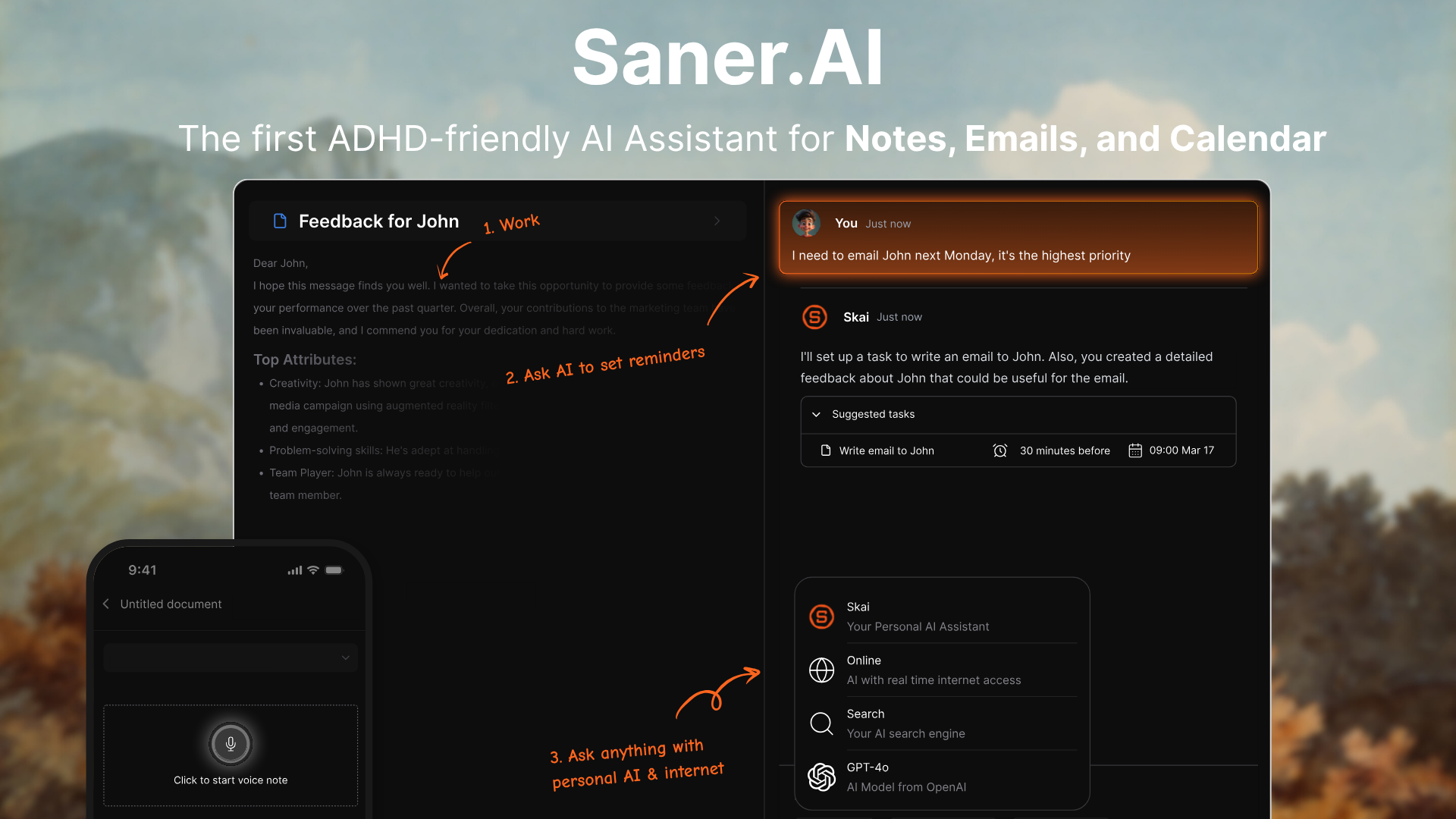
Saner.AI is an AI personal assistant that helps you stay organized without juggling ten different apps. It brings your notes, tasks, emails, files, and calendar into one place and uses AI to clean up the chaos for you. It’s especially helpful if you struggle with overwhelm, context switching, or ADHD-style brain clutter - which is exactly why it works as a strong Finch alternative.
Key features
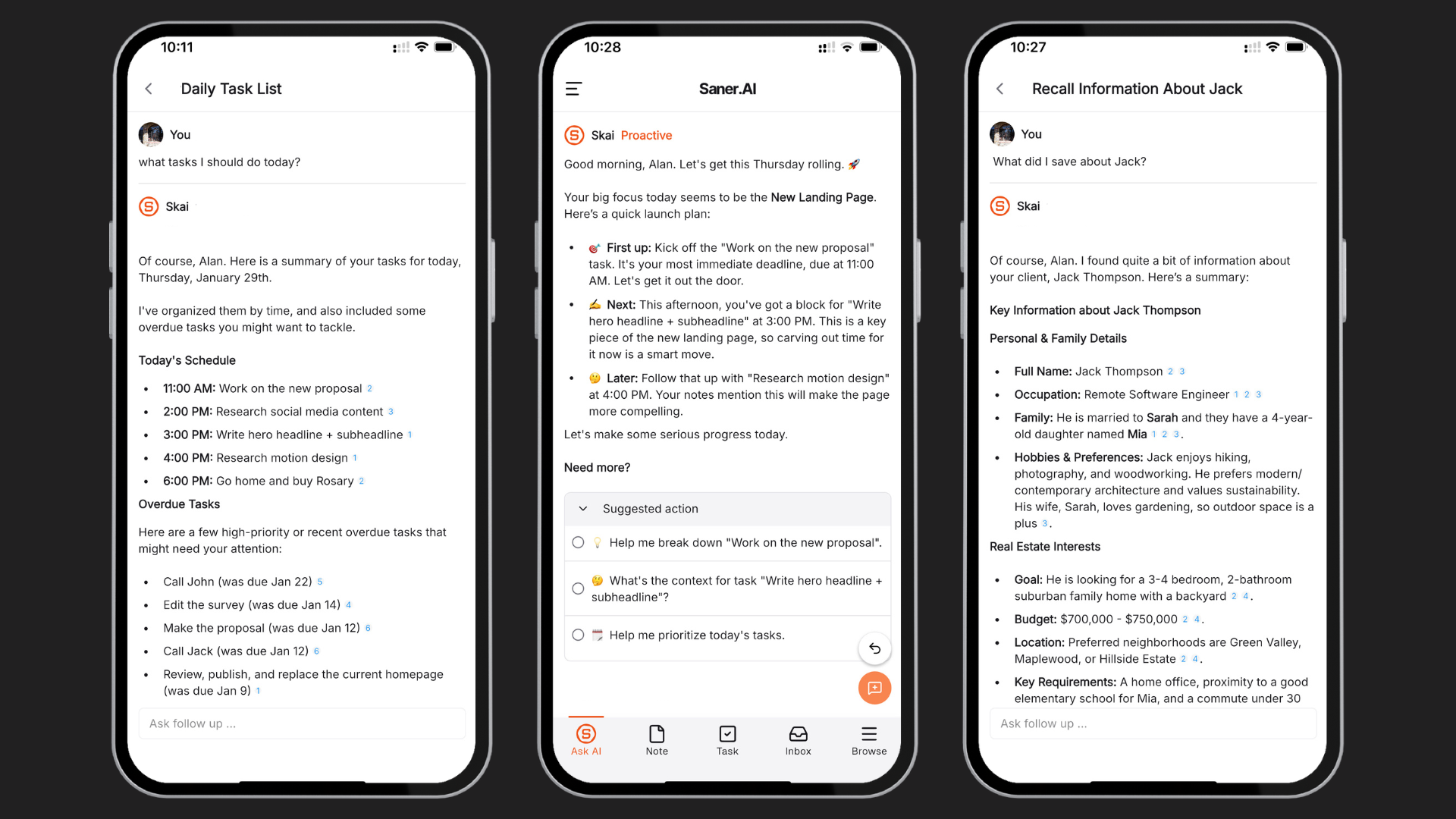
- Proactive Daily Planning: Automatically provides an optimal day plan by scanning your inbox, calendar, tasks, and notes
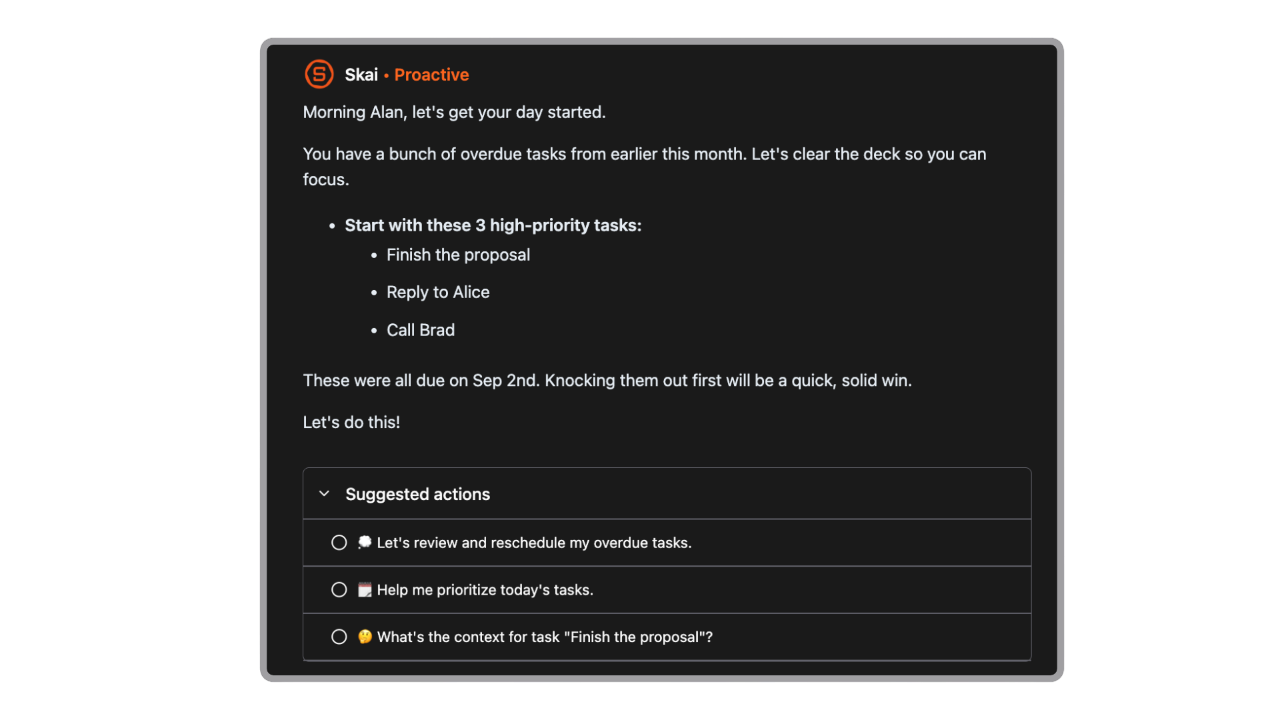
- Brain Dump to Tasks: It converts messy notes or ideas into clear, actionable tasks
"The simple design of the note and to-do list app, combined with best-in-class AI Assistants, makes it super easy to stay on top of work and life." - verified review
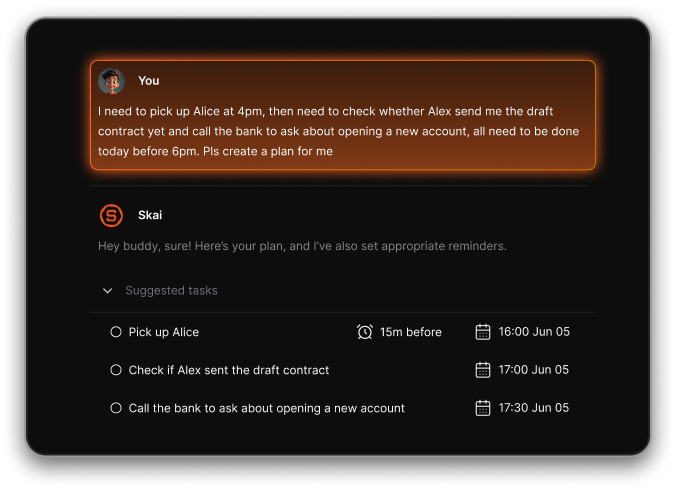
- AI customization: You can change the tone and personality of Skai to fit your preference (from cute to sassy to professional)
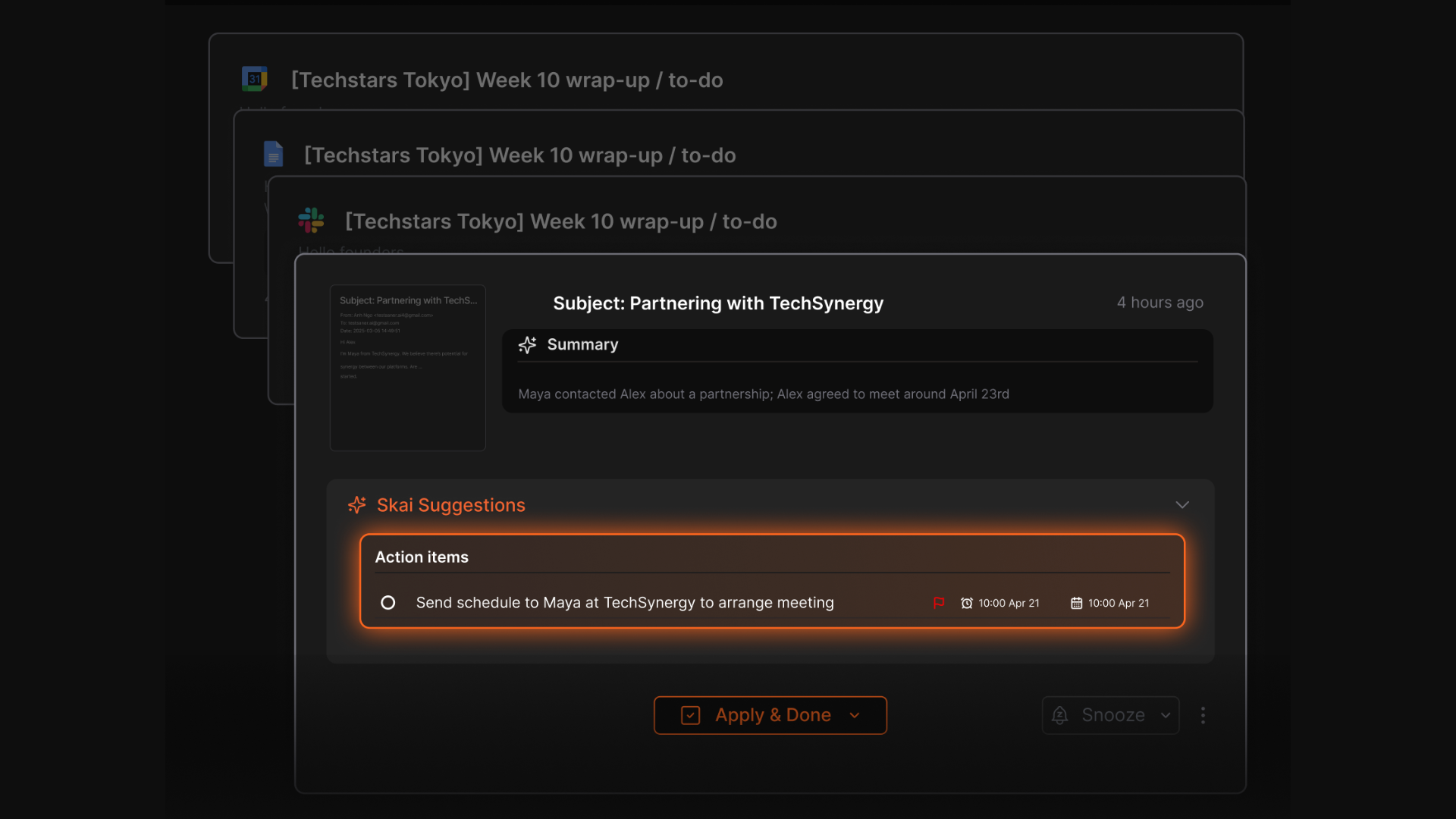
- Task extraction: Extracts action items from emails and suggests reminders
- Chrome & Mobile Apps: Capture thoughts or emails anywhere, anytime
"I especially like the Chrome Extension. It's super handy, I can pull up a new note immediately alongside web articles, chatGPT,... It reduces the mental friction I have to suffer to note side by side on Mac" - verified review
Pros
- The automatic organization is really the standout: instead of tagging everything yourself, Skai gives you a head start on simply capturing thoughts and letting the AI clean up the mess.
- Excellent if you juggle a lot of different modes (emails, notes, voice memos, browser research) - everything funnels into one place.
"The UI/UX experience is very user-friendly and is pretty intuitive, with nice humor embedded along your journey using the tool" - verified review
Cons
- Requires internet access for full functionality.
Pricing
- Free
- Starter: Monthly at $12/month
- Standard: Monthly at $20/month
Suitable for
Professionals, solopreneurs, creatives and knowledge workers who:
- Have a flood of notes, emails, tasks that feel chaotic
- Want to reduce context-switching and tool-hopping
- Especially those with ADHD or who thrive better when their workspace is streamlined and intelligent
- Prefer a workspace that “just works” rather than one that demands heavy setup and manual upkeep
Saner.AI Reviews
"The biggest benefit for me in using Saner is the Proactive AI. Staying on top of the constant flow of email and multiple calendars is challenging, and so far, Saner is the only AI-based tool that truly feels like a personal assistant." - Jerry

How to start
- Head to saner.ai, sign up for the free tier, connect your main accounts (Google Drive, Gmail, Calendar, Slack), and begin capturing a few notes/tasks.

Stay on top of life with the top Finch Alternative
2) Todoist
Todoist is one of the easiest Finch alternatives to recommend if you want less of a self-care companion and more of a task system that actually keeps your day moving. I’d list it because it does the boring part well: capturing tasks fast, sorting them into projects, and helping you remember what needs attention today versus later.
Key features
- Cross-platform sync across desktop, mobile, web, and browser extensions
- "I like how easy it is to add to-dos and use priority tags (like p1/4) or date tags in Todoist. The ramble function is invaluable and actually accurate." - verified review
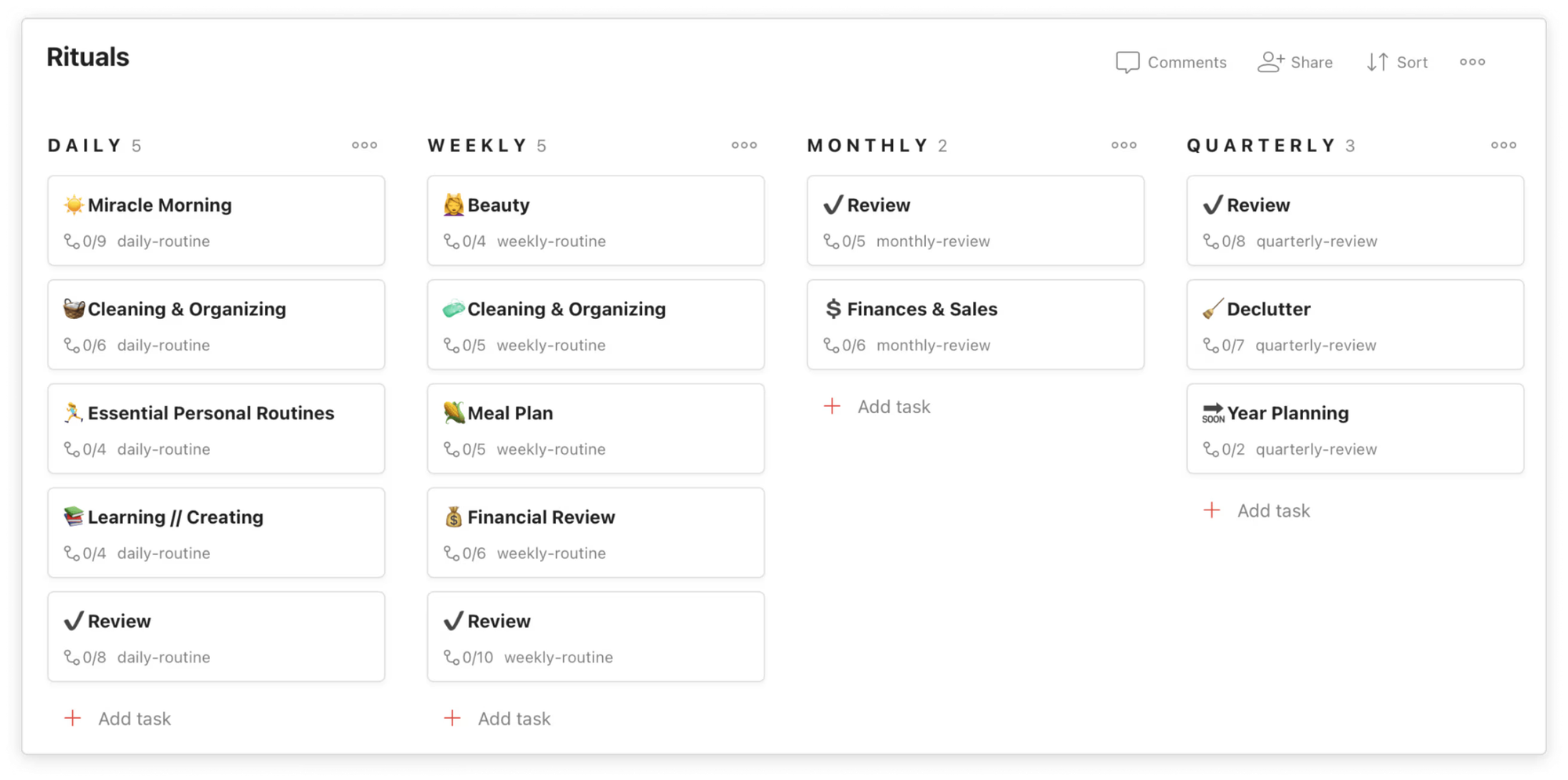
- Projects, subtasks, labels, filters, and priority levels for structuring your workflow
"Collaboration and task delegation has become an easy pie and working on group projects has been rendered successful through sharing and attaching of task files and documents" - verified review
- Calendar and board views on paid plans
Pros
- Simple to start, powerful when you need more structure
"It works flawlessly between all of my iOS devices and works well with my colleagues who use Windows/Android." - verified review
Cons
- AI Assistant is still basic compared to newer productivity tools
- Not suitable for complex project management (no dependencies or advanced timelines)
- Time-blocking experience isn’t as smooth as dedicated planning tools
"Managing very complex workflows can require workarounds with labels and filters." - verified review
Pricing
- Free plan available
- Pro plan: around $5/month
- Business plan: around $8/month per user
Suitable for
- Individuals and professionals who want a clean, dependable task system
- Anyone balancing work + personal tasks in one place
How to start
- Go to Todoist’s homepage
- Create a free account
Todoist reviews (source)
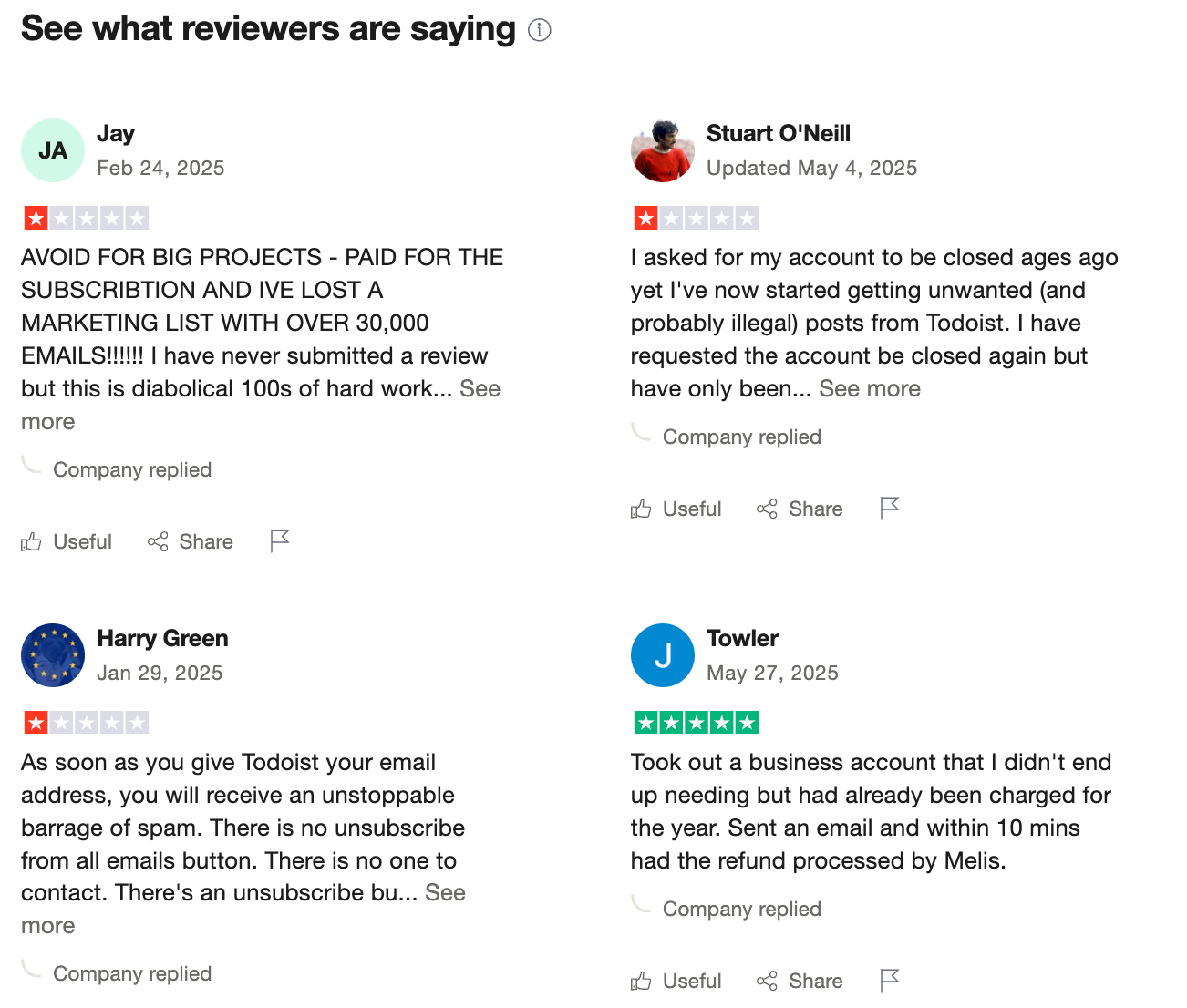
"Covers the bases for a reasonable price. Reliable, cross-platofrm, with reasonable team pricing." - Tom H
"It seems impossible to cancel a subscription after you sign up for a free trial. There is no way to cancel a subscription on the website, you have to send an email to an address that does not respond to emails." - Fisayo
3) Tiimo
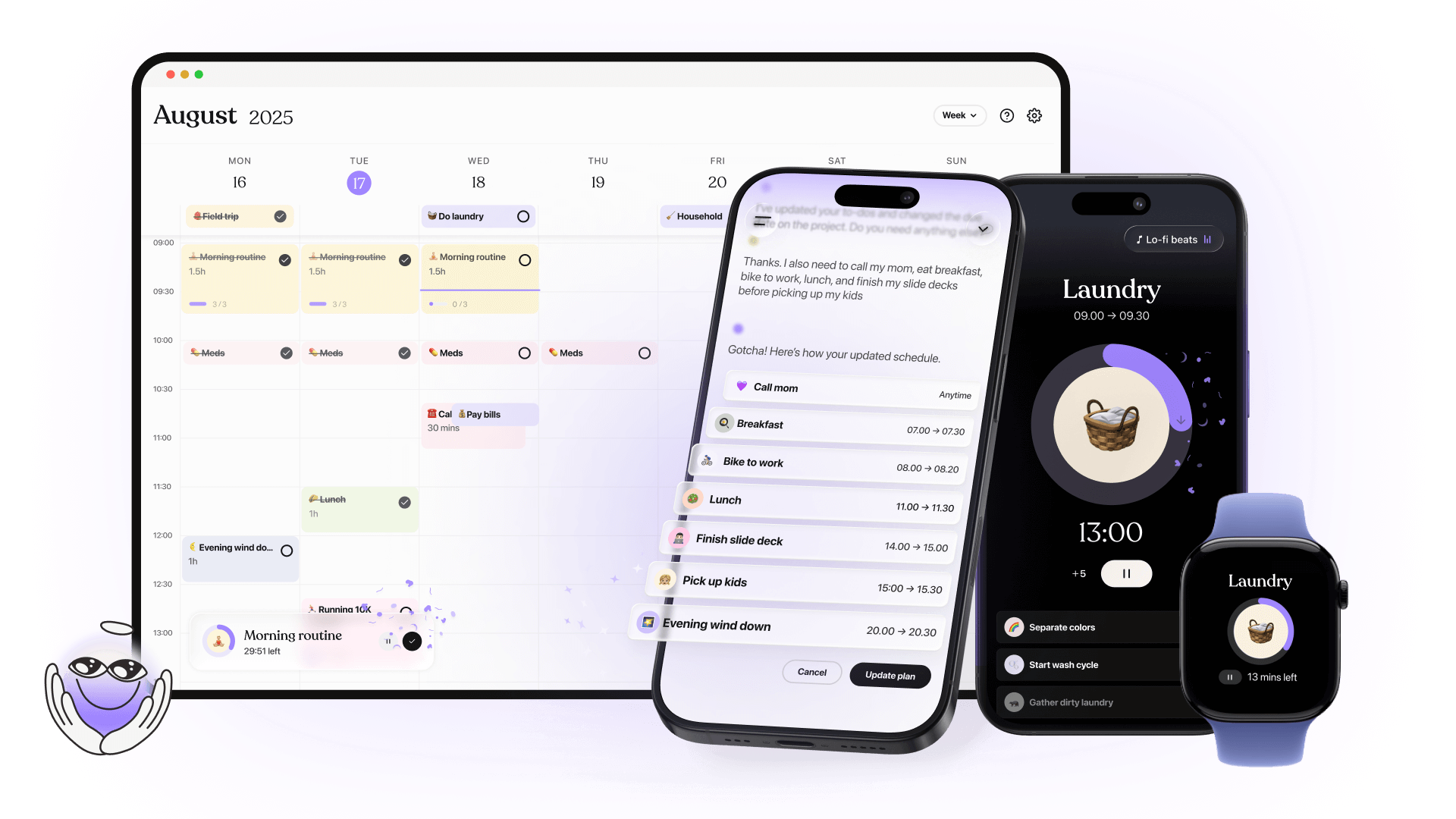
When I tested Tiimo, it felt very different from most traditional to-do apps. Instead of focusing on long task lists, it’s built around visual planning and structured routines.
The app organizes your day as a visual timeline, where tasks appear as blocks you can drag, adjust, or reschedule. I found this helpful because it shows not just what to do, but also when it fits in your day.
Key features:
- Visual schedule with colour-coded timeline blocks you can drag and adjust
- AI planner assistant that helps prioritise and structure tasks into your day
- Focus timer to help anchor your attention on one task
- To-do list for brain-dumping tasks and linking them into your schedule
What I liked:
- The visual design is genuinely calming
- It feels friendly and non-judgmental
What I disliked:
- Android support is still limited, which can be a deal-breaker for non-Apple users
- Calendar sync works, but isn’t perfect for complex workflows
- Not suited for team collaboration or project management needs
Pricing:
- Free version with core planning tools
- Pro plan (varies by region, typically around $5–8 per month on annual billing)
Suitable for:
- Students, professionals, and neurodivergent users who want a visual, simple system
- Anyone overwhelmed by traditional planners or task apps
How to start:
- Download Tiimo on iOS or open the web version
- Create a free account
Tiimo Review (source)

"This app has helped me to stay on track as a professional in my work space, and a head of the household to bring events, occurences, and, must do items from start to finish without falling through the cracks." - FannlyTime
"It doesn't do what it says it will do. Fails to import whole to do list. Fail to save edits mde to appointments. Began speaking to me in another language so I couldn't tell which button to press then loses all the data and request made." - Jane Boyd
4) TickTick

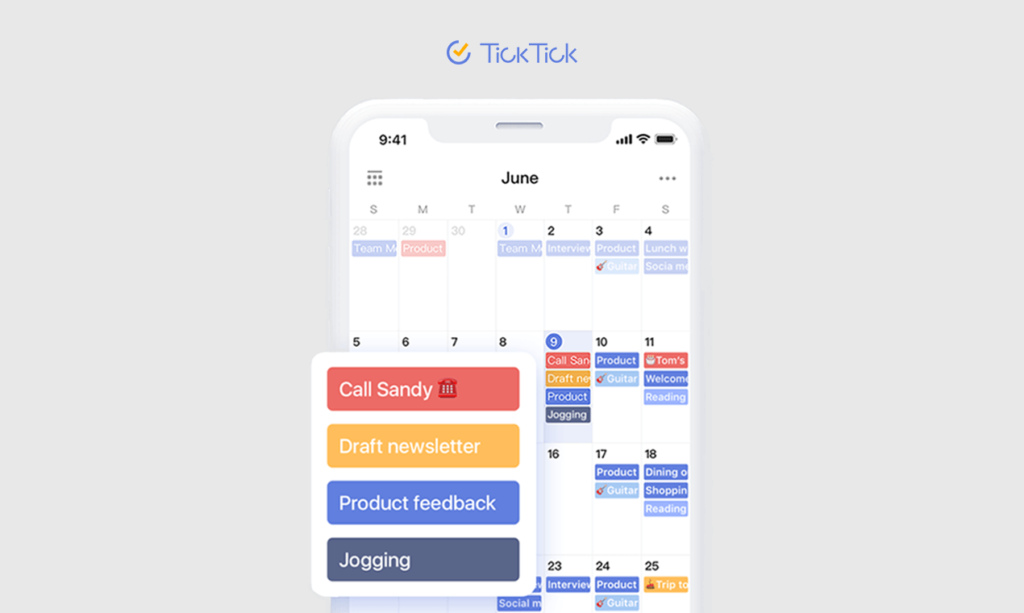
What I liked during testing is that TickTick works well whether you’re planning your daily tasks, recurring habits, or long-term projects. You can quickly add tasks, organize them with lists and tags, and schedule them on a built-in calendar view.
Key features
- Task organization with priorities, tags, subtasks, and attachments
"I appreciate the range of sophisticated organizing tools that TickTick provides, including the capability to make detailed checklists and the flexibility to set custom due dates and reminders." - verified review
- Calendar view with drag-and-drop scheduling
- Built-in habit tracker for daily and weekly routines
- Pomodoro timer and Focus Mode to support deep work
Pros
- I like that TickTick combines tasks, habits, and calendar planning in one app
- The interface is clean and quick to learn, even if you’re new to structured planning
"It has everything you need to organize your to-do lists and get them scheduled on a versatile calendar that shows blocks of actual time so you can stay on top of your activities." - verified review
Cons
- Because it has so many features, the interface can feel a little busy at times
- Collaboration works, but it’s limited compared to full project-management tools
- No AI assistant where you can chat to manage tasks
"It's not easy to migrate from an previous task management tool to TickTick. I used Microsoft To-Do, though I had to recreate the Orgs and nested tasks again in TickTick." - verified review
Pricing
- Free plan available with core features.
- Premium plan is $3/month (billed annually) or $3.99/month (monthly).
Suitable for
- Individuals and small teams who want task management + habit tracking + scheduling in one app
- Students, freelancers, and professionals who switch devices frequently
How to start
- Sign up for a free TickTick account on the website or mobile app
- Set up your main lists and habits
TickTick Reviews (Source)
"My favorite to-do app. I've been using this for many years now, paid for it too. Simple, but versatile. Wouldn't change it for anything else." - Gábor Fehér
"Reminders were coming on time and everything was smooth. But after some time, I completely stopped receiving reminder notifications. Because of this, I missed important work. The app fails at its core purpose — reminding the user." - Yuvraj Singh
5) Llama Life
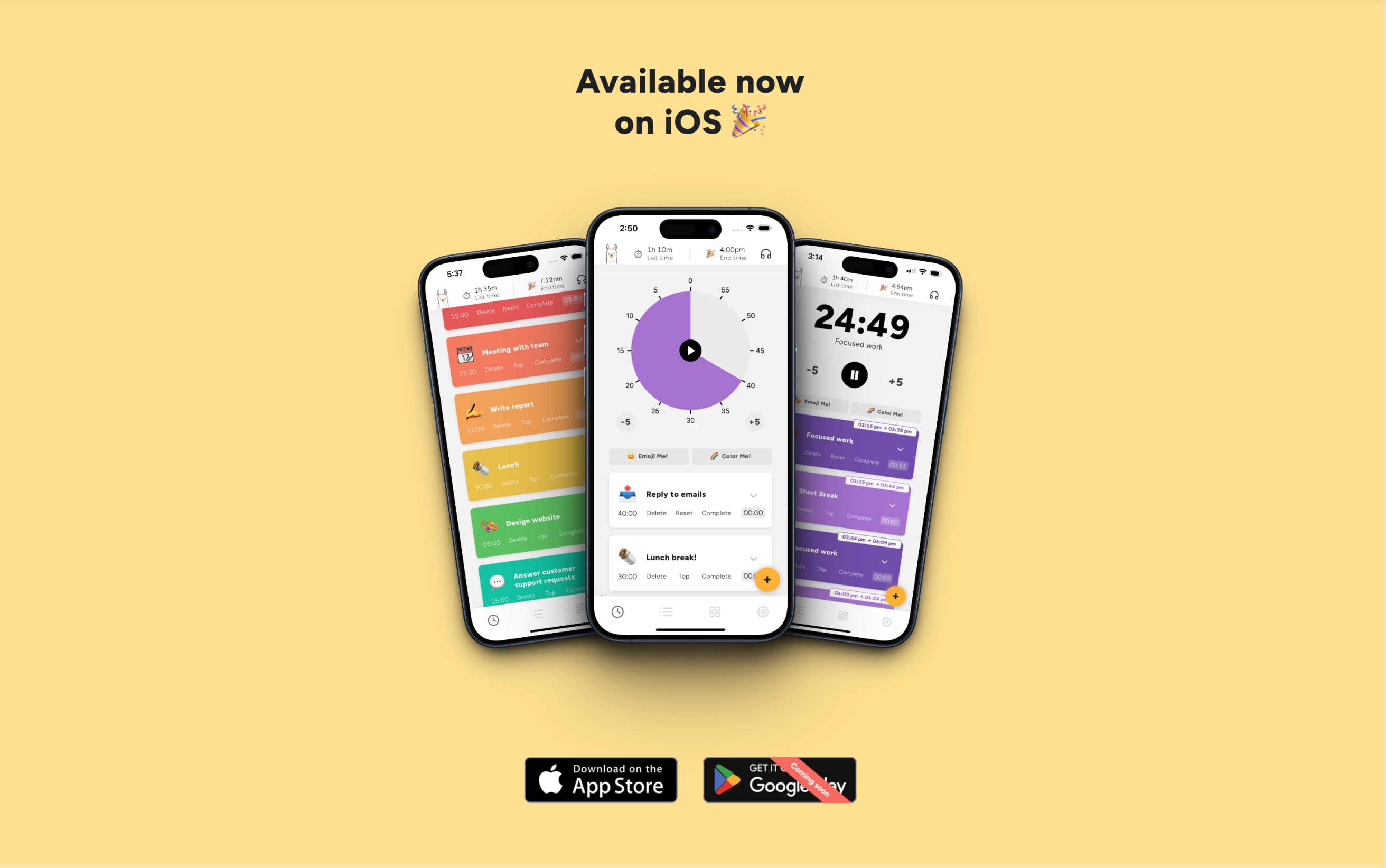
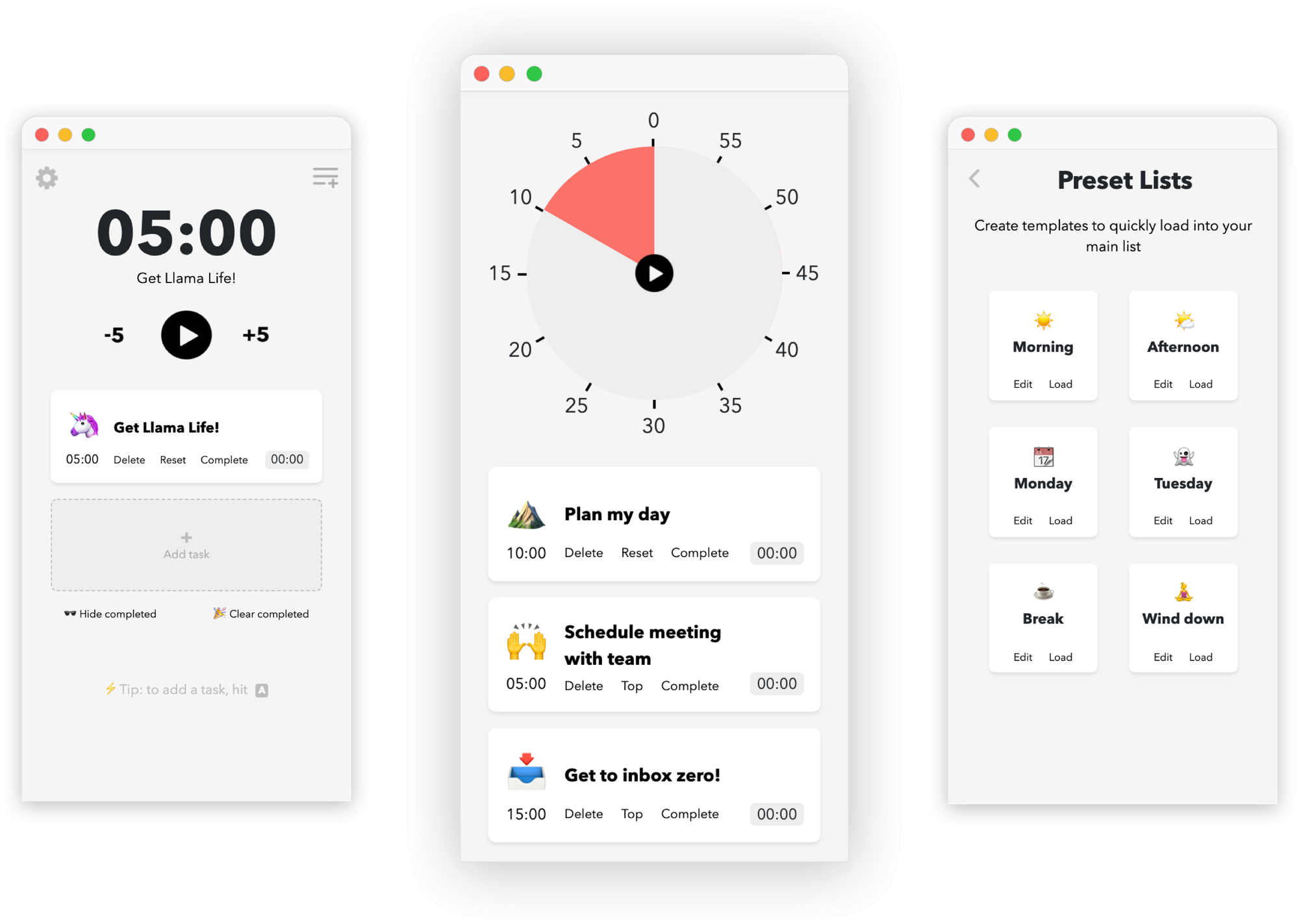
Llama Life is a minimalist productivity tool that helps you stay focused by tackling one task at a time. It uses simple timers, visual cues, and playful design to make your day feel manageable instead of overwhelming
Key features
- Time-boxed tasks: Assign durations and use a countdown timer
- Shows your total “list time” so you know when you’ll realistically finish
- Fun touches like colors, emojis, and confetti for completed tasks
- Preset lists and routines for recurring task sets
Pros
- Seeing the predicted “end time” makes planning much more realistic
- Single-task focus is refreshing
Cons
- No collaboration or team-based task feature
- Mobile version historically feels lighter than desktop
- Too simple if you’re used to project-management tools with charts or multiple views
Pricing
- 7-day free trial
- $6/month
Suitable for
- Individuals who want a simple system to stay on track
- ADHD-prone users or anyone who struggles with overwhelm
How to start
- Go to Llama Life’s website or download the mobile app
- Start the free trial
Llama Life reviews (source)
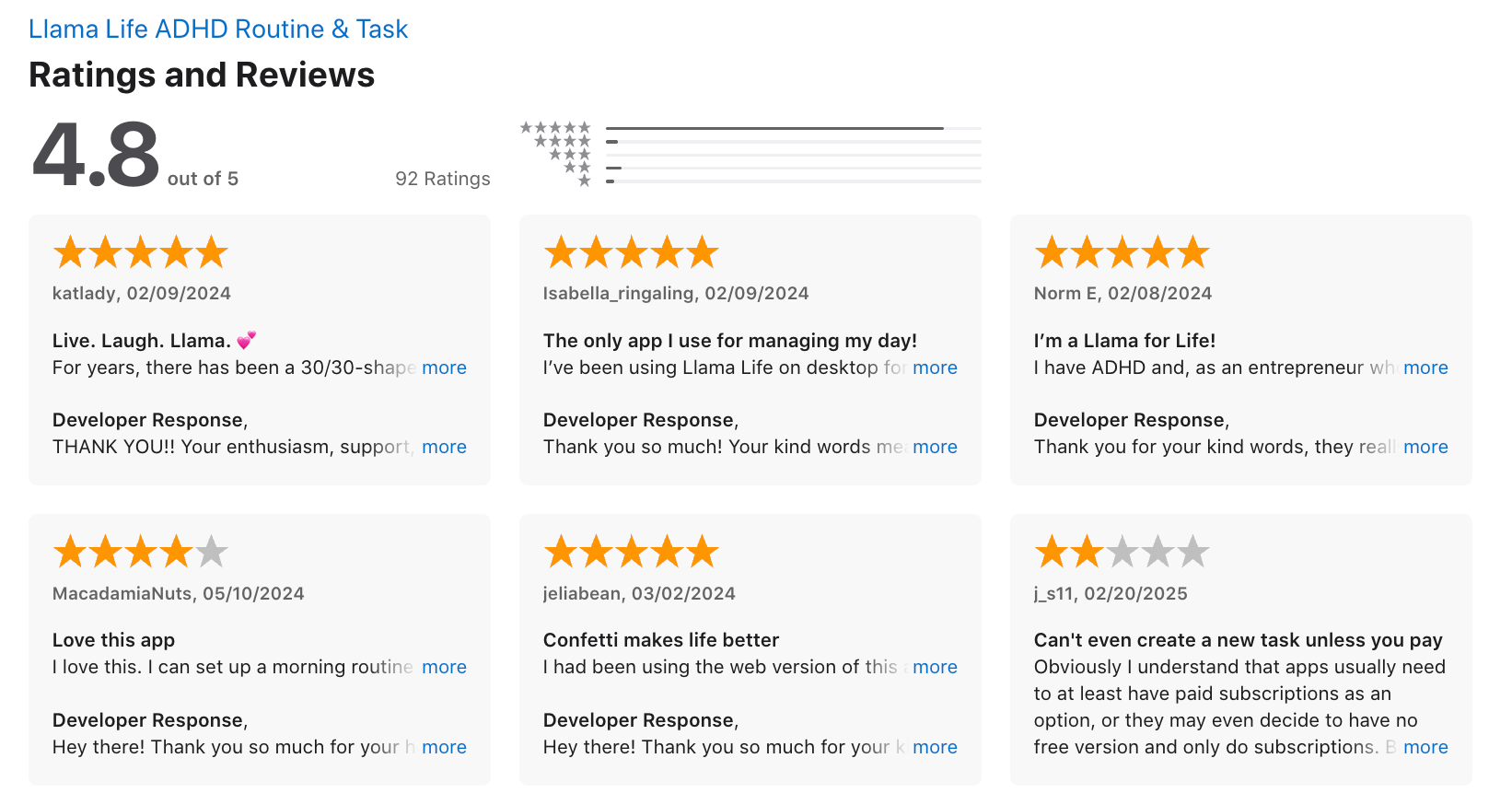
"Llama life keeps me on track for work and home, with separate task lists. It is fun and keeps my interest. The time is so helpful with a simple alarm ding I set for everything 5 minutes! (Just incase I get side tract which I do often)." - Renee Reich
"The icons are weird and only hog space. The app is still very formative and buggy. Lacks mobile support. It won't work at all without signing up. Lacks keyboard accessibility - you have to use your mouse to navigate around the application." - Dr Kamlesh P
6) Amazing Marvin
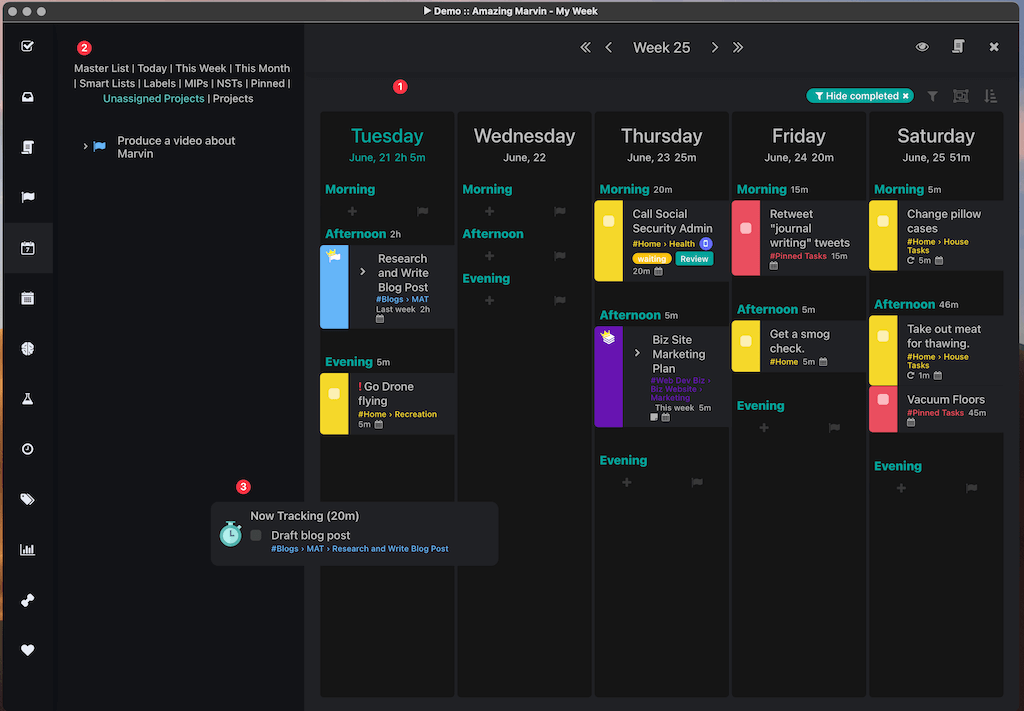
Amazing Marvin is a highly customizable productivity app built for people who want a system that adapts to them. It combines tasks, planning, habits, and hundreds of optional “strategies” so you can design your own workflow instead of forcing yourself into a rigid template.
Key features
- Dozens of built-in productivity strategies like Pomodoro, Eisenhower Matrix, and 1-3-5 day planning
- Deep customization for dashboards, layouts, smart lists, categories, and project structures
- Time blocking, daily/weekly planning, habit tracking, and built-in timers
- Calendar sync and time-based scheduling
Pros
- You can tailor almost every part of your workflow, which is great if you’ve never found a “perfect” task app
- The mix of task planning + time blocking + habits helps keep everything in one system
"Amazing Marvin is the only tool that lets me build a productivity system that truly fits me, like assembling LEGO pieces to create something perfectly tailored to my needs." - verified review
Cons
- There’s a noticeable learning curve because of the sheer number of features
- The mobile experience isn’t as polished as the desktop/web version
- Not ideal for team collaboration or shared project management

Pricing
- $8/month when billed annually
- No free plan, but a 14-day free trial
Suitable for
- Individuals who love customizing workflows
- Freelancers and professionals juggling multiple projects
- People who want a flexible productivity system rather than a fixed template
How to start
- Go to amazingmarvin.com
- Sign up for the 14-day trial
Amazing Marvin review (source)
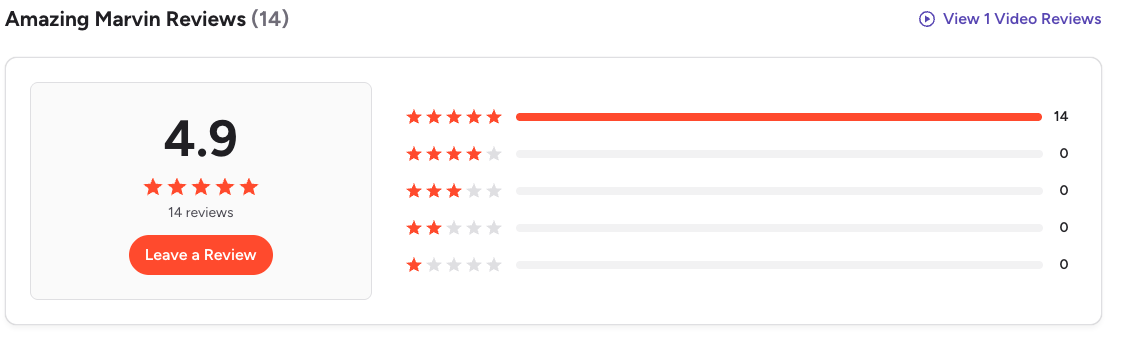
"It takes a while to really learn all of the tools that Amazing Marvin has, which can be overwhelming at first, particularly for folks with ADHD." - Jillian H
🧩 Final Thoughts
Finch is a great starting point for building small habits and staying mindful - but it’s totally normal to outgrow it. As your life gets busier, your goals get bigger, or your brain needs a different kind of support, switching tools can make a huge difference.
The good news? You have plenty of options in 2026.
Whether you want something more personalized (Saner.AI), more structured (Tiimo), more customizable (Amazing Marvin), or more fun and bite-sized (Llama Life), there’s a Finch alternative that fits the way your brain actually works.
Stay on top of your life with your AI Assistant
Best Finch Alternatives: FAQs (2026 Guide)
1. What is Finch?
Finch is a self-care and mental wellness app that gamifies healthy habits. You care for a virtual pet that grows as you complete real-life goals like journaling, breathing, or reflection.
It’s loved by students, ADHDers, and young professionals for making wellness feel fun and low-pressure.
But some users want more flexibility, AI features, or deeper productivity integration - that’s where Finch alternatives come in.
2. Why look for Finch alternatives?
While Finch is cozy and adorable, it focuses mostly on emotional check-ins and basic habit tracking.
If you’re looking for:
- More control over complex tasks or routines
- AI features like smart reminders or focus suggestions
- Integration with work or study tools
- Or a more minimalist, adult-friendly design
Then exploring Finch alternatives like Saner.AI, Tiimo, or Llama Life might be a better fit.
3. What are the best Finch alternatives in 2026?
Here are some of the best apps like Finch, depending on what you need:
- Saner.AI – For ADHD productivity, brain-dump-to-task automation, and AI-powered self-management
- Tiimo – For neurodivergent users who thrive with structured visual routines
- Amazing Marvin – For deep customization and gamified task systems
- Llama Life – For calming timeboxing and gentle focus sessions
- Todoist – For simple, reliable task management
- TickTick – For hybrid users who want habit tracking + task lists
4. Which Finch alternative is best for ADHD or neurodivergent users?
If you have ADHD or struggle with focus, Saner.AI and Tiimo are the strongest choices.
- Saner.AI turns brain dumps into structured tasks and auto-suggests priorities to reduce overwhelm.
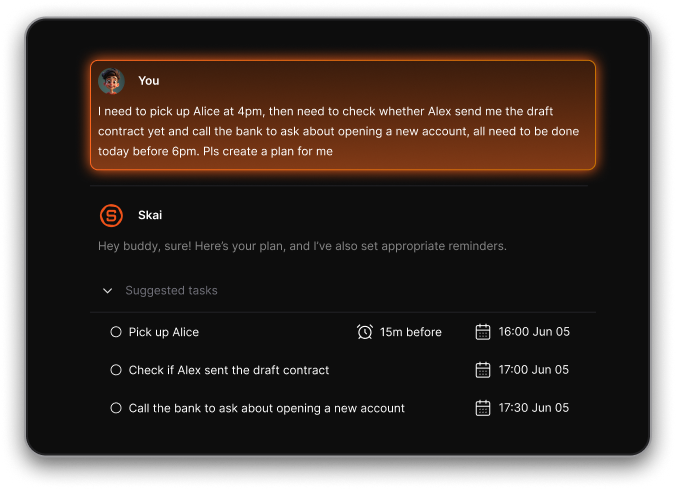
- Tiimo offers gentle visual routines and reminders that help you stay consistent without anxiety.
Both were designed with neurodivergent users in mind, focusing on clarity, not complexity.
5. Which Finch alternative adds AI features?
If you want your self-care app to think with you, not just track habits, go for Saner.AI.
It connects your notes, to-dos, and reminders - and understands context.
You can ask things like:
- “What should I focus on today?”
- “Summarize my morning journal”
- “Turn my thoughts into a daily plan”
It’s like having an AI coach that keeps you grounded and productive.
6. What Finch alternative is best for daily routines?
Saner.AI and TickTick are both great for building consistent routines.
- Saner.AI plans your day in an easy timeline - great for ADHD and visual thinkers.
- TickTick lets you combine to-do lists with habit streaks and reminders in one clean interface.
If Finch helps you start, these tools help you stay consistent.
7. Which Finch alternatives include gamification?
If you love the reward system in Finch, try:
- Amazing Marvin – Create your own “game modes,” challenges, and streak rewards.
- Llama Life – Uses soft satisfaction loops with sounds and animations when you finish a task.
Both make discipline feel like a game - without overwhelming you.
8. Which Finch alternative focuses more on productivity?
Saner.AI, Todoist, and TickTick lean toward productivity while keeping mental wellness in mind.
- Saner.AI = AI organization + calm design for deep work and reflection
- Todoist = clean structure and task labels for professionals
- TickTick = balance of daily habits and practical task lists
If you’re ready to turn mindfulness into meaningful output, these are top picks.
9. Are there free Finch alternatives?
Yes, several offer free plans:
- Saner.AI - Free plan with AI task reminders, natural language search, and journal sync
- Tiimo – Free visual planner for routines and reminders
- Todoist – Free core version for basic task management
- TickTick – Free with limited habits and tasks
You can test which style fits you before upgrading.
10. Which Finch alternative helps with burnout?
If you’re mentally overloaded, Saner.AI and Llama Life are worth trying.
- Saner.AI declutters your brain - turns chaos into clarity through AI synthesis.
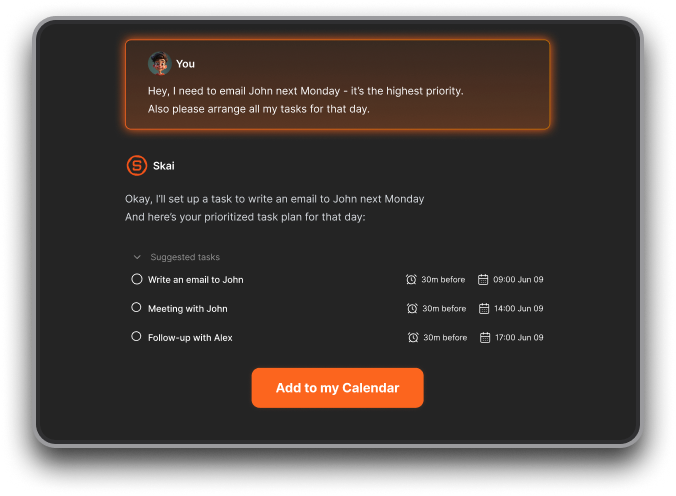
- Llama Life slows you down gently and helps you finish the day feeling calm, not guilty.
Both turn “self-care” from a chore into a state of mind.
11. Are Finch alternatives suitable for students or professionals?
Absolutely.
- Students: Try Tiimo or TickTick for routines, study blocks, and focus reminders.
- Professionals: Saner.AI and Todoist help plan your day, prioritize work, and reduce mental clutter.
- Creators and founders: Amazing Marvin gives you deep customization and structure for complex projects.
Each helps you balance achievement with mental health—a gap Finch doesn’t fully cover.
12. How do I choose the best Finch alternative for me?
Ask yourself:
- Do I want structure (Tiimo, TickTick) or freedom (Saner.AI, Marvin)?
- Do I like gamified motivation (Finch, Marvin, Llama Life) or AI planning (Saner.AI)?
- Do I need simplicity (Todoist) or customization (Marvin)?
Your perfect app depends on your mental energy and how much control you want over your day.
13. Do Finch alternatives sync with calendars or work tools?
Yes, many do:
- Saner.AI – Connects with Google Calendar, Gmail, Outlook, and notes for full context-aware productivity
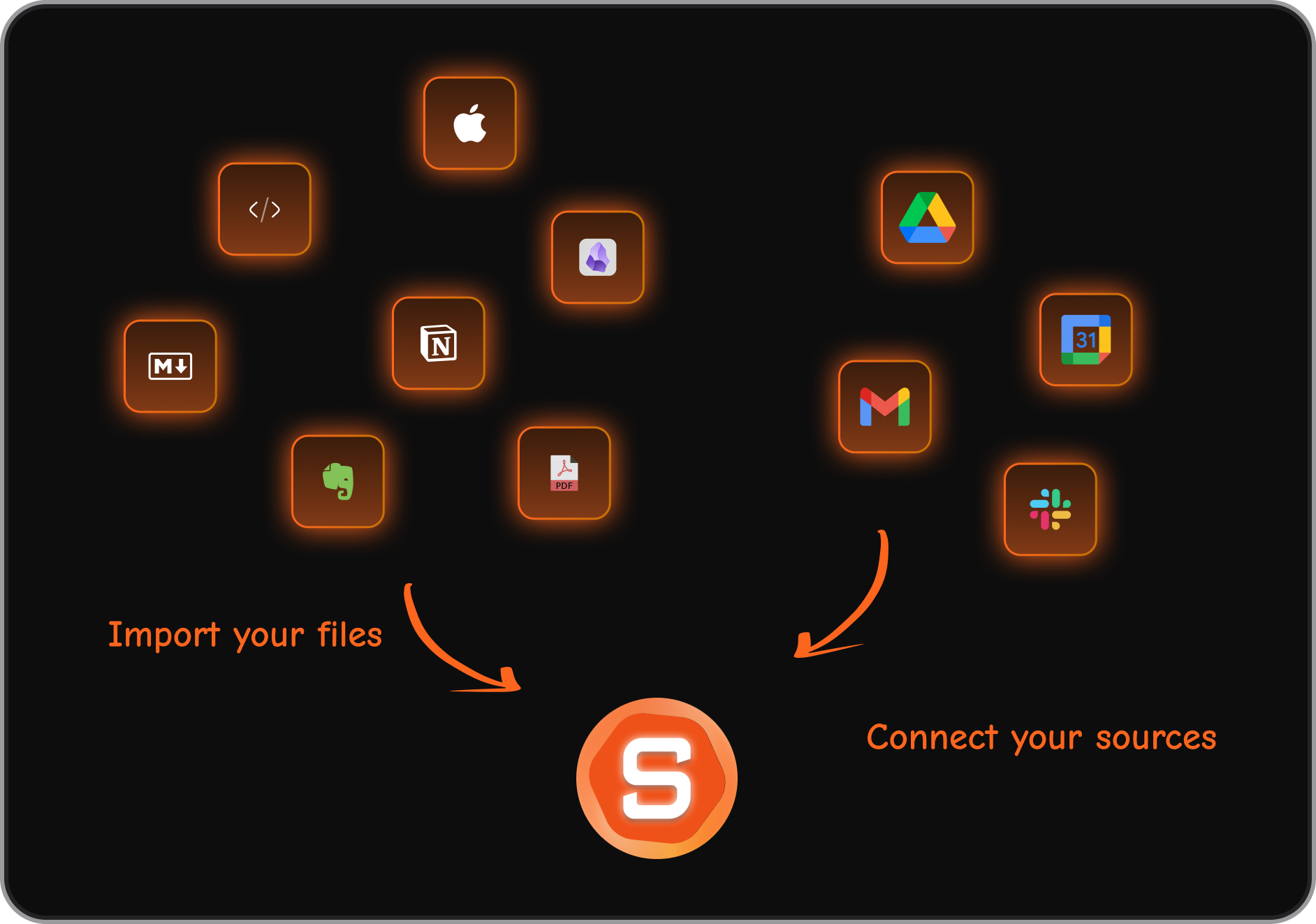
- TickTick – Syncs with calendars and offers widgets
- Todoist – Works with Outlook, Slack, and more
- Tiimo – Syncs routines to Apple/Google Calendar
If you want both self-care and system-level productivity, Saner.AI covers both worlds.
14. What’s the best Finch alternative overall in 2026?
If you want a balanced mix of mental clarity, focus, and gentle motivation, here’s the quick breakdown:
| Goal | Best Finch Alternative |
|---|---|
| AI-powered focus & self-care | Saner.AI |
| Visual structure for ADHD | Tiimo |
| Deep customization | Amazing Marvin |
| Calm timeboxing | Llama Life |
| Clean productivity | Todoist |
| Habits + Tasks | TickTick |
All of them are great - but if you want one app that blends Finch’s emotional calm with intelligent productivity, Saner.AI is the top pick.
Stay on top of your work and life



