Wispr Flow alternatives: We tested and ranked the best 6 in 2026
Best Wispr Flow alternatives in 2026 are SuperWhisper, Aqua Voice, Willow Voice, MacWhisper, Notta, and Otter.ai

6 Best Wispr Flow alternatives in 2026
If you’re searching for Wispr Flow alternatives, you’re probably feeling one of three things:
- It’s not flexible enough for your workflow
- The pricing doesn’t justify the value
- A voice-to-text AI that doesn’t just transcribe, it should also rewrite your speech into clean, professional writing.
Wispr Flow has become popular because it works system-wide and automatically removes filler words, fixes grammar, and formats sentences while you speak. But I do understand it’s not perfect for everyone.
In this guide, I’ll break down:
- What Wispr Flow actually does
- Why people switch
- The best Wispr Flow alternatives in 2026
- A side-by-side comparison
- And which tool fits which type of user
1. What Is Wispr Flow?
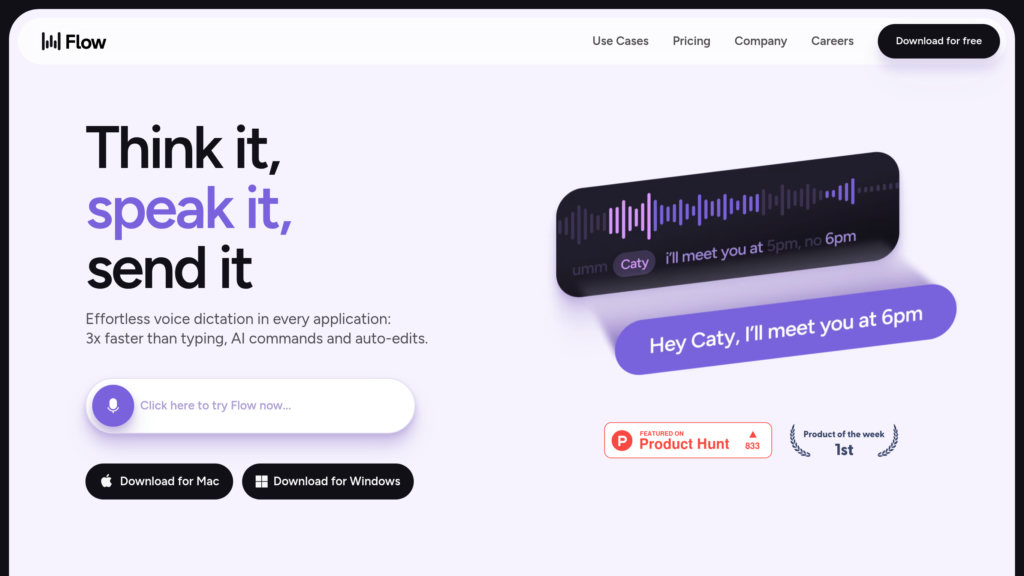
Wispr Flow is a system-wide AI voice keyboard that transforms the way you write by turning raw speech into clean, polished text in any app. Instead of dumping out messy transcripts, it quietly removes filler words, fixes grammar, adds punctuation, and reshapes fragmented thoughts into clear, coherent sentences - all in real time. It’s built to replace typing altogether, not to record meetings, but to help you think out loud and instantly sound composed.
2. Why People Look for Wispr Flow Alternatives?
Here are the more realistic switching reasons I’ve seen repeatedly:
- Over-editing frustration - The AI cleans up speech, but occasionally changes tone or meaning more than expected.
- Latency breaks thinking flow - Even a one-second delay can interrupt momentum when speaking fast.
- Subscription fatigue - Paying ~$15/month for voice typing can feel heavy if dictation isn’t used daily.
- Accent or domain vocabulary accuracy – Technical terms, names, or non-native accents may require better personalization features.
- Realization mismatch - Some users thought they needed AI dictation, but actually needed meeting transcription or long-form audio processing instead.
3. How I Evaluated the Best Wispr Flow Alternatives
Here’s what I actually paid attention to:
A. System-wide reliability – Does it truly work in every app (Slack, Gmail, Docs, browsers), or does it break in certain fields or require copy-paste workarounds?
B. Rewrite control – Can I adjust how much the AI “cleans up” my speech? Some tools are too aggressive, others barely polish at all.
C. Latency under real use – Does it keep up when I talk fast? Does it hesitate mid-sentence?
D. Accuracy with messy speech – How does it handle half-finished thoughts, interruptions, or mid-sentence corrections?
E. Accent & vocabulary handling – Does it learn names, jargon, technical terms? Or do I have to constantly fix them?
F. Voice command depth – Can I say “rewrite this professionally” or “shorten this” without touching the keyboard?
Now let's dive in!
What are The Best Wispr Flow Alternatives in 2026?
Best Wispr Flow alternatives in 2026 are SuperWhisper, Aqua Voice, Willow Voice, MacWhisper, Notta, and Otter.ai
🎙️ Best Wispr Flow Alternatives in 2026 – Comparison Table
| Tool | 🎯 Best For | 🤖 AI Capabilities | 📱 Platforms | 🆓 Free Plan | 💳 Paid Plan (Latest 2026) |
|---|---|---|---|---|---|
| SuperWhisper | Private on-device dictation (Mac users) | Offline transcription (Whisper-based), real-time dictation | macOS | Limited trial | From ~$8–12/month or one-time license (varies by model tier) |
| Aqua Voice | Polished AI writing from speech | Real-time dictation + AI rewriting & tone adjustment | macOS, Windows | Yes (limited minutes) | From ~$10–15/month |
| Willow Voice | Natural voice-to-writing workflow | Context-aware dictation, AI formatting & rewriting | macOS | Free trial | From ~$15/month |
| MacWhisper | Local transcription with privacy focus | On-device Whisper transcription (multiple model sizes) | macOS | Free version (basic models) | Pro ~$49–59 one-time |
| Notta | Meeting transcription & summaries | Live transcription, AI summaries, speaker identification | Web, iOS, Android | Yes (limited minutes) | Pro ~$13–16/month |
| Otter.ai | Team meetings & collaboration | Real-time transcription, AI summaries, action items | Web, iOS, Android | Yes (basic plan) | Pro ~$10/month, Business ~$20/user/month |
1. SuperWhisper
I’ve been testing SuperWhisper as a high-end AI voice-to-text tool that lives in your macOS menu bar or iPhone. It lets you speak anywhere you can type - emails, docs, chat windows, and turns speech into formatted text using local AI models with optional cloud enhancements.
The app supports offline privacy and customizable models (from fast to high-accuracy), so you can choose the trade-off between speed and quality. It also transcribes audio/video files and supports 100+ languages.
Key features
- Converts your voice into clean, formatted text across any application, with context-aware processing that understands intent, not just words.
- Works with 100+ languages and can function fully offline, keeping your data on device.
- You can pick models (Nano → Ultra) and create personalized AI instructions so output matches your workflow.
- Beyond live dictation, it handles long audio/video file transcriptions, which also useful for meetings or interviews.
What I liked
- Processing happens locally by default, so your voice data doesn’t leave your device.
- Choosing larger models gives surprisingly clean results that reduce editing time.
- Advanced settings let me fine-tune mic input, shortcuts, and processing behavior to fit complex workflows.
- I can dictate into any app that accepts text input — not locked to one editor.
Cons
- I had to spend time adjusting models and prompts versus plug-and-play tools like Wispr Flow.
- The many settings can feel overly technical if you just want simple dictation.
- Larger AI models feel slower on older Macs, requiring patience or hardware upgrades.
- The macOS experience is richer than the iOS version, so workflows vary by device.
Pricing
- Free tier
- Paid plans start at ~$8.49/month
Who is it suitable for?
- Privacy-conscious professionals who don’t want cloud processing of sensitive content.
- Technical users who appreciate deep control over AI models and dictation behavior.
- Heavy dictation users - writers, interviewers, and developers who benefit from offline processing and multi-language support.
SuperWhisper reviews (source)
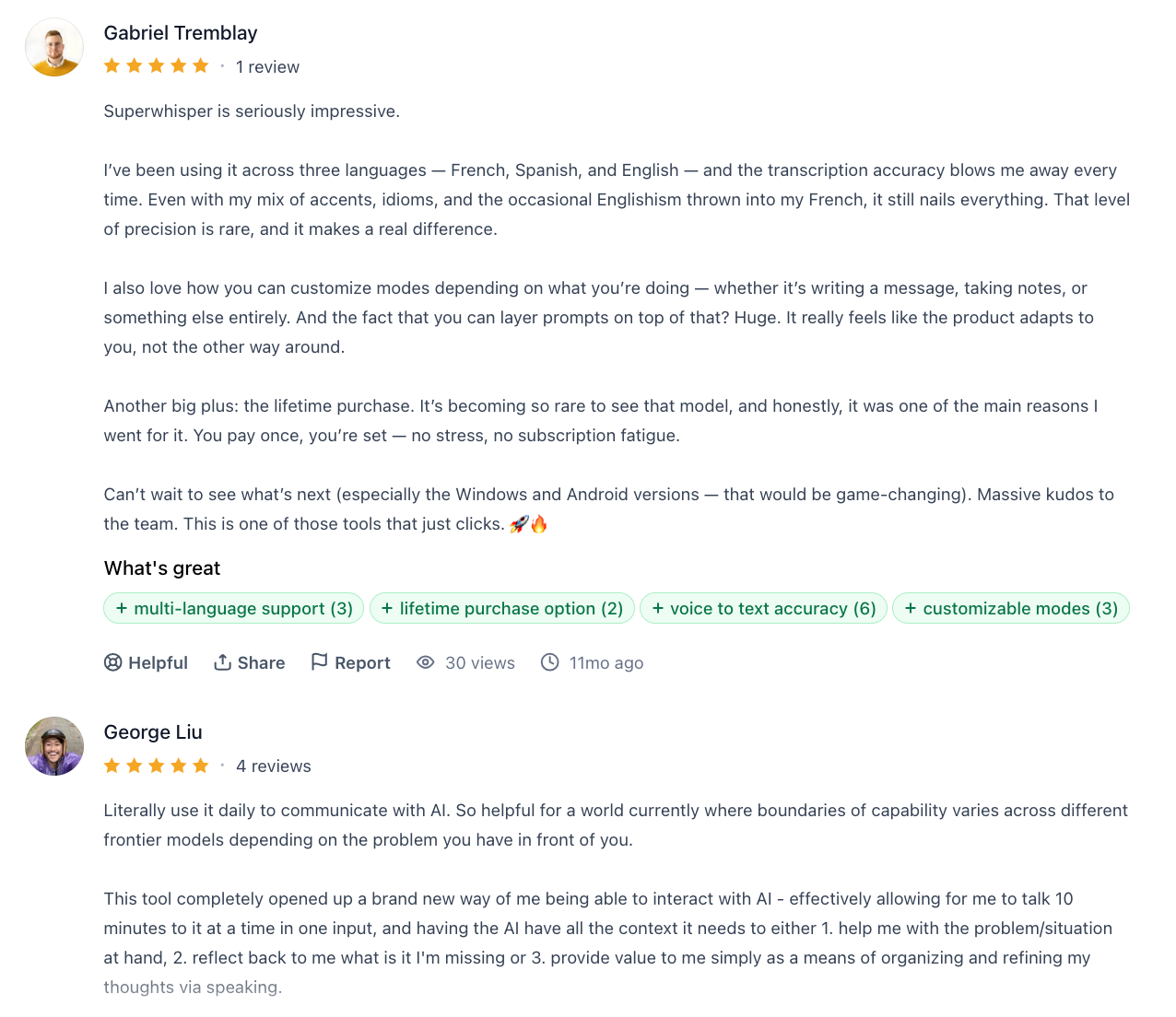
"Superwhisper is quite possibly one of my favorite products ever. I've made my keyboard nearly obsolete. I love that I can just create custom modes and brain dump and have it output as truly structured, understandable text." - Shub Gaur
"I have a number of custom modes that I created for academic writing and for coding. Switching to them is fine using app triggers, but when I am not using one of those apps, the mode does not automatically switch back to my default mode. " - James
How to start using it?
- Go to SuperWhisper’s official site or app store listing (macOS or iOS).
- Install and complete the onboarding setup (mic permissions, shortcut settings).
2. Aqua Voice
I tried Aqua Voice as an AI dictation and voice editing tool that turns spoken language into polished text across pretty much any app on my Mac or Windows machine. Instead of just transcribing words, it uses an AI model (Avalon) to edit out filler phrases and shape your speech into ready-to-read prose in real time
It’s designed for long-form writing - essays, reports, articles, where you want the output to sound like finished writing, not a rough transcript.
Key features
- High-speed voice input: Starts listening in under 50 ms and inserts text in as little as ~450 ms, so there’s very little lag between what I say and what appears on screen.
- Works in any text field - Gmail, Slack, Cursor, VS Code, or even terminal windows, without extra plugins.
- The AI uses screen content to help with accurate terms and formatting, reducing the need for manual corrections.
- Custom dictionary support: I can teach Aqua specific names, terms, and technical words to improve accuracy over time.
What I liked
- Dictation feels instantaneous, which keeps my thought flow going without interruption.
- I noticed fewer misheard words compared to many tools I’ve tried, especially with complex or technical vocabulary.
- No setup per app, it simply writes into whatever text field I’m focused on.
- Cross-platform (Mac & Windows): I can use the same dictation experience on either desktop system.
What I disliked
- All processing happens on remote servers rather than on-device, which may not fit strict privacy needs.
- Without an internet connection, dictation simply won’t work.
- Historically focused on desktop first, though iOS versions are emerging.
Pricing
- Free trial: Up to 1,000 words to test the core dictation for free.
- Monthly subscription: Around $8 per month for unlimited usage.
- Annual plan: Around $96 per year (discounted vs monthly).
Suitable for
- Professionals who want near-instant voice typing while writing emails, docs, or code.
- People who value minimal delay between speaking and seeing text.
- Users who work across multiple apps and windows and want a consistent dictation experience.
- Writers and developers dealing with technical terms that benefit from contextual recognition.
Aqua Voice Reviews (source)
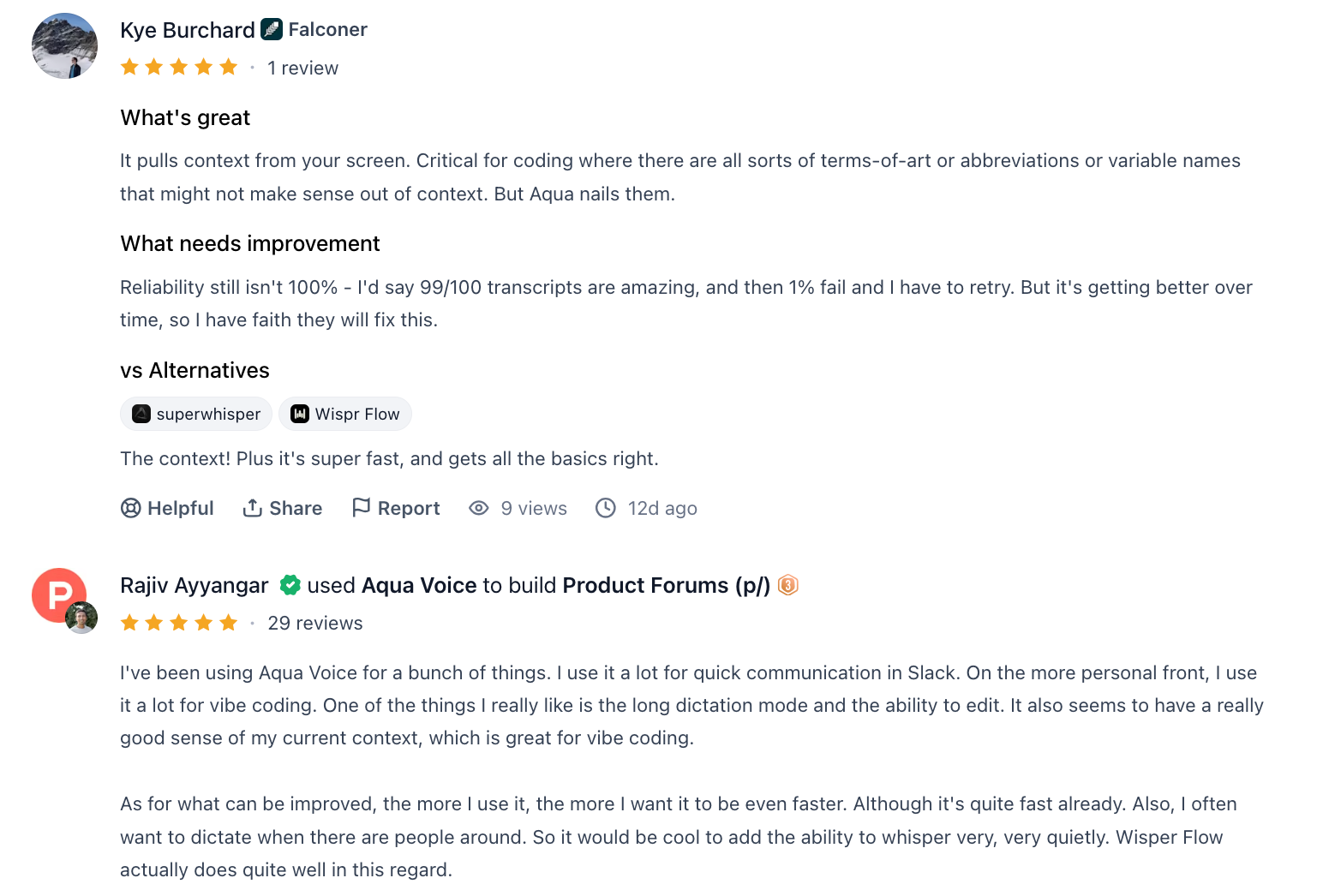
"Aqua is the best voice-to-text solution I've ever had the pleasure of using. As someone with a disability, it's imperative that I have something that works well predictably and at a reasonable cost. On top of that, the vocabulary that I use can sometimes be very specialized, but Aqua allows words to be added to its dictionary and does an excellent job of rendering them in place." - Alexander Williams
"I have had times where I will have a long text block that does not get pasted correctly after I finish. I've been able to get over this by just going into the clipboard history and copying and pasting myself, but it's a bit of an annoyance when one of the main reasons I use Aqua is for the speed." - Jake Crump
How to start
- Visit the Aqua Voice official website or find it on your desktop platform store.
- Install the app and grant microphone permissions so it can capture your speech.
3. Willow Voice
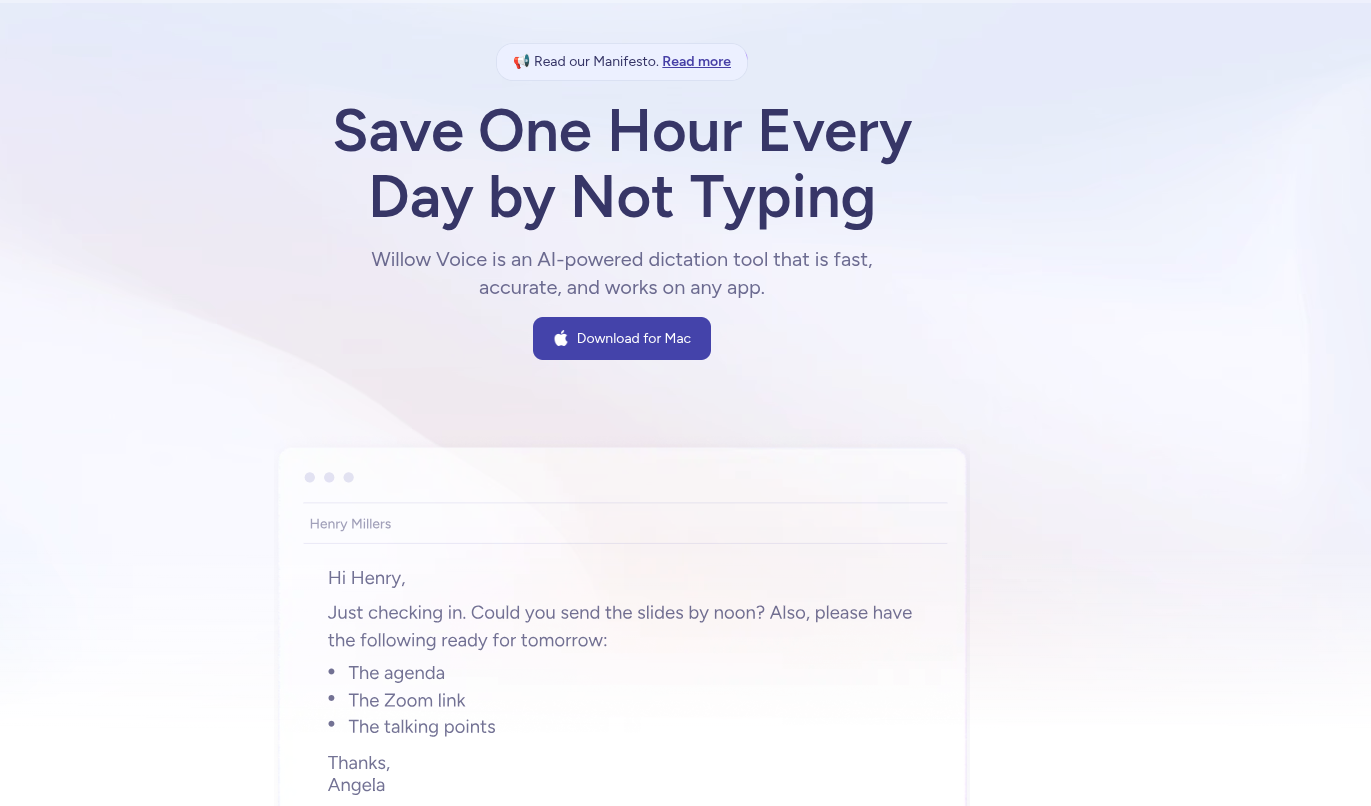
I’ve been using Willow Voice as a generative AI voice-to-text dictation tool to convert spoken words into polished text instantly, removing filler words and formatting punctuation automatically.
The tool uses context awareness, meaning it adapts punctuation and tone based on where you’re typing (email vs chat vs doc), and it learns your writing style over time.
Key features
- Works universally anywhere you type, including Gmail, Slack, Notion, ChatGPT, and desktop apps, with hotkey activation for quick dictation.
- Context-aware AI formats paragraphs, inserts punctuation, and adapts tone based on the destination app to reduce editing after speaking.
- Supports voice commands (e.g., “dash,” “new line,” “bullet point”) and custom vocabulary, improving accuracy for unique terms or technical language.
What I liked
- Generally accurate and fast, with users replacing most typing with voice dictation across apps without switching contexts.
- Formatting and punctuation appear correctly most of the time.
- Easy setup with a simple hotkey for activation.
- Free tier provides 2,000 words per week, enough to test key features before subscribing.
What I disliked
- Requires an internet connection for AI processing; offline dictation isn’t supported.
- Accuracy and formatting can still lag slightly with heavy technical jargon or rapid speech compared to some advanced alternatives.
- Free plan limits weekly words, meaning heavy users will need a paid subscription quickly.
- Cross-platform feature parity isn’t always consistent; some capabilities feel stronger on desktop than mobile.
Pricing
- Free plan: 2,000 words per week, includes core dictation and basic personalization.
- Individual: Around $12/month billed annually
- Team: Around $10/month per user with collaboration features and team settings.
Suitable for
- Users who want fast voice dictation everywhere they type without app-specific setup.
- Writers and professionals who prefer speaking to typing and don’t want to edit manually afterward.
- People who value context-aware formatting and automatic punctuation.
Willow Voice Reviews (source)
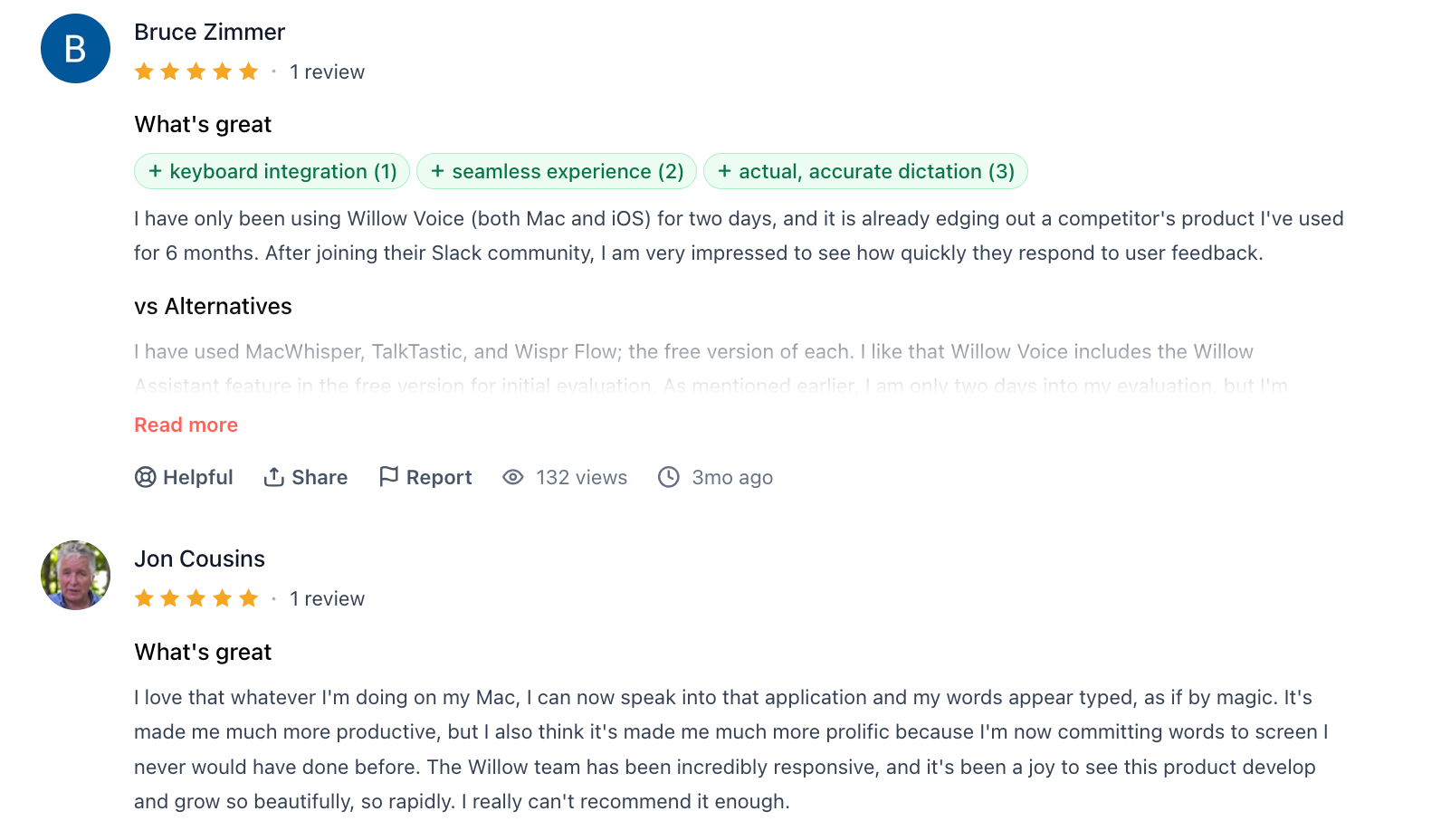
"So much fun to ramble out and get cleaned up, formatted text. I got used to great STT through ChatGPT, now with Willow I get it anywhere at near instant processing. It just works. It's the first time dictation has become integral for my daily work. Typing feels archaic now." - Jonathan Pusinelli
"If you turn on fast dictation, it will sometimes translate the language in which you dictate to English, which, in some cases, is not intended. Very often when I dictate something in another language than English, I want it to be transcribed in that language." - Martijn van Noordennen
How to start
- Go to Willow Voice’s official website and download the app for your platform (Mac, Windows, iOS).
- Install the app and grant it microphone permissions so it can capture your speech.
4. MacWhisper
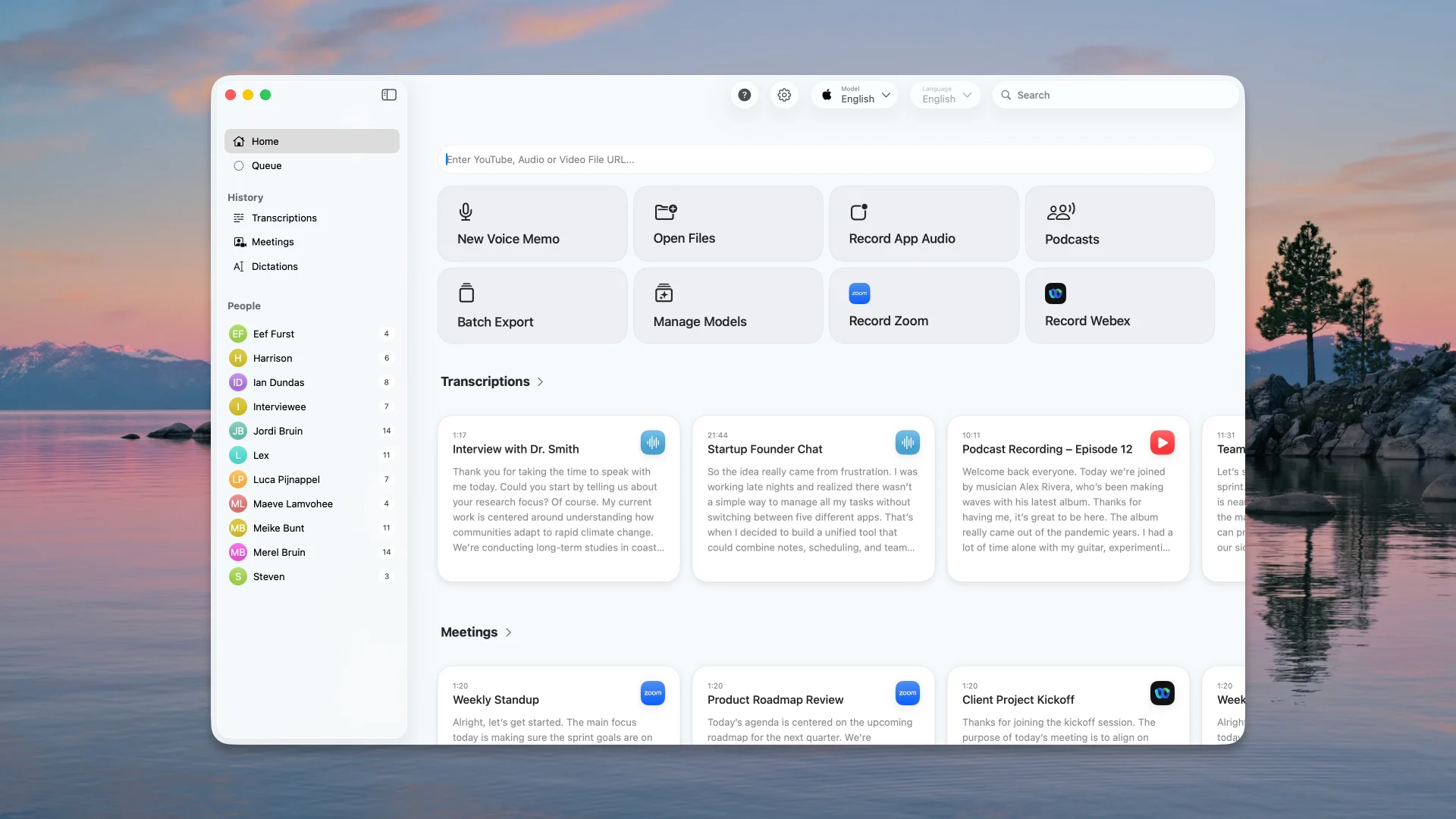
MacWhisper is a Mac-native local AI transcription and dictation tool that turns audio files and spoken words into text without relying on cloud services. It runs Whisper models locally on Apple Silicon Macs, which means my audio data stays private and offline, useful for sensitive interviews, meetings, and internal content.
Key features
- Native offline transcription using Whisper models (Tiny, Base, Small in free tier, Medium/Large with Pro) for processing local audio files.
- Batch processing and multiple export formats (e.g., SRT, PDF, DOCX) for professional use cases like subtitle creation or research.
- AI cleanup, summarization, and translation workflows, when connected with external models or API keys, expand what transcripts can do.
What I liked:
- Fully offline and privacy-focused, so audio doesn’t leave your machine.
- One-time purchase (Pro) option available, avoiding recurring fees for long-term use.
- Handles batch files and multiple formats, good for content creators and post-production workflows.
What I disliked:
- Free version uses smaller models with limited accuracy compared to larger AI transcription services.
- Dictation for live typing requires the direct download version, not the App Store build.
- UI and workflow feel more focused on file transcription than real-time writing workflows.
- Speed and performance depend heavily on hardware; older Macs transcribe slower without GPU acceleration.
Pricing:
- Free version
- Pro lifetime license: Around $79.99 one-time purchase for Medium/Large models and advanced export features.
Suitable for:
- Mac Users who want offline local transcription without sending data to cloud servers.
- Podcasters, researchers, and creators needing batch transcript exports and subtitle formats.
MacWhisper review (source)
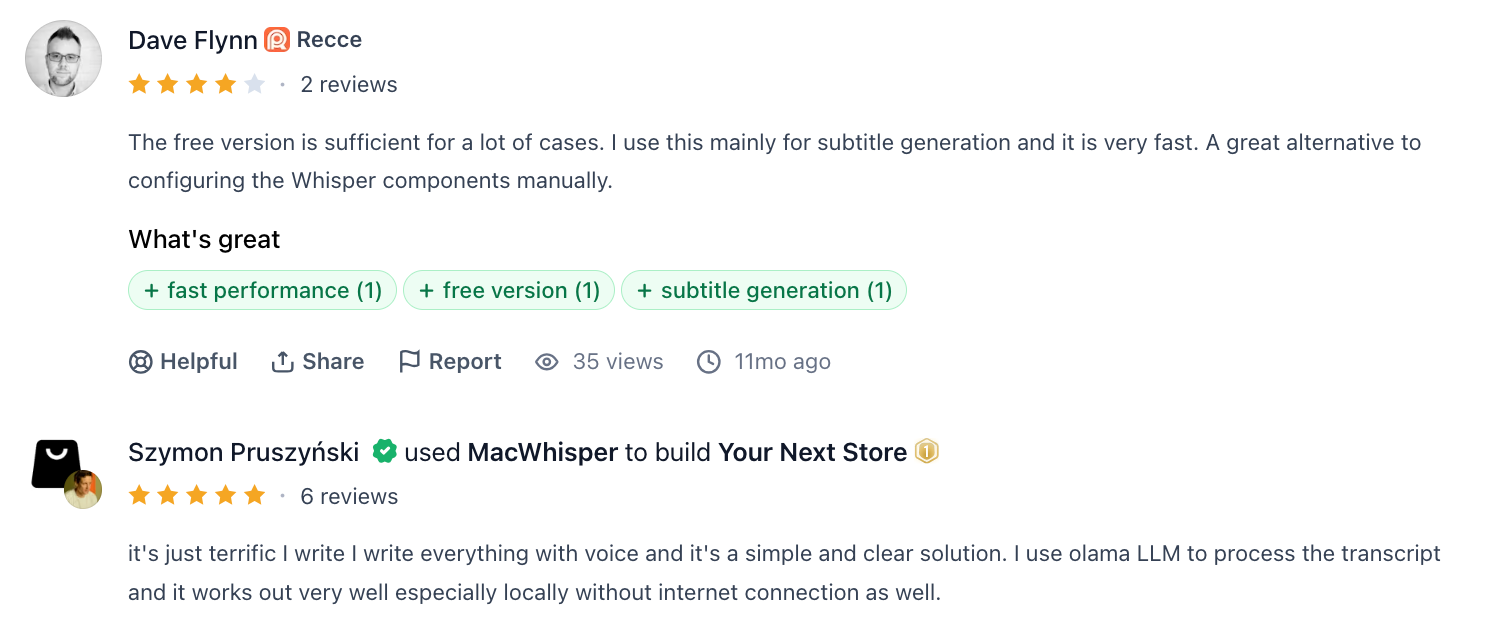
"An incredibly useful app for on-device transcription. I use this for transcribing both voice notes to text and creating automatic transcripts from online videos for my notes. Jordi is constantly adding new features that I've not yet had time to explore too." - David Quiring
"Instead of transcribing the audio, it spirals into endless loops, repeating the same sentence dozens of times, while entire portions of the recording are simply ignored." - D.Nieuwal
How to start:
- Visit the MacWhisper official site or App Store listing and choose the version you want (free or Pro).
- Install the app on your Mac and grant microphone permissions if you plan to use dictation.
- Drag audio/video files into the app to generate transcripts and captions, or configure hotkeys for live dictation.
5. Otter.ai
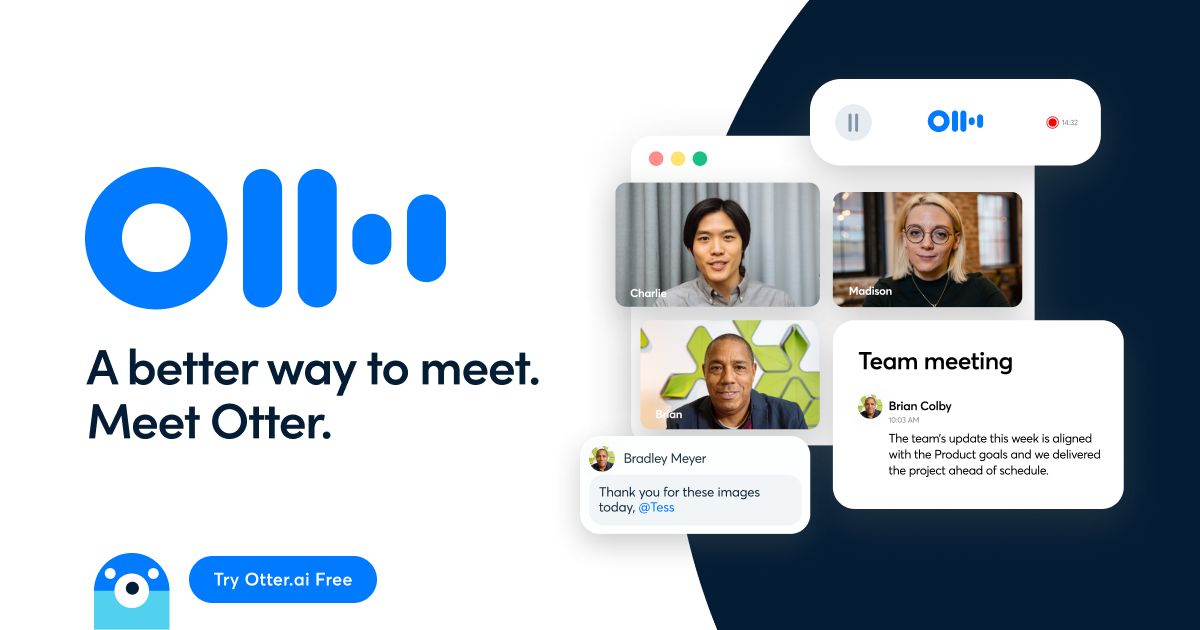
Otter.ai is AI meeting transcription and note-taking assistant that automatically captures spoken words in meetings, lectures, interviews, and conversations and turns them into searchable, editable text.
It integrates with virtual meeting platforms like Zoom, Google Meet, and Microsoft Teams so it can join calls and produce real-time transcripts and post-meeting summaries. Otter also supports speaker identification, highlights, shared notes, and automated AI summaries.
Key features
- Real-time meeting transcription with automated summaries and speaker labels to organize discussions.
- AI-powered integrations including searchable archives, shared folders, highlights, and export options (e.g., PDF, text) for later review.
- OtterPilot AI assistant features that capture key points, action items, and intelligent meeting insights once enabled for your account.
What I liked
- Reliable auto transcription and summaries across video conferencing platforms, saving time on manual note-taking.
- AI-generated meeting insights and searchable archives improve recall and collaboration after discussions.
What I disliked
- Transcription minutes are limited on lower plans (e.g., 300 minutes/month on Basic), which feels restrictive for heavy use.
- Accuracy can drop with strong accents or poor audio quality, meaning manual edits are sometimes necessary.
- Because all processing is cloud-based, offline use isn’t supported and internet issues can disrupt transcription.
- Some advanced productivity and privacy features are locked behind higher-tier or enterprise plans.
Pricing
- Basic (Free): Free forever with up to 300 transcription minutes/month and a 30-minute limit per conversation.
- Pro: About $16.99/month per user (or $8.33/month billed annually)
- Business: Around $30/month per user (or $19.99 billed annually) with unlimited meetings, 4-hour per meeting limit, admin features, team management, and priority support.
Suitable for
- Professionals and teams who want automatic meeting transcripts without manual note-taking.
- Users heavily reliant on Zoom, Google Meet, or Microsoft Teams recordings.
- Educators, students, journalists, or knowledge workers who review notes frequently.
- Small teams that benefit from shared notes, highlights, and searchable meeting history.
Otter.ai Reviews (source)
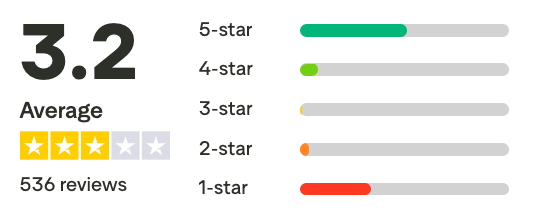
"Otter.ai is a game changer for mental health professionals. Prior to using, I hand wrote notes as patient spoke (did not like having a laptop in my lap). Now I can totally focus on patient and never avoid eye contact. Total engagement." - Susan I
"Otter.ai has many transcription errors. I always need to edit everything, and almost every sentence. Often, if I did not know the subject, I would not be able to edit the transcription for it to make any sense. This inserts my own bias and errors into the transcription because I may not be paraphrasing the speaker/discussion correctly." - Warren Cottingham
How to start
- Go to Otter.ai’s official site and sign up for a free account to test live transcription features.
- Connect your calendar and meeting tools (Zoom, Google Meet, Teams) so Otter can auto-join and capture sessions.
6. Notta
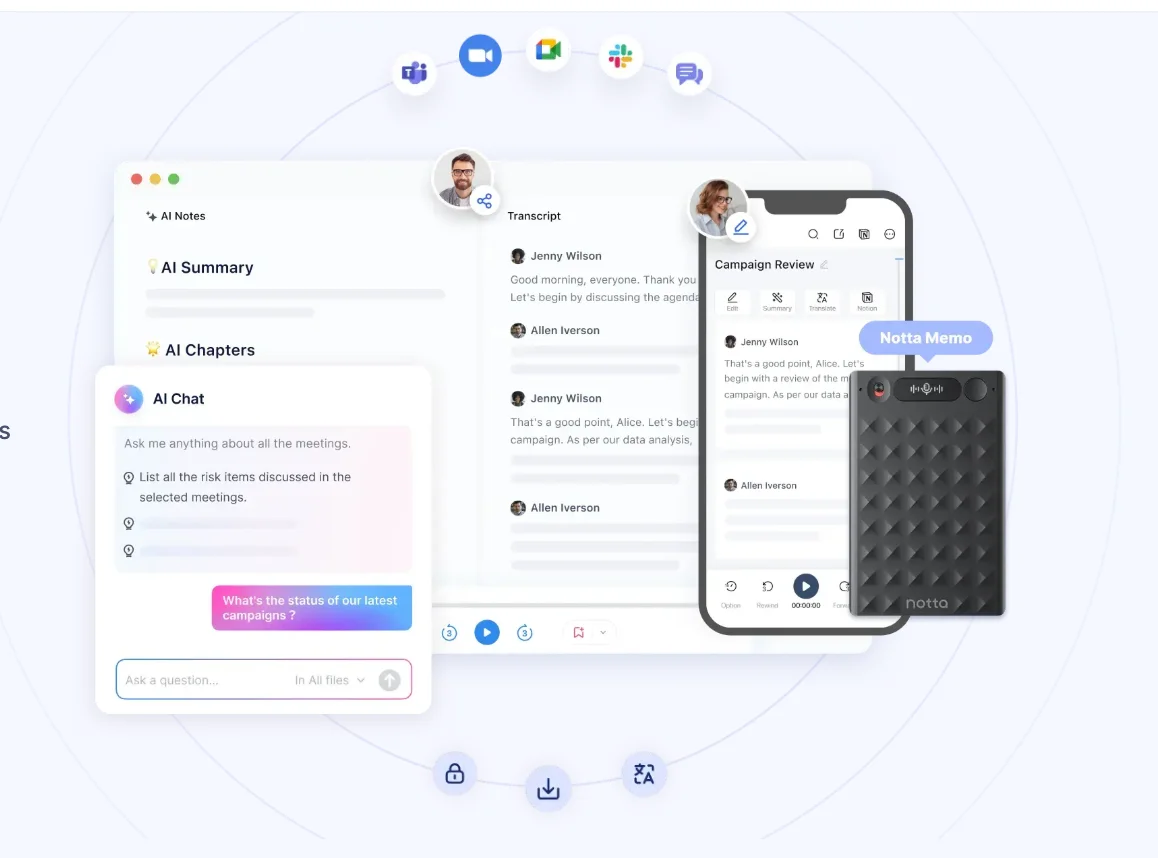
I tested Notta as a cloud-based AI transcription and meeting assistant that records, transcribes, and summarizes conversations in real time.
Compared to pure dictation tools like Wispr Flow, Notta feels more focused on structured meeting capture - transcripts, speaker labels, summaries, and searchable archives.
Key features
- Real-time transcription for live meetings plus file uploads (audio and video), with automatic speaker detection and timestamps.
- AI summaries that extract key points and action items after meetings, reducing the need to manually review full transcripts.
- Multilingual support (100+ languages for transcription, translation available for major languages), useful for global teams.
- Cross-platform access via web app, desktop app, Chrome extension, and mobile apps with synced cloud storage.
What I liked:
- Strong multilingual transcription accuracy in my testing, especially for bilingual conversations.
- Clean, structured summaries that are easy to scan instead of reading full transcripts.
- Works across devices without complex setup - just connect your calendar and meeting tools.
- Useful export formats (TXT, DOCX, PDF, SRT) for documentation or content reuse.
What I disliked:
- Fully cloud-based, so it requires internet access and may not suit strict privacy-sensitive workflows.
- Free plan transcription minutes are limited, so regular meeting users will quickly need a paid plan.
- Accuracy still depends heavily on audio quality and speaker clarity.
- More meeting-centric than real-time writing dictation tools like Willow Voice or Aqua Voice.
Pricing:
- Free: Limited monthly transcription minutes with basic AI summaries.
- Pro: Around $14–$16 per month (lower if billed annually).
- Business: Around $25–$30 per user per month.
Suitable for:
- Remote teams that run frequent Zoom, Google Meet, or Teams calls.
- Professionals who need searchable transcripts and AI summaries after meetings.
- Multilingual teams handling international conversations.
- Students, journalists, or researchers who upload recorded interviews for transcription.
Notta review (source)
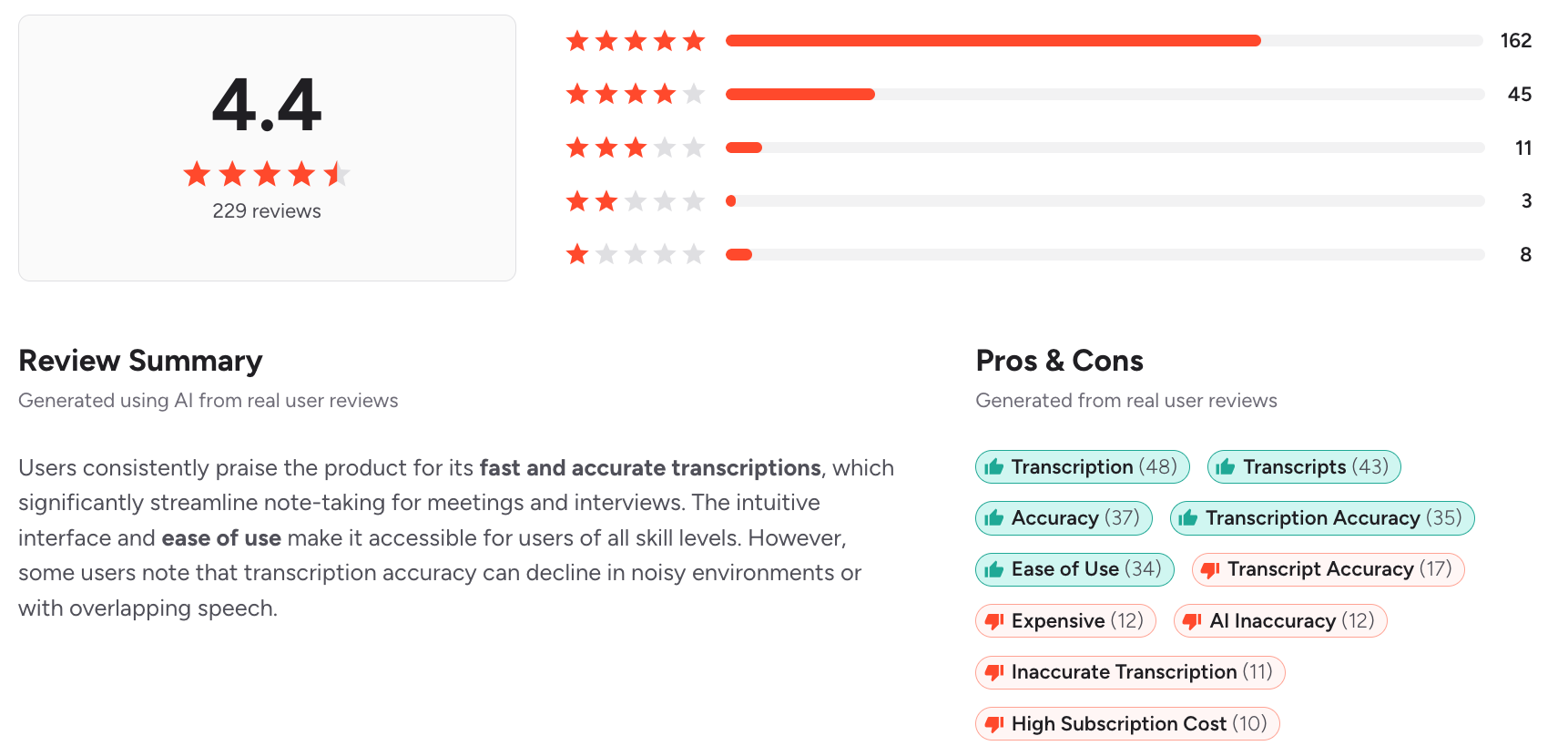
"I like how quickly Notta turns audio and video into readable text. As a designer, it saves me from replaying long calls. I can pull exact user quotes, capture pain points, and find wording that is useful for UX copy and messaging. It's also nice for sharing notes with a team without making everyone watch the whole recording." - Maria T
"Some advanced features could be more customizable, particularly for developers looking to tailor integrations or automate specific workflows. Transcription can occasionally struggle with strong accents or noisy backgrounds. Additionally, while the API is useful, the developer documentation could be more detailed in certain areas." - Filipe S
How to start:
- Go to Notta’s official website and create a free account.
- Connect your Google Calendar or meeting platform so it can auto-join meetings.
- Test live transcription or upload a recorded file to evaluate accuracy.
Conclusion: Choosing the best Wispr Flow alternatives in 2026.
- If you mainly dictate quick thoughts on macOS, MacWhisper might feel right.
- If you want cross-device transcription with clean formatting, SuperWhisper, Aqua Voice, or Willow Voice could be better.
- If meetings are your priority, tools like Notta or Otter.ai shine for structured transcripts and summaries.
But here’s the nuance most comparisons miss:
Voice-to-text tools capture your thoughts. They don’t manage them.
Transcription is step one. Organization is step two. Clarity is step three.
That’s why many power users combine a voice engine with a thinking system like Saner.AI - where raw voice notes turn into structured tasks, connected ideas, and searchable context. Instead of ending up with dozens of transcripts, you end up with decisions, priorities, and momentum.
Here’s what we recommend:
✨ Pick 2–3 tools that match your primary use case (dictation, meetings, or cross-device capture)
🧪 Use them in real scenarios - brainstorming, email drafting, client calls
🧠 Notice which setup reduces cognitive load, not just typing time
If you want your voice notes to become an organized system, not just polished paragraphs, try pairing your favorite transcription app with Saner.AI as the control center.

Stay on top of your work and life with the AI personal assistant
FAQs: Best Wispr Flow Alternatives in 2026
1. What are the Best Wispr Flow alternatives in 2026?
The most competitive Wispr Flow alternatives this year are:
- SuperWhisper
- Aqua Voice
- Willow Voice
- MacWhisper
- Notta
- Otter.ai
Each focuses on a slightly different use case: fast dictation, on-device transcription, meeting notes, or polished AI rewriting.
2. Why look for a Wispr Flow alternative?
Common reasons include:
- Privacy concerns – Some users prefer fully offline transcription.
- Platform limitations – Not all tools work equally well on Windows, Mac, iOS, and Android.
- Meeting transcription needs – You may need speaker labels and live collaboration.
- Pricing at scale – Heavy users can hit limits quickly.
- Editing depth – Some prefer raw transcripts; others want AI-polished writing.
Your “best” option depends on whether you prioritize speed, security, or structured outputs.
3. Which Wispr Flow alternative is best for Mac users?
If you want strong native Mac performance:
- MacWhisper – Runs locally using OpenAI Whisper models.
- SuperWhisper – Optimized for fast dictation on macOS.
Both are strong choices for users who want minimal friction and tight system integration.
4. Which alternative offers the best on-device transcription?
For maximum privacy:
- MacWhisper stands out with fully local processing.
- SuperWhisper may also support local workflows depending on setup.
On-device tools reduce cloud dependency and are preferred by journalists, lawyers, and researchers handling sensitive data.
5. What’s the best Wispr Flow alternative for meetings?
If your main use case is Zoom or Google Meet:
- Otter.ai – Real-time meeting summaries and collaboration.
- Notta – Multilingual transcription with export options.
6. Which Wispr Flow alternative supports multiple languages?
- Notta supports 100+ languages.
- Otter.ai focuses primarily on English but continues expanding.
- Whisper-based tools like MacWhisper often support multilingual models.
If you work cross-border or in multilingual teams, language support is a key filter.
7. Are there free Wispr Flow alternatives?
Yes, but with limits:
- Otter.ai – Free tier with monthly transcription caps.
- Notta – Limited free usage.
- MacWhisper – Free version with model restrictions.
8. Which alternative is best for writers and content creators?
If you want speech turned into polished writing:
- Willow Voice emphasizes clean, structured output.
- Aqua Voice focuses on natural-sounding AI editing.
- SuperWhisper is strong for fast drafting.
Writers often care more about refinement than raw transcript accuracy.
9. What’s the most accurate Wispr Flow alternative?
Accuracy depends on:
- Audio quality
- Accent support
- Model size (for Whisper-based apps)
Generally, larger Whisper models (used in MacWhisper) produce high accuracy. Cloud-based tools like Otter.ai optimize for live performance and speaker detection.
10. Which Wispr Flow alternative is best for students?
Students usually need:
- Lecture recording
- Quick summaries
- Affordable pricing
Notta and Otter.ai are popular in academic settings due to export features and structured summaries.
11. Which option is best for journalists or researchers?
Privacy and transcription control matter most.
- MacWhisper (offline processing)
- SuperWhisper (fast, lightweight dictation)
These tools reduce reliance on cloud storage and third-party data handling.
12. Can these Wispr Flow alternatives summarize transcripts automatically?
Yes, especially:
- Otter.ai – AI meeting summaries.
- Notta – Auto-generated highlights.
- Some voice-writing tools (like Willow Voice) refine raw text into structured drafts.
If you want less editing time, AI summaries are critical.
13. Which Wispr Flow alternative works across devices?
If cross-platform support matters:
- Otter.ai – Web + mobile apps.
- Notta – Web + mobile.
- Aqua Voice – Depends on deployment (often browser-based).
Mac-focused tools like MacWhisper are ideal for Apple ecosystems but less flexible cross-platform.
14. Is there a Wispr Flow alternative better for real-time dictation?
For instant voice-to-text while typing:
- SuperWhisper
- Aqua Voice
- Willow Voice
They’re optimized for flow-state writing rather than post-meeting transcription.
15. How do I choose the best Wispr Flow alternative for my workflow?
Ask yourself:
- Do I need live meeting capture or private offline dictation?
- Is cross-device sync essential?
- Do I want raw transcripts or AI-polished writing?
- How important is data privacy?
The Best Wispr Flow alternatives in 2026 aren’t one-size-fits-all. The right choice depends on whether you value speed, structure, privacy, or collaboration most.
Stay on top of your work and life