
Free ADHD Apps for Adults: We reviewed the best 8 apps
The Best Free ADHD Apps for Adults in 2026 are Saner.AI, Goblin.tools, Gemini, Grammarly and Promofocus

In this post, we tested the most-talked-about options to find the best free picks for ADHD adults.
For each one, we looked at how it handles focus, task management, and habit-building - and what you'll be giving up if you stick to the free tier.
Quick guide: What are the best free ADHD apps for adults?
2. Forest: Works for adults who need a visual, phone-free focus ritual to get started
3. Habitica: Fits adults who respond to gamification and need accountability to build routines
4. Focus@Will: Best for adults who use music or background sound to sustain attention during deep work
5. Pomofocus.io: Works for adults who need a no-frills Pomodoro timer to impose time structure
6. Goblin.tools: Best for adults paralyzed by vague tasks who need AI to break them into tiny, concrete steps
7. Llama Life: Fits adults who struggle with time blindness and need countdowns to make time feel real
8. Structured: Works for visual thinkers who need to see their entire day laid out as a timeline
How we evaluated these apps
Not every productivity app is ADHD-friendly. Some are so complex that they create more friction than focus. That's why we focus on these key criteria and test them for more than 3 weeks:
- Simple, visual interfaces – Clutter = overwhelm. Clear visuals = calm.
- Low friction – Quick to open, easy to use, forgiving when you forget.
- Reminders & nudges – Because out of sight = out of mind.
- Support for task breakdown – One giant task? Paralysis. Mini steps? Progress.
- Flexible structure – For when your executive function just isn’t functioning.
- Gamification or novelty – Because ADHD brains thrive on stimulation and reward.
- Strong free tiers – You don’t have to pay to test what works for you.
Now, let's dive in!
What are the Best Free ADHD Apps for Adults in 2026?
The Best Free ADHD Apps for Adults are Saner.AI, Goblin.tools, Promofocus, Forest, Habitica, Focus@Will, Llama Life, Structured.
1. Saner.AI - Personal Assistant
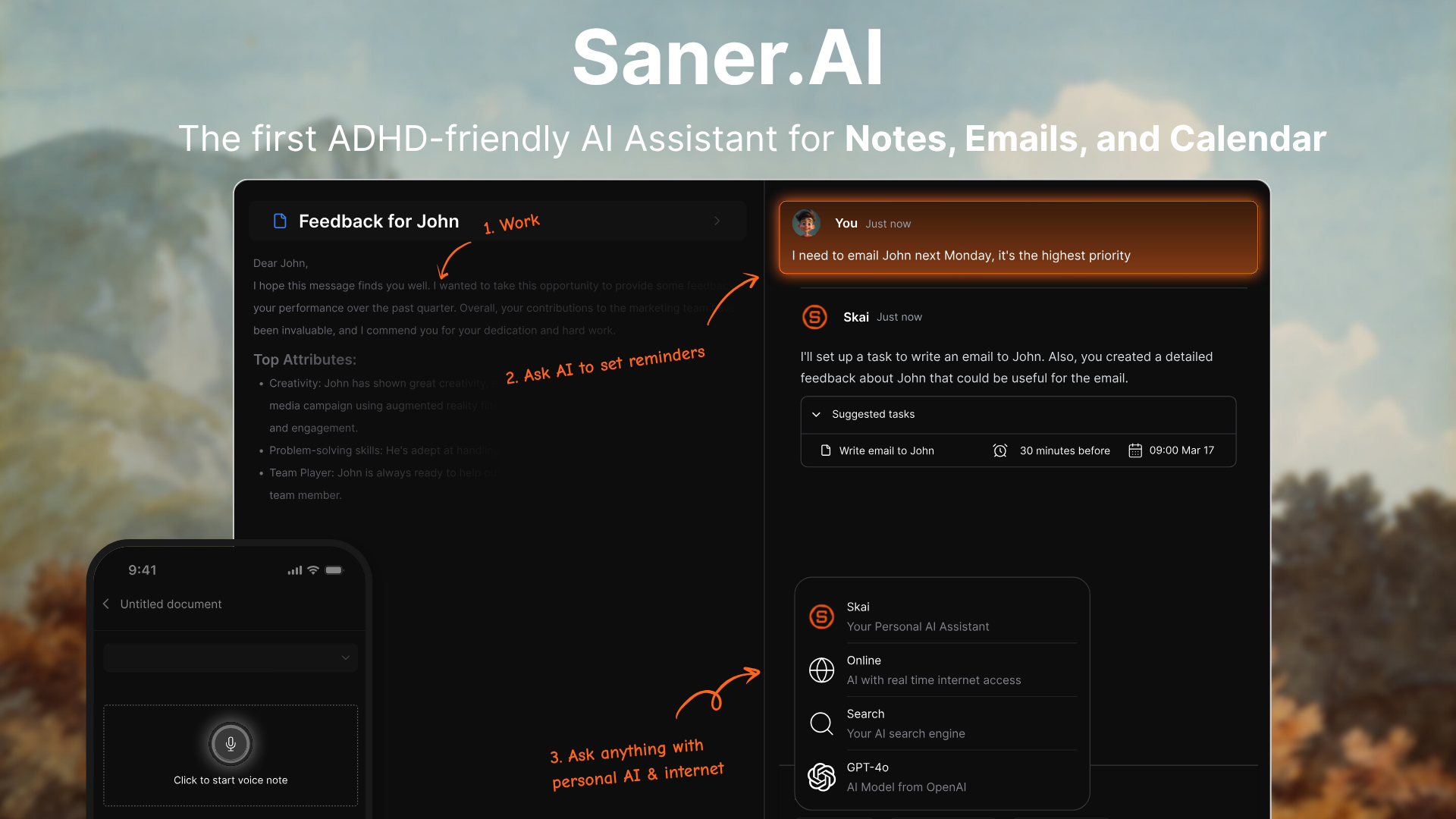
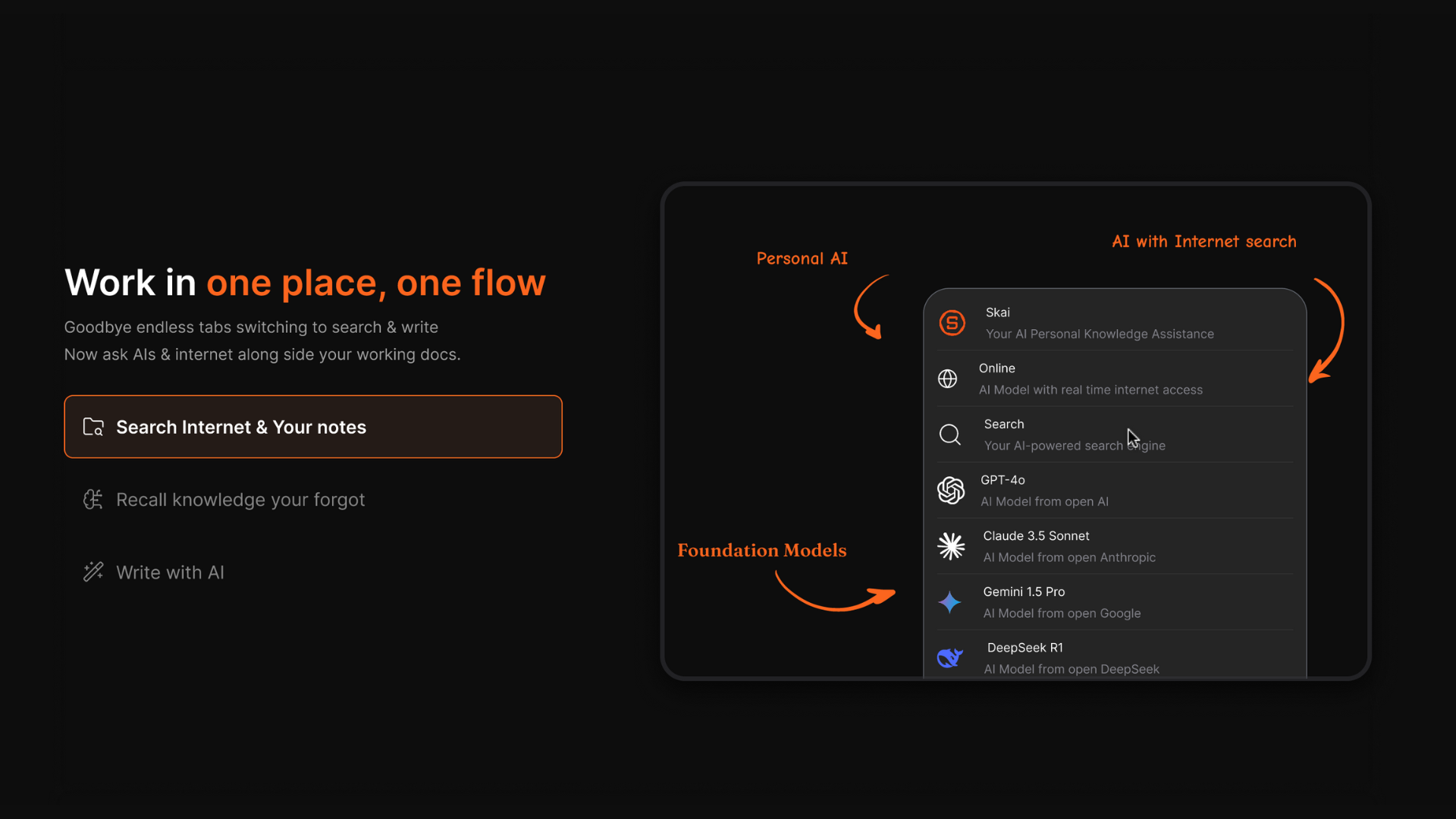
Saner.ai is designed for people who struggle with overwhelm, distraction, or ADHD. It brings together your notes, tasks, emails, and calendar in one place - so you don’t have to juggle a million tabs just to remember what’s next.
Key features
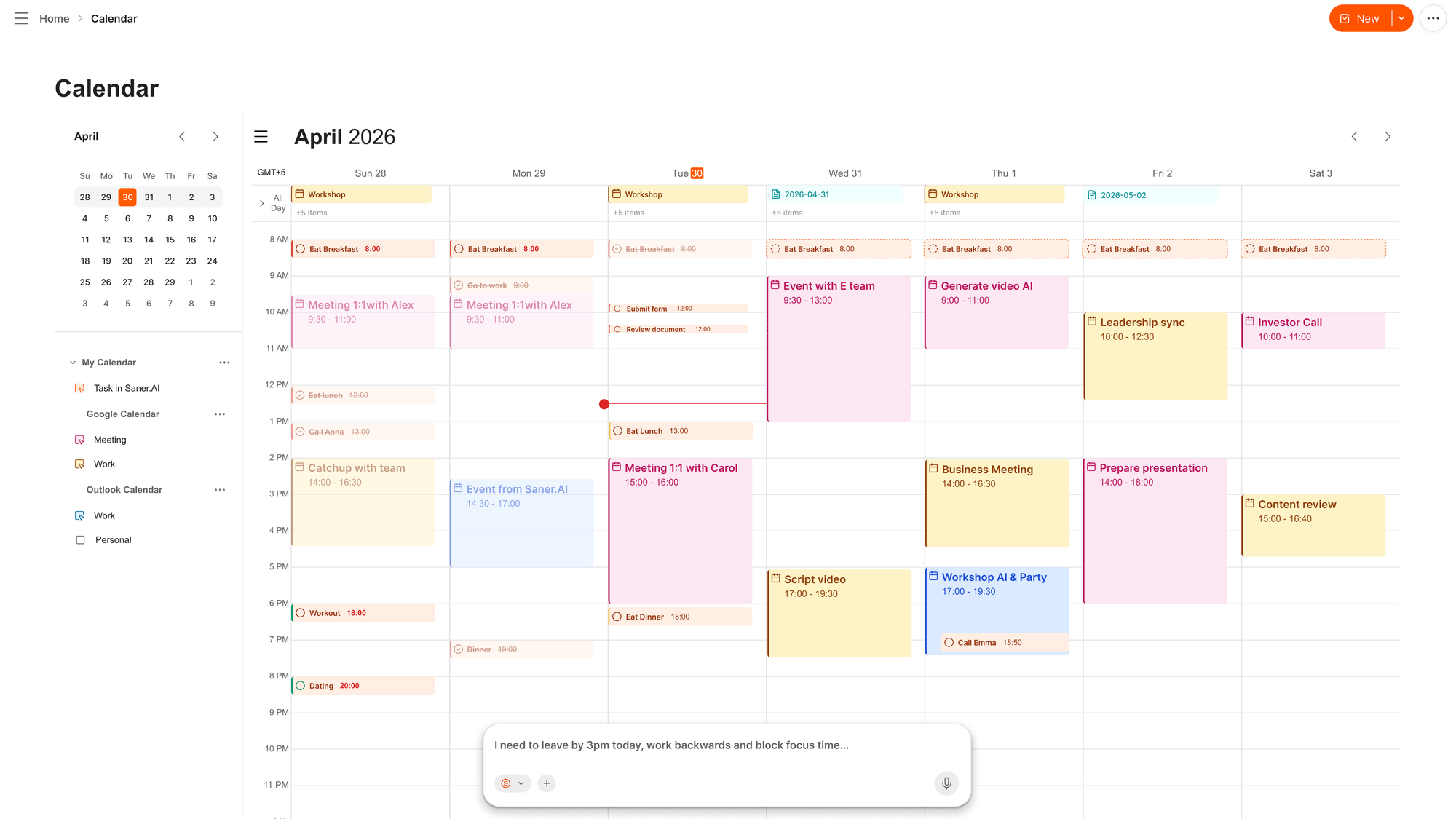
- Daily Planning: Automatically generates a personalized schedule based on your goals, tasks, and availability
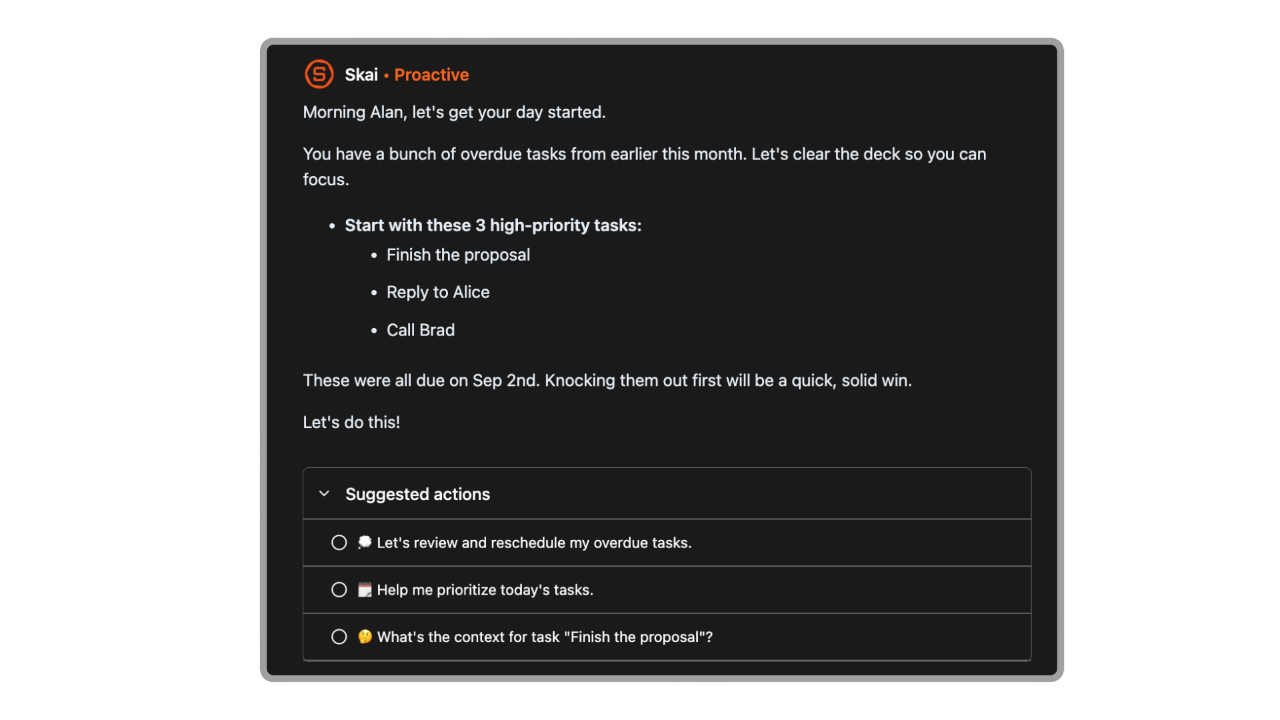
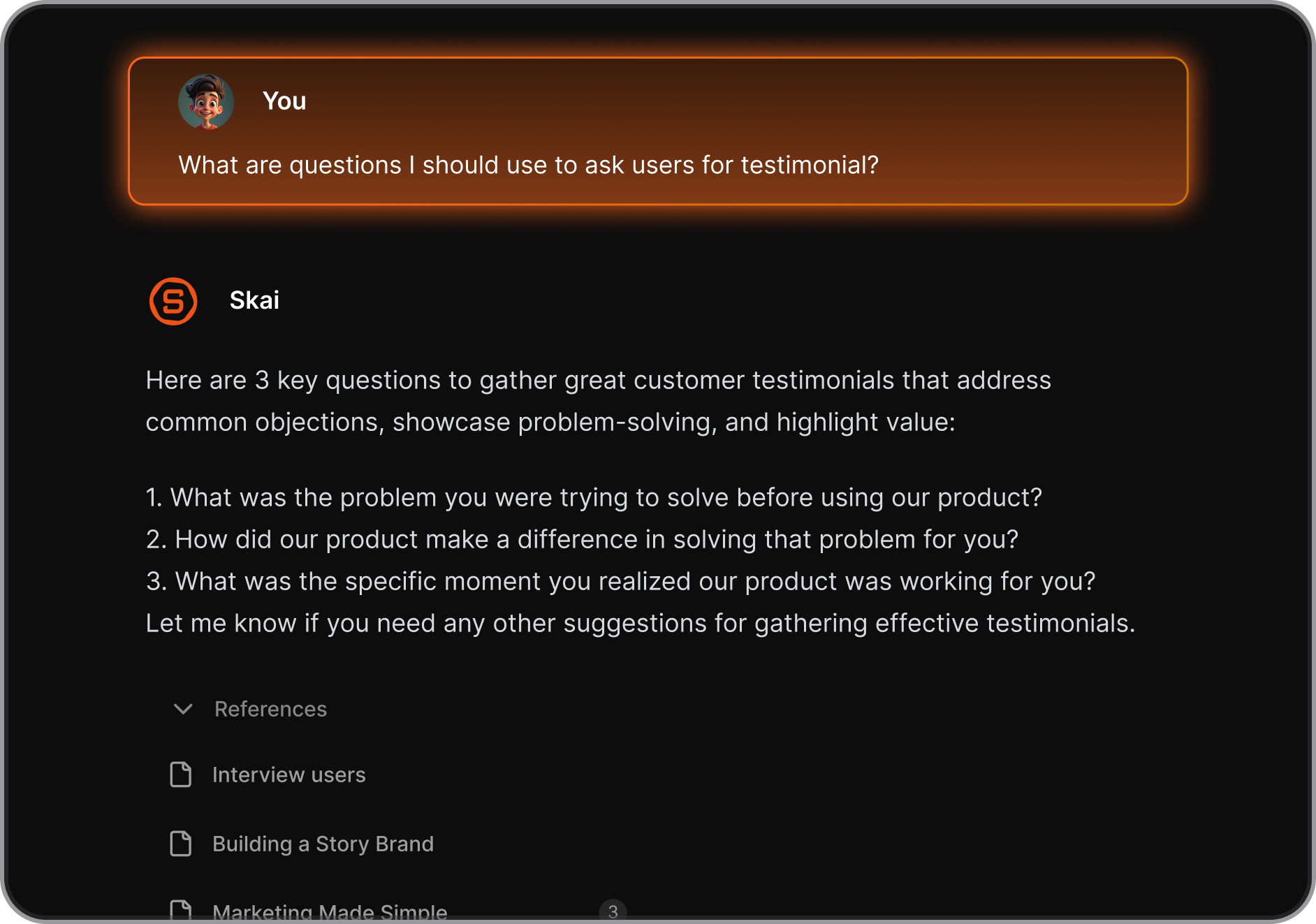
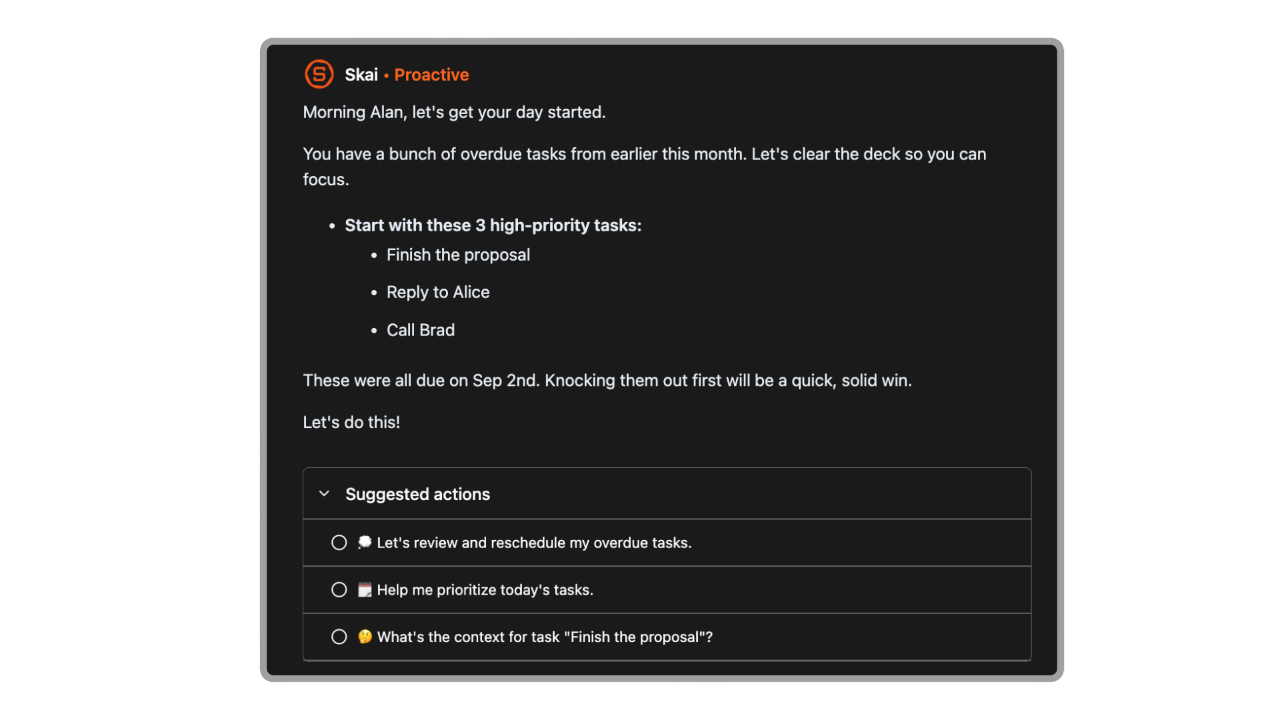
- Smart Assistant (Skai): Ask questions like “What do I need to follow up on from Slack?” or “Summarize all tasks due this week”
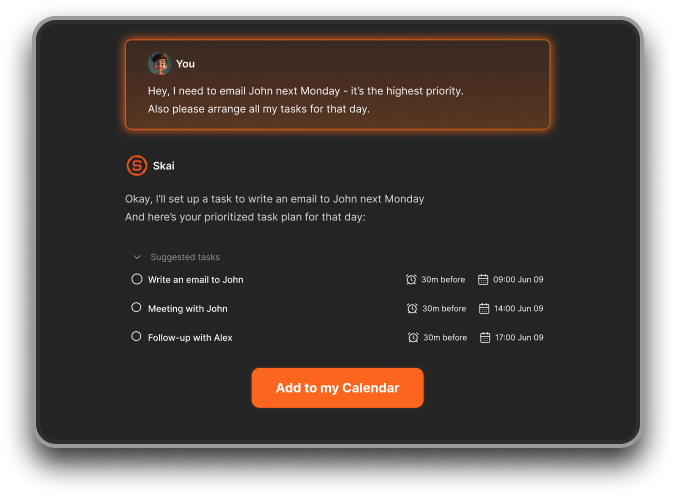
- Natural Language Search: Search for “that thing I wrote about morning routines” and it actually finds it
- Task Extraction: Pulls tasks automatically from emails, notes, and meeting transcripts and turns them into usable tasks (or notes)
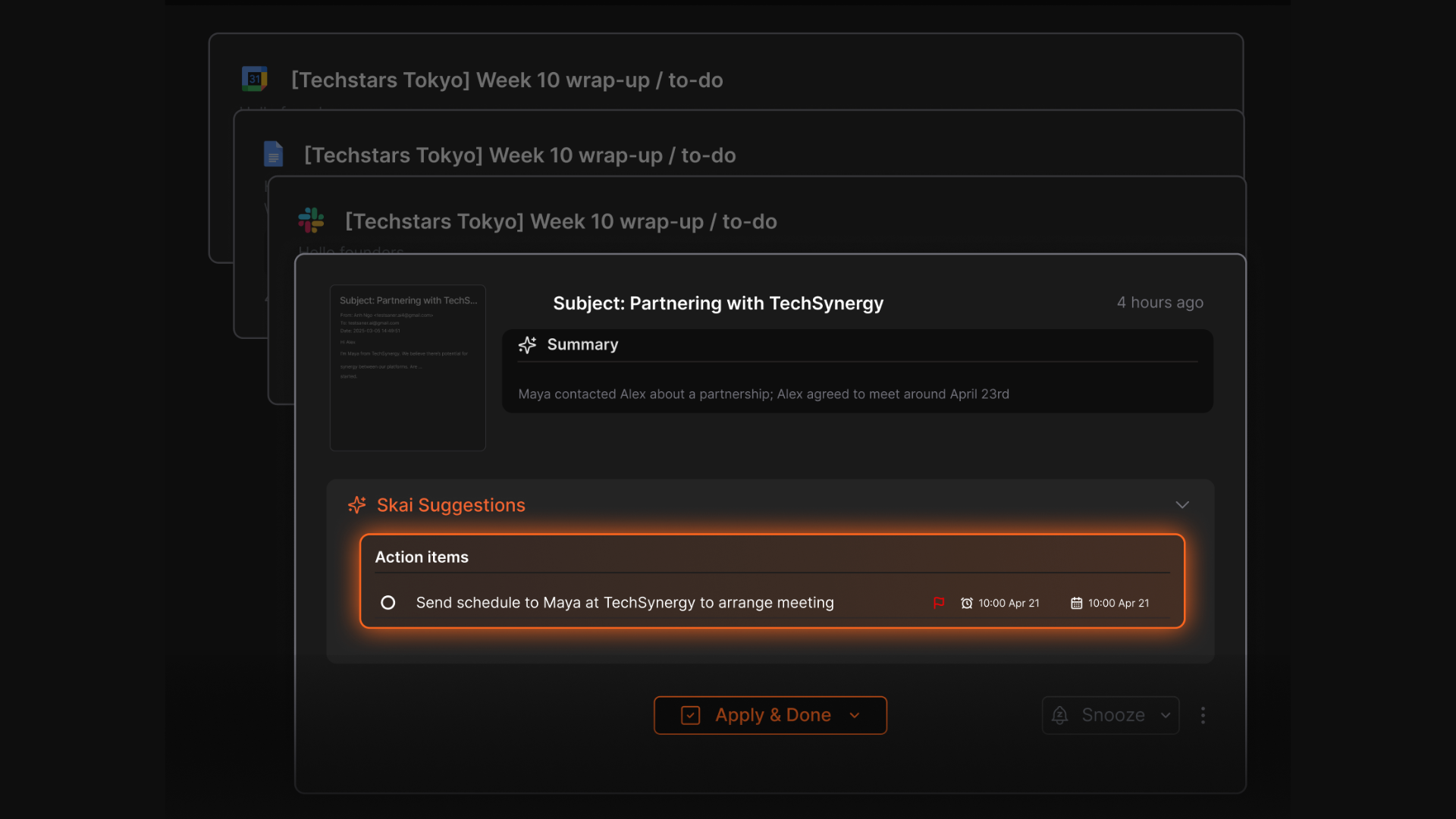
- Note + Task + Calendar Linking: Everything stays connected without extra clicks
- Works with: Gmail, Google Calendar, Google Drive, Slack, and more
Pros
- With the new AI calendar, you can just write or talk messily, and it organizes everything for you
- You don’t have to tag or label notes for them to be searchable later
Cons
- Not ideal for large teams or project timelines.
Pricing
- Free
- Starter: Monthly at $8/month, Annually at $6/month (with early user discount)
- Standard: Monthly at $16/month, Annually at $12/month (with early user discount)
Who is it suitable for?
- Professionals with ADHD or executive function struggles
- Creators and entrepreneurs juggling lots of thoughts and tools
- People tired of switching between 5 different apps to manage their life
- Anyone who prefers a conversational way to organize tasks and ideas
Saner.AI review
"The biggest benefit for me in using Saner is the Proactive AI. Staying on top of the constant flow of email and multiple calendars is challenging, and so far, Saner is the only AI-based tool that truly feels like a personal assistant." - Jerry

How to start using it?
- Go to saner.ai and sign up for a free account
- Connect your Gmail, calendar, or other integrations

Stay on top of your work and life
2. Promofocus - Beat time blindness
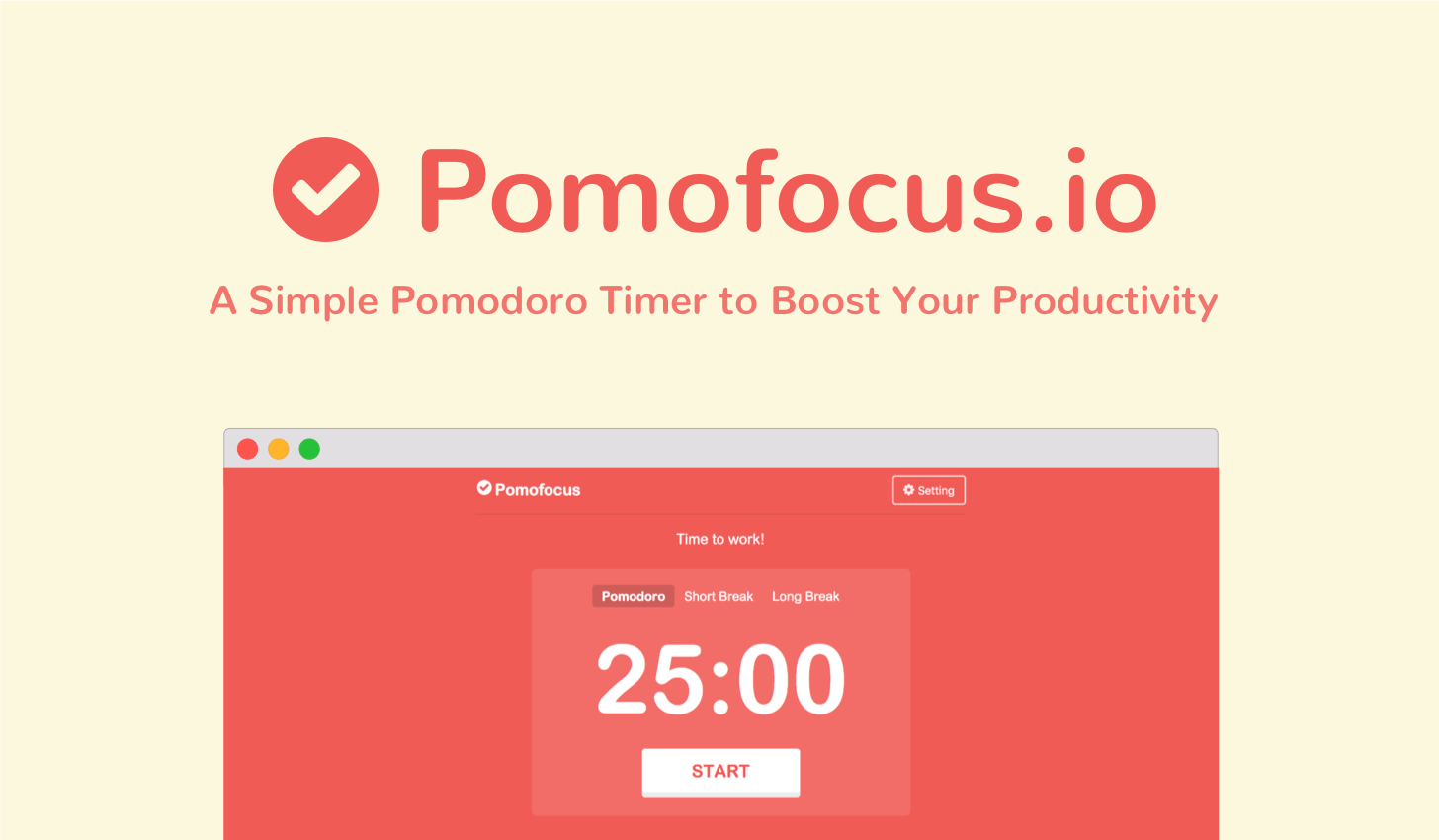
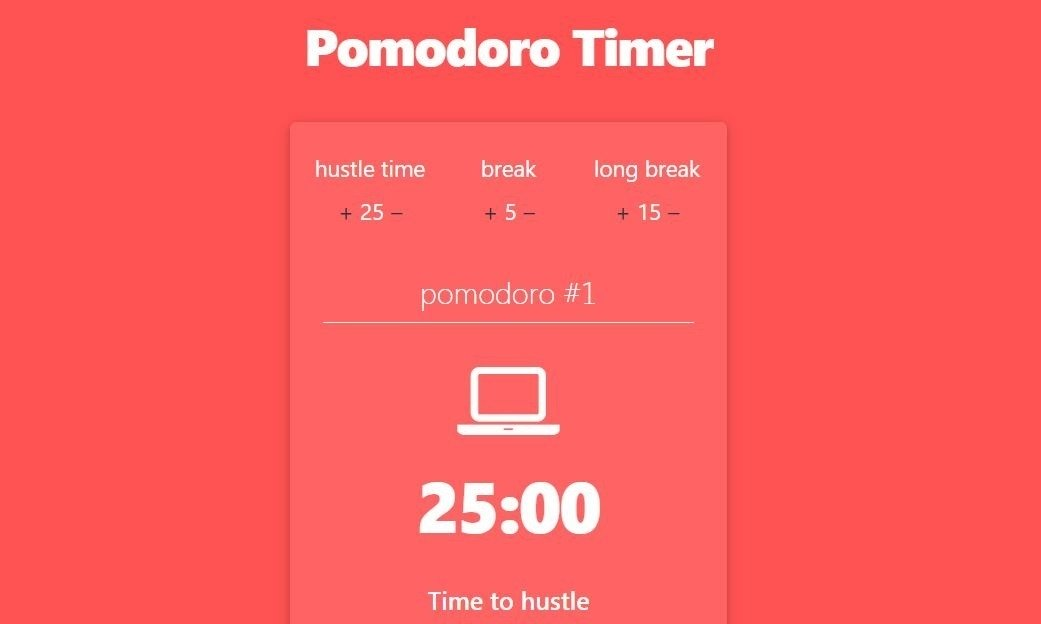
Pomofocus is a minimalist focus timer based on the Pomodoro Technique. It helps you work in short, structured bursts of focus and rest - a method that’s especially helpful for ADHD brains.
Key features
- Customizable focus and break durations so you can tweak the default Pomodoro rhythm to suit your brain
- Simple task list where you can estimate how many sessions each task will take
- Clean, distraction-free interface that shows time remaining and what you’re working on
- Session history and basic reporting so you can see your productivity over time
Pros
- Amazing, easy to use, simple and cool
Cons
- I accidentally closed a tab with a running timer. After restoring it, the timer is reset. It would be nice if the app was able to 'restore' its state
- "Whenever I lock my phone, the timer stops
Pricing
- Free version available with core features
- Paid version unlocks integrations, reports, templates, and other pro features
Suitable for
- ADHDers looking for a low-friction, focused tool to build attention habits
- Students and solo workers who benefit from structured sprints
Promofocus.io reviews (source)
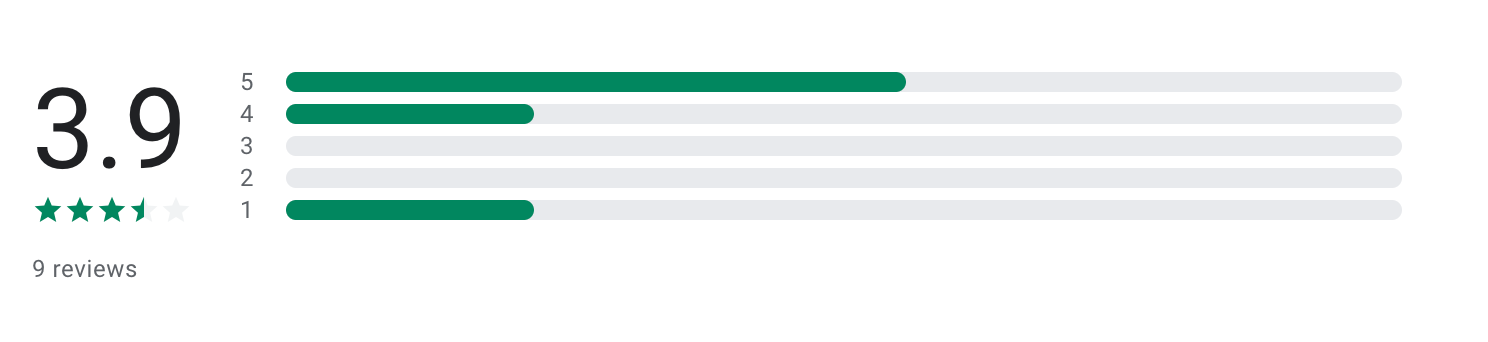
"I would rate this app as 4 stars as it's good and you can set your own timers and it isn't glitchy at all. I could the 1 star if it included like some peaceful nature backgrounds along with nature sounds like beach waves or rain" - Kanish Aalwani
How to start
- Go to the website and use it immediately — no login required
- Add your tasks and estimate how many Pomodoros they’ll take
3. Goblin.Tools - break down tasks
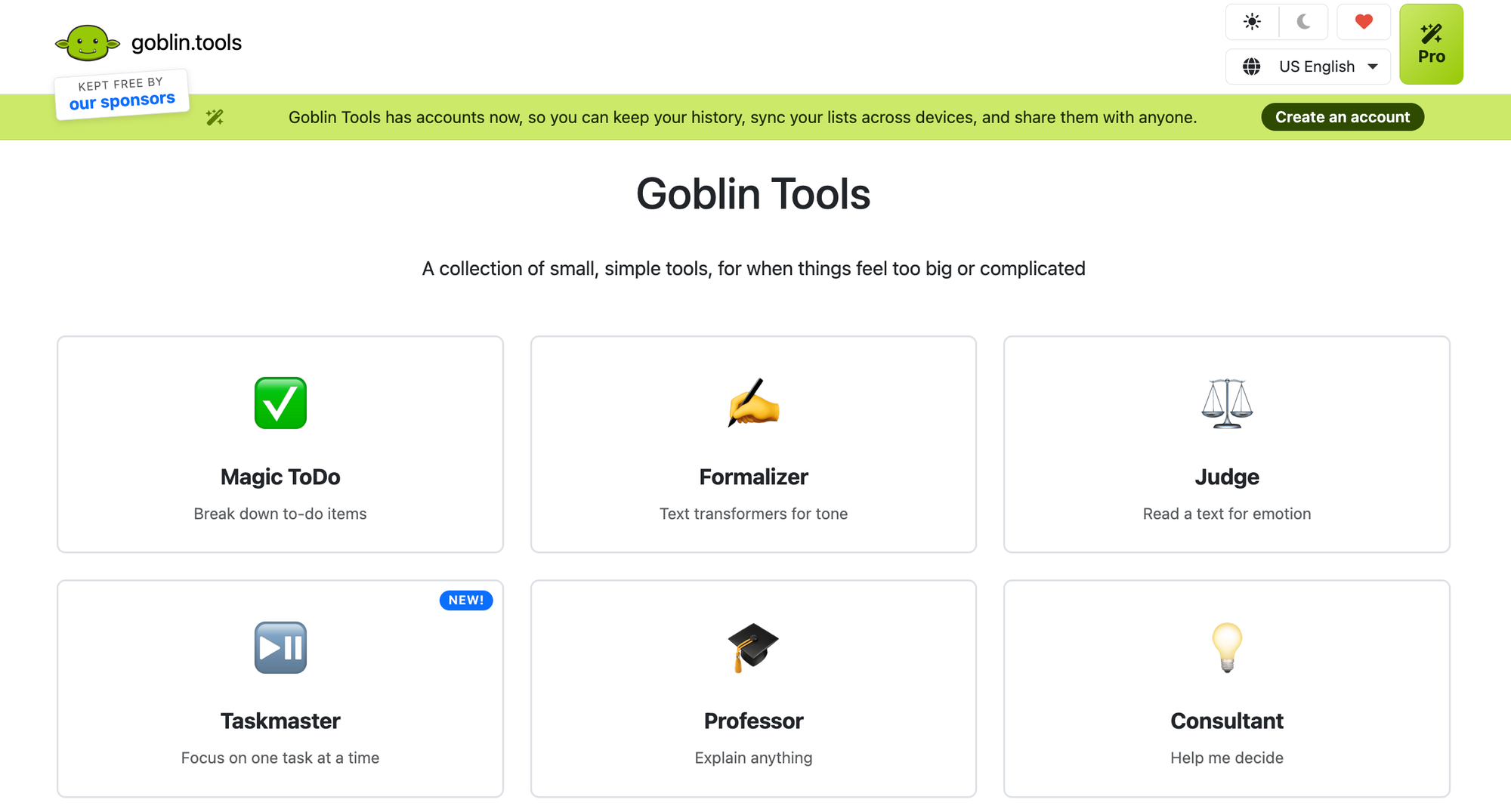
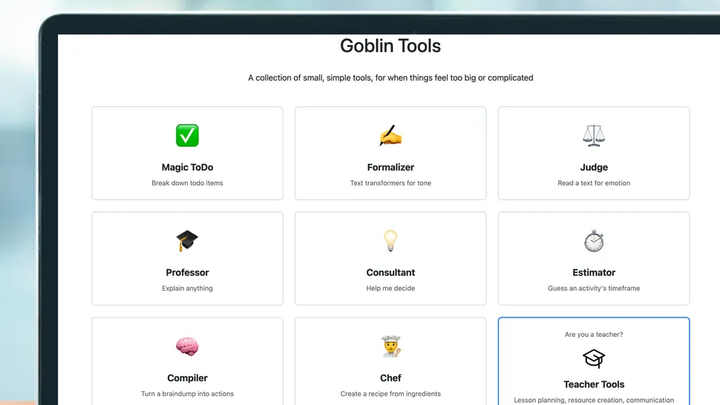
Goblin Tools is a set of AI micro-tools designed to support people with ADHD, autism, or anyone who struggles with executive function. Instead of overwhelming you with options or complex systems, it offers a lightweight suite of simple utilities that help you break down tasks, estimate time, adjust tone, and stay on track.
Key features
- Magic ToDo: Automatically breaks down a vague task into step-by-step subtasks
- Formalizer: Adjusts the tone of your writing- more formal, more friendly, more direct
- Judge: Analyzes text and gives feedback on emotional tone and how it might be perceived
Pros
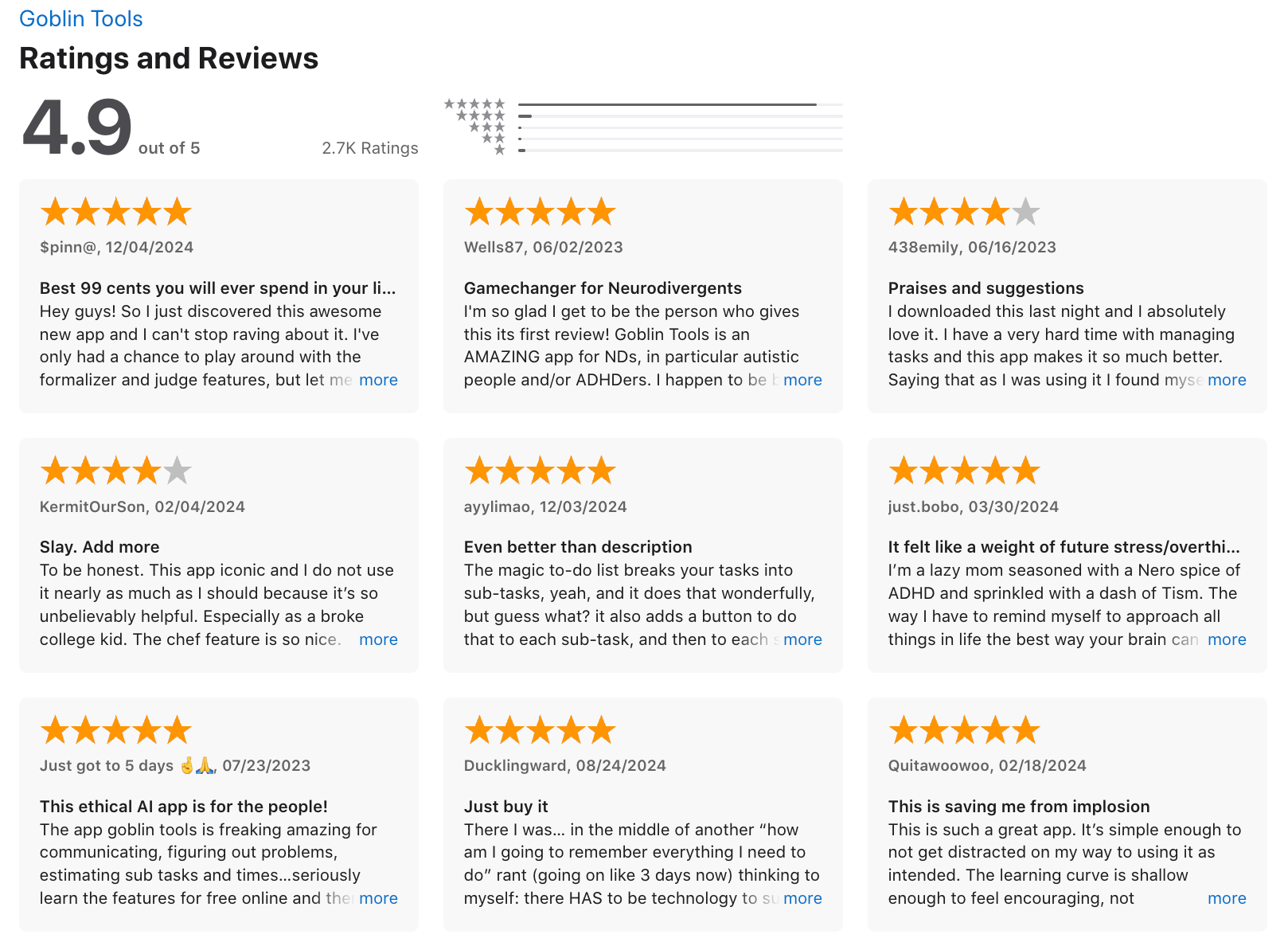
- It helps me organize tasks in a way that finally makes sense for my ADHD brain.
- There are no ads or a subscription are huge draws.
Cons
- My tasks will not save after closing the app and reopening it, so I'll lose what I've last written
- The features do not work well with each other. Putting multiple tasks in ideas and switching over to task helper causes all of them to stay batched together instead of being split
Pricing
- Free to use on the web
Suitable for
- Students or professionals who need help breaking down unstructured tasks
- Neurodivergent users who prefer simple tools over complicated productivity systems
How to start
- Go to the Goblin Tools website - no login or sign-up required
Goblin.tools review (source)
I have been using Goblin Tools on and off for several years. It does a very good job of breaking down tasks into smaller steps so I can get started on something - Sarah
4. Forest - Distraction blocking app
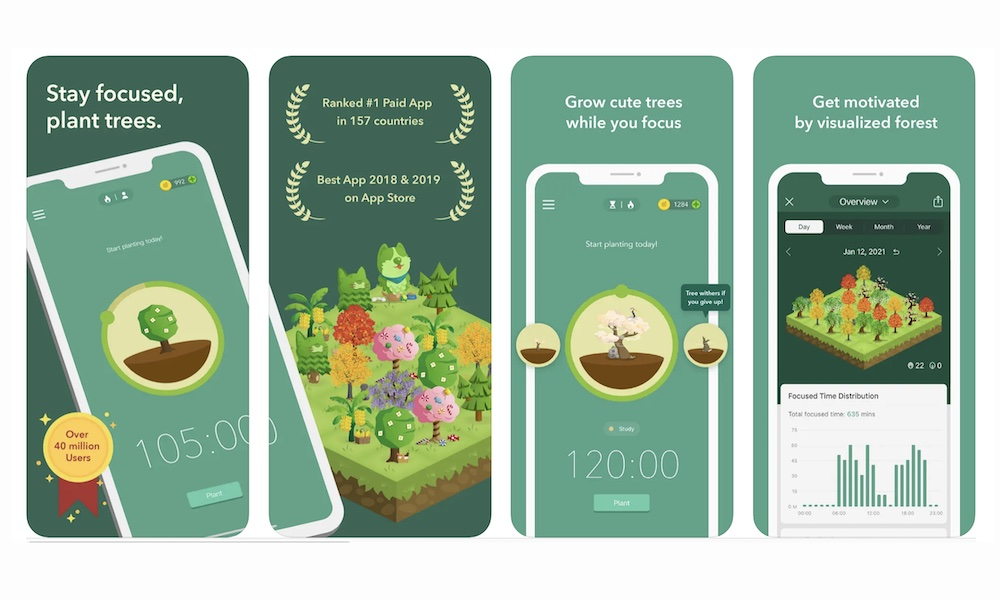
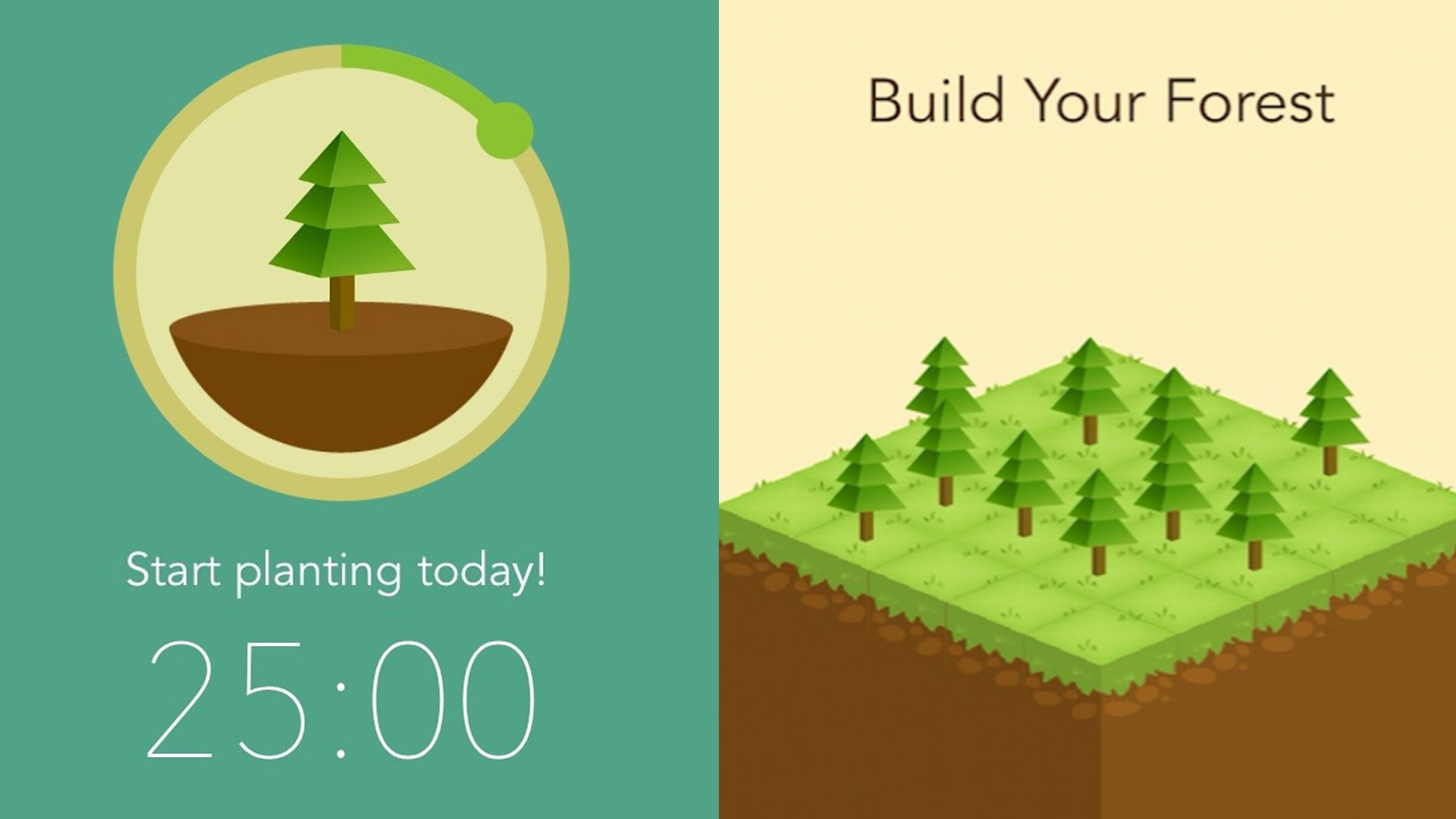
Instead of trying to fight phone distractions with complicated productivity systems, the app turns focus into a simple game: I plant a virtual tree, and it grows as long as I stay off my phone. If I leave the app to check social media or messages, the tree dies.
Key features
- Every successful focus session adds another tree to my digital forest. Over days and weeks, I can visually see my productivity grow.
- Users can spend in-app coins to plant real trees through environmental partners like Trees for the Future.
Pros
- You get to plant pretty trees, and if you use the labels well, it can show you where your weak spots are in your time management
Cons
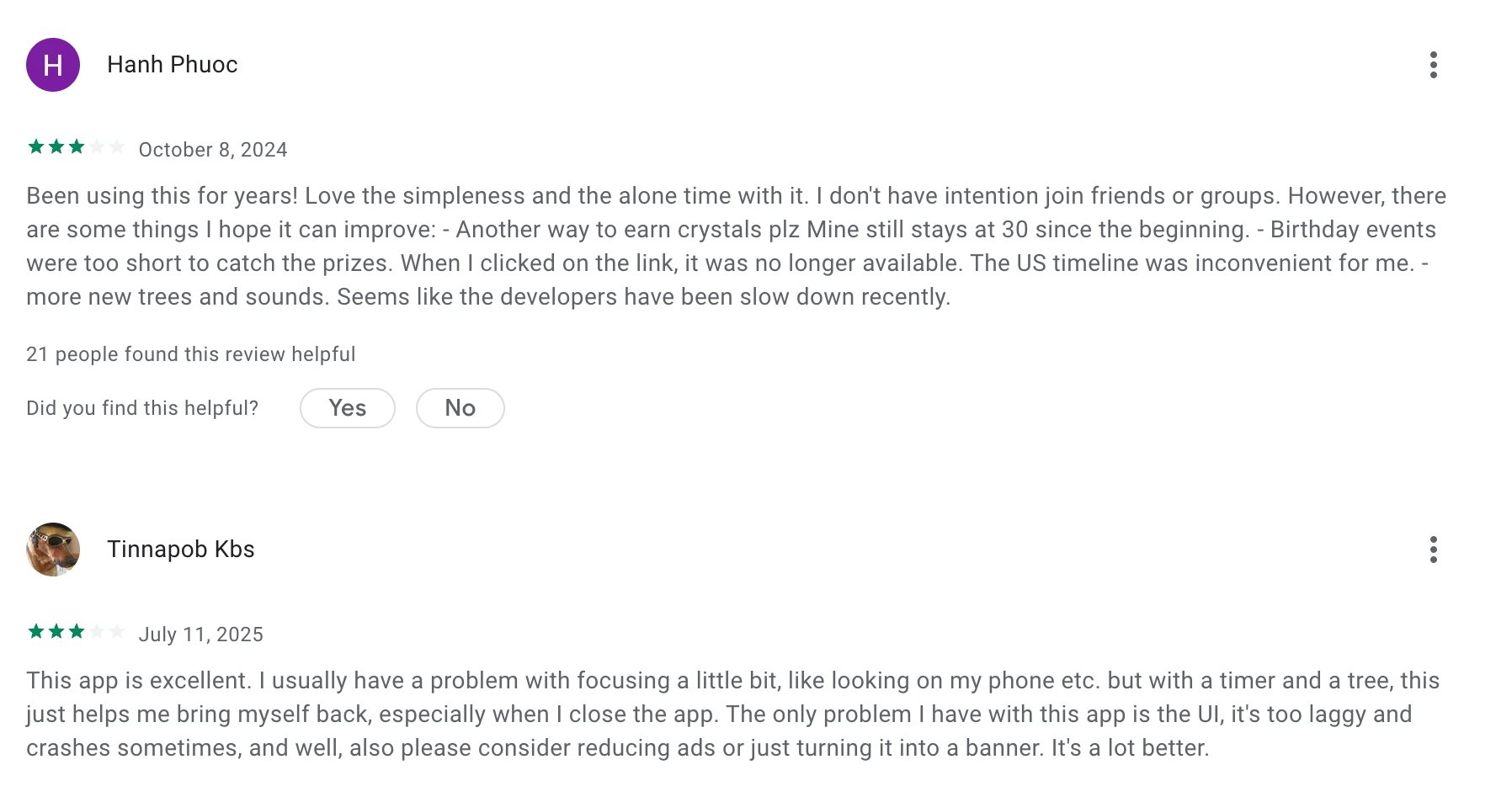
- It has begun to sap a LOT of battery — before it was unnoticeable, but now I know I'll have 10-20% less battery after a day of using it at work
- Lack of automatic Pomodoro cycling is a real friction point for distracted minds
Pricing
- Android: Free version available
- Android Pro: ~$1.99 one-time purchase
- iOS: ~$3.99 one-time purchase
- Browser extension: Free
Suitable for
- Adults with ADHD who struggle with phone distractions
- Students and knowledge workers who use Pomodoro sessions
How to start
- Download the app and start with short sessions
- Plant a tree before beginning work
- Track progress through your forest
- Combine it with a task manager like Saner.AI
Forest review (source)
"I have been using forest nearly since the beginning (from high school to now in my PhD). I LOVE this app and being able to see my data from so long ago too." - Sarah Richman
"I have a lot of trees, and I don't know what they are unless I go back to the store." - John Sorina
5. Habitica
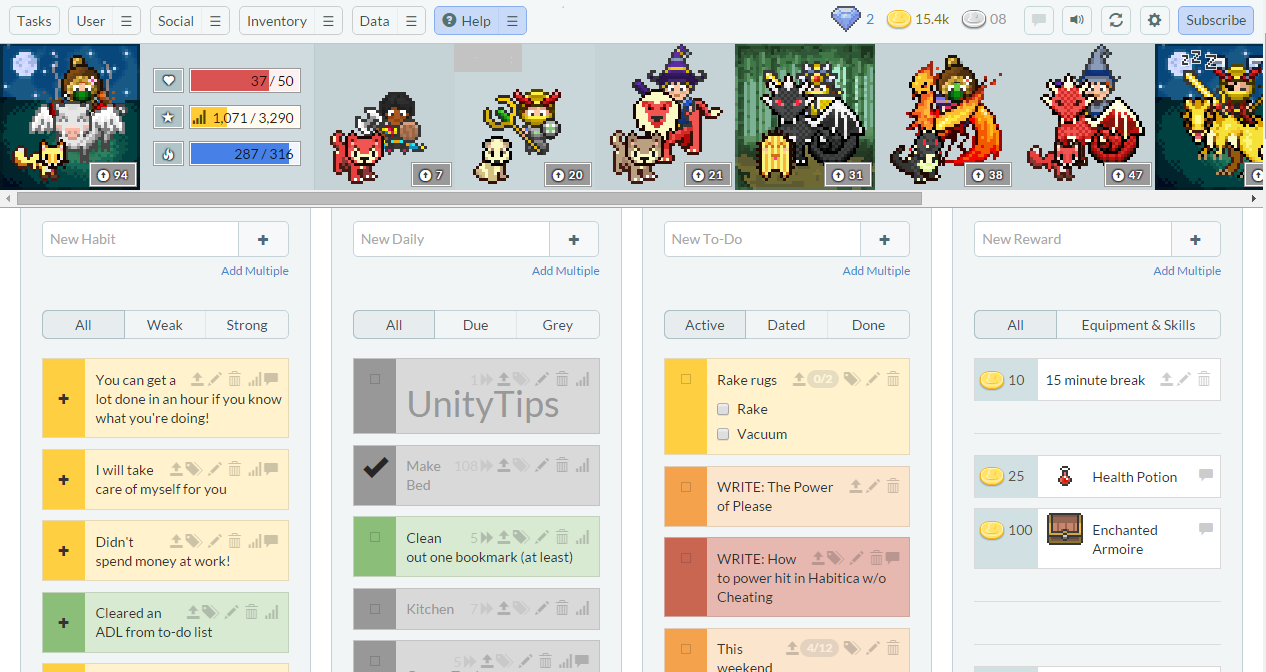
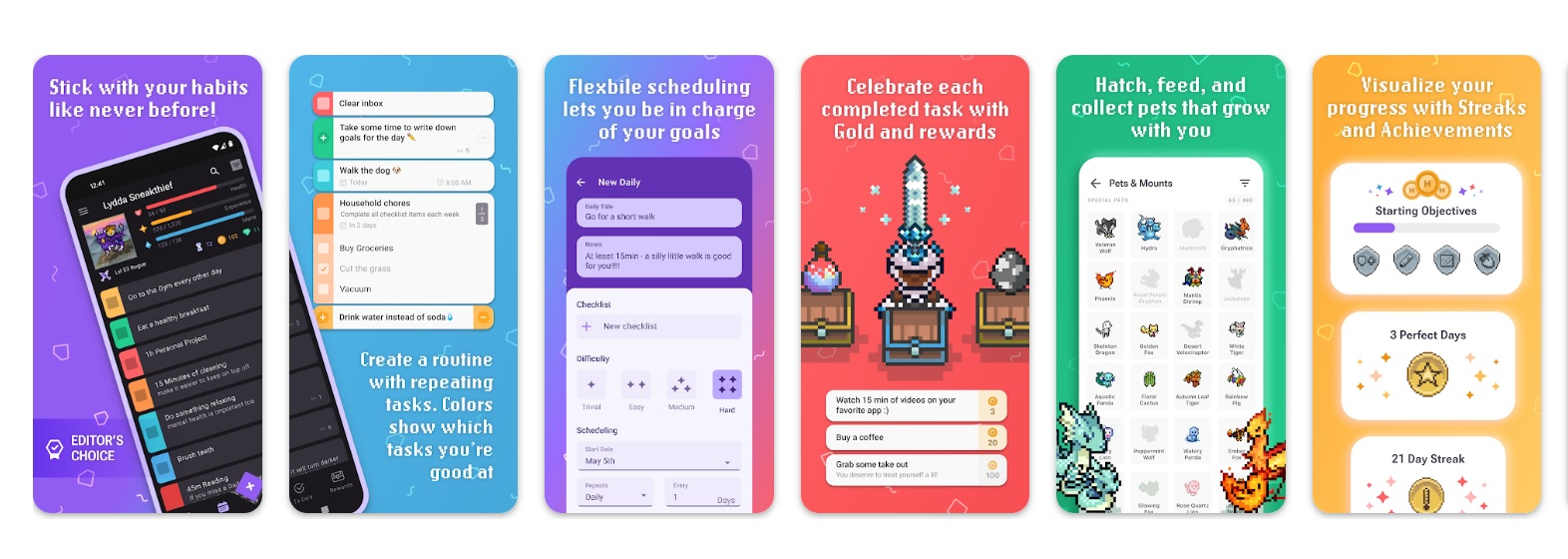
Instead of treating tasks like a boring checklist, Habitica turns my daily habits and to-dos into a role-playing game (RPG). I create an avatar, and every real-life task I complete gives me experience points, gold, and rewards inside the game.
Key features
- As I stay consistent with tasks, my character levels up and unlocks gear, pets, and mounts.
- Habitica allows users to form “parties” with friends. When everyone completes their tasks, the group defeats monsters or completes quests together, which adds a layer of accountability.
- The app includes community challenges where users can join themed habit lists or productivity goals.
Pro
- It's starting to come a little easier — it's like I'm training my brain to be better
- Habitica has been great for that little bit of extra motivation and visual feedback
Cons
- It gets overwhelming — too many items and variations, but they have little influence in the gamification dynamic in the long term
"Both the apps and the website has been buggy for years — if you are just looking for a good task management platform, I would look elsewhere" – verified reviews
Pricing
- Free plan
- Paid plans start at 5$/month
Suitable for
- Adults with ADHD who need motivation to start tasks
- Gamers or people who enjoy gamified productivity
- People building daily habits or routines
How to start
- Create your avatar and account
- Add tasks into Habits, Dailies, and To-Dos
- Join a party or challenge
Habitica review (source)
"I only use it for habit tracking, not the adventure game components, and it's such a good habit tracker, without ads, that I have used it for almost 2 years, to great effect for my habits." - George Kao
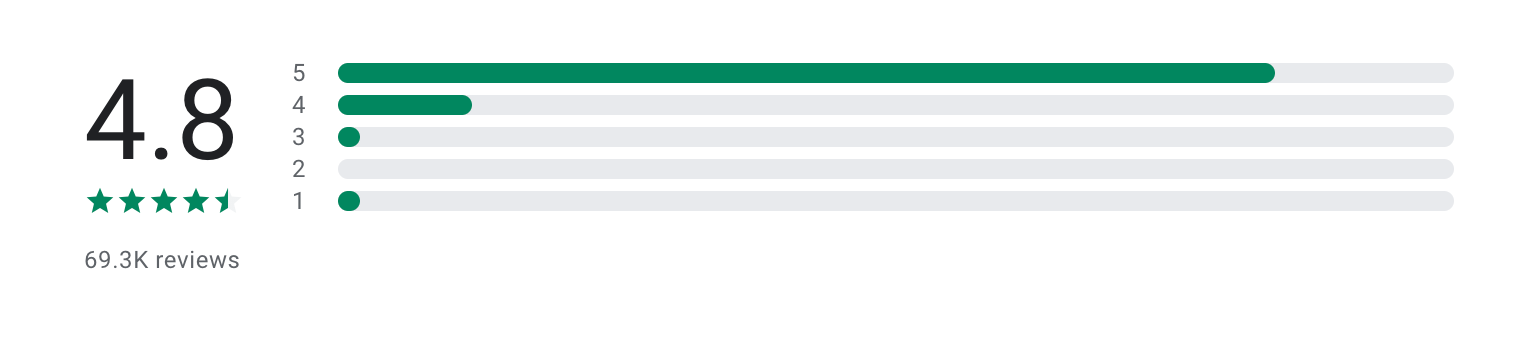
"You can't delete tasks. There's a delete button in the edit screen, but it does nothing. All the default tasks and habits are just stuck there forever." - Dylan Goss
6. Focus@Will
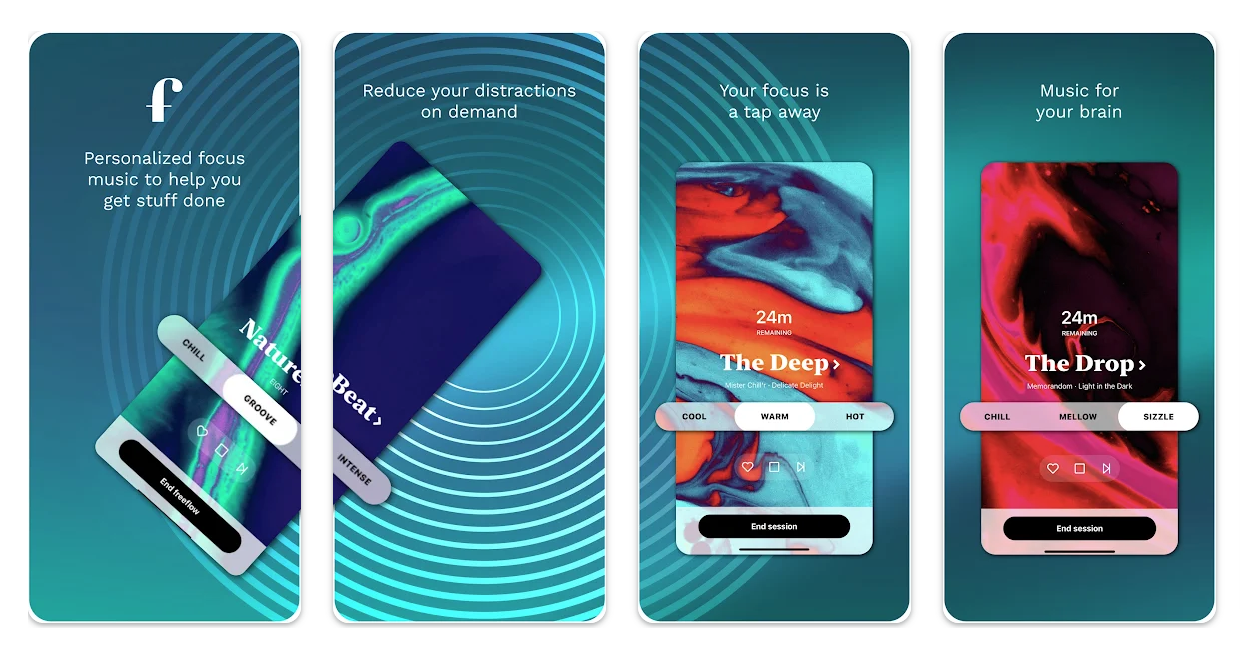
Focus@Will is a neuroscience-based music app designed to improve concentration - especially for people with ADHD. When I tested it, it felt different from Spotify or YouTube focus playlists.
Key features
- The app offers curated music styles designed specifically for focus, not entertainment. Each channel is built to minimize distractions and help sustain attention.
- You can set session lengths (e.g., 25, 45, 90 minutes) and run it like a Pomodoro-style timer.
- The app asks for feedback on your focus level and adjusts recommendations. Over time, it tries to match you with the most effective music type for your brain.
Pros
"Certain music in this app really does help boost my productivity" — reviews
- "It really, really works" for those who respond to focus music
Cons
- They play the same 10–12 songs and every variation of said song over and over again — no variety at all
- The music library has barely changed since 2018–2019, with what's marketed as "thousands of hours" turning out to be numbered remixes of the same few tracks
- The free trial interrupts sessions with a voice-over ad mid-listen, making evaluation impossible for users trying to decide before buying
Pricing
- Free trial: ~7 days
- Monthly plan: around $9.95/month
- Yearly plan: around $69.95/year (cheaper per month)
Who it’s best for
- Adults with ADHD who can’t focus in silence but get distracted by regular music
- People who need long, uninterrupted deep work sessions
- Anyone looking for a simple add-on tool (not a full productivity system)
How to get started
- Go to Focus@Will
- Start the free trial
- Pick a music channel + session length and test it during real work sessions
Focus@Will review (source)
"The interface is beautiful, and it's easy to switch between different types of playlists based on what you need. Great that it's backed up by science. It helps me study and work without getting distracted." - Andrew Dumais
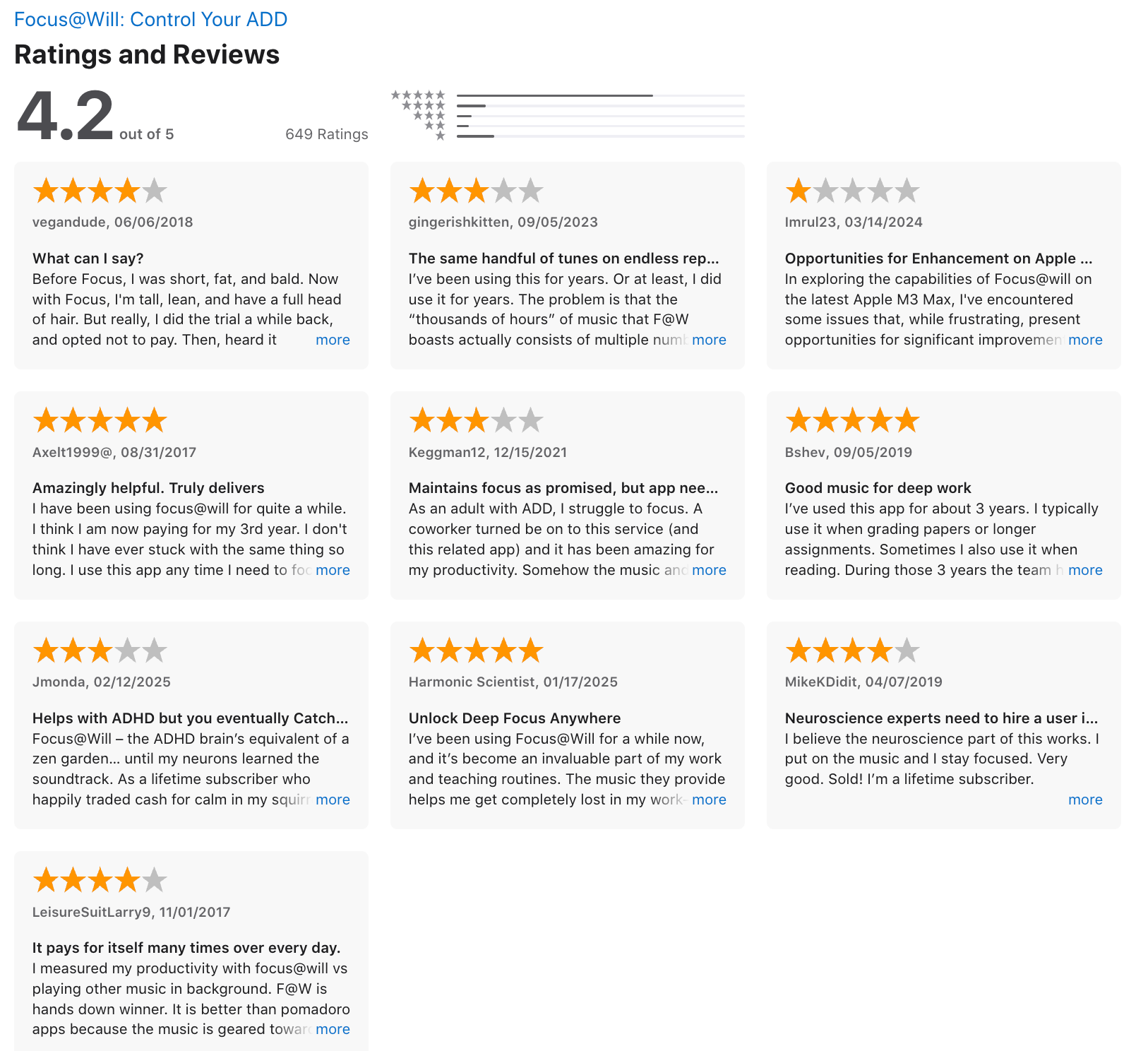
"I like the music, but the app is clunky and glitchy. To change the timer requires way too many clicks, everything is slow to load, sometimes music just stops randomly." - Jacci
7. Llama Life
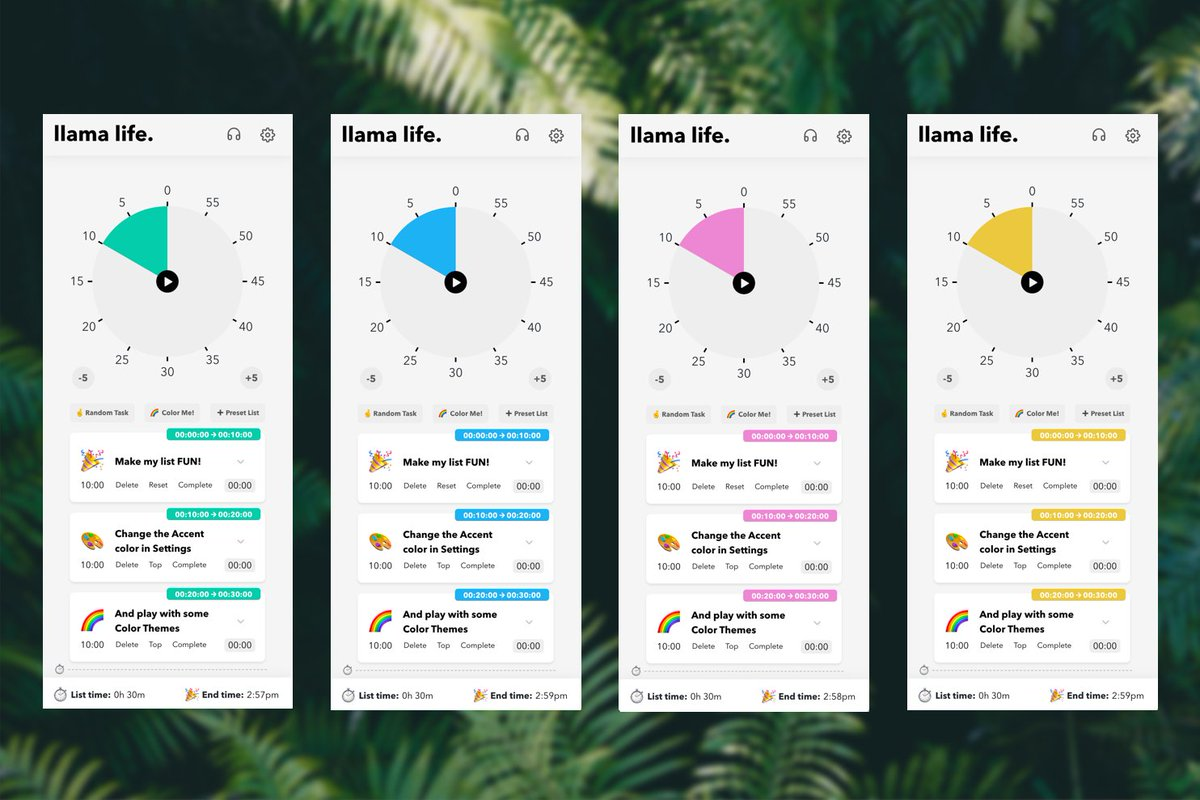
Llama Life is a simple, ADHD-friendly task manager that focuses on helping you get through your day one task at a time. Instead of overwhelming you with long to-do lists, it encourages you to work in a linear flow - pick a task, set a timer, and just start.
Key features
- You can assign time estimates or run a timer while working. I found this helpful for staying aware of time without needing a separate Pomodoro app.
- You can quickly split big tasks into smaller steps inside the app. This is especially useful when you feel stuck or overwhelmed by something vague.
- Subtle notifications and sounds help you transition between tasks without being jarring or distracting.
Pros
- A lot of little touches
- The price is fair, and support is good too
Cons
"Apps should be freemium, few features free few paid, that's how you attract and retain clients. Showing paywall right after installation is a big NO for most of us" – verified reviews
- You can't even try it without a subscription (even if a free trial is included).
Pricing
- Free trial: available (limited time)
- Monthly plan: around $6/month
- Yearly plan: around $39/year
Who it’s best for
- People who need help starting and finishing tasks (not planning them)
- Anyone looking for a minimal, distraction-free daily workflow tool
How to get started
- Go to Llama Life
- Start the free trial
- Add a few tasks and run your first timed session
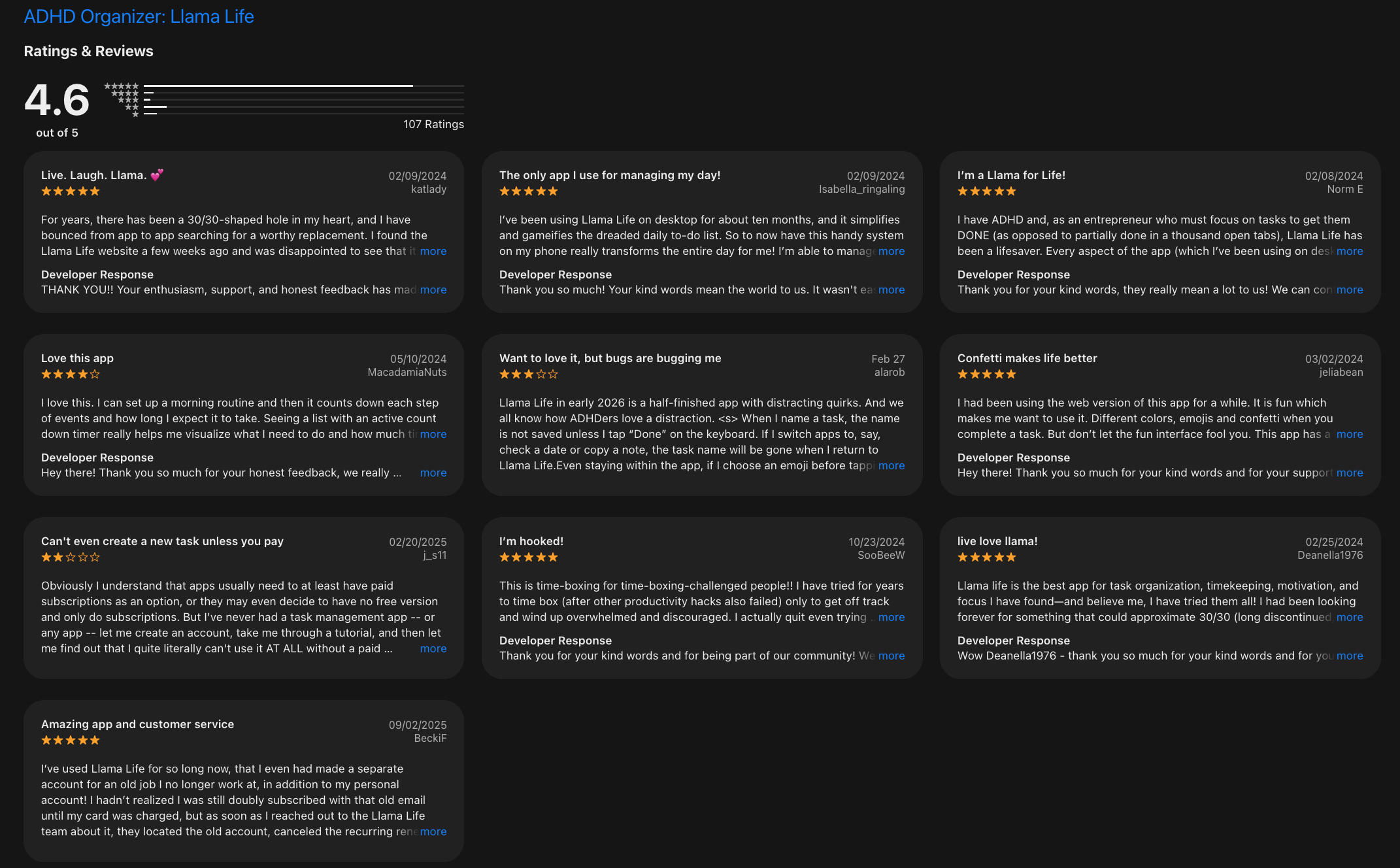
LlamaLife reviews (source)
"I love the colored tasks and presets. The best feature is that it shows you the end time of all your tasks, so you know if you're being realistic with what you can get done in a day." - Katherine Van Winkle
8. Structured
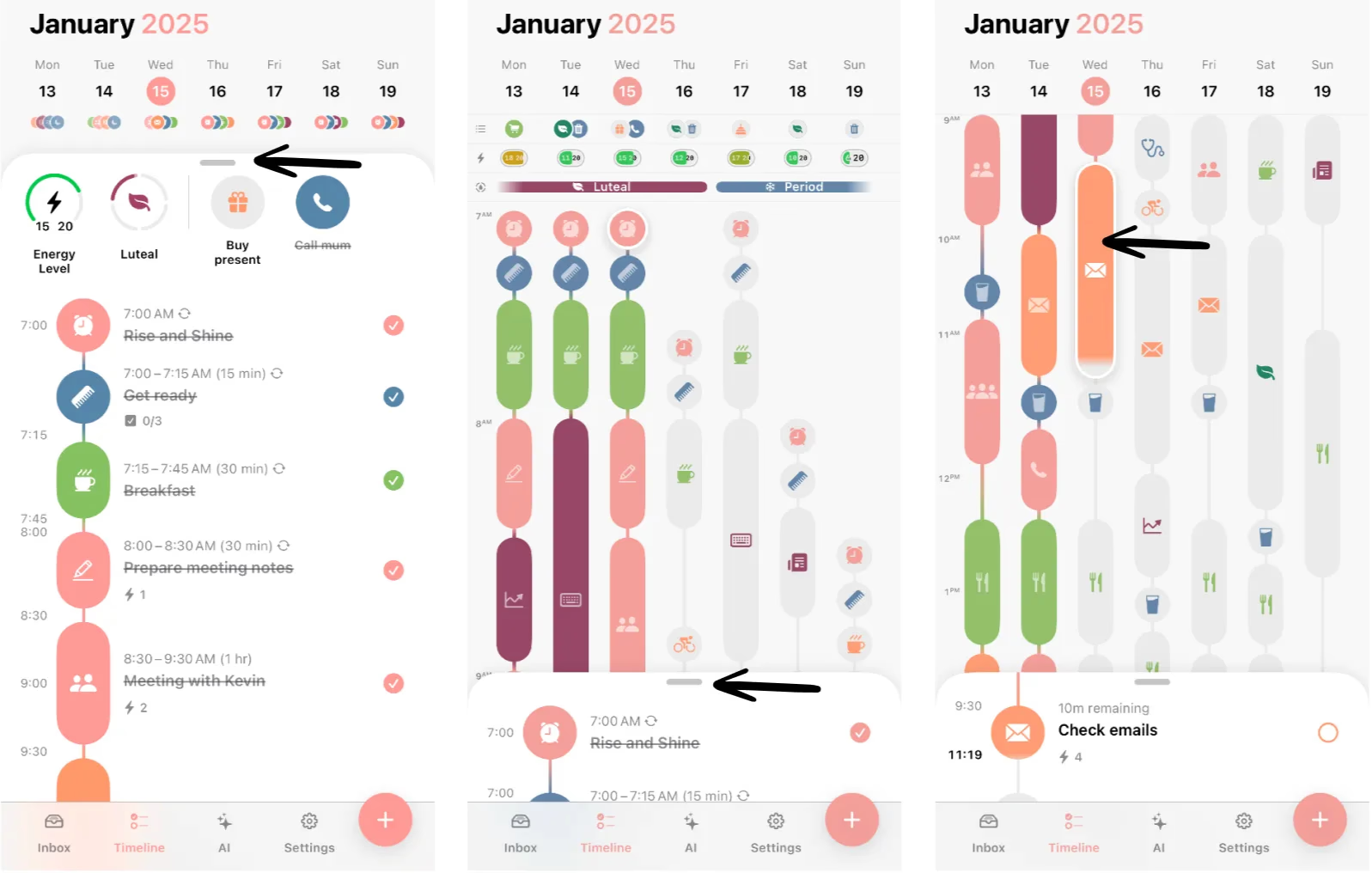
When I tested Structured, it felt like a visual day planner designed for people who think in timelines instead of lists. For ADHD, this approach works really well. I can see exactly what I’m doing, when I’m doing it, and how long it will take.
Key features
- The core experience is a visual timeline of my day. I can drag and drop tasks into specific time slots.
- Structured merges my to-do list with scheduled events, so I don’t need to switch between apps.
- Adding tasks is fast and frictionless. I can quickly type something like “Workout at 6pm,” and it automatically formats into my timeline.
Pros
"Time isn't abstract anymore. I can SEE it" – reviews
Cons
"Recurring tasks require Pro. This is the number one complaint across hundreds of reviews. Repeating daily tasks is arguably a basic planning feature, and it's paywalled" – reviews
- Good app but it crashes like 4–5x on a daily basis.
Pricing
- Free plan
- Structured Pro (Paid): Around $4.99/month or ~$14.99/year (varies by region)
Who it’s suitable for
- Adults with ADHD who feel overwhelmed by long task lists
- Visual planners who like to see their day mapped out
- Students and professionals with fixed routine
How to get started
- Download the app and set your day structure=
- Add tasks directly into the timeline
Structured reviews (source)
"I love this app. As someone that has ADHD, this app is a life saver (getting pro is also worth it). You can time out everything so you know how much time you have and where your time is going. It's really helped with my time blindness." - Angela Tarrant Kennedy
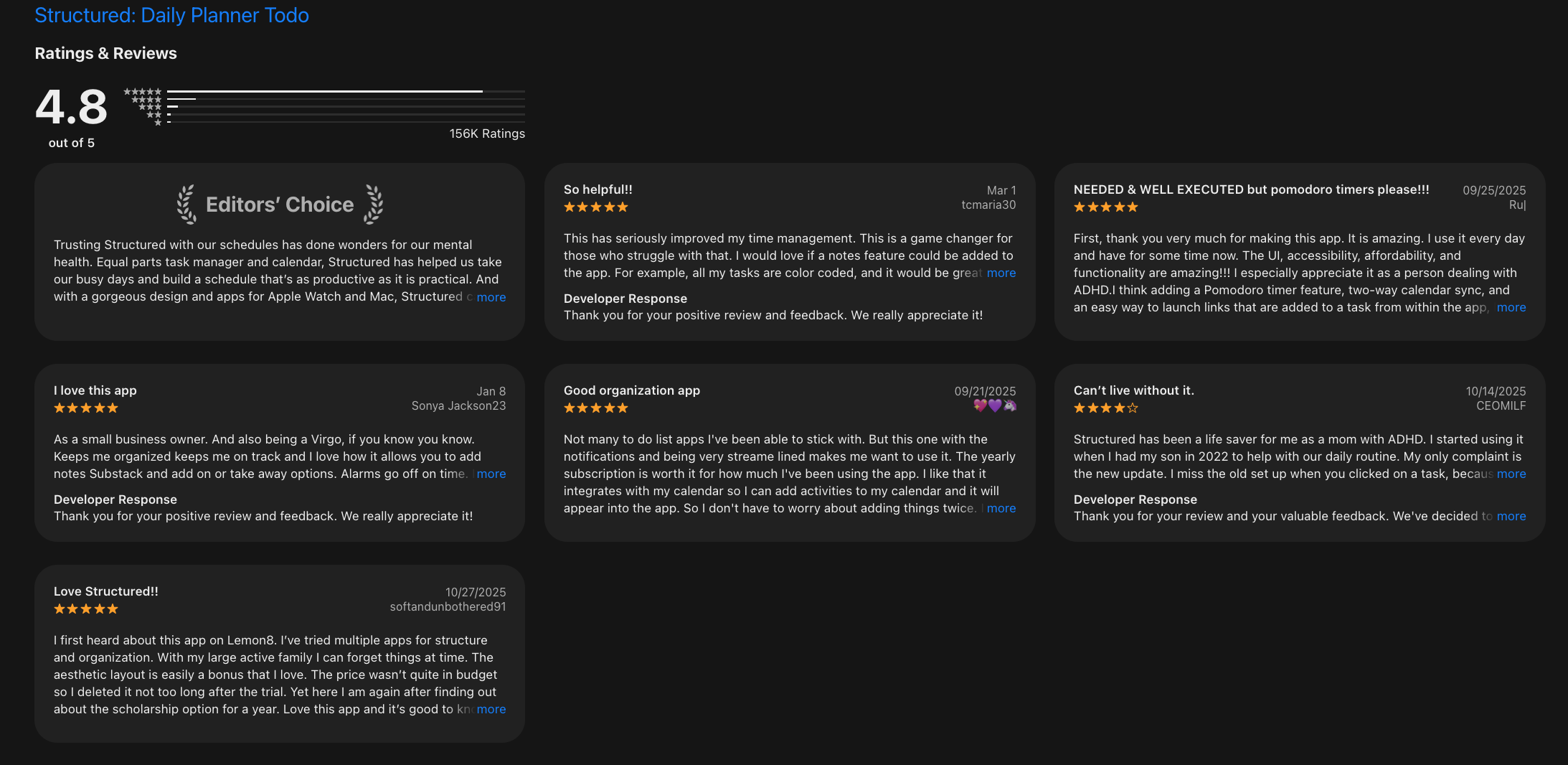
"If something takes longer than expected you have to reschedule everything after it one by one. The slider to adjust the time is controlled with vertical swiping which is also how you close that menu so sometimes it gets closed on accident." - PsyAut
Conclusion:
ADHD can make everyday tasks feel like mountains - not because you’re lazy, but because your brain is wired to think, feel, and focus differently. The good news? You don’t have to do it all on your own.
The right tools can act like scaffolding, giving you structure without pressure, reminders without guilt, and clarity without the chaos.
Remember:
- ADHD isn’t about lack of willpower.
- Productivity isn’t about doing more - it’s about doing what matters with less stress.
- Free tools can offer real support without adding financial pressure.
👉 Take what works. Leave the rest. Be kind to yourself.
And if you want to try something that’s designed by ADHDers, for real-world messiness? Give Saner.AI a try.
It might just become the daily assistant your brain didn’t know it needed.
Stay on top of your work and life
FAQs: Best Free ADHD Apps for Adults (2026)
1. What are the best free ADHD apps for adults?
The best free ADHD apps for adults in 2026 include tools that support focus, task management, and daily structure:
- Saner.AI – AI-powered planning and task organization
- Goblin.tools – Breaks down overwhelming tasks
- Pomofocus – Simple Pomodoro timer
- Forest – Focus through gamification
- Habitica – Habit tracking with RPG elements
- Focus@Will – Music designed for focus
- Llama Life – Structured task execution
- Structured – Visual daily timeline
2. What features should I look for in free ADHD apps?
Look for features that reduce mental load and friction:
- Task breakdown (small, actionable steps)
- Visual timelines or time blocking
- Reminders that actually adapt to you
- Minimal setup (low overwhelm)
- Focus support (timers, music, or blockers)
Apps like Saner.AI stand out by combining multiple features into one system, so you don’t have to juggle tools.
3. Are there truly free ADHD apps, or are they all paid?
Yes—many ADHD apps offer solid free plans:
- Saner.AI – Free plan includes AI task capture, reminders, and note search
- Goblin.tools – Completely free
- Pomofocus – Free browser-based tool
- Forest – Free version available (mobile may be paid)
- Habitica – Free with optional upgrades
4. What is the best free ADHD app for organization?
For organization, you need something that handles messy thoughts:
- Saner.AI – Turns brain dumps into structured tasks automatically
- Structured – Helps visualize your day hour-by-hour
- Goblin.tools – Breaks chaos into clarity
Saner.AI is especially useful if you struggle with “where do I even start?”
5. Which ADHD apps help with focus and avoiding distractions?
If focus is your main issue:
- Forest – Gamifies staying off your phone
- Pomofocus – Keeps you in short work sprints
- Focus@Will – Provides ADHD-friendly background music
These tools help you start, but pairing them with a planning tool often works better.
6. Can free ADHD apps actually improve productivity?
Yes—especially when they reduce friction.
ADHD productivity improves when:
- You don’t need to over-plan
- Tasks are broken down automatically
- You see what to do right now
For example, Saner.AI surfaces your next priority instead of making you search for it.
7. What is the best ADHD app for task management?
The best apps simplify tasks instead of complicating them:
- Saner.AI – Converts notes into tasks using AI
- Llama Life – Guides you step-by-step through tasks
- Habitica – Makes tasks feel rewarding
Saner.AI is ideal if you tend to forget or avoid writing tasks in the first place.
8. Which ADHD apps are best for daily planning?
Daily planning works best when it’s flexible:
- Saner.AI – Suggests priorities based on your notes and workload
- Structured – Visual timeline for your day
- Llama Life – Keeps you moving through tasks
Instead of rigid schedules, look for tools that adapt to your energy.
9. Are there ADHD apps that don’t require a lot of setup?
Yes—and this matters more than most people think.
Low-friction apps include:
- Saner.AI – Just write naturally; it organizes for you
- Goblin.tools – Paste a task, get steps instantly
- Pomofocus – Open and start
The easier it is to start, the more likely you’ll actually use it.
10. What is the best ADHD app for overwhelm and procrastination?
When everything feels like too much:
- Goblin.tools – Breaks tasks into tiny steps
- Saner.AI – Helps you decide what matters now
- Llama Life – Keeps momentum going
The key is reducing decision fatigue—not adding more structure.
11. Do ADHD apps help with memory and forgetfulness?
Yes—especially apps that act like an external brain.
For example:
- Saner.AI remembers your notes, tasks, and context
- You can ask it to surface what you forgot
- It reminds you at the right time—not just randomly
This reduces reliance on memory, which is often a challenge with ADHD.
12. Are there ADHD apps that combine notes, tasks, and calendar?
Most tools separate these—but a few combine them:
- Saner.AI – Notes, tasks, and reminders in one place
- Structured – Combines tasks with a timeline view
Having everything in one place reduces context switching—a major ADHD pain point.
13. What’s the best ADHD app for adults who hate productivity systems?
If you’ve tried (and quit) tools like Notion or Todoist:
- Saner.AI works without complex setup
- You don’t need folders, tags, or systems
- Just write what’s on your mind—it handles the rest
This makes it more sustainable for long-term use.
14. Can ADHD apps replace traditional to-do lists?
In many cases, yes.
Traditional to-do lists:
- Require manual organization
- Get overwhelming quickly
- Don’t adapt to your behavior
ADHD-friendly apps like Saner.AI or Llama Life guide you through tasks instead of just listing them.
15. How do I choose the right free ADHD app for me?
Start simple and test based on your biggest struggle:
- Trouble starting → Try Pomofocus or Forest
- Overwhelm → Try Goblin.tools
- Disorganization → Try Saner.AI
- Lack of structure → Try Structured
Stay on top of your work and life with a Free ADHD App



