
The 8 Best AI Tools for Knowledge Workers in 2026 (Free)

In this article, we’ll break down how these AI tools for knowledge workers integrate with your existing data, examine where their context windows fall short, and analyze the productivity trade-offs you'll make with each choice.
What are the best AI Tools for Knowledge Workers right now?
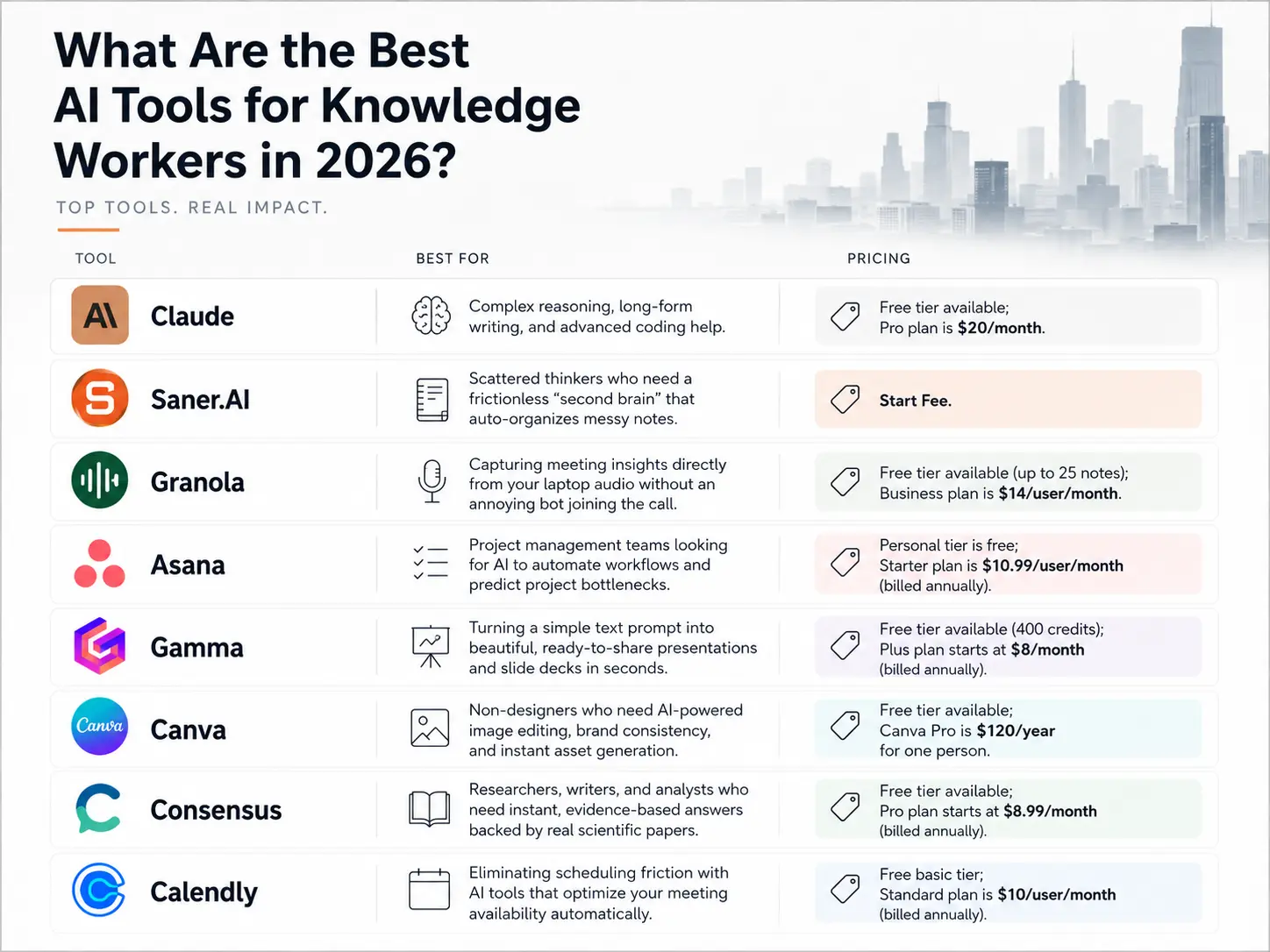
2. Saner.AI: Best for scattered thinkers who need a frictionless "second brain" that auto-organizes messy notes and tasks
3. Granola: Best for capturing meeting insights directly from your laptop audio without an annoying bot joining the call.
4. Asana: Best for project management teams looking for AI to automate workflows and predict project bottlenecks.
5. Gamma: Best for turning a simple text prompt into beautiful, ready-to-share presentations and slide decks in seconds.
6. Canva: Best for non-designers who need AI-powered image editing, brand consistency, and instant asset generation.
7. Consensus: Best for researchers, writers, and analysts who need instant, evidence-based answers backed by real scientific papers.
8. Calendly: Best for eliminating scheduling friction with AI tools that optimize your meeting availability automatically.
1) Why should knowledge workers use AI tools?
Because the current work is exhausting:
And AI tools can help to reduce fatigue:
- The landmark Harvard Business School / BCG study ("Navigating the Jagged Technological Frontier," now formally published in Organization Science) found that
- According to a study, roughly 27% of the AI-using workforce saves over 9 hours per week.
2) How we chose the best AI tools for knowledge work
To separate the true workflow accelerators from the overhyped chatbots, we judged the 2026 lineup against the harsh realities of a modern knowledge worker's daily life:
- Cognitive Load Reduction: Does the app actually take a task off your plate, or does it just create a new prompt-engineering chore?
- Workflow Native Integration: Can it sit silently in the background of your existing apps (Slack, Zoom, Browsers), or does it force you to constantly switch context?
- Data Privacy & Security: Does it meet strict corporate compliance standards, and will your data be used to train public models?
- Hallucination Control: How reliably does it stick to facts, citations, and source material versus making up convincing data?
- Speed to Value: Can you integrate it into your morning routine in under ten minutes, or does it require a steep learning curve?
What are the Best AI tools for Knowledge Workers?
The Best AI tools for Knowledge Workers are Claude, Saner.AI, Granola, Asana, Gamma, Canva, Consensus, Calendly
🧰 Comparison Table: Best AI tools for Knowledge Workers
| 🤖 Tool | 🎯 Best For | ⚡ Key Features | 💰 Pricing (2026) |
|---|---|---|---|
| Claude | Research, writing, reasoning, coding | Long-context AI chat, document analysis, writing assistance, coding support | Free; Pro from $20/month |
| Saner.AI | Personal knowledge management & task organization | AI-powered notes, task capture, auto-organization, natural-language search, daily planning | Free; Paid from ~$15/month |
| Granola | AI meeting notes | Automatic meeting transcription, summaries, action items, CRM integration | Free trial; Paid from $18/month |
| Asana | Team project management | Project tracking, workflows, AI-powered task management, reporting dashboards | Free; Starter from $10.99/user/month |
| Gamma | AI presentations & documents | Generate slides, docs, webpages, AI design assistance, collaboration tools | Free; Plus from $10/month |
| Canva | Visual content creation | AI design tools, presentations, image generation, video editing, brand kits | Free; Pro from $15/month |
| Consensus | Research & evidence-based answers | Search academic papers, AI-generated research summaries, citation support | Free; Premium from $11.99/month |
| Calendly | Scheduling & meeting coordination | Booking links, calendar sync, automated scheduling, team routing | Free; Standard from $10/month |
1. Claude - Thinking deeply, writing carefully, or solving layered problems
Claude is an advanced conversational AI model built by Anthropic, designed to act as a highly analytical text and code workspace. It excels at processing massive document libraries, tracking nuanced instructions, and executing complex reasoning tasks that leave other chatbots confused.
Key Features
- Projects and custom knowledge bases
When I uploaded my entire team's quarterly research reports into the Projects dashboard, Claude parsed the data instantly. It lets you build localized knowledge hubs by pinning style guides, internal code libraries, or documentation to specific project folders, keeping your prompts focused and contextually accurate.
"The Projects feature allows users to bring together documents, code, and insights in one place, making it easier to collaborate and maintain context across tasks." — Verfied Review
- Artifacts interactive workspace
I love using the Artifacts window when drafting code or multi-page guides because it separates the conversation from the final product.
"Artifacts pop up in a dedicated window next to your chat, making it easy to view, copy, and work with things like code snippets, text documents, or website designs." —Verified Reviews
- Extended context window processing
During my testing, I threw an entire 200-page technical manual at Claude, and it recalled specific edge-case variables without hallucinating.
"Its ability to process large volumes of data and summarize complex information is unmatched. I can upload massive PDFs and get accurate summaries instantly." — Verified Review
Pros
- I appreciate its writing tone, which feels noticeably more natural and less formulaic than other corporate AI tools.
- It catches minor logic flaws when I ask it to review dense financial sheets or technical scripts.
- I enjoy the project memory feature
Cons
- I dislike the strict usage limits on the Pro plan, which often cut my sessions short during periods of heavy writing.
- It cannot search the live internet natively when I need quick updates on current news.
Pricing
- Free: $0 per month. Access to basic capabilities with standard usage caps.
- Pro: $20 per month. 5x more usage than the free tier, priority access, and the Projects feature.
- Team: $30 per user per month (minimum 5 users). Shared project workspaces, administrative tools, and higher usage limits.
Suitable for
- Researchers, programmers, policy analysts, and content strategists who regularly deal with deep text analysis, large document sets, and complex data structures.
How to start
- Create an account on the official website and open a new chat window.
- Click the paperclip icon to upload your core research documents, background guides, or data spreadsheets.
Claude Review (source)
Users routinely praise the platform for producing text that reads like an experienced professional wrote it, rather than a robotic script.
"Claude's writing style is vastly superior to other models. It sounds human, nuanced, and doesn't rely on the typical AI buzzwords that ruin professional drafts." — Verified Review
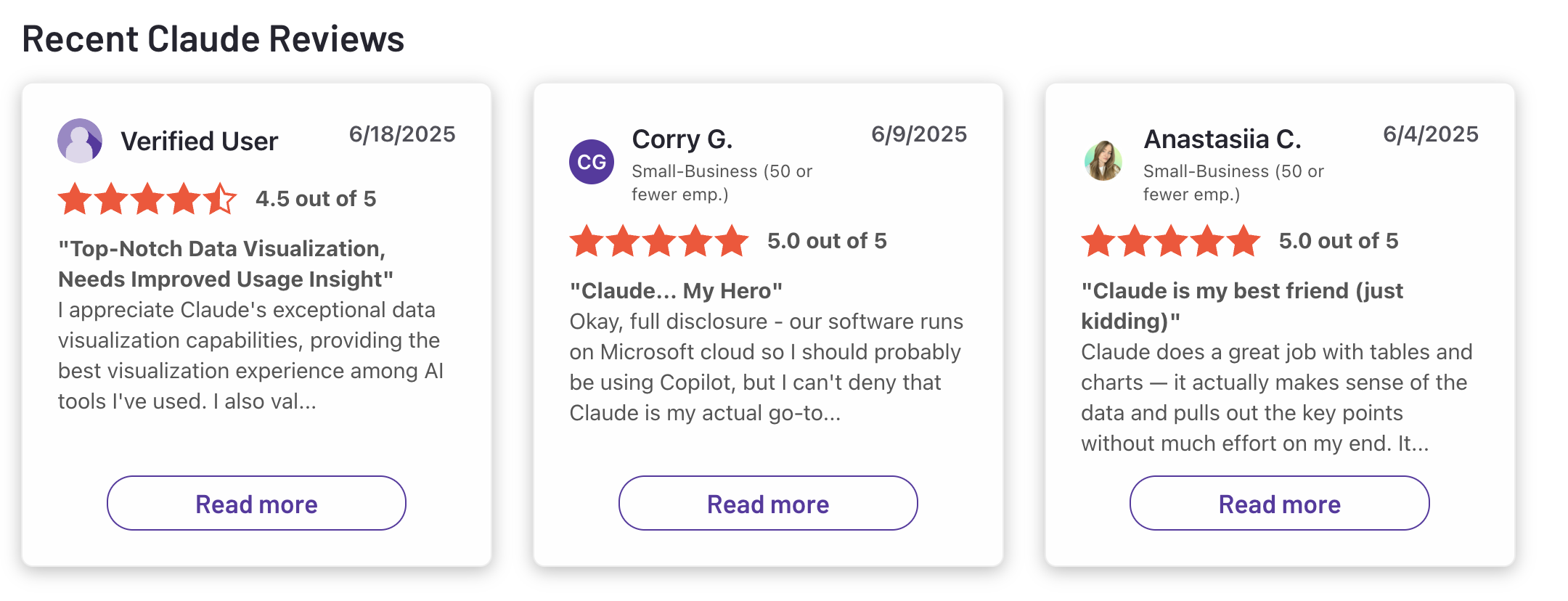
The primary complaint centers around the restrictive message quotas, which can derail deep work sessions without warning.
"The message limits on the Pro plan are incredibly frustrating. You can hit your cap after just a few long prompts, which completely breaks your workflow for hours." — Verified Review
2. Saner.AI - AI Personal Assistant
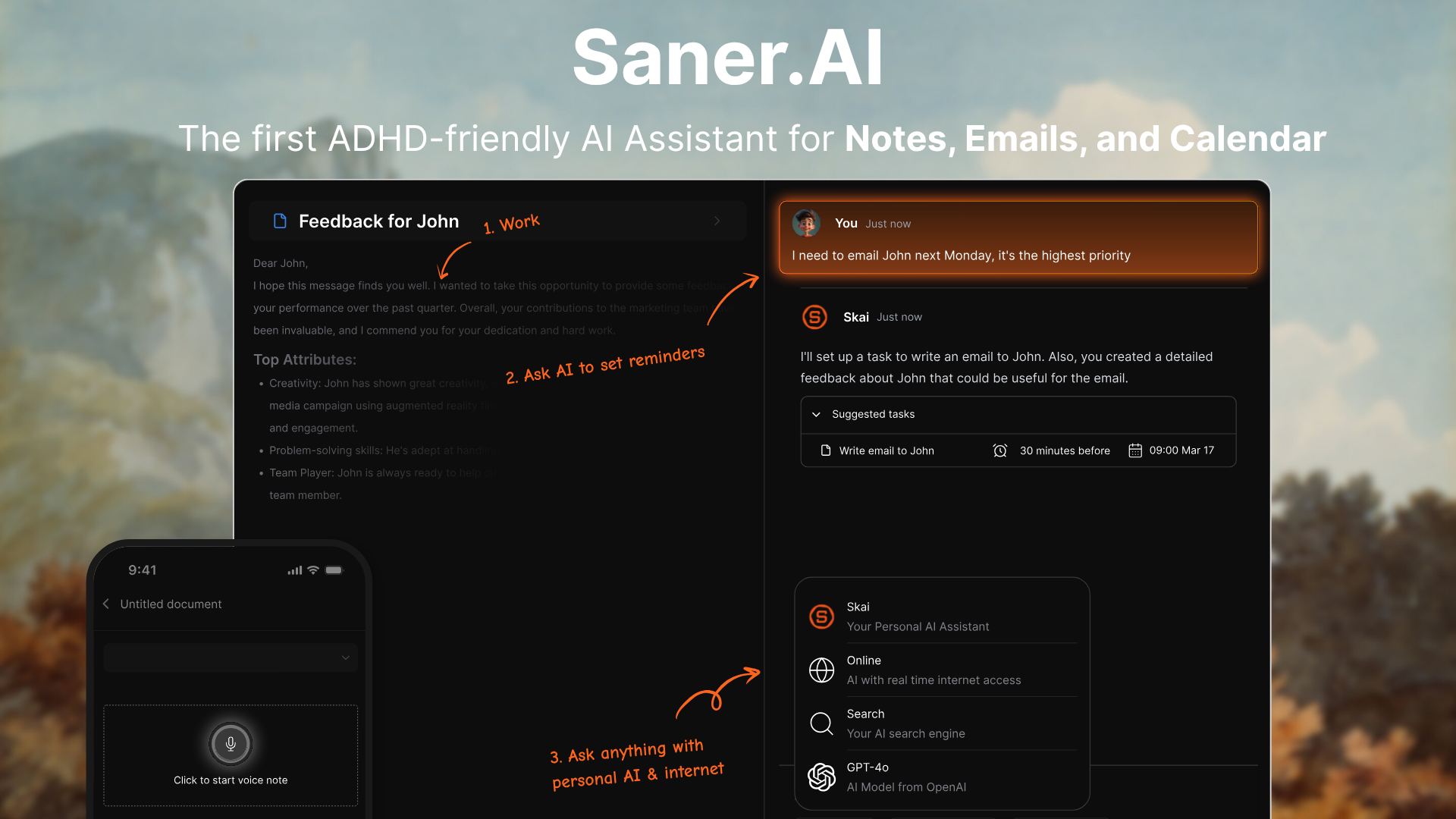
Saner.AI is a personal assistant designed for knowledge workers who need to capture and link ideas without wasting hours manually organizing folders. It serves as a concept of "second brain" by using an AI personal assistant to find connections across your articles, meeting transcripts, and daily logs of notes, tasks, and emails.
Key features
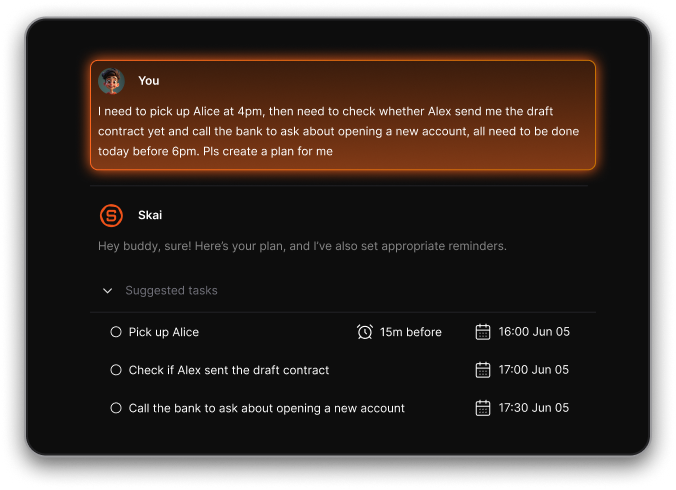
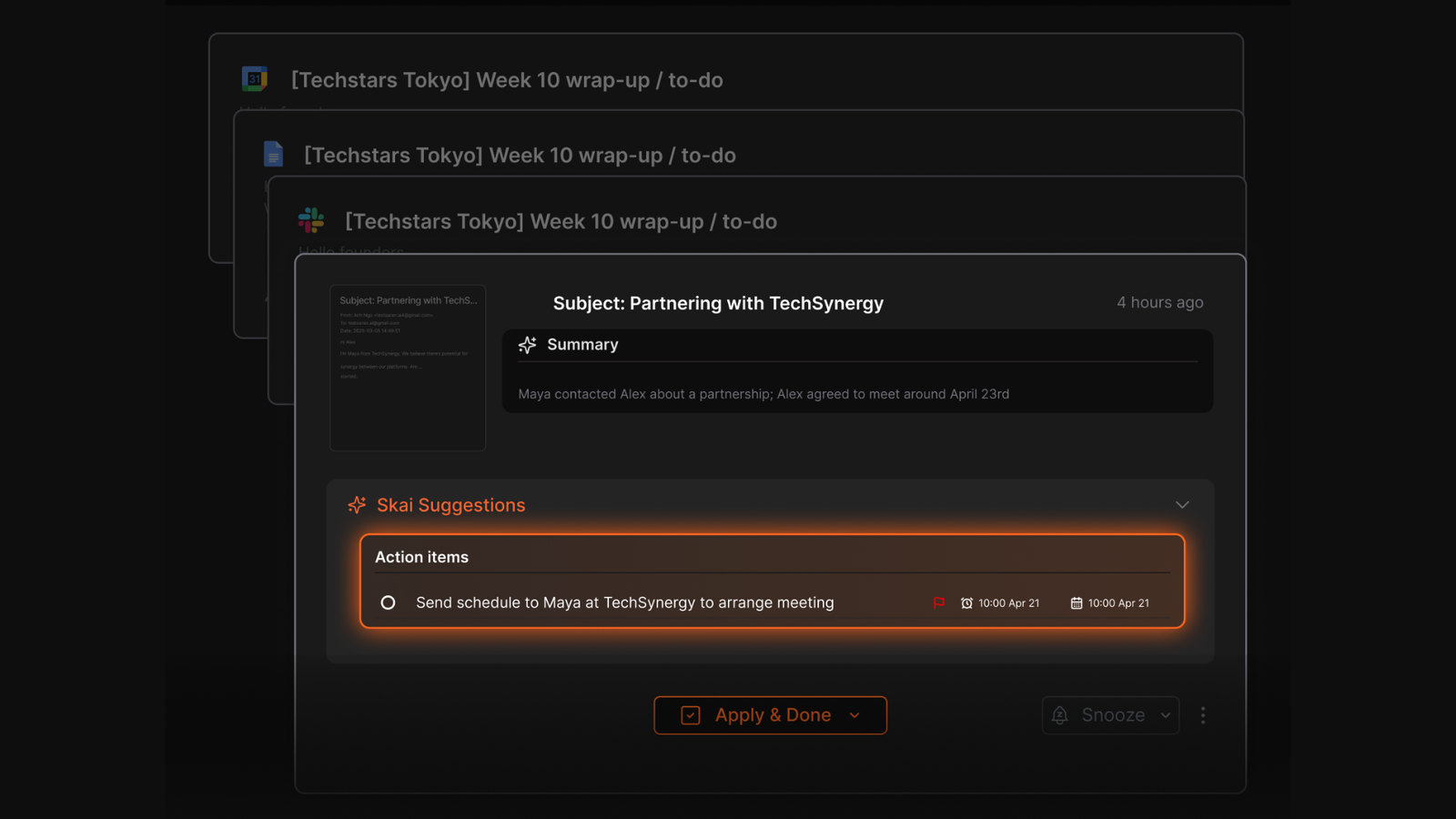
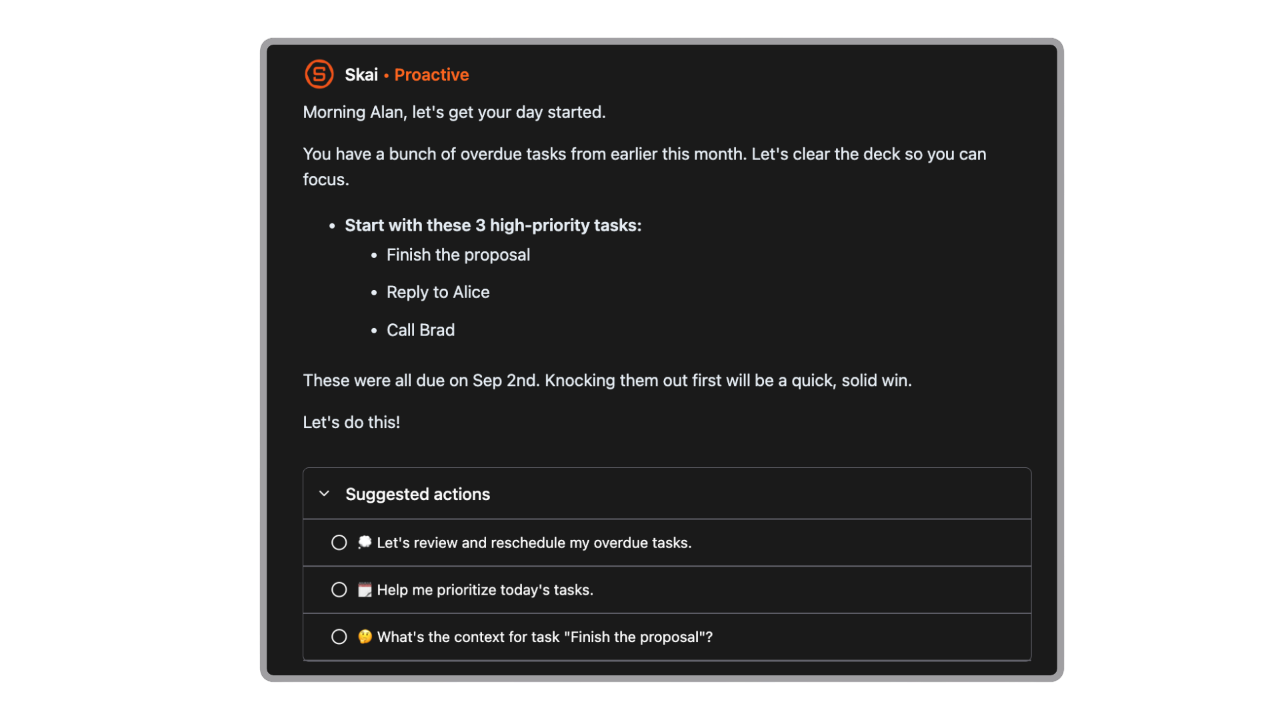
- Proactive AI assistant: It automatically extract tasks from your brain dump and gives you a day schedule every morning.
- Natural language semantic search
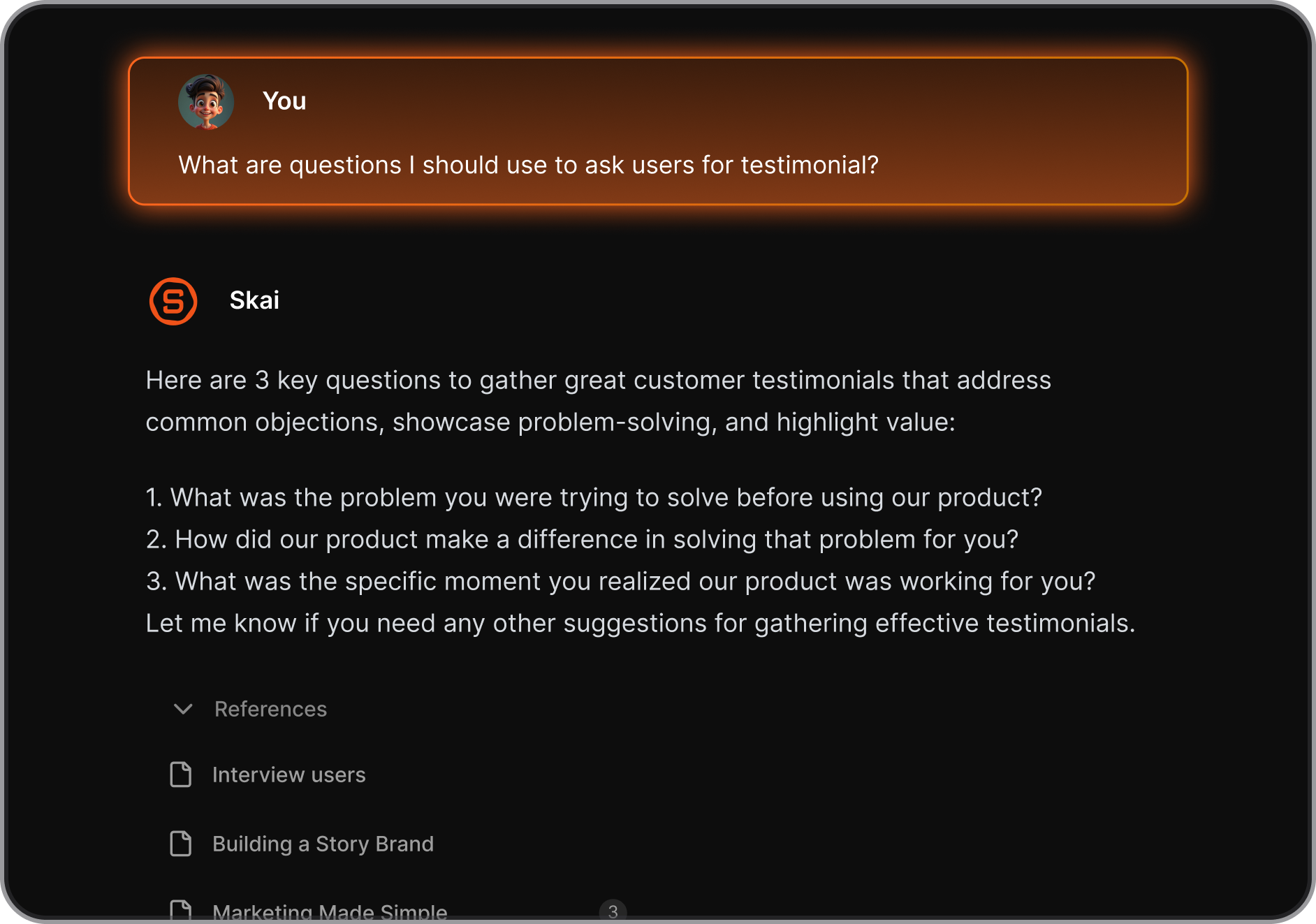
I like that I do not have to guess the exact keywords I used in an old file to find it. The search functionality uses conceptual meaning rather than exact word matching, letting you pull up relevant research notes by typing general phrases.
- Web clipper extension
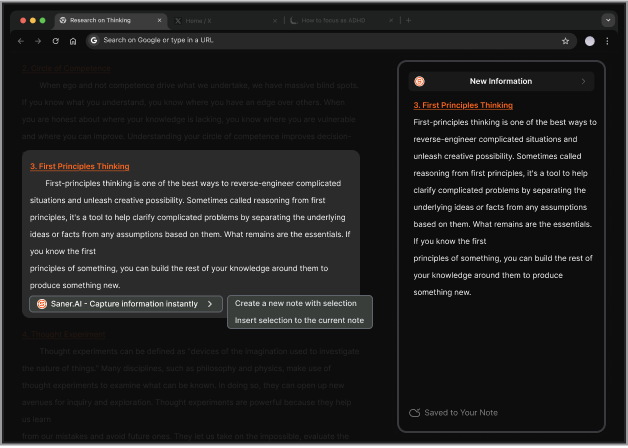
The browser extension lets you capture text highlights and full web pages directly into your inbox.
- App integrations and cross-platform sync
I tried linking multiple external accounts and liked how the platform automatically pulls in entries from platforms like Slack, Google Drive, and your calendar. It routes everything into a single central inbox so you can manage your schedule without jumping between separate browser tabs.
Pros
- I appreciate the lack of complex folder structures, meaning I can just dump text into the app and let the AI find it later.
- The interface is clean and distraction-free, which keeps me focused when my attention is scattered.
- The voice-to-text feature on the mobile app to capture quick ideas while away from my computer desk.
- I enjoy the automated task generation that pulls action items directly out of my uploaded project documents.
Cons
- Not ideal for large teams or project timelines - no Gantt charts or complex task dependencies.
Pricing
- Free Plan: Includes 100 notes, 30 AI requests per month, a 1MB file upload limit, and basic email and calendar sync.
- Starter Plan ($8/month): Provides 1,000 notes, 30 AI requests per day, a 5MB file upload limit, and 5GB of total cloud storage.
- Standard Plan ($16/month): Unlocks unlimited notes, 100 AI requests per day, a 10MB file upload limit, 100GB of storage, and priority support
Suitable for
- Saner.AI is best for every knowledge workers espeacily those who are neurodivergent knowledge workers who struggle with data clutter and need a tool that handles data organization and task prioritization automatically.
Saner.AI review

How to start
- Create an account on the web platform and drop your existing research documents or text files into the workspace to let the AI build your personal knowledge base.

Stay on top of your work and life
3. Consensus
Consensus is an AI search engine that specializes in extracting answers directly from peer-reviewed scientific literature. Built specifically for knowledge workers, analysts, and researchers, the platform scans over 200 million academic papers to synthesize evidence-backed answers without the risk of web noise or typical AI hallucinations.
Key feature
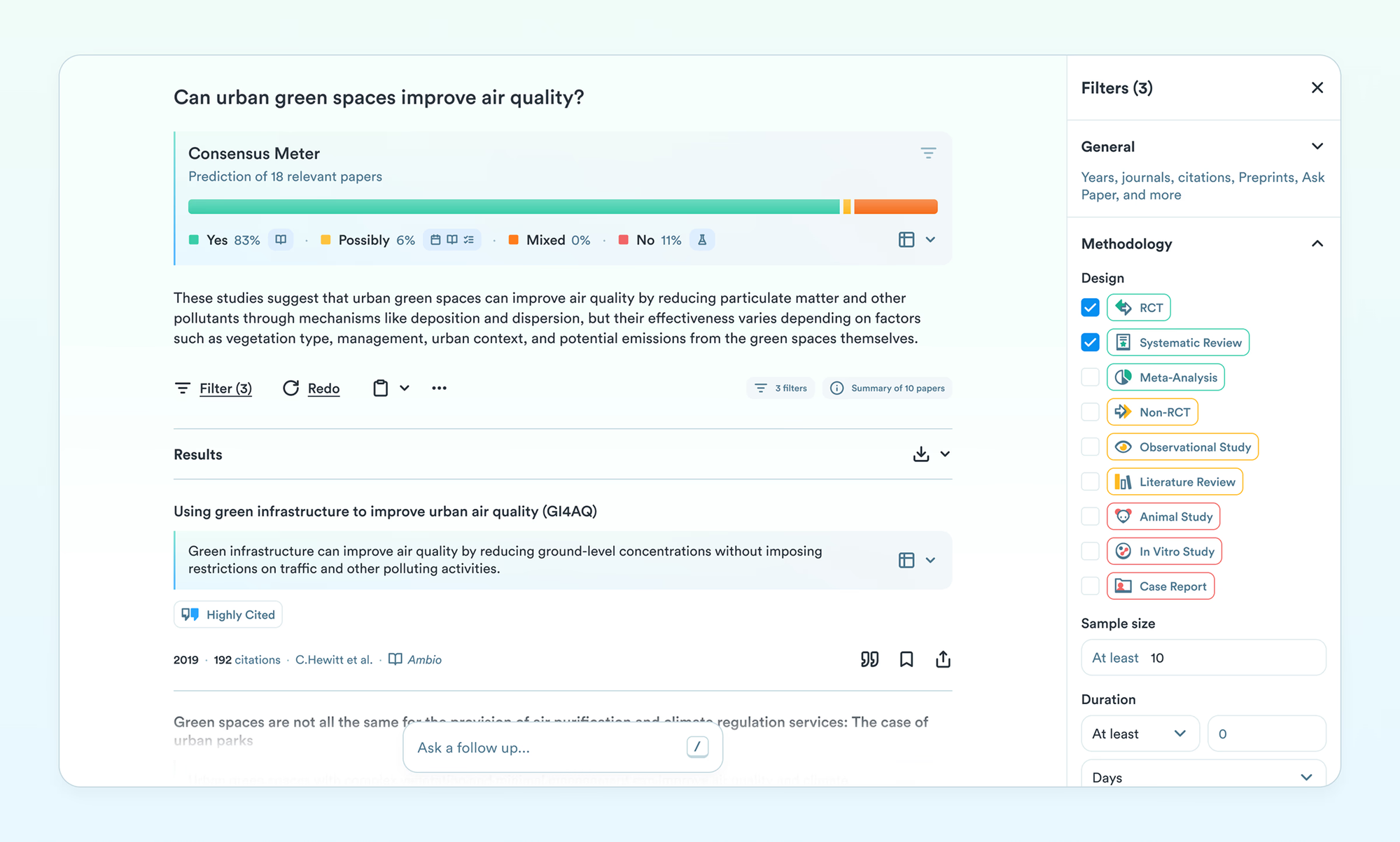
- Consensus meter
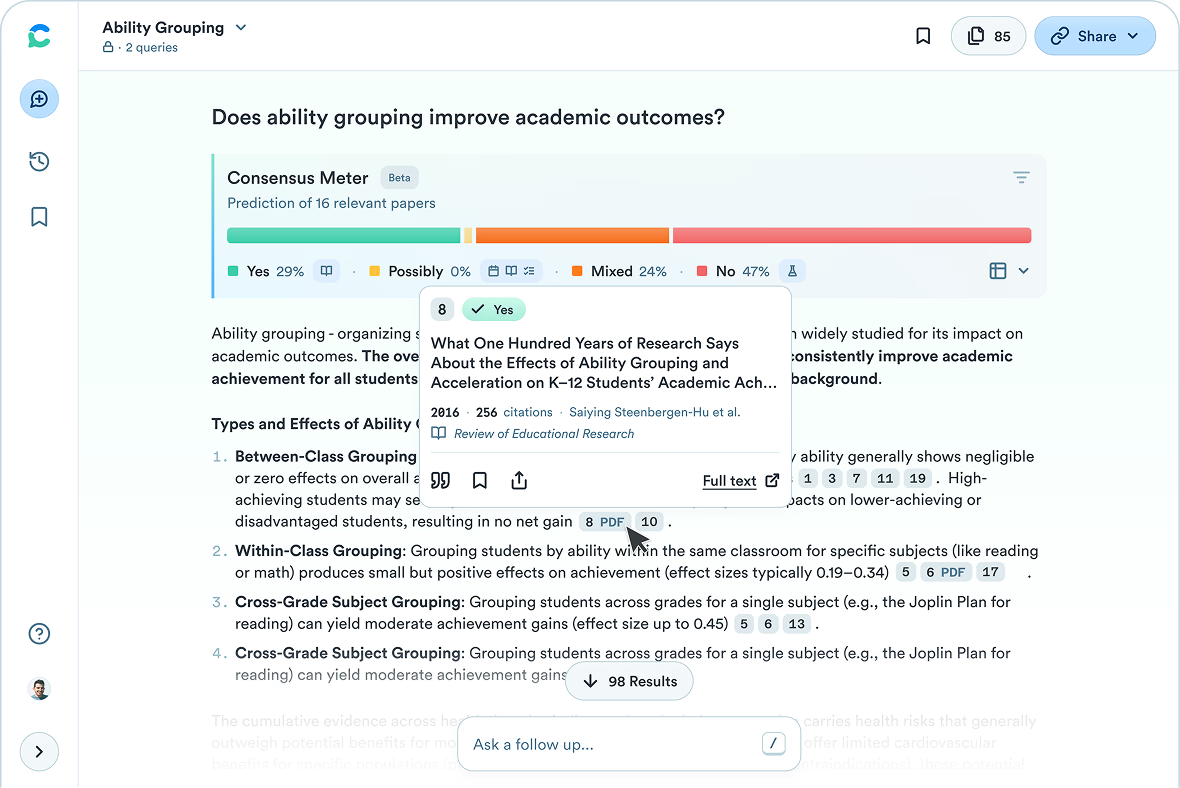
I like how it instantly visualizes the general agreement of the scientific community. It categorizes search results into an easy-to-read percentage chart showing how many papers say yes, no, or possibly to your query.
- Deep search execution
I tried running a few complex queries using the deep search toggle, and this feature acts like a multi-step research assistant, tracking down deep connections across dozens of studies to build a comprehensive literature overview.
- Study snapshots and badges
When scanning through long lists of search returns, I find it incredibly helpful to rely on the automated extraction badges. This feature pulls critical metadata, quality indicators, and sample sizes right into your main dashboard view
Pros
- I love that every single claim the AI assistant generates is backed by a clickable link straight to a real, peer-reviewed study.
- I appreciate being able to completely skip the blog posts and opinion pieces that clutter normal search engine results.
- The tool also shows study sample sizes and methodology quality indicators upfront.
Cons
- I am frustrated by how much the app slows down when I try to read open-access PDFs directly inside the interface.
- The platform does not provide deep links to specific sections inside the PDF files, forcing me to scroll manually.
- I feel conflicted because vague or poorly worded search phrases often lead to scattered, confusing evidence summaries.
Who is it best for
- Consensus is best for analysts, product strategists, medical professionals, and academic researchers who need to back up corporate reports, product claims, or literature reviews with verified, peer-reviewed science
Pricing list
- Free Plan
- Pro Plan: $15/month or $10/month billed annually
- Deep Plan: $65/month or $45/month billed annually
Consensus reviews (source)
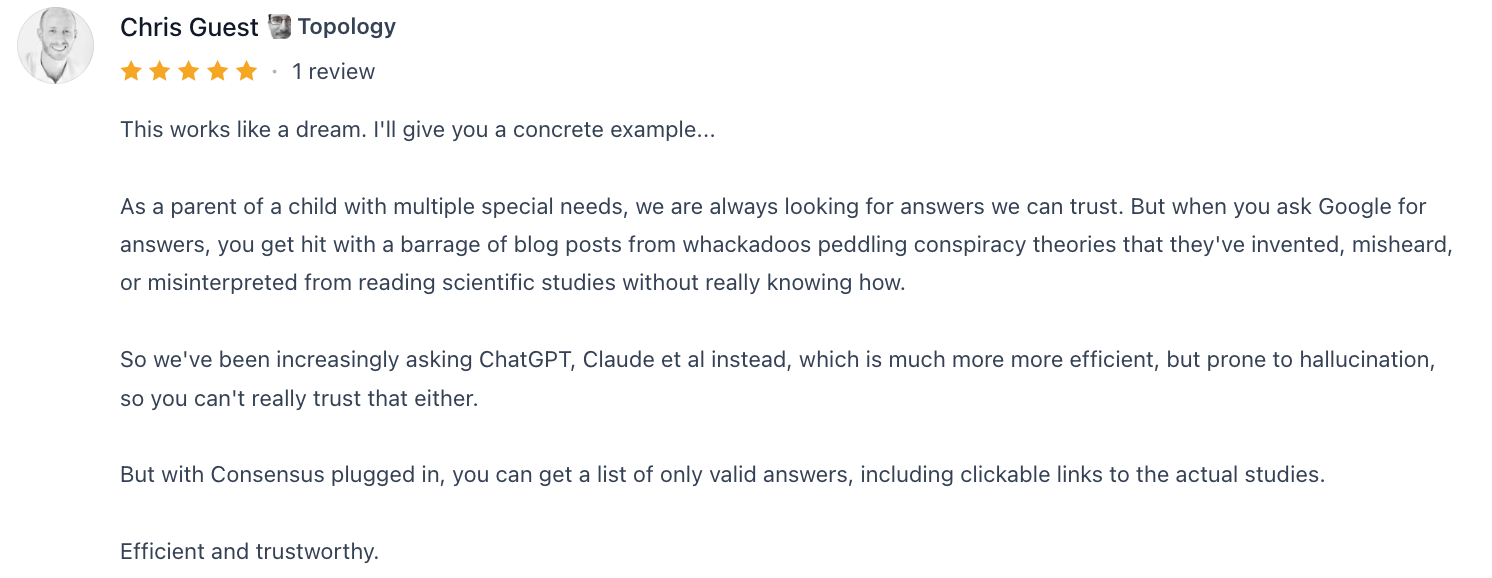
Knowledge workers praise the platform for cutting down on hallucinated AI links and providing accurate information they can confidently share with stakeholders.
"It's wonderful to see makers taking a problem (ChatGPT returning source links that are dead-ends) and turning it into a useful solution for users. I'm sure many in the academic field would find Consensus very useful" — Verified Review
While users value the grounding of the data, some note that individual dashboard storage and organizational features could be much stronger.
How to get started
- Head over to the Consensus platform and register an account using your professional or academic email address.
- Enter a clear, specific question or thesis statement into the main text box to trigger a paper search.
4. Canva
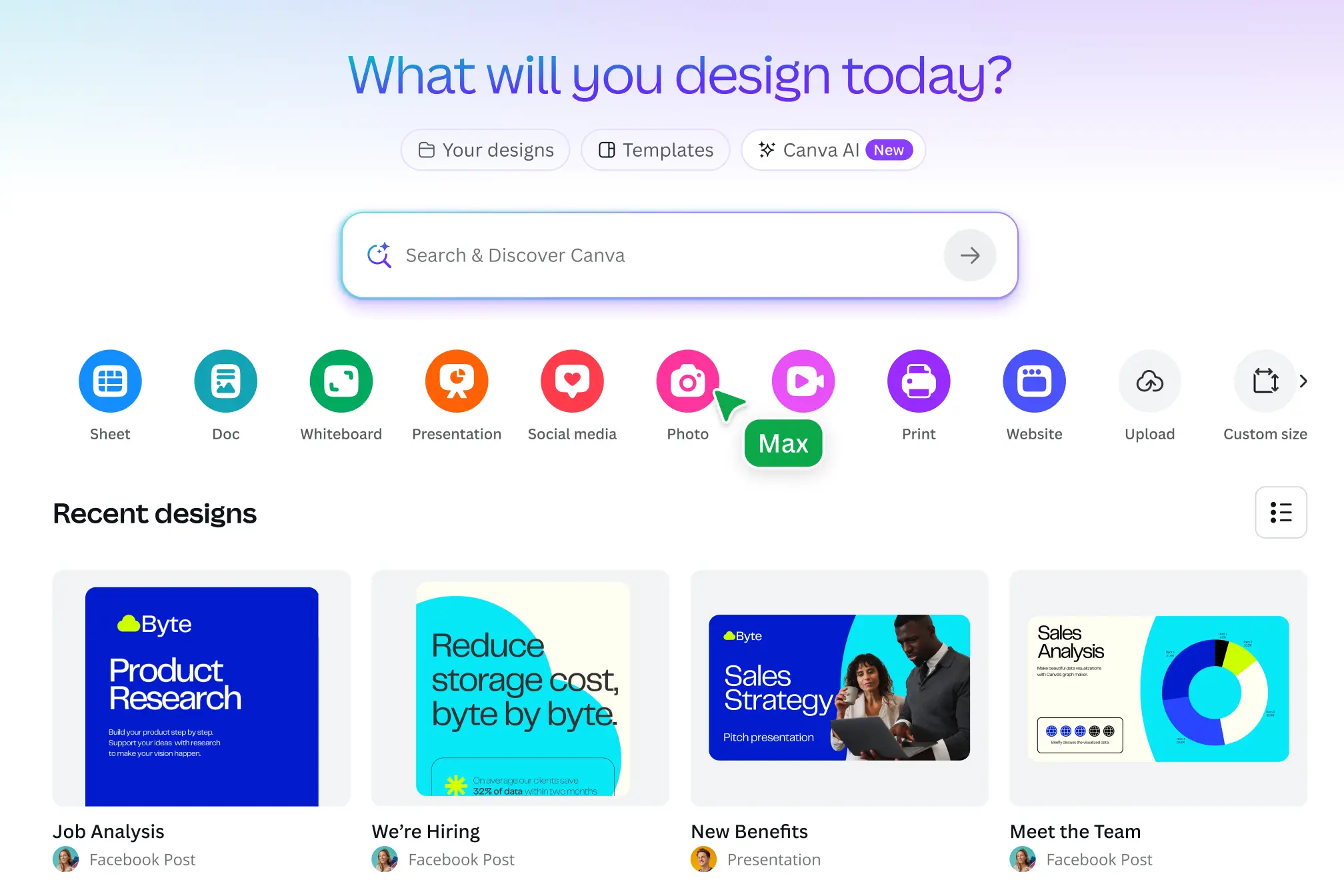
Canva is a cloud-based graphic design tool that integrates media creation with generative artificial intelligence. It helps knowledge workers build slides, corporate documents, and marketing assets without requiring formal training in technical design programs.
Pros:
- Drag and drop interface with free templates available for quick editing
- I appreciate how fast I can turn a messy outline into an aligned slide presentation.
- I enjoy using the background eraser tool, which cleans up portrait headshots and object photos in a single click.
Cons:
- I dislike the native text generation outputs because they often sound robotic and lack the nuance of dedicated writing assistants.
- I feel frustrated with the rigid timeline editing mechanics when handling long-form corporate video syncs.
- The free plan locks away major utility features like vector exporting and custom typography uploads.
Pricing
- Free Plan
- Pro Plan: $15/month or $120/year
- Business Plan: $25/user/month or $250/user/year
Suitable for
- Canva is best for knowledge workers who need to produce high volumes of visual assets and slide decks quickly without spending hours adjusting manual spacing grids in complex desktop software.
How to start
- Create an account using your business email to set up your primary workspace canvas.
Canva review (source)
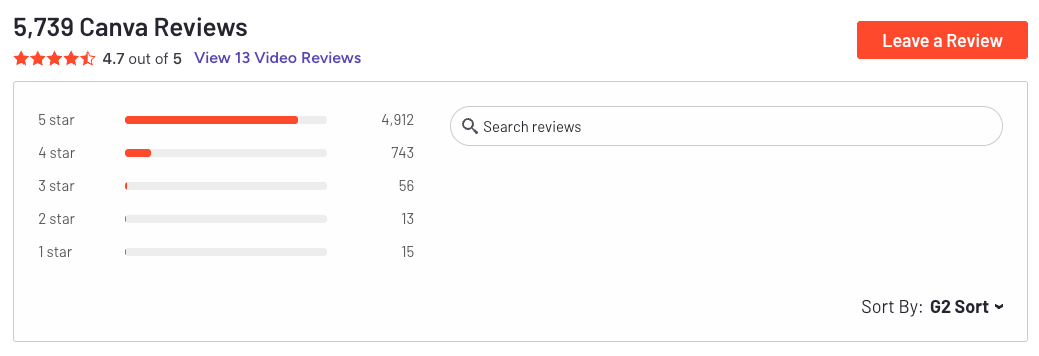
Knowledge workers highlight how the platform bridges the gap for non-designers who need professional output quickly.
"Canva has templates for just about everything, which makes it really easy to create materials like flyers, resumes, org charts, and more." - Verified Review
Users managing multi-channel text campaigns point out that the embedded AI copywriting elements lack brand awareness.
"Canva Magic Write produces very generic copy — it doesn't know your brand voice and has no way to learn it. Every caption it suggests sounds like marketing filler."- Verfied Review
5. Gamma
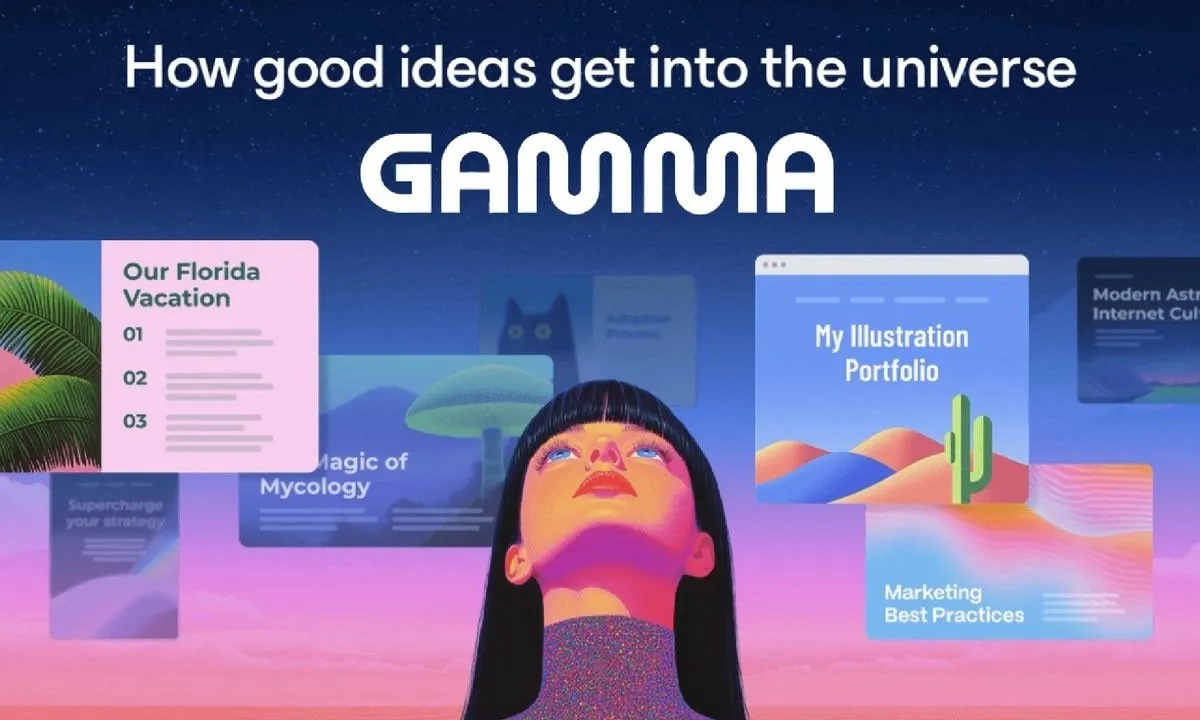
Gamma is an AI presentation and document builder designed to speed up how knowledge workers package information. It abandons the rigid boundaries of traditional slides, replacing them with fluid, expandable web cards that scroll like documents but look like polished decks.
You can transform raw text prompts, complex briefs, or scattered meeting notes into complete visual layouts within a single minute.
Pros:
- I tried dropping raw, unformatted notes into Gamma, and the tool mapped out multi-card slides with grouped headers, thematic styling, and balanced layouts without requiring any design choices.
- I appreciate the broad library of professional visual themes that look modern out of the box without manual tweaking.
- Background and layout customization add a clean, branded feel
Cons:
- I dislike the strict credit system because heavy automated editing and text rewrites can consume your monthly credit allowance rapidly.
- Exporting to PowerPoint occasionally shifts alignment layers or turns text layouts into flat images.
- I feel restricted by the layout engine when I need to make micro-adjustments to margins or align highly specific brand guidelines.
Pricing:
- Free plan
- Paid plans start from $8-$20/month
Who is it for?
- Gamma is best for product managers, marketing professionals, and consultants who frequently build internal project updates, client proposals, or quick summaries and prefer sharing clean web links over traditional desktop presentation files.
How to start:
- Create an account on Gamma and pick the generate option from the main workspace dashboard.
Gamma reviews (source)
Knowledge workers praise the application for bridging the functional gap between heavy text documentation and fast visual communication.
"Amazing concept blending the experience of decks and docs. Over the years I've found myself presenting straight from google docs, due to ease of use and collaboration." — Verfied Review
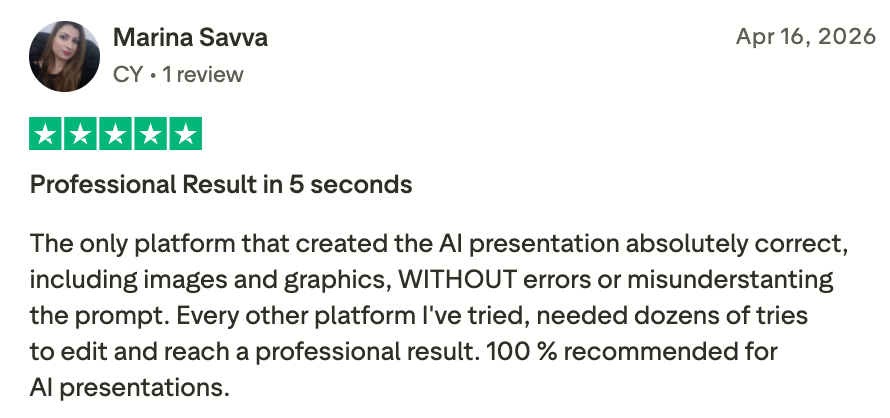
However, some professional users feel that the software trades detailed editing control for automated production speed.
"Formatting control is limited compared to PowerPoint or Google Slides, which can be frustrating for highly specific brand guidelines." — Verified Review
6. Calendly
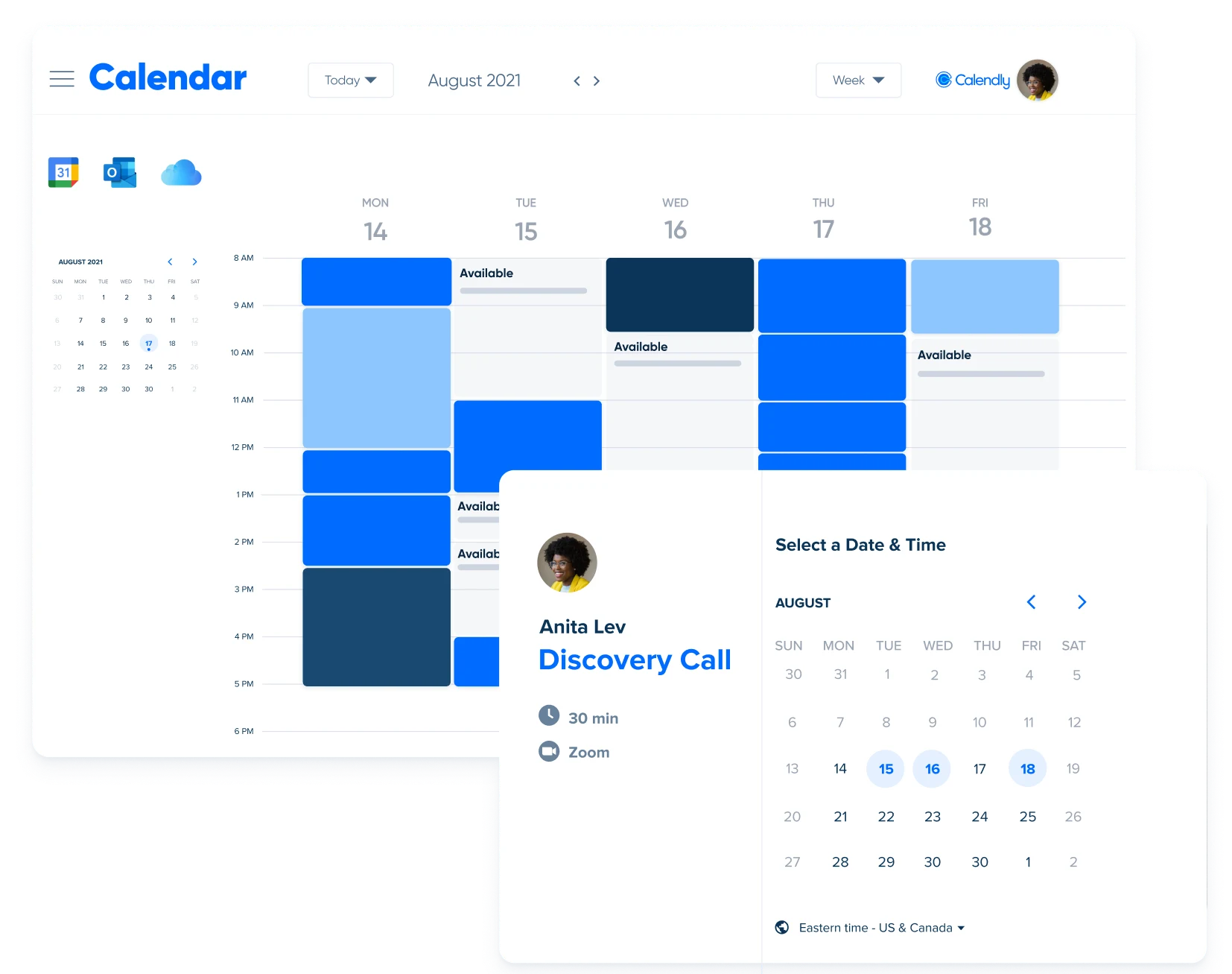
Calendly is an automated scheduling platform designed to eliminate back-and-forth emails when booking appointments. For knowledge workers, it functions as an essential time-management asset by syncing your availability directly with your digital calendars.
Pros
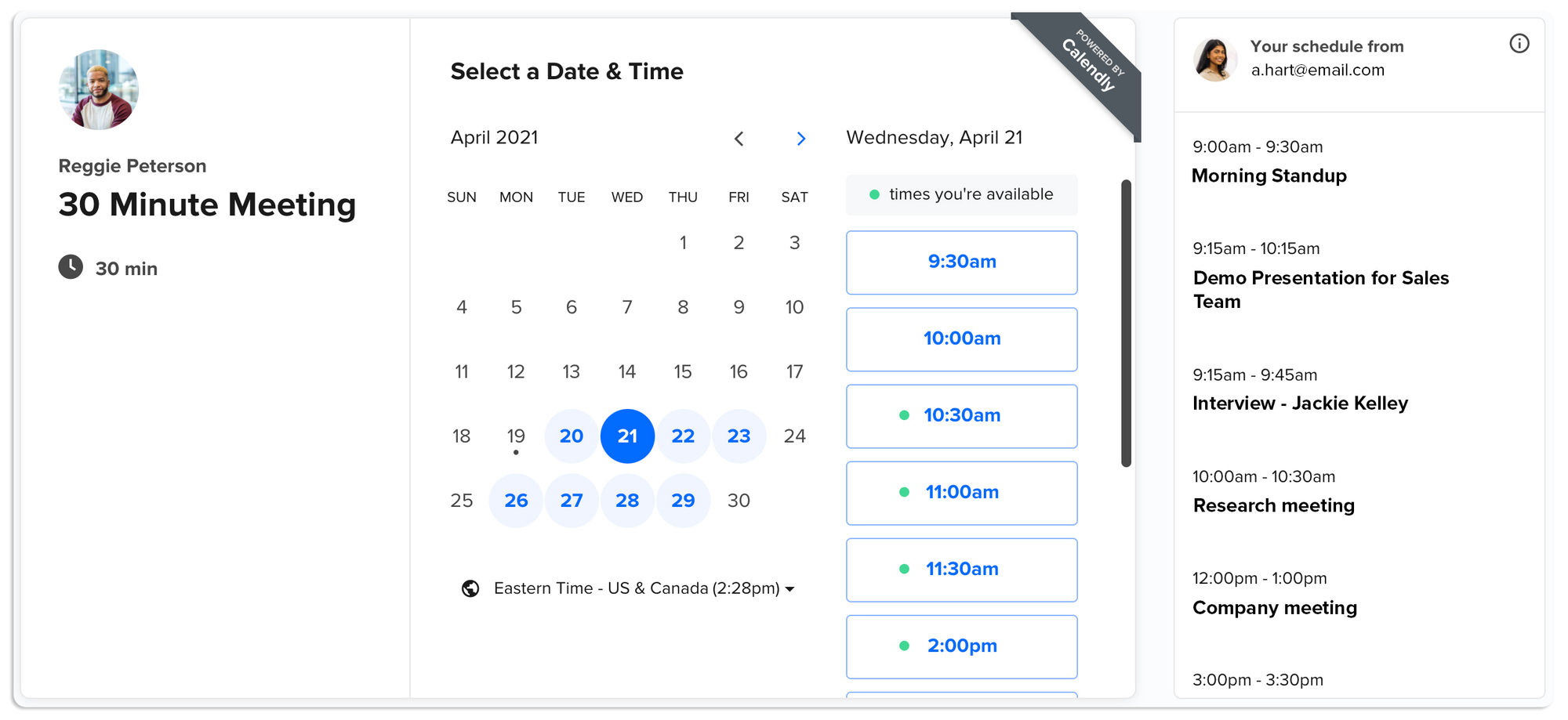
- The system cross-references up to six calendars in real time to calculate your actual availability before showing options to external visitors.
- Visitors fill out a short set of custom questions, and the platform automatically directs them to the correct meeting type or teammate based on their specific answers.
- I appreciate the buffer time tool because it forces an automatic 15-minute break between my consecutive calls.
Cons
- I dislike the steep learning curve required to establish conditional routing rules for multi-host group events.
- External calendar syncing delays can occasionally create double-booking errors during busy workdays.
Pricing
- Free plan
- Standard plan starts at $10/month with full calendar connections, unlimited event types, and booking page customization.
Suitable for
- Calendly is best for consultants, remote freelancers, and project managers who manage dense daily call schedules and need to outsource administrative coordination to save time.
How to start
- Go to Calendly, sign up, link your primary email calendar during account setup to import your existing schedule
Calendly review (source)
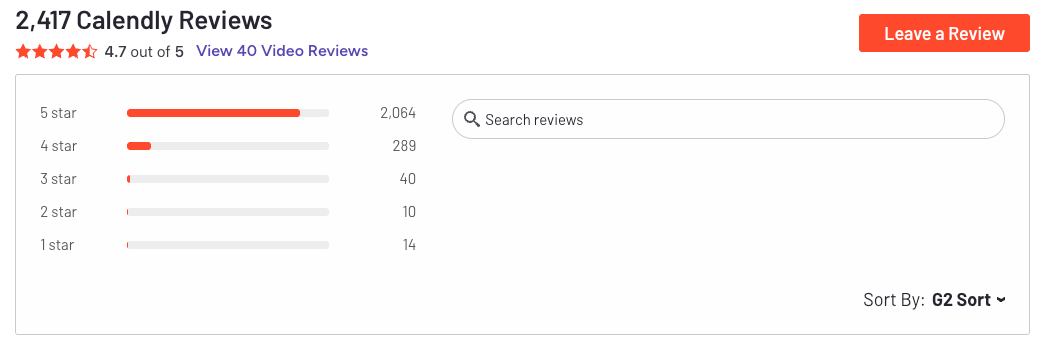
Writers and coordinators mention that sending a single URL removes the friction of organizing project meetings.
"Before this, I used to coordinate times manually over email or Slack, and it ended up wasting more time than I expected especially when different time zones were involved. The booking links are probably the most useful feature for me..." - Verified Review
Some users experience technical roadblocks when setting up multi-host sessions or handling payment gateways.
"Such a frustrating service that's been around for so long. I have paid for 2 people on my account and can only have a call with 1 person if we are to both host." - Verified Review
7. Granola
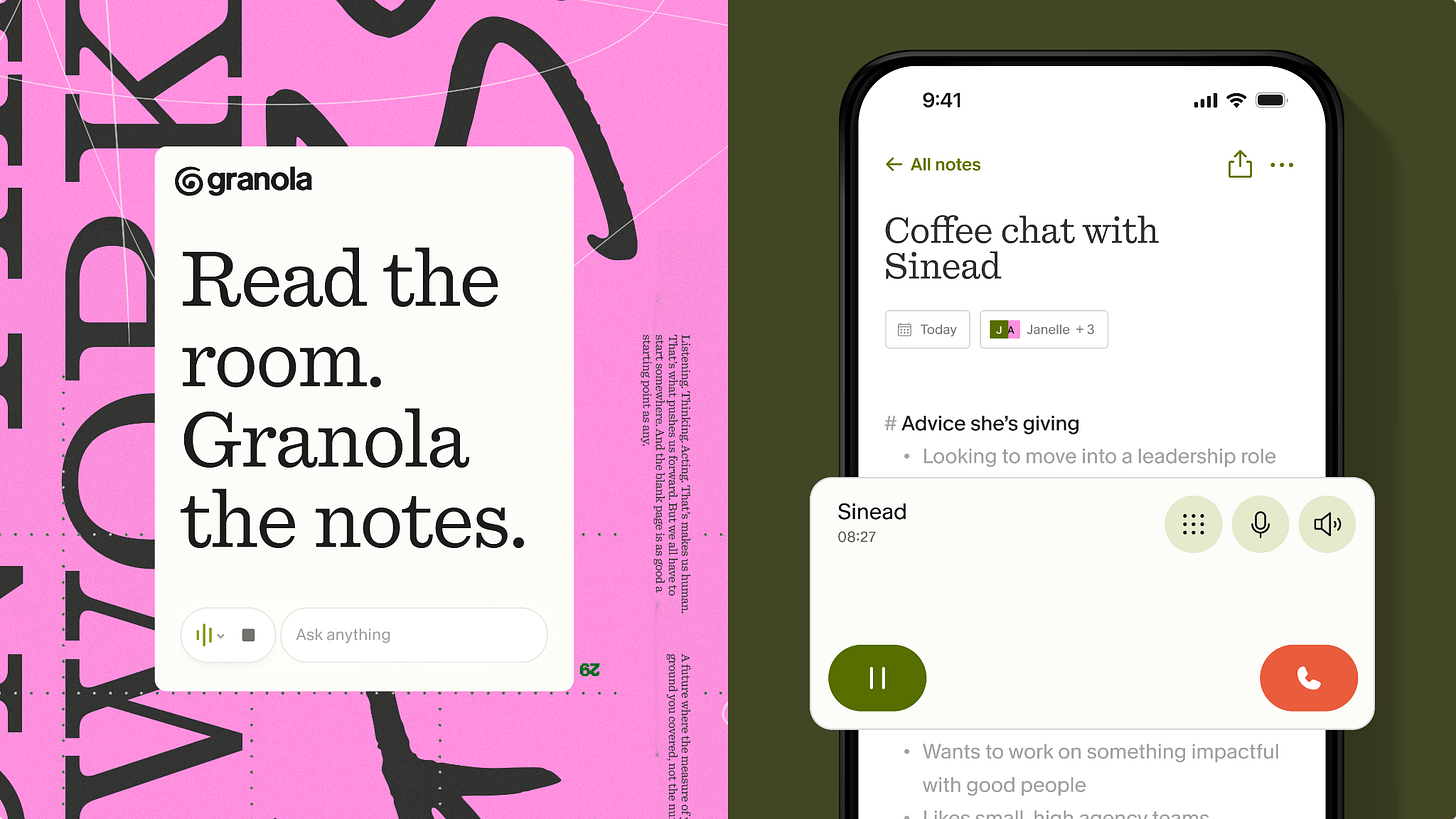
Granola is a meeting tool designed for people who prefer to type their own notes during a call. It operates without sending an automated bot into your Zoom, Google Meet, or Microsoft Teams sessions. Instead, the app records your computer audio locally and blends your raw thoughts with an accurate text transcript.
Pros
- I tested this during a few client discovery calls and loved that no third-party avatar joined the participant list. The app picks up your internal audio feeds cleanly from your desktop.
- When I used the notepad, I found that I could jot down short phrases like "Client dislikes the blue color" and the AI would expand those rough points into complete paragraphs using the transcript context.
- The tool searches across your shared folders, aggregates the details, and provides direct links to the relevant conversations.
Cons
- The software struggles with speaker identification if more than three people talk quickly over each other.
- I notice a distinct lack of basic audio playback features, meaning you cannot listen back to a specific sentence if the text transcript gets a word wrong.
- Some features are only available to a business subscription.
Pricing
- Free plan
- Business: $14/user/mo
- Enterprise: $35/user/mo
Suitable for
- Granola is ideal for solo consultants, product managers, and founders who run back-to-back calls and want high-quality documentation without turning over their meetings to an intrusive automated bot.
How to start
- Download the official desktop client for Mac or Windows from the website.
- Start a new session when your next call begins to let the system record desktop audio while you type.
8. Asana
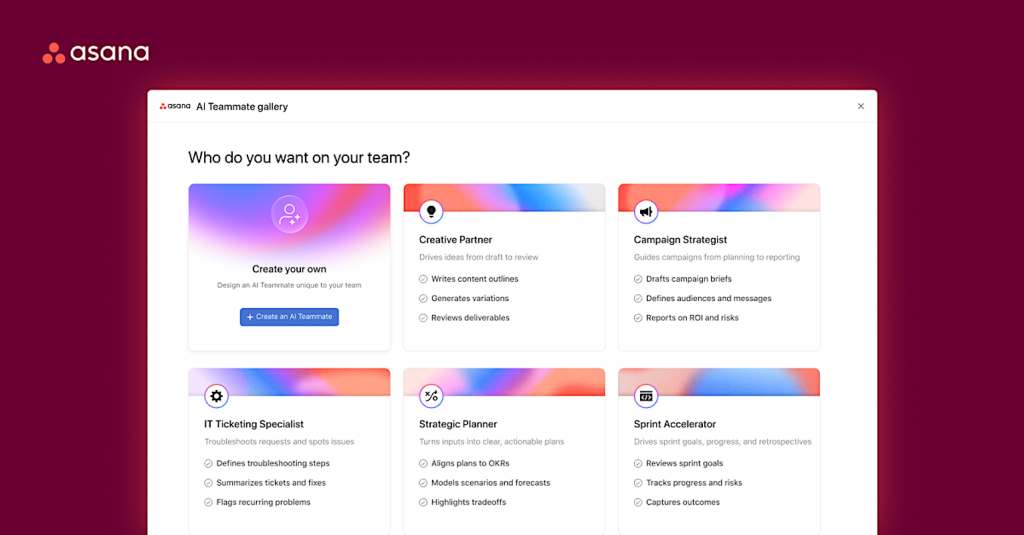
Asana is a central work management platform that coordinates team projects, tasks, and deadlines. For knowledge workers in 2026, its biggest asset is Asana Intelligence, an internal AI layer that handles the tedious administrative work of tracking project health.
It moves past basic task lists by actively analyzing team communication, summarizing long comment threads, and flagging blocker risks before they derail a deadline.
Key feature
- Smart summaries
I tested this on a messy creative project with over fifty nested comments, and it instantly pulled out the core action items.
"I love the new Asana Intelligence feature which creates smart summaries for tasks, saving me time reading through long comment sections." — Verified Review
- AI-driven reporting and status updates
The tool pulls real-time metrics across multiple team boards to draft comprehensive executive updates automatically.
"The reporting features and AI tracking are top notch, making it easy to create dashboards and track progress across multiple projects." — Verified Review
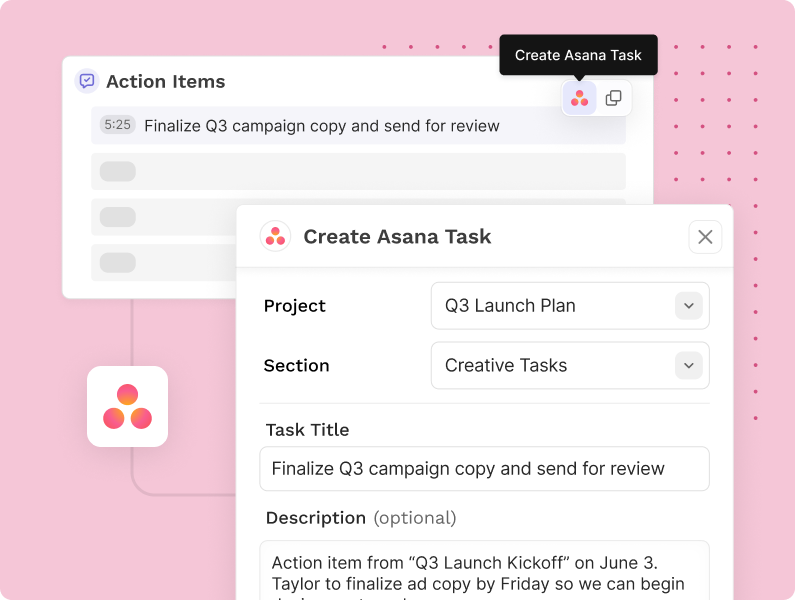
- Smart workflows
You can use natural language prompts to tell Asana how to reassign tasks, adjust due dates, or ping specific Slack channels based on project triggers.
"Asana rules and workflow builder allows teams to automate repetitive tasks and build custom workflows that save time and reduce errors." — Verified Review
Pros
- I like how the AI automatically suggests task sub-steps based on just the title of the assignment.
- I appreciate the visual clean-up of the dashboard, which keeps project goals visible without overwhelming my daily view.
- The system auto-flags resource bottlenecks when one team member gets assigned too many high-priority tasks.
Cons
- I sometimes feel annoyed by the sheer volume of notification pings when the AI auto-updates shifting project timelines.
- I find the interface setup a bit overwhelming at first, as it takes a few weeks to configure the automation rules correctly.
- I dislike that the most helpful AI capabilities are locked strictly behind the higher-tier paid plans, making it expensive for small teams.
Pricing plan
- Personal: $0/mo (Basic task management for individuals or small teams up to 10 members)
- Starter: $10.99/user/mo billed annually
- Advanced: $24.99/user/mo billed annually
Suitable for
- Asana is best for project managers, cross-functional team leaders, and knowledge workers who handle complex operations and need an automated way to keep multiple stakeholders aligned without constant status meetings.
How to start
- Create an account and set up a dedicated team workspace for your specific department.
Asana reviews (source)
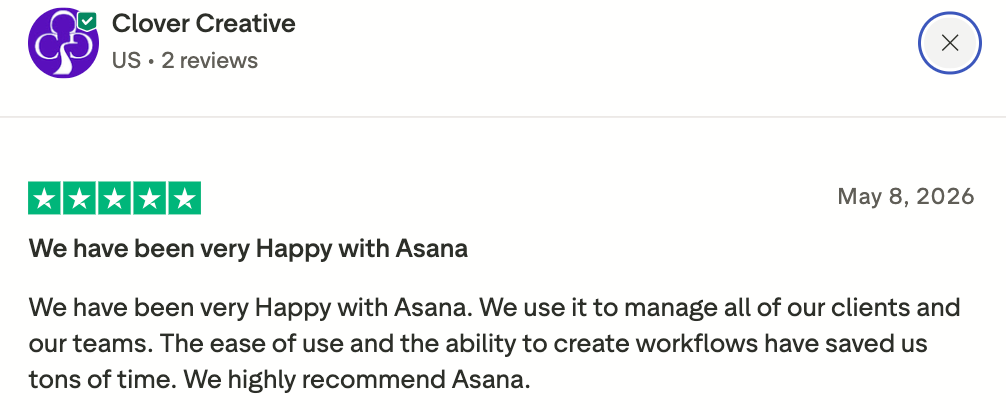
Users frequently highlight how the platform keeps larger, distributed teams on the same page without micromanagement.
"Asana is an excellent tool for project management and team collaboration. It helps teams stay organized, track progress, and collaborate effectively on projects." — Verified Review
Some workers note that the tool can feel like an administrative chore if the initial setup is too complex.
"It can be overwhelming for new users due to the sheer number of features and customization options. Some users may find the interface cluttered." — Verified Review
🎯 Final Thoughts: Start choosing the best AI tools to optimize your work.
You might use Claude to think through a complex problem, Gamma to turn ideas into presentations, Granola to capture meeting notes, or Consensus when you need evidence-backed research. Tools like Asana, Canva, and Calendly help keep projects moving without the usual administrative drag.
What I've noticed is that productivity isn't usually limited by a lack of tools. It's limited by context switching, forgotten ideas, scattered notes, and the mental effort of keeping everything organized.
That's where Saner.AI feels different.
Instead of adding another workspace to manage, it helps you capture thoughts, tasks, notes, and plans in one place, then uses an AI assistant to organize them automatically. For knowledge workers juggling meetings, research, content, and daily planning, that reduction in mental clutter can make a bigger difference than saving a few minutes on a single task.
My suggestion? Pick two or three tools that solve different parts of your workflow and use them for a week. Pay attention to how often you feel interrupted, distracted, or overwhelmed.
Stay on top with the best tools for knowledge workers
Frequently asked questions about AI tools for knowledge workers
1. What are the best AI tools for knowledge workers in 2026?
The best AI tools for knowledge workers depend on the type of work you do.
- Claude helps with research, writing, reasoning, and coding.
- Saner.AI helps manage notes, tasks, meetings, and personal knowledge.
- Granola focuses on meeting notes and summaries.
- Asana helps teams manage projects and workflows.
- Gamma creates presentations and documents.
- Canva helps create graphics, videos, and marketing assets.
- Consensus helps find evidence from academic papers.
- Calendly simplifies meeting scheduling.
2. What is an AI tool for knowledge workers?
An AI tool for knowledge workers helps people who spend most of their day thinking, writing, researching, planning, communicating, or managing information.
3. Which AI tool is best for managing knowledge, notes, and tasks?
For personal knowledge management, many professionals choose Saner.AI because it combines notes, tasks, reminders, and AI search in one workspace.
Instead of manually organizing folders and tags, users can save information naturally and ask questions like:
- "What did I write about our Q3 strategy?"
- "Show tasks related to the product launch."
- "What are my follow-ups from last week's meeting?"
4. What is the best AI assistant for deep thinking and research?
Claude is one of the strongest options for long-form reasoning, research synthesis, document analysis, and writing support. It handles large amounts of information well and is commonly used by analysts, consultants, researchers, and content teams.
5. Which AI tool is best for meeting notes?
Granola is designed specifically for meetings. It automatically captures notes, summarizes discussions, and identifies action items.
If you want meeting notes connected to your broader knowledge base and tasks, many users pair Granola with Saner.AI.
6. Can AI tools replace project management software?
Not completely.
AI assistants can help create plans, summarize updates, and identify priorities. Teams still need project management platforms such as Asana to track ownership, deadlines, dependencies, and team progress.
Most organizations use AI alongside project management software rather than replacing it.
7. What is the best AI tool for creating presentations?
Gamma is one of the most popular choices for AI-powered presentations in 2026.
It can:
- Generate presentation outlines
- Create slide content
- Turn documents into presentations
- Suggest layouts automatically
Many knowledge workers use Gamma to reduce the time spent formatting slides.
8. Which AI tool is best for content creation and design?
Canva is often the top choice for non-designers.
Its AI features help create:
- Social media graphics
- Marketing materials
- Presentations
- Videos
- Brand assets
For teams that create content regularly, Canva can significantly reduce production time.
9. What is the best AI tool for academic research?
Consensus is built specifically for research-backed answers.
Instead of searching the web, it searches scientific papers and helps users find evidence, summaries, and relevant studies. Researchers, students, consultants, and healthcare professionals often use it to verify claims quickly.
10. Which AI tool is best for scheduling meetings?
Calendly remains one of the simplest ways to schedule meetings.
It automatically:
- Shares availability
- Handles time zones
- Books appointments
- Reduces back-and-forth emails
For knowledge workers who spend hours coordinating meetings, the time savings can add up quickly.
11. How do AI tools improve productivity for knowledge workers?
AI tools reduce the amount of manual work involved in finding information, writing content, organizing tasks, and coordinating schedules.
Common productivity benefits include:
- Faster research
- Less time spent searching for notes
- Better meeting follow-up
- Reduced context switching
- More focus on high-value work
The biggest productivity gains often come from combining AI with existing workflows rather than replacing them entirely.
12. What is the best AI tool for professionals with ADHD or information overload?
Many users with ADHD prefer Saner.AI because it reduces the need for manual organization.
Key benefits include:
- Natural language note capture
- AI-powered note retrieval
- Task extraction from notes
- Context-aware reminders
- Fewer folders and tagging systems to maintain
This can help reduce friction and make it easier to stay organized consistently.
13. Can AI tools connect notes, tasks, and calendar events?
Some can.
Saner.AI is designed around this idea. Information captured in notes can become tasks, reminders, or future actions while remaining connected to the original context.
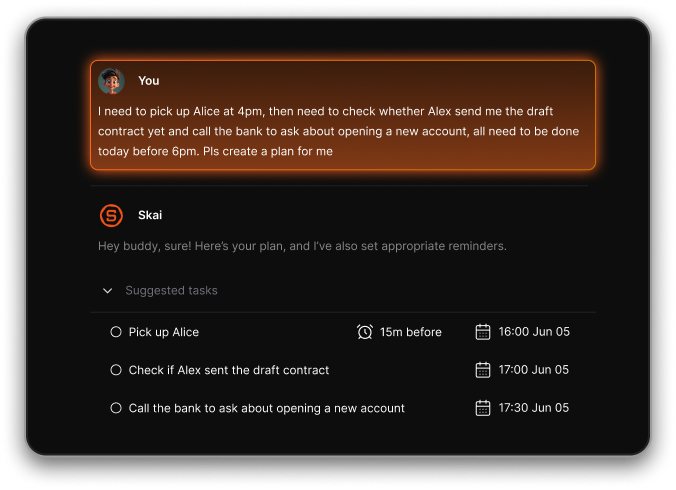
This creates a more complete productivity system compared with using separate note-taking and task-management apps.
14. Should knowledge workers use one AI tool or multiple AI tools?
Most knowledge workers get better results from using multiple specialized tools.
A common setup might look like:
- Claude for research and writing
- Saner.AI for personal knowledge and task management
- Granola for meetings
- Gamma for presentations
- Canva for design
- Calendly for scheduling
The best stack depends on your workflow, role, and volume of information.
15. What is the best overall AI productivity tool for knowledge workers?
There is no single best AI productivity tool for everyone.
If your biggest challenge is research and reasoning, Claude is often the strongest choice.
If your biggest challenge is managing information, notes, follow-ups, and daily work, Saner.AI is one of the most complete options because it combines AI search, note management, task tracking, reminders, and calendar awareness in a single workspace.
Many knowledge workers use Claude as their thinking partner and Saner.AI as their system for organizing information and turning ideas into action.
Stay on top of your work and life



